Graphics cards for $5
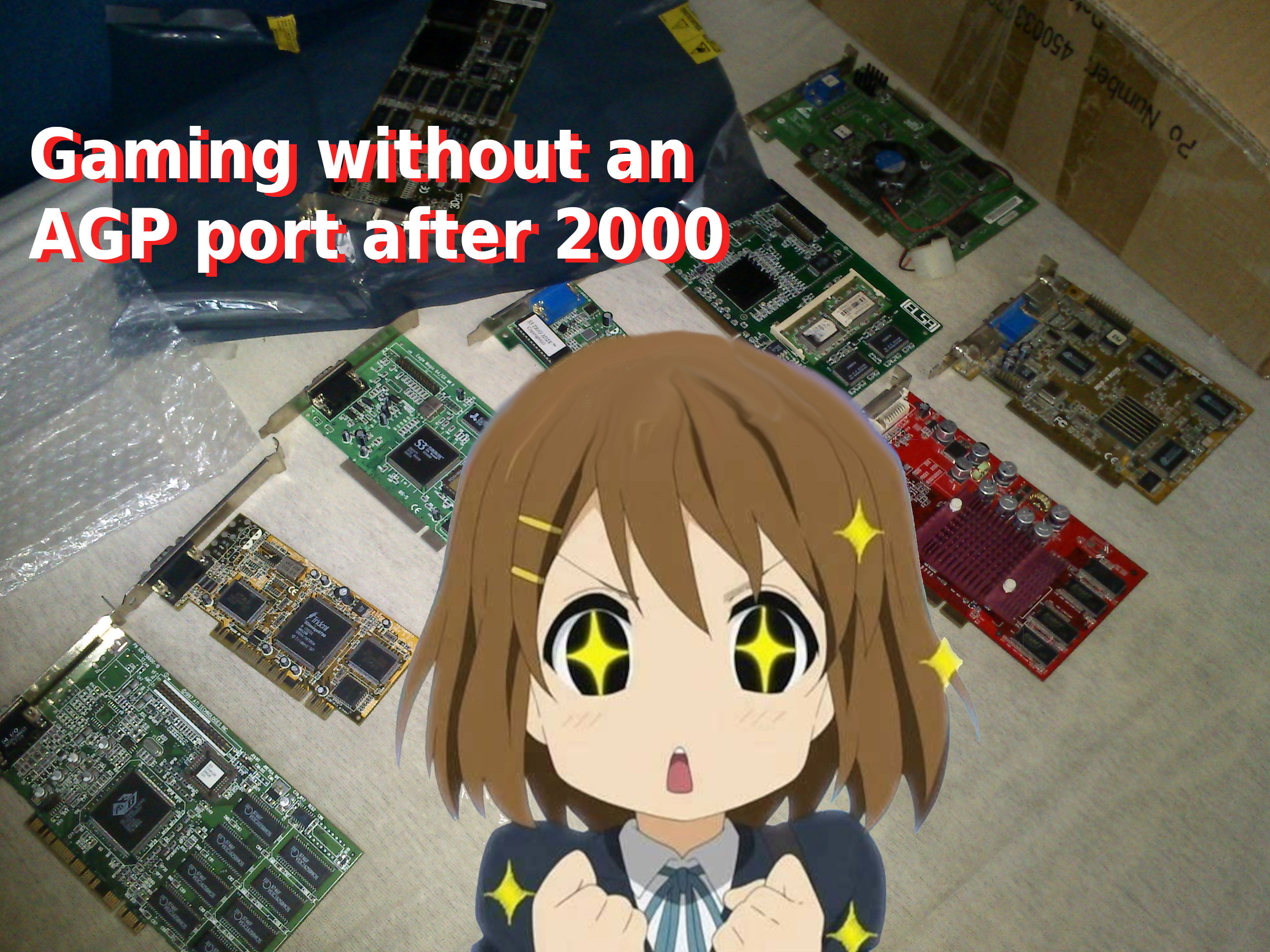
Potent graphics cards are quite expensive, and its becoming harder for people to be able to afford gaming systems. This test is going to feature super cheap second-hand graphics cards, and we will find out, if they can be used for actual gaming, or not. To test these graphics cards, a ~15 year old system will be used. In reality, these cards are going to be used in low-end computers, it wouldn't make sense to do this test with a strong system - therefore, a very weak system will be used. To make things more interesting, i have choosen graphics cards which i was able to buy for $5 or even less.
Digging the graphics cards
-Most modern games will require a fully DirectX 11 compatible graphics card. DirectX 11 is backwards compatible with DirectX 10-based cards, however, some of the newest DirectX 11 based games will require a graphics card supporting the latest DX11 feature level, which will prevent DirectX 10 based hardware to start the game.
-For this money, its not possible to get old flagship cards, only old multimedia cards, and old midrange graphics cards. Obsolete DX11 high end graphics cards would cost more than $20, which is now outside of this budget.
-These cards were usually released between 2010 and 2015. They can be from nVidia or AMD, and no other gpu manufacturers existed in that era (other old-school manufacturers usually stopped at earlyer versios of DirectX, new manufacturers started in the DX12 era, or only offered integrated DX11 accelerators).
-All of these cards available nowadays - you can still find them in webshops.
-Driver support ended for them years ago.
Its hard to get them for cheap
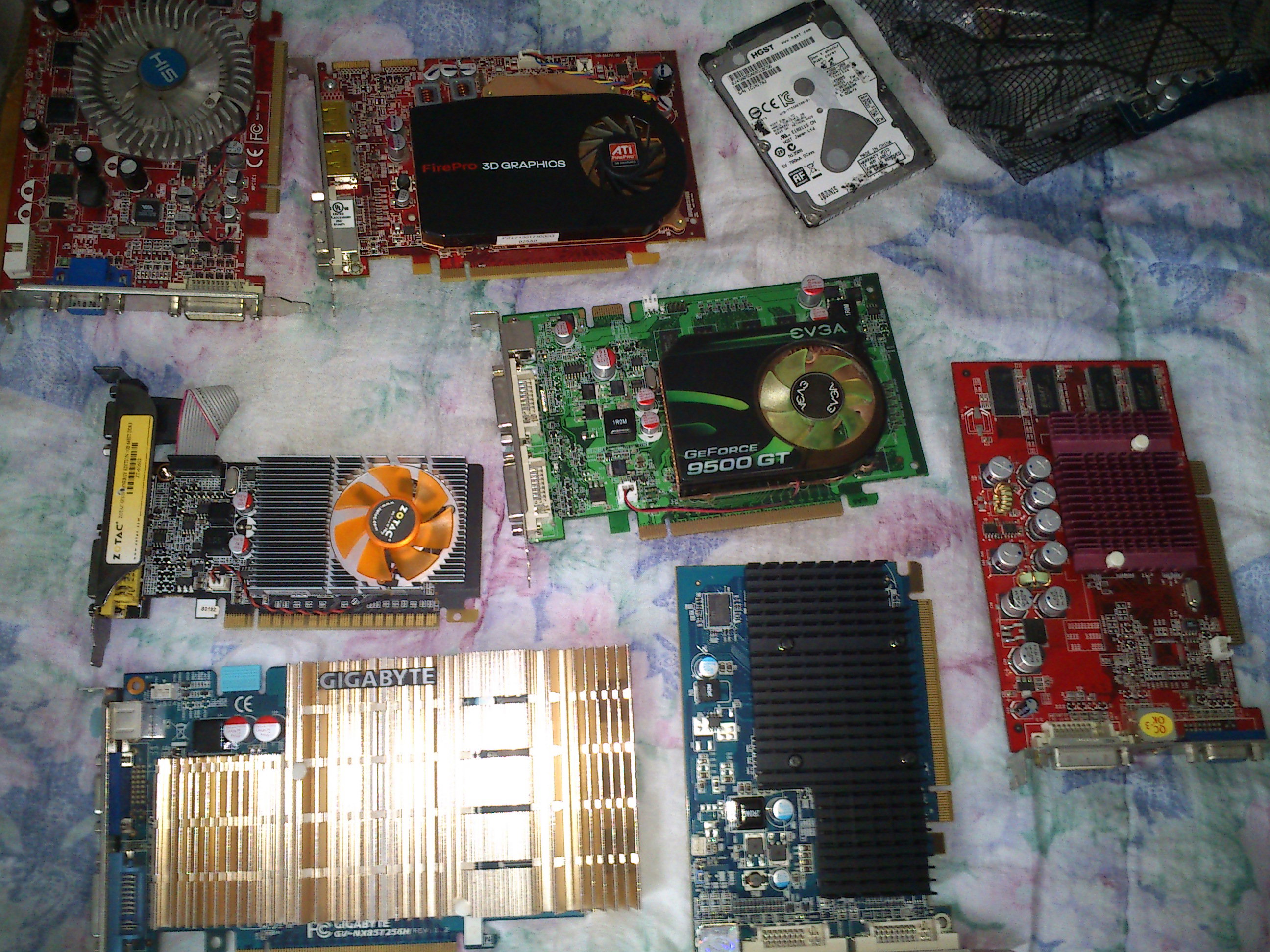
Its easy to find these cards, however, the prices can be high sometimes. Because cheap entry level graphics cards are not a thing any more (even the newest low-end cards begin around $100), the prices of these old cards also started to rise. Webshops usually sell these above $50, so i had to wait weeks till i found these offers. I got more than the ones i will test - but not all of them were in a functional state. One even catched fire, when i started to test it. At the end, i ended up with 6 fully working cards which were all below $5, and required only some minimal maintenance. First, lets see the AMD cards:
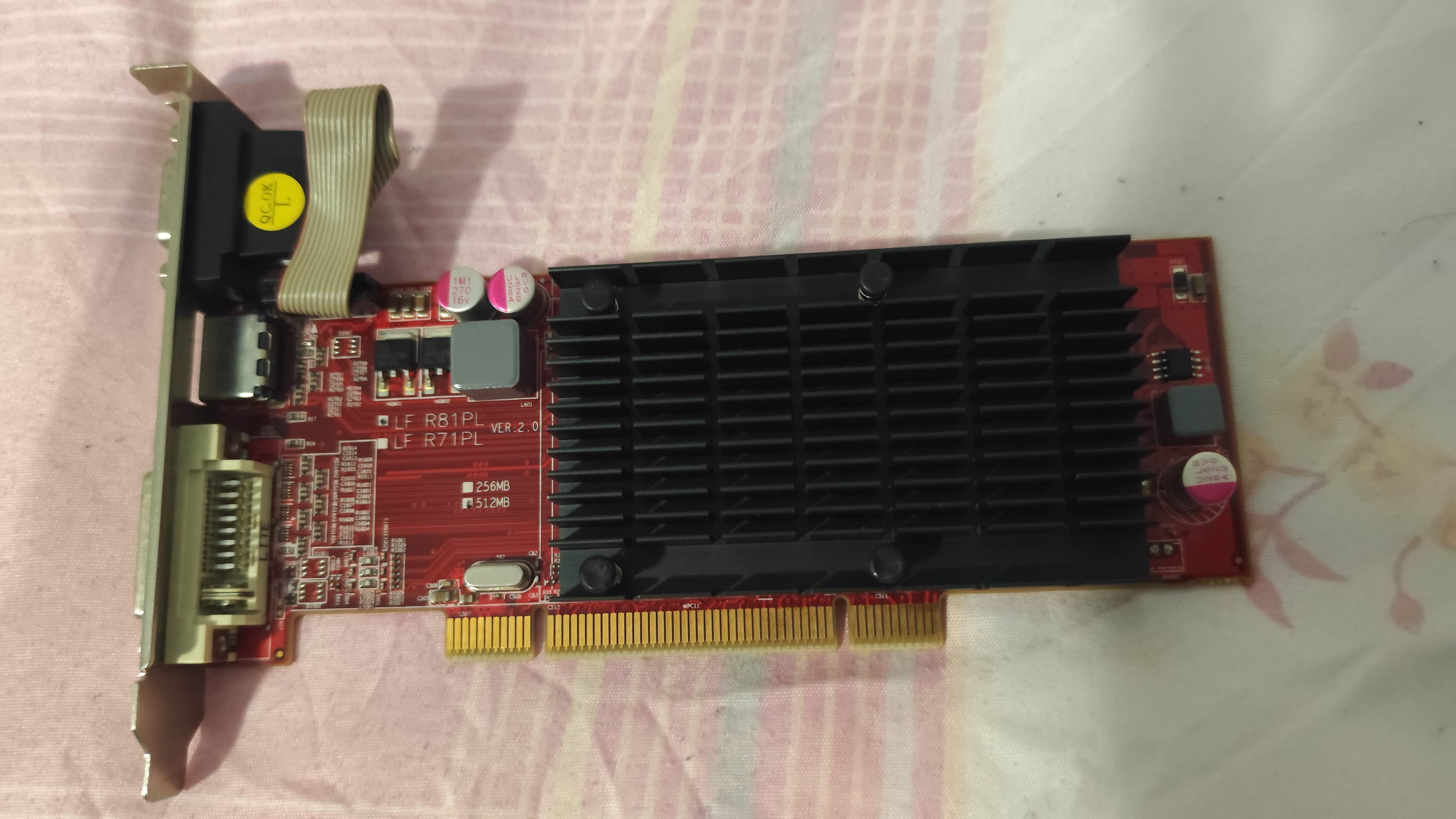
AMD Radeon HD5450
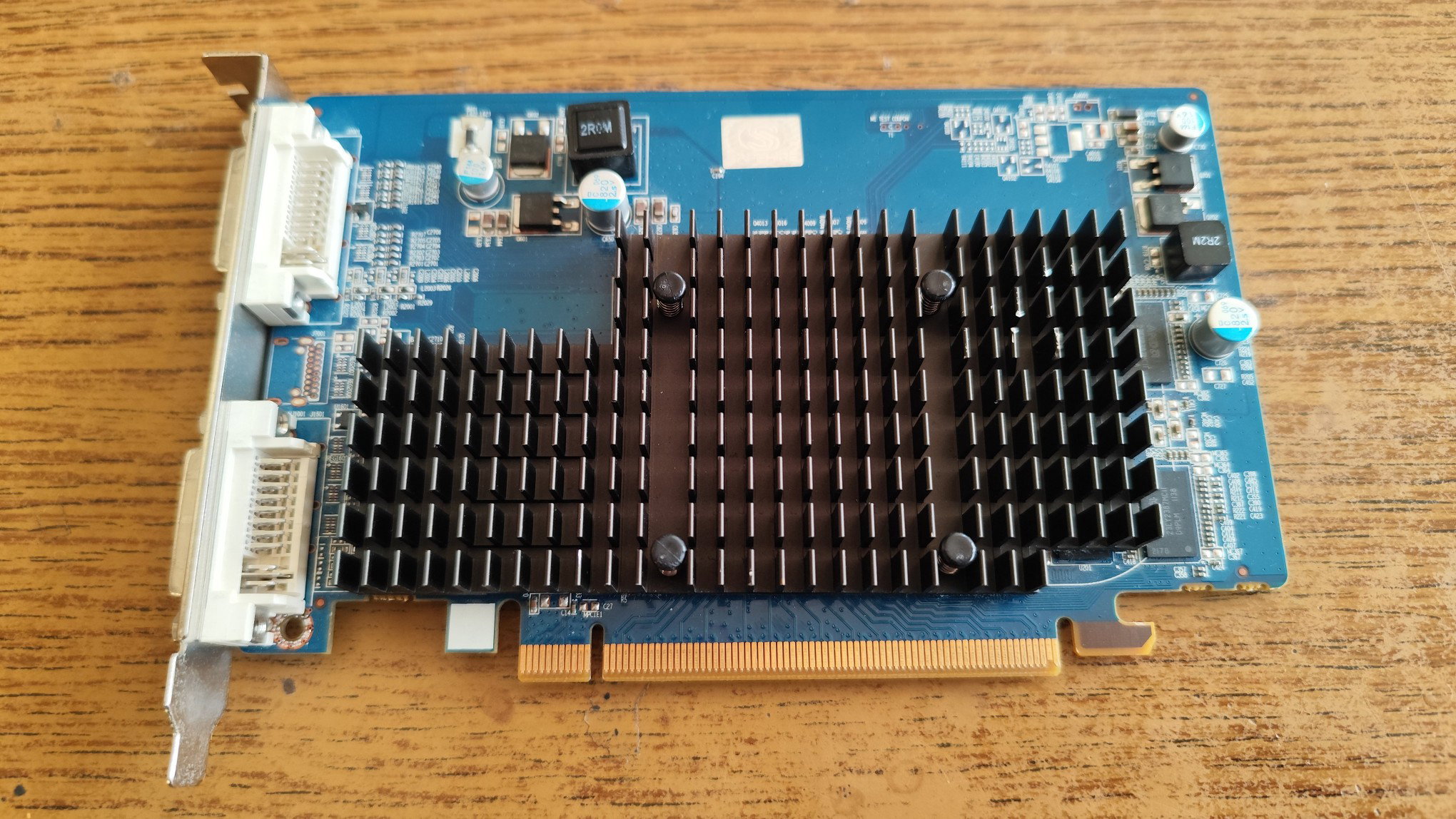
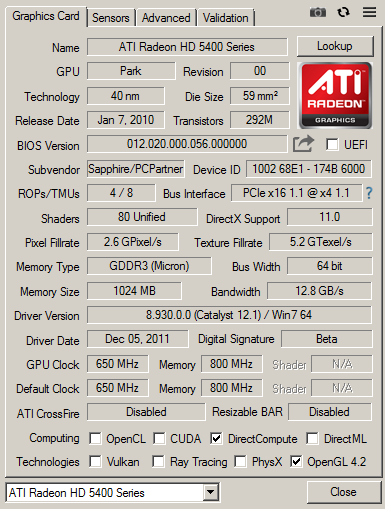
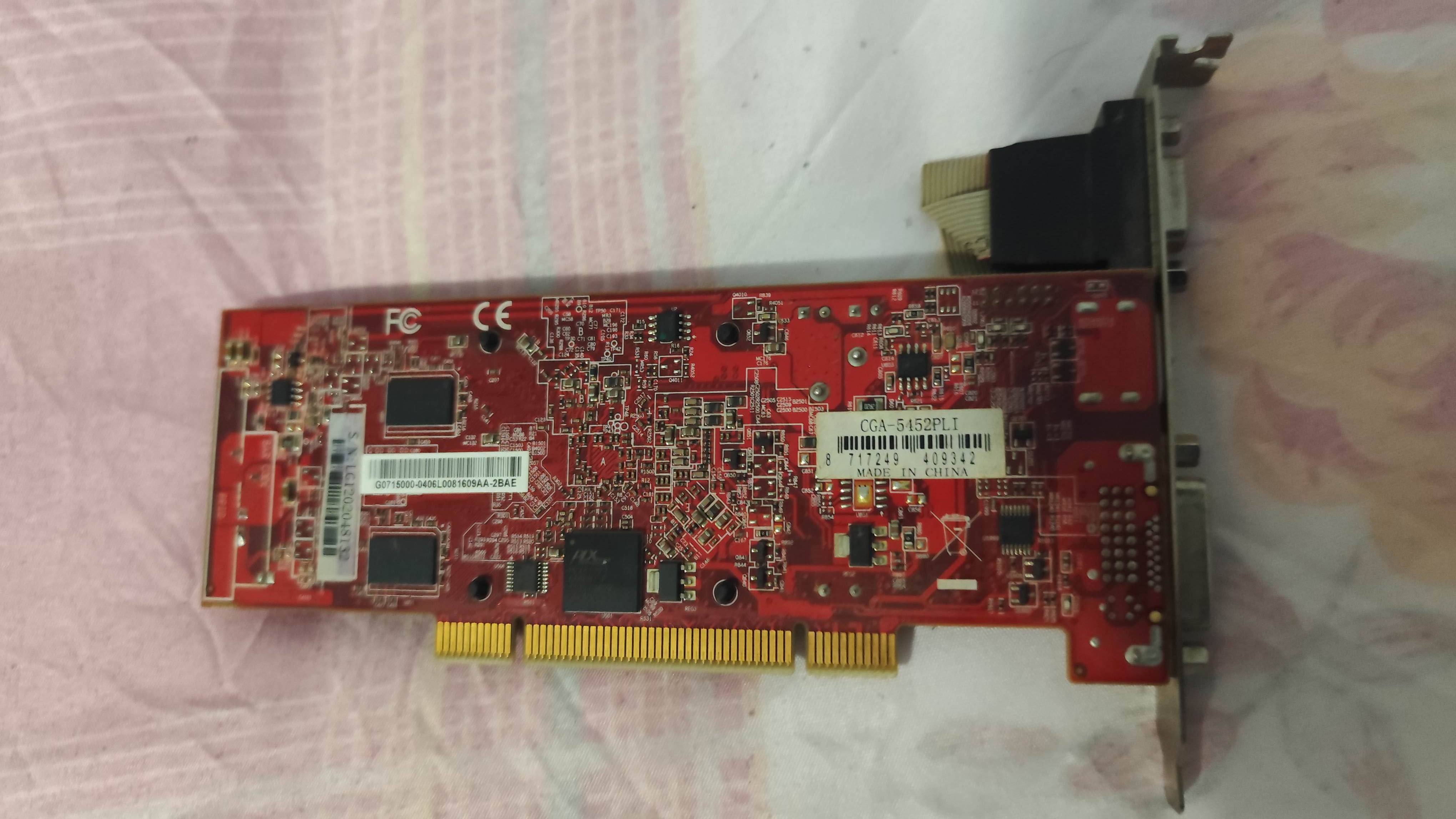
The HD5450 got released in 2010, the HD 5xxx line is the first DX11 capable chip generation on the world. At this time, nVidia has not yet produced a DX11 graphics card. The HD5450 in the test is a passive card, and it usually uses DDR2 memory, but mine was equipped with DDR3. According to online sources, a GDDR3 versions are also available. The card has 1 GB VRAM, but its a 64 bit card.
My model has no HDMI or Display Port connector, only two DVI ports. The PCB looks quite empty, but its full sized. Both sides of the PCB has memory modules. Some cards have 2GB VRAM, which would be quite overkill when the HD5xxx line got released. The card booted up in all of my systes without an issue.
AMD Radeon HD6350
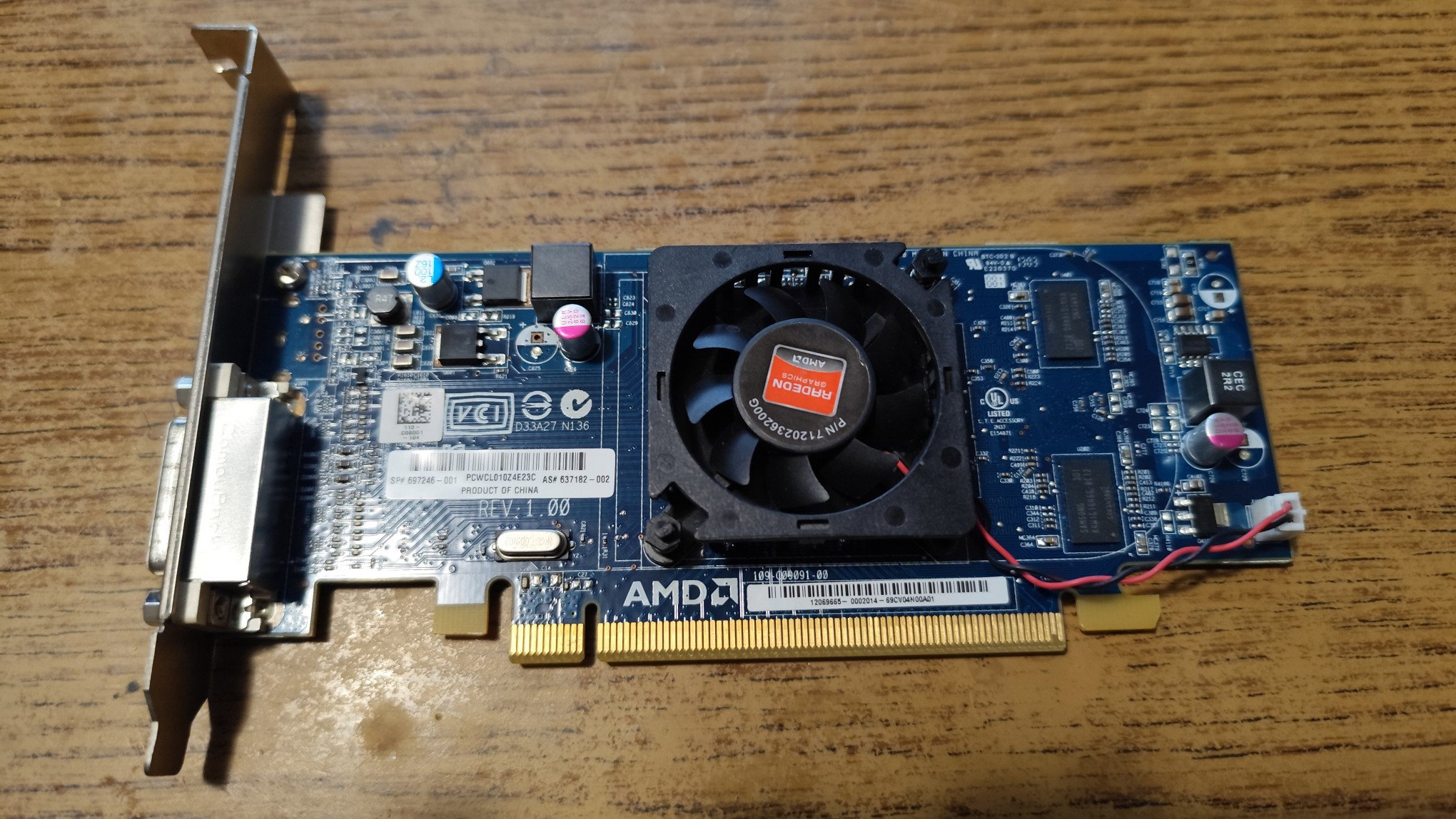
The Radeon HD6350 in 2011, and the specifications look very similar to the 5450: the same number of rendering pipelines (4) and shader units (80). What looks like a single DVI connector, its actually a DMS connector. A special cable has to be used to convert the output to VGA. Again, no HDMI or DP ports can be found on the card.
This card is a low profile card, can be adapted with a low profile backplane, and can be put into a minipc. This card is equipped with only 512MB DDR3 RAM (1GB versions are also available). The card looks like the renamed version of the previous card. The specifications are identical, but this one uses active cooling.
AMD Radeon HD7450
This card was released in 2012, and the number of rendering pipelines are 4, however they have increased the shader count to 160. The chip was built on 40nm, and uses active cooling. This time, a normal DVI port and a Display Port got integrated to the card. The cooling was partially broken, so i have snatched a working cooling from a broken card. The PCB looks quite similar to the previous 6350 card, and i can imagine the pinout of these chips are identical, or nearly identical, to make the manufacturing cheaper.
The is no uplift in clock speeds even got decreased, lowering the theorical fill rate. The cooling feels very flimsy, it was very hard to remove and add the another cooler. This card has 1 GB DDR3 VRAM as well, and uses a 64 bit memory bus, as usual on these cards.
The nVidia cards
The AMD cards were like the clone of each other, with not too much redesign. The nVidia cards will be hopefully more diverse. Its important to note, nVidia's DX11 graphics cards are also compatible with DX12 if using the latest drivers. This is not true for the AMD cards listed above, so take this into consideration if you are building a DX12-capable WIN10 computer with these cards.
nVidia GeForce GT 530
The card was released in 2011, and its the second DX11-conform core from nVidia. This is a low profile single slot card, mine only has the full size backplane. The card has standard outputs: a VGA port, a DVI and an HDMI connector. A good surprise, this is finally a 128 bit card, with DDR3 memory. The card has 96 shader units, and 16 rendering pipelines.
Unlike the AMD cards, the cooling feels very good quality. Behind the plastic cover, there is a thick metal heatsink to conduct the heat from the chip. My card has a whooping 2GB VRAM, which was considered very large in 2011, and of course all of these are combined with full DX11 support. Both sides of the cards have memory chips. The overall build quality of this card feels much higher than the AMD computerparts, and the specifications also indicate a stronger card despite of its low-end nature.
nVidia GeForce GT 550Ti
This is a card from 2011, but its actually an outlier of this test. These cards go around $25, and i have only included it in the test, because i had to test it when i was also doing the test. This isn't a cheap multimedia card, and it also required a 6 pin PCI-E power connector to operate. This is the bigger brother of the 530 and it uses a 192 bit memory bus, but only 1 GB RAM. I have only decided to feature this card to have something strong to compare to, as a reference.
And another reason is, the lack of nVidia cards - it was quite hard to get DX11-capable low-cost nVidia cards. AMD cards get thrown after you, but nVidia cards were either missing from the market, or they were dead on arrival. The 550 features 192 shader units, and 24 rendering pipelines. This is a dual slot card.
nVidia GeForce GT 630
This card got released in 2016, and its the second DX11-conform core from nVidia. The card is large, and has a large, but very slow fan, which spins silently. The card is from 2012. This is the only double slot card. Similarly to the 530, the chip has 16 rendering pipelines and 96 shader cores. The specifications seem to be near identical. It seems nVidia also did a cloning here, and the 630 is basically just a renamed 530.
This card also has 2GB DDR3 VRAM on it. 1GB and 4GB versions also exist, and the latter one is quite overkill. A GDDR5 based 630 card also exists. This is a 128 bit card, similarly to the 530. Alongside a DVI port, HDMI and VGA ports also got integrated to the card. There are quite a few versions of the 630 exist: cards with DDR3 and GDDR5, and four version of chips with different number of execution cores and rasterizing pipelines. This is the weakest version.
The test system
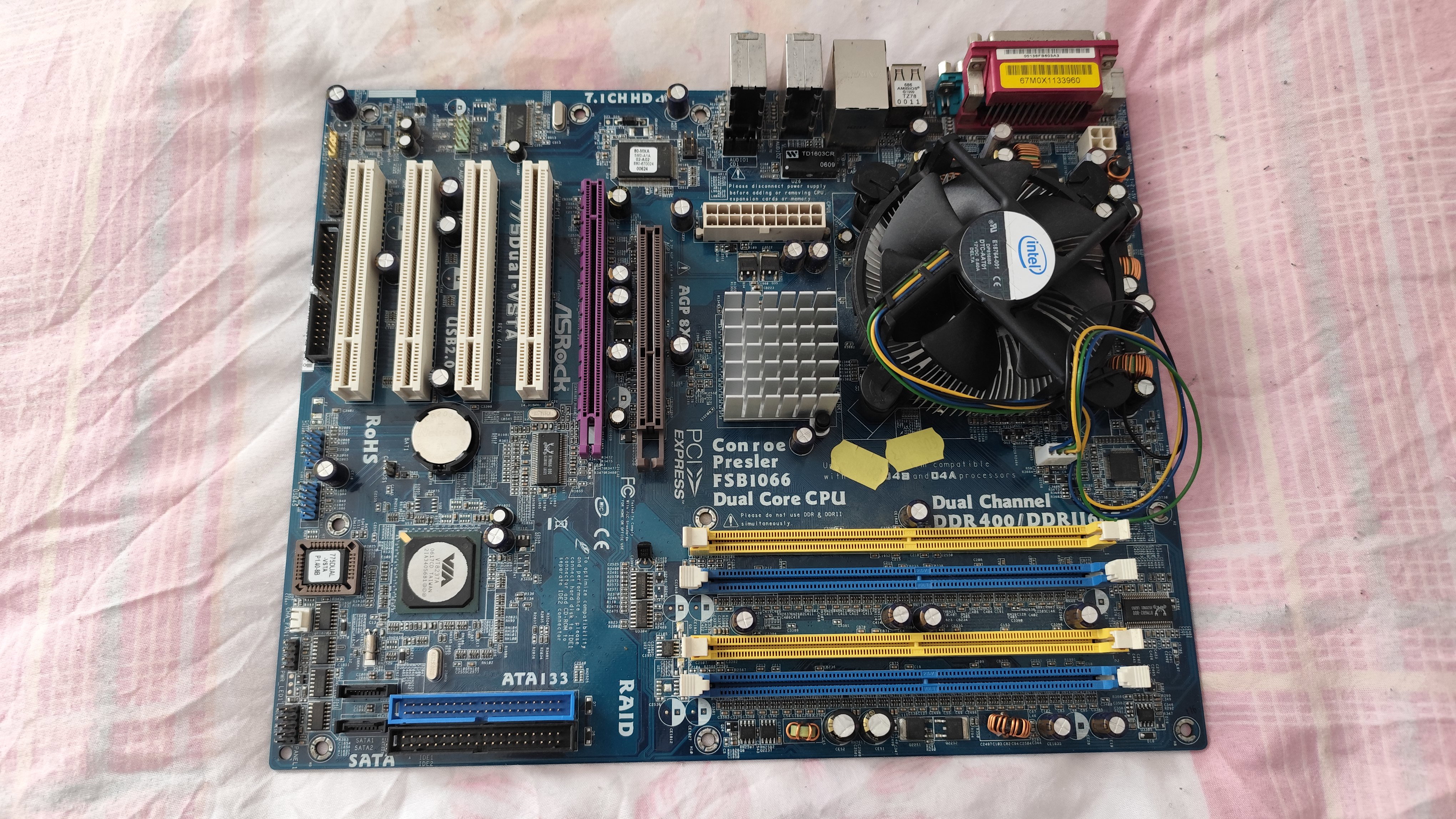
The good old Asrock 775dual-VSTA, which was featured in a previous test here, will be used as a test hardware. This system has a quad core Core2Quad 9300 running at 2 GHz, 4GB DDR2-RAM, and a PCI-E slot limited to 4x lanes. This is a very low-end system by todays standards. The chipset is weak and slow, the 4x PCI-E lanes running at 1.1 means the graphics cards will only get around 1 Gbyte/sec bandwidth. This is however less of an issue, because the system could'nt do more more than 1 GByte/sec RAM to RAM copy anyway, making the chipset, specifically the north bridge to be an ultimate speed hog. Another issue is the cpu clock speed, running at 2 GHz instead of the rated 2.33GHz due to chipset limitations again. To achieve good performance on this system, the graphics drivers have to be efficient to manage the resources well, and minimize the bandwidth usage and vram swapping.
Motherboard: Asrock 775dual-VSTA
CPU: Core2Quad Q9300
RAM:2x2GB DDR2-533
HDD: IDE 80GB + 40GB
Games
I tried to find non-AAA games from the past years, featuring games which a typical user would play on such system: A, B, Indie titles, mostly from Steam. One old AAA game was also added to the test. The selected games require about 2 GB RAM to run, so such system can usually run them without serious issues, but 8GB would be recommended to some, which this motherboard doesn't supports, so keep in mind to buy a system with at least 8GB RAM if you plan to play games.
Yandere Simulator
A well known game which got popular around 2020. The game uses shaders heavily and allocates about 6 GB RAM, which means a lot of swapping for the test system, and would give a bad experience even with a high end graphics card. The game managed to start up on all the test graphics cards, but was not playable. The fps was measured at the opening of the game, but the in-game fps would be half of this.
None of the cards managed to be playable, the 550ti was on the edge of being playable, the AMD cards pulled a single-digit frame per second rate. This game would need an old high-end card, or a new entry level card to be playable, especially when paired with such a low-performance hardware. The game was tested in 1920x1080, and lowering the resolution was only helping a little bit.
Tokio Ghoul - Call to Exist
This is a relative new game, featuring the anime with similar name. I have tested the first battle in the game. The game ran in 1920x1080 and all cards managed to start it.
All cards, except the 550Ti shown single digit frame rates, the Radeon 6350 only managed to reach 2 fps. The fastest card was the 550Ti, which managed to reach 21 fps, which was somewhat playable. Too bad the 550Ti is not a $5 card like the others.
Hinami Bay
This is a pervy game, the developers decided to generate most of the visual content with the help of AI. The AI is very CPU demanding as well, but it has a certain baseline of GPU which it requires.
Once again, all AMD cards managed only a single digit frame rate, meanwhile nVidia cards were near around 20 fps. The 550Ti reached 30 fps (however that card was only included as a baseline), so again, none of the $5 cards offered satisfactory results in this test. Especially not the AMD cards. The game ran in 1920x1080 but decreasing the resolution only minimally helps the cards.
Dirt3
This is an old AAA racing game. Its still very popular among players, and among testers as well. The game is entertaining and very nice. It however requires high frame rates to be enjoyable, the controls becoming problematic at low frame rates. The game is from the last decade, but a core2 CPU is enough for it.
All the cards managed to start up the game, but the 5450 and 6350 only managed to reach 1 fps, and the game was literally a slideshow. The Radeon 7450 reached 10 fps. The nVidia cards reached playable frame rates, both the 530 and 630 exceeded 25 fps and hovered around 30 fps usually. The 550ti almost reached 60 fps. This game was also tested in 1920x1080. The AMD cards once again delivered terrifying results, and nVidia won the race.
Lorena and the Land of Ruins
This is an Anime game, about two years old. Its a dungeon hack-slash type game, a third person magic-shooter, and i decided to test it in 1920x1080. Its important to note, this game usually reacts very well to decreasing the resolution, but i have decided to keep the game in 1920x1080 as i have also tested other games like that.
AMD cards struggled to reach even 5 fps, and the game was totally unplayable on them. On nVidia cards, only the 550ti managed to exceed 10 fps and almost reach 20. The others were below 10 fps. Its important to note, when setting the resolution to 1360x768 the frame rates basically doubled or tripled, but during gameplay the cards still struggled to deliver good frame times.
Witchspring
This is a point and click adventure game, featuring an alchemist, who creates living dolls. The game is not a fast pace game by any means, but its very irritating when even the menu horribly stutters for you. Which is the case with AMD cards, which once again, delivered only about 10 fps.
The nVidia cards exceeded 20 fps, and produced playable frame rates, the 550ti even managed 44 fps. I haven't tested this game at lower fps, maybe 1360x768 would push the Radeons above 20 fps and the 530 and 630 cards above 40 as well.
Verdict
Do not buy an old Dx11-capable $5 multimedia graphics card to run games. The games will start up, but the performance will be outrageously low.
The 5450 and 6350 have not managed to reach even 10 fps in any of the tests. These are likely the same core, but with different name. These cards don't usually have HDMI, DP or VGA connectors, just a DMS connector which is not standard, and needs a special cable. The 6350 was actually worse than the 5450 due to the lower RAM. The performance of these cards are about 10 times less than what the name would indicate - equals to the performance of a first generation integrated Intel HD graphics.
The Radeon 7450 is only 50% faster than the 5450/6350 and gaming in 1920x1080 is impossible with it. However, if someone is fine playing indie games in 1024x768 on some very old monitor, this card could actually manage around 20 fps, which could be a last resort solution till someone saves up money to buy something strong.
The GeForce 530 and 630 cards can't deliver playable results in 1920x1080 but still much faster than the AMD Radeons. This means the 530 and 630 could reach 25 fps in 1280x720 or similar resolutions in most indie and B class games. If you really couldn't buy anything more serious, just stuck with these cards, then choose these cards instead of AMD.
The 550Ti is not a $5 card, but that card was around $20 second hand, till it was available. Nowadays, its hard to come by, and cards such as 770 can be found instead - those are however still good cards, and if you manage to buy them for $30 or so, then you can enjoy 25+ fps gaming even in 1920x1080 with the latest indie and B class titles (but not AAA).
The 5450 had no issues, and the only thing this card wins is: its a passive card, requires no cooling, unlike the others.
The 6350 had an issue with the RAMDAC, and refused to operate above 1600x1200, so the tests on that card ran in 1600x1200 (not that it mattered). This was the absolute worst card even regarding of the performance.
The 7450 had a bug when using the VGA cable, and sometimes the screen flickered. It was very irritating.
The nVidia cards had no issues.
These AMD multimedia cards left a very bad taste in me. AMD had no awareness of how weak these chips are. The chips are weak and bugous. AMD didn't even bothered to integrate proper outputs to the graphics cards, they just put one or two super low quality connectors on them, usually something which isn't even standard. Combining these weak chips and useless output configuration with 64 bit memory, making these chips an expensive e-waste. Its important to note however, low-end nVidia cards were two times more expensive, but their performance is also about 3 times higher.
Pentium4 combo motherboards from HEAVEN: the born of Asrock
Two months ago, i made a review about a not so fantastic LGA 775 combo motherboard. In this review, i will showcase a very similar, but a far more capable product. This product will shed light on hybrid motherboards from a different aspect, and tries to offer a better user experience based on the same hardware components.
Ultimate backwards compatibility
In the previous article, i have explained, after 2005, everything in the PC world has been changed. The 32 bit systems got replaced with the new 64 bit systems, the AGP graphics cards got replaced with the new PCI-E graphics cards. The IDE disk connectors got replaced with SATA ports. Floppy disk drives got obsolete, and first the motherboards got limited to support only a single floppy drive, then the floppy header got removed from the motherboards alltogether. Combo motherboards tried to bridge the two world together, adding AGP and PCI-E ports on the motherboard, offering multiple IDE and SATA ports to connect the older hard drives, and maybe integrating different RAM slots on the motherboard to give support for older type of memory types.
It's hard to do it properly
The Asus motherboard which was previously tested, did this very wrong. The AGP and PCI-E integration worked, however, everything else was problematic. The DDR2 memory support was not complete due to bugous clock speed detection of the BIOS. The SATA ports had a design failure, preventing to release data cables. The fan speed control was dead out of the box. The BIOS was limited to a single floppy drive. Only Intel's first dual core CPU, the Pentium D worked in the board, and the Core2 processors refused to boot even after patching the microcode. That motherboard offered an upgrade path for older hardware to continue operation. It however didn't offered future compatibility, and the longevity of the system was not possible.
Asus and the low-end
Asrock was a spin-off of Asus. Asus was a very well establised name back then. It was associated with popular midrange and high-quality motherboards. There were companies illegally reverse engineering and cloning Asus motherboards. But at that time, Asus wasn't frequently used in low-end systems. Low end solutions are real cash-cows, when they can be sold in large quantities. The quality of the very cheap office motherboards was however not something Asus wanted to be associated with.
The arrival of Asrock
Asus came to the conclusion they will need new approach to conquer the low-end. Instead of starting long legal fighting with the Taiwanese cloners and budget clowns, they decided to make an agreement with them. Asus silently formed a new division within itself, contracting with all the potent low-end hardware lords. This division was called Asrock. The first two letters represent Asus, and the new division was detached from Asus under the new name. Asrock was able to get the older designs of Asus, and there were tasked to make low-end offerings based on those products.
First products by Asrock
The first few Asrock motherboards were truly horrible. For example, some of the early Asrock designs were built on official Asus designs, but lacking 3 of the 4 intended PCI slots, and half of the PCB was just empty without electronics - only containing the most basic electricity to power a cheap office PC. By following this strategy, Asus was able to distant themself from the potential brand damage these extremely low quality motherboards could cause to the brand, as they were branded Asrock. In the same time, Asrock got access to older Asus designs legally, and Asus got access to the budget segment, instantly being able to harvest significant market share and profits.
From AthlonXP to LGA775
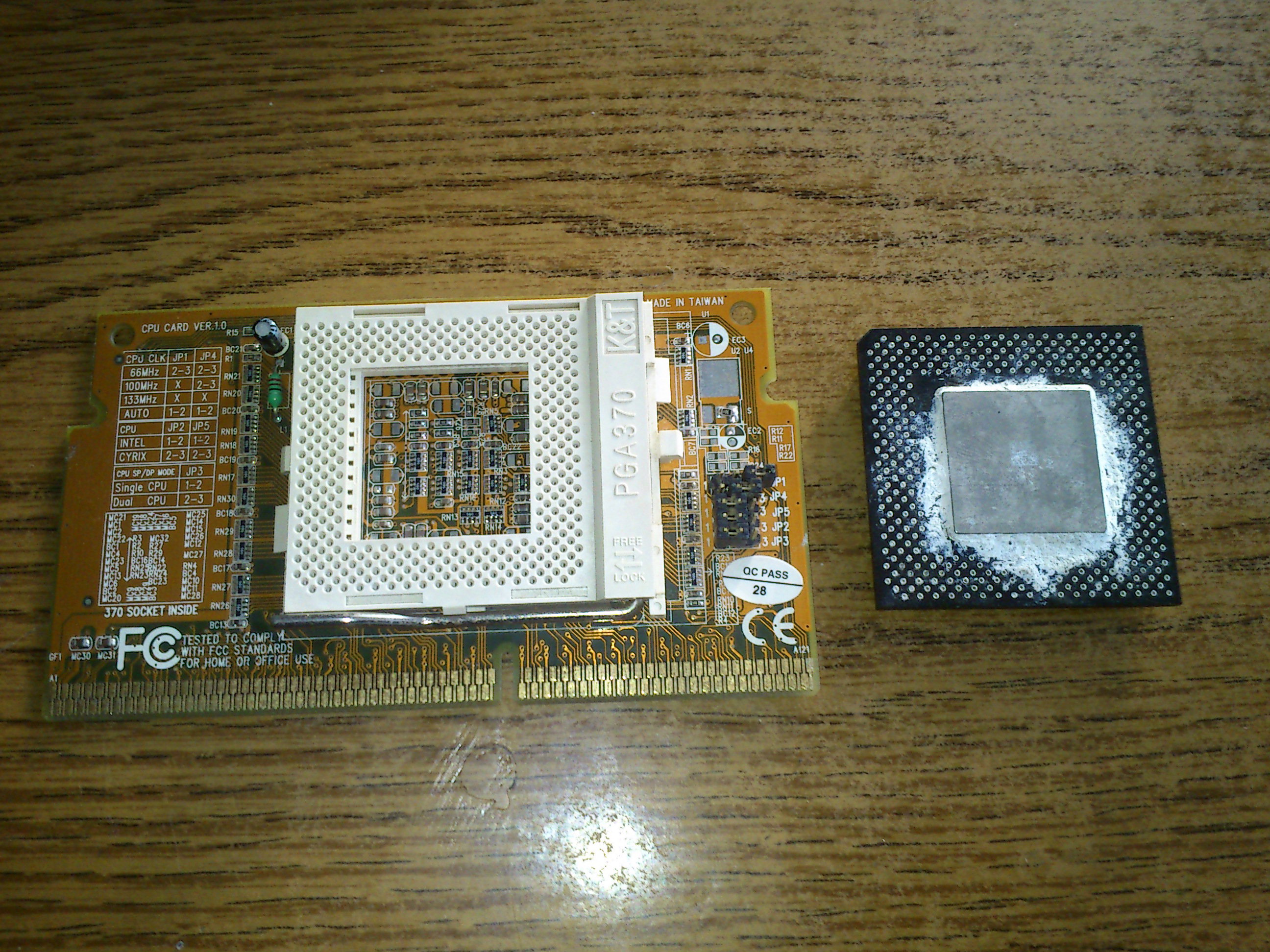
As Asrock was initially tasked with low-end solutions, they mostly focused on super cheap office motherboards, but also gathered experience in the construction of combo motherboards for the PC builder segment. They early AthlonXP motherboards frequently had SD and DDR RAM sockets, they released motherboards with multiple CPU sockets, or Pentium 4 motherboards containing both LGA 775 and Socket 478 CPU sockets. They released motherboards with future CPU upgrade slots, where a CPU card could be inserted into the motherboard with a CPU socket on it, allowing future CPU upgrades.
Asrock climbing the ladder
Asrock is owned by Asus, but it operates as an independent company. This meant Asus can't to too much to stop them from peeking out from their shadow. Within a few years, Asrock started to taste the midrange. They had bad reputation for their cheap designs, but they had the capital to make the required moves. The hybrid cpu socket on they motherboards were more of an interesting experiment than viable upgrade path, it was clear there is a new kid on the bloc which must be taken seriously. To help their growth, Asrock opened to the computer enthusiasts, and always tried to offer outstanding and special compatibility and long support cycle for their motherboards. Asrock was never reluctant to release a bios upgrade even for an aging motherboard to add support for new CPUs, even if that meant they will lose some sales on their newest offerings. And after 2005, the moon, the sun, the planets, all were on the proper spot on the sky. It suddenly went from a low-end champ to an ultimate upgrade solution, the brand became highly sought-after, suddenly becoming the top highly regarded brands of the industry. And that point is the focal point of this test.
Asrock 775Dual-VSTA
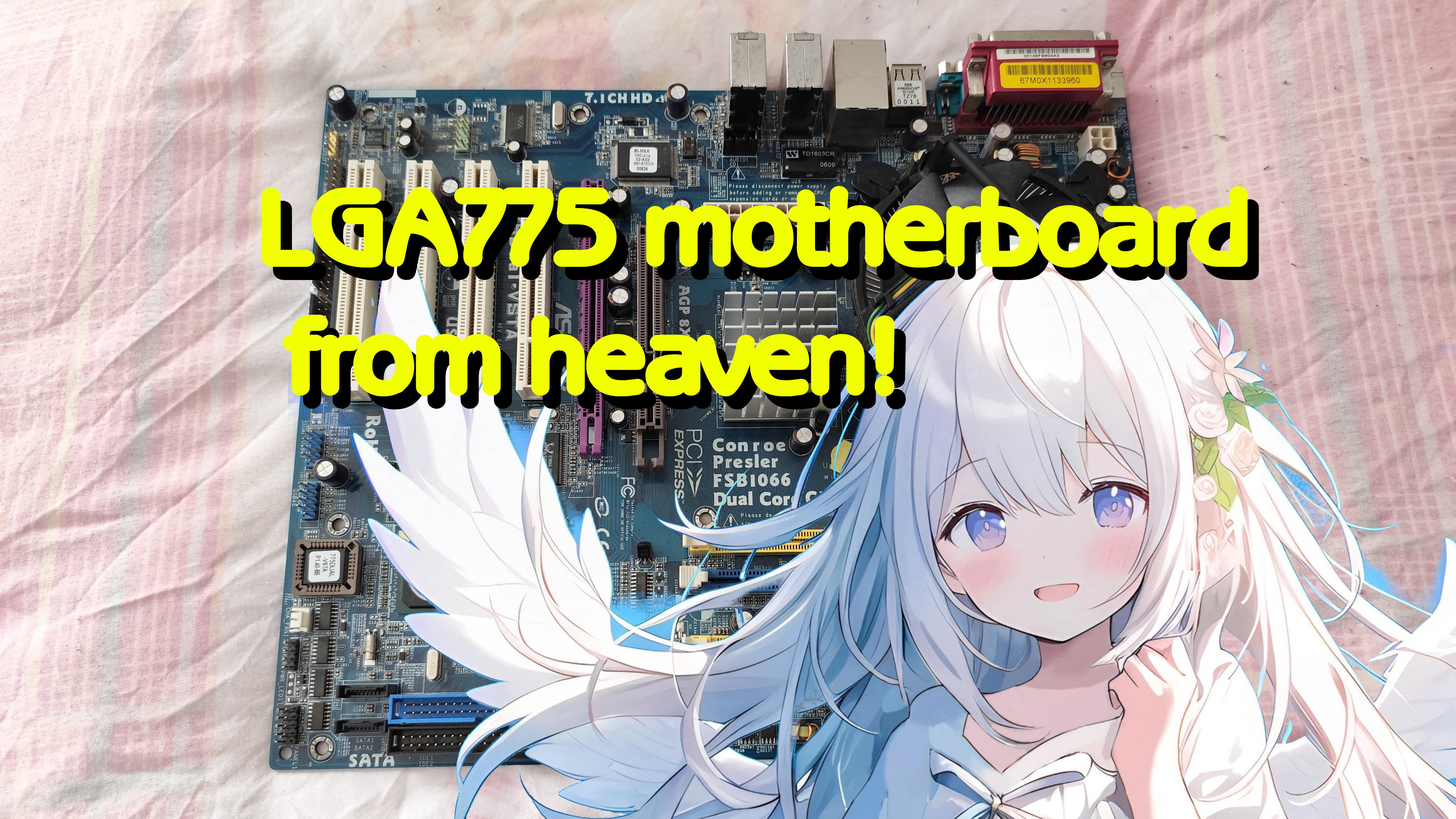
The star of this test will be this combo motherboard from Asrock, called 775Dual-VSTA. The motherboard of a member of a wide range of product line from Asrock, featuring hybrid combo motherboards. Asrock designed similar boards for the Socket 775, for the 939 and AM2 platforms as well. Initially, Asus itself also designed such combo motherboards. For example the ASUS P4V800D-X for the Socket 478, or the previously tested ASUS P5VDC-X released for the Pentium 4 chips (Pentium D support added with later bios). Motherboards from Foxconn, like the Foxconn 915A05 series (also running with 915P naming, as 915P7AD, 915PL7AE) were released for the Socket 775, but only supporting Pentium 4 chips. Gigabyte's GA-8I915ME and similar products also only supporting Pentium 4, and even Asrock's first few combo motherboards for the LGA775, such as the 775Dual-915GL and the ASRock 775Dual-880Pro, are only limited to Pentium 4 support. ECS 915P-A is also a Pentium 4 product only.
AMD combo motherboars were a little bit better. For the 939 and AM2 platform, other manufacturers and products, such as the ECS K8T890-A were offering good alternatives, supporting the new dual core AMD chips while having a very good range of connectivity. Biostar, with the Biostar NF3 250 and Gigabyte GA-MF3 were also released for the AM2 platform, and Asrock also entered this segment with the ASRock K8Upgrade-VM800. Biostar K8M800 Micro AM2 and MSI K9MM-V also a notable examples, but there are dozens of products for 939 and AM2 which i will not list, just noting, the situation was better, when using combo motherboards with the AMD platform.
With the release of the Core2Duo and Core2Quad chips, the LGA 775 platform shadowed the 939 and AM2 platforms. The combo motherboards were limited to the Pentium4, and maybe with dual core Pentium D chips with a bios update. 939 and AM2 combo motherboards supported the Athlon64 x2 chips usually, the performance of those can only rival the Pentium D. This means a 939 or AM2 based combo motherboard were a better buy than an Intel P4-only board, but they are not match for a high-end Core2Duo or Core2Quad chip.
The king of combo motherboards
Asrock managed to release the 775Dual-VSTA in 2006 october, just a few weeks after the release of the first Core2Duo processors. It was based on their previous 775Dual-880Pro - they had to fix the power delivery circuit to support the new chips, and also they have patched the bios to support the new Core2 CPUs. This was a rather unusual step, as combo motherboards up to this point in time, were always targeting the absolute low end. The performance of any combo motherboard were lower compared to normal motherboards. For example, either the AGP or PCI-E, or both, is severely limited in bandwidth and compatibility, and the memory performance is also limited, especially when using the older memory standards. This meant, combo motherboards were not bought to be used with high end CPUs, and it was reasonable to assume they are going to be used with some Pentium4 or single core Athlon64 chips. The manufacturers which offered combo motherboards, usually not supported the newest chips. The ASUS P5VDC-X with the very first to support the Pentium D processor, got only released in 2006, one year later the release of the Pentium D processors. The ECS K8T890-A with dual core Athlon64 x2 support also got released in 2006, a year after the release of the first Athlon64 x2 chips, a few weeks before AMD released the new AM2 socket alltogether. This means Asrock's decision to support the new Core2 processors in a combo motherboard instantly after the release of Core2 itself, was something never tried before, but as Asrock and Asus already had combo LGA 775 motherboards with dual core chip support, they were able to do this with minimal risks and research.
First impressions
At first glance, the 775Dual-VSTA seems to be a good build. There are however some strange design decisions. The location of the floppy port is not ideal, and sadly newer motherboards tend to use this spot for the floppy port. Luckily, i was able to find a little bit longer floppy cable to be able to connect everything.
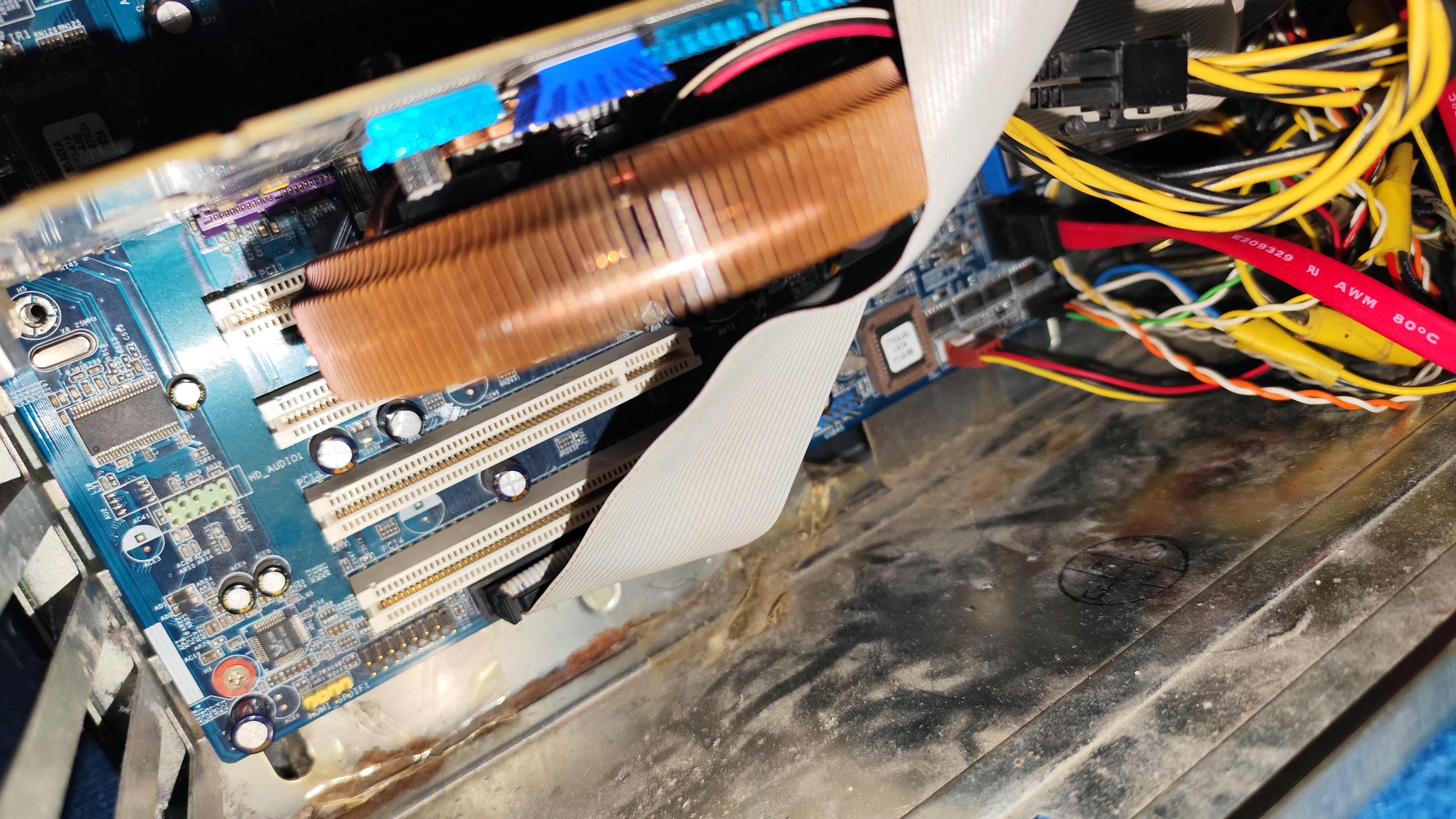
This floppy connector placement is used on motherboards ever since. Another bad impression is the location of the IDE ports. When a long graphics card is inserted in the PCI-E slot, the IDE cable can not be pulled out, and can not be plugged in. I was afraid the ide cable height will interfere with the graphics card, and it will be impossible to put long graphics cards into the motherboard, if the IDE ports are used, but that was thankfully not true. I have tested long graphics cards, and they booted without an issue. The ATX power supply connector's location is unusual. It will not be possible to plug in some power supply units when using this motherboard.
Turning it on
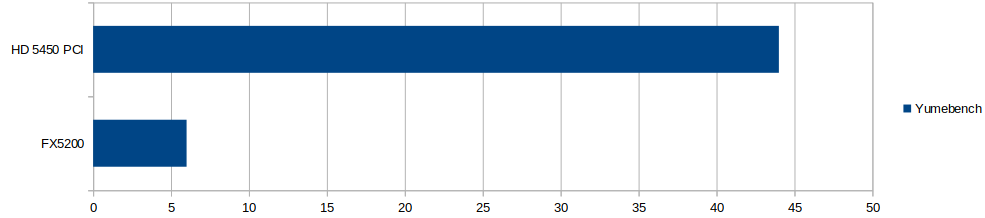
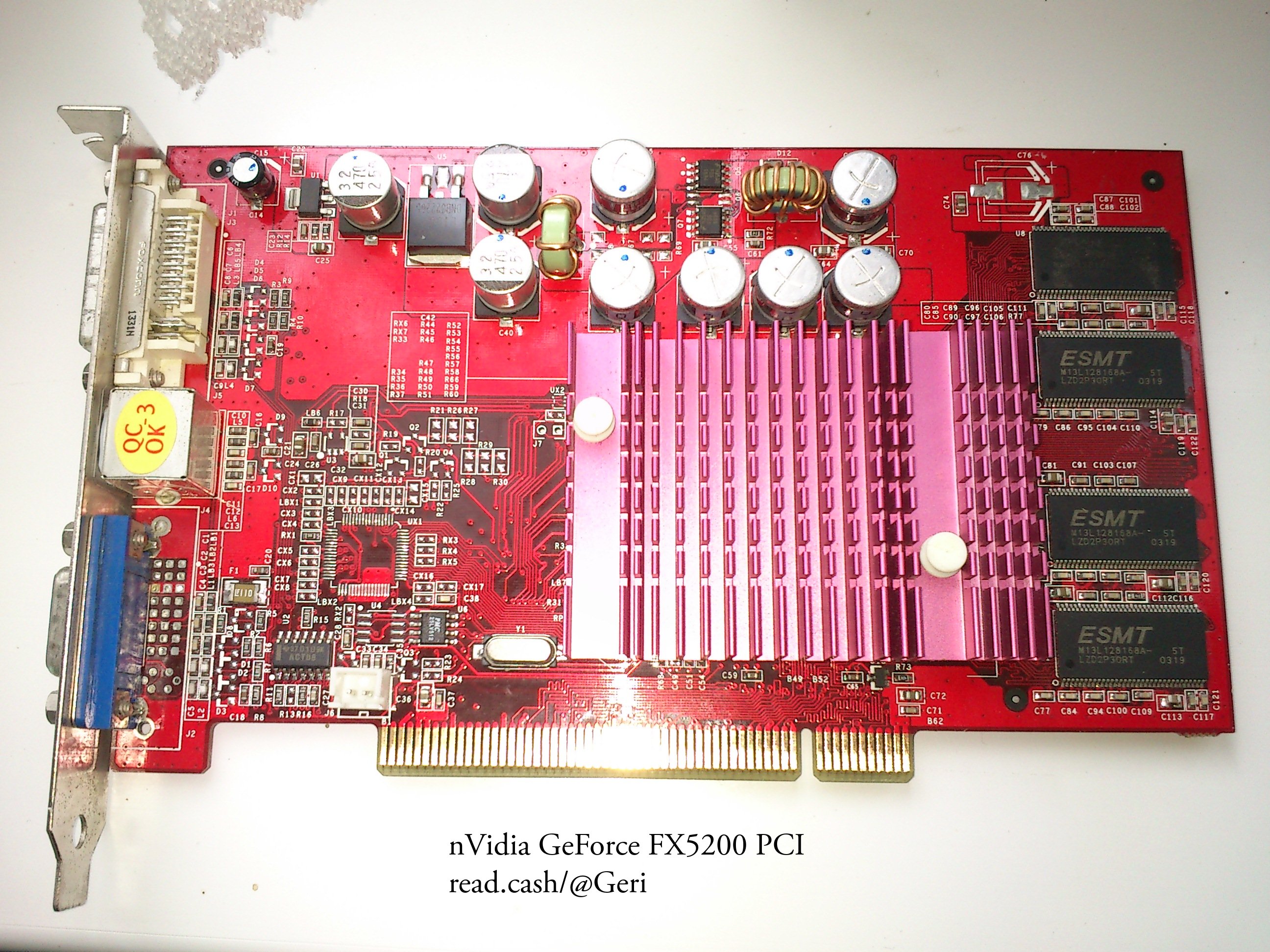
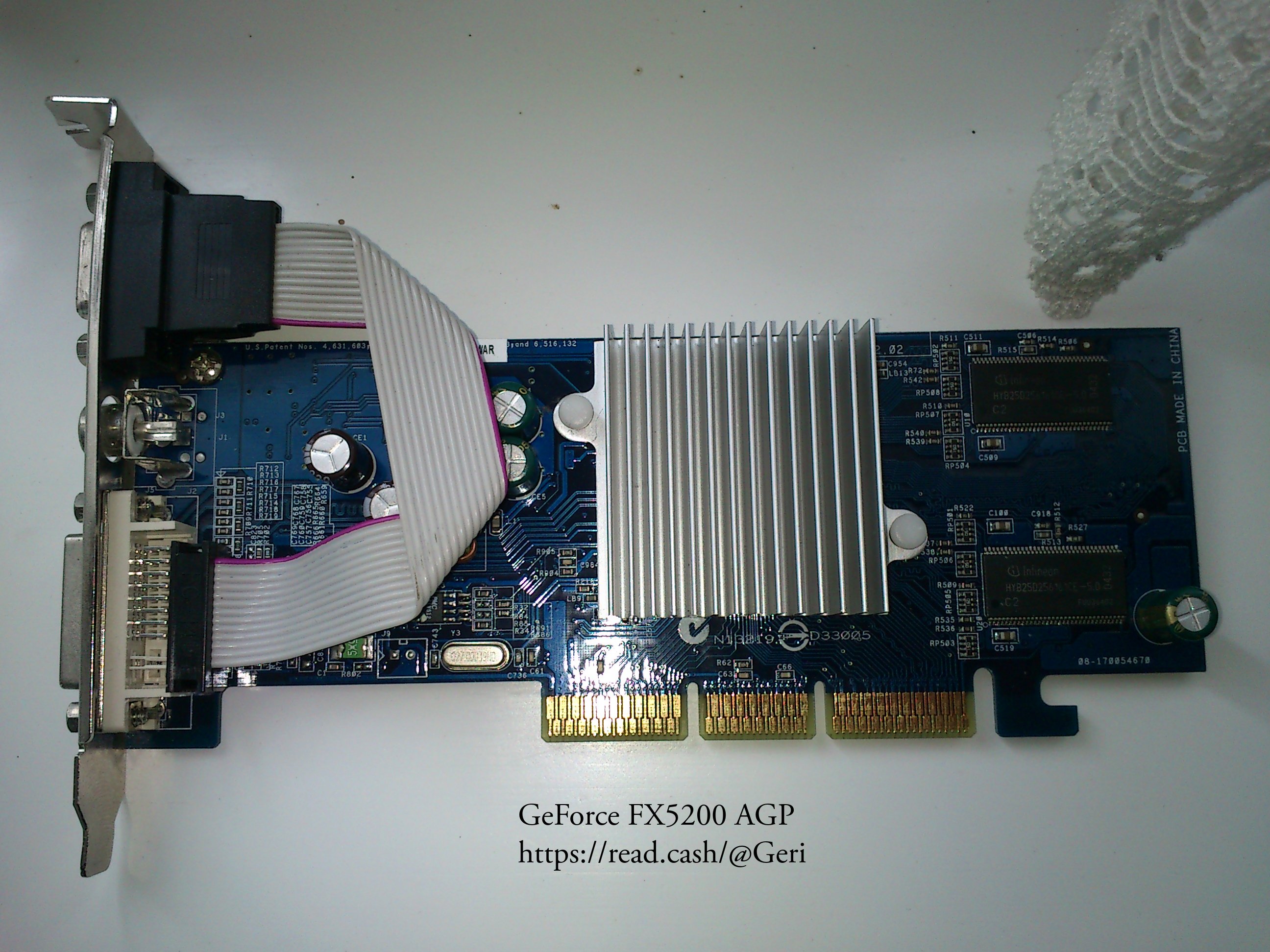
Unlike the combo motherboard from Asus, tthe system powered up with the first RAM module i have put in. I got a Celeron CPU with the motherboard, and a cooler, but the heatsink was too small, so i have swapped it to a more beefy unit. I have quickly tested, if the system boots up with various graphics cards. I have tested a PCI ATi Mach64, an AGP FX5200, an TNT2 M64 (AGP), a Matrox G450, my AGP Radeon 3850, and then i have also tested a PCI-E nVidia Quadro 4000. Everything boots up in the motherboard, there were no issues. I didn't had to wiggle anything, even the IDE and floppy devices working fine without any issue. After i have verified everything works, i have downloaded all the drivers from Asrock's website, and i have searched for the latest beta bios.
Updating the BIOS
When the 775Dual-VSTA was released, only 65nm Core2Duo processors were in existence. No Core2Quads, and the later released 45nm Core2 based processors are also unsupported out of the box. Luckily Asrock made a bios, which contains support for new CPUs, and even Core2Quad. As i wanted to use a Core2Quad in this system, the bios had to be updated to the latest beta build. The latest beta bios is 3.19a and it was made in 2009, which meant Asrock have spent 3 years upgrading the system BIOS for this motherboard (previously, this was unheard of for combo motherboard, which are frequently only got bios updates for the first few months). The new BIOS also allows two 2GB DDR2 memory sticks to be used in the system. Updating the BIOS was uneventful, and after the update finished, i put my two 2GB DDR2 sticks into the motherboard. It booted up fine. Then i put in the Core2Quad Q9300, which is the strongest LGA775 CPU i have. The system booted.
Limitations
Asrock supports features long after the 775Dual-VSTA was released, however, there are some limitations. The first limitation i noticed is the memory size: despite 4 GB RAM is installed, only 3.5GB is available due to limitations of the chipset. This is fine, because i dont plan to run tasks demanding more than 2-3GB RAM on this computer anyway. Another limitation is the clock speed of the CPU. This system supports only 1066 MHz bus for the CPU, but the Core2Quad Q9300 utilizes an 1333 MHz system bus. This means the system booted up at 2 GHz instead of 2.5 Ghz. The motherboard allows overclocking the system bus, but even 5% overclock causes anomalies, so i decided not to overclock the system bus, as 2.1 GHz was already unstable.
Bugs
When booting operating systems, one of the IDE slot sometimes gets undetected. This was a consistent problem in every 32 and 64 bit operating systems regardless of the kernel (Windows 9x, XP, Linux). This means before installing the operating system, its advised to hook up everything to the more compatible IDE port. Once everything is installed, the VIA chipset drivers must also be installed, and then the devices connected to the another IDE port will appear. This is a quite annoying bug, and i have never seen something similar previously. There is another annoying problem with some of the AGP graphics cards. When i put my AMD Radeon 3850 AGP into the system, it was unstable under heavy loads, and causing crashes in every 2-3 minutes. Going to the bios, and limiting the system to AGP4x solved the issue. However, i don't want to limit this card to AGP 4x, because it would cause a notable speed drop in some games. I was playing with the settings, and found something called "AGP 3.0 Calibration".
Disabling this fixed all the stability issues, and AGP 8x was usable again. In the ASUS board, the 3850 AGP likely only operated in 4x mode as well, because the 8x option was just simply missing from the BIOS list, but i have not made any complicated tests with that motherboard to verify that.
The test system
Motherboard: 775Dual-VSTA
CPU: Core2Quad Q9300 @ 2.0 GHz
RAM: 4GB DDR2-666
GPU: AMD Radeon 3850 AGP
Crysis
Crysis is more of a techdemo than a game, but its scales with CPUs and GPUs very well. In the previous test with the Asus motherboard, the game was playable around 35 fps, but the CPU was clearly struggling, and running on its limits. This time, the chipset is the same, but the CPU is multiple times stronger. Lets see, if the Asrock motherboard manages to profit on this.
The Asrock 775Dual-VSTA is about twice as fast in games as the older Pentium D based combo motherboard from Asus. In programs utilizing more threads, the speed difference will be almost three times, or even more. The performance is better than the usual low-end performance of combo motherboards, almost bringing the system into the high-end league.
Its not perfect
The motherboard was far from perfection, but its magnitudes better than previous attempts of other companies. The memory just works, there are two working IDE ports and two working SATA connectors. The floppy port indeed supports A: and B: drive. The Core2Quad Q9300 boots up without issues after a bios update. This motherboard was able to operate with less headaches than the previous hybrid motherboards. But its far from perfect: the problematic AGP 3.0 Calibration settings in the BIOS are somehow enabled by default. The placement and compatibility of the IDE, floppy and ATX connectors are annoying. Some people also reported problems with some larger SSD disks, but i havent noticed anything.
The Asrock 775Dual-VSTA and the similar motherboards from Asrock indeed offered backwards and forwards compatibility. They mixed this compatibility with any performance level the user wanted, including the top high end processors for years. This motherboard is also fantastic for those who want to build a computer for retro gaming: the AGP graphics card support can offer good Windows98 or old-scool Windows XP experience when combined with a TNT2 M64 card. The PCI-E port can offer good Windows 7 or Windows 10 experience. The support for A: and B: can offer good DOS experience. All within one flexible computer, using the Asrock 775Dual-VSTA combines the ultimate retro computer which unifies the eras of late 80s, up to 2020, and manages to run most of the software from this time range. One of the best combo motherboards in existence.
Pentium4 combo motherboard from HELL
In a previous article, i already introduced the first dual core and 64 bit processors. I however avoided to discuss the very first motherboards capable to work with them. Prepare for the perfect storm of compatibility issues and design failures. The specimen of this review represents an era where basically all hardware standards got replaced at once. Hardware developers had to come up with a product using brand new chips, ports, protocols, and they had to replace almost everything in a hurry.
In 2005, the first 64 bit chips slowly started to gain widespread adoption. The very first dual core processors got released (Pentium D and Athlon64 x2). The majority of users still used the good old DDR memory (introduced after 2000), and only the second generation of Athlon64 chips even supported the new upcoming DDR2 standard. The industry decided to replace the ATA standard of hrad disk and optical drives, with the new SATA (Serial ATA) standard. The graphics card manufacturers decided to replace the 8x AGP port with the new generic PCI-E port. USB got updated to USB2, which made multiple dozens of MBytes/second transfer rates possible.
Its important to note that there are some systems even before 2005 supporting one or two of these new technologies, the mass adoption is however started in 2005. This means, everything before that era suddenly got obsolete. The new DDR2 memory used different pinout, and required new memory modules and DDR2 compatible motherboards. The new PCI-E graphics cards are not compatible with the AGP slot, because its a very different pinout, and fundamentally different signaling. Basically new motherboards had to be designed with these new standards, and everything had to be replaced in an instant. From the memory controllers, memory sockets, graphics chipsets, hard disks, hard disk cables, the memory itself, the graphics card, the operating system, essentially everything you had, including the CPU, had to go. The PC industry did a cold reset, and appeared in a new shape. The only similar thing happened in the late 80s, when the 8 bit (z80 and Commodore64) computers got replaced by PC clones. Luckily, after 2005 the backwards compatibility with older software was retained.
These events put a lot of strain on the motherboard and chipset developers, they had to release new products in a forced march, and the users were not really able to keep some hardware from their older computers, even if the newest standards wasn't widely available or known just yet. The motherboard manufacturers had to come up with very creative tricks to create products for the very chaotic market, and this lead to products with very unusual choices.
Lately i was scrolling the marketplaces, when i found the abomination for this review. I found a strange looking ad with no pictures, featuring a possible motherboard from the first months of 2006, after the release of the Pentium D, but before the release of Core2 based processors. This motherboard is not widely known, and its not very discussed. Its only mentioned in some forum posts, and bold claims about its capabilities by the manufacturer. The seller didn't mentioned if it even works, so i had to risk it. I asked the seller to provide me with something which covers the LGA775 socket, to avoid damage to the pins. It took almost a month to arrive, and when i opened it, it was quite an experience to see it first hand.
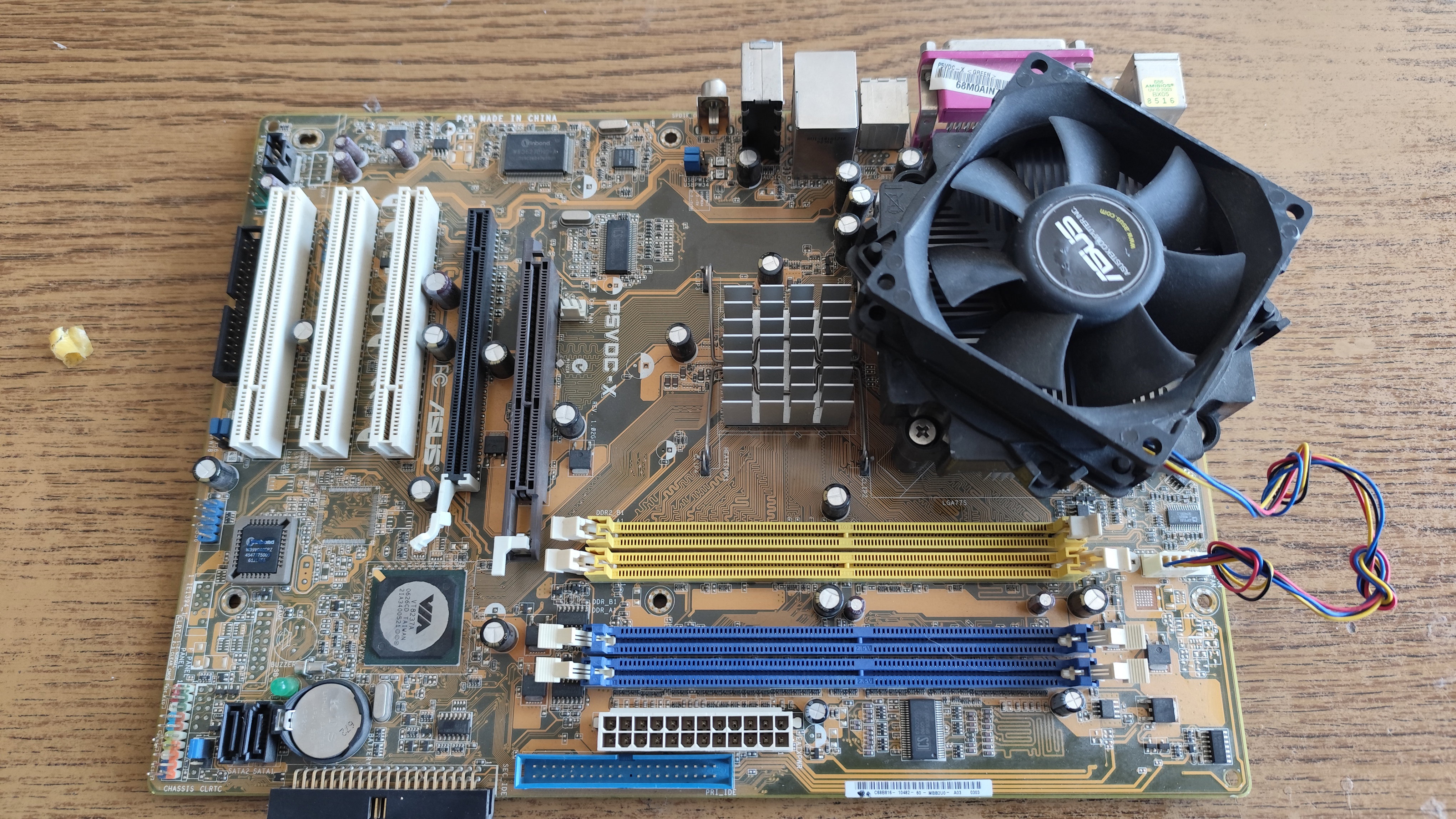
ASUS P5VDC-X
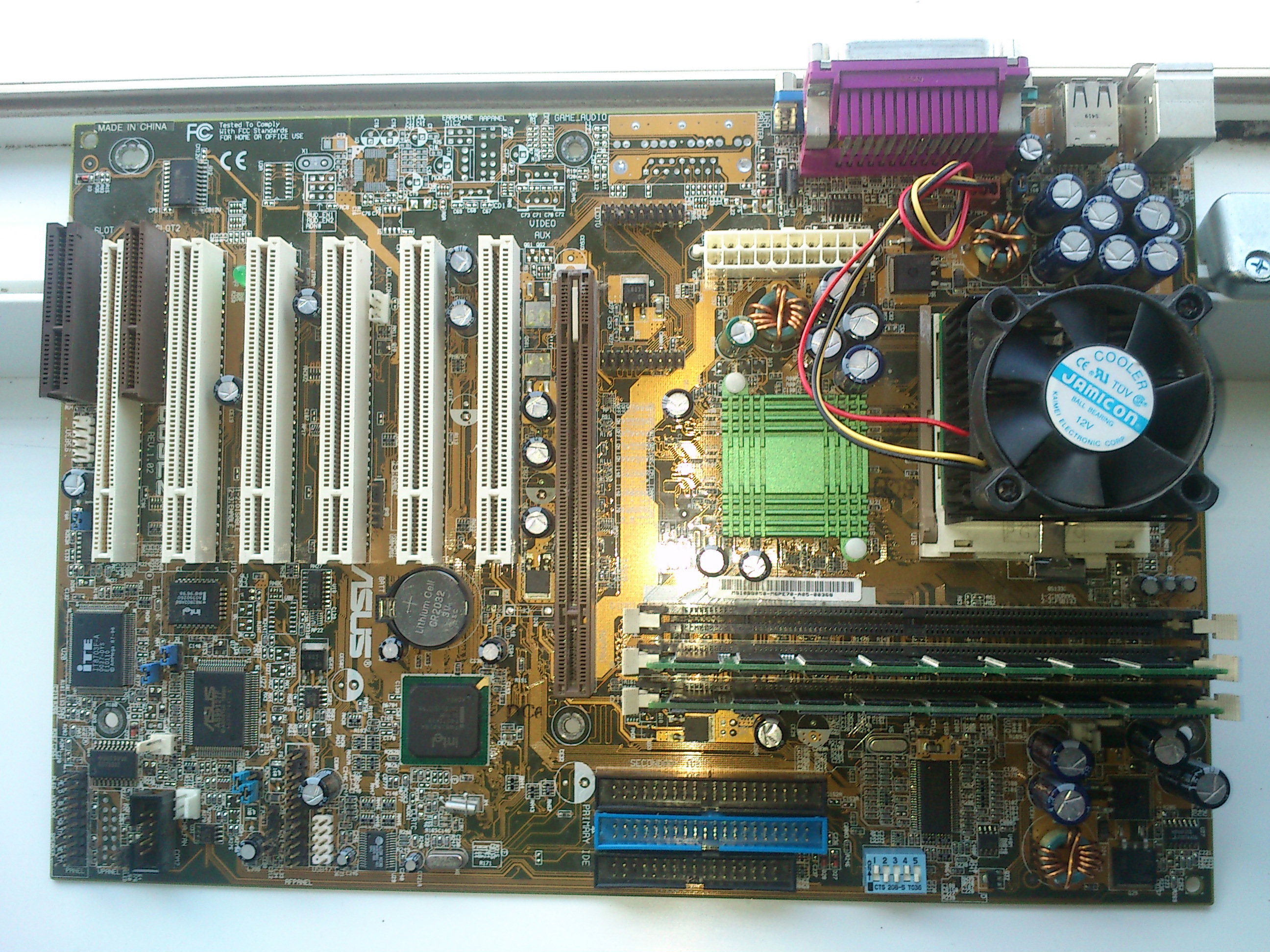
The motherboard arrived in perfect condition, and luckily it had its cooling on. It contained no CPU, but i have compatible Pentium4 and Pentium D chips, so that is not an issue. It was very dirty and dusty, as you can see it on the picture, which i took before wiping the dust off. One of the PCI ports was full with dirt, and it took me minutes to fish out all the dust.
Beholding the beast
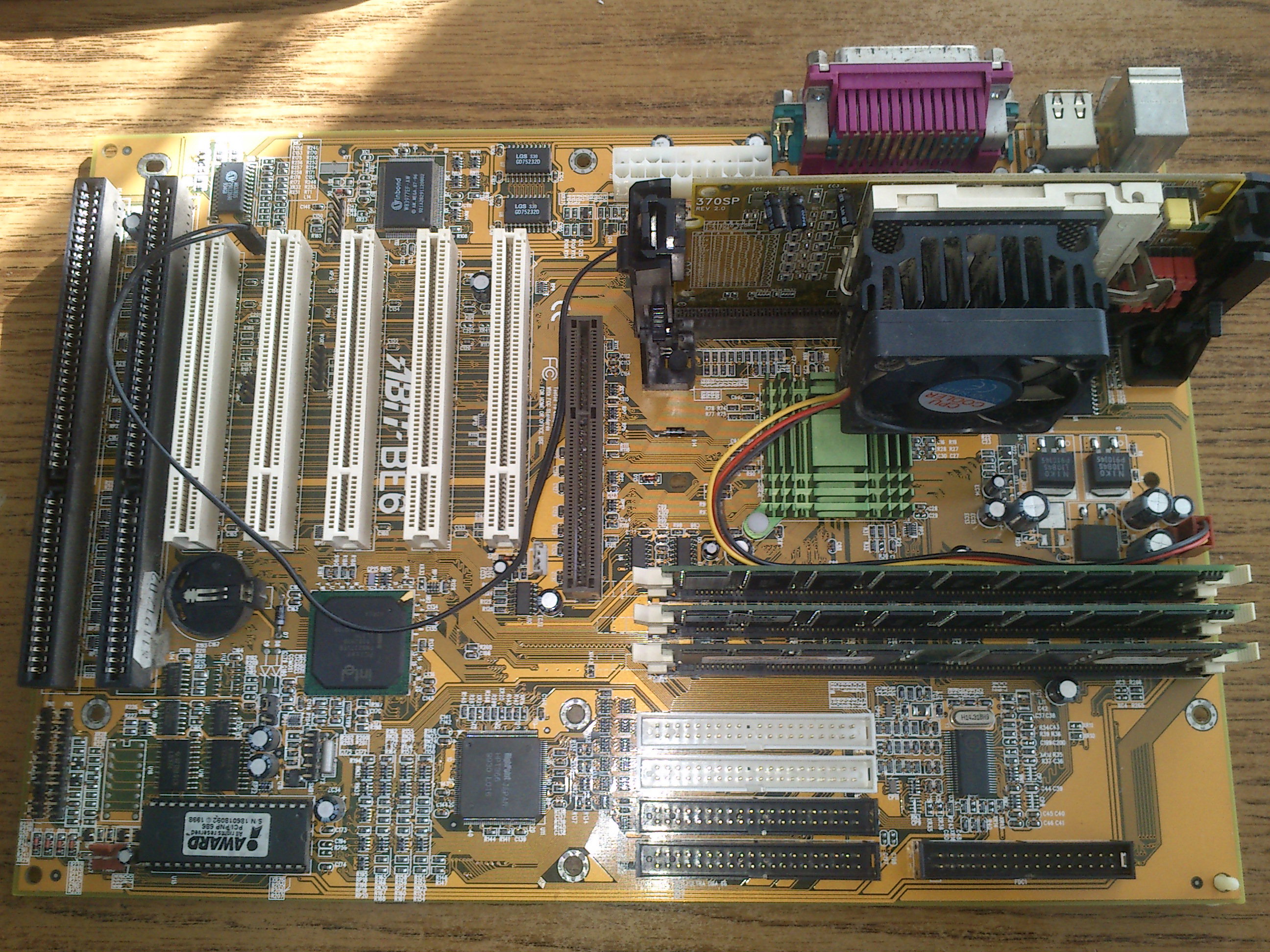
The motherboard is a standard ATX form factor, the first thing you can notice is the AGP port next to a PCI-Express slot. Yes, they put both ports on the motherboard. The mass adoption of PCI-E graphics cards only started in the second half of 2006, when the GeForce 8800 series got released only for the PCI-E slot. That was however non-existent when this motherboard came to be. Up to that point of the release of the 8000 series, most people kept their older AGP graphics cards. These were typically a midrange Radeon 9600 or an entry level DX9 capable GeForce FX 5200. In OEM systems, older DirectX6 or 7 chips were still used widely, such as TNT2 and ATi Rage 128 based products, sometimes, products from S3, Matrox, SiS, Videologic, or PowerVR. Asus wanted to make sure the users will be able to use their graphics chips in this motherboard, be it an older or a newer one. The only way to make this possible, is to add both an AGP and a PCI-E slot on the motherboard.
The chipset
The motherboard uses a VIA chipset, one of the very final VIA chipsets for Intel platforms. The VIA chipset made it possible to have AGP and PCI-E ports on the motherboard - and it contains a DDR and DDR2 memory controller. Some motherboard manufacturers decided to utilize these features all at once, and build motherboards having both ports. These motherboards are rare, but they indeed exists, because i have it in my hands now.
IDE and SATA
Motherboards after 2006 usually have only one IDE port for backwards compatiblity with older hard disks and DVD burners (one single IDE port was usually kept up to 2010 on most motherboards). This motherboard still contains the two traditional IDE ports, with the compatibility of total four IDE devices. It also contains two SATA port. These SATA ports run in IDE emulation mode, but they are capable to do RAID, as they are hooked up to a separate chip. Its not known to me, if these ports can support hard disks bigger than 120 GByte, and what actual speed they offer.
DDR and DDR2
The motherboard was released basically when the DDR2 came to be. The first chipset supporting DDR2 was released around 2004, however, in actual production the DDR standard got replaced with DDR2 after the second generation of AMD Athlon64 x2 chips got released in 2006 may, just when this motherboard was also released. ASUS wanted to be compatible with the newest standard, but the availibility of the DDR2 memory was questionable, and the specifications were also problematic. For example, initially the DDR2 was launched at two speed ratings: DDR2-400 and DDR2-533 (4*100 mhz and 4*133 mhz respectively). Nothing used the first one, the DDR2-533 was however a good fit to the system bus of the early Pentium 4 chips, which also used 533 MHz bus speed. Just after the manufacturing of 533 MHz modules got started, the new standards DDR2-666 and DDR2-800 got also released (4x166 MHz and 4x200 MHz). When Intel released some of its processors with 800 MHz bus speed, the intended DDR2 variant for it was DDR2-800. In reality however most manufacturers used tricks to run the memory asynchronously.
The first power up
I am very lucky the seller have sent the motherboard with a cooler, because the motherboard has a non standard LGA 775 cooler design. When checking the motherboard with online search engines, it can be seen using a normal standard LGA 775 cooler design, however mine has a non-standard ASUS cooler with a screw-based mounting mechanism. Before i tried to turn on the motherboard, i put my working Pentium 4 chip in it. When i turned on the motherboard, nothing happened. I have tried to turn it on with DDR and DDR2 memory, but no use. I have connected a speaker to the motherboard, and tried to check all of my memory modules. I have tried at least dozens of them, and my fingers almost started to bleeding, before i managed to get some activity from the motherboard.
One long, and two short beep
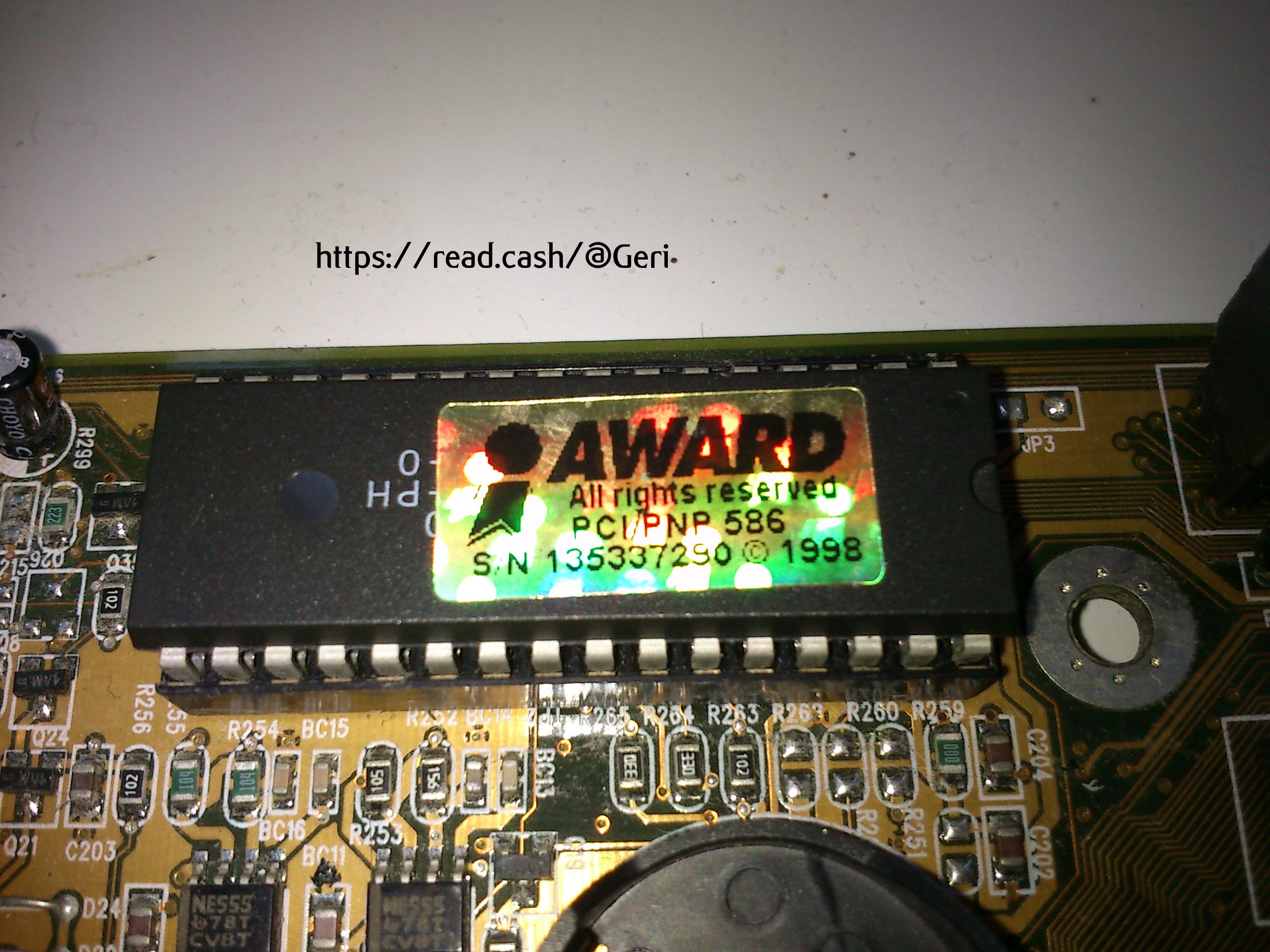
Finally i got an error code with one of my modules, and according to online sources, the beep code indicated a graphics card error. I was afraid the AGP port is damaged, that would been a big loss. So i tried with a PCI-E graphics card, and i got the same beep code. Then finally i have tried with a PCI graphics card, but again, i got the same error code. Of course, this beep code has nothing to do with graphics card errors, random informations from the internet is always unreliable. After testing more and more modules, suddenly the motherboard started up with one of the modules.
Instant shutdown
After the motherboard finally posted, it shown the usual texts in BIOS, it turned off after a few seconds. I tried it again, and the same thing happened. This is usually due to overheating, so i checked the cooler more carefully - it was properly screwed on. So i decided to unscrew the cooler, and the realization of the true horror struck me. The cooler can be screwed on in every direction, however you have to place it only in a specific direction, where ASUS have left some place for the capacitors. The cooler was not touching the CPU, and instead it was sitting on the top of the tiny capacitors around the VRM, hidden near to the CPU itself. After turning the cooler into the proper direction, the system finally posted.
Searching for more RAM
I wanted to use the system with two 1 GB DDR2 modules, so i had to dig deeper to find the ideal modules. At the end i only managed to find five 1 GB, double sided DDR2 modules which were compatible with the motherboard. The motherboard simply refuses to show any signs of life with most of the memory modules, because when it was made, this size of memory was just too big, and the manufacturer didn't tested these large modules properly. This means, one bag of memory was needed to find just a few modules working in it.
Lets try a Core2Duo
The system refused to turn on with a Core2Duo 6300, and it shut down within half seconds, when using this chip. The VIA chipset used on this motherboard is also used on some later Core2-capable motherboards, so i decided to try to mod the bios with the required Core2-compatible microcodes. I have downloaded a software and i have extracted the required microcodes from a very similar Core2-capable AGP-PCI combo motherboards with the same VIA chipset. After i have modded the bios, i tried to flash it by pressing ALT+F2 at boot, to directly flash it from a CD disk as the manual suggests. However, the file was not detected, even if i tried to disable all ISO extensions when burning the CD, the flashing failed. So i had to go with the old DOS bios flash method, and flashed the modded bios like that. The new modded bios didn't solved the issue, and despite of having the proper microcode, the motherboard refused to start with any of my Core2 processors.
Lets put in the Pentium D
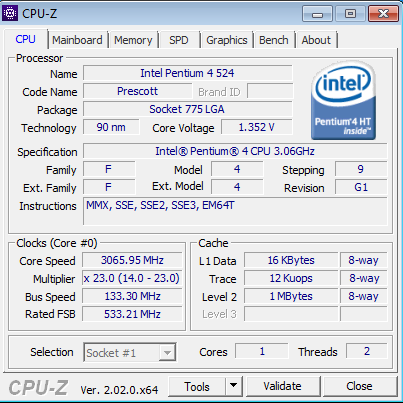
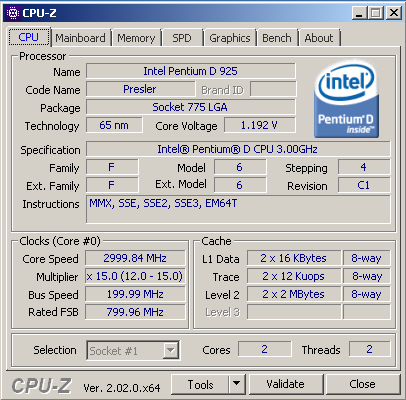
If the Core2 doesn't works, i still have a Pentium D, which is officially supported in thos motherboard. The Pentium D is basically a Dual Core Pentium 4, and the motherboard started up once with it. And nothing. Sometimes, when pressing reset, it either started up, or crashed in BIOS. I was afraid the VRM is damanged, and can't sustain the power draw of the Pentium D, but i was wrong, the problem was something else. I noticed, when i clear the BIOS, the Pentium D always works fine until the next reboot. I also noticed, one occasions, it wrote in the BIOS, it autodetected memory speed at 800 MHz, and this gave me a hint. The Pentium D 925 uses 800 MHz front side bus, but the Pentium 4 i tested earlyer, only uses 533 MHz bus. This means, the memory system now ran with much higher clock speeds.
Memory detection error
The memory system of the P5VDC-X is very flaky. The bus the motherboard supports, is advertised to be 533/800/1066, however, its just only the system bus. In the next line of the manual, it explains, only DDR2-400 and DDR2-533 memory modules are ever supported on this motherboard, especially if larger modules are being used. Always read the entire manual, folks, not just the first lines! As DDR2-400 probably didn't even exists, and my only 1 GByte DDR2-533 module simply refused to start in the motherboard, i had to use faster modules. Which the BIOS detected, and attempted to use higher clocks. Which are not even supported on the motherboard. But the BIOS doesn't seems to care, and the system tries to run the memory on its auto-detected 666 or 800 MHz speeds, when a CPU with large FSB has been inserted. Of course DDR2-666 MHz (4x166 MHz) setting already causes crashes in memtest, and 800 MHz causes random lockups even when turning on the system. When this motherboard was designed, only DDR2-533 (4x133MHz) was a thing, and later on ASUS forgot to take the problem into account, creating a design flaw which prevents the system from functionining properly when faster than DDR2-533 (4x133MHz) memory modules inserted. This explains, why i had to test a bag of RAM modules to make the system working.
Lets try with DDR
When using DDR1 modules, despite the manual says DDR-400 modules are supported, DDR-400 is actually not supported when using larger modules. The same bug exists, but the limit with normal 1 GB double sided DDR modules is DDR-333 (2x166 MHz). I only have 1 GB DDR-400 modules and therefore the memory problems arised again, similarly to the problems with DDR2 modules.
The solution
The motherboard has chipset settings, where you can force the memory speed to a given rate. After clearing the CMOS, the system will start, and the user can enter to the BIOS to set the memory speed to 533 (or 333 when using DDR 1) which results in a perfectly stable computer. I had to waste about 6 hours of my life till i have sorted out all of these problems with this motherboard.
Lets connect a hard disk, and test it
When connecting the cable to the SATA port, i realized i almost ended up dead-locking the SATA cable into the motherboard's port. When this motherboard was released, the SATA cables had no metal pin on their end, but since then, they have. The two SATA port on the motherboard are facing each other, and when both cables are inserted, their metal pins are covering out each other. This means, the cables stuck forever. The motherboard becomes an overly attached girlfriend, and it doesn't allows you to pull out! Luckily i have accidentally used a super old SATA cable for the hard disk, which had no metal clip on it. Therefore i was able to unplug that cable first, then unplug the another one with the metal clip.
Windows compatibility
After the hardware compatibility hell, luckily there were no software issues. Windows 7 64 bit installed without any issue, it detected and installed all hardware out of the box. There seems to be no compatibility issue with graphics cards regardless - from the GeForce 8500 to my Rage 128 card, everything got detected and working without any sort of issues. 32 bit and 64 bit versions of Linux also boot on the system. The only thing which i found sad is the 2 GByte memory limit, which is not ideal if someone wants to run post-2015 applications and games on the system.
Fine tuning and overclocking
The system overclocks just fine, and the memory system is independent from the front side bus. I managed to get 3.3 GHz out of the Pentium D chip, however at 3.4 GHz the system is freezing. I have not increased the voltage (and i don't know if the system supports overvolting). At 3.3 GHz, the Pentium D approximately manages to reach the performance of a Core2Duo E6300 (1.8 GHz), at least in a more modern motherboard with proper RAM. This system has a lot of sacrafices. The speed and quality of the memory controller, the PCI-E port only operating in 4x mode, these are going to be factors dragging any chip inserted to this motherboard. And thats likely why ASUS didn't bothered to patch the BIOS of the P5VDC-X with Core2 support - a Core2 chip wouldn't been notably faster under such circumistances. Especially, because initially Core2Duo chips had only 2 MByte cache memory, and the second generation of Pentium D chips have 4 MByte, which can compensate well for this weak memory system.
Fan speed is always at 100%. The fan is very noisy, and there is no need for full throttle all the time, as the Pentium D tends to run around 30c in idle. Despite of having 4 pins for the fan, no PWM, and no sort of fan speed control method is supported on the motherboard. The BIOS contains no methods to control the fan speed, but measure the fan above 4000 RPM. I haven't tried to connect the fan to other PIN than the PWM capable pins to the motherboard, but the board also have 3-pin fan headers. I don't tested those, so i don't know, how those would behave. 2006 was also the time, when CPU fan speed control became a thing, and it seems this motherboard does it wrong, or it can't do it at all.
The test system
**CPU**: Intel Pentium D 925
**Motherboard**: ASUS P5VDC-X
RAM**:** 2x1 GB, doublse sided DDR2-666 RAM forced in DDR2-533 mode, in dual channel
**HDD**: 120GB SSD
**GPU**: AMD Radeon 3850 AGP 512MB
Measuring the power draw
The configuration in idle drew more than 100W, meanwhile under full throttle, it drew more than 200W. The IDLE power draw is suspiciously high, and the only explanation i can think of is the messed up power states of the Pentium D chip, which the motherboard seem to be unable to properly implement. This could also explain, why they keep the fan at 100% speed all the time despite the low cpu temperatures, and why they put some of the VRM components caps directly below the CPU heatsink, otherwise the VRM would probably damage very quickly.
Syntetic benchmarks
The only syntetic result i observed is the memory bandwidth in memtest86. Memtest86 can't properly measure the RAM bandwidth on multicore chips, so dual channel operation will not be properly saturated in this test. However, when comparing the numbers to more modern LGA775 motherboards, the results are weak. The speed with DDR2 memory capped at DDR2-533 only gives 2.5 GBytes/second in the P5VDC-X, and this is basically the peak which this motherboard can do with large DDR2 modules. The dual channel mode, which is luckily active with this motherboard, saves the day. The memory performance is 33-50% below newer motherboards, when using similar Pentium D and Athlon64 x2 chips. Its however still at least twice as fast as later Barton chips with DDR memory. The memory bandwidth barely exceeds the theorical limit of PCI-E 1.0 8x, and barely reaches even the speed of AGP 8x. It's nowhere near to saturate PCI-E 16x so no wonder they designed these systems with a 4x PCI-E lane only. When using dual channel DDR-333, the speed is only around 2 GBytes/sec. This is due to the strange design of the memory system on the motherboard.
Testing some games
I have used my AGP 3850 graphics card, which worked fine in the system. I decided to quickly test two games to see, how faster this system is compared to my Athlon XP system. These Pentium D chips had bad marketing back then, but in my previous test, where i have measured them against the first Athlon64 x2 chips, they were delivering fine performance. This motherboard is however a different story, with about half of the memory bandwidth and the legacy AGP port, now it has a bad start.
Crysis
When running Crysis, the game ran with about 35 fps. This is only about 15% worse than what a Pentium D capable with proper memory and a fast PCI-E DX10 card. This means the anemic syntetic benchmark performance not immediately translated into a bad real-world performance, and the motherboard is very fast (however indeed wouldn't be fast enough to properly feed a Core2Duo).
The AthlonXP can only manage around 12 fps which means the Pentium D is about three times faster.
Prey (2006)
This is an OpenGL based game, and it is very CPU limited, as it is based on the DOOM3 engine. I also tested pray on an AthlonXP to have comparison of the user experiences. By the way, this game requires old AMD drivers, otherwise heavy stuttering and microlagging would occur - this is not specific to this motherboard, but its a thing of newer AMD OpenGL drivers - they are very CPU heavy, making the things worse.
Again, the Pentium D easily pulls away from the Athlon XP and about 3 times faster under heavy action.
Verdict
The promised longevity of RAM upgrades with this motherboard is questionable. Modern and larger RAM modules simply won't work properly. Likely it would have been a better idea from ASUS and VIA to simply just put four DDR 1 memory modules on the motherboard with 4x1 GB support in total, however at the early days of 2006 this was not properly predictable. The graphics card support has no bugs, the AGP and PCI-E ports are both useful and operate as it was intended, making the longevity of GPU upgrades high. The performance of the motherboard is good, while it lacks in syntetic benchmarks, the performance is acceptable in real world usage. The memory performance wouldn't been enough to feed Core2 based chips, and the memory compatibility problems are likely one of the main contributing reasons of Asus silently and quickly discontinuing this motherboard just a few months after its initial release in 2006. The another one could be the missing power stages and the lack of PWM. There are similar combo motherboards from Asrock, such as the Dual VSTA or 4Dual VSTA, which have Core2 CPU support regardless of using the same chipset, and better RAM support, better platform in overall - so its dissapointing why ASUS gave up so easily on this motherboard, and how they ended up doing these failures. ASUS silently discontinued this motherboard just after a few months of initial production run, without attempting to fix the problems. However, the motherboard can indeed give the promised 64 bit capabilities and the speedup compared to older 32 bit Pentium4 and AthlonXP systems. It indeed allows to use older graphics cards and RAM sticks as well, and the motherboard does what it was advertised to do - acting as a bridge between the previous generations of PC hardware, meanwhile also offering compatibility with the new generation of its era, but its very messy.
A walking design flaw
In other hands, this motherboard is a screaming design flaw. Its hard to view any parts of the motherboard and not to find various giant blunders.
-Messy and nonsensical RAM support
-Design failure of the heatsink
-Design failure of fan control
-Design flaw in the CPU's power stages
-High power draw
-Design failure of the VRM
-Lack of fan control and PWM
-Design flaw of SATA connectors
-No microcode update possible for Core2 based chips
-Low memory bandwidth
-Only PCI-E 4x bandwidth instead of 8x
-Bugous compatibility with chips above 533 MHz BUS
-Very hard to set up the hardware and operate it properly
Guide to buy a gaming laptop
Gaming laptops are becoming cheaper to obtain, barely more expensive than desktop counterparts. I decided to write a tutorial, how to choose a proper laptop for gaming with the proper components, because most article in this topic are nonsensical marketing presentations about the first few newly released gaming laptops which google displays. This article is going to be a guide, what to be aware and how to choose a laptop for gaming, and i will try not to mention any brands and laptop models.
Gaming laptops are cheap, but here is the catch
Not just second hand gaming laptops, but the new ones are also relatively cheap. You can get a laptop for gaming below $1000 even brand new, from various vendors. Its however recommended to buy a high-end model second hand, especially when the build quality on a newer model is low. Manufacturers sometimes tend to use thin plastic, which easily breaks, and designs where you can't take apart the laptop. If you can, try to avoid these. There are laptops where a maintenance window still exists on the bottom - where you can easily access and replace internal components without tearing the laptop down.
Maintenance window (maintenance door)
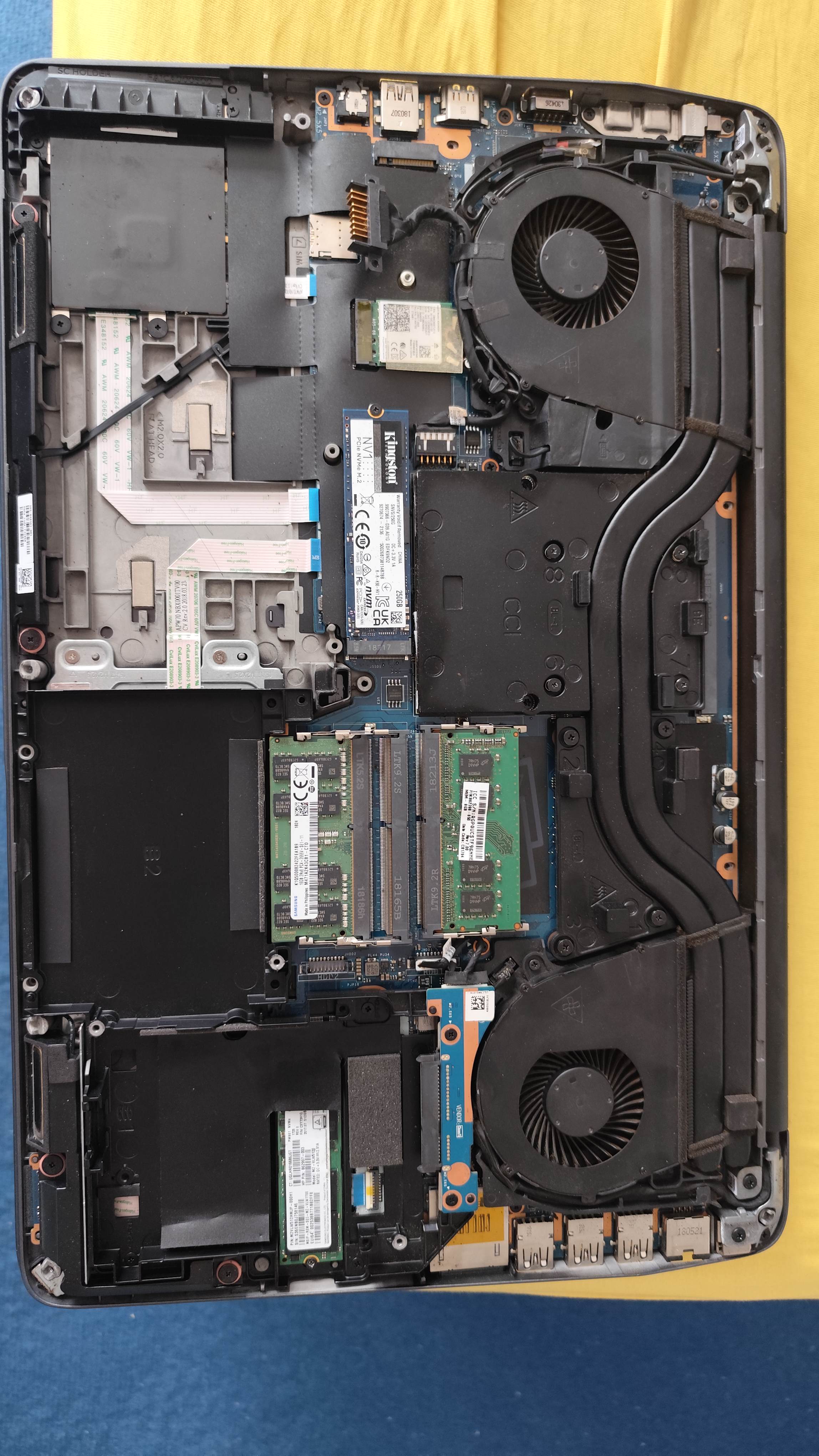
Before we try to deep dive into hardware specifications, i must emphasize the importance of the maintenance window. Instead of a regular laptop, you will have to replace the components of a gaming laptop more frequently. Replacing the SSD, the RAM, the DVD drive, even to insert a SIM card is possible by opening a maintenance window. If your laptop lacks this, you will have to take down the entire bottom cover, and sometimes, even removing the keyboard, to be able to chance the RAM or SSD. Unlike a regular laptop for content consumption, you will have to swap parts more frequently to upgrade your ram, your SSD, and other components.
Picture: a laptop without a proper maintenance window
Upgrading the hard disk
An ideal gaming laptop should be able to accept one or two NVME SSD drives, and it should have one or two SATA bays for SATA SSD-s or HDD-s. This is very important, because games are huge, some games can exceed 200GB and even some indie games are simply larger than 50GB. Laptops are usually equipped with 512GB or 1TB SSD drives, which is just simply not enough, and you will have to expand your storage by adding multiple large SSD and/or hard disks. Therefore, ensure the gaming laptop of your dreams have multiple options to do this upgrade, and ideally, ensure you can easily access these disks from a maintenance window.
Upgrading the RAM
Ideally, a gaming laptop should have at least two memory slots. Its even better if it has four slots available. However, in the case of the laptop having four slots, two can sometimes be only accessed after a partial teardown of the laptop, which is not recommended. Avoid the laptops with one memory slots, those are too limited. Laptops sometimes come only with 16GB RAM, or less: in that case, you should upgrade them to at least 32GB RAM or more, even if some games are willing to work with 16GB.
Potemkin maintenance window
There are laptops where the maintenance window is fake, and especially HP is doing this with some of its models. On some of models, you can only access the battery, and only one of the disk drives behind the maintenance window. This means, you will have to partially tear down the laptop, regardless of having a maintenance window. Its recommended to watch video tutorials about replacing components of the laptop before buying it, so you can see, what can, and can not be accessed below the maintenance window without partially tearing down the laptop.
Soldered memory and SSD
My neighbor knocked on my door a few days ago, to show his Acer laptop, which he bought in a large European electronic device mall. He was proud of his computer, until it turned out, it only has a 64GB SSD. After attempting to upgrade it to a larger SSD, it turned out, the SSD is soldered on the motherboard, and its not upgradeable. How about the RAM? 4 GB, and guess what, its soldered. He bought e-waste for $400. Chains are about to scam you, don't trust them to give you a proper laptop, always do your research, and buy from reputable sellers, not from your local mall!
Workstation laptops
Instead of trying to search specifically for a gaming laptop, you should consider buying a workstation laptop. These usually have similar components as gaming laptops, but they have better build quality: some of them have metal shell instead of a plastic, they still have DVD drive bays (which is ideal if you want to play older games released on a DVD), and they tend to have screens with better color representation. In exchange these laptops are heavy and more bulky.
The screen
Nowadays, most gaming laptop screens are 15.6 or 16 inch in size, some workstation laptops are released with 17 inch. I recommend to buy a laptop with IPS screen. Gaming laptops are frequently released with TN panels, which are not recommended to buy, however, those can do higher refresh rates. IPS panels usually can only do the standard 60 Hz refresh rate, and they can rarely do more, however, the color accuracy and viewing angles of IPS screens makes it superior in all cases. 18 inch laptops are very rare, and even the 17 inch verions are becoming less common. Its recommended to buy a 17 inch model with IPS screen, if its available, as you want as large scren as possible.
The audio
The audio on most gaming laptops are terrible. There are some exceptions, but you can't really find reviews about them. If the audio system has some sort of branding which is sort of known in the industry, you can expect a somewhat acceptible sound quality, otherwise prepare the quality of your grandfathers Sokol radio. Some of the laptops simply have one mono speaker, and even if its stereo, it tends to be awful. I don't want to mention brands too much, but Bang&Olufsen gives usually an acceptable quality. And of course, if a laptop has multiple large speakers inside, those will also give a good quality, however, if the specifications modestly forgets to talk about the speaker specifications, then you can be sure its bad.
The keyboard
Beware, when buying used gaming laptops! The previous owner might have partially damaged the WADS and cursor keys. Some people tend to press them too hard, and after a while, this have a toll on the key quality. Ordering a replacement keyboard with the key allocation of your country can cost more than $50, so you should be financially prepared to swap the keyboard when you buy such a laptop. High end gaming and workstation laptops have keyboard backlight, but you shouldn't let yourself decieved by such feature, as these keyboard frequently represent an even less quality than older standard keyboards.
The graphics chip
You might noticed, i avoided the most important factor of a gaming laptop: the GPU. Avoiding the hot porridge like a cat up to this point, because its a can of worms on its own. As you might be aware, graphics chips (IGPs) are integrated into CPUs for a while by now. Basically every CPU has an integrated IGP, and sometimes these are even advertised to be able to offer an acceptible gaming performance. This is however, a lie.
IGPs are not enough for gaming
In the recent 5 or so years, the performance of integrated graphics chips were not able to keep up with the demand of video games. Intel's newest HD graphics, and Intel UHD and Iris chips can't deliver the required performance for modern games, not even for indie games. And in fact, you can't expect more than single digit frames per second in modern titles. Do not even consider buying a laptop without a discrete graphics card, because no matter how well the marketing texts are phrased, these integrated chips are unable to deliver acceptible frame rates. Intel, however, has a discrete graphics chip, more on that later. When you buy a laptop with an AMD Ryzen CPU, it has a modern AMD Vega IGP integrated into it, but just as the Intel counterpart, you can expect single digit frame rates from this in the modern titles. No matter how hard you want to believe, graphics chips integrated onto the processors can't deliver enough performance any more, and you should avoid buying such laptops.
Avoid old discrete GPUs
Having a discrete GPU in your laptop doesn't means you automatically got a proper product. Older generations of discrete GPUs will not be able to offer acceptable performance. Graphics chips from the DirectX 11 era, such as nVidia Quadro 1000M/2000M/3000M, GeForce GT 730M (and the 7xx line), GT 960M or lower, are simply not strong enough. Single digit frame rates can be expected even in medium settings, and some newer games will have degraded graphics quality due to the lack of hardware DirectX12 support. AMD HD 6xxx and 7xxx GPU's only support DirectX 11, and they are not just slow, but have driver issues. A lot of games will simply crash in the menu, or refuse to start alltogether - the driver quality is very poor. nVidia MX 110 and other low end discrete graphics chips are using the older DirectX11-compatible cores, despite being released after DirectX12 was available. GT 960 also have a DirectX11 core at hardware level, despite its naming. Misleading naming can confuse the buyer, so i recommend you to google the name of the chip to see if it supports DirectX 12 with at least 12_0 feature level or above, and if it says 11_x, then you should avoid buying that hardware.
Newer, weak discrete GPUs (~25 fps)
Discrete graphics chips released after 2020 are usually up to the task to run the games. however, some models are very weak, and not recommended, unless you can't find anything newer.
-nVidia MX 250 and 350: these are cut down multimedia chips of the GeForce 10xx generation, they are basically the laptop version of GeForce 1030. Prepare for sub 20 fps gameplay. Absolutely not recommended.
-nVidia GeForce 1050 Mobile 2GB/3GB/4GB: this card has multiple versions and chips. The 2 and 4gb versions are based on the desktop 1050 with 128 bit memory bus, the 3GB version is based on the 1050 TI chip (and has more execution cores than the 2GB models, but only 96 bit memory bus). The 3GB version usually not available any more, but if yes, then you should buy the 3GB version, as the 768 execution cores it has, tops the 640 execution cores of the 2/4gb version, giving a few extra fps, which this card really needs. This doesn't needs its recommended: its just the least worse of the generation. These cards can usually reach 25 in modern games, especially the 3GB model.
-nVidia Quadro P2000 Mobile: This has the chip of the GeForce 1050 TI with a 128 bit memory controller, but still not recommended, and the card will balance on the edge of playability in newer titles.
-Intel Iris Xe: Do not confuse it with the Iris, because thats an IGP! Iris Xe is Intel's discrete graphics chip for laptops. Its much faster than their integrated solutions, however not fast enough to be recommended. The chip can usually exceed 25 fps, but barely. If you end up with it, its not a problem, but you shouldn't specifically search to buy one. There are various versions of Iris Xe, there isn't too much difference in performance, they perform similarly to the 1050 series in practice.
-AMD Radeon RX560 Mobile: AMD basically managed to die out in the laptop discrete GPU market, however you can still find them from day to day. The RX560 performs similarly to the 1050 family, usually a little bit slower than those. Struggling to keep the game above 25 fps, unfortunately its usually even more expensive than the 1050 based laptops and making it a worse deal.
Acceptible laptop GPUs (30-60 fps)
These laptops can run most of the newest games above 30 fps, and generally they give a very good gameplay experience.
-GeForce 1060 Mobile: These are the cheapest alternatives for good (30+ fps) gaming experience for a laptop, and they are available in 3GB or 6GB versions (192 bit memory bus). You should buy the 6GB version if you can, because that will give better experience in the newest titles. This is the first chip which you can buy without thinking twice, but the longevity of the system can be questionable, as this was a midrange model when it was released.
-nVidia Quadro P3000 Mobile: This is the same as the 1060, the same memory model, and the same execution units in the same quantity: you can buy it.
-nVidia Quadro P3200 Mobile: This chip was using the core of the GeForce 1070, but the memory system of the 1060 (so its still 192 bit with 6GB ram). It can give a good 20% extra performance over the 1060 chip, so if you see the same laptop with a P3000 and P3200, choose the latter one.
-nVidia 2050 Mobile: Its built to replace the 1050, but with a newer chip. It has only a 64 bit memory bus, however using the newer GDDR6 memory stanard. It can outperform the 1050 by around 60%, making the performance equal to the P3000 Mobile in most cases. One of the drawbacks is the 4GB graphics memory. The gaming performance will however be acceptable.
Great laptop GPUs (60+ fps)
-nVidia GeForce 1070 Mobile: This basically equals to the GeForce 1070 desktop version: it features a full 256 bit wide memory bus containing 8GB RAM, but actually contains more execution units even as the desktop 1070, but less than the GeForce 1070 Ti. Its a highly recommended laptop card, usually more than 30% faster than the P3200, usually pushing games above 60 fps.
-nVidia Quadro P4000 Mobile: This equals to the 1070 Mobile, and the same applies to it. The only difference is in power consumption, the Quadro version consumes somewhat less power.
-nVidia Quadro P5000 Mobile: This equals to the 1070 Mobile, but has 16 GB graphics memory, which increases the systems longevity. This card is however, rare, and the 16GB RAM on this chip is a little bit overkill.
-nVidia 1160 Mobile: Built similarly as the older 1060, but contains a newer and stronger graphics chip. It has the same 196 bit memory bus and 6GB ram, and the same number of execution pipelines. Regardless, its about 40% faster than the older 1060 due to its newer design.
-nVidia 2060 Mobile: It has more execution pipelines than the 1160, however these pipelines running at a much lower clock speed. In practice, the performance equals to the 1160, and the memory system was built similarly with a 196 bit memory bus. It uses a newer generation of graphics core.
-nVidia 3050 Mobile: 2048 execution pipelines paired with a 64 bit GDDR6, making it somewhat faster than the 2050 and even the 1160. Its a recommended card, but one drawback is the small 4 GB memory size, which makes it less of a good choice when longevity is considered.
-nVidia 3060 Mobile: Simiarly to previous xx60 cards, it has a 192 bit memory bus combined with 6 GB VRAM. It has 3840 execution cores, its a very fast card, the only limitation is the 6GB memory size. Its one of the faster solutions available in second hand laptops for very cheap price tags, and its highly recommended.
-Quadro RTX 5000: This equals to a desktop GeForce 2080 Super in regards of execution pipelines, and has a a 256 bit memory bus, using 16GB GDDR6 memory. With this games, you can except a perfectly fluid game play and hitting the 60 hz limit of your screen all the times with modern titles, however its harder to find this type of graphics card, so you shouldn't specifically search for it unless you want to wait months for one to appear.
Upcoming products
Currently the new RTX 50xx Mobile chips are released, and arriving on the markets very soon. I havent personally touched such new things yet, checking the specifications of the 5060 it will be a very great chip which can be bought, i however not included them in the list due to the lack of personal experiences with them. Beware with this generation, because it seems 17 inch screens are not really being used any more, and they are being equipped with 16 inch screens at most. The housing also uses even weaker materials than before.
MXM slots
In some laptops, the graphics card can be replaced. These are called MXM graphics cards, and they are available in a wide variety of mid tier to high end products. These are in MXM slots, which is a semi-standardized slot for laptop graphics cards. Not everything is compatible with every laptop. MXM cards for HP laptops are usually compatible with other HP laptops and Dell laptops, and vice versa, but other manufacturers use different form and shape of MXM cards. Some laptops - usually the ones without IGP - doesn't support a wide variety of graphics cards. One of the reasons are video bios issues: sometimes, the GPU firmware is stored in the motherboards BIOS, and only a handful of cards can be used in the laptop. If a laptop has an IGP, then the IGP will be used to boot the system, and the MXM graphics card will act as a 3D accelerator (Hybrid Graphics). Sometimes, the cooling is not fully compatible, because there are electric components on the MXM graphics card, which prevents the heatsink to be inserted.
The list of GPUs are not full
I have only included the laptops on the list, which are actually available if you go to a marketplace (be it an used marketplace, or a store). You might notice the lack of AMD discrete GPUs in the list, and in fact i have only listed one in the list. Thats because that was the only one at the time i wrote this article, and it seems AMD managed to lose this market. The quality of their IGPs for gaming is not acceptable, and their newer discrete laptop GPUs are mostly paper-launch. The informations i have shared in this article are a few months old, and they are mostly based on the observations of the Hungarian gaming laptop market, so there will be small differences to your current local market.
How much VRAM your graphics card needs
Recommended system RAM size for office computers and content consuming home users is at least 16GB. 32 GB RAM or more is only required for high-end desktop computers, gamers, and people who run virtual machines, or massively parallel tasks. However, if you buying a graphics card, the VRAM on it is becoming a far complicated question than this. This guide is trying to explain everything you need to know about the RAM on your graphich card, and will help you to select the model for your desires.
What is VRAM?
VRAM is video RAM, basically the RAM chips on your video card. These are similar RAM chips they are mounting on normal PC memory sticks. Sometimes, they actually using the same type RAM chips, sometimes they use more special and faster RAM chips. Discrete graphics cards for desktop computers have their own RAM chips soldered on the card. Discrete graphics chips in a laptop usually coming with their own memory, but on low-end graphics chips, they directly utilizing the system's RAM, and they don't have RAM chips on their own.
What VRAM is used for?
VRAM stores the frame buffer (the picture you see right now), and if you are playing a game, it also stores the textures, and usually the geometry of the game. It also stores other types of buffers, and buffers for temporal computations. Having more RAM on your graphics card, the better you are, but don't rush to conclusions too early, as always, the devil is in the details.
Non gamers vs VRAM
If you don't do anything visually demanding on your computer beyond watching videos, the size of the VRAM is basically irrelevant. If you run games, or if you are using a CAD or modeling program to display more than a few million triangles, then the size of the VRAM is quickly becoming relevant, and it becomes an important factor for the performance.
The problem when you dont have enough VRAM
Most of the modeling programs and games will continue to work even if they run out from video memory. However, the performance will degrade rapidly. Large stutters can occur, because the objects and textures must be swapped in and out to the VRAM. The frame per second rate can drop drastically, and the experience will be very bad.
VRAM speed
VRAM size is not the only thing to be concerned about. The speed of the VRAM has a large impact on the performance. More bandwidth the video memory can deliver to the GPU, bigger the performance will be. The performance depends on the VRAM chip type (DDR, DDR2, DDR3, GDDR4, GDDR5, and so on). Another question is, how wide the VRAM's bus system is: graphics cards meant for the low end market will use 64 bit memory bus, midrange solutions will typically use 128 bit memory bus. High end offerings will typically use 256 bit, or sometimes, even more.
Graphics cards with 1GB VRAM and below
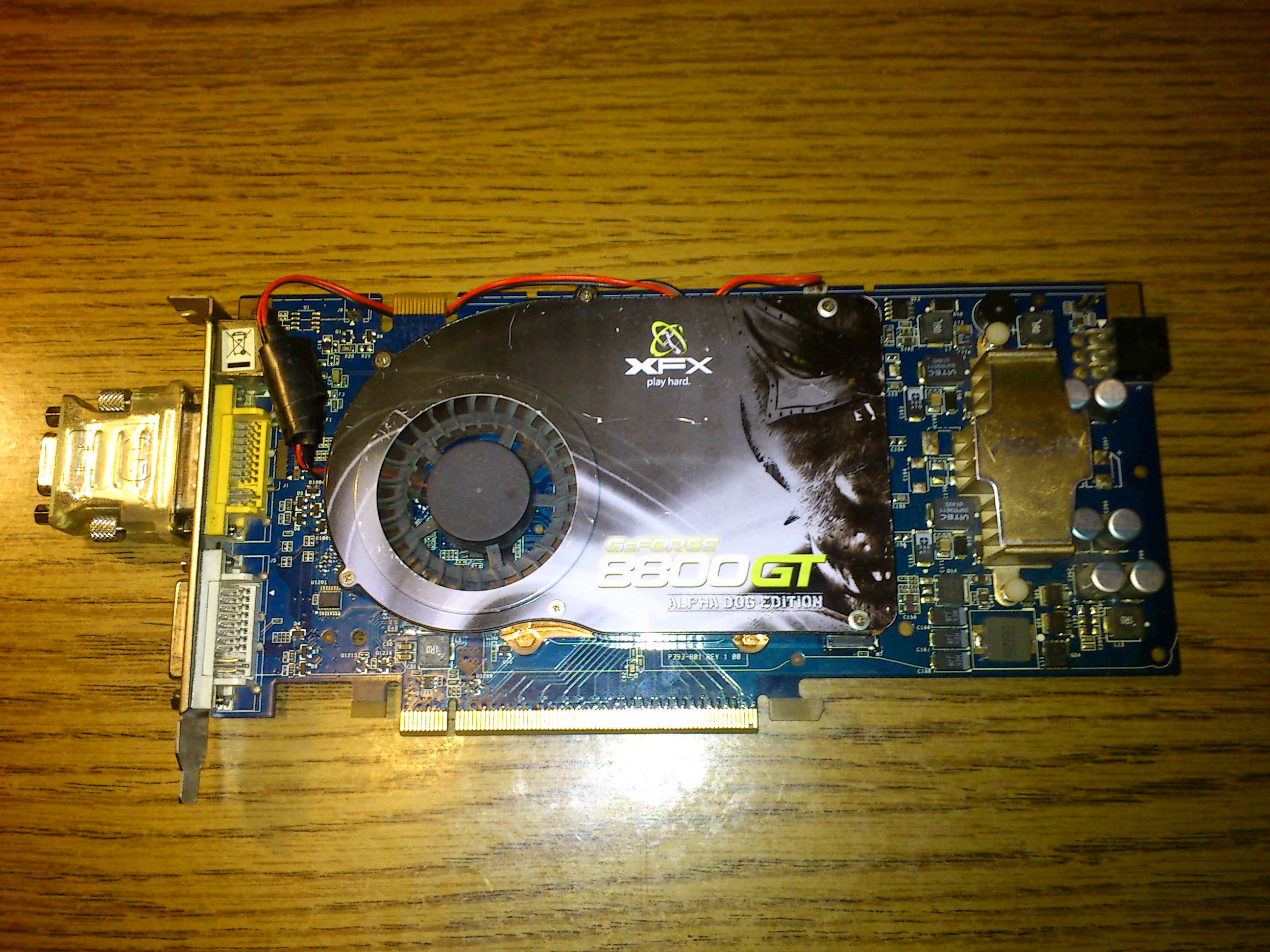
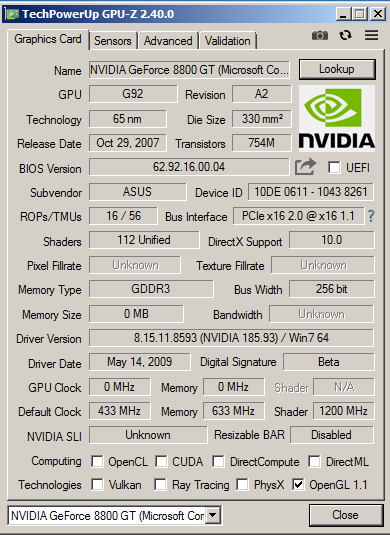
These graphics cards with 512MB - 1GB VRAM are usually DirectX 10 era solutions. These are released before 2010. These are not suitable for running modern games - not just due to the small VRAM, but also because they are to support modern graphics technologies. There are strong and high end DirectX 10 graphics cards, which could be used to run some older games, usually up to 2015. An nVidia GeForce 8800GT or an AMD Radeon 4850, which usually have only 512MB video memory, can run early DirectX11 games perfectly. After 2015, however, typically the video games started to require more than this. From that point, modern AAA games will not work properly, and as the time went on, even B-class and Indie games started to have performance issues on these cards. These cards are just too old now to have a good experience, and its recommended to replace them (if possible).
Graphics cards with 2GB VRAM
With 2GB VRAM, most games up to 2020 can be used, but not all of them. These graphics cards are late DirectX 11 graphics cards, sometimes with partial DirectX 12 support. The first DirectX11 complaint nvidia card, the GeForce 480 has only 1.5GB memory. Its stronger brother, the 580 also kept this 1.5GB size. You may assume, video card sizes have to be a number power of two, but there are expections, for example this two card uses 384 bit memory controller, and not the usual 256 bit memory controller which can be found on high end computers.
Despite the relatively good performance of these chips, and the ability to start even the most modern B and indie video games, its not recommended to buy them - if you are stuck with this DirectX 11 generation, buy the 7080 instead. That has 3 GB video memory, which will give better experience in modern titles. However, even some modern indie games could require more than this.
Some modern DirectX12-capable cards can also have 2GB VRAM, such as the GeForce 1050 or the Radeon R9 285. Its highly recommended to avoid them, even if their GPU cores are fast. There are even relatively modern cards released in 2020, having only 3GB cards, such as the Radeon RX 5300, its wise not to buy such card.
Wow! The GeForce GT 730 with 4 GB VRAM must be a good catch then!
The opposite. Manufacturers understand the power of marketing, and they are ready to put a lot of VRAM to lure people buying the obsolete garbage. The GeForce 730 is a very weak card with 64 bit memory controller, and manufacturers are using old GDDR3 modules on those graphics cards. The card is about ten times slower than a GeForce GTX 780. So don't get fooled by this old trick, and do your research.
In 1999, when the S3 Savage 4 got released, it was a mediocer card. It was not bad, but it was far from the high-end. The card was meant to use 16MB VRAM, and at that time, games indeed started to require at least 16MB VRAM. Some of the card manufacturers, however, decided to release two other versions from the Savage 4, on top of the standard 16MB version. One of them only had 8MB. This was very small for this graphics card, and held the Savage 4 back in almost every games, especially when 32 bit color depth was used, turning it into a stuttering mess easily. The another variation was the Savage 4 with 32MByte VRAM, which was just as nonsense, but from the opposite end: the Savage 4 was not able to benefit from such large quantities of RAM. The games demanding that much VRAM couldn't run on a Savage4 properly anyway. But the 32 MByte video memory had a marketing value, and some people ended up buying the card, falsely thinking they are getting somewhat more decent.
Graphics cards with 4GB VRAM
Now we are talking! Currently, most modern games will need at least 4 GB video memory to run in lowest details. These cards are usually DirectX 12 and OpenGL 4.6 compatible at least at the driver level, and the older midrange and high-end graphics cards are still powerful enough to run most of the modern games above 20 fps. Radeon RX 470, RX 480 cards can be found for $50 and they can be used for entry level gaming. The GeForce 980 and 970 cards are usually released with 4 GB video memory. These are all high-end 256 bit cards. Lower-end cards from these early DirectX 12 generations are however usually only have 2GB, so those are not really good options. Game developers usually try to make the games work properly with 4 GB, but sometimes they don't care any more, even if the GPU would be otherwise fast enough to run the game.
6GB VRAM
6GB VRAM is the first size which can be recommended for cheapo mid-tier gaming. The very first graphics card with 6GB VRAM was the GeForce 980Ti, which is a DirectX 12 capable card, using 384 bit memory bus. The GeForce 1060 was (and still is) very popular, and that either uses 6GB or 3GB video memory. The 6GB model is the way to go, the 192 bit memory bus offers high-enough bandwidth to reach good performance in most video games. The RX 5600 is one of the latest graphics cards with 6GB video memory, and also has a 192bit memory bus. The card was released in 2020, likely because AMD didn't had any card with 6GB VRAM.
The benefits of 6GB, despite its barely bigger than 4GB, are still significant. The reason for this: most games which doesn't fit into 4 GB VRAM, are usually consuming 5 or 6 GB. And these 6 GB cards are the perfect match for those games. These graphics cards tend to be muscular midrange gamer cards.
8GB VRAM
Latest entry level graphics card designs from nVidia, AMD and Moore Threads are using at least 8 GB memory. 8 GB of VRAM is considered to be enough, and this is true for most of the cases. Generally, a graphics card with 8 GB memory should be enough for any games in 2025, if the GPU itself is strong enough. Generally speaking, basically every graphics card which is modern enough to have 8 GB video memory, will support DirectX 12. And it should be powerful to run any modern games as well. There are exceptions: some new AAA games ported from game consoles. These sometimes allocate more than 8 GB video memory, and could show signs of problems, especially when using larger screen resolutions.
More than 8 GB VRAM
If you buy a graphics card which has more than 8 GB VRAM, should be enough to run even those unoptimized ports from game consoles. In general, you don't have to buy graphics cards with more than 12 GB right now, but its good to have, if you want to future-proof your hardware as much as its possible. Even larger VRAM is not useful for gaming or even for CAD-type work, but suitable maybe for small-sized neural networks and AI.
To sum it up
-Its not recommended any more to buy a graphics card with 4 GB VRAM or below.
-For gaming, its recommended to have at least 6GB of VRAM, and you can get such graphics cards for $75.
-For optimal performance, you want a graphics card with at least 8 GB RAM, a strong 8GB card is available for $150.
-About $200 you can get a card with 12GB VRAM or more.
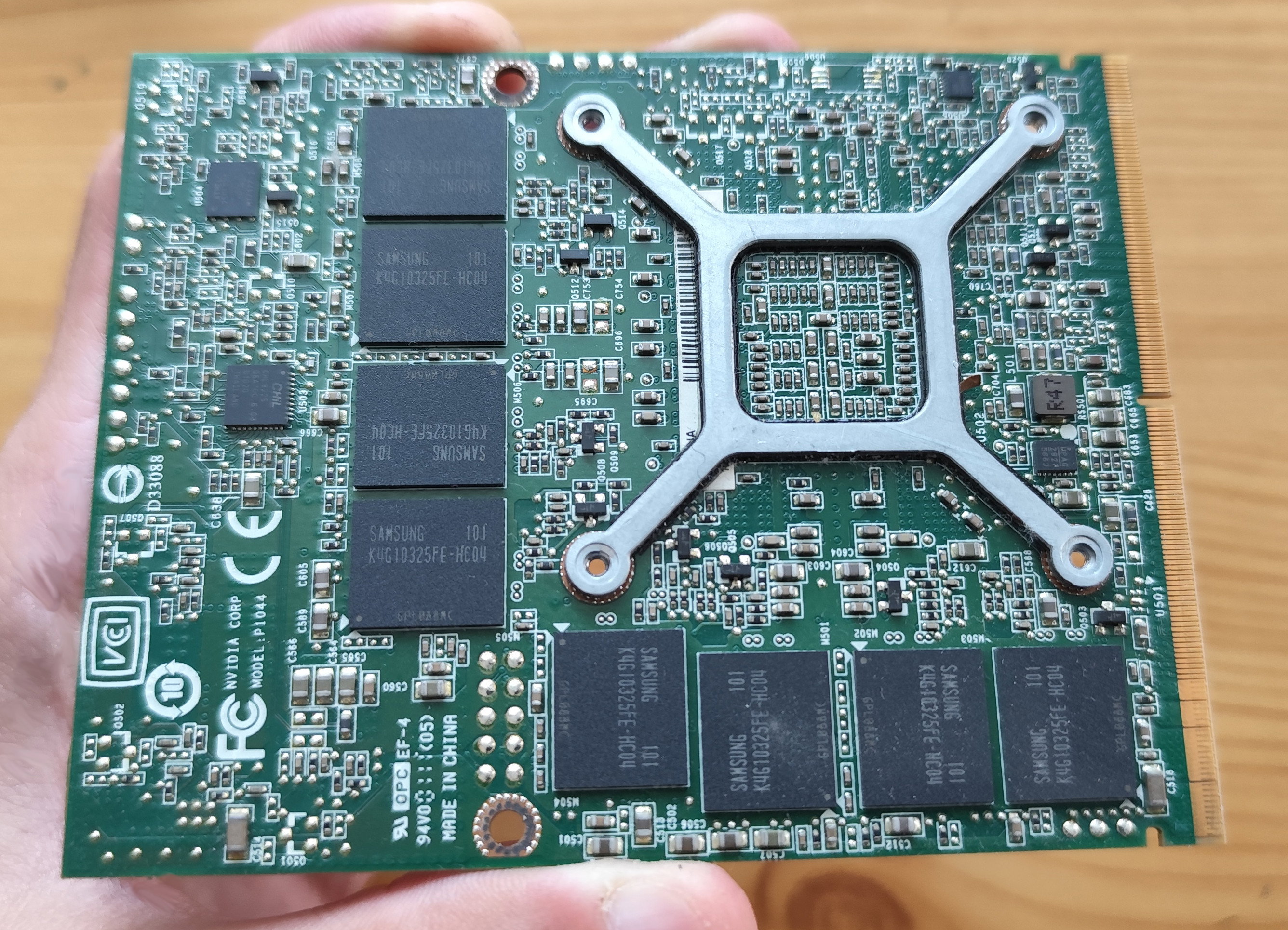
AthlonXP vs Super Modern graphics cards
The AthlonXP i have introduced in the previous articles, turned obsolete around 2006, with the arrival of the new 64 bit chips. The AGP port got also replaced by the new PCI-E port, IDE connector on hard disks also got replaced with SATA. A complete platform replacement was advised at that time, but what if someone could not upgrade his computer, and was stuck with the AthlonXP for longer? Lets find out!
Upgrading to Windows Vista
When using Windows Vista on the AthlonXP, of course only the 32 bit version can be used, because the chip doesn't supports the 64 bit operation mode. The PC must be upgraded to at least have 1 GB RAM, because Vista eats almost 400 mbytes on its own. Sadly, when trying to run post-2010 applications or games, none of them works. Configuration of the application is incorrect - or illegal instruction call due to missing CPU instruction extension support, are very common errors. Most of the games are just simply compiled to 64 bit only. This makes post-XP era applications impossible to run, even if Vista itself can run on the system. This is true even for late DirectX9 games, which typically refuse to work.
Staying with Windows XP
Therefore it makes no sense to upgrade to Vista, you will only lose speed, but will not gain functionality. This also means, DirectX10 and DirectX11 games are totally out of question, because Windows XP doesn't supports these APIs. This effeticely limits the AthlonXP system to pre-2010 games. OpenGL implementation is up to the graphics card driver, you can get drivers supporting OpenGL 3.1 or above from new graphics cards, but if the game is compiled for 64 bit, then that will out of the luck as well.
Upgrade the graphics card
The AthlonXP systems have AGP ports, which limits the possibilities. Typically, cheap AthlonXP systems were equipped with FX5200 or Radeon 9550 cards. Faster cards from the GeForce 6 and 7 series got also released for the AGP port, however, the strongest graphics card released for the AGP port is the Radeon HD 3850 (i have one, currently in non-working condition, so that will not be tested right now). Power supplies in AthlonXP systems however lack the required 6 or 8 pin graphics card connector, making it almost impossible to use such graphics cards in these systems. Even if the required power connector for the late AGP cards are present, compatibility problems can result compatibility problems with some motherboards, resulting the 3850 and such cards to crash the computer during the startup initialization.
Then a miracle happened
Around 2010, some manufacturers understood, there are users stuck with pre-2005 computers. Nowadays, 10-15 year compatibility span is the aboluste normal, however, in the early 2000s everything was obsolete just within a few years, and compatibility cycle with longer than a few years seemed a little bit unreasonable, and non-mainstream. SATA to IDE adapters got released regardless, allowing the new SATA hard drives to be connected to the older motherboards (or vice versa, connecting old hard drives to new motherboards). And there were manufacturers releasing graphics cards with new GPU cores, specifically the purpose for operation in older computers.
Modern graphics cards for old systems
There are serveral challenges when designing a modern graphics card for pre-64 bit systems. First of all, the AGP port was thrown from motherboards. Second, these old AthlonXP era computers usually had power supplies without the new PCI-E graphics card connector. Translating PCI-E to AGP is a non-straightforward task, requires a super compilcated bridge chip, and sometimes, specialized drivers, which only the creator of the GPU can write. The driver code can't rely on newer instruction set extensions, because the older processors may lack these. This means, the graphics card preferably has lower power consumption and can work without an external power plug, still works with Windows XP and on old 32 bit systems, must be cheaper than replacing the entire system, runs on relatively low temperatures to fight overheating, and will be produced in small numbers - the low quantity of production must be worth for the manufacturer to do it.
The solution: PCI graphics cards, baby!
Because a PCI-E-AGP bridge is very complicated, and the PCI is closer to PCI-E, the manufacturers decide to release PCI graphics cards instead. Some Pentium3, Pentium4 and AthlonXP computers had no AGP port at all - especially the low-end ones - and releasing graphics cards to the PCI port made it possible to release new graphics chips for them. Suddenly, the PCI graphics cards made a comeback just before 2010. The strong AGP graphics cards, such as the Radeon HD 3850 and Radeon HD4560 got withdrawn from the market after 2008. Both nVidia and AMD stopped producing AGP-PCI-E bridge chips (which were required these cards to be manufactured for the AGP port).
PCI comeback
Around 2008, the AGP graphics cards already got a phase out. Simultanously, PCI versions of the new DirectX10 graphics cards, such as the Radeon x1550 (dx9), the Radeon HD2400 (dx10) and GeForce 8400 and 9500 (dx10) was manufactured in very small quantities at the end of 2007. Older GPUs also got re-used for the purpose of building PCI graphics cards. Initially the PCI version of the GeForce FX5200 got restocked (which was a technology from 2004). The GeForce 6200 got released in PCI form in 2008, and got widely available around 2009. This means some manufacturers was desperate to release PCI graphics chips using very old stock graphics chips. The Radeon 4350 PCI got released at the end of 2008 and also got widely available in 2009. The GeForce 210 PCI got released in 2009. The PCI version of the RadeonHD 5450 (which is a DirectX11 hardware) got released in 2010. The NVIDIA GeForce GT 430 PCI edition is a card from 2010 and supports DirectX11, with newer drivers, it even supports DirectX12 on a 11_0 feature level. The NVIDIA GeForce GT 520 PCI is the last graphics card for the PCI slot, released in 2011, and also supports DirectX11, and DirectX12 with the feature level of 11_0.
The disadvantages
First and most obvious drawback of using a PCI graphics card is the bus system instead. The PCI port is limited to 133 MBytes/sec (or 266MBytes/sec when used in a 66MHz PCI port). The 1.0 version of PCI-E 16x can easily deliver 4 GBytes/sec. The second biggest problem is, these cards are limited below 20w, because 20w is the upper limit of PCI power delivery. To achieve this, these cards almost always use the simpler 64 bit VRAM interface and low clock speed, usually combined with DDR1 or DDR2 memory modues, rarely DDR3, limiting the graphics memory bandwidth to between 5-10 GBytes/sec. This means resolutions above 1024x768 can be laggy, or bandwidth consuming graphics effects will be slow in some situations, such as high quality smoke, depth of field, and so on. And of course, the DirectX 10 and 11 functionalities are useless on the systems where these graphics cards meant to be used.
The advantages
Unless you have an early Athlon64 or 64 bit Pentium4, the DirectX 10 and 11 capabilities will be not be used due to the lack of software environment. However, these graphics cards offer support for modern features. First of all, modern OpenGL capabilities can be used. And these modern and strong GPU cores promise to deliver much faster performance than the old FX or Radeon 9xxx class graphics cards. Can they fullfill this promise? We will find out. These modern GPUs also consume far less power. In theory, these graphics cards could gave a fresh boost to old computers, replace your dying and beloved GeForce Ti4200 and Radeon 9600 cards with something less powerhunrgy, less noisy, more modern, more compatible and flexible solutions.
Radeon HD 5450
The star of this test is an HD4540 from Club3D. This card is a passive single slot card. Despite its a passive card, i recommend to have some air flow to prevent overheating. A generic 12cm fan on the front of the case should do it, that will move enough air for the card. The card itself has no fan connector. The card has VGA, DVI and an HDMI connector. It is equipped with 512 MByte of DDR2 memory.
After taking a glance at the card, it looks quite minimalistic, not too much components can be found on the front.
This is however, a wrong first impression. The card is packed with a lot of components on the back. The small black chip is the PCI-E to PCI bridge chip, and its support circuits can be found around it. Two of the memory chips are at the back of the card. The card feels very solid, its rated at 19,1w (the maximal available power rating of a PCI card). When these cards were brand new, their price were about $50 so they were quite affordable. Besides for modern 3D features support, it also supports hardware H264 video decoding.
FX5200 AGP
In this test, a regular generic passive GeForce FX5200 will be featured. This was a mass-card, the first and cheapest DirectX 9 accelerator from 2003 by nVidia. Its also a 64 bit card, it has VGA, DVI, and analog TV out plug. The FX5200 was frequently combined with AthlonXP systems as a cheap low end card, it was notorious to be known to be slower than nVidia's previous GeForce4 ti4200 cards, which it was supposed to replace, but due to its weak 2x2 pipeline and 64 bit memory interface, it turend out to be slower. Its a typical graphics card, which may lacks muscles, but its and AGP card, therefore it can profit from the larger bandwidth, where the game renders the polygons directly from system memory. This is a typical card for this system, which the HD5450 and other stronger cards attempted to replace.
The test setup
The test system will be the AthlonXP build i have showcased in this article a few months ago. The AthlonXP is paired with an ECS K7S5A motherboard, which is a SD/DDR memory combo motherboard, supporting up to 2 GHz processors and (unofficially) two 512 MByte memory sticks. It has an AGP4x port, five PCI ports, and two standard IDE ports. Windows XP will be used to carry out the test, even if it can run Windows Vista, the later one ran on it like a zombie.
Motherboard: K7S5A
CPU: AthlonXP 1800+ @ 1.65GHz (overclocked)
RAM: 1GB
Yumebench
This is a benchmark and a demo of a never released Yumeria game's PC version. I have set the resolution to 1024x768, and measured the performance. Yumeria uses DirectX9.
The HD 5450 ran with a good 55 fps, meanwhile the FX5200 sometimes struggled with 6 fps, which means, the 5450 was more than ten times faster.
RC Cars
RC Cars is a windows XP game, which i have never tried before. I don't like the controls, the cars react unnaturally, and its generally not a good experience. But how our graphics cards can run them?
Both graphics cards max out at 23 fps, likely due to a CPU limit. As the CPU was already overclocked, likely the AthlonXP had no muscles left to run this game reliably above 25 fps.
Harry potter and the goblet of fire
This is a Harry Potter game, and this is one of the first Harry Potter games with demanding graphics (the early Harry Potter games ran fine even on GeForce2 class graphics cards). The graphics looks good, and the game runs on Windows XP without an issue.
The performance was not so great. The FX5200 only managed to achvieve 12 FPS, and the 5450 was able to deliver 18, i wouldn't call this game playable on any of these cards. And this was in 640x480, so i would assume the low speed is due to a combination of various factors.
Heroes of Might and Magic V
This game is a role playing game, which looks like some sort of round based derivation of an RTS game. The game is a 3D game, but it uses older technologies to display the geometry.
As we can see, the FX5200 was three times faster than the 5450, which is probably because the game renders the geometry from the system RAM. This limits the performance on the 5450 quite seriously. I wouldn't rule out better performance if playing a bit with the drivers, but that wouldn't do miracles either. This however a win for the FX5200, which reached almost playable frame rates.
Lada Racing Club
This is a russian game, which was released in 2006. In theory it should run well on a 2 GHz chip, but i got serious performance issues when running this game on this computer.
Both chip managed to reach 3 fps, which can be due to various factors. The game - according to the official specifications - requires far stronger graphics cards, such as strong Dx9 accelerators with 256 bit memory bus. On both graphics cards, the game produced some shadow bugs in a similar way. This game was unplayable.
Need for speed underground 2
This was a popular race car game, but it was notorious for its huge graphics card requirements. I remember trying to play this game with FX5200 in its days, setting every details to minimal. This test was done with the default settings, with the eye candy effects turned on.
The FX5200 reached only 4 fps, but the HD 5450 reached 14. This means, the HD5450 would be playable with lowering some of the graphics details. This is a win for the HD 5450.
Prey
This game uses OpenGL 2.0, but can also work on graphics cards with OpenGL 1.x drivers. The game uses a modified version of Doom3, and its about an alien invasion, which happens in a native american reservee. I ran this game in 1024x768, with the default graphics settings.
The FX5200 only reached 4 fps, and was totally unplayable. However, the HD5450 reaches 23 fps, and it was totally playble. Another win for the 5450.
KKrieger
This game is a minimalistic single-exe game, which is an FPS game which generates all of its conten't ony the fly. It can fit on a floppy disk. The game uses a simple graphics engine, which is sadly not very well optimized.
The performance is terrible, probably due to the lack of proper optimization. The game achieved only 3 fps on both cards, likely due to CPU limit. This AthlonXP cpu is not strong enough to run this game with acceptible frame rates.
Trackmania Forever
This game was a well known and simplistic car racing game with acceptible graphics and machine requirements. I remember playing it with the GeForce FX 5200 back then, and the game ran fine, meanwhile it delivered acceptible graphics quality. This game runs well on Windows XP.
The FX5200 delivered 26 fps in 1024x768, meanwhile the HD 5450 delivered only 5 fps, and it was a stuttering mess. Likely the drivers of the HD 5450 was not able to handle this game well, because they are too new. Or the PCI bandwidth was just not enough for this chip. Anyway, this low result is unacceptable and unplayable.
Trackmania Sunrise
Another Trackmania game, which is probably even older than the previously tested trackmania game. It is fine tuned for Windows XP, and early GeForce FX graphics cards love this game.
And just as before, the FX5200 delivered around 30 fps, the HD 5450 only reached half of this, topping out at 16 fps, likely due to driver issues, or due to the issues with the PCI bandwidth. This two game is just simply not a good experience on the HD 5450.
TORCS
This is a Linux game, but the Windows version was tested in this article. The engine of torcs uses the traditional OpenGL 1.x pipelines, but it can use newer extensions to render the geometry. This means, the performance of the HD 5450 shouldn't be hindered.
But it is. The FX5200 can run the game at 20 fps, meanwhile HD 5450 can only reach 11 fps, which is quite a bad result. The game is totally unplayable on it.
S.W.I.N.E
This is a Hungarian game from decades ago. Its a 3D strategy game, where the Rabbits and the Pigs are fighting their eternal battle. Its an RTS and the developer released it for free after it was removed from the markets.
The FX5200 can pull a perfectly smooth 30 fps in this game, and the 5450 can reach 25 fps. The performance of the 5450 is once again dissapointing, and the problem could be rooted in the drivers.
Tony Hawk's Underground 2
This game requires a stronger CPU more than it needs a strong GPU, i remember playing this on my Pentium 4 laptop with a Radeon 7200 back in school days, and the game ran fine on it. It features a skater, who tries to gather as much points on levels as possible, to compete with others.
The game ran acceptible on the FX5200, reaching 20 fps. The same can't be said from the 5450, which once again lags behind the FX5200, and only can achieve 14 fps in some situations.
The verdict
Buying modern PCI graphics card for your old 32 bit computer to achieve better gaming experience is a wrong idea. The HD 5450 can't delivers what it promises. The drivers are too unoptimized for operating on an old AthlonXP environment from 2003. Its drivers are not fine tuned for the older applications. And to notice the elephant in the room, the PCI port can't deliver enough bandwidth. Due to the combination of these factors, even the FX5200 is faster than the HD 5450 in most games. There are exceptions, but you will be probably better off, if you just buy some old but stronger AGP card for the system instead, such as a Radeon 9550, or even a GeForce 6200. As those cards are about three times faster than the FX5200, and they still will have proper and well optimized drivers for AthlonXP systems.
Building a HEDT computer
HEDT: High End Desktop. Thats how storng PC computers are called. These computers are supposed to run all sort of tasks, including heavy tasks, such as multimedia and document conversions, simulations, but also video games, office software. They are also used as main computers, as daily drivers. HEDT computers are in between of regular desktop computers and servers, they are closer to the first when considering the form factor, but the performance of them is also comparable to high end servers.
I decided to build one from used parts. Currently, there are three x86-64 CPU supplier capable of supplying strong desktop processors. Intel, AMD and Zhaoxin are the candidates. Its problematic to buy Zhaoxin in Europe, as the newest KX7000 line is currently only being sold to the Chinese market. Intel lost its track in the past few years, they are only capable of creating midrange desktop processors, combining high-performance cores with smaller energy efficient cores. Potent Intel processors consume hundreds of Watts, and for some reason, very expensive, even if their performance doesn't meets the expectations. They can't even be found on the used market easily.
This means, AMD was the candidate to go with this build. AMD has dedicated HEDT platforms, such as the Threadripper and EPYC platform. These use special motherboards, and their prices are nonsensically high. The desktop consumer models of AMD are currently being built for the AM4 and AM5 platform. The latter one is still too expensive, however, AM4 seems like a good candidate.
AMD AM4 platform
The AM4 platform is an older platform, but still supported. The platform was created to be the base of the Ryzen 1000 processors. Ryzen processors for the AM4 platform got initially released in 2017, and they use 14nm manufacturing. The CPU was very fast, and saved AMD from bankruptcy. AMD kept the AM4 platform when releasing the Ryzen 2000 series, some of them already built using 12nm manufacturing nodes. Later on, the Ryzen 3000 processors got released, which are mostly using a new microarchitecture. They have faster IPC (around 20%), and they are notable faster than their previous counterparts, they were built using 7nm manufacturing process to lower their power consumption low. These processors got released in 2020. The core count got also increased, and after a bios update, the Ryzen 3000 processors can also work in the earlyer AM4 motherboards. The Ryzen 5000 series are the final CPU generation released for the AM4 socket, with some 20% IPC improvements again, but still using the 7nm manufacturing process.
CPUs fitting the target
The maximal CPU core count on the AM4 platform is 16. These cores support virtual cores as well, therefore, the CPUs in total can execute 32 threads parallelly. There are three CPUs with 16 cores available for AM4 so far.
The first one is the Ryzen 9 3950X, which was built using the ZEN2 architecture, and released in 2019. These processors are the first 16 core desktop processors produced ever, and their single threaded performance is also very high, which was previously unheard of. Despite of their core count and high clock frequency, the 3950X only consumes 105W of power. The cores within the cpu are organized in four blocks for every four core type design (4x4), and the chip is paired with a monstrous 64MB L3 cache. 3.5 GHz base clock and 4.7 GHz boost clock is available. The CPU also has its multiplier unlocked by factory, which in theory makes it a good candidate even if someone plans to overclock it. The CPU was released for a price tag of 750$. Nowadays it can be bought second hand for 250-300$ which is certainly very far from being cheap, yet its still a price tag people can cough up, if they really need a performance beast. The chip is not under production any more.
The second is the Ryzen 9 5950x, which got released just a few months after the 3950x. The 5950x similarly has 16 cores and 64 MB cache. However, it uses the new ZEN3 microarchitecture, and its internally built by having a 2x8 core design, allowing somewhat faster transfer speeds between the cores within the chip. The chip still uses 7nm manufacturing, so the clock frequencies are nearly identical. It also rated at 105W TDP. The new 2x8 core design and the IPC improvements helps this chip to outpace the 3950x by 10-20% in most of applications. The frequency multiplier is unlocked. The chip was released at $800 price tag, and its still under production, and can be bought for new for around $450-500. Its hard to get the chip second hand, because there are not too much reasons to replace it for those who have such processors. If it gets available, the used price usually barely lower than the brand new price, so it makes no sense to buy these chips used.
The third CPU in this basked is the Ryzen 9 5900XT, this got released just a few months ago in 2024, so its a relatively new CPU. Not new on the insides, however. Its nearly identical to the 5950x, but uses 100 MHz lower base clock, and 100 MHz lower turbo clock. Despite of lower clock speeds, the chip is still rated at 105W, therefore this is likely being made from the lower-quality dies of the 5950x. The chip is available around 350$, and its not really available on the market, because its just as big of a beast like its older brother.
Choosing one
I was able to find a 3950x CPU only on the used market after a few weeks of searching. The 5950x and 5900XT are being sold by scalpers, the 3950x is affordable for mortals already. I had to wait a week to get the CPU, which arrived in a plastic tray, put in a box, secured by old newspaper pages. The appearance of the chip is similar to any other CPU, no one could tell by first glance, what beast is hiding below the lid.
Motherboard
AM4 motherboards go around $50 on the second hand market, but even a brand new can be obtained below $100 easily. I wanted a motherboard which has multiple PCI-E slots and even PCI slots. I need PCI slot, because sometimes i have to operate older equipment. Such as old tv tuner cards, or old vintage graphics cards - as i am being a vintage computer fan. It would be nice, if the PCI cards could also run their boot ROMs. Legacy BIOS mode will be required to achieve this. However, don't get distracted by this, the system still have to do its HEDT functionality, it must be able to cut videos, compile source codes, run modern games even. This means, i had a hard task finding ideal motherboards. I was searching for months to get an ideal motherboard, till i found one.
Asus Prime B350-PLUS
This motherboard was around $60 including a stock AMD cooling, no CPU, and a missing clip on one of the PCI-E connectors. It has four DDR4 slots, officially supporting four 16GB modules. I however want 128GB, which would be four 32GB DDR4 module. Unofficially, the motherboard will boot with them, according to online sources.
The B350 has 6 SATA ports, and an M.2 SSD slot, which will disable two of the SATA slots if its being utilized. Therefore, it will not be used by me, because i need all of the SATA connectors for my hard disks and mobile racks, and for my optical drive. The B350-Plus doesn't have too much USB headers. Not on the inside, not on the outside. Thats bad, because i have an internal floppy drive, a card reader with two USB plugs, and a Wifi and Bluetooth adapter to hook up, which would need 5 free internal USB headers in total, but the motherboard has only four. Plus, a new style USB3.2 header, which i have no header for, so i can't use right now. The motherboard doesn't have a fan connector for the front intake fan, only headers for two exhaust fans. Its problematic to connect the front intake fan to the backwards header.
Asus just went super low quality in the recent years. The motherboard screams "i am so cheap, Asus refused to include 10 cent connectors on me". The motherboards build quality is also cheap, the board feels light, mich lighter than a design like this should. Even one of the sides of the RAM sockets are fixed, and can not be moved. The VRM heatings put on the motherboard are not properly held in place, and they flex sideways if you touch them. The power delivery doesn't looks super high quality, but should be able to sustain a 105W chip. Especially, when a fan blows on them.
Cooler
I got a cooler with the motherboard, but it turned out, it will not be usable with the 3950x. The AMD Wraith Stealth cooler is a small cooler designed for CPUs at 65w TDP. The AM4 socket should be somewhat compatible with older AM2 and AM3 coolers, however, my motherboard didn't arrived with the plastic clips, so i could only use Wraith type coolers (with a screw on them). The only other Wraith type cooler was the Wraith Spire which is rated at 95W. You may think 95W is not 105W and you are totally right, but the system will have extra fans helping it to cool down, so this shouldn't be too big of an issue. What is more of an issue is, the Wraith Spire is discontinued, and i had to pay a premium price, around $25 to get one. The coolers are not being made any more. When i got mine, i noticed, the copper core is missing, and now the entire Wraith Spire cooler uses aluminium alloy. Not offering proper coolers any more is a very cheap and scummy move from AMD, especially if they are scalping people with these weak and useless heatsinks.
*Left: the small potato Wraith i got with the system. Right: the Wraith Spire.*
RAM
I initially bought the wrong RAM for the system. The two 32GB ECC RDIMM sticks which i bought, are not compatible with Ryzen systems, because Ryzen systems only support UDIMM memory (with or without ECC). After looking for a while, i realized all the used memory prices are HIGHER than the new prices, with warranty. RAM prices fell significantly in the past months, and used RAM sellers are on a pidgeon hunt. I ended up buying the ram for about $200.
Total costs and time
I started the project this february, and wanted to finish the build before summer. This plan succeeded, and within three months, i have bought and received all the hardware. I wanted to spend less than $400 on the entire project, but i ended up spending around $600 including the fiasco of the wrong RAM. This is not cheap, but i plan to use the computer for a decade without upgrading the basic components (assuming they don't die on me).
First startup
The system started without an issue on my bench.
I put the system together, built it into my case, connected all of my hard drives. Then i started to deinterlace some videos parallelly. The CPU temperature went to 80c, then 85c, 90c, 95c, 100c, 105c, 110c, then the system performed an emergency shutdown. Fail. That couldn't be the intended behavior.
It seems Asus overclocks the processor by default, allowing it to reach basically unlimited TDP to the point which the motherboard VRM can safely sustain. After searching for settings in bios, i found the culprit, which caused the problem, and disabling Asus performance profile and setting it to normal, the CPU started to behave more like what should be intended. Instead of having a 4.7 GHz turbo clock, i only getting 4.2 GHz turbo, but i can live with that.
Then i started deinterlacing again, and the same thing happened, the CPU overheated. I have manually set the CPU throttle temperature to 92c but the motherboard ignored it.
Upgrading the BIOS
After this, i checked the website of Asus, and found a new BIOS. It seems, my motherboard had an old BIOS, which had problems with CPU temperature control. After flashing the newest BIOS, the problem was solved, the system now hovers around the specified maximal CPU temperature under full load, while usually reaching 3.2 GHz on all cores. AMD advertises the 3xxx series processors to be safely able to do 95c, however for some extra security, i have set 92c as the throttple point, to keep preserving the life of the system.
Other problems
The Asus Prime B350-PLUS doesn't have enough fan headers (Asus was too cheap to even add proper number of fan headers on this motherboard). I had to buy a 4 pin fan splitter, because i have two exhaust fans. One of them helps to cool the hard disk drive bay as well, and i wanted that fan to work to help cool the hard drives a bit. Once the initial overheating issue was fixed with the BIOS update, and the splitter was added to the system, i haven't noticed any problems at all.
Linux kernels 5.x crashed when trying to suspend the system (when awaking from sleep mode). The kernel had to be upgraded to 6.x to have the feature working properly.
Downvolting
Once the system was stable and steady, i opened the BIOS, and found settings to downvolt the chip. Lower voltage would result lower temperatures, which would mean faster system in overall (more performance could be squished out from the required temperature throttle point). The motherboard allows a given positive or negative voltage offset to be set, which will be applied at all performance levels. First, i tried to decrease the voltage by 0.1V. The system posted, but the operating system failed to load.
Minus 0.08V caused some anomalies in Linux when loading the kernel (firmware CRC errors). Minus 0.068 worked, and resulted a stable system. For extra safety, i have set minus 0.0625 volts. This allowed the system to reach the intended 3.5 GHz base clock on all cores under full load from the specified temperature limit of 92c, giving me some extra performance under full load.
*Picture: full load with 3950x, two 7.2k RPM 10TB hard drives and one 8TB HDD, discrete FirePro w7100 GPU, 4x32GB RAM. Power consumption is below 100W in idle.*
Results
I haven't prepared fancy graphs this time. The system is about three to four times faster when converting videos, meanwhile the power consumption is about 50 watts lower than the pervious 12 core dual Xeon system of mine. The gaming performance grew by about 2x, but as i don't plan AAA games or anything thats too CPU demanding, i can't reliably make assumptions about gaming performance of this system. The 3950x is a beast, even if the weak quality of the Asus motherboard drags it back a little bit.
Last video cards from the 1980s
So far i have only featured 3D graphics cards here, so this is going to be the first 2D-only graphics card test here. In this article, i will showcase a typical midrange graphics card from the late 1980s. In that era there were dozens of manufacturers creating graphics chipsets - unlike nowadays, when only a few left. Various graphics standards competing against each others, and by the end of the decade, one of them emerged victoriously, the rest disappeared.
Hercules and MDA
Initially, graphics cards on the PC lacked the ability to produce pixelized graphics output, and they were only able to display text modes. The video graphics cards with real graphics capabilities were created by Hercules Computer Technology. These cards are usually referred as Hercules, backwards compatible with character mode displays, and they are capable of displaying monochrome 720x348 single bit graphics as well. These cards typically had 32 KByte graphics memory, which is enough memory to hold the required number of pixels for this resolution.
The monochrome CRT monitors of the early 80s usually used amber or green phosphorous coating, and the glow of the phoshphore layer had a low responsibility rate which made an effect similar to modern motion blur, and reduced the flickering even on lower refresh rates. Despite lacking any color capabilities, thanks to the relatively high resolution of the time, these systems created fantastic experience. Hercules monitors allowed to display non-ASCII characters, such as japanese, chinese, korean character sets. These graphics cards excelled not just when running office applications, but also when running games on these limited performance systems, as there were types of games where screen readibility and pixel density were more important than having colors.
CGA
As time progressed, new standards came by. The first one with color capabilities were called CGA adapters, and those arrived in the first half of the 80s. These were able to utilize four colors in 320x200 or two in a 640x200 monochrome mode. CGA cards also had TV analog connectors, they however lacked the pixel density of Hercules cards, and people were not satisfied with them.
EGA
The EGA standard arrived in the mid 80s and they got typically equipped with 256Kbytes of VRAM. This was enough to have 16 colors in 640x350, and a 640x480 monochrome mode was also supported. However, the memory addressing was not linear. On EGA systems, colors had their own color planes, and the red, green, blue memory area had to written separately. It was suboptimal to write programs for these type of memory models. Games released for the VGA and CGA were started to lag behind competing non-PC platforms of the era, and a new standard (backwards compatible to EGA and CGA) was born.
VGA
The new standrad of 1987 was called VGA, and it supported all the modes of CGA and EGA cards, and added some important new modes and features:
-VGA cards now supported 320x200 8 bit graphics (256 colors). This mode fits into 64KByte VRAM and can be directly addressed from DOS as a linear frame buffer. This made possible to increase the graphics quality in the early 90s, and resulting games were now looking very appealing.
-640x480 16 colors - this a similar multi-planar color mode as the old EGA. Its usable for office-type applications.
-DSUB VGA connector, which replaced the previous screen connectors.
SuperVGA and VESA VBE
Cards exceeding the original VGA specifications called Super VGA. Starting from 1989 the VESA association overtook the role of creating standardized methods of computer graphics modes. After this point, games using very high resolutions and color depths were using the VESA VBE standards, which were either implemented in the video card's video BIOS, or a VESA VBE driver under DOS had to be loaded for the given graphics cards. Super VGA supported the following technics:
-Normal DSUB VGA connectors are continued to be used, basically making it a standard.
-Flexible VESA initialization to choose and request resolutions
-Resolutions are optional, manufacturers can implement larger or smaller resolutions and color depths
-Frame buffer areas accessible by bank switching (64k banks), and later on, linear 32 bit frame buffer can be supported as well
-640x480 with 8 bit (256 color) depth is widely available
-800x600 and 1024x768 (if memory is available) modes
-High color (16 bit modes) - only by high-end cards.
-True color (24 bit, 32 bit) modes becoming available (but only high-end cards supporting them at that time)
SuperVGA cards from 1989 became the ultimate standard, VBE got eventually baked into every card's video bios. It was used up to 2015 as a de-factor standard, when UEFI-capable video cards became available, but most video cards still have a classic PC bios CSM mode, making them backwards compatible with older systems as well.
How the VESA VBE works?
The VESA VBE expands (replaces) the graphics card handler interrupt with new modes. Originally, this interrupt contained only a few text and graphics modes, up to the initial specification of the VGA standard. Not all modes are compatible with every cards and configurations. The interrupt can give back a chained list of the supported resolutions, or an application can check how and where the pixels are stored in the memory.
The specimen of today
The graphics card featured in this articles, is a combo graphics card. It supports various older and newer features. It was released in 1989 as a midrange offering, its one of the first ever Super VGA cards.
The card uses a Trident 8900B chipset. The manufacturer is Octek, and the model name is MVGA-2000S. This Octek MVGA-2000S card contains 512KB of video memory, and it can be upgraded to 1024KB. The DAC of the card is an 8 bit only DAC, so no high color (16 bit) or true color (24-32 bit) graphics modes are supported, only 256 colors.
As you can notice, there are various jumpers on the board, and there are even dip switches at the back side of the card. The card can operate in 8 bit ISA slots or 16 bit ISA slots as well. The DIP switches can configure the settings of the monitor you are connecting, for example, the card supports monitors with high or low refresh rates in various resolutions, and the DIP switches allow this to be configured without being taking the card out from the computer.
The memory can be upgraded as well, which would be needed if someone wants to upgrade to a high-color RAMDAC. If the memory is upgraded, the jumpers must be modified. The VBIOS says 256k, 512, 768k and 1M video memory is supported on this chipset. By investigating the memory chips, this card indeed has to 512KB. I have verified if the jumpers are in the correct position for the settings.
First start
When i have tried to Trident for a few seconds, i noticed a hot spot on the card, one of the Tantalum capacitors got very hot when powering on the card. I have measured the capacitors, and it was no short, when injecting voltage into the card, the cap didn't became hot. I decided not to replace the capacitor. I figured, i will turn on the computer, closely monitor the cap, and if it becomes hot after a few seconds, i will turn off the computer.
https://www.youtube.com/watch?v=VSXyzTCUgPk
Except, there was no few seconds left. When i turned on the computer, the capacitor instantly lit, and exploded. Smoke and fumes started to escape from the card. Some traces on the card started to burn, and some traces also lit. Smoke was coming from every point of the card. By the time i managed to shut down the power, the card went up in smoke.
I was pretty certain the card was dead, however, when i have replaced the cap, it came back to life, and worked without and issue.
Compatibility
The Trident 8900B can support 16 bit color modes, if a 16 bit DAC chip is being inserted into the card - good luck finding one! Its also backwards compatible with Hercules cards. Some Trident cards 8900 and 8800 based cards also have TTL monitor connectors for old monitors, mine only has a DSUB VGA connector.
Just like nowadays, manufacturers simply put HDMI or Display Port plugs on their cards, but they refuse to use DVI ports. They don't really care about hardware compatibility - specially if it costs more than one cents.
The Trident, despite its a SuperVGA card, is backwards compatible with Hercules graphics modes. Basically no video card after this point in time is compatible with Hercules. Except Trident. Its compatible, but they are not the best in it - 30% of the programs written for Hercules, will simply crash the computer at start. The Trident card even has DIP switch settings to force the card to boot in Hercules mode - but due to bugous BIOS, this feature doesn't works, and the card can only be set into a required graphics mode by its driver.
The Trident 8900B card has its own VESA VBE driver as well, which is required if larger resolutions, such as 640x480 or 800x600 at 256 color mode is being utilized. Initially, 800x600 didn't worked, the screen went out of sync when the mode was selected. Then i discovered a screen frequency limiter jumper on the video card, which made 800x600 to work (but only sometimes, with some settings).
The card can display other legacy resolutions, such as EGA's 640x350 as well, however most of these older modes will display darker blocks and other strange forms of artifacting. The technology at that time was not yet ready to implement proper display in all legacy resolutions on these early SVGA cards.
16 or 8 bit ISA
The card can be inserted into 8 bit or 16 bit ISA slots. It will work even in super old 8088 computers if its jumpered properly, the backside of the connectors of the card will just hang in the air in such motherboards. The card will have no issue in booting in modern 486 or Pentium motherboards as well, it will even boot in Pentium3 era computers.
Windows drivers
The card has Windows support built in, "Trident Super VGA" will be detected as a non plug-and-play device when installing the OS. This will enable 256 color support on Windows desktop up to 640x480. As this card has only 512KB of video memory, its not possible to get higher resolutions in this color depth.
The first you can notice, is the block brightness bug, which is a recurring problem on this card in certain resolutions, due to the flawed implementation of some resolutions.
Testing the hercules mode
Hercules mode is important for me, because my very first computer had such graphics card. The very early PC games are meant to run in Hercules mode, and i plan to play some of those. I was curious, how accurate the Hercules implementation is. As the card refuses to boot up in Hercules mode, the official mode switcher program was used to put the card into Hercules mode. Most of the programs ran fine, however, a few games like Nebulus failed to start.
Picture: Észkerék, a popular Hungarian mind game is running in Hercules mode
Picture: Grand Pix running in Hercules mode.
Grand Pix had some issues, sometimes displayed garbled screens when starting the program, or from exiting the program. But eventually, i managed to run it.
I was very satisfied with the results, although the compatibility is not 100%, as the previously mentioned Nebulus refused to start. Might there are some patches or new bios revisions fixing those issues, i haven't started to extensively search for them just yet.
Multimedia capabilities
JPG files, or the format itself didn't existed when this card came to be. I remember DOS tools, for browsing jpg files on these early SVGA cards. JPG files are meant to be viewed on high color or true color resolutions, however, the early and compatible tools will use dithering to try displaing them in 8 bit as good as they can. A 486SX processor will need multiple seconds to load and display a JPG file in 640x480. The picture i opened is one of the first JPG file i have ever seen (from 1998). A friend brought it on a floppy, and when i figured out how to open it, i was quite shocked how good it looks, because i have never previously saw a picture on a computer beforehand.
Picture: Dragon Ball daizenshou displayed in 8 bit dithering
That computer had a Tseng Labs ET4000, and compared the the picture of this Trident 8900B, the output is pretty identical, as these programs usually use 256 color resolutions by default.
VGA and SVGA capabilities
When running games in VGA or SVGA mode, every game i tried, started. Most of these games had the darker blocks problem, which decreases the graphics quality a little bit.
Doom stuttered a little bit. I figured out the card has a quirk called fast memory address decoding, which implements a faster algorithm when writing the video data. I realized its off.
I had to adjust the DIP switches to enable it, but interestingly it made no difference. The game ran with about 10 fps, which found too slow for this game.
Duke Nukem 3D ran better, but only when using VGA 320x200 mode. If the VESA VBE used to initialize the frame buffer, the frame rate fell almost by 50%. 640x480 at 8 bit was totally unplayable (despite having an 575 MHz CPU in the system), the card was simply not able to deliver enough performance.
The same happened with Quake, however, interestingly, Quake produced perfectly fluid frame rates in 320x200 at 8 bits. Its likely used a very optimal draw algorithm to copy the frame buffer. Using even a tiny bit higher resolution resulted in a stuttering mess again, 640x480 was not even available (likely limited by the Quake engine itself).
Verdict
The Trident 8900B is certainly not a good card. But it basically represented the peak performance for non-professional users in 1989. This card was 600$ when released, in today's money thats about $2000, which is brutal. For this money, you got 256 color rendering in 640x480, and regular VGA, CGA, and even Hercules compatibility for backwards compatibility. The card doesn't supports 16 bit color rendering, the advertises are fake: you have to replace the DAC with a special model to have 16 bit color rendering, which isn't available. The card is bugous. Even the handling of the dip switches are not implemented properly. The chip is buggy, the bios is buggy. 800x600 wouldn't even work on my modern monitor when using 256 color graphics mode. The performance of the card is lower than what someone would expect from a 16 bit data interface ISA card, and 640x480 is not usable for fast pace video games. The card lacks a TTL connector, only VGA connector is available: if you had an older monitor, you couldn't even use this card. The previous 8800 series were certainly better buy than this, even if their specifications are more tame, more thing which is advertised actually bother to work on them. Yet this card is a fascinating historical artifact, its easy to find similarities how graphics card manufacturers are playing and misleading the costumers by gaslighting them about features, performance, and product capabilities in the midrange market segments.
AthlonXP - the first gaming processor for PC
The Athlon XP was released in 2001. The goal of AMD was to make a cheap CPU for gaming and HEDT type usage. It is considered to be the first cheap gamer processor ever. The Athlon XP platform is one of the most important milestones in the PC history and in the history of gaming. It has created, shaped and formed the phrase gaming system, as we know of it today. In this article, this platform is going to be explained and featured.
Nowadays you can buy a decade old i5 system with an 8GB graphics card, for less than your lunch money, including RAM, PSU, and a small SSD. You can run every games on it, including the most modern titles, at least in minimal settings. This was not always the case. Before 2000, gaming was not for the masses. Every PC computer was specifically targeting office type of usage, it was intended to be a multimedia computer for home-users, it was a cheap internet browsing machine, or it was aiming to be a work-horse, or a server computer.
Gaming PC? Impossible.
Around the year 2000, the typical cheap multimedia or internet-PC had a cheap Celeron or an AMD K6 based processor around 400 MHz. These systems weren't suitable for gaming. Only the simple C-class games, and games meant for casual gaming (mostly 2D games) were designed to be able to run on these systems. These computers were hard to upgrade. Even if so, a 600 MHz CPU was the possibility at most, without exceeding the power supply, VRM and FSB limitations of that time. Game developers optimized their games for the high-end systems, such as the Athlon or Pentium III. An AMD Athlon or an Intel Pentium III CPU around 1 GHz, with a compatible motherboard, power supply, RAM, would have set you back with $2000 (would worth around $5000 at current price). This price was too high, even in modern and rich western countries.
CPU performance was not the only limiting factor to reach good gaming experience with the cheap multimedia computers. On the cheap home computers and office computers, motherboards had only AGP 2x slots, severily limiting the graphics card's bandwidth. Or they had no AGP slot at all, limiting the choice to old graphics cards. Chipsets sometimes only supported 66 MHz memory modules and it was not possible to set the FSB above 75 MHz on most of those systems. The only games running on these systems were 3-5 year old titles with typically less than 10k polygons in total, and simple shareware games. Even inserting newer graphics cards didn't helped any more, as the system was too weak to utilize its performance. As 2001 arrived, new titles frequently didn't managed more than 3-4 fps on these systems. Even if some game got carefully optimized to work well on these computers, that only meant 15-20 fps at most.
Despite AMD and Intel increasing the clock frequency of the processors above 1 GHz neck by neck, doubling the CPU frequency almost within a year, prices of these high-end systems didn't decreased.
AMD prepares the AthlonXP
AMD was the first one to understand, they have a giant market gap which they could fill. People were hungry for gaming, but they couldn't spend half year worth of their savings on a high end PC. What AMD was designing, was the first gaming PC platform. The AthlonXP was not only meant to be a gaming PC, but also a CPU for generic multimedia, office, HEDT and server usage as well. The base of the new processor was the Athlon. It was released in 1999, and at a given clock speed, it was head to head to the Pentium 3 platform. The Athlon was a new architecture at its release, and motherboard and chipsets were very potent. VIA was one of the first partner of AMD to make motherboard chipsets for the Athlon, but SiS, ALi, nVidia, ATi also decided to develop motherboard chipsets for the upcoming AthlonXP.
AMD decided to release the new AthlonXP between 1 GHz and 2 GHz clock speeds. And they tried to keep the price tag of the lower clocked models around 100$. They was able to do it by staying at the 180 nm manufacturing node for the early iterations of the Athlon XP chips (codenamed Palomino). This however came at a price, these processors exceeded 60W TDP alone, which was previously unheard for home computers.
The Athlon XP is far more than just a cheap, high clocked high TDP version of the Athlon. They use the same pinout as their previous Athlon processors. They, however, have added the SSE instruction set (which was previously exclusively used by the high-end Intel processors), and did some upgrades in the microarchitecture, which allows better superscalar functionality. This meant some old Athlon motherboards were incompatible with it, or required a BIOS upgrade to work properly.
The Athlon XP is ready
Athlon XP got released in october 2001, and the cheapest model ran at 1.33 Ghz, its price was only $130. The fastest model at 1.53 GHz was $250. The price of the new motherboards were around $70, and these motherboards typically had a AGP 4x port, support for 133 MHz FSB and RAM. VIA, SiS and ALi, alongside with AMD itself, started to mass produce their motherboards for the new CPU. These motherboards were typically offering features, which were previously the courtesy of high-end systems: they had 5 or 6 PCI ports, 6 or more USB header pins, support for hard disks up to 120 GByte, and sometimes support for the new upcoming DDR memory standard.
Intel was shocked
Intel, which released the Pentium 4 (Willamette) processors a year ago, caught off guard. The Pentium 4 clock to clock was slower than the Athlon XP in gaming. Previously, Intel processors had the upper hand in raw performance, and AMD always competing only in the mid-range and low-end markets. The crown was taken, yet the price of Intel chips were more than twice of AMD. Not only Intels CPU, but their platform as a whole, was also very expensive. Initially, they used the very expensive Rambus RDRAM, and a new style of power supply unit was required to power the motherboards, having a new plug specific to Pentium 4 systems. A high-end Intel Pentium 4 system was easily around $2000. In contrast, an Athlon XP system was only $200-300 and it ran with most of the normal cheap power supplies and RAM modules. Intel refused to grant a license for chipset manufacturers to make motherboard chipsets for the Pentium 4 platform, and this meant they have no flexibility to offer. For example, early AthlonXP motheraboards were also backwards compatible with the old 3.3v AGP 2x cards, so older high-end graphics cards were also usable in AthlonXP systems, meanwhile most Intel motherboards by then were only compatible with AGP 4x. To avoid total facial loss, Intel restarted the production of the aging Pentium 3 chips, with a new generation called Pentium 3 Tualatin, with doubled L2 cache. They also discontinued the entire Pentium 4 Willamette core which was beyond saving at this point, so they switched to a new architecture called Northwood, using a new motherboard socket as well.
Athlon XP turned out to be good
AthlonXP was a turning point for AMD. The platform was stable, and AMD decided to keep the socket even longer. Newer models of the AthlonXP continued to be released for years. The 180nm Palomino core got replaced with the 130nm Thoroughbred core in 2002 summer, higher clocked models capable of exceeding 2 GHz. AthlonXP processors with the Barton core, released in 2003, doubled the L2 cache from 256 KB to 512 KB. AMD switched to a new socket for their new 64 bit processors at the end of 2003, however, it continued to sell AthlonXP based systems for a while as low end offering. New mobile variants continued to be released even in 2004. AthlonXP were gone from stocks in 2006, when the new dual core processors were released - and single core 64 bit chips became the low end. AthlonXP systems were widely kept used up to 2010, when the majority shifted to 64 bit systems.
Athlon XP and me
I have read about the Athlon XP in a game magazine, which was a common way to read about the IT news. When i saw the performance of the chip, i got very excited. Initially the system was out of my league. The 200$-ish price tag for the entire system was far outside of my budget. Once as i was wandering on a street market, where people are selling used stuff off all kinds, i stumbled upon a Socket A motherboard. The motherboard seemed intact besides a degraded usb chip, so i asked the price: the seller gave it to me for $5. The board also contained cooling on it, but no CPU. So this point, i only needed a CPU for it. I went to all shops, and no one had an used Athlon or Athlon XP processor. I waited for weeks, and nothing. Weeks turned into months, and i was not able to get an Athlon XP. Trading on internet was not a thing just yet (dial up, very few people, regular people had no camera phones).
I needed an Athlon XP, not just for gaming. Previously, my game engines used third party rendering libraries and relied on third party 3D engines to do the rendering. I wanted to be able to have more control over my game engine. I was planning to get enrolled into college, and i wanted to learn C programming there. The 350 MHz K6/2 computer i had, was simple not up to this task. The chipset was so buggy, even initializing OpenGL failed with the newer GeForce drivers on it. Compiling C code above a few 1000 lines took an eternity on such computers. The computer was not up to the task. If i wanted to be able to descend into programming and 3D graphics more deeply, i needed the AthlonXP, as that was the only possible sysetm at that time powerful and cheap enough for me.
Due to the lack of used chips, i decided i will buy a new CPU, and the Athlon XP 2 GHz-ish model i wanted, was about $80. I was a student, and the jobs in my area at that time paid only $150 per month, which was a standard in my country for the working class. Buying the CPU was not an unrealistic goal, the problem, it was almost impossible to get an actual job, especially as a student. I was searching without luck for a while. In the last minute, i got an opportunity. Dad knew someone's somebody, who knew somebody, and with the help of that connection, i was able to get a job in the summer break for 5 weeks, which i thought, will be a great help for me.
The job was in a factory, and about twenty of us newcomers arrived there that day. Workers looked at us in disbelief in the cafeteria. They started to badmouth us, how we dare to come here? Should they lift their asses up from the chairs, so we can sit down, and then tomorrow, they will have to give their places to us in fron of the machines, so we can potentially take their jobs? They almost beat us. Then the bosses gave us damaged rotors and pliers to tear them down. We had to cut the wiring from the rotors with sharp pliers. They didn't gave us gear, not even a glove. As i was squishing the pliers to cut the wiring with my hands, my fingers and palm started to hurt. The elastic part of the plier started to eat down the skin on my hand, and my muscles in my hand started to hurt as well. This started to happen just after an hour of cutting the wires. And the whole day was still left (the job was about 9 hours per day). I forced myself to continue for the whole day. By the end of the day, my hand was swollen, the skin got teared on my fingers, and the blood was oozing from my hand and fingers mixen with dirt. When the day was over, as we tried to leave, large, tall security guards in uniforms jumped in front of us. They demanding us to answer, in deep throaty sounds, what we are thinking to walk out without their permission, and forced us to hand over our bags so they could search them if we are stoling anything.
I had no chance but to endure the humiliation. Having the Athlon XP was essential to my dreams. I can't pursuit my passion without that processor. My future was floating in front of my eyes. Despite all of this humiliation, i had no chance but to go back next day, preparing for the worst. The group of twenty person, who i arrived with, was gone. I was the only one returned.
First impressions
When my salary got transfered to me, i cashed it out, and went straight to a shop to buy the CPU before anyone could have a chance to steal the money from me. I have put it into the motherboard... and nothing. Previously, i have tested the motherboard with the chip of a friend, and i verified it was working. I brought the motherboard with the CPU and RAM to the shop, and told them the CPU is defective. They have likely needed to do some bios flashing, and the system booted up, displaying the chip as an unknown 486-class CPU. One of the IDE channels got damaged, so i was only able to use one hard disk and one optical drive, but it was alive and kicking. Windows booted fine, and the system was stable. The computer was about 10 times faster than my previous one. Knowing this system is the road to continue pursuing my passion, i was laying back in my chair, and i had no regrets. In the upcoming weeks and months, i have updated the RAM in the system, bought a proper PC case for it, and found a PCI IDE controller card, so i could hook up more hard disks to the system.
ECS K7S5A
The motherboard in this test will be the K7S5A from ECS. This is the Pro version with PCB revision 5.0. This is one of the earlyest motherboards released for the Athlon XP platform. It is also compatible with the older Athlon processors. And its a very similar motherboard with the motherboard in my story, which i had bought. That was a bit different shade, this is more a bright purple, but more or less identical otherwise.
The K7S5A is a typical early Socket A motherboard with two DDR and two SD-RAM slots. When i first got the motherboard decades ago, i initially used my old SD-RAM sticks in it. Later on, upgrading to DDR gave a 10% performance boost when using a strong video card. If one of my RAM sticks died, i sometimes randomly juggled back my old SD-RAM sticks and used it like that, so it was quite a flexible motherboard. According to the original manual of the K7S5A pro, this motherboard only supports 128MB or 256MB sticks, and this is more or less true - only those were available at that time. It refused to do anything with my 32MB SD-RAM stick. I had to juggle in and out my 512MB DDR modules for about 15 minutes, till two dual sided 512MB finally got detected, and worked together, giving 1024MB memory in the system.
The K7S5A was $80 when it was brand new ($160 on todays price). Not too cheap, but not super expensive either. Used prices were typically around $20. Nowadays you can get one for $30.
Pros:
-The early AthlonXP motherboards (like the K7S5A) had no special 12V power connectors, just a regular 20 PIN atx connector. This meant older cheap OEM power supplies were usable with the system, if it was able to deliver the required power.
-SD and DDR RAM support. The memory was almost as expensive as the processor itself. Cheap Socket A motherboards usually had both SD and DDR memory slots. This meant, old SD-RAM memory modules could be used in these systems. This usually meant either two 128 MB sticks, or sometimes, one 128MB and one 256MB stick, giving a total of 384MB memory. As the AthlonXP had a large 256 KByte L2 cache, which was able to somewhat compensate for the slow memory. K7S5A rev 5.0 Pro - according to the manual - supports up to 1GB RAM, in reality 512 MB is more likely due to several factors. Like, for example, at that time, only 128 and 256 MB SD memory modules were available for the masses. The larger, 512 and 1 GB DDR modules only came years later.
-AGP 4x, and AGP 2x 3.3v card support on K7S5A and similar early AthlonXP motherboards. This meant, old AGP Voodoo cards, G200 or TNT1 cards can be mounted and used in this system as well, and not only the newest cards. This allows old gamer video cards to be used, which sometimes were a better alternative than the low-end units of newer generations.
-Integrated ethernet card, integrated sound card. Previously, ethernet chips were not commonly integrated on motherboards, and sound cards were not always present on entry level motherboards. This is all changed with AthlonXP, when manufacturers tried to integrate everything they could. Sometimes, they have integrated an external USB chip as well, allowing 4-6 extra USB front panel pins to be utilized.
-The chipset on the K7S5A stays cool. The chipset requires no activel cooling.
Cons:
With early AthlonXP systems, such as an K7S5A based, there were several minor issues. Some of these were not forseeable, as these were the first of their kind.
-Large coolers were required. The coolers for Celeron and Pentium3 processors were compatible with the AthlonXP systems, however, only the large ones. The smaller ones are not able to drive away the heat from the chip. The cooler must be mounted on the chip with unusually large force. The AthlonXP core (similarly to coppermine P3 processors) is exposed, and fragile. Large pressure can destroy the chip, and one must be very careful when mounting or unmounting the cooler. The coolers are hard to be handled, because the mechanism usually lacks a relese mechanism, and large force is required to press down to mount or release, potentially harming the motherboard as well. It was wise not to take off the cooler once it was mounted - ever. Under full load, the CPU is below 35c when the machine is assembled on the desktop, so the temperatures are fine at least.
-Weak (sub 200W rated) power supplies were not enough for an Athlon XP system. If using an inadequate power supply, the system either refused to turn on, the screen or sound card were noisy or was unstable. Some low quality power supplies were able to damage the system, when the magical smoke escaped them.
Fun fact: a Hungarian power supply brand, using the brand name Vargáné és Társa (translates to: Wife of Varga and Co) was the name of the most notorious power supply importer. In their designs, when the power supply got damaged, due to how the control chip was wired, the 5V rails started to output 20V, permanently burning every circuits and chips in the computer.
-Capacitor plague: the K7S5A and other AthlonXP and Pentium 4 systems are heavily affected by the cap plague. Capacitors made around this time are prone to early degradation due to a failed formula in the electrolite manufacturing. Due to this, there aren't a lot of surviving units from this era. The capacitors one mine look perfect. Either its an unaffected unit, or someone already recapped the motherboard. Or, the board was unused, and the caps didn't degraded.
-No overclocking is possible on most of these motherboards. In some cases, modded bios available for these motherboards, which allows a few 100 mhz overclocking. I was able to flash the bios with an unofficial version, which allowed me to set the FSB to 147 MHz, which gave me 1.66GHz on the CPU, which is approximately 100 MHz overclock.
-Primary IDE channel is flakey. It needs a 80-pin IDE cable to function properly, otherwise the disk drives will not be recognized properly. The secondary can use old 40-pin ide cables.
-RAM compatibility is not the best. 128MB and 256MB modules usually work. Smaller and bigger ones can have problems. ECS only tested this two size when they designed the motherboard, according to the initial version of the manual.
-24 pin power supply connectors won't fit. Caps are in the way. Only 20 pin ATX power supplies, or connectors with the detachable extra 4 pin will fit into the motherboard.
The AthlonXP CPU
The CPU of this test is an AthlonXP 1700+ running at 1.4 GHz. That chip consumes around 50w under full load. Luckily i had a cooler for the Socket A platform, from earlyer. I kept it just-in-case. This chip is the die-shrinked version of the AthlonXP core, code named Thoroughbred. Lower clocked AthlonXP CPUs are known to be great overclockers, and the K7S5A supports async FSB settings. I have decided to try booting the CPU at 166 MHz, but course, no luck.
The K7S5A doesn't supports FSB speeds outside of 100 MHz, 133 MHz, and 166 MHz (only the first two is officially stable). At least, officially. The K7S5A (and the Pro version also) got unofficial bios releases, which allow other non-standard FSB settings. I have downloaded one of them, and flashed the bios. After that, more FSB settings also appeared. Such as 147 MHz and 150 MHz. Setting the FSB to 147 MHz i got 1630 MHz from the CPU, and it got recognized as Athlon XP 2000+. Then i lowered the timings of the RAM as much as i could.
FX5200
These tests will be carried out with my passively cooled FX5200 AGP card (128 MB, 64 bit). This graphics card was released in 2003, so basically more than a year after this system, however, it was a quite popular and cheap pairing with lower clocked AthlonXP offerings.
The configuration
Motherboard: ECS K7S5A Pro 5.0
CPU: AthlonXP 1700+ (1.4 @ 1.6GHz)
RAM: 2x512MB DDR-RAM (133MHz)
GPU: FX5200 128MB 64bit
The opponent
To have something to compare, a mid-range Pentium3 configuration from 2000 also got included. This Pentium3 CPU and motherboard was already featured in my articles.
Motherboard: ECS P6BAT-A+
CPU: Pentium3 700 MHz
RAM: 128+128+256 MB SD-RAM (512MB @ 100 MHz)
GPU: FX5200 128MB 64bit
note: P3-700 MHz was also available in 133 MHz FSB version, and the price slowly decreased, to around $130 in 2002.
The tests
In the tests, i am going to feature only games, because the AthlonXP was meant to be a multimedia/gaming platform initially. This test will not feature late XP-era games, because the FX5200 is not powerful enough to run those games (and i currently don't have any newer DX9 cards now for the AGP port).
Re-Volt
This game is supposed to run well on every systems above a Pentium2, but in reality, thats not the case. The game is very CPU heavy, its a slideshow on a Socket7 system, and barely becomes playable on sub-1 GHz Pentium3 systems. Lets see how the AthlonXP performs.
The AthlonXP desecrates the carcass of the Pentium3 in this title. The CPU is more than 10 times faster than the Pentium3, there is nothing what can save the Coppermine.
MotoGP 2
This game is very CPU heavy for some reason. The FX5200 is also barely enough for it. Will the raw power of the AthlonXP help it to reach fluid frame rates?
The AthlonXP is about twice as fast, likely hitting a GPU limit with the FX5200 at 35 fps. I can imagine a P3 above 1 GHz running this game also at acceptible frame rates.
Tony Hawk's Pro Skater Underground 2
This is a game i quite liked to play. This game is from 2004 but the graphics engine is optimized, and it can run fine even on some DirectX7 video cards. Lets see how the AthlonXP performs under it.
The AthlonXP hits Vsync at 60 fps, meanwhile the Pentium3 struggles to move the game above 15 fps. Only heavy overclock would help the Pentium3 to reach relatively playable framerates in this game.
Etherlords 2
This is a russian game, released in 2004 again. Its quite era-correct for the AthlonXP, its a round based RPG strategy game featuring magic and deamons.
The AthlonXP manages to hit 25-30 fps, and the performance is likely limited by the FX5200. The Pentium3 offers 6 fps, and the game is stuttering mess.
IL-2 Sturmovik 1946
Another Russian game this time from 2006, a little bit after the prime age of these systems. Lets see how the CPUs can keep up with this OpenGL based airplane simulator.
The AthlonXP can reach playable and fluid frame rates under this game above 25 fps, the Pentium3 struggles at 4 fps (2 fps at the intro scenes). Once again, the AthlonXP is about 5 times faster.
GTA3
This game was knwon to be very CPU heavy when it was released. It also caused stutters when loading segments of the city, as the player moves around. The lower clocked socket 370 systems couldnt keep up with the demand of this game. Lets see what the AthlonXP has to say.
The AthlonXP has no problem running the game at around 30 fps. The Pentium3 can't reach smooth framerates. At least not in this motherboard. Maybe a model above 1 GHz with a good sound card and graphics card could produce frame rates around 20 fps. Another decisive victory for the Athlon XP.
Postal 2
This british game features an antisocial antihero, who beats up his town, and creates chaos around himself. The game requires quite a strong hardware configuration.
The game produced weak results on both computers, the AthlonXP system was however almost twice as fast, sometimes the FPS was below 20 fps even there. The Pentium3 didn't reached a playable frame rate, maybe a variant above 1 GHz could reach the performance of the AthlonXP - this is the only game where the AthlonXP is less than twice as fast.
Conclusion
The performance of AthlonXP was brutal, and a magnitude higher than a midrange Pentium 3 build. Contradicting the myths of gaming performance surrounding the Pentium3 systems after 2000, those systems are basically useless trash at that point. At least not in a generic midrange VIA Socket370 motherboard with integrated sound card, and not with a 700 MHz P3 CPU. The AthlonXP systems are sometimes more than 10 times faster. A Pentium3 build for gaming was not an acceptible route. A high clocked Pentium3 CPU only made sense, if someone already bought a compatible system earlier, and he was able to replace the CPU for cheap - yet even then, the performance of the AthlonXP was still much higher. The problem of the Pentium3 is not just the lack of CPU power, but also the platform itself: pre-2000 motherboards had AGP 2x only slots, very slow integrated sound cards, and no support for higher clocked Pentium3 chips.
The AthlonXP, as the worlds first gaming PC processor, was unquestionably up to the task. It was multiple times faster than competitive Intel products for the same price tag. It was affordable, and aged well. When paired with a proper graphics card, it can run most of the tested games even 5-6 years after its release. The AthlonXP was the first chip which put the crown to the head of AMD.
Windows XP gaming PC
Sometimes i see people trying to build XP era retro gaming computers. The problem problem with this, the XP era was so long, it covers three era. The games and hardware in these different eras built on top of different graphics APIs and the oldest and slowest XP systems are multiple magnitudes slower than the late iterations of XP systems. This article will explain, why.
Before Windows XP
Previously, the operating system families of Microsoft used different kernels. The NT-type kernels, used also in Windows 2000, was used in the professional market, meanwhile the 9x kernel, used in Windows 95, 98, and ME, was aimed at the home users and end-users. These are quite different systems. The 9x is based on DOS, and it gave the best compatibility with older systems. These systems at the home-users were frequently built from old hardware. For example, they typically used old ISA sound cards, or old CD-ROM drives connecting to their own controller cards. They had old graphics cards, made by graphics chip designers out of business for years.
These systems had questionable performance, reliability and stability. There were fine for playing video games, browsing the internet, but they were too unstable for a professional environment. Therefore, Microsoft had to design a full new kernel and operating system from scratch, that was the NT line, which was able to run the existing executable files and most of the existing programs, however, as it used a different driver model than the normal 9x based systems, a lot of hardware had no drivers for. A lot of multimedia and gaming-related APIs were also missing. Microsoft tried to close the gap a bit with Windows 2000, and prepared to drive the masses to the new architecture. The goal of Microsoft was to replace Windows 98SE systems, and Windows 2000 or NT based systems and just have one architecture. The project which targeted to unify the two world (on top of the Windows 2000 kernel) was the Windows XP.
The Windows XP release
Windows XP was initially released in 2001. Manufacturers at that time mostly ported their drivers to the Windows 2000 kernel (which XP also uses internally). This made it possible to run XP on most of the existing systems. There were exceptions. Most old ISA sound cards and most of the old ISA network cards usually had no drivers any more for Windows XP. Some of the early 3D capable video cards, typically released before 1998, also had no drivers for the new systems. No drivers for the RageII or the Riva128, and several other iconic cards for XP. Not because it wouldn't been technically possible, but because manufacturers didn't bothered to put effort into drivers of already discontinued products. Some manufacturers, however, wrote XP drivers even for their ancient chips. Such as 3Dlabs wrote the XP driver for their Permedia2 series, and S3 also wrote the XP driver for its Virge series of graphics cards. The first nVidia card peroperly supported under XP is the TNT1, and the first ATi card with XP support is the Rage Pro. Creative made drivers for the Sound Blaster 16, but not for the older Sound Blaster Pro cards.
First era: A typical early XP machine
A typical early low end XP machine had a CPU from 200 to 450 MHz, combined with 128MB RAM (2x64 MB). A 10 GB hard drive or even less was enough for a typical user. An 8MB video card with only DirectX 7 at hardware level support for DirectX 5 or 6 were common in these machines, usually integrated to the motherboard, such as an old Rage Pro, SiS 6326, Intel 7xx, or S3 Trio3D.
A typical mid-range machine had a CPU around 500-600 MHz, combined with 192MB RAM (3x64 MB), and a 10-20 GB hard drive. A 16-32MB video card based on the Matrox G400, SiS 300, Savage4, Kyro, Number9, Rage Pro or TNT2 chip.
A typical high-end XP machine ran around a GHz, had 256 or 384 MByte memory, usually two hard drives, and the early GeForce and Radeon cards, still being only compatible with DirectX7 at hardware level, however, XP arrived with support for the new DirectX8 out of the box, yet no DX8-complaint video cards available just then.
Early Windows XP builds were compatible with the oldest AMD K5 and Cyrix 6x86 processors as well. However, you had to add 128MB memory or more, if you wanted a nice experience. As we can see, these configurations are are still being rooted in the late 90s chips. XP didn't instantly brought a hardware revolution, however, it was more stable and reliable than the previous systems. XP also supported dual-CPU configuations, even if very few people actually used such computers just yet. Windows XP had some 15%-20%-ish performance penality over Windows 98 based systems, but people usually went with XP anyway, especially if they used the internet, because it was more secure, and better protected against cyber attacks.
The software which were targeting the home audience (games, video players, and so on) mostly continued to support Windows 9x based systems for a few years. However, the popularity of 9x based systems quicky fell, and XP became the de factor standard for the PC platform. Except servers. Linux already started to snatch the server industry, because Windows was too limited, slow for large staling networking applications, and a propriretrary system is not a good choice in agile systems as well.
Second era: The matured XP era
DirectX9 cards, such as the FX5200 and Radeon 9500 cards became availabe around the end of 2003. These cards opened a new era of gaming. Older cards were built mainly around fixed function graphics functionality, dealing with a lot of polygons were always CPU heavy, scaling in earlier games was not possible above a certain quantity of polygons (typically a few 10k), and graphics effects were limited as well. DirectX9 cards offering programmable graphics pipeline, fully hardware processed pixel shaders and vertex processing, which allows higher polygon counts and far better looking graphics. OpenGL also matured, introduced pixel shaders, vertex shaders and VBO support. These graphics cards typically have 64 to 128 MB memory. The system memory and hard disk sizes also grew. Around the mid 2000s it was popular to have multiple 30-40 GB hard disks in a computer. DVD drives also became widely available, and games started to be shipped on DVD discs instead of a CD.
Processors below 1 GHz now became the new low-end. A midrange PC already had a CPU above 1 GHz and 384 MByte RAM. High end PCs were around 2 GHz already, with 512MB RAM, and with a shiny GeForce or Radeon. With the help of the increased storage size, and the new graphics APIs, the video games changed drastically. These games were not usable on the older systems any more. Old bulky CRT monitors were phased out, and the new LCD technology allowed people to sit in front of their devices for longer peroids of time. Gaming resolutions went from 800x600 to 1024x768 or above. Sadly, power consumption also increased, almost doubled. Raw CPU power increased even faster, a modern AthlonXP was about 10 times faster than an old Socket7 machine.
Then, disaster struck at Microsoft
Microsoft wanted to release a new OS, which was the Windows Vista. Vista was fine tuned to offer good support for the upcoming 64 bit processors and new generations of graphics cards with unified shaders. These graphics cards, instead of having dedicated vertex and pixel shaders, were fully programmable, and Microsoft decided to release the new DirectX 10 API for them, which they also refused to release for Windows XP, to force people to switch to Vista.
The release of Vista was a disaster. Vista didn't really offered anything else just new effects. The top of windows were now transparent and blurry. Start menu also became transparent. Programs became slower for no technical reason. And all of this came at the price of having a 20 GB hard disk fully occupied by Vista. The new system was very slow, and boot times were quite high. The new system ate almost half GByte of memory as well. Only people with high-end PCs were able to run the system properly. This was very far from the earlyer philosophy of Microsoft, where they always tried to offer good compatibility with very low end machines if they could. People were angry, and they refused to switch to the new system. Microsoft entered into panic mode, but they were not able to increase the market share of the new system.
Third era: Windows XP on steroids
Studios had to cancel their plans to release games for DirectX 10. Games had to use OpenGL, or continue to use DX9. Microsoft had to continue supporting Windows XP even if they planned to stop it once Vista is out. Windows XP SP3 had to be released to fix security issues, and various security issues had to be patched afterwards. Once 64 bit processors became mainstream, people also started to use the 64 bit version of Windows XP. Games, even if they still used DirectX9, they started to utilize the performance of the new video cards, and they started to became unplayable on real DX9 cards. DirectX 10 basically died without anyone using it. The games using it, had to support DirectX9 as well, so people with XP systems could also run it. People suddenly had the new dual core and quad core processors. The new generations of games started to utilize multiple threads, and the new era of gaming was here. It was all up to Windows XP to deliver once again.
Hard disks also got a new interface, they replaced the old IDE connector with the new SATA standard. To keep the compatibility with Windows XP, most motherboard has a legacy SATA in BIOS, which emulates a standard IDE connector. Hard disks reaching 1 TB in size, internet connections growing from 2-4 MBit/s to hundreds, and games are mostly sold online. The new graphics cards are now released with the PCI-E standard, and now they coming with 512MB or even 1GB of RAM. Once again, the hardware got a magnitude faster and more capable, and it was up to XP to make it work.
The end of the third era
XP was the dominant Windows operating system up to 2013, when its market share drop below Windows 7. Microsoft decided to finally end the support in 2014, as people finally migrated to Windows 7. This allowed the games made for the masses to switch from DX9 to DX11, as compatibility with Windows XP was not a factor any more. Browsers and other popular software stopped supporting XP in the upcoming years, forcing everyone who wishing to browse the internet to switch to something else.
Hardware recommendations
So the so called XP era is basically three era. To play games of the given era, peroid accurate hardware is recommended, altough games running on XP tend to run well on newer systems. Luckily, a Windows XP gaming system can be bought for a few dollars. Obsolete builds perfect for Windows XP are cheaper than the price of package delivery. Now i will give recommendations about iconic configurations - not with the chepaest, not the most expensive hardware, but a typical once, which an owner could love.
Early Windows XP system:
Motherboard: Any Socket 370 motherboard with AGP ($20-30)
CPU: Pentium3 CPU at 700 MHz ($20-30)
RAM: 384 MByte (3x128) SD RAM (100 MHz) ($5 per stick)
HDD: 30 GB IDE ($10)
Screen: 1280x1024 LCD monitor ($10-20)
VGA: TNT2 Pro 32MB ($20-25)
A Socket370 system can be found even for free at random locations, people tend to throw them out. The only important factor is to ensure the motherboard supports coppermine P3 processors. Then it will be able to work with a cheap and common P3 around 700 MHz, its not recommended to go for a more expensive model, and try to stay with a CPU which uses the 100 MHz FSB, as its easyer to operate them, and they could even be overclocked a little bit. If the Pentium3 is not available, then a Celeron around 1 GHz will do the job just as fine. Some old socket 370 motherboards have a capacity limit of 40 GB for hard drives, therefore i have recommended a 30 GB model.
If the TNT2 pro is not available, a Matrox G450 will just be as fine, those can go for just $15.
Matured Windows XP era system:
Motherboard: Any Socket A motherboard with AGP ($20-30)
CPU: Any AthlonXP CPU ($10-15)
RAM: 512 MByte (2x256) DDR RAM ($5 per stick)
HDD: 80 GB IDE ($10)
Screen: 1280x1024 LCD monitor ($10-20)
VGA: Radeon 9600 64MB ($20)
An AthlonXP system can be found for just as cheap, however i recommend not to get high end Barton processors or highly clocked parts, because they will utilize the 5v power rail of your power supply. Modern power supplies can't deliver enough power on the 5V power rail to feed the high end Socket A systems, but midrange Socket A chips around 1.5 GHz should be fine. Cheap AthlonXP motherboards will have issues above 512MB RAM, so its wise to stay below that limit. Some motherboards will have issues with hard disks above 120GB, so one or two 80 GB ide hard disks should be perfectly fine. Alternatively, a Pentium4 config can also be used. The Radeon 9600 is cheap and can be found easily, the higher end Radeon 9800 series can be more expensive, and its hard to operate them, because they want an external molex power plug, they are not that faster anyway to worth the hassle. If the Radeon is not available, try going with a GeForce FX5700LE instead.
Late Windows XP gaming system:
Motherboard: Any LGA775 motherboard with Core2Duo support ($15)
CPU: Any Core2Duo above 2 GHz ($5-10)
RAM: 4 GB (4x1Gb) DDR2 RAM ($5-10 per stick)
HDD: 500 GB SATA ($20)
Screen: 1080p LCD monitor ($30)
VGA: GeForce 8800GT ($25)
LGA 775 motherboards with Core2Duo chips are worthless, they can be found next to trash bins. The early LGA775 motherboard sometimes only support Pentium4 processors, you want to avoid those to be able to experience a Core2Duo processor inside the board. Most boards support up to 4 GB RAM, however there are boards with only two RAM slots available - avoid those. Some motherboards can have compatibility issues with newer hard disks, if thats the case, go and get two old SATA1 drives below 120 GB instead. If the first Core2Duo generation (E6xxx) are too slow for your taste, then go for the E8xxx chips, those are not compatible with all motherboard, but if they work, they give a significant speed boost. AM2 or AM3 motherboards with Athlon x2 or Athlon2 x2 chips will also do the trick. If the Windows installer refuses to see your disk drives, but otherwise they get picked up in BIOS, then go to the BIOS and enable IDE emulation for SATA. If the GeForce 8800 GT is not available, you can choose a Radeon 3850 or 4850 card, or go with a Fermi based nVidia card instead.
Video game size and system requirements
It surprises me how the smartest people on the face of earth (video game developers) are at the same time, the stupidest people. At least, when it comes down to calibrating the system requirements for the game, and targeting the total installation size (if they even bother to do that). I am sure i am not enough with my frustration, when observing video games above 100GB, requiring the newest graphics cards with expensive processors, or experiencing long loading times.
This is especially problem of the AAA-type "video games" (aka. glorified WASD model viewers), where they always seem to target cutting edge technology, manipulating their potential victims on social media to experience the new... experiences. This trend, unfortunately, sometimes leaks to other game types, and you can observe indie, B class, Z class games to also consume 100GB disk space, 8GB video memory, despite looking like something from 2008.
The reasons
When you start to reason with these developers, their explanations are very vague. The will come up with explanations line, a new 2 TB SSD is only $100 - forgetting the fact, their game is not the only game they want to store on their machines. These type of people are not being able to tell apart the current cutting edge technology on marketplaces from the actual computers of the users, which will be multiple years old, or even a decade old, because people will not run and buy a brand new computer every year. And even if they do, they will have issues: the game will simply not fit on their laptop, and they have to delte half of their data to squish the game.
Lack of market research
These developers are unable to look behind their own imagionation, where everyone has the same computer as them. At most, they check their close friends, who are also super geeks, and they come up with the wrong impression that everyone will have a 4k monitor, an 8 TB SSD, a gigabit internet connection. This will be true maybe within 20 years. But not today, when a random user will hang from a few 10 mbit connection, and it will take him days to download a large game. If he is willing to run his computer for multiple days without stopping it, hoping, if his connection dies for some reason, he will be able to resume the download, and his hard disk will not exhale its soul in the process of unzipping the game.
Lack of common sense
These people, like phonebook autists, wrote a game, but didn't bothered to understand the basics of technology. For example, they don't understand they can scale the compression ratio of a JPG file, and make it much smaller without notable quality loss in most cases. They will use high polygon geometry on everything, not understanding how slow it will be, when every piece of grass is high-poly. To try to counterweight the lack of common sense, they try to use some new technologies, to hide some of the performance deficit of their decisions.
Tech bros
Geometry shaders? GPU assisted instancing? FSR? XeSS? Random three and four letter nonsense is here to fix the issues you made for yourself! Instead of using their common sense to fix their fundamental issues, trying to cover them up with military grade of techno autism and experimental technologies, features wich are non standard, may or may not will be removed in the next driver release, making the game even more unreliable than before.
The root reason
When discussing this issue with fellow game engine developers, we came to the conclusion of the following. Nowadays, as its widely known, the typical users of an engine who makes the game, has no technical understanding of what he is doing. For example, a modeler, who creates a model, has no regards or understanding of technical limitations and possibilities. Even if the engine itself is being rated to have, lets say, 500k polygons per scene at the absolute most recommendation, the developers of the game might putting tens of millions of polygons, tens of tousands of textures into the game. Even if the developers of the engine are desperate to scale, optimize everything, introduce complicated acceleration structures, and so on, no threading strategy will save the game.
The solutions
Clear documentation of the engine which lists the recommendations and limitations clearly, and clear and transparent communication to the creators of the assets could be a key factor to avoid bloated video games. Most engine usually lacks this (or lacks a proper documentation at all), so even if the game developers would like to know the technical limitations of the engine, they have no way of knowing it beforehand.
Proper testing
Instead of assuming it will work, getting some old components, like a 8800GT with a Core2Duo and Windows7, or a second generation i7 with integrated graphics chip, and then testing and fine tuning the game and the engine, till it shows signs of an acceptible frame rate. Its better safe than be sorry, and have some extra headroom, than to precisely try to match some new 4 core Ryzen processor, and at the end fail to meet the minimal targets.
I also faced this problem
When i was less experienced, every code i ever did, only worked properly on the cutting edge of the time. This caused me about a good 60% degradation in my profits from certain software. And sometimes, the huge system requirement also caused outrage or disappointment of some of the users. After losing this much of money on certain of my software, i only then started to strategically think on system requirements, and was able to fully solve this general issue of my newer software - but in retrospect, i was not able to fix which was already broken. Don't be such an idiot like me. Learn from my mistakes, and think before you code!
Thinking in standard units
This problem also existed, and rooted long time in the past. When the Commodore64 got released, and the 5.25 floppy disk drives got popular, both sides of the disk had 180KByte space. This was plenty of the C64, as it took minutes to load this much of data from the floppy. Eventually, the developers had no regard of this, and started to release games using multiple floppies. It was not uncommon to have something on FOUR floppy disks, and the game took almost 15 minutes to fully load each time you started it.
This total nonsense continued into the PC era as well. Early PC computers also used 5.25 floppy disks, with 360KB space, which got eventually replaced by 3.5 inch floppies. The 3.5 inch disks started with 720kb size, but very quickly 1.44MB disks got released. This was plenty of space back then, and should have been enough for the games at that time. But it seems for some unknown reason, they werent. Game developers started to release their titles on two, and 4 floppies once again, and other type of software also started to grow out the floppy. Even if CD drives were not widely available, and almost only existing on paper. The people were just as angry, just as much when they see these 100+GB games.
And when finally we had CD, and games started to arrive on CD discs, not a surprise, but shortly afterwards, some games already required 2 or more CD. Final Fantasy 8 PC edition, required 5 discs in 1999 (just because developers were unable to find a proper jpg library at the time, and assets used some shady compression system). Then we had DVD...
The conclusion we can form is, to use the standard units of the information storage medium of the given era. If the Floppy has 360 KByte, then DO NOT use more than 360 KByte for the game. If the floppy has 1.44 MB, then be sure it fits on 1.44 MB. If the game is released on a CD, be sure its smaller than 700 MByte. This is what the common sense dictates.
Then suddenly, the internet
Nowadays, software and games are almost exclusively being sold and transferred online to the users. This means the user must download it, and store it somehow. On the Android platform, Google Play imposed a 100 MB file size limit for software and video games, as the absolute ceiling. This should have been totally enough for games and other applications - especially, because phones only had a few GB of storage space, but it turns out, it wasnt't. Some games, after loading it, started to download multiple gigabytes of assets from the developers web server, because the incompetent developers still don't have common sense. Google, two years ago, got forced to rise this to 200 MB for bundles, and now, modern apps can be 1GB in size, and again, thats still not enough. Not to mention these 30-200ish GB PC games of nowadays.
So what to do
Games for phones really should't be bigger than 100 MB, and a PC game shouldn't be bigger than 1-2 GB either. If a random computer has 8GB of RAM, then your game shouldn't use more than 1-2 GB under any circumistances. Don't use experimental and non standard technologies to cover up your incompetence. Have backwards compatibility. Use your common sense. Don't be a tech bro who develops an engine and restarts it once per month because a new three letter technology arrives, and now suddenly your code is obsolete, and you have to rewrite it - instead, write a code which works everywhere. And kick the ass of content creators who create bigger textures and models than a few 100 kbyte.
The last IDE hard drives
IDE (or PATA, ATA) hard drives were the common standard for hard disks and optical drives, before the SATA standard arrived in the mid 2000s. In this article, i will showcase the last common specimen of IDE hard disks, share experiences with the longevity of these drives, and tell my personal experiences when using them. Its important to note, when SATA standard appeared on the market, IDE hard disks and optical drives continued to co-exist for years, before SATA overtook the market. Not all manufacturers and drives will be featured in this article, only the common ones, which i still have, and had personal experience with.
Why does it matter
IDE hard drives are history at this point, and there are not too much relevance in the modern world. There are two valid use-cases for these drives. If someone builds a retro computer, a Pentium2 or above, they are an obvious choice to be used (older PC-s might not detect hard drives above certain sizes, such as 2 GB or 10 GB). If someone decides to build a cheap home computer or secondary PC with Core2/Athlon2/Phenom2 based system, those still have an IDE port, and then these old IDE hard disks can be used, if large storage is not required (for example, if the computer is used to access the internet, and run a few simple programs, then sub 100 GB sizes are still plenty).
Limitations of the IDE standard
The IDE standard requires 40 pins. These cables are wide, and they restrict the airflow easily. One IDE port can have two disk drives hooked up to it, one must be jumpered as primary, and one as secondary device to work. The cables are flaky. IDE standard got renewed a few times. Initially, when it was released, it only supported a few MBytes/second transfer rates, which later got expanded in multiple steps, up to 133 MBytes/second. This is a theorical value, as it requires a special 80 pin cable (which were even more fragile than the standard ide cables), and using a standard IDE cable, the speed is usually capped at 33 MBytes/sec.
IDE speed chart
Do not let the transfer rates to confuse you, IDE hard disks usually cant do more than 40 MBytes/sec at most. In most situations, no proper cable will be used with the disk drive, limiting the speed to 33 MBytes/sec at all. Sometimes, PIO mode is being used as a fallback method, if some of the disk drives fails to initialize UDMA mode. Some disc drives will also use PIO mode instead of UDMA.
Digging out an IDE drive
IDE drives are almost two decades old at this point. Before starting to use one actively, ensure it works properly. According to my experience, letting them to spin for an hour or so before actually starting to utilize it agressively, will cure the bearings a bit, and help the drive to reach the intended RPM. Without this, the head can crash into the platter, damaging the drive. So power on the drives for an hour before you install an OS on them. Instead of using a quick format, use a full format, to test and flag all the faulty sectors. When the drive works well up to this point, then its good for use. Don't be surprised if you see one or two bad sectors - this is normal for these disks - but if you see multiple MBytes of bad area across the surface, the drive is not suitable.
Old IDE drives in the modern age
20 GB hard disks or above can be used to install modern operating systems, such as Linux. For Windows users, at least 40 GB is recommended, as only Windows 7 or older will fit on a 20 GB disk. The transfer rates of these disk drives are enough to boot and use modern operating systems from it, without any problems. Using some modern applications, however, can be problematic, as some of them are designed for faster drives to be loaded from. In overall, an IDE hard disk will not severly limit you from starting a browser or other basic programs, and shouldn't be too notable compared to a SATA hard disk.
Pantsu Seagate
The first hard drive series featured in this article, are the Seagate drives in panties. These hard disks have black rubber panties for absorption of vibrations. This is a very questionable feature, as the panty doesn't covers the screw holes, so the vibration can penetrate from the screw mounts.
Pantsu Seagate drives coming in various sizes starting from 6.3 GB (which is irrelevant for this article, as now only the larger drives are being discussed), up to 40 GB. Later on, the panties got removed with the arrival of the Barracuda brand. There are multiple generations, with multiple product code names, and multiple suitable sizes depending on the number of platters and heads (ST340823A, ST330621A, ST320413A, and so on). They pretty much the same, and acting the same way.
The Pantsu Seagate is a relatively silent drive, but thats all the adventages of the drive. Pantsu Seagate drives develop weak sectors eventually, and the write head cannot write reliably to the area after a few years. The very old pantsu seagate drives (below 10GB) like to develop click of death symptoms, the 10 GB and above drives usually start to slowly form slow and bad sectors, usually in the middle of the drive. The drive gets easily damages, if it accidentally slips from the power cable, and the head scratches the platter. Pantsu Seagates, after a few years of sudden bad sector development, usually die suddenly, when most of the sectors going bad on the surface. Pantsu seagates are not a recommended drive to be used these days. I haven't seen any which survived till this day, despite i threw out few of them. Even the one i took the pictures from, are dead now, just barely after less than 500 hours of total usage. The drive has a capacity reporting bug, which makes the Linux kernel to display some errors when booting from the drive. The drive also has bugs with some mobile racks, and it requires PIO 1 mode to be set, when used from a rack, otherwise, read errors will be displayed.
Hitachi (IBM) Deskstar
Some of IBM Deskstars (75xp) had bad reputation due to degradation of platters due to manufacturing defects (affected drives are usually were in Hungary and from the 75xp line), and caused IBM to sell its hard disk business to Hitachi (look up the famous Deathstar scandal for more informations).
The rest of the drives are however good, and they run well to this day. Deskstar drives have a lot of jumpers, more than the usual primary/sec/cable select/cap limit settings, and it can be quite tricky to set them up.
The drive can do about 30 MBytes/sec. I would not call it loud, but i would not call it silent either. Otherwise, the drive is fine. No slowdowns, no bad sectors, and typically no failures whatsoever.
Slim Maxtor
There are a lot of slim Maxtor hard drives available, but they are internally very different from each other. It can be generally said, the 20 GB and smaller models are reliable (usually branded as Fireball), the rest are not too reliable. Slim Maxtors - similarly to pantsu Seagates - are collectible, but unfortunately just as unreliable.
The 20 GB models tend to work fine, they might have one or two bad sectors, but the bad sectors don't randomly grow, and the drive works very well. The 30 GB models are less reliable. Actually, multiple 30GB slim Maxtor revisions and types exist - and all have the same type of error: eventually, unlimited numbers of bad sectors being formed accross all of the surface, in multiple MByte of size, and they tend to grow over time. Sometimes, the fault is being developed in the partition table, which means, you can't create a DOS-type partition table on it any more. The 40 GB slim disks have an even worse faith: click of death, the drive suddenly renames itself, and the data can not be accessed any more.
In overall, the 20 GB slim Maxtor can be a very good choice. It has no issues usually, and can run forever. Its small, quick, relatively silent, and reliable. The disk has a special feature - when its not being actively accessed, it can change its RPM to achieve a lower power consumption state (not all slim Maxtors have this feature). Due to its slom size, its easy to transfer and store the disk, as it takes only half the space. Its not recommended to put two slim Maxtors to a normal 3,5" bay, as they will overheat, which can kill the drives, unless you put a case fan next to them.
Maxtor (non slim)
The non slim Maxtors are more reliable hard drives. They mainly come in two sizes: the 40 GB and 80 GB version. I haven't seen any of these to die yet. Both are very reliable, however, there is a newer series which allowed the company to make 120 GB hard drives, and it uses visually a different design.
The 120 GB version usually develops bad sectors very quickly (100s of MBytes), then usually the head crashes to the platters, or the motor itself gets stuck, and the drive gets permanently damaged. Avoid the 120 GB version, i havent seen any surviving this year.
The drive is very fast, it can go with 30 MBytes/sec or even faster. However, the drive gets louder and louder every year. After a few years, the noise is quite unbearable, far louder than the noise of older Quantum drives even, becoming louder than the rest of the system combined. There is nothing can be done about it. Those who don't mind it, can use these drives, as they are very fast and reliable. Those who prefer the computer not to be louder than a portable vacuum cleaner, will have to choose a different hard disk.
Samsung
Samsung drives usually can be found in 80 GB size. These are the best drives so far. They have no known bugs. The drives are very silent, and they don't have bad or even slow sectors.
The Samsung 80 GB disks are probably the best choice for computer with IDE, and they can run for decades even under 24/7 type load. The drive is one of the fastest from the list.
Of course, compared to modern hard drives, its notably slower, but i even have modern Linux installed on them, which runs fine from them. Similar to this drive, 120GB and 160GB versions also exists. Never seen any of them.
In a future article, i will cover the 1GB-ish era hard disks.
Homosexuality is a mental illness?
The IT forums and the homosexual-problem
This is a very hard topic, and i was wondered for a while, how to write about this issue. Today, a funny incident in a chat-room gave the inspiration to process this question. If someone entered western computer chat rooms and forums, probably noticed something odd. Almost half of the users have rainbow avatars, having the so called pronouns in their profile, so they are attracted to their own gender. The number of these so called trans-sexuals, homosexuals are rising rapidly. This article is going to discuss this issue.
Viewing homosexuals from an East European perspective
Initially, i was ambivalent of the topic. I was personally always attracted to the opposite gender. The first time i have seen a homosexual, was in the mid 2000s, when one of my online friend turned out to be homosexual (and later, he converted himself to bisexual). He accumulated more and more strange fetishes, which i am not going into details, as its not relevant. I considered him odd for this, but i thought, if he doesn't likes women, then i will have a bigger sea to fish, its his problem. Then a few of his friends suddenly approached me, trying to policy me what and how i can write and think. These were extremely liberal people. I found that super odd, and quickly cut the ties with them. These people were suddenly gone, when Hungary almost ended up in a civil war. People got enough from the left-wing leadership, the taxation, the skyrocketing prices which were a result of bad social programs, and mass protests started to unfold in 2006. In 2010, a right wing government overtook (which is the current government), foreigners know Orbán Viktor, who is the face of this current political system of Hungary.
Meet the homosexual conspirators of retro chatrooms
Once upon a time, about three years actually, i was member of a retro computer chat room. Most of the chat was offtopic, as everyhwere, once i have mentioned to others, Hungary are crafting a new bill to ban some homosexual public activities. Such as banning the display of homosexuality in TV shows, homosexuals will not allowed to run education programs for school kids, and so on. Of course some people - i haven't yet know they were homosexuals - got very angry about this. Once i also mentioned one of the LTT personel, who advertised homosexual propaganda on its twitter, and i found it very disgusting. He also noted that.
One of the particular members, Netham45, was part of this convo. By using Netham45 and his friends as an example, i am going to showcase the homosexual behavior, as it will be very easy to understand the kind of tribalism and hatered against straight people, which will be featured in this article.
So once we ended up talking with Netham45 about routers. I have explained to him about how the Chinese routers are superior to their American counterparts. The main reason is, they are multiple hundred times faster, a TP-Link router boots within seconds, in compared to American routers, which taking minutes to start.
Netham45 was very angry again. Not just angry, but clue-less. As an American far-liberal nationalist (which i didn't know at the time), he started to come up with arguments to save the dignity of the American router technology. One of his main objections were: the Chinese router is slower, because it lacks proper hardware detection, meanwhine the American has a proper hardware detection. If somewhere is not familiar with routers: a router is a very simple device. It has a small kernel (Linux or BSD, or some costum-made) that boots, initializes a TCP stack, assigns the IP addresses.
The only hardware-detection they make is to check if there is any USB devices present. The Linux kernel - for example - has all the required drivers inside to operate, and can boot within seconds.
Netham45 didn't know this, so i explained this to Netham45, alongside the IP acquiration through DHCP. Of course, he had no idea. He was trying to argue: According to him, ip aquiration takes multiple minutes, meanwhile in reality it takes only a fragment of a second.
Then he got outraged, publicly announced that others to help to gather evidences against me to get banned from the server. Mind you, this is a server where maybe one or two person chatted, so i found it quite funny. After a while he found my comments about the new homosexual laws of Hungary, and about the LTT issue, and asked the owners of the server, who basically barely chatted or did anything, to ban me, because i am homophobic. Of course they have banned me, because it turned out, the owner is homosexual. So as the co-owners, and moderators.
Was i really banned because i was homophobic? Was i homophobic? That doesn't matters, what matters is to protect the homosexual supremacy, the homosexual agenda, put homosexuals into positions, even if they are totally incompetent.
But who is Netham45?
Nobody, he is a wanabee IT person from USA. Who has a public resume (which i have removed all the private details).
His multiple pages of extremely high-tech skills, such as installing Windows and turning on Wifi routers, must be very sought after. He is unemployed, waiting for a good job offer. Which he doesn't seem to get, probably because he thinks DHCP requests taking minutes, he can't tell the services of the OS from the kernel itself, and his only mentionable work-place was Papa John's Pizza restaurant, where he worked as a burger flipper. But he is having strange relationship with other homosexuals - who somehow end up in key positions of chat rooms, forums, without doing anything. One day, he and his friends will end up in key-positions.
Thats just one community, it can not be generalized!
Of course not. This is not the first and certainly not the last time such event is occuring. But this event gave me a hint, to try observing if homosexuality is a factor in this type of behavior. What i have personally observed is, in four from five times, the conspirators were homosexual. The victims were usually straight people. I tried to remember similar cases in my circles, and the harrassers were almost always homosexual. I found out the person who observes and obsesses with you against your will, is likely homosexual, at least i would say four from five times. I have realized in my cicles: if a strange old person is committing sexuality-related crimes against children or young people, is likely homosexual.
The story continues
Today, i was chatting in another retro discord, namely, the discord of The Retro Archive, which is a website collecting old hardware blueprints. I was member there for maybe a few months. I rarely discussed with them, but today, the topic of the VIA C3 popped up. A person called Rigo, was very friendly with me initially. We discussed for a while about Zhaoxin processors as well, i have linked my Zhaoxin article to them. Then we started discussing about Elbrus processors. His mood quickly changed. I told him about the specifications of the Elbrus processors, the upcoming products of them. First i didn't understood, why he became so hostile, at a point, he asked: "did you pulled these specifications from your ass?". No, i actually pulled them from the public statements of Elbrus and Mikron (the Russian chip-fab). Then i suddenly got banned from the server.
Then he announced the reason. Lets see:
He called me a sick individual. What could have been the reason, why this friendly "individual" suddenly became hostile, and called me a sick individual, and banned me? The explanation quickly arrived:
He disliked my rape article from about three years ago. Well, oookay. Its like one hour to read it. How, and when he had time to read it, and to even find it, as he was chatting with me? Its certainly impossible. What could have been the so called previous straw, if this was the last? What was the iceberg, if this was only the tip of the iceberg? I was very curious, and i asked around, and you would never guess!
It turned out, there was a turkish individual called luennix from the previous homosexual server, who were also member on the server, and he spend the last day talking to all the administrators privately to kick me, because i am homophobic. Imagine being some kind of a gollum, who is obsessed with the knowledge that somewhere you exist, and he genuinely feeds the hatered against you, because you don't support their goals - which involves the leadership of IT forums even if they don't understand DHCP. Once again, it turns out, the entire leadership was homosexual. What an unexpected turn of events! (nope). In the end, it turns out, Rigo's friends don't have to worry for they children. Because they can't have any. Its a privilege of heterosexual relationships.
Its quite interesting they choose my rape article - which was initially written against feminists - as an artificial reason to freak out. Because the side effect of that article is also to protect people like them. But God doesn't beats with a rod. They don't understand it yet: in East Europe, the stake is set. They might replace the Russian model to the Middle Eastern model soon, when dealing with homosexuals.
My patience
As you can expect, my standpoint of homosexuals are slowly swtihching from being ambivalent to oppose them. In Hungary, three years ago, they introduced laws to limit some of the activities of the homosexuals. Hungary has a national consultation usually once in every year, where the citizens can set the course of the state. Some of the questions in the national consultation was about homosexuality in the previous month. One of the questions was about taking a stronger actions against homosexuals. I opposed this, and i have voted with no, to de-escalate the situation about them. My vote doesn't means too much, but now i see why i should be more supportive to this bill.
Homosexuality and the Bible
The story of Sodom and Gomorra is a well known, and widely discussed issue. A non-christian usually knows about this story vaguely, defining it as a story about God punishing the criminals. Actually this is not the entire truth. Sodom and Gomorra is a story about homosexuals. People of Sodoma and Gomorra were considered wicked. Later on, the wickedness of these cities getting discussed in the Bible. Both towns were about to get hit by a natural disaster sent by God. However, Lot, a citizen of the area, argues with God, and asks them, not to destroy them. They start barganing, at first, Lot is asking God if he would spare the people if they can only find 50 righteous people there. God agrees, then Lot lowers the number. God's messengers (angels) were delivered to the cities, to notify the inhabitants of the upcoming events, so they will have time to evacuate. They visiting Lot at first.
Then unexpected events occur. People notice the arrive of the angels. They gather in front of Lots porch, and demand the visitors to be released for them, because they want to "know" them. What this means is, they actually want to have homosexual sex with the angels. Lot refuses. Asks them to leave. When they refuse to leave, he offers them his daughter. Despite his daughter is virgin and young, they are disgusted by this. They try to break into the house to force sex on the angels. At the end they escaping the house, and the angels realize, there are no worthy people of this town to be spared. As they flee the city, the cities are being destroyed by a natural disaster.
The aggression of homosexuals
Originally i refused the spiritual significance of this story, as i found it strange and harmful to equate homosexuality with this strange type of harrasment. Now i understand the story in a more deeper aspect. The Bible defines homosexuality pretty accurately, and i was wrong to question it. Both my personal experiences, and both the Bible points into the proper direction: as we can see, homosexuality is not about some oppressed people figthing for their sexual rights. Its something different.
Homosexuality is an illness
Sexuality, directly or indirectly, serves as a way for people to have children. Normally, the sexual attraction is between different sexes. Homosexual people can't have children with each other if they engage in sexual activities. Their sexuality doesn't functions properly, because these type of sexuality can't result in childbirths. Therefore, they are ill. What could be the reason of this illness? This is currently being debated. Some theories say, this is how they born - so there are genetic causes to this. Others say, an early trauma makes them homosexual.
Trying to make it normal
Most of homosexuals, however, think, their homosexuality is normal and natural, despite it isn't. For example, if someone has pollen allergies, he wouldn't try to portray it as normal. He would not make marches to popularize having cancer. He would recognize his illness is indeed an illness, and would probably try to find cure, or a treatment, if possible. They will not create marches to popularize sinusitis, where they can sneeze at bystanders. Overwhelming majority of homosexuals are doing the opposite, they think they are normal, and trying to portray themself as normal. This is what makes it a mental illness.
Curing homosexuals
In the old testament, homosexuals were killed. After the arrival of Jesus, however, punishing sexuality-related crimes, such as homosexuality, is not allowed due to an order from Jesus himself. I attempted to talk to some homosexuals in the recent years, to discover any potential trauma in their life, which lead them to homosexuality. In some cases, after discussing with them, it turned out they are indeed open to have sex with the opposite gender, they just have some trauma or fears in the way. One of these friends ended up straight in the end. Most of them just dug their head deeper into homosexualism.
Its the fault of the psychologists?
Homosexual organizations trying to keep psychologists away from defining homosexuality as a mental illness, or at least a mental disorder. In the history, they used several methods to try curing homosexuals, including closing them to special institutes. None of them worked. Its, however, still a fault of the psychologists if they let it untreated, and even assisting them in their illness. Without psychologically helping these homosexuals, they are descending into the mud of homosexuality even more. Homosexual organizations are trying to find the vulnerable children at a young age, and advertise homosexuality to them, under the disguise of sexual education. This is right now banned in Hungary, Russia, and even in some states of USA.
Dealing with homosexual organizations
If an organization or company is under the influence of homosexuals, an individual should not engage in their activities. Homosexual communities degrade on their own, such as the original retro discord in the example, which now has one message per week, after they have banned everyone they disliked. Buying products from companies advertising homosexuality also helps them to spread their agenda. To cure homosexuality, the best method is put limits in front of them. Of course, they do whatever they want in their bedroom, but it must be ensured they can't bring their illness into the society as a whole.
Dealing with homosexuals
If someone is seeing a homosexual, he shouldn't be hateful to this homosexual. This person is mentally ill. Be supportive to this person, but don't be supportive to his homosexuality. Hungary now has laws which ban the advertisation of homosexuality, but its not enough. More laws are required, which will prevent homosexuals to establish dependency relations with other people. The state must take into consideration, if homosexuals can be allowed in certain positions. For example, the homosexual moderators in the question shouldn't moderate communities. Should the society allow homosexuals to be teachers, to be bosses in work places, or in any activity where they have even the smallest control over others? Probably its not a good idea.
Zhaoxin KX-5000 test: the Chinese x86 CPU
This article will introduce the Zhaoxin KX-5000 chip family to the readers. Specifications, and speed tests will be featured here, and background informations will be shared about the Zhaoxin CPU line. The Zhaoxin CPU will be tasked to run frequently used office, productive applications, and video games as well. But first lets see, what is this all about, and why Zhaoxin company has been created in the first place.
**Chip independence**
As the chip war started to unfold in the last decade, China preemtpively searched for solutions to be able to create its own chips. Various attempts were unsuccesfull, but they managed to acquire the chip technology of VIA.
The new company was tasked to create x86-64 processors. It was called Zhaoxin. Zhaoxin initially used the existing VIA (Centaur) Quacdore cores, which were designed for HTPC and mini-pc environments. Zhaoxin eventually managed to re-design these cores for the PC market. The first CPU designed by Zhaoxin itself is the KX-5000 core.
The KX-5000 uses the "Wudaokou" architecture, and its the first native x86-64 chip implementation from China. Its still heavily based on the original design they got from VIA, as the vendor string is CentaurHauls, which refers to the former CPU design team of IDT. These chips are manufactured either in the Chinese chip-fab HLMC or in the Taiwanese TSMC on a 28nm manufacturing node.
**I managed to get hold one of these systems.**
The Zhaoxin KX-5000 is not exported outside of China and was mainly used in PCs for the Chinese government.
The KX-6000 series - which was released a year ago - are mainly used in mini PCs and HTPC computers. This is available on the international market, and
will be replaced by the KX-7000 line, which was finally introduced a few weeks ago, after multiple years of delays, promising a giant uplift in IPC.
Despite the KX-5000 chips are available since 2017, no trader seem to have them, and its very hard to order them. The KX-6000 in HTPC form factor are somewhat easyer to be found.
**Existing reviews**
In the last few years, i haven't seen any interesting tests about these systems. I found no tests beyond running syntethic benchmarks, and executing maybe some random AAA game, which i having no interest in.
I would like not to name any of the reviewers who have dealt with benchmarking this processor. But it seems our world is really heading into the society featured in the movie Idiocracy. One of the most influental reviewers have showcased a Zhaoxin CPU by running CS:GO and Cinebench on it, and for some reason, called it a test. Congratulations for being able to power it on, but i would have expected you guys to deliver an actual test.
Some portals who wrote a review about it, were being fixated on a mystical x86 license which Zhaoxin supposedly has. No such thing as an x86 license exists any more: we are not in 1997. The so called x86 license which they refer to, was Intel's cross patenting agreement with other chip manufacturers of the late 90s to allow using each others patents when designing and selling CPUs in the USA. Patents expire after 20 years in USA, which means even the patents related to the x86-64 has been expired by now (as the first 64 bit x86 CPU was released in 2023). To be more precise, x86 is not a license, its an instruction set.
Some portals say its an Intel Atom level chip without even testing it, probably intentionally defaming the performance of these processors or they are incompetent.
So i decided to take the things into my hands, i will do real life tests both in Linux and Windows, measuring the performance of multimedia, internet browsing, games, and office-type usage. The integrated graphics chip will be also tested.
**Meet the Lenovo ZZX200ML1**
The star of the test is this motherboard, which has the Zhaoxin CPU integrated on it. According to the previous owner of this motherboard, it was meant as a replacement board for the Lenovo Kaitan. This is a system supposed to be used in computers of the Chinese government. The motherboard was not produced in large numbers, and they were not exported from China. The production date of my board is 2017. The motherboard looks like any cheap OEM board. It has two DDR4 RAM slots, but according to the previous owner, he was not able to operate memory sticks in dual channel in it. So he put one 8 GB ECC (non registered) stick to the board, which was one of the few modules he succesfully got working in it. The internet doesn't knows too much about this motherboard either: a chinese forum however, mentions a design flaw about a heating pad frequently damaging a capacitor underneath it, which later causes a short circuit. As i don't speak Chinese, i can't verify which capacitor they are talking about.
I don't have any USB keyboard right now, the motherboard luckily has a standard PS/2 connector for keyboard and mouse as well. It also has a parallel (LPT) port, which is usually left out from the modern motherboards. There is a slot for an SSD, and three standard SATA port (the fourth is not soldered up). It has VGA and HDMI outputs as well. The motherboard has front USB headers, which are going to be covered if someone uses them in a normal ATX case.
The motherboard is not a real ATX design. The previous owner had to order a converter to it to be able to use it with a standard ATX power supply. The motherboard needs 12v stand-by voltage, so the ATX adapter was made in way that makes the power supply always to be powered on, even if the system is shut down. This is because the stand-by voltage on standard PSU-s are 5v, so it can not be used on this design directly.
The friend of the previous owner found out he can mount a standard AM2 cooler solution on the board, by screwing them from underneath. Very clever design, i left it like that, and this must be enough for the system, as the CPU consumer about 30w power at most.
The motherboard also has a standard PCI port, which is very good for those who still use PCI cards for various purposes (for example SCSI controllers, ancient graphics accelerators, TV cards, multimedia controllers). I have not tested the compatibility of this PCI port yet.
**Zhaoxin KX-5640 CPU**
The brain of this system is the KX-5640 which is an engineering sample unit. The CPU has 4 cores, and 4 MByte L2 cache. The chip runs at 2 GHz, doesn't supports turbo. The chip runs very cool, with the cooler attached on it, no heat output can be felt when touching the working CPU. The chip is a fully featured SOC, and it has an IGP as well. The south bridge is not a good design. That runs too hot, and it requires an extra fan. If the extra fan thats supposed to cool the chipset is not connected, the bios displays a warning message, and asking you to connect it. The PCI-e slots connecting to the CPU at PCI-E 2.0, but there are not much room to put in very strong graphics cards, if you want to use more than one SATA device: the SATA connector is in the way, and blocks the graphics card from full insertion.
**Zhaoxin KX-5640 IGP: the Zhaoxin c860**
There are conflicting informations about this chip, if it has the c860 or c960 IGP in it, but i was able to verify its the c860 unit which this has. Its the integrated version of a VIA/S3 x11 design, and supports DirectX 11 and OpenGL 3.2. Zhaoxin replaced this chip with its DX12 graphics solution later on - unlucky for me, i ended up with the earlyer design. This IGP can only support up to 1920x1080 (full HD) resolution, which should be enough for everyone, but as my monitor is 1920x1200 i am not able to use the full resolution of my monitor.
The graphics drivers are very flaky, i tried dozens of Zhaoxin graphics drivers from the website of the manufacturer, and from the Microsoft update catalog, and none of them worked. At the end, i ended up downloading the latest Zhaoxin KX-5000 driver, and modded the inf file by putting the proper device SUB ID strings in place. This allowed me to run the Setup file, which installed the driver without further problems.
**Let's power it on!**
The entireity of the ZZX200ML1 seems like an engineering sample, however, the BIOS supports everything i need. It has CSM/Mixed mode to use pre-UEFI hardware (which i usually chose to do so), it can set IDE or AHCI modes, and it can even set the memory size of the IGP. It can do quick diagnostics, such as memory test as well. The board has a lot of pins for diagnostic cards to be inserted. First, i was barely able to find, how to power it on, as the front panel header is next to the south bridge, which i haven't noticed first.
**The comparison**
When using the Zhaoxin KX-5000 series chip for the first time, it doesn't felt too different than my first gen intel i3-550 system. The Intel i3-550 is more than a decade old. It would been better to compare something newer against the Zhaoxin, but the i3-550 is the strongest CPU i have. Greetings from East Europe! The i3-550 will be equipped with 8 GB DDR3 memory. It runs at 3.2 GHz, and has two cores/four logical cores due to hyperthreading. The system has PCI-E 2.0 compatibility as well.
The second test system will be an Athlon2 x4 635, which is a four core CPU at 2.9 GHz. AMD meant the Athlon2 x4 to be the rival of the Intel i5, but in reality it is slower than the first gen i3 in most cases on the same clock speeds. I have only 4 GB DDR3 of memory for this system, but at least it will run in dual channel mode. Otherwise, it feels approximately identical to the i3 and Zhaoxin systems.
The third system, is the embended/laptop processor line of Intel: the Pentium N3710, which is related to the Celeron J and Celeron N series as well. This CPU line got approximately released at the time of the arrival of the Zhaoxin, but it uses the 14nm manufacturing node (unlike the 28nm of Zhaoxin). The N3710 is a passive CPU, and allows laptops to be built with very simple batteries and motherboards yet last half a day when working on it. It will also be equipped with 8 GB of memory.
**Linux tests**
To carry out the office-type tests, Debian Linux will be used (Debian release 11 with the newest packages available). The 64 bit Debian Linux will be equipped with LXDE to avoid desktop bloat, but its far from being a fresh install: it has various software and packages installed, which i use sometimes, including tools for programming, video editing, even webserver related services are installed and running on the system.
**Video conversion**
To test the performance of video conversion, the well known ffmpeg will be used. The file i will convert to a h264 mp4 file, is the Combining_2_Videvo_UHD.mov, and its going to be executed in the following way: ffmpeg -i "Combining_2_Videvo_UHD.mov" -s 1280x720 -c:v libx264 -crf 25 -c:a copy -preset veryslow -tune animation kimenet.mp4
The time for the completion will be measured oacross all the chips.
The Zhaoxin was the slowest, and the PentiumN 3710 was only better with a few seconds. The i3 and Athlon2 chips were almost twice as fast, the Athlon2 manages to be faster than the i3 due to its higher core count. This is not a good start for the Zhaoxin, but do not forget the i3 and Athlon2 is running at much higher clock speeds.
**Office productivity**
In this test, i have measured opening a PDF file in text mode in Libreoffice Write. The time required to open and process this PDF file (which is a motherboard manual) will be measured across all the test systems, to approximate the performance of office-type usage between these systems. This test ran on single thread.
The Pentium N 3710 was the slowest in the test, the Zhaoxin managed to be faster a few seconds. The i3 and Athlon2 chips are almost twice as fast in this test (despite their clock speed is only about 50% higher).
**7zip**
In this test, i have compressed the Linux kernel to a 7z file. The files were still in cache when i started the compression, to avoid HDD trashing. The Linux kernel is a few 100 MByte package, which got uncompressed, then re-compressed with 7z. Only the compression was measured in this test. 7zip can use multiple threads, but it can't really use more than 2-3 threadseffectively. I was not able to precisely measure this test, so i rounded the results up to minutes.
The Pentium N 3710 was the slowest, then the Zhaoxin follows. The i3 and Athlon2 chips are barely better in this test, not being able to profit too much from their larger clock speeds.
**Compiling the Linux kernel**
In this test, i have executed a compilation process of Linux kernel with the make -j 4 command, to ensure it uses all the cores (execution threads) of the processors. Compiling the Linux kernel takes a couple of minutes on modern systems, and reflects the speed of C source code compilation very well, when compiling extremely large source code packages.
The Pentium N 3710 was the slowest, the Zhaoxin was faster a few seconds again. The i3 and Athlon2 processors are almost twice as fast again. The i3 is the absolute winner of the test, and even if it only has two cores, it beats the Athlon2 by a few seconds.
**Booting the Linux operating system**
I have measured the boot time on all systems, except the Pentium N, which ran from an SSD, and it has different services installed, therefore, it wouldn't been comparable with the rest of the systems, so it was not included in this test. The measure begins when grub executes, and ends when the login prompt appears on the screen.
Every system required 50 seconds to boot the system from the hard drive i have used. This is a 7200 RPM hard drive, however, as i have mentioned it previously, this Linux install is full of services, which increase the boot time significantly.
**Loading a website**
To measure the speed of web browsing, i have opened a private window of chromium, and entered a chat server with rooms and avatars. I started the clock when pressing the enter button, and stopped the measure when the chat scripts, and all the content on the front room got properly loaded and displayed.
This is the first test the Zhaoxin wins, its in pair with the i3 550 chip, being the fastest of the pack. The Athlon2 is quite slow, despite its clock speeds. The Pentium N 3710 finishes last in this test.
**The IGP with Opensource games**
The Zhaoxin has an IGP as well - the Zhaoxin C-860 is a derivate of a DX11-complaint VIA graphics chip (VX11). The IGP has Windows XP, Windows 7 and Windows 10 drivers, however, it was not a simple task to install it. I have tried various drivers from Zhaoxin and Microsoft as well. None of them seem to be working. The driver was missing the device ID of the KX-5640 chip. When i tried to force the inf files to install from device manager, the system threw them back with an error code. Sometimes, the driver installed, but the system got no 3D acceleration. Eventually, i found out the solution: i had to put the device and sub device ID manually into the inf file, and then starting the setup procedure by executing the setup.exe file solved the problem, and the driver installed without an issue. This is probably due to the fact that my chip is an engineering sample, and it has a different device ID compared to the actual release chips.
Zhaoxin also has drivers for Linux, however, these are for specific systems and specific kernel releases, which are not really useful for this test.
The Athlon2 635 has no IGP, but the motherboard i used with it, has a DX9 class nVidia chip integrated on the motherboard (GeForce 7050) so that will be used in this test.
**Supertuxkart**
This is a nice opensource game for Linux, it also got ported to Windows, it uses OpenGL 1.3 but the recent versions can also utilize the new modern OpenGL 3 and pixel shaders to produce a good graphics. To have an uniformic result in this test, i have disabled most of the eye candy, and put the graphics settings to medium, which allowed the game to look similarly on every chips despite their pixel shader capabilities.
The game simply crashed on Zhaoxin's IGP, so newest 64 bit version of TitaniumGL had to be used to start the game, which hogged the performance quite a bit. The game was also unplayable on the Athlon2 system with the nVidia chip. The Pentium N produced playable frame rates around 24 fps, and the i3 was a very fluid experience. This is not a good start for the Zhaoxin's IGP.
**Torcs**
Another opensource game for Linux - which also got ported for Windows. This uses the good old OpenGL 1.1 API to render its geometry, newest versions can benefit from newer extensions as well.
This game was started on every system, but all of the chips ards produced slideshow, except the i5, which was delivering playable frame rates. The Zhaoxin's IGP was the slowest to run this game again (5 fps).
**Unigine benchmark**
The Unigine is a crossplatform benchmark, and the OpenGL API was used to do the tests. The IGP of the i3 and the Athlon2 was crashed when attempting to run this test (despite the hardware should had the required features to run it).
The Zhaoxin managed to run it at 2 fps, and the Pentium N scored 13 fps. Normally i don't do syntethic benchmarks, but i found this quite interesting to try anyway.
**Linux gaming with Radeon 4850**
To check the gaming on Linux with a discrete graphics card, i gidded out my good old Radeon 4850 from its grave. The Radeon 4850 was a gamer card from 2008, so its not the newest technology. However, it supports the OpenGL 3.3 API under Linux, allowing basically every Linux game to run perfectly, and its Linux drivers are good and efficient. The card is equipped with 512 MByte video memory (Linux only detects 256 MByte from it for some reason) connected through a 256 bit memory interface. Its a standard PCI-E 2.0 card, and it booted without problems in any of the systems. Even in Zhaoxin. Previously, people mentioned, the Zhaoxin might suffers from booting up PCI-E graphics cards in it - this turned out to be false (of course CSM was enabled in the BIOS).
**Supertuxkart**
The Zhaoxin and the Athlon2 managed to hit 60 fps and at first i thought this is due to VSYNC. But then the i3 was a constant 63 fps.
Regradless, Supertuxkart was fluid on all of the test systems, and it turns out Zhaoxin is totally stable when running a discrete graphics card in it under Linux as well.
**Torcs**
Torcs was tested again, and this time the performance was quite anemic on the Zhaoxin, merely producing 22 fps.
The game is CPU limited heavily, as the higher clocked Athlon2 was as much faster as its clock speed is higher. The The i3 finally exceeded 40 fps.
**Unigine**
I ran Unigine again, this time the difference between the systems were barely measureable. All the systems reached 19 fps in this test.
The Zhaoxin was 0.2 fps slower compared to the two other test systems, but that could have been just an inaccuracy of the measure as well.
**IGP battle under Windows**
This test will feature the Zhaoxin IGP compared to the IGP of the i3-550. The Athlon2 will be skipped from this test, as its DX9 capable card wouldn't been able to cope with these games. The Pentium N3710 is my actual work-laptop with Linux, and i was not fond of taking it apart to put in a new hard disk just to install Windows on it for this test. Most of the games i will test, will use the DirectX 11 API, the first one in this test uses OpenGL.
**Lets bring out the heavyweight equipment**
Also, while we at it... i took out my Quadro 4000 from my primary computer. This card has a 256 bit memory controller, and 2 GB video memory. It supports DirectX 11 from hardware. Its a single slot solution based on the Fermi core. It even has a DirectX12 driver under Windows 10 with a DirectX 11 feature level. Its an old card, but it aged decently, it can even run these newest B class video games, which are going to be featured in thi test. Its a single slot card, and requires an extra 6PIN PCI-E power connector. The Zhaoxin started up with the card without any problem, however, the card blocks out one of the SATA connectors.
**Hyperdimension Neptunia R3**
On of my favorit modern games, Neptunia, requires a quite crafty graphics chip and CPU to run properly. Rebirth uses OpenGL 3.3 but it can also use the old OpenGL 2.0 type rendering paths if modern version is not available. The game ran on both IGPs, but the results were somewhat broken on both.
The Zhaoxin managed to run it on 3 fps, and the results were unenjoyable. The i3 ran it on 10 fps, but crashed after a few frames. Both produced glitches and bugs. Neither of this chips are suitable to run Neptunia R3.
When paired with the Quadro 4000, the Zhaoxin reached about 30 fps, but the i3 managed to reach 56 fps, which is almost twice as fast.
**Hyperdimension Neptunia VII**
When running the newer Neptunia VII game - which uses DirectX 11 - the i3 throw in the towel, and refused to run the game.
The Zhaoxin managed to run the game, and it delivered 5 fps in 720p. I wouldn't consider that playable, however, lowering the resolution might allows the game to reach a somewhat enjoyable experience. As this is a round based RPG game, it doesn't requires high fps.
When using the Quadro, the Zhaoxin manages to run the game at 53 fps, the i3 managed to reach 57 fps.
**Yandere Simulator**
Yandere Simulator is a quite cult game, i have tested a build from 2022 december. This game requires a lot of CPU and GPU horsepower to run properly, and it uses DirectX11 engine (with backwards compatibility with DX10 cards). The game ran on both IGPs.
Both the Zhaoxin and the i3 achieved 6 fps. Lowering the resolution would probably increase it even more, but unluckily, Yandere Simulator doesn't allows resolutions below 1280x720 to be selected, so its not possible to fine tune this game. At least not by decreasing the resolution.
When using the Quadro 4000, the Zhaoxin KX-5640 only manages to reach 14 fps which is suspiciously slow, on the i3, it managed to reach 21 fps, which i wouldnt consider to be a good experience either. Both of these results are barely faster than what an overclocked Core2Duo would perform under these games. This scaling issue is probably due to the game code.
**Kandagawa Jet Girls**
I started to play this game this summer, and finished one level every weekends since then. This game is heavy both on the CPU and on the GPU. It uses DX11 but backwards compatible with DX10 hardware as well. The Zhaoxin' IGP was unable to run this game.
The IGP of the i3 was able to start it, but the speed was 3 fps, and half of the characters were missing, only their head and the jet sky geometry were intact.
When using the Quadro, the Zhaoxin reached 38 fps, and the i3 reached 40 fps, which is not surprising, as this game had basically 100% GPU utilization at this point, and was fully GPU limited.
**Touhou Fumo Racer**
This indie game requires DX11 and backwards compatible with DX10 hardware. Its not too heavy on the CPU, but requires quite a lot of bitrate to be able to render the Gensokyo forest, where all the races are taking place.
Both IGPs struggled to reach playable frame rates in 720p. The Zhaoxin was somewhat slower. However, when lowering the resolution to 640x480, both became more playable.
When using the Quadro 4000, the Zhaoxin reached 70 fps, meanwhile the i3 only was able to reach 60 fps. This is the first clear win of the Zhaoxin CPU against the i3 when using a discrete graphics card.
**Beginning of the Witch**
This is an indie game, and it requires a very fast system. Even a semi-modern 256 bit DX11 card struggles to run it properly, so i had not much hopes to play it on this test system.
And indeed, with the IGP of the i3, the game indeed quit. Zhaoxin managed to start it, just to crash after a few frames.
When using the Quadro 4000, the Zhaoxin only reached 8 fps, and the i3 managed to reach the totally unplayable 9 fps mark. Even lowering the resolutions didn't helped too much. This game just needs a much faster system to run.
**Little Witch Academia: Chamber of Time**
This is a cute LWA game which i just found recently. I thought it will be a good idea to include in this test. I had no idea what to expect from this game, so i only reached the first level, and walked around to measure the FPS.
LWA started on both IGPs. The Zhaoxin managed to run it at 5 fps, the i3 lagged behind at 3 fps. These are the results for 720p gaming. When lowering the resolution to 800x600 the game sped up a bit, but still failed to reach 10 fps on any of these IGPs, so it will not be a good experience to play with it.
When using the Quadro 4000, Little Witch Academia only reached 14 fps, but the i3 reached 28 fps. This means the game is very heavily CPU limited, and it dislikes the Zhaoxin CPU for some reason. The i3 is almost twice as fast in this game, and there are no clear explanations, why, as the games doesn't looks too CPU heavy.
**Grid2**
This is some kind of cringy car racing game, where it seems the laws of physics only affecting the player. The controls are terrible - especially at the low FPS which the IGPs of this test were able to deliver.
Both the Zhaoxin and i3 IGP were able to deliver 10 fps. When lowering the resolution to 800x600, the game became sort of playable on both, sometimes, reaching around 20 fps. This doesn't helps on the game itself, thats still bad.
The Zhaoxin reaches 56 fps when paired with the Quadro. The i3 scores 84 fps, which is approximately equals to the clock difference between the two.
**F1-2014**
This F1 game is quite optimized, and its very easy to play. The controls and physics are good, so it helped to clear the shock which Grid2 has left in me. The game started on both systems, and ran without an issue. Except for the FPS.
Both IGPs managed to run this game at 11 fps in 720p, and when lowering the resolution to 800x600, the game became more fluid. Sadly, it still doesn't exceeded 20 and i felt the game is not ideal to be played like that even if it runs at a sort of acceptible frame rate.
When using the Quadro 4000, the Zhaoxin reaches 42 fps, and the i3 reaches 70 fps.
**Wing of Darkness**
This is some kind of shooter game, which i found recently. I havent tried to play with it just yet, i have just planned to measure the FPS rate on the first level in 720p. Neither of the IGPs managed to run this game, so that was another blunder for both of the chips.
When paired with the Quadro4000, both system tops out at 20 fps, which probably means its a GPU limit on both systems.
**Cursed Pantsu**
Another cute game i have played some times with. Its an indie title which is about zombies invading a shopping mall. The zombies must be fighted off with karate kicks, and traps must be avoided to survive.
Zhaoxin's IGP didn't managed to start the game, but the i3 did: the speed was 6 FPS which i wouldn't consider to be playable for such a fast paced game like this.
When using the Quadro 4000, the Zhaoxin reaches 41 fps, and the i3 reaches 70 fps (this result reminds me of the performance of the F1-2014).
**Kemono Friends: Cellien May Cry**
Another simple 3D game, which features Kemono Friends characters in the Jappary Park. The characters must fight against Celliens, which are evil spirits escaped from a Volcano eruption, dangering the existence of the characters. Sadly, neither of the IGPs managed to run this game.
When pairing the systems with the Quadro 4000, the Zhaoxin reaches 60 fps and VSYNCs out. The i3 in other hand, only manages to reach 45 FPS and usually drops below. This is another win for the Zhaoxin.
**Office tests conclusion:**
The Zhaoxin offers good office performance compared to the other CPUs in this test. It even wins the web browser test, but its usually slower in other tests. The speed deficit is mostly explainable with its lower clock speed. All the four tested CPU in this test shows a very similar IPC (instruction per clock) performance, despite the difference in their age, and the manufacturing node they were created on, mostly decreases their power consumption, but has barely any effects on their performance. In code C compilation, the i3 is much faster than anything else, the king of video conversion is the Athlon2.
**IGP conclusion:**
Zhaoxin is DX11 complaint, which compared to the DX10 IGPs of early 2010s obsolete trash, is a very good feature to have, as it can run some applications and games which the older chips might can't. In other hand, its too slow, it approximately equals to the performance of the i3's old HD Graphics chip. As Direct3D is a proprietrary American technology, someone would expect to have better OpenGL drivers. That assumption is wrong. The OpenGL drivers are truly horrible. If the IGP is usable for something, thats D3D. I made a little program to measure the OpenGL rendering performance, and it turned out, Zhaoxin IGP has a huge performance problem when sending low-poly geometry chunks into rendering - probably closing the rendering command batch has a big bottlenech on the driver side. Not fortunate for Zhaoxin, the IGP is not that good as the CPU itself. Don't forget, this is a 5 year old chip, so their newest DX12 compaint IGPs could behave far better than this, but as i don't have that chip, i cant make measures with it
**Gaming conclusion:**
When paired with a discrete graphics card, the Zhaoxin KX-5640 is usually slower than the i3-550, but only as much as its clock speed is slower (2 GHz vs 3.2 GHz). Sometimes, the Zhaoxin even outperforms the i3-550. Don't forget, the i3-550 is a decade old CPU, and the Zhaoxin KX-5640 is also 6 year old by now, so they are not recommended for gaming. Or - it is, depends on how much it costs: if you can get one for a few 10 bucks, then do it, it will be fine. One big problem with the Lenovo ZZX200ML1 motherboard is if you insert a GPU with a dual slot cooler, it will cover out one or two SATA ports, and you might run into problems if you want to attach optical drives or additional hard disks there.
**The bigger picture:**
USA finally lost its desktop chip hegemony. As i was using the Zhaoxin KX-5640 (which i did by attaching my main hard drives to the test systems) i had to go to the internet a few times and do my daily things, i totally forgot i was using the Zhaoxin. It was no difference when comparing it to my daily driver i7 as i was browsing the internet, running programs around, and clicking through my daily tasks. Only the motherboard - which i assembled on my desk - reminded me that i am using a test setup right now to perform my tasks. Not even a single slow-down, a glitch, a crash.
USA pulled a card on 19, and they lost. USA aggressively provoking eastern powers with sanctions and embargo policy, till they came up with their own desktop CPU architecture to protect theyself. USA analysts expected the Zhaoxin processors to reach only Intel Atom levels of performance. They were wrong. Not because the Zhaoxin is super fast - its very far from that. It can not compete with the newest offerings of Intel or AMD. However, its just decent enough to run all of the tasks you throwing at it. The current Zhaoxin chips are already on pair with old i3 and Athlon2/AthlonFX chips, and they are ready to replace American technology in certain sectors without anyone noticing the difference with these entry level chips. Initially the price of Zhaoxin chips and motherboards carrying them, were very expensive, but currently they are around the $100 mark for the kx-5000 and kx-6000 chips, which making them a viable option even on the world market, collecting some small but important market share and hard currency for China.
At least, this was the situation until last week, when Zhaoxin started the production of the new KX-7000 series, which is more than two times faster than this, making the system competitive against Ryzen and midrange i5 chips. The great American silicon blackmail power doesn't exists any more, and American chip companies could even face a finanicial crisis, if China, Russia, and others deciding to ban their chips from their maket in the case of an escalation. The Chinese flagship of the desktop chip industry starting up its motors, and its ready to roar loudly. Except their graphics drivers, those will need a few more years to mature.
**How to chose a Zhaoxin CPU**
Gaming without an AGP port after 2000
The AGP port was introduced in 1997. Before this, most 3D cards used the PCI port, but most of the graphics card manufacturers decided to switch to AGP. Even the existing products got an AGP version, and PCI video cards got slowly phased out by the end of the year. Motherboard manufacturers, however, decided not to include an AGP port on cheaper OEM motherboards. If a motherboard had an integrated graphics card, it usually had no AGP. The integrated video card was usually unusable to gaming, or any sort of 3D. They frequently used 2D-only chips, which was only usable to office-type use, or watching movies at most. If someone wanted to use his older motherboard, that also had no AGP port on it. Due to this, a lot of people got stuck with motherboards without an AGP port, and due to this, they had a hard time to find a high-end 3D graphics card.
The AGP port
The AGP port (Accelerated Graphics Port) was a dedicated port for graphics cards, used from 1997 to 2004, when it was replaced with the new PCI-E standard. AGP offered higher bandwidth, fast access to textures in the system memory, increased power delivery up to 45W.
The AGP port was not backwards compatible with the PCI port due to different number of pins. An AGP-capable chip was able in PCI signaling mode, which would have allowed to produce PCI graphics cards with the new 3D chips as well, but barely any manufacturers bothered to do so. AGP 4x and 8x got introduced later, allowing even faster speeds. The new AGP 8x used lower voltage. To make things worse, AGP 8x motherboards are therefore not backwards compatible with the early 3.3v 1x/2x AGP cards, and AGP 8x-only cards can not be inserted to 3.3v AGP 1x/2x motherboards.
The problem is getting worse
Any typical Socket 7 motherboard lacked an AGP port, till the new Super Socket 7 standard arrived, which could be equipped with an AGP port. But it was too expensive, any almost no one had it. Cheap OEM Intel Celeron based motherboards usually had no AGP port as well. Even as the Pentium 3 generation arrived, and clock speeds got ramped up to around 1 GHz, cheap motherboards not only lacked an AGP port, but got frequently equipped with Trio64 based integrated graphics chips - without any form of 3D. Games usually didn't included a software renderer any more, and the computers were unusable for gaming. Integrated Intel and SiS chips got better in 3D by 1999, but as they got their RAM from the system memory, the weak memory bandwidth didn't allowed high frame rates and resolutions. Such designs were not able to run properly the games with high CPU demand, as the game engine itself also needed the bandwidth of the system memory. The issue persisted, even when the SD and EDO memory got replaced by DDR, until dual channel memory controllers started to be regularly used on the latest Athlon XP and Pentium 4 motherboards - precisely in the year when PCI-E got introduced, and AGP itself became obsolete.
New PCI cards were expensive
PCI cards were still available, as some manufacturers made them - for a price. The demand was small, but gamers needed the card. This meant high prices for the PCI models. These modern cards with PCI variation were available in the price list of the stores, but when you wanted to buy it, they either had no idea what you are talking about, or they were sold it out months ago. If the PCI version of a card was available, it was usually 3 to 4 times more expensive than the AGP model. This was true to the PCI version of the TNT2 M64, and even the GeForce2 mx200 got released as a PCI unit. The same goes with ATi, which effectively stopped making PCI cards after the Rage2+, and if they had a PCI model, it was usually the very expensive AIW model with built-in tv-tuner. 3dfx was less reluctant to produce PCI based Voodoo cards, but their PCI cards still were far more expensive than the AGP variants. They were not able to produce too much cards due to their imminent bankruptcy, which again, means, even if Voodoo cards were available on price lists, you couldn't buy them in the stores any more. Manufacturers like Intel, S3 and SiS mostly focused on their integrated business, and fighting the anemic speed problems discussed above. Even if desktop graphics cards were made based on their chips, it was usually AGP. Companies like PowerVR, 3Dlabs and Matrox also put their bets to AGP.
Old PCI cards became expensive as well
As the PCI variations of newer video cards were only availalbe in theory, but not in practice, people were trying to buy up the usable older PCI video cards from the market. As the number of gamers increased in the 2000s comrated to the late 90s, it was an impossible to find a card for everyone. Potato-class PCI graphics cards were easy to come by, older flagship models went for premium price. The price of used older PCI 3D graphics cards barely decreased, and the shortage of PCI 3D cards never got solved until the end of the AGP era.
The cards
In this test, i am going to feature and benchmark all the frequently available PCI video cards of the early 2000s era. On a side note, some PCI cards got released even after the begin of PCI-E era, such as the GeForce 520 PCI, GeForce 610 PCI, or Radeon HD 2400PCI. Those are not going to be featured in the test, as those belong to the 64 bit era with dual CPUs, and targeting mostly the HTPC users.
S3 Virge DX PCI
The S3 Virge DX was the updated model of the very first OEM 3D accelerator of the world: the S3 Virge. This card were available for $20 in early 2000s on second hand markets. It was a very popular video card in its time, got produced in large quantities. It got quickly replaced in 1997 by stronger cards. This meant the card was available in large numbers. I have tested this card multiple times in its own era of early graphics cards, and it was one of the slowest graphics card.
This time, it will get a stronger processor, which might allows it to perform well, even without a hardware triangle setup engine. The card is equipped with 4 MB video memory, which is an absolutely must-have after 2000. One giant adventage of the card is the flawless Windows XP support, so if someone decided to update to XP early on, the owner of the card didn't had to replace it. A giant disadventage is the lack of native OpenGL support. It only supports 16-bit rendering.
S3 Trio3D PCI
This is the younger brother of the Virge DX, using the same, redesigned core. Its about twice as fast as its older brother, and its equipped with 8 MByte VRAM. This is the only card which was intentionally designed for low-end OEM computers without AGP. In the previous test, this card was unstable. It seems the card thought its an AGP card after all, as AGP acceleration was enabled all the way - causing hangs even on the desktop. Lets hope this issue will not repeat, as next time it will be tested in a more modern motherboard, with different chipset.
This card was about $20 second hand in early 2000s. Similarly to its older brother, it has good XP drivers, but no OpenGL support at all. The card feels very lightweight, and cheap - after all, that was the goal of this product. This card also supports 24-bit rendering, and bigger resolutions and textures.
3dfx Voodoo Rush PCI
The Voodoo Rush was the first attempt of 3Dfx to release a cheap OEM card. The video card combines a 2D chip, and a 3D chip on the same PCB. This card was cheap, available at $20 used. The performance of the card is somewhat lower than the Voodoo1, in other hand it usually has more memory, and can support larger resolutions. The card supports 16 bit rendering only, up to 800x600 under 3D. The drawbacks are the buggy drivers, and the size of the card itself: it can't be used in some motherboards, because there are not enough room behind the PCI slots.
The card doesn't properly supports Windows XP, only a beta driver with Glide and OpenGL available for XP, without D3D support. When the Rush works, it works very well. 3D rendering in a window also supported under D3D. The unit i have is a 6 MB model (4MB for the frame buffer, 2 MB for the textures). This means support for 800x600. As the card is a tiny bit slower than the Voodoo1, it wasn't a popular choice in the late 90s, but the optimized drivers of 3dfx could help it out in some titles.
3dfx Voodoo 3 2000 PCI
The Voodoo3 was one of the first real graphics card of 3dfx (integrating a 3D and a 2D core). The card got released in 1999, but the graphics features of the card are similar to other brands from 1996. 3dfx attempted to fight the aging TNT and TNT2 cards with this product, but it can't offer the features of the TNT series. It lacks support for large textures, so the texture sizes are limited to 256x256. The card also lacks support for 24 or 32 bit rendering. Instead of the features, 3dfx focused on the speed. And the performance of the card was indeed good, in pair with GeForce cards. The Voodoo3 line meant to occupy the high end, but ended up in the midrange instead. The card had adventages as well.
Unlike other manufacturers, 3dfx was willing to produce PCI variants of this card, so if someone had the money, was able to buy it. All variations of the Voodoo3 card initially use a passive heatsink, and its recommended to have active cooling to avoid damages to the chip. The card also has drivers for Windows XP, which makes it better alternative than some other cards in the list. The card has 16 MByte memory.
nVidia Riva 128 PCI
The first usable 3D card of nVidia, the Riva 128 PCI, was widely available for the PCI slot. When the card got released in 1997, it became the mortal enemy of 3dfx, and the speed of the card rivaled the Voodoo 1. It supports 16 bit rendering only, and up to 800x600. The PCI variants usually have 4 MByte video memory, but in theory, 8 MB versions could also exist. The card screams quality, they are usually equipped with TV out and TV in (the TV in only works with special drivers sadly).
The card has no Windows XP drivers (except for a leaked Windows 2000 driver with OpenGL only, but there are no way to find that driver). The card is cooled passively, and they are usually small in size, so its easy to fit them into any slots. nVidia made very well optimized drivers for this card despite of its age, but the lack of XP drivers was a problem for some users.
ATi Rage2+ PCI
The ATi Rage2+ was a competitor of the Virge DX. The card was meant to be a cheap OEM 3D card with D3D support in 1997, but it lacks OpenGL support. Except the Windows NT driver: that supports OpenGL, but no Direct3D. According to my previous tests, it scales better than the Virge DX when its paired with a stronger CPU, the difference is however not significant.
The Rage2+ comes with 4 MByte EDO VRAM. The card is more feature-complete than the Virge, it supports more type of blending modes, and bigger resolutions. In the other hand, it has no XP drivers, so in this regard, the Virge is better - ATi never bothered to support their cards longer than a few years. Due to the lack of hardware triangle setup, it will need a lot of CPU horse power to move games with higher polygon counts than a few 1000. The card was similarly priced as the Virge.
3Dlabs Permedia 2
The 3Dlabs Permedia2 was the first and last succesful OEM card of 3Dlabs. In our previous test, it was found to be on pair with the Voodoo Rush. Unlike most other cards from 1997, this supports 24 bit rendering as well. The cards come usually with 4 MByte RAM, but 8 MByte variations are also available. Mine can be updated to 8 MB, which i did. This extra memory is handy if you want to use 24 bit rendering. The card had both very good OpenGL and D3D drivers. Some cards - similarly to the Riva 128 - arrive with Video in and Video out connectors (which only work after special drivers are being installed).
Upon its release, 3Dlabs was the first company that succesfully challenged the high-end offerings of 3dfx and nVidia. The company mainly designed CAD and workstation cards, and the Permedia2 is their last chip which was frequently available with the PCI port. The Permedia 2 has XP drivers available as well, which makes it one of the best alternative of these cards. Unfortunately, the OpenGL drivers for XP are a little bit nerfed for this card, and their feature set lags behind their 9x counterparts.
Trident 3Dimage 9750 PCI
Trident was a well known 2D video chipset producer of the early 90s, but when its about 3D cards, Trident is not mentioned, for a reason. The 3Dimage 9750 was Tridents first attempt to enter the 3D game in 1997. Despite of being a little bit faster than the Virge DX, it was two years late to the game, and found itself in a market where it had to play against far bigger dogs.
The Trident 3Dimage 9750 has 4 MByte memory (or at least mine does), and a PCI interface. It lacks 24 or 32 bit support, and OpenGL is not supported on it. It has no Windows XP drivers. Almost every trident cards are older 2D only variants, but some lucky people ended up with this 3D capable variant. Its certainly not a common specimen, but the fact it ended soeasily in my hands means it wasn't too rare either. My card is a little bit defected, and sometimes displays a few garbled lines under 3D, this will however not interfere with the test results.
nVidia GeForce FX5200 PCI
Probably the reader have not expected a GeForce FX5200 to pop up in this article, but actually it fits perfectly in this test. Its a PCI card for early 2000s computers. Unlike the previous models, which were always either used, or old stock models after 2000, the FX5200 was a brand new design. The PCI variation of the entry level FX line was released with the intention to offer the modern D3D9 API for cheap OEMs and HTPC computers. Its important to note, MX4000 and Radeon 9200 also got a PCI version, but they were not manufactured in notable numbers due to the previously mentioned factors with small demand and high costs.
The FX line was the first Dx9 card of nVidia, and the AGP 5200 was the entry level budget option. It was a very popular card, unlike the higher-end offerings of the FX cards, which were unable to compete with high end ATi's Dx9 cards. The FX5200 usually offers a 64 bit memory bus with 64 MByte DDR memory. 128 MByte variants also exist. The card was released in 2003. It fully supports Windows 98 and Windows XP as well. As being a newer card, its optimized for newer and stronger processors, but when using older nVidia drivers, it can be used without too many problems even in an overclocked Intel Pentium 1 MMX. Tho, to unleash the performance of the FX5200, it requires a CPU above 400 MHz. For example when the card is used in a Socket7 motherboard with a 200mhz-ish CPU, the games are might will be below 20 fps even if they should run much faster. As this is a DX9 card, it was the only PCI card of this era which was produced in a notable quantity, which allowed people to actually buy it. It was not easy, as it was not directly sold to the public, so you had to find a trader to sell it for you. Internet trade in 2003 was not like nowadays, it was a big hassle to find a trader and get the card, but it was possible. The price of the card brand new at the end of 2003 was about $150, compared to the $100 of the AGP version, which was not extremely expensive, but that $50 back then could have bought you a new motherboard instead in some cases. The FX5200 PCI card price slowly decreased to about $80 and was floating there, even when the AGP version became available for $10-20.
*Specifications. Click on the image to open.*
The test setup
The board i will feature in this test is an early VIA EIPA board. The VIA EIPA boards originally got released in 2003, and the brand continued to exist since the end of that decade. The early variations used SD RAM, but mine has DDR on it. I usually keep an 512 MByte module in it. The board tends to beep out all the RAM i putting in, the one i currently keep in it works very well in it since i got it. The VIA EPIA motherboard was considered very small in that era, a PC at this size was considered cutting edge. The entire motherboard consumes around 20W of power on its own, including the CPU. It has IDE ports, floppy controller, an integrated video chip, and USB ports as well. A standard ATX power supply can be connected to the board. No AGP ports, of course.
The integrated graphics
The EPIA has an integrated S3 UniChrome Pro. This can grab up to 32 MByte memory from the system RAM. The card is a new revision of the Savage 2000, it supports Direct3D 7 with disabled T&L engine. This chip is a relatively muscular example of early 2000s integrated graphics chips (its probably the strongest of its kind) but the disabled T&L unit, combined with the small memory bandwidth is still going to hinder the performance.
The S3 Savage 2000 in its discrete AGP video card form (which is basically the ancestor of this chip) performs around the Voodoo3. This chip will represent one of the strongest possible integrated graphics chipsets at the time, if we not count specialized and expensive nForce chipsets with integrated GeForce chips. But those had AGP anyway. The S3 UniChrome Pro supports 32 bit rendering, large textures, and has mature Windows XP and Win9x drivers as well. This EPIA board has only a VGA connector, some may have analog TV out connectors as well.
The test CPU
Instead of using an Intel or AMD CPU, the board has VIA's own integrated x86 CPU, the VIA C3. In the mid 2000s, VIA CPUs became very popular in low-power systems. This CPU runs at 666 MHz, and requires no heatsink. The market share of VIA grew a lot after they released the stronger C7 CPU, which is much faster than the C3 on the same clock speed, however, the earlyer or low-end models still used the C3 CPU. This chip represents this era quite well. The CPU supports the MMX and SSE instruction set. The VIA C3 CPU at 666 MHz (133*5) is approximately equivalent to an Intel Celeron at 433 MHz, so its certainly not a speed beast. To compensate for this, i will try to overclock the chip (this can be done from software). After i add a cooler to the board, i hope i can reach at least 800 MHz (133*6).
*Picture: putting together the test system.*
After searching for a proper 20pin ATX power supply that i could fit, i decided to install Windows ME, as that had the potential to be compatible with all the graphics cards planned for the test. The system turned out to be stable at around 1200 MHz, which is a very nice result.
This clock speed was achieved with 9x multiplier at 133 MHz fsb, and i used via setfsb to change the multipler. At 10x, the system crashed, so i settled with 9x, which should be equivalent to a Coppermine based Pentium3 - certainly giving enough CPU power to unleash the potential of these cards.
Collin Mcrae 3
This is a car racing game, which was made in 2002. Its the sequel to CMR2, which was considered very hi-tech for its time. The third version uses a different rendering engine, and it needs a more modern graphics card to be able to start. Despite it was released in 2002, it simply refused to start on pre-2000 video cards, making it incompatible with basically everything that isnt cutting edge. The game would might offer better compatibility under XP, i haven't tested that. I tested the game in 640x480.
As we can see, everything, except the FX5200 and the integrated UniChrome failed to run the game. Only the FX5200 produced fluid frame rates, the game on the UniChrome was quite unplayable. This game was a total disaster for all the cards.
Crusaders of Might and Magic
This is a very nice TPS fantasy game. It features a knight who escapes from a dungeon, after evil demons overtook the world. The game has some RPG elements, but its more like a very linear TPS swording simulator. Its enjoyable regardless, but i miss the typical RPG-type non linear gameplay. The game was released in 1999, but it has a quite heavy demand.
Every card managed to start the game. On the Trident, on the Virge and Rage2 card, the game was totally unplayable, and the Trio3D was also unable to produce nice experience (these cards are designed with 320x240 and 400x300 in mind, and the game was tested in 640x480 - they might would work well on smaller resolutions). The Voodoo Rush was disappointing, it only managed 12 FPS. The first card which produced enjoyable game play was the Permedia2, but some lighting effects were missing. The Riva, the UniChrome, and the FX5200 was 30-35 fps. Surprisingly the Voodoo3 almost reached 80 fps, which is very impressive.
Disney's Donald Duck - Quack Attack
I bet you didn't expected a wild Donald Duck game to exist from this era. I haven't expected it either, it got recommended to me by friends, who attempted to run this game on a modern system.
The game looks very lightweight and simplistic, as it doesn't involves too many graphics effects, and it was seemingly designed for casual gamers. The game is a 3D platformer. The game was released in 2000, and it indeed requiers a 2000-ish machine to run.
Again, on the Trident, on the Virge and Rage2 cards, and on the Trio3D, the frame rate was very poor. It would be likely playable on them in 320x240. The Permedia2 and the Voodoo Rush barely reached enjoyable frame rates, and hovered below 20 fps. From the older cards, only the Riva128 managed nice frame rates on the card. The rest of the cards managed around 30 and 35 fps, including the FX5200, the Voodoo3, and the integrated UniChrome.
F1-2002
As the name suggests, this game was released in 2002. It is a quite nice, partially arcade-ish style F1 simulator, which is notable to be quite CPU demanding. I have tested this game previously, so i don't expect to be able to run on DX5 era graphics cards.
Indeed, the game was only start up on the two newest cards. The integrated UniChrome, and the FX5200 produced playable frame rates, the FX5200 was notably better. The UniChrome also managed to make the game enjoyable. The resolution used was 640x480 once again.
Kyodai Mahjongg
This was a popular game for PC casual gamers in the early 2000s. The game have a DX7 version, an OpenGL version, and a DX9 version as well. For this test, the DX7 version was used, to offer the best compatibility. The game features various type of mahjongg games, and a chilling midi music, and its very entertaining. This version runs in a full-screen window, and the game was tested in 800x600 desktop resolution (16 bit).
This game managed to be playable on all graphics cards. Surprisingly, the Voodoo Rush was the slowest with 26 fps, and even the Rage2, Trident, and Virge cards outperformed it by exceeding 30 fps. The integrated UniChrome even exceeded 100 fps, and the Voodoo3 even reached 200 fps. The FX5200 managed almost 300 fps. This type of windowed 3D boardgame for the PC are a specimen to prove the viability of the entry level Rage and Virge-class graphics chips in 1996 and 97. These games caused 3dfx a big headache before the Voodoo3 line - as we can observe how badly the Rush behaves itself when it mets this game.
Midtown Madness
This was a game released by Microsoft, it was very popular in schools, as it was lightweight on the computer. It even had a software rendered mode, which allowed the game to run well without a 3D accelerator. The game is a precursor to the GTA series, however, there are no people here to jump in and out from the games, its just a city-wide car simulator. Its quite funny to play.
The Trident card was not able to render this game, the game produced a white screen, and it was unplayable. The Rage/Virge/Trio3D cards produced slideshow in 640x480 again (but keep in mind, they would run well in 320x240). The Permedia2 and the Riva128 were trading blows around 20 fps, running the game playable, however, the Permedia2 was seemingly got bothered from the smoke effects. The Unichrome, the Voodoo3, and the FX5200 were able to run the game at 40 fps, which was probably means we got hit by a CPU limit around this frame rate.
MotoGP2
This is a motor racing game which was released in 2001. The game was very CPU and GPU heavy. Back in its days, no computer was able to play this game fluidly, only the cutting-edge technology was enough for it (CPU-s around 1.2 GHz or above, with the latest high-end GeForce3 cards).
*MotoGP2 with unichrome: extra low graphics settings*
Its really a shame, but the game was considered a visual miracle in its time, one of the first games utilizing motion blur.
Only the Voodoo3, the UniChrome, and the FX5200, but all of them was a stuttering mess at 8 fps. The game probably disliked the C3 processor, as the FX5200 should have been at least semi playable. So this is most likely the fault of the game itself, but as we see, this config, even with a relatively expensive video card in it, was unable to make this game run well.
NFS Hot Porsuit 2
This game was one of the worst Need For Speed games. Bad and boring tracks, bad graphics, high computer demand, boring story, and bad experience in overall. It was so bad, people tried to sell it to me their discs for like $1 all the time. Even the cars are boring in this game.
Only three video card managed to run this game, the Unichrome, and the Voodoo3 were fighting around 20 fps. The Voodoo3 was producing some strange texture bugs. The game was playable on them, but was not a very good experience. The FX5200 managed to run the game without an issue, around 30 and 40 fps.
F22-Lightning3
This was a jet fighter simulator - more like an Arcade game - and i have already tested this game, so the results are not going to be surprise.
The Rage2, Trident, Virge struggled to reach 10 fps, and the Trio3D reached it, but still producing very anemic 12 fps. The Voodoo Rush and Permedia2 struggling to reach 20 fps, but i consider this game playable on them. The FX5200 only reached 24 fps, which is unusually low, but indeed fluid. The Riva128 and Unichrome were around 30 fps. The Voodoo3 was the absolute winner at 60 fps, due to its Glide mode.
Postal 2
Postal 2 is a criminal simulator from 2003. Its like GTA, but there are no cars, all the events are taking place in a small town. Its a very funny game, its recommended for those who just want to get rid of some steam. Unfortunately its quite heavy on the computer, and requires a CPU above 1 GHz to be enjoyable.
Again, only the three newest video card was able to start this game. The Voodoo3 and Unichrome were producing frame rates below 10 fps, making the game very unplayable. The FX5200 manage to run this game at 13-20 fps, which was more playable, but still far from being called a good experience.
Quake 3
The Quake3 was a popular first person shooter from 1999, and people were very frequently playing them on LAN parties. The game has no story - it has various levels, where people can fight against each other.
The game is based on OpenGL, and despite there are plenty of OpenGL wrappers available, on my ME setup none of the wrappers were producing good results, so the Rage2, the Trident, the Virge and the Trio3D cards were not able to produce any numbers. The Voodoo Rush, the Permedia2, and the Riva 128 managed to be between 10 to 20 fps, which is not comfortable for this game. The UniChrome, the Voodoo3 and FX5200 were producing fps numbers above 40, and the FX5200 was the absolute winner of the test.
Screamer 4x4
This offroad racing game was popular in west europe, and got released in the end of 2000. The game supports D3D, OpenGL, and Glide. I have tried the demo version, which doesn't includes the D3D version, so it was limited to OpenGL and Glide. I ran the game in 640x480x16 and here are the results:
The Rage2, the Trident, the Virge and the Trio3D having no OpenGL support, and for some reason they failed to output picture with any of the wrappers on this configuration. The Riva 128 was able to start the game, and run it below 15 fps, which was not a pleasant experience. The UniChrome was very slow here, peaking at 15 fps. The Voodoo Rush was able to push this game at 20 fps thanks to the Glide API, but the graphics was full of glitches:
The Voodoo3 was finally bug free, and managed 25 fps. The FX5200 almost managed 30 fps, and the game was fluid on it.
Tony Hawk's Pro Skater 2
Tony Hawk 2 was a very popular sport game, released in 2000. The game is very lightweight on the CPU - can pretty much run on anything above 400 MHz - and it has a well optimized graphics engine as well. I remember playing this game on plenty of configurations.
Unfortunately, the Virge, the Trident, and the Trio3D were unable to start the game. Which is even worse, the newest cards in the test also failed to run the game. The FX5200 and the UniChrome both failed to start the game. This is probably the fault of the game engine, and can be fixed by applying a patch. This was however the original demo version from 2000s, and i had no patch at my hand to fix this issue. The Rage2 was able to start the game, but it was not able to reach 10 fps. This game would be likely playable on it at 400x300 or below. The Voodoo Rush struggled to reach 20 fps, and the first card which was able to run this game at fluid frame rates was the Permedia2. The Riva128 reached 30 fps, and the Voodoo3 reached 40 fps.
Tomb Raider 2
I know this game is from 1997. I actually wanted to test its sequel, but somehow i ended up with this version due to a mistake. If i tested it already, there are no point to cover the test results out, so here are the expected performance numbers:
The Virge, the Trio3D, the Trident and the Rage2+ was between 10 to 20 fps. I would guess the Rage2+ would run this game well in 400x300, the rest three would need 320x240. All other cards got maxed out at VSYNC as far as i can tell. At least every card was able to run this old game.
Unreal 2003
This is when the Turnament indeed became Unreal, and no one was interested in this game any more. In 2003 people were not much interested in these type of games. Anyway, its era-correct, it was an interesting specimen to see, how it will behave on our old PCI graphics cards, if they can even start it up:
The Voodoo3 and the UniChrome were able to start the game, but the performance was very bad on them. The FX5200 reached 40 fps, other cards were not able to start this game at all.
The final verdict
The integrated graphics cards after 2000 were usually fast enough to outperform the older first and second gen 3D graphics cards. The S3 Savage based UniChrome chip washed the floor with the first gen Virge and Rage2 cards, and was even faster than the Permedia2 and Riva 128 cards, usually beating the Voodoo Rush as well. The UniChrome is not just fast, but it has good compatibility. From 15 games tested, the UniChrome was able to start 14 games. In contrast, the Voodoo Rush managed to start only 9 of them, and half of them were stuttering. The Voodoo3 managed to start 13 of these games, and most of them ran well, however, not too much better than the UniChrome would run them. The Permedia2 was only able to run half of the tested games, and the performance was very poor. The Riva128 managed to run 9 games, and the performance was very similar to the Permedia2 in most cases. The Virge DX only ran 6 games, and it was a stuttering mess. The same is true on the Trio3D. These cards are only suitable for gaming in 400x300. The Trident 3Dimage 9750 had the worst compatibility, only being able to start 5 of the games. The performance was similar to the Virge. In terms of compatibility, the Rage2+ outperformed the Virge DX by just one game, and managed to run 7 of them - in terms of performance, it was similar to the Virge. The GeForce FX 5200 ran 14 from the 15 tested games, most of them ran with fluid frame rates.
The average FPS of all games
When counting an average FPS, the VirgeDX is the slowest card. If a game won't start, it is being counted as 0 fps. The Trio3D, the 3DImage and Rage2+ performs equally bad. The Voodoo Rush, the Permedia2 and the Riva128 are cards only allow some games to run at acceptible frame rates.
The third best chip of the test is the integrated UniChrome. Despite being integrated, it performed far better than what i expected from it. It had very good compatibility, and the games it was able to start, usually ran at acceptible performance. The performance may could be rised with carefully selecting RAM timings, or better ram module for the system as well. The Voodoo 3 outperformed the UniChrome by 30%, however, the Voodoo3 can not start newer games it seems, so putting it to the computer wouldn't help too much.
The GeForce FX 5200 is a real beast, being able to run both the older and newer games, and the frame rates were usually very good on this card. It produced the highest average FPS as well, and it could run the newer DX9 based game titles.
Now i have the answer
You had a computer without an AGP slot after 2000, and you wanted to play some games. You were able to buy a few older PCI graphics cards with PCI support. Did it worth buying it? If you already had a Savage or SiS 3xx based integrated video, then absolutely not. The 2000s integrated graphics card simply outperformed all the early PCI cards. If your integrated graphics was too old (first gen 3D, or without 3D capabilities at all) then you had a very bad luck. The only card which gave you an acceptible experience is the Voodoo3 PCI, which still can't run most of the post-2000 titles.
Except the FX5200. The PCI version of the FX5200 is a good card with a lot of memory, and with supporting modern OpenGL and DirectX. It was a better, modern, capable alternative to the integrated graphics cards, and outperformed the 3dfx cards as well. The FX5200 is usable even for newer titles of 2004 and 2005. The price was however too high, so the buyer had to carefully consider if he buys the FX5200 PCI, or upgrades the motherboard instead.
The Autistic Manchildren Gamer
The **Autistic Manchild Gamer** got very excited. His **noVideo PooForce 9998GTX** finally arrived. Despite he is less useful to the economy than a hailstorm, he was able to save the money (2999 American Roubles) to buy the video card. He had to live on boiled potato for 6 months to be able to pay for it, so he increased his weight with another 20 kilograms. But it was worth it. The **PooForce 9998GTX** was faster than the 9997GTX by at least 30%. This had a big impact on the **Autistic Manchild Gamer's** life later on.
The **Autistic Manchild Gamer** got the news about games from professionally marketed influencers on social media. He was not just a random person who plays games, he was only playing these class of games, to ensure, he only gets the most quality video games in existence. He looked down on everyone, who were playing other types of games. The hottest trend was **Elysium Grinder Redemption 3000**, which was a 250 GByte WASD flyby pew pew techdemo with unskippable 10 minute long kino movies about the evil Zhrutnik empire enslaving the glorious Gugols, marketed as a video game. He knew, if he can finally see the **New Volumetric Grass Rendering Technology** with the AI accelerated upscaling and anti-aliasing algorithm, his life will enter to a new stage. Despite he failed the IT class numerous times in elementary, because he was not able to tell files apart from directories, and failed to understand the difference between Windows and the CPU, he became a self appointed tech expert. After all, playing video games and reading random articles about them makes someone a graphics programming expert. Even engaged in forum raids with his friends using his unbeatable intellectuel, to show the true path of the **New Volumetric Grass Rendering Technology** to the retarded masses who needed to realize the power of his true knowledge. And now, the new 9998GTX was in his hands, and now he can finally play the new **Elysium Grinder Redemption 3000** in 3840 x 2160, to have the new life changing moment of his life. To experience the new paradigm.
When he dragged his gargantuan body to open the box, he almost fainted in the process, but gathered all of his strength to cut the tapes open, as he was heavily breathing from the strenuous movements. Finally the glorious **9998GTX** appeared in his sweaty hands. He tried not to drool on the card, as his heart started racing once again, after he saw the twenty five centimeters of plastic fan casing. He put the card into his computer. The moments of exstasis! The fan was lighting up in purple, red and green colors as it was spinning, bringing some christmas wibes to the sight of his room. He installed the graphics drivers, rebooted the computer, and he was reached the mouse to try the **Elysium Grinder Redemption 3000**. He deserved this card. After all, he was autistic. And manchild. And gamer. The dream of his life finally came true.
When he double clicked on the icon of the game, something was odd. The New Volumetric Grass Rendering Technology didn't seemed to be active. He pushed his eyes a few centimeters away from the monitor, to see, if the technology is indeed disabled, or not. A normal person would have needed a magnifying glass and half hours of meditation to be able to tell, if the new rendering technology is active, he needed only a couple of minutes. The technology was indeed disabled. The graphics was the same as on his old GPU. After minutes of desperate search, it turned out, the version of 9998GTX he bought, doesn't supports the **New Volumetric Grass Rendering Technology**, because he bought the 32 GB version instead of the 64 GB version.
**The Autistic Manchild Gamer** was standing in front of his new useless toy, like Jesus was standing below the cross (wearing nothing, only his underwear). He was speachless. The ecstasis of enjoying the New Volumetric Grass Rendering Technology was missed. Feelings like anger, hatered, and sorrow were started to circulate in him. Now he was hating the world more than two minutes before. He started to scream. His voice was quite similar to a slaughtered pig. Even the windows of his home were resonating from the scary grunting. It was impossible to assemble his voice into words. Except for one thing: the curse he spelled on noVideo.
He fainted afterwards. When the life returned to him, he dragged himself in front of his computer. His fingers were trembling from the shock and horror he just had to go through, so it took a while to open forums and social media sites. He noticed a lot of people who were unable to experience the New Volumetric Grass Rendering Technology just as him (autistic, manchild, and gamer). An online campaign was directed against noVideo, and he decided to join to the troops. noVideo the scammer company must be exposed, and they needed an expert just like him. He decided to take the things into his own hands, and he decided to organize an offline protest at the headquarters of noVideo.
He realized he have to dress up, before he heads to the protest. His shelf barely had any clothes. The suit he wore on his high school graduation ceremony, some old socks with holes on them... Then his eyes got stuck on an anime schoolgirl cosplay uniform. He knew what he had to do.
He never had the courage to wear these clothes previously, but the situation got so serious, it was finally the time to try it out. Despite he was a big hairy grown man, he always identified as a 12 year old girl in the inside after all. He pulled up the anime girl cosplay clothes. It was about 4 sizes smaller than him. His chungus body was flopping out from the grip of the clothes on every sides. But this doesn't mattered any more.
He walked to the bus stop, and traveled to the HQ of noVideo. People despised and a few people even decided to spit on him, but he didn't care any more - he was on a holy mission. He settled in front of noVideo to begin his protest, where he started shouting, just like he was screaming before. No one understood, what he wanted. People were disgusted from him, and the only word they understood from his grunting, and that was the name of noVideo.
Are you amused by the story of the Autistic Manchild Gamer? Then go and became similar like him!
Did you got offended? Awww, then go and take a shower, you disgusting smelly fuck!
Upgrading a Pentium 4
The LGA775 platform was one of the most famous platforms by Intel. Its still widely used today. Right now, if you see a random computer, this will be the architecture it was built around. In this article, i will showcase, test and benchmark several generations of LGA 775 processors. The article meant to help those who decide to upgrade their LGA775 based computers, if they still use one. The article will explain what CPUs the LGA775 socket can accept, but the compatibility will also depend on the chipset used on the motherboard itself. The LGA775 had an unusually long life-span. A total of 4 CPU generations were released for this platform. The LGA775 socket was introduced in 2004 January, as a new solution for the Intel Pentium4 and Celeron processors. Intel kept the socket alive till 2011, because even after it got obsolete, the platform was very popular, and it was in high demand. LGA 775 was the socket that helped Intel to regain its crown from AMD, and its still widely used even today. The tests will focus on modern applications and programs, and the usability of today.
Introducing the LGA 775
Intel replaced its older platforms, such as the Socket 478, which got slowly removed from the market when the LGA775 was released. Intel supported the mobile version of the 478 platform much longer, but the desktop variation died out quite quickly after the arrival of the LA775. The LGA 775 processors had no pins, the pins were integrated on the motherboard socket itself. The LGA 775 used a new cooler type, which required four plastic retention pins to be pushed into the motherboard, instead of having to push down a metal rod, like on earlyer sockets. This helped Intel to manufacture LGA 775 processors easyer, and the users were able to replace their processors easily without having to fear to damage the CPU, or apply too much force on the motherboard.
The first LGA775 motherboards
Intel recommended the new DDR2 memory standard to be used on LGA775 motherboards, but DDR was also supported on some of the early models, which the motherboard manufacturers paired with the 915p chipset. LGA775 was designed in the mind of the new PCI-E standard, but at that time AGP-8x was still the most popular solution for video cards. Manufacturers were able to put the older i865 chipsets to the motherboard as well, usually combining them with an AGP port. Alongside with normal PCI, sometimes, one or two PCI-E 1x slot, can also be found on early LGA775 motherboards.
The first Pentium4 processors for LGA775
The early LGA775 CPUs were quite boring. The first Intel Pentium4 5xx series of processors and the Celerons of that family were only supporting 32 bit. After Intel realized that AMD's AMD64 64 bit architecture is going to be the new standard of the industry, they have agreed to adopt it. This, however, needed time, and the first CPUs for the platform were released with disabled 64-bit support. Intel started to enable 64 bit support in 2004 Q2 on some of its Pentium4 processors. Not all 64 bit Pentium4 processors had HT support. The better 64 bit processors were combined with hyperthread support, and the operating system saw them as dual cores processors. This caught AMD a little bit off-guard, as with their earlier Sempron and Athlon64 processors, they were the king of the performance, however, the new 64 bit LGA775 processors catched up to them in regards of performance.
Intel Pentium 4 524
The first specimen of this test will be the Pentium4 524, which i have already tested earlyer. This model were released in 2006 Q2, but in reality its identical to its brothers from 2004 and 2005, with lower clock speeds and FSB, to cover the low-end market segments (previously, this architecture was covering the high-end). I will use this CPU to represent that era, because this is the only one i have from this CPU generation. In the previous test, i was surprised how well this CPU performed even under modern tasks, and i am somewhat excited to see its performance in this test. The CPU is running at around 3 GHz. I will not overclock this CPU, because i would like not to risk it. The Pentium4 was considered trash in the previous decade, and most people just simply threw them away. Eventually this caused these processors to become a relatively rare finding, and i would like not to spend 10 buck to buy another one. In this test, this architecture from 2004 will show, if its really trashy, or not.
The LGA775 boards becoming mainstream
Despite the artifical laughter of AMD fans, the LGA775 quickly became popular, and new generations of chipsets arrived for the socket. Intel released the new chipsets 945, 955, and above. nVidia (nForce4) and ATi released its chipset for the platform as well, usually integrating their graphics chips to the motherboards as well. These motherboards, after 2005, usually had multiple PCI-E connectors, and only one or two PCI slots, which signaled a shift in the industry in the favor of the new PCI-E standard. VIA released chipsets for the platform as well, such as the PT880 and 890. The PT880 chip supported DDR1 and DDR2 memory, and it was possible to add AGP and PCI-E slots to the motherboard in the same time. SiS also released its chipset for the Pentium4, combining it with their new integrated graphics chips, however, still using the older DDR memory and AGP-8x slots. Later SiS chipsets switched to PCI-E and DDR2 as well (for example, by using the SiS 662 North Bridge). AMD got similar chipset from VIA, SiS and nVidia, however, as this article now focuses on the LGA775, AMD platforms are not going to be discussed in details here.
The arrival of the Pentium D
The Pentium D was Intel's first desktop dual core processor (introduced one day before AMD). The Pentium D was released for the LGA775 platform, as internally, its just basically two Pentium4 processor meshed together. The performance of the Pentium D was quite impressive in my previous dual core test compared to AMD systems, and forced AMD to make significant price cuts later on. Its usually backwards compatible with the previous motherboards and chipsets discussed above, but a BIOS update might be needed to make it work in the motherboard. In some cases, the Pentium D will be the last CPU generation working in an erly LGA775 motherboard. If someone plans to update the old Pentium4 chip to a Pentium D, its wise to check the documentation of the motherboard, if its even compatible before buying the CPU, as it can be quite pricy, if someone is not fond of throwing out 20 bucks on the window for no reason.
Intel Pentium D 925
The Pentium D came with two variations - an older 90nm variation, and with a die-shrinked 65nm variation. The Pentium D 925 is the die shinked version, with a gigantic 4 MByte L2 cache memory on board. It runs at 3 GHz, and similarly to the previous CPU, i will not overclock it (to avoid any possible damage). The power consumption stays below 100w even with two cores. I didn't had this CPU back then, but some friends had a little bit weaker variant (820) and complained about the noise levels and power consumption. Nowadays, mid-range desktop systems consume far more than this. The Pentium D 925 was a cheap CPU, and an easy upgrade for an LGA775 computer. Those who have read my previous test of early dual core CPUs, can already approximate the performance of this CPU, but it will be very interesting to see how it performs, as now it will have to deal with far more modern workloads.
The arrival of the Core2Duo
Intel was preparing a new CPU architecture, to beat the competing AMD processors. The Pentium D was on pair with the dual core processors of AMD, however, AMD chips were somewhat faster on the same clock speeds. Intel had to build a CPU architecture, which was able to deliver better performance on lower clock speeds, as scaling the CPU clock speed was not possible any further. The new chip architecture was called Core. This CPU was not based on the Netburst CPU architecture, Intel made the chip based on the Pentium M mobile processors. The desktop variants got called Core2Duo, and they got released mostly for the LGA 775 socket. As it can be assumed based on the name, these are dual core processors. They also used this architecture to build later low end Celeron processors, and the cheaper Pentium Dual Core variant, which usually had less cache memory.
Core2Duo becoming popular
The Core2Duo was indeed faster than the previous Pentium D, and it was also faster than the offerings of AMD and VIA at the time. We will see in the test, how newer programs will scale with this CPU architecture. There was a Core2Quad variant, for the high end. Unfortunately, i don't have a first gen Core2Quad - it was expensive and rare - so i am going to use a midrange Core2Duo CPU to accurately represent this era of chips. Not all LGA775 motherboards supported the Core2Duo, and some needed a bios upgrade. The Core2Duo consumes less power than the Pentium4 and Pentium D chips, so buying the new CPU also helped to decrease the power bills, meanwhile it offered superior performance. All Core2Duo CPUs are 64 bit processors.
Core2Duo E6300
This chip is one of the first Core2Duo chips. Its rated at 1.86 GHz. The chip has 2 MByte L2 cache memory. As its a first-gen Core2Duo, it was manufactured on 65nm, similarly to the previous PentiumD in the test. The clock frequency is significantly lower than the Pentium D, however, the performance is higher even at this clock rate. The power consumption is 65w, which is a little bit better than the power draw of the Pentium D. This first generation of Core2Duo is almost twice as fast, but not significantly more energy efficient than the previous P4 based processors. These chips can be overclocked easily tho, reaching 2.3 GHz or more, usually without any problems. The initial Core2Duo processors released in 2006 reached up to 2.4 GHz, and except for a Core2Duo based Xeon, they not exceeded the 2.4 GHz mark till the next year. The Core2Duo will be tested both on stock speeds, and both when overclocked, as unlikely to the Pentium4 based processors, its safe to overclock these chips.
The last LGA 775 motherboards
The final chipsets for the LGA 775 family added support for DDR3 memory. Motherboards with both DDR2 and DDR3 slots were released. The latest chipsets also implemented the new PCI-E 2.0 standard, which offered two times more bandwidth for the graphics cards and other PCI-E devices. These motherboards are backwards compatible with the older LGA775 chips as well, but for example, it makes little sense to use DDR3 memory with a Pentium 4. The newer IGPs from Intel started supporting the newest DirectX 10 standard, and nVidia, VIA and SiS were also started to update their product lines.
The second generation of Core2Duo
Intel switched to the new 45nm process in 2008. This allowed Intel to fine tune the Core2 architecture (Wolfdale, Yorkfield, and Penryn). The maximal clock speeds reached 3.4 GHz, the size of the cache memory was increased up to 6 MByte, and in the case of some high end Core2Quad and Xeon processors, the L2 cache was 12 MByte. The engineers also did some architectural improvements. Intel added the new SSE4.1 instruction set. The power consumption of these chips decreased by 25% compared to the previous gen with similar core clock and cache. Unfortunately, some of the older motherboards will not support the new 45nm Core2Duo and Core2Quad processors. It will be interesting to see, how much these processors can improve above the previous generation.
Core2Duo E8400
I have choosen this CPU to represent the second gen of Core2Duo. Despite its 3 GHz clock speed, and 6 MByte L2 cache, it only consumes 65w, similarly to the 6300. This CPU was released in 2008, a few months before the new i7 series. I have never tested this CPU, so i hope its not broken, because then i will have to replace it to some other model of this era, and unfortunately i don't have too many of these chips. I have never used any of these CPUs, i don't know if i can overclock them, but i will try it, if my memory modules can keep up with the task. Something around 3.3 GHz sounds realistic. (Later on, it turned out, i couldn't even clock this CPU at its official 3 GHz clock speed. More on that later.)
Core2Quad Q9300
The last CPU in this test is a true 4 core beast of its era. Not the strongest solution, as it only comes with 6 MByte L2 cache and 2.5 GHz clock speeds. It was released in 2008 Q1, similarly to the E8400. In heavily multithreaded workloads, the Q9300 will probably be faster than the E8400, but if some software or game only uses one or two threads, it is likely going to lose against the E8400. At least on stock clock speeds. The Q9300 consumes 95W of power, so there is not too much headroom to overclock with a stock air cooler without heat paste, but 3 GHz should be okay according to forum posts (in reality, i failed to run this CPU even at 2.5 GHz. I will explain later, what happened).
The Q9300 should approximately represent the maximal performance of an LGA775 motherboard, but please note, not all motherboard will support 45nm CPUs and four core chips.
picture: LGA775 processors waiting for the test
The significant speed increase
How massive the speed difference will be? I have no idea. I have only ever tested earlyest Core2Duo processor, and used the Pentium4 524 and PentiumD for a few hours in total. This test is going to be a total surprise for me, and i'm quite excited to compare them against each other. I don't know, how these processors will be able to run the newest workloads, and if the system will ever be able to run the newest video games and programs properly.
Chipset compatibility summary
The compatibility depends on the chipset, on the motherboard, and on the BIOS itself. There is no guaranty a chip will work - sometimes, certain models from a generation will work, sometimes, doesn't. Its wise to check the manual of your motherboard, it usually comes with a CPU support list, which can be handy if you want to update your computer.
The test rig
Originally i wanted to do this test with a different motherboard, but i ended up with the G41TM-E43. This motherboard was able to boot up with all of my CPUs. Unfortunately, it only has two DDR2 memory slots, a 16x PCI-E slot, one 1x, and two PCI slots. Its not meant to be a professional board, but its equipped with a G41 chipset, which is very fast and capable. The integrated DX10 video is not going to be used in this test. Two 800 MHz memory modules were used, with a total of 2 GB capacity.
Problems
The G41TM-E43 was not able to boot up the second generation Core2Duo and Core2Quad chips above 2.3 GHz. Both the E8400 and the Q9300 booted up at 2.3 GHz, regardless of what i did. The motherboard detected the processors properly, however, it assigned the FSB of 333 for both processors. When changing the FSB to 366 or above, the system refused to post, and the bios had to be reseted by the startup sequency itself. This meant the computer to power up and down six times, and reset itself, to return to the FSB or 333. I don't understand, why the system did this. Maybe it disliked the DDR2-800 memories. It was possible to set the memory divider, and increase the FSB while keeping the RAM at 800, this still doesn't gave any results, and the system entered to failsafe mode, to reset itself. Basically, the system was unable to boot any of the Core2 processors above 2.3 GHz. I wanted to overclock the two latest Core2 processors, as i have mentioned it previously, but this was not possible. I couldn't even reach the official clock speeds of the processors. I was disappointed, but this is the reality if you have such an old config: don't take anything granted. You will face similar issues when trying to upgrade your old Pentium4, so this is how the processors will be tested.
The graphics card
A Quadro FX3800 video card will be used in the test. I was wondering to use the 8800GT or this, but this had more RAM, and more rendering pipelines. This is a DX10-capable video card from hardware, but compatible with DirectX11 as well. The memory bus is 256bit wide, and it has a total 192 shader units and 64 TMU units. The card is a single slot solution, with a cooler thats relatively silent. The 1 GByte of video memory should be enough for the video games i plan to test here.
The configuration
**Motherboard**: G41TM-E43
**CPU**: Intel Pentium 4 524 (3 GHz) / Intel Pentium D 925 (@3 GHz) / Core2Duo 6300 (@1.86 GHz) / Core2Duo 6300 (@2.33 GHz) / Core2Duo E8400 (@2.33 GHz) / Core2Quad Q9300 (@2.33 GHz)
**RAM**: 2x1GB DDR2-800
**VGA**: Quadro FX3800 1GB
**HDD**: 160GB
The tests
I have selected modern B class and indie video games, typical office type and computer workloads to perform this test. Every software in this list is quite new, some of them are the newest build, some of the games are a couple of years old. The oldest title in this list is approximately 8 years old, the newest one is one month old. First, i have performed the test with the oldest Pentium4 chip, then i was swapping the CPU to the newer ones.
Yandere Simulator
This game features a crazy schoolgirl, who eliminates the competing girls from his senpai. The game is well known for its heavy CPU demanding nature, and it also can be quite heavy on the graphics cards. This was the most CPU and GPU demanding game in this list, so it was very interesting to observe how it will perform on these very old chips. I had to tune down the graphics to Low, and the texture sizes to 1/2, otherwise, i got no picture.
We can see the game is quite unusable on the system. The Pentium4 is absolutely incapable to get any real frame rates. The Pentium D manages more than double of the performance, but its still quite unusable. The first Core2Duo is only 2 fps faster than the Pentium D, and can be considered unplayable, unless you overclock it. The second gen Core2Duo gives one or two extra fps, and finally the Core2Quad closes the line at 14 fps. If somehow the two second gen Core2 chips would reach its desired clock speed, they would likely push this game to acceptible and playable frame rates, but this system will not run this game very well.
7zip
To test a typical desktop computer workload, i decided to test the performance of 7zip. This program is a well known compressor, it can utilize multi-core systems very well. In this test, about 500 MByte program data will be compressed, and the time will be measured. This means, the smaller the time, the faster the CPU is. The restuls were the following:
The Pentium4 was the slowest, requiring 6 minutes and 56 seconds to compress the data. The Pentium D requires 4 minutes and 24 seconds, which is about 50% faster only. The Core2Duo was able to achieve a good 20% extra performance over the Pentium D. The second gen E8400 Core2Duo can barely pick up a few extra seconds, and the Core2Quad gained barely anything. It seems 7zip was not able to use efficiently more than 2 cores, and the big cache didn't really helped too much either. The fastest second gen Core2 chips are more than 2x faster than the Pentium4, which is good, but i have expected more.
Shoujo City
Shoujo City is an interesting love simulator. You can simulate a relationship: eating meals in your home, sitting and hugging each other, going to an amusement partk, and riding rubber dolphins. The graphics is very simplistic but stylish, it doesn't seem to display any effects besides some oldschool shading and alphablending. The game looks very cute regardless. The game runs very quickly, and loads very quickly even on the Pentium4 system.
The Pentium4 managed 20 fps. I have measured the FPS one a location, where the FPS was the lowest. So the game usually ran above 25 fps even on this system. The Pentium D managed 31 fps, so the second core was able to give a good extra 50% performance in this game. The Core2Duo 6300 was able to boost the game to 55 fps, even if it was only running at 1.86 GHz. Thats quite a notable performance boost. When the 6300 was overclocked, it reached 57 fps, alongside with all of the video cards. This was not due to vsync, probably it was a limit of the GPU's performance. All CPUs were playable and fine with this game, but if someone is stuck with a Pentium4, i recommend to overclock it a little bit, which will push this game above 25 fps.
Video editing
Video editing is a popular task nowadays. A lot of people uploading and cutting their own videos, and sharing it in social media. Video encoding is a task, which can scale up to 6-8 threads easily. To test the video encoding performance of the system, i have used the newest version of ffmpeg, with a h264 encoder, veryslow preset, at 720p. I have measured the performance by checking how many frames per second (FPS) the encoder can produce while encoding the video.
The Pentium4 was the slowest, managing only 0.7 fps. The Pentium D was about 45% faster, it seems the second core didn't helped too much with the speed of the video encoder. This is unfortunate, as the Pentium D performed very well with this type of tasks in its prime. The Core2Duo is almost two times faster than the Pentium D, which is very impressive, especially because the C2D 6300 is only running at 1.86 GHz. When overclocked to 2.33 GHz, the Core2Duo performed 2.2 FPS. The second generation of Core2Duo chip reached 2.6 FPS, which is a good 20% difference in speed, probably due to the larger cache memory. The Core2Quad Q9300 absolutely blew the other chips with 4.9 fps, being able to unleash the potential of all of its cores. The results would have been better than this, if the second gen Core2 chips would have booted on their normal clock speeds. First gen i7 processors are not being tested here, but the Core2Quad is not that much behind even compared to those in this test. I wouldn't recommend to use the Core2Quad for video editing, but if you have nothing else around, it will do the job.
Hyperdimension Neptunia R3
I love this game. Hyperdimension Neptunia is basically an interactive anime. Between the anime-type parts of the game, the game switch to 3D mode, and you can crawl dungeons with your party. The party can have 4 person, and they fight against monsters in the dungeons. The graphics are simple but nice, If there are a lot of characters and action on the screen, the FPS can drop a little bit. I have selected a scene with some notable action, where 4 members of the party were added, and multiple monsters attacked. The results:
It was not a fun experience to play this game on the Pentium4, and i wouldn't recommend anyone to play the game on a Pentium4. The CPU managed 16 fps. This is a round based game, so you can of course play it like this, but maybe a little bit of overclock would push the CPU to reach around 20 fps. The Pentium D reached 20 fps out of the box. By doing some quick calculation, a 20% overclock on the Pentium4 could squish the game above 24 fps, which is not impossible, but i would not recommend to overclock the Pentium D that much, as the chip is too rare - so the speed will stay below 24 fps unfortunately. The first gen Core2Duo reached 34 fps, which turned into 37 fps when overclocking. The second gen Core2 processors also reached 37 fps, which either means Neptunia can't profit from the larger cache, can't use more than two cores, or the game hit a graphics card performance limit instead, which is probably the case.
Eternal Dread
This game looks like some hobbists made it. At first glance, it looks like a hack and slash game. The graphics are very simple, but as 3D indie games, it will be quite CPU demanding regardless. The game begins with some orks capturing the anime girls. One of these heroes much be choosen as our main character, the rest will be sent away as gifts to the ork boss. The fps was measured at this location, where all the characters are on the screen.
The Pentium4 produced the very weak 12 fps, and the Pentium D managed 13 fps. This tells me this program doesn't uses any threads at all, and there will be no speed-up from using processors with multiple cores. And indeed this was the case, the Core2 processors all performed 22 fps, there were no differences between the Core2Duo and Quad processors in this game. Maybe the GPU was also a limiting factor. I dont think this game could be made playable on the Pentium4 and Pentium D systems, it would been fluid on the Core2 processors above 2.5 GHz, however, as this system was not able to run these processors on their stock speed, there is nothing i could do about it.
Formula Retro Racing
This game looked quite interesting. A retro racing game, where you can get simple colored cars, and simple maps. Well, its a lie. The developer, instead of learning the basics of polygons and programming, used the unity joke game engine. Which means the game requires multiple 100x faster computers to even run than a real retro racing game would require, meanwhile it looks super ugly. The game produced giant stutterings, and as it dynamically loads part of the maps, which is unacceptible, but probably the developer can't do anything about it, as he used this scriptkiddie gamemaker environment. The game is totally useless even in my i3 system, as produces the same half second long pauses and glitches. The same was happening on the LGA775 system, i have measured the results anyway:
The Pentium4 managed to push 20 fps, which is very nice, the game could reach 25 fps easily with a little bit of overclock. The Pentium D already reached 24 fps. The first gen Core2 processor was able to run it at 35 fps, the newer Core2 chips were able to run the game at 37 fps, probably hitting the limits of the graphics card here. Its sad to see this game became so bad, this graphics should run fluidly even on a TNT1 video card from 1998.
Gals Gun
This game is basically an incubus-simulator. An angel is trying to install love drive into a boy, but a demon girl is accidentally in the way of doing it. The two accidentally turns the boy into an incubus, who can make all the girls to fell love into him. The game is more like an interactive 3D anime than a real game, but its very heavy on the graphics card, and somewhat heavy on the CPU as well.
The game simply crashed on the Pentium4 processor, when trying to start a new game. The Pentium D succesfully ran the game, but the performance was not amusing, it only ran at 15 fps. I don't think even with an overclock, it would reach 25 fps, however, as this is a slow pace game, there is not need for high fps. This means, the game can be considered fully playable on a PentiumD, if some overclocking is applied to it. The game crashed again on all the Core2Duo processors. I don't know, why this happened. It seems the Pentium D has more to it than just two Pentium 4 processors slapped together - maybe it has some microarchitectural bugfix that made this game to be able to run. Or its just a bug in the game code itself. The newest Core2Quad was able to run this game again, producing a totally fluid 62 fps. The experience with this game will have a significant impact when creating the final verdict on the Pentium D processor.
Mugen Souls
This game looks like a cheap clone of Neptunia. The characters are very chiby style, its more like an interactive anime with 3D, similar to Gals Gun. Despite of the similarities, the graphics are far simpler, and the game itself also looks like very lightweight. I haven't played too much with this game, and measured the fps on the second cutscene, where the characters are buying some food for themself.
The game ran at 60 fps on every processors on every clock speeds. Except on the Pentium D, where the game only ran at 57 fps. This could be either just a temporal glith in measuring the fps, or the Pentium D really was just 3 fps short of reaching vsync due to some architectural reasons. This game is totally fluid and playable on all of these systems.
RWBY Grimm Eclipse
This is a hack and slash game. I found this game quite interesting, and stylish. It somewhat reminds me of Alice: Madness returns, but doesn't wastes the time on boring lead-in side stories, it throws you in the middle of action, after selecting your hero. The character i selected uses a giant sickle to gut some demons, and the game starts in some kind of forest. I have measured the FPS in one of the first battles.
The Pentium4 was able to perform at 20 fps in this game. This means a few 100 MHz of overclock would help this game to reach 25 fps. The Pentium D also only ran the game at 20 fps, so the same applies to it as well. This game probably doesn't uses more than one cores, thats why there was no speed increase on the Pentium D. The first gen Core2Duo on stock speeds 36 fps, which is already totally playable. When overclocked, it reached 42 fps. The second gen Core2Duo and Quad processor reached 44 fps, it seems this game was not able to profit from the larger cache memory.
Fumo Racing
This is a fan-made game, which features Touhou characters racing in a tuxkart-style game. The game is very lightweight, and small in size. The graphics are good, but not too demanding by modern standards. To test this game, i went for a single-player game, and measured the fps where the CPU-driven karts were also visible, on the beginning of the game. The game was playable on all systems:
The Pentium4 pushed 30 fps, which is totally playable. The Pentium D offered 32 fps. The first gen Core2Duo offered 58 fps, which turned into 60 fps when overcloking the chip. I have disabled vsync, but it had no effect. The rest of the chips hit 60 fps as well. This game is indeed very lightweight, and can be recommended to anyone with a weak computer.
Dragon Ball FighterZ
This game features chibi-style Dragon Ball characters. I wanted to test the newer Dragon Ball games, and this is the first one i was able to try. I haven't played too much with it, i have measure the FPS on the starting city, where the caracters are initially beginning the journey as the game starts. The game was indeed very playable on every CPUs i have tested:
The Pentium4 managed 40 fps, and it was totally playable. The Pentium D reached 46 fps. All the Core2 chips hit 60 fps, and even if i disabled vsync, they didn't exceeded this limit. The game ran fine, however, there was one issue: it was very slow to load on all systems. I think it took more than one minute to even display its main window. I haven't measured the loading time on each systems, but it seems there was barely any difference in loading times, if any. So even if this game is playable and fluid, the loading times are not so fantastic on this system.
Mahou Arms
This is another hack and slash game, reminds me a little bit of Nier Automata, but the game is more lightweight and simpler. The graphics settings used potato mode by default, and the image was upscaled, giving a quite ugly look to the game. The game ran regardless, on all systems. I have measured the fps on the starting point of the game, on the beginning, jumping around and using some spiritual weapon with effects on it.
The Pentium4 was not offering a playable experience, and i don't think it could reach playable frame rates. It was only 12 fps, and two times faster chip would be needed to make it fluid. Unfortunately, the Pentium D was also moving this game only at 12 fps, which tells me this game is single threaded. This is a big problem, because if it would been threaded, it would make the game ran good on the Pentium D. The first gen Core2Duo offered 31 fps, which was totally fluid, and almost three times faster than the Pentium 4 based CPUs. The overclocked Core2Duo reached 36 fps. The second gen Core2Duo reached 44 fps. It seems this game was able to profit a lot from the increased cache memory. The Core2Quad performed 47 fps, it was somewhat faster than the dual core version. The game was playable on all Core2Duo chips regardless.
Senran Kagura
This is a ninja-girl simulator. The game is about a ninja school, where the girls are training to fight against the forces of evil. The game begins in a main lobby of the ninja school. I have measured the FPS there, as i havent played much with this game just yet. The game ran pretty well across all the systems:
The Pentium 4 managed 48 fps, which is already perfectly playable. The Pentium D fell short, and only produced 38 fps. This is probably due to the fact that the game doesn't uses more than one thread, and the Pentium D simply ran into some strange performance issue. The Core2 chips produced 60 fps, and i was not able to disable vsync at all. This game was playable on all the systems, so it makes no sense to swap the CPU just to play this game on this system.
Conclusion
Its hard to make a conclusion based on these results. The Pentium4 - if we talking about a Hyperthread capable 64 bit CPU - is surprisingly fast when B class and indie games. If its paired with a capable graphics card, it can run most of the games very well. If this is the CPU you are stuck with some reason, i recommend some overclock. Beware not to increase the voltage, because that could kill this CPU very quickly. Try to find fast memory modules, and apply some 300-600 MHz overclock on the chip, which will help in a few titles to reach 24 fps. Only do this if you can't upgrade your system to a stronger chip. The Pentium4 is too slow for video editing, or for anything that involves compressing. If the motherboard doesn't supports a faster chip, and its not an option for you to change the motherboard, then go with the overclocking route instead.
The Pentium D, the dual core version of the Pentium4 is more appealing. If your system supports this chip, be sure to buy the 9xx series of the Pentium D. The Pentium D will speed up the things quite a bit, especially, when multiple tasks are involved. It will speed up the things in video editing and compression, but it will also push the fps to 24 or above in some of the games where the Pentium4 fails to even reach 20 fps. When overclocking this chip, ensure not to increase the voltage, because that will kill the chip. If you decide to overclock it, give it an extra 300-600 Mhz, and ensure you have good RAM that supports the increased FSB speeds. If you are extra lucky, you can even reach 4 GHz without increasing the voltage, if you have a good cooling. Some games will refuse to start on the Pentium4 and Core2Duo chips, but will run on the Pentium D, such as Gals Gun. Even if the Core2 is a faster and more efficient architecture, if the game you plan to run on them refuses to start, then the Pentium D could be a better choice. The Pentium D will run in a lot of motherboards where the Core2Duo or Quad refuses to start, and even a low-fsb (533 MHz) version exists from the Pentium D, which makes possible to use it on a system with very old memory modules or old memory bus system.
If the motherboard supports the first 65nm generation of Core2Duo chips, the E6300 or a similar Core2Duo chip could be the ideal choice for the computer. Some of these chipsets will also support the 65nm version of Core2Quad chips, thouse would been an even better choice (i didn't had one to show it in this test). The Core2Duo is faster than the Pentium D even if it runs at slower clock speeds. It has a good overclocking potential, and can withstand a good 500-600 MHz worth of overclocking. This usually doesn't brings too much for the games, but adds a little bit of extra for office-type of usage, and video-related tasks. The biggest problem with the Core2Duo is: it doesn't works with older motherboards.
If the motherboard supports the second (45nm) Core2Duo chips, thats even better. These chips have newer instruction sets, such as SSE4, which can be handy if you want to use some emulators. Otherwise, the larger cache memory fails to increase the speed on these chips, barely giving a few percent of extra performance. If your motherboard supports the first gen of Core2Duo chips, but doesn't supports these chips, you aren't missing out anything. In my case, the motherboard supported these chips, but it failed to operate above 2.33 GHz, not being able to show its true potential. If this chip would been worked at 3 GHz or above, it wouldn't make too much difference - the games below playability would been stayed below playability. There are either two type of games: which already runs fine on the first gen Core2Duo, and the ones which can't run well on this architecture regardless of what you are doing.
The 45nm Core2Quad is the peak of this platform. Unfortunately, it only works in the newest motherboards. The Core2Quad gives impressive speedup in video editing, and in modern tasks which involve multithreaded workloads, allowing to run even the most modern programs and tasks. Its however near useless in B class and indie games, compressing, decompressing. If someone decides to buy a Core2Quad, its recommended to buy one with high clock speeds, because in most tasks, only one or two cores will be involved. A low clocked Core2Quad will be just as terrible as a first gen Core2Duo, and it makes no sense to buy it, unless you can overclock it. If you are lucky, a good 400-500 MHz extra is available on the lower clocked Core2Quads. As you can see, in my motherboard, similarly to its 45nm Core2Duo counterpart, its simply refused to operate even on its intended clock speed, and ran at 2.33 GHz instead of the desired 2.5 GHz. This means, in some cases, the second gen Core2Quad and Core2Duo chips can be a worse alternative to the first gen chips, if the motherboard can clock the first-gen chips properly.
Final performance graph
Final Matrox GPU: the M9120
In this test, the final GPU of Matrox will be showcased. When someone talks about graphics cards and chips for personal computers, most people are aware of the solutions by nVidia, AMD and Intel. There are less known GPU manufacturers out there. In the late 90s and early 2000s, most of the graphics chip manufacturers decided to move on to offer graphics designs to phones, tablets, embedded systems. Some of them got bought by CPU companies. From the 10-ish PC 3D graphics chip manufacturer, Matrox was one of the very prominent companies.
Early chips of Matrox
Matrox is a chip designer company from Canada. They produced PC-compatible graphics cards since the XT era. When S3 and ATi released their first 3D chips, Matrox also released its 3D-capable MGA and Mystique graphics cards, which were competing in the low-end market segment. The cards were relative succesfull, and Matrox released the G200 in 1998. The card was a success, it was the fastest chip on the Socket7 (Pentium 1/WinChip/K6/Cyrix) platform, and the performance was in pair with the top-tier offerings of 3Dfx and nVidia on the Pentium2 platform. The Matrox G200 cards became popular, and the company got loved by gamers.
Matrox starts lagging behind
Competitors were developing new technologies, and Matrox released its G400 line, which supposed to replace the G200. It was a good card, but nVidia and ATi released their native DirectX7 chips (the Radeon, and the GeForce 256, GeForce2) within a few months. The G400 was a DirectX6 card only, and it was not capable of accelerate the hardware triangle transformations (hardware T&L). This was not an issue in 1999, but quickly became a problem, as newer games started to be more heavy on polygon count. The new G450 and G5xx cards were not able to close gap, and internally they still were only DirectX6 capable. Gamers and professional users started to ditch the Matrox cards, and to avoid the fate of 3dfx, they started to develop their new DirectX8 capable graphics card.
Matrox Parhelia
The Matrox Parhelia chip was fully compatible with the new DirectX8 standard, released in 2002. The chip was not bad, but the drivers weren't super good either. The main competitor of the card was the GeForce4 Ti4200, which was about 30-40% faster. The Perhelia was not a bad chip, but it was not good either, the market share of Matrox fell below 1%, which was able to sustain the company, but was not a healthy situation. The initial Parhelia was released for the AGP and PCI-X ports, and it was usually equipped with 128 MByte video memory.
Matrox P(arhelia)
The Matrox Parhelia got renamed to Matrox P in 2003, and the cards got re-designed to be cheaper. The P650 got a 128 bit memory bus, 64 MByte video ram (usually), usually passive cooling, and the size of the PCB got decreased to reduce costs. The P650 featured two pixel pipelines, two pixel shaders, two vertex shaders, and 8 TMUs. After the release of the PCI-E specification, the P650 was redesigned for the PCI-E standard, the shipments started in 2005. Other variations of the P series also seen the sunlight in these years, such as the P750.
Losing the gamers - again
Its important to note: the Matrox P series still lacked native DirectX9 support. ATi and nVidia switched to DirectX9 in 2003. Programs and games started to use the new DirectX9 standard heavily in 2005. If a game relied on the new SM 2.0 type of shaders, it refused to run on DX8 era hardware. As they were felling out from the pocket of gamers once again.
Multimonitor, pixel quality
Matrox tried to find new markets for itself. They were traditionally good in multi-monitor environments, so they started to add multiple DVI ports to the video cards, sometimes up to four. Unluckily for them, Radeon and GeForce cards already had at least two outputs, and the pixel quality of those cards - especially the nVidia cards - were equal or better than Matrox.
Matrox M: the last attempt
In 2006, nVidia released the 8800 family, which is the first DirectX 10 card with unified shaders. This changed the entire industry. Windows Vista got released, which required at least a DirectX9 compatible graphics cards, to display its on-screen windowing decorations. Matrox was still using a DirectX8 chip. Designing a new graphics chip was urgent. The Matrox M finally got released in 2008, finally having a full DirectX 9 and OpenGL 2.0 compatible core.
Matrox M: the mistery
There are no specifications of the Matrox M. I have googled it, to try to find actual reviews of this cards. No luck. Despite of the card is not being that extremely rare, there are no benchmarks, reviews exists on any sites. There are no review videos, and even the specifications are shady. The number of pixel shaders, vertex shaders are not known, no info about the number of texturing units. Searching any information about the Matrox M barely produces any results. Luckily, the drivers are still available on the official website.
Capitulation
The Matrox M9120 card got released for $259, about 10 times higher than an equivalent DirectX 9 based card was from nVidia or ATi (AMD). Matrox kept the card on the market for a few years (you can still buy Matrox M cards brand new), but scrapped its own GPU line in 2014 in favor of using AMD or nVidia chips. The Matrox M cards appear on marketplaces usually for 200-300ish USD, but sometimes sellers just want to get rid of them for $10. I have patiently waited a year for one to appear, and i have bought it.
Matrox M9120
The card i was get is the Matrox M9120, the more consumer-targeting version, which is the cheapest one. It has two normal DVI output, and ships with two DVI to VGA adapter. Video memory is populated on the front and the back side as well. PCI-E 1x version is available as well, my card is the PCI-E 16x version. The video card has 512 MByte of DDR2 memory, half of the memory chips are mounted on the backside. The card requires no external power plug.
There is no information on the power consumption, but it should be around 20-30w. The passive heatsink is enough to keep the chip cool, but barely. It seems the card has a fan plug if someone plans to attach one. The card feels like a cheap OEM-card, but it resembles the usual looks for a late entry level DirectX9 card. The manufacturing date on my card says 2008, which maybe or maybe not true.
The test system
I have decided to use my desktop PC equipped with a server motherboard to carry out this test. The MSI Speedster2 motherboard supports two Socket F cpus, and with two AMD Opteron 2423HE for this test, it should be more than enough for this card. Linux (64 bit) and Win7 64bit will be used to check if the card even boots and works. My computer has 32 GByte memory, which is a little bit overkill for this test, but as its already installed in the system, i was not willing to remove it.
CPU: 2xOpteron 2423HE (12 cores)
MOBO: MSI Speedster2
RAM: 32 GByte DDR2
VGA1: Matrox M9120 PCI-E 16x (512MB)
VGA2: ATi Radeon x1550 PCI-E 16x (256MB)
HDD: 512GB Samsung HDD
Installing the Matrox M9120
The card turned on without a problem. Under Linux, there are no opensource drivers available. The kernel has no idea about the card, and it runs in VESA mode. There are closed source drivers for certain kernels and X11 versions, which i will not bother, as these only support older kernels. In theory, they have OpenGL 2.0 drivers as well, so if someone needs 3D acceleration for a Matrox M card under linux, its available. The Windows7 64 bit is supported by Matrox. Beginning from XP to Win10, every operating system is supported. But i have struggled to make it working. After unpacking the installer, it had multiple directories and installers. The one i initially started from the Martox M series folder, refused to work, complaining about missing signature. I have tried to disable signature check from Windows with multiple methods, and reinstall the driver, but no luck. Then i discovered a signed driver inf, and install that manually, but it refused to install for some reason. At the end, i ran the installer file in the main directory in the driver, and behold: it worked. After wasting one hours of my life, the Matrox M9120 came alive, but the first impressions weren't great.
Indeed, its a DirectX9 card
After rebooting, the Aero came alive, which means this is really a DirectX9 capable card. My monitor is just 1360x768, but the Matrox M9120 stuttered on the desktop even on this resolution. When dragging the windows around the screen, the fps rate was visibly below 25, probably about 20. This stuttering is always present, regardless of the size of the window. Matrox installs a tool which allows multiple monitors to set up. No settings to control 3D or to observe the status of the videocard itself. Very disappointing.
The Matrox M9120 test
The video card will be compared against an x1550, which is released in 2007. Its a very late release for a DirectX 9 card, but low-end systems only switched to DirectX 10 in the upcoming years. With 4 pipelines, 256 MByte DDR2 memory, PCI-E 16x, the specifications are very close to the Matrox M9120, and due to the close release dates, the cards are direct competitors of each other.
*Table: M9120 vs x1550*
Specifications
I have tried to start up common programs to find out the specifications of the card. This is how it ended:
GPU-Z was not able to provide any informations about the card. A program called GPU caps viewer has no clue either, but it has some built-in OpenGL test tools, which were indeed able to function normally, comfirming the card really supports OpenGL 2.0, and pixel and vertex shaders through GLSL.
To confirm Direct3D acceleration is working, i entered to dxdiag, where i was able to verify if the D3D acceleration is present. After finding out both Direct3D and OpenGL works, i started to run game demos.
Hyperdimension Neptunia R3
Hyperdimension Neptunia R3 is a fantastic RPG video game/adventure game. The game requires OpenGL 2.0 to run. I enjoy this game quite a lot, but it can be sometimes a little bit heavy on slower video cards. It is recommended to run this game on cards released after 2010 for good performance.
It was able to start on the x1550 and produced only 3-4 fps. It also started on the Matrox M9120, but its always crashed after a few frames regardless of what i did. The screen was also garbled on the M9120, like if the OpenGL push and pop commands would have failed on the card for some reason.
Prey
Prey is an OpenGL 1.x/2.0 game, based on the Doom3 engine. It features an alien invasion in a native american reservoir. I remember playing this game in the late 2000s, but it wasn't amusing. It focused more on graphics than on actual gameplay. It needs stronger card than the original Doom3, but usually starts up on evetyhing. Here is how the test went:
Prey worked without glitches on the M9120, but the frame rate wasnt fantastic. The x1550 was more than 3x faster in this title, but i wouldn't call this game a good experience on any of the cards. At least i was able to verify: the M9120 can run OpenGL games.
Unreal Tournament 2003
This is an old game, which i didn't liked that much. It can't deliver the old Unreal Tournament (1999) vibes, but it still can be fun to play. For a retro gamer, it can be handy to play this game. When comparing it to the original UT, its like they designed the maps to be colorful and nice looking, rather than designing then in a way that could make good action. UT2003 is not that demanding, it can even be executed on older video cards, so in theory it should work without problem.
And indeed, UT2003 was playable on both cards. The x1550 was about 3x faster once again, but it was totally okay on the M9120 as well.
Yandere Simulator (2015 build)
I have tested the 2015 build of Yandere Simulator (the newer builds will require DirectX10 capable video cards to avoid being a stuttery mess). Most Yandere Simulator builds are still available on the internet, and this was a very early build of this game. The game ran on both video cards, however, the M9120 produced crashes, and the game was unplayable.
Effects and settings can be downtuned, wihch might would solve the issues, but i didn't wanted to spend too much time with this particular title.
Need for Speed Underground 2
This was a popular race car game, i remember playing days with it. Nowadays no one would play such a game, but back then this was considered a very good game, mostly due to the graphics effects. If could be interesting for a retro gamer to test it. Lets see, if the M9120 is even capable of running this game.
The M9120 succesfully ran the game, on a barely playable frame rate. The x1550 was more than 6x faster in this game.
Trackmania United Forever
This game is a wanabe successor of the DOS game Stunts. The player can create strange tracks with loops and other entertaining objects, and play on it. The graphics of the game are good, but nothing special, a video card of this era should be able to run it. I havent looked at this game that deeply, but it seems less exciting than the original Stunts that for sure.
Once again, the M9120 is able to run the game, but rarely exceeds 20 fps. The x1550 is more than 2x faster again. I wouldn't call it on the M9120 unplayable either, as the game sometimes reached and exceeded 25 fps.
Flatout 2
Flatout is an arcade style rally simulator, where people can produce fancy crashes and jumps. I remember playing some with this game, it wasnt bad, the graphics can be considered acceptible even by modern graphics standards.
The M9120 is coming at 20 fps, meanwhile the x1550 manages to run the game at 60 fps. In all car racing games, the M9120 manages around 20 fps, which i found quite interesting: maybe the card doesn't really likes the way the roads are typically rendered in these games, as it always seem to fell to this magical 20 fps.
Far Cry
Far Cry was one of the first titles actively utilizing the new shader models in DirectX 9. Basically its the Crysis of the era. The game is backwards compatible with DirectX8 cards as well, but it also supports OpenGL. The old Parhelia cards was not able to work properly with Far Cry, lets see how the M9120 behaves.
The M9120 was able to run the game, however, some shading bugs occured with the plants, and other types of vegetation. I haven't played around with the settings, the card might could run without bugs, if someone fine tunes the quality related settings. The performance wasn't amusing either, but the game was fluid at around 24 fps. This is still less than fifth of what the x1550 was capable of.
Heroes of Might and Magic V
A former friend told me about this game, to recommend it for this test. It uses DirectX 9, it looks quite acceptible even by todays standards. The game reminds me of Final Fantasy tactics a little bit. I havent played too much with it, i have checked the performance in the initial war battle. It might worth playing with it later on.
The M9120 usually managed 30ish fps, which sometimes increased above 40. This time, the x1550 was only twice as fast. There were no bugs or glitches.
IL-2 Sturmovik - Forgotten Battles
This is a russian second world war aircraft simulator. Its a very good game, but by todays standards, i only recommend it for hardcore airplane simulator fans. This game supports both OpenGL and Direct3D rendering. Both API worked on both cards, and there were no difference in the speed regardless of what API were used on both cards.
The M9120 fell to 14 fps under heavy action, but otherwise usually managed above 20 fps. Its not unplayable, but not super bad either. The x1550 managed about 3x more FPS in this title, and i haven't seen any scenes where it fell below 40 fps.
Alice: Madness Returns
This is a newer iteration of the Alice game. The first one used the Quake3 engine, this one uses some of the Unreal engines. As the game uses DirectX9, i was quite excited to try this game, as it looks very iteresting and entertaining. Unfortunately, despite the game using DirectX9, the game requires newer graphics cards to run properly.
The X1550 was able to start the game, but only ran at around 4-8 fps, which was totally unusable. The M9120 was not able to run the game, and it simply crashed. This game indeed requires a newer DX10 era graphics card.
Final Fantasy 7 remastered
The Final Fantasy 7 remastered uses DirectX9 to be able to run on modern graphics hardware. I recommend this game to anyone who have missed on the original Final Fantasy release - this game is the same, they just modernized the DirectX engine around it. And probably a lot of people missed out the original one, as it was only running on G200 and Permedia2 cards properly.
Both card managed a steady 35 fps under gameplay. The game is probably capped at 35 fps for some reason, and thats why there is no differences in performance. There were no bugs present with any of the cards.
Unigine Heaven benchmark
This is a benchmark program, which is capable to use DirectX10, DirectX9 and OpenGL to measure the performance of the cards. Its a quite good benchmark, but the graphics card manufacturers used application specific optimizations on it, so it not neccessary reflects the true performance of the video cards.
Unfortunately, the benchmark refused to start up on the M9120 with OpenGL and DirectX9. It missed an extension for OpenGL, and it simply shown an error message when i tried to run it in DirectX9 mode, complaining about missing hardware support. Even on the x1550 it was only able to manage one fps.
Summary
Conclusion
I wouldn't call this card a tragedy, but its far from being impressive. A DirectX9 card, which is still being sold for $300 brand new, should at least be able to run all the DirectX9 titles without an exception, and the windows desktop shouldn't stutter on it. Its no surprise this chip was a financial disaster for Matrox, as far cheaper cards were able to outperform it. Anyone would be far better off with a low end passive GeForce 8xxx or a Radeon 2xxx which also goes for approx $10. Besides this, the card has various pros and cons.
***Pros:***
-Acceptable performance for its era, approx identical to the GeForce 6200 or FX5200.
-Good for retro gaming
-Can run software and videogames released before 2010
-Drivers are stable, and available from Windows 2000, through XP, 2003, Win7, 8, 10 for 32 and 64 bit.
**Cons:**
-The actual DirectX and OpenGL driver was not upgraded since 2013
-No driver for Windows 98
-No driver for modern Linux
-Significantly slower than its direct competitors
-Useless if you want to play with DX10/11/OpenGL3.x titles
-Even the window manager in Windows stutters with this card
-The brand new price contains two extra zero than what the card actually worths
-Drivers have a lot of files, and only one works, which is confusing
In overall, its a nice and collectible item for $10, if you don't expect too much from it.
Tutorial: Reflowing a graphics card
When the video card starts to die, strange thing will occur on the system. Your video card maybe produces garbled screen on desktop. Maybe pixels are jumping around on the screen. Maybe lines appear on the screen in some directions. Sometimes, the operating system crashes when tries to load graphics drivers, but runs fine without them. These are the typical symptoms of a dying graphics card. There are plenty of tricks which can be used to bring back the graphics card to life.
DISCLAIMER
Only try these methods to your own risk. The author of this article takes no direct or indirect responsible for the damages caused by these repair methods. You need to have basic knowledge of electronics to understand the following article, and if you had your high-school facultation from liberal arts instead of electrophysics and electronics, you will probably kill your video card, your computer, and yourself. **I am not necessary advertising this method for you to try it out personally**, i am just explaining how it is done properly, so you can verify if your repair-guy did the job properly or not. Wear protective glasses while executing the reflow procedure!
The BGA-era
Graphics chips and memory chips in the 90s used a different technology, and all of their pins were on the sides of the chip. This changed after the 2000s, and nowadays, the GPU and memory ICs have the pins below the chip (BGA = Ball Grid Array). The chip and the GPU are being mounted to the surface of the PCB by heat being applied to them. The solder and flux is added to the pins, and then the GPU and the memory ICs are being mounted to the circuit.
The problems with the BGA-type technology
When the BGA type chip is mounted on the PCB, there are no way to inspect and verify the quality of the soldering. If the video card works, its being sold. Sometimes, the pins are not soldered properly. As the video cards are being go through multiple heat-cycles when 3D video games and CAD programs are being executed on them, due to the heat stress, the soldering on the legs can break. This means the GPU losing the connection to the PCB, or the memory chips losing the connection to the GPU. After this, the video card becomes useless, unstable, artifacts will occur, the video card becomes unstable and maybe it refuses to even boot up any more.
Diagnosis
Before attempting to repair a video card, first check if there is a short circuit on the condensators (capacitors) and mosfets. Sometimes, a cap dies silently, and there is no short. In that case, use an oscilloscope to verify there are no notable voltage ripples present on the line. Also verify the obvious: measure the temperature of the graphics chip, ensure there are enough heat-paste applies on the graphics chip, and it doesn't overheats.
Illustration: damaged PCB traces. That's not what reflow is for.
Failure of the GPU or the Memory
When the GPU is failing, usually random pixels are continuously jumping around the pixels. If the picture is stable just the colors are jumping around the edges, that can be a failing capacitor as well. If there are garbled blocks of pixels, that can indicate GPU or memory issue. If there are straight lines of missing picture, that can indicate memory or memory pin problem. There are programs such as nVidia MODS and MATS, which can detect faulty memory circuits, and tell you which memory chip is failed. After observing the card carefully, and no visible damage can be seen, you can decide to reflow the video memory, or the GPU itself.
The oven method
The oven method is not going to be able to fix your graphics card. The temperature of the oven is not high enough to make the solder liquid, and no re-soldering will occur. The melting temperature of the solder is above 250c. Putting your video card to the oven is going to permanently damage the video card, as it will destroy the capacitors, melt the plastic parts, and it will release dangerous, poisonous fumes. You not just damage the video card, but also poisoning yourself and your family, and destroying the oven.
Sometimes, small reheat works as well
If no re-soldering will take place on the chips, the chip and the PCB will only go through a heat-cycle, which causing the material to expand, and then shrink. These microscopic movements can make the PCB and the memory chips/GPU to contact again. Sadly, this is not going to last for more than a couple of days. Once the solder is broken, it gets corroded on the surface, and the heating process below the melting point is not going to be able to permanently fix the issue.
What you need to do the reflow
The cheapest way is to buy a chinese heatgun to do the reflow process. This is going to cost you 30-50 dollars. The heatgun looks like a hair dryer, but its an extremely dangerous equipment. You must handle the heatgun with care, and read the manual for safe operations to avoid causing a fire. You will also need flux, which must be applied around the components you want to reflow. The flux helps to heat up the solder, and distribute the heat evenly. It also helps the solder to swim up to the solder pads and joints.
Too much reflow = instant death
Unfortunately, the chips are not tolerant to large heat. Once a GPU or memory chip gets overheated above 250 degrees, it starts to degrade. After a few seconds, the chip will burn internally. Unfortunately, the heatguns usually can produce 350c or 550c. This means the heatgun will destroy the chip, if its used more than its absolutely neccessary. And the heatgun is not used for long enough, reflowing will not take place, as the solder will not melt.
Calibrating the heatgun
To learn the reflowing characteristics of your heatgun, first practice on dead circuits. Measure the time absolutely needed to make the various components to get desoldered. Measure, how many seconds will your heatgun need to solder out a memory chip, a smaller IC, a GPU ideo core of various sizes. The time your heatgun needed to make the component to float and move from the PCB, is the time you need to do the reflow.
The typical reflow times
There are no typical reflow times, as all heatgun is different a little bit. For me, 90 second was the time to make RAM chips to get desoldered from the PCB. The small Radeon GPUs required about 150 seconds. I was not yet able to reflow larger nVidia chips, the attempt i did, burned the GPU, so i am still experimenting with finding the ideal time interval for that.
Before the reflow
Before you start to apply heat to the component, you must apply the flux to the sides of the component. Be sure you apply the flux to every side of the chip. Then, you must make a heat-mask, to cover other components from receiving the heat from the heatgun. To do this, get a roll on tinfoil. Cut a large peace of it. Push it to the component you want to reflow, and cut a hole on it around the marks. You must have a hole that matches the component size, and the rest of the foil covers the card (you can see it on the picture).
Illustration: GPU prepared for reflow
Illustration: Memory chip prepared for reflow
Put the video card on the ground
Take the video card apart. You don't have to remove the heat-paste from the chip, it will just help to distribute the heat. Put the hardware on a desk, or put it on the ground. I usually use metal pliers below the video card, to lift it up from the surface. The video card should not touch the surface if you do the reflowing, as it will suck the heat away from the chips. I also use metal pliers to keep the tinfoil in place, avoiding it to fly away.
Start up the heatgun
Turn on the heatgun, but only apply the heat from a distance at the first, to avoid too much heat-stress. I usually apply the heat from about half meters, and slowly lowering the nossle. After approximately 30 seconds, i am about 5 centimeters above the chip. Do not lower the nossle any more, as it can cause the smaller nearly components to fly away, and it can also damage the heatgun itself.
Dance!
You must circle the heatgun around the chip slowly. Do not rush. Some people do one circle within half minute. I think thats not good, it will put too much heat stress on the chip, and causing parts of the chip to go full overheat, this will result killing it. Too fast movement will not suit you as well, as it can blow away the component. I usually do a full circle above the chip within 6-7 seconds. I measure the elapsed seconds with a timer.
After the reflow is done
Do not turn off the heatgun just yet. Slowly start to lift up the heatgun from the chips, to avoid the heat stress. After 30 seconds, you should reach a good half meter distance (just like before you started the reflow). After you have reached this height, you can turn off the heatgun. Ensure to read the manual how to put the heatgun in standby mode, because if you dont put it down in the correct direction, it can burn out, catch fire, or cause an electric fire.
Radeon HD5670 cooling down after reflow.
After the reflow
You should not touch the card now. The card must cool down, and the new solder joints must get solidify. The card will cool down within 3-4 minutes. Then you can wipe out the remaining flux residue around the chip, and put it back to the computer. If the operation were succesfull, your video card will work without an issue again.
Blunders
1. Do not try to move the chips around on the card you want to save, to check when the solder is melted. It will cause the soldering to be degraded permanently, and the graphics card will not work. In worst case, you will move out the chip or the GPU one row to a direction, and your hardware will catch fire when you turning it on.
2. Applying too much heat to the chip is going to permanently damage it. Not applying enough heat on it will put the card to thermal stress for no reason, and can cause damage if you repeat it again.
3. Do not rush. Spend the time you need on the card. Do not allow people to interfere with you, and bother you while you are doing the repair.
4. I have about 66% success rate with reflowing so far. If i violate the principles i have discussed above - for example if i am not focused enough - i usually end up permanently destroying the card. Be focused before doing a reflow job.
5. Verify if the video card is running perfectly after the reflow. Test it multiple times with video games, benchmarks. Ensure the temperatures are fine. If its necessary, downvolt the video card, and increase the fan spinning speed to get lower temperatures.
Screenshot: Playing an hour with a repaired nVidia video card. Reflow was a success.
Was the GeForce2MX a scam?
When the year 2000 has arrived, nVidia increased its advertisement campaign to new levels. The new, upcoming GeForce2 line graphics cards were arriving the market. All of the gamemags and pc magazines were full with the news about the GeForce2 graphics cards. The GeForce2 was fully compatible with the new DirectX 7 standard, and promised new era of graphics performance due to a paradigm shift in rendering. The game magazines featured the card, and the benchmarks were showing superior performance to everything before. And when the users bought the card, they got disappointed by the performance. Something went wrong, and in this article, i will explain, what.
DirectX 7 is arriving
Previous versions of the DirectX graphics API were designed for early graphics cards. These graphics cards required the processor to do all of the calculations for triangle transformations, and light calculations. This was about to change, when Microsoft released the new DirectX 7 graphics API. This new set of feature helped to increase the polygon count more, while offering less utilization of the system bus and processor to do the graphics calculations. DirectX7 continued to work on older hardware as well, in that case, the transformation and lighting operations were running on the CPU.
The performance benefits
The typical triangle performance of graphics cards before the year 2000 was around 20-30000 polygon per frame at around 30 fps. This was due to the limitations of the bandwidth of the AGP 2x bus, to the limitations of the CPU and the early graphics chips. With the new DirectX 7 cards and DirectX 7 based video games, 50000-100000 polygons were about to be expected from video games. The GeForce2 line was also expected to run earlyer games faster, and nVidia also planned to offer a large increase in performance under OpenGL.
The GeForce2 was actually not the first DX7 accelerator
The GeForce2 is not the first DirectX7 complaint graphics card tho. The GeForce256 was the first DirectX7 card, which was released in 1999, and it was a quite expensive card. No low-end GeForce256 cards were made, and without any low-end models, it was a rare card. The arrival of the GeForce2 was about to change this, and make the new DirectX7 revolution happen. S3 also released a DirectX7 complaint video card, the Savage2000. It turned out, the hardware lighting engine is a bit broken inside that chip, and S3 later on blocked the hardware transform and lightning functionality in drivers, to avoid rendering glitches. Of course, the DirectX7 API is backwards compatible, so the games made on top of DX7 are going to work with earlier graphics cards.
Game magazines and the GeForce2
Game magazines advertised GeForce2 based video cards, and praised them for their superior performance. Its important to notice that there are no benchmarks. If there are benchmarks, there are no comparisons for older mid-range video cards. The GeForce2 MX cards were supposed to be the new mid-range, and the GeForce2 GTS and PRO cards supposed to be the new high-end. No matter how hard you are trying to find, somehow only the GeForce2 GTS and PRO cards are being reviewed.
picture: Hungarian game magazines from 2000 and 2001, featuring the GeForce2 (i have smudged the text)
Suspicious lack of GeForce2 MX tests
The GeForce2 MX cards were released a few months after the original GeForce2 line, as the mid-range gaming solution. Before the GeForce2, there was a short lived GeForce 256 card, which had no real low-end or midrange models. The GeForce2 were supposed to be the new high-end and mid-range. After the original GeForce2 MX, models with the MX200 and MX400 tags were released as well. These cards are supposed to beat the former generation of cards, but even the naming scheme is scammish. The drivers can't tell the MX 200 and the MX400 apart, and shady manufacturers arrived with questionable cards under the MX400 ticker.
The GeForce2 MX in reality
The GeForce2 MX cards are the back-scaled models of the GeForce2 line. They have only a 64 bit DDR memory bus compared to the 128 bit of the GTS line. Some MX models are equipped with SD RAM, and they are supposed to be 128 bit, the manufacturers cut corners there to offer cards with 64 bit SD RAM as well. The GeForce2 MX also comes with less pixel pipelines, and lower clock speeds. By just the specifications, we can tell that the GeForce2 MX is around 50% slower than the GeForce2 GTS, depending on the payload. The GeForce2 MX typically uses 32 MByte memory, and built with an AGP 4x capable connector (more on that later). PCI models were available, but they were very rare and expensive.
The GeForce2 MX is surprisingly cheap
The price of a cheap GeForce2 MX card was around 70$, which caught other manufacturers off-guard. The arrival of the GeForce2 MX caused other manufacturers, such as SiS and S3 forced to seriously cut their prices. Matrox were running upwards, and trying to offer professionalized solutions for multi-monitor owners, without too much luck. Eventually, they had to reposition their hardware. ATi released a DirectX7 compatible product, called the Radeon. (Later on, renamed to the Radeon 7000 family), and did the similar thing as nVidia, cutting corners with products to fill the new DirectX7 era of mid-range. The old Rage 128 got re-positioned to low-end. This test will not feature a Radeon 7000 test, because for some reason, none of my Radeon 7000 series cards survived till this day (except for one in a late Pentium4 laptop). But believe me, those weren't too fantastic cards either.
The disappointment
When i got my GeForce2 MX, i have replaced an 8 MByte SiS 6326 card. Based on the reviews, i have expected at least 10x the performance of my old card. This performance, however, failed to materialize. The PC only had 32 MByte of memory, and that also had to be upgraded. The card was very unstable, until i have found proper AGP drivers, which fixed the stability issues. The performance was far away from the advertised one, but the card still outperformed the SiS, so i wasn't too sad. Who already had a midrange video card, and upgraded to the MX, got probably disappointed, as the low-end version of the card was not able to deliver the speed.
Typical low-end system in 2000
A typical low-end computer in 2000-2001 used the Super Socket7 platform, with a K6/2, or an overclocked Pentium1 MMX processor. The K6/2 chips usually came at 350 MHz, and they were approx in pair with the low end 300-333 MHz Celeron offerings of Intel. Overclocked Pentium MMX processors also reached 300 MHz, and the speed of them was comparable to the K6/2 and Celeron chips. The K6/2 and Celeron processors also had good overclocking potential, at least the slower models. The K6/2 350 MHz CPU can be overclocked to 400 or even 450 with a little bit of voltage increase. 400 MHz Celeron processors can be overclocked to 466 MHz relatively easily. The high-end Pentium3 and Athlon systems already scaled from around 600 MHz to 1 GHz, and the GeForce line were targeting mainly those, however, the owners of these systems were able to pay for the GTS or Pro cards, and they were not interested in the GeForce2 MX. The GeForce2MX found its place typically in 300-500 MHz Celeron, Pentium1 and K6/2 builds.
Hardware bugs in the GeForce2
The backward compatibility of the GeForce2 was very bad. All early motherboards were affected by this. The cards liked to throw blue screen of death with ALI chipset, if the AGP drivers were not installed, or the installed driver were not fully compatible with the buggy hardware of GeForce2. Even some Intel BX chipset motherboards were unstable when using the GeForce2, and the AGP had to be disabled, otherwise, crashes occured. Some motherboards with VIA chipset simply refused to boot with the card. The AGP 4x era motherboards fixed this issue, the older ones were plagued with compatibility issues, when running the GeForce2.
Building the test-system
To build an era-correct low-end system, i have decided to use a K6/2 processor. I got a K6/2 processor from a friend of mine (Yutani) about two years ago. This K6/2 processor was rated for 500 MHz. I decided to use my Socket7 system, so i have evicted the Cyrix processor from it. The K6/2 is supposed to use 100 MHz FSB and a multiplier of 5.0. I decided to overclock this chip, as the K6/2 has no L2 cache (similarly to the early Celeron and Pentium1 processors). My motherboard supports higher than 100 MHz FSB settings at 105 and 110 MHz. The computer booted at 525 MHz, but was not stable. The K6/2 chip i use (500AFX) is rated to 2.2V, which i have overclocked to 2.3V. This resulted the OS to run, but programs were not running properly (gcc crashed after a few seconds). I have rised the voltage to 2.4V, which gave more stability, but the total stability required 2.5V. Just to achieve 5% of overclock, 15% of rise in the voltage is required for this chip. Normally, i wouldn't bother with such a small overclock, but by increasing the FSB by 5%, the entire system is going to get a little bit of extra horsepower, as the memory, the AGP and PCI ports will also run faster. This 5% is going to give 1-2 extra FPS, and as some of the games of the era will be around 20-25 fps. This will push the frame counter to exceed the playability.
Other components
The memory is 3x256 MByte SD ram stick, adding out a total of 768 MByte of RAM. This is a lot for this PC, and the cache of the motherboard can't even properly address all the memory (thats why i have overclocked the FSB a little bit). Most systems at this time had 256 MByte, but some people already went with 384 or even more, so this quantity of memory is not overkill in this era. The motherboard is an Asus P5A-B, paired with an ISA sound card, an IDE optical drive and hard disk to house the OS.
The test setup:
-Asus P5A-B motherboard
-768 MByte SD RAM
-K6/2 500 MHz @ 525 (2.2v@2.5v)
-GeForce2 MX200
-80 GB HDD
GeForce2 MX200/MX400
The video card in this test is a cheap GeForce2 MX200 video card. The card has an external analog video output PCB board attached to it. The card luckily has no cooling. The GeForce2 MX 200 cards usually had no coolers, some came even without a heatsink. The card has an AGP 4x connector, and has 32 MByte memory. It feels and looks very cheap, but by 2000s standards, this was the normal for a midrange video card.
The latest drivers for this card are borderline useless - they will be unstable, not be able to run any games, or would simply run at around 3-4 fps only in such an old computer. Therefore, the driver 8.05 will be used, from 2001. This driver supposed to have heavy optimizations over the 6.49 driver, but still should perform well in Socket7 systems.
ATi Rage 128
The ATi Rage 128 was a mid-range video card, supporting DirectX 6 from hardware. ATi upgraded these line of cards, this card has 32 MByte memory, and its even equipped with a fan to preserve the life of the video card. This is required, as Rage 128 cards like to melt them-self without active cooling. There is nothing special about the Rage 128, it was a typical $20 used card after 2000. Not too slow, but not too usable either. Its two pixel pipeline and 64 bit memory interface is not impressive, but at least its comparable to the GeForce2 MX.
Not because its from the same era - the Rage 128 is one year older, doesn't supports hardware transformations and lighting - but because it was easily available, and people probably considered to upgrade from this card to the GeForce2MX instead. The driver used with card is from 2001, version 4.13.7192.
3dfx Voodoo3 2000
The 3dfx Voodoo3 was a wanabe-high-end card by 3dfx. 3dfx, once the king of the 3D crown with the Voodoo1 cards, quickly lost ground against its competitors. The Voodoo3 got released in 1999, yet it was not even compatible with true-color rendering. The buyers of this card were mostly hardcore 3dfx fans, as it was priced around 250$ at release. Cheaper cards, with more features crushed this card from every direction. S3, SiS, ATi, Matrox and nVidia cards excelled under DirectX and OpenGL in every market segment.
The only thing that saved the Voodoo3 for a while, was the Glide API support. Glide was the own graphics API of 3dfx, and as it was designed to specifically be optimized to the 3dfx hardware, it gave advantage for the card in the games using it. Earlyer, there were 3dfx-exclusive games and software, supporting only Glide and software rendering. This era was however, over, and in early 2000, people who had a Voodoo3, were considering to buy a GeForce2 as well. The card in this test is a 16 MByte variant (128 bit), and uses the PCI bus instead of the AGP. It has a cooler attached to it by the previous owner, which was probably a wise decision, as this card runs very hot otherwise. The driver for the Voodoo3 was the 1.05.00 (2000, August). The driver 1.10 which i initially planned to use, crashed with every game after a few seconds.
Matrox G450
In the previous Socket7 low-end GPU test, we have learned that the Matrox G200 is the kind of this platform, when using a Cyrix 6x86MX CPU. The G400 is the sequel of the G200 chip released in 1999. The G450 is the low-end, cheaper version of the G400, released in 2000. With the Cyrix CPU, it gave far worse performance than the G200, probably due to driver-related issues (or it might be just slower than the G200 alltogether). The 525 Mhz K6/2 will hopefully enough to feed it properly. The G450 also has 32 MByte video memory, but its only 64 bit.
The card only supports DirectX 6 from hardware, but similarly to other competitors in this test, it has two pixel pipelines. It requires no active cooling. It seems Matrox tried to sell this video card for $125 even in 2001, i am really curious to see, how it will perform against the GeForce2 MX. The driver 682 was used. This driver is from 2002, an older driver might would given one or two extra fps tho.
nVidia TNT2 Pro
The TNT2 Pro is a low-end card in 1999. Its one of the old mid-range DirectX6-capable card of nVidia. The Pro is misleading, its actually a cut-back 64 bit version, compared to the real 128 bit TNT2 card. At least the card is passively cooled. This model is equipped with 32 MByte RAM. The driver i will use for this card, is going to be from the 2.x family, as nVidia slowed these cards back from drivers later on, to give more market for their GeForce2 cards.
Yeah, nVidia was this shoddy and scammy in the 2000s, deal with it. TNT2 based solutions (mostly the TNT2-M64) got repositioned as the new low-end offerings in 2000. The TNT2 Pro is somewhat slower than the TNT1, at least when it was paired with the Cyrix. This time, the 525 Mhz K6/2 will hopefully have the raw performance to push it beyond slide-show. The nVidia driver i used was the 3.68, and its from 1999 december.
S3 Savage4
The S3 Savage4 was a good low-end/mid-range card. Before someone would laugh on this claim: in the previous retro video card test, when using the Cyrix processor, this card simply beat all the other competitors even from 3dfx, ATi and nVidia. Despite its a single pipeline card, with a 64 bit video memory bus, S3 wasn't kidding with this card. They did their homeworks, and the drivers are properly optimized. The card was a favorit of OEMs as well, was cheaply available around 2000 - i remember these card circling around $15-20. When the card was brand new in 1999, the price was about 100$, which have quickly dropped after the release of the GeForce2MX. These cards were built with 16 MByte RAM as well, but unfortunately, my model is the 8 MByte version.
A lot of owners of the Savage4 thought, its time to upgrade to the GeForce2MX for various reasons. They expected better compatibility and performance from the GeForce2 MX. After 2000, the Savage4 started to struggle with newer games, and the company was also bought by VIA. People thought, its time to change to something bigger. We will see, if this was a good idea, or not. The driver i used, was the driver v82038 from 2000 january. The newer drivers caused instability with the configuration i have used.
The games
I will test games mostly from 1999 to 2003. Some of these games only require 200-300 MHz CPU, but some of them will be seriously CPU-limited on the K6/2. I mostly remember the titles i wanted to play on the GeForce2 when i got it, so i will test those games alongside with a few recommendations. Racing games, strategy, simulation, adventure and FPS games will get benchmarked as well.
Colin MCrae Rally 2
This was a popular race-car game around 2000. The game can start with almost every video card, only the earlyest 3D accelerators will have serious problems running it. This game requires a 300-400 MHz CPU to reach smooth frame rates. The game will be tested in 640x480 at 16 bits, increasing the resolution usually has a notable impact of the performance due to the forests around the road, which will consume the fill rate.
In the first test, the GeForce2 MX200 got massacred by the older graphics cards. The Savage4 was faster than all other cards, the slowest was the GeForce2. There are barely any difference in the performance of the graphics cards in this test tho, all other cards were on the edge of playability.
Crusaders of Might and Magic
I have never played with this game ever. A friend of me recommended it. I liked the videos about the game play, so i decided to try this game out. The graphics looks simplistic enough to run even on the first gen of 3D accelerators, but of course i can't be sure about the machine requirements. Despite i have seen one of the episodes, i know nothing about Might and Magic. This is the first one which catched my attention, as it reminds me of an old game i liked. It features a hero, who roams in an open-world type of map, fighting with monsters, and such. The game is released in 1999.
I got a lot of ideas today from this game. It was an interesting experience to play with. I might continue to play with it later on. The Voodoo3 and the Savage4 were the fastest cards, yet none of the cards reached fluid frame rates. This is interesting, because the specifications say, a P1-166 MMX CPU should be enough to run it smoothly. In contrast to this, the game ran between 10 and 20 fps all the way. The GeForce2 MX200 and the TNT2 were the slowest cards.
GTA3
This was a fantastic game. Such 3D open-world type crime simulators were unknown before. The prequel to this game was 2D only, and the new one prepared to move the genre to the 3D era. It was a success. I remember playing weeks with this game. Its not perfect, tho. The giant world requires areas to be constantly buffered, when driving around in the city. This was problematic in the Windows98 era, because threads wasn't a thing yet. Windows98 doesn't even supports multicores, or the now-standard threading functions. This was not needed, as every consumer-grade processor were single core only. The disk access also creates stalls in the video processing. This means small pauses and stutters, when the scene is being re-loaded. This was quite annoying. Slower the hardware is, bigger the stutters are. The game, on its own, is very demanding already, and requires a strong graphics card. The requires CPU is rated at a minimum of 700 MHz. I have only played this game on 450-500 MHz K6/2 and Celeron processors, so i was never able to escape the stuttering.
The game was very slow. No video cards were able to reach playable frame rates. The stuttering alone is not enough: the gameplay also ran in slow motion, making the game unplayable. A strong Pentium3 CPU is required by this game, and the hardware transforming and lighing pipelines in the GeForce2 couldn't help too much either. At this time, the GeForce2 MX200 came out on top with 7 fps, which was still resulted un-enjoyable frame rates, and approximately 60% faster than the other cards. The Savage4 failed to start this game, as the game demanded a video card with at least 12 MByte free video memory, which my 8 MByte Savage4 obviously doesn't have. Other video cards were running the game around 4 fps. This is the first game in the test, where the GeForce2 MX is potentially faster than other cards, and makes sense to use (if a stronger CPU is present).
MotoGP 2
This game was designed for the Pentium3, and it likes to stutter on everything below 700 MHz. The official readme says, it needs a Pentium2 at 450 MHz to run, but it tends to be unplayable on such a computer. Especially, when there is an action on the screen, the CPU seems to struggle with this title. This game is from 2003, and i remember trying it for the first time around its release. The graphics were super nice, but as it was a stuttering mess, i quickly stopped playing with it. The controls are a little bit messed up as well, a game shouldn't be like that.
This game was a stuttering mess. This time, every card were running at a steady 3 fps. The game also requires a fast Pentium3 chip, and even the GeForce2MX can't make any difference. This game is unplayable by any means.
NFS Hot Porsuit 2
This game is about escaping from the police. I expected more from this game, but it is totally boring. The gameplay is almost zero. Probably this is the worst Need for Speed game released ever. Despite being a game from 2002, at least it has a relatively small machine demand, and it can run on basically everything. Specifications say it needs a 500 MHz processor, 128 MByte RAM, and 16 MByte video RAM. This might puts my 8 MByte sized Savage4 outside of the compatibility list.
The game started on all video cards, except on the GeForce2 MX. This time, the Rage128 was the fastest card in the test, still only able to reach 6 fps. It seems the creators of this game intended a Pentium 3, as the 500 MHz K6/2 was not enough to move the things around. Another giant fail for the GeForce2 MX.
Unreal Tournament
A popular FPS game, the big competitor of Quake3. And the Unreal Tournament won against the Q3. It was able to take almost all of the users. The game was released in 1999, and later on, a lot of sequels were released. Another game which can use D3D, OpenGL and Glide. OpenGL is usually buggy, so i will run this game in D3D, unless i experience a problem with a certain card. This game was indeed more entertaining than Quake3: better engine, better gameplay, and a very good multiplayer-mode. It can even run in software rendering, if you have a strong-enough CPU. I played weeks with it, and played for about a year with my classmates on school PC-s around 2002 with this game.
This time, the GeForce2 MX200 was the fastest card. It barely exceeded other cards by 10%. The Voodoo3 was just as bad in Glide as in D3D. The Matrox G450 had less luck with this game than the others, so it was almost the slowest card in the test for some reason. The real loser of this test is the Savage4 tho. The S3 Metal api didn't worked, and caused the computer to hang (despite trying two drivers). The card reached 12 fps, which is probably due to the small quantity of video memory. Maybe throttling down the texture size, or using a 16 MByte Savage4 would have fixed these problems.
Quake3
A popular OpenGL based game, which is used more as a benchmark than as an actual game. I remember playing with it for a while, but the multiplayer mode was not as interesting as Unreal Tournament. This resulted in the demise of this game very quickly, but there were a few company that licensed the engine for all kinds of games. The engine wasn't super good, and the games using it quickly disappeared within years.
Most cards were struggling around 20 fps. It was not a good experience by any means, but it was playable. The Savage4 was the fastest card in the test. The GeForce2 MX was only catch the second place together with the Voodoo3. The Rage128 got very bad results, ATi was not strong in OpenGL around this time.
F1-2002
The F1-2001 required a strong CPU, and this is probably true for the sequel as well. The game looks identical to the 2001 version, but the cars got upgraded for the 2002 season. It wasn't a bad game, i remember playing with it for a few days. But it never worked on the low-end computers of its era, so i have played this game years after its release. Probably it will be a stuttering mess on the K6/2. In the system requirements, it says it needs at least 32 MByte video memory.
The game was too slow. Even loading the game took long minutes. The game refused to even start on the Savage4. It also failed to run on the Voodoo3 - complaining about DirectX compatibility. The GeForce2 reached 3 fps, the other cards topped out at 2 fps.
Tony Hawks Pro Skater 3
The sequel of the popular Tony Hawk's game released in 2001. I have played with earlier and later iterations of this game. I haven't played with the third episode tho, but as it was released after the arrival of the GeForce2 MX, it will be interesting how efficiently will it be able to utilize the new DX7 API. I remember playing hours with these games each day, for weeks. The game will be run at 640x480 at 16 bits.
The Matrox G450 won this test, at 12 fps. The GeForce2 was the slowest card in this test, only able to pump out 6 fps. Other cards are in between the two. The Voodoo3 failed to render most of the textures in this game. Its important to note, the game runs at higher frame rates, if less parts of the level are visible. The game was basically running at twice of the rated speeds, when skating in half-tubes and such. Another big disappointment for the GeForce2 MX200.
Warcraft3
The sequel of the popular Warcraft2 was a huge disappointment. The different races are not balanced. The enemy AI doesn't have to bother with human reflexes, and attacks you long before you even have a chance to properly build your base. The story and maps are boring. The graphics is not bad, but nothing fancy either. The original version from 2002 requires a 400 MHz processor (600 MHz recommended), but this type of graphics and gameplay should been possible on a Pentium1 as well. And actually, it was, but barely able to exceed 20 fps in most cases. A Pentium3 processor is strong enough for this game, i don't yet know, how it will scale with this high-clocked K6/2. The GeForce2 is expected to reach smooth frame rates tho even in this system.
The game was not really playable. Despite its an RTS, which doesn't needs high frame rates, it was not a good experience, as the unser interface was laggy. This game really requires a Pentium3 at least to be fluid. All cards managed to reach 6 fps, but the GeForce2 MX reached 8 fps, which means, this time the hardware transforming and lighting engine did a good job, and manages to give a good 40% boost in frame rates. Unfortunately, the game still stays a stuttering mess.
Croc2
The sequel of the famous Croc. The gameplay is less fantastic, the camera and controls are even worse than in the original Croc. It requires a little bit stronger computer to run fluidly, but a CPU above 350 MHz should probably do the trick. The game was released in 2000 for PC, i don't like its graphics that much as the first one, even if this seems to use bigger textures, and more polygons. In the previous test with the Cyrix, only one video card was able to reach fluid gameplay - probably the K6/2 will help the cards to exceed 25 fps, if the video cards are fast enough.
The Voodoo3 won this test with 27 fps, but the game was perfectly playable on other graphics cards as well. The Rage 128 and the GeForce2 MX200 was the slowest with 23 fps, which is another huge blunder for the MX200.
Screamer 4x4
I have never played this game, but i will try it. It was somewhat popular, but back then i felt i am fine with other type of car games. I was not a big fan of car games, but i always wanted to try this. On the apropo of this test, i will include it, and play a little bit with it. The game got released in 2000, and can OpenGL and Glide as well. It requires a 233 MHz CPU, so the system i am about to throw at it, should be fast enough. I don't know what to expect, but i think it will run fine on most of the cards.
I disliked this game. The camera is bad, and the maps are boring. The Glide mode didn't worked on the Voodoo3. The GeForce2 MX200 was the fastest, reaching 11 fps. The Savage4 came as second, with 9 fps. The Rage 128 was the slowest with 5 fps, its very slow OpenGL performance strikes again. This time, the hardware transformations engine helped the GeForce2 to gain a few 10-20% over its competitors.
Mortal Kombat 4
The first 3D Mortal Kombat game was released in 1998, and the graphics are quite nice. It was not such entertaining as the previous episodes, but the engine seems to be optimized, and the game is minimalistic. The game requires a 133 MHz CPU only, with a suitable 3D accelerator. Interestingly, it can even support 2 MByte 3D cards. You may as, what is the purpose of including such an old game in this test - and the reason is: i was curious to know, how well the GeForce2 MX will behave with such a game, in regards of compatibility and performance.
The 3D engine in Mortal Kombat 4 is super good. The programmers were among the bests sciencists of the time. It run on all graphics cards with a steady 60 fps, without any stuttering or bugs.
3D Mark 2001
This was a very popular benchmark program. It is focusing to measure the 3D performance of a system. I absolutely don't care about benchmark programs, as they don't say anything about the real world performance of a system. Yet, this time i will use this benchmark program, to see, how accurately it is able to measure the performance of the GeForce2 MX compared to the other cards. At the point i am writing these lines, i don't know what to expect, and how accurate this program will be on the system. This program was designed to be able to measure wide range of graphics cards, in theory it should even work on the very old dx5-complaint graphics cards, and also should be able to accurately measure newer video cards from the early 2000s.
The benchmark always crashed on the Savage4, and i was not able to get any points for that card. Rest of the cards scored around 400 points, some cards got the same rating (the G450 and Rage128 got 443 points). The GeForce2 MX200 got the worst rating, it only managed to reach 399 points, despite being to able to run more game tests than older cards.
Conclusion:
The GeForce2 MX was a scam. Of course it was a working video card, which is able to play games, so it was not scam in that sense. It was able to outperform integrated cards from the era as well. But the advertisement of the GeForce2 MX series involved fake reviews, and organized scam campaigns. The GeForce2 MX200 card, a $80 card in 2001, is on pair with mid-range video cards from 1998. The $80 GeForce2 MX is competing with $10 Savage4 cards in reality, and no one seems to mind it.
The GeForce2 MX would require a strong Pentium3 CPU to unleash its performance, but even then, it will barely outperform these cards with a few 10 percent. The compatibility of the card is also far from perfect, some games refuse to start. Early drivers are unstable, and if far newer drivers will be used, those will be slower than the early drivers.
Those who had enough money to buy a high-end Pentium3 or Athlon CPU, were likely able to buy high-end GeForce2 video cards (such as the GeForce2 GTS). The GeForce2 MX is not a good card by any means, but there are worse cards in this list as well. The biggest disadvantage of the GeForce2 MX is: it would usually need 1-2 extra FPS to reach 25 fps in some games, where other cards can push out 26-27 fps.
The Rage 128 is clearly bad due to its super weak OpenGL drivers, otherwise its either faster or slower than the GeForce2 MX.
The Savage4 (at least the 8 MByte edition) failed to start some of the games - where it works, it usually outperforms the GeForce2 MX.
The Voodoo3 is the fastest card in overall, but it simply refuses to start up a few titles, and it doesn't supports 24 or 32 bit rendering.
The TNT2 usually performs equally to the GeForce2 MX200 in this test. Of course this is a mid-range TNT2 card. A TNT-M64 wouldn't been so good.
The Matrox G450 is the winner of this test. It started up everything. Usually outperformed the GeForce2 MX200, and when other cards were around 22-23 FPS, the Matrox G450 usually managed to reach or exceed 24 fps.
There is however no real winners here, only losers. The K6/2 is not strong enough. 640x480 at 16 bit is not a big-enough resolution to unleash the potential of cards with bigger memory size and memory bandwidth - however in the early 2000s, low end PCs still had monitors with 640x480, or 800x600 at most.
The GeForce2 MX200 made no sense for a gamer, and it was nothing it could offer for someone using low-end hardware.
PS. The GeForce2 died after finishing the benchmarks. It started displaying white lines and corruption on boot. The GeForce2 was made after the manufacturers started to use new type of BGA chip soldering technologies - these cards die easily.
Gamer graphics cards for $10
I decided to compare 10$ gamer graphics cards. The point of this test is, to see the potential of cheap second-hand graphics cards. Observe, if they can run relatively modern games, and to measure, what speed they can achieve. For the sake of this test, i have collected various cards on second-hand markets. I was not searching for anything special, or unique solution that can perform decently. I bought a few cards, from various generations. This should reflect on what video card generation is even compatible with relatively modern video games, as i have collected cards from the DX9 era through the DX10 era, up to DirectX 11.
To collect these cards, i have simply bought up the cheapest video card offers in my circles. I didn't wanted to buy all the cards one by one, as the postage fee would been bigger than the price of the cards itself. I have tried to buy at least 3-4 cards from a person - if this was not possible, i also bought other things from the person, if he had something i needed. After a few months of hunting for these cards, i was able to gather a significant number of video cards, so i was able to do this test.
Challenges when starting up modern games
Modern video games frequently using the DirectX 11 graphics API, or they sometimes use OpenGL 3. DirectX 11 is backwards compatible with DirectX 10 and DirectX 9 compatible cards, however, various features will be disabled, and very modern and long pixel shader code is not being supported on older cards. This means the game developer must carefully adjust the code to be compatible with older video cards.
In the case of OpenGL, there is a traditional OpenGL context, which is based on the super old OpenGL 1.0, and the newer features of OpenGL 2 and OpenGL 3 versions are exposed as feature extensions. It is possible to write an OpenGL based game which can scale back even to OpenGL 1.0 and 1.1 capable video cards, meanwhile supporting OpenGL 2.0, 3.x, and even 4.x features. This, however, requires careful design of the video game engine, to detect and use extensions which are compatible with the given card.
Modern graphics cards
Right now, modern video cards typically supporting DirectX 12 and OpenGL 4. AAA-class game engine developers sometimes using these modern graphics interfaces. However, sometime the developers create fallback to support older cards with older API-s, such as DirectX 9. I will test games i like, i haven't researched them previously to check how they will behave, or if they are even compatible with the video cards i will throw at them - so the test will be even a huge surprise for me.
Challenges
Older Directx9 based video cards use different rendering methodology. The have separate vertex and pixel shader units to display the geometry. nVidia, however, released its first DirectX 10 compatible video card family, the GeForce 8. The GeForce 8 uses a new unified shader technology, where the shader units are not separated any more based on their role, and all of the shader units are capable to perform all types of operations. This type of rendering requires a lot of efforts to be compatible with the older DirectX 9 based cards, and it will be very interesting to see how many games will be compatible with these pre-2006 cards.
Hardware incompatibility
After 2005, manufacturers switched from AGP to PCI-E. This test, therefore, will not feature any AGP cards - most would been too slow to do anything with modern games anyway. The video cards used in this test mostly use the PCI-E slot, however there is one PCI card which i will also test, and an integrated Intel chip will also be tested. PCI-E cards are mostly backwards (and forwards) compatible, so they can be used in wide era of motherboards without too much compatibility issues.
The test system
I was wondering for a while, what kind of motherboard and CPU should i use. Originally, i planned to do the test with a Core2Quad based system, but i accidentally broke the clip on the cooler. I was searching for a screw to hold the cooler in place, but i haven't found any screw that was small enough. After this, i have decided to choose an Intel i3 based test configuration, which i already had a cooler and a memory installed in, and it will offer more modern instruction set extensions, which will convince some of the more modern games to even start up on the system.
The configuration
*Motherboard*: Asus P7H55
*CPU*: Intel i3-530
*Memory*: 4 GByte DDR3
*HDD*: 500 GByte SATA
**The video cards**
nVidia GeForce FX5200 PCI
Thats right, its a PCI card, and not a PCI-E model. I have this card in my collection for more than a decade. The AGP version was more popular, but of course, nowadays we dont use AGP ports any more. The motherboard i used, still had a PCI slot, so i decided to give this card a run. The FX5200 PCI has 64 MByte of video memory, and a dual-pipeline DirectX 9 based core. I have downlocked this card by 20% to preserve its life. Normally, this card requiers ForceWare drivers of 40.x to work without problems. Newer drivers make a lot of glitches with this card in most motherboards, probably due to the PCI bus. Unfortunately, Windows 7 64 bit is too new for this card, so even the oldest drivers are quite new.
After installing the card, Windows didn't wanted to boot up, i had to start up the computer in VGA mode. For some reason, the card worked without problems after that. I have used the latest Vista 64 bit drivers to make the magic happen. Even when released, this was a quite weak card, its good for retro gaming in a P3 system, but certainly useless by modern standards. In theory, however, even DirectX 11 games should be able to initialize with this card (as DX11 is backwards compatible), and they should work (without the modern features). The card supports OpenGL 2.1 with the newest drivers.
ATi Radeon x740XL
This card is a PCI-E clone of the Radeon 9700/9500. It has a first generation PCI-E slot, and 8 pipelines compatible with DirectX9 (shader modell 2). The memory size is 128 MByte. The 128 bit memory interface offers less bandwidth than a 9800PRO, at least it requires no extra power connector. The cooler is nice and big on the card, it signals good quality. Even if this is a PCI-E card, its still just an incarnation of early ATi cards from 2003 and such.
The 9500/9600/9700/9800 cards were very famous and impressive back when they were released, but they became obsolete just within a few years. I'm curious to see, how well it can hold up with modern titles, if it can even start them. The card supports OpenGL 2.1 with the newest drivers. I got this card for $2 a couple of years ago. Nowadays, it would be more expensive.
ATi Radeon x1550
This card were released around the time when AMD acquired ATI. ATi barely did anything else beyond renaming their old xXXX line. The X1550 card has only 4 pixel pipelines (half of the x740) which doesn't wispers any good from the expected performance. At least this is a 128 bit card, paired with 256 MByte DDR2 memory, the specifications aren't even too terrible. It can be imagined as a PCI-E version of the Radeon 9600, which is still just a DirectX9 card.
As a little fine-tuning, this card supports Shader Modell 3.0 which can give a little extra compatibility with some of the games, we will see if there will be any game that is willing to run on this, but not on the predecessors. The card looks good on pictures, but in reality, the cooler feels very cheap. The heatsink is moving and wobbling, so i enstrenghted it by adding some strings. Unfortunately, this card died, sometimes it produces artifacts and it crashes under heavy 3D, even if i have downclocked it by 30% to try enhancing its life. The card supports OpenGL 2.1 with the newest drivers. The card was $2 about 3 years ago.
nVidia GeForce 8500GT
The nVidia GeForce 8500GT was meant to be a midrange member of the GeForce 8000 line. This was the first DirectX 10 capable GPU lineage of nVidia. With the 8xxx line, nVidia entered the era of unified shaders, where there are no pixel or vertex shaders any more - the card is being built from small processors, being able to process the rendering more efficiently, and the video cards from that time, can also work on general purpose algorithms. Due to this, the 8800 cards achieved a lot of success, they became the defacto standard of gaming upon their release.
The same thing is not true for the 8500GT, which is more like a low-end card than a high-end one. You can see my model looks very similarly to the x1550, but at that time, this was the main style of Gigabyte, and the two card has nothing to do with each other (except for the manufacturer, which is the same). The card got 256 MByte of DDR2 memory, which is being attached at a 128 bit memory interface. This should have been enough for the era of the card, however, they also have decreased the number of shader units and texture processing units by more than 75%, which screams super low-end. The heatsink of the card is less wobbly, so Gigabyte indeed fixed that problem with this card, but the cooler still seems too cheap. I got this card for about $4 or $5 a few months ago.
Intel HD Graphics (x3xxx/i3)
After the release of the first DirectX 10 cards by nVidia, a non-expected competitor appeared on the scene. Intel wasn't a new kid on the block, as it had its integrated video chips on the market since the 90s. In the early 2000s, they slowly followed the trends with usually very weak graphics chips. They lagged features, typically one or two generations of API behind. They used the system memory, which back then was single channel SD RAM, capable of delivering only 100-200 MByte/sec of memory, which was not enough for any fancy real time 3D. When the LGA775 era arrived (Pentium D), they have released an integrated DirectX 9 complaint chip family, the GMA900/950. These chips were only in pair with the first generation of low-end DirectX9 chips of ATi and nVidia from years ago, and no one expected Intel to release an usable DirectX 10 chip in the near future. They were wrong. Just within two years, they came up with the DirectX10 complaint GMA 3000 family, which they quickly redesigned as the 4500/x4500 graphics line for their newer motherboards. These IGPs were usually part of the motherboard chipset, later on they have moved them to the CPU itself (first gen Intel i3). There are probably not too many differences between the chipset-based and the later-released on-chip solutions, both should perform nearly identically.
The GPU was simply called Intel HD Graphics, in reality this is an on-chip version of the x4500 with 10 shader units and 4 texture units. It supports DirectX 10 and OpenGL 2.1. It uses the memory sticks in the system, so if two memory sticks are used in the system in dual channel, it can access it as a 128 bit DDR3 memory interface above, which at that time was on pair with mid-range graphics cards. The drawback is, the CPU itself also uses the memory bandwidth, which the GPU has to share. I haven't tried any of the first generations of Intel's DirectX10 IGPs, so i don't know what to expect. At least this chip is free, as its integrated in the CPU itself. To be able to use the integrated graphics in the i3 processors, a compatible motherboard is needed, where the graphics card has a connector for a monitor. Not all Intel chips of this era have an integrated IGP, so don't be surprised if your fancy new i7 fails to boot in an LGA 1156 motherboard without a graphics card.
nVidia GeForce 9500GT
nVidia quickly tried to increase the performance of the mid-range, so they have released the 9500GT before AMD was able to react and fill the market gap. The chip got a die shrink, and they doubled the number of shader units (from 16 to 32). The card still has a 128 bit memory interface, at least it supports DDR2 or DDR3 memory chips to be used as well.
My card has 1024 MBytes of DDR2 memory (so its the cheaper one), and has no VGA connector any more, which is a little bit of annoyance for me. The card feels to be a quality build after all, nothing wobbling or trying to fell down, and luckily it has no external power connector. The cooling feels to be good quality, and the card is heavy. The card is advertised to have a good 60-70% performance uplift above the 8500GT, we will see if this is true or not. This card was about $3 this spring, so it can't be a bad buy.
nVidia GeForce 8800GT
The legendary GeForce 8800GT card is the die-shrinked version of the original 8800GTS/GS line. The variation of 8800 cards are quite big, there are cards with 1024, 768, 640, 512, 384, 320 an 256 MByte of video RAM, and they were built with 160, 192, 256, 320, 384 bit memory interface as well. The cards with unified shaders were market success regardless, however the manufacturing was too complex and costly, and the 8800GT was released to fix that. As nVidia settled with the 8800GT, and scrapped the rest, they have finally decreased the power consumption, they have switched to a single extra power connector, and single slot cards became available based on this solution. My card was originally a dual-slot ASUS card, i have replaced the cooler to an XFX coller to mod it to single slot. I have also downvolted and downclocked the card by 30% to preserve its life.
Not that i bought it for a lot: i got it for about $10, but nowadays this card is not available widely, and can be more expensive (it still fits the test, as i technically got it for $10) so i am lucky i have modded it. Unfortunately the card has some sort of bug with some of the DVI to VGA converters, so i either have to use it through DVI, or use a converter, and get strange signal and colors, but this is not a hardware issue, just a compatibility problem. The card feels very quality and cheap at the same time. There is a cooler on the VRM which i can simply touch, and then the cooler is flexing on the VRM, which feels very cheap, otherwise the components on the card signaling good quality to me. This card has a 256 bit memory interface (the only 256 bit card in this test), and it has 512 MByte memory. This card finally supports the new PCI-E 2.0 standard. nVidia initially messed up the PCI-E 2.0 standard, so the video bios on the card has to be upgraded if someone wants to use it in older motherboards, otherwise the computer wont even post. ASUS have probably patched this card out of the box, limiting it to PCI-E 1.0 with a GEN1 bios to avoid RMAs. There is something in this card that even 17 years after its release, tells you, there is maybe some performance still left in this toy. The card (similarly to other models in the 8000 and 9000 line) initially supported OpenGL 2.1, which was upgraded in later releases with OpenGL 3.2 and 3.3 with the last drivers.
https://www.youtube.com/watch?v=IR04DLJh6VY
AMD Radeon HD4350
The answer of AMD to the GeForce 8000 family was the Radeon HD2000 family, which quickly turned out to be a giant failure, despite AMD instantly switched to unified shaders and DX10 itself. After a short lived HD3000 line (which was also released for the AGP port to gather some sales there as well) they released the HD4xxx family, which was supposed to be a proper competitor for the GeForce 8000 and 9000 line of cards (and the newly released GeForce 200 as well). The HD4350 designed to be a low-end, low-power card with passive cooling.
No extra power coords are needed. The cards are very small and compact. The card can be built with DDR2 or DDR3 memory, sadly the memory interface is 64 bit only, which ultimately exiles this card to the low-end. Some motherboard manufacturers used the stripped version of the chip with the name Radeon 4200 as an integrated solution (the desktop version had 80 shader units, the integrated had only 40) which i remember to be too slow to even be playable in 800x600 in any games. Hopefully, the dedicated video card will be able to met my expectations, which aren't too high for this card. The features are okay on paper, the DirectX10 and OpenGL 2.1 (OpenGL 3.3 with newer drivers) should make this a card that could run some older titles, despite the 64 bit memory interface. My card is equipped with 1024 MByte memory, but models with 256 MByte or 512 MByte also exist. The 1 GB model seems pointless regardless, as the memory bandwidth of this card is barely bigger than the bandwidth of the PCI-E bus. AMD probably meant this card more for multimedia PCs and low-end desktop solutions, but the built quality of the card is not even that bad, they didn't spared too much on components. I don't remember how much i have paid for this card, but it was something around $5 in this april. The card has a video-out plug, and it has a jumper to set the video signal to PAL or NTSC. Thats something you don't frequently see even on 90s graphics cards.
AMD FirePro v5700
Another card of this generation is the FirePro 5700, which is a professional CAD card for usage in CAD, CAM, modeling, and in the healthcare industry as wll. Its based on the AMD Radeon HD 4650, but AMD released more modern drivers for it as the times went by. In reality, these card doesn't differ from the desktop equivalents besides the drivers, as the CAD software stopped to differ from game-type and office-type of software in the mid 2000s. The v5700 at least offers a 128 bit memory interface, and a temperature-controlled active fan. The v5700 was meant to use DDR3 memory chips, so i'm hoping my model also had that chip. The number of shader processing units are more than 5 times higher than the previously mentioned model, and the number of texturing units also twice as higher.
The overall memory bandwidth is also more than twice higher, so this card should be a more potent solution. Besides one single DVI port, the card features two DisplayPort connectors, which was AMDs favorit connector type at that time, but it was not widely used, and was suppressed with HDMI not much later. The card has a good quality, copper based heatsink, and the fan rotates at a low speed once the system boots up. Suspiciously low. The card feels heavy due to this heatsink, and i am wondering what could i expect from the card. AMD had plenty of card to fine tune the performance of this era, the specifications are not terrible, but not outstanding for a card like this. This was also a $5 card i got couple of months ago. I am not sure if the card will perform around the much older 9500GT, the 8800GT or around the HD4350, probably a lot of will depend on the microarchitecture and the drivers.
nVidia GT610
This is the only DirectX 11 capable card in the test. There could be some DirectX 11 games, which are not compatible with DirectX 10 video cards. DirectX 11 is designed to be backwards compatible, however, some game developers refuse to support older video cards, and if some features are missing, they refuse to support the card. If some games will be encountered, then the GT610 will be able to run these newer video games as well, meanwhile the other cards in this test will fail to run it. The GT610 was also a $3 card, which is suspicious for a DirectX 11 card. If we look at the specifications, we can see, why: the card only has a 64 bit DDR3 memory interface. It is still being sold for brand new in webshops, both PCI-E and PCI versions are available (more powerful models of the 600 line are long gone).
The card also has the new HDMI and the old VGA connectors, which makes the life of the user more comfortable. The memory bandwidth is only 15 GByte/sec, which is even slower than the CPUs memory bandwith of a 2010s PC. The card is available in 1 GByte and in 2 GByte versions. I have the 1 GByte version, but i don't think it would make that much of a differene with this weak memory bandwidth. Besides the DirectX11 support, the card also offers an OpenGL 4.6 support. When i first touched the card, it felt super low quality. The heatsink is cheap plastic, making the card light-weight. The card is a half-height model, so it can be put to media players and home theathers. Thats one of the intentioned usage of the card, as it has built-in hardware decoding acceleration for Blu-Ray video playback. This is more of a multimedia-accelerator card than a 3D accelerator card for sure. I am not sure what to expect from this card. The chip only have 48 shader units, and 8 texturing units, which is even somewhat comparable to the former flagship 8800GT, but the memory system is so weak, it will not be able to unleash this potential performance under any circumistances. Or will it be? After holding it in my hand, i am sceptical of this card.
Data summary
Cards i would loved to test
There are other $10 video cards on the market from other manufacturers. I was just not able to find any of them right now. The western market is dominated by nVidia, AMD and Intel, but East Europe and Asia has far more than these. I will mention them, and in the future i will might test those as well.
One of the main competitor of these are S3. S3 was creating graphics cards till the early 2000s, then they have switched to integrated graphics cards. VIA acquired them, and since then, they making video chips for VIA. They have released a few non-notable and rare desktop graphics cards as well, but the built-in chips are more popular. They switched to DX10-compatible chips after the Core2Duo era.
Matrox is a professional card manufacturer, which is known for their P models. The original Parhelia was released to the AGP port, the later P models were released to the PCI-E port, and they got OpenGL 2.1 support afterwards. When i was about to buy these cards, they were available for $10, but i was too slow, and someone else bought them instead.
3DLabs is a former CAD card manufacturer, sometimes they also released video cards for end users and OEMs. They had a small market share in the past decade, nowadays they stopped making graphics cards, and switched to processors instead. Their latest video cards are OpenGL 2.0 compatible.
SiS also switched to integrated graphics cards since the 2000s, they went on till DirectX9, when they suddenly cancelled their DirectX 10 based chipsets, and switched to the ARM and MIPS market instead.
PowerVR is an IGP manufacturer, which licenses its cores to other corporations. PowerVR cores can be found in some cell phones, some Intel Atom processors, and also in some Chinese and Russian processors as well. They support OpenGL 3, and DirectX 10/11 on desktop.
Zhaoxin is a chinese CPU company, which bought the architecture from VIA. They have redesigned to core later on, and they have added their own DirectX 10 compatible video chip inside the processor. Rumors say its a very slow chip, but as its mostly used for office-type desktop computers, laptops, NAS devices, where graphics acceleration is barely used, they don't have to worry too much about the performance.
The games
I have decided to test games based on how much i liked them. I don't care what games other would deem more test-worthy, or what others usually play. I have decided to choose only games i like. There are newer, and older games in this package as well. All game in this list is newer than 2010, and the newest games are from 2022. I haven't checked what graphics APIs they use, or what is the minimal GPU they are officially willing to start on. I will throw these graphics cards on these games for the first time.
Yandere Simulator (build 2022 march 1)
Yandere Simulator is a well known indie game. The developer is known to be hated for his success by failed and envy people who haven't shown up anything in their life. Some of the criticism he receives is legit tho: instead of learning the basics, he decided to use the Unity joke game development system, and the code quality is generally low and unoptimized. To be fair, this is basically the only mention-worthy game made in Unity ever. Performance issues are not new from Unity based games. Lets see how this game will be able to run.
Yandere Simulator is indeed capable of running on every video cards in this test, including the DX9 era cards. On those cards, its totally unplayable, and the game is around 1 fps all the time. The first surprise is the integrated Intel HD Graphics in the i3, which keeps up with the 8500 GT easily. Both of them are borderline unplayable at 5-7 fps. The 9500 GT can indeed push almost twice as many frames than the 8500 GT, but its still not enough for this game. The HD4350 scores lower than the 9500GT, but faster than the 8500GT. The GT610, which is the newest card in the test, offers a disappointing performance in this test, being barely faster than the 9500GT. The GeForce 8800GT (despite its downclocked) and the FirePro (Radeon) V5700 can finally achieve playable frame rates, but there are places where both card is sweating heavily to maintain playability. It worths nothing that nVidia cards needed the latest drivers, otherwise, they had no picture in this game.
Hyperdimension Neptunia U
Hyperdimension Neptunia U is more like an interactive japanese cartoon than a traditional video game. The game looks like visual novels, where you have to read a lot of text, then organize a team, and do battles in hack/slash style. The first Neptunia had multiple bugfix releases, it was generally the venetian horse of this genre. The graphics is very good, and the game is not that bad as it sounds. There are giant bugs which they was not able to fix: for example, i was not able to force it to recognize my Joystick, the menu element was grey, due to a compatibility bug, which is a huge problem, as this game meant to be played from Gamepads and not from a keyboard.
Neptunia was totally fluid on every graphics chips. Except on those where it refused to work. With the FX5200 there was simply no picture. Neptunia simply crashed with the x740XL and the x1550 cards. So once again, a big no for DirectX9 cards. The HD3450 was not maxed out the VSYNC limits of the system (VSYNC cannot be disabled in Neptunia), this could indicate a weaker card, or a buggy driver.
Fairy Fencer
This game is built with the engine of Neptunia as well. The battle system got more modern, and got refocused more to be round-based. Its similar to Neptunia, but uses a newer incarnation of the engine, and this time it detects the joystick properly. The rendering engine uses a more modern implementation as well. The game is bigger than Hyperdimension Neptunia U, and it requires a more robust graphics card - but it actually looks worse.
This game refuses to even start on Direcx9 graphics cards. The i3 HD Graphics and the HD3450 gives results between 10 and 20 fps. The game is still playable like this, as this type of game doesn't require high frame rates, but its not fun to play at that speed. The 8500 GT barely makes above 20 fps, the rest of the cards are okay. The winner is the 8800GT again, which is the only card to get vsynced at 60 fps (as this is Neptunia based, VSYNC is kicking in regardless of the settings).
Mad Riders
This is a racing game, where people ride on some sort of quads on extreme levels. I wouldn't say its a super interesting game, but its not bad either. The graphics is okay, but nothing too fancy. I could imagine playing with it, if i am really bored.
The FX5200 and the x740XL are SM2 based DX9 compatible graphics cards, and they are unable to start this game at all. The x1550 is able to start it, but can only reach 5 fps, and its totally unplayable on it. The i3, the 8500GT, and the HD4350 are between 10 and 20 fps again, and this is a game where this is a big problem - this game is not playable on these cards, unless you are willing to pull the details and resolution down to very ugly levels. The 9500GT outperforms the 8500GT by almost 2x, reaching about 30 fps. The 610GT is around the performance level of the 9500GT, and able to keep the game around 30 fps. The V5700 exceeds 40 fps, the absolute king is the 8800GT which is able to push this game on 80 fps (would be far more, but the card is downclocked).
Burnout Paradise
I don't even know, why i have choosen this game to this test. Its not a good game, so probably some ad video made me to download it, and try it. As i already had the game, i felt like i will measure it anyway. The results were surprisingly good.
The DirectX 9 cards were not able to run this game. The FX5200 and the x740XL crashed with missing SM3 capabilities. The x1550 should have been able to run it, but the game caused a system crash, not even the num-lock reacted any more. The i3 HD Graphics was not able to render the game fluidly. The other cards passed the test, and the experience was good. The HD4350 was the weakest among the newer graphics cards. The 610GT this time only rivaled with the 8500GT. The 8800GT, the 9500GT, the v5700 vsynced out at 60 fps.
Little Witch Nobeta
A friend recommended this game to me. If i would knew this is another Unity game, i wouldn't bothered to get it. This looks like some sort of magic platformer, but there is not too much things that can be done, just walking around on the scenes with wasd (quite typical). The game needs a strong machine to run, the cards are not performed well with this title.
Pupuya Games - the Fake-Japanese company name that made me cringe a bit
The game crashed with the x740XL card. The FX5200 produced a nice BSOD when attempting to run the game. The x1550 was able to start up the game, the performance was only 2 fps. The Intel i3 HD Graphics was also able only to achieve 2 fps. The Radeon HD4350 reached three whole fps. The game simply crashed on the 8500 with a strange cryptic error (oops, the game crashed). The 9500 GT reached 5 whole fps. Other cards were between 10 to 20 fps. Finally, the GT 610 performed well, and outperformed the 9500GT by 2x. The V5700 reached 13 fps, and the underclocked 8800GT was around 18 fps. The game was not fun to play with any of the GPUs. There is no reason to be this slow, the graphics are not too nice:
Interestingly, the game was full of bugs, like the camera and the animations jumped twice as much in every uneven frames, making a strange seizure effect. Developers, please stop using joke game scripting environments, and learn the basics. There are no words for this.
Il-2 1946
This game was initially made in around 2006-2008, this is a re-release they did in 2012. The game is a very famous Russian fighter jet simulator, featuring Russian, German, Japanese, American airplanes from the era. This new release defaults to OpenGL, so i have used that, but in theory the game also supports DirectX.
The game started and worked well on all of the cards. Except on the FX5200, which crashed after a while due to a driver bug. The FX5200 PCI works well only with 44.x drivers for Win9x/XP, however, those super old drivers don't exist for Windows7, which makes this game to be problematic on that card. The rest of the cards achieved at least 30 fps. The i3 HD Graphics was the slowest, the HD4350 followed. The x1550 and x740XL were also able to run the game at nice frame rates, as this is a very old graphics engine. The rest of the cards seemed to hit limits of the CPU and system bus, topping out around 70 to 110 fps.
Neptunia Rebirth 3
Compared to the first Neptunia U, this is more like a traditional game, focused more on battle than on story. The battle system is quite similar to the system used in Fairy Fencer. The joystick bug is fixed in this as well, however, i was not satisfied with the buttons default settings. This game is also far bigger than the predecessor, but looks far worse in the same time. Its more fun to play this, but the graphics are boring and lifeless. This time, the perforance is in very dramatic fall, and the cards struggle to run this game.
The integrated Intel HD Graphics and the 4350 didn't gave out any picture. Its a mistery, why. The FX5200 simply crashed. Funny enough, they have fixed the problems with some DirectX 9 cards, and now the x740XL is able to start the game. The performance is 1 fps. The x1550 is able to achieve 4 fps, which is probably due to the more modern SM3 architecture. Still anemic. The 8500GT can pump out 9 fps, but the rest of the cards performed very well. The 9500GT, the GT610, and the V5700 performed around 30 fps, and 8800GT ran the game at 66 fps (i was able to turn off vsync this time - they have finally fixed it).
Nier Automata
Thats a game i decided to try only because i am getting a lot of memes about it. I expected robot girls and such. Maybe that was the case, if someone decides to play the game long enough. But after 5 minutes, i still was at this screen. This supposed to be the intro. Yes, it looks like this all the way:
Modern game development are indeed a joke, and i got very angry at this point. Also, the game refused to run on anything, except on the GT610. On the rest of the cards, it returned a DirectX error. On the 610, it was able to achieve 9 fps.
Other games i attempted to try
Lacrimosa of Dana: As the newer iteration (YS IX) simply refused to start (displayed an error code, and nothing else), i decided to put YS VIII to the test. The installer literally took more than one hour to finish, which is already verty talkative if we start to think about the possible quality of a game (quite clearly something that belongs to the trash).
I am not in panic, i just don't think you guys should write games. I have closed the process, and shift-deleted the game.
Flatout carrage: Live initialization failed. Which is some type of networking manager by Microsoft. I can imagine how the development of this game went: oh i am too lazy spend 40 minutes to learn how to use connect, send, and receive. I go with some proprietary joke library that will be removed from the market within a year, and requires 10x the efforts to maintain the code instead!
Blue Reflection, a game that crashed on every video cards. With pre DirectX 11 cards, it just crashed, with the DX 11 capable 610, it displayed a DirectX error, ironically.
At this point i ended the test. Modern games having some fundamental design flaws when its about the game dynamics and controls, but there are a few games in this list i would still want to play in the future.
Verdict of the cards
After doing these tests, i have finally accumulated all the answers for the 10$ graphics card test. There are no big surprises, except for one. Most of the cards turned out to be quite useless for running modern AAA and C class titles on them, but some can perform quite decently, if the expectations are low enough.
nVidia GeForce FX 5200
The oldest card in the test is the 20 years old FX 5200. This card was not able to play any of the games in this test. When it was able to start something, the performance was only around 1-2 fps. This card is unusable for every modern purpose, it can only qualify as a display adapter. On the screen, it created these box-like artifacts:
The card is not damaged by the way, the drivers aren't. Even when it was new, the PCI variation only worked properly with the 40.x version of drivers, which are not available for Windows7. The card is designed to run older titles under Windows 98 and XP, do not drag it back from its pension.
PROS:
1. Decent card for retro games for a 9x system with proper drivers.
2. Uses the PCI slot, and can run in wide range of computers from P1-MMX to i7.
CONS:
1. Compatibility issues with very old 3D games from the 90s.
2. Drivers require MMX
3. Not really a con, but its unable to run games 20 years newer than the card. Not a big surprise.
ATi Radeon x740XL
The first PCI-E card family of ATi is not recommended for modern gaming, and basically the only game that was usable on it, is a rebundled version of a 15 year old Russian game. There is one reason someone might buys this card: Windows 98SE support, with Direct3D and OpenGL. The card is a PCI-E card which can be operated in modern motherboards, and yet it will support that ancient operating system. If your computer has no PCI slots any more, but you want retro experience, this card can help you.
PROS:
1. The card is cool, and not noisy
2. Supports Win9x
CONS:
1. Unusable for modern titles
ATi Radeon x1550
Compared to the x740XL, it doesn't supports Win9x any more, but doesn't support newer games either. This card doesn't makes too much sense for modern games. It barely can run more games than its predecessor, but its too weak to run them on playable speeds. Despite its a DX9-only card, some games using more modern version of DirectX will be able to run, but most of them will obviously not work. This card model is very flaky. People reporting the cards suddenly dying due to bad quality of cooling. Not a recommended card.
PROS: I can't think of any.
CONS:
1. The card dies after a few months, if actively used.
2. Unusable for modern titles.
3. The card runs super hot all the time.
4. No Win9x support.
nVidia GeForce 8500GT
The 8500GT offered good compatibility, but due to some driver-related issues, some game refused to start (meanwhile it ran well on its bigger brothers). As that uses the first generation of DX10 shader units, this problem could be due to limitations or bugs of the hardware. Later revisions didn't suffered from this problem. The 8500GT was able to outperform the integrated i3 HD Graphics, but the extra performance is barely measurable in most games. It was able to run different games, and crashed with other games. In overall, i was not satisfied with the performance of this hardware. nVidia really made a mistake with this card, when they have unintentionally cut the chip back far behind the mid-range. I don't recommend this card even over the integrated Intel.
PROS:
1. It has a standard VGA connector.
CONS:
1. The card runs too hot, and will boil itself within a year.
2. The chip and the drivers are a little bit more buggy than its counterparts.
3. Its very slow and sluggish. It was never a mid-range card. Games are unplayable.
AMD Radeon HD3450
This card is disappointing. Due to the 64 bit memory interface, the card is even slower than the 8500GT. It suffered similar driver bugs, and sometimes some games simply refused to give any picture, despite other cards of this era worked without an issue. The card is overally 20% slower than the 8500GT despite its multiple generations newer. This is however not a big surprise due to the 64 bit memory interface. This card looks like a mistake, and i have expected far more from it.
PROS:
1. None - besides it can start up more titles than the dx9 cards. Even if they are usually unplayable.
CONS:
1. No VGA connector.
2. Too slow, even slower than the 8500GT. Bad user experience when running games on it.
3. Buggy drivers which refuse to co-operate with some games, even if those game should run.
4. The card runs very hot, and it will kill itself within a year under heavy usage.
Intel HD Graphics (i3-520)
AMD and nVidia released their low-end video card chips for multimedia and office from all of their generations. This worked for them as a cash-cow, and a simple method to sell defective chips with disabled execution units and memory lanes for the low-end. This was fine, until Intel, unexpectedly, released their new Core2Duo chipsets, and i3 CPU with integrated DX10 capable video. The HD Graphics turn out to be a potent low-end performer. No driver issues can be observed, except in one game, even with the titles using newer DirectX versions. I can imagine the shock on the face of nVidia and AMD, when they have realized how compatible, powerfull and potent the Intel chip are. Suddenly, the low-end nVidia and AMD cards became less viable on the market, if the given computer already had an integrated HD Graphics chip on-board. Intel not just succesfully competes with the low-end AMD and Intel cards of the era, but also makes a new standard of quality for integrated graphics, which was unknown before. It even outperforms the integrated nVidia and AMD solutions (which are not tested in this article, but the lead of Intel is very significant to those as well).
PROS:
1. Its integrated.
2. Its free, if its in the CPU or in the chipset.
3. Acceptible driver compatibility.
CONS:
1. Still not fast enough for the titles of nowadays.
2. Dual channel memory has to be used, otherwise the speed is going to be terrible.
3. Clearly a low-end solution.
nVidia GeForce 9500GT
This card is the first acceptible solution in this test. There are no compatibility issues to be observed, if the newest drivers are being used. The absolute newest games unfortunately are going to struggle with this card, but the refined DX10-capable execution units are offering an acceptible performance even in some newer titles. nVidia really was able to position this card to the low-end, and as it requires no extra power connector, its an ideal solution for most of the computers.
PROS:
1. Acceptible performance even in some modern titles
2. The card runs cool and silent, the cooling is really good quality.
CONS:
1. Low frame rate in some titles from 2022.
2. No VGA connector.
nVidia GeForce GT610
The newest card in the test is not impressive. Despite its native DX11 support and 1 GByte memory, the card is unable to beat even the 9500GT. It can start up one extra game, but even then, the frame rate of that is unbearable. If someone has to choose between the 9500GT and this, in overall, this one is probably a better choice due to the more modern DirectX support, and the modern hardware accelerated codecs inside the chip. The card is widely available, and its even available in PCI version. The 3D performance is usually above stuttering, but very far from the standards of its era.
PROS:
1. It has a VGA connector
2. The native DX11 support gets more games to be start up
3. The card is small and compact.
4. Easily available in every shop. Also available for the PCI slot.
CONS:
1. The performance is not totally terrible, but not good either
2. The card runs too hot, even if it has active cooling, its unable to cool the chip. The card will quickly die.
AMD FirePro V5700
This is a card i was satisfied with. The V5700 outperformed the Radeon 4350 and the 9500 GT in every titles, had very good driver compatibility. The 128 bit memory interface, when paired with DDR3, gives enough memory bandwidth to be pair even with high-end cards of the era in some titles. The raw muscles of the GPU are there to reach stutter-free frame rates in most of the tested titles. As the card requires no external power plug, it can be a handy replacement for most of the computers, without having to worry about exceeding power limits of the PSU.
PROS:
1. The performance is good.
2. No external power-coord for the performance range.
CONS:
1. No VGA or AV connectors.
2. The card has a hardware bug: the fan is not being ramped up even under heavy load. The card is very hot, the fan is too slow all the way, except when booting.
nVidia GeForce 8800GT
One of the oldest competitors in this article, yet still able to rock the games due to its DirectX 10 compatibility. The card offers monstrous performance even by today standards, and even if i underclocked it previously, it can reach fluid or near fluid frame rates in all of the tested games. This card beat every other cards in the test. The 256 bit memory interface shows other cards their place. The performance has a cost tho: extra power plug is needed. The card originally came as a dual-slot solution, so i had to replace the cooling to a single-slot version.
PROS:
1. The performance is very good, its the winner of this test.
CONS:
1. No VGA connector.
2. The dual slot models are more common. Changing the cooler takes extra money, time, and efforts.
3. Extra power plug, which requires a power supply to have such a plug, or a converter.
4. Runs very hot, downclocking and donwvolting with BIOS mod is required to preserve the life of the card.
5. The cooling on the VRM is flaky and wobbly.
6. Requires strong power supply.
7. The card is more noisy than other models in the test.
Summary
DirectX 9 era cards are unusable, those will not be able to run modern video games. DirectX10, DirectX11, and DirectX12 based cards have good forwards and backwards compatibility with the current era of games, so those are a better choice. Older high-end gaming and high-end CAD solutions are better choice than modern low-end cards in most of the cases.
High-end cards of the DX10 era becoming rare, and the prices can be expected to grow. These former high-end gaming cards (including the earlyest ones) are easily outperforming the newer generations of low-end cards released even 10-15 years later. There could be some games, which refuse to start on a DX10 chip, this could be the case with maybe 1-2 from 10 games.
Computer chip sanctions against Russia
Last year i already have written an article about the situation in Ukraine. I thought there will be no point to discuss this issue further, but i have decided to write a small analyzis on the chip sanctions against Russia. These sanctions and the effects of these sanctions are not properly discussed in the international media, because the western world doesn't really understands the market of the East.
In this article, first i will explain the user behavior of a typical Russian end-user, and then i will list the sanctions, and explain, why and how they will (not) be effective in the intended way. In this article, i will not discuss the military situation itself, or the situation in Ukraine in any ways, so don't expect me to write an analyzis about that.
Typical Russian user before the conflict
For content consuming and casual gaming, a typical Russian geek uses a Core2Duo or an Athlon64 x2 based computer. These chips and motherboards were made about 15 years ago. Even a lot of westerners still use these older computers. This is possible, because the hardware development slowed down, and stalled more for a decade ago. After the first dual core and quad-core processors were made, the computers barely got faster. Some software became more bloated, however, the majority of essential software will work properly even on old computers.
What computer a typical Russian household uses
A typical Russian geek uses a dual-core desktop computer with 2 or 4 GByte of memory. This is enough to run all of the software required for watching movies, listening to music, using office-type software, browsing the internet, or writing programs.
Typical Russian users have cheap laptops with dual core processors as well, with 2 or 4 GByte of memory. The same usability applies for these as well.
A typical Russian (or any East European) user uses cheap chinese smart phones with two cores, such as Xiaomi or Huawei. This is enough to make calls, make pictures and videos in 720p or sometimes even in full HD, run navigation software, and run third party software and games on them.
Russians typically buy these second-hand. Of course there is always a rich elite in everywhere, who orders them brand new. There are hardcore gamers, who will buy the latest video cards and processors - no matter what. The wide market is however, different. Statistics of Intel and AMD shows, that Russia only bought 0.5% of chips and IT devices brand new in the previous years. The logical explanation of this is clear: they rarely upgrade their hardware, and if they do, they just buy something cheap, second hand.
Typical Russian corporations
A 20 years old computer can act as a mail or web server without too much issues, when its configured properly. A 20 year old computer can run an ERP system, can control CNC machines, manufacturing appliances, or allows office-type of usage without any problems. Realistically speaking, there are only very few companies who need high-performance servers and computing power - such as banks, cloud service providers. Even so, high-polygon modeling, SQL database implementations, network routing, and other formerly high-demanding tasks are running fine on decade old computers if they are configured properly.
Russians barely upgrade computers
As we can see, in reality there are no scenarios, where a $2 second hand Core2Duo or Athlon64 x2 chip from 2006 can not perform perfectly in any real world task. The real draw-back of these chips are the power consumption, as they consume 45-120W to reach the performance of modern 6W-15W chips. And of course, gamers will be sad, as these chips lack a few instruction set extensions required to start up some newer video games.
Russian chips
Russia not just blindly buys chips from external sources, it also designs its very own hardware. Russia has two major chip design companies, and two factories to produce them. The factories are producing 90nm chips. One is for memory, and the another one is designed for processors. The capacity of these plants together are around 1 million chips per year. They producing chips for military, government and civil usage as well.
Elbrus
Elbrus designs 64 bit x86 processors, scaling from 300 MHz to 2 GHz. Elbrus designs are interally using a VLIW instruction set, which is different from the western RISC-style internals. Western processors - such as Intel and AMD - building RISC-based cores. RISC processors using simplified instruction sets (internally). They translating x86 bytecode to these internal instructions to execute standard programs compiled as x86 binaries.
The Russian approach differs from this. The VLIW processors internally executing large, bucketed instruction buffers, and the contects of these buckets are executed parallelly. The VLIW approach died out on the west (for example Intel Itanium, Transmeta company), but for some reason, Russian state kept the conception alive for their chips.
Baikal
Baikal is another Russian chip company, producing MIPS and ARM chips. Unlike the x86 architecture, MIPS and ARM can be licensed from the license holders, so companies can build their own processors using these chips. ARM is a British CPU design company, which is currently owned by Japanese investors. MIPS is currently owned by China. Manufacturers of ARM and MIPS chips usually manufacturing unmodified chips based on the IP they license, meanwhile x86 chip manufacturers creating their own designs from ground-up.
source: Baikal Electronics
The first wave of sanctions
Most of the sanctions against Russia (i would say 99% of them) can be considered a joke. Exiting fast-food chains and closing luxury latex-glove shops will not stop the Russian army. The sanctions on banking and bank transfers are far more serious, but the sanctions in the IT field can be considered a far more serious threat, as these can have an impact of the Russian economy or on the russian arms manufacturing as a whole.
Intel and AMD stops selling chips
The American government forced Intel and AMD to stop selling chips to Russia. The answer of Russia was simply legalizing grey-import of hardware. The previously mentioned few-dollar worth of dual-core machines, which are being used by the overwhelming majority of Russians, already arriving in the form of second-hand trade. This is simply beyond the scope and the control of the sales of AMD and Intel, as qute a few dozens of them simply fits in the backseat of a tourist, and then he spent less on it than on his dinner. This can only hinder the market of high-end servers and HEDT, but there are no real danger in it for the Russian economy or the military as a whole. Its important to note, there are Chinese desktop computer chip manufacturers as well, such as Zhaoxin (which makes 4-8 core x86.64 chips at 1.1 to 3 GHz) which can be bought brand new in Russia.
Sanctions by TSMC
The Taiwanese TSMC company has the most modern chip manufacturing plants on the world. TSMC manufactures chips on 14, 7, 5 and 3nm manufacturing lines, makes the processors and graphics chips for AMD, nVidia, Apple, Qualcomm and for hundreds of other companies worldwide. They also manufactured the newer 8 core chips for the Russian Elbrus processor company. After TSMC stopped the contracts with Russian companies, Elbrus can't access modern manufacturing lines beyond the old Russian 90 fabs.
Chip manufacturing lines in Russia
The two Russian chip manufacturing company produces memory chips, and dual core 32 and 64 bit processors. Those processors are being used in rockets for the military, anti-air systems, submarines. Obviously losing the ability to manufacture the 8 core Elbrus8C chip is a loss for Russia, but it is not going to cripple the economy or the military in any ways.
Internet devices, routers, modems
The previously mentioned manufacturing lines are building the dual core Elbrus2C chip not just for the military, but also for civil usage. Various manufacturers introduced sanctions against selling routers, cable modems, and other communication hardware to Russia. As Russia is already capable of manufacturing its own memory chips, routers, internet modems, network switches based on their old Elbrus 2C chip which they can manufacture in Russia, there is absolutely no danger for Russia due to these sanctions. The western companies losing more on this than Russia itself.
Banning Russian users and companies from Github, Youtube, Netflix, american online video sites
First of all, i have no clue what Netflix is (besides the fact its some online movie rental service), so i don't think a lot of people know it in the region. Banning certain Russian persons and companies from sending patches to American and western projects (!!!) doesn't sounds like something that would hurt Russia in any way. If it hurts something, then those are the western opensource projects which will lose a lot of masterminds. At this point of the sanctions, these companies clearly lost their connections with reality (for example, thinking the world revolves around their online tv channel). These moves are also PR disasters for them. They don't just fail to hinder the Russian economy, but giving up market share for new Russian platforms to arise for free.
Banning Russian companies from using ARM licenses
No further loss for the Russian IT economy, as they already got stripped from western CPU fabs. This could be problem for a Russian company, if it is about to manufacture an ARM based processor elsewhere. State-owned chinese factories, however, already expressed their will to manufacture chips for russian orders. Such as the state owned chinese SMIC, which has 14nm manufacturing lines, and manufactures processors for Huawei/Hisilicon, which is a company that also got stripped from ARM license.
Summary
The Russian army will not stop because they don't have Netflix. Russian people will not go out to overthrow the regime just because they only have dual core computers. The few 10000 Russian hardcore gamer will not organize a coup-detat just because they have to use old video cards. The sanctions hurts for Russia. Just like when someone uses a slingshot to shoot chesnuts to a bear. The impact will hurt, but it will not injure the bear. It will make the bear more angry. West Europeans and Americans don't understand it just yet: the bear is not a toy.
AGP vs PCI - the final battle
The AGP port was introduced in 1997, and it promised bigger bandwidth for graphics cards. Motherboard manufacturers started to add AGP port on motherboards after 1998-1999. Before that, graphics cards used the PCI bus, which was found on computer motherboards made from 1995 to about 2010. The original PCI slot ran at 33 MHz, and offered only 133 MByte/sec bandwidth. AGP promised more than that.
The introduction of AGP
The original AGP standard offered AGP 1x and 2x speeds. AGP ran at 66 MHz, and the 1x standard offered 266 MByte/sec, the 2x standard offered 533 MByte/sec bandwidth rate. Early 3D graphics chips were not able to process more than 10000 polygons on fluid frame rates, and they were typically limited to 4 or 8 MByte video memory. PCI was enough for this. However, when more modern graphics cards appeared on the market, they required more than this. The new AGP standard allowed to push millions of polygons per second through the bus, allowed to upload and swap textures faster, and later on, to upload vertex buffer objects to the video ram very rapidly.
No AGP for OEMs
There was just one problem: 486 and early Pentium-class computers had no AGP slot. Cheap OEM motherboards for Celerons, Pentium3, and even cheap Pentium4 builds had no AGP port. Integrated VIA C3 boards had usually no AGP slot. They came with integrated graphics chips on the motherboard, typically with quite anemic performance. These motherboards still had PCI slots, so the solution was obvious: lets use a PCI graphics card in them.
PCI 3D cards disappearing
After the introduction of the AGP slot, every graphics chip manufacturers of the time, including 3dfx, nVidia, ATi, S3, Intel, 3Dlabs, Matrox, Cirrus Logic, Trident, PowerVR, and SiS switched their portfolio to offer AGP graphics cards mainly. AGP chips are sort of backwards compatible with PCI signaling, so in theory, PCI video cards can be made with chips designed for AGP. This is true, but relatively few PCI card was made after the apperance of AGP. Companies only made them in small quantities, and they were not available in stores. Older PCI 3D cards - only usable for older games - also became a rarity, especially the high-end ones, as they stopped manufacturing those as well. I remember going to a local shop with my friend to buy a PCI graphics card in 2000, and the shop owner looked on us like some kind of aliens: what we was ever thinking? He told him, they don' have PCI cards for like 4 years, despite the price list contained several PCI cards. He was forced to buy a new computer (fun fact, the motherboard of that computer he bought then, is the motherboard i will use in this test).
The last PCI graphics cards
nVidia switched primarily to AGP after the release of the Riva128ZX, and from the TNT1 and TNT2 generation, they barely made any PCI cards. 3dfx also made video cards mainly for AGP after the release of the Voodoo3. ATi made PCI cards, but only for OEM/office and multimedia type of purposes, with outdated graphics chips, basically unusable for 3D purposes of the time. S3 made PCI variants from the Savage4 in very small numbers. After the DX8/9 era, only a handful of 3D PCI cards were made, and in this test, i will show one of them. Its an interesting side-note: PCI cards were also made based on more modern DirectX 10/11 class chips in the recent years, so the technology is still alive, but finding them is quite hard. The price of the PCI models are more expensive than the AGP or PCI-E variants, so sometimes it would been cheaper to change the whole motherboard instead.
nVidia GeForce FX5200
The GeForce FX family was the first DirectX9 capable chip lineage of nVidia, it rivaled with the Radeon 9000 series of ATi. The FX5200 was a low-end office and entry level casual gaming card, a cheap and affordable one. nVidia received heavy criticism for the low performance of the FX cards, but the FX5200 was cheap, and it became a viable product. FX5200 based cards were manufactured in large numbers from 2002 to 2007. The cards usually had 64 MByte video memory, but cards with 128 MByte were also made. A typical FX5200 ran at 250 MHz core speeds and the memory also ran at 250 MHz. The memory chips were connected on a 64 bit memory interface. 128 bit variants were also available in theory, but in practice, cards usually were equipped with 64 bit bus.
nVidia GeForce FX5200 PCI
Some manufacturers made a PCI version from it as well, to offer fresh blood for some multimedia and office computers with no AGP ports. The specimen in this test is also an FX5200 PCI card, with 64 MByte video memory, 64 bit memory bus. The card ran at 250 MHz/250MHz by default, but i decided to downclock it a bit. In the end, i have modded the bios and downclocked the card to 200MHz/200MHz instead, which should make it to run cooler and preserve its health, as these cards are quite rare to find, and i dont want to kill it (i would like not to buy another one for $100).
*picture: GeForce FX5200 PCI*
As you can see, the card screams quality. The card feels heavy, no shortcuts were made: large dry-capacitors, plenty of circuit even on the back of the card, to stabilize the card in the PCI slot. The passive heatsink is bigger and grips more firmly on the chip than on the AGP cards.
nVidia GeForce FX5200 AGP
The normal AGP card in this test is a cheap OEM FX5200 card, with passive cooling as well. Similarly to the PCI model, it uses 64 MByte video memory, and 64 bit memory interface. The card is smaller than the PCI version, it has less electronics and it is lightweight compared to the PCI version.
*picture: GeForce FX5200 AGP*
This card is easy to find, however, to have a fair comparison, i have also downclocked this card to 200 MHz/200 MHz. An interesting side-note is, the image output on the monitor of the PCI card looks a tiny little bit better, probably due to that cheap-o ribbon cable they used to form a VGA port.
ATi Radeon 9250
To also have a non-nVidia card in the test, i have included the Radeon 9250 in the test as well. This card have 128 MByte and a 128 bit memory interface. It was a huge rival of the FX5200 series. I haven't underclocked this card, but i should have: the chip is very hot when running a game.
It runs at 240 MHz at default (i should downclock it to 200 MHz sometimes as well) and the memory runs at 200 MHz. Interestingly, this chip only supports DirectX 8.1 in contrast to the midrange and high-end models of the Radeon 9000 family.
The test system
My fastest AGP system right now is the notorious horror Celeron build, which i have already introduced in earlyer articles. This time, it will be equipped with 384 MByte memory, and with a Pentium3 processor, overclocked to 720 MHz.
CPU: Intel Pentium3 700 MHz @ 720 MHz
RAM: 3x128 MByte SD ram at 103 MHz
Sound: Very solw CMEDIA CM8338
HDD: Samsung 80 GB
This system is going to be slow!
Please note: This system will not be able to unleash the potential performance of the FX5200 chip. The integrated CMEDIA sound card steals the 10-30% of the performance in games, eradicating the results further. The FX5200 chips are also underclocked by 20%. The point of this test is, however, not to showcase the potential performance of the FX5200, its only to compare the performance of the AGP and PCI variants under similar, typical conditions. You can safely add a few extra fps on top of every results to have a more optimal view of the performance.
The games
I have tried to search for game demos i have played in the early and mid 2000s on my computer back then. Some games are from the early 2000s, and some are as new as 2006. I have added varios genres and type of games to this test. Due to the test system, the performance will be slower than it should, but the performance of the AGP and PCI card should compare well under these games.
IL-2 sturmovik
The first game in this test is IL-2 Sturmovik 1946. This is an airplane simulator, which mostly covers the second world war, and the post-war era. You can navigate Japanese aircrafts in the Pearl-Harbour attack, fly around Smolensk with ME262 airplanes, but Russian and American side of airplanes are playable too. The game was made by a Russian studio. Lets see the results.
Dear god, the Russians can indeed make interesting and fun games, but they cant optimize. Now they will have to learn this skill due to sanctions. This game runs terrible on this computer, but there is no technical reason for it to do so. I have remember it even had some performance issues sometimes on my Athlon computer back then, but i havent expected this bad result. Its equally unplayable on all cards.
Etherlords 2
Another Russian game, this time its a Fantasy game. Its a sequel to the first (and better) Etherlords, this time it focuses more on the story. You (as some elf) roam around in some forest village on top of a giant crab monster and fight other monsters. Lets see the performance.
The russians didnt yet learned how to optimize a game engine, so the results are equally terrific. I must say the fps drops below 6 on the FX5200 PCI more frequently than the other two cards, but the difference is not significant. Its unplayable.
Collin Mcrae Rally 3
This is a very nice racing game, it does not runs on older hardware, but it runs very nice on newer ones. I have throttled the settings to low, and selected 800x600 to allow some head-room for our test-cards to show the difference between AGP and PCI more.
The two card performs identically, both topping out at 18 fps. This game would be playable if i dont underclock the graphics cards (and use a proper sound card). The Radeon reaches 23 fps, but that isnt underclocked in the test, so it has an easyer task.
F1-2002
I have played this game a few times, not as much as F1GP3, but thats more like a simulator, this one gives me a more arcade-ish style experience. The game was unplayable on pre-Pentium3 processors, but the Pentium3 gives enough performance for it. Lets see the results:
In this test, the AGP card is significantly faster than the PCI variant, almost two times. It seems this game doesn't uses vertex buffers, but uploads a lot of geometry in every frame through the AGP/PCI slot to the card, which makes a lot of difference. This is the first test there is a notable difference. The Radeon struggles against the underclocked FX5200 cards, so this time nVidia wins.
FIFA 2003
This is a soccer game, which i hate, but i figured out i have to test a lot of sport-games, as those were the best games of the 2000s. Nowadays no one would play such a game, but from a technical aspect, its not a bad game. I am not totally happy with the performance, lets see what happened:
As we can see, the PCI version lags behind the AGP cards, the difference is not significant, but still turns the gameplay more messy, so you its not fun any more to control Messi. Sorry, i was not able to keep this joke inside.
FIFA 2004
Its similar to the previous game, but it has more effects, like shadows and such. Its pretty much the same thing, it runs a little bit slower. For me, its equally boring, and i would probably destroy my computer if i would be forced to play with this. Probably the English and Spanish people enjoy this.
The results are suspiciously similar. The AGP version of the FX gets slower, the Radeon and the PCI FX doesnt loses any performance compared to the prequel release.
Flatout
This is a fun game-race, a little bit feels like a remake of Stunts. Its a more demanding game, which starts to stutter a little bit more, when a lot of action happens. This game was glorified by game-mags, but it turned out to be a turd. Levels are boring, load times are slow compared to the golden era of games.
The performance is not too bad, the Radeon 9250 usually manages to maintain fluid frame rates. Dont forget the FX cards are underclocked, otherwise they would also be in the same league, so the 9250 is not neccessary faster in this game. We can see the PCI version of the FX is about 40% slower than the AGP version of the game. So this is another game where the speed difference is significant, and probably it would not reach playable frame-rates even if i would put in a normal sound card, and clock the card back to the original 250 MHz clock rates.
MotoGP2
MotoGP2 was a quite popular motor racing game. The game is not too demanding, but on this computer, the sound card drivers hogged the system more than they should. You can safely add a few extra fps to the results of every card to imagine what they would perform under more ideal conditions.
The FX5200 PCI lags behind the AGP variant, but the difference is not that high. When there is a lot of action going on, the PCI version is not too fun to play with. The Radeon offers very bad performance for some reason, it feels more choppy even than the FX5200 PCI. The FX5200 AGP would play this game fluidly without the underclock (and with a normal PCI sound card) above 25 fps.
Need for Speed Hot Porsuit 2
This game was a popular race game. I have played its prequel and not this. This looks like more fun, and the performance is really good. The game is well optimized for this range of processors and video cards, there are no glitches or lockups, the frame rate is fluid even if there are a lot of cars on the screen.
The FX5200 and Radeon 9250 performs 37 fps, which is probably a CPU limit. I assume the performance would be above 40 fps with a normal sound card. The FX5200 PCI is about 30% slower than the AGP variant, but its still playable at 27 fps. Without downclock, probably the PCI version would also reach 30 fps, so despite the lower performance, this game is fluid on that card.
Need for Speed Most Wanted
This is a sequel of the Hot Porsuit 2, the good old optimizations are long gone. Everything is full of shaders, light effects, reflections. This was one of the first games using effects like this in this quantity, and its quite of irritating. More like an effect-show than a game.
The performance is terrifying, and even if some problematic factors are being removed from the calculation - such as the cpu hog integrated sound card - the game doesn't gets much faster. The PCI version of the FX5200 is about 15% slower, but the game is equally unplayable on everything.
Postal 2
Postal 2 is a British redneck simulator. Did you felt like going out to the street, and just beating and destroying everyone you dislike? If you are afraid to do it because its illegal, then here is this game, which you can use to destroy everything around yourself.
Interestingly, the PCI card wins this time, but only by one fps. The performance looks bad, but actually it gets above 20 fps once the sound card is replaced to a Sound Blaster Live or equivalent card, so it will be playable on these cards, dont worry.
Price of Persia: Sands of time
This was based on the nostalgic Prince of Persia 1/2 games, which were fantastic logical games for DOS. Escaping from catacombs was never such boring as with this: slow loading times, crappy animated menus, everything from the 2000s which no normal person would ever want in a game.
The performance is good. The Radeon 9250 wins in this game over the FX series, and would win probably even if the FX cards wouldnt been downclocked. The PCI version is about 10% slower than the AGP card, but nothing significant. Its playable on all cards. Sadly, this game doesn't gets too much faster from a normal sound card, so not too much headroom without upgrading to a stronger processor.
Tony Hawk's Pro Skater 2
This was a very good and fine game, i remember playing a lot with it. Its a skater simulator, and its very good. The controls are ok, and it can be played with relatively weak DX6 based graphics cards as well.
The performance was ok on all cards. The FX5200 AGP and PCI variants have no differences, the Radeon probably only wins due to the underclock i have applied on the FX cards. With a normal sound card, and without downclock, 30 fps or more could be expected from this game.
TOCA Race Driver 3
This was a very popular race car game. I dont see, why. I dont think its bad, but nothing special. At least its well-optimized, and runs very well on this computer.
The AGP version of the FX5200 card outperforms the PCI variant by 20 percent. Despite being underclocked, they can succesfully compete against the Radeon 9250. If the integrated sound card would been disabled, the results would also became better, making the game fluid on all of these cards.
Warcraft 3
When they have introduced this game, Warcraft fans were jumping on it quickly. It was a big disappointment. Animated menus with burning orcs, light effects, high resolution textures. This is what they thought gamers need. This wasn't they needed. The game almost forced the studio to bankrupt. Luckily, they still had Starcraft, and they started to work on World of Warcraft, which became a cult-game later on. Lets see the performance.
The abnormally slow performance is similar to the performance on my Pentium1. After a few minutes of play, it crashed on the Radeon 9250 for some reason. I have re-tested the game without the integrated sound chip, and this is the result i got:
Well, okay. At least there is no difference between the PCI and AGP variation of the FX5200 cards.
Unreal Tournament 2003
This is a well-known shooter game, which is only being popular due to its predecessors. Crappy engine and bad gameplay, boring levels, no wonder they have discontinued this game. In 2003 people started to dislike these glorified WASD techdemos.
Ooof. The performance is super bad. A strange thing is going on: the FX5200 outperforms the AGP card a little. This performance is too low, even older cards can achieve better framerates. After disabling the notoriously slow integrated sound card, the following results can be get:
27 fps. On every card. Yep. I am not sure, if the integrated sound card is this bad, or the developers of this engine was incompetent, but probably both in the same time. When you plan to release the worlds next big graphics engine, but your coding skills are worse than a first grader college student, probably you should stop coding - and luckily thats what these guys did shortly after they have released this "game".
Tony Hawk's Underground 2
This is a super good game, i remember playing it every time i was bored. Its better than THPS2 in every aspects: you can create your own skater with the help of a very broad skin-system, a lot of levels and possible combos offer you months of entertainment. It gives you the feeling of almost a free-world game, its far better than everything else within this type of games.
However, the performance is terrible. They have optimized this game to Pentium4/AthlonXP systems, and the performance is not good on a P3. Even if the integrated sound card is disabled, the game barely gets better, only 2-3 extra fps is being gathered. The game is not GPU demanding, but the AGP variant outperforms the PCI variant by 15% anyway.
Which you cant see from numbers
The GeForce FX5200 PCI had serious driver problems with newer drivers. Originally, i tried it with 56.72, and only half of the games even started - the rest caused the computer to BSOD, or the game just hanged. This driver worked fine with the AGP version. I touhght the card is bad. With other drivers of the 50.x series, i had freezes after exiting games. With newer drivers i was getting like 1 fps. Finally, i settled down with the driver 42.86 which ran perfectly for hours. The card luckily had no issue, as the very old driver worked without producing any bugs or slowdowns, it ran perfectly without any errors. nVidia just forgot about the existence of their PCI cards, and released useless drivers for it, so the oldest driver has to be used to keep the card stable.
Other problems
When i was running the computer with the FX5200 AGP and Radeon 9250, i was able to overclock my FSB (front side bus) to 103 MHz, getting 720 MHz CPU clock speed - or even up to 780 MHz, when disabling hard disk DMA (as the south bridge was not able to tolarete the overclocked FSB). However, when i have used the FX5200 PCI card, even the smallest overclock of the FSB resulted instability. Even at 103 MHz FSB (which resulted 34 MHz PCI clock) the card became unstable, crashing just after one or two frames. The FX5200 is unable to tolerate any overclocking of the FSB. This is probably specific to my model, as there are other types of FX5200 PCI cards exist (probably even for the PCI-66 standard) but this will be quite irritating if you select an FSB speed which overclocks the PCI clock as well, limiting your CPU overclocking abilities.
The performance of the FX5200 PCI
The FX5200 PCI is quite a good card, comparable to the AGP variant. There are three groups of games:
1. There is no difference in the speed of the AGP and the PCI variant. This is the case in 25% of the games.
2. The PCI card is about 20% slower than the AGP card. This is the case in 50% of the games.
3. The PCI card is about 40% slower than the AGP card. This is the case in 25% of the games.
The PCI card is also hindered with some driver problems, and it refuses to work when the FSB is overclocked without a proper divisor.
The final verdict
Aggressively forcing people to use AGP made no sense in the 90s, and it even made tiny sense in the early 2000s. Manufacturers should have made more cheap PCI cards for the low-end market in the early 2000s, as there is barely any difference between the performance of the PCI and AGP variants. When used in low-end machines, even low-end DirectX9 accelerators are not fast enough to profit too much from the fast AGP bus. AGP makes basically no difference for pre-2000 3D cards, and when the extra performance from AGP really started to matter, the new PCI-E standard have arrived, and simply replaced AGP.
The situation is a little bit similar to other technologies, like for example, the USB: you may have USB 3.0 with multiple 100 MByte bandwidth, but if your $10 chinese pendrive can only copy files with about 30 MByte/sec, it probably doesn't matters for you that much. You can put your super modern pendrive to a super old Pentium 1, and it will still work. You can also put your ancient USB webcamera to a modern computer, and it works. Video card manufacturers with AGP, however, aggressively replaced the PCI cards with the new AGP standard, and as its a different slot, its not backwards compatible. When AGP 8x arrived, they have even introduced a new voltage standard, and those cards broke the compatibility even with the earlyer AGP slots. AGP is a perfect example of a failed standard - do not fix which isn't broken, especially not with something even more broken.
Overview of the Slot-1/Socket 370 motherboards
Nowadays, motherboards are designed to be compatible with only one generation of processors. After one or two generation, manufacturers are switching to another processor sockets. Back then, this was different. Older motherboards not just supported multiple generations of CPU, but also supported processors of multiple CPU manufacturers. In previous articles, i have already reviewed the Socket 5/7 platform, which is compatible with the designs of 5 CPU manufacturers and multiple processor generations. I have made reviews from some of the motherboards here already, this time i will explain the architecture details of this socket. Beyond technical details, i will also share my personal experience with these processors. https://read.cash/@Geri/low-end-processors-from-the-1990s-e8fea713 https://read.cash/@Geri/pentium3-computer-from-the-hell-549426c0
What made this possible
A modern processor has the memory controller, the disk controller, the graphics, and the IO integrated into the chip itself. That was not always the case. Older architectures had separate chip on the motherboard for everything - even the memory handler circuit was built onto the motherboard. The processor itself was only able to handle arithmetical and logical operations, the rest of the functionality was handled by the motherboard chipset. This resulted processor sockets to have longer life spans, and multiple generations of chips were released to the same socket, before they have changed it to something more modern.
Why this is changed
If the system requires multiple chips, the power consumption can not be decreased below a certain range. Multiple chips have a cost increasing factor as well. If multiple chip is required to implement basic functionality, then some functions becoming slower due to the more complex and longer traces, such as the memory management itself. As the technology got more modern enough, manufacturers were able to integrate more and more functionality to the processor itself. In this review, i will go backwards, and i will feature the laters multi-vendor platforms at first, and then go backwards to the older architectures.
Socket 370/Slot-1
The latest and newest multi-vendor processor platform is the Socket370/Slot-1 architecture. The Socket 370 and Slot-1 are quite different form factor for the first glimpse, but actually it is the same design below the hood. The Slot 1 was originally introduced in 1996, alongside with the new Intel Pentium 2 processor. The Slot-1 processors are shaped as a cartridge. They contain the cooling, the cartridge has the chip itself soldered on, and depending on the model, they have external cache memory chips soldered on the cartridge as well.
*Picture: An early Slot-1 motherboard with integrated RAID controller.*
The first generations of the Slot-1
The Intel Pentium 2 appeared on the market in 1996, it was intended to be a high-end solution to replace the older Pentium1 (Socket4/5/7) based processors. The Pentium2 is significantly faster than the original Pentium and Pentium MMX due to its modern superscalar design. The Pentium2 was very expensive. The slowest model was the 233 MHz unit. Within two years, Intel have reached 400 MHz with the architecture. Intel decided to release low-end versions of the Pentium2 in 1998, called the Celeron. The Celeron was also using the Slot-1 design, as the older pre-Socket-1 designs slowly becoming obsolete. The Celeron processors began at 266 and 300 MHz, originally they lacked L2 cache memory, but it was easy to overclock them.
The performance of the first Slot-1 Celeron
The first generation of Slot-1 Celerons were about 30% slower than the Pentium2 on the same clock. The performance of the Celeron 266 was about equal to a Pentium1 233 or an AMD K6 at 266 MHz under office type of usage, however the Celeron processors were faster under video games by about 30% compared to the Socket7 systems. The Celeron was a good overclocker, the 266 MHz Celeron processor were able to reach between 350 to 400 MHz, which made them to be a very viable product, especially for playing games.
Slot-1 is getting adapted to accept Pentium Pro
The Pentium Pro was a server processor architecture, using the Socket8 platform. However, that architecture were aging, so a converter, called Slotket, was released. This converter were plugging into Slot-1 on the motherboard, and it was possible to insert Socket8 Pentium Pro processors into this converter, making it possible to use the old Socket8 based Pentium Pro processors in Socket-1 motherboards.
The arrive of the Socket 370
Intel have decided to port the Celerons to a traditional socket form factor, because that is more cheap. The Socket 370 processors are internally more or less identical to their Slot-1 counterparts. Socket 370 processors can be plugged into Slot-1 motherboards with a Slotket as well. Originally, Socket 370 was only meant to house Celerons, but manufacturers had different idea - some started putting both Socket 370 and Slot-1 processor connectors to the motherboards, allowing both type of CPU to be used (but not simultaneously, only one at one time).
*picture: a Socket370 to Slot-1 Slotket adapter, and a 400 MHz Intel Celeron*
These type of Celeron processors were released with 128 KByte internal L2 cache in the end of 1998, and their cores were still more or less based on the Pentium2 processors. They scaled from 333 MHz to 533 MHz. The 533 MHz model was released in 2000. The most popular version was the 400 MHz modell. Most of the slower Celerons can be clocked to about 500 MHz or even above.
*picture: ECS P6BAT-A+ REV 2.2*
I have bought the motherboard on this picture in late 2003 as my main PC. It has a Slot-1 and a Socket 370 connector as well. I have used it for less than a year, but it was a good experience after the previous Socket7 based motherboards i had. I got a 400 MHz Celeron processor with it. It was in a shed for more than a decade, till it got re-discovered. The motherboard got a Pentium3 last year, which works in it, surprisingly. This year i have succesfully upgraded it with more memory, so now, a total of 384 MByte memory is installed in it. (Actually, more, but it can only detect regular 256 MByte modules as 128 MByte instead). With the new memory modules i have installed, i can run the 700 MHz Pentium3 processor at 780 MHz with 112 MHz FSB. As it was mentioned in a previous test, the Pentium3 is a lot faster than the Celeron, retrospectively of course the Celeron was also able to run most of the Win9x based games more or less properly, if proper drivers were used.
The Pentium3
Intel have released the Pentium III in 1999. Initially, the Pentium3 processors were released to Slot-1 only. Most of the early Slot-1 based Pentium2/Celeron motherboards were compatible with the new Pentium3 line of processors as well, but there were some exceptions. The first Slot-1 based Pentium3 processors (code named Katmai) had external L2 cache memory chips on the cartridge, similarly to the Pentium2 processors. A significant difference was the 100 MHz system bus and the new SSE instruction set extension. Previously, all the Pentium2 and Celeron processors used 66 MHz system bus. This bus was limiting the performance in memory-intensive programs, so the 100 MHz system bus gave a little bit of extra performance for the higher clocked Pentium3 processors compared to the Pentium2. The initial Pentium3 processor was released on 450 MHz clock, and it wasnt notably faster than the identical Pentium2 processor. The highest clocked Pentium 3 processor of the Katmai architecture was released at 600 MHz. These processors were not good overclockers, most early motherboards didn't supported FSB above 100 MHz so there was no chance of overclocking. If both the memory, both the motherboard supported FSB speeds above 100 MHz, usually only 20 or 30 MHz overclock was possible. Despite this, some iterations of these processors were even released with 133 MHz FSB.
The new generation of Pentium 3
The second Pentium3 line was codenamed Coppermine, and they were released at the end of 1999. These processors now had the cache memory integrated into the CPU core itself. The Coppermine was released for both the Slot-1 and for the Socket 370. Some Socket 370 boards supported them after a bios upgrade, some doesnt. Slot-1 owners, who wanted to use these processors in their computers, required a new Slotket adapter. Coppermine processors from 500 MHz to 1033 MHz was released, but the 600 and 700 MHz models were the most frequently available models. Some had an FSB of 100 MHz, others had 133 MHz FSB. The most popular models of the Coppermine was the 600 and 700 MHz versions, using the 100 MHz FSB. It was easy to find them, and it was easy to overclock them to around 766-800 MHz, if the motherboard supported overclocking. The performance of the system was able to scale linearly to this clock speed, even with low-end motherboards, and these new Pentium3 processors was about two times faster than the 450 MHz Pentium2 and Pentium3 processors. New Celerons were released based on the Pentium3, for the Socket 370, with decreased L2 memory size, from 533 MHz to 1.1 GHz. Cheaper and older Socket 370 motherboards usually not supporting faster than 750 MHz processors, so these higher clocked Pentium3 Coppermine processors were not as popular as the lower clocked models.
VIA Cyrix3
VIA bought Cyrix, and Centaur design from IDT in 2000. Both Cyrix and Centaur originally designed processors for the Socket7 platform, but they were preparing to release processors for the Socket 370 as well. The first VIA Cyrix3 processor was based on the design of Cyrix, and had the code name Joshua. The processor was not able to scale above 466 MHz, and mass manufacturing were not started. Most of the Cyrix3 models using the Cyrix design are engineering samples. VIA quickly decided to use the design of Centaur, code named Samuel, which was able to scale to 800 MHz. Models using the 100 and 133 MHz FSB were available. The processor was renamed to VIA C3 in 2001. The processor was created to compete with the Celeron.
VIA C3
The C3 (Samuel) originally had its floating point unit running half of the CPU speed. They got fixed this with the new Samuel2 core, the processor have also received 64 KByte L2 cache. These processors were created to compete with the Pentium3 based Celerons, the performance of a 800 MHz second generation VIA C3 processor approximately equals to a 600 MHz Celeron, or to a 500 MHz Pentium3 processor. VIA upgraded the C3 first with Ezra core, and later on with the Nehemiah architecture, which have removed the 3dnow! compatibility as well, and they have added SSE instead. In 2003, VIA decided to solder the processors onboard, instead of using a socket, and discontinued using the Socket 370 platform.
The new Intel Pentium3 core: Tualatin
Intel decided to upgrade the Pentium3 architecture once more again. The new Tualatin core was designed to compete against the processors of AMD, and Intel had the Pentium4 not yet finished. The Tualatin based Pentium3 processors are not backwards compatible with the older Socket370 motherboards. There are some Slotket adapters able to work with Tualatin based processors, but they were rare and expensive, so the Tualatin never gained notable attention from the market. Tualatin based Pentium3 processors have bigger L2 cache, more advanced instruction prefetch units, and they use 133 MHz FSB. The fastest Tualatin is the 1.4 GHz model. Celerons was also released from this architecture. No Slot-1 based Tualatin models were released.
Compatibility
The Socket 370 and/or Slot-1 boards are good for running Windows 9x, peroid correct programs and video games. When its equipped with a Pentium3, Windows XP can also ran on them without any issues. Socket 370 and Slot-1 motherboards usually have ISA ports as well, so DOS games can be run well, with genuine ISA sound cards. A carefully chosen Socket 370/Slot-1 can cover 90s era of gaming up to games released even in early 2000's, especially after a little bit of overclocking is used. These boards are available for $10 or so on second hand shops, so its very affordable for a retro budget gaming system.
Summary
The Socket 370/Slot-1 architecture is one of the last motherboard architectures supporting more than one CPU vendors. It supports Intel and VIA processors. Supports the Pentium2, the Pentium2 based Celeron processors. It usually supports the first and second generation of Pentium3 processors, and Pentium3 based Celerons. It supports the first few generations of VIA Cyrix3 and C3 based processors, some also support Pentium Pro processors with an adapter, and they can support Pentium3 based Intel Xeon processors. The supported processor frequencies are scaling from 233 MHz to 1 GHz, or even up to 1.4 GHz with motherboards capable to handle faster Tualatin processors.
The truth about the 5G technology
Recently, a lot of friends contacted me about rumors with the new 5G cell phone technology. Various rumors floating around, such as, it causes cancer, or other illness, causes problems with airplanes and radios, or the technology is dangerous in other ways. Unfortunately, the sources of these information always lack every aspect of basic competence in any sort of engineering or technology, even the news in the media lack the basic scientific knowledge to discuss this topic. I am, by no means, expert in radio technology, however, i will try to explain what is going on with 5G, what are the real issues with the technology (if there is any), and what are dangers of this technology.
GSM: The beginning
GSM was the first widely used phone signal standard, developed in Europe, and it was first deployed in Finalnd. It used the 800MHz, 900MHz or the 1800 MHz bands, depending on the country. The initial technology only supported voice connectivity, as it was a dumb protocoll. A popular data connection standard was added to the GSM standard in the early 2000s. The first (widely available) iteration of this was the GPRS (GSM 2.5). Later on, the protocoll was redesigned, and renamed EDGE (GSM 2.75) which can offer higher internet speeds. GPRS supports up to 5 KByte/sec, EDGE can do 48 kbyte/sec.
WiFi: communication in homes
For personal usage, the WiFi was released in 1997, first using the 2.4GHz frequency. Nobody used it for quite a while. It was originally offering 2 MBit/sec bandwidth (256 kbyte/sec). The 802.11b standard of the WiFi, which was the first one with mass adoption, offered 11 MBit/sec (about 1.3 MByte/sec), and the 802.11a, using the 5 GHz brand, offered 54 MBit/sec.
2.4 GHz vs 5 GHz
As we can see, the data throughput of the 5 GHz standard is bigger than the 2.4 GHz standard. Smaller the frequency is, slower the communication might gets. Imagine someone turning on and off a flashlight, it will take a while to send a morze-signal with it. However, if some computer turns on this flashlight tousands of times on and off, the communication becomes faster. Then you may say: oh, then larger the frequency is, faster the communication is. Well, not quite. There are serious drawbacks, when using higer frequencies.
The problems with higher frequency
Lets see our example: turning on and off a flashlight on the top of the mountain: everyone can see it, ever from a larger distance. However, the faster the communication gets, less noticable it will be. The same happens with radio and cell phone communication. You can receive LW frequencies on your radio from another countries, and even you can operate such a radio cheaply. However, the higher audio quality FM radio stations needing several transmitter antennas in basically every larger cities, and they qucikly cutting off after a specific distance.
The 2.4 vs 5 GHz WiFi coverage
In the case of using a good WiFi router, and a device with good WiFi connection, the 2.4 GHz WiFi signal can be easily received even by your neighbours, however, when using the 5 GHz standard, the coverage quickly drops after a few meters. The following illustration explains the expectations, when using the same router (that uses the same antenna and wattage) with the 2.4 GHz and 5 GHz WiFi standards:
Green means good signal, yellow means degraded signal, red means low quality signal.
We can observe that the 5 GHz version of WiFi travels about half as far as the 2.4 GHz signal. The same is ture for radio and mobile communication stations as well, lower the frequency is, further the signal travels.
Signal strenght vs signal power
To encounter the loss of signal distance, various tricks can be used. One of them is directional antennas, which air the radio signal to only one direction. The another trick is to increase the signal strength. A typical 2.4 GHz WiFi device uses 17 or 19 DBm (0.05 or 0.075 watts). Stronger routers can be set to 23 or 24 DBm (0.2W or 0.25W). The strongest routers can be set to 27 DBm (0.5 Watts), but this is beyond legal limits, and will probably not result better coverage, as the device must also be able to communicate back to the WiFi hotspot, so solving the problem alone with was muscles, will usually not help. WiFi can not be set below 2.4 GHz, because thats the legally usable frequency for unlicensed civil usage. WiFi has only a few sub-bands, because for such low frequencies, its not possible to have a lot of communication channels. If someone wants more than a few meters of coverage, basically he has to use the 2.4 GHz WiFi standard instead of the 5 GHz standard.
The apperance of 3G
GSM was replaced by the 3G mobile standard, which allows for 800-900 KByte/sec download speeds (6 MBit) with the latest HSPDA standards in theory, and 100-200 KByte/sec upload speeds. In reality, 1-2 MBit can be expected. Of course to achieve the high data rates, a network operated on 2100 MHz is required with 3G, for example a 3G operated on 900 Mhz will not be notably faster than EDGE.
And this is still too small
When comparing these speeds to cable-based internet speeds, which can easily exceed 100 MBit/s, or even 1 GBit/sec nowadays, we can see that there is indeed a need for high-speed mobile internet. However, this is not possible without increasing the frequency significantly upwards. If you even wondered, why your cell phone reverts back to EDGE from 3G when you travel to villages or outskirts of cities, this is the main reason.
The new 5G standard
To get higher data rates on portable devices, newer standards are required, with higher frequencies. 5G uses 24 or 54 GHz frequency, which is one magnitude higher than the previous standards. The new 5G standard have an option to be implemented on 900 MHz as well, but this low frequency is not being widely used, because the higher data rates couldn't be achieved with it. Extensive use of signal repeaters will have to be used to supply wide coverage for the new system.
High frequencies vs walls
Low frequencies, such as the 800-900 MHz signal of the GSM, can easily penetrate through walls, trees, and objects. Above 2.4 GHz, this is becoming increasingly problematic, as higher frequencies - such as 5 GHz WiFi - barely can penetrate walls. Compared to 4G, these high frequency 5G towers requiring enormous energy to operate, and they will still need far more: one repeater will have to be installed basically on every street, to have coverage.
Forceful upgrade to 5G
Rural regions are notorious for bad cell phone coverage, for example, in my location we only have a stable 3G available since 2021 october (and this standard was introduced about 15 year ago). With GSM, one large radio tower was enough for a region, with 5G, rural regions will not be covered. Most countries started to end the 3G network, which means that places like mine, will be left with EDGE network again, and 5G coverage seems totally impossible.
High frequencies vs airplanes
There is a misinformation, saying, 5G disturbs the airplane communication network. 5G doesn't disturbs the communication, it actually disturbs the weather radars and height altimeter radars. As higher frequencies can't effectively penetrate objects, high frequencies are used to detect weather conditions, ground heights, which will interfere with the signal of 5G equipment placed all over the cities. This means that airplanes sometimes can't use their own radars to avoid dangerous build ups of clouds and weather events, mountainous regions, which makes the flights less secure.
High frequencies vs cancer
Some frequencies were linked to cancer development by previous studies. Very high frequencies can cause cancer, however, the frequencies used by 5G is lower than that. Other health effects, however, to those, who live near to a 5G repeater, can be expected, if the repeater is closer to them than 3-4 meters. Tiredness, sleep problems can occur, if the exposure to these devices are present in long-term.
Picture: national cancer institute
To sum up
The new 5G networks will make faster internet speeds, but only for a few. The technology has several drawbacks:
1. New, robust devices are needed
2. Devices must be deployed on every steet for highest bandwidth
3. Limited coverage and signal distance
4. Rural areas will not benefit from the technology
5. Slow deployment
6. Interferes with flight radars
7. Very expensive
Budget gaming PC from 2004
This article will showcase how it felt to build a low-end gaming PC in 2004. It also contains benchmarks from 11 popular video cards from that era, and explains the problems and hardships that occured when people were building these computers. The hardware components used for this test are typically manufactured between 1999 to 2004. I have carefully selected these components for the test, to showcase the actual palette of hardware components of this era.
Budget gaming before 2004
People who weren't rich, typically kept their Socket370 or Socket7 based computer till the mid 2000s. This meant that low-end computers with Celerons around 333-433 MHz, or Pentium1, AMD K6/2, Cyrix, or IDT processors around 200 to 400 MHz. These computers were good to run older 3D games with early PCI and AGP graphics cards with early drivers. These video cards typically had 4 MByte video memory. The computers had 32-64 MByte memory, but people were able to upgrade them to 128 or 256 MByte after 2000, as the motherboards usually supported it, and SD RAM became very cheap after 2000.
But that wasn't enough
As the 1 GHz-ish processors started to spread around 2000 in the high-end segment, all graphics card manufacturer started to optimize their newer drivers for these more modern computers. This meant that these old computers, even if a more modern video card was able to work in them, were offering useless performance with new graphics cards. These new graphics cards ran even slower in them than older peroid-correct graphics cards, so those who wanted to enjoy newer graphics cards and newer video games (requiring the newer graphics cards), had to find something around 1 GHz or above.
1 GHz chips and above
1 GHz chips became available on second hand markets after 2004. The arrival of new chips and technologies, which allowed 2 to 4 GHz processors to be manufactured, and 64 bit processors were also released, caused a price drop. The older 32 bit processors of the early 2000s, such as Celeron and Pentium 3 processors with the Coppermine core, around 1 GHz became available for $40 including motherboard and cooling. AMD Athlon and Duron processors around 1 GHz also became available for this money. The 1 GHz-ish Celeron and Pentium 3 processors still used the Socket370, however, they were not compatible with every old motherboards with this socket. VIA also made processors for the Socket370, however they mostly designed the processor to be very energy efficient, instead for raw performance, which made it less good choice for gaming (of course, the higher clocked Via C3 processors are still usable for it).
Other hardware
Most of the Socket370 and Socket A motherboards produced after 2000 was compatible with not just the new 1 GHz processors, but also had AGP 2x/4x compatibility, which was also important if someone wants to get better gaming performance from the games of the 2000s. Hard disks around the size of 20-40 GByte became available for a few bucks, even as low as $10. 128 and 256 MByte SD and DDR memory modules were also dropped 10-20$ after 2000. Cheap CRT monitors were now able to display 1024x768 even at 75 or 85 Hz in this era. Unfortunately, only the flagship graphics cards were able to run games in this resolution with acceptible performance.
The motherboard of this review
I was thinking what motherboard could represent this era, and i decided to go with the later iterations of the Socket 370 gang. Tualatin based systems were out of reach for a budget build, but newer Coppermine-capable motherboards were available for the target price. I have digged out an Asus CUSL2 from its sarcophagous for this test. This motherboard has an AGP-4x capable AGP PRO slot, plenty of PCI slots for additional hardware, and it has 3 memory slots. What could go wro...
Setting up the ASUS CUSL2
After removing the dust from the CUS2, i have connected it to a modern 600W power supply to test it. After turning it on, the fans barely moved, then everything turned off instantly. I was afraid the motherboard is shorted, or the processor is damaged, but i have tried turning it on once more. The same thing has happened, the system turned off immediately. Then i have put the 600W power supply away, and searched for an ancient - but quality - power supply, that was produced about 15 years ago, and it was rated to 310w. To my surprise, the system now turned on, and the fans were spinning. Unfortunately, no picture.
It refused to boot
After reseating the memory, cleaning the memory, reseating the processor, the motherboard still refused to turn it on. I have connected a speaker to see whats going on. I have heard no beeps, just a clicking noise when i have turned on the system. I have removed the cmos battery, and found out its dead. I put in a new cmos battery, and reseted the cmos. ASUS didn't planned this far, they didnt even bothered to put a cmos clear jumper on the motherboard, you have to short two solder joints together with some metal object, to reset the BIOS.
Lets bring my axe
At this point i decided to wipe the memory modules with ethil alcohol, reseated them aggressively, reseted the bios this time by holding a metal scissor there for 10 seconds, and gave it a last chance. This time the beeper started to scream at me, indicating a memory error. After swapping modules in and out, the motherboard came alive, detecting one of the memory modules, and posting. Luckily i didn't had to trash this motherboard.
Lets make it stable
After searchig for random memory modules, the realization hit me: despite of having 3 memory slots, this motherboard supports only 512 MByte of RAM. Intel was so cheap-ass, they limited the maximal memory in the chipset to 512 MBytes. If you want more, then you should buy a Pentium4! Fantastic. I have remember back then i was able to make the motherboard work with 768 MByte with some random combination of modules, but i don't have those modules any more. This is not a great problem, because programs and video games around 2004-2005 didn't required more than 512 MByte memory, but capped the longevity of this system for no reason. Luckily for Intel, competiting AMD motherboards usually had only two memory slots, also only capable to accept 512 MByte memory in total.
The processor
This motherboard came with an 1100 MHz Celeron processor for the Socket370. Its based on the Coppermine Pentium3 architecture. The processor has 128 KByte L2 cache. It also supports the SSE instruction-extensions (the older Celerons, which were based on the Pentium2, doesn't support this feature). The performance of this processor is around a 800 MHz Athlon, or an 866 MHz Pentium3 chip (due to the smaller L2 cache), so i have planned to do some overclocking to reach the desired performance.
Lets apply the overclock
Luckily, the CUSL2 supports overclocking, and it can work with a wide variety of clock and FSB combinations. First i have tried to set FSB from 100 MHz to speed to 115 MHz, which caused one of the memory modules to be nuked from POST. I had to replace the memory modules again, to find modules willing to work at higher clock speeds than 100 MHz. These were PC-133 modules, so its a mystery why they refused to work on anything besides 100 MHz. After some digging, i was able to dig out some modules supporting these higher clock speeds.
This resulted 1265 MHz, but unfortunately the processor was not stable at this clock speed. I don't really like to overvolt processors, so i have decided to lower the FSB to 110 MHz, which is still a 10% overclock, and resulted in 1210 MHz, which i am satisfied with. At this speed, the performance of the Celeron system equals to the 1 GHz P3 and Athlon chips approximately (heavily depends on the workload of course).
Lets boot something
The motherboard refused to detect and of my LG DVD drives. First i thought its the IDE cable i am using, but even after replacing the IDE cable to another one, i got garbled results. The drive suddenly spit out the disc, while it was still spinning inside the, making a noise similar to a coffee grinder. At this point i reached out for a Samsung IDE burner, that, for some reason, worked without any problem. The system was however not stable yet, after booting Linux from a CD, it instantly crashed with memory problems. I had to replace the memory modules for the third time, and this time the super flaky Intel chipset accepted both of my memory modules, and was able to run Linux. I kept it running for 20 minutes to see if everything is indeed stable, after a couple of hours of suffering.
Other quirks of the CUSL2
The CUSL2, similarly to other motherboards of this era, intended to have integrated sound card as well. And it indeed had, however, my unit lacks this. Asus not even bothered to solder up the chips and outputs for the sound card. They didn't put any ISA slots on the motherboard, so you can't use your older sound card - you had to buy a PCI sound card instead. ASUS and Intel indeed did everything they could, to steel every possible penny from you, which is very unusual in this range of hwardware.
Capacitors feel very flaky, sometimes they are placed too close to jumpers, allowing jumpers to even fell between them, and its very hard to handle jumpers without breaking the capacitors next to them. Intel and Asus was very careful not to make something too usable, to avoid making competition for their Pentium 4 class of computers. Low quality design of the entire motherboard and chipset hinders the experience. Not just the missing multimedia chips, the lack of proper compatibility with 133MHz memory modules, the 512 MByte memory limit, the crappy capacitors, but the entire board screams borderline scammery and shoddy quality.
The pros
Despite the limitations of the chipset and the penny scamming motherboard, the potential performance of the chipset and the speed of processor is still commands the older Socket 7 based computers back to the corner, and allows the system to compete with the newer designs. The AGP 4x is important for modern gaming experience, especially because earlyer video games and video cards had no vertex buffer object support. This meant they had to transfer polygons through the AGP slot for every frame, which can cause speed drop, if the bandwidth of the older AGP boards maybe not enough. Some office motherboards just simply had no AGP slot, or they used a chipset without AGP compatibility, which is pretty annoying. This motherboard luckily came with an AGP slot soldered up (sometimes, the slot is gone, but the solder joints are there to mount an AGP slot). The coppermine core in the Celeron, running above 1.1 GHz, even if half of the cache memory is disabled, should be powerful enough to run most the programs and games made from 1999 to 2006 without notable performance problems. This system should offer almost a magnitude higher performance than the earlyer Socket7 based computers in multimedia and gaming, especially when this tiny overclock is applied on the memory and on the CPU.
Graphics card is also needed
When someone wants to build a PC that is sometimes being used for gaming, a video card also needs to be added. With the AGP 4x Pro slot on this motherboard, every cards from the late 90s era, the the older AGP cards, the newer AGP 2x cards, and the even newer AGP 4x cards can be added without any issue. The newest AGP 8x graphics cards from 2003-2004 will also work in this motherboard without an issue, and even the cards with AGP 8x-only connectors should work. It was tricky to find a cheap graphics card for this system, because the high end and midrange graphics cards from the past are mostly hunted down and kept by the Socket 7 users, as those are the only ones working properly in their computers. This meant they have hoarded all the Permedia, Riva 128, Matrox G200, TNT1 and 3dfx cards, and you was not able to find any of this on the market any more, except if you were willing to pay a premium price for thmem. Luckily for you, those video cards are also optimized to run pre-2000 video games, so they are out of the scope, if the games you want to run are from mid 2000s. This means, newer video cards had to be found, however, the price of more modern gaming cards on second hand markets didn't fell just yet, with only a few exceptions. This means you are forced to use low end video cards originally intended for office usage, with weak 3D performance.
The graphics card market
Some video cards, like the GeForce 2 MX is long gone from the market by then (especially because they were dropping like flies), the GeForce256 and GeForce3 never had low-end units, GeForce4 Titanum is unavailable at this point, especially if you wanted to keep the costs low. Most earlyer Radeon cards can not be found, alternative video card manufacturers are switching markets, dying, or already bankrupted (SiS, 3dfx, 3DLabs, PowerVR, S3, Cirrus Logic) limiting the available options just to nVidia, ATi, Matrox, and early S3 cards.
The i815 integrated graphics
This motherboard in the test, is containing an i815 chipset. The i815 has an integrated Intel graphics chip in itself, offering DirectX and OpenGL compatibility. This chip is a newer iteration of the i740 graphics chip. It has no dedicated memory, and uses the system memory for frame buffer. 32 MByte or 64 MByte video RAM can be set in the bios, the default is 64 MByte, which should be enough. The Intel i740 had comparable performance and compatibility to the Voodoo1, so the performance of the i815 should also be around this. Unfortunately, the memory runs at 110 MHz instead of 133, which will probably hinder the performance of the graphics chip a little bit, the gaming performance of this integrated graphics chip shouldn't even be that bad. We will find out of it is even making a sense to ditch the integrated video for low-end office cards if the user wants to play 3D games, or the i815 can keep up. The i815 doesn't supports 24 or 32 bit under 3D, which makes it a 16-bit only card. Motherboards using VIA and SiS chipsets sometimes had integrated S3 and SiS graphics chips, offering similar or somewhat better performance characteristics to the i815. Low end SiS and S3 video cards from this era were also available, however, i was not able to find any for this test.
nVidia TNT2-M64 (Vanta) 16 MByte
The nVidia TNT2-M64 was a cheap video card that nVidia annouced in 1999 and started to sell in 2000. The card was sold for years, well beyond its planned life-span. This video card meant to be a cheap home-entertainment-office card, and was based on their earlyer TNT2 design. The TNT2 series of cards are not optimized to run in older Socket7 based systems, and the performance in those systems will be significant worse than the previous products of nVidia. These video cards usually required no active cooling, and their power consumption is small. The M64 cards use 64 bit memory interface (which is half of the original TNT2), they usually have 16 MByte video memory, and AGP 4x interface. Some models have 32 MByte video memory, the M64/16 variant obviously only supports 16 MByte. They support 32 bit rendering, however, only 16 bit rendering and max 800x600 resultion should be used with this card, otherwise, games will stutter. Despite the cheap and low-end nature of this card, their build quality is very firm, the cards look solid and good quality, they rarely die, and can work basically forever. In this test, a 16 MByte TNT2-M64/16 video card will be featured. These cards use an AGP 4x interface. These chips require no heatsinks or fans, which means they have a very small power envelope (the normal M64 usually need a heatink tho). Despite this, the card was running cool, i was able to touch the chip, and it was warm, but i was able to keep my hand there for a few seconds. The card in the test was manufactured in 2001.
nVidia TNT2 Pro 32 MByte (64-bit)
Do not let the Pro word to confuse you, because here the Pro still means its low-end. The nVidia TNT2 Pro is usually limited to 64 bit memory interface, but at least it uses 32 MByte video memory, and higher clocks. These cards have a pin for a fan, but usually they are passive. The cards look very cheap, cheap capacitors and cheap build-quality, this card is probably a worse choice even than a normal M64, because its might be a few percent faster, but judging from the apperance, the card will die and fry itself very quickly. The TNT2 Pro card featured in this test, also looks very cheap. It was also manufactured in 2001, and has an AGP 4x connector, and will probably be noticably faster than the Vanta16 variant, due to higher clocks and larger memory. The card indeed runs more warm than the M64 version, the heatsink is roastingly hot.
nVidia TNT2-M64 (Vanta) 8 MByte
This is a strange variation of the TNT2 chip, as official sources say conflicting information. The card says AOPEN P3000 which is supposed to be an 16 MByte video card, however, this card only has 8 MByte of video memory both on the boot splash screen, and both in the system.
According to other pictures of this card on the internet, the card is supposed to have an AGP 2x interface, this card however has an AGP 4x slot. 8 MByte seems like a small quantity to some of the other cards in this test, and i don't expect a good framerate from this card. The card has a lot of unpopulated solder joints, but despite this, it looks like a good quality card. It even has an old-style feature connector.
Despite its an 8 MByte card, it has 4 memory chips, which means it was built by using very old memory stockpiles. The card is running hotter than the previous 16 MByte variant, but not as hot as the Pro version.
Matrox G450 32 MByte
Matrox was a big player in the Socket7 times with its G200 video card, offering very fast DirectX drivers, which made those cards to outperform the competitors in the 90s, when the cards were used in low-end computers. The G200 was replaced by the G400, and the G450 is the cut-down version of the G400, released in 2002. The G450 uses AGP4x (the G200 was only AGP-2x) and has 32 MByte video memory. The G450 is still a DirectX 6 chip, and the drivers are not as efficient as the drivers of the earlyer cards, requiring a processor around at least a GHz to unleash the potential power of the card. The build quality of the card is good, Matrox used expensive dry capacitors, and they have even shielded the heatsink with a ground connector. The chip supposed to be faster than the G200, as it has a dual TMU chip, however they only use a 64 bit video memory system. Some cut-back versions of the card with only 16 MByte VRAM also exist. The card was very hot when it was rendering, but notably colder than some newer cards.
ATi Rage 128 Pro (32 MByte)
The Rage 128 Pro was introduced in 1999 and was sold in bigger quantities around 2001. The card is the continuation of the Rage Pro chipset, with major upgrdes in the graphics rendering. These cards support up to 32 MByte memory, and these high-end models having 128 bit memory system. This card requires an active heatsink, otherwise it would indeed melt. Low-end variation of the Rage 128 can be equipped with 16 MByte RAM as well, and those only have 64 bit memory. Those are passive, and after a few years of operation, they are prone to failure. The variations with active cooling usually survived till this day. The Rage 128 family competed against the TNT and TNT2 chips of nVidia, it will be interesting to see, how the ATi card will be able to handle the competition against various models of the TNT family in this test. The card in the test were manufactured in 2001 as well.
S3 Savage4 (8 MByte)
It was released in 1999, however, the S3 Savage4 was originally optimized for first-gen 3D games, and for Socket7-class computers. The Savage4 offered super good performance in those motherboards compared to its competitors, however, within a few years, the situation changed. S3 intended to replace this chip with the Savage2000, however, VIA bought up the company, and S3 was used to design integrated video chips instead. The Savage4 was manufactured till years, and the later models used 16 or 32 MByte video memory. Unfortunately, my version is 8 MByte, because its an early model, but in theory, it supports AGP4x. It has a jumper that allows AGP 4x operation, and the card connector is indeed an AGP 4x type of connector. Normally, 16 and 32 MByte models were available for very cheap in the early 2000s, however i don't have any of those, so i will have to use this card instead. It supports 32 bit rendering as well, but of course thats out of the question with 8 MByte video memory. As VIA bought the company, the quality of the drivers quickly started to decrease. The drivers for Windows XP are quite unstable compared to the old Win98 drivers, and the performance also decreases compared to those. I am curious to see, if it can outcompete at least the low-end TNT2 cards in the test.
ATi Radeon 9250 (128 MByte)
The Radeon 9250 is a DirectX 8 compatible low-end card, disguised as a member of the Radeon 9xxx family, which are DirectX 9 cards. Those were too expensive for the low-end, so ATi decided to re-release the Radeon 8500 with the name 9250. The drivers are not super good, the compatiblity is considerably worse than the real Radeon 9xxx cards. The card supports even AGP 8x, and the first card in this list with pixel and vertex shader support. The cards are usually equipped with 128 bit memory interface, and 64 or 128 MByte video memory. The 9250 supports modern features from hardware, such as vertex buffer objects, making it to be able to process far more polygons than the earlier cards. The initial drivers are terrible, so later drivers has to be used to get things work properly. Of course this card is totally useless in slower computers, as this was designed for the era with 1 GHz-ish processors, and with slower processors, it will not be able to generate anything but slideshow. The card runs very hot, so giving some air movement for it could preserve its life. The Radeon 9xxx series of cards was the first time when ATi overtook the performance crown from nVidia, and kept it for a few years. Unfortunately this generation of cards die very easily, because people gamed on them a lot, and especially the passive models tend to die. The card i have even has analogue video out, 128 bit memory interface, 128 MByte video memory, and was built from the tears of nVidia.
nVidia GeForce FX5200 AGP (128 MByte, 64 Bit)
The GeForce FX family was nVidias first real DirectX9 compatible video card, with the support for Shader Model 2.0. nVidia messed up the product, and they were able to deliver only half the performance of the competiting ATi Radeon cards of the time. There were multiple reasons for this, first of all, nVidia used 64 bit memory bus for the low-end cards, and 128 bit for the high-end cards, meanwhile ATi used 256 bit for the high-end cards, and 128 bit for the low-end and midrange cards (usually). nVidia released a 256 bit card later as well, but the chip was also less efficient than the compareble ATi products. At least nVidia released the DirectX 9 capable FX5200 for the low-end. These chips are usually always 64 bit and 64 MByte, but there are exceptions. They usually run passively, but they became very hot, and can fail quickly. There is a pin for a fan to be added, if needed. And its indeed needed: the card runs very hot, adding some air movement would be neccessary for this card. nVidia tried to optimize the drivers as hard as they was able to, in the end they even managed to get usable performance out on older 400-500MHz-ish Socket370 systems with this card, but of course an 1 GHz CPU is required to be able to unleash the cards true potential. The FX5200 was considered too weak by the market, so the price became very cheap around 2004, and regular people were able to afford it. The card was also used as cheap office and multimedia card, the full DirectX 9 compatibility with the Shader Model 2 support was a good selling point. The card supports AGP 8x. My card looks like very cheap, the build quality is somewhat weak. Instead of having the normal AV video out, it has a composite video out, so it can directly connected to older televisions. The manufacturing date of this card is 2005, and it can be put to slim computer cases. This model has 128 MByte memory, and has RAM chips on both side, which is quite unusual for a low-end card.
nVidia GeForce FX5200 PCI (64 MByte, 64 bit)
You may as, what could be the possible reason for releasing a PCI card for this era. The answer is simple, there were a lot of computers without AGP port, using integrated graphics chips only. Most of the low-end and office PC motherboards were like that. As some applications and video games, requiring full DirectX9 features were released, these people had no way to run those applications. To fix this problem, the GeForce FX 5200 PCI was released, and it was even sold beyond 2006. At least, nVidia was able to make some market with these chips, as the power consumption was low enough to fit these chips on PCI cards. The card also works in most Socket7 and early Socket 370 boards, but a little overclocking to the CPU must be applied to extract the expected performance from these video cards, preferably 700 MHz CPU is required for the drivers to pull out the potential performance, and early drivers have to be used. The cards are usually passively cooled. These cards was more expensive than the AGP counterparts, but still cheaper than upgrading the whole computer. The cards were manufactured in small quantities, but they were still relatively easily available. I have downclocked my card to preserve its life, because nowadays its too rare. The video card looks very high-quality, caps are usually high-endurance dry-caps. It has an AV connector as well, and requires no active fan. I have included this card in the test to compare it to the AGP version to see the differences (although the AGP version also have 128 MByte of memory, meanwhile this only has 64 MByte).
3DMark2001
The first test is the good old 3DMaker 2001 SE benchmarking program. Usually i don't measure performance with benchmark programs, but in this case i made an exception. I set the graphics settings to 800x600, and everything to 16 bit. Luckily, this benchmark program tend to work on everything, old or new, so it was able to run on every cards of this test.
The S3 Savage4 simply threw a BSOD with the official drivers, so i had to use the built-in drivers for Windows, which seemed to be far more stable. The performance deficit of older DirectX6 cards can immediately be observed, compared to the newer DirectX 8 and DirectX 9 cards. The reason for this is partially the lack of the hardware features to run various tests. I don't know at this point, if this deficit will translate into real-life decrease in performance, or it is just due to the benchmark program itself. This is why i don't like benchmark programs basically, and i always like to use real-world programs to measure the performance. Let's do just that.
Warcraft3
Warcraft 3 is an RTS game released in 2002. It is backwards compatible with basically every earlyer DirectX compatible graphics card, however it needs a relatively strong video card to reach stutter-less performance. The game was run in 800x600x16 bit again.
The i815 bleeds out, and the Savage4 is also too weak for this game (BSOD again with the official driver, but the built-in was stable enough). Its funny to see, how the Rage 128, which is a 32 MByte card, slower than even the cheapest 8 MByte TNT2 card almost by 50%. However, none of the early cards can reach comfortable frame rates, the Matrox G450 is the only one that is almost catching 20 fps, but still can't reach it. The game becomes playable with the FX 5200 and Radeon 9250 cards, the Radeon is a little bit slower. The game is playable on the FX5200 as well (the decreased performance is partially due to my downlock of the card to preserve its life, otherwise it would be more closer to the AGP model).
Tony Hawks Underground 2
I loved this game. It was released in 2004, so its a relatively new game. It is similar to the old Tony Hawk 2, however it has a very nice character generator, and the number of levels are so large, you can almost never finish playing this game. I have tested this game earlyer, a 700 MHz processor was unfortunately too slow to run the game properly, when a lot of thing was happening on the screen.
Unfortunately, THPSU2 requires a DirectX 7 card at least, to be able to run. The 1.2 GHz CPU pushes the playability further, and the game reaches good gaming experience. The Radeon 9250 ran the game better than the GeForce FX5200, it was almost 50% faster. However, the game was playable even on the FX5200 AGP and FX5200 PCI, as this FPS data is the worst case, usually the game ran above 25 fps on all three cards.
Alice
This game was released in 2000, and it uses fixed-function classical OpenGL. It is based on the Quake3 engine. I have set the game to 800x600x16 bit. This time, the Savage4 didnt BSOD-ded with the official driver (the built-in drivers in Windows have no OpenGL support).
The terrible performance of i815 was not the only problem, the drivers of the i815 also failed to display the picture correctly. Somehow, the health bar was always in the middle of the screen (possibly due to some matrix manipulation bug in the OpenGL driver implementation of the Intel drivers). This made the game unplayable.
Other cards ran this game relatively well, even the older ones pumped out frame rates above 30 fps. The Matrox G450 was the fastest of the older cards, it even reached the speed of the Radeon 9250. Don't forget, this game uses old game engine technologies, and newer graphics cards will not be able to benefit too much from their newest features whatsoever. The 8 MByte and the 16 MByte TNT2-M64 had no differences in speed, and kept up with the Rage 128 Pro easily. The GeForce FX 5200 cards beat everything else, due to the efficient OpenGL drivers of the time. The few percent deficit of the PCI card is partially due to the downclock i made earlyer.
Unreal Tournament 2003
This game was released in 2002, so the title is a little bit misleading. The design of the game was changed, and the levels are not so entertaining to play. The game became more demanding, and they have simplified the 3D engine. The older version of UT was far better, and shortly after this, Unreal lost the popularity, and nowadays its mostly known from its game engine itself.
The game, at least, started on every video cards. The S3 Savage4 and i815 produced a nice slideshow. On the i815, the picture lacked some textures, usually on the ground. There was still some textures present, for example, the character textures and rocks were okay.
On the Savage4, the textures was garbled for some reason, especially on trees and ground objects. They sky got texture and polygon glitches, the game was not enjoyable like that.
The G450 and the TNT cards was not able to pump out enjoyable frame rates, they was able to exceed 10 fps, but they didnt reached 20 fps. This is disappointing, because even some older gaming cards from the 90s are able to reach 25 fps in UT2003 without an issue. Its interesting to see, how easily the TNT2-M64 cards beating the Matrox and ATi card. The Radeon 9250 and FX 5200 cards was able to reach total fluid frame rates, the Radeon was about 30% faster than the two FX cards. Interestingly, the AGP and PCI card had no speed difference in this game, despite i have downclocked the PCI version a bit.
F1-2002
Formula1 2002 is a game from 2002. Its not a bad game, its more like an arcade than a simulator. Previously i have tested this game, when it was only able to perform a slideshow on a Pentium3 700 MHz with a much older motherboard. This time, the more modern motherboard and CPU should be able to help it to reach playable frame rates, hopefully. 800x600x16 bit was choosen as the resultion for the game.
The Savage4 and the i815 failed to run the game. The menus worked, but the game crashed on them. Other cards was able to run the game. The Rage 128 Pro was a big disappointment, it was barely able to reach 20 fps, with dips below that. The G450 and the TNT cards reached and exceeded 25 fps. Even the TNT2-M64 with only 8 MByte video ram just simply blows the competiting Matrox and Rage cards away easily.
The TNT2 Pro card almost in pair with the 9250 and FX5200 in this test, however on more crowded areas, the speed dips on the TNT2 are more severe. The FX5200 cards are the winner of this test, the AGP version is a few percent faster than the (downclocked) FX5200 card.
Strange phenomenons
Despite of installing the official chipset and AGP drivers from the manufacturer, this motherboard refused to work in AGP 4x mode, and was running in AGP 2x mode with all the video cards. The bios have a setting to force the AGP to 2x or 4x, i had that option set to 4x, but no use. nVidia drivers, and every other tools reported AGP 2x. Having AGP 4x would have helped the other cards by a few more fps, maybe even allowing to reach playable frame rates when they was near to it. And it would have allowed the newer cards to unleash their potential performance more. This was the most important and vital feature of this motherboard, and its just simply failed to deliver it in practice.
The verdict of the motherboard
This motherboard (and its siblings from this type, basically every P3/P2/Celeron board) is a huge disappointment. The AGP 4x is a lie. The three memory socket is basically a lie, because the motherboard is capped at 512 MByte memory. The integrated sound card is a lie, because it didn't got integrated on it. Intel did basically nothing, the capabilities of these late Socket 370 motherboards equal or worse to Socket 7 era motherboards from almost half decade earlyer regarding to the AGP and memory support. The only thing Intel did right is, they was able to slap the i740 graphics chip into the motherboard chipset, even if they didn't bothered to make even the smallest improvement on the drivers for more than 5 years, and ignored the fact that their graphics core goes from mid-range to low-end, and from low-end to useless bloat due to bugs in basic 3D and 2D functionality. The AMD Athlon infrastructure was a loud wake-up call for Intel.
The final verdict of the processor
The 1.1 GHz Celeron CPU, especially when overclocked to 1.2 GHz, is really able to deliver performance that is enough for gaming. Despite the small 128 KByte L2 cache, the high clock speeds are totally able to save this configuration even when the AGP was limited to 2x. Those who was able to exceed 1 GHz in their Celeron and Pentium3 systems, was able to play all the games quite nicely from the early 2000s up to like 2006-2007 even in most of the potato-type of motherboards.
The final verdict of the video cards
The TNT2/Rage 128/Matrox G450 cards from the DirectX 6 and 7 era aged like milk. Nowadays, you can use a graphics card for almost a decade, without having to upgrade it. But these cards were different: just two year after they got initially released, they became completely obsolete to run the newer games. The TNT2/Rage128/Matrox G450 generation had no chance, they were falling between two chairs: they were not able to work properly in older PC-s with older games, and they were unable to handle newer games as well. Some newer titles just simply wont start up on them, and if they do, they are totally unplayable. The people who ended up with these cards in their gaming PC, were not able to play any games, mostly because most older (pre-2000) games will not work properly with newer video cards, and as we can see, newer games also refuse to work properly on this generation of cards. (The Savage4 is an exception to this rule, that works flawlessly under Win98 in Socket7 platforms, with the older games).
Even the 8 MByte nVidia TNT2-M64 Vanta card beat the 32 MByte Rage 128 Pro and 32 MByte G450 models, which were considered the flagship of Matrox and ATi for years. The beating is more spectacular, if we consider the costs: the TNT-M64 seemingly looks like it was built from tenth of the costs of the Rage 128 and G450, probably generating massive profits for nVidia, and bleeding out Matrox and ATi.
The newest generation of cards are different. A low-end Radeon 9250 or a GeForce FX5200 low-end card was indeed a must-have to play around 2004-2005, and if the resolution is small enough, the games will work like a charm. Low-end ATi Radeon 9xxx solutions reached the performance of low-end nVidia GeForce FX 5xxx cards, sometimes even exceeding it easily. Both the Radeon 9250 and the FX5200 blows the older cards away.
The FX5200 PCI performed perfectly, keeping it up all the way with the AGP counterpart. (I have downclocked this card years ago to preserve the life - so the loss of one or two FPS is due to that). Those who had no AGP port, and bought an FX5200 PCI, was able to play the games they have intended to, if their CPU was strong enough (700 MHz or above).
Price of the computer (2004-2005 used prices)
**CPU**: Celeron or P3 (Coppermine) above 1 GHz: $20-25
**Motherboard**: Socket370 motherboard with AGP: $15-20
**GPU**: nVidia FX5200 AGP or Radeon 9250 AGP: $30-40
**Sound card**: C-MEDIA PCI sound card: $20
**Hard Disk**: 20 GByte Maxtor hard disk: $15
**Case**: ATX tower case and 300w PSU: $40
**Monitor**: 1024x768 or 800x600 CRT: $40
**RAM**: 2x256 or 3x128 MByte: $40-$60
**DVD burner**: Samsung DVD burner: $50
**Others**: Keyboard, mouse, cables: $40
**Total**: ~340 USD
nVidia is slowing down old video cards? Or not.
I was curious to see if nVidia is slowing down older video cards with newer drivers, such as the GeForce 8800 era cards. In the late 90s, nVidia indeed slowed down TNT1 and TNT2 card with the newer drivers, as the GeForce2 was released. I was curious, if nVidia pulled the same nasty trick with the GeForce 8800, which is an approximately 15 year old graphics card, but still performs acceptable with modern games. I have assembled a testbench for this purpose, to measure the performance of the card.
The failures of the past
In the early 2000, those who still used Socket7 based computers with nVidia TNT1 graphics cards, was able to notice that their gaming performance fell after every driver update. If the early 2.x TNT1 drivers offered 24-25 fps in a game on their configurations, the 4.x drivers were already barely at 20 fps, and the 10.x or 20.x series of video drivers eroded the performance below 15 fps. This was super annoying for those, who wanted to use newer drivers (to run newer titles).
What went wrong
When these people upgraded to stronger Celerons around this time, was able to note that in the Celeron computers, they was able to run their TNT1 and TNT2 cards again, even with the newer drivers, above 25 fps with the given title. The performance however decreased with version upgrades again and again, the stronger processor was still not able to encounter the increasing demand of nVidia drivers.
What is the reason behind this
nVidia favored their newer graphics cards when optimizing their drivers, and was focusing on newer processors and configurations in their newer and newer driver releases. This meant severe performance degradation and compatibility issues with their older hardware. Even if they still supported their older hardware from the driver, it didn't made too much sense to use newer drivers with older hardware.
Fast forward to the PCI-E era
When the PCI-E era arrived, the speed of the processors stopped to increase for a while. This meant manufacturers had to keep the cpu usage of their drivers low, they needed to come up with newer and smarter tricks to be able to feed the new era of video chips. The first PCI-E Radeon cards were just clones of the previous 9xxx gen. nVidia were also releasing PCI-E compatible graphics cards, but they were in the middle of development of a new type of graphics chip, to be used in the GeForce 8800 series. This chip was designed to meet the demands of the newly forming DirectX 10 API.
The GeForce 8800 family
In 2006, nVidia released the 8800 GTX and GTS cards. These cards are a totally new conception compared to their older brothers. The 8800 series of video cards use unified shaders. Older video chips were pipeline-type solutions with dedicated pixel and vertex units. These cards are being built from hundred of small graphics processor units, working somewhat similar to normal processors. This allowed these cards to all type of workloads, and there are less situations when various internal parts of the chip are idling without any tasks to be performed. This means bigger performance in overall.
The brutal performance of the GeForce 8800 chips
The nVidia GeForce 8800 chip was indeed grown up to its hype. When the card was released, it outperformed every Radeon cards by at least two times. These cards were however too power hungry, and they required very complex circuits to be made. There was several GTX and GTS models, with 192, 256, 320, 384 bit memory bus, and with 320, 512, 360, 768 MByte of video memory. All of these cards were offering quite brutal performance, but to simplify the chips, nVidia decided to refresh the product line.
8800GT
The 8800GT were a cost-reduced version, manufactured on newer chip manufacturing process. nVidia fine-tuned the architecture, they have decreased the number of some of the processing units, and added different type of processing units where it was needed. They have introduced a fix 256 bit memory bus with 512 MByte video memory. (256 and 1024 MByte versions also exist, but the 512 MByte version was the most popular). The card is available in single slot design as well (compared to the dual-slot cooling of the GTS and GT cards), and it needs only one 6 pin power connector (in comparison to the predecessosr, which requiring two connectors). The newer, cheaper 8800GT quickly became the favorit of the gamers, and AMD struggled to produce a product to compete against it.
Picture: 8800GT.
Actually its an Asus card, i just swapped the cooling to modify the card to a single-slot card. I also have downclocked the card by 35%, and dowvolted it from 1.1v to 0.9v. This brought the card down from 90 celsius to only 50-60 celsius degree under full load.
Building the test system
Those who still playing games with 8800GT or similar era nVidia cards, probably having older dual core or very early quad core computers as well. I had the option to choose between a 64 bit Pentium D, a Core2Duo, a Pentium Dual Core, or an Athlon64 x2 based computer for this test. I have decided to choose an Athlon64 x2, which is probably the slowest one, but still decent enough with its two cores and 2 GHz clock speed. The Athlon64 x2 was the second dual core desktop system released on the world. Its a very early design, and still uses DDR1 memory. Regardless, the motherboards for it already have PCI-E ports. The 8800GT uses PCI-E 2.0 but it usually boots up in the PCI-E 1.1 or even 1.0 motherboards. Sometimes, a video bios upgrade is required to make the 8800GT cards to boot up in these old motherboards, luckily my card was already having a patched bios (Asus cards can be patched to work in PCI-E 1.0 boards).
Struggles
The Athlon64 x2 supports DDR1 type of memory, at DDR-400 speed rate. Unfortunately, i only had random DDR memory sticks laying around, in random sizes. Some of them was DDR-266, some was DDR-333, and some was DDR-400. I showeled these modules into the motherboard, to get a total 1.75 GByte of memory.
Another problem was the size of video games. I wanted to test far more titles, but unfortunately, nowadays, games tend to be 30-60 GByte of size (or even bigger). Downloading even these few GByte sized games took a good 3 hours for me one by one, and its very hard to imagine why would someone let his computer to run for weeks just to download a 100 GByte video game. Games for the classes, not for the masses, it seems. Its not like there is technical reason for these games to be such large, they just probably use uncompressed pictures as textures, and high polygon models for no reason, which makes the game sizes to grow one hundred times bigger than what they should be.
And i was originally planned to use a 40 GByte hard disk to carry out this test. Obviously that was not possible. Luckily, last year i have found a few 80 GByte IDE hard drives in the e-waste. I had one still laying around unused, so i have used that for the test-setup, which allowed me to at least install a few of these few-GByte sized relatively modern games.
Specifications
After all of these thinkering, i was able to come up with these specifications:
*CPU*: AMD Athlon64 x2 4400+ (Socket 939)
*Motherboard*: Gigabyte GA-K8NF-9
*MEMORY*: 1,75 GByte (512+512+512+256 MByte sticks)
*HDD*: 80 GByte Samsung IDE hard disk at 7200 RPM
*Video card*: nVidia GeForce 8800 GT (Asus)
Win7 SP1 64 bit was used as the operating system for this test, as this is the most peroid-correct OS for this computer.
The games
The first game i planned to try was Dead Space. A friend of me (Conker) recommended this to me, after i have mentioned to him, how much i liked Alone In The Dark 1. Dead Space was supposed to be a horror game. After starting the game, it turned out: i can't skip the intro. The first minutes of the intro is just showing random texts on a screen before white noise. The full blown processional incompetency of modern game developers reaching levels i never knew was even possible before. Then the player is sitting in a seat, while other characters were talking on the screen. At this point, i had to visit the bathroom. Even when i have finished, the unskippable intro was still ongoing. The one thing that makes this game horror is the horroristically bad design choices and super crappy gameplay. At least i was able to use it to measure the frame per second.
More games
I have decided to try out Hyperdimension Neptunia, as i have heard good from it. Unfortunately, the controls are so bad, you can't even control the player with the default keyboard settings. They have ported the game from console, and they have never tested it if you can ever play it with the default settings. I quickly dragged out my joystick from my main PC, and connected it, in the hope i will get better results if i play the game with it. Unfortunately, the game was not able to detect the joystick, as it requires a specialized joystick to be compatible. I have went with other similar games (anime characters fighting), just to be disappointed once more. No wonder the game industry is in such a deep crisis nowadays: every game is super crap with bad design, bad controls, next to no story, or they are just animated movies disguised as games, when you press a button after every minutes once or two. If i would like to watch a TV show, i wouldn't start up these games, that's for sure. I don't know, if these "developers" even know what a video game is, but this is certainly not how they supposed to look like. At least they will be fine to measure the performance.
Even more games
Some games refused to show FPS counters, and i was not able to disable vsync in most of them. This meant the games were limited to 60 fps, no matter what i did. At this point i decided to scrap most of the games i wanted to test, and i went with some classical ones, like NFS shift instead. I have tested more games than which i will list here, but as most of them were running at 60 fps all the time (despite of force-disabling vsync in drivers) i will not include them in this list. (At least we can know that DX11 games are indeed working fine with 8800 GT, despite its a DX10 hardware).
The drivers
The built in driver to Win7 64 bit is **ForceWare 185**, which i also included in the measure.
The next driver release is the nVidia **ForceWare 195** driver, which was released a few months later.
The third one is **ForceWare 259**, which is from 2010 august.
The newest driver i was able to install is the **ForceWare 285**, which is from 2011.
The newest compatible driver, ForceWare 342 from 2016, which simply refused to install, and wanted me to download some special thingies from the internet, which i didnt allowed to happen, so that driver was not tested.
Dead Space at 2.2 GHz with DDR-200
After setting up everything, i have set the memory clocks to DDR-200, because that was the only option which was stable at first. I have started to measure the things like this, and the first game i have tested was Dead Space. I have tested the game in 1366x768, as that is the resolution of my monitor. First i have tested with the built in driver, then i went to the newer drivers one by one. I have tested the game multiple times, to verify if the results are accurate.
We have the smoking gun. The 8800GT indeed gets slower from every driver upgrades. The earlyest official Win7 driver (besides the bundled driver) is the fastest, offering the best performance. Newer drivers lose the speed, crawling below 20 fps, and the newest driver can only squeeze out 18 fps from this game on this configuration. Terrible news.
Hyperdimension Neptunia
I have also tested the previously mentioned Hyperdimension Neptunia. As you can see from the results, it didn't really made any sense to test this game.
Along with other similar type of games, it was locked to 60 FPS, no matter what i did, and my monitor was not big enough to stress the card even better with higher resolution. I leave this result here to indeed prove it will work on this processor and video card without any issue. Except the fact that it refuses to recognize my joystick.
Lets play with the RAM
I have realized i can set the memory clock speed higher, so i have selected DDR-266 (133 MHz). Maybe i could went even higher, but overclocking this system is not the point of this test. Although a true gamer will probably overclock his processor and memory, if he is forced to use this system to play games, this processor indeed have some 10-20 percent overclocking potential - which will be not tested now.
Dead Space at 2.2 GHz with DDR-266
I have decided to test Dead Space once again, this time with the faster memory settings. And indeed, the situation now totally changed. With the faster memory settings, i got the following results:
Ok, now the results are the totally opposite than before. I have measured the results multiple times, so there was no calculation errors. Now the newer drivers were indeed faster than the older ones. This is something i didn't expected.
Need for Speed: Shift
I have decided to test this game as well. This time, i have only tested with the DDR-266 settings, and the results were the following:
This time, there was barely any difference in speed, but again, the newer driver seemed to be a little bit faster.
What is going on
At first, when using the memory at DDR-200 settings, i thought i indeed catched nVidia to do something wrong. But it seems, this was not the case. When switching the memory to DDR-266, the situation became the opposite, and now suddenly the newer drivers became somewhat faster than the earlyer drivers. So obviously nVidia doesn't intentionally slowing back older video cards, the problem is far more complex.
Good news: nVidia is not intentionally slowing back your video card
nVidia is basically trying to optimize the drivers more and more, however, sometimes, these optimizations favor more modern computers, and they are sometimes harmful for more older computers. It seems nVidia moved to favor higher memory bandwidth in its drivers some cases to improve the FPS, but this optimizatio of them will may hurt the performance on systems with lower memory bandwidth.
Bad news: You have to try various drivers
If you have an older configuration, using newer drivers are not always the best choice. On some configurations, older drivers will give you better results. In some situations, you will have to try out multiple drivers to find the one that gives you the best performance. If you change your memory hardware settings, or change your memory, processor, motherboard, different drivers will maybe give you better results than other drivers. The difference can be quite significant, the drivers will be slower or faster by 25 percent on the same hardware configuration, but the differences can be as high as 40-50% if the settings are being changed in the bios as well.
Conclusion
nVidia is not slowing down your older video card, but you will have hard time to find an optimal driver for your old gaming rig. Changing the drivers alone can give you 25% boost in performance in some cases, and nVidia drivers are super sensitive to memory settings as well. These differences can make the game to go from stuttering to fluid game play, so you will have to find the ideal driver for your obsolete gaming machine to get the best results.
Floppies and SD cards: The history of data storage
In this article, i will explain and showcase how computer data storage was developed. Instead of merely quoting raw data, i will explain the phases of each era, and the reasons, pros, cons for each data storage type. I will also explain, how it was to use the various type of data storage technologies, from a personal point of view. This article will only cover data storage for personal computers, and will not cover specialized, or unpopular methods of data storage. This showcase is organized in order by date of the actual usage of the particular data medium, and not necessarily by the date of invention.
The first computers and game consoles
The first 8 bit personal computers had no data storage, besides their internal ROM or EPROM. The EPROM (read only memory) is a chip, that can be imagined as a non-writeable data storage. Most EPROM chips can be erased and rewritten with special hardware, but the computer itself can't treat is as a disk to store data. This ROM or EPROM chips usually stored the operating system of the computer (which was typically a BAISC interpreter) and people had to type in the BASIC programs to the computer from a paper.
*picture: EPROM chips used to store BIOS on a Pentium 1 motherboard*
Game consoles and some computers had cartridge slots, where people could connect their own programs and games. These cartridges contained a ROM chip as well, which contained the code. The contents of these cartridges was read-only, and they were relatively expensive. Basically all the software by large companies. The size of the ROM chips in the late 70s and early 80s typically scaled from 4 kbyte to 16 kbyte, which was able to hold the operating system of a computer, or a typical game, or the control software for manufacturing equipment.
*picture: ROM based game cartridges for*
*the Russian Dendy Junior game console (NES clone)*
The need for readable and writeable media
Even in this era, it was clear that the ROM based data storage is too rigid for common usage. The need for cheap readable and writable medium formats has been appeared, especially as more and more people bought a computer and game console. Various projects were started by IT corporations to satisfy the need of the masses. Projects involved technologies mostly related to magnetic or laser-based data carrying materials. There were no standardized type of connections or data bus systems to connect new types of data storage devices, so those had to be invented as well.
Compact Cassette
Audio cassettes were already widespread in the early 80s. Computer manufacturers figured out they could use these cassettes to store computer programs. The cassettes were connected to the computer with cassette players and/or recorders. The operating system of the computer interpreted the data stored to the cassette, and after the user pressed the play button, he was able to load the program. Some computer setup also made it possible to store the data in the memory back to a cassette.
*Picture: Typical cassette drive for 8 bit computers.*
The bits (0 and 1 ) was represented on the cassette by the signal amplitude, signal direction, or signal frequency. In the case of a 60 minute compact cassette, each side of the cassette were able to store up to 100 Kbyte data. If the user recorded multiple programs to the cassette, he had to remember where he recorded the program or the data, to be able to find it easier later on.
https://www.youtube.com/watch?v=62_nr9GzW3I
*source: A Youtube video showcasing cassette based program loading*
Some radio stations typically in the soviet bloc, sometimes aired computer programs, which users were able to record to tapes, and later on, use on their computers. The data format of different type of microcomputers were not interchangeable. Which means the tape signal of an Atari microcomputer was not compatible with the tape signal of a soviet Hobbit computer or with any other type of computer. Program compatibility would been out of the question anyway, as all the computers used different processors and operating systems.
The users were also able to copy the contents of the cassette with regular dual deck audio equipment, although it made more sense to load and save the programs with the computer itself to avoid data signal degradation in some cases. Some computers had no dedicated audio drives, and used normal jack or tv-audio connectors. These computers needed higher quality cassette players and cabling in some times, or they used decreased data quantity per sides to preserve compatibility with lower quality audio devices.
5.25 Floppy disk
The first real modern method for data storage was the Floppy Disk, in physical size of 5.25 inch. There was other sizes and types available, but the type that catched all the popularity was the dual sided 360 KByte 5.25 inch floppy. A floppy works by magnetism. The floppy disk has sectors on it, which the magnetic head can read and write as the floppy is rotating.
The floppy drive can seek the head through these sectors quickly. This allows floppies to contain modern file system as we know today: files can be stored on them, and the data can be accessed in any order. The dual sided 360 KByte floppy disks got popular by the end of 80s, when 8 bit and 16 bit computers also started to contain floppy drives. This type of floppies were officially called DD/SD, which means dual side, single density. They contain 180 KByte of data on each side. Some systems can only read single side of floppy disks, in that case the disk can be flipped in the drive to access the data of the another side.
The floppy disk drives of the PC
The standard PC type of personal computers shipped with one or two 360k floppy drives. These floppy drives ate up two 5.25 bays, but later on, thinner floppy drives (eating up only one 5.25 bay) were appeared as well. Older 8 bit computers usually have external 5.25 floppy drives, that can be hooked up with special cable designed for that system. On the PC, all 5.25 floppy drive uses the same internal floppy cable connector, and up to two floppy drive can be connected to one cable.
Reliability of the 5.25 inch 360k floppy disks
The 5.25 inch DD/SD 360k floppy disks are really reliable, unless they suffer a physical damage. Such damage can be scratches on the disk surface, or dirt. Chemical materials can damage the surface of the disk, and magnets near to the floppy can unfortunately destroy the data on the disk. In reality, an 5.25 inch 360k floppy almost never loses data, if it is stored properly. The data usually can survive decades. If the floppy gets weak, a full disk format can blank the disk, which sometimes also can restores the weak sectors on the disk.
The performance of 5.25 inch 360k floppy disks
To find a sector on the disk, a typical 5.25 inch PC drive takes about half seconds maximum, to move the had back and forth. When the data is read in sequential order, these drives can output approximately 10-20 kbyte/sec data, which means that the entire disk can be read or be written typically within 30 seconds in a PC-type computer.
The 5.25 inch floppy disks winning the industry
By the late 80s early 90s, almost every computer got equipped with 5.25 inch floppy drives. The operating systems, such as DOS, were prepared to be able to handle complex directory systems, and a typical FAT file system on a floppy disk can store hundreds of small files, or bigger files in total of 360 KByte. At this era, this was plenty of storage space, typical programs (com type programs) were only 64 kbyte in size, or smaller.
My personal experience with 5.25 inch floppy
My friends at school mostly had C128 computers, which was equipped with an internal 5.25 inch floppy drive. They had hundreds of floppies full with games. There was only one or two broken floppy in the heaps, but otherwise, problems rarely occured. Later on i got a PC clone, which was unfortunately not directly compatible with the C128. Both my PC clone and their C128 required 5.25 inch 360k floppies, however, the C128 used different type of sectors, so the disks were not accessable unless you have formatted them, which meant the data is being lost on them.
Typical usages of PC 5.25 inch floppies
I remember carrying data back and forth to elementary school on 5.25 inch floppies. I have usually simply put the floppy between books, carefully not to bend it, but otherwise i havent used any special means of protection. Sometimes i just brought them in my hand all the way, or carried them on bike holding in my hands. We had a computer club in school and we used the floppies to bring games, programs, data from/to the computer club.
Limitations of the floppy disk
The 5.25 inch disks were limited to 360 KByte of data. A new version, containing 1.2 MByte of data were also released, however this needed new drive. The new 1.2 MByte drive was able to format the 360 KByte floppies to 720 KByte. The new 5.25 inch 1.2 MByte floppies and floppy drives didn't became wide spread, because the technology got new rivals. The 360 kbyte floppies was not conviniend to be used alone in the computer. In PC type of computers, one floppy contained the operating system and maybe one or two programs and drivers, the another one was always the data. It was not convinient to copy data from one drive to another in such type of usage, and programs also started to grow in size.
The arrival of MFM hard disks
The new technology of magnetic data storage was the hard disk. Hard disks differ from floppies not just in size, but in their whole conception. Hard disks were not removable from their hard disk drive, they had their own controller integrated on them. A hard disk drive contains one or two platters, a stepper motor that moves the read and write head, and they was closed in a steel box to protect them from damage. Hard disk drives had their own type of connector standard called MFM. They required their own MFM controller card, which was typically an ISA slot card. The hard disk had to be formatted with the firmware of the MFM card. Once the hard disk were formatted with the given MFM card, the disks were appearing for the system. The cylinder, head, sector number had to be remembered and entered manually if the hard disk and the card were moved to a different system. The MFM card and the hard disk was not interchangible, the card was not replaceable to a different model of a different brand. If your card died, and you have replaced the card, chances are you had to format the hard disk again, losing all of the data on it.
https://www.youtube.com/watch?v=Hb9nKO-L1Zw
source: video, showing an MFM hard drive in operation
The monstrous sizes of MFM hard drives
A typical MFM hard drive was 10 or 20 MByte in size. Bigger models also existed, but the most widely used were the 20 MByte model. The new MFM hard disks were just as monstrous in data storage sizes: their phisical size was large as well. The first MFM hard disks occuplied two 5.25 ich slots, similarly to the first 5.25 floppy drives. Later MFM hard drives were shrinked from occupying two 5.25 bays to just occupy one single slot. Hard drives from this era had a front plate with air small vents and leds, showing power, activity, and one or more leds for reading and writing the data. Typically, 8088, 8086, 286 and very early 386 computers had this type of hard disks.
The role of hard disk
These MFM hard disks were not meant to be carried around, obviously this were meant as an internal storage only. The 5.25 inch 360k floppy disk drives were kept in these computers, they took the role of carrying the data around. The 20 MByte of the internal hard disks meant enough place to store the operating system (DOS or Windows 3.x), some basic programs, programs for writing programs, text editors, and a few early PC games.
Usability of computers skyrocketing
The apperance of these hard disks opened the new modern era of computing. Finally there was enough space to store the data on the computer, and real software, requiring more than a few 10 kbyte, can be written. This meant that complex office programs, video games became available, and operating systems were able to mature into the modern environments we know nowadays. The early MFM hard disks were able to read and write the data with multiple 100 kbytes per second, large loading times of large programs and documents got shortened basically into seconds.
Floppy technology is advencing
To encounter the limitations of 5.25 inch floppy disks, a new, smaller type of floppy disk type was developed. The new 3.5 inch floppy drives initially supported only 720 kbyte, but they got quickly replaced by the 1.44 MByte 3.5 inch floppy drives and disks. The 1.44 MByte floppy disks don't flop, as they are housed in a rigid plastic case. They have an aluminium cover which protects the disk surface from accidentally touching it. As the new 1.44 MByte disks are smaller, far more robust and housed in a rigid case, people were able to handle them with less care. It can be easily thrown into your pocket, or to your backpack without basically any care. As it can store about 4 times more data as the old 5.25 inch floppy disk, the form factor quickly became popular.
The 3.5 inch floppy disk becomes popular
The 286-era computers in the early 90s usually had an 5.25 and a 3.5 ich floppy drive as well. By this time, the 3.5 inch floppy disks outsold the 5.25 disks. 386 based computers from the 90s typically have an internal 40-ish MByte hard disk combined with only an 3.5 inch floppy drive, they dont usually have an 5.25 inch floppy drive any more. Of course, if it was needed, the older floppy drive can be added as well. The 3.5 inch disks were available in packages of 10 floppies per box, and even people who had no computers, usually kept a few of them to store their personal data.
Longevity of 3.5 inch floppy disks
Unfortunately, the quality of the 3.5 inch floppy disks are far weaker compared to the 5.25 inch disks. As the surface per data is much smaller, the disk surface is more prone for data failures. The 3.5 inch floppy was a typical mass product, with cheaper manufacturing, and the quality of 3.5 drives weren't fantastic either. There was better brands, such as 3M, and bad ones, such as TDK. My experience with TDK disks are about 90% failure rate within 5 years, meanwhile in comparison the two 3M branded 3.5 inch floppy disk i have, still going healthy after nearly 3 decades.
3.5 inch floppies and a terrifying experience
3.5 inch floppy disks was not reliable, especially the cheaper brands. At least one or two file almost always ended up unreadable after carrying the data home. Sometimes even formatting them was impossible, as the drive signaled track 0 bad error, and people was not aware that they needed specialized program to recover the floppies, so they threw it away instead. People mishandled these floppies, throwing them around, putting them to dirt, which just made the things even worse. Despite of this huge unrealibility, the form factor became a standard, and basically every computer had a 3.5 inch floppy drive from approx 1994, up to almost 2010. Video games were shipped on 3.5 inch floppies only for a few years, but hardware drivers were primarily arrived on floppies even in the early 2000s. Governments, police departments, and other type of offices used floppies primarily to exchange and deliver data from A to B even in the late 2000s. The last time i delivered data on 3.5 inch floppy disk was in 2006. A few years later, PC manufacturers stopped using floppy drives, and since 2013 most computer motherboard stopped having a floppy cable connector, which means the technology finally died only a decade ago.
IDE hard disks: MFM hard disks getting replaced
Motherboards started to offer onboard IDE connectors mostly since the Socket3 based 486 computers. MFM hard disk needed three cables to operate: an MFM control cable, an MFM data cable, and a molex power connector. The new IDE standard allowed hard disks and other IDE devices to be made only using one IDE slot and one molex power slot. This decreased the number of cables and complexity. As motherboards integrated usually two IDE connectors, allowing four IDE devices to be connected, every hard disk manufacturer switched to IDE, and the MFM hard disks got replaced by IDE hard disk approx by 1995. A typical IDE hard drive for a 486SX was approximately 80 to 100 MByte in size, later 486 computers got equipped with hard disks in the size of 200-300 MBytes. Initial Pentium based computers were usually shipped with 1-2 Gbyte IDE hard disk drives, and Windows 98 also requires about 250 MByte space to be installed.
*picture: IDE hard drive, 2 GByte*
Other differences of the new IDE hard disks
IDE based hard drives, unlike the MFM based ones, were almost always shipped in 3.5 inch form factor, or even smaller. IDE hard disks usually use coils instead of stepper motors to position the read-write head. The 3.5 inch drives have no face plates, and only some of the earliest model have their very own activity led. Early IDE hard disks are just as noisy as their MFM ancestors, and bad sectors come just as easily. At least these HDD drives are smaller and less heavy, and they are standardized, so they can be moved between computers without a problem. The first IDE hard disks are limited in 4 GByte in size, as 486 and early Pentium motherboards will not able to detect larger drives. In 1999, the typical hard disk size was 1 GByte.
*picture: old 2 GByte IDE hard drive with its PCB*
Early IDE hard drive relability
Shrinking the size and increasing the capacity brought a lot of issues for the early IDE hard disks. Similarly to the 3.5 inch floppies, the IDE hard disks started to suffer from serious problems after a few years. Not just randomly appearing bad sectors - those also happened with MFM hard disks as well. After the read/write head assembly got miniaturized, the heads became vulnerable to breaking down and/or crashing into the platters. The magnetism of the disk surface were also weak. The drives usually died a sudden death as they were not able to initialize properly after booting up.
First IDE hard drives and personal experiences
Personally i had the worst experience with Western Digital Caviar drives, especially the drives above 800 MByte to 1.6 GByte. Those drives seemingly never survived more than a few weeks of operation for some reason, and even brand new Caviar drives died after one year for me. Early Western Digital drives offered an approx 100% failure rate. Conner Peripherias and Seagate drives gave me much better results, althrough the early 80 MByte Seagate drives died easily if you kept them in a shelf for more than a year, the bigger ones had this issue fixed. I had good luck with Quantum hard disks, i still have a few 2, 4 and 6 GByte Quantum disks which work well. Maxtor disks had very bad failure rate, from the approx 10 drives i had, only one survived till this day (with a lot of bad sectors). If someone has a retro computer that doesn't supports bigger than 2 or 4 GByte hard disks, i can recommend to use Quantum, Conner or Seagate drives. Despite of their unreliability sometimes, the capacity and simplicity offered by these hard disks made them a must have.
CD-ROM and CD-R
The first hard disks were only 10-20 MByte in size, and the floppies were 360 KByte. This meant a hard drive was able to store the contents of about 50 to 100 floppies. However, as the technology got more advenced, hard disks reached 1-2 GByte in size by the end of the 90s, floppies were only at 1.44 MByte. This meant that more than about 1000 floppies were required the copy the contents of a hard drive. A new soltuion was required. And the solution came in the form of CD-ROM discs. Instead of magnetic energy, the CD-ROM uses lasers and crystals. The first CD-ROM discs for computers came around 1993, but CD-ROM drives only became popular around 1998 for normal users.
*picture: a writeable CD-R disc, a rewriteable CD-RW, and an original Microsoft Windows 3.1 installer CD from 1994*
The first CD-ROM drives
The first CD-ROM drives were used special connectors and had their own ISA controller cards. Some 386 computers already had such a CD-ROM with controller card. Some CD-ROM drives had to be hooked up to the data interface of the sound card. Since the hard disks switched to IDE, the CD-ROM manufacturers followed them, and they also replaced the old propriretrary interfaces to IDE. Early CD-ROM drives, such as 1x-2x Sony drives were not able to read burned (CD-R) discs, and they were only able to read original CD-ROM discs. They have fixed this limitation in later models. These old CD-ROM drives can read at 1x-2x speeds, which means an approximate 200-300 kbyte/sec speed. Original CD contains up to 650 MByte of data, which equals to a typical cheap low-end hard disk of 1997. Later on, they have released CD with 700 and 800 MByte size as well.
*picture: a 24x Creative CD drive from 1997*
The CD experience
CD drives can be used under DOS with special device drivers. CD discs are more reliable than floppy discs, and can store the data safely for about one decade, before they start to degrade and rot away. Unfortunately, the price of the CD were very high (about $5 in 1998) plus you had to pay an additional few bucks for the guy who burned the data for you, as CD burners were cost half a kidney back then, so you didn't had any. In the early 2000s, CD discs slowly replaced floppies for the average users.
The early CD burners
Till the end of the 90s, the price of a 1x/2x CD burner was about 300-400$, which was not unpayable, but certainly not a mass product. In the early 2000s the price of such a CD burner - used, second hand - fell to a couple of dollars. The price of a blank CD disc also started to decrease from $5 to around $3 which made the CD the primary format for data storage. From the 2000s the CD slowly took over the role of the floppy disc, as a new and reliable format to store and carry data.
picture: an 8x CD burner from 2000
*picture: the same CD burner: notice the vent holes*
These early CD burners were only usable for burning CD-R discs, they are very bad at reading. The system and the drive itself could crash if an incompatible multisession CD is being inserted. A non-supported CD-RW can be taken out only after a reboot.
MMC card
As mobile phones became more and more advenced in the early 2000s, they got new super features, such as taking pictures, videos, and being able to record and play back music as well. This wouldn't be possible without a storage. Internal flash storage was not yet advanced enough to be able to carry notable quantities of data. To fix this situation, manufacturers (primarily Nokia) came up with a new type of memory card: the MMC card. The MMC card has no moving parts, it uses specialized cmos logic to store data. It works similarly as other type of data storage mediums, sectors can be read and written and accessed as the applications wish. Nokia and other companies released MMC cards in 16, 32 and 64 MByte size, for their Symbian based cell phones (64 MByte is usually the maximal size supported by early Symbian phones).
*picture: an original Nokia MMC card*
The usage of MMC cards
A 64 MByte MMC card was able to store 10-15 mp3 files, which turned the phone into an usable music player. An MMC card in such size was also able to record 15 to 30 minutes of 144p video in 3gp format, which made possible to record short video clips or make amatheur movies easily. The apperance of MMC cards opened the pandora's box of cmos based storage devices.
Problems with CD discs
The hard disk technology leaped forward once again. The size of the hard disks increased rapidly. In 1999 a typical computer had a 1 GByte drive, but in 2003, a typical cheap low end hard disk was already 30 GByte. Soon, 80 to 200 GByte hard disks were about to be released for the midrange and high-end. The problem with floppies were about to repeat, and multiple hundreds of CD disks would been required to carry the data between hard disks. There was two way to solve the problem, one of them was mobile rack: mountable rack units to the computer very easily. One part, which the people was able to put their hard disks in, and the another part were mounted to the computer. The another way to solve this problem, was the new DVD format, which i have already written earlier on. https://read.cash/@Geri/vintage-dvd-burners-9098887a
*picture: vintage DVD burner*
To quickly recap that article in a few words: DVD became mainstream around 2004 when the second generation of DVD burners became available cheaply. DVD discs offer 4.4 GByte of data, which is about 5 times bigger than a CD, but they was not able to ultimately solve the problem in the long term. At least DVD discs are more durable than CD disks, they have a thicker protective layer on both sides of the disc, and they can reliably store the data for multiple decades (if the material is good quality, and the burner is a CLV burner).
*picture: rewriteable vintage DVD+RW and DVD-RW discs*
The SD cards arrive
Based on the MMC standard, the new SD cards arrived to replace the MMC cards. The SD cards use the same form factor and pin-out, and to some extent, they are backwards and forwards compatible with their ancestor standard. After the initial release, micro-SD cards were also released, which is basically identical to SD cards, but in smaller form factor (there are SD card mount converters allowing to put the micro SD cards into normal SD card slots). A typical early SD card was sized 1 GByte, later on, 2, and 4 GByte models were also released. Nowadays, 32 and 64 GByte SD cards are the most typical size. The 4 and 8 GByte cards - especially from Kingston - were quite unreliable, but otherwise SD cards are pretty reliable and secure way to store and carry your data.
Pendrives
In parallel with SD cards, pendrives (usb mass storage devices) also appeared on the market. Probably i don't have to introduce this to anyone, these are cmos based data storages integrated to usb controller chips. The original pendrives were about 24 MByte in size, and the 1-4 GByte mark were quickly reached before 2010. Nowadays, a typical USB pendrive - similarly to a micro-SD card - is 32 or 64 GByte in size, but 128 GByte models are available as well.
SSD
The size increase of hard disks stopped after 2010. A typical hard drive was 512 GByte to 1 TByte even in 2010, and a typical PC even nowadays barely have bigger than 1 TByte hard disk. A new cmos based technology, following a similar technology as SSD and pendrives, appeared on the scene. The SSD looks similarly to a hard disk, but instead of spinning platters, it have flash memory chips inside. This offers bigger read and write speed than a rotating disk based drive, especially under non-sequencial disk access.
The first apperance of SSD disks
The original SSD disks were used in cheap notebooks and netbooks, they came in a few GBytes in size, 16-32 GByte models were enough for the early Intel Atom based cheap computers around 2010. The conception of SSD drives quickly changed, when they have realized the potential of this technology compared to standard hard disks. Unlike the stagnation of the hard disks, the size of the SSD disks slowly increased. In 2012 a 120 GByte SSD was $100, and right now in 2021 that $100 would buy you an 1 TByte SSD. Hard disks are still cheaper by a few percent, however the HDD manufacturers are switched to panic mode in the past few years. They have introduced a new technology, called SMR (shingled magnetic recording). This technology allows more data to be fitted on a hard disk by partially rewriting the previously stored data tracks on the disks, similarly to roof shingles. This allows cheap 6, 8, 12 TByte hard disks to be manufactured. SSD drives however slowly catching up once again, and by 2024 the SSD drives can reach the TB per price range of hard disks, unless HDD manufacturers make the SMR technology to be even more effective.
*picture: a modern half TByte hard disk used in laptops around 2015-2018*
The future
As we can see, a typical computer in 1990 had 20 MByte hard disk and 360 kbyte floppy drive.
In 2000, we had 1 GByte hard drives and 650 MByte CD disks to carry the data.
In 2010 we typically had 1 TByte hard drive and 4 GByte rewriteable DVD+/-RW discs to carry our data.
But in 2021, we still only typically have 1 TByte hard drive or SSD in our computer, and we have 32 or 64 GByte pendrives to move the data. The hard disk sizes didn't seem to increase, and we can't expect radical development of flash storage media in the near future as well. By the end of the decade, however, we can expect a typical mid-range computer to have a 12-20 TByte hard drive, and 256 GByte pendrives can be expected to be the standard.
SMR: The future of hard disk technology
Hard disk technology failed to increase storage capacity in the past decade. By 2010 a typical high-end and mid-range PC had 1-2TB hard drives, and this was the case till recently. With SMR technology, the disk capacities started to rise again. In this article, i will introduce the reader to the SMR technology, and explain the differences to the technologies beforehand, so you can understand when the SMR technology is ideal.
CMR: Conventional magnetic recording
We used CMR till recently. With CMR, we have a spinning disk (or more), and a magnetic head per disk side. The magnetic head records and reads the disk as the disk spins around. A hardware sector is 512 Byte in size (4kbyte in more recent disks), which can be read just as it was written, with the same head. A typical hard disk have one to four spinning disk inside, larger drives have 6 to 8 spinning disks.
CMR hard disks can't scale any more
After the industry reached a few hundred GBytes per disk, the magnetic technology reached its limits. Its not possible to record more data to the surface due to the electromagnetic technology known. The future of the hard disks, as a whole, got threatened by SSD disks, which were developing rapidly, and in the recent one or two years, they was almost able to catch up to the capacity of hard disks. SSD drives use flash chips similarly to a pendrive, and they are faster as well, which nailed more and more nails into the coffin of hard drives.
SMR: The secret weapon of hard drives
The manufacturers noticed: they cant decrease the size of rectoring sectors, however, they can decrease the size of reading. This means, far smaller sectors can be read than the sectos that can be written. This meant the born of SMR technology. An SMR hard disk uses a smart trick to record the data to the disk. Once it recorded a line of data, it partially rewrites the edge of this data with next set of data. Then the third set of data is also being recorded to the edge of this new set of data, and so on. The data will still be readable, because the head can read smaller chunks of data, however, writing it is tricky, as the head has to travel multiple times to write such dense data.
Shingled magnetic recording
The new technology of the name comes from the roof shingles, which also overlap to protect the building from the rain. Currently, the technology increases the capacity by less than 2x, but in the future the technology will continue to be researched, and we could see more rapid gains in the disk capacities.
The first SMR drives
The first SMR drives requiring special controller cards and/or operating system drivers to work. These were only used in servers, and called Host Managed SMR (HM-SMR). The shingling process in these drives are controlled manually by the controller system of the operating system and/or the host card, which means the technology is very complicated, and makes it hard to deal with failures and problems. In the end, these drives doesn't seem to became popular due to incompatibility with the existing systems, and data centers tried to avoid to be the experimental rabbits for this new technology, so the manufacturers quickly changed strategy.
SMR drives for the mass (DM-SMR)
The new SMR drives are device managed SMR drives, which means the technology is transparent for the operating system and for the disk controller. These SMR drives are backwards compatible with any computer, with any SATA connector and operating system. The system will think its a regular disk, and the internal program of the drive will do the shingling in silent. The operating system can be booted directly from these hard disks, and the drive can be used as a regular drive without any difference.
Drawbacks
The shinling process is slower, if the hard drive have to write a lot of small datachunks all accross the disk surface. To avoid massive speed drop in such cases, these hard disks use a normal CMR storage on the disk surface, which can cache a few GBytes of incoming data before it starts to shingle. The shinling happens in the background later. In the case of reading the data, there is no speed difference to CMR drives. But there is a long sustained random write, the performance is about 10 times slower than CMR drives. If the drive gets too much of these small write chunks, the drive can seemingly lock up, and if the operating system is running from the drive, it can lose responsibility for multiple seconds until the shingling is done, and the internal CMR cache is being processed.
SMR in Raid controllers or in NAS
This type of random write can make the Raid controllers to think the disk is damaged (as the write took too long). This makes older Raid controllers to reject the disk as bad, potentially causing data loss and headaches. The bios in Raid controller cards must be upgraded, and the drivers in the operating systems must be upgraded as well if someone wants to use SMR disks in Raid controllers or in NAS. The problems are most severe under rebuilding the file system to the new SMR drive, and the worst if ZFS file system is used.
The advantages of SMR
For normal computers, SMR drives are better choice. They are cheaper than CMR drives, or can offer larger storage space for the same money. With SMR, 8 TB or larger hard drives can be built for relatively cheaper, and 10, 12 and 16 TB hard drives are also available for now. SMR will behave identically to the older CMR drives under most of the workloads, unless there is terabytes of random data to be written every day. The SMR drives are ideal for:
-Storing a lot of files
-Cheap computers and laptops
-Users who just browse and watch movies, rarely store data
-Creating backups
-Users who dont wish to have multiple hard disks in the computer
-Users who need higher data density from one hard drive
-Users who wish lower power consumption as they have to use less hard drives for the given space
The disadvantages of SMR
SMR drives are basically better choice for everyone, except these user cases:
-Regularly decompressing large archives
-AAA gamers who install multiple 100 GByte games every day
-Database type of usage, when 1000s of database entries have to be changed in every second (such as larger scale websites)
-RAID environments (as mentioned previously above)
The price of SMR drives
An 8 TByte or bigger SMR drive can be bought for beans, althrough to the current situation ongoing on the world, prices are unstable and varying in a larger interval, similarly to everything else, so i will not quote prices. But they are available for brand new for cheap, and they are available for second hand, for very cheap.
SMR drives and Cryptocurrency nodes
Lets address the possible elephant in the room. Cryptocurrency nodes use a lot of data write when syncing the node and accepting the new blocks. For each of the blocks, the new data is being written to the hard disk (after checking if the data is valid). When testing Bitcoin Cash Unlimited, Dogecoin, Reddcoin, and other cryptocurrency node software, luckily there was no notable difference in syncing speed, compared to CMR drives. Cryptocurrency node software will do far more data read than write when they accepting new blocks, and when they are done processing the block, it is being written to the disk, this avoids exhausting the CMR cache in the SMR drive. This means SMR drives are ideal for cryptocurrency nodes, and those who wish to run Cryptocurrency related business, can buy and use SMR drives without a problem.

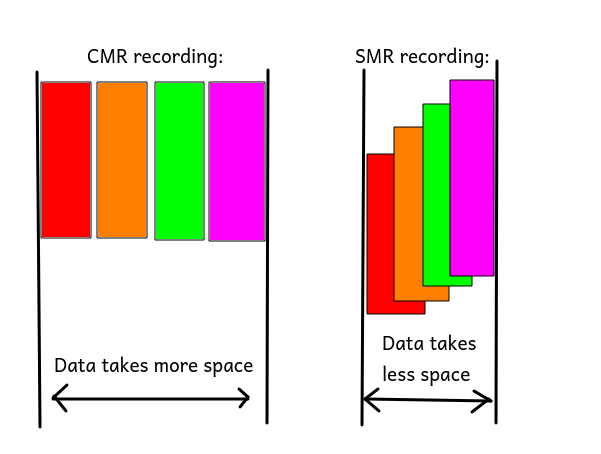
Explaining the West European energy crisis for dummies
West Europe was controlled by socialist, feminist, liberal statists for decades. This elite lost the connection with reality long time ago. They farted their own ideological bubble around themself, which poisoned the majority of their population as well. This ensures not just their re-election, but their hegemony for the future to come. This future will however not be very bright, and in this article i will explain, why. This article is not going to be an overly cohesive article, unlike my earlier articles, it will be just a collection of my thoughts about the topic, pointing to possible conclusions and events.
The rise of the modern liberal
Liberalism was originally an ideology revolving about democracy, personal freedom, equality in the front of the law. After the 60s and 70s, the communists have observed the slow death of their own ideology. East Europe, after decades long of battle against communism, which required about 80 million death, finally started to wrestle down the communists. The communists decided to seek shelter in the liberal ideology, which eventually led to the fusion of the communist and liberal ideologies.
The exclusivity of liberalism
The modern liberal agenda is quite similar to the communist agenda. Basically the liberals think they are the only possible savior of humanity, and everyone else is a laggard nazi, who must be fighted. Modern liberalism shown its back to personal freedoms, liberals demand from everyone, to be liberal. Liberals infiltrating corporations, media corporations are forced to display liberal agenda only: such as, non-liberal thoughts will get deleted from Youtube, Twitter, and Facebook. Liberals policing corporations as well, forcing corporations to be liberals, employing liberals, meanwhile they hating corporations at the same time, saying, the corporations exploit the workers. Liberals and socialists are in fusion: they think the owner of the corporation, or the CEO, shouldn't earn more than the workers for example. These thoughts are originating from Marx: Das kapital, which is the main book where communism is originating from.
Other aspects of the modern liberalism
Liberalism is international, an important aspect of modern liberalism is the diversity of races. To achieve this, liberals allowing mass migration of foreigner residents from different ethnicities and religious backgrounds to their countries. Who opposes this, are labeled as nazi, being persecuted for hate speech, frequently being jailed, or being kicked from his job. The main goal of modern liberalism is to sustain itself, and exterminate every other forms of ideologies. Liberalism also operates on personal levels. The modern liberals frequently organizing controlled harassment campaigns against those who they don't like. For example, liberals frequently trying to fire someone from his job, if he is not liberal. In liberalism, every forms of self protection is being revoked, and the state offers only special protection for those who the liberals deem worthy for it.
Replacing science with fake science
The main enemy of liberalism are the smart and independent people. They have realized this long time ago, and they have decided to re-shape education to their own desires. Gender studies, social sciences, and other forms of indoctrination have appeared in the education system, meanwhile real sciences got weakened in the same time. In the early 90's, the end exam of a computer hardware class was typically making an ISA sound card from scratch. In the early 2000's, you only had to design a DAC on paper. Nowadays, you typically write an essay about how important the computer is. All fields related to engineering were replaced with fake science, the illusion of the science are being offered by whitepapers with academic symbols which no one really can understand except the academic who wrote it. This backward progress decreased the number of capable engineers from western education institutes to fell to absolute zero, which legitimately forces these states to rely on foreigner scientists and engineers to have their industries running.
Losing entire industries
Without engineers, industrial capacity can not be maintained, and the existing industries also slowly disappearing. After a while, even migration is unable to deliver the required capacity to maintain the industries. Western states lost clothing industry, almost all the industries around manufacturing machinery, guns, hi-tech electronic apparatus, musical instruments, computer chips, software, nuclear industry, plastic industry, bike industry, measuring and lab-instruments, shoe industry, both high and low voltage electronic industry, industry to manufacture apparatus for mineral extractions, hardware and computer industry, telecommunication. As there are barely anyone to understand the basics, the required products are being imported typically from Asia, such as Japan, China, Russia, Korea, India. The only notable industries of the west which are capable to produce exportable goods are American personal computer processors, airplanes, and German cars, which creating a huge deficit in trade, which must be hidden by economic tricks.
Silent content consuming
One of the most important part of parenting a child is putting them on the front of the smart TV, where they can watch movies about trains, ballet dancers, cars. Instead of learning how to communicate, how to behave in the part of a community, or learning how to entertain them-self, the children are sedated with online cat videos, drooling in the front of the television. Scientists found out that using smart devices for more than one hour per day actually creates brain damage in early childhood. The brain of these children are not being properly developed. Nowadays its not an uncommon phenomenon to observe 3-4 year old children being unable to talk properly, or 14 year old children acting like 7 year olds.
Functional incapability
Do not compare smartphone and smart TV addiction to the geeks of the 90's. The main difference is that this type of usage is content consumption, meanwhile operating a computer in the 90's was more like an engineering achievement, and people used the computers not only to consume content, but also to create content. Back then, a 5-6 year old child, if he wanted to watch TV, he plugged the coord into the wall, turned it on, selected the channel, and watched the TV. If he wanted to listen a radio, he tuned the channel in, and listened it. Just two decades ago, any 6 year old was able to get out the NES from a box, connect it to the coaxial output, set the channel, connect the joysticks, plug everything to the wall, put the casette in, select and play the game he wanted to. A typical modern 6 year old child is unable to press a button on the remote controller alone, even if you showed it to him countless times, and you encouraged him to do so alone. If they want to switch to other video, instead of pressing a button, they signal their wish to their parents with un-articulated screams and grunts. The incapability to recognize the basic connections of pressing a button and the occurrence of an event is somewhat being dragged to the late childhood and adulthood as well. Its not like listening those gender-studies classes on the university wouldn't require much harder brain activity anyway...
Systematic oppression of men
Sexual freedom in liberalism is only for women. Extreme feminism if part of modern liberalism. Men have typically no sexual rights or rights of reproduction in western society. Men have no rights for their old children, and forced to pay child support, alimony. Men have no right for housing, social benefits. Men are being punished for committing imaginary crimes, such as rape crimes, sexual harassment, pedophile crimes, which don't exist in reality, as they are frequently not real crimes - meaning that men have no rights for their sexuality. Laws are purposely constructed to oppress men, in some countries women can have sex with minors legally, but men can not. Men receive about three times bigger sentences as a women for committing the same crime. Men are often getting long imprisonment for minor crimes, sometimes even if they are innocent. Boys have no rights for proper education, they get worse grades in school for the same performance as girls, and only about 20% of university students are young men. Men are deprived in healthcare, majority of tax money is being spent to treat women instead. In parallel to this, women barely have any responsibilities, and automatically having all the rights for all the assets of the family, having the rights for custody of the children, and in most cases they are immune to the law which are only enforced on men.
Liberalism supports hatred against men
Liberal platforms, such as Twitter, Discord or Reddit, supports violence against men. Organised hatred against men are allowed in twitter, where feminist liberals can openly incite to murder all men. Even hashtags like *killallmen* are allowed, demonizing male sexuality and oppressing men sexually have its own hashtag called *meetoo* as well, meanwhile men reporting these incidents are automatically being banned. Men have no rights for free speech on these platforms, as liberalism doesn't incorporates free speech in reality. Liberal media will not discuss the oppression of men, there are no words in TV or Radio about these issues, as it doesn't fits into the internationalist liberal agenda.
The results of the oppression of men
There are no sustainable society without men taking part of it. Western countries doesn't have enough people, despite of the mass migration. As men have no basic human rights, they refuse to settle and form a family. A typical white West European women only have a chance to give birth to 1 to 1.5 children, and a rising portion of the childbirths are from migrants. For example, in the united states, 50 years ago, 80% of the children were white, now the ratio is only about 50%. Within 100 years, only 5% of the population of the USA will be white. European figures are approximately the same. To sustain the population or to reach population growth, two to three children would been required per women. Similarly to the dark ages, when the religion oppressed women, the population fell, and there was no advancements in technology for centuries. We reached a new dark age. This time men are oppressed, the new witches are the pedophiles, the new heretics are the sexual harassers... whatever that is supposed to mean.
Homosexuals, the holy cows
Liberals are banning almost every type of sexual interaction, to policy and oppress the male sexuality. However, this created a sexual vacuum, which are being filled by the homosexuals. Homosexuals were persecuted in the entire history, now they are not just being legalized, but they are being lifted to the top: they a specially protected sexual minority according to the laws of the most western countries. Laws punish ,,discrimination'' against homosexuals, even media moguls like Discord, forcing their moderators to kick people who don't support homosexual agenda. Homosexual marches with rainbow colors - the symbol of homosexuality and liberalism - are being frequently held in every larger cities with the support of international organizations and the local liberal parties. Children are being educated about homosexuality in their early ages in schools, encouraged to try out homosexuality. What else could be more important to a 10 year old than learning how to have sex with each others buttholes?
How the hell this has to do anything with the energy crisis
Eastern European states, such as Russia, Hungary, Poland, started to crack down on homosexuality. Russia outlawed homosexual propaganda as pedophilia a decade ago. Hungary also have outlawed homosexual propaganda this year, making it illegal to show homosexual agenda for children below 18. This made an outrage among homosexual lobbyists internationally. The liberals are decided not to let these states to get away with not being liberal, and started forming a pact against them.
Liberals becoming militant
Punitive measures against East Europe were taking place in the past months. Russia have setup a new pipeline to send gas to Germany in the past years. The European Union decided to punish Russia, and they tried to force Russia to sell the pipeline to a third party operator. Russia declined this. The European Union also executed punitive measures against Hungary, they have decided to prevent the European recovery funds to be sent to Hungary due to the new homosexual laws.
Green energy
Liberals have banned nuclear energy, because according to them, its dangerous. Its certainly is, however, unknown to them, freezing to death is far more dangerous. Germany and other European states decided to stop nuclear power plants and fossil power plants by 2025. Germany already shut down more than half of their reactors. They have replaced the reactors with wind turbines and solar panels instead. Liberals thought they have done everything properly, and carried out a centrally controlled plan to force nuclear reactor operating corporations to shut down.
The energy crisis
The problem with solar panels and wind turbines are very simple: they cant work, if there are no wind, or of the sun doesn't shine. Solar panels can only work efficiently in summer time, when the weather is clear, around noon. Otherwise, other types of plants must produce power for the electric grid. However, coal mining is almost entirely halted in Europe, due to the uncertainty of the laws, and the future of the area. Manufacturers producing equipment for mines also halted production, and they decommissioned their factories. Coal-based power plants decreased the production, or stopped producing electricity. West European states switched to natural gas based power plants afterwards, and natural gas is also used to heat homes.
The energy crisis unfolding
East Europe decided to counter-punish west for the actions. These countries happen to be the countries supplying gas to the west. The natural gas is being mostly transferred from Asia and East Europe to the West Europe. Russia decided to cut Ukraine, a western ally from its gas supply. After the west introduced sanctions against Hungary for the homosexual laws, Hungary accepted the Russian offer to build a new gas pipeline. They finished the pipeline a few days ago, and then the gas pipeline from Russia to Ukraine were turned off a few days ago. In overall, Russia has cut most of the natural gas supplies to Ukraine and West Europe, which caused a widespread panic, and they refuse to restart the supply with meaningful capacity.
The results of the shortage
Norway is another major gas supplier in the region, but they are already working on maximal capacity, they can't increase production. West Europe can import some quantities of LNG (liquefied gas) from the Arabs and from the USA, which will not be enough alone. Russia is only supplying enough gas for its allies, otherwise it barely sends any gas to the west. The price of natural gas went up drastically in the previous months, and the price of electricity is followed the price of the gas as well.
*picture: price of electricity in germany per mwh*
The natural gas puffer reserves in the west are not filled with gas. Normally, around October, gas puffers should be full, but they are filled only by 60%, which is not enough for winter, even if the Russians send enough gas.
Possible outcome
There is clearly not enough natural gas in West Europe right now. This caused a widespread panic, and skyrocket in prices. According to analysts, 20-40% of the required gas is missing from the system. Depends on how cold the winter will be, the gas and electricity will be rationed in Germany and all across West Europe. Factories will maybe cut the production for certain days per week, end users will maybe face rolling blackouts. Gas will maybe reserved for heating the homes, and factories will be shut down for weeks and months.
Cutting the gas from Satan's cauldron
Liberals love making drama and wars. This time, they will not enjoy it that much. You don't know what a transistor is, but you want to enter to an economic war with those, who know? You don't have an army, but you waging war against countries with an army? You don't have power plants, but you go with a trade war with a country who have? You descend to embargo with a state who supplies all of your gas? The liberals don't understand it yet: the bear is not a toy. Its time to teach them the lesson.


 @Geri
@Geri