GeForce video card panic buying
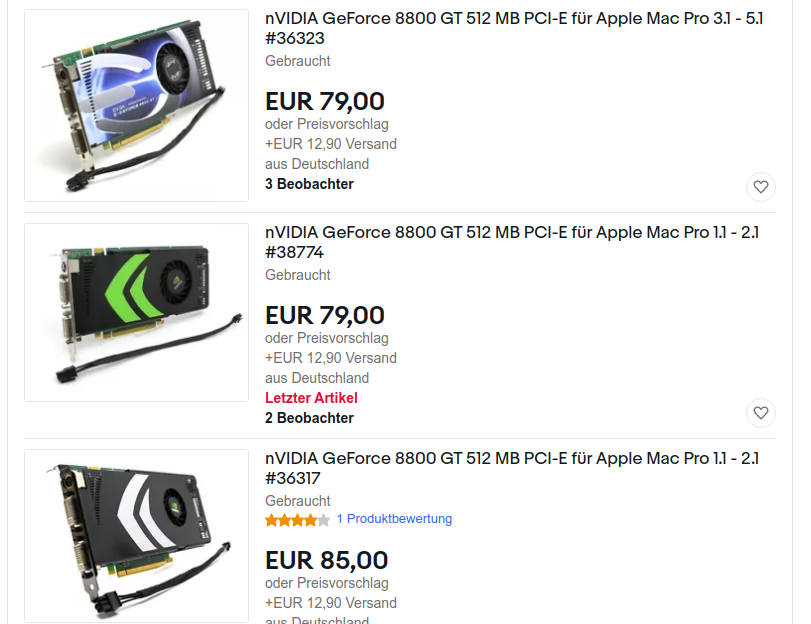
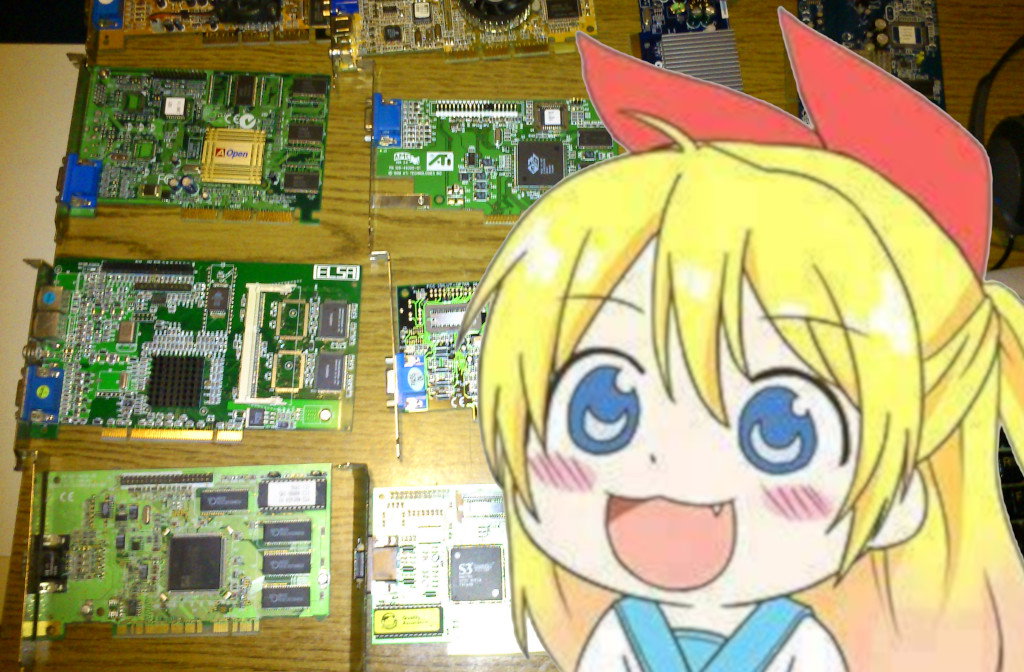
The price of obsolete, 10-15 year old nVidia graphics cards started to suddenly skyrocket in Europe. As its a wide known phenomenon, the new generations of graphics cards became pretty expensive last year, and the prices barely adjusted afterwards. The second hand market followed the phenomenon, making few-year old video cards even more expensive on second hand markets than they were as new items. In the past weeks, the prices even of older, almost dinosauric cards became to steelpy rise. The phenomenon currently affects the European Union, and mostly happened in the past week.
The GeForce 8800 series
The GeForce 8800 series of cards were released about 15 years ago. The 8800GTX card is the first video card of nVidia with unified shaders. The card supports DirectX10, and it was initially released in 2006 with 384 and 768 MByte memory, with 192 or 384 bit memory bus. Later on, new models followed with 512 and 256 MByte memory and lower manufacturing process (called the 8800GT), and 1 GByte models were also released. 8800 GTS cards were also released. These newer cards using 256 bit memory interface. They offer approx 40-60 GByte memory/sec bandwidth, and the cards feature about 92 to 112 unified shader units, and 56 to 64 texturing units inside the chip. The cards were initially designed for fluid gaming in 1360x768. The full HD resolution is also supported, but in practice only usable on the cards with 512 MByte video RAM, or more.
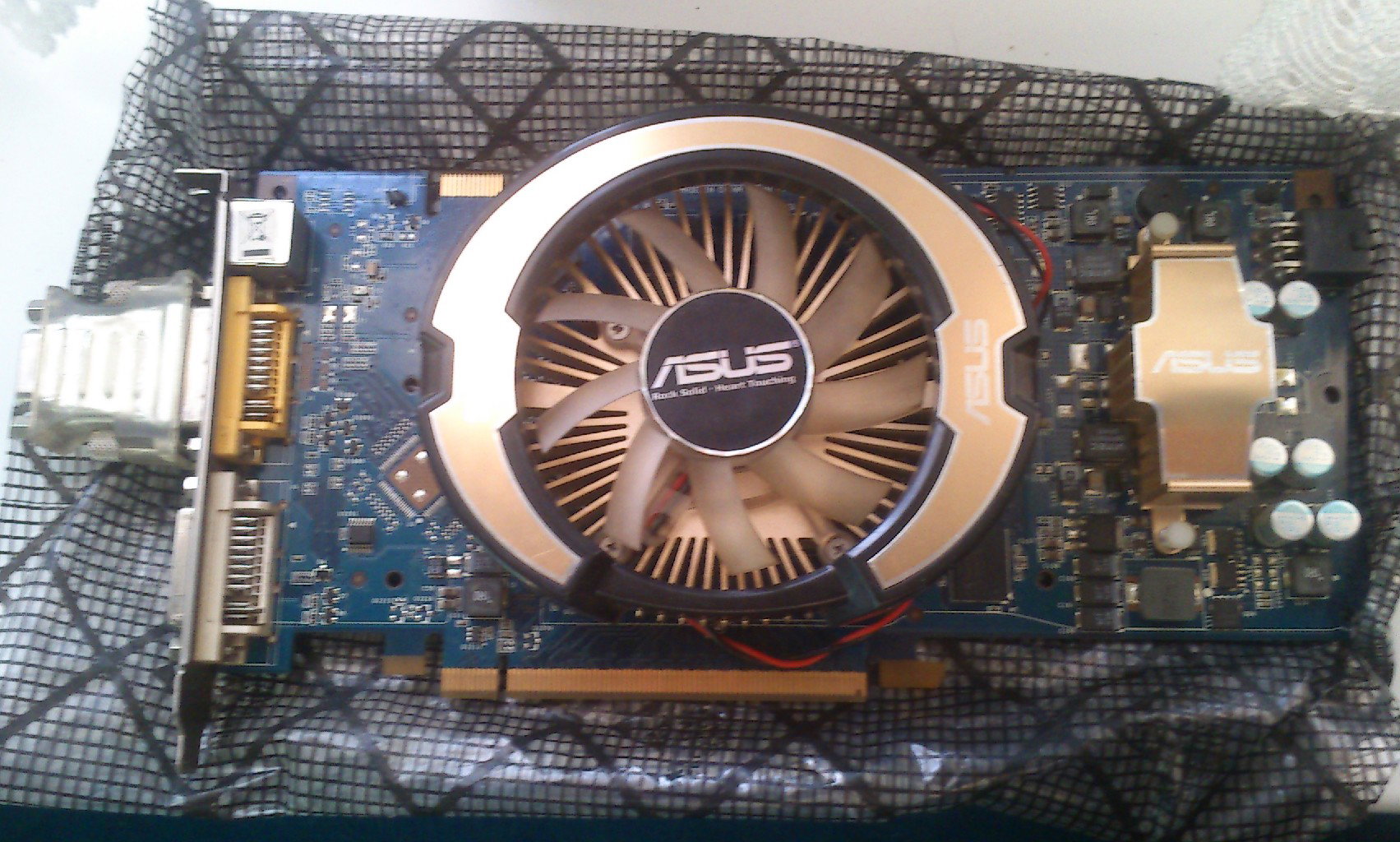
illustratuion: an ASUS branded nVidia GeForce 8800 GT with 512 MByte memory
The speficiations of the 8800 cards
The 8800 cards were very fast in 2006, and they pushed down ATi from the throne for a while. As the first cards with unified shaders and wide memory interface, they were able to run modern gaming payloads at the time more than twice as fast as any competitors. The card was supported by nVidia from the drivers for almost a decade, as the card had a long life-span. The new generation of the 8800 cards were called 9800, which is basically the stronger clone of the 8800 on newer manufacturing process. This line of the cards were followed by the new GTX 2xx cards, such as the GTX 260 / 275 / 285 / 295, which have more than 200 shader units, and have a 448 or 512 bit memory interface.
The performace of 8800 cards
Of course, these are 10-15 year old cards. The performance of these video cards are quite small in modern standards. The price of these cards slowly decreased, and after 2016, when nVidia stopped supporting these older cards, the prices rapidly fell on second-hand webshops to the 3-5$ range. These prices stayed low till the past weeks, when suddenly the prices begin a massive rise, despite these cards have little to no retro value (as there are no special games which will run properly on these, but not on the newer cards).
Using the 8800 and 9800 in modern workloads
When the 8800 and 9800 cards are being used in relatively modern video games, they can achieve 25-30 fps in 720p resolution in lowest settings typically, meanwhile the newest flagships from nVidia and AMD, such as the 3080GTX or RX6800 cards can do the same titles at 300-400 fps easily.
What about the newer flagships
The problem is, the newest flagship cards are not able to reach the european market in proper quantities, and when they do, they are too expensive, prices above $2000 can be easily expected. This means that regular people, who want to play games, are not able to afford these video cards. The logical choice would be to buy low-end models from the modern cards. The problem is, nVidia made no low-end cards from the last GeForce 30xx video card line. In fact, nVidia didn't bothered to create low end cards from the GeForce 20xx product line either. This means that nVidia skipped two generations without making a low-end video card with the focus for 3D performance.
GeForce 1030 and other low-end cards
In the past years, nVidia offered the 1030 video card line for low-end gaming. The 1030 was available aroud $70 as a brand new card, and its faster than the 15 year old 8800GT by two times, the performance is approximately identical to the 12 year old GTX 275. In the recent months, however, the price of the 1030 slowly rised above $100, and its currently reaching almost $200 with VAT, tax, shipment fees and postage fees calculated. Which means even the low-end cards of the new flagship modens are too expensive.
Disapperance of the mid-range
The younger flagship cards and mid-range cards from the past decade slowly disappeared from the markets, the video cards two-three generation older Radeon and GeForce video cards rised in price on second-hand markets from $200 to above $400 last year. People had to turn the attention to the earlyest high-end video cards with unified shaders, such as the GeForce 8800, 9800, 2xx, and the high-end versions of the Radeon 3xxx family.
When people panic buying 15 year old video cards
The price of a 8800GT was about $5 until this summer, a Radeon 3870 was about $10. After the general video card shortage first removed the high-end model cards from the market, later, it came for the mid-range models. Now, the market seems to succumbed up all the 10-15 year old video cards as well, except the models which were not designed for gaming. The market is going crazy, and its hard to predict when the prices will stabilize.
GeForce 8800GT for $70? Anyone?
After carefully looking around on Hungarian and German second hand shops, it seems that the 8800, 9800 video cards, alongside with the stronger models of the GeForce 2xx family, and also the stronger models of the Radeon 3xxx line, dreid up on both market in the past weeks. There was plenty of these cards available at summer for prices around $5-10, but at the end of summer, the cards reached $10. Another steep increase of prices are happened in the past one or two weeks as we entered September.
Dual slot cards are still relatively cheap
The dual slot variations of the 8800 and 9800 cards are cheaper. These cards have larger coolers, which covers the next PCI-E or PCI slot to the video card. On cheap motherboards, you have only two or three PCI-E or PCI slots to use. A dual slot video card will cover out an extra place below the card, so it makes impossible to use multiple controller cards, such as sound cards, usb cards, 10 gigabit ethernet controllers, capture cards, and so on, in these cheaper motherboards.
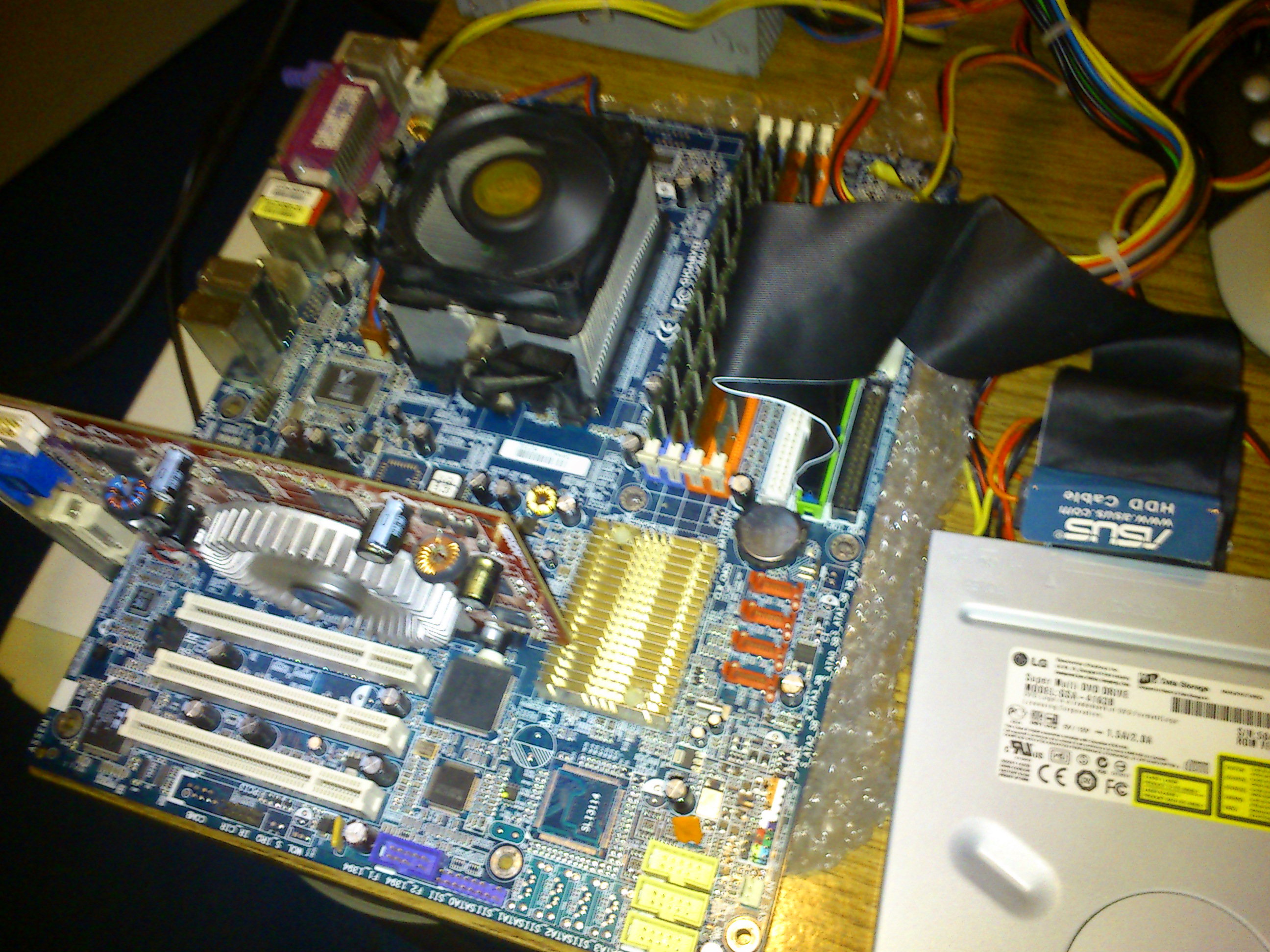
(picture: the Asus 8800GT from my dual core cpu test)
This makes these super old dual slot cards to be available currently for $20 plus postage, which is already too high for these cards, but the real deal is with the single slot cards, which are typically available for $40-$90 on the market, and the sellers are able to sell them actually for a good $50 dollars plus postage. These cards were all available for an approx $5 before this summer, which means a steep 10 times increase of these 15 year old video cards on the european second hand market just within a few months.
nVidia to blame?
The reasons of this surreal price rise roots in multiple causes. European Union descended to trade war with USA and China despite of not having a chip and hardware industry for at least 30 years. European Union introduced a new taxation system, that introduces an extra tax for foreigner goods. Another reason is due to the ongoing health-related events on the world, which made long-term lockups in the economy, created great inflation, and made long lasting problems in logistics. Its hard to predict when the situation will normalize, so good luck with your 15 year graphics card.
Demo sonna baka arienai shinjirarenai uso
This is the reality, this is our life, deal with it. To preserve the life of a 8800 card, its recommended to underclock the card. To do this, get a 10 year old version of nvflash and the program nibitor nvidia bios editor. Dump the video bios from the card. Downclock the GPU by 20% and the chip by 10%. If you can, downvolt the video card by 10%, but some PCB designs don't have this feature, and they will always feed the full power to the chip. This will help the card to output less heat, and the electronic pads of the chip will not degrade, preserving your card for more and more years to come.
Retroshare: a new/old replacement for torrent and DC++
Platforms like Facebook, Reddit, and Discord are dangerous. These platforms violate freedom of speech, they are a threat to the national security. Facebook were banning users and asking for their ID cards since the last decade, meanwhile they ban democratic organizations and interfering with the world politics. Reddit banned various groups in the previous months, because they didn't agreed with their political line. In a misandrist harassment campaign, feminist administrators of Discord are secretly banning MGTOW and men rights activists from Discord since days. In the past days, hundreds of human rights activists was suspended from Discord. I decided to try alternative platforms at first, but all of them was centralized. Till i found Retroshare, a decentralized chat platform with integrated file exchanging.
What is Retroshare
Retroshare looks like the love child of DC++, TOR and Discord. Its a software allowing encrypted p2p communication. There are no servers on Retroshare, people connect with each other directly. The software allows private chats, file exchanging, public chats, forums, and boards to be created. The software works on Windows, Linux, and other operating systems as well, however, only the Linux and Windows version offers all the features. The appearance of the program reminds me of the good old MSN, DC++ and Discord as well.
How Retroshare works
There are no central servers, the data is always tunneled from users to users directly. Once you add a partner, you can see the friends of your partner as well. You can message them, and upload/download files not only from your partners, but the friends of your partner as well. This means that if you have 10 person in your circles, and each of your friend also have 10 persons, you can access a total 90 person in overall.
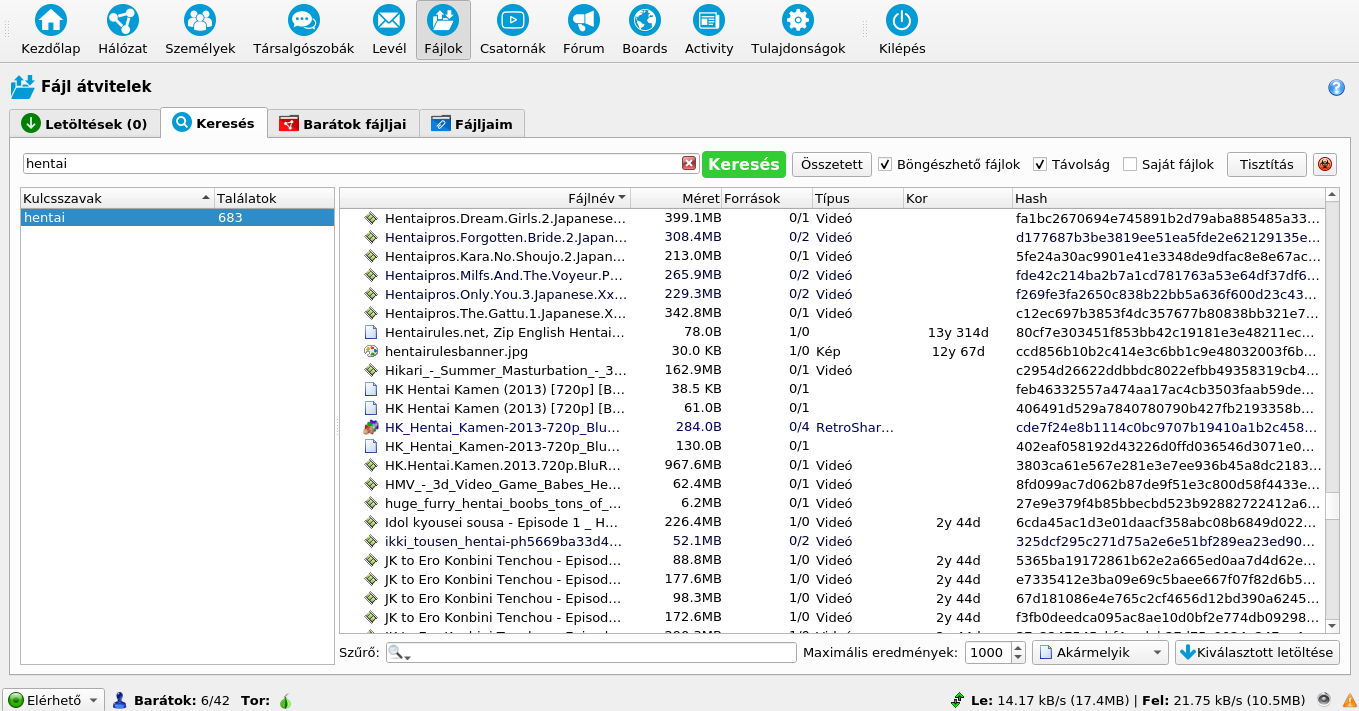
*Screenshot: my Retroshare profile*
Retroshare and privacy
Retroshare can work on the internet (by propagating your IP address), and/on local area network, and/or on the TOR network. For privacy reasons, the Retroshare allows you to create a profile with built-in TOR compatibility. These type of profiles called hidden nodes. When a hidden node is made, only people with hidden nodes themself can connect to the person. This is what most of the people use, because file sharing of copyrighted material is illegal in most of the countries.
Creating your Retroshare profile
Your Retroshare profile will be stored on your computer. In the case of Linux, this will be your /home/username/.retroshare directory. The directory will be encrypted by the password you chose. As there are no central servers in retroshare, every setup, certification and routing information will be stored in your profile. Under Windows, this is probably under C:\Documents and settings\Username\Retroshare. Backup this profile after you shut down your Retroshare software, to avoid data loss.
First steps
When creating your profile, you can choose to create a normal or a hidden profile. Normal profile will expose your IP address, the hidden profile (with automatic tor setup) will create a node thats only accessibe from the other hidden profile users through the TOR network. For now, create the hidden node with a tor based setup, and then you can add your friends.
Adding friends
To add friends, you need their certificates to be added, or you should send your certifications to them. Once you add them, your attempt will be displayed in the Activity panel, but you can also add each other simultanously as well. The certificate contains your public keys, your IP address (which can change later on, thats not a problem) and/or your tor onion hidden service handler. The system needs a few minutes to exchange the profile informations and avatars.
Checking around
Once you have added a few people, typically public certificates around the internet, and your friends, you can chat with them, and you also can chat with the friends of them. This means you have access to hundreds of people after adding a few people, if they also have active profiles with people.
Downloading files
Retroshare functions similarly to DC++, however there are no central hubs. Your system downloads the file lists from your friends, but there is a dedicated search panel, which allows you to be searched in the files of every contacts friends. Why this is good? Lets say, someone is a big fan of karate movies. He has 10 karate movies and books shared. However, he will likely have a few friends who are also big fan of karate movies, so he will have friends, who also sharing a few karate movies and karate books. Then when you search for a karate content, you will get dozens of movies and books in the topic due to this technology. The technology for accessing the data of the friends contacts, called Turtlehop technology.
Legal and illegal activities
Retroshare is now considered a darknet itself, and the authorities are desperately trying to monitor it. The system has a few 10000 users so far. After using it for a few days, i haven't experienced any heavyweight mafia behaviors, or any sort of content about active violence, no mysterious hitmans or drug traders can be seen. People on Retroshare were very friendly so far, and they are happy to see newcomers. Most people are there to chat, and to experience the freedom of a decentralized world. Some of them are there to share files.
Bugs in Retroshare
Retroshare is full of bugs. I started to report them on their Github page, after i have discovered a few more or less serious bugs and vulnerabilities. Some of them was already patched, some of them are being worked on it. One of the most irritating bugs are manifesting in a form of crashes, when someone adds your certificate. To avoid this, i recommend to stop the program after succesfully adding a friend, making a backup from your profile, then restarting the program.
Setting up your Retroshare
If you plan to download and upload files with Retroshare, you can set the bandwidth limitations in the program. You can also set the bandwidth limitations independently for each profile. This is very important, because people who share files, will except you to share files, and set bandwidth limitations properly, otherwise they will block you. If you dont share anything, then you will not need this.
Upload speed limitation
In this example, i will show you two typical internet connection speeds, to help you to set your bandwith limitations properly. Different type of internet connections need different kind of setup.
If you have an internet with 30 MBit/sec download and 3 MBit/sec upload speeds, then that means the maximal download capacity is 3.8 MByte/sec and the maximal upload capacity is 384 kbyte/sec. Of course maxing this out would result your internet to became unusable and unstable. Therefore, if you have such an internet, you should set your download speed limit in Retroshare to 1024 kbyte/sec, and your upload speed limit to 128 kbyte/sec respectively. I recommend to limit the numbers of concurent downloads and concurent uploads to 4, which should give a good overall experience for you, and all of your peers.
If you have an internet with 100 MBit/sec download speed and 20 MBit upload speeds, then i recommend you to set your download speed limit in Retroshare to 4098 KByte/sec, and your upload speed to 1024 MByte/sec.
Even faster internet
Its important to note that TOR nodes aren't too fast, which means that you will not be able to get more than 2-3 MByte/sec through tor. This speed should be however totally enough for personal file exchanges, non-4k movies, music, and other type of personal content. If you have slower internet connection than 1 MByte/sec, then you might give your full bandwidth for the program, but if someone from your home wants to browse the internet, slowdowns will occur.
Retroshare ends centralization
With Retroshare, the age of screeching blue haired liberals are over. No free-riders, no socially awkward people, no centralization, no censorship. The platform is basically unblockable, the messages can not be censored, or blocked. The new era of communication is here.
Test Retroshare and add me
If you would like to test Retroshare, you can post your ID here, and i will add you. Please note that i will only add hidden nodes (tor based notes), and i will not add clean-net nodes. You can download Retroshare for Windows and for Linux here. The Windows version has the built-in TOR application, the Linux version requires it to be added manually with apt-get install tor before running the program. https://github.com/RetroShare/RetroShare/releases/download/v0.6.6/RetroShare-0.6.6-Windows-Portable-20210313-0-g751fffc30-Qt-5.15.2-x64-tor.7z http://download.opensuse.org/repositories/network:/retroshare/Debian_9.0/amd64/retroshare-gui_0.6.6-1_amd64.deb
Testing the first dual-core processors
The appearance of the first desktop dual core processors reshaped the whole IT industry. Compared to the previous generations, this was a new paradigm in computing, and also required the programmers to learn new tricks. To understand why this major shift in the basics were necessary, we must understand the events that forced the industry to this direction. In this article, i will also test and compare the first generation of dual core processors to their single core counterparts, and to the second generation of dual core solutions.
The demise of 32 bit single-core chips
The AMD Athlon appeared on the market in 1999, and the Pentium4 was released in 2000. These new processors introduced a new era of computing in the desktop environment. These processors were much faster than their predecessors, the new generation of Athlon processors reached 1 GHz in late 2000, and the Intel Pentium4 got released in November, at 1.4 and 1.5 GHz frequencies. The performance of these processors were enormous compared to the Pentium 1 and Cyrix processors just a few years ago. Not only because the higher clock speeds, but due to architectural changes, that allowed these processors to execute even more instructions per clock cycle than any previous processors.
AMD released a new generation of Athlon called AthlonXP in the end of 2001, and Intel released new models of the Pentium4 az 2 GHz in 2002 January. These new high-end processors conquered the market in the upcoming years. Initially AMD and Intel failed to position these products to low-end and mid-range, because the Athlon and Pentium4 required new processor sockets. Due to this, the masses of people continued to use the older generations of computers, and it took a few years for this new technology to reach mass adoption.
The processor technology was not the only one that developed rapidly. In 1999, a typical high-end desktop PC had 64 MByte of memory, meanwhile in 2001 the price of a brand new 256 MByte memory module was only about $30. From the 1-2 GByte hard disks of the late 90s, a typical PC from 2001 got a 20GB hard drive. The technolgy was developing rapidly, it seemed that nothing can stop it.
And then, stagnation for years
Intel and AMD was not able to increase the clock speeds any more. Despite of all the efforts, the speed of the chips didn't increased further. Even nowadays, most of the chips are running around 2 GHz. In the early 2000s, however, developers thought that x86 processors will reach 20 GHz within a few years. In 1997, a typical high-end desktop processor was running at 200 MHz, and in 2002 the flagship chips from both Intel and AMD was running at 2 GHz. Thinking the industry will reach 20 GHz within another five years, was a realistic expectation.
The limits of the transistor technology
The electrons can't travel faster than the speed of light. Therefore, having smaller chips translating to higher clock speeds, as the electrons have to travel smaller distances. For some reasons, however, the silicon based chip technology doesn't scales well beyond 2 GHz, even if they continue to decrease the size of transistors. Above these clock rates, the chips are becoming significantly more power hungry, exceeding the realistic power envelope. Despite all of the attempts, decreasing the transistor sizes and porting the processors to smaller and smaller chip manufacturing lines, the manufacturers were not able to increase the clock speeds of the chips significantly ever again, up to this day.
The struggles of Intel
Intel got hit harder than AMD. AMD AthlonXP processors were designed for lower clock speeds from the beginning. However, Intel planned to scale the Pentium4 design up to at least 10 GHz with the first revisions of the chip, and up to 20 GHz with later revisions. They have designed the processor in a way that would have allowed them to scale the clock speeds very rapidly, in the expense of the execution efficiency within one clock. This number is called IPC, or Instructions per Clock - a number to measure, how many instructions a processor can execute within each clock. This is not a discrete number, and changes under every algorithm and workloads. Both the AthlonXP and the Pentium4 CPU can execute typically from 2 to 3 simple instructions per clock, but AMD was typically a little bit closer to 2.5, meanwhile Intel was closer to 2 instructions per clock. Modern superscalar processors can execute more than one instructions per clock, because they have multiple instruction pipelines inside them, starting from the Pentium1. Processors like the previous Pentium1 and Cyrix processors were able to execute one to two instructions per clock, and modern i7 and Ryzen processors from 2021 can execute 3 to 8 per clock. This mean't that the Intel Pentium4 was a little bit slower than the AthlonXP on the same clock speeds. Of course, Intel was not able to forsee this problem, and discovering it was a shock for the corporation. AMD was walking in the same shoes, but they were lucky to have a CPU which is more efficient in regards of IPC.
Silent research for four years
After the release of the original Palomino based Athlon XP in 2001, which allowed up to 1733 MHz clock speeds, they have released the new Thoroughbred based Athlon XP which exceeded two GHz, but otherwise it was identical. By the end of 2003 they have released another revisions of the chip, called Thorton and Barton, refreshing the models in 2004, Barton got more L2 cache, but they was unable to increase the clock speed and the performance significantly since 1999.
Of course, AMD and Intel understood that they have to pull out a rabbit from the hat, and that was the Athlon64. As the memory sizes grown, by the end of 2003 everyone was able to afford multiple GBytes of memory, if he wanted. On 32 bit, however, due to the limitations of the 32 bit integer numbers, only 4 GByte can be represented, which was actually limited to 3 GByte under most of the systems. This meant that new instruction sets have to be introduced to replace the x86.
Itanium and x86-64
Intel noticed this first, and they have released a 64 bit processor architecture called Itanium, which was not x86 complaint, and the backwards compatibility to run x86 programs were allowed by software-based solutions. The architecture was meant for servers, but they eventually wanted to release desktop units as well. The architecture failed miserably. Instead of CISC or RISC, they have used VLIW based instruction set for this processor, and the compilers never was enough efficient to reach even the speeds of x86, despite of the Itanium having enormous TDP envelope.
AMD learned from the mistake of Intel, and they have decided to add 64-bit capabilities to x86, keeping the backwards compatibility. The new instruction set, called AMD64, sometimes referred to x86-64, or mistakenly x64, can run the existing 32 bit applications as well, meanwhile it allows to exceed the 4 GByte memory limitations. The new instruction set debuted in their Opteron lines, and later on, they have released a new chip called Athlon64. This instruction set was somewhat faster than the original x86, so software developers was able to get a few ten percent speed increase, if they were willing to compile for the new instruction set. This was the first real improvement in the technology since the release of the Athlon in 1999, and the industry understood, how significant this step is. The Athlon64 gained popularity, despite of requiring new type of motherboards, as they have switched from Socket A to Socket 754 (and then to Socket 939 shortly afterwards, when they decided to put the memory controller directly to the processor).
Intel's capitulation to AMD
After the disaster of Itanium became clear, Intel released multiple generations and iterations of the Pentium4, and by the end of 2003 they reached the absolute limits of the technology. Every desperate attempts to scale the chip in performance have failed. Intel agreed to add the new 64 bit instruction set of AMD into their processors, making it clear that they lost the control over the chip evolution. Intel asked one thing in exchange: they asked Microsoft to delay the 64 bit version of Windows XP till they ship their own 64 bit capable chips in quantities.
Intel had another failed secret weapon
As previously discussed, their processor was less efficient than the solution of AMD, as they were able to execute less instructions per cycle. To fight this, they had a technology called HyperThreading. This technology was used in their servers. This allowed one processor to run two tasks at the same time, despite of having only one core. The operating system saw the chip as two individual processors. This conception was not alien from the server world, as dual processor motherboards, having two separate processor sockets, were a thing ever since the Pentium 1. The technology is called SMP, simmetric multiprocessing. However, only the server programs and server operating systems were able to utilize more than one core. End users only have access to these operating systems since the end of 2001, as Microsoft included multiprocessor support in the Windows XP by default. Linux supported SMP, but kernels in Linux distributions intended for desktop usage, usually had this feature disabled as well.
Everything is about to change - forever
Intel annouced to add both 64 bit support and HyperThreading to their new Pentium4 lines in 2004, but this only materialized in the forms of the Pentium4 model 3.2F, 3.4F, 3.6F and 3.8F processors by the end of the year. Intel annouced a new socket called LGA775 for the new line of processors, which also offered compatibility for the faster DDR2 memory. This new processor generation was called Prescott, but sadly most of the modells had the 64 bit support blocked inside them due to manufacturing defects. As for HT, initially they have previously experimented with HyperThreading on some earlyer high-end Pentium4 chips, and they also had it in some of their server processors. Intel advertised this generation of CPU with its higher clock speeds, not with its new significant technology. Intel was only reliably produce 64 bit variants of this chip in the upcoming years.
Intel Pentium 4 F generation, and 5xx series
The new Prescott line was not super expensive, the power consumption of the chips were typically below 100w around 3 GHz. The cheaper models were available around $200 which wasn't cheap by any means (we are speaking about 2004-2005ish prices), but indeed acceptable for a new high-end generation of processors. The chips gained attention enough from the programmers, who have started to optimize the programs for multithreaded environments. Intel promised 30% speed increase in multithreaded programs with the HT technology. Intel even annouced new models of these chips up to 2006.
Theads and processes
Previously, only server-type of workloads had to use multiple threads. Consumer level applications typically used one threads. Only true programming languages support threads, with the assistance of the operating system, such as C. In the universities, they have only started to discuss the topics of multithreading in 2005, but these discussions weren't deep enough to teach the pupils how to do it efficiently. There was a lot of confusion, how they worked. Some people thought that the processors will throw the data from one to the another, like some kind of manufacturing line. Some people though that games will can be able to separate tasks between cores, like one core will do the character animation, another the collision code, third will process with the rendering and so on, but that isn't possibe either, because you cant just calculate animation as you render the objects, as it will cause a lot of polygon flickering on the screen as you modify the data of an object you are just rendering simultanously. So the best method turned out to just cut the tasks in half, so one thread is processing the animation of half of the objects, another thread is processing the animation of the another half, then when both job is ended, other modules can be processed as well. But programmers needed years to realise this, so the speed adventages of the first multithreaded programs were very small.
AMD screams internally
Whith the apperance of 64 bit HT capable Intel processors, AMD was about to lose the controller role on the chip development. AMD and its fans were portraying the HT technology as inefficient, but they understood the dangers of it. As more and more programs supported multithreaded operation, and the Linux and Windows operating systems got patched to be able to do it more properly, AMD understood that they must follow the footsteps of Intel. Both manufacturer started to experiment silently with dual core chips on the server market. AMD annouced multiple times that they could release a dual core CPU to the consumer market any time, but Intel can't do it right now. Intel's reply was basically: HOLD MY BEER.
The first dual core CPU on the market
Intel announced the world's first (desktop) dual-core processor, the Pentium D in 2005 may 26. AMD announced its own dual core Athlon64 x2 processor one day later. Both corporations tried to keep the prices around $200, even if that meant lower profit margins. Of course these were paper launches, but by the end of summer, people was able to buy these chips. After 5 years of stagnation in technology, the ghost of multi-core processors escaped from the box, and software development changed forever. Of course, compatible motherboards were also needed to run these chips, software and operating systems had to be patched a little bit, so there was no sudden chatharsis especially for those who only ran one application at a time.
Carrying out this test
I ended up with some first-generation dual core CPU solutions with motherboards in the previous years. Luckily, i was unable to sell them. Well, luckily for the test... because i was unlucky for not being able to earn some profits on it. I took out the systems from their sarcophagous, put memory modules into them, tested if they still work and boot without problems, and cleaned them, if needed. I had to order some hardware to be able to carry out this test, but luckily i already had most of the hardware i needed to carry out this test.
**The Intel test systems**
Intel Pentium4 524
The Pentium4 524 is based on the Prescott core, and its a 64 bit Intel chip, which also supports HyperThreading. So this is not yet a dual core chip, but the operating system detects it as two separate chips due to its virtual secondary core. The chip runs at 3.06 GHz, and it was a re-release of early Prescotts later on, in 2006. Despite its clock speeds, it only consumes 84w. Its a 90nm chip, and has 1 MByte of L2 cache memory on board. The processor uses the LGA775 socket, and it will work in almost every LGA-775 based motherboards. The HT can be disabled, in that case, the processor will be operate as a single core chip. The chip will be therefore measured twice. This chip is going to indicate two things. One, how efficient the virtual secondary core of early Intel processors were. And another one is, how efficiently a program is multithreaded, like, if its even attempting to use multiple cores, or not. This practicular chip is manufactured in 2006, but this design is the oldest in this test, so despite its manufacturing date, this will feature the earlyest solutions before the real dual core models.
Intel PentiumD 925
The Pentium D line is the first dual-core solution of intel for the desktop market. This specimen of PentiumD was also released in 2006, one year later of the original PentiumD release, and it only differs from the original model in the larger cache memory (4 MB vs 2 MB). I have choosen this chip because its also 3 GHz, so it would be easyer to compare it to the previous Pentium 4 chip which also runs around this. Rumors were saying it consumes too much and emits too much heat. This is not true. Despite its two cores, its still consumes only 95W. This was made on 65nm, the initial PentiumD 820 was manufactured on the 90nm node, but also comsumes 95W on a few 100 MHz lower clock speeds. I am very curious to see the worlds first dual core processor architecture in action.
Intel Core2Duo E6300
The Core2Duo E6300 has nothing to do with the Pentium4. Its the second generation of Intel's dual core processors, therefore, it was named Core2. Intel developed this chip from their previous chip generations, and it supports 64 bit, and it has two cores. The Core2Duo was meant to fix the problems with IPC, and offer even better performance on the same clock speeds than AMD does. This chip runs at 1.83 GHz and it was released in the end of 2006. Intel claimed its about 40% faster than Pentium D from smaller power consumption. We will found out, if this is true, or not. It only consumes 65w, and it has 2 MByte of L2 cache. This model was very popular and cheap in the upcoming years - the initial release price was about $180. Weaker models were released with the Pentium Dual Core brand name, with only 1 MByte L2 cache. Not all LGA-775 motherboard supports the E6300, and most of the early boards, if they do, will require a BIOS upgrade, which the manufacturers released later on. This meant that some people was forced to continue to use the PentiumD even if they wanted the Core2Duo instead, so Intel had to keep the older D line alive for a while parallelly to this.
Operating system
As an OS, the Windows 7 64 bit was used in this test. I don't use Microsoft operating systems for almost a decade. It was a terrifying experience to handle this system. It takes about 2-3 minutes to load, compared to 20-30 seconds of a comparable Linux distribution. It killed itself on every time i changed the motherboard, so i had to completely reinstall it every single time.
picture: The never ending automatic repair procedure
The user interface is super low quality, this was the time when Microsoft decided to leave the world of Desktop, and create a content consuming operating system, for users without brains. I have only used this operating system for this test because its era-correct, otherwise i would not recommend using any Microsoft operating system for any purpose, so please use Linux instead, it will run perfectly on all of the systems listed in this article.
The graphics card
The nVidia GeForce 8800 GT was released in 2007, its an upgraded (downgraded) version of the 8800GTS from 2006. Its a peroid-correct video card for this hardware, it was very popular for gamers all across the world, even in the early 2010. The card has 512 MByte video memory, but i have downclocked the card from the stock 600/1500/900 MHz memory clocks, to 433/1200/633 MHz, and also downvolted it from its bios from 1v to 0.9v to decrease the power consumption, the heat output, and preserve the life of the card itself. The GeForce8 generation was the first card with unified shader architecture, the high end models used 256, 320 or 384 bit wide memory bus interface, and was equipped with 320, 512, 360, 768 or 1024 MByte video ram, althrough there are barely any difference between performance in games above the 512MB model. (Originally, i wanted to use a Radeon x740XL for this test, which is a very old and weak graphics card compared to the 8800GT, however, luckily i just got a 8800GT for the test).
The Intel test rig
The motherboard i will use for the Intel machines are an LGA775 based motherboard from MSI, called G41M-P26, and it supports processors starting from the Pentium4 up even to some Core2Quads up to 95W, so it will be fine for this test. This motherboard has an integrated video card, which will not be used in this test, because this test is only focusing on the processor power. As a video card, the 8800GT will be used, however the motherboard also has an integrated Intel GMA based IGP on its own. This motherboard has only two memory slots, luckily i was able to find two 1GB memory sticks for it. The sticks were running at DDR2-533 rating with the Pentium4, but the motherboard switched to DDR2-800 whith the Core2Duo and Pentium D processors. The sticks were running in dual channel mode, despite of using random memory modules without various speeds and latency parameters.
**Motherboard**: G41M-P26
**Socket**: LGA775
**Processors**: Pentium 4 524, PentiumD 925, Core2Duo E6300
**Memory**: 2x1 GB
**Video card**: GeForce 8800GT
**Hard disk**: 40 GB Maxtor
**Operating system**: Windows7
**The AMD test systems**
AMD Athlon 64 X2 4400+
This chip was released in 2005 may, but actual samples reached consumers by the end of the summer. The chip has two Athlon64 cores inside, and runs at 2.2 GHz. The socket it uses, it the Socket 939. The initial release price was about $580 of this chip, which is about 3 times of the price of the initial prices of Intel. AMD justified the higher pricing with the higher performance compared to the PentiumD. We will see how AMD's claim will keep up against reality. Its important to note that these early dual core AMD chips use the DDR ram, and not the DDR2 which the Pentium4 chips in this test will use. This chip has its own integrated memory controller. Similarly to the Pentium D, it has a good 90w power draw under full load. It has 2 MBytes of L2 cache (2x1MB).
As this chip still uses DDR memory, it was hard to find proper models. I was able to find four pieces of 512 MByte memory modules, however one of them turned out to be ECC, and it didn't wanted to when it was inserted into the motherboard together with the other non-ECC modules. Then i found some 256 MByte sized modules as well, but none of them wanted to start up in the motherboard for some reason. After wiping the memory modules with alcoholic disinfectant, two of the 256 MByte chips luckily decided to start up in the motherboard. This means that 512+512+512+256 MByte modules will be used in this test. They are different modules with different clock speeds, but the bios allows to force everything to run on DDR-400. This, however, didnt worked. Besides DDR-333, the bios offered my to clock all the memory chips at DDR-366, which is not an actual memory standard, and in reality, it translates to 183 MHz memory chip clock. Luckily, this worked (it gave a good 5% extra performance for the CPU).
The motherboard for this CPU is made by Gigabyte, and the model name is GA-K8NF-9. This motherboard has no integrated video, but it will be used with the GeForce 8800GT anyway.
**Motherboard**: Gigabyte GA-K8NF-9
**Socket**: 939
**Processor**: AMD Athlon 64 X2 4400+
**Memory**: 512+512+512+256
**Video card**: GeForce 8800GT
**Hard disk**: 40 GB Maxtor
**Operating system**: Windows7
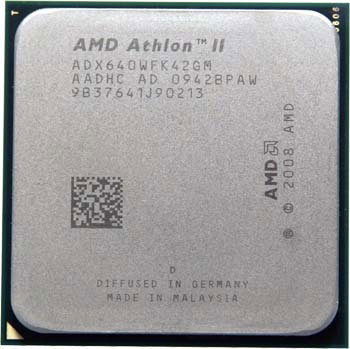
AMD Athlon 64 X2 4800+ (AM2)
This chip is not just the newer and faster clocked version of the previous CPU, its actually a somewhat new design, it was released by AMD in winter 2006 as a quick response against Intel's new Core2Duo line. The chip uses AMD's new AM2 socket. They have decreased the prices of these new AM2 chips to the $200-$300 price ranges to be able to compete with the Core2Duo. Finally, AMD has switched from DDR to DDR2 memory as well, and this chip has its own DDR2 memory controller. They have increased the clock speed of this CPU to 2.5 GHz, but they have decreased the size of the L2 cache to just 1 MByte (512 KByte per chip). Probably they was thinking, the newer and better memory backend will allow then to spare on the L2 cache size, we will see how this will turn out. The chip was released in the last days of 2006, and the new AM2 platform itself was meant to replace the 939 platform as a whole.
The motherboard i have for this chip is an ASUS M2A. I found four 512 MByte DDR2 memory module for this motherboard, luckily this motherboard also have 4 memory slots, so this is going to result 2 GBytes of memory for our test. This motherboard has a terrifyingly weak GeForce 6200 integrated video card, and despite of this being a GeForce, its hard to tell if its actually better than the GMA950 on the LGA775 boards or not. The memory sticks i found, were rated usually at DDR2-533, which means 133 MHz memory chip clock. Despite my attempts to rise the memory speeds, the system was not stable at higher rates, so the memory was used on its stock 533 ratings. The dual channel memory mode was also refusing to activate for some reason.
**Motherboard**: ASUS M2A
**Socket**: AM2
**Processor**: AMD Athlon 64 X2 4800+ (2.5 GHz)
**Memory**: 512+512+512+512
**Video card**: GeForce 8800GT
**Hard disk**: 40 GB Maxtor
**Operating system**: Windows7
Let's begin the test
I personally have never saw these systems in action. Previously i have tested if they can boot, to check if they are okay, before i sell them, but thats all. I was aware of their existence, but i peronally ignored the release of these chips, because i have used Socket A from 2004 up to like 2013. I don't know what to expect, there are too many contradictary informations in the internet about this era. Such informations saying that the first gen dual cores are very inefficient due to they use the system ram for implementing interchip communication (Athlon64 x2), or they run too hot (Pentium D). I have already determined the later rumor to be false, even under full load, the temperature of any of the processors in this test, were about the similar as the temperature of my hand (by judging from the heatsink).
FFMPEG video encoding to h264
The new video standard of the age was h264, online videos started to use this format for 720p and 1080p video contents. The codec is more CPU demanding than the MPEG1 or MPEG2, both when encoding or decoding it. In exchange, it gives about 3-4x smaller files for the same video quality. The h264 encoder used in this test is the 64 bit version of mmpeg. First, the Pentium4 was tested:
We can see, that the second virtual core, instead of helping the performance, its just made the things worse. The HT-less variant finished the conversion within 2:25 sec, but the HT variant needed 2:35 fps for this task. Its a little bit disappointing. Now lets see the real dual core processors as well:
The PentiumD is able to unleash its potential here. The dual core version of Pentium4 with the giant cache offers super performance, the its faster more than twice than the single core original P4 processor. The CPU finished this test within one minute, which is reasonable, as the length of the converted video is about half minute.
The Socket939 based Athlon64 x2 also finished the test within one minute. Very impressive performance compared to the single core Pentium4 chips, but its a tiny bit slower than the PentiumD. It seems AMDs bold claims about superior performance compared to the Pentium 4 doesn't materializing in this test.
Intels new generation of dual core processor, the Core2Duo, is performing about 15% faster than the Pentium D, despite of running far less clock speeds. It seems Intel processors like the h264 encoding more than AMD.
The AM2 socket based Athlon64 x2 is slower, and finishes the test within 66 seconds. This is about 10% slower than the performance of the older Athlon64 x2, which is quite disappointing. It seems lowering the size of the L2 cache hogs this processor seriously, especially with these lower-clocked DDR2 memory modules, despite AMD clocked the chip notably faster. AMD offered this generation to fight against the new Core2Duo chips, and according to this test, but its notably slower than the older PentiumD and the Socket939 variation of the chip.
Video playback performance
In this test, i have used VLC media player, and disabled hardware video decoder acceleration to check, how these processors can handle the h264 video playback on their own. The video i used was using the 720p resolution, and was encoded with ffmpeg with the default presets.
Even the non-HT Pentium4 can play back the video without stuttering, all CPU-s from this era was able to pass this test without any problems. This time, AM2 variant of the Athlon64 x2 was faster a bit, requiring less CPU utilization to play the video, but the AMD cpus can't compete with the Intel counterparts. Both the Pentium D and Core2Duo beats both AMD Athlon64 and uses significantly smaller CPU utilization to play the video. The dual core processors from AMD can barely keep up even against the Pentium4's virtual dual core.
The Core2Duo requires even less CPU usage to play back the video, although it still hovers around 23%.
Compression
7zip is a popular crossplatform compression and decompression program. The 64 bit version was used. It can utilize the second core. In the test, the same 100 MByte file was compressed accross all the systems, with default/normal compression.
We can see that the Pentium4 variation with its virtual second core is faster than the non-HT Pentium4. The virtual core gives about 50% performance improvement, which is a very massive speed-up, allowing the file to be compressed just within 93 seconds. Lets see what is the case with the first real dual core processors:
The PentiumD needs only 42 seconds to finish the job. The Socket939 based Athlon64 x2 finishes the task within 55 seconds. Once again, Intel beats AMD by around a good 20%. AMD's claims about being significantly faster than the Pentium4 based Pentium D starting to fall apart quickly.
The Core2Duo processor requires 39 seconds to finish the task, which is only barely faster than the Pentium D, but as the Core2Duo eats less power than the Pentium D, it can be still considered a notable advantage.
The AM2 based Athlon64 x2 suffers from a terrifying speed drop under 7zip. Don't forget, this CPU was released against the Core2Duo, but it fails to compete even with the single core Pentium4. Its the slowest in this test, requires more than 3 minutes to finish the compression. This is probably not just due to the weaker cache, something else must be a contributing factor as well - probably a hardware bug in the branch prediction engine, that causes anemic performance under this compression algorithm. Very disappointing to see such weakness of the newer generations of the Athlon64 x2 cpu, this unfortunately makes this CPU less ideal for office environments.
Maker4D battle
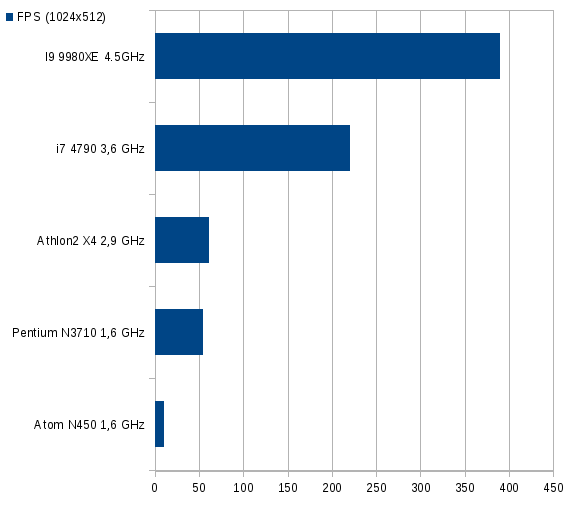
I have bench-marked Maker4D, my own free 3D RPG game maker engine, because i wanted to test how it performs anyway. A 3D battle in game made with Maker4D was bench-marked, with 4 characters in total, in 1024x512 window. Although this is a game engine, it uses software 3D rendering, therefore it doesn't utilizes the graphics card to compute the 3D graphics, so i threat it as a CPU test and not as a traditional gaming test.
First, the Pentium4 CPU was tested, with its second virtual core:
The HyperThreading indeed was faster even here, it helped the renderer to go from 20 fps to 24 fps, pushing it over the limits of relatively fluid frame rates. The 20% performance increase is very impressive from this early virtual dual CPU technology. Lets see the real dual core solutions:
The PentiumD can achieve two times more fps than the single core Pentium4, reaching a constant 40 fps. Maker4D can utilize two cores very efficiently, and the PentiumD can unleash its claws. The 939 version of Athlon64 x2 can only reach 35% only, which is a victory for Intel once again.
The Core2Duo pushes the fps above 50 fps, hovering around 51 fps, showing its superior performance in rendering compared to the previous generations of processors.
The AM2 version of the Athlon64 x2 this time is faster than the older 939 version (probably because when i have designed my software renderer algorithm, i was designed in a way to avoid dirting too much cache memory). It still can't reach the speed of the Pentium 4 based Pentium D, not to mention the Core2Duo.
Cinebench
Normally, i don't do synthetic benchmarks, as those benchmarks don't reflect real-life usability in most cases. A friend asked me to do a Cinebench R15 benchmark anyway, because he was interested to see the end results, as he can easily compare it to his own results. So i agreed to do the testing of this program, but its important to note that Cinebench doesn't reliably measures ray tracing performance. A ray tracer producing this kind of graphics with this quality, should run on multiple frame per seconds, but Cinebench is multiple thousands times slower, and takes minutes to compute a frame on these chips. This means Cinebench lacks the actual optimizations of ray tracer algorithms, the code quality probably resembles the code of absolute beginners, this isn't a professional quality of algorithm for sure, so i am asking other benchmarkers as well, DO NOT use this program for measuring computing performance.
Anyway: lets see how the HyperThreaded Pentium4 performs under this test:
The second virtual core gives a good 15%-20% performance boost, similarly as how other algorithms scale on this Pentium4 based virtual dual core technology. Lets see the real dual-core processors now:
In this software, the Athlon64 based technology runs circles around the Pentium4 based chips, this is probably a very FPU-heavy test. Too bad it has nothing to do with reality. Cinebench shows superior performance for AMD chips, but in real world usage, dual-core Intel processors were significantly faster in every tests so far. Bribed test writers, or application-specific optimizations in the processors?
As we can see, the earlyer Socket939 variation of the Athlon64 x2 outperforms the AM2 variant once again. There is one possible explanation of this, and its the scene acceleration structure of Cinebench, which is unfriendly to the newer Athlon processor's smaller L2 cache. I am surprised Cinebench even uses some kind of acceleration structure, but that would explain the speed drop on the new AM2 model.
The games
Most of the games i have tested, came out after 2007. These games are newer than the processors, but they are within the lifetime of the processors, as people used these hardware actively up to 2013. I haven't checked previously, which one of these games can utilize multiple CPU cores, or which one are limited to one core. The composition of these games should resemble the reality regardless, althrough i found these games very boring and bad. Its a mistery why people played these games, they aren't entertaining. Really. I wanted to test more games, but i haven't found more game demos. As studios stopped releasing demo versions at this time, thinking, people will buy their low quality AAA games anyway. These AAA games are indeed the lowest quality and boring games i have seen in my entire life, i seriously wondering how they even managed to sell a copy from these.
Batman: Arkham Asylum
This game is very CPU demanding for some reason. The game is super boring, it gave me a feeling that its more like some kind of animated film than an actual game. I pulled down the settings to low before i tried to run this game.
The game ran unplayable on the Pentium4 chips, the HT version with virtual dual CPU manages to reach 11 FPS, meanwhile the single core version can only reach 9 fps. This game doesn't looks like its actually using those processor cycles for something useful, its just unoptimized, and super bad.
The Pentium D scaled very well, it reached 22 fps, this however didn't offered a good experience, as the game sometimes fell below this, making the game very unpleasant to enjoy, as the game was not designed to be very enjoyable at low frame-rate.
The Socket939 version of Athlon64 x2 loses against the Pentium D once again. The 19 fps sometimes jumps up to 21 fps, sometimes falls far below. Probably this platform would reach playability with a little overclock and fine tuning in the settings, but this type of experimenting is not the topic of this test for now.
The Core2Duo finally reaches 29 fps, which only falls to 25 fps under heavyer action. We can call this game playable at this point. Impressive performance from the new Intel generation, its around 30-40% faster than the Pentium4 on far smaller clocks, and it also beats AMD into the ground.
The newer AMD2 version of Athlon64 x2 is notably slower than the predecessor, not to mention the Core2Duo it was released against... It only manages to reach 16 fps, which is feels very unplayable in this "game". Once again, the newer Athlon64 lags behind, and the speed deficit is enough to push the game from borderline playability to totally unplayable depths, offering around 40% slower performance than the Core2Duo.
Quake4
The Quake4 uses OpenGL, and its the last game of ID software before it bankrupted. Another totally boring game, that caused the final demise of that corporation. The first scene wants to be very epic, when some house sized meduza alien walks away. This is probably the only feature of this game, otherwise this is a WASD techdemo with guns, that looks like something from 2002. The fps was measured at the meduza alien scene scene.
Quake4 is ugly, but at least its not CPU demanding. It was managed to reach perfectly fluid frame rates on all of the systems above. It seems its unable to utilize multiple cores, as the FPS barely differed between the single core and HyperThreaded Pentium 4 cores, and across the dual core processors whatsoever.
The Socket939 based Athlon64 x2 system was again almost 20% faster than its newer iteration, the AM2 based Athlon64 x2, which predicts a terrifyingly very bad gaming performance from the newer Athlon64 generations. The AM2 variant of the Athlon64 x2 barely manages to keep its nose ahead against the Pentium 4 processors.
The Socket939 based Athlon64 x2, alongside with the Pentium D and the Core2Duo topped out at a solid 63 fps. I have attempted to turn off the vsync, thinking that maybe thats the problem, but it didnt helped to increase the performance any further. Maybe there is some limitation in the engine, or maybe there was something wrong with the graphics drivers. Either way, this three CPU scored a constant 63 fps.
Need for speed: Shift
This game meant to be some kind of epic car racer game with epic camera effects. On startup, you have to skip various camera animations around the car, which the game developers tought to be epic, but they are actually just really boring and lame. The game tries to create the impression like the player is really inside the car, when driving it. It works, but more like an irritating way than an actually enjoyable way. The game is only enjoyable on large monitors, on small ones, the track appears to be too small, and it feels like you watching the game in a mouse-cinema. The developers of this game clearly didn't knew how a game should look like, but at least the graphics looks enjoyable.
The HyperThreading abilities of the Pentium4 giving no speed-up here, despite of the game really supports multi-threading. The game is unplayable on the single core P4 chips, barely reaching 9 fps, and it really requires a more modern processor with at least two real cores.
The Pentium D achieves a solid 25 fps, which sometimes fells below 24, but usually runs above 25 fps, making the game-play totally fluid. This CPU is indeed more than two times faster than its single core variation, offering very good scaling.
The first Socket939 version of the Athlon64 x2 was able to run this game at 26 fps and above, the game felt rock solid and fluid, everything was perfect. This time, this processor was able to beat its Intel counterpart with one fps, this is basically the only real-life test where the Socket393 based Athlon64 x2 was able to keep up the pace with the Pentium D.
The Core2Duo is about 30% faster than the Pentium D, the performance is hovering around 33 fps, making it totally playable even when heavy collisions and action is taking place on the screen. The Core2Duo is once again beating the competitors by huge numbers, showing AMD its place.
We can't say the same from the newer AM2 version of the Athlon64 x2, which was able to achieve only 14 fps, which is almost 50% worse than the performance of the first Athlon64 chips. Its almost 3 times slower than its main competitor, the Core2Duo. At this point, probably the combination of the small L2 cache, the bigger latency of the cheap DDR2 chips, and some sort of strange bug in the branch prediction units resulted unplayable frame rates, the chip can only compete with the single core Pentium4 chips and the game is totally unplayable at this point.
Crysis
But can it run Crysis? Yeah. Sadly, they can. Crysis is merely more than a tech demo, designed to sell their game engine, which isn't even a game engine, just a rendering engine techdemo, fine tuned to render grass, water, and forests. The studio tries to compensate for the lack of story, gameplay with pre-rendered videos, which you can't skip. The game doesn't even looks that nice. Its a mystery what keeps the Crysis and Far Cry franchise alive, beyond irrational fanboyism of some loud but clueless gamers. All of the games look like the same, they lack story, action, and everything that would turn them into a real game. But, lets benchmark it anyway.
The game runs totally playable on a Pentium4, so they at least developed this game engine carefully, to avoid hogging the processors too much. The HT version of the Pentium4 gives a good 10% speed increase, accelerating the game up to 38 fps.
When running the game on real dual core processors, we can see only some minimal speed increase, so Crysis can't really profit too much from the extra cores, the performance of the game engine is however enough on single core systems as well. The Socket 939 version of Athlon64 x2 reaches 40 fps, beating the Pentium4 based machines with a few FPS.
The Pentium D is barely faster than its single core Pentium 4 counterparts, which means that this game is really unable to profit too much from the extra processor cores.
The Core2duo reaching 58 fps, it almost collides to the monitor sync rate, offering a good 25% speed improvement compared to its predecessor, the Pentium D.
The AM2 version of Athlon64 sets a new negative record, its even being beaten by the Pentium4, and compared to the older 939 based model, its about 45% slower. The tiny sized L2 cache with the combination of a flawed branch prediction engine and low quality DDR2 memory modules can be the reason of the anemic performance.
Conclusion:
**Pentium4 HyperThread 524**
The latest Pentium4 chips with the HyperThread virtual dual core technology, are indeed noteworthy. If the motherboard supported this chip, upgrading to the newest HT capable 64 bit Pentium4 processors indeed giving a notable boost in performance. It wasn't helping too much in games, but it gave a nice improvement for office-type of usage, where compressing, rendering, and integer based workloads and browsing the internet can get an extra 15-30% performance from this chip. The chip has about 10-20% overclock potential as well.
**Pentium D 925**
The PentiumD is Intels dual core Pentium4 chip, and is very impressive. AMD Fanboys laughed this chip, but Intel made them to eat their hat. It beat the Athlon64 in almost every real life task from gaming to office type usage. The second chip is giving a 100% performance boost, when its being fully utilized. When running more demanding games, the second core of the Pentium D will help the chip to reach playable or even fluid frame rates, and demanding office software will scale.
The horror stories about the pathetic Pentium4 which boils like a water heater and slower than anything else in the universe is not true, the chip outperformed the equivalent AMD counterparts in basically every test. The chip was not even that hot, with the thin-sized aluminium stock Intel cooler (meant for 60w processors), it was still touchable under full load.
The chip has about 10-20% overclocking potential, if proper cooling is applied (for example, the more thick stock Intel cooler, which was meant for 90w CPUs). The chip can reach 3.3 to 3.6 GHz when overclocked.
**Athlon64 x2 for Socket939**
The instant answer from AMD to the PentiumD and Pentium4 HT was clearly not as brutal as AMD planned. When AMD-s throne was threatened by the newest iterations of Pentium4, the mutant dual core Athlon64 with its large cache memory was enough from AMD to keep up with Intel for a few more months, but the ground slipped out from the feet of AMD. AMD never thought that a Pentium4 based solution will force them on its knees, and its happened out of the blue. This chip gave enough time for AMD to prepare the launch of the new generation of the family.
The overclock potential of this chip is about 5-10%, so its not too high, the 2.2 GHz model can reach about 2.4 or 2.5 GHz.
**Core2Duo**
The Core2Duo was Intels new chip, this time focusing on stronger IPC and it was based on Intels earlier superscalar designs. The chip is a success, Intel was able to beat AMDs Socket 939 based Athlon64 solutions, and it was able to beats its own PentiumD chip by 20-30%. On the same clock speeds, its almost twice as fast as the Pentium D, which meant that this chip had very good potential, as this chip only runs on 1.86 GHz, yet it offers this brutal performance.
The overclock potential of this chip is about 30%, despite of running at 1.86 GHz at stock, it can easily reach 2.4-2.5 GHz on stock voltage.
**Athlon64 x2 for AM2**
This chip is bad. Its full of hardware bugs, it was released against the Core2Duo, but both its predecessor, the Socket 939 based Athlon64 x2, and the Pentium D also beats it. Just within months, AMD lost its throne and its leading role on the CPU market, and was forced to compete with this very weak solution. Beginning from this point in the history, AMD was not able to offer any CPU for the high-end market for more than 10 years.
The overclocking potential of this chip is about 20-25% without rising the voltage, but trying to find proper memory modules for it is also necessary to get more usable performance from it, due to the tiny cache sizes.
Summary
Pentium3 computer from the hell
In the early 2000s, computer technology continued to develop rapidly. The Socket7 based computers became old, and they got exiled to the entry level, after significant upgrades. Most of the office programs, tools for work, production, continued to work properly on Socket7 based computers, however, the new video games and entertainment-related software started to suffer on those. Both Intel and AMD released chips above 1 GHz, and the new stuff was optimized for those speeds. The new graphics drivers released by nVidia and ATi didnt worked properly on older processors any more, significant stuttering in games began on pre-2000s computers with new drivers and graphics cards. Microsoft released the Windows XP, which was also more power-hungry, and decreased the performance a tiny bit in most cases. The new video games, and new generation of software were optimized for the new Pentium4 and AMD Athlon XP processors. There was just one problem with the new P4 and Athlon platforms: the price. Masses were not able to afford them. The mid range had a vacuum, and despite the attempts of AMD and Intel, they was not able to fill the market gap.
Significant changes in 2003
Within one or two years, from 1 GByte HDDs, we reached 20-30 GByte hard disks. From the 32 or 64 MByte memory, we went typically to 256 MByte, or more. Not so long after the Intel Pentium 4 and AMD Athlon / AthlonXP got released on the millenium, they started to compete against each other to reach 2 GHz. The lower clocked models were repositioned in the mid-range, however, they was still too expensive for the mid-range pocket. These processors have really offered a magnitude faster speed than the 300-400 MHz processors from the previous era. But every incarnations of the new AthlonXP and Pentium4 processors were too expensive. The processors were not just too expensive themself, but they also required new motherboards with new sockets and coolers. This meant that both the Pentium4 and Athlon/AthlonXP computers ended up in the high-end market in reality, even if they have tried to release one or two models for the low-end.
The Pentium3 gets phased out
In the same time, the final revisions of the Pentium3 chips based on the Tualatin core were aging, however they were still too expensive and was only manufactured in smaller quantities. Older Pentium2, Celeron, and Pentium3 designs around 333-400 MHz didnt offered significant speed improvements compared to Socket7 based Pentium1, AMD, and Cyrix chips. The former mid-range Celerons also got dwarfed by the new AthlonXP and Pentium4 procesors. The early AMD based K7 (Athlon) chips and early Pentium4 configurations were never reached the market in greater numbers, therefore it was nearly impossible to find them on the second-hand market as well. This meant that the mid-range had no solutions. The scissor between the low-end and high-end opened widely. An entry level tuning Socket7 computer was available for $10-$20, a high-end AthlonXP was available for $300, and basically nothing in between.
People try to find the new mid-range
The attention of people turned to the former Pentium2/Pentium3 and Celeron based computers, with Slot 1/Socket370 connector. These computers were made around 1998-1999 in large numbers, and a few years ago, these were the high-end and migrange solutions. The prices of these fell quickly, because the speed benefits compared to a properly configured Socket7 computers were very tiny. The older motherboards for this architecture offered no compatibility with the newest processors for the platform (so the newest Pentium3 processors were not compatible with an early Pentium3 motherboard). These P2/Celeron-based motherboards usually supported up to 30 GByte hard disks, they typically supported up to 256 or 384 MByte memory. These motherboards had a Socket 370 or a Slot-1 connector for early Celerons, and CPUs clocked from 300 MHz to typically 400 MHz. They usually had a 2x AGP slot. The Pentium2 processors were also using the Slot-1, and typically using this 266-333 MHz speed range. The early Pentium3 (Katmai) processors were scaling typically up to 450 MHz (faster models were also released later, in smaller numbers), and were usually backwards compatible with this era of motherboards. Large quantities were made from these Slot 1/Socket370 motherboards and Celeron processors for OEM builds, and in the early 2000s they got replaced by newer generations of Socket370 based Pentium3 and Celeron processors. Those chips still had Socket 370 pinout, however they were not backwards compatible, and required new generation of motherboards with different chipsets (typically with AGP 4x, stronger VRM, support for 1+ GHz clock speeds). This meant the mass availibility of older Slot1 and Socket 370 based computers in the early 2000s, and people who wanted something more powerful than Socket7 based Pentium1, Cyrix and K6/2 machines, but had no money to buy the newest shiny AthlonXP and Pentium4 configurations, got an opportunity to get something. But were these enough to be usable with the new era of applications?
The new mid-range is crystallizing
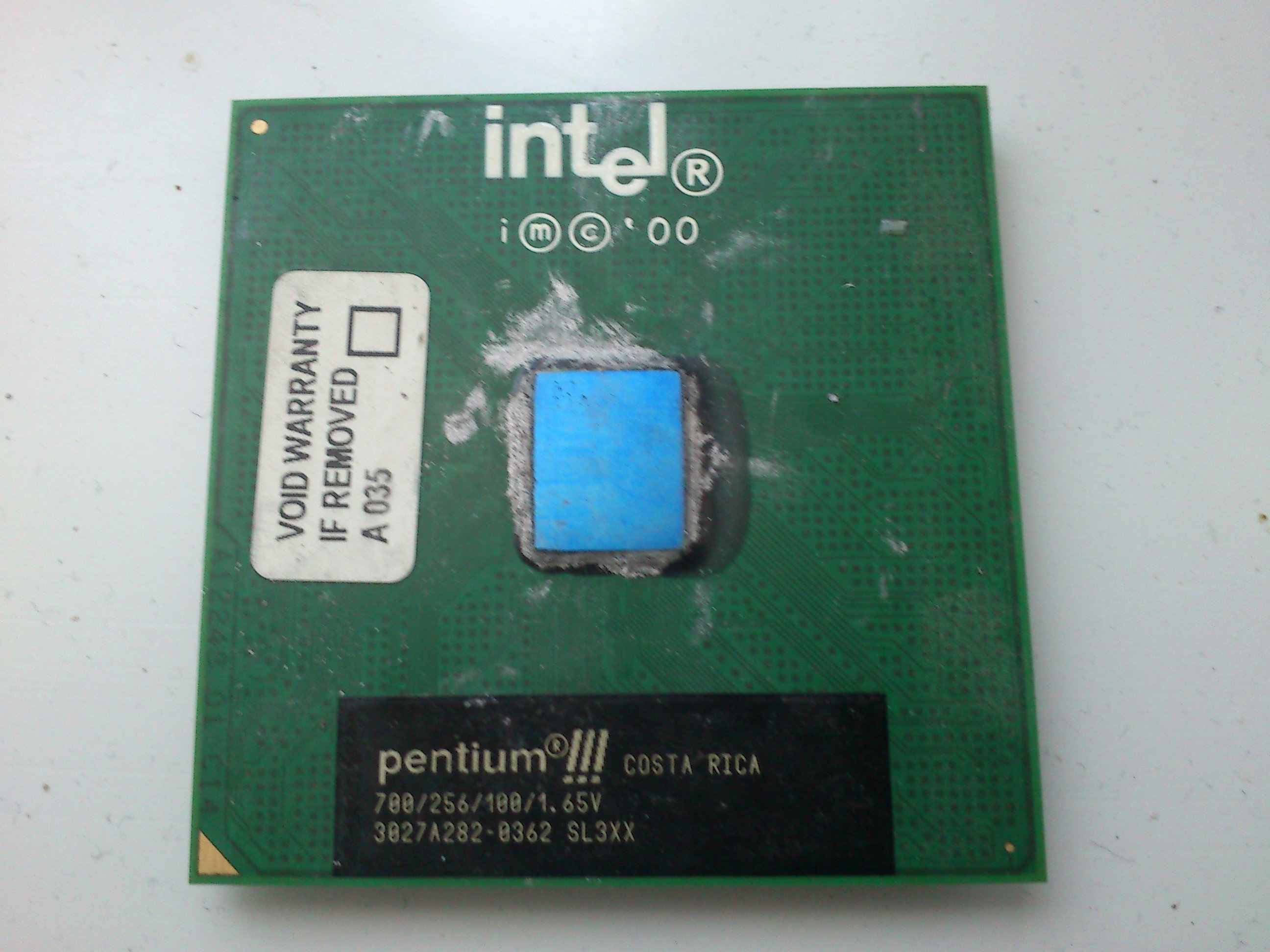
So basically after 2001-2002, the first generation of Socket 370/Slot-1 motherboards became available for $10-ish price ranges (please note: $10 in 2002 value is not equals to $10 now). The Slot-1 motherboards were able to accept Pentium2 processors, the early Pentium3 processors code-named Katmai (up to 500 MHz or 600 with bios upgrade). They also accepted the early Slot-1 Celerons (up to 300 MHz), and the upgraded Celerons (Medocino-core) typically at 400 MHz (with a slotket adapter). However, new generations of Pentium3 and Celeron chips appeared as well. One was the new Coppermine based Pentium3, typically up to 800 MHz, and Coppermine based celerons up to 1.1 GHz. They have released these chips both in Slot-1 and Socket 370 format. These use different steppings, revisions, FSB speeds, but it turned out that the slower models of these are sometimes worked properly in the older Socket 370/Slot-1 motherboards as well, after a BIOS upgrade on the motherboard. The newest Tualatin based Pentium3 processors were not working in the older generations of Pentium3 motherboards, but the price of those didnt decreased anyway. The price of a 700 MHz Pentium3 processor with 100 MHz FSB were about 10$.
*picture: Celeron 400 MHz*
The price of a 400 MHz Celeron processor was about $3 by 2002, so you usually got one with the motherboard you bought. These Celerons turned out to be greatly overclockable, the 400 MHz models were able to reach 550 MHz or sometimes even more. If the motherboard is a Slot-1 only model, and it can't handle Coppermine based processors, Socket 370 based Coppermine processors can be operated in them with Slotket adapters (slot to socket adapter). If this isnt an option either, then the older Katmai based Pentium3 processors will still work in them, and if the motherboard supports FSB settings above 100 MHz, the 450 and 500 MHz models were up to 550 or 600 MHz, the faster ones to 650 MHz. When these Celerons are compared to Pentium1 and AMD K6/2 processors with pre-2000s video cards with old drivers, old games, and old programs under Windows98, they were indeed faster. However the new era with the new video cards, new operating systems (Windows XP) and new programs was here, and those demanded far more than this by default.
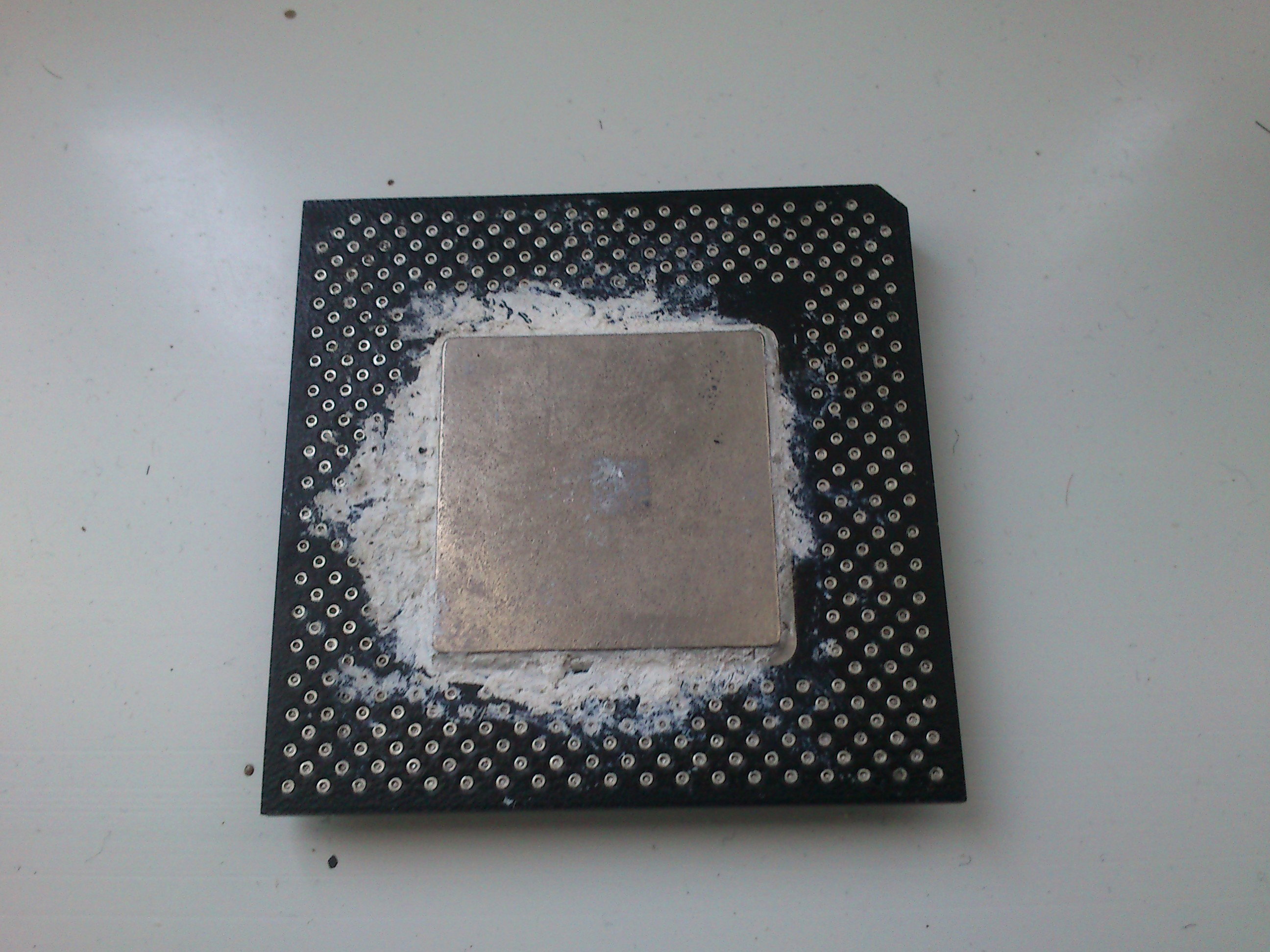
*Picture: Pentium 3 , 700 MHz*
The specifications of the new wannabee mid-range
By 2002-2003, a typical user was able to have a computer based on this old Celeron based junk with Socket 370 or Slot-1. As previously mentioned, the early Socket 370 Celeron and Pentium3 processors were also usable in Slot-1 motherboards with an adapter called Slotket. Some motherboards have both the Slot-1 and the Socket 370 socket integrated on them, so they can accept both processors (not in the same time tho, but dual processor solutions also existing for both the Slot-1 and Socket370 platform). Sometimes, you have to use a Slotket adapter for the higher clocked Socket370 based Pentium3 processors, even if you have a Socket370 socket on the motherboard, because its not compatible.
*Picture: Slotket adapter*
Anyway, the price of the motherboard with a highly overclockable 400 MHz processor, and cooler was typically around $10-$15 on second hand markets, and the markets were filled with these. A Pentium3 was about another $10 second-hand. The price of three 64 MByte memory modules was about $30 even for brand new. After putting one or two 20 GByte hard disks, a DVD drive and a CD burner, and an old OEM nVidia TNT2 or ATi Radeon 7000 video card, the entire computer was still below $100. Which was not super cheap, back then $100 was almost three weeks of my salary as a factory worker. But certainly cheaper than the new AthlonXP processor, which was $100-150 alone (and the older ones from those generation were just simply unavailable on the user markets). But was this really a mid-range computer, or these users scammed themself?
The specimen of this test
In the test, i will feature an ECS P6BAT-A+ motherboard. This a typical crap from the era. Originally, a friend used it from 2001. It has both a Slot-1 and a Socket 370 connector on it. Originally it was designed to be compatible with the slot-1 Pentium2 and the first slot-1 Pentium3 processors, and the first and second generation of Celerons. With later bios, they are compatible with the second generation of Pentium3 (Coppermine) processors, and maybe even with the third generation of Celeron processors. But back then it was only used with a 400 MHz Celeron potato. He got it with broken battery socket. Later on, i bought it from him, and used it up to the end of 2004 with the original 400 MHz Celeron processor, which i overclocked to 500 MHz. Since then, it was in a shed. The traces to the USB port damaged on it from an accident, but otherwise it still works. Originally, i have used it with an overclocked Celeron. Now it will be also tested with a Pentium3, to find out once and for all, how much upgrading to a Pentium3 would have changed the things (which i didn't do back then, as i have used some enormous money to upgrade to the AMD K7 platform instead - which was probably a mistake, and i should have went with a cheap P3 instead).
*Picture: ECS P6BAT-A+*
The Pentium3 from the hell
This motherboard is super buggy. Not just because i have managed to shred the USB, its super bad to begin with. Therefore, its an ideal specimen to show this era. First i have tried to use the motherboard with a 64 and 32 MByte memory module, which worked, but when i have added a third memory module, it became unstable. Windows XP tends to be super sluggish with 128 MByte memory, so i wanted to add at least 160 MBytes of RAM, or 192 MByte if possible, therefore i wanted to utilize all three memory slots. I tought the third memory slot were damaged, but actually if i took out any of the memory modules, the system became stable again. I have tried 64+64 MByte ram, which worked nice. The random 256 MByte memory modules i have tried, caused crashes. I have tried 64+64+64 MByte, which caused CRC errors when reading the disc drives, even if i disabled DMA, and eventually, it caused system crash. After a total 8 hours of trying all of my memory modules, i have found out that using 64+64+128 MByte memory sticks would work without CRC errors, and the computer becamse totally stable, giving me a total of 256 MByte RAM to be used. Under Linux, of course every combination worked, so the bug is in the chipset drivers of Windows XP which was not fixed ever, and only works with certain variation of memory sticks. This kind of malfunctioning is unheard from even the earlier designs, and these kind of problems driving people crazy. Only 100 MHz ram sticks were working properly, the memory sticks rated for 133 MHz caused problems even if the official specifications for my board (revision 2.2) supports it on paper. I remember using this motherboard with 128+128Mbyte memory modules, maybe it could somehow work with 3x128, giving a total 384 MByte RAM, but i dont have more than one 128 MByte modules to test that.
Exploding power supplies
The Socket7 systems were still usually used the older AT standard power supplies, the Socket 370 and Slot-1 systems switched to the new ATX standard. The first generation of these power supplies were super bad. The power supplies rated to 200W-300W were usually only able to deliver 100W. They were also prone to failure, if the chip exploded in them, they overvolted the outputs, killing the components in the computer. Codegen, JNC were notorius, and we even had a Hungarian brand of power supply which somehow always ended up outputting 10v more than it should, killing all the components in the computer. The root of the problem was the fact that the shady manufacturers designed these computers to run cheap oem computers with Celerons, at 50-60w of power consumption at maximum, and the power supplies were not able to tolerate if people put a stronger video card with a strong processor, or two or more hard disks in the computer for a long time.
Crappy coolers
The coolers were designed for Celeron, so it was tricky to find a cooler that seats properly even on a Pentium3. The first attempt turned out to be bent sideways, which meant it didnt cooled the chip, only the sides of the chip. This resulted crash after a few minutes of usage. Luckily i have noticed the problem before hammering it with an axe. After trying several other coolers, i fould one that i was able to position in a way where its mostly parallel to the chip, so it can cool it (this was an old crappy celeron cooler, which i had to mount the opposite way as it was intended to). As fan, i have used a fan i took from an old mobile rack, its barely moving any air, but the system was stable with it, the ghetto cooler assembly was indeed hot, but not too hot.
Components
I have used a 14 GByte hard disk, a DVD drive, and 256 MByte RAM in configuration i have explained above. For graphics, a GeForce FX 5200 with 64 MByte VRAM was used. These are peroid correct, although people used these with a variation of older or newer cards as well, from Voodoo3 to Matrox G450, from TNT2 to GeForce4 MX440, Radeon 7000, Radeon 9000, or Radeon 9250. I have choosen the FX5200 because its the first card that works properly from Windows XP (the drivers for MX440 and TNT2 were super crappy, and basically everything crashed). As a second-hand card, the FX5200 was about $35 in 2003. In our previous test, i have explained that nVidia cards and drivers released after 1998 required faster processors, so they was quite unusable in Socket7. We will see if this is an issue here, and will the nVidia drivers have issues with a Celeron at 400 MHz or above, or not. As sound card, the integrated sound card will be used, as this era of motherboards usually already had integrated sound cards on it. The 256 MByte RAM i will use is acceptible for the era, on paper the motherboard supports 768 MByte at max, but to be more realistic, nothing above 256 MByte would work reliably in this board anyway as it was previously explained.
The Celeron 400 MHz processor
The most important aspect of this review is the processor itself. I will use two widely available processor in the test. First, an original 400 MHz Celeron which was typically available with these motherboards. These Celerons are good overclockers. The FSB of the processors are 66 MHz, which will be adjusted to 83 MHz, giving 500 MHz speed, and giving some extra performance for the memory subsystem as well. These processors sometimes support speeds up to 575 MHz, the specimen i have is however bad in overclocking (thats why i kept it - i sold the more overclockable units back then) and as this motherboard doesnt supports too much FSB settings, so the overclock will be limited to 500 MHz for now (with 83 MHz FSB).
The Pentium3 700 MHz processor
The Pentium3 CPU i had in a box is 700 MHz. I jokingly inserted it to the motherboard, expected it not to work - imagine my face when it booted up, and worked without issues! Indeed, the Coppermine based Pentium3 processors with 100 MHz FSB are usually supported in these motherboards (both the Socket370 and Slot-1 models). These boards support them usually up to 650 or 700 MHz. Bigger clocked Celeron and Pentium3 processors are available as well, but they will usually not work. I will also test, if the 700 MHz Pentium3 CPU can be also overclocked to 784 MHz by adjusting the FSB from 100 MHz to 112 MHz, which will definietly push the system to its knees, in regards of the memory speed, cooler performance, and the power envelope of the motherboards VRM.
What results to expect
The Pentium3 will be faster than the Celeron CPU on the same clock speeds, due to the bigger L2 cache. Also, the clock speed of the Pentium3 is bigger than the Celeron in this test, and the FSB also will help the Pentium3. But will be this help enough, to have the performance to run games and software from 2003-2004? In the test, multimedia-related tasks will be also benchmarked, in regards of audio and decoding and encoding. Will it be really a mid-range solution of the era, or will it struggle similarly to the Socket7 machines? The CPU is not the only limiting factor: the AGP 2x is another problem, which was only upgraded to AGP 4x in later Socket 370 motherboards. The 66-83 MHz memory clock speed for the Celeron processor will hog the system significantly.
Configuration:
Motherboard: ECS P6BAT-A+ rev 2.2
CPU: Celeron 400 MHz / Pentium3 700 MHz
Memory: 256 MByte SD-RAM 100 (64+64+128)
Video card: nVidia TNT2 Pro 32MB AGP
Storage: 14GB IDE + DVD drive
The Celeron 300 MHz
On the picture, a TNT2 Pro can be seen, i originally wanted to carry out the test with that card, but the XP drivers was super buggy, and none of the games started. I swapped it out to the GeForceFX 5200 instead.
Multimedia
At first, i opened an mpeg video. The resolution if the video was standard 720x480. I have used VLC media player to display the video. The video was playing, however, it didnt reached 25 fps. There was notable frame skips, and it turned out, that the video was playing with around 21 fps. This was not too bad, but it was a little bit irritating.
After this, i have transcoded an mp3 file. The mp3 file i was transcoded is 感傷的な声 (feat. Hatsune Miku).mp3 and i have used the original Lame encoder to do the transcoding. The transcoding took 134 seconds.
Gaming
To benchmark gaming, i have used the old video games i was playing around 2004. Colin Mcrae Rally 3 was not too popular, but i was interested in this game for some reason. Tony Hawks Underground 2 was a later game, a sequel to the awesome Tony Hawks Pro Skater 2 game. The Underground 2 was actually much better, allowing you to construct and costumise your own characters, who they were able to compete. I loved this game, i played it sometimes in the school in breaks. Duke Nukem Manhattan Forever is a crappy side-viewed game, which i have choosen because its certainly a new era game, and it was moving like a slideshow on my old Cyrix. I was curious, if the Celeron and the P3 can offer something better than that. Unreal Tournament 2003 was something that was even running at 24 fps with the Cyrix with the TNT video card, but with these newer video cards and operating systems, will the Celeron be strong enough to run this game, or not?
Maker4D is my own game engine, and i have decided to try it out on this configuration as well, as i haven't tested it yet on these era of machines anyway. Warcraft3 was a strategy game with orks, elfs, and humans. I remember playing it in late 2003, but i wasn't impressed by this game. Its was very boring compared to the Warcraft2, and the controls were crappy. I remember barely being able to play it on the Celeron, we will see what will it be able to do. F22 lightning3 is a combat aircraft simulator, which i mostly used to play against other online enemies (this was the first game i usually played online). The game is very entertaining, you can have two types of rockets and a bomb, but its more like an arcade game than an actual simulator, as there is no complex damage system or control system. And finally, F1-2002 which is a giant resource hog, its a mystery for my, how they get away with such a large system demand.
Lets see the results on the Celeron with 400 MHz:
I can't find the words to describe my disappointment in the wanabe mid-range Celeron 400 MHz configuration. None of the games were running even remotely usable. The Celeron 400 MHz paired with the FX5200 was performing the same as the old Cyrix 250 MHz with the TNT1 with its peroid-correct drivers. In some cases, its even worse: on the Cyrix, the UT2003 was running above 22 fps, and here it was only able to manage 16 fps. This is indeed not a midrange performance, its worse than what a Pentium1 computer can offer with its peroid correct drivers. Some older games didnt even started any more, which were running fine on the older Pentium1 based computers (such as 1nsane). Every game was just pure stuttering, the THPSU2 was totally unplayable, You were not even able to keep the car on the track in Colin Mcrae3, and it was even hard to navigate in Warcraft3.
The Celeron 400 was massacred even by the low end Pentium1 computers, althrough its super important to note that under Windows 98, with much older graphics cards and drivers, it would been performed significantly better than this. However, in this article, we are testing if this system is able to deliver the promised mid-range performane of the early 2000s, and it indeed isn't.
Desperate attempts to overclock
After these alarming results, i went to the bios to check what can be done. Of course i have previously disabled the USB port, the COM and LPT ports, so those cant hog the speed too much. I went to the clock settings, and checked the available FSB speeds to overclock the Celeron. Besides the standard 66 MHz FSB, i was able to select 75 MHz and 83 MHz. By selecting 83 MHz base clock, the system booted up at 500 MHz, and it worked without problems. Some motherboards allows more FSB options to be selected, also allowing 85 or 90 MHz FSB for a more fine tuned overclocking, but the 500 MHz should do the trick here.
Celeron 500 Mhz
After i verified the system is stable, i started the 720x480 video playaback, which, this time, had no frame skips. There was however cases, when the frame rate was not stable, and a frame felt a little slow, however it always catched up in the next frame. Indeed, the frame rate got measured above 24 frames per seconds, which means that the playback was now totally fluid. Both in windowed mode, and both in fullscreen. Its important to note that under older software environments, usually 400 MHz CPU considered to be enough for DVD quality MPEG playback (including of course the playback of an actual DVD movie). However, when using newer operating systems, video cards, and software from the early 2000s, this 400 MHz limit is being pushed up to 500 MHz.
The overclocked Celeron was able to transcode the mp3 within 107 seconds, which is a 28% improvement, which is actually more than the 25% we overclocked on the system. Its important to note that when overclocking with the FSB, then both the memory, the CPU, the AGP and PCI slots are being overclocked at the same time, which allowed this system to undergo on a full linear scaling with multimedia. Lets see, if these results translating into real-world gaming results.
Indeed, the overclock translated linearly into greater nubmer of FPS. This meant that now the 500 MHz overclocked Celeron finally reached and exceeded the effective performance of an old Pentium1 Win9x system, despite of the newer drivers and operating systems which are hogging the system very badly. At 500 MHz, the Celeron was able to drive out the performance from the rest of our hardware, but the magic is still far beyond, and this is not a midrange performance by any means.
Unreal Tournament 2003 and Warcraft3 finally reached playability. F22 Lightning3 however still stutters, and its not a good experience to play the game. F1-2002 is still totally unplayable. Duke Nukem Manhattan project reaching the edge of playability, but its still a shitshow when the action is arriving. Tony Hawks and Collin Mcrae3 is still totally unplayable, especially where physics are involved.
The second-gen Celeron experience
In this motherboard, i can't overclock this Celeron any further. In motherboards, where the FSB can be set more freely, the Celeron can be overclocked to about 550 MHz. At that clock rate, the Celeron would reach more fluid frame rates in Warcraft3, UT2003, and in Manhattan Project. It will however, not reach real frame rates in the real 2000s games, such as F1-2002, THPSU2, and the Celeron just simply cant start some of the games which i was trying to run (these games will be mentioned later on).
Haha! You got scammed!
If you bought a Celeron based computer in the early 2000s, thinking it will give you mid-range performance with its 500 or 550 MHz clock speeds, you got scammed.
The Celeron was indeed able to run some modern multimedia workloads in Windows XP with modern video card at an acceptable performance, such as mpeg/dvd playback, or mp3 transcoding, it was not able to give an enjoyable gaming experience. As most of these early motherboards don't have too much settings to mess with the FSB, the 400 MHz Celeron is a super bad idea, as it can be only overclocked to 500 MHz, which just one or two fps behind playability of even the simplest games. The real games from early 2000s will not start on this system, or the frame rates will be single digit. The older games will either not start, or will require Windows98 with dinosauric old drivers. So with the Celeron, you succesfully bought a system which can't run the older games, and can't run the newer games. Basically an useless solution. If you was lucky enough to put your hands to a 433 MHz model, that can be overclocked to 544 MHz by setting the FSB to 83 MHz, which will probably allow you to get smoother FPS in the simpler games which are already close in the playability, but this architecture basically dies at this point, and will bring you nowhere. Unless you are willing to put back your Voodoo3 and play your old games with old drivers under Windows98, the performance is approximately similar to your older Socket7 system.
Okay, now lets see the Pentium3 700 MHz
The Celeron failed miserably, and now its up to the Pentium3 to save our ass. The Pentium3 i was able to find, is a 700 MHz model, with 100 MHz FSB. The motherboard supports this with the latest BIOS. This is the strongest CPU the board supports, althrough it also lists the 733 MHz Pentium3 model, with 133 MHz FSB (which was more problematic, because the 100 MHz memory was more popular). Initially, i didnt even checked this, just randomly popped the CPU into the socket, and turned the computer on.
Whoah, it worked! For a few minutes, and then it crashed. It turned out that the heatsink was not straight on the chip. The Pentium3 has different packaging than the original Celeron, so it could be tricky to find a cooler for it. I had to put mine up in the opposite direction, and push it to the side to sit straight on the chip. After this, the operating system booted without problems, and the processor was detected correctly. The early Coppermine based Pentium3 chip was indeed running in the crappy motherboard designed for Celerons, and it was even outputting less heat than the original Celeron. Perfect, because the cooling is flaky anyway.
Pentium3 and the multimedia
The mpeg video playback went without problems. The MP3 transcoding finished within 67 seconds. This is about 60% faster than the results of the Celeron 500, meanwhile the clock speed is only 40% larger. This is due to the larger cache memory of the Pentium3, which helps a lot under some algorithms. The Pentium3 also uses 100 MHz FSB - the memory on 100 MHz is indeed faster than the memory on 66 or 83 MHz, which allows linear scaling. The Pentium3 was also notably cooler compared to the older Celeron, when performing these tasks, it seems the P3 also consumes less electricity.
Pentium3 and gaming
At this point, i didn't expected too much from the Pentium3, maybe just an extra 2 or 3 FPS compared to the Celerons, so i started up the games one by one, i was sure that the performance will disappoint me. The first game i was starting up, was the Collin Mcrae Rally 3. This is how it went:
**HOLY_SHIT**! My jaw dropped, the game ran at 21 fps. It was more or less playable, sometimes the fps dropped below 19 but otherwise it was running above 21 fps, sometimes reaching 22-23. Now we are talking. The plot is taking a twist at this point, i didn't expected this significant speed increase from the Pentium3, but it was indeed there. This game was on the limits of playability.
In Tony Hawk's Underground 2, the previously mentioned miracolous performance were gone. This game was a giant cult game (at least at my area) and its such a shame that its running so crappy on the configuration. This game is indeed not playable, barely able to manage 12 fps in general.
In Warcraft3, the Pentium3 gave a good 33% performance boost compared to the Celeron 500 MHz. This is enough to make the game fluid. Sadly, not enough to make the game good, it still a very bad game. Jokes aside, the Pentium3 really pushed some of the games to playability, or it allowed them to reach fluid gameplay.
The Pentium3 was able to start two more games. MotoGP was basically fluid, if there was not too much racers on the screen. Flatout, another race car game, which was refusing to run on Celeron, was around 15-16 fps when a lot of cars were present, and above 20 fps, when there was not too much cars nearby. By looking at the graph, we can see that the Pentium3 was able to boost our frame rates significantly. In Duke Nukem Manhattan Project, we jumped to 30 fps. F22 Lightning3 didn't reached full playability, but it felt more playable, and after take off, the frame rate approached fluid frame rates. F1-2002 didn't increased any more in speed, that game is very likely needs a motherboard with AGP4x, or at least it would use a big overclock of the FSB too boost the AGP clock upwards a bit. Therefore, i decided that the time is arrived to overclock the Pentium3.
Pentium3 and overclocking
In the bios, i was able to select various FSB speeds above 100 MHz. 103 MHz was the first step, then 112 MHz followed, and then finally, 133 MHz was the last step. I have selected 112 MHz, which gave 780 MHz, however, caused a crash when booting up the system. I have removed the memory, and added a 133 MHz module, but the system crashed before booting up. I went back to the bios, and tried to rise the voltage. The Pentium3 uses 1.7v by default, so i gave 1.8v, but the operating system still crashed. Then i decided to do the opposite: i have lowered the voltage (i was thinking on lowering the heat output by this) to 1.5v. The operating system crashed again. I have put up the previous set of rams, and set the FSB speed to 103 MHz. This barely makes any difference, and it results in 720 MHz system speed. I am sad they didnt added 108 MHz as that would probably been worked, and would have resulted an AGP clock above 70 MHz, giving some more bandwidth for the video card. Maybe a 650 MHz Pentium3 would be a luckyer choice, as that would maybe do the 112 MHz FSB at 728 MHz, giving an extra FPS. Then i desperately searched for more settings in the bios. I was able to force the memory timings from 10cl to 8cl and some vaguely defined latency value from 3 to 2. This indeed gave an extra FPS. Messing with nVidia drivers (trying older ones) gave another extra fps, allowing the games to stay in the fluid playability range with more scenes in the games when the system is on the limits.
Now i have the answers
If someone bought an 500 or 550 MHz Celeron as a mid-range computer in the early 2000s, then he got scammed, unless he understood that he must upgrade the CPU to a Coppermine based Pentium3. These early Celerons was not capable of offering a mid-range experience in gaming, especially not under Windows XP, where with combined with the latest video cards, drivers, and software, they are even slower than the Pentium1MMX based machines from years before. HOWEVER. The older Celeron and P2 based computers can indeed be converted to mid-range - but its the very bottom of the mid-range. Adding a Pentium3 processor and sightly overclocking it, fine-tuning the settings, trying to get the oldest possible drivers will help, and make the games playable. However, there will be games that stay in the totally unplayable range. In the same time, i am glad i bought the AthlonXP, because that indeed offers a superior performance compared to this, not just due to its raw muscular performance, but also thanks to the AGP 4x and the more advanced memory controller.
But P3 is faster than P4 on the same clock speeds HURR DURR
The Pentium3 is not faster than the Pentium4 on the same clock speeds, despite of the common misbeliefs spread by testers with inaccurate tests. The last iterations of Tualatin based Pentium3 processors are faster than the Pentium4 in some programs, and they are slower in other programs. The Tualatin based Pentium3 chips were Intels answer to the AMD Athlon. When AMD processors exceeded 1 GHz, and they started to offer modern and good quality motherboards with AGP4x and more advanced memory controllers, Intel had to do something against it. The Tualatin based Pentium3 was the answeer for the Athlon. And to compete with AMD, they had to manufacture a giant mutant chip with a brutal 512k L2 cache, which was expensive to manufacture, had a low yield ratio, Intel had to manually sort the few specimens capable of high clock speeds. So the Tualatin based Pentium3 basically doesn't exist, the few pieces sold for the high-end market never reached the masses, and when they did, people was just not able to use them, because they needed special motherboards, designed for the Tualatin based P3 processors. The Tualatin Pentium3 processors were not compatible even with the rest of the high-end Pentium3 motherboards, and they were obviously not compatible with the motherboards listed here. The motherboards for Tualatin used new chipsets with modern memory controller, AGP 4x, enstrenghted VRM and power delivery circuits for the new power hungry chips. They never reached the market in notable quantities, it was an economic disaster for Intel, but they had to manufacture them in some quantities to avoid face loss against the Athlon.
How about the more high-end Pentium3 processors
There was a high-end line of Coppermine based Pentium3 processors and compatible motherboards, released in the first months of 2000. These high-end motherboards used the newest Intel chipset with AGP4x, more advanced memory controller and IO system, allowing newer generations of Coppermine based Pentium3 chips around 1 GHz, and new iterations of Celerons up to 1.1 GHz. These processors were incompatible with the older Pentium3 motherboards, and they were still relatively new, so people didn't yet started to sell them in 2003 or 2004 in notable quantities. If they did, it was almost as expensive as an Athlon, and it wouldn't have made too much sense to buy one, as for example, the early Socket-A Athlon based systems had a straight upgrade path up to 2 GHz sometimes even with the more modern DDR memory interface.
Summary
The early Celeron and Pentium2 boards upgraded with a Pentium3 processor could be considered as mid-range solutions in the early 2000s, if the platform was pushed to its limits. However the speed is still more close to the Pentium1 than to the new Athlon XP and Pentium4 architecture, despite of the common beliefs. To make them a worthy mid-range solution, however, they had to be fine-tuned in bios, a tiny-bit overclocked, the board had to be packed full with older memory modules, and the newest GeForce FX graphics cards had to be bought to be able to play modern games under Windows XP. If someone bought some 400 MHz-ish Celeron, thinking he will brutally overclock it to reach a good mid-range experience, ended up in disappointment. To find a modern analogy, imagine buying a Core2Duo based platform, and trying to upgrade the cpu to a Core2Quad based Xeon, after upgrading to random bios and doing shady modifications on the slot.
Long distance WiFi: how (not) to build one
Recently i started to prepare against internet outage. My goal was to keep in touch with my friends from my area. The most logical step was to create a WiFi based network. Therefore, i have decided to build a long distance WiFi network by using cheap junk hardware. In this article, i will explain how it went, why certain solutions failed, and what is the proper strategy to carry out this plan.
How we did networking in the early 2000s
In the early 2000s, long time before unlimited internet access was a thing, the internet connections were limited by a monthly 300-400 MByte traffic limits. This was too small even by then, even if someone just wanted to browse news sites (even if websites back then was only using 1-2 MByte traffic maximum per page). However, internal traffic was free, therefore people within the same ISP was able to send data to each other without limitations. By using software such as IRC, DCC, DC++, people was able to chat to each other, organize events, and exchange pictures, music, movies, and other type of data to each other. Every city and area had its own servers, where people were able to gather. This era ended by the appearance of the virtually unlimited internet traffic era after 2007.
Its crucial to have a fallback
People take internet for granted, however, its wise to have a backup plan how to keep the connection with local friends in your area in the case of a larger internet breakdown, or a natural disaster. This maybe sounds strange from the aspect of a modern era - where people might not even know their neighbors, and trying not to reveal themself in online chatting. However, if there is no internet access, people will have to connect to each other, if they want to exchange information. In the case of difficulties, it could be necessary to maintain a local network, where your friends can connect, and where everyone can communicate to each other easily. The same type of software showcased above (irc, dcc, dc++) can be easily used for this communication, but more smartphone-centric solutions also exist - some don't even requires a central server to run. In this article, however, the software side of the things will not be discussed, and only the hardware side of the things will be investigated.
First thoughts
The hardware used for modern communication networks, is WiFi (Wi-Fi). From the smartphone to the computer, through smart TV and household appliances, they use a WiFi network to communicate to each other. WiFi has various implementations, versions, but the newer ones are always backwards compatible with the older ones. As WiFi is an integrated and widely used method for communication, its logical to use that for a project like this.
Various forms of WiFi
WiFi can communicate at 2.4 GHz and on the 5 GHz range. The WiFi first used the 2.4 GHz frequency, and later on, they have added an 5 GHz variation to it. The problem with the 5 GHz frequency is that higher rated frequencies travel less further, so an 5 GHz Wi-Fi can achieve less distance from the same power envelope. The 802.11b is the 2.4 GHz variation of WiFi, and everything is compatible with it. 802.11a is the 5 GHz variation of WiFi. Later on, they have added various other standards which increase the data bandwidth both for the 2.4 GHz and the 5 GHz variation, called WiFi 802.11g and 802.11n. In this test, i will use the 802.11b for maximal compatibility, at the basic 11 MBit/sec standard rate (limited to 1 MBPS symbol rate for maximal distance and compatibility).
Drawbacks of WiFi
WiFi is primarily a centralized protocol. The center of a WiFi network is a device with strong antennas - typically a WiFi capable router. Each of the devices connect to this WiFi network, and then every communication is going through this WiFi device. The two WiFi device cant directly send data to each other on a hardware level, the connections are always handled by the WiFi router. The protocoll could be modified to have a more decentralized WiFi network in theory, however there are no steardy and standardized implementations of anything like that so far, therefore any attempts for this project must follow the original, standard, centralized WiFi conception.
Lets check what i have
Last time when the ISP gave us a cable modem, they gave us a model which also had internal WiFi support. This cable modem was built by Arris, and it was made in China. By using my phone, i have checked the signal strength. Instead of using specialized programs, i have just joined to the network, and checked where the mobile is unable to connect any more. Indeed, the signal dead on the end of the backyard on my phone.
Lets check my drawer
My drawer contains my old 14 year old WiFi router, which is very dinosauric. However this router has a detachable antenna. By searching a bit, i figured out the name of the connector: its called an SMA connector. This connector is a standard, and various routers have it, and various form factor and size of antennas are available. The old router itself is too weak for anything interesting, it can't even cover the house with a signal, therefore, it went back to the drawer.
LB-Link wifi hunter
Once i bought a wifi hunter from LB-Link. This is actually an outdoor directional antenna with integrated Wi-Fi chip, and it has two USB connectors. The target audience of these wifi hunters are truck drivers and so on, but i figured out that i could use it as a hotspot. In linux, i have added the hardware. It was tricky, because it needed its own proprietrary drivers to work. After that, i configured it as a hotspot with the help of hostapd and dnsmasq. Indeed i was able to connect to it, so i went outdoors with my phone to check the signal. The signal was died off after just 3 houses. My antenna was in a street-front room, halfway height. The result were not good, i don't considered this antenna a good choice, but if someone just wants to hunt for an open Wi-Fi, then it could of course do the trick.
Lets search for a super router!
After searching on the internet, it turned out that there are routers with 6 antennas, however, these are typically not detachable. After a while, i was able to find routers with detachable antennas, but they were super expensive. These routers are usually above $400, but luckily i was able to find one model. It was called Asus WRT-AC3200, and i was able to buy it for $70 used. I was very happy to have this router, and i expected a lot from it. As in theory, it had one 2.4 GHz and two 5 GHz newer type of WiFi. What could go wrong?
Asus AC3200 the manure router
After the AC3200 arrived, i quickly noticed that only three of the antennas was able to communicate at 2.4 GHz, the rest of the antennas was 5 GHz only. Asus did a little cloudy advertisement, making people to think that all antennas are capable of the 2.4 GHz, which is basically false advertisement. After i have setup the router, i quickly went around to check the signal quality. The signal was actually WORSE than with the Arris router of the ISP. As the router were idling on my desk, it suddenly crashed, and the router was not able to boot any more... I was only able to access the firmware upgrade menu, where i have tried several firmwares. The router was able to boot, but it was not able to initialize the 2.4 GHz chip any more, which always caused a hang after a while. I was able to get it working once again, but shortly after that, it rebooted on its own, and the operating system was not able to boot up on it ever again. The seller refused to refund my money, claiming it was worked for him, and indeed, initially, it was working. I dont blame the seller because i having the same experience with Asus products again and again, everything they made is barely better than pure shit. After this, i was trying to figure out how to try to repair this router. One of the sides of the router became cold, and another was very hot - which made me think that maybe the voltage regulators for the chip have dead. The router suddenly vomited a sparks out with a loud creek, and after some smoke came out, i decided to throw this junk to the garbage.
Giant thicc antennas
I have bought two giant SMA dish antennas from old-stock, called TP-Link TL-ANT2414A. The seller only had two of them, he was cleaning out his old-stock hardware. I got the two antennas for about $60. The size of the two antennas are 25x25 centimeters which makes it quite giant. As the Asus died, i had no hardware to test them. The antennas were brand new, they came with their original flyers inside the box. There was some of the TP-Link routers featured as compatible models, where the claimed that those routers will work very reliably with these antennas. The biggest and strongest router compatible with these antennas were the TP-Link 1043ND, which was also old, however, had three SMA antenna ports, and it wasn't too expensive either.
TP-Link 1043ND
The TP-Link 1043ND is a cheap router with three SMA antennas, i was able to buy this router for about $25. The router is configured to output only 18 dbm (0.06 watts) by default. I have installed a thirdparty firmware based on OpenWRT which allowed me to set higher dbm settings. The legal limit in the European Union is 20 dbm, althrough the firmware allows to select 23 dbm, which is 0.2 watts. This is the official maximal output of the Wi-Fi chip inside the router, but if the users sets Bolivia as the country, values up to 27 dbm can be selected. This means 0.5 watts in theory, but i am prety sure the signal amplifiers of the router are unable to generate this much of output power for the signal. The maximal distance of the devices from the router must also be specified, because by default, Wi-Fi routers will use signal timings incapable to be acknowledged by the router if the distance is more than a couple hundred meters. Luckily OpenWRT allows to set this to any number, so i set it to 9999 meters.
Setting up the antennas
I have put the antennas up, set the output to 23 dbm, and later one i have tried it with 27 dbm as well. I have set the antennas into direction, and started to walk. I have placed the router multiple places - below the rooftop (but within the house), in the center of the room, below the center of the room, and observed where the signal dies. The best results where if the antennas were placed in the rooftop, and the dbm was set to 27 dbm.
The problem with the antennas
The antennas are really annoying. They are heavy, but not too heavy. The cables are rigid, and they can simply drag the antennas down. There were several occasions when it fell at me, as i was setting up the experiments. One time the antenna caused me severe injury as it fell on my hand, leaving a large scratch, and my arm started bleeding. The antennas have no poles to connect to, so i have used four old cornering irons (fixed hinges) to keep them standing up. The cables are very dodgy in quality, and they always started to unscrew themself from the router. These antennas are very shitty design. I haven't opened them yet, but i don't expect any miracles inside them either.
The results
The phone saw the router 5 houses away, when i have set the router to 27 dbm and put the antennas below the rooftop, however, the phone was not able to send data back to the router, and it was not able to obtain an ip address even just after two houses away. This means that the device which wants to connect to the router, must also have stronger directional antennas, to be able to communicate with the router. Even a strong router working above legal boundaries and far above its own specifications is not enough to achieve large distances with WiFi, if the devices are placed in the house, other devices are around, and/or if the phone is inside a house. The signal instantly died even if i tried to connect from the garage, but it worked without problems from the garden.
Other problems
TP-Link 1043ND has a very short coord. For some reason, TP-Link thought it will be a fantastic idea to equip the wall adapter of their flagship router with a pathetic 60 centimeter cord. This makes it impossible to put the router into random places without using coord extensioners. The router boots very slowly, as it has an anemic 400 MHz MIPS processor, which is too slow to execute the Blood-Steve quality shoddy linux scripts required for setting up the network. The stock antennas on the 1043ND are very pathetic, they add three but all of them is only 3 dbi, luckily i kept the antennas from the Asus, which are about 15% stronger, so i have added to one of the antenna places. The router also forgets the dbm settings, and always fells back to 23 dbm after a reboot. Fantastic.
Configuration errors
Originally the router firmware only allows 254 ip addresses to be shared on the network, with the netmask 255.255.255.0. After i have set this to 255.255.0.0 and explained the DHCP server that it can allow 65536 peers, the router crashed, and was not able to come online ever again, until i have pressed a long reset on it, restoring the settings to defaults. Next time i have restricted the number of clients to 3000, which caused the DHCP server just crashed in the middle of an ip address inquiry.
Then i have tried the number 1500, which worked, but every DHCP address acquiration took like half a minute. The number i settled on, was 1200, which only takes about 10 seconds. Of course, 1200 person would never connect to this network, but if someone joins to the network with a lot of his smart craps, the original 254 ip address could be a little bit short. The 1200 should be okay for every purpose, maybe i will later decrease the number further, however, this kind of slowdown is a bug in the Linux kernel and its totally abnormal.
More errors
I have set the router's ip address range from 192.168.x.x to 10.0.x.x because i wanted to allow the users to join to this network parallel to their own routers. If the ip range doesn't colliding, this should be possible. But its not. Once a computer joins to my private network, his internet stops working on his computer. I have tried everything, i have disabled the DNS server, i have played with all the possible settings, but no use. Linux is retarded enough not to handle the situation when its connected to two separate networks parallelly, and it always tries to access the internet on the WRONG network. After the hard development of the worlds best hobbyists and scripters, this 30 year old bug is still not fixed (probably this would need real skills in programming to be fixed, not just scripting). Not a big loss, but extremely annoying, and i wonder how these retards can get away with it up to this day.
The final steps
The router will obviously placed below the rooftop. I will cut the adapter cable of mine, and i will add an additional 4-5 meter long cable to it, so i can place it everywhere. I will not add a 220w power extension cord just for the router, thats for sure. This will allow me to set up the router relatively easily from random wall plugs, without having to deal with a lot of cables. Luckily the router only eats about 7w under maximal power consumption, so i don't have to worry too much about overheating.
Such **WIRELESS** very wow
Lessons learned
Long distance Wi-Fi is not as simple as it sounds. Its very expensive to have your own system, regardless of the money you throw on it, it will not work, if the other peers want to connect from an old mobile phone. Every peer has to own a WiFi-hunter kit, or a laptop with super good antenna to be able to connect. Even after spending multiple $100 dollars on this project, soldering wires, cables, and injuring myself, i was not able to extend the range of my WiFi to significant distances, the record i was able to achieve is barely more than the distance of 5 house on the street. Maybe once i mount the antennas to the highest place below the rooftop, i will be able to increase the distance to 6 houses. Of course if i would put the WiFi outside, i would get probably far bigger range in direct air, but unless you want to setup the connection in a blank desert between two camels, the signal will have to travel across walls multiple times, no matter what you do. From a realistic point of view, i don't think its possible to setup long distance Wi-Fi-connections in your neighborhood. Unless of course you live in a large block of flats with multiple floors, and you can direct the signal into everyone's window.
Viktor Orban, the feminazi state-god of Hungary
Orbán Viktor (or as some foreigners know him, Victor Orban) is well known in world politics for his anti-immigrant rhetoric. His right-wing supporters hail him for stopping the migration wave, and applauding him for forcing the EU to stop its pro-migrant proposals. His left-wing critics says he is a corrupt populist, who only stuffs his own pocket. Actually, both side is right. From this article, i will explain, how Orbán Viktor came into power, how he managed the country, and why there is a humanitarian crisis unfolding in Hungary.
Who is Viktor Orban and the Fidesz
Viktor was arises as an anti-communist activist around the end of the soviet era. He was arrested by communists, but released shortly afterwards. He formed the party Fidesz with his college friends. He was a scholar in England for a few months from the money of Soros (later on, the two became enemies). His first known performance is a motivational speech in a cemetery, on a burial of an anti-communist martyr, where he demanded the withdrawal of soviet troops from Hungary. On the first elections, Orbán and his party was not able to earn significant support, but they was able to consolidate their position on the palette of politics.
https://www.youtube.com/watch?v=4YybjROUMu0
Without principles
Orbán Viktor annouced their main principles: a party without ideology (ref). They was anti-religion and liberal, but later on, they have switched sides, and bacame aligned with the christian democrats. The two party allied later on. The no-ideology principle gave them maneuvering room compared to their rivals. From the early times, almost all party and leader faded away, but Orbán and the Fidesz was able to gain and maintain support. https://168.hu/velemeny/orban-ideologia-nelkul-32817
The first turn of Fidesz: the Orban-regime
Fidesz with Orbán won the elections 1998. The post-communist transition was slowly over, the country was very chaotic. Orbán decided to hit populist rhetoric. They have introduced a general family-support and a family oriented program. The main point of the first Orbán government was to be family-centric. They have introduced a program called: three children, four wheel, two rooms. Which meant they wanted the families to own a car, and own a house. The gave tax returns to families. They have expected the number of childbirths to rise. This didn't happen, the number of childbirths in Hungary reached historically negative record, 1.4 child per woman, which is below the population replacement rate. The program of the Orbán-system was indeed focusing on females. (ref) https://www.politicalcapital.hu/konyvtar.php?article_read=1&article_id=603
The state still continued their compulsory draft army program. Every boy when they have passed the age 18 was forced to military service. This military service was basically an unpayed forced labor program, which was introduced by communists decades ago. The young men was forced to work on fields for years, their helath was damaged, a lot of them died or get crippled, regardless of their medical conditions. Meanwhile the Orbán government was supported mostly by females, who got free money and opportunities, young men was forced to these forced labour camps which they was not able to leave, as the childbirth numbers fell radically. There was certain activists who wanted to close this forced labor program, but Orbán refused to listen to them, and was saying as a mantra: the draft army makes a men to be a real men. This is how we arrived to the next elections in 2002. (ref) https://www.origo.hu/itthon/20010306akormany.html
Losing the elections
The socialist party, which was in opposition, decided to suspend the conscrpition. This sole programpoint was enough for them to win. Fidesz lost the elections, and Orbán became mentally unstable from the shock of the return of the reds. He was sent to a mental asylum in Austria, where he was trated secretly (ref). They have loaned one of the floors for him, to receive his mental treatments. The socialist party decreased the age of consent from 18 to 14. This resulted a significant decrease of sexuality-related crimes as well. Building of the feminazi banana state has been ended. https://ezalenyeg.hu/erdekes/mutatjuk-orban-5-sotet-titkat-te-hanyat-ismersz-50249
Problems under socialism 2.0
The socialist party developed its own issues. They allowed minorities to do whatever they want, Gipsys were robbing and killing Hungarians on daily basis. Most of factories were sold to foreigner investors, and this is how the country entered the European Union. Movements fighting for Hungarians living on occupied territories (South Slovakia, West Ukraine, Transilvania) were harrassed by the government. As a reaction to this, the far right started protesting. The far right and the socialist party clashed. They tried to ban the far right movements, and they was partially able to do so, but it was too late.
https://www.youtube.com/watch?v=k_uGzxJlwAQ
When i first saw Viktor Orban
The elections of 2006 was coming. This was the first time i went voting as well. Before voting, i have decided to visit the campaign event of Fidesz and Orbán, to listen, what they say. The event was a rock concert by a popular band of that time, with long pauses between tracks. In these long pauses, Orbán and his local candidates were speaking. The first interesting thing i noticed is that Orbán barely even knew where he is. His aids had to correct his mistakes sometimes, he missed the county where he is, he missed the telecommunication corporation he was referring to (that was located in a totally different part of the country), and he made an extremely bad impression. I have noticed in the eye of the crowd (rockers) that they was indeed not satisfied with the performance of Orbán. I was thinking, oh my fucking god, this RETARD was the leader of the country, and he wants to became one again? There was barely any logic in the words he was saying, all he was doing was bashing the socialists, and saying nothing concrete, just throwing words after words about how fantastic will be, if they finally win. Yeah, it will be indeed fantastic for them, but i was not amused. They lost the elections again.
Revolution of 2006 - how Orbán and the Fidesz came to power again
Protest were very rare in Hungary after the end of communism, but in 2006 they quickly became frequent. The protests were organized by far right activists, but regular people started joining as well. The life standards became worse, taxes skyrocketed to sustain the crazy social programs of socialists. This time, the protests were very different, as protests are usually happening only in larger cities, but this time small towns also witnessed spontanous protests. Something was floating in the air. People felt that something is coming, something will happen. There was a far right group who organized a protest in front of the national television. Then they have decided to bring in their demands to the television. The demands were about decreasing taxation, protecting Hungarians from ethnic violence, calling Hungarian soldiers serving in foreigner countries to home, and similar ones. A 9 year old girl, daughter of one of the protestors, was tasked with this. They dressed her up in traditional Hungarian clothes, gave the paper in her hands, and told her to bring it to the TV station. The girl knocked in.
One of the boss of the national TV came out, spitted the girl in the face, gave her a slap, and closed the door.
https://www.youtube.com/watch?v=j27sK9xEAHw
The events after this acted like a spark on the ignition cord. The owners of the TV station forget the fact that the internet exists, and now people have smartphones which they can use for video streaming. All the events was streamed in live. I was among the viewers. There was a few 100 viewers of the stream, but just seconds after this incident happened, the viewer count went above 1000, then a couple of more seconds, and it had more than 10000 viewers. The server was not able to sustain the sudden load (large scale live streaming is not a thing yet) and connections were thrown, the site went offline. People started to call each other to tell about the events all across the country, and masses decided to go to Budapest. Masses, who were suffering for years, who just lost their job, who had enough from the unbearable bureaucracy. Mostly with steel rods, axes, knives, molotov cocktails.
The night have arrived, and the angry mass grew, yet, they didn't do anything just yet. The national TV finally decided to show the protest on the screen - which they didnt bothered till the moment. They have announced, there are about 100 far-right protester is protesting in the front of the building. In reality, the number of protesters were about 100000, and they have listened the broadcast of the TV. The TV was merely more than a state owned propaganda-channel, disconnected from reality. And the state was disconnected from its people. People rushed in, and burned the building. The riot police arrived, with plastic bullets, then with water guns, then with normal bullets.... The mass ravaged and disarmed them. People were so angry, they were not stopping even if they got shot. The country descended to chaos. The streets were burning, the police was barely able to keep the situation under control. Even if the socialist party lost control, they tried to re-gain it for two years without success.
Fidesz 2.0: The new Orbán regime
Fidesz and Orbán were watching the events from a safe distance. Only after the main parts of the riots were over, they came out from their hideouts to annouce the big support for the protest. Using their propaganda machine, they have even convieced the public that they were the organizers and heroes behind the protest. They have finally won the elections in 2010. One of their first action was to establish a new anti-terror police, which have hunted down the real protestors of 2006 and ensured the people will never arise against their slave owners - which was now the Fidesz with Orbán itself. They made a new law that considered everything against a public servant as an act of terrorism, and made criticism of the laws of the state as an act of a crime. Orbán Viktor and the Fidesz started to build an authoritarian-type of state which they run as irreplaceable state-gods. (ref) https://buntetojog.info/kulonos-resz/btk-310-%C2%A7-hivatalos-szemely-elleni-eroszak/
Orbán's strategy to increase fertility rate
What a kingdom worth, if there are no subjects? The population were started to shrink quickly due to migration and low fertility rates. The country were losing almost half percent of population in every year. New strategy was needed. Openly they haven't announced anything just yet, they slowly increased benefits and social aids for mothers, which somehow had no effect. They needed new ways, and they needed them fast.
Orbán's flirting with extreme feminism
From the early 2010s, they were slowly transitioned to a new system on courts which always favored women in the case of divorces. Leading by female judges, women was always granted to have the parental rights of the children. The pension system changed, which allows women to go to pension earlier on. Government-related offices are being filled up with women. All of this were ongoing secretly, as Orbán - after his fiasco with the draft army - was afraid to openly start to put burdens on the neck of the men.
Orbán legalizes discrimination of men in the constitute
In 2012 they have announced a new constitute, which isn't even called constitute any more. Its called the base-law, which replaces the constitute. They have remove ,,republic'' from the name of the country, and they make radical changes. One of the radical changes is that freedom if speech is not granted any more, it can be suspended by the government under any circumstances. The another one is that the government declares female as special citizens, who can have extra rights and extra protection, basically making them superior citizens. (ref) https://www.keh.hu/magyarorszag_alaptorvenye/1515-Magyarorszag_Alaptorvenye&pnr=5
Fidesz announces: they want to make a new deal with women
The reproduction rate didn't grew, and Orbán decided to change the rhetoric of the state to a pro-female voice, which now the new constitution allows him. He announced that he wants to make an alliance with the Hungarian women. After this announcement, every family-program by the state was redesigned to be a women-oriented program. New laws were proposed and sometimes accepted, openly discriminating against men. (ref) https://hvg.hu/gazdasag/20190426_Oriasit_zuhant_a_szuletesek_szama_miutan_Orban_szovetseget_ajanlott_a_magyar_noknek
Laws on domestic violence
The state introduced new laws on domestic violence, despite of loud concerns of the police and court system itself. The domestic violence became a new crime cathegory (similarly to some western states) and was punishable on its own. Of course these laws are systematically used against men, because domestic violence is an imaginary crime, that can be pulled out of the hat if there is no real violence happened, and there are no detectable injuries involved. (ref) https://mkogy.jogtar.hu/jogszabaly?docid=a15h0030.OGY
Discrimination in the pension system
Women got pension-time deductions, and they can go to pension after 40 years of work, if they have raised child. In comparison, men cant go to pension before they reach the age 65. The problem is that women live far longer than men in Hungary, which in practice means that majority of men will not survive their pensioner age, and literally works till the end of their lives. (ref) https://www.napi.hu/magyar-gazdasag/nyugdij-nyugdijas-nok-40-no-szabaly.722601.html
Insane proposal: female votes would count double
Orbán Viktor and Fidesz decided to give extra political power to the families. Of course, this program was also directed towards women, and in practice they wanted to give extra votes on every elections to every female, who had a child, after every child. This meant that the vote of a women would be counted 4x times if she had 4 children. Orbán Viktor publicly shared his views about how fantastic this would be, but he got no support for it inside the party. Later on, he expressed his sadness, that his new ,,family centric'' voting plan was derailed. (ref) https://index.hu/belfold/2011/02/11/elokerult_a_gyerek_utani_extra_szavazati_jog_a_fideszben/
Insane taxation
Viktor Orbán and his regime started to run out from money in 2016, so they had to find new ways to gather tax. One of their big idea was the introduction of smart cash registers. These registers have sim cards, and connected directly to the tax office. With this, the tax office had full view on the traffic of shops. Orbán previously also increased vat to 27% which is record high on the wold. In Hungary, if you buy a pair of shoes, 70-90% of the price is being paid directly or indirectly as tax, which means that people cant afford proper clothes any more. (ref) https://www.origo.hu/itthon/20110916-fidesz-kepviseloi-reakciok-bajnaicsomagrol-27-szazalekos-afa-miatt.html
Tax cuts for women
Overwhelming majority of Orbán are women, and he was afraid to lose some of his female voters from these insane taxation practices. Therefore he decided to give tax returns to women who rised a child. Orbán decided to give large cuts who had one or two children, and no to collect any personal income tax from a women who had more children. Men are of course forced to pay full tax regardless of how many children they had. (ref) https://www.portfolio.hu/gazdasag/20200109/orban-viktor-orok-eletre-szolo-adomentesseget-igert-a-haromgyerekes-anyaknak-412001
Mass evictions
The artificial economy Orbán created was not sustainable. One of the main reason for this was the weakening of HUF, the Hungarian currency, which loses the value very fast compared to other currencies, and people who had loans in foreigner currencies, found the interest rates rise higher than their monthly salaries. People with loans started to go bankrupt. Significant part of the population got evicted from their homes from 2010 to 2021. People started to protest against this, so Orbán decided to jail journalists who were sharing reports of the evictions. Journalists are being detained on the scene and they are getting arrested in the scene of evictions by the police. Lawyers also routinely getting arrested. The activist who were specialized to make videos about evictions, got harrassed by the secret service, his social media and youtube accounts got locked, his banking account got freezed and his money was deducted by the state. (ref) https://24.hu/fn/gazdasag/2020/11/16/kilakoltatas-kozeposztaly-koronavirus/
Banning homeless people
Mass evictions resulted a large number of homeless people. Orbán got disturbed by the fact that homeless people were flocking in the cities like pidgeons. First, they have decided to make begging illegal. This didnt solved the problem, so Orbán decided for a more permanent solution: he simply banned homeless people. That was never been tried before! If you wonder, how that is possible: in Hungary, its illegal to be homeless. Homeless people will get arrested and inprisoned, for their own sake. Their property will be automatically destroyed, ensuring that they will froze to death on the streets once they get released. (ref) https://azonnali.hu/cikk/20181011_betiltottak-a-hajlektalansagot-most-jobban-osszezsufolnak-a-szallokat
CSOK: Free houses for women
Guess what: evicting people from their homes, not giving parental rights for men, collecting 95% from men, openly discriminating half of the population in the constitute somehow didnt increased the birth rates. Who have imagined that this could happen? Hungarian GDP started to fell to the levels of North African states. Childbirth continued to decrease, and about 10% of the Hungarian population left the country within a decade, because in Germany, Britain or in Austria, a toilet cleaner earns more than a Hungarian nuclear reactor engineer with a diploma in Hungary. A new plan was needed to increase economic activity, and make homes. This plan was originally called the women-loan. A women can get the price of a house as a loan, and she doesnt have to pay it back if she has at least 3 child. Later on, the price was renamed to CSOK (home-creation discount for family). (ref) https://www.napi.hu/magyar_gazdasag/csalad-csok-asszonyhitel-hitelbiralat.680169.html
Fidesz: pedophilia is worse than murder
Suddenly, pedophilia became the main enemy of the Hungarian society, according to Fidesz and Orban. They announced a new program called: pedophilia is worse than murder. This program would mean that pedophiles getting similar sentences as murders (because according to Fidesz, pedophilia equals to murder), and they create a new pedophile registry, restricting pedophiles to have certain jobs. With this program-point, Fidesz is openly controlled by international feminist lobbysts and the anti-pedophile crackdown is openly directed against men, the program is supported by radical feminists who demand castration of men. Fidesz indeed succesfully made an alliance - an alliance with extreme feminism, socialism, and statism. (ref) https://mandiner.hu/cikk/20210518_pedofilellenes_torvenycsomag_fidesz_kocsis_mate_facebook_belfold
New challenges: ethnic cleansing of Hungarians in Ukraine
In parallel to this, an ethnic conflict in west Ukraine arised. Ukraine occupied parts of East-Hungary, including pure ethnic Hungarian territories in the second world war. Ukraine started to discriminate against Hungarians, such as banning Hungarian language in education institutes, and in work places. Hungary was not prepared for this. The country had 13 airplanes and about 12 working tanks. The military budget suddenly had to be ramped up to re-militarize the country. The draft army is out of the question, so the state started to buy large quantities of foreigner equipment, such as American rockets, aircraft manufacturing plants, aircrafts, machine gun factories, and increased the strength of the army. Barely anything came to reality from these business deals. For example, by using ten years of military budget, the country was able to buy only 44 tanks to replace the old ones. The programs made a significant impact on the GDP as previously the spending of the military was close to only one percent. (ref) https://888.hu/ketharmad/ujabb-magyarellenes-atrocitasok-ukrajnaban-4287892/
Results of CSOK
The results of the CSOK program (free house for women) resulted the inflation of house prices. Family houses in villages rised in price, from 5-10 million HUF to 25-50 million within a year, far above the levels of CSOK, almost reaching the prices of west europe (meanwhile the salaries are about 90% lower compared to USA or Germany). There was not enough workforce to build the houses, and the free money inflated the prices beyond sane levels, now barely anyone can afford a home for himself. (ref) https://cdn.portfolio.hu/articles/images-sm/m/n/b/mnb-1-333277.jpg
Ending free healthcare in the middle of the crisis
The decade long mismanagement, corruption, braindrain, and anti-male laws and rhetoric resulted the treasury to run dry. To compensate this, the state ended free universal healthcare. Since 2020, everyone must pay an insurance fee or pay for the full price of the operations, similar to USA if he wants to get treatment. What coud possible be a bigger weapon against mass pandemics than ending healthcare? What a very good idea this is, tought Orbán and the Fidesz, in the middle of coronachan! Let the numbers talk for themself:
Hungary became a recorder of the number of deaths from the virus per captia, as people don't have access even to basic healthcare.
Its illegal to share (fake) news about coronavirus
As footages started to circulate about dead bodies stockpiled in hospitans, Orbán decided to ban fake-news. Sharing fake news are now a crime in Hungary. And what a fake crime is? The state declares it. Orbán choose to let people die instead of letting the news slip out from closed rooms of government. Any information that is not identical to the information shared by the state, is fake news, and punishable with prison. For example, majors and officials belonging to the opposition got detained after they tried to protect their cities. (ref) https://www.borsonline.hu/aktualis/remhirterjesztes-miatt-nyomoznak-a-mohacsi-polgarmester-ellen/195964
Rapid fell in life standards
The Orbán regime manages a yearly 5-10% inflation in prices. A decade ago, one EUR was 260 HUF, now its 370 HUF. House prices went up by 5x times, and in the recent crisis, prices of food doubled, gasoline, basic goods increased drastically. Luxury items, such as tobacco, rised from 500 Huf to 1800 Huf within a decade.
10% of population is gone
About one million Hungarian left the country in the last decade, luckily there was some compensation of ethnic Hungarians moving to Hungary, which made the population shrink less steep. As terrorizing men for decades surprisingly didn't increased child birth rates, the population of Hungary is projected to fell to 5 million by 2100, and only half of them will be ethnic Hungarians.
I regret not beating Viktor Orban
The campaign in 2006 was the first and last time i saw Orban in person. I regret not beating him down. If a rat like this, walks up to the podium, be sure to drag him or her down. Dont just let him walk away. The rise of Orbán is the mistake of the Hungarian people. Populists like Orbán are being controlled by western and eastern lobbysts, they dont have visions, they dont have knowledge, they just have a wish: a wish to have their own kingdom, where they can became state-gods.
TLDR
The population of Hungary will shrink from 10 million to 5 million by 2100. The fertility rate is one of the lowest on the planet, despite of one fifth of the GDP is being spent on ,,aiding mothers'' meanwhile in the same time men having no reproductive rights, and subject to imaginary sexual crimes which are punished similarly as murder. House prices rising about 5 times in every five years. Currency loses yearly 5%-10% compared to USD and EUR, yet the official inflation data is yearly 0.1%. Virtually all workman left the country and if you buy something, about 90% of the price is directly or indirect tax. Despite the highest tax on the world, there are no free healthcare, homeless people are persecuted, smaller towns dont even have sidewalks, and and the death ratio of the coronaplague is the highest on the world. The authorither ruler of the system, Viktor Orban, is hailed and supported by the neonazis all across the planet because he built a fence against foreigner migrants. Viktor have annouced the work-based society, but he himself haven't worked even one minute in his enire life.
Computers in East Europe in the 90s
After the soviets occupied East Europe, the region was the colony of the Soviet Union. Under the years of oppression, everyone who was against the system, were either killed by the secret police, or was outcasted from the society. After the communism ended, general poverty took place, region was similar to today's North Korea. The IT industry was not able to develop under this circumstances. This article will focus on Hungary, as it will focus on the era after the communism, therefore the information of this article cannot be generalized to other East European countries.
The computerization of the 80s
In the west, every kid was playing on a computer in the 80's. In Hungary, only the richest communist elite was able to afford a computer. The state decided to start manufacturing computers on its own. The few available computers by then was Z80 based computers or its clones from the western world. There was barely any usable program for them. Only bigger universities had computers back then, and only one or two. This allowed to train IT professionals, and the luckiest professors was able to learn the basics of computers, and programming. The strategy crystallized in the head of the leaders: computer manufacturing must be organized. There was however no people with knowledge, and no factories. This meant that all the computer development were based on reverse engineering.
The COCOM list
USA and the capitalistic powers had an embargo for exporting computer chips to communist countries. Even if someone somehow had enough money to buy a western computer, he had to do it illegally, and smugger it through the borders. This forced the communist powers to manufacture their computers on their own. Till the early 80's, only Russia had the capacity to create microchips, so the earliest computers for corporations and education institutes were originating from Russia.
The soviet computers
In the Soviet Union, they have started cloning the Z80 based Spectrum computers. They have cloned other architectures as well, but the Z80 based computers were the only popular ones. The soviets cloned the Intel 8080 CPU as well, but they have used those chips in industrial apparatus, such as in oscilloscopes, and in embedded devices. Then they have cloned the Z80 CPU. The Z80 CPU was also very popular in the west, and had only a few 1000s of logical gates. Memory chips were also relatively simple to be made. The rest of the components was easyer to manufacture, such as the motherboard, and the keyboard, so these computers look quite differently from the original Z80 based computers.
Hungary decides to make CPUs
The Hungarian leadership decided to pull up a CPU manufacturing plant, using the equipment of Tungsram and MEV. There was just one problem: there were no researchers. There was a few engineers who were researching CPUs, but they were more like the modern fake unix scriptkiddies who citating 30 year old Unix commands around a campfire than actually researchers. When the leaders asked them to help building the CPU manufacturing plant, they have declined the offer. But this wasn't an offer, this was a command. The secret police immediately forced these engineers to start working on cloning the 8080 CPU from Intel, and they were told that they have three years to succeed. The chance of getting life imprisonment in a forced labor camp indeed allows people to make real scientific results, so they was able to reverse engineer the 8080 processor from layer to layer. The manufacturing started in 1985 and the chip yield per wafers was merely about 15% due to the lack of a proper clean-air manufacturing.
End of the Hungarian CPU manufacturing
After the job of the engineers were ended, they was fired from the CPU manufacturing corporations for their earlier disobedience. The engineers escaped the country. The main engineer frozen almost to death in a refugee camp in Austria in a tent, as he was waiting his asylum to be granted. Later on he died in the hospital, he leaved three orphans. Another lead engineer was replaced at the company as well, as the manufacturing was took over by the real communists, who didn't even understood what a transistor is. He died short afterwards as well. After just manufacturing about 3500 pieces of the processor, there was a fire in the factory, which destroyed the CPU manufacturing corporation. First they were thinking on sabotage, and thought that the USA or Israel planted a bomb in the factory to destroy it. Some people accused the Soviet Union, who was seen a threat in the Hungarian self-grown CPU industry. All of these theories were conspiracy theories, as the Hungarian factory was too insignificant. It turned out that they have disconnected the automatic fire detector system in the factory, because it randomly turned on sometimes, which meant that a small fire was able to ignite very quickly between the chemicals used to make the layers for the transistors in the chips. The total loss of the project was approximately one billion USD, which translates to about 10 Billion USD in today's prices, meaning that a significant portion of the Hungarian GDP was lost. This means that one piece of 8080 processors were made from more money than an actual MIG-21 aircraft. The accident devastated the industry, and chip manufacturing was canceled in Hungary.
Computers for schools
After the CPU manufacturing ended, the government decided to use foreigner chips, and focus on computer manufacturing instead. The Hungarian secret service hijacked trucks from Austria, with cargo containing a total of about 50000 Z80 chips and even more memory chips. The government wrote out a tender for building cheap computers for schools and factories. Multiple corporations had to compete, the winner design was the Videoton TV Computer.
picture: wikipedia
The Videoton TVC was a clone of a japanese machine, which was a clone of an American machine, and it used Z80 with 32k or 64k RAM. The computer was released after 1986, and was consumed approx 200 Watts. The computer run very hot, after multiple hours of usage, the plastic melted and deformed. Despite this, the computers were doing they job well. The operating system was a BASIC variant, which was also able to handle loading programs from tape, and 5.25 floppy disks (if you bought the separate disk drives for the computer). About 12000 pieces were manufactured from the computer. The problem was, that the price of the computer was approx 12 000 HUF, which was too high for mass adoption. Regular people were not able to buy it, as the monthly vague of a worker was about 1000 HUF, and a teacher earned about 2000 HUF per month.
https://www.youtube.com/watch?v=_pWdowCZDUU
Barely any programs were made for this system, a total 50 games were produced. Floppies were uncommon, so people had to hook the computer up to tape players to get new programs. The radio stations sometimes aired video games and other programs, so people was able to record them to tapes and load the programs up to their computers. Some simple programs and simple games were released in books, and people had to type them in every time to use them.
The end of the 80's
TVC was not the only computer in Hungary, in the late 80s other computers were appeared on the market as well. Such as cheap soviet z80 based clone computers, and smugglered Commodore machines from the west. There was Hungarian home-brew computers as well, and some was manufactured in the first private corporations which people were able to form, as the communism is slowly phased out. Communism finally died, and barely anything left after it. Poverty intensified as the state owned manufacturers discontinued the operation. Luckily, Hungary was always more free than the rest of the soviet block. The state was never able to force the lowest layers of the economy below the planned economy, unlike in less lucky states, where the communism was more totalitarian - especially after the revolution of 1956, they was afraid to build socialism further. This meant two thing, one of them was the people had capitalistic instincts, and a lot of them started business around computers, such as copying flopyp disks, printing documents, or even making games on their own.
The Commodore era
The COCOM list was lifted, and now it was possible to import western computers in large numbers. The state have ordered a few Commodore machines for the schools, and stores started to buy second-hand Commodore computers from the west as well. In the west, they already started to phase out this 8 bit computer era, which was very lucky for Hungary, as the country was basically able to buy up all the used Commodore computers. Commodore 64 was the most popular choice, but the Commodore 16, Commodore C116, Commodore Plus 4 was also available. In my circles, Commodore 128D was the most popular Commodore computer, and most of my friends had that model instead. Finally, kids were also able to access these Commodore computers, and they have mostly used it for gaming. Commodore 128 and Commodore 128D is backwards compatible with the Commodore64, and it can run the programs designed for the Commodore128D. A friend of me had Commodore 128D as well, and i sometimes visited him. Kids usually had multiple hundreds of floppy disks, with full of games. A notable example is Barbarians, this is the first game i remember to play on a computer.
Other game consoles
As kids mostly used the Commodore computers as video game consoles, russian game console clones also flooded the market. Such as clones of the early Atari console, simply referred as The black TV games. Another popular game console was the Dendy Junior, a Russian made NES clone manufactured by a russian corporation called Steeplers. Russians, instead of cloning the NES from chip by chip, they reverse engineered it, and wrote an emulator for a Micro-controller unit to emulate the system.
(Picture from Wikipedia)
This made the Dendy Junior a very cheap and well designed Nintendo clone. It was simply referred as Nintendo. The chips were manufactured in Taiwan. Japan and the real Nintendo was not able to do anything against it. Later on, they officially agreed to allow Dendy to produce NES clones for a minimal fee, this basically made the Dendy Junior the official Nintendo of East Europe. Kids enjoyed using these for a few years, but the systems got quickly obsolete.
Software industry splits into two
As we slowly reaching the point of 1995, we can see that the Hungarian market and the western computer market is totally diverged from each other. Game and computer magazines were trying to cover all of the platforms of the era. The west already uses 486 and even early Pentium 1 machines with Windows, Hungary still used Commodore. There was two software industry existing parallel. One was producing software and games for the internal Hungarian market, and the another one was producing games and software for export.
source: hungame
https://www.youtube.com/watch?v=ettPyaCXVR0
A kastély: posted of a Hungarian game for Commodore64 from 1993.
https://www.youtube.com/watch?v=Ajki5kTdHQQ
game: Időrégész, another Hungarian adventure game
Hungarian games were mostly produced for the internal market, and most of them were adventure games, or logic games. Some of the bigger studios which were formed around this era, started working on games to export, but they needed a few more years to earn their first successes.
Transition to x86
Commodore bankrupted, and it was obvious that the country has to switch from the 8 bit computers to 16 bit. The economy started to stabilize, and people were agile enough to start importing early 16 bit computers from west europe. They have bought up the decommissioned XT and 8086/8086 computers from west europe, and they have also collected them from western landfills, and restored them to a working state. These computers typically had 5.25 inch drives, which made it possible to use the old floppies for the Commodore machines inside them, after formatting them. Hard disk drives in these machines was typically 20 MByte, and memory was 512k or 768k. The younger kids got the Commodore machines from their parents and older brothers, and older ones went for the new PC era. Such XT-like computers were available for 5000 HUF in 1995. Then, monthly salary was about 10000 HUF, so families were able to buy such a computer without any issue.
Problems with x86
x86 was already the most popular platform in the west, however, the Hungarian game industry was still focused on the Commodore64, and transition to the "new" architecture take a lot of time. The XT-ish era computers usually had black and white screens and limited graphics and audio availability, such as only using the PC beeper to make sound. These early x86 computers were very disappointing after the Commodore era.
A Hungarian game for the PC, called Észkerék (Mindwheel)
The Hungarian industry was still split in two. One of the fraction, which were producing games and programs for the Commodore64, started to produce games for the first x86 PC machines, such as the above one. The rest continued to produce programs and games for export purposes, for the more modern 32 bit computers.
Socioeconomic changes in the late 90s
In the late 90s, the country resembled more like a civilized place, and looked less like North Korea. People was able to afford eating normal food. The country developed more within a decade of capitalism, than under the previous 4 decades of communism altogether. Fridges were full of food, people was free and happy. The software and game industry also switched to new speeds. This was the era that accelerated Hungary into the top of the programming industry. Some foreigner corporations also made factories here, and using the engineers of the country, they have started producing CD burners, hard disks, and other type hardware.
Finally, 32 bit
After 1997 and 1998, people were finally able to buy 386 and 486 based computers. Most of these computers were having used parts from west Europe, and was built by local shops. A typical 386 and 486 of the era had horizontal case, a 3.5 inch floppy drive, they had a hard disk sized about 80 to 400 MByte, a color monitor and video cards capable of doing 640x480 in at least 16 bits of color. The people also added CD rom drives later on, as this also became available for very cheap. After a RAM upgrade, they was able to install Windows 95 and they have arrived in the new, modern era of computing.
The best games
The Hungarian game industry was still split in two, but the scissor started to close, as now both the games for export, and both the games for the internal market were running basically on the same computers. One quite nice examples of games for the Hungarian market is the Terep2, which is an offroad car simulator with complex physics, one of the first offroad and open world games of the kind, which was extremely popular in Hungary, and almost everyone had it on their computers. The game also have multiplayer mode, and a few dozens of tracks. It runs well on a 486 and above.
https://www.youtube.com/watch?v=qOWAk5zMKzY
Video: Terep2
Another good example is the Elastomania, which is a Hungarian motorcross simulator. It was a shareware game, so the opensource community cloned the game later on with the name x-moto for Linux.
https://www.youtube.com/watch?v=48Dz6Wtm1Go
Video: Elastomania
The game developers of the country also developed AAA video games on their own. Notable examples are Eccho of the Dolphin, and Imperium Galactica 2. Dozens of similar AAA games were made for export purposes by larger developer studios, and they are relatively unknown inside Hungary - meanwhile the games produced for the internal Hungarian market are totally unknown for outsiders.
https://www.youtube.com/watch?v=4bi7jYV2mfw
A funny story, that once a Russian friend of me PM-ed me about one of these Hungarian AAA PC games, and i didn't even knew the game. Then he got angry, and told me that i should know about this game, because its part of my culture (especially as a game developer). This is probably what Japanese people feel, when you start to talk them about Anime.
To sum up
East Europe has a good 5-10 year lag compared to the West, when its about Hardware and computers. This nowadays means absolutely nothing, as there is barely any difference between a 10 year old computer and a modern computer. The technologies died out in the west long ago, was kept alive in the east for another decade. This also means that the precious retro hardware you wish to buy since years, is probably is stored in someones basement in East Europe, if you are lucky. If you are not lucky, its still in use. Pentium1/Socket7 based builds were used till 2004, and PGA370 based Celeron/Pentium3 builds were used here till 2010, altough in the last decade everyone migrated into 64 bit PC-s, and nowadays, Android became the most popular choice by normies.
The story of my HODL
When more than a decade ago they first mentioned cryptocurrency to me, i rejected the usage of it. Early Bitcoinists failed to explain what Bitcoin is, they didn't even understood the mining itself, so they was not able to convince me. Later on, when i was doing business, some people asked me if i was accepting crypto. I still rejected the chance of using a crypto, however, i have installed Bitcoin to test it. I haven't changed my mind yet, but i have decided to accept cryptocurrency for some of my business. The first business i accepted cryptocurrency is, was one of my RPG Game Maker engines, where i had to deal with a lot of fake PayPal charge-backs. But suddenly no one seemed to want to pay in crypto, so despite of me trying to earn money from cryptocurrency early on, it was still merely a conception without actual usage.
Giving up on Litecoin
The first cryptocurrency i was actually using was Litecoin. The price of a Litecoin was about $2 back then. I have added the option to more of my software, to allow payments with Litecoin. No one was interested, and this was quite sad. I was noticing that a lot of opensource projects also started accepting donations in Litecoin, but when i browsed their donation addresses, none of them was really able to gain any donations. Later on these projects discontinued accepting Litecoin, and i was also discontinued accepting it. I almost gave up on the conception of cryptocurrency, but i just didn't gave up yet. I have tried to collect some Litecoin on faucets, to see how easily accessible it is. I was able to collect daily 0.1 or 0.2 LTC from faucets, which was less than a half dollar back then. I wasn't amused.
Dogecoin appears
I have noticed a strange newcomer on faucets. By then, almost all the faucets was Litecoin based, but there was a new kid on the bloc, and it was called Dogecoin. The first version had no Linux support, so i almost instantly threw away the idea to try it out. But luckily just after a few weeks of the initial release, they have added a Linux version. I have downloaded, and tried it out. I have tried to collect doge on faucets to check if it really works... and it worked. The community seemed more playful and agile than the Litecoin community, so i gave the coin a chance, i started to accept it as a payment for some of my software, while i slowly decided to kill of Litecoin support alltogether.
What is Dogecoin
Dogecoin was a fork of LTC, but they have decided to use 1 minute blocks. This means that within a minute, typically, a payment can be considered secure. Dogecoin was actually a joke. People on Twitter and 4chan announced it as a joke, and they actually quickly modified the LTC node software. They have replaced the first letter of addresses from L to a D, and they have added the Doge meme as a logo of the project. Just within days, the project gained a multiple million dollar capitalization, and back then, in that time, this was like a shock for the market. Dont forget, by then, on the entire crypto market, we had about 20-30 transactions per minute. From that 20-30 transaction, usually 3-4 was processed by Dogecoin. This made Doge the second most popular crypto after BTC, sometimes even exceeding the transaction number of BTC and LTC combined.
Dogecoin is my first waifu
I have started accepting Dogecoin payments, and Dogecoin donations. Unlike Litecoin, people were willing to spend Dogecoin. I was able to sell a few copy from my softwares in every month. The price of my previous game engine was 50000 Dogecoin ($10 back then) and then i started to actively collect tips. There was a tipbot on Reddit (which later exit scammed with the funds) but i never leave money in online services, so i was not affected too much. Someone started a service to sell Dogecoin through PayPal payments, and i started to use that to buy more Doges.
Lets do something for Dogecoin
Before Reddit became a left-winged socialist shithole, it was full of hentai, and fanfic groups. I decided to donate and onboard content creators of these communities. I have topped up some Dogecoins to the Reddit tipping bot (which was not yet exit scammed by then) and started to tip each and every creator who have posted something interesting. I have usually tipped daily 10-15 content creators and authors for a year. I have used about 30% of my Dogecoins to do so, however, not everyone accepted the funds within the time interval, and in that case, the bot sent me back the money. My strategy worked, and eventually people started to discuss Dogecoin in these weeb communities. I befriended others in the community, and we coordinated out on-boaring efforts with others. Even if i was frenemy with most of the main developers, i still worked for the greater good. Dogecoin was slowly rising in popularity.
Monacoin is my second waifu
Monacoin was basically the Japanese version of Dogecoin. It appeared on 2chan, a Japanese alternative of 4chan, where people started to donate each other. After that, they have quickly started to use it on hentai sites as well, so the story of Monacoin is pretty much similar to the story of Dogecoin. I have decided to accumulate some Monacoin as well, but it was hard, as none of the exchanges having it. It took me at least half a year to find an exchange that can process me Dogecoin to Monacoin exchanges indirectly. Even nowadays, Probit is the only exchange for westerners that allow Monacoin trading, but it has very low liquidity to this day.
Monacoin communities
Monacoin communities started to grow, and as they grew, a lot of scandals plagued the project. There was multiple instances of coin thefts, exit scams, 51% attacks, government crackdowns on the coin, but the coin was able to successfully survive those bad days. After that, they became a well established coin, and it moves mostly independently from western coins. This makes it an ideal investment if someone likes to speculate a coin into another coin.
Bitcoin Cash is my third waifu
In 2017 i have noticed that my Bitcoin node wont stop syncing. There was a day when i left my node to sync for the entire day. And the delay it accumulated just went up. There was just 20 hour behind, but after a day of sync, it was 24 hours left. Despite of actually syncing, and the hard disk almost jumped out from my computer, the node was not able to catch up with my HDD and 4 core computer under full utilization.
We leaved the early days with 20-30 transactions per minute, and now suddenly we had almost full blocks on BTC. The BTC community started panicking. One set of group supported the idea to increase the block size, the another set of group wanted to decrease the block time to one minute. Some of the community wanted the code to be optimized before adjusting anything - i supported this theory. Sadly, none of these ideas gained enough popularity in the community, and they entered a civil war against each other. BTC got crippled second layer protocols, and the people who supported the idea of increasing the block size, formed the Bitcoin Cash blockchain. Despite me not supporting this, i still decided to go with Bitcoin Cash, because an internal urge i can't explain pushed me to do so.
Me and the Bitcoin Cash
When i first joined Bitcoin Cash communities, it was looked like the last survivors of a terrorist group who just ran away from a drone attack. The people were licking their wounds as the coin quickly started to increase, then decrease dramatically in value. But it was full of people who wanted to actually do business, build things, and make the things to run again. Even if i know that i will probably at giant loss, i still started to offer small scale works to help to build the infrastructure. I am not a good graphics designer by any means, but i have offered to build some webpages, designs, logos and other services in the early days of the community merely for simbolic $5 payments in BCH, and i did some volunterism. It was hard, but the coin was able to survive all of the larger scandals, agressive splits by two group, and it was indeed able to scale at the end, and now its standing in the door of a potentially skyrocketing adoption. And this door is slowly started to open in the last year.
Reddcoin
I have noticed Reddcoin when i was searching for alternative coneptions of mining. Reddcoin is a staking based cryptocurrency (maybe it was the first to do so). This means that you can get interest rates after your coins if you run a node, and thats how you earn your money. Unlike other stake based coins, where you need to have a given number of coins at least to be able to collect interest, Reddcoin is created in a way which allows everyone to gather interest rates. Of course in the practice the staker needs notable money to be able to collect stake rewards. Similarly to Dogecoin, Reddcoin has one minute block time, which makes it very secure and ideal for micropayments. Reddcoin also has a very tiny transaction fee, and large potential to scale, comparable to Bitcoin Cash. The community is friendly, and the coin almost died without activity, when suddenly the life returned to it a year ago, so it has a very good potential in the future.
The positive and negative
None of the coins are perfect. There are no perfect cryptocurrency protocols.
The advantage of Dogecoin is being cheerful and widespread since the early days of the cryptocurrency history. One minute blocks allow it to be used in real-life payments as well.
Disadvantages of Dogecoin is the big transaction fee (fixed one doge, which i have fighted against for years in a futile battle against the main developers of the coin), which restricts the growth potential of the coin. Dogecoin can not really mined any more due to its being merge-mined with LTC by professional miners.
The advantage of Bitcoin Cash (BCH) is the ability to process almost one hundred millions of transactions per day for pennies as transaction fee due to the large 32 MByte block size. Giant communities exist for BCH where people can earn tips and make payments for each other (such as read.cash), and services which allows users to store data and messages in the blockchain (such as memo.cash and member.cash).
The disadvantage of BCH is the 10 minute blocktime, which makes it non-ideal for real life payments, and the SHA-based mining algorithm, which only allows professional miners to mine this cryptocurrency.
The advantage of Monacoin is that its independent from the western markets, which makes it a very good candidate to hedge your typical coins against. Monacoin have fantastic communities, such as monappy.jp where people can share their hentai arts and fan fictions for Monacoin payments. The 90 second block time is comparable to block time of the Reddcoin or the Dogecoin.
The disadvantage of Monacoin is the lack of widespread awareness in the western world, lack of high liquidity western exchanges, and the lack of a strong english-speaking community.
The advantage of Reddcoin is the negligible transaction fee and the steaking based economy, which makes it more friendly for a regular person to mint the coins than other coins which require professional mining hardware.
The disadvantage of Reddcoin is the small community and too few business based on it, and they will need a lot of time to build everything around them-self from the ground up.
Tragedy of Gaming in early 2000s
In my previous vintage low end gaming system test, i have benchmarked the cheap graphics cards till the end of 1999. In this test, i am going to build the typical low end gaming rig of the early 2000s, up to 2004. This test will contain graphics cards with low price tags till 2004, but only the common and typical ones. In this test, i will not benchmark the pre-2000 cards again, as this time, far newer games will be benchmarked. I will include one of the earlier game tests as reference, as one of the important aspect of this test is to compare, how the newer cards compared to older cards behave.
The changing game industry
The programmer artists of the late 90s got slowly replaced by general people who really wanted to develop games, but they just had no basic scientific knowledge how to do it. The 2-3 person large groups quickly grew into groups of dozens of people, who licensed engines, content, and used heavy scripting. The AAA games of this era typically ignored backwards compatibility and they were only optimized for high-end machines. The casual gaming category became 2D only, and the B class of gaming were slowly disappearing once and for all. The community got replaced with more socially inept people, and the programmers left the field in droves for other industries, such as the banking sector and engineering fields.
Bankruptcy of 3dfx
3dfx cards were slowly becoming obsolete compared to any competing corporations. The Vooodoo3 released in 1999 still didn't supported 24 or 32 bit (true color) rendering, and the maximum texture size was 256x256 on their cards. In contrast, even the low-end cards from other manufacturers from the previous years, supported at least 512x512 sized textures, and at least 24 bit rendering. The formed king of the 3D industry were dying. In 2000, share holders of 3dfx decided to liquidate the company. By 2000, nVidia was already one of the market leader of the industry. They had the money to buy 3dfx, and by 2000 December, nVidia was the new owner of 3dfx. The Voodoo cards were quickly removed from the market, and nVidia became the new king of the graphics card industry.
New graphics cards
nVidia, Matrox and ATi continued to release newer graphics cards. VIA bought up S3, and since then, they making integrated graphics chips. SiS released the new Xabre and Mirage line, but they didn't delivered it in big quantities, they have started to use it in SiS based laptops instead, as integrated solutions. Trident got bought up by SiS. Alliance Semiconductors left the industry after the fiasco of AT3D. Cirrus Logic left the industry as well. Intel also solely used its 3D accelerator line as integrated chip on their motherboards. PowerVR left the industry for mobile phones. 3DLabs left the consumer graphics card market, and they started to sell CAD graphics cards. As nVidia, ATi and Matrox became the only corporations surviving, they didn't had to compete that hard any more. There was plenty of room to fill the gap behind the other corporations. We well see, if this caused a rapid decrease of product quality of these corporations as well, regarding build quality, driver quality, scalability, and compatibility.
New processors arrive
In the high end CPU segments, the Pentium3 processors slowly overtook the lead from the previous generations. Intel didnt released the Pentium3 to the low-end. The last low end CPU of AMD were the members of the K6/2 family for the Super Socket7 platform. The Athlon and Duron lines of AMD was released as high-end and midrange solutions, requiring new motherboards and new sockets. Intel released a low-end family, called Celeron. The Celeron processors lacked L2 cache, however they were usually clocked at around 366-400 MHz. The Celerons were good overclockers, 466 MHz was easily achievable - sometimes, even 500 MHz was stable. Cyrix and WinChip line was bought up by VIA, and they got mostly used as integrated solutions, but VIA later on also had released the C3 processor for Intel's Socket 370.
The low end processor rigs
The AMD K6/2 chips were cheap, and a drop in replacement for the older P1 based Socket7/Super Socket7 computers. The fastest models were 500 MHz in practice, but models with L2 cache and higher clock speeds were also available, for a premium price. The biggest problem of these Socket7 based computers is the very archaic AGP socket, which merely means more than electronic compatibility with the AGP 1x/2x standard.
The Intel Celeron based solutions are more modern, if they have AGP then those can usually profit about it, but do not expect more than 2-3 extra FPS. Intel released several socket and slot type of Celerons. The original Celeron was released as a Slot-1 card, similarly to the early Pentium3 chips. They have quickly released the Celeron for the new PGA370 socket. (There socket to slot converters available as well, allowing these CPU-s to be used in earlier slot based motherboards as well). Later on, they have released FCPGA Celerons alongside with the new FCPGA based Pentium3 processors, however in reality, everyone had the cheapest PGA360 based solutions, unless he was relatively rich. After a good overclock, these Celeron based CPU systems were also able to reach 500 MHz. These chips were a little bit faster than the K6/2 but not significantly, and these motherboards and chipsets were also a tiny bit faster than the Super Socket7 based platforms of AMD. The VIA Cyrix3/C3 cpus were also usable in the Celeron-compatible motherboards, and they scaled up to 700 MHz, however on 700 MHz these chips are barely faster than a 400 MHz Celeron.
The high-end processors was just not available
On paper, you was able to buy an 1+ GHz AMD Athlon or Pentium3 processor by 2001 in every store. In reality, nobody had these processors, because they was too expensive. The Athlon used a new socket called Socket A, and even if someone would gathered the money to buy a fast Pentium 3 CPU, he also had to buy a new motherboard, as regardless using the same Socket370 pin-out, newer Pentium3 processors were not compatible with earlyer revisions of motherboards. Second-hand Athlon processors were basically not available in shops, and even the early, backwards-compatible low-clockspeed Pentium3 CPUs were so rare that people had to win bids against dozens of people to be able to buy one. This forced low-end gamers to use the old 400-500 MHz K6/2 and Celeron processors, or sometimes, the VIA C3 processors.
Performance of these low-end rigs
These 400-500 MHz K6/2, Celeron, and C3 processors were about two times faster than the previous Pentium1 MMX and Cyrix 6x86MX based solutions. They was cheap, so it was a logical choice to upgrade the old computer with these. However, some older programs, such as games, didnt liked the newer processors, and was refused to run on anything than a P1 MMX or Cyrix 6x86MX. Such examples are various versions of Bleem, F1 1997. Some drivers of various early graphics drivers were also glitchy particularly on the K6/2. Windows 95 itself refused to boot on these CPUs with larger clocks, so the users had to upgrade to Windows 98SE instead. Despite of the two times higher performance, the games of this era suddenly required more than that, as now they were made by large teams of scripters and artists instead of programmers. Video card manufacturers were also targeting the high-end and mid-range computers with the drivers of the cards. This made a 4 year long peroid without any ideal solution of low-end gaming. In this article, however, i have built a typical ghetto gaming rig of the early 2000s, and we will see how it performs.
The test machine
I have used the same Asus P5A-B Super Socket 7 motherboard, as that was still a typical motherboard of this era.
As a CPU, i have replaced the Cyrix 6x86MX CPU with an 500 MHz AMD K6/2 chip (which was a present from Yutani, a friend of mine).
I have attempted to overclock the K6/2 to 550 MHz, but the system was not able to boot at that clock speed. When i was rising the FSB from 100 MHz to 105 MHz, the system booted, but crashed after a minute. It seems AMD have released these higher clocked K6/2 processors without pretty much any performance reserves.
The memory i have used was 768 MByte (3x256 MByte modules). This was not typical in the 2000-2004 time range, as even mid-range computers back then barely had more than 384 MByte of RAM. (Yeah, if you are wondering, typically the mid-range computers in early 2000s used not 2 or 4, but 3 memory slots. That was normal back then.)
As a sound card, i left my old ISA OPTi card in the motherboard. I have used a 6 GByte hard disk, which was typical in that era. A network card was also used in the machine, alongside with a slow DVD drive.
nVidia TNT1
The nVidia TNT1 card was a huge success story of nVidia in 1998. The card was basically a nuclear preemptive strike against 3dfx, ATi and S3. This card - with the early drivers - runs very fine in early 166-400 MHz computers as well. The drivers require MMX tho, so the card is not usable with a non-MMX CPU. The later drivers are crappy, so the early drivers were used. The driver i have used is the first driver from the cards manufacturer, and made specifically for this unit. This card has several iterations, but none of them was a cheap low-end card ever.
It was aimed to the mid-range and high-end, and no real low-end variation was ever produced from this card. nVidia certainly asked the price of the performance of this card. The chip was a significantly redesigned version of the Riva128. Despite of being a card from 1998, it supports 32 bit rendering without too many slowdowns. Perfect D3D and OpenGL support, and it has 16 MByte of video memory. Every game from its era is fluid (when using early drivers). Even after the end cycle of this product, this card didnt appeared on secondhand markets in masses. The only reason i will include this in the test as a reference, is basically to have a comparison point of a properly working pre-2000 3D card.
ATi Rage 128 pro
The Rage 128 pro is the only card in this test which was requiring a fan. Passive cooled Rage 128 cards are indeed prone of early failure. The fan on this card makes a disgusting noise (similarly to prety much any other cards from the era) but its not too loud. This card has 32 MByte of SD ram on it, and it was annouced in the end of 1999. These cards were mostly produced in 2000 when they get replaced by the Radeon line. There are various generations of cards labeled Rage 128, and it can be tricky to find the right driver. The first driver i have tried didnt worked.
A driver released in October 2001 with the code-name WME_R128_4_13_7192 was working properly, so i have used that. Despite its name, this card has nothing to do with the Rage2 and Rage Pro chips from 1997, as those were 4 MByte cards for early AGP and PCI, this card is even capable of AGP 4x if its being inserted to a motherboard with AGP 4x capability.
nVidia TNT2 M64/Vanta
After the success of TNT1, nVidia released the TNT2, in 1999. This time, they made a low-end card from it as well, which was in production for a few more years. The TNT2 is advertised to be twice as faster as a TNT1, and the low-end variations are advertised to be just as fast as the TNT1. We will see if this claim is true or not. If the card renders multi-textured surfaces, it can render both texture layers within the same cycle, as it has two texture pipelines. Actually, the real TNT2 cards can barely ever seen, and instead, only these M64 based cards can be found everywhere. I have several M64 cards, but the card i have tested, had the best build quality. Other cards i had, were designs with one or two caps, without even a passive cooler, sometimes only with two memory chips.
The memory system on these are 64 bit. There is even a TNT2 Pro family exists with 32 MByte RAM, still using the crippled 64 bit memory interface. Its a mystery why they have called it a Pro, but probably its intentional misleading. nVidia started doing shady practices at this point in time. They have started to artificially slow down older cards with newer drive upgrades. The card i had, identified itself as Vanta with 8 MByte of memory and of course it only had an 64 bit memory channel. Originally, i thought this card has at least 16 MByte but i was horribly wrong - they have used some super old memory chips instead. I have used the nVidia driver 2.08 for this test, as with later drivers, the card is becoming less usable. The sad thing is that these cards have no TV out. At least mine had a passive heatsink.
Matrox G450
The Matrox G200 card was very fast. It mostly beat the S3 Savage4, the Voodoo1 and even the Riva128 when its appeared. When the card was released, it was in pair with the competitors in high-end and mig-range, and had very decent drivers, with good compatibility. After the success of the Matrox G200, Matrox released two more chip revisions, based on the same core. These products were the G400 and the G450. Matrox didnt upgraded the chips significantly, the main point of the G450 is making the card cheaper than the previous cards. The G450 had an AGP 4x interface (of course its backwards compatible).
It has dual monitor output, but lacks a tv-out. These cards appeared on the market in masses on second-hand markets in the early 2000s. The G200 was indeed running very nicely even in computers below 200 MHz. We will see, how well the G450 drivers will be able to perform. The driver i have used is the version w9x_682, which was basically the only driver i have found. Interestingly the card has a grounding on the passive heatsink, grunding the chip from external interference. Matrox was advertised to have very nice 2D quality, but regarding the RAMDAC, this card was not different from other cards in this test in any notable ways.
nVidia GeForce4 MX440
Despite of its name, this card is basically a GeForce2 with AGP 8x-capable socket on it. The card has nothing to do with GeForce4 Titanium, which was a high-end gaming card. nVidia haven't released any low-end cards from the proper GeForce4 family, so they have decided to make a low-end GeForce4 with modified GeForce2 chips. As this card is a GeForce2 based card, obviously it does not supports pixel shaders. The card i have had 128 MByte of RAM on it, which was a very large amount of ram (even the generic GeForce4 Titaium cards only had 64 MByte memory on them). Luckily the card is passive, and it needs drivers 45.x or above to be recognized by the OS.
nVidia increased its shady practices when introducing this mutant GeForce2 under the GeForce4 brand, which was two generations older by that time. The people who bought it, were clearly surprised when they have realized this card does not supports shaders. Despite of these, the card has relatively decent build quality, and it was relatively popular. As it only compatible with a relatively modern driver package, the performance on vintage computers is not expected to be very fantastic.
ATi Radeon 9250
The market share of ATi was slowly growing, and nVidia started to lose ground. ATi released its new DirectX 9 compatible chipset in 2002, which supported Shader Model 2.0. Well, the Radeon 9250 does not supports DirectX9 from hardware, as its a DirectX 8 card. They did a similar trick which nVidia did with the GeForce4 MX. They filled the low-end with older cards. AMD however only went back one generation, and renamed the Radeon 8500 to 9250, after they have added support for the new AGP 8x standard as well. This caused a smaller backlash compared to nVidias idea to rename the GeForce2. The memory bandwidth was cut to 64 bit, and most of these cards were released with 128 MByte memory. At least my model has passive heatsink, and it supports tv out as well.
Half of the components originally planned on the card was spared down later on, the build quality is overally cheap, but there was no issues with signal quality of stability. At this time, ATi switched to unified driver model (similarly to nVidia), so they have started to support all the Radeons with the same driver packages. The driver i have used for this card was 4.2 which recognized the card as Radeon 9200. Back then, the Radeon cards i have tried in my low-end computers, performed terribly. Lets see if my memories about this card were correct.
GeForce FX 5200 AGP
nVidia was unprepared for the release of the ATi Radeon 9700 and 9500 cards. They product was far from finish. nVidia was working on their DirectX9 capable hardware, based on their previous GeForce 4 Titanium cards. nVidia was about to ditch TSMC and prepared to partner up with IBM to manufacture the chips. As the corporation was not really focusing on optimizing the drivers, especially for low-end computers, in an instant, they had to do much work too quickly. The FX was barely ready, they basically tossed the new DX9 capable shader units into the GeForce4 Titanium core, and started to manufacture the chips prematurely on IBM manufacturing lines, later nVidia regret this decision, and went back to TSMC. To see the contrast, The ATi Radeon 9700 and 9800 cards were using 256 bit memory bus, the nVidia GeForce FX5800 was only used 128 bit bus, so they had to overclock the memory and the chip significantly to catch the performance of ATi.
But those cards are not being discussed in this article, as this test only focuses on the-low end cards in low-end computers. And indeed, the FX5200 was a low-end card, mostly shipped with 64 bit memory bus and 64 MByte memory. The GeForce FX 5200 card is a direct competitor of the Radeon 9200 line, but it supports DirectX 9 from hardware. This card was also built usually with passive cooling. The initial driver i have tried was too unstable, so i have ended up using the driver version 55.56 (but 53.03 could also be usable).
GeForce FX 5200 PCI
I was able to get an FX 5200 PCI edition card, which has a PCI slot instead of an AGP slot. I have down-clocked this card a little bit, to preserve its life (but in this test, i ran it at full clock speeds for comparison). The PCI edition is rare, and it will not run in 486-class computers.
This card is also a 64 bit card, and it has 64 MByte RAM on it. I was curious to measure it against the AGP variant, to see if there is any difference in practice in these low-end computers, or not. The build quality of this card is very high, the card is heavy, and it has good quality dry alu-caps. We will find out, what happened, if the computer had no AGP slot, and someone bought this card.
Unreal Tournament
Unreal Tournament was a popular FPS game. The game offers compatibility with several 3D API, such as D3D, OpenGL, 3dfx Glide, S3 Metal, and it even has a software renderer. The game should run good above any 400 MHz CPU. The game was popular, and it was played on lan parties, and in schools. As we can see from the results, newer graphics cards were scaling so bad under this game, they fell beyond the TNT1, except the Matrox G450.
Unreal Tournament 2003
The new version of Unreal Tournament didn't became that popular. I have remember playing it on lan parties for a while, but i never tried to play it alone. We can see that the creators of this game were more like lever designers and scripters than actual programmers.
The game is about 4 times slower than its predecessor, and the levels are well designed, but at the same time, quite boring. We can see that the game engine is struggling on older cards, but its have a huge CPU limit as well, so the game never becomes playable on this computer, regardless of the graphics card used.
F1 2002
Formula1 2002 is released by EA. This game shows, what happens, when professionally inadequate people decide to script into a random 3d engine till it requires a $4000 PC to run the game above 15 fps. Despite it looks like something from 1993, i remember this game even stuttered on a 600 Mhz Pentium 3 computer behind playability.
My favorit part is when it shows a Formula1 race car in the main menu spinning at 1 fps, and you have to press the mouse button for a few seconds for the click to be registered. An 1.1+ GHz CPU is needed for this game to be playable. It takes 2-3 minutes to load a race.
Warcraft 3
This game was released by Blizzard. Its a sequel of the popular Warcraft2. They have started to add some RPG elements to the game, and a complex story. This game was not bad, but i was disappointed in it when i have first tried it. It lacked the atmosphere of the Warcraft2 games, the music and sounds are boring and unfit, 3D is more an issue that bothers you than a feature that makes it look nicer.
Despite of the game only uses a few dozens of models and textures, it takes one eternity to load the game. Once it is loaded, the game runs on the edge of playability. The game favors the newest nVidia cards, and with a little bit newer sound card and a little bit of fine tuning in the bios, it would reach 15 FPS which would be a very playable experience.
Jedi Academy
The game was scripted together by a random scriptjuggler game designer studio on top of the Quake3 game engine. The only problem happened when they hired the graphics designers, they forgot to explain them that they should not use too much polygons, otherwise the game will run at 4-5 fps due to the limitations of the AGP port bandwidth, and CPU's vertex transformation performance.
This results in a good 4 fps when more than one characters walking around on the screen, and does not matters what graphics card you use, the game is unplayable. Similar mistake to the F1 2002, you need a computer above 1 GHz with AGP 4x to play this game. After releasing these Star Wars titles, these games were put on hold by the studio, probably after they have learned that they snowflake game wont run on 99% of computers.
Collin Mcrae Rally 2
This was a very good car racing game, released in 2000. The game was written by real programmers, so its small, and scales properly. Newer video cards in low-end computers, however, having a problem running it. The old cards will run this game without a problem, but the newer cards will require at least an 600 MHz Pentium3 to deal with this game.
When using an older TNT1, Riva128 or a Matrox G200 video card, the game runs fluidly even on a Cyrix 6x86MX 250 MHz, otherwise its a total disaster. The game also runs on 3dfx cards, but the tree textures are sometimes buggy on those.
Collin Mcrae Rally 3
It seems the real developers got kicked out and was replaced by the javascript fanclub of Bangalore or something, because this game does not even starts, unless you have the latest shiny graphics cards in your computer. Well, actually it started on some of the other cards as well, just to crash to the desktop even from navigating in the menu.
When the game runs, it can run at a miraculously unplayable 6 fps. In this aspects, this is worse than the F1 2002 and the Jedi Academy combined, as those at least start. The game was so bad that after releasing this title, the WRC (licensing the Rally championship) immediately revoked the license from this group.
Price of Persia: Sands of Time
This game was released in 2003 and it just simply refuses to run on anything that's not DirectX 9 complaint. I don't know why the developers decided not to support older cards, as the game isn't even looks that nice. Once it starts, it runs pretty fluidly in lowest settings tho.
In the case someone would buy a Sound Blaster Live 5.1! sound card, that would spare some extra time for the computer allowing this game to run more playable, averaging above 18 fps. The game would indeed run very nice on a Pentium3 without too much trickery.
Croc2
Croc2 was actually released in 1999. Its the sequel of the Croc1, which is a very good 3D platformer game. The Croc2 is not so good as the first one, but still usable, and it worth trying. I have included this game to have a test about an older game as well. This game will tell, how these new cards will scale when we are about to use them to use older games. And indeed, newer the game gets, slower the game becomes.
After a certain nVidia driver version, the does not even runs any more, simply just crashing to desktop. We must note that the 11 fps the GeForce FX can produce under this game, is similar to the performance of an S3 Virge DX 4 MByte card from 1996 under this game in 400x300, and even a Matrox G200 can run it above 20 fps. This is of course the failure of nVidia and ATi, and not the problem of the developers of the Croc series.
The results
We can already see the problems of the low-end gaming of the early 2000s. Video chip developers decided not to support low-end systems, and the cards will only run properly in super expensive systems. The era of games written by programmers ended, which have resulted in a new era of games where loading a scene takes 2-3 minutes, and the games will only run on 6-7 fps on non-high-end computers if they even run. This meant that if someone wanted to play new games in early 2000s, he was not able to so on a low-end machine. Only high-end machines were capable to run the new generation of games, regardless of the settings, and there was no technical reson behind this, it was the fault of the software developers and the video card developers together. If someone wanted to play older games, he had to buy an older graphics card and use it with older video cards, such as the TNT1, Riva128, 3dlabs Permedia2, or 3dfx Voodoo. If someone wanted to play with newer games, he was usually not able to do so, as only few games were running properly even on mid-range computers, regardless of the videocard.
nVidia TNT1
The nVidia TNT1 is able to run pre-2000 games fluidly when paired up with an 500 MHz K6/2 CPU. In more modern games, it can usually keep up with far newer cards from other manufacturers as well. Probably in a Super Socket 7 machine, using the TNT1 is the best idea, when the goal is to play with games from 1998-1999. The game cant seem to be able to run more modern titles properly, but even the far more modern cards fail this task miserably, therefore there is not much sense in replacing the TNT1 card. The only problem is that the TNT1 is very rare, as it was an expensive high-end card, and even nowadays you can't just simply find one easily.
Rage 128 Pro
When the TNT1 was just able to reach playability (such as 20 fps and above) the Rage 128 Pro was always falling behind it by at least 3-4 FPS. This few percent performance deficit is not a significant, but it always happens in such situations, when the FPS just falls from fluid playability to stuttering. ATi didnt really optimized the drivers of this card to perform well in low-end computers, but it still outperforms some cards, like the MX440. The biggest problem of this card that it wanted to be smarter than the user, and fixed the refresh rate at 75 Hz under gaming. My monitor does not supports this, and there was no place in the driver to force the card to 60 Hz. The drivers are so basic like if we were in 1993 in Windows 3.1, ATi certainly was focusing on useless things, and it ignored critical problems like this. The Rage 128 Pro is not a good card, but it isn't a bad card either, shuffling around the drivers could give better results than this. Which is sad, because the age of the card would justify a more competent performance on a K6/2.
nVidia TNT2 Vanta/M64
The TNT2 M64 which was supposed to be a good and fast alternative to the TNT1 is actually 30% slower than the TNT1 its supposed to replace. In some cases the deficit of the TNT2 M64 is almost 50% which makes this card indded to be ideal only as a cheap movie playback accelerator card for OEMs. I have serious dubts if a model with the bigger memory would help, as the card is even outperformed by Riva128 cards with 4 MByte VRAM easily. This card was indeed not a good experience to be used, but some older games can at least run on it in near-playable frame rates.
ATi Radeon 9250
ATi havent optimized the drivers of the 9250 for low-end computers. Judging from these numbers, you were even better off to buy a TNT2 M64 to your low-end computer than using the Radeon 9250. The card is basically totally useless, the old game titles will not run properly, and the new ones will need far stronger computers to run than a low-end 500ish MHz computer. This made the 9250 a product not ideal. Despite it was faster than the FX5200 in modern games on high-end computers, its hard to imagine someone buying this cheap OEM card for his 1.4 GHz Athlon flagship for gaming.
nVidia Geforce4 MX440
nVidia scammed you out of your money, when they sold this rebranded GeForce2 card to you. The card is the worst in the test. The drivers produce glitches in most of the games. The card had to be re-seated about 10 times to the motherboard to be even detected. The driver simply ignored the refresh settings, and it always wanted to output in 85 Hz despite the monitor does not even supports that refresh rate. nVidia released this card by not even really writing a driver for it, they just used the GeForce2 backend in a driver set which was optimized for $2000 dollar high-end computers. The results of this 128 MByte low end gaming card are almost identical to an S3 VirgeDX 4 MByte performance-wise, but they support even less games in compared to the Virge. Old games wont run on proper FPS, and new games will not even start. This card resulted an exodus of users from nVidia, right into the arms of ATi when they have released the Radeon 9500. If there is a worst card of the history of nVidia, then clearly the MX440 is the winner of this competition. Did i mentioned it can run fewer games than the original GeForce2, and i had to try two drivers till i was able to run at least half of the games without crashing the computer?
Matrox G450
When running older games, the G450 is slower than the TNT1 or the previous G200 (not included in the test, but i tested it previously). The performance of the G450 is not bad regardless, it can run older games almost as well as the TNT1, so this card, similarly to the G200 or G400 was totally ideal for a low-end early 2000s gaming PC if the goal was mostly to run older games. Sadly, this card cant offer good performance with other games, therefore if someone bought this card to play with early 2000s games, he was not really able to get a good experience, but at least the old games were running properly, so Matrox didn't scammed him like nVidia did with the mx440.
FX5200 AGP
The performance of the FX5200 is very bad with the older games, but it can run the newer titles quite well. The quite well, of course, translates to 10ish FPS, which is certanily not too big, but other cards are either far behind that, or they can't even run newer titles. This means that the FX5200 AGP was actually a quite good choice as an early 2000s low-end gaming computer, if a person wanted to play the newer games, as the card will either outperform ATi cards, or it will run titles which ATi cards (or earlyer TNT cards) can't even run.
To gather a few extra FPS in games, the user must replace the sound card to a Sound Blaster Live 5.1 card (to a model which supports hardware accelerated sound playback) which will give enough stamina for the system to gather an additional 2-3 fps in games, by relieveing some burden from the IO system, and sparing some extra CPU time for the video card drivers and for the games. After doing this, games like Prince of Persia, Warcraft 3 will go from almost good playability to barely playabile. And of course obviously various of other games, which wasn't measured right now, will also rise from 11-12 fps to 15+ fps. If you are lucky, you can set your FSB from 100 to 110, which will give you an another FPS for free, and also disabling unused ports and interrupts in the bios (com ports, lpt port) gives you an another extra fps.
FX5200 PCI
If your computer had no AGP port, but the PCI version was able to work in your low-end computer, you are very lucky, because the performance is the same as the speed of the AGP model. The PCI models are usually passive, nowadays they can be tricky to find them, as the AGP models are far more common. The PCI models were not manufactured in masses, so only a few manufacturer even attempted to produce such cards. The PCI model will also scale similarly to the AGP model, if you buy a more modern sound card, and start playing with the FSB and disable unused IO devices in the BIOS. In some situations, the PCI card even outperformed the AGP card for me, but that was only because the ALI chipset uesd on this motherboard have very sluggish AGP support. In a Celeron or P2/P3 based system, the AGP version would be just a tiny bit faster than the PCI version.
Combined results
We can see the average FPS based on the sum of all of the tested games, divided by the number of games. The TNT1 won, and only the GeForceFX can offer a comparable performance (by making the newer generation of games to run more properly). The MX440 is prbably the biggest disaster of nVidia. The TNT2 M64 which was supposed to replace the TNT1 is about 30% slower in reality, in these low-end computers at least. The numbers would be significantly different, if a more modern Pentium3 would been used to perform these tests, but the drivers are so un-optimized that low-end Celerons and early P3s would still show the same results.
TL;DR
In early 2000s nVidia and ATi stopped doing the math, and started doing the meth. They have released fake $100 low-end gamer cards, which were running in low-end computers 2 times slower than a 3dfx Voodoo1, which was about 8 years old back then. Rart'ed script juggler modders wrote games that were running about 20 times slower than the games of 1990s meanwhile they looked worse. Mentally degraded fanboys clapped like its everything fine, and they still do up to this day.
Software rendering is better than DirectX or OpenGL
I have published this article two years ago, but it got lost from the internet. I got a request to re-upload it. The illustrations in this article lost as well, so i tried to gather them again. Parts of the article was behind a paywall, but i will publicize them now for free. So, here is the article!
Nowadays, overwhelming majority of games and applications use hardware rendering through DirectX or OpenGL. The OpenGL or DirectX API allows the programmers to use the graphics cards to generate the 3D image on your screen. The DirectX and OpenGL interface is supplied by the graphics drivers of your graphics cards. This method of producing the graphics is called hardware acceleration, or hardware rendering. When the graphics card is not involved in the creation of the 3D picture, the procedure is called software rendering.
How the era of 3D graphics begun
In the 90s, we had no 3D acceleration. On the 386-s, 486-s, Pentium computers, the games produced the graphics by software rendering. Basically, the computation of the graphics were happening through short algorithms, happening on the CPU.
Early software-rendered Tomb Raider running under DOS
(Screenshot by MobyGames)
As CPU-s became faster, the quality of the software rendering is increased. After we reached the 166 MHz Pentium 1, 640x480 became playable with a few thousands of polygons. This was enough for most of the games at that time, however, to keep the rendering playable, they had no texture filtering, and very few effects. Later, the S3 Virge graphics card and the 3dfx Voodoo 1 introduced, allowing filtered textures and faster 3D performance than software rendering. Of course, to access the abilities, we had to rewrite the codes to support these chips. First every manufacturer supported they propriretrary API, but later the interfaces was sort of standardized. OpenGL and DirectX (Direct3D) compatible drivers became widely available. In 1997, we was able to get much as double the performance of the software rendering with these early graphics chips. They offered more fps and better graphics quality, so the software manufacturers switched to hardware rendering.
What is the situation now?
Currently we have three DirectX variations available on Windows. DirectX9 uses fixed function rendering with the support for shaders. DirectX 11 supports programmable pipeline only, and DirectX 12 is designed for highly parallelized rendering. This three API is totally incompatible with each other, so graphics card developers have to write three separate implementation for each of these API-s. If a programmer decides to write a game for DirectX12, then he must also write a separate rendering engine for DirectX9 as the older graphics chips will not support the newest DirectX 12 API. Initializing DirectX12 and rendering a few textured triangles require an initialization code thats approximately 1000 lines. To have a separate DirectX9 rendering engine for compatibility, thats another 500-ish lines. The story didn't ended here – now we only have covered the Windows compatibility.
Its getting more complicated
DirectX does not exists on Linux, Apple or Android based devices. These platforms have OpenGL. To support these platforms, you have to implement these API-s as well. Porting your graphics engine to OpenGL 1.1 will take about 500 more lines (we still speaking from a triangle based renderer that can do texturing). However, this only covers the desktop OpenGL, which does not exists on mobile phones. Mobiles have a different variation of OpenGL, which called OpenGL ES. There is two separate OpenGL ES API exists. The newer is called OpenGL ES3, which is similar to DirectX 11, you have to write a shader based programmable pipeline to handle it. This is about 1000 line, and its not backward compatible with older phones. Older phones have OpenGL ES2 or OpenGL ES1.x. To create a program that can work on OpenGL ES1, you must write again a new renderer thats capable of the renderer.
Its REALLY getting more complicated
Ok, now you have your renderer that has a separate code path for DirectX 11, DirectX9, OpenGL 1.1, OpenGL ES3, OpenGL ES1. The API implementation of the rendering alone grew above 5000 lines, and in theory now it is now capable to run on PC, tablets, and phones. In theory. In reality, it will run only on your devices, as implementation of 3D API-s are broken. A code that works well on an nVidia chip, will maybe not work so well on an AMD, Vivante, Samsung, or MALI chip. Some chips have no problem rendering non power of two sized textures, some may only work well with two-factor textures. Some maybe will crash if you allocate more than a few tousand of textures, maybe some will just give white picture because you forgot to set a bit somewhere. Maybe on some configuration it will just crash your phone, so you have to check every single graphics vendor. You have to buy a couple of nVidia, AMD cards, VIA based laptops, everything from Mediatek, HiSilicon, AMlogic, Samsung, through tens of less common manufacturers, and you will spend the rest of the year by testing your engine on hundreds of chips, ensuring your CRAP runs well on every chip, so its good for production.
What, seriously?
Some programmers just giving up at this point, and using some existing rendering engine. In the hope of getting some time spared on writing the renderer, they start to use bloatware such as the unity game engine, or various other over-complicated solutions. The end result is usually slow, licensing is problematic, and hardware support is still bad, as these engines will just crash on some hardware just like before. Even if you have something that runs relatively well, you are not future-proof as in the future you will have to find a new engine, that can work properly on the new hardware and software environment that will be released later (while maintaining the compatibility with the existing hardware and with the past hardware solutions). Another problem is the trade war between USA and China, which may results in the born of totally new computer platforms if China just bans everything from Microsoft, Intel, AMD, nVidia, and then half of the users will use a different infrastructure.
The problem is the 3D hardware rendering itself
We can easily see that these problems would not exist without hardware acceleration. As we discussed previously, 3D acceleration were only born because the Pentium1 was too weak to produce a nice graphics on suitable resolutions. This was, however, 25 years ago. Since then, our CPU became more than 100x faster, so this is not an issue any more.
My older game engines used hardware 3D rendering as well, starting from the early 2000s. To have a great compatibility with wide range of hardware, i have collected various nVidia, Ati, 3dfx, 3dlabs and S3 graphics cards. After the 2010s, i decided to discontinue that code-base altogether. The maintenance was too time-consuming. For example, i never have properly fixed a crash-bug with Intel IGP-s despite of fixing the bug with various Intel based IGP-s, others still continued to crash. The code used OpenGL 1.x with extensions to use frame buffer objects, shadow maps. Rewriting the code to OpenGL ES1.x would have been too ugly, resulting a non maintainable code.
Instead, i have rewritten the whole 3D engine to use software rendering. My first attempt was crap, however, my second attempt was fine, and it only took a few days to finish it, and a few more weeks to optimize it and fix all the bugs.
The performance
As i already mentioned previously, modern processors are fast enough to run software renderers. I have benchmarked the renderer on several hardware. I have optimized the renderer further after i have done this benchmark.
*(edit: well since these resuts were gathered, i have optimized the code, so currently its about two times faster than back then, so you can multiply every numbers with two from now on...)*
As we can see, the software renderer can achieve around 300 fps on a modern i7 CPU, when there is about 10000 textured and animated polygon (triangle) on the scene. This renderer does not scales well beyond 2 cores for some reason, it is very rare to see more than 2 core being utilized, so the results are pretty much same on an i3 CPU. The dual core second generation Atom CPU fells below 25 fps, but the Pentium N3710 and equivalent Celeron CPU-s can go around 50 fps. In this test, this is the speed of the whole engine displaying a room with characters, therefore this isn't a synthetic test, this is the real-world performance of the whole game engine under real load, running physics, background music, and the game logic itself.
If we resize the window to HD resolution (1920x1080p) then the speed usually still stays above 25 fps, or it runs around 100 fps on the i5/i7 machines. There is a room to increase the polygon count as well, the software renderer can handle about half million polygons before the speed starts to fell too much, but of course this also depends on the configuration of the CPU. The engine eats about 50 Mbyte of RAM. It can also run sort of playable on ARM based phones too.
As we can see, software rendering is quite of enough for a game even in HD, unless you want to have some extremely modern graphics with a couple million of polygons and special effects.
How to write a software renderer like this?
Writing a software renderer is easy. My software renderer i use in the engine is only about 1000 lines, and its written in C. Of course you cant write a fast renderer in a corporative script-shit language like Java or C#, so you will have to use C with a compiler that can generate a decent binary code, such as GCC.
(edit: since i wrote this article, i have optimized the code and now its probably more than 2000 lines)
This little explanation will explain you how to write a decent software renderer, including the explanation of how to write the code itself. This will however NOT show any code samples or any pseudocode (except one). Please note that writing software renderer does not need more advanced math than a 9th grader kids homework. It assumes you already have some clue what a vertex or what a texture is.
Rendering is triangle based
Modern rendering is triangle based. Each triangle have 3 point, each have an x,y,z points, where z is the distance. Your triangle is maybe moved in the scene and have an additional rotation, you may calculate that previously, or calculate it directly in the renderer before doing anything. To rotate your model, you can use the sin and cos functions, but you may dont want to call it for every triangle, do it only once per model. If your model is resized, just multiple the x,y,z values. Then you add the location of the object to these x,y,z coordinates, and you have the model in place.
To render a triangle, first you subtract the location of the camera (xyz) from the xyz points of the triangle. X from x, y from y, z from z. Then, you can use sin and cos functions to do the rotation of your camera (you don't want to call the cos and sin functions for every object, its enough to call them once). You can google pseudocode if dont know the formulas for rotation, for example https://stackoverflow.com/questions/13275719/rotate-a-3d-point-around-another-one the third code snippet is fine - you don't have to reinvent the wheel.
Then just divide (multiple with recp) the coordinates with the width (y-s with the height), divide the coordinates with the Z (depth), add the half of your screen size to the end coordinates, and voila, you have all the coordinates on the screen in pixels.
Lets fill the triangles
Filling its a bit more tricky, because you cant use too much math, it would make the rendering too slow. What i did, is basically i calculate a vector (xy direction, divided by lenght) for the two side of the triangle, and add them together for each line. I dont just do this with coordinates, but also with Z and UV, and vertex colors (if there is any). With this, i can avoid doing too much math per line. So now i know coordinates, the uv, etc for the vertex in each line, i can fill the polygon. To do this, i repeat this math trick to have the numbers i must add together for each pixel.
Integers
Integers are faster than floating point numbers. In a modern CPU, we have 3 or more integer pipeline in every core, but we only have 1 or 2 floating point pipeline. Therefore, at this point i multiple every numbers, and convert everything to integer. Including the UV for the textures, This gives a notable performance boost, almost by 50% on weaker CPU-s. Especially the ARM cpu-s have weak floating point performance, so please be sure to use integers when filling up the triangles. I used 32 bit integers, and i usually multiple with 65536 (i sacrifice 16 bit), so this also limits the maximal texture size and i will not be able to use more than 32000x32000 as a resolution, which is probably not a big deal… If it is for you, then you can use 64 bit numbers as well, which i didnt do, as i wanted decent performance in 32 bit as well (or just use long, that will be 32 bit on 32 bit machines, 64 bit on 64 bit machines, when using GCC).
Use IF-s if necessary
You can use IF-s when you want to optimize out rarely used parts of code. If statement (branching) will only eat a few cycles, so if you want to ignore some complex math somewhere, then always use it, do not assume that the cpu will be enough fast to go through it anyway.
Optimize for weak machine
If you continue to test your code on weak hardware while developing it, you can eliminate the dirty little speed demons which would maybe stay hidden when you do your development on a multiple 1000 dollars worth of CPU. I pushed this to a little bit of extreme direction when i have built a Cyrix 6x86 MX based PC just to optimize the code. If you think its unnecessary, well think on it: you probably want ARM based phones to be able to run your stuff too, so its important to have an optimized code.
Low end processors from the 1990s
I planned to make a test about low-end computers from the late 90s. Actually, more a processor test than a computer test. Instead of gathering various computers, i will use the same Socket7 based computer. Socket7 is a platform that supports low-end processors of the late 90's. Socket7 is also backwards compatible with Socket5 processors. To perform this test, i will use the same Socket7 based computer platform, and i will swap out the processors. I planned to benchmark all of the popular Socket5/7 processors. Difficulties showed up, so i was only able to measure certain payloads on certain CPUs. After an accidental cmos clear, system reinstall became inevitable. I was indeed able to test all of these processors, just not with the same program. Partially, the reason was, that in some cases, some program or even some hardware was incompatible with certain CPU instruction sets. Therefore, instead of numerical benchmark results, i will explain what can be expected from the various CPU models.
About the Socket7 platform
The Socket7 is a never version of Socket5. Originally, the platform was developed for the Intel Pentium1 processors. Unlike nowadays, when every CPU manufacturer makes processors for totally different CPU sockets and motherboards, in the 90s, every manufacturer used the same CPU sockets (with some exception). The later 486 based computers used the Socket3, and then the Socket7 (Socket5) overtook the market. Socket7 based computers were the most popular computers not just at the end of the 90s, but also at the beginning of the 2000s. These computers were used even in 2005-2006 in some countries as family computers.
Picture: A typical Socket7 motherboard
Socket 5 appears
The Pentium1 first was released for the Socket4. However, the Socket4 had some issues, and it quickly got removed from the market. Intel redesigned the specifications a bit, and then the Socket5 was made. These first Socket5 based Pentium1 processors ran maximum at 133 MHz, but as far as a i know, the 90 MHz models were the most popular. 100 MHz models were also available at least on paper. Models at 75 MHz was also existed (actually i have one, but it is not going to be tested, as my motherboards are not compatible with that). Socket 5 motherboards usually had integrated AT keyboard connector, a standard AT power supply connector, two IDE controllers, two, four or six EDO memory slots, a floppy controller, and sometimes, even an integrated video card. 3 or 4 ISA and 2 or 3 PCI slots were usually also included.
Other manufacturers
AMD also released its processor for the platform. Cyrix followed, and then IDT and Rise Technologies also released its processor for this platform. The platform got renamed to Socket7 later on, as the platform got SD RAM and 100 MHz FSB, and later it get support for AGP (Super Socket7). Originally the platform had support for 50 MHz, 60 MHz and 66 MHz FSB (front side bus speed). The memory is always clocked at the speed of the FSB, so if the FSB is for example, 66 MHz, then the memory will run at 66 MHz as well. The CPU will multiply the speed of the FSB based on the multiplier settings. Later motherboards added 75 and 83 MHz FSB speeds, and the final models introduced 100 MHz. (VIA also released a chipset which was able to do 133 MHz FSB). AMD clinged to this platform for the longest time, and the fastest CPU they have released reached 550 MHz.
Non-Socket7 motherboards
I have decided not to test non-socket7 based computers from the era. At the end of the 90s, two other motherboard design also became popular. One was the Socket370, which was the platform for Intel Celeron processors. The second was the Slot1, which was designed for the Pentium2 processors. Later on, the Pentium3 CPU family was released for both of these. Socket8 was the platform for server rigs, and used by the Pentium Pro and by some Pentium2 overdrive chips. None of these platforms will be tested, as they were midrange and high-end, and this test will focus on the low-end solutions.
What made Socket5 and Socket7 popular
Socket5/7 was sold in large numbers, so it made a lot of sense from the CPU manufacturers to have backwards compatibility. Newer Socket7 motherboards were also designed to be compatible with the older Socket5 based processors, so people was able to use even their old CPU and sometimes even their old RAM, as later motherboards had both EDO RAM and SD RAM slots. The backwards and forwards compatibility of these hardware made it possible to upgrade an aging computer with a CPU that was multiple times faster than the original CPU in the system. As most of the early Socket5 computers had PCI port, people was even able to add 3D video cards and modern high-end sound cards and multimedia accelerators, IO controller cards, TV capture cards to them.
Limitations of Socket7
Socket5 and Socket7 was initially designed in 1994/1995, and despite of newer and newer motherboards, CPU-s, the limitations quickly started to plague the platform. One of the problems was the limited HDD support. Back then, most motherboards didnt supported bigger than 4 GByte hard drives. This was not a problem in the 90s, as the hard disks were barely larger than 1 GByte. But in early 2000s, 10-20GB hard disks became the standard. Some manufacturers fixed this by BIOS upgrade, some did'nt care. Older motherboards of course had no AGP, so if someone wanted to play games on these computers, had a harder time hunting down decent 3D cards for the PCI socket. Getting memory was also harder, and EDO memory was usually only available in 4 and 8 MByte sticks. If the motherboard had an SD memory slot, then it was far easyer to find SD memory with the size of 16 and 32 MByte memory sticks, but bigger memory sticks were also supported on newer motherboards.
A typical Socket7 based computer
Most Socket5/Socket7 based computers came with AT and in horizontal computer case. As they were screw-compatible with 486 computers, they was usually built into 486 cases, after throwing out the old motherboard from them. But towers and ATX based Socket7 motherboards were also available. Socket7 based computers usually had 16, 32 or 64 MByte memory. They had a CD drive, a floppy drive, an ISA-based sound card, a video card. One or two hard disks from 800 MByte to 4 GByte was the most popular choice as storage. Later models had 64 or 128 MByte memory, sometimes, even 256 MByte, and one or two 10 GByte hard drive. The speed of the processors varied, from 90 MHz to 550 MHz, and now, we are going to take a look of all the popular processors of this platform.
The 486 based systems
The 486 architecture was aging like milk. The memory system was too slow, and even if these was CPUs above 66 MHz available for the 486 platform, they were not able to profit too much from the extra clock speeds. Overwhelming majority of 486 motherboards only had ISA slots with bulky, chunky and slow expansion cards. Usually even the hard disk controllers were placed on ISA or VLB slots. Most 486 motherboards were supporting 8 MByte RAM, which wasnt even that plenty for Windows 3.1. It became clear for Intel and the other x86 manufacturers, that the time has been passed over the 486, and even if some later 486 boards was equipped with PCI and onboard IDE, the other limitations was too hard to be wrestled down. 486 was also manufactured by various companies, however most of the 486 chips were licensed clone of the Intel 486 (at that time, Intel licensed its CPU designs, and every company was able to manufacture compatible chips).
RISC based non-x86 processors
Competitors were starting to build RISC processors already exceeding 100 MHz, and the future of x86 became questionable. Despite of writing software for the x86 for decades, the software industry started to place bets on MIPS, and they was thinking to ditch x86 and Intel. The x86 instruction set was CISC, this meant that instructions encapsulated multiple operations - such as stack handling, memory addressing, memory displacement, quick operations with other registers, and the arithmetic operation itself as well. RISC CPU architectures were the opposite of this - they used very simple instructions. This technology allowed them to be clocked at high clock speeds compared to x86. Also, RISC CPUs were superscalar - this meant they had multiple execution pipelines, so they were able to execute multiple instructions at the same time. Even if they needed more instructions to do the same mathematical operation as x86, this design made them very fast. Corporations like Toshiba, NEC, Philips, LSI started to use the MIPS architecture for their high-end computer systems, and they planned to enter the consumer market with these computers, threatening the x86-based home computer ecosystem. Even Windows NT got ported to them. Intel, AMD and other x86 manufacturers had to move fast.
The arrival of the Intel Pentium
The first samples made into markets in 1993 but the architecture really caught up after 1994. The Intel Pentium (Intel Pentium 1) shocked the competitors. x86 was not a laughing stock any more, in fact, it grabbed the RISC processors by their neck. The public tought its impossible to implement a superscalar CISC processor, but Intel just did that. Intel seriously redesigned the execution pipeline of the 486, and they have added two of them to the same core. This means that the Pentium was now able to execute two instructions within one clock. They had a notable cache memory to store these instructions, and operation as well, and they have increased the memory data bus from 32 bit to 64 bit, which meant that the effective bandwidth of the memory to the CPU was doubled.
The test
The computer i will use in this test, is based on an Asus P5A-B Super Socket 7 motherboard. I will use a 2 GByte large hard disk, an old DVD drive (a CD drive would be more fitting, but will not alter the results of the test). This computer have 768 MByte installed, which is not standard for the late 1990s, as then people used 32 or 64 MByte RAM, and even in the early 2000s, more than 256 MByte was unusual. But i will still not replace the memory just for the sake of the test, as it will not alter the results, and i would have problems to properly re-seat the RAM modules to the sockets. As newer nVidia video card drivers can not work without MMX, i will use a 3Dlabs Permedi2 PCI 4 MByte VIVO video card to perform the test, which will work fine with all of the processors in this test, and also has very good 3D acceleration.
Intel Pentium1
This is not the first Pentium 1 processor, and not even my oldest Pentium 1 processor, but older ones will not work in my motherboard as it lacks the 50 MHz FSB. This can be considered the first wide-spread Pentium1 CPU. And indeed the CPU offered brutal performance for its era. The superscalar in-order design, the monstrous L1 cache and FPU allowed this CPU to create the new era of entertainment. The Pentium 1 has 16 KByte cache memory, and consumes 9 Watts. The processor needs 3.3V and some people used it partially passively, but i will install a proper heatsink with a fan on it. The CPU was below 10$ on the second-hand market in 1999. It made sense to buy it, or replacing it made a big difference? How this 1994-made 5 year old CPU performs in 1999? We will find it out.
I planned to clock this CPU to 90 MHz, to 100 MHz and to 133 MHz. And oops, guess what, the 133 MHz model didnt booted up. I had to swap it out to the 100 MHz model. Luckily, previously i already have tested the 133 MHz model, so i have test results from it. On 90 and 100 MHz, this CPU is basically a terrifyingly weak CPU for late 90s. Of course, it was fantastic for 1995, it just aged like milk. Prepare for 100%ish mp3 playback CPU usage and sound stuttering, if you was not lucky with your sound card. This also means that video playback is out of the question (mpeg uses mp3 encoded audio streams as well). At least Debian Linux works fine on this chip, but very slowly. The 133 MHz version is more interesting. that allows good mp3 playback, and video playback is now enjoyable in 320x240. Rumors say the Pentium 133 can be overclocked to 150 or 166 MHz, if you have a motherboard that can support the 75 or 83 (85) MHz FSB. Bigger multipliers are out of the question. If your model will run at these clock speeds, then you was very lucky, because suddenly everything gets a brutal boost. Suddenly, 288p videos will start to work, but you will be far from just being able to listen an mp3 file in the background meanwhile you doing some computing intensive task. For gaming, you want the overclock for sure, the 133 MHz model will not be usable for it, but the 166 MHz model with the 83 MHz FSB will just do it for you, pushing you over from unusability to the edge of usability. For this type of overclock, the ceramic model is recommended, the gold capped models seem like older revisions, which dont scale that well. Fun fact, i have a 75 MHz model from this CPU, which is rated for 50 MHz FSB and 1.5x multiplier. I dont know what was the idea behind that, or what motherboard could be able to accept that, as i have never seen any with 50 MHz FSB. Sadly, that will not even boot on 90 MHz, but if you come across of that model, do not expect anything from that model. nVidia cards, such as the TNT1 are out of the question when using this CPU, as it will not work properly with a non-MMX CPU. The original Pentium1 is a boring and quite useless CPU for the Socket7, and you indeed want to replace it to something more usable model.
AMD K5
AMD wanted to make a worthy competitor of the Pentium. Previously, AMD used Intel designs, but from the Pentium line, Intel decided not to sell the Pentium design to anyone. AMD had no x86 line on their own, but AMD had a RISC cpu family. AMD came up with the idea to use this design even for an x86 CPU, which they have heavily modifyed for this purpose. AMD didnt wanted to leave Intel alone on the market for this caliber of CPU technology, so they have released their line of Socket7 processor with the same parameters as Intel did. The CPU uses 3.5v (which is about the same as Intels 3.3v and they are interchangible anyway). The CPU however lacks some of the new instruction set of the Pentium, so the programs will usually think this CPU is a 486. Despite of this, the AMD also used a very tricky CPU architecture in this CPU. Internally, this CPU is a RISC processor, which got x86 decoder units. Within the CPU, there is a microcode based hardware accelerated x86 emulator embedded, to run regular x86 programs. That was never been tried before in the industry! The K5 was released in 1995, but actually it only made to the markets in 1996 in production quantities. The power consumption of this CPU is about 12W so it indeed requires an active cooling. The cache memory is 24 KByte, which is bigger than the cache of Intel Pentium1, but the bigger cache is probably needed to store the decoded instructions produced by the x86->RISC translation layer. Will this engineering miracle from AMD be able to compete with the Pentium 1? Its important to note that this CPU was also priced below $10 in 1999ish second hand markets. Funny enough, my model has a sticker, saying, its an AMD K5 PRO, and was sold for $3 in the early 2000s.
The CPU i have can work at 90 or 100 MHz in the test. And indeed, the performance is the same as the Pentium 1. Smooth video playback is however not possible above 320x240. I dont have the 133 MHz model, but i have dubts if it would make too much difference. The AMD K5 has issues booting most of Linux distributions. The boot process usually hangs when the initrd is being decompressed. The CPU has a weird hardware bug that causes glitches and CRC errors when decompressing certain files. Maybe my model is fauly, and another chip would work properly, i have'nt tested this with different processor. Sadly both the 90 and 100 MHz model is too slow for anything usable. MP3 encoding, decoding, multimedia usage is out of the question. Some programs will think this CPU is just a 486 and refuse to run. Programs compiled with gcc has to use the -march=i586 flag, the i686 will cause crash. This means that almost no programs compiled after 2006, or so, will run on this CPU, as the gcc from that date uses i686 code profile by default. This CPU has a strange FPU issue, it seems the FPU precisity is one bit less than what it should be. This causing strange issues in some software renderers, and even in some hardware renderers sometimes.
Cyrix 6x86L
The Cyrix 6x86 was a monolithic x86 CISC CPU from Cyrix. Cyrix already competed against Intel on the 486 front with its own 5x86 design. The 6x86 CPU was lacking most of the Pentium features, but Cyrix followed a very similar path as Intel did. They have built a superscalar CPU based on their older design, with two instruction pipelines. The chip was manufactured in the factories of IBM and ST. IBM and ST was also able to release this CPU under its own logo, as IBM 6x86 / ST 6x86. Cyrix claimed that their CPU is faster than Intel Pentium1 on the same clock speeds, so instead of advertising the processor with their clock speed, they invented the Pentium-rating (which they have quickly renamed to Performance-rating to avoid lawsuits). For example, their Cyrix 6x86 PR133 model runs actually at 110 MHz. Cyrix CPUs use funly FSB speeds with standard multipliers, which arent even widely supported. Therefore, these CPU-s will always be clocked at standard FSB speeds, such as 66 or 100 MHz, regardless of what Cyrix was intended for these processors. Sadly i don't have the original 6x86 but i have the 6x86L, which is the new revision with decreased power consumption and a few more Pentium era instructions for better compatibility. Cyrix targeted this CPU to be a cheap multipurpose multimedia processor for both office and home-use, however in the first time when they was offering faster CPUs than Intel, they have attempted to ask the price of the extra performance. At this time, Quake fanboys were screeching on message boards about the low performance of Cyrix 6x86 solutions under gaming (practicularly under Quake). We will see if its true and not, althrough Quake will not be tested (because probably nobody ran it back then anyway). We will see, how this CPU performs across all type of payloads, and we will see if there will be any issues with stability, as there was rumors about the questionable realibility of these products. Cyrix 6x86 generates more heat than the previous two processors - it can produce 15-20W under full load. The 6x86L however has lower voltage, and consumes about 13-15W which makes it a little bit less demanding. Of course active cooling is inevitable for these processors, with a relatively large heatsink and a fast fan, by 90s standards. The CPU was also priced below 10$ on the second-hand markets so it can be directly compared to the K5 and Pentium1.
I planned to test this CPU at multiple speed, but i was only able to make it work at 133 MHz. Despite the CPU was rated at 150 MHz (PR200) it was only stable at 133 MHz, or maybe the motherboard was unable to supply a stable 75 MHz FSB. The Cyrix 6x86L is sadly very weak. Even with a 3D accelerator, it canot play games very well. Croc1 ran, for example, at 7 fps in hardware accelerated mode. The only exception are Glide based games, but even those will stutter. The 150 MHz settings resulted instability, which have managed to kill my Windows install, making me to almost give up on the review! Most of multimedia programs, such as modern video player software like mplayer, refused to work with this CPU. This means that the built in windows media player was used, which was only able to play 320x240 videos without stuttering too much. This CPU needs half hours to encode a 6 minute long mp3 file. Even playing mp3 files in winamp hogs the system, resulting a good 80% cpu usage. This CPU will not be able to run newer builds of Windows XP, as Microsoft discontinued the support for it due to hardware bugs. The 6x86L was a terrifying experience, which i only recommend if you are really mazochist. Its however certainly a better choice than an AMD K5, especially if you can make it run at 150 MHz with the higher FSB settings. Its rarity also adds up value here, making it more unique than a K5 or P1. Strange enough, it has the same FPU bug as the AMD K5, and it seems it has one bit less precisity of FPU. Linux distributions will also crash at initrd. From a kernel aspect, this is basically a 486 CPU, with Pentium 1 like benefits only in user mode.
Intel Pentium MMX
After the success of the original Pentium 1, Intel redesigned the core quite a bit. They kept the same Socket, and released a new CPU which offers notale boost in performance. The Pentium MMX introduced a new instruction set extension called MMX. MMX offers an integer SIMD unit which can do an arithmetic operation on multiple registers at the same time. To use the MMX instructions, the programs had to be upgraded. MMX is not the only feature of the new Pentium MMX processor. They have decreased the voltage of the processor, to make it consume less on higher clocks. 166 MHz, 200 MHz and 233 MHz models were also available from this CPU family. They have increased the cache memory to 64 KByte. The later CPUs were built with plastic encapsulation, and these models also happened to overclock well. In fact, usually even the 166 MHz unit can be overclocked to 250 MHz or above, as internally, it seems, all the Pentium MMX models are identical. Some early MMX models were also built with ceramic encapsulation, usually from the 166 MHz models. The CPU is more or less compatible with the first generation of the Socket5 motherboards as well, if the motherboards can supply 2.8V for them. The CPU eats about 15W which means they will require active cooling.
I have checked this CPU at 166, 233 and 250 MHz (and 100 MHz FSB was used for the 200 and 250 MHz clock). This CPU has better cache system than other players in this test, as the speed does not collapses so rapidly when the FSB is switched back to 66 MHz from 100 MHz. I have tested this CPU at 133 MHz as well, to compare it with the original P1. And indeed, even on the same clock speeds, this new model offers a good 25% boost. The 166 MHz model can be overclocked to 233 or 250 MHz. Even 200 MHz will boost the maximum watchable video resolution from 288p to 320p, and above 200 MHz, you can get a fluid gaming experience in games like Croc in d3d mode. The CPU is very stable, it can run all version of Windows XP, and it will also boot Debian Linux. I have noticed no glitches so far. One interesting note is that clocking the CPU from 166 to 200 MHz gives a far bigger boost than 200 to 250 MHz, which usually barely gives any notable extra performance in most applications. It seems most Socket7 system can't really scale beyond this point, no matter what you do - after all, there is no L2 cache in the CPU, only the motherboard has some, with questionable performance benefits. Therefore i recommend not to run these CPUs above 250 MHz even if its possible, as there will be no benefits from it (these CPUs can go up to 280 MHz in most situations, which is totally overkill). Instead of trying pushing the limits of the CPU, try to fine tune the FSB, memory timings, io delays, which can give you some more precious percents than just focusing on the CPU itself.
NexGen 5x86
The NexGen was the first competitior of the original Pentium1. It was not a Socket 7 CPU, and i dont have any. Therefore, this CPU is not going to be included in the test. The company used its own CPU Socket, and it was built to low-end systems. Most of the motherboards had not even PCI slots, and it was very obsolete compared to Socket7. The company used a similar approach as AMD. The CPU DIE size was too big, so they had to release the FPU (floating point unit) separately. In later revisions, they have integrated the FPU unit to the CPU unit as well, but the company was not able to survive the initial fiasco, and got bought by AMD.
AMD K6/2
The K6 was built from the legacy of AMD K5 with the help of the NexGen team's upcoming design. The K6/2 is the secondary iteration of the CPU, which is going to be included in this test - as i have none of the first revision. The K6/2 includes MMX support as well. AMD also added a new SIMD unit called 3dnow!, which was a little bit similar to MMX, however it works on floating point vectors. 3dnow! got mostly used in graphics drivers and some video games, where it was able to give some notable speed-up, but it was not widely adapted in normal programs. The AMD K6/2 begins at 200 MHz, and the fastest model made is 550 MHz. The CPU uses 2.2V but some of the models maybe use 2.3V instead. Depending on the model, the K6/2 consumes about 15-20W, so it needs active cooling, especially under higher clock speeds. The CPU has 64 KByte cache memory. The CPU was released for brand new for about 100$ in 1998, and around the end of 99, it was available on the second hand markets for about $50. This means the AMD K6/2 was significantly more expensive than the other Socket7 competitors on the market, however the clock speeds are also bigger. Will be this CPU much faster than the others, which makes it a good buy, or could you just use the previous Intel or Cyrix chips? We will see it. Although on the market, the 350MHz models were the most popular, those can be easily clocked at 400 MHz and sometimes 450 MHz as well, we will see how the CPU scales with the higher clock speeds in this architecture. Its important to note that AMD released K6/3 and K6/2+ models as well. Those CPUs have L2 cache (128 KByte or 256 KByte) to encounter the problems caused by the slow system bus. They are however rare, and i dont have any. They was'nt even that popular.
At 250 MHz, the Pentium MMX was a little bit faster than the K6/2, but at that point the K6/2 already can do the same things as the Pentium MMX. Its interesting to see that the K6/2 barely scales when its clocked at 350 MHz, and it brings almost no extra performance at 500 MHz in most software. In some software, such as compressing, encryption, and so on, the speed benefit from 500 MHz is more notable. In games, usually, there is not much of a speed benefit. Nintendo64, SNES, and Play Station 1 emulators are totally fluid at 400 MHz when using the proper plugins, video and sound cards. This makes (made) the CPU to be a better choice than the Pentium1 MMX which just barely have enough performance to run these titles enjoyable. The drawback is the compatibility. Meanwhile there was no issues with video playback, multimedia, and emulators, there was more problems with older games. Some games just simpmly refused to run, such as Formula One. Built in graphics drivers of Windows98 just simply dont work on the K6/2. The Rage2+ had serious color artifacting, the Virge had instant crashing from every 3D contect. Only after upgrading to the newest drivers, these bugs gone away. Some 3dfx cards also having issues if early drivers are being used. Its important to note that Windows 95 will not boot on highly clocked AMD K6/2 processors as well, so in that case, the clock speed should be downlocked to 233 MHz. Once everything is upgraded, patched, the K6/2 will offer the best performance of this platform (not counting the K6/3 chips). On the higher clocked models (450 MHz or above), mpeg files are playable in 640x480 with special player software, but not with the built in Windows Media Player. With the Cyberling PowerLink DVD software, DVD discs can be also played even at 720x480/720x576. The K6/2 was indeed a worthy competitor, and if someone wanted to push the Socket7 system to the limits, he was able to do so with this CPU. But the gaming performance did'nt increased well with this CPU, as the Socket7 platform just too slow to feed the CPU and the video card for early 2000s games. Debian Linux runs fine on this chip, the desktop performance in Linux is also very good if you combine this chip with a 3D card as well.
Cyrix 6x86MX (Cyrix M2)
Cyrix upgraded its 6x86L processor, and the new chip was called the 6x86MX. Its the same as the previous CPU-s, so its still a monolithic x86 CPU. The CPU also has MMX support. They have also made the FPU a little bit faster. They have upgraded the cache memory to 64 KByte, similarly to the Pentium MMX and K6/2. Unlike AMD, Cyrix was not able to rise the CPU clock speeds such significantly. The 6x86MX was sold with every random speed rating and used funky FSB speeds like the previous 6x86 designs. In reality, most of the chips was running at 166 MHz, 200 MHz, and if you were lucky, you was able to overclock it to 233 MHz or 250 MHz. Its almost impossible to find faster models than these. The chip was manufactured by IBM and sometimes on IBM models it is being referred as 6x86MX-2. The chip also exists as Cyrix M2, which is the same chip, they just renamed it to follow the naming convention of the Intel Pentium2 line. The 6x86MX got some new instructions, and instructionset-wise, its halfway between the Pentium MMX and Pentium2 line. The chip uses 2.9V and consumes a good 20-25W power. 2.2V versions were also available. This CPU was cheaper than AMD and Intel CPUs. The 166 MHz model was available for $50-$60 which is about half as much as the 80-100$ price tag of the 166 Mhz Pentium1 MMX CPU. The faster models were also priced half as much as the AMD K6/2 models. This is however due to the lower performance, and not due to the clever design or manufacturing process. Cyrix had trouble selling these processors at higher price range, so they had to keep the CPU prices low. This eventually led to the demise of the company, which was bought by National Semiconductor later on, and later they got bought up by VIA. But was this CPU really that bad? We will see the results from the tests. It can be hard to hunt down this CPU nowadays, as gold melters have discovered it has notable gold inside it, so most of the Cyrix CPUs out of the wild got destroyed. Luckily i was able to gather these chips before this.
I have tested the CPU at 133 MHz, 166 MHz, 200 MHz, and 250 MHz (200 and 250 with 100 MHz FSB). The Cyrix 6x86MX, despite of its bad reputation, is actually a very strong CPU, if you manage to run the chip above 200 MHz. To unleash this strong power, however, 100 MHz FSB is needed. With third party video player programs, such as mplyer, it can even play 360p mpeg video files. Users was allow to listen to mp3 files while working on their computer without too much slow-down. At 250 MHz, it only consumes 30% CPU time to play mp3 files. Gaming is a nice experience. The 166 MHz models are sadly not that good, and if you manage to find a CPU that can run at 200 MHz, it will perform better if you can use the higher FSB speeds. Once the FSB is big enough, the RAM timings are small as possible, the performance gives you a totally fluid user experience (from an 1999-ish eye, of course). This CPU indeed allowed you to do all kind of professional work, play, enjoy multimedia content, and its rock stable. I have experienced no incompatibility with any software, and everything performed as you would expect. In hardware rendering, Croc1 ran at 18 fps on the overclocked model with 100 MHz FSB with a Riva128. On 200 MHz with 66 MHz FSB, it already fell to 15 fps. The slower models can only run it at 13 fps. In glide, the speed reaches 25-30 fps, but the speed still falls on the sub 200 MHz models. JPG encoding needs fast FSB as well. This CPU canot reach the speed of the K6/2 or the Pentium1 MMX on the same clock speeds, but its very close. In some cases, its better choice to choose the 6x86MX over the K6/2 or the Pentium1 MMX, such as when someone plans to use the computer for gaming. Older games, unline on the K6/2, are starting up without problem. The strange FPU issues of the 6x86L are the thing of the past, the 6x86MX is indeed made for low-end gaming and office-type usage. Sadly, its not too ideal for multimedia consumption compared to the K6/2, and it had to compete against the Pentium1 MMX with its cheaper prices.
IDT WinChip
IDT was manufacturing MIPS processors. They had a subdiary at the corporation, called Centaur. This group was workig on emulators. They have designed the emulation layer for the corporation, to execute x86 code on MIPS. Later on, they have used this knowledge to redesign the CPU core a little bit. The IDT WinChip is a heavily redesigned MIPS CPU that got a hardware accelerated x86 decoder unit. It follows a similar approach to AMD k5/k6/NexGen processors, which are similarly to the WinChip, also hardware accelerated x86 emulators. The chip was designed to be a low-cost, low-power office and multimedia PC. The WinChip group released several variations of this CPU. The original release is called IDT WinChip (C6) which i have bought just for the sake of this test. The CPU is capable of MMX, and its usually running at 200 MHz. Models with other clock speeds are also available, which i have never seen. It has 64 KByte cache. WinChip2 also exists, which supports AMDs 3dnow! instruction set. Its not that rare, but i have never seen any. In West Europe and in USA, it was probably more popular. Its a funny side story that IDT had a HQ in Hungary, and the workers once got WinChip for christmas. They did'nt knew what to do with it, so they used it to scrape the dandruff from their scalp. Too bad, as only seven millions of this CPU was manufactured in total, so it can be a little bit rare to find nowadays. The CPU is compatible with even the earlyest Socket5 motherboards, as it uses 3.5V. This CPU will be tested on 200 MHz and 233 MHz. It has a little bit funky multiplier and FSB support, and it does not supports most of the standard multipliers, so it is going to be tricky to make it running. It consumes about 13-15W, and it was available for $130 price at introduction, which probably fell very quickly as the performance is not going to be such shiny.
Or will it be? Well, certainly not. This CPU is a potato. Even at 200 MHz, i had to cheer this CPU not to die from 240p video playback. I had to play with this CPU for almost 30 minutes to make it work. I had to re-seat it in the socket, till it was finally booting up, at 66x3 = 200 MHz settings. The results were shocking. About twice as slow performance in encryption, decription, in compressing, compared to the Cyrix 6x86 @ 250 was quite a shock to see. The clock to clock performance of this CPU is actually lower than anything else in this test, including the first generation K5 and the Pentium1. Buying this CPU instantly makes a sense, when someone wants to use it in an early motherboard. As the CPU runs at 3.5V, it can be used in first gen Socket5 motherboards, so they can be updated with this CPU. The high clock speeds solve the problem of the low IPC, if the user can find the proper jumper settings, which are usually the following: you try random multipliers till it somehow boots up, and the speed is at least 200 MHz. Once it booted up, its in pair with a severly overclocked Pentium1. As it has MMX, the multimedia applications will run on this CPU as well. Well, the 360p videos are out of the question. nVidia cards will work with this CPU, just there is no raw performance to beat even a Pentium1 MMX-166 MHz model. The K6/2 at 500 MHz was about 4 times faster than the WinChip at 200 MHz, especially in compression and encryption (such as AES). When its about games, do not expect anything to be very playable in D3D, only in Glide. If someone manages to run this CPU with 75 MHz or 80 MHz FSB, that will probably solve some of these performance issues (i wasnt so far, but of course its not impossible). After that, the CPU would reach the performance of a Cyrix 6x86MX around 180 MHz... too bad the CPU only allows a tiny little bit of overclocking headroom, about 75x3=225 MHz. Lucky people can overclock the WinChip C6 to 250 Mhz with 83 Mhz FSB and x3 multiplier, getting out 250 MHz, but it will usually result an unstable CPU.
Rise MP6
Another Socket7 competitor was the Rise MP6. The Rise MP6 was a low-cost, low-power CPU. It supports MMX and 100 MHz FSB speeds. The CPU was usually released at 200 MHz clock rate. I don't have any of this CPU, but its important to note that this CPU was also existing for this platform. It was less common than all of the designs above. Some models are branded as Rise iDragon. It runs at 2.8V or 2.7V, and it consumes about 15 Watts. The CPU uses similar conception to Cyrix. Its a monolithic a superscalar x86 CPU design, with three integer and two floating point units. Rise claimed it can perform similarly as the Pentium2 on the same clock frequencies, but i have serious dubts about that. The CPU was sold in small numbers, and it was retiring the market a year after the introducion of this CPU. The chip only have 16 KByte cache memory, which burdens the performance. The chip was sold to SiS, who later sold it to DP&M who used it as a basis for its Vortex86 design, which i have, but it is not going to be included in this test, as those are late 2000s models.
In overall
The Pentium MMX and the Cyrix 6x86MX will give you a very nice experience on 250 MHz, when using 100 MHz FSB. The Pentium MMX clock by clock is faster than the Cyrix, but back then it was far more expensive, and its not that much faster. Of course, the Pentium MMX will also slow down, when 66 MHz FSB is being used. Therefore, increasing the FSB is recommended to get decent performance out from the system. Nowadays the Pentium MMX CPU is easy to get, and all the models, even the 166 MHz models, are usually rock stable even at 250 MHz. The Cyrix 6x86MX is a little bit hard to get, but it worths the price as well, as the CPU even can boot newer operating systems.
The Cyrix 6x86L is not recommended. Its a buggy CPU, and it has issues with most of the newer operating systems. If its only used from Win9x, it can be a good choice if this is the only CPU to upgrade to. However, the motherboard should support the 75 MHz FSB to get some notable performance out of it, compared to the Pentium1 or K5 processors.
The K5 and Pentium1 processors are not recommended. These are very weak processors compared to the demand of the late 1990s-ish software, games, and programs. Programs will think that the K5 is a very fast glorified 486 CPU, and even the Pentium1 is very far from being able to deliver a fluid Winamp-era entertainment for you, unless you find a model that can be overclocked significantly.
The IDT WinChip is only recommended if you want to upgrade your super old Socket5 based system, which does not support Socket7 CPU-s for some reason. This reason could be the lack of dual plane voltage, so the motherboard can only deliver 3,5V voltage to the CPU. Then this CPU will indeed work very better than the K5 or the Pentium1, especially if you can find 75 MHz FSB settings on your motherboard.
The K6/2 is recommended, if you want a good multimedia experience from your retro machine. Using the K6/2 will give you nice video playback abilities. Operating vintage TV tuner cards with MPEG video capture is also the territorry of the K6/2. Running vintage CAD or CAM programs, converting, recording, playing something old media back, will also work with this chip. Vintage gaming could have issues, so for that purpose, the 6x86MX and Pentium1 MMX is more recommended than this.
Ukraine: ongoing Ethnic cleansing against Hungarians
In the recent years, Ukraine started to make laws against its ethnic Hungarian population. Incidents against Hungarians got more frequent, and the basic human rights of Hungarians got revoked one by one. The incidents are coordinated by the Ukrainian state, actions are specifically targeting the Hungarian population. These actions dont just involve the creation of discriminative laws, they also involve police harrasment, active violence, terrorist attacks, and they are being processed openly, without the protest of UN or any international communities.
What Hungarians do there
After the first world war, nearby Slavic and Indo-European speaking countries occupied two third of Hungary, including territories with Hungarian majority. After the second world war, Ukraine -as part of Russia back then- occupied Transcarpathia. Eastern parts of Transcarpathia was mixed ethnicity, western parts was - and still is - Hungarian ethnic majority. The territory belonged to Hungary originally, and the Ukrainians occupied it to make life-room for them-self, despite of having a country that's about 5 times bigger than Hungary. Soviets expected the Hungarian majority to fade away within a few decade, but it never happened. Currently, about 200.000 - 300.000 Hungarian is living in West Transcarpathia. Map of Transcarpathia, purple means Hungarian majority:
(Map of Transcarpathia. West: Hungary, East: Ukraine)
Tricks to turn Hungarians into Ukrainian
Ukraine did everything to assimilate Hungarians, but they have failed. As you cant turn a goat into a cow, you can't turn one ethnicity to another one. Even offering better job opportunities, careers, money, Hungarians just didn't turned Ukrainians. What a surprise! After the failed assimilation attempts, Ukraine wasn't caring about its ethnic Hungarians for a few decade. Then the Ukrainian-Russian war broke out in 2014, when Russia occupied the Crimean peninsula. After Ukraine lost the war against Russia, their attention is turned against ethnic Hungarians. The Ukrainian state decided to end the presence of ethnic Hungarians in west Ukraine by any means.
Restrictions on language usage
Ukraine proposed new laws about restricting the usage of the Hungarian language. Proposals were made after incidents involving a neo-nazi Ukrainian organization, who have investigated the Hungarian presence in Transcarphatia. Ukrainian state praised itself as a savior for Hungarians, communicating that if Hungarians would know the Ukrainian language, they would have fantastic jobs, instead of basically living in ghetto-villages.
Why they can't just learn Ukrainian?
Imagine China invading your county, and then they would try to force you to learn Chinese. People in mainland China would not even know that you exist, the Chinese police would stop you and scream at you in Chinese, and you would not able to buy food in the store because you are not Chinese. That is how Hungarians are treated in Ukraine. Besides this, Ukrainian language and Hungarian language is very different. Ukrainian is a Slavic language, its basically a dialect of Russian. Meanwhile, Hungarian is an Urali language, originating from Asia. The distance of the two language is similar to the distance of English and Chinese.
Beginning of oppression
From the beginning of the Ukrainian-Russian war, some young ethnic Hungarian men was force-drafted to fight in the war against Russia, despite of they are not even speaking the language. After Ukraine lost the conflict, the need for a final solution came urgent. After various conflicts with neo-nazi Ukrainian organizations, there was a change in the public mood against Hungarians in Ukraine. For example, Ukraine Sich, an Ukrainian Neo-Nazi group, known for organizing anti-Hungarian marches in Transcarpathia, was integrated into the Ukranian army in 2017. https://translate.google.com/translate?sl=hu&tl=en&u=https://alfahir.hu/matol_az_ukran_hadsereg_fegyvereivel_vadaszhatnak_jobbikosokra_a_sovinisztak
First proposals to ban the usage of Hungarian language was made in 2018 and the Ukrainian legalization voted the first laws, which have banned the usage of Hungarian language in certain areas.
How Ukraine is oppressing Hungarians
The new language law was accepted in 2019 which can be read here in its full extent https://translate.google.com/translate?hl=&sl=uk&tl=en&u=https%3A%2F%2Fzakon.rada.gov.ua%2Flaws%2Fshow%2F2704-19%23Text. Parallel to this, Ukraine started to persecute and arrest local Hungarian functionaries, such as majors, elected representatives, activists. Hungarian children above the age 10 was forced to make their studies in Ukrainian language, despite of them not even being able to understand the language. Hungarians are not allowed to use their language on work-places, advertisements canot placed out in Hungarian.
https://www.youtube.com/watch?v=tKQ2QqrX5YY
(Footages about the conflict, in Hungarian)
Cracking down on Hungarians
Cracking down on Hungarian leaders have continued, and they have started to crack down on all Hungarians who they consider dangerous. For example, they have arrested the players of an ethnic Hungarian football team which the state has not approved. They have entered an international competition for ethnicities, and then they got persecuted and the members of the team had to leave for Hungary to seek asylum from the persecution. They face 20 years in prison for playing football. Thousands of Hungarians are currently beig persecuted in an organized way by the state to disrupt the daily life of ethnic Hungarians. https://translate.google.com/translate?hl=&sl=hu&tl=en&u=https%3A%2F%2Fmagyarnemzet.hu%2Fkulfold%2Fpeldatlanul-brutalis-ukran-titkosszolgalati-fellepes-erte-a-karpataljai-magyarsagot-9040004%2F
Open ethnic cleansing
Starting from today, Ukraine revoked the right for public healthcare of Hungarians. According to laws, healthcare services can not be accessed in Hungarian language, which means ethnic Hungarians can't get healthcare services if they need so. This puts Hungarians to direct danger, and in general, the revoking of public health care opportunities for minorities considered an ethnic cleansing by the UN and international laws. Hungarians are now not allowed to run business, use their language in work places, shops, schools. https://translate.google.com/translate?sl=hu&tl=en&u=https://index.hu/kulfold/2021/01/16/karpatalja_ukrajna_kulhoni_magyarsag_nyelvtorveny/
Terrorist attacks
Active incidents are also becoming more frequent against Hungarians. An Ukrainian far-right terrorist organization having multiple members tried to murder the Hungarian citizens of a Transcarpathian city. The Ukrainian neo-nazi organization created a cyanide based poison https://translate.google.com/translate?sl=hu&tl=en&u=https://hvg.hu/vilag/20201208_Meg_akartak_mergezni_Beregszasz_ivovizkeszletet which they attempted to deploy in 2020 december. The action got deconspirated. Similar type of attacks are frequent, another Ukrainian neo-nazi organization entered to the same city, where they have announced in a video, they plan to murder every Hungarian children.
Corrupt Hungarian state does not helps too much
Hungarian state can't really do much about this situation. For example, Hungary has 14 tanks, Ukraine has about 1200. The corrupt Hungarian leadership wastes all the money and its international influence to fight against the left-wing. The Orbán regime barely sends any help to Ukraine, they mostly supply some minimal aid for ethnic Hungarians, but in the last decade they did no considerable military spending, every penny spent on the military went to a black hole, and no one really knows, where, because there are no results of those spending. Currently, Hungary can not protect ethnic Hungarians in Ukraine, therefore international help is needed-
International actions are be required against Ukraine
International sanctions and actions are needed against Ukraine. These actions could involve a widespread economic blockade, or military action, to prevent bloodshed, and annihilation of 300.000 ethnic Hungarians in Transcarpathia. The international community must also reconsider its views about the Crimean conflict, which is usually viewed as an act of Russian imperialism, but if the ethnic Russian population faced the same issues, then the western powers must stop aiding Ukraine against the conflict. Hungary currently blocks every further help at the levels of NATO and EU to prevent the Ukrainian state from gaining even more power. Ukrainian neo-nazi organizations should be considered international terrorist organizations, and sanctions must be made against them as well.
Please tell me your opinion about this conflict.
Low end 3D cards from the 90s
In this article, i will showcase and test the low end 3D video cards of the late 90's. The video cards will be used in a period-correct computer. Only the cards that was available for low-end prices, was tested. The market of that era was quite different from the modern era. There was far more manufacturers creating 3D chips, and the market for these early 3D chips were more fragmented. This article will only discuss the low-end graphics cards. The technology was still very new, 3D chips evolved rapidly, and the new AGP bus was just released. The goal of this article is to explain, what low-end video cards you were able to actually buy in the late of 90's, and it not goals to explain what video cards was manufactured at that time. Just like now, even if there is the nVidia GeForce 3080 available and you want to play games, the chances you are going to buy some multiple generations older $50 video card is far higher than buying a high-end solution released a few months ago.
The story begins in 1996
There was various 3D cards released in 1996 and 1997. These early 3D consumer cards quickly became obsolete, and they became the new low-end. Its important to note that this article is discussing the end of 90's, up to like 1999. In 1999, you still had to use the low-end cards originally designed in 1996 and 1997, and there was multiple reasons for this. Even if you could in theory buy a more modern 3D card for the era, there was factors not letting you to use more modern cards in your computer.
Your computer was still a 486
Unless you were rich, you only had a 486 or an early Socket4/5/7 around the end of the century. Sometimes, even in the first years of 2000. You were lucky to even have a PCI port, and enough memory sockets to upgrade the RAM. Even if you had an AGP port, it was a first-gen AGP port. Which means that only the very first generation AGP cards will work in it properly. So in theory you already had very fantastic AGP video cards in 1999 on paper, but there was either very expensive, or you simply just could not fit them in your computer.
Getting a 3D card was tricky
Production of the 3D cards of the late 90's was focused on high-end and mid-range computers. This means that every solution from that era targeted the more new Celeron and Pentium3 line. The new Athlon generation was also appearing on the market. Most of these new generation of 3D cards produced in the era, was not working properly in the late 486 boards, or even in the Socket7 and Super Socket 7 motherboards. The ones working properly in older computers, was very expensive. Which means that owners of low-end computers was forced to go with low-end video cards from the previous years.
S3 Virge
The S3 Virge was the world's first real 3D video card. It was released in 1995, and was manufactured for years. The original S3 Virge was very popular card, and it used the PCI port. This made it a very generic solution. The cards was usually released with 4 MByte video memory, but the cards with only 2 MBytes were upgrade-able to 4 MByte, as there was blank memory sockets available on them. To get usable 3D, the owner had to upgrade the cards to 4 MByte. The original price of the card was about $200, which they released to $160 in the next months. The prices quickly fell. The card was available for about $10-15 around 1999 on the street markets, but you still could get one for $20-$25 brand new by then.
(picture: S3 Virge)
Do not forget that we talk about 1999ish prices here, and $10 in 1999 was worth far more than now, but its still affordable. The card was designed to run 3D games in 320x240, and the speed starts to quickly fell above that resolution. In exchange, it supports even 1024x768 on the windows desktop in 16 bit mode, or up to 800x600 in 24 bit mode. To keep the costs low, S3 have designed the Virge to be pin-compatible with their previous Trio64 chipset. This meant that manufacturers didn't had to come up with a new circuit design to build Virge cards. The design of the card is very simple, its just the chip, video ram, and a few capacitors. Basically thats it. Early, non-standard 3D cards for arcade systems were using multiple chips. S3 followed a different approach. When they have designed this card, they have decided to create an affordable, 3D capable chip for the masses. This was a massive difference from other cards. S3 wanted to sell the cards in mass, so they designed the card to be just as cheap as previous 2D-only cards. By 1995 the technology was ready to stuff the required number of transistors into the chip. The release of the card made a shock on the video card market. S3 single handedly bankrupted some of the earlier video chip manufacturers, such as BOCA, Tseng Labs, Everex, and other big names from the era. About all the 20 biggest manufacturers of the era bite the dust, and only a handful of the rest survived. Such as ATi, which was also just about to release their first 3D chip.
S3 Virge DX
The Virge DX is a little bit faster than the original Virge. The chip was designed to run 3D payloads up to the 400x300 resolution. The 2D capabilities was also fine-tuned a bit, allowing 1024x768 in 24 bit. Its important to note however, low-end computers had monitors only capable up to 640x480, and the 800x600 was already the territory of mid-range machines. The Virge DX used the same PCB as the previous Virge, and had the same pin-out.
(picture: S3 Virge DX)
The card is about 30% faster than the first Virge, but we will measure it in the tests, how faster ecsactly it is. This card was also available in PCI only. It works a tiny little bit more warm, but still requires no heatsink. S3 noticed some performance bottlenecks when using texture filtering and alpha blending, and they was also able to speed-up the calculations with perspective correction calculations. The refined card was also released with 2 MB or 4 MB, the 2 MB variation was upgrade-able to 4 MB, which you have to do if you want to use it for 3D. The build quality of DX cards are notably cheaper, as these are later cards. They have smaller capacitors and electric components, but of course this depends on the cards manufacturer, and not on S3 itself.
S3 Trio3D PCI
The Trio3D PCI, or more precisely, the Trio3D/2x family was released in 1999. This card was released in the era of the first GeForce which is about 10 times faster - but there was indeed logic behind releasing it. The Trio3D PCI was very cheaply available for OEMs, and then it quickly became available on second hand markets, for an approximately similar prices as the Virge.
(picture: S3 Trio3D PCI)
Despite the name, the card is actually a Virge on steroids. Its the same chip with a little redesign. It was released in 4 and 8 MByte variants. Under 3D, only 4 MByte is usable, the rest is reserved for 2D desktop objects. The card is about 30% faster than the previous Virge chips, and it supports 24 bit rendering in 3D. The card requires no heatsink. It was also designed to run 3D games up to 512x384.
S3 Trio3D AGP
The AGP variant of the previous card, meant for cheap OEM computers. Similarly to the PCI edition, it quickly became available in mass, for the same $10-15 price tag on second hand street markets by the end of 1999, and the brand new version was available for about $25. The AGP variant is compatible with first-gen AGP motherboards, such as the first Super Socket7 motherboards, socket 370 motherboards, and Slot1 boards.
(picture: S3 Trio3D AGP)
The drivers will work properly even in DOS, with decent backwards compatibility with DOS games as well. Similarly to the PCI variant, its available in 4 and 8 MByte versions. I am curious to see if there will be any difference in performance compared to the PCI version. As i already have mentioned below the PCI variant, the Trio3D supports 24 bit rendering as well. I don't know which part of the memory segment stores the frame buffer, this feature will not be tested or discussed of the Trio3D, that would probably also worth a totally new article.
S3 Savage4
I was hesitating for a while to add the Savage4 to the list, or not. S3 Savage4 was manufactured in 1999, and it was meant to compete with the cheap nVidia cards of that time. The Savage4 is not optimized to work well on vintage computers, but in fact, it will work. The smallest and cheapest S3 Savage4 variation is the Savage4 8 MByte AGP edition, which was available for $50-$60 brand new in the end of 1999, which convinced me to include them in the test even if its a little bit out of era. S3 was working on the Savage products for a while in secret, and actually the first iteration was the Savage3D, which i was not able to find. The Savage4 is not much faster, so it does not really matters anyway.
(picture: S3 Savage4 AGP)
The card is also available with 16 and 32 MByte video memory. The bigger models are far more expensive, but the smallest model fits this test. The card was optimized for more modern systems, but there are no issues with Socket7 systems. At least, no issues with boting up. However, this card was optimized for Pentium2 class computers, and above, so i don't know just yet, how it will perform. Despite these concerns, the card will be tested, as i happened to have a 8 MByte AGP version, which can even be jumpered from/to agp 2x and 4x mode, which is a very neat feature for backwards compatibility. The card does not belongs to the Virge/Trio family, its a brand new technology from S3. They have added OpenGL support as well, and the card needs a passive heatsink. PCI versions exist from the card, and the card reportedly works from 486, 5x86, Socket 3/5 based computers as well, so it can be plugged into vintage computers of all sorts with a PCI port. The card is more than 5 times faster than the previous Trio3D, but due to the limitations of the drivers, it could be problematic to unleash this performance on low end pre-1999 computers.
ATi Rage2+ PCI
The Ati Rage2+ are a competitor for the Virge graphics cards. It was originally released in 1996. The original Rage was unusable for 3D, as it usually had 2 MBytes of VRAM and it was not capable to do z-buffering from hardware. ATi fixed this issue in the Rage2 and Rage2+ family. The Rage2+ usually had the required 4 MByte memory, and it was originally designed to allow gaming in 640x480. ATi dint let S3 to harvest all the low-end 3D market for itself. They was working for a while on the 3D chip, and when S3 released something new, ATi also have released a newer and faster models. They kept up in speed with each other. The card indeed tolares 640x480 better than the Virge, however the vertex processing is weaker, which puts it into competition directly with the Virge, which has a little bit stronger vertex performance, but scales very badly with the resolution. The speed of the two cards are approximately identical.
(picture: ATi Rage2+ PCI 4 MByte)
The Rage2+ has Windows NT drivers with OpenGL support, but under Win98, only D3D is available. The PCI variant was available for about $10-20 secondhand at the end of 1999, and it requires no heatsink. The card is coughing from some PCI ports, the plating of the connector is not perfect somehow, which means the owner must wiggle it sometimes a bit, to make the system boot. Also the screws seems like they are half milimeters off, and you have to force the card into the slot somehow. Once it starts up, the card is stable. I dont know if the card supports 32 bit mode in 3D gaming, but with 4 MByte of memory, it makes no sense to try using it in 3D even if it supports it. It at least can do it on Windows desktop. ATi followed a similar philosophy as S3 did, they aimed for cheap cards. The 4 MByte uses 8 half mbyte EDO memory chips, similarly to the Virge. This is very high-end for 1996 and the card somehow feels very high-end. My model also has the chip revision that has DVD playback acceleration - whatever that means, but it probably either has a h262 decoder built in, or it can just copy the decoded frame very efficiently into its frame buffer to dispaly the movies. Of course this feature needs ATis own video player program, and probably nobody used that ever. Instead of this decoder, the card really could have use more transistors to boost the 3D performance, but it already has 5 million transistors which is already very overkill. These early GPU designs were indeed inefficient with transistor counts.
ATi Rage2c AGP 4 MByte
The Rage2c is the AGP version of the Rage2 family. The card performs essentially similarly to the PCI Rage2+, but i was curious about the difference. The card was available for $10-15 on the second hand market, and it was priced about the same as the Trio3D AGP, so it was around $25-$30. The Rage2c and Rage2+ chip is essencially not differs.
The card is capable to run in early motherboards with AGP as well. It requires no heatsink. Unlike the Rage2+ PCI, it has more quality connector coating, so it usually works for the first try. This is the first AGP card of ATi, and unlike the later ones, this era of Rage cards rarely dies, so all of the current ones i have, still works without any problem.
ATi Rage2c AGP 8 MByte
Similar to the previous card, but this has 8 MByte of memory on it. This would make it possible to try the 32 bit mode. It was $5 more expensive than the 4 MByte model, it was sold for about $35-40$. Sadly, the more RAM in reality barely makes any difference... Or it does? We will see, as i have gathered both the 4 MByte and the 8 MByte versions of this card.
The 8 MByte model looks similar to the 4 MByte model, the only difference is the number of memory chips soldered onto the PCB. The 8 MByte model indeed signals more quality, the chip is however in the same as on the 4 MByte model.
SiS 6326
The SiS 6326 is the first 3D card made a SiS. The card was released in 4 MByte and 8 MByte variations. I have only the 8 MByte version, so i will test that. It was released for the AGP and PCI port as well. The AGP is a little flaky on some vintage motherboards, it will need the AGP drivers to be installed, otherwise, instability can be observed on some motherboards, such as the ones with ALi chipset.
(picture: SiS 6326 8 MByte AGP)
The card was about $40 in 1999 brand new, it was designed to run games in 512x384, and in some cases, even in 640x480. The card was released to compete with ATi Rage2 and S3 Virge series. It had a long life span, as it was integrated onto a lot of motherboards. Later on, SiS released drivers even for the Win2000 and XP, and they released an OpenGL 1.0 capable driver for Windows 9x. The card requires no heatsinks, and its a very simple design. It supports 16 and 24 bit graphics modes both in 2D and 3D. Besides this, this card has very good support for DOS, its integrated VBE can run most of the DOS games as well. The 24 bit mode rendering will not be tested in this article, but outside of this, i have checked it.
Cirrus Logic Laguna3D
The Cirrus Logic Laguna 3D was meant to be a high-end card, but quickly turned out to be a failed product. The first and last 3D card of Cirrus Logic, that caused its video card business to bankrupt. The card was too weak for its initial price tag, there was barely any buyers. Due to this, it was not manufactured in large quantities, and the price had to be thorn down to low-end eventually.
(picture: Cirrus Logic Laguna3D 4 MByte AGP)
I have included it in the test, because they have dumped the supplies of the card for a few months on second-hand markets, in the late 90s, so it fits in this test, even if its otherwise stay a rare find. Cirrus Logic decided to use the RAMBUS memory standard on the cards, 4 MByte of it. The chip in theory supports 6 MByte video memory, but no such thing was ever released. The card supports 16 and 32 bit rendering as well. AGP and PCI version is released. I only have the AGP variant, so the test will include that. The chip was released to beat the Virge and Rage cards... Can it do it? We will find it out. The card requires no heatsinks, but the build quality feels very high-end anyway.
nVidia Riva128
Riva128 is the second card of nVidia. The first one was removed from the market very qucikly, and almost caused nVidia to bankrupt. Riva128 was released as a mid-range card. When the card was released, it was proced at about $200. The prices only fell a few years after the release, by the time the card was gone from the market, but there was at least a few months where the Riva128 was available for $40-$50-ish USD brand new, to clear the stocks, which makes it just to fit in this test very well.
(picture: nVidia Riva128 PCI 4 MByte)
The original card was released in 1997 for PCI and AGP versions were later released as well. The original card supported 4 MByte of RAM. The AGP cards were released with the support up to 8 MByte memory. I havent seen any of these 8 MByte models yet in person. Some manufacturers released it with 2 MByte with an expansion module, which is of course the useless version. The Riva 128 is nVidias only backwards-compatible card that works in low-end 90's machines, as the later ones will not work properly with a 486 or early P1-class CPU, due to the Windows drivers will need MMX. The early drivers for the Riva 128 are terrifying, and the raw hardware is not even that impressive, but nVidia did a good job squishing out the performance from the card with strict driver maintaining policies. VIVO cards with video in and out was also released, and the card also supports proper OpenGL at version 1.1+. The card has a passive heatsink, but some models lack this. This card is not meant for DOS, even the fonts in DOS look like some child have drawed them in mspaint when you look it from the analig video out. This could probably be fixed with a video bios upgrade, but i will not bother doing it, to preserve the original state of the card. nVidia pushed other manufacturers to the limits with this card. We will see it in the test, how it compares to others. After the fiasco of nVidia's first card, the NV1, they only had one more chance. And they pulled the ace. The first triangle-based chip of nVidia was brutal by the standars of the era, and the prices was not even too high.
3Dlabs Permedia2
The Permedia2 card was meant for workstations and CAD and CAM applications. Despite this, the card appeared on the second hand market for cheap, and the Direct3D drivers are also good for gaming. However, this card was not manufactured in large quantities, and initially it was quite expensive. The fact that it makes it to be a lawful entry in this test is, that it was available on the second-hand market for $50-ish price tag around the christmas of 1999, when workstation users finally decommisioned it for more modern cards.
(picture: 3DLabs Permedia2 PCI 4 MByte VIVO)
In 1998 the card was still traded for about $300 but by the end of 1999 the prices fell to the affordable price range on second-hand markets, before suddenly vanishing. As being a server equipment, less people noticed it, which helped the prices to stay relatively affordable on second-hand markets. Some cards have video in and video out (VIVO). AGP and PCI variations are also available. The cards were manufactured with 4 and 8 MByte models. Some models are upgradeable to 8 MByte with a memory expansion slot. The card has fine OpenGL drivers, not just ideal for CAD applications, but also for gaming. Rumors say the card is CPU hungry for its era. Is it? We will find it out from the test.
Matrox G200
The G200 was released in 1998 for about $200, but the second-hand price fell to the $40-$50-ish price range only in late 1999, after the release of its predecessor. The G200 was available for PCI and AGP slots, and it came with 8 MByte of memory. In some cases, it would be possible to upgrade it to 16 MByte, but i have never seen a memory expansion for this model.
(picture: Matrox G200 AGP 8 MByte)
My card is an AGP variant with 8 MByte of video ram. The card usually requires no heatsink, but some models have it. Obviously no active cooling is required on this one. My model sadly has no tv-out, but some model do have this feature. The card and the drivers - especially the early drivers - was optimized properly for Socket 4/5/7 systems. Getting the card to boot in 486 systems however can be a little bit tricky, a video bios upgrade, a bios upgrade, and some luck is needed. This is the second 3D card of Matrox, and the goal of Matrox was to compete the nVidia and 3dfx cards, such as the TNT. The difference is, that in the case of Matrox, the prices of the 8 MByte cards rapidly fell after the introduction of the new models, which havent happened for certain other brands. The card supports OpenGL, but its not great in it. In non-AAA titles, OpenGL support can be a bit problematic and erratic (lack of textures and such), but there is no issues with AAA titles whatsoever, and the D3D drivers are almost perfect. Unlike 3dfx and nVidia, Matrox optimized the drivers for low-end computers. Lets see, how succesfull they was in this task!
3dfx Voodoo Rush
The only 3dfx card which will be included in this test, is the Voodoo Rush. I got the 3dfx Voodoo Rush from Yutani, a friend of mine, who gave this card to me just to be able to include a 3dfx card here as well. Besides this, the Voodoo Rush is the only 3dfx card that got available for cheap at the end of the 90s after the product failed the market, and the remaining stocks was sold for bargain prices on the market. The Voodoo1 was a high end video accelerator card, released in 1996. The card was much faster than the Virge, however the prize of the card was also much higher.
(picture: 3dfx Voodoo Rush 6 MByte PCI)
That made the Voodoo1 a high-end solution. Also, the Voodoo1 was not a video card, juts an external accelerator card. To use the Voodoo1, a normal video card was also required in the system. The two card was connected together with an external cable, and if 3D mode was initialized, the Voodoo overtook the display. This was non-optimal, so 3dfx decided to release a video card with 3D acceleration capabilities. To achieve this, they have integrated a separate 2D core to the board. This card was called Voodoo Rush, and it was released in 1997. The 3D chip of the Voodoo Rush was a redesigned Voodoo1 core, with a separate texturing and frame processing chip. This chip was a bit more cost effective, but slower than the predecessor Voodoo1. The Voodoo Rush card had a total three chip to process both 2D and 3D graphics, which made it too expensive for its performance. The 2D chip was an AT25/AT3D chip, with 2D only functionality, later on, they have added a Macronix MX chip as the 2D unit. The 3D performance was not the only one that was poor: according to rumors the 2D image quality is also terrifying, even in 640x480, the screen is blurry. The test will cover if this is true, or not. 3dfx canceled this line of product after they have realized the card will never met the expectations to conquer some OEM market for 3dfx. This was the only 3dfx card sold in the low-end segment after the failure of the product, other 3dfx cards, such as the Voodoo1, Voodoo2, Voodoo3, and above, never circulated on the market for low-end prices before the year 2000. The remaining stocks of the components were used even in 1998 to manufacture Rush cards, but most of the cards were made in 1997.
The Voodoo Rush, due to the product failure, is a lawful member of this test, and it will be included. The card is very complex, and it has a lot of separate memory chips. One group of memory chips belong to the AT25 chip, and accessed together with the 3dfx frame buffer chip. The second group of memory chip is wired directly into the Voodoo texturing units, only used for storing textures. The Voodoo Rush usually uses 6 MByte memory, where 4 MByte is used for 2D, and 2 MByte is used for textures. There are 4 MByte versions available with 2+2 MByte setup, where the 2D chip only has 2 MByte memory as well, limiting the resolution to 640x480. Otherwise, under 3D applications, the 6 MByte models support 800x600 as well. There are 8 MByte versions available with 4+4 MByte configuration, and some models are upgradeable due to standard unpopulated memory sockets. The chips require no heatsinks, but some later models include them, and the later models sometimes will use higher clocks to achieve bigger speeds. Drivers are a little bit funky, different driver packages exist for different Rush modells, depending on which 2D chip it has. Its interesting to note that the AT25/AT3D chip is capable of 3D acceleration on its own as well, however its being disabled on the Voodoo Rush, and the Voodoo is supported to handle all 3D operations. Despite of this, the Rush supports windowed 3D rendering at least on paper, but in reality, its hard to find any game that can do this. The previous Voodoo1 had issues with running non-AAA games, and it was incapable to work with windowed applications. Was the Rush able to solve this issue? We will see it from this test. Also, the Rush supports 3dfxs own graphics API, the Glide, which will be used for the Rush where it is available.
The cards i would like to include... but i dont have them
**Matrox Mystique**
I have sold the last one years ago. Its not a rare card, i just cant seem to find any right now. I would like not to pay premium for shipment, so i cant include this card right now. The card was a direct competitor for the Virge. It was released after the Virge, it has some issues with texture filtering when blending or alpha is enabled. The cards were available in PCI form for similar prices as the Virge and the Rage2 in the late 90s. The card was shipped with 4 MByte video memory. The card looks a little bit fragile, but in reality it not differs from the competitors. It required no heatsink. It rarely dies, and can run most of the games similarly to the Virge and the Rage, however we will not be able to observe that card right now.
Trident 3Dimage
This card was popular in Britain, but not too much elsewhere. Its certainly not a rarity, but i dont have any. I will not include this card in the test, but its certainly not a good 3D card. It was released to compete the Virge and Rage2, which it was barely able to due to its bugs. I havent do my home work on this card, so i dont know how much VRAM does it has, or how it behaves in various circumistances and computers, as this brand was not available where i live.
Alliance AT3D
This chip is was a failed 3D chip from Alliance. It was designed to compete with the Virge. Its bugous, does not supports blending properly. The 4 MByte variations are indeed 3D capable, but the performance is slower than the Virge. Polygons and textures jumping around, the picture quality is dirty. The chip was used with disabled 3D features later on, on the Voodoo Rush cards as a 2D engine. The Alliance AT3D card was available in PCI with usually 4 MByte RAM, but i have no information about the pricing. This card didnt made to my country in notable qualtities, and i dont have any. It required no heatsink.
Intel i740
I had one specimens but i sold it, and i was not able to find any more in the last months. The card came later in the game, to compete against the new era of 3D accelerators. However, due to its weak performance, it fell back to the low-end range. The price fell to $35-ish brand new by the end of 1999, and it was a suprisingly good card for the price, despite this is intels first 3D chip. There is OpenGL support, but its buggy and crashes can occur. The D3D drivers are more tame. As i dont have one right now, i am forced to skip this from the test. The card was available in 4 MByte and 8 MByte models, both for PCI and AGP. The AGP card was more popular. It required a passive heatsink.
SiS 300
This is the second video card of SiS. Its five to ten times faster than the SiS 6386, and its available in PCI and AGP versions. It was released in 1999. The problem is, i dont have any. Therefore, i cant test it. Once i had one, but that was integrated to a motherboard. The card was designed to be optimal on more high-end machines, it requires a Pentium2/Celeron based system at least to unleash its potential. It would have been a nice experience if i was able to observe, how optimal the drivers was on low-end Socket7 era computers. But this will not happen, as i was not able to get my hands on a card. These cards, if someone gets one, come in 16 and 32 MByte versions, they have OpenGL 1.1 compatible drivers, and passive heatsinks.
**The cards i have, but i will not include them**
nVidia TNT1
The TNT1 was a $400 graphics card, and this is a low-end test, so obviously it is not going to be included in this test. It was nVidia's first heavyweight 3D graphics card. Also, the TNT1 will have compatibility issues with various early computers, due to the drivers are optimized for CPU-s clocked at 433 MHz and above, such as the Celeron 433. This 16 MByte AGP 2x monster can be made to work properly on a Socket7 computer with using old dinosauric drivers and a little overclock of the system, but overally this is a non-go for this test. Also, the price of these cards were above $300 so there is no point featuring them in this test.
nVidia TNT2/TNT2 M64/GeForce
The same applies as the TNT1, but the drivers are even worse. Crashes and incompatibility issues can be occur with ALi and VIA chipsets from the era, drivers are not available for 486 and for early Pentium1/AMD K5 non-MMX computers. These cards are just designed for high-end gaming, in a Socket 5/7 motherboard, even if the drivers can be setup correctly, the speeds are capped to 6-7 fps under certain situations, as the card can not properly iterface with the IO system in the computer with the newer drivers optimized for the Slot-1 computers. Another problem is that even if these cards were released before 2000, the prices were around $300-$600 which makes it outside of the range of the low-end card league.
Rage 128
The Rage 128 from ATi behaves similarly as the TNT2 card. These cards are designed for newer computers, and the drivers will potato out if you dont give at least a Pentium2 or Pentium3 for it. The prices was also higher than the low-end budget of the late 90's, so even if some of these cards would fit into this test, the price range would make it a non-suitable player in this test. These card overheat and die easily, this was indeed the beginning of the era where graphics cards just boil themself to death. These 16 and 32 MByte cards are the beginning of a totally different era that this test is about.
The cards i dont have, so i cant include them (but i would not include them anyway)
**3dfx Voodoo1/3dfx Voodoo2/3dfx Vodooo3/3dfx Voodoo Banshee**
Oh how can i leave out the Voodoo from this comparison? Its very simple: i have sold it a few years ago, and i haven't found more since then (except the Voodoo Rush, which i got for just the sake of this test). But even if i would have a Voodoo right now, i would not include it in the test. And the reason is very simple. The price of the Voodoo cards didn't fell below $100 before the early 2000s. The price of a Voodoo3 was about $150-200 all the way, and its little brother, the Banshee was above $100 as well. The Voodoo1 was available for $100 which almost makes it to quality to this test, but its still a mid-range / high-end price range (dont forget: 1999ish prices!). The Voodoo1 price only fell to $50 after the millennium, and its also, not a video card, just a 3D expansion card, optimized only to run AAA game titles and nothing else. This means that non-AAA games will likely still use your primary video card, which you had to choose regardless of having the Voodoo1. Even in 2002, the second-hand price of a Voodoo1 was about $20. And the Voodoo2 is basically an overclocked Voodoo1 with two modified Voodoo1 chipsets integrated to the card, for double the price, and the prices fell only after 2000.
3dfx cards was indeed the holy grail of a lot of gamers, but 3dfx have never released an affordable budget card for legacy computers during its lifetime, which would make them to be non-suitable for this test. And as i currently dont have one, its not possible to include them as a reference. Also 3dfx never really care about low-end computers, for example they haven't released a driver capable to run on low-end computers, for years. One notorious example is the incompatibility with the AMD K6/2 series, which plagued the adoption of Voodoo1 and Voodoo2 cards. 3dfx cards were strictly mid-range solutions, where they competed with the TNT/TNT2 and early GeForce cards. The 3dfx Voodoo3 was expensive despite of lacking 24/32 bit rendering. Every card from other manufacturers which was released in 1997 and later, supported 24 or 32 bit rendering, except 3dfx. Also, 3dfx didnt supported bigger textures than 256x256 pixels, other manufacturers already supported 1024x1024 or at least 512x512. This made texts and HUD elements blurry in some games on Voodoo cards. 3dfx tried to bagatelize these problems, but instead, it slowly became laughing stock for these flaws among high-end gamers. But the price didnt fell, as the company could not afford to sell the cards for cheaper. Cards released after 2000 are not topic of this test, and they are not going to get discussed.
Others
There are other manufacturers are well, which are not included in this test. One of the main reason, i don't have them. Another reason is, they available only from decommissioned server rigs, they were too rare, expensive, or their product shipments fell after 2000. Such 3D cards are various PowerVR based cards, Rendition, Number Nine Revolution, Ticket to Ride, Neomagic, Intergraph and random noname products from the far east. Some of them would be intersting to test, and some of them was not even that rare... but probably i will not redo this test later on just for the sake of those cards, if i find one.
The rest of the computer
**The test computer is a Cyrix 6x86MX based Socket7 machine.**
This was a cheap processor generation for the Socket 5/Socket 7 platform in the late 90s. The cost of the Cyrix 6x86MX was about 40% less than a similar AMD or Intel chip. It supports MMX, and it offer similar compatibility to a Pentium MMX chip. The earlier 6x86 and 6x86L chips were competitors of the first generation Pentium 1 chips, which were later replaced by the far more robust 6x86MX line.
The 6x86MX was a cheap CPU family meant for office and casual multimedia consumption. The 6x86MX used in this test is a 200 MHz model, which i overclocked to 250 MHz. At 250 MHz, its still slower than a 233 Mhz Pentium 1 MMX CPU, but by only a few percent.
The motherboard is an Asus P5A-B. The performance of an older Socket5 or Socket7 motherboard without AGP and SD RAM would be quite identical, i have chosen this because this have an AGP port, making the test easier for all of the cards in the test queue.
As hard disk, a 6 GByte hard drive was added. In the late 90s, hard disks above 2 and 4 GByte was hard to find, as they were expensive. 486 motherboards usually support HDDs up to 2 or 4 GByte, Socket5 and Socket7 motherboards support them up to 8 or 10 GByte. Some motherboards can see even 100 GByte hard drives after a BIOS upgrade tho.
DVD burners were used to copy and install the game demos i was trying. Tests were running on Windows 98 SE, the sound card was an ISA card from OPTi. Besides this, a 10 megabit networking card was installed in a PCI slot, an USB mouse, and floppy drives was also present.
**Lets see the games**
Croc1
Croc1 was a popular 3D platformed game. It supplied almost a year long game time, if someone really wanted to finish it. It was originally released to support various native 3D APIs, but this version got corrupted on the 22 year old CD is had it. So i had to use the newer version, which is available for D3D as well, but otherwise its identical to the first one. Croc1 was tested in 512x384 resolution. The game occupies about 200 MByte size, and it needs the CD to be inserted to have the original music to play. The version i have tested can render in software rendering as well. This game was really well optimized, even the software renderer can produce almost fluid frame rates on a 400 MHz P2 CPU. I have played this game for almost a year, daily 20-30 minutes. It was very fun, and it has low demand.
Croc2
Croc2 is the seqel of Croc1, it is very similar. The game is a little bit more demanding, but the Cyrix should be enough to run it. This game was tested in 512x384 as well. The demo has two levels to play, the jungle demo was choosen to benchmark. The graphics settings was kept on medium, and the textures on low. The 3D visual quality can be changed upwards or downwards to suit your system better. I dont like this sequel. Croc1 had better camera management and controls. The second one has a little bit shady one. Do not fix something which is not damaged! I feel like Croc2 was a little bit lego-built in some map editor, meanwhile the first was really a well designed masterpiece. It also needs a little bit stronger computer to be playable.
Motoracer
Motoracer is a game designed for early 3D accelerators. If 3D acceleration is not present, it can also work in software rendering. The game runs in 640x480, and its optimized for early 3D accelerators. Sadly, the game will crash on newer 3D cards and drivers, so it can only be used on vintage hardware with vintage drivers. The game is very entertaining, but it needs FPS above 15 to be really enjoyable.
Hype the Time Quest
This is a game with a Lego person with a sword. The game is an adventure game, where this Lego person goes around to find treasure in barrels. There is nothing to configure in this game besides texture quality. Oh, there is one thing to configure anyway: to install the game in D3D mode, or in Glide mode. You basically have to reinstall the game to switch between graphics APIs!
Revolt
Revolt is a toy car racing simulator. It was meant to run on at least Pentium2 based computers, so it will stutter a bit, no matter what you do. Its still tested, to see, what is the maximum that can be achieved on this system, as it was a popular game. The game was runnin in 512x384, and 16 bit. Revolt was not able to reach fluid frame rates on this computer, but when i was pressing ESC to exit the menu, as the physics switched off, the frame rate became fluid for a second. This means the physic and animation engine is too demanding for the CPU, and does not matter what GPU you will use, it will always stutter on the Cyrix.
Lego Racers
Another race car game, where lego characters can race against each other. The game sort of optimized for vintage graphics cards. The game is very simple, and can handle the input very well, even on low-end graphics cards. I didn't knew this game previously, i have just tried it for this test. The game is well optimized, but it is quite boring to play. Its probably still more entertaining than any racing game from the previous decade, but i dont think i would play this a lot even if it runs very well on most of the cards.
Tomb Raider Chronicles
The game is a new incarnation of Tomb Raider, luckily it supports Direct3D and it supports older graphics cards. The game uses nice colors and textures, most effects are pre-rendered to the textures, so it does not makes too much stuttering even on vintage graphics cards. The game was running in 640x480. I dislike this game similarly to all earlyer Tomb Raider sequels. The controls are choppy, game dynamics are non-existent, and i dont get aroused from watching Lara Crofts booty which was probably the most important selling factor of this crappy game, but if its your fetish, then you will be happy, as it runs fluidly on every 3D potato pc.
Frogger
Frogger is a game, where a Frog must jump through the scene upwards, to reach the other frogs on the screen. It is optimized for low-end graphics cards at well, and its a relatively small game compared to other games from this era, only requiring 20 MByte of space. First i found this game quite irritating, but then i started to feel like i was playing some vintage Cat Mario iteration. Certainly not a bad, but i don't know if the game is just capped in FPS, or it supposed to run this crappy everywhere. When flopping around the levels, there are places where the speed drops to 14-15 fps regardless of the 3D card used. The graphics is not that demanding, and there is barely anything for the CPU to calculate, so i don't really understand the reason behind this choppy performance.
Drakan
Drakan is a fantasy game, where we control a woman and a dragon. This two creature is living in symbiosis, basically the dragon is a pet. It can fight against monsters with exhaling fire. The game is not optimized for low-end systems, but it was entertaining. Nowadays i would find something like this extremely boring and pointless. But back then, even the first level was tricky, and it was unique to play with something like this. Controlling a dragon? You must be some kind of wizzard! Sadly, on the Cyrix, the game is vomiting its guts regardless of the graphics chip. I remember playing this game more fluidly on an overclocked K6/2 tho, but as this is a low-end test, the Cyrix fits better.
Rollcage
This is a car racing game. The cars can flip upside down, enter tunnels and compete each other. The game is not really optimized for too old machines, but the Cyrix should have no problem running it. And indeed, the game was able to pump out usable frame rates with a strong graphics card, even if it was not able to reach a static 25 fps, it was playable. I dont think i would play with this game, i would rather go with the F1 (discussed later).
Freespace 2
Freespace 2 is a space simulator. Its about a war that is being fought by humans, against a foreigner race. The game is optimized well, and after all, its just a few polygons flying around in the void, so it should not be too demanding. The game was released on 4 CD, and i gave mine to someone who ghosted himself, and hasn't returned it ever since. To be honest, this is not a big problem, as the game is boring. The story evolves and there are some interesting turns, but no sane person should play this in 2021 even for retro purposes.
Tomb Raider 2
Tomb Raider 2 is an iconic game. It should run well on vintage computers as well. I was set 512x384 for this game, but i was lazy to figure out the controls just for this test. To be honest, i never really liked this game, and i still dont like it. But despite this, its indeed a very good game for those who had affiliation for polygon boobs and asses. Too bad, as this game engine, character animation engine, gameplay system could have used to create a more entertaining game, but we are in the 90s, even rotating a colored triangle required ultrahuman abilities and knowledge, and this game runs literally even on a rotting bean which was shat out by a cockroach. Unless an enemy appears, then the perfomance falls a little bit.
Final Fantasy 8
Final Fantasy 8 was a Japanese 3D game, it was very popular. Its a 3D RPG game, offering a year long play time. The game revolves about a war, which high school anime kids fight against each other, who travel in a floating sky fortress. Final Fantasy 8 was a cult game, it was released on 4 CD-ROM. The cost of the game was about equal to a monthly salary here. It offered a year long entertainment, if someone played one or two hours with it every day. The game has awesome music, but the battle system is a tiny little bit over-complicated. Final Fantasy 7 probably had a little bit better system. That game will not be tested here, as it only runs on one or two early 3D accelerators, and not on newer ones. Final Fantasy 8 has a D3D and a Software renderer as well. Sadly, it produces glitches with almost every cards. The most glitch-free graphics was produced by the Savage4, the G200, the Permedia2, and the Riva128 cards. Other graphics cards had more or less discoloration and artifacts. The game is very CPU-limited. Its a mystery, why.
Formula one
This is one of the first 3D accelerated F1 games for the PC, and it has both a simulation, both an arcade oriented mode. It should be running fine on older computers, and its a very small game. Its recommended to try out by every retro fan. The controls are a bit funky, so its hard to play this with one hand. The game supports an arcade-like and a simulator-like playing method. I like the first one, but back then, probably the simulator-method was the more popular. Interestingly, the game is a little bit CPU demanding, and if there are a lot of cars on the screen, none of the graphics cars can render the game fluidly on the Cyrix.
Star Wars Racer
This is a Star Wars racer game, where you can race with other people from the Star Wars universe with strange floating electronic devices. Its basically the gokart of the future, where aliens can compete each other in not so friendly ways. The game by the way sucks hard, and i was lazy to figure out the controllers for the first few tests. Later i have realized, you can accelerate with the Enter button. What the hell? Its probably the huge inadequacy of the developers, if they placed the acceleration on a random place on the keyboard which you will never find out, unless you read the manual. Besides this, its not even a bad game. I could imagine playing this even nowadays with a friend.
Tachion
Tachion, the Fringe - or more likely, Tachion, the cringe. Tachion is similar to Freespace2. The game is about a space war, where we control a mercenary. Another simulation, where you float around in the nothing. It has a little bit more demand than Freespace2, as this one was released later on. Tachion developers messed this up a bit, as the game requires strong CPU to render the scene. Nothing achieved playable frame rates on the Cyrix. The ships have a little bit better and realistic controls, and its fun to play. Or at least, it was, 20 years ago. Despite this, it runs on almost every potato you can come up with. Tachion is a little big laggy on low FPS, unlike some of the games, this can not be considered playable if the fps is too low.
F22 Lightning3
This was a typical Novalogic aircraft simulator. Its easy to play, and you can use various rockets and bombs to destroy the enemy. You can fly the F22 which was, and still is the top dog of the American Army. The game supports D3D and software rendering as well, of course for the sake of the test, the D3D acceleration is tested. It also had an online mode, which i have played for a few month. That is sadly already closed down. There was some light flight simulators i liked, this was one of them. Nowadays i would not play with it, as its too boring and oversimplified - in contrast of IL2 Sturmovik, which is over-complicated AND boring.
Nintendo64 emulator
Gaming was not just about playing AAA titles. I have digged up two vintage N64 emulators, to see, how this computer can play the games. For d3d based cards, the emulator called 1964 was unsed. For cards with better drivers, the ultra HLE was used (which supports Glide and OpenGL). Mario64 was the payload, which was tested in the emulators, because that is the most compatible game. Its a very entertaining game, everyone has to try at least once. I have accidentally used a different one for the Virge and Rage cards which was probably non-3D accelerated, so ignore those results. If the card supported OpenGL, the emulator was tested in that. Otherwise, it was tested in D3D. The Voodoo Rush was tested in glide mode in ultra HLE. As you can see, for different cards, different emulators and plugins had to be used, so do not take these results too seriously. But still take it into consideration, as AAA gaming on these machines was not everything. In fact you can see that some cards perform better in AAA-ish titles, meanwhile others perform good in every titles in overall, including these home-brew emulators.
The results
https://www.youtube.com/watch?v=IcT-c4MpIvs
S3 Virge 4 MByte PCI
Windows had a built in driver for this card, and that was used. The S3 Virge PCI had a surprisingly crisp 2D graphics quality, even when compared to modern video cards. It 3D, it only supports 16 bit, but on the windows desktop, it supports 24 bit as well. The card lacks raw pixel processing power, for example, Croc goes from 9 fps to 12 when switching back to 400x300, and Croc2 goes from 5 fps to 6 fps when selecting 400x300. Motoracer ran about 11 fps in 640x480, which is almost playable, maybe tweeking the card a little bit would make it to reach better playability. Hype the time quest ran only on 5 fps, which is maybe playable for an adventure games by the early standards of gaming, but certainly not really comfortable. Revolt was running on 4 fps with glitches, and it was not playable. Lego Racers ran on 7 fps, but it was playable due to the good game engine that was able to handle the input very well. In Tomb Raider Chronicles, it was able to make 8 fps, which was almost playable, but it was not a good experience. Frogger was running on 8 fps, and it was playable. Drakan was refused to start. Rollcage was running at 6 fps, and texture glitches were present on the menu, which made the game very hard to handle. Freespace2 was running on 15 fps, but it always crashed after while. The computer had to rebooted. Tomb Raider 2 was running on 7 fps, and it was barely playable. The speed fell especially on areas with a lot of fights. Final Fantasy 8 produced glitches making the game non-playable. Otherwise, it was running at 4 fps. Formula One was running only at 5 fps, and i don't consider this playable. Star Wars Racer produced 4 fps and some glitches on the road. Thachion was running at 4 fps, and it was not playable. F22 Lightning 3 produces 3 fps, which is not really playable. Mario64 was running at 2 fps, even the logo screen, this was not playable. Indeed, the first version of Virge was only able to play the earliest 3D games, and it cant really do anything with the newer ones. Lets see the bigger brothers!
S3 Virge DX 4 MByte PCI
To compete with the upcoming line of ATi Rage chips, S3 released a newer version. The DX is indeed about 25% faster than the initial Virge. This means usually one extra frame per second. The card successfully keeps up with the Rage2 chip line, but produces less accurate pictures. Alpha blended objects usually have artifacts in most games. The operating system recognized this card out of the box as well. The chip runs a little bit warmer than the previous version, but barely noticeable. I have noticed that this card had a little bit worse 2D output quality than the original virge. The card has smaller and worse capacitors. This is probably unique to every manufacturer, but probably thats how the manufacturers started to spare some money, to use weaker components on the cards. The first Virge had a little bit more clean image. Otherwise, the card behaves identically to the previous model. In 3D, this should have better picture quality, as the bilinear filtering can be enabled without losing too much speed, compared to the first Virge. But in the small resolutions the card is usually used, it will not make too much difference, especially as in the early games, texture filtering is mostly turned off by default.
Is the Virge a 3D Deccelerator?
Early rumors floating around in the forums called the Virge family a 3D deccelerator. They propagated the idea that the D3D acceleration in the Virge is slower than software rendering. Some heavily optimized dos game engines can indeed produce very high frame rates, comparable with 3D rendering on Windows. However, when we compare the software rendered games on the Cyrix 6x86MX and the 3D rendering performance of Virge, for example in Croc, Motoracer or Final Fantasy, we can see that the Virge and Virge DX is about at least 2x-4x faster than the software rendering in these games. Of course on a modern Pentium4 the software rendering would easily outperform the performance of these early cards, but thats a totally different era and price range of computers. Guess what, a software renderer on an 8 core i7 would also outperform every card which was measured in this test... In a Pentium4, you would likely use a GeForce, and not a Virge from 1995. There is no point in putting an out-of-era video card to a computer (a too older, or a too newer one) as the performance will obviously be not ideal.
S3 Trio3D/2x PCI
The card was producing crash both with the newest 10037 and 10028 drivers. The card tought from itself, its an AGP model. But it isn't. After blocking the AGP in DirectX, the 3D contexts initialized, but still crashed after one frame. I have tried to remove the AGP drivers from the system, but the card was still unstable in some situations. Even DXDIAG crashed. I have relocated the card to a different PCI port, but the card didn't became stable. I have reinstalled the latest drivers. Some games started to work at this point. 2D have no issues, the screen is crisp. 24 bit modes are available in 3D, but for this, only 16 bit was used. Unlike with the previous S3 cards, some games now had texts appearing. Such as Rollcage Stage, where now the menus had proper texts. If someone knows why the PCI version crashed, then please leave a comment. I am legitimately curious about this, as otherwise, this card seems very usable.
S3 Trio3D AGP
The AGP model was free from the strange errors of the previous PCI unit. The net is full with clueless people, going around and saying that Trio3D is slower. In fact, the Trio3D is about twice as fast as the previous model. In some times, barely 20% faster, but in other cases, almost three times faster. Despite of being just a new revision of the old technology, the Trio3D successfully keeping up in performance with the new generation of low-end 3D cards in most games. The card was not producing too much heat, both the chip and the RAM was relatively cool while rendering. Final Fantasy refused to start, other games were able to run on the card. The N64 emulator was useless, just like on every previous S3 cards. Hype the Time Quest needed a bit more loading times than usual. I am quite satisfied with the performance of this card.
S3 Savage4 AGP
The Savage4 is a best. It almost won this test. The card is simple, but fast. Most of the games were fine. Shadows in Croc2 was actually grey boxes instead of textures. Revolt almost reaches playability, however, that game has a brutal CPU limit, which even the Savage4 cant fix. The Savage4 was quite hot compared to the Trio3D and Virge based cards. The Savage4 also had a jumper to set AGP2x or 2X/4x mode. This means the manufacturer of the card prepared with good vintage compatibility. And indeed, the card shows a fantastic scaling even with the Cyrix 6x86MX. Who was able to buy this card, was indeed very lucky, even some early 2000ish games will run fine on this card. I havent noticed any instability, or any serious bugs. The PCI version would probably also be a worthy catch, but probably costs a kidney. S3 indeed did a great job with this card, and they were back in the race again. I am a bit disappoined only because this card probably should have arrived one year earlyer, and S3 should not have released so many iterations of these early Savage chips to simplify its portfolio. The card is indeed fast, but the 32 MByte variations seems like overkill. At this time, users were already aware of the marketing power of the RAM size, and they was thinking: okay, this is not too bad card, but the 32 MByte card is just a trick to get into the pocket of some less-informed buyers. The 16 MByte model would be the best choice nowadays, if you want to play retro games in 32 bit color depth. Otherwise, the 8 MByte model will be totally fine.
ATi Rage2+
Windows 98SE offered a driver for this card. The last driver seemed to be older than the OS build date, so the built-in driver was used. The card is usually a little bit faster than the Virge. The biggest plus for the Virge is the compatibility. Blended effects usually have less artifacts than on the Virge. ATi was indeed a worthy competitior of the Virge, and from the battle of the two, eventually ATi arised victoriously. The card scales better when the resolution is rised. Virge instantly bottlenecks from 640x480, but the Rage2 barely loses performance. The build quality looks very high. I would position the 2D signal quality of the Rage2+ between the Virge and Virge DX, but this probably varies a lot by the card manufacturer itself. ATi trolled S3 with this card. The two company was able to rise the performance of their cards in the same pace. Due to this, the Rage2+ ended up being just as fast as the Virge. Its hard to declare a clear winner, but probably Rage2+ was a better solution due to the lower number of graphics glitches. There was no problems with the drivers, everything was working out of the box.
ATi Rage 2C AGP (4 Mbyte)
I was expecting a little speed-up from this card. Indeed, this card is faster than the Rage2+, but this usually translates to one or two extra FPS in games (4 vs 6 and so on). The card is AGP, but it probably does not supports AGP signaling. In DXDIAG, the AGP texturing was grey, so the card didnt supported this feature. This card is just a Rage2+ for the AGP bus, with maybe a little bit increased clock speed. The card produced a few BSODs when exiting games, sometimes. Sometimes, i was getting a BSOD when i was trying to reboot the computer. The games themself was not unstable, but sometimes, when i was exiting them, i get these crashes. Revolt had a notable perspective correction error, a little bit more noticable than other accelerators.
ATi Rage 2C AGP (8 Mbyte)
The 8 MByte version gains no speed compared to the 4 MByte version in gaming. I feel wasting my time by testing the 8 MByte variant. In fact, the 8 MByte version is even notably slower in one of the tests. ATi had nothing to hurry in early 1997 when the AGP port was released. They put the chip with minimal modifications to the new bus type. The 8 MByte video memory size was probably good for advertisement, but it does nothing useful, just wastes the earth's mineral reasources. At least in the games i have tested. Maybe it could be useful when someone tries to use 32 bit rendering, but the performance is just not there to do it anyway. It maybe makes difference in newer games - however, those will be likely below playability. Of course this modell also had no AGP texturing acceleration. At least this card produced no strange crashes like the 4 MByte model, so due for this, i recommending this card above the 4 MByte variation. But for retro purposes, the Rage previously discussed Rage 2+ model is better due its PCI port. Rage Pro family also exists, but i have none of them to test - that increases the speed significantly compared to the 2+/2c chip.
nVidia Riva128
The tiny, but horridly strong nVidia Riva128 surprised ATi and S3. Especially the second one, because ATi had the Rage Pro to compete with it, but S3 had nothing to compete against this performance. The card screams quality. The high-quality SG rams are strong enough to feed the high-performance chip. The Riva128 is barely larger than its competitors, but it produces more heat. The video signal varies by cards, its approximately identical to the Virge DX, and its totally fine in 640x480 and usable in 800x600 too. The Rage2 and Virge DX cards was not in danger just now, as nVidia indeed asked the price for the card. The card is about two-three times faster than these. ATi and S3 had to move instantly to act against the long-term dangers caused by the Riva128. ATi was able to do so, 3dfx and 3Dlabs was also aimed a product against it. S3 needed at least one more year to finish their new generation product, so they fell out from the game for a year. The Riva128 initially had crappy drivers, which were crashing just with about everything, but nVidia qucikly fixed these problems. From the tested games, only Drakan and Tachion failed to start. The rest produced good frame rates and image quality. The chip almost won the test, it was able to keep up with much modern video cards, like the Savage4.
3Dlabs Permedia2
The Permedia 2 is an interesting chip. Meanwhile it was less known than nVidia, 3dfx, people understood that the Permedia 2 chip offers good performance. 3Dlabs focused on CAD graphics cards, but the drivers were of course able to run games as well. After the price of the Permedia 2 cards fell on second hand markets, these cards indeed gave a good gaming performance. The main rival of this chip is the Riva 128 and early 3dfx Voodoo cards. The Permedia2 was not able to start F22 L3 and SWRacer. In other games, the performance was usually faster than Riva 128. In other hand, the Permedia2 generated more glitches with alpha-blending. This resulted funky texts in some games, and sometimes the effects had strange discoloration. Tachion had missing FPS counter with Fraps. I was not able to use the 512x384 resolution, so 640x400 was used instead. The Permedia2 wanted to output in a strange monitor frequency in 512x384, which my monitor didnt supported. I was not able to change this frequency despite of trying various methods to do so. But even in bigger resolutions, the card performs very well, so its not much sense to use 512x384 on this card, 640x480 is where this card belongs. I have not tested 24 bit rendering, as it would make no sense on the 4 MByte model, and sadly i was not able to find a memory expansion for this beauty. (Previosuly i have owned an 8 MByte Permedia2 model for AGP, and the 24 bit rendering was fine).
Cirrus Logic Laguna3D
This card was surprised me. It had good compatibility, and good drivers. The performance was okay. Online tests usually diss this card a bit, but i have noticed no issues when running it. Every game, except Freespace2 was running on it, the card is in the mid-range. After releasing this product, Laguna3D was canceled, and Cirrus Logic left the market of graphics chips. This makes no sense for me, as the card easily keeps up with the competitors. The card does not even looks like to be too expensive to manufacture. Maybe the RAMBUS RAM was problematic, but in this case they could just go with EDO or SD RAM instead. Its a mystery for me, why this product was failed on the market. Probably the bad marketing lead to the demise of this card, because the image quality and performance was okay. Other tests online suggests that there are some issues with perspective correction. All early cards have small issues with sperspective correction, and the Laguna3D had them as well, the quality of perspective correction was not different from other cards. The card is halfway between the S3 Virge and the Riva128, not too slow, but not too fast either. The card can even start later games. The only notable drawback is the lack of OpenGL, which would be nice to have at this levels of performance. In windows desktop, it can do 16, 24 and 32 bit modes. I havent tried true color modes in 3D, so i dont know if the card supports them, or not. But with 4 MByte of RAM, 32 bit would be out of the question anyway.
Matrox G200
This card won the test. The G200 only became available in the last months of 99 on the second-hand market for cheap enough to be able to included in this ghetto 3D accelerator test. The card had no notable errors or glitches. Both the Direct3D and OpenGL drivers was fine, the 2D quality was also good, the ramdac and the video signal produced good quality. The driver version 682 was used to perform the test. Only one minor problem was found. The refresh rate was funky at 512x384, similar to the problem of the Permedia2. In this case, however, i was able to use the drivers to set the output frequency to 60 for 512x384. This made the resolution available for me, but i guess it would retained the victory even if it had to run the crocks in 640x480. Of course, this chip allows gaming even in 800x600 but those resolutions was not used in this test. The card looks very cheap, but despite this, but it won easily. Matrox built a notable fanbase with this chip. (By the way, i also have a G450, but that is a far later model, and in the Socket7 it runs very shitty, it can just do half the FPS of G200.). If you got the G200, you was extremely lucky. The card will also do 32 bit rendering without any issue.
SiS 6326
SiS 6326 was a laughing stock of low-end cards. But actually, the performance was not even that bad. In fact, the card is sometimes reaching or exceeding the speed of Riva128, but in other cases, the performance is half of the Riva128. This uneven performance makes the SiS 6326 to be less ideal than the Permedia2 or the Riva128, but the prices was far lower than that, and the card was available for cheap. The card was mostly sold as an entry level 3D solution for OEMs, but bundled versions was also available. The card was able to start everything, and it is a decent performer in 512x384, and sometimes, in 640x480 as well. It supports 16 and 24 bit rendering. The downside is that the card produced some glitches with some games. One notable example is Hype the Time Quest, which took a lot of time to load, and produced garbled blue textures. The game can be made to run with different drivers tho, but in this test, the newest, OpenGL capable beta driver was used. Tomb Raider Chronicles started in some potato resolution, and had some color artifacts around the character, but otherwise, it was playable. The FPS counting in some games, such as Lego Racers, or SWracer, was producing irrealistic numbers. SWracer was notable stuttering, while fraps was showing 100ish FPS for example. Therefore, i had to use my eyes to estimate the performance in this two games. In the rest, fraps was working okay. The card had okay-ish 2D signal output quality in 640x480, but in 800x600 it was a little bit more blurry than other late cards. There is PCI models and 4 MByte models exist from this card, which i havent tested, but if someone wants to use this card in 24 bit, then its probably recommended to get the 8 MByte model.
Voodoo Rush
When i have installed the Rush for the first time, the drivers i have downloaded, caused desktop corruption. The card of course had no issue, the driver was problematic. In fact, the driver overclocked the 2D chip from 60 MHz to 72 MHz, and this caused artifacts on the desktop. To fix this, i have searched for a method to downclock the 2D chip, and i have edited the registry entry responsible for the clock. This have helped. D3D was also working, however, Glide caused crash. I gave up on this driver, and started to search for another one. Some drivers lacked D3D, some didnt worked at all. I have realized that there are no official drivers for my model, and on the internet, only random Rush driver packages from self-proclaimed gamer geeks was available (mega ultra quake edition potato 2000). Finally i was able to find one that had both the D3D and Glide portion working properly on my single-planar board. I have edited the ini and replaced the texts in the name section to Innovision 2DXRush, which is the official name of this card.
I have uploaded this **Voodoo Rush driver package**, and its available here if someone is interested: LINK http://gerigeri.uw.hu/Innovision_3dxrush.zip
Initially, the video signal output of the Rush was extremely crappy. The output signal is padded left and right to met the internal frequency signals. This results blurry picture. To fix this, the refresh rate has to be forced to 60 Hz, and then the signal output gets normal. I have also forced the refresh rate to 60 under games. You can do this in the video cards menu. The card can also do 32 bit (but under 3D, only 16 bit is supported, so its recommended to leave it on 16 bit). The video signal quality is also acceptibe in 800x600 16 bit, with 60 Hz output (otherwise its blurry). Above this, the signal becames too ugly, so Rush can be used in 640x480 or in 800x600. The Rush chipset supports 2D resolutions 1024x768 and 1280x1024 as well, but the screen output would be blurry, so it would make no sense to use it.
After i finally had the proper drivers and setup, i was able to start the benchmarking. Croc was running in Glide (the own API of 3dfx) with a rock-steady 30 fps. In D3D, it was able to manage 18+ frame rate. I was able to start Croc in Glide in 800x600 as well, however, after a frew seconds, the game always crashed in that resolution. The D3D mode had no issues with 800x600 whatsoever. Tomb Raider Chronicles failed to start, complaining about inability to create a D3D context. Hype the Time Quest had a Glide mode too. I wanted to test it, but it caused the computer to hang. Rollcage Cage also caued crash sometimes. Other games had no stability issues. Glide-based N64 emulators were working very well on the Rush, but only in 640x480, in 800x600 the crash reappeared. Basically, every Glide stuff crashed in 800x600 for some reason. This was not a problem in D3D, there 800x600 was working properly.
Final words
The Matrox G200 won this test, and the Savage4 is the second fastest card in vintage computers. Riva 128 comes at third place, and 3DLabs permedia is fourth, only losing by one or two points. Voodoo Rush, Cirrus Logic Laguna3D, and SiS 6326 is in the middle of the test. The rest of the cards from S3 and ATi represent the low-end. The summary graph of the video cards can be viewed here:
Notes:
edit 2021-01-25:
I have tested the Rage2+ PCI and the S3 Virge DX PCI with a stronger CPU. The logic behind this is the following: The Virge and the Rage2+ has no hardware acceleration for triangle setup calculations. This means that the whole projection, clipping, and transformation process, with every trigonometric calculation of the triangles are ending up on the CPU. The graphics chip will only do the rasterization for us. Unlike more modern and strong cards, which have acceleration to do this from the hardware, the Rage2 and Virge will hog the CPU if the polygon count on the screen exceeds a few 1000 triangles.
I was curious, if there would be any notable speed-up in the cards, if i replace the CPU with a stronger one, which can process more triangles for the graphics cards to render. I have replaced the Cyrix 6x86MX 250 mhz with an **AMD K6/2 500 MHz** model, which is about twice as fast as the Cyrix.
The built in Windows drivers of the Virge DX caused crash in 3D on the AMD CPU, so i had to install the official drivers from S3, which made the cards stable. I have benchmarked a few of the games with this setup as well. Then i have inserted the Rage2+. The built in drivers of the Rage2+ were also glitching with the AMD cpu heavily, so i have installed the official ATi drivers for the Rage2+, which have fixed the problems. I ran the tests with this card as well.
The results with the more powerful CPU, compared with the old CPU, were the following:
Croc1:
Virge DX: CROC1 512x384 (6x86MX 250 MHz): 9 fps
Virge DX: CROC1 512x384 (AMD K6/2 500MHz): 12 fps
Virge DX: CROC1 640x480(AMD K6/2 500MHz): 10 fps
Rage 2+: CROC1 512x384 (6x86MX 250 MHz): 9 fps
Rage 2+: CROC1 512x384 (AMD K6/2 500MHz): 12 fps
Rage 2+: CROC1 640x480(AMD K6/2 500MHz): 11 fps
As we can see, both of the cards gained the same speed-up, but even with the two times faster CPU, the rendering speed is not able to climb in Croc1 that much. Basically we get a good 30% speed-up from using the twice as fast CPU.
Croc2:
Virge DX: CROC2 512x384 (6x86MX 250 MHz): 6 fps
Virge DX: CROC2 512x384 (AMD K6/2 500MHz): 8 fps
Virge DX: CROC1 640x480(AMD K6/2 500MHz): 7 fps
Rage 2+: CROC1 512x384 (6x86MX 250 MHz): 5 fps
Rage 2+: CROC1 512x384 (AMD K6/2 500MHz): 9 fps
Rage 2+: CROC1 640x480(AMD K6/2 500MHz): 7 fps
We get a good 50-90% speed-up in Croc2 from the more powerfull CPU - but its futile. The game still stays below 10 fps regardless of the giant speed-up. The Rage2+ flies from 5 fps to 9 fps in 512x384 from the stronger AMD cpu, which is almost doubling the performance, it scales a little bit better than the Virge, which goes from 6 fps to 8 fps only.
Frogger: it didn't scaled on the Rage2+ from the stronger CPU, but the FPS went from 7 fps to 10 fps on the Virge DX.
Tomb Raider Chronicles:
Virge DX: Tomb Raider Chronicles (6x86MX 250MHz): 10 fps
Virge DX: Tomb Raider Chronicles (AMD K6/2 500MHz): 12 fps
Rage 2+: Tomb Raider Chronicles (6x86MX 250MHz): 11 fps
Rage 2+: Tomb Raider Chronicles (AMD K6/2 500MHz): 15 fps
This game became 20% faster on the Virge when using the more powerful CPU. At the same time, it became 50% faster on the Rage2+, almost reaching full fluid gameplay .
Motoracer:
Virge DX: Motoracer (6x86MX 250MHz): 11 fps
Virge DX: Motoracer (AMD K6/2 500MHz): 18 fps
Rage 2+: Motoracer (6x86MX 250MHz): 10 fps
Rage 2+: Motoracer (AMD K6/2 500MHz): 17 fps
The speed-up with Motoracer is about 70-80%, we can observe linear scaling. The game became playable on both cards with the more stronger CPU.
Hype: The Virge went from 6 fps to 8 fps, the Rage2+ went from 6 fps to 9 fps with the faster CPU.
Indeed, some games will benefit from a stronger CPU when using the Rage2 and Virge based cards, as these video cards rely on the CPU power to process trigonometric calculations. In contrast, high-end cards will do this from hardware. If someone was lucky to swap the Cyrix 6x86MX to a Pentium MMX and even overclock it a little bit, he was indeed able to see better results from the first 3D cards of ATi and S3. A little overclock can be also performed on the Rage2 and Virge chips as well, which would add another 10-20% percent extra performance, enabling an almost fluid gaming experience even on these cards in some games.
Vintage DVD burners
Vintage DVD burners are something you probably don't even know about, especially if you are a teenager, or if you are in your early 20's. Optical storage medium formats became obsolete, and people don't use CD or DVD discs any more. The Blu-Ray format never really caught up. This article will explain how the things went in the early 2000's, which resulted the rapid development of the DVD technology. It must be noted that some of the events are in overlap with each other, so even if i try to explain it in time order, some of these events actually happened parallel to each other, and the events always took multiple years to unfold.
CDs became mainstream
Before we discuss vintage DVD burners, we must observe the market before that era. CD drives and CD discs was super expensive in the mid 90's. As the technology became more wide-spread, the prices started to drop. In 1998, the price of a blank CD-R disc was about $3-4, and a 2x CD burner was about $300. A regular CD drive not capable of burning was around $80. I was not able to afford to have a CD burner, so i only got a CD drive and i got only a few CDs.
CD becomes too small
In 1997-1998 a generic hard drive was about 300-400 MByte. The size of a CD in comparison, is 700 MByte. Some computers only had 20-40 MByte hard drives, such as the older 386 computers, which were still popular in less rich countries. The things have however changed in the early 2000s, when 1-10 GByte drives became widely and cheaply available. As the CD is only capable to carry 700 MByte of data by default, the industry invented other methods of carrying the data.
Mobile racks
Mobile racks are hard disk racks. They are standardized, and compatible with each other, regardless of the manufacturer (or at least, they should be). One part of the rack goes into a computer, and you put the hard drive into the internal part. Then people just put them into their backpacks, and bring their data with them-self. This was more convenient, because this technology required no special burner hardware, and it was basically just a plastic clip with a few cables, and it worked for years before it broke down.
CD becoming obsolete
CD was still fine for audio material, but it quickly became small for regular data. Instead of using optical discs, people switched the mobile racks, and CD was used as a platform only for audio CD, PC video games, and in the form of driver CD-s for computers. The price of CD burners rapidly fell, second hand shops became full of few dollars worth of optical drives and burners, so suddenly everyone was able to afford them.
CD warez: exchange of illegal materials
As the masses was able to access the CD technology, which became very cheap in the early 2000s, people started to use CD as a platform to store and sell illegal material on. The publishers and developers of software and movies started to form alliances, which almost acted as a police, and sometimes worked with cooperation with the police. Nowadays this probably could not even be imaginable, but politicians and the police simply violated the constitutional rights of citizens to pull this out, causing quick disintegration of the trust in the state as a whole, making publishers a target of hackers, and indeed rendering their acts as national security risk.
Consolidation
After a while, in most countries, the state gave up. They have decriminalized uploading, downloading and storing copyrighted material for private purpose. This however, resulted no further boom of the adoption of the CD technology, as the regular hard disk sizes quickly grew up to 30-40 GByte, and people were just able to put 2 or 3 to their computers for cheap. A computer like this, was able to store the contents of hundreds of CDs. A new format was needed, and people needed it fast.
The arrival of the DVD
The standard was designed and released in the late 90's, but the actual shipment of the first real mass content on DVD dates around 2001-2002. There were attempts to ship movies and DVD players in the late 90s, but the masses had no awareness of this technology before the 2000s. As the DVD format was already available in the early 2000s, parallel with the CD, people should have bought a separate DVD drive to read DVD discs. A dvd drive was also able to read CD discs, and later on, combo drives, allowing to burn CD-R discs and able to read DVD discs were also appeared. As a DVD is able to hold 4,4 GByte of data, it quickly became a widespread format to store movies and video games.
The first generation of vintage DVD burners appear
Initially, they was two type of DVD discs. One was the DVD-ROM, which was a read-only format for pressed DVD material. The second was called DVD-RAM. The DVD-RAM was a read and write format. Operating systems was able to format them and write data to them, just with drag and drop. It worked similarly like a giant multiple gigabyte capacity floppy disk. The two formats were however not compatible, so generic DVD drives was not able to read the contents of a DVD-RAM disc.
DVD-RAM fails the market
There was other reasons of the failure: the DVD-RAM drives used caddy loading mechanism. The DVD was in a protective plastic box, which the user was able to open and take out the disc if he wanted to do so, but regular DVD drives didn't used this mechanism. This made the two format inconvenient to use together even if a drive supported both of the format.
https://www.youtube.com/watch?v=rDvNBmrTONw
Panasonic, Hitachi and Toshiba were the only manufacturer to develop and release DVD-RAM drives in these early days of the format. The price of these drives were multiple 1000s of dollars, and as the format didn't caught up, this resulted the total demise of this first generation of drives within one or two years.
A new solution and new approach
A solution compatible with the regular DVD-ROM was needed, and this arrived in the shape of recordable DVD-R discs, and later on, the rewriteable DVD-RW discs have been arrived as well. The first mass-produced DVD-R discs were about $30 when they was initially released, this was still high, but was low enough for some people to buy, and produce the necessary number of sales for the technology development.
A format war begins
There was a disagreement of the developers and corporations about the new recordable format. The original format specifications were significantly different regarding the CD specifications of the track spiral information on the disc surface. This had a role in guiding the laser as it reads through the data spiral on the surface. The opposing fraction of developers wanted the spiral information to be more similar to a CD, thus resulting a little bit cheaper manufacturing costs.
The DVD-R and DVD+R borns
The fraction with the new type of spiral came up with the DVD-R standard, the rest of the developers came up with the DVD+R standard. The two format entered into a war with each other. The two separate group was not able to came to a conclusion, and even till nowadays, you can find DVD-R and DVD+R discs on the market, as the two format was not able to defeat the another one ever since.
The second generation of DVD burners
To write the new DVD-R and DVD+R discs, new burners were needed. This time, the manufacturers previously focusing on cheap and durable OEM CD burners, were tought, its time to enter the market. As LG, Ricoh, Plextor, Toshiba, Pioneer already developed a combo DVD reader-CD burner drive by the late 2001, they quickly begin to work on their new real DVD burner. Pioneer already had a desktop DVD player with DVD recording functions, shipped from 2000 january. One of the first PC burners appearing on the market was the HP-dvd100i. NEC, Teac, Sony, Asus, and BENQ also joined the competition with their drives. Even corporations like TDK, Mitsumi and Iomega started to work on their own DVD burners. By 2002, all major players have released their first generation of DVD burners.
Testing the second generation of DVD burners
These drives were not manufactured in large quantities, and they was relatively expensive, but not unpayable. Very few drives survived till this day from this generation, but i was able to gather some of them. So instead of testing them one by one, i will showcase the ones i had/have, to show a generic insight about the burners of this era.
NEC ND-1300A
The NEC ND-1300A was manufactured in 2003, its one of the first cheap mass-burners available. I bought this drive for myself to christmas in 2004. The drive came in its original box. The box said, its a 2,4x burner. I thought, oh, so its a 2x and 4x burner! Well, i was wrong, because it was actually a 2.4x speed burner instead, but it does not matters, as the burner was only $20, and it supported both the + and the - format, at least on paper.
The drive indeed was able to burn some DVD+R discs at 4x on paper, but i have never seen any disc which this was able to burn faster than 2.4x. The drive was very heavy, the design was white and moderate. It was able to burn discs at 2x and 2.4x for a while. I have used the drive for more than a year, when the first major problems arised.
Incompatibility issues of the second generation
After buying a new set of DVD cake from the brand i was used to burn, i just found out that the Disc manufacturer changed the technology somehow. And my drive was not able to write these discs any more. I have searched the internet for a solution. And indeed, i found the solution, it was called a firmware upgrade. Luckily, after upgrading the firmware, the ND-1300A was able to burn these discs. Until i have bought another cake from this same brand. Then, i faced the same issue, i was not able to burn the discs. And, worse, it was no newer firmware upgrades. I was not able to burn anything with this drive any more.
Buying another second-gen drive
Someone offered to sell me an LG GSA-4082B for $30 with a few old hard disks, and he also gave an extra slot-in DVD reader drive as a present. The ND-1300A silently died afterwards while it was sitting unused, so i had to throw it away. The LG GSA-4082B was designed in 2003 and it was sold till 2004 june. The 4082B had an identical hardware to its predecessor, the 4081B, except for the head and the firmware itself. It was advertised to be an 8x DVD burner. Of course, this was not an 8x burner. It could not burn anything faster than 4x even if you throw it down from a greased redcliff in tailwind. There was no DVD-R discs mass produced for 8x burning at that time anyway, LG basically hacked the newly released Ridisc branded disks into its firmware to support 8x speed to be legally able to sell it as a 8x burner. The 4082B also can read and write the archaic DVD-RAM standard, which makes it a very special drive.
The saga of the LG GSA-4082B
The 4082B offered a wonderful performance - if we talk about writing. The 4082B was able to burn vintage CD-RW discs, it was able to burn CD discs at 4x and 8x, and to burn DVD-R discs at 2x or 4x, depending on the branding. The 4082B is a slow drive, it is rotating the CD and DVD discs very slowly and silently, so you dont have to worry your medium to be damaged from the large speed. The DVD discs burned with this drive are playable in family DVD players. The CDs burned with this are playable in car audio CD players, and in Hi-Fi towers as well.
Info on CLV burners
The second generation of DVD burners are CLV burners. CLV means constant linear velocity. This means the disk surface always moves in front of the laser with the same speed all across the disk while burning the disc. The disk rotation speed is always regulated according to what ecsact point the disc is being burned. This only allows for 4x burning, so of course the boldly claimed 8x burning on the 4082b would not be possible, as both the previously discussed NEC and LG burners are strongly CLV only.
More info on the 4082B
The LG GSA-4082B is indeed just a burner. Of course, it can read discs - it just not intended to be used like that. Just like the CD burners from LG, the 4081B and 4082B has petty slow seeking times. The seeking noise is similar to almost like a floppy disc, and barely faster than that. The GSA-4082B will spend about 20 seconds to spin and detect disc inserted into the drive. This makes it non-ideal to be used as a reader. The read speed is always low, only 32x max when reading a CD, and 8-12x when reading a DVD. Some drives from this era are faster readers, like even the previous NEC is much better when it comes to reading, but its much worse in writing as we can seen. The 4082B is advertised to be compatible with DVD+R and DVD+RW discs, however, its unable to write or even read the DVD+RW discs i have tried in it, and it only burns DVD-RW at 2x or 2,4x if you are really lucky.
CLV vs CAV
The drives discussed above are CLV burners. This means that they needed a giant FPGA chip on a giant PCB circuit inside them, to control the motor to spin speed precisely. However, speeds above 4x are basically impossible to actually achieved with this burners. Therefore the industry agreed to switch to CAV. CAV means constant angular velocity. This means the disc always spins at a given RPM and the laser power is adjusted on the fly when burning the disc. This makes it possible to manufacture cheaper burners with far less electronic material, it also makes these drives to be smaller and be more lightweight. There is a variation of CAV called ZCLV, which is actually a CAV strategy, and despite of its name, it has nothing much to do with CLV.
The third generation of burners
The new CAV burners were released in 2004. By 2004 June, most of the manufacturers sold out their old CLV burners. Some brands like LG and Pioneer released one or two models in 2004 with still keeping the real CLV electronics inside, but being able to do the new CAV standard as well, such as the LG GSA-4120B and the BENQ DW1620. The result was basically near useless and incompatible design which were unable to detect, burn both older and newer discs, and they quickly died even if they just sitting in idle - these drives were quickly removed from the market, ending the era of CLV burners forever.
From 4x to 16x within days
Sadly, most of the manufacturers stopped supporting the old CLV burners with firmware upgrades as well. New discs were optimized for 16x DVD burning as well. This basically meant the death sentence for the second generation of drives. Most people threw the second generation of burners away, so currently its very hard to find one. This is a big problem, because vintage CD and DVD apparatus, vintage laptops with old DVD drives will not read most of the discs burned in CAV burners. CD burners also switched to CAV much earlier, so people used the early DVD burners to burn audio CD for their cars. With the disappearance of the second generation of DVD burners, its hard to keep alive vintage computer apparatus as well.
Third generation overtakes
Currently, all DVD burners for laptops and desktops belong to the third generation. Basically everything that was released after 2004 july, is a CAV driver. Modern DVD drives can burn at 16x CAV speeds, the internal ring of the DVD is usually burned at 4x, the center about 12x and the edge of the disc reaches 16x, or sometimes more. These discs can be read in modern apparatus, such as in other post-2004 devices, but they can have issues with older hardware.
CLV burning with modern CAV burners
There is only a couple of modern CAV burners supporting CLV burning. There is no dedicated electric circuitry available in modern drives to indeed do a real CLV rotation speed control, so they simulating the CLV with a very precise CAV algorithm and laser power control. This does not works in reality, and the only ,,modern'' burner that can do this almost properly, is the Optiarc AD-7261S burner. Which is also almost 8 years old, so there is a slim chance to buy such a drive nowadays.
Operate a second-generation or a first-generation DVD burner
The first generation DVD-RAM drives usually uses the SCSI or IDE connector. These will need a PCI or PCI-E SCSI adapter. The second generation of drives use the IDE connector. If you want to operate an old DVD burner in a modern computer, you will have to buy an internal PCI card with IDE controller. Some modern PC have no PCI slot, in that situation, you need a SATA to IDE adapter. Compatibility with modern disc can be an issue, so even if the Disc will be writable in your drive, do not expect more than 2x burning speed, which will need about 40 minutes to fully burn a DVD-R.
Longevity of second-gen DVD-R
I have thrown out the DVD-R discs i have burned in the previous decades. I have destroyed the ones which had private data, and just throw out a lot with random movies. Those discs was burned mostly from 2004 to 2010. It had various brands, good and bad quality, with the branding of Maxell, Ritek, BenQ, Traxdata, Memorex, Ridisc, with various MID's such as CMC, MBI, Ritek, and so on. There was difference in what brands what old drives was willing to read. However, there was no difference between the manufacturers and the brands in quality. The ratio was only about one per 20 disc being damaged. If there was a damage, it was always only a minor read error in one of the files, but the error was always only one or two sectors. So we can say that old DVD-R discs was/still is a good way to store your data.
Summary
To sum up, there was total three era of DVD burners.
The first generation of DVD burners was the era of DVD-RAM burners, which have ended in 2001 (speed: 2-3x).
The second generation of DVD burners began in 2001 and ended in 2004 june. Some of them is backwards-compatible with DVD-RAM. (speed: 2-4x).
The third generation began in the early 2004, and this is also the current era of DVD burners. (speed: 16-24x).
The history of DVD drives is quite under-discussed, compared to vintage graphics cards and processors, meanwhile it is just as exciting. This is a new area for the retro collectors to reconstruct from old information, which is becoming more and more hard to dig up.
Prepare for major internet outage
In the recent weeks, we were observing glitches in the internet traffic. Smaller and bigger corporations are equally affected by this phenomenon. This article will explain, why and how this situation have happened. It will also give you hints how to prepare for a major internet outage, which could affect every continent and country in the upcoming days.
Increased traffic due to the virus
Due to the ongoing situation, a lot of people are forced to work from their homes. High-school kids are forced to learn online, which sometimes means watching online videos. A lot of people are bored, and cant work right now. They watching videos and movies online as well. Due to this, the internet usage significantly increased globally. To fight this, video sites disabled HD video content for a month during the first wave of the virus.
*Picture: Bandwidth monitored by the Budapest Internet Exchange corporation*
The first signs
The situation caused an additional 50% data bandwidth usage, which has became critical in the past months. The fist major global incident happened approximately one month ago, when the servers of Google suddenly stopped. The reason of this was not known, its assumed that the electric network was not able to sustain the extra power consumption of the server. The reboot affected various American services and corporations. One of the notable victims of the incident was Discord, which was not working properly for hours.
How the situation unfolded
In the next days, multiple incidents have happened, affecting mostly American corporatios. Facebook Messenger stopped working for almost a day, then multiple smaller incidents have been reported with Youtube, Facebook, which became more and more frequent. For a while, these outages were mostly isolated to services from American origin, however in the recent days the problem became global, and started to affect different kind of services as well. Currently, there are problems daily in every major services, including even westerner services related to Google, Gmail, Facebook, Discord, Youtube, Skype...
The global problem
Due to the extreme traffic, the internet connection became unstable in various places. One of the major ISP (Internet Service Provider) that became the victim of this, was DIGI, which is a service provider ran by ethnic hungarians in East Europe, mainly in Hungary and Romania. The high bandwidth the users demanded, was too much for the network of Digi, which started to throw connections alltogether, causing a week long unstability on the network, not only for private persons, but for infrastructural partners as well.
Throttling back the speed
Digi currently offers 1 Gigabit per second internet access with 300 MBit upload speed, only for montly $15. The guarantied download speed in the contract is 500 Megabit per second. These are currently quite impressive numbers even by western standards. First Digi assumed that pulling down the speed to the 500 Megabit range would solve the issue - but it didn't. The network remained unstable, because if the people need the given data, no matter how fast the access is, the people will still wait for the data. Which means that the overall workload approximately stays the same regardless of the throttling.
Problems in the contract
If the internet speed could be throttled down further, the situation maybe could be handled. This would however mean limited speeds only to a couple of Megabits per second. Also the contract does not allows the ISPs to go below a given speed, in the case of Digi, 500 Megabit per second, without violating the contracts they made with the users. In some Western nations, such as USA, the ISP corporations usually make less strict contracts with the costumers, which makes them to be able to throttle down further, which could help in the situation if needed.
There is no real solution
There is a possibility that streaming corporations will limit the quality of the content to 360p or even below. In Britain, some content providers already throttled down to 480p since march. Youtube also prepared to limit the video quality, if its needed to do so. This will however not solve every issue. Viewing websites will also generate multiple MBytes of bandwidth, as modern websites are full with pictures and complex scripts.
What to prepare for
As you can see from the examples above, the situation could go far worse than now very quickly. Prepare for not being able to access video content, or not being able to view it in modern resolutions. Prepare for not being able to access updates and upgrades for your operating system and for the programs you use. Prepare for not being able to use social media or not being able to access your e-mail address. Prepare for slow speeds, and website loading times above a minute.
How to stay in contact
Get in contact with the people you know. If you have a friend on Facebook, pick him up on Skype, and vice versa. Ask for the e-mail address of people you want to be in contact with. Register an alternative e-mail address at a different e-mail provider, and let your friends know about the new address.
How to prepare with technology
Before the holidays kicking in, you can easily buy a pack of blank DVD discs. If you dont have a DVD burner, it could be a good time to buy one, as you can get one for very cheap - for a couple of bucks. Used hard disk in second hand shops can be bought for cheap. A 1-1.5 TByte hard disk costs only $30-$50 which you can store to download some material to entertain yourself. Install the upgrades on your operating system and for your programs till your internet is stable.
Offline Debian installer DVD packages are available here: https://cdimage.debian.org/debian-cd/current/amd64/iso-dvd/
How to prepare mentally
Be prepared at least mentally: you will maybe not able to visit your favorit places on the internet. Be prepared that this can happen, and gather other forms of entertainment. If your job depends on internet access, talk with your boss or your clients about this situation, and ask for alternative methods to be in contact and to be able to work. Ensure you dont fall into depression or into panic, if you can't access the places you used to.
Thoughts about language learning
You can speak English, and that's enough? Good luck for your job in McDonald’s then. Old proverb says: you are as many person as many languages you speak. A lot of people refuse to learn languages for various reasons. In the recent year, i seen quite a few interesting examples of people trying to learn languages. And i have seen the opposite as well - people, who refused to learn a language. I will discuss these examples in details, without exposing the people in the examples, and then we will discuss what went wrong with them.
The American soldier
I have met the American soldier on a chat server, dedicated to survivalism. He just entered the army, after preparing and passing all the exam tests. Once i have seen a video with a nice song. The song was recorded in Lahore, and people danced on the street. I was able to identify its a Pashto song. Pashto is the native language used in parts of Pakistan and Afghanistan. I searched for this song, but i was not able to find it.
It was this song, i was able to find it since then.
https://www.youtube.com/watch?v=kq_XvfSIfbU
I have linked this video at various servers, hoping that someone from Pakistan will be online, and can identify this song for me. Then, the American soldier just happened to be online. He creeped at me in disgust, and in anger. Asking me not to link songs in the language of the terrorists. We started to chat about this, to find out, why was he angered too much about this song.
The Holy War in your head never ends
It turned out, this person belongs to a family with military traditions. The father of this person was a soldier in Afghanistan. He got killed by Afghans. Later on, his older brothers joined the army too. They went to Afghanistan. They got killed by the Afghans as well. He promised the revenge, and joined to the army, to go to Afghanistan. Wow.
Then i asked him, what would be a more useful ability when he goes to Afghanistan, than actually being able to speak the language. He was not able to answer, he just got even more angry. I told him, that being able to speak the language could be the differentiating factor for being executed on the scene VS just being kidnapped. What if he just loses the track with his team, and he have to buy something in the store? How he will able to buy some food, if he cant speak the language?
He refused to discuss this with me any more, and he refused to talk to me ever again. Luckily for him, the American war with Afghanistan have just recently ended, after Trump announced the withdrawal of the army. He will not be able to take revenge for his elderly, which would actually mean he cant follow them into the grave, because with this sentiment that would be his only path.
Maybe one day, people will just speak with each other, doing compromises, and then most of the conflicts can be solved without war and without killing each other.
The electronic engineer
In an electronic engineering community, someone searched for the basics of electronics. He came to us in panic, because even after Googling for several days, he was not able to find any useful results in English. I was thinking that he indeed doing something terribly wrong, because English - as the worlds most popular language - should have every information on this topic. I have explained what he should focus on after searching. After a week, he contacted me again, telling me that he was not able to dig up any of the information.
*(Illustration by Collateral)*
English is only a trading language
I got enough and i have started to look up the informatikus myself, to help him. After half hours of Googling, i was not able to find any of the information. Information about his topic in English can be grouped into three. One is articles with scientific works of someone from China with university level mathematical expressions which can not be understood by anyone who is not a doctor of a field. The second one was trash - like random advertises containing the searched keywords. The third group was useless wiki articles which had no useful informations, and looked like theories of 3000 year old Greek philosophers who were wondered about how Zeus created the electrons.
After trying to look up the information in Spanish - the native language of this person - he hit into the same walls. This was a realization for me. Even i thought that English is some kind of Swiss-knife of the languages. But it seems, its not. I quickly digged up the information for him in Hungarian, because this, in Hungary, is taught in elementary schools and high schools. I have translated him a few important pieces of these documentations and i told him to learn some Hungarian, and use Google translate on the rest. And after another weeks of desperate attempts, he really learned some Hungarian just to be able to begin constructing the device he planned to do.
Japanese and Turkish is the language of entertainment
I have stopped watching American movies a decade ago. These movies became boring, they are clone of each other, and a lot of them serve as anti-male propaganda movies, created by man-hater feminists. These movies are not just on the edge of non-sensual open incitement, its also hard to believe they can even entertain someone. After i have stopped watching these movies, i started to watch Japanese Anime and discovered Turkish horror movies. Eventually, i have learned Japanese just to be able to watch Anime. The process took about two years. My Japanese is very very far from perfect, but now i can finally enjoy REAL art in its native language. I haven't started to learn Turkish, because i don't like horror movies that much, i only watch them casually.
The failed language artists
The opposite is, when someone trying to learn a language just to became a master of it, thinking it will magically grant him or her more money. I have seen several person who learned English and Japanese, and they was surprised when they didn't instantly became multimillionaires from it. You really think that speaking the language will be your super ability? Of course, if you go to Britain or to Japan, everyone will be able to speak a language. Learning kanji like a book-phone autist and bragging about it, will probably put you onto the ignore list of people, but will not fuel your train.
How much language is too much
According to the examples above, you need to know at least three languages. From this, two must be near perfect knowledge, and one can be a little bit lose. First of all, you need to know your native language. Then you need a trade language, which helps you to be connected internationally, allows you to trade and chat with others. Then you need a language which is the base of your profession. Then you need a language to entertain yourself. This is four language, but in some cases, one language can be used for two purposes. For example, if you language is Japanese, then you can get away with just learning two extra language.
What language worth learning?
This always depends on your personal habits, profession, and personal preference. For me, Hungarian, English, and Japanese serves the purpose. You probably already pushed by your activity into a language, as you doing that particular activity. Like for example if you are into modern television dramas, then you probably got bombarded with Korean language content. That's of course not a co-incident. You just have to learn that, you cant get away from it.
What you should not expect
You learned a language just to be able to buy some professional book in that given language, and be the lord of the profession? That does not works like that. Knowing a language will not grant you magical abilities to read a magical book, that will give you millions. It will only allow you to interfere and search for the knowledge base of a given culture. Which will be probably 100 magnitudes bigger and useful than the sources in another language.
Language recommendations
As a trade language, English and Chinese is recommended. If you plan a career in the car industry, then German is your language. As a scientific base in electronics, programming, engineering, the Hungarian, or other Eastern European language is necessary. For entertainment, depending on your preferences, Japanese and Korean can be handy. If you are into health or you want to became a doctor, Latin should be practiced to some extent. As you can see, you should choose the language, depending on your goal. And then you can be prepared for the new level of entertainment, or much higher salaries in the long term.
The first 3D cards
Nowadays, the computer of an AAA gamer has a strong dedicated video card. Even a low-end graphics card will have 3D capabilities, to run games and CAD programs, design software. If for some reason, there are no 3D chip available, or the hardware drivers could not be installed, a strong, multi-threaded software renderer will be offered under both Linux and Windows operating system. People take these capabilities granted, but that was not always the case.
3D acceleration is older than you think
People rarely know about the first video cards with actual 3D capabilities. Corporations, like nVidia, aren't even among the first corporations to offer 3D cards. Some people remember the 3dfx corporation with their 3dfx Voodoo family as an early 3D accelerator, which is more close to the truth, but actually the Voodoo1 was not the first 3D graphics card. The first 3D cards were non-standardized products and ASIC chips, supporting only their own proprietary API.
The early 3D cards was not really usable
Not counting the Silicon Graphics IrisVision (a professional workstation video card costing a house), the very first 3D accelerator card was released by Creative. The card was called Creative Labs 3D Blaster. Creative already had sound cards at the time, called Sound Blaster, so the 3D Blaster name choosen to follow this analogy. The chip was actually made by 3Dlabs. The card only supported like 6 or 7 games in total, used its own proprietary API, and never got popular. The card was released for 486 systems, but the performance of the video accelerator was barely higher than the software rendering on the 486. The card supported about 200 000 polygons per second, and resultions up to 640x480. It had 1 MByte frame buffer memory, and 1 MByte texture memory. Despite of these specifications, the card produced very similar picture quality like the early 3D software renderers on the 486, without any notable speed differences. The card didn't get popular.
The IrisVision. Picture by the VGAmuseum.
The first true 3D card
S3 was producing video cards quite a while. They was known for good 2D picture quality, and faster 2D chips. S3 was pioneering windows GUI acceleration alongside with Tsend Labs, which was their greatest rival in the early 90's. S3 was able to successfully port their video cards to their newest PCI slot, with their S3 Vision and S3 trio line. S3 was the first big corporation that actively researched 3D rendering. In the early 90's, S3 was preparing to create the world's first actual 3D card.
Planning the card
Unlike other corporations thinking with proprietary solutions and specialized ways to program for their chip, S3 was thinking on something more universal solution. Microsoft was announcing their plans for the new DirectX component, called Direct3D, which would be a standard for 3D. S3 was already having experience with GDI and font acceleration in Windows, they understood that standardization is the most important step. They grouped up with Microsoft, and after researching the features what programmers needed, they came up with the proper plans. S3 understood that the triangle based rendering with colors, Z-buffer, RGB and RGBA textures will be the future of the industry.
Their goal was to create a cheap video card
Unlike the old competitors who was thinking in multi-chip solutions and large, specialized cards, S3 was focused to integrate the new computing units into their existing line of graphics products. Their previously successful S3 Trio64 line had a strong 2D core, it was able to support 2 or 4 MByte on-board memory. To keep the things simple, S3 decided to keep the pin-compatibility with the Trio64, and integrated the new 3D core into a new chip.
S3 Virge - the first 3D card shocks the world
The first 3D chip was called the S3 Virge. S3 pushed the previous 2D only cards to the low-end, and they have released the 3D-capable Virge to the mid-range and to the high-end. The mid-range variation only had 2 MByte installed, which quickly turned to be too few for 3D gaming - althrough early 3D games was able to work with only 2 MByte. The high-end version had 4 MByte of RAM. Its noteworthy that the 2 MB models was upgrade-able to 4 MByte, by just simply sliding in the external memory clips to the open memory sockets. This was important, as it turned out later on, the 2 MByte was not adequate for most of the 3D games.
S3 Virge tooks the gamer crown
The card was released in 1995. The S3 Virge 4 MB PCI was about $200. The card has its own API for 3D acceleration under DOS, called S3D, later on they also have released the S3D API for Windows, hacked on top of GDI. Microsoft released several version of DirectX at the end of 1995 and they have released new version of the Direct3D API with DirectX 2 in the early 1996. Several games released for the new DirectX standard, such as the Lego Islands, Lego Rock Racer, Mechwarrior2. And also some games like Screamer2, Tomb Raider got patched to support the S3 Virge natively, or to support the new DirectX standard.
Software rendering:
https://www.youtube.com/watch?v=ZBF3zK5vSCQ
S3 Virge:
https://www.youtube.com/watch?v=oDjljZnu25s
The S3 Virge had good 2D quality, as the 2D core was clone of their previous Trio line. The card supported 16 bit and 24 bit display modes, and up to 800x600 in 24 bit under 60 Hz (1024x768 was also supported, but only with limited refresh rate, or limited color depths). When using 3D, it was capable of rendering games in 320x240 at about 15 fps. The speed of the card was about the double of the speed of software rendering on a 90 MHz Pentium1. The card also offered bi-linear texture filtering, making the image look nicer.
https://www.youtube.com/watch?v=ErI1_hyjpM8
Competitors shocked
Althrough the S3 Virge is unable to offer playable frame rates in 640x480 or above, the card is cheap. Even the OEMs find the card viable, and the card is being sold in big quantities. The card is a totally integrated solution, the drivers are upgraded regularly, the new DirectX standards are getting adopted widely, increasing the adoption of the card. As more and more game is released to support it, the competitors of S3 got shocked, and they got forced to speed up their releases of their own cards.
nVidia appears on the scene
nVidia released its first 3D chip, the NV1, at the same year as the Virge. The card manifested as Diamond Edge 3D, which also carried and integrated sound card. The card failed the market because nVidia didnt realised the importance of compatibility with DirectX, which was only an upcoming standard at the time. The card was expensive, and it failed the market, eventually the demand disappeared for the card. The chip internally used a quadratic polygon rendering method, which is less flexible compared to triangle-based rendering. The fiasco almost bankrupts nVidia.
Mass exctinction within months
Former competitors of S3 have no working 3D solutions. More than half year has been passed, and S3 cards taking over the mid range and the high-end. Trident did a paper-launch of the T3D9692 in 1996, but the chip failed the market. They will have the money to retry later on. Tseng Labs are not being able to produce any 3D capable chip, and they lose the game. Early video chip manufacturers, such as Everex, Fida, BOCA, Fortron, Goldstar, GVC, Jaton, Kouwell, Magnavox, Maxilogic, Paradise, Sigma, Quadram, DTK, Tecmar, ASKA, AUVA, Cardinal, Danmere, Diamond, Delco, SPEA, Suntec, Yuan tech, Western Digital, and dozens of other corporations, being bankrupted single handedly by Virge. Some of the corporations giving up on their own chips, and will focus only on manufacturing cards. Some retire to other industries, such as the Western Digital and Goldstar. Cirrus Logic and ATi barely avoids bankruptcy.
ATi Rage
In 1996, ATi creates a 3D chip to compete the Virge. ATi tried to copy the tactic of S3. They have upgraded the Mach64 core with 3D capabilities, eventually renaming the chip to ATi Rage. The chip was announced in 1995, but only materialized in 1996. The speed was notably slower than the Virge, and most cards are being equipped with only 2 MByte of VRAM, which basically makes the card useless. The card lacks proper support of Z-buffering at hardware-level.
ATi Rage 2
Before the end of 1996, ATi released another generation of chips. This is the first real competitor to the Virge. The ATi Rage 2 comes in PCI form factor. Its a minimalistic integrated card similar to the Virge. The price is similar. ATi Rage 2 is finally able to beat the Virge. The Rage2 offers up to 4 MByte memory, and PCI interface. ATi repeats some of its mistakes: some variants with 2 MByte memory also released, but those were quite unusable for 3D. The card is about 10-20% faster than the Virge, and offers better compatibility with effects and alpha-blended textures. The chip is sort of buggy, the bilinear filtering looks quite unfiltered. The chip later gets an update, called Rage 2+, which will also be available in AGP. The Rage 2+ has better bilinear filtering and supports MPG playback acceleration, but its essencially the same 3D core. The card loses barely any speed when using it in 640x480 compared to 320x240 as it has good fill-rate. However, the triangle engine is weak, and its unable to pump out good framerates, if these are a lot of polygons present on the scene, regardless of the resolutions.
Picture: Rage2+, which was released a few months after the Rage2.
3dfx Voodoo
The 3dfx Voodoo1 is being announced in 1995, however, that's only a paper-launch. 3dfx promises playable frame rates at 640x480. 3dfx focuses on it own API called Glide. The card is not a video card, only an accelerator card, therefore the computer needs a normal video card as well. This makes the Voodoo1 less appealing for OEM usage. Luckily for S3 and ATi, the actual appearance of the Voodoo 1 cards was not happened before 1996, so ATi and S3 sold millions of units already.
Voodoo1: picture by VGAmuseum
The performance of 3dfx Voodoo
The performance of the 3dfx Voodoo shadowed the performance of the Virge. Virge was only able to pump out playable frame rates at 320x240, the 3dfx Voodoo1 was able to achieve about 20 fps even in 640x480. The card has two giant chips. One is for the frame buffer operations, and the second one for texture management. The Voodoo1 uses 4 mbyte of memory (6 MByte variations were released as well, but they didnt became popular). The Voodoo1 offered better graphics quality than the ATi and S3 solutions. However, windowed 3D was not possible on the card, as the card was a 3D accelerator only, and lacked any type of 2D engine. The card was connected with a passthrough cable to the main video card, and overtook the video display when 3D is activated. The card focused on its own proprietary API called Glide, but they have also made Direct3D drivers. At least later on, the first instances of D3D implementations were horrible.
Problems with the 3dfx Voodoo
In a previous article, i have explained the bankruptcy of 3dfx in detail. You can read that article in this link. To sum up in short, 3dfx was not able to appear on the market till the end of 1996, it lacked windowed 3D support. The Voodoo was offering good performance under AAA games, but every non-AAA game was suffering on it. So for example, you was not able to play a random windowed 3D chess or Machjong game as you chatted with your friend, or edited your documents, but this problem only surfaced later on, as the early DirectX based games were using full-screen anyway. https://read.cash/@Geri/the-mistakes-of-3dfx-15c8b64e
3Dlabs Permedia
3Dlabs Permedia was a PCI card, using 4 MByte of video memory. The card was annouced in 1996, and it promised similar performance to the Voodoo1, meanwhile it was only a one-chip card. The first Permedia was however not produced by too many partners, and the chip suffered some issues with filtering and alphablending. The chip was not strong enough to run most games in 640x480 at 20 fps. The chip was later on replaced by the Permedia2 line, which is strong enough for 640x480, and which was produced for the PCI and for the AGP slot as well. However that card only appeared one year later. Due to the card is not being produced in large quantities, it was not a real competititor for S3 and ATi till the appearance of Permedia2, so S3 won some time.
Matrox enters the game
The Matrox Mystique was released in 1996 as well. The card was released for the PCI slot, and it had maximum 4 MByte memory (some models are upgrade-able to 8 MByte). Matrox followed a similar path as ATi and S3 when releasing the Mystique. They have redesigned their previous MGA chip to have 3D capabilities. The performance of the Mystique was similar to the Rage2, so it was a threat for S3 and ATi as well. The card had issues with texture filtering when alpha-blending was enabled. The card was able to run some titles at 640x480 at 20 fps or above, which resulted a moderate success for the card. The card also had nice 2D quality, comparable to S3.
https://www.youtube.com/watch?v=0bx_WvxgtL8
S3 Virge DX
S3 got bombarded with competitors for a year. 3dfx, Matrox, 3Dlabs, ATi have annouced and released various products in 1995 and 1996, which eventually reached the performance of the Virge. To respond to this threat, S3 released a new variation of the Virge, called the S3 Virge DX. S3 have upgraded the chip. They have optimized the texture filtering implementations, which resulted less speed drop when filtering was applied. They have modified the chip to support 60 Hz and 24 bit in 1024x768 and above, to improve 2D. They have increased the clock speeds of the chip.
S3 strikes again
The Virge DX gave about 30% performance increase over the previous Virge. There is another significant difference as well: the performance of the original Virge rapidly fell unplayable above 320x240. The new Virge however was scaling better. Its possible to play some games in 400x300 or even in 512x384 with the Virge DX, which is smaller than the potential power of Permedia or the overwhelming power of the new Voodoo1. However, its enough to beat the Rage2, and after some price cuts, create a segment for low-end 3D mass-cards. The Virge DX, however, has a little bit lower 2D quality than the Virge, due to some price cuts on the PCB.
**Picture: S3 Virge vs S3 Virge DX**
Originally both came with 4 MByte, however the previous owner took out the memory expansions, so i only have memory for one card.
You can see smaller and lower quality capacitors on the Virge DX card, as a price-decreasing method. Otherwise, the two PCB is identical. I have decided to extract the RAM from the Virge, and put them to the Virge DX, as it gives better performance for me.
Then we arrive in 1997
In 1997, a lot of more solutions enter to the market. The second generation of graphics cards appear. Intel releases its first 3D card, the i740. SiS enters with the SiS 6326, Trident returns with the Blade3D. nVidia releases the Riva128, which saves them from going bankrupt. ATi comes out with the Rage Pro, and Cirrus Logic releases the Laguna3D. Matrox releases the G100. These cards focus on competing with the Voodoo1 and they can offer playable frame rates at 512x384, 640x480, and some of them, even in 800x600 in some games.
The first generation of graphics cards are being withdrawn from the market, except the Virge DX, which continues to be a popular low-end choice for a few more years. It even gets a small silicon update and AGP support, being re-branded as Trio3D later on (with bigger clock speeds).
Aftermath
The S3 Virge family started the 3D revolution, and shaped the path for 3D as we know it today. Behold these cards, they are not even expensive: despite of being collectible items, you can easily pick them up on second-hand online shops for $10 plus shipment.
How not to be a retarded Shitcoin Salesman
Sometimes, normies will approach you, and ask you about what a cryptocurrency is. Maybe you just paying your coffee with cryptocurrency, and your friends are interested to see what payment method are you use. Sometimes they try to invest their money, and ask for your opinion. There are typical failures when a cryptocurrency user explains cryptocurrencies to people, who have no experience with anything similar technology. I will collect a few examples of these discussions, and show better examples about the methods of more proper explanations.
Failure 1: The conspiracy theorist
<normie> What are you use to pay for this pizza?
<coinist> This is Bitcoin Cash.
<normie> Oh so now Bitcoin exists in cash as well?! NICE!
<coinist> Oh no, not. The Bitcoin Cash is a fork of Bitcoin.
<normie> A fork? *looks at his fork while he is trying to slit the pizza*
<coinist> The original Bitcoin is a scam, its hijacked by a corporation, its bad!
<normie> Oh.
<coinist> Bitcoin Cash is the true Bitcoin! Its the coin that resembles the original plans of Satoshi!
<normie> Satoshi, the Pokemon hunter?
<coinist> No. Satoshi, the inventor of Bitcoin. Wana try it?
<normie> No thanks.
Your normie friend already found out that you are not perfectly normal. He will not just wont do cryptocurrency ever, but he will also not eat a pizza with you any more. What went wrong in this discussion? Everything! Lets see a proper example of this conversation:
<normie> What are you use to pay for this pizza?
<coinist> This is Bitcoin Cash.
<normie> Oh so now Bitcoin exists in cash as well?! NICE!
<coinist> No. Bitcoin Cash is a new cryptocurrency, which is intended to be used as easy as cash.
<normie> So its some form of Bitcoin?
<coinist> Yes, but its a different cryptocurrency, so if you confuse Bitcoin with Bitcoin Cash, you will lose your money.
<normie> Ok. Its good to know. How it works?
<coinist> It works similarly to any other cryptocurrency. Do you want to try it?
<normie> Whatever. Show it, let me see.
Your pizza-buddy was not overwhelmed by some internal wars, which you are still fighting in your mind, despite of winning/losing it four years ago! He also determined that you are competent enough, warned him not to confuse different type of cryptocurrencies together. He is interested in coins, and he will sometimes ask more questions about it.
Failure 2: Bitcoin Cash is the best coin!!!4411
<normie> What cryptocurrency do you recommend to buy?
<coinist> Bitcoin Cash.
<normie> Why that?
<coinist> Bitcoin Cash is the number one cryptocurrency with 10 minute block size. **Bitcoin Cash is the BEST cryptocurrency on the world**. All other cryptos are run by little girls. 32 MByte block size is a marvel to behold. All other coins have inferior blockchain, except Bitcoin, but those have a bone in their brain.
<normie> What the flying fuck?!
<coinist> Bitcoin Cash will dominate the planet, you must buy it right now, its prepared to process all payments of the planet, its the ONLY TRU PATH.
<normie> No thanks, please don't talk to me any more.
You successfully alienated the normie from the world of cryptocurrency with your autistic aggression. With the vehemency of an unemployed vacuum cleaner agent, you already convinced the normie that you are a ponzi scammer. He is just about to delete you from his contact list, and block your number in his phone.
Lets see a proper version of this convo:
<normie> What cryptocurrency do you recommend to buy?
<coinist> I recommend you to check the top 200 coins on coinmarketcap.
<normie> Thats a lot.
<coinist> Yeah, there are a lot of coins. But you have to personally research them before you put your money in.
<normie> Which one do you personally have?
<coinist> I have Bitcoin Cash, Monacoin, Dogecoin, (whatever coins).
<normie> Hmm.. interesting. Why you choose these?
<coinist> I have choose Monacoin, because its very popular in Japan, so when i do micro-jobs or hentai art for Japanese people, they can send me Monacoin. I use Bitcoin Cash because its a popular way to sell content online, and it has a block chain with the capacity to carry out almost a million transactions in every hour. I use *whatever coin* because of *whatever*.
<normie> That sounds very good. I think i will try some of those you have recommended!
Various coins have various user-base, and they are used differently by different communities. If a musca flies into your eyes, you use eye drops - if you have allergies, you buy a nasal spray. There is no universal medicine that cures everything. Baking soda will not cure your cancer. You have a hammer which you use to hammer in nails to the wood. Then you have a chainsaw which you use to cut the tree. Various tools are for various purpose - this is true for cryptocurrencies as well. Offer the normie multiple choices, and explain him, how you use them, what are your experiences by using them. At the end, as a conclusion, he will do his own research, or try out some of the coins you have introduced to him. Do not try to -falsely- hail one particular coin like its the ultimate coin, because there are no such coins. Not even Bitcoin Cash is one.
Failure 3. Investing
<normie> How much money should i invest?
<coinist> You should invest your life savings into Bitcoin Cash!
<normie> LOL no.
Even your normie, who knows nothing about investments, cryptocurrencies, and money, will still not put all of his money into just one bag. To invest successfully, a diverse portfolio is required.
<normie> How much money should i invest?
<coinist> You must invest notable money to have notable gains, but dont invest that much money that can bankrupt you.
<normie> What returns can i expect from Bitcoin Cash?
<coinist> You should not expect any returns from just investing into a single cryptocurrency. Maybe you just lose all of your money.
<normie> What to do then?
<coinist> You should invest money into all of your favorit cryptocurrencies. Also, dont just invest into crypto - invest into other things as well. For example, if you think that the price of jeans jackets will go up, then buy a few second hand jeans jackets, and try to sell them later on - with profit. You should use a conscious investment strategy, and various cryptocurrencies must be part of your investment portfolio as well.
<normie> I think i understand. What is considered a good return from crypto?
<coinist> In a 5 year long span, i think you can expect a 2x return. But prepare to lose on your first few investments!
<normie> How do i pay taxes from it?
<coinist> You dont, do it secretly!
Give wise advice to the normie. Tell him about the dangers of investments without scaring him. Use simple examples to make him understand what an investment is. Make it clear that he should not trust any of the cryptocurrencies, any of the exchanges, and he should not trust the state as well. External factors is the enemy of the investors.
Failure 4. Referring to non-existing giants.
<normie> Where the value of a cryptocurrency is coming? Where can i spend it?
<coinist> OMG EVERY SERIOUS CORPORATION ACCEPT CRYPTO! Even heard about Über and Starbucks?
<normie> *goes into a Starbucks and cant pay with Bitcoin*
Do not make bold claims about the popularity of cryptocurrency. Cryptocurrency is mostly only used in online trade and in the world of micro-jobs. Do not cite old articles saying that even Microsoft accepts it - they discontinued it ages ago. Explain the popularity of cryptocurrency properly:
<normie> Where the value of a cryptocurrency is coming?
<coinist> The value of the cryptocurrency is coming from the value of the work the members of the community put into the coin. So its quite unpredictable and volatile.
<normie> So i cant really rely on it?
<coinist> If you have some business, you can accept cryptocurrency for it. If you see some business around to you, which accepts cryptocurrency, then you can pay them in cryptocurrency.
Educate the normie about online web sites, where people can pay each other in cryptocurrencies. A normie will maybe imagine the spending of cryptocurrency as people going to some restaurant and paying cryptocurrency for their coffee. Indeed, there are such places exist, this is not how cryptocurrency is being used. Explain him about how he can insert cryptocurrency into his own business flow, to earn and spend it wisely!
Failure 5. GIB KOIN
<normie> I am interested to try out cryptocurrencies. Can you lend me some?
<coinist> Sure, here is 15$.
*one week later, normie disappears*
Do not give out money for free. Make it clear, this is a money, form of a payment. Its not something you can get for free. Everyone must offer something to get cryptocurrency. That's how cryptocurrency will gain the value. Make him work for the money, then he can get the cryptocurrency he wants.
<normie> I am interested to try out cryptocurrencies. Can you lend me some?
<coinist> I also wanted to ask you for something.
<normie> What it is?
<coinist> Remember your Tamagotchi you had in elementary school, which had those Pokemons?
<normie> Yes i, still have it somewhere. You want it?
<coinist> Yes, in exchange, i send you $15 of Bitcoin Cash.
You get something, and the normie also gets something. The normie will instantly know that how valuable, dangerous, and volatile the world of cryptocurrencies are. Ask something from it, even if you dont really need that Tamagotchi. Cryptocurrency should not be a paradise of communist freeriders.
Failure 6: X.Y. Is the satan/a scammer/a saint/jesus christs reincarnation
<normie> Who is the main leader of your project?
<coinist> It's Roger Ver (insert other names here if you are not part of the BCH gang)
<normie> *Googles Roger Ver, finds a website which falsely says he was trading with bombs*
<normie> This website says he was jailed for selling bombs.
<coinist> ROGER VER WAS SENTENCED TO JAIL AS A PART OF A CONSPIRACY. He was trading with agricultural petards to scare the pests from lands! The evil BTC maximalists try to shed bad light on him for this!
Do not try to be overly protective of people in the community. Be objective, and explains how the things unfolded. There are no people without crimes or sins, but if you explain what and why they did, you can objectively show the situation:
<normie> Who is the main leader of your project?
<coinist> It's Roger Ver.
<normie> *Googles Roger Ver, finds a website which falsely says he was trading with bombs*
<normie> This website says he was jailed for selling bombs.
<coinist> Partially true. Actually, he was trading with agricultural petards against pests on Ebay without permission. He was captured after he probably was reported by one of his statist competitors. He was offered to be sentenced only to multiple months of light-prison, if he pleads guilty. ( https://www.youtube.com/watch?v=hJ07sM5w_Dk ). The judge actually deceived him, and he got housed in a real prison facility, where he was tortured by the guards on several occasions. After he was released, he decided to fight against the oppressive, rotting state.
<normie> Wow, what a shitty world we live in!
Its enough to simply just explain the situation objectively. You don't have melt down mentally or start to debate like crazy, even if someone cites something from the past of someone from your favorite coins, or even from yourself. Explain the thing in 2-3 short sentence, maybe link a video about it, but do not over-discuss it, because its probably irrelevant anyway.
Failure 7: Trying to satisfy every retard
<normie> OH MY GOD BITCOIN IS USED TO TRAFFIC CHILDREN ON THE DEEP WEB
<coinist> Cryptocurrency is mostly used for legal purposes.
<normie> OH THOSE DRUG ADDICTS! OH MY GOD! YOU ADVERTISING MAFIAMONEY!
<coinist> I am not part of the mafia, i have earned all my cryptocurrency for legal activity.
<normie> I don't believe you! You serial killer! You are the enemy of the world peace!
Sometimes, you can encounter mentally unstable people. We are living in an era when certain people never really had to face consequences of their acts. You don't have to tolerate, comfy and/or debate every strange snowflake and harasser just because they talk about cryptocurrency with you. Talking to you is not a right - its an opportunity!
<normie> OH MY GOD BITCOIN IS USED TO TRAFFIC CHILDREN ON THE DEEP WEB
<coinist> Dollar, Euro, Yuan, is also used to trafic children.
<normie> OH THOSE DRUG ADDICTS! OH MY GOD! YOU ADVERTISING MAFIAMONEY!
<coinist> I don't care about the oppinion of someone who looks like he was farted out from an elephant.
<normie> REEEEEEEE
Do not waste the time on trolls, statists, mentally unstable people. Do not allow people to screech at you. If they annoy you, don't be afraid to send them back to their mothers womb, and block them on the internet. Just like you would block people who try to debate you on some different reason: like their favorit computer manufacturer brands, favorit cloth bands, treat the retards similarly when they try to talk about coins with you. If they harass you in real life, don't be afraid to smash their faces a few times, because maybe they didn't realized what you are. After all, you are not some random pussy, you are a freedom fighter who fights for financial freedom, and fights against statism. Spend only time on those who worth of it!
Tower computer
In some of my previous articles, i already have explained some of the common failures of computer building. In this article, i will explain how to build a tower computer, and what i mean when i say the phrase: Tower Computer. I will explain when you need these hardware, why you need them. I will guide you, how to choose proper hardware components to build these tower computers. After reading this article, you will be able to build your own modern and capable tower PC.
What is a tower computer?
A tower computer is type of workstation. Tower computers got their names form the tower PC cases they are built into. Tower computers are computers, used by computer scientists, engineers, geeks, people who host servers in their homes, system administrators, schools, CNC and CAD operators, small factories, repair shops. A tower computer is built to satisfy professional demands, to be able to house the hardware securely, survive rough treatment, 24/7 operation and/or multiple hundred of turn on/turn off without damaging. The tower computer creates a secure environment for you, where you can carry out your job.
What is not a tower computer?
In the English language, almost every vertical computer case (standing computer case) is - mistakenly - referred as a tower (or mid-tower, midi-tower). These cases are not tower cases, as a tower case typically has two section: the bottom section is for the motherboard and hdd section. The top section is where the power supply and the 5.25 bays are housed - at least 5 or 6 from them. Also, even if you just have a tower case, its not yet a tower computer, if you haven't yet added the proper equipment to use it as a tower computer.
Ok, but what is it for?
Imagine this situation: you are a teacher and two kid approaches your desk to ask you to burn the two previous lessons meanwhile you are just editing and rendering the new lesson to a video file to upload them, so the kids who have the coronachan will also be able to watch it in their homes. Lets imagine another situation: you are the system administrator, and you have to install the operating system to 5 similar computers your company just bought. Then you can just install it once, and clone the operating system data to the other hard drives. A tower computer will be usually built to have a bay on the front, that allows you to insert the hard disks easily. So you can do the process relatively easily. The tower computer will have adequate hardware to do any kind of jobs, but its not specialized in any way. Imagine the tower computer as the utility-bike of computers: its not designed to ride too fast on the highway, but it will have the gears so you can go relatively fast with it if you really have to. It will not be optimized for downhill riding, but you can bring down 30 kilograms of potato and 10 kilograms of salad with it from the mountain. You dont know what your next task will be, but you know that you will do it on your tower PC. Basically this is what a tower computer is for: you turn to your tower computer if you want to get some real shit done.
Picture: A tower computer used as a node to server the block-chain
Tower computer to a tower case
The tower computers are built into tower computer cases, as mentioned earlier. Nowadays they don't really manufacture proper new tower computer cases, so people have to use older PC tower cases. This is not a problem because the ATX standard was not changed, so you can build your configuration into an older PC case as well. You will have to choose a proper rigid computer case. The vintage tower cases are usually made from steel, and they are approx 10 kilograms alone, or heavier. A tower case should have 5.25 inch bays, 5 or 6 from it. A proper power and a reset button, and its recommended to choose one with a plastic front closure. The tower case protects you from forces, such as when something fells on the computer while you work, or you accidentally toss the computer - the steel case should not bend that easily. The large tower case also allows you to maintain it easily, to replace parts easily even multiple times a day.
Its hard to find a good tower cases, but not impossible:
On this picture, you can see that most of the results are not tower computer cases. Only the first, second second results, and in the last line the first computer case is, in fact, a tower case. In English language, if you search for tower cases, the results will also include the so called midi-towers.
Choose a motherboard
You should choose a motherboard which has at least 5 of PCI and PCI-e slots. You can be never sure what video card you will have to plug in, what capture card, disk controller card (such as a vintage SCSI controller) you will need. The motherboard should have a few USB ports, extra USB headers, one or two integrated networking card, and the usual outputs as well. The motherboard should be able to handle at least 6 core CPUs, and 16 or 32 GByte of RAM. The motherboard should have a floppy connector and you should put in a floppy drive - it will be handy if you have to do BIOS and firmware updates on devices. 4 pin of SATA port is the minimum, and its good if the motherboard has an IDE port as well.
A good tower computer is fast, but not too fast
A motherboard, which still has IDE and Floppy port, it about 10 years old. A CPU in your tower computer will be therefore multiple generations older, but it will still be able to offer decent performance to carry out your work. Older 4 and 6 core CPUs are not that slow compared to the modern equivalents, but they will offer enough performance for the tower computer. The processor of the tower computer should not consume too much, and should not generate too much heat. AM3 or AM3+, LGA1151, various Xeon or Opteron platforms such as Socket F should also do the trick.
You should populate the motherboard
The computer should be ready to work, that's the point of a tower computer. You should have the USB headers installed. You may install one or two COM ports. You install the LPT header, or if the board has none, you use a PCI or PCI-E LPT card. This will help you to connect older industrial machinery such as industrial printers or diagnostic hardware if needed. You should put a tuner card or capture card that can record analog or digital signal, or svideo/composite signal. You may connect a SATA or IDE card if your motherboard has not enough SATA and IDE ports. You may add a video card (an older, passively cooled one is recommended) and additional USB cards if needed.
You should prepare for compatibility with the old computers
I recommend to put at least two DVD burners into the tower computer. I usually recommend people to put the IDE drives in the top of the computer with a long IDE cable, which means you can put two IDE/PATA device on the top. This can be one mobile rack (hot-swap bay), and one vintage DVD burner. A vintage DVD burner from 2003 or 2004 will ensure you compatibility if you have to write CD or DVD for old equipment. An IDE mobile rack will give you the ability to quickly connect old hard disks to the system. This could be handy if you need to access data from the hard disk of an old computer, or if you have to move large quantity of data between systems.
You should populate the computer even more
You may add a modern SATA dvd burner so you can burn and read more modern medium at large speed - vintage DVD burners may dont read certain discs, such as dual-layer discs, or DVD+RW discs. Then you may add a SATA mobile rack as well. Unlike IDE, SATA is hot plug (if its supported by the operating system, and the motherboard). This allows you to put a SATA hard disk to the computer any time you want to. A card reader or an USB front header can be handy. You can use the IDE mobile rack, if its not used, to store some accessories, such as an USB card reader, or other USB hardware, as it can be closed, so you will always have some frequently used hardware at your hand when you need it.
Hard disk and data storage
You probably want to add at least two hard disks to the system. One is the active, where your system runs, and one is for backups and larger files. You may clone certain partitions, or you just copy backups from one to another, if needed. These hard disks should be bigger than 1 TByte, even if you dont plan to store large amounts of data, there could be a situation when you quickly have to make backup from a dying hard disk. The SATA and IDE mobile rack adds the opportunity for you to attach hard disks without opening the computer itself.
The power supply
Ensure you choose the right power supply for your tower computer. This will not be that hard, as nowadays they manufacture a lot of strong and reliable power supply units for gamers and gaming, which are able to deliver 500w or even more for gaming cards. The tricky part is to get an ATX power supply that has enough SATA and Molex connectors, and Floppy connectors as well. Quality models from Chieftec, FSP and other well-known brands will have a good protection against short circuits, they will have strong and quality cables, and they will deliver enough power for your tower computer. Try to choose a power supply that can go for at least 10 years even under extreme usage.
The software
You need a real operating system to power your computer, such as Debian Linux. Forget toy operating systems such as Windows and OSX, those will have limited compatibility with older hardware and will not be flexible enough to offer a professional environment for a tower computer. Under Linux, be sure to install the most common software needed for your tower computer. Install not just the casual programs such as browsers, but also install CAD applications. Be sure that multimedia and utility software such as mplayer, kdenlive, librecad, ffmpeg, libreoffice, k3b are present on the system. Ensure you have the necessary services installed and running on your system, such as the CUPS printer server and an FTP and SSH server.
The tower computer is HEAVY
The tower computer will be heavy, it can easily exceed 25 kilograms. When choosing a case, ensure you can properly grab it somehow. You will certainly not carry this computer anywhere, but if you have to, then its better to have some way to move the computer in the house. Its hard to ensure you don't add death-weight to the computer, because the role of a tower computer ensuring work in every situations. You may try to carry around your tower computer to find out what is the most efficient way to grab it.
The price of a tower computer
Tower computers are not expensive. A 10 year old motherboard with a CPU and RAM is not more than $150, a good tower case is less than $100. Cheap second-hand hard disks are easy to find in 1-2 TByte sizes. Optical drives, mobile racks, and cables can be took out from the top of a random e-waste pile. However, you cant really buy a proper tower computer, you have to build it for yourself, unless you want to get scammed with useless products or corporate bullshitery with an extra zero at the end of the price.
The tower computer is handy
You may don't need 4 random computer in your house. If you had a dedicated computer just to store your photos, one to just convert your old VHS videos, one to do your taxes, maybe you should consider switching to a tower computer as well. A tower computer only need to be built once, and only if the parts inside it die from old age, its enough to replace them. Otherwise, the tower computer will also act as a regular backup computer, when something goes wrong with the other computers. Building a tower computer is a necessity for every power user.
My UFO theory: they are small black holes
I was thinkering about UFO phenomenons lately, as several posts on the crypto community was about checking UFO videos. My theory that I have, which is mine, is mine (Monty Python reference, sorry), and i accidentally came up with it. It surprisingly explains a lot of the effects of the UFO phenomenons, and it does not even involves aliens, and unexplained natural phenomenons. According to my totally unscientific theory (i have nothing to do too much physics in any way) the UFOs are small black holes, coming from the space.
What is a black hole
Black holes are objects in the space. They have extremely big mass compared to their sizes. Large mass results in a bigger gravitation filed. Due to this large gravity, things cant escape from black hole - even the light (photons) are unable to escape. That's why its called a black hole, as it traps the light. The black holes are however not black, the photons traveling near to the black hole are being affected by the huge gravity of the object, and they trajectory are being modified. This creates a strange mirroring like effect, where people can see behind the black hole.
(picture by NASA)
The shape of an UFO
The typical shape of the UFO is a cilindereid shape, with a sphere in the middle. The object looks like its shiny, seemingly it reflects the light back like a shiny metal object. Actually, this is how the event horizont of a black hole would look like. On the Earth, the black hole would look like a reflective metal sphere. The cilinder shape around this sphere would be the result of the Earth's gravitation field, which lengthens the effect of the black hole in a specific direction with its own gravitation field (pulling objects to the direction inside into earth). Similarly to the gravitational field of the Moon, which makes a low tide and high tide in the sea, a typical tiny black hole would look like a reflective metal sphere with a reflective donut around it.
Beams of the UFO
According to the eye witnesses, the UFO sometimes can emit beams. Actually, the black hole will emit beams. If the black hole consumes something, then it converts it slowly radiates it away. This effect is called Hawking radiation. Smaller the black hole is, faster the black hole will radiate. Once it radiates all of its energy away, it explodes. So a small black hole will emit a lot of beams, depending on how much material it can consume. Basically the black hole UFO would eat the air on its path, and sometimes radiate it out as strange beams.
No, it cant destroy the planet
You may say: oh my god, that can't be true, a black hole would destroy the planet. That's maybe correct. However, according to my calculations, a small one cant destroy the planet. Lets see - the force of gravitation can be computed by the following formula:
F=G*(m1)*(m2)/(d*d). The science does not knows yet, what is the minimum mass of a black hole can be, so we could ignore the first part of the formula altogether. However, we can see that the gravitational force decreases exponentially with the distance. So if the size of the event horizont of our black hole is one meter (this size is being chosen just to simplify the logic) then one meters away, the gravitational force of the black hole would be just 1/4 as big (F/(2 meters*2 meters)), and so on. 16 meters away from the black hole, the forces of the gravity would be 65536 times smaller (2^16)! 32 meters away, 4294967296 times smaller. There are chances that the black hole would destroy your neighbors house without you even noticing it.
Picture: some calculations and formulas on a black hole by the RUDN University
(more mystical than the black hole and the UFO itself!)
Wouldn't it just collide to the earth?
Not really, due to the big mass of the object per its size, and the beams it shoots out, it would just roam around where the beams are tossing it, like a lazy space rocket from a cartoon. Of course it can collide into the surface, and consume some stones, which will just result more beams, so after that it will start to fly wildly to some direction, it will make basically unpredictable direction shifts and moves, seemingly ignoring earths gravity and the laws of physics. Of course, these are very tiny black holes and not large ones, those would destroy the earth within seconds. On an inter-planetary scale, of course the tiny black hole and the Earth will have some interaction with each other.
Yes, it will kidnap the cows
If the black hole approaches a cow, it will spaghettify the cow. For an external viewer, this will look like the cow is slowly starting to accelerate towards the UFO, and on its being miniaturized and it's becoming a spaghettify from the acceleration. From the aspects of the cow, he is not becoming a spaghettify, because as the cow reaches the speed of the light, the time slows downs for her (according to the relativity theory of Einstein). Depending on the size of the black hole, the size of the cow, and the direction the cow gets sucked in, will the cow die from hunger (not being able to find food in the event horizon) or from the disintegration of his body.
It took away my neighbor... But he came back
If somehow your neighbor is not being consumed by the black hole, but he is being gravitated into the black hole, but he is not turning a spaghettify, because the beam of the remains of the previous cow are tossing him outside from the event horizon before he die, your neighbor will still be in a time-space anomaly. For you, outside the field of the black hole, maybe days will pass, but he maybe didn't even noticed the events. He were just collecting the potato on the field, and his next memory is that he is being beamed up into an UFO, and when next time he opened his eyes, he suddenly awakened on the neighboring cornfield.
But the aliens also performed a rectal implant on my neighbor
According to the current knowledge about black holes, aliens cant live in black holes, but if they do, its quite unlikely that they would do rectal implants on human patients.
Please note that my theory, which is mine, is just a theory, and maybe it is totally wrong (of course it is). I just decided to wrote this down because there was nobody on the internet coming up with this theory according to a quick search, so i tought its share-worthy.
The bathroom of horror
This is not a fiction, these events actually happened, although i change some of the details for privacy reasons. Me, first time visiting a city and a dormitory. When we was about 16 years old, we went to a class trip to Budapest, the capital of Hungary. Almost none of us visited the capital before, so we were excited about the trip. This will be the first time we will experience a highly advanced city, compared to our agricultural-based obsolete habitat.
We went with a bus, took about half a day to get there. After than, we went to a giant shopping mall - this was the first time we visited a shopping mall (Campona). It was so giant, it had its own zoo inside the building. Previously, none of us saw a shopping mall, yet a shopping mall with a zoo. We felt something like Luke Skywalker could have felt when he left the Tatuin.
After that, we have experienced what an escalator is. It was very scary, all of us were jumping down at the end, being afraid that the mechanics would grind up our feet if we don't do it. And indeed, the ones who didn't jumped, observed a scary grinding at their feet at the end of the escalator line. At that day, we had encountered escalators multiple times, but we was so afraid from it that we tried to avoid places with escalators and similar technologies. The city dwellers looked at us in disbelief.
Then the night came, we went to a cinema. As you have probably guessed it, first time in our life (and in my case, also the last time). We used the metro to travel to the cinema (first time experiencing a metro), we have however had to walk back to our dorm after the movie. When we have arrived to the dormitory, after a quick registration, we have decided to take a shower, and go to bed.
The dorm was a giant and old building, the boys got roomed at the first floor on the left wing of the building, our female classmates were placed probably on the second floor. The teachers room was at the entrance of the corridor of the boys, it seems the girls was not guarded by teachers for some reason. We didn't understood the reason of this, as in this situation they usually guard girls, but we didn't thought too much of this.
So four boys, including me, really wanted to take a shower, however, we didn't found it. We started searching the shower in our corridor, then we started to look around at nearby corridors. Seemingly, there was no toilet, showering facility, bathroom, or anything near to us, so we was wandering in the building cluelessly for a few minutes, till we finally found the bathroom.
The bathroom looked like a modified cow washing facility in Auschwitz, which they have used to clean the Jews before they gas them. It was stinky, dirty, there was no way to separate us from each others while showering, it was just basically a few fixed shower heads spraying water into your face, like a communal prison shower facility. As we didn't planned to wash our hair, it was a little bit tricky to bath like this, i have successfully found a spot where i was able to do it. I don't know if this is normal for dorms or not, or just our dorm was shitty like this.
So the boys got naked and started showering, and after a few minutes, just before finishing the bath, we suddenly felt a strange presence in the showering room. We turned around, and there was indeed new people arrived into our communal shower. We just got surrounded by about twenty girls, all of them naked from their feet to their head. They were staring at us with the biggest nose-bleeding ara-ara owl faces i have ever seen, silently enjoying the view. Of course they was not our classmates, these was some random girls from the dorm.
-This is a female bathroom. - said one of the girls after a few seconds with an artificially calm voice.
All evidence pointed to that this is indeed a female bathroom. Well, you cant really stop bathing and run out from the bathroom, so we had to continue showering, as the girls also have started bathing.
After we have left the bathroom, we investigated the door, and it had no signs installed on it, indicating that this is a female bathroom. For a split second we was thinking that maybe the girls have removed the sign, to lure us into their nests, but that seemed quite unlikely. The another theory was that we ended up somehow in the girls section.
After we was searching our way back to our rooms (that was not an easy task either). We told the teachers about the strange events with the bathroom. Only at that point they have remembered to tell us a small detail about this dormitory. We havent found the boys bathroom, because there are no such thing exists. This was a girls-only dormitory all the way! We have accidentally ended up in a girls-only dormitory by a mistake. By the time they have realized the mistake, it was too late, so thats why the teachers room was positioned in such a tactical way, but it seems the efficiency of this method was far from perfect.
After that, the rest of the night was sort of event-less for us. However, our female classmates told a different story next day. The girls (not our classmates) were screaming enthusiastically all the night, some girls in the dormitory got drug overdose and the police questioned them, they falsely accused each other, also there was the ambulance out. One of the girl tossed large stones around, the girls were bullying and beating up each other all the night - of course, not our classmates, because our stronk villager girls would have grinded down the citygirls for the pigs in a fight.
After that, we checked out from the dormitory, and went to take a meal. After continuing our trip till afternoon, we went home, which took about half a day again, we arrived at around midnight. We was jokingly noticed that maybe the girls became so animalistic after they have seen us naked, and after they was not able to deduce their sexual drives, so they started to prey on each other. And this explanation is however probably not even that far from reality after all.
Blu-ray disc format is collapsing
The sales of Blu-ray discs plummeted in the past months. Recently, BD-R manufacturers are forced to shutdown, this included the discontinuation of Panasonic (nicknamed Pana 25) supplies. The collapse of the BD-R disc format was imminent after the popularity of online streaming and the availability of cheap SD-card/pen-drive/flash drive units. Users, including ones who have burned thousands of BD-R discs, leaving the format, causing the market to disintegrate. The community is entered a panic mode in the recent months.
What is Blu-ray disc?
Blu-ray disc is a proprietary format invented by Sony. After the format was born, they had to compete with the HD-DVD standard, which lost against the Blu-ray format. A regular CD can store up to 700 MByte data, a regular DVD can store 4.7 GB of data. A normal Blu-ray disc can store 25 GB, and a double layer BD-disc can store up to 50 GB. The failed HD-DVD proposal was only able to store 15 GB, and this was the main reason it lost against Blu-ray. Blu-ray uses a blue colored laser, allowing bigger data density.
Blu-ray never got popular
Despite its bigger capacity than normal DVD (4.7 GB vs. 25 GB) these discs never got mainstream. I must admit: i never had or seen Blu-ray discs, and never seen anyone who is actually used one. The format is proprietary, and Sony asks a premium price from the corporations to be able to produce drives and discs complying with the blu-ray format. Sony started using the Blu-ray technology in their new generations of game consoles a decade ago (in the Play Station 3), and some studios also started releasing movies on Blu-ray media, creating a market for desktop Blu-ray players. The format, despite its bigger disc size, however offers no notable difference compared to regular DVD-players. The normal DVD players are later equipped with more wide compatibility with video formats, such as playing avi files. Especially, after more modern compression algorithms are released to compress the h264 video format (mp4) or the legacy h262 format (such as DIVX/XVID avis) and the desktop DVD players can read some of these, there was no real need for the higher density Blu-ray format.
(picture from Mordor Research)
The price never fell
The price of the Blu-ray discs never fell close to the DVD discs. A writable DVD-R disc can be bought for 0.2$ but a writable BD-R costs 0.7$ (prices of course vary from country to country, these prices are the East-European prices in big quantity, directly from distributors). An 50 GB BD-R (dual layer) disc costs between 3-20$ (the $3 units are illegal Chinese replicas without BD-license, burnable at 2x, and not compatible with half of the burners and players). A proper 50 gb BD-disc therefore costs more than a second-hand 500 GB SATA HDD ($15), making the Blu-ray format a bad choice for storing data. And due to the lack of compatibility, its a bad choice for home entertainment as well.
Manufacturers bankrupting in mass
A few years ago, all European manufacturers started to bankrupt. The manufacturing lines to create Blu-ray discs were expensive, and the volumen of the sales was not able to sustain the loans. Only the manufacturers in the far east survived, until now. Due to the combined effect of the economic stagnation caused by the corona virus, and the formats weakness against SD cards and pen-drives, and online streaming, the Asian manufacturers started to fell on their knees in the previous months.
You cant buy proper writable Blu-ray discs in EU any more
Due to the patent trolling of Sony and socialist/statist over regulation of the anti-democratic European Union, the far eastern BD-R discs are unable to reach the European market with proper price tags, usually the ones without license or concession will get confiscated at the borders. With the scrict control of the format, Sony caused a chain reaction that forced the users of the format to return to normal DVD-s, or just use flash media or hard discs for archiving. An offshore Hungarian Blu-ray / DVD disc trader company, which will not be named in this article, expressed the uncertainty about the unpredictable sales of certain BD-R discs, multiple month long waiting lists, discontinuation of various products, and other general problems with the business.
DVD is the real winner
Despite of the rapid fell of DVD sales as well, the format is widespread and free enough to survive on the market. Since the early 2000's, slow demise of every optical formats can be observed. DVD gained popularity in 2002-2003, when also the cheap 2x DVD-R and DVD+R burners entered the market from LG and Pioneer. Blu-ray entered later in the game, and it was not able to push out notable number of content releases, the writable media also gained no widespread adoption at users.
(More than half of the sales are DVD)
Blu-ray discs are small
When CD gained popularity in the end of the 90's, the size of a hard disk was about 1 GByte. The regular CD was 700 MByte in size, being able to hold almost as much data as the hard drive, and the size was equivalent of 500 floppy disks. Later on, the DVD format in the early 2000's also came just in time, by increasing the size from 700 MB to 4.7 GB, by this time a consumer hard disk size was roughly 20-30 GB. However, the Blu-ray only increased the size from 4.7 GB of DVD to 25 GB, which is too small compared to a hard drives (nowadays, a consumer PC hard drive is 4-8 TB, and SSD-s are about 1 TB). Using Blu-ray discs are too inconvenient compared to SD cards and pen-drives, modern laptops don't usually even include any optical drive.
(Audio CD sale figures. source: digital scrapbooking storage)
Blu-ray is basically ended
In the war of disc formats against HD-DVD and Blu-ray, we can safely say, both is died right on the scene. The winners are the normal DVD discs and SD cards. If you wish to continue using Blu-ray technology in your home, i recommend you to buy a few 100 Blu-ray discs, and a second-hand spare Blu-ray burner, due to uncertain future of the technology. If you need optical format, then we recommend you to use the normal DVD, which will still be around for a while.
Your SSD is dying!
The SSD drive in your computer, which you have bragged about to your friends since years, are about to die. You have just checked the health status of your SSD in drive health tools supplied by your manufacturer, or have used a generic tool like Crystal Disk Mark and shaking your head in disbelief, believing the drive is in good condition? Then i have very bad news for you, you are probably about to just lose all of your data on your SSD.
What is an SSD
An SSD - solid state drive - is the evolution of storing your data. Compared to hard disks, when the data is being recorded to spinning platters, the SSD have no moving parts. The SSD works similarly to a pen-drive or an SD card. The bits and bytes are represented by electrons in the flash memory chips. Due to this, the computer can access the data much faster, as there is no mechanical read/write head involved when accessing the data.
How the SSD works
The SSD works similarly to memory cards, but its designed as a replacement for hard disks. The pen-drives have hard times writing small files, the SSD-s offering good performance when running operating systems from it. The problem is that the flash chips are degrade after every write. After certain number of rewrites, the SSD dies, and it brings the data with it to the abyss as well. Once the SSD is dead, the data is not accessible any more.
Why the SSD dies
Modern SSD (and modern pendrives and memory cards) are very complex, the information is being stored in very small place, terabytes are being forced into areas as large as a penny. There are various methods involved to reach this data density, such as TLC and MLC, which means storing multiple bits in every memory cell. More modern the SSD and the pendrive is, less writes it can endure. Modern SSD-s can barely tolerate more than 100 rewites per cell. The SSD memory blocks are being allocated into 4 kbyte chunks, rather than the usual 512 byte chuncks of HDD sectors.
What your SSD does
The modern SSD have a very complex controller, that shuffles the data writes around the flash cells, so the data is being written into cells with less usage to keep the SSD alive for longer. Every SSD have a TBW number that indicates, how many TBytes can be written on the SSD before it dies. After you reach this number, the warranty on the SSD voids, and some SSD just switches into a read-only state. Drives like Intel SSD-s will switch to this read only state, and Crucial MX100 SSD-s will usually switch to read-only state as well. Samsung drives are just usually silently die after exceeding the TBW (except the professional EVO pro series).
Checking your SSD health with Crystal Disk Mark
Crystal disk mark is a disk info tool which uses sexy anime girls to cover its professional inadequacy. Crystal disk mark will indicate totally good hard disks as bad (indicating 0% health remaining) usually due to reallocated sector counts, which confuses amatheur buyers when they try to buy hard disks. Reallocated sectors are normal, hard disks (and SSD-s) will replace dying sectors, so you dont have to deal with system level bad sector mitigations through fsck or chkdsk. The another problem is that they dont understand what an LBA write is, so they will indicate that an SSD is still in a totally good condition, despite of its imminent death.
screenshot: Crystal Disk Mark
Crucial Storage Executive and stuff of other manufacturers
For the Crucial MX100 and MX500 series of SSD-s, you can use the Crucial Storage Executive software. This tool allows you to monitor the health of your SSD, and its from the manufacturer itself. Of course, other manufacturers have their own tools for their own SSD-s, such as Samsung has its own tool, Intel has its own tool, and so on. Similarly to Crystical Disk Mark, these software will mislead you, and it will indicate that the drive is fine, even if its already on the verge of death.
How to actually find out
You will have to download a tool that can read the SMART of the drive. You will need a tool that reads raw values, and not some more shitlordic tool that tries to calculate things arbitrary for you, and show shiny graphs and characteristics. If you have Debian Linux, you can just apt-get install smartmontools to get smartctl, and then you can use the smartctl -a /dev/sdx command to get the SMART information of an HDD or SSD drive.
Check the writes
The simplest way to get a picture about the health of your SSD, you have to check the number of writes. You can get this parameter on SSD-s as param #246 called Total LBAs Written. On this diagram, we will show you the parameters of a dead Crucial MX100 drive, that died after just a few years of active usage:
*=== START OF INFORMATION SECTION ===*
*Model Family: Crucial/Micron BX/MX1/2/3/500, M5/600, 1100 SSDs*
*Device Model: Crucial_CT512MX100SSD1*
*Sector Sizes: 512 bytes logical, 4096 bytes physical*
*ID# ATTRIBUTE_NAME FLAG VALUE WORST THRESH TYPE UPDATED WHEN_FAILED RAW_VALUE*
*9 Power_On_Hours 0x0032 100 100 000 Old_age Always - 933*
*12 Power_Cycle_Count 0x0032 100 100 000 Old_age Always - 3573*
*171 Program_Fail_Count 0x0032 100 100 000 Old_age Always - 0*
*172 Erase_Fail_Count 0x0032 100 100 000 Old_age Always - 0*
***173 Ave_Block-Erase_Count 0x0032 099 099 000 Old_age Always - 48***
***1****74 Unexpect_Power_Loss_Ct 0x0032 100 100 000 Old_age Always - 382*
*180 Unused_Reserve_NAND_Blk 0x0033 000 000 000 Pre-fail Always - 4403*
*187 Reported_Uncorrect 0x0032 100 100 000 Old_age Always - 0*
*194 Temperature_Celsius 0x0022 066 047 000 Old_age Always - 34 (Min/Max 8/53)*
*198 Offline_Uncorrectable 0x0030 100 100 000 Old_age Offline - 0*
*199 UDMA_CRC_Error_Count 0x0032 100 100 000 Old_age Always - 0*
*202 Percent_Lifetime_Remain 0x0031 099 099 000 Pre-fail Offline - 1*
*206 Write_Error_Rate 0x000e 100 100 000 Old_age Always - 0*
*210 Success_RAIN_Recov_Cnt 0x0032 100 100 000 Old_age Always - 0*
***246 Total_LBAs_Written 0x0032 100 100 000 Old_age Always - 19361152390***
You can observe the following line:
**246 Total_LBAs_Written 0x0032 100 100 000 Old_age Always - 19361152390**
This means the SSD endured a total 19361152390 writes. This number is however, not in bytes. This means the drive have received a total 19361152390 worth of logical block address write commands under its lifetime. An LBA command operates on 512 byte chunks.
But 512 bytes actually means 4096 bytes!
If you multiply 19361152390 with 512, then you can get the number of byte writes the drive received. If you divide that number with 1024, you get the number in kbytes, if you divide it again with 1024, you get it in mbytes, and so on. **(((((19361152390*512)/1024)/1024)/1024)/1024)** means the drive was issued with 9 TBytes of DATA. The Crucial MX100 SSD is rated to survive 72 TByte of data written. Its, however, dead. How so? Lets change our math a bit. The hardware sector size of the SSD-s are 4096 byte, and not 512. If we multiply the number with 4096, we can see that **(((((19361152390*4096)/1024)/1024)/1024)/1024) equals to 72 TByte being written**. And the drive just dead after reaching this point.
What is going on?
The system issues 512 byte long blocks to be written, but thats not possible. The SSD have 4096 byte blocks, so it can write 4096 byte chucks to the cells. If an 512 byte block write commands comes in, the SSD has to read the whole 4096 block, change 512 bytes, and write the whole 4096 byte block to the disk again. This would mean that every 512 byte writes will result an 4096 byte write to your SSD.
File system and chip tries to control this
When you write your data, the controller chip on the SSD will try to reorganize these writes, so it will cache these 512 byte long writes, especially if the writes go into contignous blocks. The file system on your computer will also typically use 4 kbyte large chunks. This would mean that most of the writes will be cached to 4096 byte writes, but thats sadly not true, as the operating system's disk driver will also hammer the file allocation table after a few blocks of writes, to register where the file contents are going to the disk. Multiple programs running in the same time, files are getting fragmented in the file system, files are being accessed randomly, and the SSD will also have to shuffle around the blocks to avoid exhausting single blocks.
So what is the actual number of data being written out?
There is another indication of this in the SMART table, called Average Block Erase Count. Lets observe our previous drive:
**173 Ave_Block-Erase_Count 0x0032 099 099 000 Old_age Always - 48**
This means blocks got overwritten 48 times on average. On a half TByte Crucial MX100 drive, this means, that 24 TBytes of data was written out to the disk at least. So the actual 9 TBytes of LBA writes of this drive caused 24 TBytes of writes on the disk. What this means is that on average, 8x512 bytes of writes resulted 3x4096 blocks to be overwritten in reality. This means that the system, on average, every 1 GByte of typical data write on the SSD meant an actual 3 GByte of data write. And of course, this is just an average number, so some of the blocks were hammered even more, hitting the worst scenario (where 8x 512 byte writes meant 8x4096 byte long writes).
What this SSD was able to endure in reality?
We can see that we should multiply the LBA writes data with 4096, and not with 512 so we get the worst scenario of what some sectors had to endure. This is which you must took into consideration when you try to figure our your SSD-s remaining life. Read up your SSD-s TBW and compare it with this number, to find out, how much of its life is remained. If the average block erase count multiplied with your SSD size exceeds third of your TBW, and your LBA writes multipled with 4096 also near to reach the TBW, then basically you can start digging up a grave for your SSD.
What is the number of data written out on this example drive?
From the aspect of the user and the operating system, the drive in the previous example was fed with a total 9 TByte worth of writes under its lifespan. Due to the build technology of SSD-s, this 9 TByte of writes resulted in a 48-72 TBytes of data being written onto the cells, which caused the death of the SSD (the MX100 is rated to 72 TBytes of maximium data being written). Actually you can just kill an older SSD with downloading a few 30-40 GB sized games from the internet and installing them to try them, and then deleting them and trying out new games. If you do this for a few months, you already killed your SSD.
What's up with the newer SSD-s?
Lets see another drive. This is a totally working Crucial MX500 SSD in 1 TB size:
*=== START OF INFORMATION SECTION ===*
*Device Model: CT1000MX500SSD1*
*Sector Sizes: 512 bytes logical, 4096 bytes physical*
*=== START OF READ SMART DATA SECTION ===*
*ID# ATTRIBUTE_NAME FLAG VALUE WORST THRESH TYPE UPDATED WHEN_FAILED RAW_VALUE*
*5 Reallocated_Sector_Ct 0x0032 100 100 010 Old_age Always - 0*
*9 Power_On_Hours 0x0032 100 100 000 Old_age Always - 478*
*12 Power_Cycle_Count 0x0032 100 100 000 Old_age Always - 210*
*173 Unknown_Attribute 0x0032 100 100 000 Old_age Always - 6*
*174 Unknown_Attribute 0x0032 100 100 000 Old_age Always - 1*
*180 Unused_Rsvd_Blk_Cnt_Tot 0x0033 000 000 000 Pre-fail Always - 49*
*194 Temperature_Celsius 0x0022 066 045 000 Old_age Always - 34 (Min/Max 0/55)*
*198 Offline_Uncorrectable 0x0030 100 100 000 Old_age Offline - 0*
*246 Unknown_Attribute 0x0032 100 100 000 Old_age Always - 3329062386*
**We can see the following attributes to indicate the drive's health:**
**246 Unknown_Attribute 0x0032 100 100 000 Old_age Always - 3329062386**
**173 Unknown_Attribute 0x0032 100 100 000 Old_age Always - 6**
By using the formula from above, we can determine that the number of bytes written, in the worst case is **((((3329062386*4096)/1024)/1024)/1024)/1024 = 12 TByte** which the driver is reached within 2 years of less active usage. By taking the average block erases into consideration, we can determine that **this SSD has endured a 6-12 TBytes** of written to it under its lifespan. The Crucial MX500 1 TB SSD is rated at 360 TBW, therefore this drive will survive more than a decade under this type of usage.
To summarize up
You really should not expect realibility from a first generation SSD. You should not trust HDD/SSD monitoring programs, always observe the numbers manually, and do the calculations for yourself. You could just get a few TByte HDD and get decades out of it, only the newest generation of SSD-s will be able to offer similar realibility. Always have backups from your important data somewhere! Special thanks to Conker for the SMART information of the dead MX100 SSD.
How to use Linux
I stumble upon people who have never used Linux before, but now they need to learn it quickly. The reasons why they need it, are different. Some people want to operate a service from their computer. Some just need Linux for its more strict privacy. Some people want a modern userland on their older computers. Some people need it for work, or corporations need it to offer a reliable and secure work-environment for the employees. The problem is that these people have not previously seen Linux, and they don't know how it works.
You have no choice
Every mainstream operating system, such as Microsoft Windows or Apple OSX, are content consuming operating systems. Linux is different, its a content creational operating system that is designed to work on it. Linux is a great environment for servers, workstations, embedded systems, and desktop computers as well. Windows, Android, IOS and OSX focuses you to give some integrated experience of executing internet based services and web-apps and content consumption, such as online videos and streaming. Linux cant do this, because it designed to be a computer operating system, for computers acting like what a computer usually acts. Currently, Linux is the only mainstream operating system that allows your computer to be handled as a computer, and not as a content consumption machine.
*picture: Linux Torvalds, the founder of Linux*
Linux and services on the internet
With Linux, you can run services from your computer. For example, you can run a cryptocurrency node, such as Bitcoin Unlimited Cash. Others can connect to your service. You cant do this from Windows. Back then, Windows XP was limited to 100 incoming connections, and after that, the system refused to accept more users. Malicious users was able to open a lot of connections to your computer, performing a denial of service attack on your service, as others were not able to connect. Later they have changed this number to 256 in Windows Vista, which not really fixed the problem itself. On Linux, you have tools to set policies how the system allows incoming connections per IP addresses, and the system supports 20000-30000 active connections to be open at the same time. Linux represents a different dimension of security compared to content consuming operating systems.
Linux and connecting to the internet
Windows and other content consuming operating systems will send your browsing history, your passwords, your bookmarks, your GPS coordinates, and your user accounts to Microsoft and/or various other corporations. These data are being shared with the law enforcement and security services. Windows will send your hard disk encryption keys to Microsoft as well. The same applies to Android. To avoid organizations to spy at you, you have to use Linux. Of course, you have to use the programs in Linux with caution as well, as if you create an account in Google Chromium web browser, that will sync your private data to Google. However, overally, the security and privacy model of Linux is far better, and Linux also allows you to connect to your computer from remote locations. You can setup accounts for others on your computer, and others can connect to your computer with their own user name and password combinations. They can access the files, store files, run programs, run their own user environments, depending what their permissions are.
Linux focuses on work
Linux is not just only about running services and making a computer into a remote hotspot - its about being productive. Conventional programs are also available for the system, such as LibreOffice (office suit with word and excel compatibility), video editing software, or 3D CAD (computer aided design for engineers). Linux offers compatibility with video tuner and capture cards, web cameras, audio equipment, 3D graphics cards, industrial equipment such as 3D printers, CNC machines - usually, even 90's hardware will work, as the developers rarely remove drivers. Linux is a flexible system which you can use as you wish, and reshape it to different forms to even build your own router, desktop DVD player, or game console.
Linux is not Windows
Linux is not a content consuming operating system. Do not try to use it like a smartphone, or as a Windows laptop, where you press enter and click next-next-next to install software. You will find some basic settings menu in the start menu to set up some of the system, such as mouse cursor, display resolution, and so on. But do not expect that you will find graphical menus for example to turn your computer to a router that redirects packets from one network interface to the another one - to perform such tasks, you will need the command line.
Linux is just a kernel
Actually, Linux is not even an operating system. Linux is just a kernel. A kernel is a low-level program controlling your hardware functions, containing drivers for basic hardware, controlling programs running on the system. Linux is running a bunch of in-cohesive software from bunch of different sources. When you buy Microsoft Windows, then you get the components from Microsoft: you get a program suit with a kernel, desktop environment, and programs integrated to this environment. On Linux this is totally different, even the graphical user interface is a separate program called X11, and then you have a desktop environment running on it that makes decorations for your windows, and makes your taskbar to appear.
Linux distributions
I recommend the Debian Linux distribution, which is a very optimized and stable distribution. **Debian** will work well on newer computers, and on older ones as well. Debian should be installed with the **LXDE** desktop environment. Debian can run on 64 or 32 bit machines as well. Debian will run well even on a CPU with just only 200 MHz CPU and 512 MByte memory. Debian supports not just x86, but also MIPS, ARM, and other popular CPU architectures, making it possible to run on Asian smartbooks, old mainframes with various specialized architectures as well.
Understanding Linux
On Linux, you have a file system that works similarly like a file system on Windows or DOS. You have files and directories. Files can have extensions. The first major difference, that in Windows you separate the directory names with \ characters, on Linux, you separate them with / characters. On Linux, the file and directory names are always case-sensitive. So for example, the Games directory not equals to the games directory.
File system
On Linux, there are no drive letters, such as C: or A:. Everything is mounted to a / (root) file system. The system partition is always mounted as / and the system files are located in **/usr**. You have separate other directories, like **/etc** which will contain the configuration files for the low-level programs (such as your wifi configuration, or the configuration of a built-in FTP server). You will have a **/home/username** directory, for each of the users (the root user will have its own **/root** directory). Each of these directory and files has its own permission-system that allows other users to see, read, or modify the contents of these directories. This can be toggled with the **chmod** command.
Handling drives and partitions
When you want to use more drives, you have to mount it to the file system. Usually, the /media directory is used to mount partitions. For example, if you have inserted a pendrive, there will be a new device appear in the /dev directory (/dev/sdb) with a separate block device for each partition table (/dev/sdb1) which you can mount: **mount /dev/sdb1 /media/mypendrive**
Please note, that the destination directory (/media/mypendrive) must exist.
Command line
The commands are quite similar to other operating system. You can change the directory with the **cd** command. For example, you can go to the parent directory with the **cd ..** command. You can list the files with ls. You can copy files with the **cp** command, and delete them with the **rm** command. On Debian based systems, you can use the **apt-get install packagename** command to install software from the debian repository. For example, you can install midnight commander (norton commander/volcov commander clone) with the command: **apt-get install mc**
Or you can install ktorrent (a very good torrent client) with **apt-get install ktorrent**
Executing a file
Executing a file is different on Linux. On Windows, the file type determines, if the file is executable, or not. For example, an .exe file is executable on Windows. On Linux, however, there is a file system privilege to execute files. This can be toggled with the command: **chmod +x ./filename**
Once you have set executable privilege, you can start the program by typing its name as **./filename** to execute it. Depending on the desktop environment you use, you will not just be able to randomly start programs by double clicking on things, although file associations are possible (similarly to Windows) where you double click on an mp4 file for example, you can associate it with mplayer (a very popular and good video player software) so it can play it for you.
Installing Linux
To install Liunx, you should download the Debian Linux installer ( https://cdimage.debian.org/debian-cd/current/amd64/iso-cd/debian-10.5.0-amd64-netinst.iso - you will need a wired internet connection for this image file, as it will install it directly from the internet). Burn the image to a CD or copy it to a pen drive with a raw disk imaging program, and start the computer with the pen drive/cd inserted. You have to enable in the BIOS to boot from the installer disc.
What Linux needs
Linux will need an EXT file system to be installed. If you install it in UEFI mode, it will also need an EFI partition (then the EFI must be the first partition, at least 512 mbyte large). The bootable flag must be on. Then create an **EXT** partition (it can be EXT2, EXT3 or EXT4, EXT4 is the most modern and offers the best performance). You must set the boot directory of your EXT partition to **/** therefore it will be your system root partition. If you installing in legacy mode, then set this partition to be bootable. **16 GByte** space should be enough, but you can allocate all the area of your disk if you don't want to create more partitions.
The setup will ask a few questions
The most important is to install the desktop environment, and install the LXDE desktop environment for the best performance and results. At the end of the install, the GRUB boot manager will be also installed. This is needed, otherwise the operating system will not boot. The Debian net install procedure will take about 1 hour to finish, and will result in a 2-3 GByte large system. You can install more programs with apt-get later on. You can update the system with the apt-get update command, then you you must also execute apt-get upgrade to apply the new packages. Its recommended to upgrade the system once in every month, to get the newest security fixes and patches.
Installing Linux is inevitable
As the IT split into two parts, an other operating systems are focusing on content consumption, its essential to learn and adapt Linux. Linux is free, and there are various distributions available. Handling it will be very strange for a few months, but then, the users will not want to return to Windows or MAC ever again. Linux is the only operating system that can offer an authentic desktop or server experience, and after people have experienced the flexibility and reliability of Linux, they will install it as their primary operating system as well.
The mistakes of 3dfx
3dfx was a corporation manufacturing graphics cards in the 90's. 3dfx was one of the first corporation to offer 3D capable graphics chips. This article will explain, why 3dfx failed, from a new perspective. People usually explain the bankruptcy of 3dfx due to some bad acquisitions of other corporations, and slow development. This is true, but these things are only the symptoms, and not the reason of the downfall.
1995
S3 introduced the Virge graphics card in 1995. S3 was an old player on the video market, they had various graphics chips, and they were considered high-end. S3 was the first corporation to produce fast PCI graphics chips with graphics acceleration, they have released the world's first real 3D card in 1995. The S3 Virge supported up to 4 MByte RAM, supported DirectX, the first versions of Direct3D, and they also supported 3D acceleration.
The strategy of S3
S3 was ahead of the market, they was thinking to make 3D-capable graphics cards, but there was basically nobody who made real 3D-capable graphics accelerators previously. There was 3D accelerators from smaller corporations, however, they were too weak or incompatible. They was very huge cards, and S3 wanted to make a very cheap card, without needing special separate chips or controllers. The Virge was cheap, flexible enough to be compatible with the upcoming DirectX standard in Windows 95, and when S3 released it, there was petty much no competition. The card became a mass-card.
3dfx Voodoo
After the release of the Virge, competitors also started to develop their graphics chips. Corporations such as nVidia, ATi (later became part of AMD), 3Dlabs, SiS, Intel, NEC, Matrox, PowerVR, Number9, Cirrus Logic, Trident, Neomagic, were releasing their 3D-capable cards in the following years as well. One of the first succesfull competitor to the S3 Virge was the Voodoo1 from 3dfx. The Voodoo1 had 4 MByte RAM, but it had no 2D functions. This means, the system required a normal graphics card as well. And the 3D games were running on the Voodoo1, but the operating system was using the normal 2D card to work.
The success of Voodoo1
Despite of needing a separate graphics card to work, the Voodoo1 became very popular. It was faster than S3 Virge and a little bit faster than nVidia's first NV1 chip, and was faster and had better picture quality than the Matrox MGA Mistyque. Voodoo1 had its own 3D API, called Glide. Besides this, they supported Direct3D and OpenGL as well. The D3D and OpenGL support however wasn't full. This was not possible due to the card wasnt an actual video card, just an expansion card. So mostly only the AAA games excelled on the Voodoo1, and the Voodoo1 was not able to pump out as much sale numbers as the S3 Virge. At this time, the Virge was about 2 years old anyway, so it was not that hard to beat it. However, people still used the Virge as a 2D card, and for non-AAA games based on D3D, the Virge was a better choice.
The Voodoo1 starts aging
The 3dfx Voodoo1 took the crown from S3, and it offered almost three times bigger performance than the Virge when running AAA games on it. However the card started aging very quickly, after nVidia released the Riva 128 (in 1997), and then 3Dlabs released the Permedia 1 and the other corporations listed above, also entered to the market. 3dfx Voodoo1 was not that good buy any more. It still had support from AAA gamers, but for example, a Riva 128 was a better buy - as it was offering 2D support, good Direct3D and OpenGL drivers, and similar speed to 3dfx.
3dfx Voodoo Rush: a 2D+3D card
3dfx started to work on a video card that was capable of running both 3D and 2D payloads, however they was not ready yet. They came up with a new plan. They have started developing a card, called Rush. They have used a competitor (AT3D) chip for 2D and then they have added two modified Voodoo chips on the card. The Voodoo was implemented from two chips alone, and then a separate 2D chip with the AT3D, which actually had a working, but disabled 3D core, resulted in a card that was too expensive to make. The performance was 25% lower than the performance of the previous Voodoo1. Even Glide based games were running too slow on it, as those were optimized for an at least Voodoo1-ish performance. To develop the Voodoo Rush, 3dfx had to reallocate some of its engineers to work on the Rush, delaying the work their first normal video chip. The lost time was critical.
1997 and 1998
As the Voodoo rush failed the market, and the Voodoo1 started to lose the market quickly, and they still had no 2D+3D chip ready, 3dfx had to come up with something fast. Competitors already created the next generation of cards. 3Dlabs came out with the new Permedia 2, nVidia was able to release the Riva TNT. SiS entered the market with its first 3D card, the SiS 6326, Matrox came up with the G200. Cirrus Logic released the Laguna 3D, Intel released its first 3D accelerator card, the i740. ATi released more refined versions of their Rage cards, boosting from underdog-class to the mid-range. All the competitors came out from the bush with their own video cards with 3D acceleration, and the speed was either comparable with Voodoo, and some of the earlyer competitors had cards two times faster than the Voodoo1.
Voodoo2
3dfx decided to release a new, complex card based on the previous Voodoo architecture. The Voodoo2 was created by using 3 chips. They have doubled the texture processing unit on the card, which was a separate chip. Each chip had its own dedicated memory. This was inefficient. The card was very complex, and was barely able to maintain the speed of the new competitors. Glide compatibility saved the card, as some of the AAA games still had Glide support, which made the 3dfx card very fast in these games. However, creating this card required engineers. And again, the engineers working on the corporations real graphics chip, had to be reallocated to work on the Voodoo2, in order to create this product.
Voodoo Banshee
The Voodoo Banshee was the first real graphics chip of 3Dfx. This implemented the 2D and 3D functionalities in one chip, and had better compatibility with non-AAA games as well. However this chip was in multiple years of delay due to the development of the extremely complex cards (Voodoo Rush and Voodoo 2). 3dfx cards were only able to produce 16 bit colors, at this time, all the competitors were able to do 24 or 32 bit rendering. The Voodoo banshee was limited to textures with size 256x256, the competitors were able to do 512x512 or even bigger textures. The performance of the card was weak. 3dfx was forced to compete with the previous generations of no-name OEM cards, such as the i740 or with newer OEM cards with strong 3D capabilities, such as 3dlabs Permedia2.
Buying STB
3dfx accoused their contractors for the fiasco of the Rush card. The image quality of the Voodoo Rush were bad, even in 640x480, the screen was blurry, unless the refresh rate was set to 60 Hz. The initial drivers were bad: 9 from 10 game from the time didn't even started on the card with the first drivers. Even the Glide support was missing in the initial driver release. The games able to run, were having minor issues. 3dfx decided to buy the manufacturer STB, and cut contracts with other manufacturers. Similarly to nowadays, corporations like nVidia didn't manufacture video cards by themself, instead, they sold the chips and blueprints. This caused 3dfx to lose some of its potential markets, STB started to accumulate huge losses from producing 3dfx cards only, as well (losing their previous partners).
Voodoo 3
3dfx was two years beyond, the tables were flipped. Once the king of AAA games, now it was forced to fight in the low-end. 3dfx quickly needed to refresh the chip. The new card was the Voodoo3. It was released in 1999. The engineers were not able to implement 32 bit rendering, or large texture support. The card was still limited to 16 MByte of video RAM. The AGP connector of the card was not able to work with the modern AGP signaling. Cards from competitors were running circles around the Voodoo3. However, the drivers of nVidia and ATi were a little bit more demanding, and only worked properly above Pentium3 class computers. 3dfx had drivers working well on Pentium-1 class computers, saving some of the market for 3dfx, allowing 3dfx to spare enough money to release a new family of cards.
Voodoo 5
The final updated chip of 3dfx was the chip for Voodoo4/Voodoo5. These cards use a refined Voodoo3 chip with support for larger textures, and the chip supported 32 bit. However, the Voodoo4 card was barely faster than the Voodoo3. The Voodoo5 used two chips, each had its own separate memory. The Voodoo5 was still not fast enough to catch up with the fastest chips from nVidia and ATi, yet due to the complex dual-cpu design, it was too expensive. 3dfx bankrupted after releasing the Voodoo5. The company was acquired by nVidia.
Everything went wrong
3dfx made two big mistake right after each other. The Voodoo rush was a market failure, the Voodoo2 was an unnecessary product. The development of these two cards delayed the Banshee almost two years. Due to the rapid development of the early 3D accelerators, this was enough time for every other brand to create better cards than 3dfx. 3dfx also failed to find market for their accelerators, they had almost no OEM partners, and they tried to sell the cards directly to the end-users. Smaller corporations found alternative business models, such as offering graphics chips to be integrated onto motherboards (SiS, S3). 3Dlabs started to focus on the CAD graphics market. PowerVR initially brought 3D acceleration to ARM chips and mobile phones. ATi got acquired by AMD to create integrated chips for AMD processors, but they still producing dedicated graphics cards as well. Almost all of the smaller manufacturers survived - even if they was acquired, they was bought by a big fish, and most of the corporations in this article are continuing to create graphics processors in some forms. Traditional PC graphics cards nowdays being made with nVidia and AMD (ATi) chips, most of the others are creating integrated graphics chips for ARM processors running under the Android platform.
Similarities of 3dfx and S3
The article was beginning with the story of S3. When we compare the strategy of S3 with 3dfx, we can see why 3dfx bankrupted, and why S3 still producing graphics chips to this day (as a subsidiary at VIA). S3 and 3dfx faced basically the same problems shortly after releasing their first graphics cards. The first similarity is producing the strongest hardware, but suddenly becoming totally obsolete just within two years. The second similarity is being very lucky. The luck of 3dfx was the good support for early AAA games, and the luck of S3 was the good support for non-AAA games.
What S3 did instead
3dfx attempted to keep the AAA game throne by desperately releasing newer iterations of the aging Voodoo1 architecture in the form of Voodoo Rush and Voodoo2. This resulted in a two year delay in their actual product line. S3 was an old rider in the business. They were producing graphics cards since 1991. S3 knew the importance of integration from the beginning, therefore their first 3D accelerator was a one-chip release. When S3 released the Virge, they have released a cheap and capable single-chip solution.
Focusing on the new generation
S3, similarly to 3dfx, started to work on the new chip after releasing their first PC 3D accelerator chip. S3 was faced with similar problems as 3dfx after releasing the cards, the card quickly became obsolete. However, 3dfx reallocated large number of engineers from the upcoming products to keep the older hardware lines alive. S3 didnt do this. S3 followed a different strategy. Instead of doing actual development on the old card, they have decided to do minimal development on the hardware. These were mostly developments they have to do on their new chips anyway.
The successful strategy of S3
S3 followed a minimalist maintenance strategy with the Virge product line. They have released upgraded versions from the chip, manufactured on much smaller manufacturing process. This requires only tiny efforts, but allowed the clock speeds of the new chip to be rised drastically. They have researched the AGP port, which they had to research for their new upcoming hardware generation anyway. Then they have modified the chip so it was able to handle 8 MByte of video memory on the card. The new hardware family was called S3 Trio3D. This was about twice as fast as the original Virge, was available on the new AGP port, and was just a tiny little bit faster than the Voodoo1, yet it was compatible with more games. Whith this product, which had no significant costs to produce, they was able to keep the previous generation of their card still in the game, without having to reallocate significant numbers of engineers from their new product line. Its not hard to realize, the successful strategy for 3dfx would been similar: minimal refining of the Voodoo1 chipset to smaller manufacturing node, rising the clock speeds, and adding 8 MByte of RAM.
The S3 Savage 3D
The new product was released in 1998, and was called S3 Savage 3D. The card was released about the time when the Voodoo Banshee was released. However, the Savage 3D was really a new era compared to the previous generations. The Banshee was still supporting only 16 bit rendering and small texture sizes, the Savage 3D already had support for larger textures and 32 bit colors. In 1999, both 3dfx and S3 upgraded their product lines. S3 released the new Savage 4, and 3dfx released the Voodoo 3. Both the Voodoo3 and the Savage4 got similar upgrade (stronger multitexturing capabilities) but the S3 hardware was modern enough to pull the multiple year long minimalist-maintenance strategy again, while they are focusing on their new hardware development. The technology lag of 3dfx was too big, and 3dfx vanished.
From a business aspect
The best paying business strategy is not to allocate significant research to save an obsolete business model. Minimalist tuning and cost-cuts are the best way to treat a phasing-out product. The creative force must be channeled into creating newer products. The new product must be simple, capable, cheap but profitable, and must be based on actual market research, not on vague ideas.
edit: I refactored this article in 2023 december a little bit, because it was in front of online searches, but it was full of inaccuracies.
Modern video games suck
The questions about the quality of modern video games were circling around my head for a few years. As in the previous decade i was pretty much living from writing and selling game engines and game makers, people frequently approaching me to ask, why modern gaming sucks so hard. Now (i think) i finally accumulated all of my thoughts about the reasons to explain what went wrong, and it seems there are multiple reasons behind the problem. http://maker4d.uw.hu/index.html
The industry have changed
Gaming in the 90's and early 2000's were quite different from modern gaming. Nowadays, gaming is more like a social experience, mixed with a sport experience, or a logical challenge. Modern games are usually using the internet, where people can interact with each other, or chat with each other. If the game is not an online game, the game will still contact to the internet, where the buyer can buy extra weapons or items for the game in some webshop. The games from the late 90's significantly differ from this.
Gaming in the 90's
Compared to modern games, these old games don't use internet (as there was either no global internet existing back then, or people didn't had it in their homes). In the 90's, gaming was about experiencing something new. For example, experiencing new worlds. Especially RPG-s, where people were able to fight against monsters and dragons, watching love affairs to develop between the characters as the story went on. The stories was very long, finishing a game could take a year if the user played with it for daily 1-2 hours. Of course some games were focusing on fights, strategy, and other factors of a gaming, but even a strategy game had approximately a one year long life-span.
The role of these games
These games connected the people with the far unknown. People were playing these games after they arrived home from they school or work-place. There was games which had to be played alone (most of the PC and some of the SNES games) and people were playing some of games with their friends (most of the NES games) with two joysticks. These games were designed to comfort people, playing these games teleported the soul of the player into somewhere else for that one or two hours. People rarely played more than this per day, gaming was not mutually exclusive with having a normal social life.
The internet changed everything
Nowadays, if you are a fan of gokarts, you can just watch gokart videos on Youtube. You can search for gokart races in your region, and visit these gokart races. You can rent a go-kart, and practice in these races. You can make a video blog about gokarts. You can be expert of gokart driving, you can write books about gokarts, and advertise it. You can build a gokart track around your house, and organize races for other gokart drivers. You can make gokarts from $200 worth of junk you buy from the internet. You can sell these gokarts, and become rich. In the 90's if you was fan of gokarts, you was able to visit one or two race per year, and you maybe had a chance to drive them once or twice in your life. Otherwise, you had no chance to reach the gokart-experience besides playing gokart games on your computer. And that was it.
Internet brought us close to each other
With the internet, you don't have to play some FPS commando game, as you can play it in real life with cheap airsoft guns. You can go to a forest where you can shoot out your eyes with your airsoft together with your friends. You don't have to fight against dragons in a castle in front of the computer to get a virtual girlfriend in a game, as you can register a social media account and get a girlfriend there, selecting one who fits your imaginations about appearance, hobbies, behavior. And of course you can bring your self-made gokart, which is more fun than playing a virtual gokart on your computer in a dark room. Games were not able to compete with reality. A virtual fps game will be never as fun as airsoft, a virtual gokart is nowhere close to the real thing. The traditional gaming became unviable. This meant the instant death of various forms of gaming, and new type of gaming arised.
The old type of games died out
Parallelly to the death of old games, the old gamers also left the community, and new type of people arrived. These people demanded quick gaming on their mobile phones, web games in social media, and a new type of hardcore gamers appeared. These new type of hardcore gamers are more antisocial compared to old ones. Modern AAA games are designed to satisfy these antisocial-type of people. First of all, a lot of these gamers are not fit enough to unleash the gaming experience to the real world even with the help of the internet. Therefore, the AAA games are targetting the people who are only viable in the virtual reality. The games which are not like this, are aimed towards clueless newcomers, who want some short kino-experience from the game, with nice rendered videos and spectacular sound effects. Some modern games require constant internet and long online times, and people will play multiple hours with them, sacrificing time from their real life, worsening their antisocial behaviors.
You don't need social skills to play
Nowadays, everyone can afford computers. You can go into a random computer shop, and get a quad core computer or laptop even for a few 100 bucks. The operating system will automatically detect the hardware, then you download the games you want from the internet. There are even some integrated gaming systems available, such as Steam. Then you just go to some random websites and discord servers and behave as you want, the worse thing that can happen to you is being banned, and you will have to register a new nickname. As modern gaming is aimed towards the antisocial people, the communities are accumulating less and less socially viable people.
In the 90's, gaming required money
In contrast, back then you required a lot of money. You needed to have various income sources to be able to afford gaming, or you needed connections where you was able to find good bargains on used hardware. A Pentium 1 based computer alone was not that expensive to find, but you needed skills to be able to determine if the computer will be strong enough to be able to play the games you want to use. There was no internet to google what a sound card is, or what the heck a PCI port is. You needed to chat with a lot of people (who also had no clue about things) but you still had to figure out the things somehow.
*illustration: markdigitalpc*
Once you had enough skills to buy a proper machine, you had to wait a couple more months to buy proper RAM and hard disks to your machine, and later on maybe a CD drive, a 3D video card. Putting your machine together took at least half year, and you needed money of several months worth of work to put it together. Some combination of hardware and software didn't worked properly, so you had to spend more on the machine to sort out all of the problems (even if internet existed, it was not like today, for example, there was no search engines to find out informations about a motherboard).
In the 90's, gaming required social skills
Then you had to buy various gaming magazines, newspapers, and you needed the connections to buy or copy these video games from somewhere. For example when Final Fantasy 8 came out, it was so expensive that it costed 2 weeks worth of hard labor to buy the game (on 4 CD). Imagine you were sparing money for two months to buy a role playing game. Then you dressed in your best cloths, used your best cologne, traveled 50 kilometers, bought the game, chatted with other buyers politely like a lord, and put the game into a diplomata suitcase with number-lock. Borrowing a game disc from someone and not returning it could have resulted serious beatings. Programmers, game developers, hardware experts were treated like gods. Unlike nowadays, when every autistic children without showing up anything in their life thinks they are some kind of juries and judges on the internet, back then not being super polite, careful, social, scientifically based easily could resulted your involuntary withdrawal from the world of gaming.
The world of copy-parties
Gamers, and IT experts (back then, PC gaming also required you to be an expert) formed gatherings. These gatherings were called LAN-parties. Visiting these parties were free, but they was still extremely expensive. At least you had to buy a few blank CD-s (the price of a CD were equal to a day of salary). However you had to buy a proper computer case, namely a tower case, as most of the cases from the era was horizontal 486/P1 cases. You had to move your computer into these tower cases, you had to buy a networking card (back then that was not common, and was not integrated on motherboards, so you even had to research what it is). You had to buy various hard disk drives, people usually used 3 at least, and a CD burner which costed half a kidney.
https://www.youtube.com/watch?v=FlpPxGY79Ro
At the LAN-party
You dressed up in your best but durable jeans jackets, or leather, washed your hair, used all of your colognes, and prepared for 3 days of non-sleep. When you brought your computer to the LAN party, your computer was probably around 30 kilograms, and your monitor was also about 20 kilograms. If you had no car, you may needed someone to help packing the computer, travel with you on a train, and help carrying your computer. At the LAN party, people connected to others, some parties were small with 5-10 people, some was big with hundreds or even more person. Then people shared their own directories, and copied the games and other software and material they needed, which took about 2-3 days. They burned maybe 10-20 CD's, put their hard disks full. After 3 days you were at home again, totally exhausted, but you had one year worth of entertainment with yourself.
Its totally the opposite
As you can see, to be a gamer in the 90's, you had to invest a lot from your time, money, and you required outstanding social skills. Which is totally the opposite of a modern gamer, who frequently use their games as a form of escapism from the reality, being a gamer in the 90's meant you are basically a chad with outstanding professional, technical and social skills. The transition from the original traditional gaming society to the new generation of gaming, begin in the early 2000's. At around 2003, the antisocials were already the majority. The industry had to adapt to satisfy the new demands, the development of the classic type of games ended. Most of the classic games were totally economically unviable at this point due to the appear of the modern internet anyway, as mentioned previously, as FPS fans just started to use airsoft, and so on. Basically no "classic" game made into the 2010's, developers quit the industry as they didn't enjoyed writing web farming simulators and Hollywood effected WASD chat engines, giving the industry to new generation of developers, who knew how to attract the new, antisocial gamer generation, and how to extract the pennies from them.
Bahamut Lagoon: a typical game from the 90's
Bahamut Lagoon is a tactical RPG. Its similar to a Final Fantasy, but the Battle System is somewhat similar to a chess match. You can prepare for 40-60 minutes long battles against armies. You control about six teams, with various dragons as well. Each teams can have 4 members, you can select the members of the teams freely, from the army of Kahna.
You play the battles like they are some kind of chess games, with magic and spells, but when two team reaches each other (you and the enemy), then a normal battle mode starts (similar to final fantasy 6 or so). Each character have its special attacks and magics. Its like a round based RTS+RPG hybrid, and when there is no battle, the gameplay is similar to Final Fantasy.
The story revolves around holy dragons. There is a girl, princess Yoyo of the Kahna army, who can speak with the holy dragons. She is the girlfriend of the main protagonist. We must ship the girl to a floating castle in the skies, so the girl can find holy dragon Valiotoria, so our army can achieve the final victory.
https://www.youtube.com/watch?v=IOd6R7bKdvg
What makes Bahamut Lagoon special?
I didn't mentioned Bahamut Lagoon because i would like to see games similar to this, i have chosen this to showcase to show how the game dynamics were working back then, and how the games of the 90's was able to tie down the people to the chairs. Bahamut Lagoon wasn't even a popular game, but still better than literally anything that came out in the last 10 years (of course this is my personal preference). The programmers knew how to write code, that's for sure, the game engine isn't even super-complicated, probably a few 1000 line long code for the rendering and scene+walk handling based on a 2 dimensional array of chipsets, and maybe another few 1000 line for the battle system.
Retarded Unity
Modern gaming are not just bad because a large chunk of the community is insane, and the games are aimed to the antisocial people. Modern games are designed in bad quality game making tools, such as the unity engine. Modern game developers are not programmers, they don't know how the basics work. They download and license plugins and scripts which are implement some online chat system for the game, or some character animation code that makes characters to run if you press WASD. A game similar to Bahamut Lagoon would take probably a decade to make in the Unity engine, and the code would be 100000's of lines long, due to the total scientifical incompetence. What a modern game ,,developer'' is thinking is a mistake. Do they even know what an array is? Do they understand what a FOR cycle is? Do they have the smallest idea about what polygons are, when they use some 80 MByte snowflake model loader library to load them in a game design environment that allocates 20 GByte of RAM when its started? Was they even attending school, when they had to learn at the age 14 what sine and cosine is?
Modern games indeed suck
Back then, a game took about one second to load the scene between maps. Now they sometimes need multiple minutes, despite of having 1000 times stronger hardware. Where is the game dynamics? How walking around with WASD and shooting around is a game, for the ten thousand time? Where is the story? How a homosexual romance and ritual anti-male massacre is a story? Why a typical modern game takes 30-40 GByte of space? Why people are buying these? Where these gamers get their money, if they don't have job, they are antisocial, and they don't have any certification in any profession? Gamers must realize that the intention of these games are to put them into more antisocial sorrow, and must work on themselves to exit these toxic environments. Stop paying for this raw manure, and stop playing with these games for your own sake.
The death of capitalism
Our world is becoming socialist, all across the planet. It seems there is no magic power exists that can stop it any more. Socialist trends overtaking every part of the world. Not just Venezuela, China, West Europe, USA... And not just in the economy, statism and communist retardation also laying eggs in people's heads. In this article, i will try to flash the light on the strange mental psychosis, which is catalyzing socialism, statism, and communism.
In the early days of the Venezuelan crisis, i spoke with a few Venezuelans about the situation. Instead of showing the fake long-face which people usually show when they start to listen to they problems, i started asking questions. The answers quickly became very angry. The following, altered discussion will show, how these discussion went every time:
*-Our salary is $20 a month. We are starving, we cant buy food.*
*-Why do you work for that small salary then?*
*-Because there is no other job!*
*-Your monthly salary worth's less than three pizza, why do you go to work for that?*
*-Because there is no other job! DONT YOU UNDERSTAND ME?!*
Of course, i understand him. The conception of profit or any kind of economic knowledge or experience was very far from him. Even the basics. So i decided to try to give him some advice's.
*-Do you live in the city, or in the village?*
*-I live in a village.*
*-Why don't you cultivate some potato?*
*-How to do that? Also, our land area is just 10*10 meters.*
*-That's enough to plant two or three bags of potato.*
*-And.. what then? How much potato will grow?*
*-You will be able to cultivate five to seven bags of potato.*
*-And?*
*-Then you can eat one or two bag. Basically free food. You can sell one or two bags. You plant the rest in the next year.*
*-For how much money i can sell the bag of potato?*
*-I don't know, that depends on the supply and on the demand.*
*-But for how much i can sell the bag of potato?*
*-Maybe 20 dollars per bag, i am not sure.*
*-I cant do that, because the statist mafia would shot me.*
*-The state would shot you for cultivating potato?*
*-Yes. I will not cultivate potato. The state would come and take it.*
Obviously, the state would not come, and nobody would take his potato. The whole conception of creating a business, is far from him. Basically his whole life is about some authoritarian figure coming and telling him what to do. In this case, this authoritarian figure cant even feed him. Trying to make a profit and business decisions? Speculation is evil. It must be the state's responsibility to feed the people. Everything will be fine, all the problems will be solved by someone. But it seems, nobody solved the problems. Nobody solved his problems. Nobody solved the problems of the state. There was no magical Jesus stepping out to solve his problems. It was futile to watch the sky - the new redeemer never appeared.
Statism is a black cloud, laying on the faces of people. From this black cloud, they cant see: the country is the collection of people. If the people are strong, the country is strong. If the people are rich, the country are rich. But not the opposite: if the state is strong, that will not make the people or the country strong.
*-What your profession is?*
*-I study to be an english translator.*
*-Thats fine, that should give you nice profit then.*
*-I still studying, i dont earn any profit from it.*
*-And? You already speak very well. There must be people who want texts translated.*
*-No, i dont have degree yet.*
*-...and? Why would you need a degree to translate?*
*-Because you need a degree.*
*-You are currently chatting with me without a degree.*
*-YOU DONT UNDERSTAND. I NEED A DEGREE SO I CAN TRANSLATE.*
Of course, i understand this person too. He wants the blessing of the state. A piece of paper, so he can translate. I don't think the majority of the clients would ask from him about any kind of certificate or degree to translate a random text. But the conception of business is far from this person too. The only thing he can imagine, is being a gear in a large device, blessed by the state. Without this, he rather starves. In a statist society, the state is basically a god-like character. This fake god overwrites the real god - overwrites rationality, sanity. The magical degree will granted by the state for you. The magical orders from the state will give you a job. Because, the jobs are GIVEN by someone. Saint corporations will GIVE you the JOB, operating under the protective arms of the state-god.
Another Venezuelan:
*-I am starving (the usual complaints).*
*-Where do you live?*
*-I live in a village, near to a large forest.*
*-That's fine, you can just go out to the forest and trap some bird.*
*-I cant do that. That's illegal.*
*-Illegal? Dude, you are starving.*
*-Soldiers would shot me!*
*-There are no soldiers in the forest.*
*-There are... (?!??!) And.. its illegal. They would shot me. DONT YOU UNDERSTAND?!*
Of course i understand this person too. He is not a green-activist hero, who refuses to do to illegally eat a bird in the forest even if he is starving. There is nobody in the forest besides his own imagination. In reality, he is not even afraid from committing this crime, and he is not afraid anyone from shooting him. What he afraid is doing innovation, trying new things, trying to make his life better on his own. He is afraid from doing some thinking and research, he is insecure about what others will think of him if he eats a random forest bird. He is afraid of capitalism. He is afraid: what will happen, if his soul will detach from the state-god?
And a story about a Mexican:
-I am collecting $100 to buy a t-shirt.
-WTF? You can buy a 100% cotton t-shirt for $10.
-What brand?
-Brand? I don't know. Made in China, or anything. I bought two for $15 last week, both of them is 100% cotton, and very thick and comfy.
-But you don't understand, it has to be some brand with a logo, otherwise, its worthless!
-That's wrong, cloths without branding are more valuable.
-Where?
-In Europe. The brand-less cloths are more expensive than the branded ones, and usually more quality.
-THAT'S WRONG! Everyone in Europe and America uses branded cloths! Branded cloths are everything!
-Dude, its 2020, nobody is dressing up like an advertisement pole any more. Look what people wear on streets, with the help of Youtube.
-YOU ARE WRONG, BRANDED CLOTHS ARE EVERYTHING, THEY COST $100 AND MY MEXICAN PEOPLE ARE DEPRIVED FROM BRANDED CLOTHS!
-So there are no Mexican cloth manufacturers?
-They are, the branded cloths of USA are actually made in Mexico. We ship them for $10, they put the logo on, and then we re-buy it for $100!
-Then why don't you buy it for $10 instead?
-YOU DONT UNDERSTAND? IT HAS TO BE BRANDED, OTHERWISE YOU ARE NOBODY HERE.
Of course, i understand. The focal point of your fake life is to buy a Nike t-shirt. If you have the Nike-shirt, then you are the king of the field. Its like when people take $6000 loan to buy a Mac-book, so they can became REALLY good artists, because they saw it in the TV. What else could be needed to be a good graphics artist, who earns 1000-s of Dollars every month? Well, obviously a Mac-book and a Nike Shirt, and not like skills, patience, and capitalistic instincts to be able to find buyers and donators... Meanwhile the real artists use a $2 pen, random printer paper, $20 camera, and GIMP.
Anti-capitalistic trends in the society
Less and less people in today's society support capitalism. Young people has a new cult around underachievement. This trend, however, does not begins with the generation Z. Generation X also had this, and then later, generation Y has it in a bit bigger quantities. But it only became the norm in the last decade. Speaking of artists, basically, there are two type of graphics artists out there:
1. I can't draw hands, so i will not draw hands ever!
2. I can't draw hands, so i will draw hands for a week!
Its very hard to find the second type any more. Back then, to be a jury, you had to show up something, now, its enough to just register an anonymous nickname, and start spitting at others. This can dis-encourage others to create products as well. At least you can do it from a Mac-book, in a Nike t-shirt, from your Venezuelan potato head quota, while you have electricity. And after that goes out, you have finally achieved full communism.
Spirituality in Japan
When people visiting Japan, or watching a Japanese, or Asian martial arts film, they see a lot of seemingly spiritual acts. Even when they aim with an arrow, can be seen as a spiritual act by a westerner. This is due to the fact that everyone is viewing the world through his own glasses. For a westerner, such acts are spiritual or religious, therefore, a westerner will view those acts as religious acts as well. In reality, the overwhelming majority of these acts have nothing to do with religion. The spiritualism of Japan and some other east Asian countries are fundamentally different from the spiritualism of the west. This article will explain how.
https://www.youtube.com/watch?v=xLk_o3yqnvA
First, understand your own
To understand the spiritualism of Japan, you must first find and understand your own spirituality. For a westerner, Christianity (also applies on Muslims and so on) is part of the soul. Even if he states himself as a non-believer, everything he does is processed through religious values. Religion is not just a set of values or a series of stories, the spirituality is a way to connect the soul to god. After understanding the religious stories, understanding how the spirituality works, if someone decides to pray and think a lot of them, and applies them in his life, he is indeed able to find his soul, and to find god.
Gods in Japan are just deities
Of course, some Asian cultures have similarities with this. Buddhism have sort of similar values, similar phases of enlightenment, and sometimes, similar basic commandments (such as banning to WANT things, as that causes suffering). It's interesting to know that a majority of the Japanese people claim to practice Shintoism (70%) and Buddhism (70%) at the same time, while they don't really practice any of these religions in reality. Other surveys say 70% of Japanese people don't have any religion. However, the Japanese mindset is Shinto-based. This religion is based on deities. Shintoism is not similar to Christianity or Buddhism, it's more like a traditionalism combined with a tiny bit of spiritualism (if any). The Japanese mythology, which is the base of Shintoism, has many deities, called yokais, and various ghosts and spirits. In Shintoism, Japanese people are praying to these creatures.
Fundamental difference of function of deities
These little deities are not really gods. People don't take them seriously. When Japanese go to a jinja (shrine) to pray to these deities, then they don't view them as leaders, or part of their soul. This would not even possible: an imaginary foxgirl who has sex with men, or Kappa (the riverchild) who kills people for their tiny assball (shirikodama) are not worth of being real gods. There are various jinjas dedicated for various deities (both evil or good); with monks, however, their function is more to give protection from spiritual forces and preserve traditions. Sometimes, they even build a local jinja where people can satisfy the local ghosts. When people in jinjas pulling ropes, washing their hands, and so on, they don't fuse their soul with these ghosts, they don't create a connection to the soul of these deities, and they don't dedicate a life path to awaken the soul for these deities. Therefore you can see that Japanese spirituality and Christianity are totally different worlds with totally different functions, and they are not comparable with each other.
Japanese people (don't) understand your Christianity
As strange as Japanese jinjas are for you, as strange is the church for the Japanese. Japanese people understand what Christianity is, but they don't understand it at the same time. They understand what you are doing, but they will not understand why you are doing it. When Japanese experience Christianity, they will just assume that you are praying for the soul of dead people. They understand that besides this, Christianity is some kind of path, but the religious and spiritual concepts of Christianity as a whole, is alien to them. If they start to research it, they will interpret commandments as talking about lifestyle tips, Bible stories as random Middle Eastern and Mediterranean folk tales, Christmas as a nice religious display and a way to express love to others. However, they will not understand that this is only the surface, and beyond it, people are building up their soul with praying and researching religious stories to touch the face of god. Intellectually, they will probably know about this, but the concept is too foreign for them to really understand it.
For most Japanese, Christianity is about buying Christmas lights
Therefore, when a Japanese wants to show respect to the Christian culture, he will buy Christmas presents to his friends and decorate his house in two dozens of Christmas lights, because that's what he has seen from the media as a way of some kind of praying. For him, that's it, Christ was treated as another deity whom he satisfied. He actually showed respect, so if you observe a Japanese doing like this, think of that in his culture this is the way to show respect. But do not expect a Japanese to actually understand the underlying spirituality. If you start to talk about religion with a Japanese, be extremely patient, as the Japanese will have a totally different mind-set; it will be very hard to explain even the simplest concepts.
Gods in Japan are similar to gods in ancient Greece and Rome
Before the arrival of Christianity, Greece and Rome had similar gods and deities. There were various shrines for the major gods, such as Zeus, Poseidon, Neptune, Hera, Jupiter, Juno. These are similar to the Japanese deities in function, but they are more human-like. People used to pray to them in dedicated shrines, and the function of these prayers was similar to the prayers in today's Japanese jinjas. Similar, deity-based cultures existed all around the world, such as India, Middle East, and Africa.
Microcosm and Macrocosm in old Greece
In Greece, old philosophers divided the connection of the human mind with the world into two parts. Microcosm is the internal, small, private world of a person. It can be viewed as some kind of container for the soul, or a machine with a job to create a comfortable place for the soul to live in. Macrocosm is the larger world around the individual. The person is in connection with other people through the Macrocosm. The Microcosm and Macrocosm are in harmony with each other.
It's similar in Japan
In Japan, religion lacks spirituality; similarly to ancient Greece and Rome, the Microcosm and Macrocosm are very strong. If you even wondered why it is not polite to make phone calls on the train, you have your answer now: because you disturb the Microcosm and Macrocosm of others. In the Western culture, religion comes before the Macrocosm (maybe even before Microcosm in some cases), but in Japan, the Microcosm and Macrocosm have priority. Some of the spiritual forces that are missing from the religion are filled into the Microcosm and Macrocosm.
Obsessed with the place in the Macrocosm
This results in a very hierarchical society (back then, some Catholic cultures were also very hierarchical, but for different reasons). Society has high expectations of you. If you can't fulfil these expectations, society declines you. In the Japanese culture, the goal of education is not just to learn about things, it automatically grants you a better place in the hierarchy (of course this is true for every culture to SOME extent). The concept of business and capitalism is far from the Japanese soul even if the society itself is capitalistic. In the West, you can be a basement website builder for example, but the Japanese mind-set can't really do anything with this type of people. Therefore, if people fail, they cannot channel their creative energies into earning money within the rules of capitalism. They are either a part of the society or not, which results in the phenomenon called hikikomori.
The hikikomori phenomenon
Hikikomoris are people, usually young men, who close themselves out from the society, closing themselves into their rooms, not going to school or having a job, not earning money, not interacting with society itself. Japan can't really do anything with them; their strategy focuses on forcing them to have a job. In Japan, jobs are the focal point of the Macrocosm. For example, a real job is called shigoto; however, a part time job is called arbaito (from German arbeit), which shows that the concept of profit oriented business is foreign to the Japanese culture. They didn't even have a native word for it, and in the same time, they don't consider it as a real shigoto, so they had to find a new word for it. Meanwhile, in the West, the only purpose of a work is to pay bills and to being able to buy stuff, and nobody really cares.
Obsessed with being clean
Basically, Westerners usually buy a few clothes, maybe one or two per year. You buy some jeans, or you buy some flannel shirts. Not super expensive ones, but quality ones. A Westerner typically have maybe 3-4 jeans, 3-4 shirts, 5-6 t-shirts, a few pullovers, 1-2 jackets, and so on. All the crap fits basically in two cabinets. People wear these for a week, or two, or whatever; if it gets too dirty, or stinky, they wash them, maybe starting the washing machine once or twice per week, and using hot water when they wash it. The typical Japanese culture is different. Outlooks are part of the Macrocosm of the Japanese, and they take it seriously. Men are forced to shave on most of the workplaces.
Clean clothes
Most of the Japanese tend to buy all the crappy $5 clothes they see (for $50 or even more overpriced). They hoard hundreds of clothes. The quality of these clothes are very bad, they disintegrate quickly, as if they were sewed from Chinese plastic trash bags. They buy these clothes again and again, wasting their time and money. This eats up the places in their homes, it could end up converting the house to a cloth-cemetery. The biggest problem is, however, that they wear multiple one of these clothes daily, and they are washing EVERY DAY. The washing machine goes for almost all the day; people are slaving for the washing machine. Of course this would be an economic disaster if they would wash it in hot water, so Japanese washing machines don't have an internal heater, they wash their clothes in cold water. In contrast, in the West you can work all the days on your farm, you can be dirty and stinky, yet you go to a random store on the way home to buy some food, and nobody will look negatively at you. Here, they honor your hard work and you are a praised member of society. In Japan, if you do this, they will either throw you out from the store, or they will really, really dislike you.
Obsessed with work and drinking nights
Overworking and drinking nights are about posing. These are not real friendships, and it's not a real commitment for the work place. They are part of the Macrocosm, which is overvalued in Japan, compared to the Christian world. In the West, you instantly escape when the bell signals the end of the 8 hour working-day, and nobody will see or hear from you till the next work-day. In Japan, co-workers are expected to stay after official working-time. This makes Japanese to work too much, and they sleep too little. A typical Japanese sleeps only 6 hours a day, compared to 7-8 hours for a typical European. This also results in a very low productivity rate; currently, the productivity of a Japanese worker is smaller even than an East-European worker. The Japanese, even after the work, are expected to go to drinking nights together. To secure your place in society, you're expected to drink sake and sing karaoke with your co-workers, even if you hate it. Of course, nobody forces you to do it, you can skip the karaoke nights and can leave after your official working-time ended, but others would view you as a freak.
Obsessed with the place in the Microcosm
Some spiritual energy will be channelled into sustaining the Microcosm. If a Japanese makes video games, samurai swords, or just model cars, or anything, some of the spirituality will be channelled into his creative process. In some cases, his profession itself is going to be treated as holy. For example, in old times, some Japanese, when they got professionally humiliated, committed seppuku and harakiri. Nowadays they don't do that, however, if someone feels that someone tries to destroy the spirituality of his Microcosm, it can result in a violent counter attack. There was a very sad case when someone burned the Kyoto Animation Studio. The person was a train photographer, who invented a method of photographing trains, called barisaku. He got even nicknamed Barisa-Kun, and he became famous. However, one Anime of Kyoto Animation about musician girls, called Hibike no Euphorium, used the similar phrase (barisaku) to describe some music elements. Barisa-kun felt intimidated by this, he tried to force the studio to stop using his phrase. Once the studio put posters in a metro tunnel about this anime, Barisa-Kun decided to perform a terrorist attack against them by arson. The studio of Kyoto Animation, internally, was built from wood with a lacquer layer, like some sort of dark age fantasy castle, to stimulate the creativity of the workers. Everything caught fire easily, and the terrorist killed dozens of people (the goal of the terrorist was to kill the artists, so he burned the building during working-time).
picture: Former studio of Kyoto Animation
Disharmony of the two cosmos
The strong Microcosm and Macrocosm can result in good things, such as a lot of great anime and great martial arts, but it also can be the cause of very bad things. When disharmony occurs in the Micro- or Macrocosm, it will cause more harm than the disharmony of a Westerner's Micro- or Macrocosm. Overworking, combined with towers of clothes, and spiritually fueled aggression if someone's profession or hobby is dissed, can quickly cause a toxic environment at home. To avoid this, the Japanese have to take care of their Micro- and Macrocosm more than a Westerner does.
Individualism of the west
In comparison, the basic state of a Westerner's mind is individualism. As the spiritualism of a Westerner will mostly be channeled into religion, he will not burn a studio down if he feels that his hobby, business, or profession is challenged. Compared to Japan, these kind of debates will be less aggressive, unless notable quantity of money is involved. In Japan, these types of disagreements will quickly fuel complex conflicts.
West is better in this aspect, but worse from other aspects
An American, European, or North African will not kill 30 anime artist because they stole a phrase. But they will do it for the sake of religion or religious spirituality. So if you are a Japanese, who wonders why someone explodes a bomb for the sake of religion, do not think on Kappa and random Fox-girl yokais as gods. Think of Barisa-Kun's motivation, and then you will sort of understand. Terrorism In the West is mostly based on religion (sometimes on racism). If someone's soul is spiritually awakened, it will not sleep any more. If something is a threat for this religious spirituality, then a Christian, a Muslim, etc, will act, normally in a non-lethal way.
In Japan, girls are the wizards
In the Japanese culture, the wizards are usually girls (maho shojo, majoku). These girls possess magical powers until they reach a specific age. After this age, they slowly lose the ability to perform magic (in some cases, they keep the powers). This wizardry can be positive or negative, but usually positive. The girls can use their magic power to destroy monsters and enemies. This means, spirituality in Japan is considered a women's thing. Magic is a very feminine force. Therefore, spirituality and magic is sometimes linked to sex. A lot of hentai have a spiritual backstory, however linking these two things is very uncommon in the West. Male versions of wizards exist in Japanese culture as well, for example in folk tales, but they are less common.
Picture: Jewelpet Tinkle, a popular Maho Shojo anime
In western and eastern Europe, old women are the wizards
In contrast to East Asia, where young girls performing positive magic, the magicians of the Western culture are old women. These witches are evil in almost every case. In Slavic culture, these witches are linked to midwives (bába), making the category of Baba Yaga-type witches. In Western Europe, these old women are usually living in forests, and try to lure in and kill innocent people to eat them, or to use them as slaves. The wizards and witches in western folklore are always evil. Christianity, in its early times, also portrayed wizardry as evil, even burned accused witches and such) The major difference between the two cultures is, that in Japan, the witchcraft is almost always positive, in Western Europe, it is almost always negative. Both cultures have in common that witchcraft is considered a women's thing.
In Hungary, boys are the wizards
The world is not binary, there is for example Hungary. In the Hungarian culture, young boys are the wizards. In similar fashion as in the Japanese culture, these young boys are protecting the world with their magical powers. They can freely enter and leave the underworld to fight monsters, devils and demons to protect our world. In the original Hungarian culture, god is evil. There was only one god (Isten), who was evil; he was living in the underworld. From time to time, he tried to infest the human's world with fake spirituality and insanity, and these magic boys existed to stop him from this. The Hungarian folk tales revolve around a desperate battle against a dark god, who wants to devour the human world, which is the last bastion of reason and sanity.
Later on, when Hungarians wandered from Asia to Europe, the real God revealed itself to one the leaders. One of the daughters of the leaders saw a dream, where she got impregnated by God, and God told her, that her child will be the new leader of Hungarians. Everybody laughed at her, and after the child was born, he was called Álmos (meaning sleepy/dreamy). Later on, God spoke to Álmos in his dreams. God showed him a dream: there were evil black birds attacking the people who left a tent. And then, out of nowhere, two strange birds appeared, killing the black birds, and flying into a specific direction. Then god explained to him: all Hungarian people must follow those birds, otherwise, they will get eradicated. Álmos was thinking a bit on the dream, then he decided to reveal it. Next day, the leaders had a meeting, he told his dream to the other leaders. They laughed at him. However, after they have stepped out from the tent, the events of the dream really happened. Black birds attacked the people, and then two mystical birds appeared, killing the black birds, and then they flew away westwards. The leaders were shocked, and agreed to continue the journey to the west. It was hard to convince the people. Who would believe such a story? Actually, almost half of the people didn't believe in it, and only half of the population moved to the west. The bird in the dream was a Turul bird; the western habitat of the Turul bird is the current location of Hungary. Later they sent ambassadors to the remaining Hungarians to convince them to move to the modern day Hungary. However, they only found dead and dissected bodies, an unknown enemy had killed every single person who remained there.
After this, Hungarians accepted Christianity, with the positive version of Isten (GOD) and the negative version, Satan (sometimes called Ördög, or referred to as a bad version of Isten); both based on the letters S T N, as a positive (Isten) and negative (Satan) version of the same entity.
From the Bible, we learn how to access our internal magic
I have inserted the long explanation of the witches and magicians, to illustrate the spiritual development of cultures. In the Western cultures, witchcraft is practiced through Christian spiritualism, with our soul, and through God. In the Japanese culture, witchcraft is materialized through the Microcosm and Macrocosm. Asian martial arts, some Asian sports, and some Asian hobbies can be equated to some sort of witchcraft that is detached from direct spirituality, and got linked to traditionalism; while in the West, witchcraft and wizardry is practiced through the grace of god. As I have already mentioned, you must be very patient, if you talk to a Japanese about your religion. As he has a totally different world-view, he would maybe interpret your speech as some sort of sectarian recruitment. For a regular Japanese, Christianity is like watching x-files.
Japanese people are scared from religious spirituality
If you talk to Japanese people about your spirituality, they can consider you insane. For example, a Hungarian, living in Japan, told to his wife about a spiritual vision of him. The wife almost divorced him, thinking he was insane. Religious Westerners, when they talk about spirituality, consider these visions as magical revelations of god. The Japanese would send one another to a mental hospital for such things, and they would watch you with very strange eyes if you explain to them about spiritual revelations. As in their culture, religion and spirituality are detached from each other, they will view such stories as schizophrenic mental illness.
Actually, they have their spirituality already
Japan has Buddhism, which is quite similar to Christianity. In Buddhism, the spirituality is linked to religion as well. However, Buddhism is a side-religion in Japan, and they only practice it like as they do with Christianity (Christmas lights). Also, you must understand that everything I have explained in this article is a generalization. There are people who have strong religious spirituality in Japan too, and there are people who detach the two things from each other in the West as well. This doesn't explain anything about a particular person. Also, if a Japanese asks you about Christianity or spirituality, he probably knows a lot of it, he just needs someone to talk to about this topic, and he doesn't really need an education about this.
Both the west and the east is suffering from a spiritual crisis
Currently, both Christian and Japanese cultures have issues with spirituality. One of the symptoms of this is the extreme feminism that causes sub-replacement fertility rates and the oppression of men. People are questioning and throwing away traditional values, and want to replace capitalism with socialism or communism. These are all the symptoms of missing spirituality. Some Japanese anime is also a desperate attempt to create something spiritual. One of the great examples is Shakugan no Shana, another one is Enen no shoubutai. These animes create their own occult religious world, where girls are fighting against the monster-world. There are other notable ones as well, such as Ao No Excorcist, although that is based on Christianity, and it only has a small Shintoist influence. Both West and East try to re-define spirituality. The West is trying to copy the East, the East is trying to copy the West. For example, Westerners are fascinated by karate and judo, while Easterners are interested in kick-boxing and MMA.
The Japanese learned how to separate traditionalism from religious spiritualism
To sum it up, the Japanese learned how to separate religion, spiritualism, and traditionalism. This has upsides and downsides. Be careful when talking about spirituality or Christianity, if someone is interested in it, he will ask about it, don't try to force your views on others. If you do them properly, Christian praying and Buddhist meditation is essentially the same; the results are also the same.
*(Special thanks to Mictorrani, who helped to fix the grammatical errors in the article.)*
How to learn japanese, if you dont have the aspergers
Japan is a culture that is very attractive to all of the people around the world. It is also attractive for those who are antisocial, autists, unable to communicate even in their own language, and having various mental disorders. Normal people are minority among these language learners, and they have to slalom amongst these basement samurais. Once you learn how to avoid these turds, you can develop your japanese skills very rapidly. This tutorial will give you a brief explanation, what steps you should make to learn the language and reach the level of maybe a 6 year old first grader japanese, within two or three years.
How to start learning the language
People usually enter to some discord servers, however, those places will not get you anywhere. There are a few natives there, but they know nothing about how the langauge works (native people usually cant explain anything useful about the language for a total beginner, as now you could not explain anything about your own language to a foreginer who just decided to learn it). Other people are usually clueless beginners, the servers will be full of autists who learned all the kanjis like they are some sort of phone-books, but lacking the basics. And there also fraudsters, posing as some kind of language doctors, but they lack even the basics, they will not able to answer even basic questions, and they became agressive instead. The last bunch of people are the antisocial basement dwellers, who will not be useful, as their only function will be spitting at you for not knowing this/that/not developing enough fast/flexing their own knowledge, and even if they could, they will not help to you, and even if they do, they will give you artifically overcomplicated answers.
Then how actually start it
There is a prety great video tutorial family for beginners, called Japanese from Zero, made by George Trombley. You can watch his video tutorials up to maybe the first 100 episode, daily one of them. Be sure to actually digest what he says, before switching to the next video of him. If you fail to process a video, rewatch it next day, and if you still fail, rewatch it on the third day as well, before stepping forwards. His videos are freely available on Youtube:
https://www.youtube.com/watch?v=dvCDcnM6Q5s
(https://www.youtube.com/watch?v=dvCDcnM6Q5s)
Start watching anime
You should start watching anime, but by reading this, there is a chance you already watching anime (in original japanese language), and your goal is better understanding of anime. If you watch anime, try not to read the subtitles, try to understand what they say, and then scroll back, and only read the subtitles afterwards. This will help you to get used to phrases and the language itself.
Get japanese friends online
Start chatting with japanese people, build friendships with them. This could be difficult, as people in different country will use different services for their online lifes. So do not expect to find a lot of japanese person on westerner services. If you manage to find japanese friends, offer them something in exchange, like, teach them to your own language, or something else thats useful for them.
Read folk tale and manga
Some manga and folk tale tend to have easy japanese wording and lettering. You can read hentai art, or you can read child tales like Sarukani and such. At first, they will prety much destroy your brain after a few minutes, but slowly you will get used to it, and your brain builds the proper circuitry to be able to read these documents without getting tired too early.
All of this, in the same time
So do all of these listed above in the same time. This will take you probably more than a hour per day, so ensure you can allocate the time window to do all of these. You will have to keep this up for at least a month to have notable and long-lasting results. Once you have somewhat learned the language like this for a few months, then you can relax afterwards, and process further occasionally and slowly, as the basics of the language itself is already got hammered into your head properly.
How the letters work
The base of the japanese language is Hiragana. Hiragana is 45 curvy character, and it works similarly to the westerner ABC. One letter means one or two sounds. Its very easy to learn them, if you try to imagine them as items. Here is how hiragana looks like:
Imagine all the characters as the corresponding items, such as A as an Apple, i as two westerner i letters, and so on. What i have did to learn hiragana, was that i have imagined everything as the corresponding items. I was able to learn all the hiragana characters within a month. I was learning one or two new one every day, and the next day i always trained to recognize them. To do this, i have printed all the hiragana on papers, and tried to fill them out like some kind of mental game.
I was using a pen to write the meaning of all the characters, and after a month i was able to read all the characters in a text without too much problem, althrough i needed a few more months to be able to read the text fast enough. After learning hiragana, the next step is learning Katakana.
Katakana is similar to hiragana
Most of the katakana characters are similar to hiragana, some of them are different. Learning katakana took about one week for me, either due to my brain get used to learn these letters faster, or as they are very similar to hiragana, i was able to make a lot of shortcuts. Katakana caracters are usually used to write foreginer names, phrases, to describe effects. It is similar to hiragana in a way that the letters represent one or two european letters.
You can follow the similar trick with hiragana, imagine the characters as items, and then you can learn them very easily. Both hiragana and katakana have repeater-characters, and chibi-characters. If a repeater character is being written (tsu) then you double the next constonant when reading. If other chibi characters are being written, then those morph the meaning of the letters a bit. For example, cha in -chan has no hiragana, so you write it as ちゃん. (chi, chibi ya, and an n character).
European latin characters (romaji)
The japanese language also uses european letters. Corporation names, product names are usually written in romaji. Japanese people dont like reading in romaji, because they think on it as some kind of foreginer invasion force occupying their country. Despite of this, they use it even in some phrases, so do not be suprised if you see an european letter written after hiragana or katakana characters. For example, dom in domination will be just simply written as ドM.
Kanji
Kanji letters are coming from the chinese writing. Sometimes they have similar meaning and/or similar readout, sometimes, its different. Up to this point, the japanese writing worked very similarly to the European writing. However, the writing also uses kanjis. When reading about the not so fantastic world of kanjis, the online language shitlords will do everything to demotivate you from learning the language (its not like they could earn a penny from keeping the knowledge for theyself, as they are unable to communicate without being beaten anyway). They will write fantastic stories about how many things a kanji can mean, how one kanji can mean 100 things when used differently, but all of them are bullshit, and only exists in their autistic brains. So how kanji actually works then? A kanji character can work two ways.
Kanji working as letter
Kanjis usually work as letter, similarly to hiragana. So for example, the kanji for heavy (omo) is 重. The kanji for white (shiro) is 白. Now, there is a word in japanese language, called omoshiroi (interesting). This will be written with 重白い. As you can observe in this example, the kanji of omo will not mean heavy, and the kanji of shiro will not mean white. It will mean OMO and SHIRO. So it will mean the letter readout (pronunciation). This is how kanjis usually work (95% of the cases), you can just read them out, and they form the word for you. This means that japanese language is very compressed, it can give you back a lot of informations.
Kanji working as its meaning
In some cases, the kanjis will work as their meanings, and not as their readouts. For example, 昨日 (last + day) will mean yesterday. So in this group of words, the kanjis are being interpreted by their meanings, and not by their pronunciations (and the word will be different, in this case, yesterday means KINO, but written as 昨日 - last+day).
Kanji working as... potato
There are some other cases, where kanji works differently than these, but thats not your problem right now. Forget the horror stories some random demotivational people write to the internet about a random kanji can mean potato, sex, nuclear fusion in the same time, it will not happen, and even if such thing exists somewhere, you will never stumble upon them. Focus on the real and actual thing to learn the language.
OOOF, thats too many letters
Really? Lets calculate, if you speak english, thats only 26 letters... but thats wrong. You have 26 capital (ABC), and 26 non-capital (abc) letters. These are, however, only typewriter letters. When you use handwrite, your letters look differently. Thats another 26 capital, and another 26 non-capital letter. Then its not yet over, you have various signs to represent mood, or to modify the meaning of the text, such as .!?, and so on. You have numbers, and you have roman numbers as a celebracial method to display numbers. This allows you to read most of the english texts, however, in english, writing and spelling is different, basically various combinations of letters form various sounds (sh, or how an e character is being read out). And then you must also be able to read some foreginer characters out to understand the name of foreginer people living in your country, such as your czech-german neighbour Hülkerbörger Křehký, makes you to learn that ö is the combination of the oe sound, and so on. Basically we are already at a good 200-300 characters, so if you meditate on it, japanese isnt that bloated as you may have originally expected it.
Expose yourself to the language
Once you started to learn the basics, you can crawl into japanese conservations with your new friends, and you can start posting on japanese forums, debate them, talk them, just like you do in other languages. After a while, the ,,OH SO YOU ARE A KAKKOI FOREGINER, WHERE ARE YOU FROM'' as a first impression will switch into ,,WHY DONT YOU LEARN HOW TO WRITE PROPERLY, YOU RETARDED ELEMENTARY SCHOOL DROPOUT'', which will indicate that your skills was rapidly increased.
Agglutionation
Japanese is an agglutinational language (similar to Hungarian). Agglutination, in some extent, also exists in english (i would like not to bullshit too much about this topic, as i must admit, i have no clue about grammar as a science), but its far more extreme in the japanese language (but not as much extreme as in the hungarian language). So in english language, you can say: see, and the past tense is saw, but in japanese, there are far more way to morph the word, like there will be various forms if you see it, seen it, saw it, not saw it, will not see it, cant see it, can see it, depending of the polite or unpolite language being used (miru, mite, miteru, mita, mitakotonai, mitai, mienai, mitakunakatta, mitakatta, etc)... You dont really have to worry about these, your mind will pick them up quikcly after getting used to the language, and as its not so dramatical as in the hungarian language, where there can be 300 variations, your mind will be easily able to decode them after learning the basic words. At least pre-fixes are rarely used, if they even exists for that word.
Do not use the polite language in online communication
The desu-masu formulas - or the so called polite language - is somewhat extreley cringy when used in online forums, and chats. Do not use those, as that is only used in student-teacher, or employee-employer situations. Its a bit similar to the german ihnen/sie formula, you dont really want to actually use it despite of learning it. Of course you must understand the polite language too.
Do not talk too much about anime
For japanese people, anime is more like an export item. Do not try to talk with them always about anime, there are a chances they will not even know what you are talking about. Just like you dont want to talk with an italian about pizza and spagetti, and with an american about Nightmare on the Elm street and Jockey Ewing, just try to be normal. Japan is of course full of otakus, so you can find them if you really want to. Of course you dont have to fall on the other side of the horse, you dont have to know why a geisha commits a seppuku if she accidentally farts in the middle of a session, just for the sake of learning the language. When you are learning the language, then YOU ARE LEARNING THE LANGUAGE. Do not confuse the things!
Second-hand motherboard guide - How to buy a Dual-CPU potato
Buying second hand motherboards, to upgrade a computer, can be tricky. People nowdays understand the basics: they consider an 64 bit capable x86 CPU with multiple cores, to be a viable option. However, there are dozens of CPU sockets, and all of them houses different CPU generations. Each CPU socket was designed to hold a manufacturers CPU generation, in some cases, however, multiple generations of CPU-s can be inserted into the mothreboard. Its easy to buy a bad solution, some older CPU sockets are useless, because no viable CPU exists for them. A friend of me asked me recently, to help him to choose a motherboard and CPU combination, therefore, i have decided to write this tutorial. I will list some good options, all of these designs are usually available below $100 with CPU and 8-16GB RAM if you are lucky.
**Socket AM3**
Socket AM3 is AMD-s motherboard standard for Athlon2/Phenom2 based processors. Socket AM3 boards supporting 2, 3, 4, and 6 core CPU's. These motherboards support DDR3 memory, usually up to 16 GB. The Athlon2 x3, Athlon2 x4 and Phenom2 x4 and Phenom2 x6 processors are very strong. They are enough for office and gaming-type of usage as well. For example, a 2.9 GHz Athlon2 x4 635 CPU will have enough stamina to allow you to play even the newest games at medium settings, and its fast enough to offer a good office/entertainment purpose. The Athlon2 and Phenom2 CPU-s are cheap, they are available for $20-30 and the motherboards go for that price range as well (this however varies by country to country, always check your local markets first).
**Socket AM3 and the low-power CPU-s**
The Athlon2 x2 CPU-s have low power consumption, however they are not recommended. They are too slow, the sub 2 ghz CPU-s are quite useless. Go for the x3 or x4 CPU-s instead, above 2.5 GHz. Those will have enough performance for gaming, social media, watching and creating online videos, and working. Modern games will also require at least 3-4 CPU cores to run playable. Browsers nowdays require more than 2 cores to be fluid, so always go for the x3, x4 and x6 models, and forget the x2 models.
The great Athlon2 x4 635 CPU runs in every AM2+, AM3 and AM3+ motherboards - and in some AM2 motherboards as well.
**Socket AM3 and overclocking**
Socket AM3 allows overclocking by increasing the speed of the RAM. The platform will drive the RAM at DDR3-1333 speed. If you use DDR3-1600 modules, you can overclock the boards by increasing the FSB from 200 to upwards. Increasing the FSB from 200 to 220 for example, will give you an extra 10% clock speed, resulting in a ram speed rated of 1466mhz, and a CPU speed of 3.2 GHz. Most Athlon2 x4 and Phenom2 x4 CPU-s can be overclocked up to 3.3 GHz without increasing the voltage. Always be careful when overclocking, and ensure to apply thermal paste and proper cooling!
**Socket AM2 and AM2+**
Socket AM2 is the predecessor of the AM3. Socket AM2 was designed for dual core CPU-s only. Socket AM3 processors are backward compatible with AM2. An AM3 processor has a DDR2 and a DDR3 memory controller built inside it. This means, that an AM3 cpu can be used in the older DDR2 based AM2 boards too. Some of the AM2 boards wont support AM3 CPU-s, and you will need a BIOS upgrade to make the compatibility happen. Some motherboards will be able to work with an AM3 cpu, even when they officially wont support it, and boot as unknown CPU, but you will always have to upgrade to the latest BIOS to be able to use the AM3 CPU-s.
Stuck with a Socket AM2 without AM3 CPU compatibility
If you have Socket AM2 without an option to go for an AM3 based CPU, then try buying an Athlon64 x2 with as high core MHz as you can. Upgrading from a single core 2 GHz Athlon64 to a dual core Athlon64 x2 at 2.4 or 2.6 GHz, will give you a notable boost, althrough it will not be ideal for gaming, and Youtube videos at the resolution 1080p or above will maybe stutter. The maximal available AM2 dual-core CPU for this socket runs at 3.1 GHz. The DDR2 RAM is cheap, so it will be not too hard to find 2 GByte modules for your board, upgrading the system to support up to 4 or 8 GByte RAM.
**Socket 939**
I dont recommend buying a motherboard with a Socket 939, but if you already have one, you can find dual core CPU-s for it. The Socket 939 supports dual core Athlon64 x2 CPU-s up to 2.4 GHz. 939 motherboards are usually equipped with regular DDR (DDR1) slots. It could be tricky to find large DDR memory modules. Some 939 motherboards only has AGP slot, so no PCI-E for you there. These boards usually have SATA slots, so you can use your modern hard disks at least. 4x1 GB DDR1 RAM costs probably around $10, thats enough for facebooking and watching videos, but not enough for more modern gaming workloads. If the board has only two RAM slots, then you maybe throw it away at this point and buy some more modern one.
**Socket AM3+**
Socket AM3+ if the new motherboard for the AMD FX processors, such as the legendary FX 8350 CPU with 8 core. The AM3+ is compatible with multiple generations of 2, 3, 4, 6 and 8 core CPU-s. The AM3+ is bachward comaptible with AM3 CPU-s as well. (This means that an AM3 CPU can be potentially used in an AM2, an AM3 and an AM3+ board). The FX CPU-s for the AM3+ platform are slower than the older AM3 based CPU-s on the same clock speed, but the AM3+ FX CPU-s scale above 4 GHz as well. Use a CPU above 3,8 GHz for good experience. Gaming is possible even with the higest settings if you have a proper graphics card, and the motherboard will support up to 32 GByte RAM. Totally fluid office-type usage can be expected.
**Socket FM2**
The socket FM2 is almost identical to the AM3+, however, they are not pin-to-pin compatible. The FM2 CPU-s usually have a strong built-in GPU, and the same cores as the AM3+ models. A 3+ GHz FM2 CPU with at least 4 cores offers a great office and content consuming usage, however, despite the strong GPU, if you want gaming above the lowest settings, you will need a dedicated GPU. The platform requires DDR3 memory, its recommended to put in two sticks for dual-channel, if you want to use the integrated IGP. Before buying a CPU for the platform, ensure to check up if the CPU is being supported by the motherboard, as AMD released a quite of few CPU for this platform for a long time peroid. The naming convention is a mess, they have used the A4, A8, A10, Athlon x2, Athlon x4, and Sempron brands for this platform. Avoid the 2 core variations, as those can be slower than ever a strong Core2Duo despite the higher clock frequency.
**Socket F**
AMD-s server socket, with 4 and 6 cores, usually with DDR2-P ECC parity memory. They are usually dual socket, they support up to 16 or 32 GByte of DDR2-P memory. These CPU-s are usually runnig at 2 to 2.6 GHz. You will need to have plenty of cooling in the case, and you will have to supply air flow for the RAM-s too, otherwise, these designs will overheat. The coolers are usually designed for server usage, so the regular ones will not supply air flow for the RAM and VRM-s. You must note this issue before actually using the motherboard, otherwise you can expect instability. Once its stable, it will perform very well, comparable with the newest CPU generations. Socket F CPU-s can consume from 45w up to 120w, so you maybe want to carefully select the CPU's and not want to buy too power-hungry models. BE SURE TO BUY ATX-COMPATIBLE MOTHERBOARD! Always ask for coolers when buying this type of motherboard, because you will not be able to find coolers afterwards! Read the manual of the motherboard for supported CPU list, and upgrade the BIOS if its needed. Do not upgrade the BIOS, if your motherboard has a newer BIOS than the BIOS of the manufacturers website!
**Socket G34**
This is a motherboard for the Bulldozer-based Opterons (Opteron 6000 series). 4, 8, 12 and 16 core Opterons are available for this platform. Always ask for a cooler for the seller to be sure you receive a proper heatsink, otherwise it will be impossible to hunt down a proper one. Dual and Quad-socket motherboards are also available, but the single socket motherboards are more recommended due to the big power consumption of this platform. Avoid the quad-socket configuration due to the power consumption, and weak performance of the platform. The bulldozer architecture is very inefficient in IPC, therefore the low-clock speed models are not recommended. Go for the CPU-s above 2.2 GHz, but be aware that those CPU-s will consume more than 100 watt under full load. Avoid the models at 140W TDP and go for the models around 115 watts. The platform will perform closely to an AM3 based platform, but the single core performance can be weaker. The price of a motherboard with the required RAM and CPU-s are usually below $100, however ensure you are buying an ATX-compatible board.
**LGA 775**
The LGA 775 is the motherboard for Intel Core2Duo, Intel Core2Quad Intel Dual Core, later generation of Pentium4, and Pentium D CPU-s. This means, if you have a Pentium4, you can MAYBE upgrade it to accept a Core2Duo, or even to a Core2Quad. The boards only supporting Pentium4 are totally inadequate in performance, and Pentium D is also belongs to the trash. However, if the motherboard supports Core2Duo or Core2Quad CPU-s, then its totally worth keeping and upgrading it. A Core2-capable motherboard with LGA775 gives similar performance as an AM2 board. LGA775 boards usually come with DDR2 memory slots, sometimes, with DDR3. A Core2Duo is enough for content consuming and office work, but the newest games will maybe run too slowly above low settings. A Core2Quad is enough even for gaming in medium settings.
**The memory limit of LGA 775**
The LGA 775 tops out at 4 or 8 GByte of RAM. Core2 based solutions usually support only 2 GByte DDR2 memory sticks, this means if you have 4 memory slot on your motherboard, you cant use more than 8 GByte of RAM. 8 GByte is however totally fine, but please note that some motherboards and chipsets will require the slower variants of 2 GByte modules to be able to handle more than two sticks from them. So, in some cases, the fast DDR2-800 modules will not work in these motherboards. Be sure to check what RAM your motherboard supports.
**LGA 771 Xeon in LGA 775**
LGA 771 is a socket for 4-core Xeons. These CPU-s are really fast, comparable with the early i7 CPU-s. The LGA 771 and LGA 775 is sort of compatible. Some LGA 775 motherboards supporting Xeons. To insert a 4 core LGA771 server CPU to an LGA775 motherboard, you must cut out one of the plastic holders on the motherboard, otherwise you cant insert the CPU. You will also need a small plastic pin wrapper that changes two pins on the processor. After this, you will maybe have to flash the BIOS, but in some cases, it will also work without flashing the BIOS, in unknown cpu mode, lacking a few features.
**LGA 771**
LGA 771 server motherboards are fine. Sometimes, you can find great deals. Dual socket LGA 771 motherboards are fine for gaming, work, design, office usage, content consuming and content creation too. Buying an LGA 771 CPU is very easy, and they are cheap. Be aware to buy the proper RAM. Some LGA771 server motherboards use the DDR2 ECC-P standard, and some will use the DDR2 ECC-F (fbdimm) standard. These are not compatible, and totally different. Regular DDR2 memory cannot be used in most of the LGA771 servers. This type of RAM is very cheap, so you dont have to worry. Be sure the motherboard comes with coolers, those can be tricky to find! Ask the seller, he will usually have a few lying around. BE SURE TO BUY ATX-COMPATIBLE MOTHERBOARD!
**LGA 1156**
The LGA1156 is designed for the first generation of i3/i5/i7 CPU-s. You will be able to find 2, 4 core CPU-s with 4 or 8 threads for this platform. Some CPU-s running with Celeron G or Pentium G are available for this platform as well, but they are not recommended. Some Xeons are available for this platform as well. 4 core 8 threaded i7-8xx CPU is available for $30-50, makes this platform one of the best choices of this list. Performs similarly to AM3 based CPU-s, this platform is supporting DDR3 as well. Its ideal for gaming in medium settings when its paired with a decent graphics chip, and for office and content creational usage as well. Look for the 2.8-3-ish GHz i7 models for this one. The board supports 45 and some 35nm CPU's as well.
**LGA 1155**
The LGA1155 is the newer variant of 1156, but sadly its not backwards compatible. It is designed for the second generation of i3/i5/i7 CPU-s. Its a tiny bit more expensive, but still can be bought below $40. It also supports 2 and 4 core CPU-s with 2, 4 and 8 threads. This is the socket for the legendary i7-2000 series. You want something with 4 cores, above 3 GHz, but preferably not above 100w. This CPU will be able to run all of your games even on highest settings when its paired with a decent graphics chip. Perfectly fluid content consuming, content creational, office, workstation experience can be expected.
**LGA 1366**
This a server and workstation socket for Xeon 3xxx and Xeon 5xxx CPU-s, and some i7 also uses this socket. 4-6 core CPU-s available for this socket. If you buy a dual-socket motherboard, ensure the CPU you plan to use supports dual-cpu mode. Unlike other server platforms, this usually supports non-ecc memory as well, so using regular DDR3 sticks in this platform is possible, but this depends on the motherboard itself. This platform offers great office and content consuming experience, and gaming in high settings when paired with a decent graphics card. However, some motherboards will need a two 8-plug server connector from the power supply, which isnt standard even on the high-end power supplies. If you have a soldering iron, you can bridge these connectors easily, but be aware of the power consumption of the processors you want to use in the computer.
**Integrated Pentium N3710/Pentium N4200/ Pentium N XXXX**
The PentiumN is an integrated 4 core CPU running at 1,6-1,8 GHz. The CPU supports up to a single 8 GByte DDR3-L memory module. The PentiumN can be used passively, making it ideal for office usage, entertainment, server, or running it in 24/7. It only consumes 7w under maximal load, supports two SATA ports and multiple USB. The CPU is fast enough to compete even with a Core2Duo or an Athlon2 x4, but from the fractions of the power consumption. These CPU-s were originally designed for laptops and notebooks, but they became very succesfull and they got also released as normal motherboard form factors as well. They are not ideal for gaming, and it will not run newest games above the lowest settings even with a dedicated GPU due to the low clock speeds. It has a relatively powerfull integrated IGP as well for its power consumption league.
**Anything else:**
If you get an offer with the motherboard, RAM, CPU and cooling, and its at least 4 core and 64 bit, and its below $100, you should consider buying it. However, some platforms are maybe hard to come by, so if the CPU or the motherboard itself dies, it could be hard to find replacement parts. There are plenty of other sockets available, however some of them just survived a few months before they got replaced by something else. This article only covered relatively modern architectures, which are available on the market in masses due to the power users, gamers, offices, and server rooms decommissioning and replacing them to more modern solutions. The situation can rapidly change, however due to the economic crisis caused by the corona-virus, its possible to experience a shortage in more modern hardware due to postponed hardware upgrades in the near future.
**Useful hints:**
**Buy an SSD**
A 256 GByte SSD is just 20$ and it could speed up the load of the operating system and office-type softwares quites significantly. At least a 50% speed increase can be experienced, in some cases it worths more than upgrading the CPU or the motherboard. Its pointless to upgrade an Athlon XP with an SSD, but if you havea Core2Duo, its maybe worths more to update the computer with an SSD than with a new CPU. Everything depends on the usage, and the demands of the user.
**Dont buy a too new graphics card**
Newest graphics cards, such as the nVidia 2050 or 2080 series, will not work in some older motherboards, even when it should. Updating the video bios and/or the motherboard bios sometime solves the issue, or relocating the card to a pci-e slot with 8x capacity. Its worthless to put a graphics card like that into an old computer like the platforms listed above, as the CPU and motherboard will not have enough performance to efficiently use them. If you are a gamer, then a 4-5 year old graphics card will be more than fine, and if you just want office usage, you can go with some 6-7 year old cards, but maybe the integrated card (if present) will do it too.
**Buy all the RAM you can**
If your motherboard can handle 8 GByte of RAM but you only have 4 GByte inserted, then it worths updating it. Nowdays, when keeping a lot of browser windows opened, can eat a lot of memory. If there are more free memory available, the operating system will have to touch the disk drive less, making your user experience more fluid.
 @Geri
@Geri