 @Geri
@Geri
Building a HEDT computer HEDT: High End Desktop. Thats how storng PC computers are called. These computers are supposed to run all sort of tasks, including heavy tasks, such as multimedia and document conversions, simulations, but also video games, office software. They are also used as main computers, as daily drivers. HEDT computers are in between of regular desktop computers and servers, they are closer to the first when considering the form factor, but the performance of them is also comparable to high end servers. I decided to build one from used parts. Currently, there are three x86-64 CPU supplier capable of supplying strong desktop processors. Intel, AMD and Zhaoxin are the candidates. Its problematic to buy Zhaoxin in Europe, as the newest KX7000 line is currently only being sold to the Chinese market. Intel lost its track in the past few years, they are only capable of creating midrange desktop processors, combining high-performance cores with smaller energy efficient cores. Potent Intel processors consume hundreds of Watts, and for some reason, very expensive, even if their performance doesn't meets the expectations. They can't even be found on the used market easily.
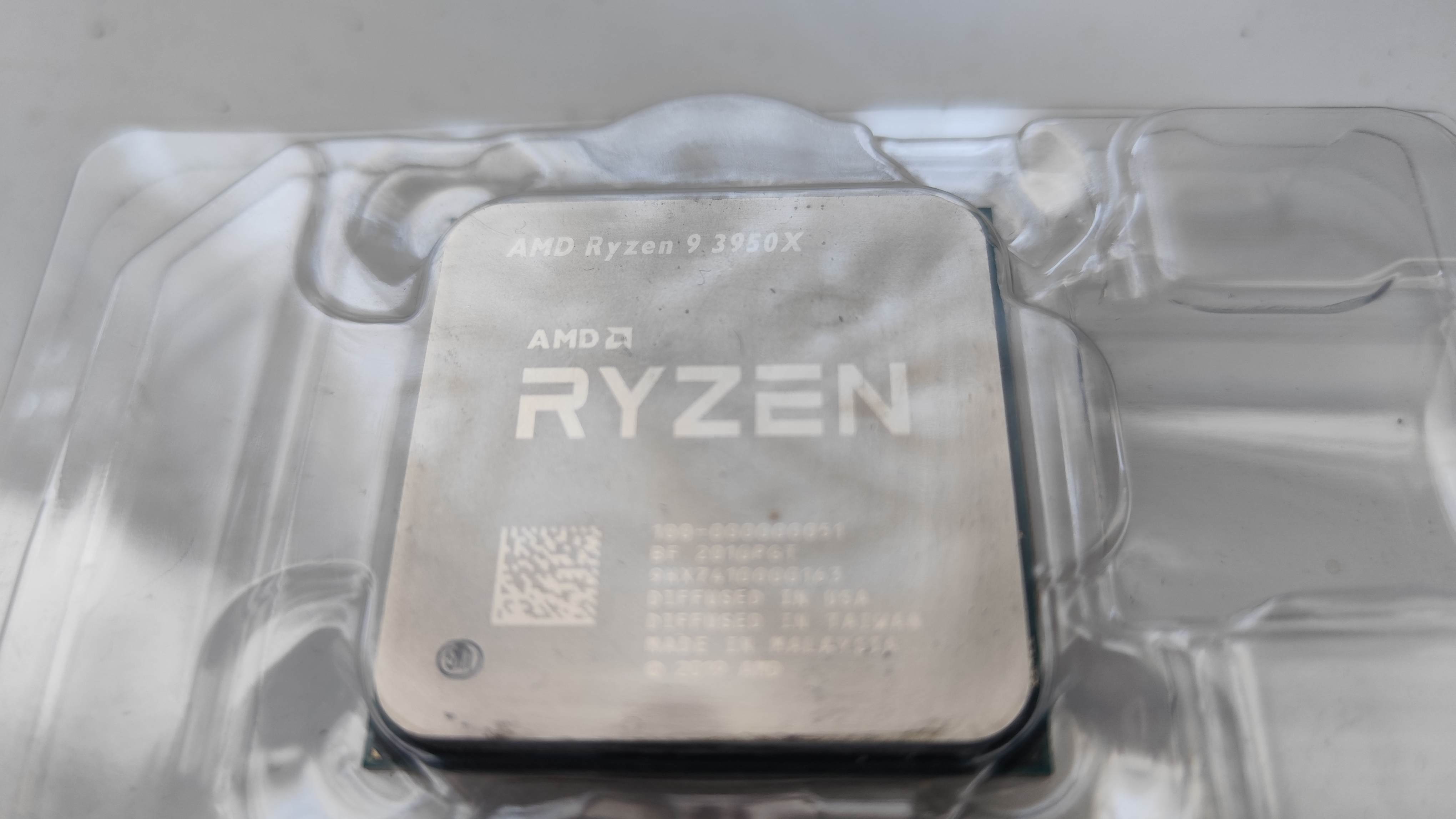
This means, AMD was the candidate to go with this build. AMD has dedicated HEDT platforms, such as the Threadripper and EPYC platform. These use special motherboards, and their prices are nonsensically high. The desktop consumer models of AMD are currently being built for the AM4 and AM5 platform. The latter one is still too expensive, however, AM4 seems like a good candidate. AMD AM4 platform The AM4 platform is an older platform, but still supported. The platform was created to be the base of the Ryzen 1000 processors. Ryzen processors for the AM4 platform got initially released in 2017, and they use 14nm manufacturing. The CPU was very fast, and saved AMD from bankruptcy. AMD kept the AM4 platform when releasing the Ryzen 2000 series, some of them already built using 12nm manufacturing nodes. Later on, the Ryzen 3000 processors got released, which are mostly using a new microarchitecture. They have faster IPC (around 20%), and they are notable faster than their previous counterparts, they were built using 7nm manufacturing process to lower their power consumption low. These processors got released in 2020. The core count got also increased, and after a bios update, the Ryzen 3000 processors can also work in the earlyer AM4 motherboards. The Ryzen 5000 series are the final CPU generation released for the AM4 socket, with some 20% IPC improvements again, but still using the 7nm manufacturing process. CPUs fitting the target The maximal CPU core count on the AM4 platform is 16. These cores support virtual cores as well, therefore, the CPUs in total can execute 32 threads parallelly. There are three CPUs with 16 cores available for AM4 so far. The first one is the Ryzen 9 3950X, which was built using the ZEN2 architecture, and released in 2019. These processors are the first 16 core desktop processors produced ever, and their single threaded performance is also very high, which was previously unheard of. Despite of their core count and high clock frequency, the 3950X only consumes 105W of power. The cores within the cpu are organized in four blocks for every four core type design (4x4), and the chip is paired with a monstrous 64MB L3 cache. 3.5 GHz base clock and 4.7 GHz boost clock is available. The CPU also has its multiplier unlocked by factory, which in theory makes it a good candidate even if someone plans to overclock it. The CPU was released for a price tag of 750$. Nowadays it can be bought second hand for 250-300$ which is certainly very far from being cheap, yet its still a price tag people can cough up, if they really need a performance beast. The chip is not under production any more. The second is the Ryzen 9 5950x, which got released just a few months after the 3950x. The 5950x similarly has 16 cores and 64 MB cache. However, it uses the new ZEN3 microarchitecture, and its internally built by having a 2x8 core design, allowing somewhat faster transfer speeds between the cores within the chip. The chip still uses 7nm manufacturing, so the clock frequencies are nearly identical. It also rated at 105W TDP. The new 2x8 core design and the IPC improvements helps this chip to outpace the 3950x by 10-20% in most of applications. The frequency multiplier is unlocked. The chip was released at $800 price tag, and its still under production, and can be bought for new for around $450-500. Its hard to get the chip second hand, because there are not too much reasons to replace it for those who have such processors. If it gets available, the used price usually barely lower than the brand new price, so it makes no sense to buy these chips used. The third CPU in this basked is the Ryzen 9 5900XT, this got released just a few months ago in 2024, so its a relatively new CPU. Not new on the insides, however. Its nearly identical to the 5950x, but uses 100 MHz lower base clock, and 100 MHz lower turbo clock. Despite of lower clock speeds, the chip is still rated at 105W, therefore this is likely being made from the lower-quality dies of the 5950x. The chip is available around 350$, and its not really available on the market, because its just as big of a beast like its older brother. Choosing one I was able to find a 3950x CPU only on the used market after a few weeks of searching. The 5950x and 5900XT are being sold by scalpers, the 3950x is affordable for mortals already. I had to wait a week to get the CPU, which arrived in a plastic tray, put in a box, secured by old newspaper pages. The appearance of the chip is similar to any other CPU, no one could tell by first glance, what beast is hiding below the lid.
Motherboard AM4 motherboards go around $50 on the second hand market, but even a brand new can be obtained below $100 easily. I wanted a motherboard which has multiple PCI-E slots and even PCI slots. I need PCI slot, because sometimes i have to operate older equipment. Such as old tv tuner cards, or old vintage graphics cards - as i am being a vintage computer fan. It would be nice, if the PCI cards could also run their boot ROMs. Legacy BIOS mode will be required to achieve this. However, don't get distracted by this, the system still have to do its HEDT functionality, it must be able to cut videos, compile source codes, run modern games even. This means, i had a hard task finding ideal motherboards. I was searching for months to get an ideal motherboard, till i found one. Asus Prime B350-PLUS This motherboard was around $60 including a stock AMD cooling, no CPU, and a missing clip on one of the PCI-E connectors. It has four DDR4 slots, officially supporting four 16GB modules. I however want 128GB, which would be four 32GB DDR4 module. Unofficially, the motherboard will boot with them, according to online sources. The B350 has 6 SATA ports, and an M.2 SSD slot, which will disable two of the SATA slots if its being utilized. Therefore, it will not be used by me, because i need all of the SATA connectors for my hard disks and mobile racks, and for my optical drive. The B350-Plus doesn't have too much USB headers. Not on the inside, not on the outside. Thats bad, because i have an internal floppy drive, a card reader with two USB plugs, and a Wifi and Bluetooth adapter to hook up, which would need 5 free internal USB headers in total, but the motherboard has only four. Plus, a new style USB3.2 header, which i have no header for, so i can't use right now. The motherboard doesn't have a fan connector for the front intake fan, only headers for two exhaust fans. Its problematic to connect the front intake fan to the backwards header.
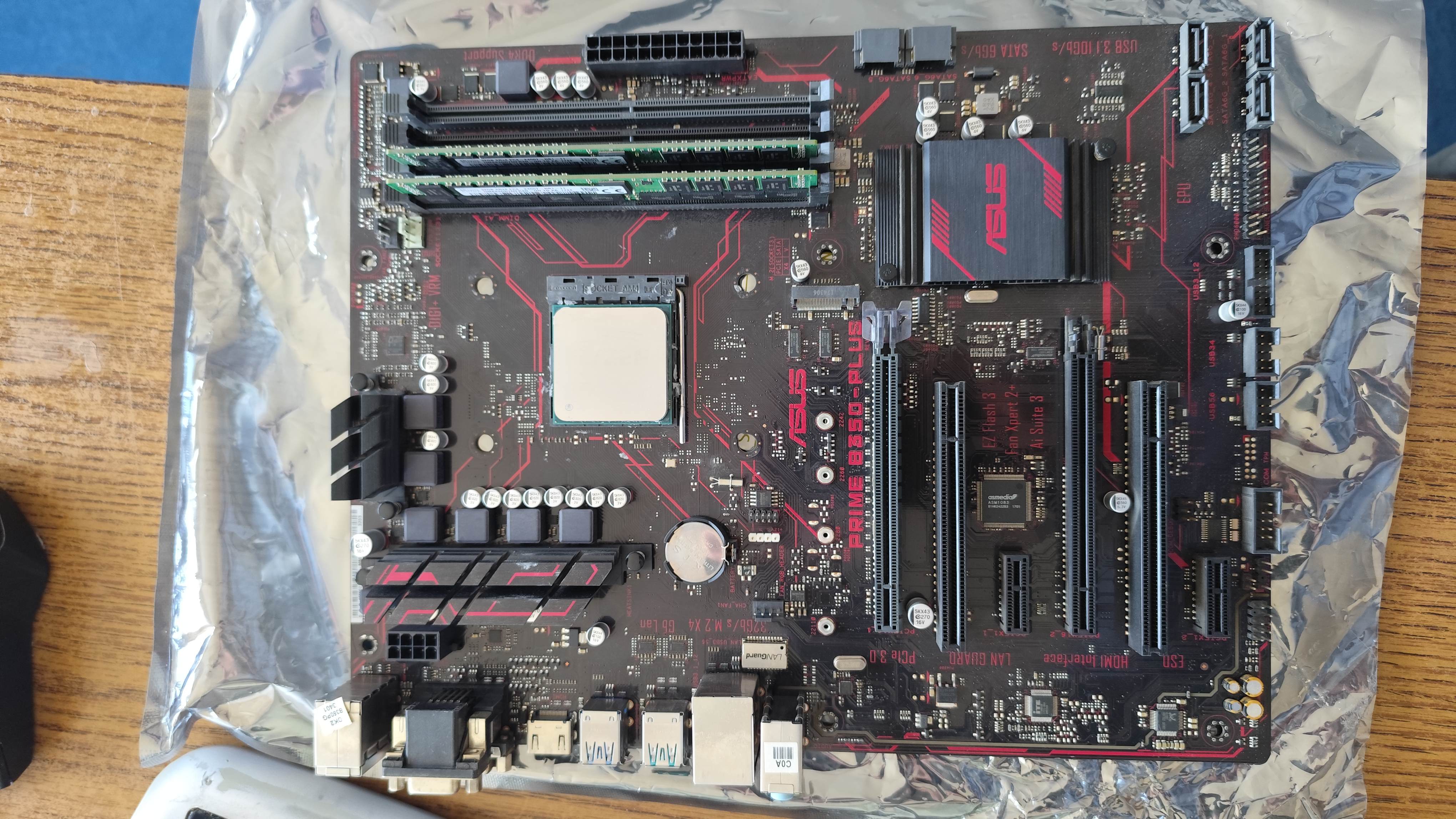
Asus just went super low quality in the recent years. The motherboard screams "i am so cheap, Asus refused to include 10 cent connectors on me". The motherboards build quality is also cheap, the board feels light, mich lighter than a design like this should. Even one of the sides of the RAM sockets are fixed, and can not be moved. The VRM heatings put on the motherboard are not properly held in place, and they flex sideways if you touch them. The power delivery doesn't looks super high quality, but should be able to sustain a 105W chip. Especially, when a fan blows on them. Cooler I got a cooler with the motherboard, but it turned out, it will not be usable with the 3950x. The AMD Wraith Stealth cooler is a small cooler designed for CPUs at 65w TDP. The AM4 socket should be somewhat compatible with older AM2 and AM3 coolers, however, my motherboard didn't arrived with the plastic clips, so i could only use Wraith type coolers (with a screw on them). The only other Wraith type cooler was the Wraith Spire which is rated at 95W. You may think 95W is not 105W and you are totally right, but the system will have extra fans helping it to cool down, so this shouldn't be too big of an issue. What is more of an issue is, the Wraith Spire is discontinued, and i had to pay a premium price, around $25 to get one. The coolers are not being made any more. When i got mine, i noticed, the copper core is missing, and now the entire Wraith Spire cooler uses aluminium alloy. Not offering proper coolers any more is a very cheap and scummy move from AMD, especially if they are scalping people with these weak and useless heatsinks.
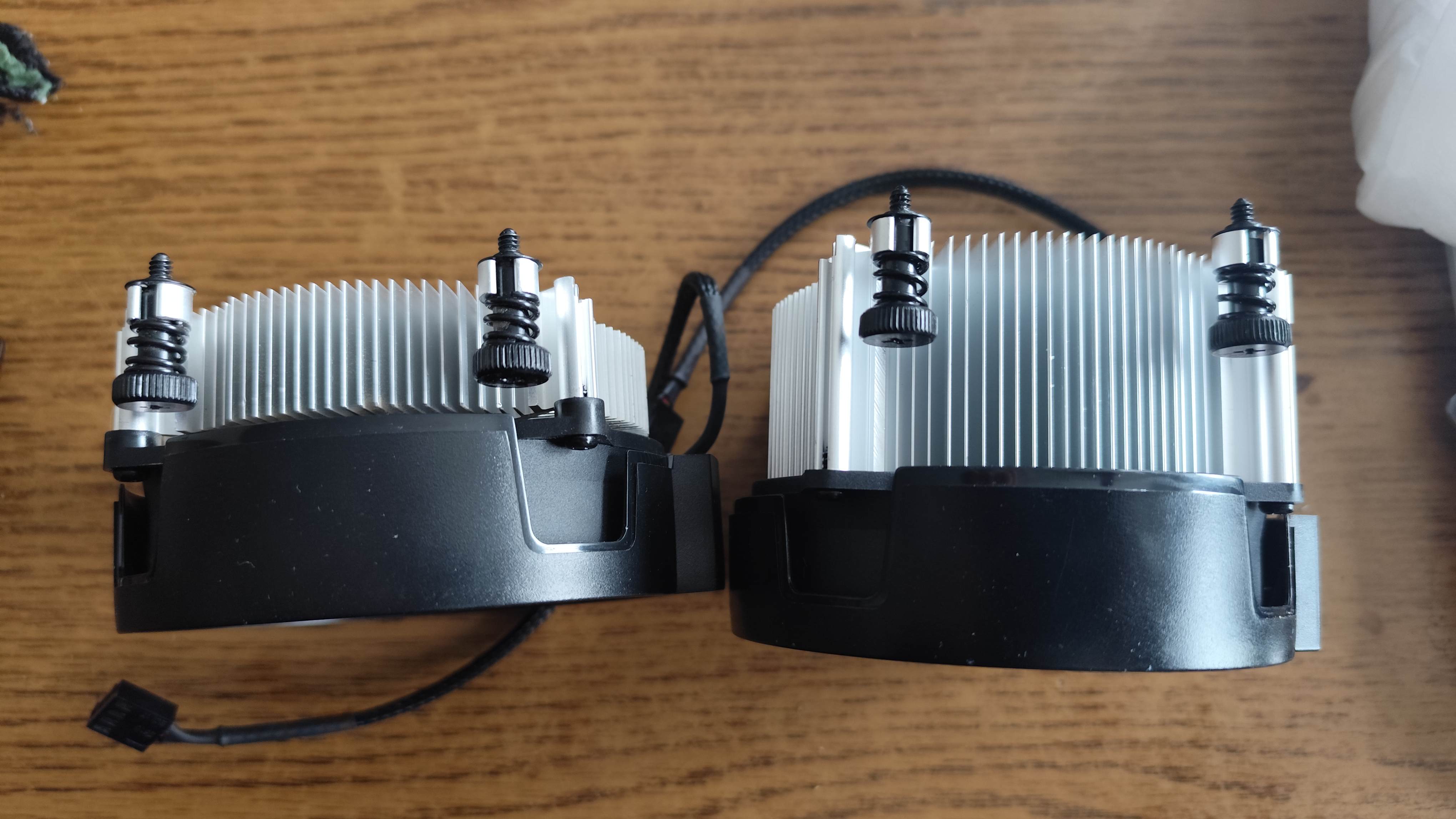
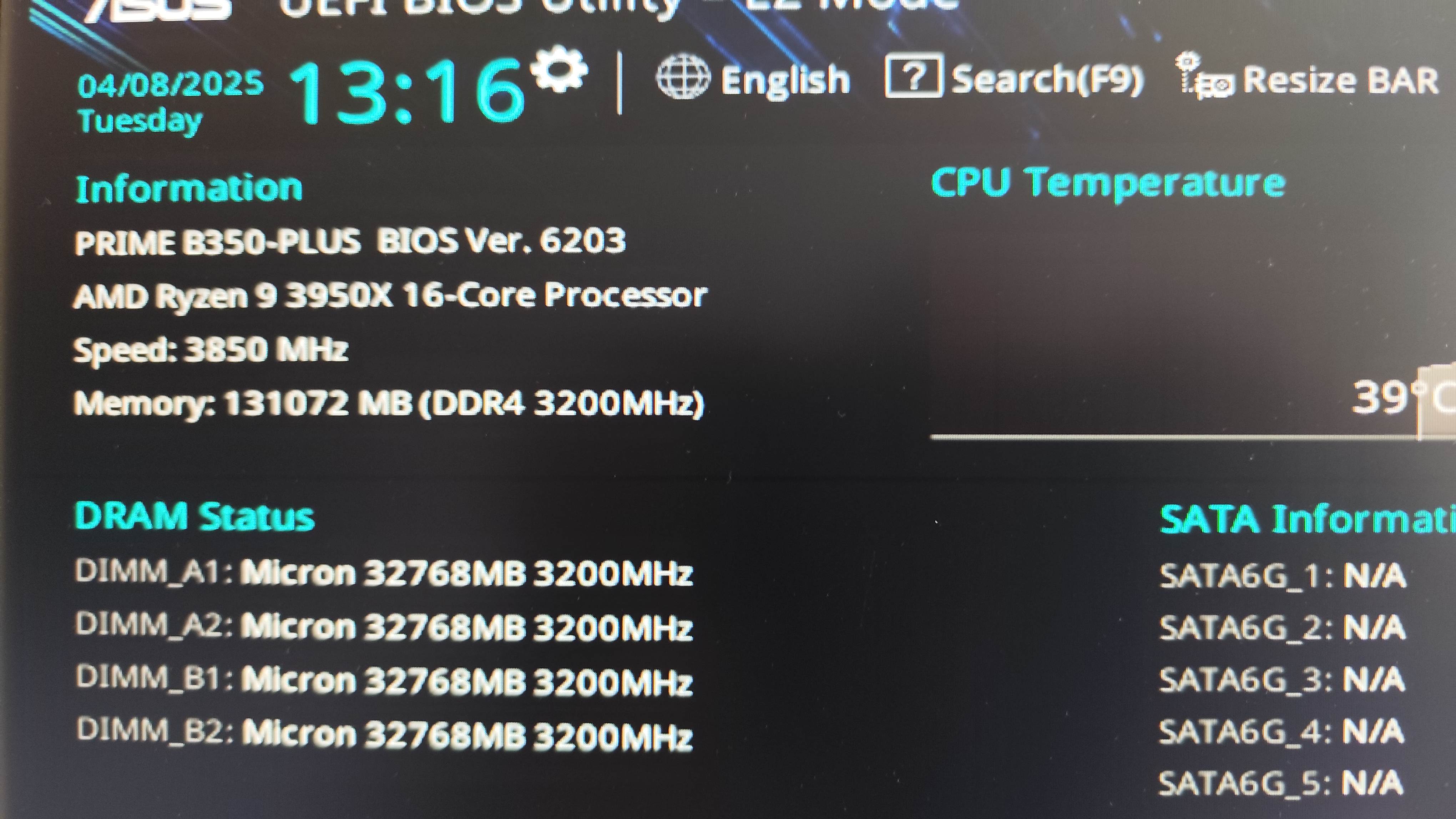
*Left: the small potato Wraith i got with the system. Right: the Wraith Spire.* RAM I initially bought the wrong RAM for the system. The two 32GB ECC RDIMM sticks which i bought, are not compatible with Ryzen systems, because Ryzen systems only support UDIMM memory (with or without ECC). After looking for a while, i realized all the used memory prices are HIGHER than the new prices, with warranty. RAM prices fell significantly in the past months, and used RAM sellers are on a pidgeon hunt. I ended up buying the ram for about $200.
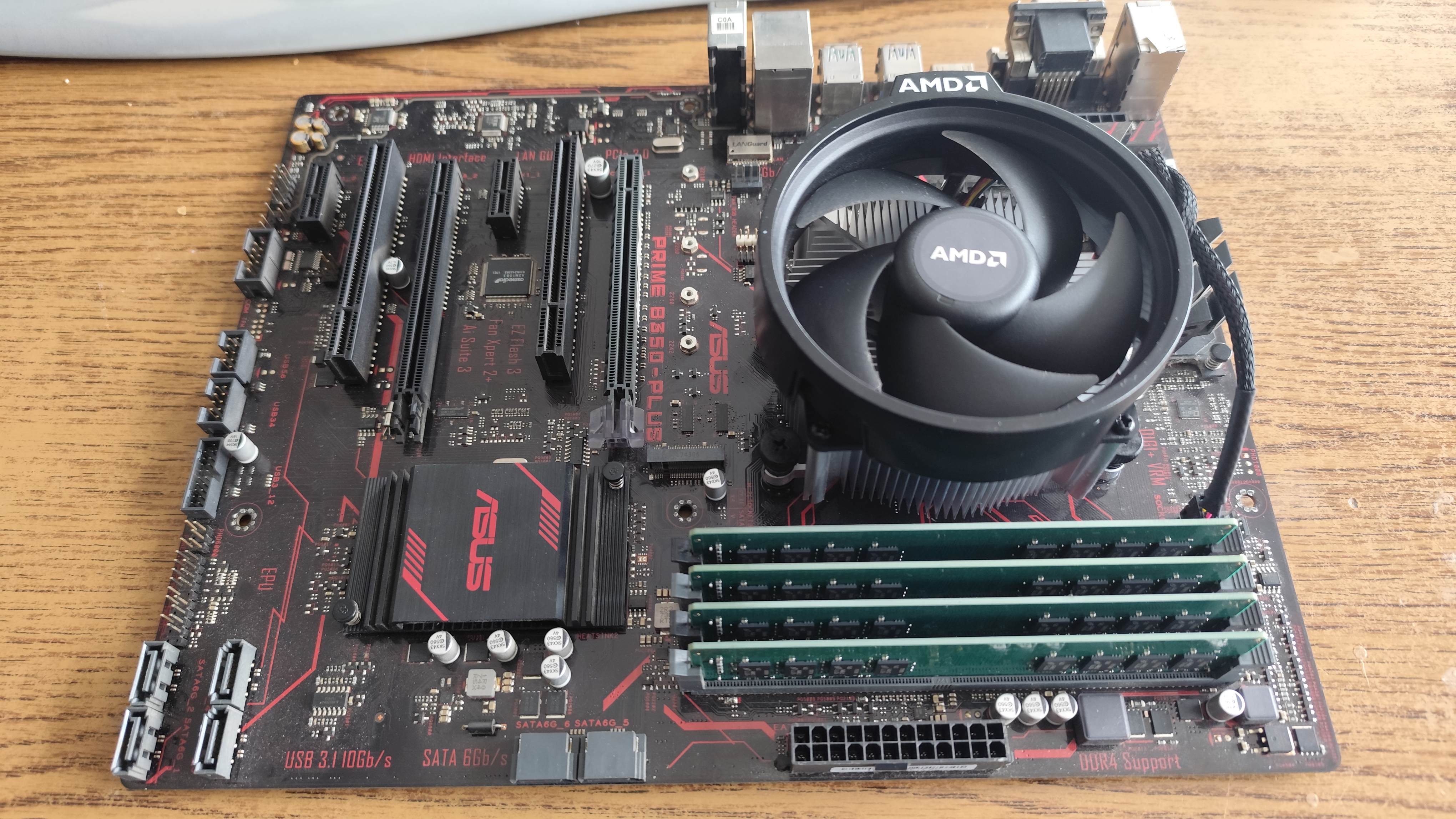
Total costs and time I started the project this february, and wanted to finish the build before summer. This plan succeeded, and within three months, i have bought and received all the hardware. I wanted to spend less than $400 on the entire project, but i ended up spending around $600 including the fiasco of the wrong RAM. This is not cheap, but i plan to use the computer for a decade without upgrading the basic components (assuming they don't die on me). First startup The system started without an issue on my bench.
I put the system together, built it into my case, connected all of my hard drives. Then i started to deinterlace some videos parallelly. The CPU temperature went to 80c, then 85c, 90c, 95c, 100c, 105c, 110c, then the system performed an emergency shutdown. Fail. That couldn't be the intended behavior. It seems Asus overclocks the processor by default, allowing it to reach basically unlimited TDP to the point which the motherboard VRM can safely sustain. After searching for settings in bios, i found the culprit, which caused the problem, and disabling Asus performance profile and setting it to normal, the CPU started to behave more like what should be intended. Instead of having a 4.7 GHz turbo clock, i only getting 4.2 GHz turbo, but i can live with that. Then i started deinterlacing again, and the same thing happened, the CPU overheated. I have manually set the CPU throttle temperature to 92c but the motherboard ignored it. Upgrading the BIOS After this, i checked the website of Asus, and found a new BIOS. It seems, my motherboard had an old BIOS, which had problems with CPU temperature control. After flashing the newest BIOS, the problem was solved, the system now hovers around the specified maximal CPU temperature under full load, while usually reaching 3.2 GHz on all cores. AMD advertises the 3xxx series processors to be safely able to do 95c, however for some extra security, i have set 92c as the throttple point, to keep preserving the life of the system. Other problems The Asus Prime B350-PLUS doesn't have enough fan headers (Asus was too cheap to even add proper number of fan headers on this motherboard). I had to buy a 4 pin fan splitter, because i have two exhaust fans. One of them helps to cool the hard disk drive bay as well, and i wanted that fan to work to help cool the hard drives a bit. Once the initial overheating issue was fixed with the BIOS update, and the splitter was added to the system, i haven't noticed any problems at all. Linux kernels 5.x crashed when trying to suspend the system (when awaking from sleep mode). The kernel had to be upgraded to 6.x to have the feature working properly. Downvolting Once the system was stable and steady, i opened the BIOS, and found settings to downvolt the chip. Lower voltage would result lower temperatures, which would mean faster system in overall (more performance could be squished out from the required temperature throttle point). The motherboard allows a given positive or negative voltage offset to be set, which will be applied at all performance levels. First, i tried to decrease the voltage by 0.1V. The system posted, but the operating system failed to load.
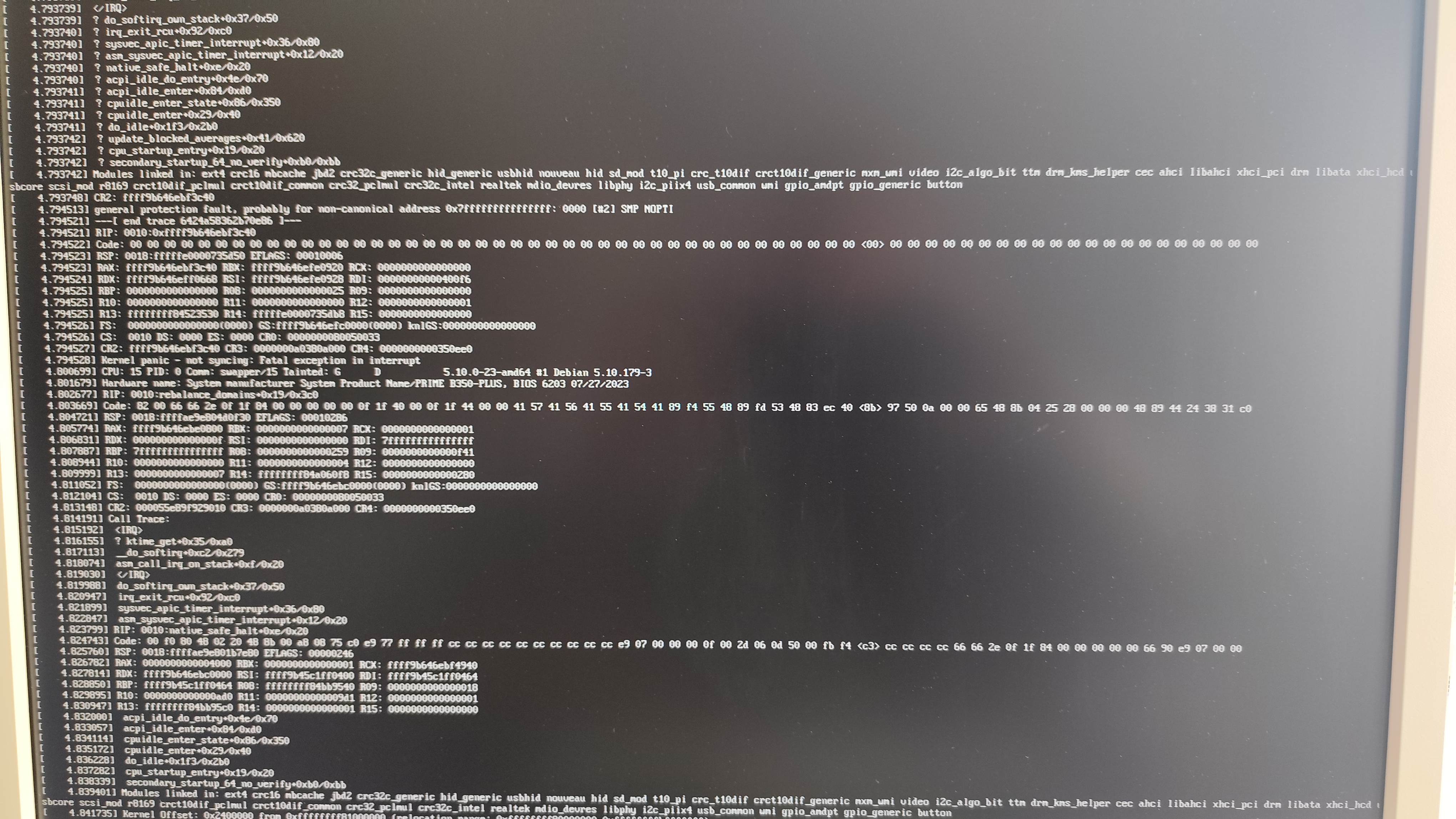
Minus 0.08V caused some anomalies in Linux when loading the kernel (firmware CRC errors). Minus 0.068 worked, and resulted a stable system. For extra safety, i have set minus 0.0625 volts. This allowed the system to reach the intended 3.5 GHz base clock on all cores under full load from the specified temperature limit of 92c, giving me some extra performance under full load.
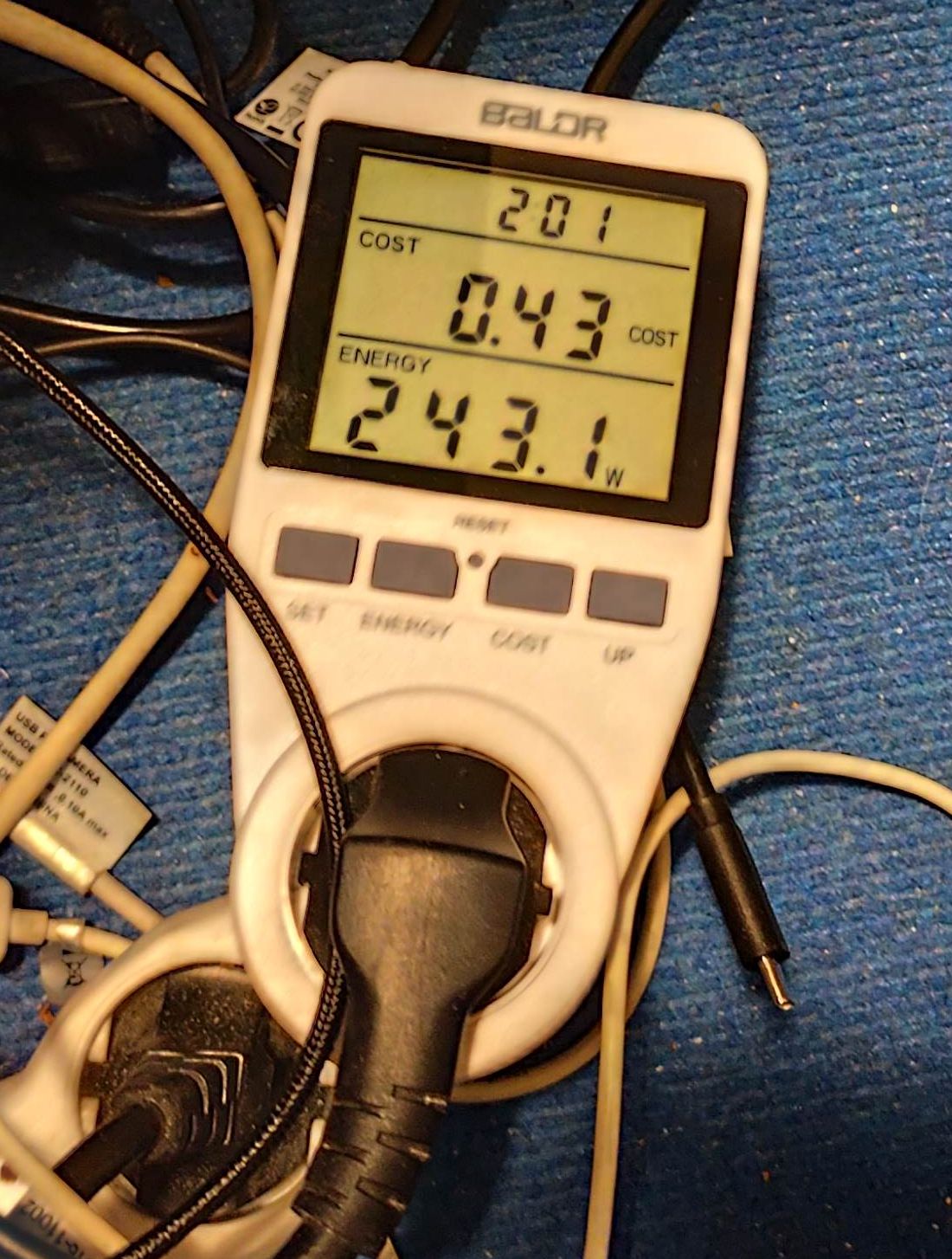
*Picture: full load with 3950x, two 7.2k RPM 10TB hard drives and one 8TB HDD, discrete FirePro w7100 GPU, 4x32GB RAM. Power consumption is below 100W in idle.* Results I haven't prepared fancy graphs this time. The system is about three to four times faster when converting videos, meanwhile the power consumption is about 50 watts lower than the pervious 12 core dual Xeon system of mine. The gaming performance grew by about 2x, but as i don't plan AAA games or anything thats too CPU demanding, i can't reliably make assumptions about gaming performance of this system. The 3950x is a beast, even if the weak quality of the Asus motherboard drags it back a little bit.
3 comments
Très intéressant
Absolutely phenomenal post. As someone who's been hands-on with custom PC builds for over a decade, I genuinely appreciate the precision and transparency you brought to this write-up. Going with the Ryzen 9 3950X was a smart move—even in 2025, it's still a beast for multitasking and creative workloads. The attention you paid to thermal management, fan placement, and undervolting strategies really sets this post apart. Most people overlook those crucial tweaks, but they make a massive difference in long-term system stability and noise levels. I also feel your pain on motherboard limitations—manufacturers need to stop skimping on essential features like additional fan headers and USB support in HEDT setups. The way you walked us through the BIOS fixes and the cost breakdown was not only informative but also refreshing. You didn’t sugarcoat the hurdles, and that honesty makes this post stand out from most YouTube "build guides" that gloss over real-world complications. I’m definitely bookmarking this for future reference. Thanks for taking the time to share your build journey in such depth. This is the kind of high-effort content that deserves maximum recognition—and a spot in any serious builder’s toolkit.
Thankyou for your kind words. I also noticed the lack of genuine transparency from popular test sites and content creators. If someone does tests for a living, the quality eventually decreases to the levels of a marketing material instead of an actual review, which is supposed to uncover the characteristics of a platform instead of showing an fps number in a fashion game and calling it a review. I subscribed to your blog, and i hope you will share stories about your pc building journey as well.