 @Geri
@Geri
How much VRAM your graphics card needs Recommended system RAM size for office computers and content consuming home users is at least 16GB. 32 GB RAM or more is only required for high-end desktop computers, gamers, and people who run virtual machines, or massively parallel tasks. However, if you buying a graphics card, the VRAM on it is becoming a far complicated question than this. This guide is trying to explain everything you need to know about the RAM on your graphich card, and will help you to select the model for your desires. What is VRAM? VRAM is video RAM, basically the RAM chips on your video card. These are similar RAM chips they are mounting on normal PC memory sticks. Sometimes, they actually using the same type RAM chips, sometimes they use more special and faster RAM chips. Discrete graphics cards for desktop computers have their own RAM chips soldered on the card. Discrete graphics chips in a laptop usually coming with their own memory, but on low-end graphics chips, they directly utilizing the system's RAM, and they don't have RAM chips on their own.
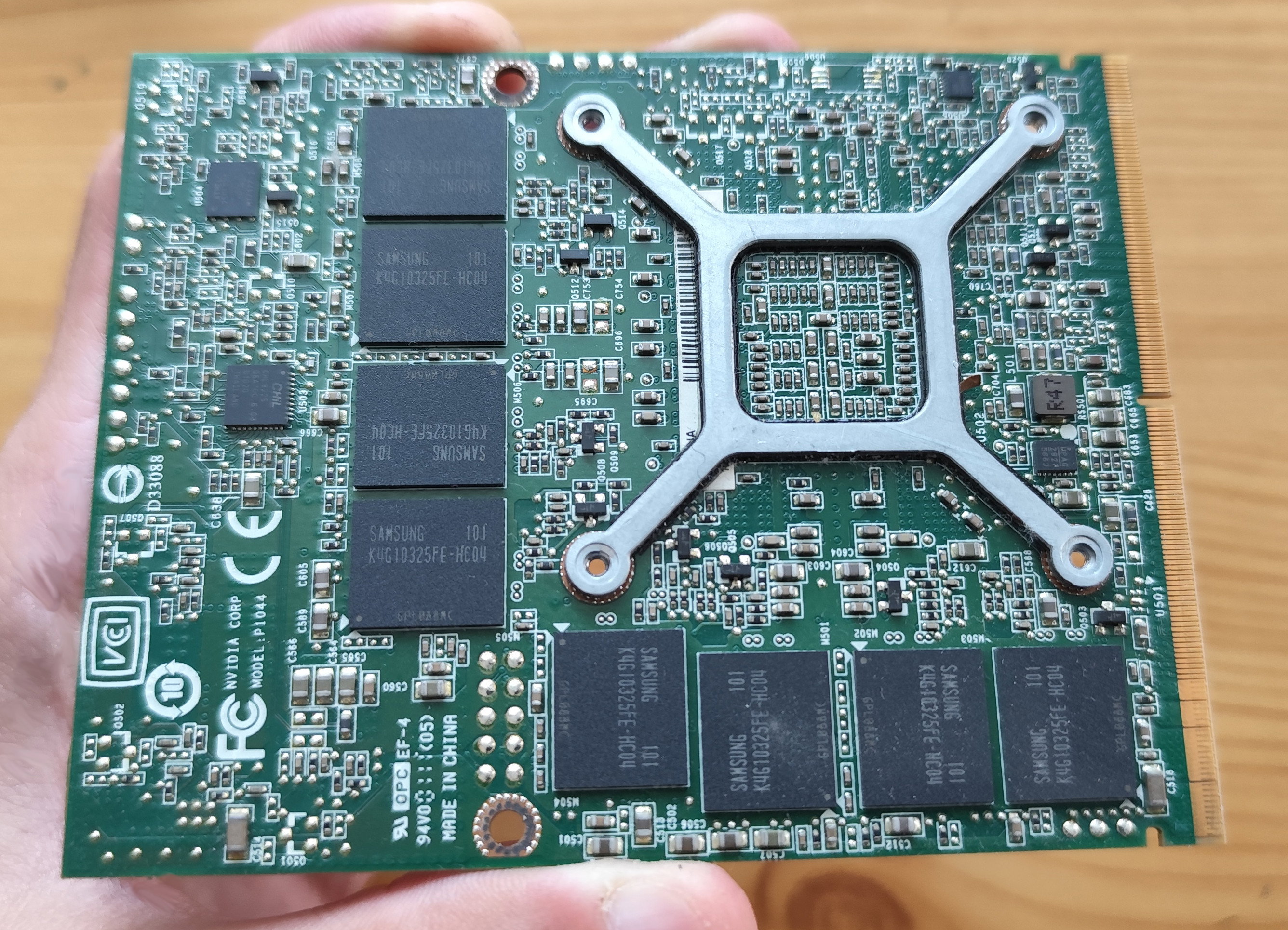
What VRAM is used for? VRAM stores the frame buffer (the picture you see right now), and if you are playing a game, it also stores the textures, and usually the geometry of the game. It also stores other types of buffers, and buffers for temporal computations. Having more RAM on your graphics card, the better you are, but don't rush to conclusions too early, as always, the devil is in the details. Non gamers vs VRAM If you don't do anything visually demanding on your computer beyond watching videos, the size of the VRAM is basically irrelevant. If you run games, or if you are using a CAD or modeling program to display more than a few million triangles, then the size of the VRAM is quickly becoming relevant, and it becomes an important factor for the performance. The problem when you dont have enough VRAM Most of the modeling programs and games will continue to work even if they run out from video memory. However, the performance will degrade rapidly. Large stutters can occur, because the objects and textures must be swapped in and out to the VRAM. The frame per second rate can drop drastically, and the experience will be very bad. VRAM speed VRAM size is not the only thing to be concerned about. The speed of the VRAM has a large impact on the performance. More bandwidth the video memory can deliver to the GPU, bigger the performance will be. The performance depends on the VRAM chip type (DDR, DDR2, DDR3, GDDR4, GDDR5, and so on). Another question is, how wide the VRAM's bus system is: graphics cards meant for the low end market will use 64 bit memory bus, midrange solutions will typically use 128 bit memory bus. High end offerings will typically use 256 bit, or sometimes, even more. Graphics cards with 1GB VRAM and below These graphics cards with 512MB - 1GB VRAM are usually DirectX 10 era solutions. These are released before 2010. These are not suitable for running modern games - not just due to the small VRAM, but also because they are to support modern graphics technologies. There are strong and high end DirectX 10 graphics cards, which could be used to run some older games, usually up to 2015. An nVidia GeForce 8800GT or an AMD Radeon 4850, which usually have only 512MB video memory, can run early DirectX11 games perfectly. After 2015, however, typically the video games started to require more than this. From that point, modern AAA games will not work properly, and as the time went on, even B-class and Indie games started to have performance issues on these cards. These cards are just too old now to have a good experience, and its recommended to replace them (if possible). Graphics cards with 2GB VRAM With 2GB VRAM, most games up to 2020 can be used, but not all of them. These graphics cards are late DirectX 11 graphics cards, sometimes with partial DirectX 12 support. The first DirectX11 complaint nvidia card, the GeForce 480 has only 1.5GB memory. Its stronger brother, the 580 also kept this 1.5GB size. You may assume, video card sizes have to be a number power of two, but there are expections, for example this two card uses 384 bit memory controller, and not the usual 256 bit memory controller which can be found on high end computers. Despite the relatively good performance of these chips, and the ability to start even the most modern B and indie video games, its not recommended to buy them - if you are stuck with this DirectX 11 generation, buy the 7080 instead. That has 3 GB video memory, which will give better experience in modern titles. However, even some modern indie games could require more than this. Some modern DirectX12-capable cards can also have 2GB VRAM, such as the GeForce 1050 or the Radeon R9 285. Its highly recommended to avoid them, even if their GPU cores are fast. There are even relatively modern cards released in 2020, having only 3GB cards, such as the Radeon RX 5300, its wise not to buy such card. Wow! The GeForce GT 730 with 4 GB VRAM must be a good catch then! The opposite. Manufacturers understand the power of marketing, and they are ready to put a lot of VRAM to lure people buying the obsolete garbage. The GeForce 730 is a very weak card with 64 bit memory controller, and manufacturers are using old GDDR3 modules on those graphics cards. The card is about ten times slower than a GeForce GTX 780. So don't get fooled by this old trick, and do your research. In 1999, when the S3 Savage 4 got released, it was a mediocer card. It was not bad, but it was far from the high-end. The card was meant to use 16MB VRAM, and at that time, games indeed started to require at least 16MB VRAM. Some of the card manufacturers, however, decided to release two other versions from the Savage 4, on top of the standard 16MB version. One of them only had 8MB. This was very small for this graphics card, and held the Savage 4 back in almost every games, especially when 32 bit color depth was used, turning it into a stuttering mess easily. The another variation was the Savage 4 with 32MByte VRAM, which was just as nonsense, but from the opposite end: the Savage 4 was not able to benefit from such large quantities of RAM. The games demanding that much VRAM couldn't run on a Savage4 properly anyway. But the 32 MByte video memory had a marketing value, and some people ended up buying the card, falsely thinking they are getting somewhat more decent. Graphics cards with 4GB VRAM Now we are talking! Currently, most modern games will need at least 4 GB video memory to run in lowest details. These cards are usually DirectX 12 and OpenGL 4.6 compatible at least at the driver level, and the older midrange and high-end graphics cards are still powerful enough to run most of the modern games above 20 fps. Radeon RX 470, RX 480 cards can be found for $50 and they can be used for entry level gaming. The GeForce 980 and 970 cards are usually released with 4 GB video memory. These are all high-end 256 bit cards. Lower-end cards from these early DirectX 12 generations are however usually only have 2GB, so those are not really good options. Game developers usually try to make the games work properly with 4 GB, but sometimes they don't care any more, even if the GPU would be otherwise fast enough to run the game. 6GB VRAM 6GB VRAM is the first size which can be recommended for cheapo mid-tier gaming. The very first graphics card with 6GB VRAM was the GeForce 980Ti, which is a DirectX 12 capable card, using 384 bit memory bus. The GeForce 1060 was (and still is) very popular, and that either uses 6GB or 3GB video memory. The 6GB model is the way to go, the 192 bit memory bus offers high-enough bandwidth to reach good performance in most video games. The RX 5600 is one of the latest graphics cards with 6GB video memory, and also has a 192bit memory bus. The card was released in 2020, likely because AMD didn't had any card with 6GB VRAM. The benefits of 6GB, despite its barely bigger than 4GB, are still significant. The reason for this: most games which doesn't fit into 4 GB VRAM, are usually consuming 5 or 6 GB. And these 6 GB cards are the perfect match for those games. These graphics cards tend to be muscular midrange gamer cards. 8GB VRAM Latest entry level graphics card designs from nVidia, AMD and Moore Threads are using at least 8 GB memory. 8 GB of VRAM is considered to be enough, and this is true for most of the cases. Generally, a graphics card with 8 GB memory should be enough for any games in 2025, if the GPU itself is strong enough. Generally speaking, basically every graphics card which is modern enough to have 8 GB video memory, will support DirectX 12. And it should be powerful to run any modern games as well. There are exceptions: some new AAA games ported from game consoles. These sometimes allocate more than 8 GB video memory, and could show signs of problems, especially when using larger screen resolutions. More than 8 GB VRAM If you buy a graphics card which has more than 8 GB VRAM, should be enough to run even those unoptimized ports from game consoles. In general, you don't have to buy graphics cards with more than 12 GB right now, but its good to have, if you want to future-proof your hardware as much as its possible. Even larger VRAM is not useful for gaming or even for CAD-type work, but suitable maybe for small-sized neural networks and AI. To sum it up -Its not recommended any more to buy a graphics card with 4 GB VRAM or below. -For gaming, its recommended to have at least 6GB of VRAM, and you can get such graphics cards for $75. -For optimal performance, you want a graphics card with at least 8 GB RAM, a strong 8GB card is available for $150. -About $200 you can get a card with 12GB VRAM or more.
No comments yet