 @Geri
@Geri
Pentium4 combo motherboard from HELL In a previous article, i already introduced the first dual core and 64 bit processors. I however avoided to discuss the very first motherboards capable to work with them. Prepare for the perfect storm of compatibility issues and design failures. The specimen of this review represents an era where basically all hardware standards got replaced at once. Hardware developers had to come up with a product using brand new chips, ports, protocols, and they had to replace almost everything in a hurry. In 2005, the first 64 bit chips slowly started to gain widespread adoption. The very first dual core processors got released (Pentium D and Athlon64 x2). The majority of users still used the good old DDR memory (introduced after 2000), and only the second generation of Athlon64 chips even supported the new upcoming DDR2 standard. The industry decided to replace the ATA standard of hrad disk and optical drives, with the new SATA (Serial ATA) standard. The graphics card manufacturers decided to replace the 8x AGP port with the new generic PCI-E port. USB got updated to USB2, which made multiple dozens of MBytes/second transfer rates possible.
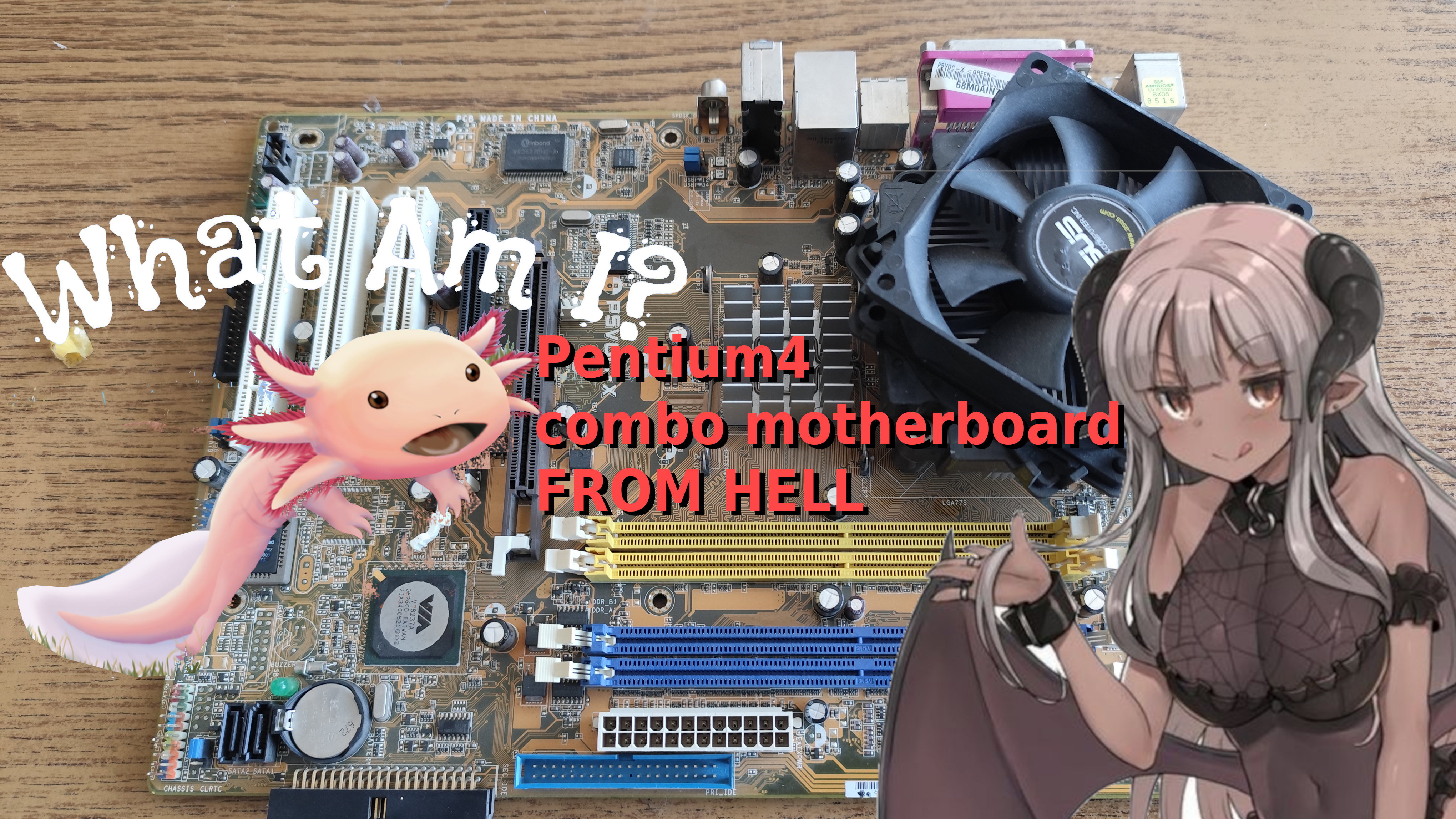
Its important to note that there are some systems even before 2005 supporting one or two of these new technologies, the mass adoption is however started in 2005. This means, everything before that era suddenly got obsolete. The new DDR2 memory used different pinout, and required new memory modules and DDR2 compatible motherboards. The new PCI-E graphics cards are not compatible with the AGP slot, because its a very different pinout, and fundamentally different signaling. Basically new motherboards had to be designed with these new standards, and everything had to be replaced in an instant. From the memory controllers, memory sockets, graphics chipsets, hard disks, hard disk cables, the memory itself, the graphics card, the operating system, essentially everything you had, including the CPU, had to go. The PC industry did a cold reset, and appeared in a new shape. The only similar thing happened in the late 80s, when the 8 bit (z80 and Commodore64) computers got replaced by PC clones. Luckily, after 2005 the backwards compatibility with older software was retained. These events put a lot of strain on the motherboard and chipset developers, they had to release new products in a forced march, and the users were not really able to keep some hardware from their older computers, even if the newest standards wasn't widely available or known just yet. The motherboard manufacturers had to come up with very creative tricks to create products for the very chaotic market, and this lead to products with very unusual choices. Lately i was scrolling the marketplaces, when i found the abomination for this review. I found a strange looking ad with no pictures, featuring a possible motherboard from the first months of 2006, after the release of the Pentium D, but before the release of Core2 based processors. This motherboard is not widely known, and its not very discussed. Its only mentioned in some forum posts, and bold claims about its capabilities by the manufacturer. The seller didn't mentioned if it even works, so i had to risk it. I asked the seller to provide me with something which covers the LGA775 socket, to avoid damage to the pins. It took almost a month to arrive, and when i opened it, it was quite an experience to see it first hand. ASUS P5VDC-X The motherboard arrived in perfect condition, and luckily it had its cooling on. It contained no CPU, but i have compatible Pentium4 and Pentium D chips, so that is not an issue. It was very dirty and dusty, as you can see it on the picture, which i took before wiping the dust off. One of the PCI ports was full with dirt, and it took me minutes to fish out all the dust.
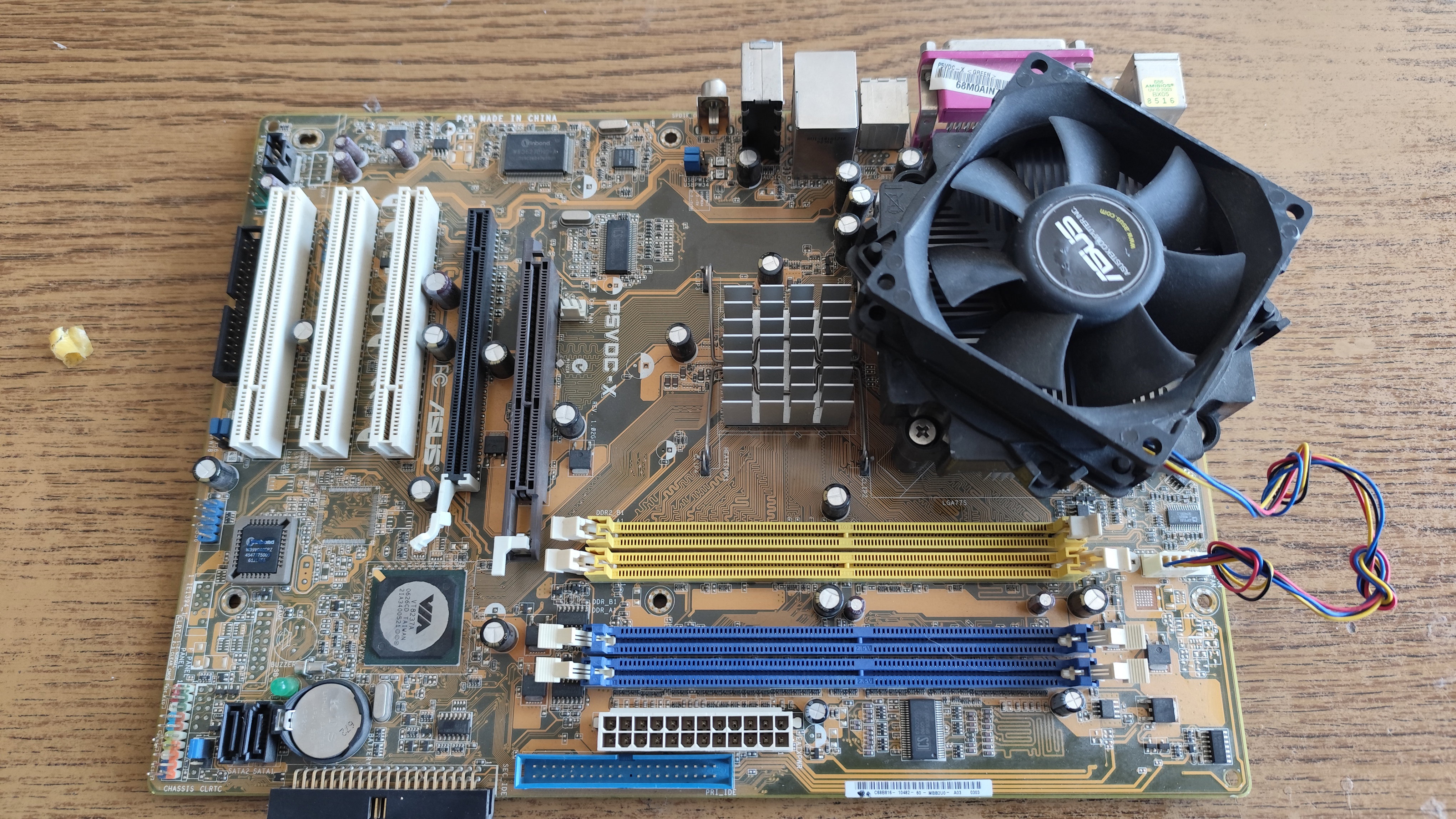
Beholding the beast The motherboard is a standard ATX form factor, the first thing you can notice is the AGP port next to a PCI-Express slot. Yes, they put both ports on the motherboard. The mass adoption of PCI-E graphics cards only started in the second half of 2006, when the GeForce 8800 series got released only for the PCI-E slot. That was however non-existent when this motherboard came to be. Up to that point of the release of the 8000 series, most people kept their older AGP graphics cards. These were typically a midrange Radeon 9600 or an entry level DX9 capable GeForce FX 5200. In OEM systems, older DirectX6 or 7 chips were still used widely, such as TNT2 and ATi Rage 128 based products, sometimes, products from S3, Matrox, SiS, Videologic, or PowerVR. Asus wanted to make sure the users will be able to use their graphics chips in this motherboard, be it an older or a newer one. The only way to make this possible, is to add both an AGP and a PCI-E slot on the motherboard. The chipset The motherboard uses a VIA chipset, one of the very final VIA chipsets for Intel platforms. The VIA chipset made it possible to have AGP and PCI-E ports on the motherboard - and it contains a DDR and DDR2 memory controller. Some motherboard manufacturers decided to utilize these features all at once, and build motherboards having both ports. These motherboards are rare, but they indeed exists, because i have it in my hands now. IDE and SATA Motherboards after 2006 usually have only one IDE port for backwards compatiblity with older hard disks and DVD burners (one single IDE port was usually kept up to 2010 on most motherboards). This motherboard still contains the two traditional IDE ports, with the compatibility of total four IDE devices. It also contains two SATA port. These SATA ports run in IDE emulation mode, but they are capable to do RAID, as they are hooked up to a separate chip. Its not known to me, if these ports can support hard disks bigger than 120 GByte, and what actual speed they offer. DDR and DDR2 The motherboard was released basically when the DDR2 came to be. The first chipset supporting DDR2 was released around 2004, however, in actual production the DDR standard got replaced with DDR2 after the second generation of AMD Athlon64 x2 chips got released in 2006 may, just when this motherboard was also released. ASUS wanted to be compatible with the newest standard, but the availibility of the DDR2 memory was questionable, and the specifications were also problematic. For example, initially the DDR2 was launched at two speed ratings: DDR2-400 and DDR2-533 (4*100 mhz and 4*133 mhz respectively). Nothing used the first one, the DDR2-533 was however a good fit to the system bus of the early Pentium 4 chips, which also used 533 MHz bus speed. Just after the manufacturing of 533 MHz modules got started, the new standards DDR2-666 and DDR2-800 got also released (4x166 MHz and 4x200 MHz). When Intel released some of its processors with 800 MHz bus speed, the intended DDR2 variant for it was DDR2-800. In reality however most manufacturers used tricks to run the memory asynchronously. The first power up I am very lucky the seller have sent the motherboard with a cooler, because the motherboard has a non standard LGA 775 cooler design. When checking the motherboard with online search engines, it can be seen using a normal standard LGA 775 cooler design, however mine has a non-standard ASUS cooler with a screw-based mounting mechanism. Before i tried to turn on the motherboard, i put my working Pentium 4 chip in it. When i turned on the motherboard, nothing happened. I have tried to turn it on with DDR and DDR2 memory, but no use. I have connected a speaker to the motherboard, and tried to check all of my memory modules. I have tried at least dozens of them, and my fingers almost started to bleeding, before i managed to get some activity from the motherboard.
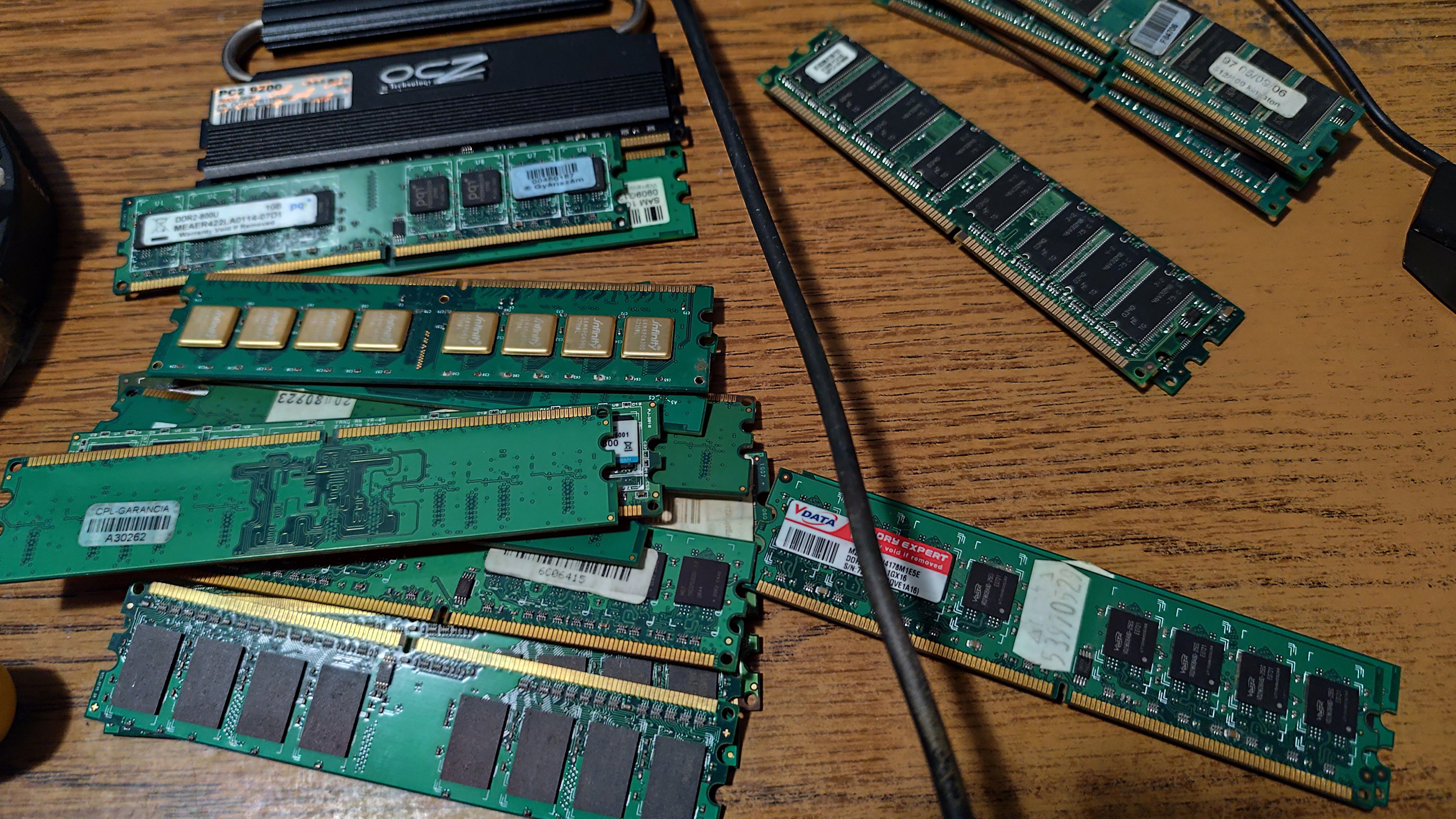
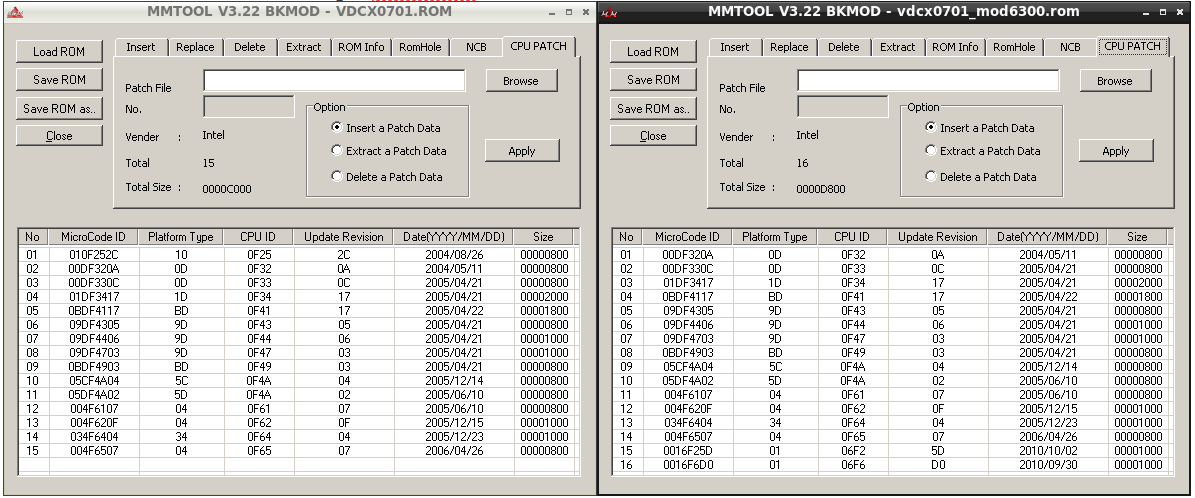
One long, and two short beep Finally i got an error code with one of my modules, and according to online sources, the beep code indicated a graphics card error. I was afraid the AGP port is damaged, that would been a big loss. So i tried with a PCI-E graphics card, and i got the same beep code. Then finally i have tried with a PCI graphics card, but again, i got the same error code. Of course, this beep code has nothing to do with graphics card errors, random informations from the internet is always unreliable. After testing more and more modules, suddenly the motherboard started up with one of the modules. Instant shutdown After the motherboard finally posted, it shown the usual texts in BIOS, it turned off after a few seconds. I tried it again, and the same thing happened. This is usually due to overheating, so i checked the cooler more carefully - it was properly screwed on. So i decided to unscrew the cooler, and the realization of the true horror struck me. The cooler can be screwed on in every direction, however you have to place it only in a specific direction, where ASUS have left some place for the capacitors. The cooler was not touching the CPU, and instead it was sitting on the top of the tiny capacitors around the VRM, hidden near to the CPU itself. After turning the cooler into the proper direction, the system finally posted. Searching for more RAM I wanted to use the system with two 1 GB DDR2 modules, so i had to dig deeper to find the ideal modules. At the end i only managed to find five 1 GB, double sided DDR2 modules which were compatible with the motherboard. The motherboard simply refuses to show any signs of life with most of the memory modules, because when it was made, this size of memory was just too big, and the manufacturer didn't tested these large modules properly. This means, one bag of memory was needed to find just a few modules working in it. Lets try a Core2Duo The system refused to turn on with a Core2Duo 6300, and it shut down within half seconds, when using this chip. The VIA chipset used on this motherboard is also used on some later Core2-capable motherboards, so i decided to try to mod the bios with the required Core2-compatible microcodes. I have downloaded a software and i have extracted the required microcodes from a very similar Core2-capable AGP-PCI combo motherboards with the same VIA chipset. After i have modded the bios, i tried to flash it by pressing ALT+F2 at boot, to directly flash it from a CD disk as the manual suggests. However, the file was not detected, even if i tried to disable all ISO extensions when burning the CD, the flashing failed. So i had to go with the old DOS bios flash method, and flashed the modded bios like that. The new modded bios didn't solved the issue, and despite of having the proper microcode, the motherboard refused to start with any of my Core2 processors.
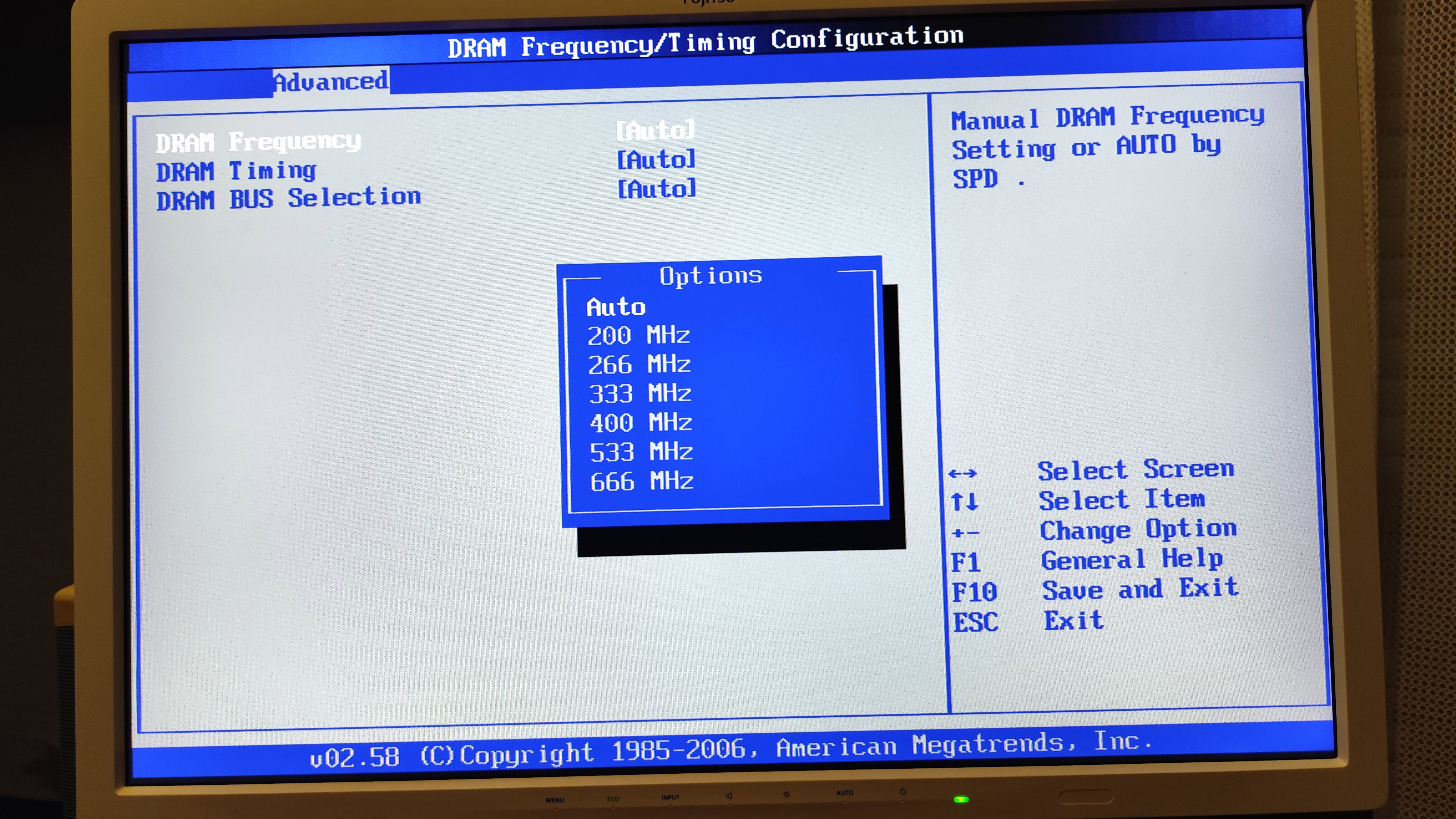
Lets put in the Pentium D If the Core2 doesn't works, i still have a Pentium D, which is officially supported in thos motherboard. The Pentium D is basically a Dual Core Pentium 4, and the motherboard started up once with it. And nothing. Sometimes, when pressing reset, it either started up, or crashed in BIOS. I was afraid the VRM is damanged, and can't sustain the power draw of the Pentium D, but i was wrong, the problem was something else. I noticed, when i clear the BIOS, the Pentium D always works fine until the next reboot. I also noticed, one occasions, it wrote in the BIOS, it autodetected memory speed at 800 MHz, and this gave me a hint. The Pentium D 925 uses 800 MHz front side bus, but the Pentium 4 i tested earlyer, only uses 533 MHz bus. This means, the memory system now ran with much higher clock speeds. Memory detection error The memory system of the P5VDC-X is very flaky. The bus the motherboard supports, is advertised to be 533/800/1066, however, its just only the system bus. In the next line of the manual, it explains, only DDR2-400 and DDR2-533 memory modules are ever supported on this motherboard, especially if larger modules are being used. Always read the entire manual, folks, not just the first lines! As DDR2-400 probably didn't even exists, and my only 1 GByte DDR2-533 module simply refused to start in the motherboard, i had to use faster modules. Which the BIOS detected, and attempted to use higher clocks. Which are not even supported on the motherboard. But the BIOS doesn't seems to care, and the system tries to run the memory on its auto-detected 666 or 800 MHz speeds, when a CPU with large FSB has been inserted. Of course DDR2-666 MHz (4x166 MHz) setting already causes crashes in memtest, and 800 MHz causes random lockups even when turning on the system. When this motherboard was designed, only DDR2-533 (4x133MHz) was a thing, and later on ASUS forgot to take the problem into account, creating a design flaw which prevents the system from functionining properly when faster than DDR2-533 (4x133MHz) memory modules inserted. This explains, why i had to test a bag of RAM modules to make the system working. Lets try with DDR When using DDR1 modules, despite the manual says DDR-400 modules are supported, DDR-400 is actually not supported when using larger modules. The same bug exists, but the limit with normal 1 GB double sided DDR modules is DDR-333 (2x166 MHz). I only have 1 GB DDR-400 modules and therefore the memory problems arised again, similarly to the problems with DDR2 modules. The solution The motherboard has chipset settings, where you can force the memory speed to a given rate. After clearing the CMOS, the system will start, and the user can enter to the BIOS to set the memory speed to 533 (or 333 when using DDR 1) which results in a perfectly stable computer. I had to waste about 6 hours of my life till i have sorted out all of these problems with this motherboard.
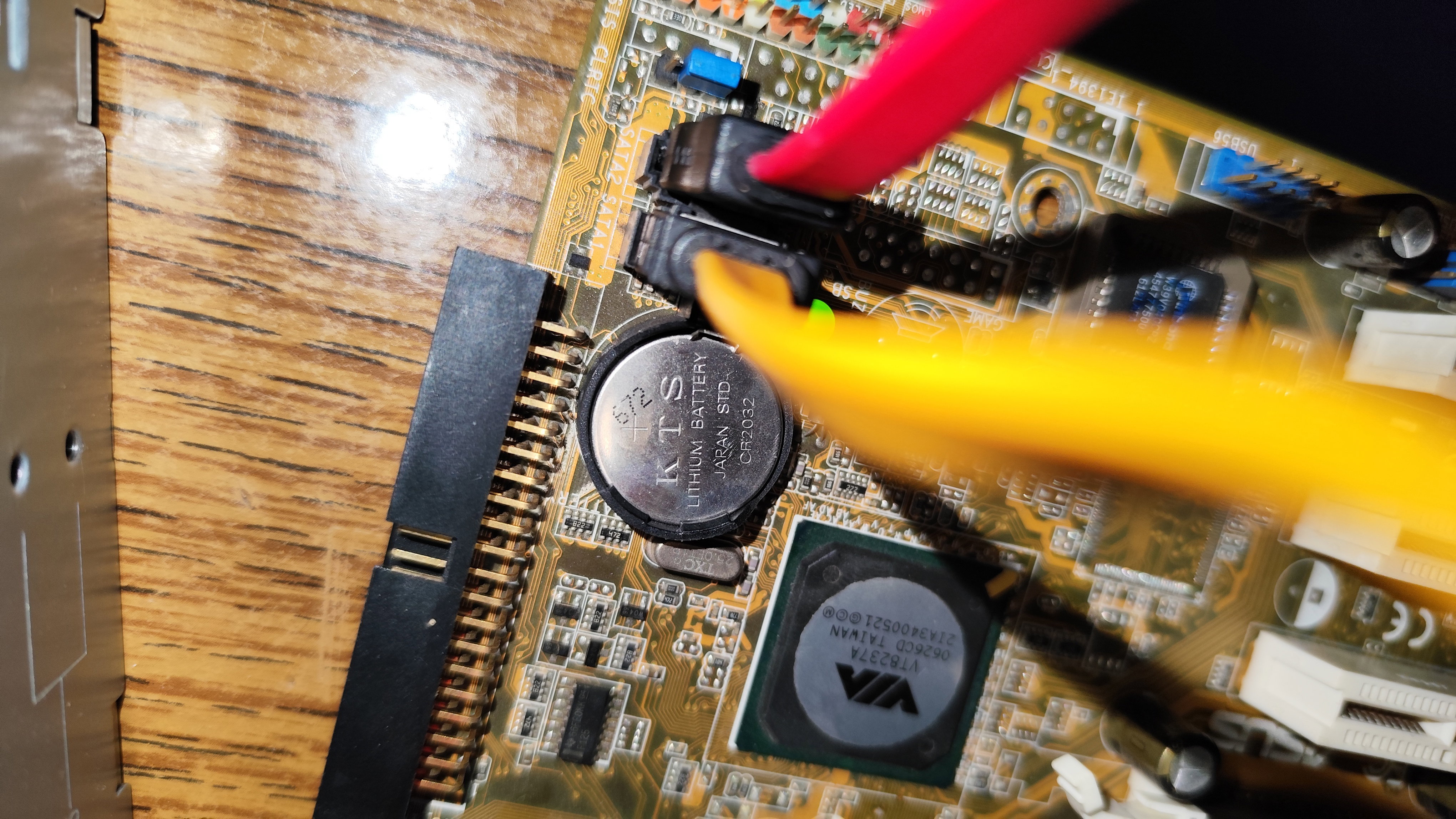
Lets connect a hard disk, and test it When connecting the cable to the SATA port, i realized i almost ended up dead-locking the SATA cable into the motherboard's port. When this motherboard was released, the SATA cables had no metal pin on their end, but since then, they have. The two SATA port on the motherboard are facing each other, and when both cables are inserted, their metal pins are covering out each other. This means, the cables stuck forever. The motherboard becomes an overly attached girlfriend, and it doesn't allows you to pull out! Luckily i have accidentally used a super old SATA cable for the hard disk, which had no metal clip on it. Therefore i was able to unplug that cable first, then unplug the another one with the metal clip.
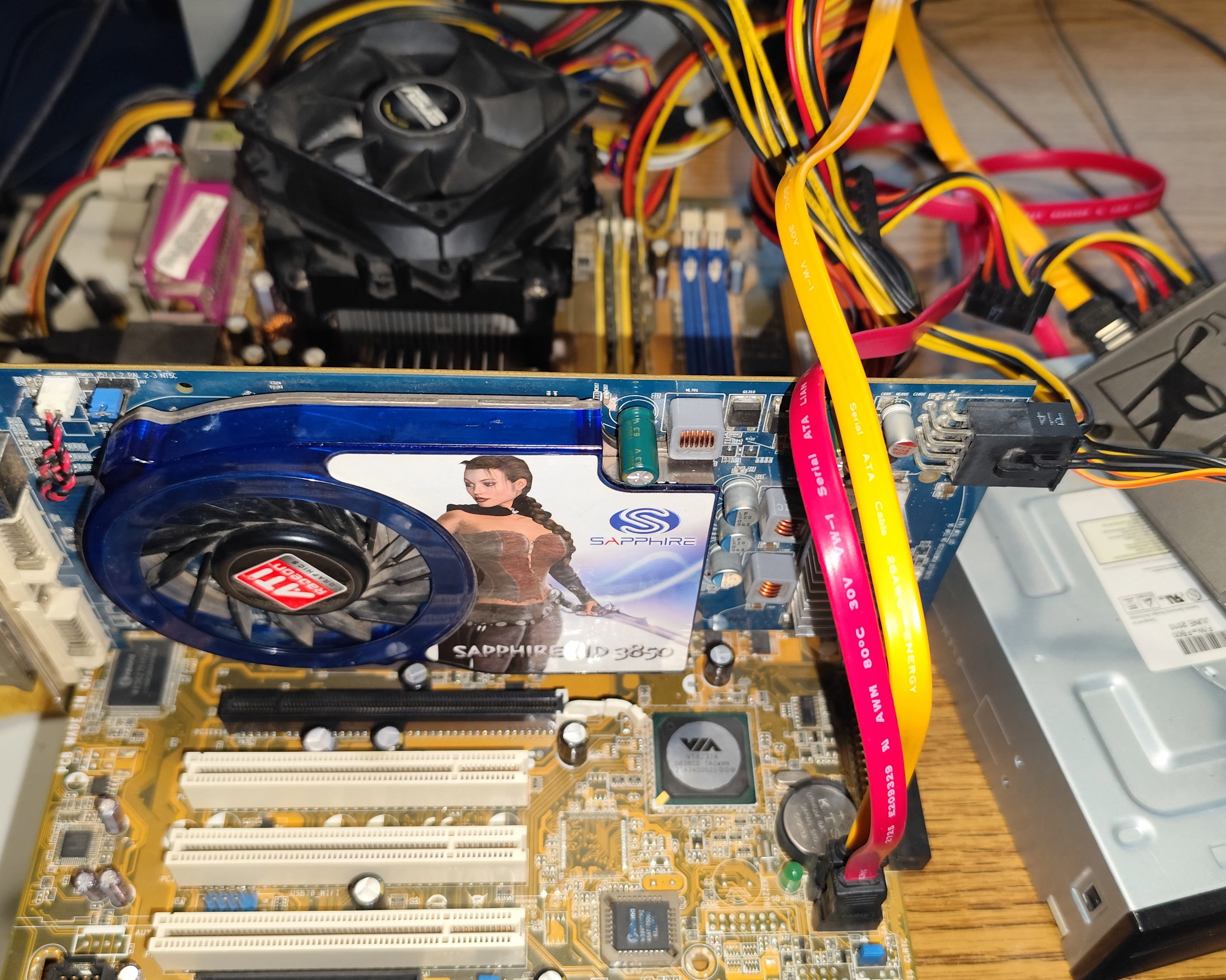
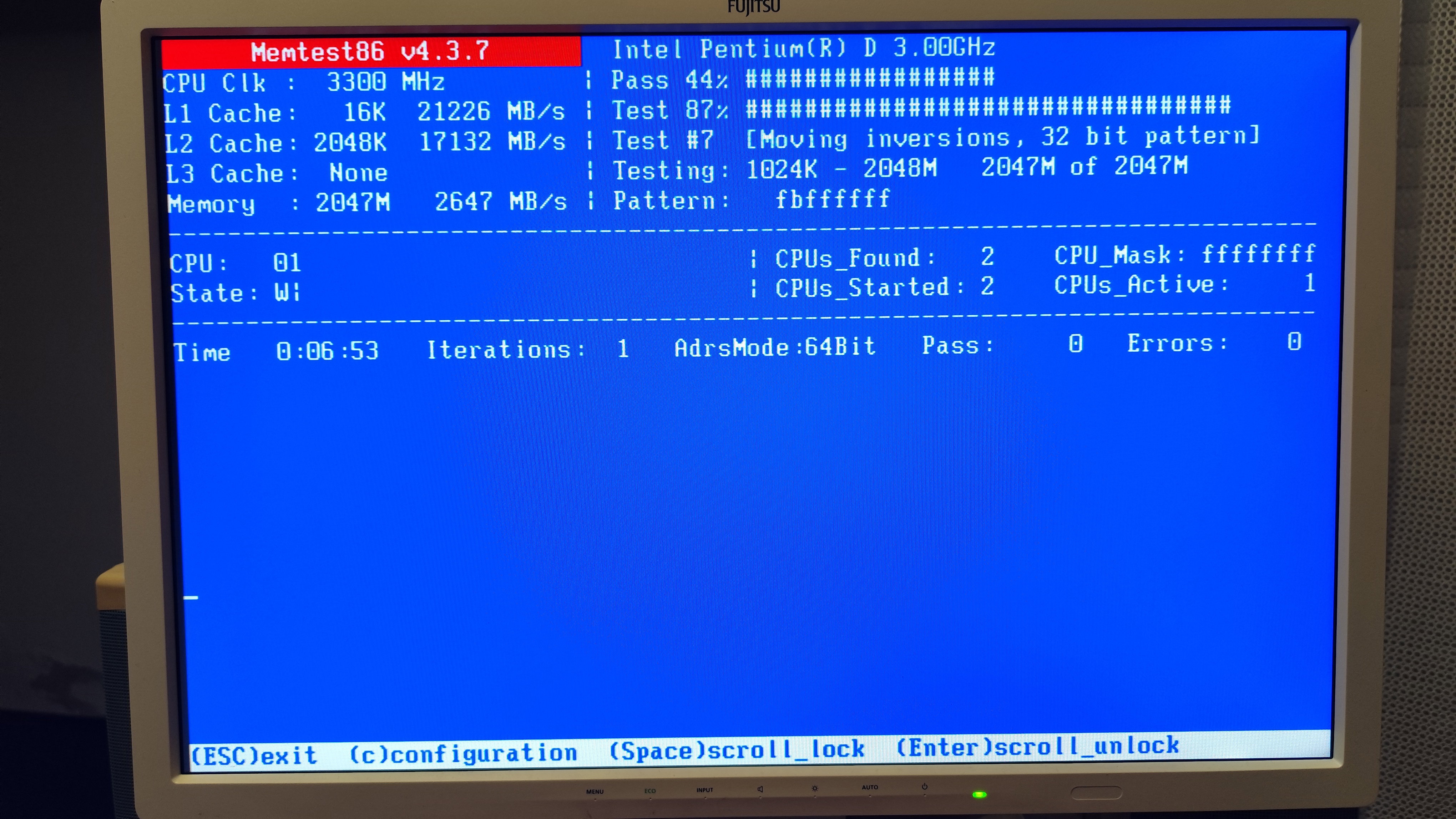
Windows compatibility After the hardware compatibility hell, luckily there were no software issues. Windows 7 64 bit installed without any issue, it detected and installed all hardware out of the box. There seems to be no compatibility issue with graphics cards regardless - from the GeForce 8500 to my Rage 128 card, everything got detected and working without any sort of issues. 32 bit and 64 bit versions of Linux also boot on the system. The only thing which i found sad is the 2 GByte memory limit, which is not ideal if someone wants to run post-2015 applications and games on the system. Fine tuning and overclocking The system overclocks just fine, and the memory system is independent from the front side bus. I managed to get 3.3 GHz out of the Pentium D chip, however at 3.4 GHz the system is freezing. I have not increased the voltage (and i don't know if the system supports overvolting). At 3.3 GHz, the Pentium D approximately manages to reach the performance of a Core2Duo E6300 (1.8 GHz), at least in a more modern motherboard with proper RAM. This system has a lot of sacrafices. The speed and quality of the memory controller, the PCI-E port only operating in 4x mode, these are going to be factors dragging any chip inserted to this motherboard. And thats likely why ASUS didn't bothered to patch the BIOS of the P5VDC-X with Core2 support - a Core2 chip wouldn't been notably faster under such circumistances. Especially, because initially Core2Duo chips had only 2 MByte cache memory, and the second generation of Pentium D chips have 4 MByte, which can compensate well for this weak memory system. Fan speed is always at 100%. The fan is very noisy, and there is no need for full throttle all the time, as the Pentium D tends to run around 30c in idle. Despite of having 4 pins for the fan, no PWM, and no sort of fan speed control method is supported on the motherboard. The BIOS contains no methods to control the fan speed, but measure the fan above 4000 RPM. I haven't tried to connect the fan to other PIN than the PWM capable pins to the motherboard, but the board also have 3-pin fan headers. I don't tested those, so i don't know, how those would behave. 2006 was also the time, when CPU fan speed control became a thing, and it seems this motherboard does it wrong, or it can't do it at all. The test system **CPU**: Intel Pentium D 925 **Motherboard**: ASUS P5VDC-X RAM**:** 2x1 GB, doublse sided DDR2-666 RAM forced in DDR2-533 mode, in dual channel **HDD**: 120GB SSD **GPU**: AMD Radeon 3850 AGP 512MB
Measuring the power draw The configuration in idle drew more than 100W, meanwhile under full throttle, it drew more than 200W. The IDLE power draw is suspiciously high, and the only explanation i can think of is the messed up power states of the Pentium D chip, which the motherboard seem to be unable to properly implement. This could also explain, why they keep the fan at 100% speed all the time despite the low cpu temperatures, and why they put some of the VRM components caps directly below the CPU heatsink, otherwise the VRM would probably damage very quickly. Syntetic benchmarks The only syntetic result i observed is the memory bandwidth in memtest86. Memtest86 can't properly measure the RAM bandwidth on multicore chips, so dual channel operation will not be properly saturated in this test. However, when comparing the numbers to more modern LGA775 motherboards, the results are weak. The speed with DDR2 memory capped at DDR2-533 only gives 2.5 GBytes/second in the P5VDC-X, and this is basically the peak which this motherboard can do with large DDR2 modules. The dual channel mode, which is luckily active with this motherboard, saves the day. The memory performance is 33-50% below newer motherboards, when using similar Pentium D and Athlon64 x2 chips. Its however still at least twice as fast as later Barton chips with DDR memory. The memory bandwidth barely exceeds the theorical limit of PCI-E 1.0 8x, and barely reaches even the speed of AGP 8x. It's nowhere near to saturate PCI-E 16x so no wonder they designed these systems with a 4x PCI-E lane only. When using dual channel DDR-333, the speed is only around 2 GBytes/sec. This is due to the strange design of the memory system on the motherboard.
Testing some games I have used my AGP 3850 graphics card, which worked fine in the system. I decided to quickly test two games to see, how faster this system is compared to my Athlon XP system. These Pentium D chips had bad marketing back then, but in my previous test, where i have measured them against the first Athlon64 x2 chips, they were delivering fine performance. This motherboard is however a different story, with about half of the memory bandwidth and the legacy AGP port, now it has a bad start. Crysis When running Crysis, the game ran with about 35 fps. This is only about 15% worse than what a Pentium D capable with proper memory and a fast PCI-E DX10 card. This means the anemic syntetic benchmark performance not immediately translated into a bad real-world performance, and the motherboard is very fast (however indeed wouldn't be fast enough to properly feed a Core2Duo).
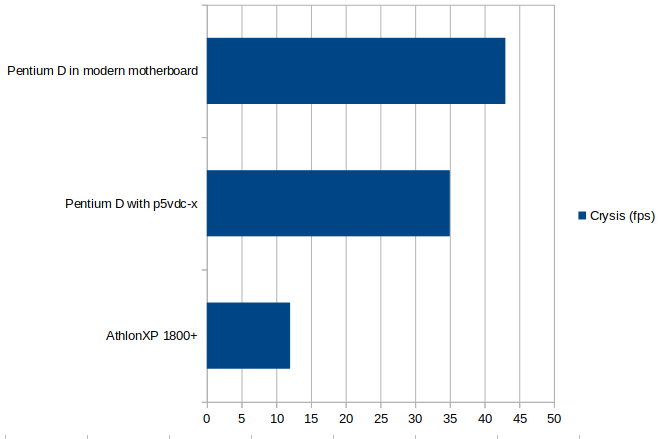
The AthlonXP can only manage around 12 fps which means the Pentium D is about three times faster. Prey (2006) This is an OpenGL based game, and it is very CPU limited, as it is based on the DOOM3 engine. I also tested pray on an AthlonXP to have comparison of the user experiences. By the way, this game requires old AMD drivers, otherwise heavy stuttering and microlagging would occur - this is not specific to this motherboard, but its a thing of newer AMD OpenGL drivers - they are very CPU heavy, making the things worse.
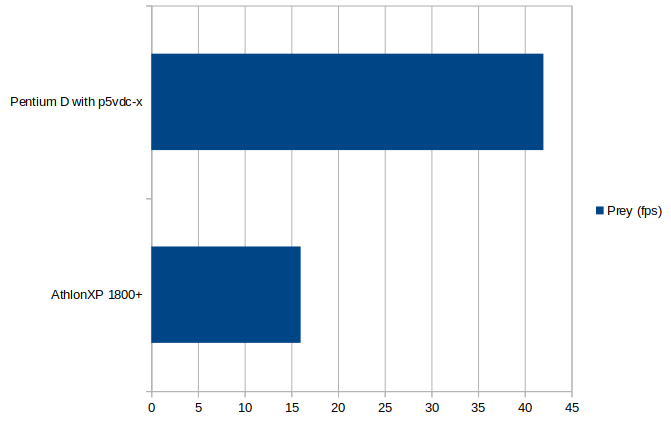
Again, the Pentium D easily pulls away from the Athlon XP and about 3 times faster under heavy action. Verdict The promised longevity of RAM upgrades with this motherboard is questionable. Modern and larger RAM modules simply won't work properly. Likely it would have been a better idea from ASUS and VIA to simply just put four DDR 1 memory modules on the motherboard with 4x1 GB support in total, however at the early days of 2006 this was not properly predictable. The graphics card support has no bugs, the AGP and PCI-E ports are both useful and operate as it was intended, making the longevity of GPU upgrades high. The performance of the motherboard is good, while it lacks in syntetic benchmarks, the performance is acceptable in real world usage. The memory performance wouldn't been enough to feed Core2 based chips, and the memory compatibility problems are likely one of the main contributing reasons of Asus silently and quickly discontinuing this motherboard just a few months after its initial release in 2006. The another one could be the missing power stages and the lack of PWM. There are similar combo motherboards from Asrock, such as the Dual VSTA or 4Dual VSTA, which have Core2 CPU support regardless of using the same chipset, and better RAM support, better platform in overall - so its dissapointing why ASUS gave up so easily on this motherboard, and how they ended up doing these failures. ASUS silently discontinued this motherboard just after a few months of initial production run, without attempting to fix the problems. However, the motherboard can indeed give the promised 64 bit capabilities and the speedup compared to older 32 bit Pentium4 and AthlonXP systems. It indeed allows to use older graphics cards and RAM sticks as well, and the motherboard does what it was advertised to do - acting as a bridge between the previous generations of PC hardware, meanwhile also offering compatibility with the new generation of its era, but its very messy. A walking design flaw In other hands, this motherboard is a screaming design flaw. Its hard to view any parts of the motherboard and not to find various giant blunders. -Messy and nonsensical RAM support -Design failure of the heatsink -Design failure of fan control -Design flaw in the CPU's power stages -High power draw -Design failure of the VRM -Lack of fan control and PWM -Design flaw of SATA connectors -No microcode update possible for Core2 based chips -Low memory bandwidth -Only PCI-E 4x bandwidth instead of 8x -Bugous compatibility with chips above 533 MHz BUS -Very hard to set up the hardware and operate it properly
No comments yet