 @Macronald
edited
more from that month
@Macronald
edited
more from that month
Using editor function in short posts and comments - Mobile

I bolded a text in a short post "Announcing the Ask us community" and a user asked how I did it. Which I responded to gladly. Then I thought why not share it here. It could be useful to some users. Though this already exists, but many users seldom use them or don't know how to. https://read.cash/c/ask-us-b2a1/post-0acbd4f4 "The editor is pretty simple and tries to get out of your way as much as possible. But, don't let the simplicity fool you - it allows you to do a lot." @Read.Cash The read.cash editor is a handy and simple tool that allows you to do a lot when typing an article. Users use it mostly when typing an article, but many don't know some of its functionality can also be applied when typing a short post, comment, or replies When writing an article, the editor bar always appears when you start a new paragraph or when you highlight a text. Then you click on the function you want.
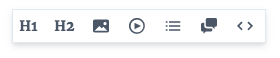
For short posts and comments, ou use markdown shortcuts Bold To bold text in a comment or short post, you insert double asterisks before and after the words or phrases you wish to bold. `**this will bold your text**` = **this will bold your text** Italics To italicize your text, use one asterisk at the beginning and end of the word, phrase or sentence you wish to italicize `*italicize your text*` = *italicize your text* Lists To make a list in a short post or comment, start a paragraph with a dash and space `-` `- Try this in the comment section` `- This could be useful` This should make a list like this: Try this in the comment section This could be useful To make a numbered list, start a paragraph with a number, a dot, and space: `1.` , that should make a list like this: Try this and others in the comment section Hope this will come handy sometime Blockquotes To add a blockquote - start a line with `>` (No space) `>No place like home` This should give the result below No place like home These are the ones I use frequently in my short posts and comments. read more about read.cash editor here. https://read.cash/@Read.Cash/how-to-use-the-editor-at-readcash-e2df60aa You are free to try these in the comment section. Share anyone you use that is missing from this article. Remember to subscribe and like this article. A tip would be appreciated.

44 comments
Thanks for the exhaustive notice and I wasn't interested.
Not interested? Good to know.
> Not interested? Good to know. We didn't understand each other. I'm interested and thank you very much. I want to know more about it.
Sorry I misunderstood you. I reread it later and got the actual message.
Thank you for letting us know. I don't know where to ask how to do blockquote. I am experimenting how to do it but unfortunately I really don't know. Thank you so much. It would really help a lot. Specially to the newbies. Have a nice day ahead.
You are welcome dear. I am glad it was helpful to you. Nice night for me. Its 00:47 am here. You have a lively day
Thanks for this!
You are welcome
It's great help for our newbies. I always use it specially when i want to emphasize something.. Keep sharing.. 😊
Thank you for your feedback. Keep supporting.
❤️👍
This will really be helpful for most newbies,I remember when it was hard for me to add link to texts
Many users know how to use the editor bar while writing article. But didn't know there are shortcuts to apply them in short posts and comments. I am glad it was helpful
Wow I am one month user here now but I didn't know about it. Thank you For this information it is Really helpful for me 😄
You are welcome. We keep learning every day. I am glad I had something useful to share.
Wow, thank you so much for this. I really didn't know before that we can edit our shortpost like that haha. I will try that later. Thanks again!
You are welcome dear. Not just short post, comments as well. You can try them out whenever you can.
Yes and I already did. Thanks again 😊
Don't mention. There is love in knowledge sharing.
**OMG** *Thank you*😊
This is helpful.. am trying to apply it on my short post but I just don't know how. reading this, I now know how too.. I only know how to block quotes in comment box. thanks man
Well, I use all listed in the article often. Some users asked how to, so I decided to make a post. Hoping it will also be helpful to some users. I am glad you are one.
its good you published it as you can see at the comments, many also did not know it yet
That I have seen. I will probably boost it to reach more users.
**Before thanking why not try it here** Then *lets thank him my dear* - just save it for later.
Wow its working. Really i was facing trouble that I cant use any of these features in comment box
Sure. It works. I have been using them for a long time.
This is very informative. Thank you so much! gonna try itt
Wow. I really didn't have any idea about these techniques, lol. Now I must try it. Thank you for sharing with us!
Quite useful for me this article, I did not know these tips ... Thank you very much for sharing this information
I didn't k ow about those yet orz i thought you copy pasted those texts from a full article draft
True I picked lines from an article on how to use the editor - which I quoted. These are the ones I use frequent in comments and short posts and how I used them. Btw. Thanks for the tip.
I noticed. I've bern meaning to ask how you did those but now i know 😂😂😂 thank you for this summary. I'll try these out soon
You are welcome dear. I will get to see you try them out in a post or comment. Have a lovely day. BTW. Have you concluded your exams?
Thank you for sharing this useful information. It's a really big help since i don't know how to usem them before
>Wow These are very useful tips for editing text here. I only previous used the text editor bar to get some of these done. I haven't used the list and block quote function before now because I had no idea of how to get them done. Thanks slot for this post.
You are welcome and you used the blockquote on your comment.
Now I know **thankyou** so much for sharing this 😊
keep support mate
Wow! Really insightful. Thanks for sharing. >I'd definitely try it out.
Thanks so much for the enlightenment
thank you so much. I never knew all this ways of editing your post
You are welcome. Now you know
Sure I do now