 @Corpsekunno
Upgrading my PC from Windows 7 to Windows 10 for FREE
**October 18, 2021** *Disclaimer: None of the companies mentioned in this post are sponsors of this article. Furthermore, this article is solely for the purpose of assisting others.* Is your computer still running an older version of Windows? Do you wish to improve the performance of your computer? Well, you've come to the right place because today I'll be discussing how I was able to update my PC from Windows 7 to Windows 10 for free. I didn't pay anything and didn't seek advice from any experts, but I did a lot of study on how to upgrade it correctly without damaging my computer. Also, I don't consider myself an expert in any of these topics, but I've always been very excellent with technology. **MY PC RUNNING WINDOWS 7**
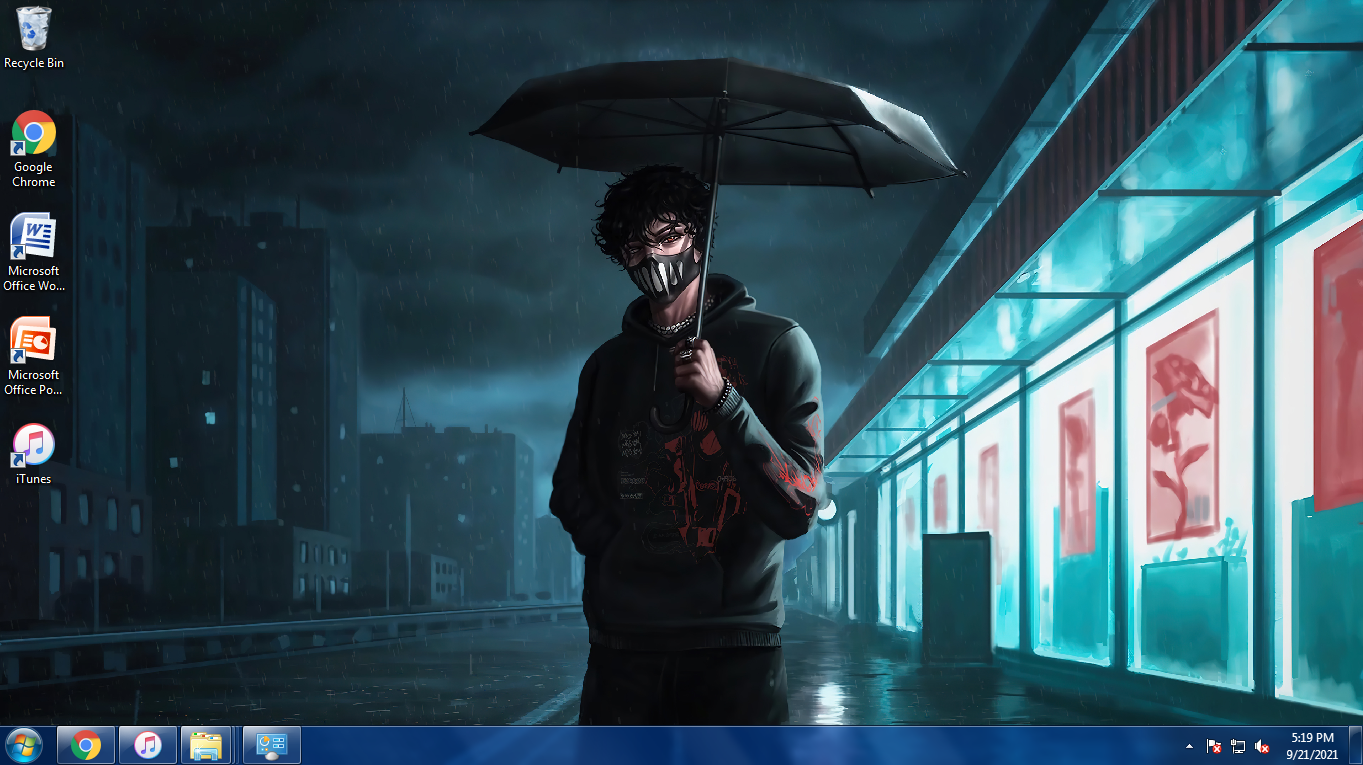
**The Microsoft Windows 7 Experience** I'm going to miss the appearance of my old computer. It wasn't particularly slow, but there are occasions when my computer runs slower than usual, which is OK with me because I'm used to it. If I had to give it a rating, I'd give it an 8 out of 10. After months of uncertainty, I finally decided to take the plunge and update my Windows 7 PC to Windows 10 for free, last night. I was really anxious and concerned that it would damage my computer, but I decided to take the risk nonetheless. We don't have access to the internet, so I'm only relying on mobile data, which consumed approximately 4 to 5 GB. Even though it used approximately all of my mobile data, it was well worth it, and I have no regrets. Before upgrading my PC, I made a bunch of researches. YouTube, Google, Windows 10 feedbacks from trusted people and their comments about Windows 10. I even asked my friend for advice. I read so many articles and even check my PC's latest updates. I took down notes of the process and check the Windows 10 requirements. **Windows 10 System Requirements** Here's what it takes to upgrade to Windows 10 on your PC or tablet: **Latest OS:** Make sure you're running the latest version—either Windows 7 SP1 or Windows 8.1 Update. It is important that your window is updated to the Latest version of the windows. You can Check update. Find out which version you're running <- Check this out to find out which version of PC you're running. https://support.microsoft.com/help/13443/ Need the latest version? Download Windows 7 SP1 or Windows 8.1 Update <- Check this if you also needed to update your Windows to the Latest version. https://support.microsoft.com/help/15090/ https://support.microsoft.com/help/15356/ **Processor:** 1 gigahertz (GHz) or faster processor or SoC **RAM:** 1 gigabyte (GB) for 32-bit or 2 GB for 64-bit **Hard disk space:** 16 GB for 32-bit OS or 20 GB for 64-bit OS **Graphics card:** DirectX 9 or later with WDDM 1.0 driver **Display:** 800 x 600 I saved the notes for a couple of weeks after checking out the computer systems and updated my Windows 7 to the newest version to meet the Windows 10 requirements. UPGRADING TO WINDOWS 10
On your Flashdrive, back up all of your important documents, apps, and data. Go to the Microsoft Windows 10 download page. https://www.microsoft.com/en-us/software-download/windows10?ranMID=24542&ranEAID=nOD/rLJHOac&ranSiteID=nOD_rLJHOac-LMhbh.VAbJapzL0QTIr9kQ&epi=nOD_rLJHOac-LMhbh.VAbJapzL0QTIr9kQ&irgwc=1&OCID=AID2200057_aff_7593_1243925&tduid=%28ir__n6xn0bpie0kf6hpzpwsyq36hmv2xr9cgtpqzlvmi00%29%287593%29%281243925%29%28nOD_rLJHOac-LMhbh.VAbJapzL0QTIr9kQ%29%28%29&irclickid=_n6xn0bpie0kf6hpzpwsyq36hmv2xr9cgtpqzlvmi00
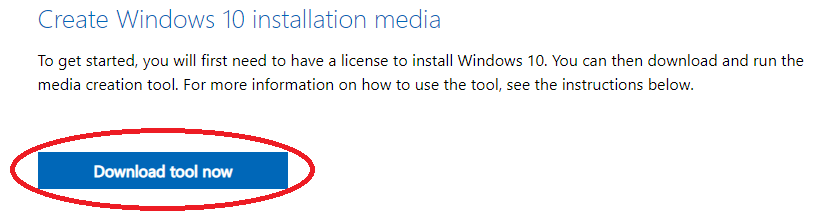
Select **"Download tool now"** from the Create Windows 10 installation media section and launch the software. Choose "Upgrade this PC now" when offered, or you can choose "Create installation media (USB flash drive, DVD or ISO file) for another PC . During the installation process, it took for about 1 to 2 hours. So patience is what you need in there. After that, you'll be asked if you want to keep your personal files or start fresh. As for me, I keep nothing and have a fresh starts which probably the reason why my computer run smoothly than before. Remember that if you choose to start over or keep your files, all of your applications and settings will be wiped as part of the Windows 10 update. When the installation was finished and updates were processing, you PC will restart. It would take about 30 mins - 1 hour. After that you will have to set up some things that are needed and asked such as; your username and PC or Laptop password. You should receive a digital license for Windows 10 when the update is complete, which you can find under Settings > Update & Security > Activation. You also don't have to buy a Product Key Licensed, you can use your old Product Key. MY PC RUNNING WINDOWS 10
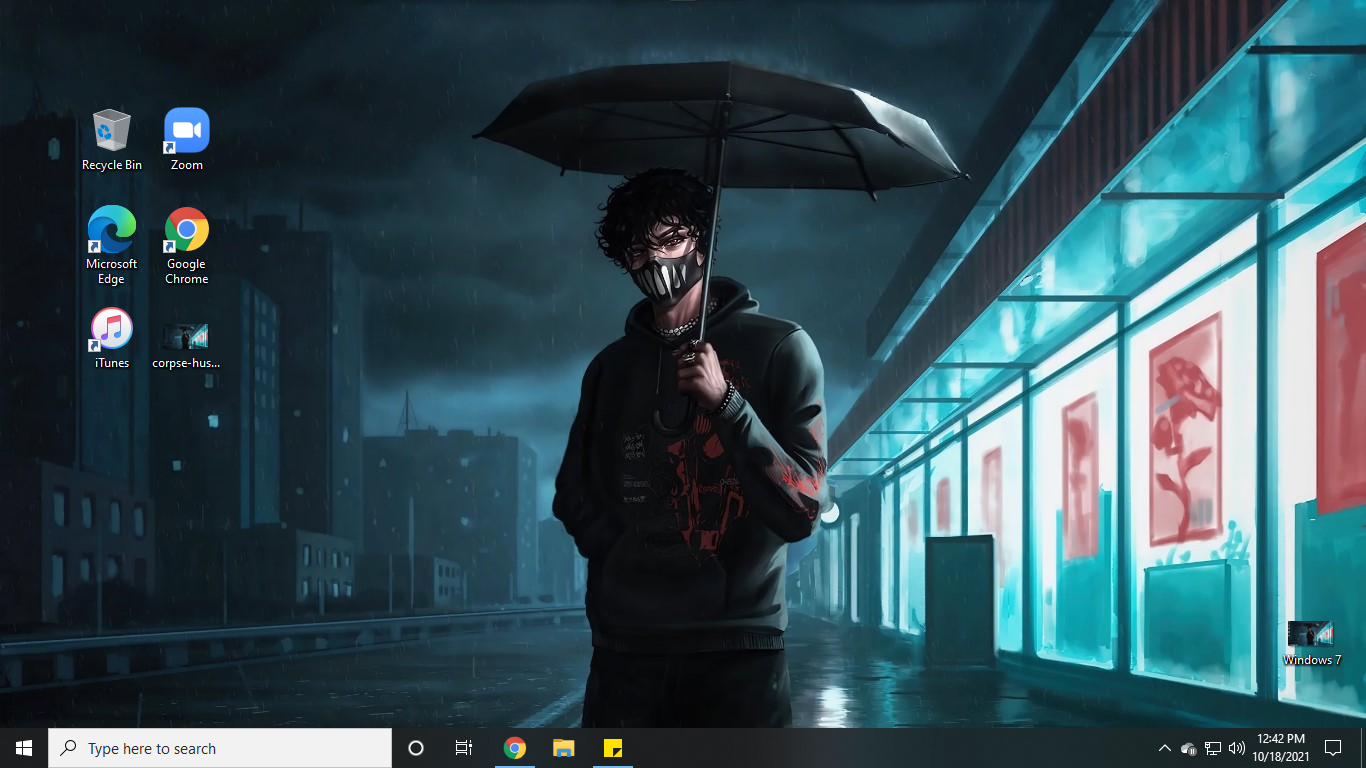
**The Microsoft Windows 10 Experience** My experience with Windows 10 has been fantastic; it works easily and my machine seems brand new, as if I just got it. There are moments when it slows down, but it still works great because I'm generally opening a lot of tabs, which causes lagging. I would give it a 9 out of 10 rating. CLOSING THOUGHTS It's quite reasonable if you're a student with a PC or laptop that's still running Windows 7 and you're apprehensive or in hesitant on updating it to Windows 10. You don't have to upgrade if you think it will break your machine (it won't), my PC has been operating perfectly since I switched to Windows 10. I can see there is an improvement, but it doesn't imply it will function on your PC, especially if you have an older version. Date: October 18, 2021 Author: Corpsekkuno Title: WINDOWS 7 to WINDOWS 10 Article No.: 67

Sponsors/Supporters `Take a look at my amazing, kind, and generous sponsors. Check them out since they create excellent and relevant content for you to read. If you go down to my comment area, you will also see my wonderful supporters.♥️✨` `They are my cyber pals.♥️` --- **Author’s Note** Hello, Corpsekkuno Here! I hope you find this helpful, more especially for those students that need an upgraded version of Windows. Thank you so much for taking your time to read this; I appreciate your effort and I hope you enjoy. If you're interested in reading more, here's a list of suggestions: **When We All Fall Asleep, Were Do We Go?** https://read.cash/@Corpsekunno/when-we-all-fall-asleep-were-do-we-go-481b10f1 ****1st Grade: SCAM that Caused My TRAUMA**** https://read.cash/@Corpsekunno/1st-grade-scam-that-caused-my-trauma-94c69617 ****My Brain Disease**** https://read.cash/@Corpsekunno/my-brain-disease-cddb98a5 ****TYSSIG: Things You Should’ve Said Instead of Ghosting**** https://read.cash/@Corpsekunno/tyssig-things-you-shouldve-said-instead-of-ghosting-a18cabad ****My 0.86 BCH Journey: Road to 1 BC**** https://read.cash/@Corpsekunno/my-086-bch-journey-road-to-1-bch-16efa0c1 ****Fill the Jar: Fears Edition**** https://read.cash/@Corpsekunno/fill-the-jar-fears-edition-b8087355




11 comments
I am currently using window 10 but I think I had an old version because every time when I open my Laptop and upgrade screen popped up. Can i still, upgrade my window like this because I am currently using original window 10 that’s why I am not updating my window.
you can simply update your windows 10 on setting> windows update . you could scan for updates there
Are you sure? Because I am not doing this because I am scared if they ask for serial keys etc.
If you're already using Windows 10 , it's safe to update the system to the latest version of Windows 10. It won't ask for serial keys. You don't have to do the same procedure that I did up there since you're not using windows 7. All you have to do is to scan for the latest update to be installed in your computer settings. But also, for your own sake, if you don't feel like updating your computer, it's totally fine.
Okay, thank you for your time and recommendation.
Wahh ako na walang Pc di makarelate pero binasa ko padin haha 🥲 Hays when kaya
Soon, alam ko bibili ka naman laptop sis diba? Baka magamit mo yan, pero yung mga new PC ngayon usually windows 10 na agad eh. Gumawa lang ako para sa mga gumagamit pa ng old version computer ehehhe
Yay! Such a tech savvy student. And a risk taker too. Good job on taking the initiative of upgrading your pc.
Aguyy! Ako na wala nang PC.. hehe.. Pero, still worth it naman na nabasa ko to para kung may mag.ask sa'kin about sa ganitong bagay. May idea ako na pwedeng ma.share sa kanila..☺️
Maiinggit nalang talaga ako huehue. Datin nag hahanap ako ng mga ganyan ee sa filehippo lang pero diko pa rin dina download, takot din ee saka tamad talaga ako mag update, hassle ee huehue. When kaya ulit makakahawak ng lappy huehue
I'm still running Windows 8 for the now, not that I don't like windows 10, I really like windows 10, but i feel like I should wait a bit longer before upgrading to 10. I heard Windows 11 is already out.