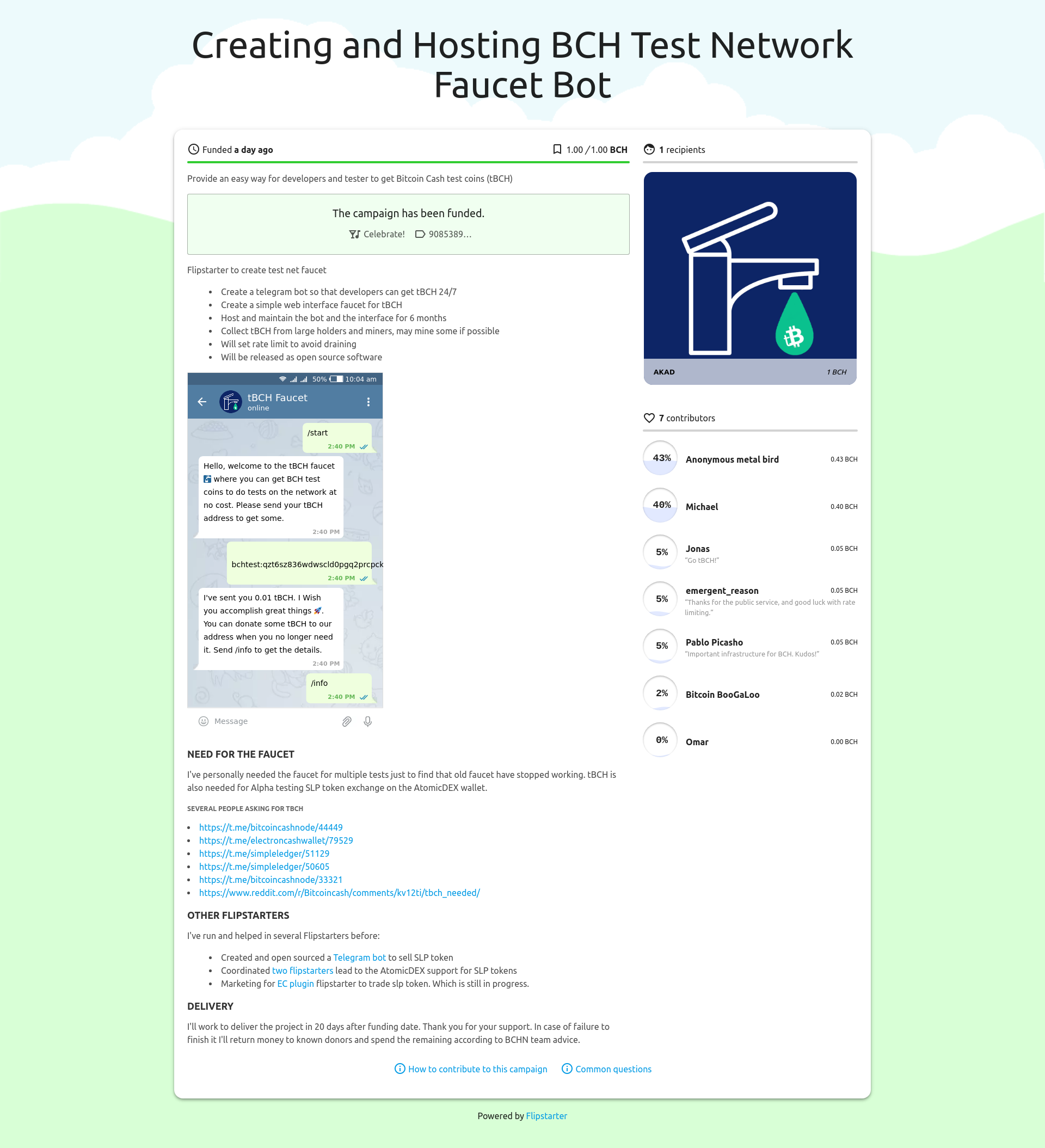
Make Freelancers Free Again, A Flipstarter Campaign!
Here is a new Flipstarter campaign to bridge the gap between the freelancers community and the crypto currency community.
It's often difficult to find freelancers that accepts BCH or crypto in General. This is a different attempt using a different approach based on openness in database and in source code. It's not about monopoly or locking people to one platform but about having a common format to list skills and get jobs that could be used by
different websites and tools.
It uses tools like GIT, Markdown, static site generators to handle the workflow from user entry of his data till display on website in a categorized searchable service pages.
Example file
file_version = "0.1"
tags = [ "Programming", "javascript" ]
[data]
name = "John Doe"
profile_image = "https://randomuser.me/api/portraits/men/32.jpg"
user_description = "I'm a programmer working on many professional projects. I like to do translations from time to time on interesting topics. I'm a fan of crypto currencies and free market."
payment_methods = [ "Crypto Currency", "CashApp" ]
hourly_rate = 50
[[data.website]]
text = "https://github.com/alessandro-tucci-visiontech"
id = "cbc9db2g5"
[[services]]
category = "Programming"
sub_category = "javascript"
title = "Javascript programming"
description = "I've few years experience in Javascript. I've worked with next and svelte. I'm paid hourly. "
price = 50
service_image = [ "https://i.imgur.com/domFFg0.png" ]
id = "x84unf4nx"
Workflow
User fills his information and services he can offers in the frontend
Human and machine readable toml file is generated from that data
Data submitted to the server or linked from the user own repository (he has control over it both way)
Data is read and converted to markdown pages which are simple nice looking html pages
Website uses data from toml file to categorize the user info and have it in proper tags
Full text search engine will help website users to find freelancers
What is open about this?
Source code for website frontend, backend and user data will be open to the public.
Anyone can build his own interface using the data provided with user permission.
User can backup his data and move it to another website or host it by his own.
Sneakpeak
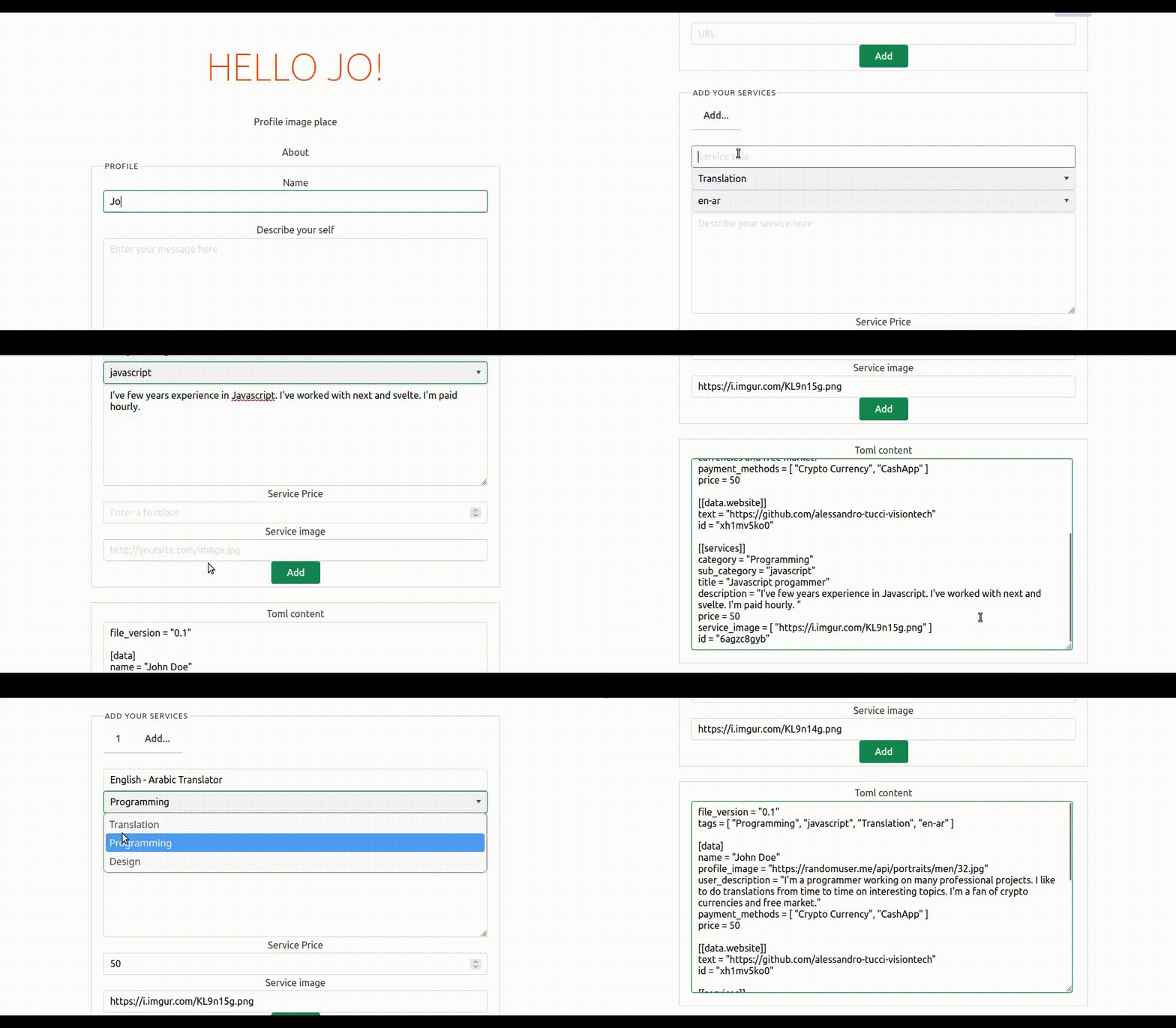
**Service provider creating his profile**
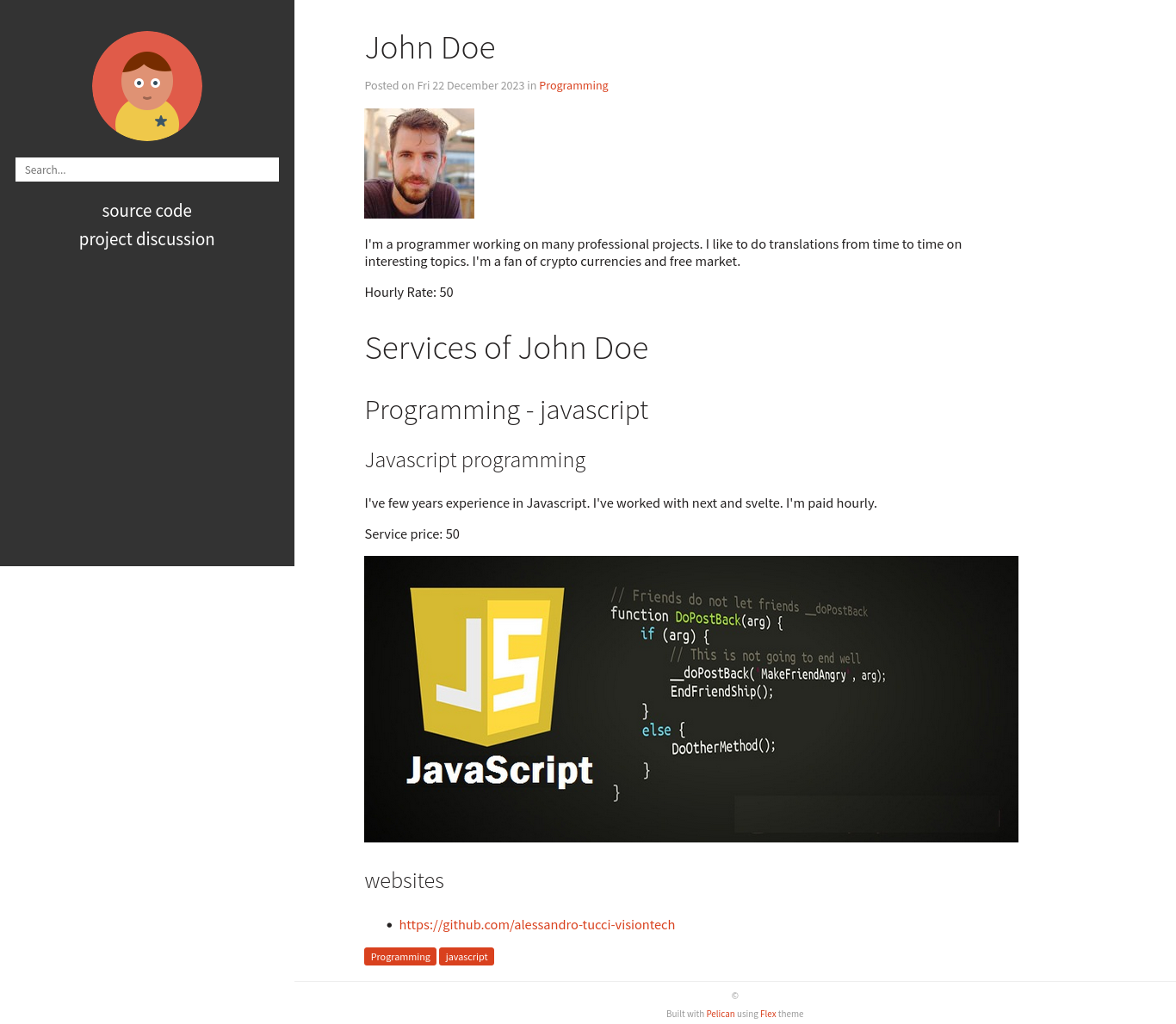
**Full profile Rendered on website**
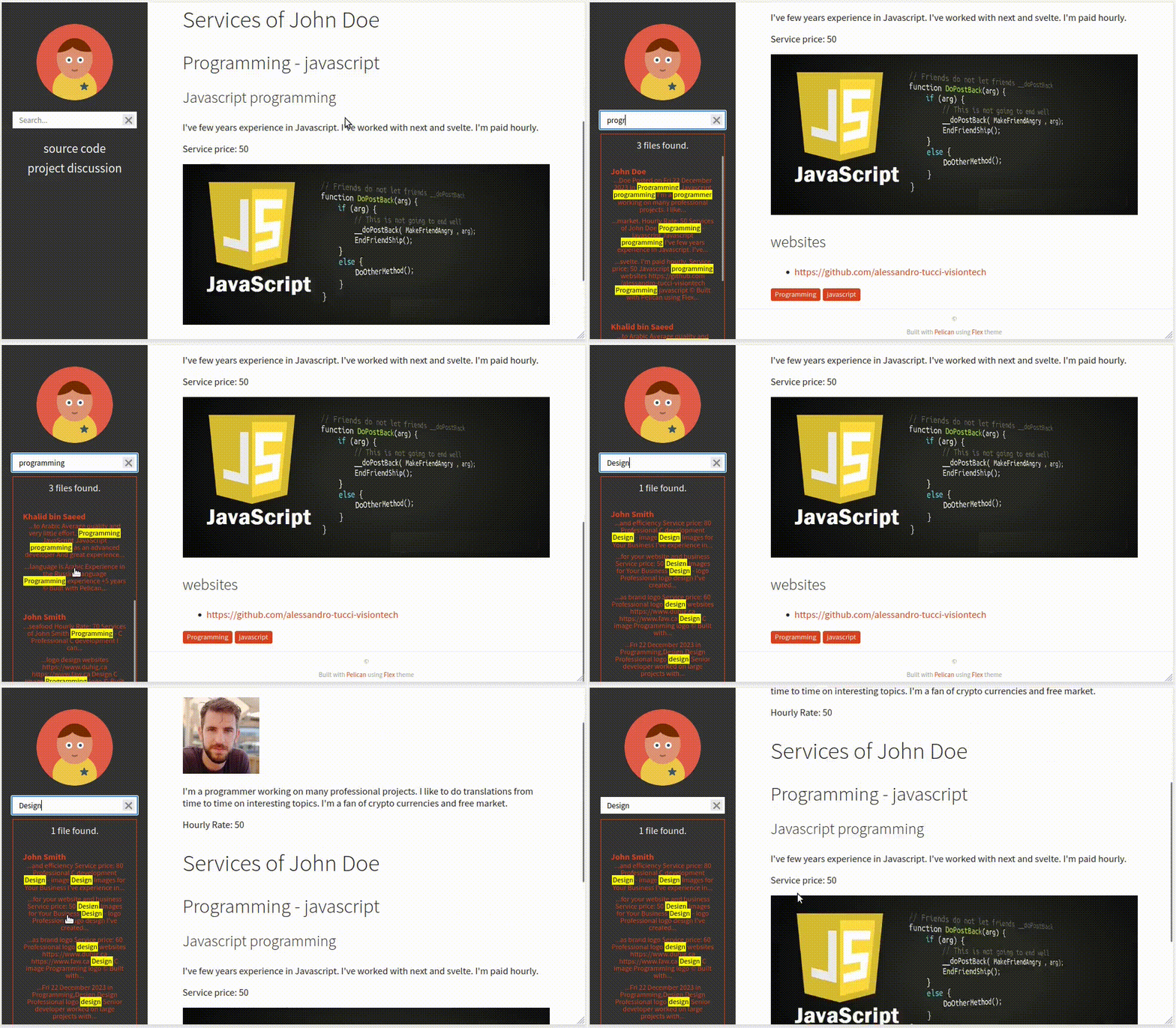
**User searching website**
Issue
I've been trying to spread the word about BCH and crypto currencies in few communities. However one hand can't clap. I needed to find other enthusiasts and hire some people for few tasks. It was difficult to find freelancers that are welling to accept crypto currencies. The ones that do are finding it hard to connect with business owners and employers.
Many projects have failed in the past like Valenzuela Workers and many other similar websites seems stale and the code and effort spent is behind closed doors.
Solution
My idea is to create the following:
Standard simple human readable data format to share skills and services
Web interface for user to create their profile and submit it
Website that collect and organize the data and allows searching
Open database (collection of files) that anyone can build upon it.
User store their profile in a Git repository they control
Easy to opt-in opt-out of indexing by flag in the file.
Open source - You can build upon it
Mostly static websites
More detail
Please check the Flipstarter campaign as it has some more information
Link to campaign: https://freelancers.googol.cash/en
Archived copy: https://archive.is/aILDe
If you have some question please ask in https://t.me/hur_project
Thank you
Easily Communicate with BlockChain and Build Apps
Communicating with blockchain via a popular and an easy method, Electrum Cash Protocol.
Introduction
Bitcoin nodes are main part of the network, without nodes you can not send, receive or get info about transaction or coins. Nodes are large, not everyone can run them and they aren't usually set to face queries from public networks. However many node operators hosts a middleware tool that allows people to query for information like balance, transaction history or broadcast transactions.
In this article I'm providing Example of usage for methods in Electrum Cash Protocol which is used in popular wallets like Electron Cash. Examples are sorted based on the protocol document, so don't panic if you find something you don't understand. There are really simple ones that anyone with little programming skills can try. https://electrum-cash-protocol.readthedocs.io/en/latest/protocol-methods.html
Querying the Electrum Server
In my example I'm using Python but you can adopt them to any language. First lest us try using simple socket connection:
import socket
from time import sleep
hostname = 'chipnet.c3-soft.com'
port = 64001
data = """{"method":"server.version","params":[],"id":194}"""
with socket.create_connection((hostname, port)) as sock:
sock.send(data.encode('utf-8')+b'\n')
sleep(0.5)
print(sock.recv(1024))
If you run this command you should see:
b'{"id":194,"jsonrpc":"2.0","result":["Fulcrum 1.9.0","1.4"]}\r\n'
Query with SSL
Now let us try using SSL connection:
import socket
import ssl
from time import sleep
hostname = 'chipnet.c3-soft.com'
port = 64002
context = ssl.create_default_context()
data = """{"method":"server.version","params":[],"id":194}"""
with socket.create_connection((hostname, port)) as sock:
with context.wrap_socket(sock, server_hostname=hostname) as ssock:
ssock.send(data.encode('utf-8')+b'\n')
sleep(0.5)
response_byte = ssock.recv(1024)
response = response_byte.decode()
print(response)
Notice we changed the port from `64001` to `64002`. Electrum server could operate on different ports based on network (mainnet, testnet, chipnet) or their own choice. We also decoded the output from byte format to json using `decode()`.
Results:
{"id":194,"jsonrpc":"2.0","result":["Fulcrum 1.9.0","1.4"]}
I'm using `chipnet.c3-soft.com` server, you can find other servers inside Electron Cash wallet under Tools >> Network >> Servers.
Methods
You can read methods of the protocol in more details on the following link, I'm not going to copy all of it here :)
https://electrum-cash-protocol.readthedocs.io/en/latest/protocol-methods.html
Example Queries
Now, regarding python code that I'm using for these simple queries, it's sufficient to just change the `data` part. So from now on I'll just post the `data` part.
Balance for BCH and Tokens
data = """{"method":"blockchain.address.get_balance","params":["bchtest:zry77fz5ph8supxplr57h6lfx0jlw5kxjc39ctq8zc"],"id":194}"""
Returns if I run the script with `$python3 /tmp/test.py |jq .` :
{
"id": 194,
"jsonrpc": "2.0",
"result": {
"confirmed": 10108742,
"unconfirmed": 0
}
}
This query will exclude tokens balance by default, BCH is expected to deploy native token support in May 15 2023 so you may want to learn about their BCH balance. We can run t his query:
data = """{"method":"blockchain.address.get_balance","params":["bchtest:zry77fz5ph8supxplr57h6lfx0jlw5kxjc39ctq8zc", "include_tokens"],"id":194}"""
Notice we added `include_tokens` as a parameter. You can also modify it to only show tokens balance with `tokens_only`. If we do we see:
{
"id": 194,
"jsonrpc": "2.0",
"result": {
"confirmed": 1000,
"unconfirmed": 0
}
}
Address History
data = """{"method":"blockchain.address.get_history","params":["bchtest:zry77fz5ph8supxplr57h6lfx0jlw5kxjc39ctq8zc"],"id":194}"""
Returns a list of transactions involving the provided address:
{
"id": 194,
"jsonrpc": "2.0",
"result": [
{
"height": 130619,
"tx_hash": "d3987427832a14a5a9998587cf57693fdebfeee5254a28d927448bf394228eac"
},
{
"height": 130620,
"tx_hash": "fd16466978638a0b721df9ba728f2b18e219d84a035a19548ce8056ad16d1adb"
}
]
}
Return Transaction in Mempool for an Address
data = """{"method":"blockchain.address.get_mempool","params":["bchtest:zry77fz5ph8supxplr57h6lfx0jlw5kxjc39ctq8zc"],"id":194}"""
Result:
{
"id": 194,
"jsonrpc": "2.0",
"result": [
{
"fee": 219,
"height": -1,
"tx_hash": "10c17fa8fa096855f0b63f8643e3cb6788d97e9f5f36043aa22cf8b443ed2222"
}
]
}
It will return nothing if no unconfirmed transaction is waiting in the Mempool.
Get Address Script Hash
Didn't dive much to learn what Script Hash is but it works :)
data = """{"method":"blockchain.address.get_scripthash","params":["bchtest:zry77fz5ph8supxplr57h6lfx0jlw5kxjc39ctq8zc"],"id":194}"""
Result:
{
"id": 194,
"jsonrpc": "2.0",
"result": "e135101e310f33833cd0c6982e5d678ca0ff41b110e0bc0168c2c145245af8fb"
}
Get an Address UTXOs
data = """{"method":"blockchain.address.listunspent","params":["bchtest:zry77fz5ph8supxplr57h6lfx0jlw5kxjc39ctq8zc"],"id":194}"""
Result
{
"id": 194,
"jsonrpc": "2.0",
"result": [
{
"height": 130620,
"tx_hash": "fd16466978638a0b721df9ba728f2b18e219d84a035a19548ce8056ad16d1adb",
"tx_pos": 1,
"value": 10098743
},
{
"height": 130702,
"tx_hash": "10c17fa8fa096855f0b63f8643e3cb6788d97e9f5f36043aa22cf8b443ed2222",
"tx_pos": 0,
"value": 9999
}
]
}
Get an Address UTXOs Including Tokens
The `blockchain.address.listunspent` method also accept token related parameters. Here we use `include_tokens`.
data = """{"method":"blockchain.address.listunspent","params":["bchtest:zry77fz5ph8supxplr57h6lfx0jlw5kxjc39ctq8zc", "include_tokens"],"id":194}"""
Result:
{
"id": 194,
"jsonrpc": "2.0",
"result": [
{
"height": 130620,
"token_data": {
"amount": "1555",
"category": "d3987427832a14a5a9998587cf57693fdebfeee5254a28d927448bf394228eac"
},
"tx_hash": "fd16466978638a0b721df9ba728f2b18e219d84a035a19548ce8056ad16d1adb",
"tx_pos": 0,
"value": 1000
},
{
"height": 130620,
"tx_hash": "fd16466978638a0b721df9ba728f2b18e219d84a035a19548ce8056ad16d1adb",
"tx_pos": 1,
"value": 10098743
},
{
"height": 130702,
"tx_hash": "10c17fa8fa096855f0b63f8643e3cb6788d97e9f5f36043aa22cf8b443ed2222",
"tx_pos": 0,
"value": 9999
}
]
}
Subscribing to a Bitcoin Cash Address
I believe this needs a bit different code, so will leave it for a later article maybe d.v.
Return the Block Header
This is a bit advanced but we can run a simple form of the query
data = """{"method":"blockchain.block.header","params":["130713"],"id":194}"""
Where `130713` is the block number
Result
{
"id": 194,
"jsonrpc": "2.0",
"result": "00000020b50f525372a75dd5af367999f0967df7c8ac65770836a3b3f7febb7d0000000022fc3087af74b7b721ff5fd77b1f13c29bdc9fadf640aa1044ec4d9f90a5d20d0eb6c3637d90001d66721859"
}
Return Chunk of Block Headers
I put here block number `130713` in parameters:
data = """{"method":"blockchain.block.headers","params":["130713", "3"],"id":194}"""
Result:
{
"id": 194,
"jsonrpc": "2.0",
"result": {
"count": 3,
"hex": "00000020b50f525372a75dd5af367999f0967df7c8ac65770836a3b3f7febb7d0000000022fc3087af74b7b721ff5fd77b1f13c29bdc9fadf640aa1044ec4d9f90a5d20d0eb6c3637d90001d66721859000000205ff85ddb0ea6bbf32969741740e296a1a9928e4a016183231d48942e000000004ef8322b25207002a2383049251b6eea14c4f141d1ad93b5eb57d8dbc82410b779b7c3636f88001d00c0702d00000020150af46c2931607ca5113d150480d1f5eb3c27c7f94ee8447541942000000000e7529f9e2ac9c482bdf80415a32f19de6bffb25f27814e9e66d3aee2d566b117d3b7c3635782001d05eadc83",
"max": 2016
}
}
Estimate Fees
For me it was always returning the same result for any parameters I used, it's a fixed value.
data = """{"method":"blockchain.estimatefee","params":["5"],"id":194}"""
{
"id": 194,
"jsonrpc": "2.0",
"result": 1e-05
}
Get the Latest Block’s Height and Header
data = """{"method":"blockchain.headers.get_tip","params":[],"id":194}"""
Returns:
{
"id": 194,
"jsonrpc": "2.0",
"result": {
"height": 130715,
"hex": "00000020150af46c2931607ca5113d150480d1f5eb3c27c7f94ee8447541942000000000e7529f9e2ac9c482bdf80415a32f19de6bffb25f27814e9e66d3aee2d566b117d3b7c3635782001d05eadc83"
}
}
Subscribing to New Blocks
I believe this needs a bit different code, so will leave it for a later article maybe d.v.
Scripthash Related Methods
I'll also pass on those as it's a bit advanced subject for me and seems similar in application to the standard address related methods.
Broadcast a Transaction
You can use it to broadcast raw transactions.
data = """{"method":"blockchain.transaction.broadcast","params":["01000000012222ed43b4f82ca23a04365f9f7ed98867cbe343863fb6f0556809faa87fc110010000006441e034f331841fe54db54a5c5ebfcbab66ad8682fe285992130737ae7bf0a5603858511416eb6003aad3f5aa818c9400148d66f72b859eeb519718c2ecd8e2dd044121028aa60b3a3b4b590d5480fea4411e3e5ae6c959226064a336a11a7ae1a03154b5feffffff027d250000000000001976a914e9a1bdba9c8a6845b31f825c1444527006c93f9c88acdece9900000000001976a9143e8b21680884ce1d5a5c619fb69a971a676f1ffa88ac9cfe0100"],"id":194}"""
Returns a transaction ID:
{
"id": 194,
"jsonrpc": "2.0",
"result": "882307117ca84c81b680ef944de1cdabbe4ddda147bdbf535943d771852df2b2"
}
I've created a raw transaction using Electron Cash. In the send tab you do the usual steps and chose **Preview** instead of Send, then you sign, copy the transaction and Broadcast it using your code.
Get Double Spend Proof
data = """{"method":"blockchain.transaction.dsproof.get","params":["882307117ca84c81b680ef944de1cdabbe4ddda147bdbf535943d771852df2b2"],"id":194}"""
Returns Null if no double spent was associated with the transaction
{
"id": 194,
"jsonrpc": "2.0",
"result": null
}
If a double spend was deteced it will retun something similar to this:
```json
{
"dspid": "587d18bf8a64ede9c7450fdaeab27b9b3c46cfa8948f4c145f889601153c56b0",
"txid": "5b59ce35093fbd13549cd6f203d4b5b01762d70e75b8e9733dfc463e0ff8cc13",
"hex": "410c56078977120e828e4aacdd813a818d17c47d94183aa176d62c805d47697dddddf46c2ab68ee1e46a3e17aa7da548c38ec43416422d433b1782eb3298356df441",
"outpoint": {
"txid": "f6e2a16ba665d5402dad147fe35872961bc6961da62345a2171ee001cfcf7600",
"vout": 0
},
"descendants": [
"36fbb099e6de59d23477727e3199c65caae35ded957660f56fc681a6d81d5570",
"5b59ce35093fbd13549cd6f203d4b5b01762d70e75b8e9733dfc463e0ff8cc13"
]
}
Get List of Double Spends in Mempool
data = """{"method":"blockchain.transaction.dsproof.list","params":[],"id":194}"""
If it finds any it will return something like this:
[
"e67cc122f3c28a4243c3a1b14b38a9474c22ba928af9a194ca2b85426f0fd1bb",
"077f0cc2439f2e48567c72eeeba5a447f8649c00c3d18ab6516eccfd4119726f",
"ccc2f0d90b7067a83566024d4df842f0b6cb8180e18d642fcc85cae8acadbd58"
]
You can use those double spend IDs to get more information about it using `blockchain.transaction.dsproof.get` method.
Subscribe to a Transaction Double Spend
This also another subscribe method that will be left for later d.v.
Get Raw Transaction from Transaction ID
data = """{"method":"blockchain.transaction.get","params":["882307117ca84c81b680ef944de1cdabbe4ddda147bdbf535943d771852df2b2"],"id":194}"""
Result:
{
"id": 194,
"jsonrpc": "2.0",
"result": "01000000012222ed43b4f82ca23a04365f9f7ed98867cbe343863fb6f0556809faa87fc110010000006441e034f331841fe54db54a5c5ebfcbab66ad8682fe285992130737ae7bf0a5603858511416eb6003aad3f5aa818c9400148d66f72b859eeb519718c2ecd8e2dd044121028aa60b3a3b4b590d5480fea4411e3e5ae6c959226064a336a11a7ae1a03154b5feffffff027d250000000000001976a914e9a1bdba9c8a6845b31f825c1444527006c93f9c88acdece9900000000001976a9143e8b21680884ce1d5a5c619fb69a971a676f1ffa88ac9cfe0100"
}
You can also get more verbose output by adding `true` to the parameters:
data = """{"method":"blockchain.transaction.get","params":["882307117ca84c81b680ef944de1cdabbe4ddda147bdbf535943d771852df2b2", true],"id":194}"""
However as the output is expected to be large you may have to increase the limit in `sock.recv(1024)` to `sock.recv(2048)`.
Block Height for a Confirmed Transaction
data = """{"method":"blockchain.transaction.get_height","params":["882307117ca84c81b680ef944de1cdabbe4ddda147bdbf535943d771852df2b2"],"id":194}"""
It finds the provided transaction in block number `130717`:
{
"id": 194,
"jsonrpc": "2.0",
"result": 130717
}
Get Merkle Branch of a Transaction
data = """{"method":"blockchain.transaction.get_merkle","params":["882307117ca84c81b680ef944de1cdabbe4ddda147bdbf535943d771852df2b2"],"id":194}"""
Return:
{
"id": 194,
"jsonrpc": "2.0",
"result": {
"block_height": 130717,
"merkle": [
"98c62086c368072827d813c98e249b2efca3ba0af9c158a158dc20660299e3f2"
],
"pos": 1
}
}
You can also specify the height. Example:
data = """{"method":"blockchain.transaction.get_merkle","params":["882307117ca84c81b680ef944de1cdabbe4ddda147bdbf535943d771852df2b2", "130715"],"id":194}"""
Result:
{
"error": {
"code": 1,
"message": "No transaction matching the requested hash found at height 130715"
},
"id": 194,
"jsonrpc": "2.0"
}
We knew from the previous query that the block is `130717` but I requested the transaction in a different block so I got the previous error.
Get Transaction by Position in Block
data = """{"method":"blockchain.transaction.id_from_pos","params":["130717", "1"],"id":194}"""
Result:
{
"id": 194,
"jsonrpc": "2.0",
"result": "882307117ca84c81b680ef944de1cdabbe4ddda147bdbf535943d771852df2b2"
}
Get UTXO by Transaction Hash
We provided transaction number and the UTXO’s transaction output number
data = """{"method":"blockchain.utxo.get_info","params":["882307117ca84c81b680ef944de1cdabbe4ddda147bdbf535943d771852df2b2", "1"],"id":194}"""
Result:
{
"id": 194,
"jsonrpc": "2.0",
"result": {
"confirmed_height": 130717,
"scripthash": "91595a8149d7d27b77506f4e1c6d3b8ffb9fbac1557ed71da77264486bc47caa",
"value": 10079966
}
}
Get Server Donation Address
data = """{"method":"server.donation_address","params":[],"id":194}"""
Result:
{
"id": 194,
"jsonrpc": "2.0",
"result": "bchtest:qq9rw090p2eu9drv6ptztwx4ghpftwfa0gyqvlvx2q"
}
Get Server Features
data = """{"method":"server.features","params":[],"id":194}"""
Result:
{
"id": 194,
"jsonrpc": "2.0",
"result": {
"cashtokens": true,
"dsproof": true,
"genesis_hash": "000000001dd410c49a788668ce26751718cc797474d3152a5fc073dd44fd9f7b",
"hash_function": "sha256",
"hosts": {
"chipnet.c3-soft.com": {
"ssl_port": 64002,
"tcp_port": 64001,
"ws_port": 64003,
"wss_port": 64004
}
},
"protocol_max": "1.5",
"protocol_min": "1.4",
"pruning": null,
"server_version": "Fulcrum 1.9.0"
}
}
Ping Server
data = """{"method":"server.ping","params":[],"id":194}"""
Result:
{
"id": 194,
"jsonrpc": "2.0",
"result": null
}
Get Server Version
data = """{"method":"server.version","params":[],"id":194}"""
Result:
{
"id": 194,
"jsonrpc": "2.0",
"result": [
"Fulcrum 1.9.0",
"1.4"
]
}
Notes
I focused on Bitcoin Cash and specially the staging Chipnet network but many options are shared between other networks, the Electrum server and it's protocol is a very popular tool in Crypto projects.
There are some wallets that connects directly to the network nodes and doesn't depends on an Electrum server. Each method has it's advantages and disadvantages.
What next?
I know some of those might be hard to understand but some are very easy and you can jump in and ask questions in BCH channels if you are interested in learning. I suggest BCH developers and Builders channel on Telegram or on Matrix https://t.me/bchbuilders https://matrix.to/#/%23bchbuilders:matrix.org
I've wrote some other tutorials about programming related to crypto projects. Check them out.
How to run Testnet Faucet Easily Using Docker
The Light Crypto Faucet is a faucet that allows distribution of testnet coins supported by the Electron Cash wallet. I've created a Docker file that allows to easily host the faucet on a docker container.
Here I'll explain how to easily run the faucet using Docker.
Running with Docker
The easiest way to run the faucet is by using Docker.
First step is to clone the repository:
git clone https://gitlab.com/uak/light-crypto-faucet.git
Then inside the cloned dir, run the following command where `Dockerfile` exists:
sudo DOCKER_BUILDKIT=1 docker build --progress=plain . --tag=faucet_image
It should create a docker container of the faucet.
Create a Docker volume to store the data:
sudo docker volume create faucet_volume
Run the faucet:
sudo docker run -d --restart always -v faucet_volume:/home/user/data -p 3004:8080 -e network_options=testnet,testnet4,chipnet -e testnet4_rpc_user=user -e testnet_rpc_user=user -e chipnet_rpc_user=user -e web_access_log=access.log -e web_error_log=error.log faucet_image
Don't be scared. Probably I should make it shorter but it's just telling the following:
`-d` means run in Daemon mode, otherwise it will just run in the terminal session
`--restart always` is telling to restart the container in case of error or server shutdown
`-v faucet_volume:/home/user/data` is to mount the internal `data` directory to the docker volume
`-p 3004:8080` tells the container to expose the internal `8080` cherrypy port on host `3004` port
`-e network_options=testnet,testnet4,chipnet` is specifyging the networks that the faucet will support
other `-e` options are just setting env variables required to run the faucet, example:
`testnet4_rpc_user=user` sets the user name of testnet4 rpc
`web_access_log=access.log` sets the location of the web access log
You can monitor the instances using:
sudo docker ps
You can visit the faucet on port `3004` it should be on something like: `127.0.0.1:3004` if you run it locally.
For production the server should be behind a reverse proxy server as usual with docker hosted applications.
More information
You can find more information on the official page for the Light Crypto Faucet https://gitlab.com/uak/light-crypto-faucet/
Sneak Peek at the Needy App
Hey all, I've been mostly busy working on this app. It's an app for charities or donors to collect people needs and donate using crypto currency tokens on the BCH block chain.
https://libre.video/videos/watch/f0bd5a0e-6186-40b3-b90e-8bd4038e9458
What is this?
A mobile wallet app for needy people to submit their situation and a website to store data and for charities or givers to check needy people information and verify it then donate.
Why?
Using blockchain technology could help bring more transparency to charity work. People will directly get a fund that they can use with stores and restaurants that agrees to accept the token issued by charities.
Problem to Solve
Currently many charities are doing an extensive work by arranging purchase of goods dealing with traders, arranging logistic delivery across borders and distribution.
Many distributions are exposing people on need to long queue or huge gathering and struggle to get their shares and many times fair distribution is not guaranteed.
Running charities itself requires not so little accounting and management work, by shifting many of the struggle to local traders can reduce overhead work by charity and actually finance the shop keepers in needy people areas which may in return employee more people and reproduce wealth.
In this method instead of putting charity goods distribution against natural trade activities, it's possible to make it work with it.
Workflow
Charity issues a token in local currency on BCH network (to avoid confusion and for stability)
Charity talk with specific stores and promise to pay them for each token they get from needy people when they pay in store.
Needy person installs the app, register and fill their information then submit it. A wallet address generated by the app will be sent alongside the needy information.
Local charity verifies the information, approves it and may add a comment.
Donors go to website and exchange their Crypto with the token to his wallet
Donors can see the Needy data and decide to donate directly to the needy address and how much they got so far.
The needy check his wallet balance and then go to the local store to buy food. Local store use his wallet to sweep the qr code from the needy wallet.
Thoughts
**Why the user don’t just use a wallet with token support?** For poor people internet might not be available all the time, that is why I followed the qr code method when user only need internet when submitting the form or renewing the address no need to connect to internet in store or have internet subscription.
Ideas to do
page to list merchants and cash handlers addresses for better transparency.
List payment received by needy monthly based on blockchain data
Option to find a job for the needy
Option to participate in educational for the needy
Internet independent by using SMS to get information about wallets, balances and to sweep so it works like this:
shop sweep the private key
private key is sent to SMS server which take the balance and record it to the shop and send them a confirmation message with amount withdrawn
Balance update information by SMS
For the Win 2: Infrastructure, Development , Marketing and Real World Usage
Hey all, Here is my second 6 months Flipstarter campaign after finishing the first one which I had my progress documented in a Gitlab issue. https://gitlab.com/uak/flipstarter-transparency/-/issues/1
I appreciate the support of BCH community who helped me increase my skill and offered me to be a part of the developing ecosystem by running the main testnet faucets for BCH.
Campaign link: https://forthewin2.googol.cash/en
Campaign Details
Regardless of price drop builders didn’t stop and they shouldn't. I’ve took advantage of funds provided by BCH community to improve my skill and serve the community. I’ll have my proposal split into the following sections:
Summery of accomplishments
Skills I’ve learnt in this period and I would like to use in future builds
Stuff I would like to work on
financial details
Notes
Summery of accomplishments
I’ve kept a record of stuff I’ve worked on in the last six months in my transparency report. Here is a summery of it by type: https://gitlab.com/uak/flipstarter-transparency/-/issues/1
Development and Services
Maintaining BCH test network faucet for testnet3, created one for testnet4 and mining on the CashToken testnet4 fork
Improved mobile paper wallet app using Python and Kivy and published it on f-droid
Built an app for needy people to submit their needs and get paid by BCH SLP tokens https://gitlab.com/uak/needy
Improved my library for using Electron Cash wallet for sending transactions, used in faucet published to python PyPi repository
Created a simple web app to get Bitcoin Cash node info and published to PyPi
Communication & Marketing
Translating few clips about free market economy with “financed by BCH” mention
Published few educational articles related to BCH and Programming
Published technical articles about hosting Flipstarter campaign
Helped increase some developers interest in BCH development
Skills Acquired
Thanks to BCH community support I've learned and improved many technical skills including:
Learned to use Kivy platform for writing python application for mobile
Learned how to submit apps to f-droid open source markets
Learned some Javascript skills for the web
Learned how to build simple Docker containers
Learned how to create a REST API using Wagtail (Django based)
Learned how to publish to Pypi (python packages repositories used by pip)
Learned about CI/CD for automatic software deployment and did simple builds
Goal
Financing my BCH work for another 6 months which will focus on development work and marketing and adoption.
Development
Maintaining testnet faucets and mining when necessary
Improve the Needy app and put it into real test
Develop on the BCH coming CashToken proposal, I already run a forked testnet for it
Learn more about ElectrumX/Fulcrum and create some apps based on them
Marketing
Translate more short clips about free market and importance of free economy into Arabic
Write more educational articles related to BCH and programming in English and Arabic
Targeting the technical communities of different large Arabic Telegram groups and forms
Financial Details
Requested amount $3300 same as previous Flipstarter which will cover:
10 hours weekly work for the next six months (6 months = 26 week) + hosting costs for testnet servers
If the price of BCH rise more before the end of the start making the gathered amount larger than $3300, I'll direct the exceed fund to run mini gigs for BCH adoption.
Notes
Few notes on previous Flipstarter and Self criticism
I've had smaller projects financed by BCH community before, the last Flipstarter was for a longer period and larger finance. Now reviewing my past progress I noticed that I could have done better.
I put too much effort on development side especially the Needy and Paper wallet android application.
Delayed my second Flipstarter hopping for BCH price appreciation
I hope I've learned a lesson from the previous period and I would like to deliver more and better.
SLP and tokens issues
Although I started the Needy software for financing poor more than year ago and I hoped it would be functional and working by now but few issues with SLP system like wallets misbehaving or dropping support for tokens and the issue with the alternative token system in smartBCH all helped to keep it being delayed.
I've already run one experience to support poor families using SLP tokens but the mobile wallet scanning their paper wallet kept falling randomly so had to delay the project at that time.
Hopefully with CashTokens such issues will be solved.
Appreciation
I'm thankful to the amazing people in BCH community who volunteered to support me, specially people who donated directly to my previous Flipstarter ❤️.
I'll always remember that that my first serious software development experience was possible with support of the generous people in the BCH community and I'm hoping to to take it further with this new campaign.
And people who helped me with running testnet faucet by sending testnet coins like im_uname#100, NilacTheGrim#2186 and ichundes#102 and to everyone who helped.
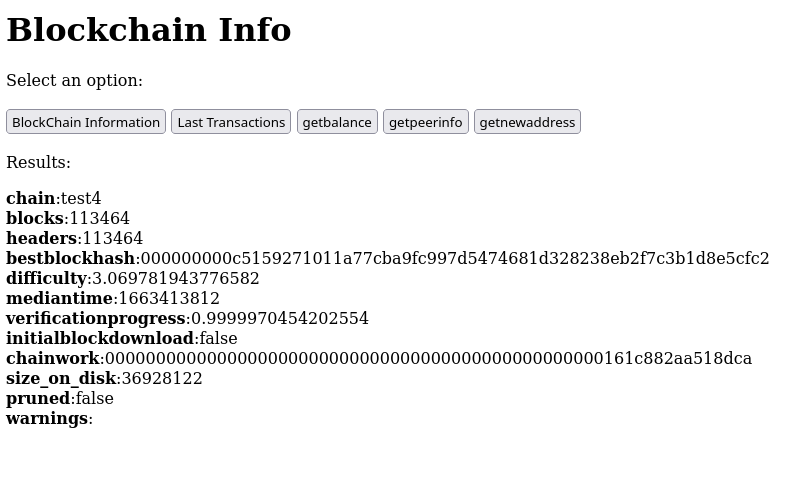
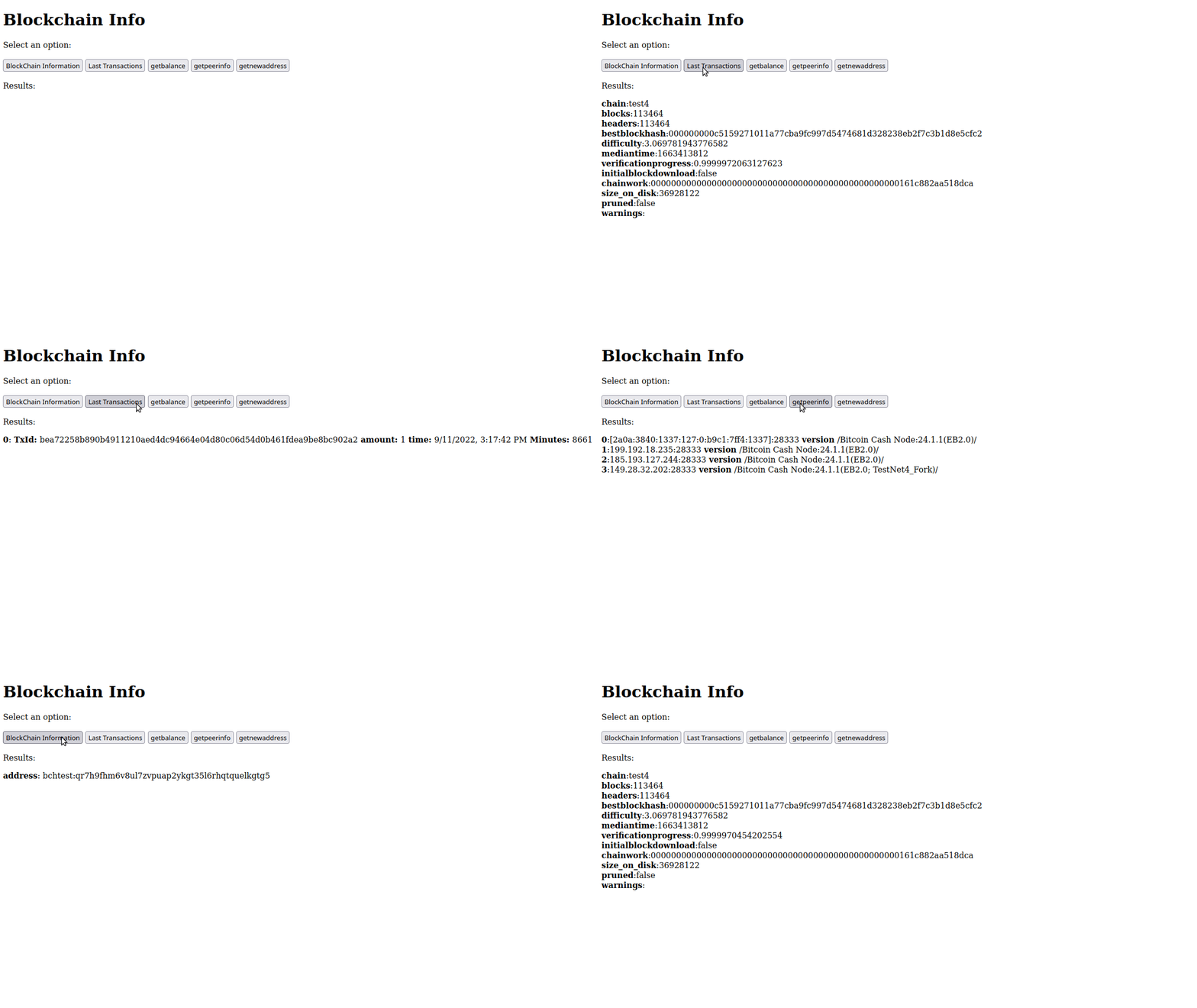
Get Bitcoin Cash node info with NodeWUI
I've created a simple tool to fetch information of Bitcoin Cash node and similar software. I've used Python, Html and Javascript.
Supported Queries
Here are few of the supported quires. More could be added later:
getblockchaininfo
listtransactions
getbalance
getpeerinfo
getnewaddress
Installation
You can install the package from PyPi repository like this:
pip install nodewui
Usage
Run `nodewui` command specifying the location of `bitcoin.conf` file:
nodewui ~/.bitcoin/bitcoin.conf
Usage options
You can use enviroment variables to configure some options:
**rpc_url:** url to RPC (Default: "http://127.0.0.1")
**network:** could be usef for special requirements of network like testnet4 (eg: "bch_testnet4". Default: "127.0.0.1")
**web_port:** port of the web interface. Default: "8080"
**listening_ip:** ip to listen to (eg: "192.168.1.100" or "0.0.0.0". Default: "127.0.0.1")
The network option invoke special function that get port of testnet4 from special section of the configuration file as it seems it's required to have it's own section in testnet4. No need for network option for most other networks.
Example
listening_ip="192.168.1.250" network="bch_testnet4" web_rpc=8087 nodewui ~/.bitcoin/bitcoin.com
Screenshots
Author
uak https://gitlab.com/uak/
Repository
https://gitlab.com/uak/nodewui/
License
AGPL-v3
Get BCH Node Info from Your Browser in Json Format Using Python (RPC API)
Exposing your node RPC to the internet is discouraged, however we still can use it locally when developing to make our life easier. In this tutorial I'll demonstrate how to get some information from a Bitcoin Cash node using Python and A minimal web framework called Cherrpy.
Prerequisites
Bitcoin Cash full node, (testnet4) can do ~40MB
Python
Pipenv
This utorial assume you have Ubuntu Linux, though you can adapt it to your OS as it's only Python stuff.
Preparing for Development
Let us create a directory to host our project in and get inside it:
mkdir blockchain_project && cd blockchain_project
Creating a virtual environment
Let us create a virtual environment using `pipenv` to make things cleaner and easier:
pipenv shell
Pipenv will create a new virtual environment that is isolated from other python stuff in our system so our work is contained in it.
Installing Cherrypy
Cherrypy is a minimal python web framework we install it by doing:
pipenv install cherrypy
Setting the full node
If you don't have RPC already enabled you should enable it.
Usually node settings resides in a file called `bitcoin.conf` ,The default location for configuration file is `~/.bitcoin/bitcoin.conf` in linux, for other systems check bitcoin wiki related section. https://en.bitcoin.it/wiki/Running_Bitcoin#Bitcoin.conf_Configuration_File
It should contain something like:
txindex=1
server=1
whitelist=127.0.0.1
rpcuser=localuser
rpcpassword=your_rpc_password
testnet4=1
rpcallowip=127.0.0.1/0
[test4]
port=29333
rpcport=29332
Here we inform the node to:
Enable indexing (optimal)
Enable RPC server
Set RPC user name
Set RPC password
Enable testnet 4
In test4 section we specify testnet4 RPC port
Restart your full node software after modifying the configurations.
Checking RPC
RPC should be enabled for our program to work. We check that our node configuration file has RPC enabled and that is active using `curl`
curl --silent --user localuser --data-binary '{"jsonrpc": "1.0", "id":"curltest", "method": "getblockchaininfo", "params": [] }' -H 'content-type: text/plain;' http://127.0.0.1:29332 | jq
Should ask for your RPC password:
Enter host password for user 'localuser':
Then should show what looks like this:
{
"result": {
"chain": "test4",
"blocks": 112704,
"headers": 112704,
"bestblockhash": "0000000012b46b0383471ca3fbd2bd7a97293312d55e471f2e4dc5e728cfc1b3",
"difficulty": 4.31893188237608,
"mediantime": 1662957827,
"verificationprogress": 0.9999998822062223,
"initialblockdownload": false,
"chainwork": "0000000000000000000000000000000000000000000000000161bd16c51e437a",
"size_on_disk": 36726279,
"pruned": false,
"warnings": ""
},
"error": null,
"id": "curltest"
}
This seems like a successful which indicates that our RPC server is ready.
Apparently here we used `localuser` as RPC user but you should change it to your RPC user and also should change RPC URL from `http://127.0.0.1:29332` to your own if you used a different configurations.
Writing our App
Now let us copy the following text and save it in a file called `blockchain_app.py` :
import cherrypy # Imported the web framework
import requests # Library to communicate with RPC
import json # Library to parse and form Json
# Variables to access RPC
url = 'http://localhost:29332/'
rpc_user='localuser'
rpc_password='your_rpc_password'
# Function to call RPC with a provided method
# Example: If we provided `getblockchaininfo` it will request that method data
# from the RPC. We can also request many other methods like `getbalance` or
# others available in our RPC server
def call_rpc(method):
"""
Function to call RPC with a provided method
"""
# Construct payload from provided method in json format
payload = json.dumps({"method": method}) # have the method in
# Headers to be provided in requests function query
headers = {'content-type': 'application/json', 'cache-control': 'no-cache'}
# log headers using cherrypy log, useful for debuging
cherrypy.log(f'headers: {headers}')
# Try to call RPC and show exceptions if there is an issue
try:
response = requests.request(
"POST",
url,
data=payload,
headers=headers,
auth=(rpc_user, rpc_password)
)
# The function will return the response of the request in json format
return json.loads(response.text)
# If there is an issue related to Request it will report request issue
except requests.exceptions.RequestException as e:
cherrypy.log(f"Request issue: {e}")
# If there is an issue it will report it
except Exception as e:
cherrypy.log(f"Error: {e}")
# Cherrpy App class
class App(object):
# Exposing index function to the web
@cherrypy.expose
# Set the index page function to be a json output page
@cherrypy.tools.json_out()
def index(self):
# Run the call_rpc function with `getblockchaininfo` method
return call_rpc('getblockchaininfo')
# Run the App
cherrypy.quickstart(App(), '/')
Both sections should be in the same file, I put it separate to fix read.cash syntax highlighting issue. As you may notice the file contains comments that explain each part of the code.
How the App Work
We basically imported the needed modules like `cherrypy` and setup the variables that contains RPC stuff like url, username and password.
import cherrypy # Imported the web framework
import requests # Library to communicate with RPC
import json # Library to parse and form Json
# Variables to access RPC
url = 'http://localhost:29332/'
rpc_user='localuser'
rpc_password='your_rpc_password'
Then we created a function called `call_rpc` that will take the method required like `getblockchaininfo` and trying to deliver it to the RPC server while handling errors with python exceptions.
def call_rpc(method):
"""
Function to call RPC with a provided method
"""
# Construct payload from provided method in json format
payload = json.dumps({"method": method}) # have the method in
# Headers to be provided in requests function query
headers = {'content-type': 'application/json', 'cache-control': 'no-cache'}
# log headers using cherrypy log, useful for debuging
cherrypy.log(f'headers: {headers}')
# Try to call RPC and show exceptions if there is an issue
try:
response = requests.request(
"POST",
url,
data=payload,
headers=headers,
auth=(rpc_user, rpc_password)
)
# The function will return the response of the request in json format
return json.loads(response.text)
# If there is an issue related to Request it will report request issue
except requests.exceptions.RequestException as e:
cherrypy.log(f"Request issue: {e}")
# If there is an issue it will report it
except Exception as e:
cherrypy.log(f"Error: {e}")
Then we have the Cherrpy section where we expose functions that call the `call_rpc` function to obtain some data and return it in Json format
# Cherrpy App class
class App(object):
# Exposing index function to the web
@cherrypy.expose
# Set the index page function to be a json output page
@cherrypy.tools.json_out()
def index(self):
# Run the call_rpc function with `getblockchaininfo` method
return call_rpc('getblockchaininfo')
# Run the App
cherrypy.quickstart(App(), '/')
That is it.
Running the App
Let us run it from the shell:
python3 blockchain_app.py
We should see output like this:
[13/Sep/2022:11:39:32] ENGINE Listening for SIGTERM.
[13/Sep/2022:11:39:32] ENGINE Listening for SIGHUP.
[13/Sep/2022:11:39:32] ENGINE Listening for SIGUSR1.
[13/Sep/2022:11:39:32] ENGINE Bus STARTING
CherryPy Checker:
The Application mounted at '' has an empty config.
[13/Sep/2022:11:39:32] ENGINE Started monitor thread 'Autoreloader'.
[13/Sep/2022:11:39:32] ENGINE Serving on http://127.0.0.1:8080
[13/Sep/2022:11:39:32] ENGINE Bus STARTED
Where http://127.0.0.1:8080 is the address you can visit to get see our Web app from the browser on the same machine.
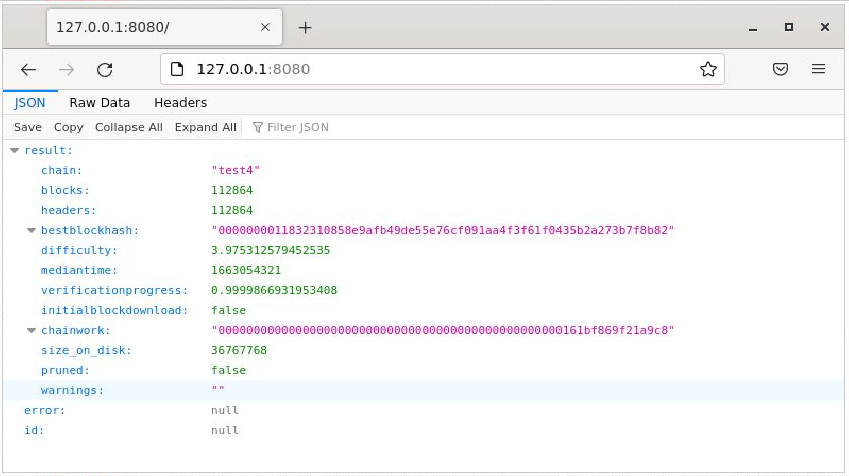
If you open the link you may see something like this:
So we now exposed part of internal RPC to the web and things seems to work.
More end points
This was a minimal application. You can see more advanced version with other endpoints on the fly by just almost copy paste, for example you can add the following inside the **App** class:
@cherrypy.expose
@cherrypy.tools.json_out()
def getblockchaininfo(self):
return call_rpc('getblockchaininfo')
@cherrypy.expose
@cherrypy.tools.json_out()
def listtransactions(self):
return call_rpc('listtransactions')
@cherrypy.expose
@cherrypy.tools.json_out()
def getbalance(self):
return call_rpc('getbalance')
@cherrypy.expose
@cherrypy.tools.json_out()
def getmininginfo(self):
return call_rpc('getmininginfo')
@cherrypy.expose
@cherrypy.tools.json_out()
def getpeerinfo(self):
return call_rpc('getpeerinfo')
@cherrypy.expose
@cherrypy.tools.json_out()
def getnewaddress(self):
return call_rpc('getnewaddress')
you can call it by visiting a URL with the function name like:
http://127.0.0.1:8080/getpeerinfo
http://127.0.0.1:8080/listtransactions
You can find a list of RPC commands in Bitcoin Cash Node (BCHN) Documentations:
https://docs.bitcoincashnode.org/doc/json-rpc/
Change Port or Allow Access on All Interfaces
You can change the default port for the app from `8080` to `8081` by having:
cherrypy.config.update({'server.socket_port': 8081})
Just before the `cherrypy.quickstart(App(), '/')` section.
Also you can change the app to listen to request not just from `127.0.0.1` by having:
cherrypy.server.socket_host = '192.168.1.250'
Also above the `cherrpy.quickstart` section. You may set the IP to `0.0.0.0` to listen to all interfaces.
Full App Code
A snippet contains the full app code is on this Gitlab gist:
https://gitlab.com/-/snippets/2407788
This Tutorial
This tutorial is part of my work to fulfill my commitment to BCH community to write some Python guides in part of my Flipstarter pledge. https://gitlab.com/uak/flipstarter-transparency/-/issues/1
Appreciate the community support that allowed my after my creator blessing to do this.

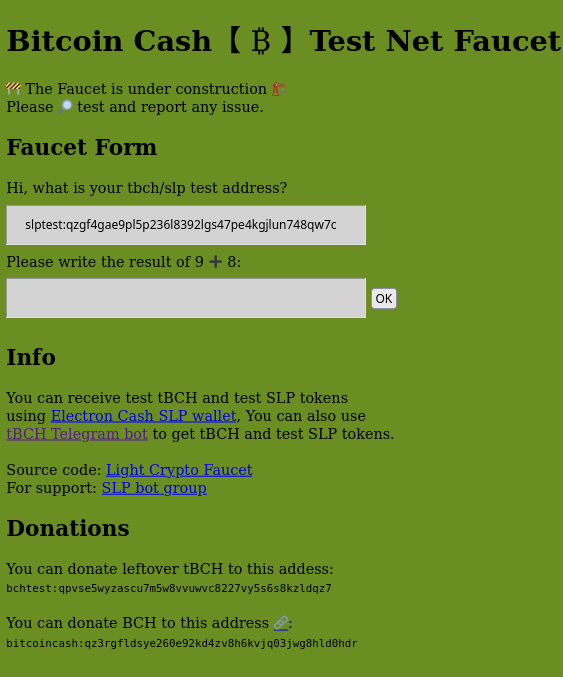
Host Your Own Testnet Faucet
I've been hosting the testnet faucet for months now. My experience is that it's the only testnet faucet for BCH now which is not very healthy.
The faucet software itself is an open source software and a fruit of a successful community funding. Also I have been blessed with the opportunity to work more on BCH projects. https://gitlab.com/uak/light-crypto-faucet https://read.cash/@ClearSky/delivered-bitcoin-cash-test-net-coin-faucet-75583df0 https://archive.fo/vQ4iU
Dockerfile
So I created a Docker file that allows anyone to host the faucet. I invite you to test the new software hosted on a Docker container on this address:
http://tbch.googol.cash:8081/
I'll move it to the main domain after some testing. https://tbch.googol.cash/
Improvements:
Better performance by using RPC for communication with Electron Cash
Using Template file instead of inline html
Built a Dockerfile so anyone can host a testnet faucet
Used Poetry package manager and pyproject.toml file
Challenges
EC wallet not allowing password-less wallet creation. I had to use `expect` to mitigate that, it took 9 lines of Dockerfile. https://github.com/Electron-Cash/Electron-Cash/issues/2341
Had some issues passing variables from environment variables to the software in a proper way that could make it run on a container or stand alone.
Had to learn many stuff about python and Docker :)
Help with Testing and Review
Docker file is available on the faucet repository under `docker-support` branch currently, I'm posting it here for ease of view: https://gitlab.com/uak/light-crypto-faucet
# syntax=docker/dockerfile-upstream:1-labs
FROM alpine:3.15
MAINTAINER uak@gitlab
EXPOSE 8080
ENV USER_HOME /home/user
ENV DATA_DIR "$USER_HOME"/data
ENV EC_DIR "$USER_HOME"/Electron-Cash
ENV faucet_conf "$DATA_DIR"/tbch_web.config
ENV cherrypy_conf "$DATA_DIR"/cherrypy.config
ENV wallet_path "$DATA_DIR"/testnet/wallets/default_wallet
ENV database_file "$DATA_DIR"/db.sqlite3
ENV use_custom_dir True
ENV allow_zero_balance True
ENV custom_dir "$DATA_DIR"
ENV network testnet
ENV ec_config "$DATA_DIR"/testnet/config
ENV rpc_port 10500
ENV rpc_url "http://127.0.0.1"
ENV web_access_log "$DATA_DIR"/access.log
ENV web_error_log "$DATA_DIR"/error.log
RUN apk update
RUN apk --no-cache upgrade
RUN apk add --no-cache python3 libsecp256k1-dev py3-pip logrotate
RUN apk add --no-cache git expect
RUN cat <<-EOF > /etc/logrotate.d/cherrypy
$DATA_DIR/*.log {
rotate 12
weekly
copytruncate
compress
missingok
}
EOF
RUN adduser user --disabled-password --gecos "" --home "$USER_HOME"/
USER user
WORKDIR "$USER_HOME"
RUN mkdir "$DATA_DIR"
VOLUME "$DATA_DIR"
RUN git clone --depth 1 https://github.com/Electron-Cash/Electron-Cash
WORKDIR Electron-Cash
RUN pip3 install -r contrib/requirements/requirements.txt --user
RUN pip3 install cherrypy peewee ec-slp-lib
RUN cat <<-EOF > "$USER_HOME"/expect_script.exp
set timeout -1
spawn ./electron-cash --dir "$DATA_DIR" --testnet create
match_max 100000
expect -exact "Password (hit return if you do not wish to encrypt your wallet):"
send -- "\r"
expect eof
EOF
RUN expect "$USER_HOME"/expect_script.exp
WORKDIR "$USER_HOME"
RUN git clone --depth 1 --branch docker_support https://gitlab.com/uak/light-crypto-faucet/ && \
cd "$USER_HOME"/light-crypto-faucet/faucet_web/ && \
cp tbch_web.config.sample $DATA_DIR/tbch_web.config && \
cp cherrypy.config.sample $DATA_DIR/cherrypy.config
CMD /usr/bin/python3 "$EC_DIR"/electron-cash --testnet --dir "$DATA_DIR" setconfig rpcport $rpc_port && \
/usr/bin/python3 "$EC_DIR"/electron-cash daemon --testnet start --dir "$DATA_DIR" && \
sleep 1 && \
export rpc_user=$("$EC_DIR"/electron-cash --testnet --dir "$DATA_DIR" getconfig rpcuser) && \
export rpc_password=$("$EC_DIR"/electron-cash --testnet --dir "$DATA_DIR" getconfig rpcpassword) && \
/usr/bin/python3 "$EC_DIR"/electron-cash daemon --testnet load_wallet --wallet $DATA_DIR/testnet/wallets/default_wallet --dir "$DATA_DIR" && \
echo "Send Funds to the following address:" &&\
/usr/bin/python3 "$EC_DIR"/electron-cash getunusedaddress --testnet --dir "$DATA_DIR" && \
cd "$USER_HOME"/light-crypto-faucet/faucet_web/ && \
/usr/bin/python3 "$USER_HOME"/light-crypto-faucet/faucet_web/web_faucet.py
Run the Container
To run the container get the `Dockerfile` on server and run the following commands
sudo DOCKER_BUILDKIT=1 docker build --progress=plain . --tag=faucet01
sudo docker volume create faucet_volume
sudo docker run -v faucet_volume:/home/user/data -p 3000:8080 faucet01
It will build the container, create a volume to store data and keep it after restarts and lastly will run the container taking what is provided on port `8080` and serving it to port `3000`
It's my first Docker file, I would appreciate community testing, expert reviews and comments.
Want to host your own?
drop a message at BCH builders Telegram channel, few people could donate tBCH coins to help you get your faucet running.
https://t.me/bchbuilders
Thank you.
ClearSky
Host Multiple Flipstarter Campaigns on One VPS
Few days ago I created an article on how to host Flipstarter with SSL on any VPS, Now I've successfully used some of the info there and tried to create a multiple campaign setup. https://read.cash/@ClearSky/create-flipstarter-with-crypto-hosting-only-4d1f6c56
After doing the initial server setup for Ubuntu 20.04 using DigitalOcean guide you will have a normal user with sudo privileges that you can use. https://www.digitalocean.com/community/tutorials/initial-server-setup-with-ubuntu-20-04
Prepare The Domain
Get the domains for the campaigns, it could be two domain names or two sub domains. Just point both to the same VPS server in the `A` record on your domain name provider. We will setup Nginx to handle redirection based on target URL later.
Setting Up Docker
We install Docker using snap
sudo snap install docker
We get Flipstarter docker image
sudo docker pull flipstarter/flipstarter
We create a volume to store data for our first Flipstarter campaign, I call it `flipstarter1`
sudo docker volume create flipstarter1
Create a volume for the second campaign:
sudo docker volume create flipstarter2
Setup Nginx
Nginx is the tool to direct requests to each container based on the domain requested
Install nginx
sudo apt install nginx
Open a port in the firewall for it
sudo ufw allow 'Nginx Full'
Create settings for the first campaign:
sudo vi /etc/nginx/sites-available/flipstarter1
Put this in the file replacing `test1.example.com` with your own domain:
server {
server_name test1.example.com;
access_log /var/log/nginx/flipstarter1-access.log;
error_log /var/log/nginx/flipstarter1-error.log;
location / {
proxy_pass http://127.0.0.1:3000;
proxy_http_version 1.1;
proxy_buffering off;
proxy_cache off;
proxy_set_header Connection '';
chunked_transfer_encoding off;
}
listen 80;
}
Notice here the port is 3000 in `proxy_pass http://127.0.0.1:3000;`
settings for the second campaign:
sudo vi /etc/nginx/sites-available/flipstarter2
Put this in the file replacing `test2.example.com` with your own domain:
server {
server_name test2.example.com;
access_log /var/log/nginx/flipstarter2-access.log;
error_log /var/log/nginx/flipstarter2-error.log;
location / {
proxy_pass http://127.0.0.1:3001;
proxy_http_version 1.1;
proxy_buffering off;
proxy_cache off;
proxy_set_header Connection '';
chunked_transfer_encoding off;
}
listen 80;
}
Notice here the port is 3001 in `proxy_pass http://127.0.0.1:3001;` and we used different files for logs.
Remove the default Nginx site which shows a welcome page:
sudo rm /etc/nginx/sites-enabled/default
Change directory to nginx `site-enalbed`
cd /etc/nginx/sites-enabled/
Activate the websites by creating a link to `site-availble` websites it in `site-enabled` directory:
sudo ln -s /etc/nginx/sites-available/flipstarter1 .
sudo ln -s /etc/nginx/sites-available/flipstarter2 .
Check your Nginx settings:
sudo nginx -t
Restart Nginx:
sudo systemctl restart nginx.service
Back to Docker
Start the first container for the first flipstarter campaign:
sudo docker run -d --restart always --name flipstarter -v flipstarter1:/app/static/campaigns -p 3000:3000 flipstarter/flipstarter
Note we used `flipstarter1` as a volume name.
sudo docker run -d --restart always --name flipstarter2 --env PORT=3001 -v flipstarter2:/app/static/campaigns -p 3001:3001 flipstarter/flipstarter
Note we used `--env PORT=3001` to tell the software to use port 3001 and changed the port accordingly in `-p 3001:3001` . This allows as to run multiple software instances on different ports. Here we used `flipstarter2` as a volume.
You can test connection to the containers using curl:
curl 127.0.0.1:3000
curl 127.0.0.1:3001
Getting SSL certificate
Without SSL certificate, our job is not complete. We install `certbot`:
sudo snap install --classic certbot
Do a required linking:
sudo ln -s /snap/bin/certbot /usr/bin/certbot
Do the usual certbot setup for nginx, it should recognize your domains as setup in the your nginx website configuration file and offer you option to issue certificates for each one:
sudo certbot --nginx
That's it, Enjoy!
Hosting 3 Flipstarters for Free Feb2022
Flipstarter is a cool tool put many people don't know how to host it or lack the mean to pay for the service. I plan to encourage individuals to participate in the adoption of P2P Electronic Cash by offering free hosting for 3 Flipstarters which serves the community and asks for less than $200. Users can use the campaign to fund local meetup, content creation, adoption campaign or any idea that helps the spread of BCH.
Details and Conditions
Flipstarter total amount less than $200
campaign period 20 days or less
Will be hosted as subdomain on ftw.fund like flipstarter.ftw.fund
Free Flipstarter hosting for 3 participant
Applicants should specify, Goal, description, time frame and reputation in their application
Filling the campaign details and marketing is the responsibility of the winner
Ideas for campaign: local meetup organization, adoption and advertising P2P Electronic Cash.
For applying, campaign details should be posted on websites like read.cash, noise.cash, medium and replying to this thread or Reddit thread with the link or posting it to https://t.me/flipfund group
Period for accepting offer is 7 days after the initial posting of this post.
Winners will have 48 hours to fill their campaigns details or other winner will be selected
Winners will be chosen by me based on how I see it useful to community
For more details visit Telegram Flip fund group
https://t.me/flipfund
Create Flipstarter with Crypto Hosting Only
It's well known that Flipstarter is a game changer in the BCH community, Thanks to @JonathanSilverblood and @emergent_reasons .
Despite that it's fairly easy to create a Flipstarter campaign using the DigitalOcean build created by @merc1er , issue is that DigitalOcean doesn't accept Crypto payment. Here I put in details the way to install it on any VPS provider.
**UPDATE**: I've added instructions to install Bitcoin Verde version and updated `nvm` and `node` version as of 08/2023.
Prerequisites
VPS with minimum 512 MB of ram
Ubuntu 20.04
General VPS Setup
After you ssh to your hosting as root for the first time, update the system:
apt update
then upgrade it:
apt upgrade
If you get asked any question just use the default value.
Create a normal user, I chose `flipstarter` here, you can use what ever you like:
adduser flipstarter
Add user to the super user group so it can run as privileged user when needed:
usermod -aG sudo flipstarter
Check the firewall app list:
ufw app list
Allow connections to SSH:
ufw allow OpenSSH
Enable the firewall:
ufw enable
If you used ssh key instead of password to login:
rsync --archive --chown=flipstarter:flipstarter ~/.ssh /home/flipstarter
for more details check this tutorial:
https://www.digitalocean.com/community/tutorials/initial-server-setup-with-ubuntu-20-04
Setting up Flipstarter
Setting up Node.js tools
Login to system as the new user `flipstarter` , it's not recommended to use root.
Choosing a Flipstarter version
There are two version of Flipstarter, one from the official team and one from Verde Team which has advanced feature to allow donation from any wallet
Get the Flipstarter software from the code repository:
git clone https://gitlab.com/flipstarter/backend
or use Verde's `https://github.com/SoftwareVerde/flipstarter` instead.
Setup NVM to get `node` and dependencies
curl -o- https://raw.githubusercontent.com/nvm-sh/nvm/v0.39.5/install.sh | bash
After you run it, it gives you the choice of closing and reopening Terminal or running the following commands:
export NVM_DIR="$HOME/.nvm"
[ -s "$NVM_DIR/nvm.sh" ] && \. "$NVM_DIR/nvm.sh" # This loads nvm
[ -s "$NVM_DIR/bash_completion" ] && \. "$NVM_DIR/bash_completion" # This loads nvm bash_completion
After that we can install Node:
nvm install v14.21.3
Here I chose version v14.21.3 which seems the latest in time of writing but you can get list of all v14 versions and other using: `nvm list-remote`
Then we `cd` into `backend` or `flipstarter` if you used Verde's version:
cd backend/
We run:
npm ci
Then run Flipstarter:
npm start
You can close it using `Ctrl+C` for now.
Testing Flipstarter
Above command should run Flipstarter software on port 3000 but it's blocked by the firewall. So you can either proceed without testing or open port 3000 in the firewall.
sudo ufw allow 3000
Then `npm start` again.
Later to close port after testing we get numbered list of firewall rules:
sudo ufw status numbered
It would show something like this:
Status: active
To Action From
-- ------ ----
[ 1] OpenSSH ALLOW IN Anywhere
[ 2] Nginx Full ALLOW IN Anywhere
[ 3] 3000 ALLOW IN Anywhere
[ 4] OpenSSH (v6) ALLOW IN Anywhere (v6)
[ 5] Nginx Full (v6) ALLOW IN Anywhere (v6)
[ 6] 3000 (v6) ALLOW IN Anywhere (v6)
Then we delete rule number 3 as it's here the one for port `3000`:
sudo ufw delete 3
confirm that it's the `3000` port rule being removed.
Installing the Process Manager PM2
Maybe you can have Flipstarter running using `npm start` by using it in `screen` session but the proper way to do it for production is to use a process manager that will manage control, reset and autostart the process.
Let us install the process manager `PM2`, we do:
npm install pm2 -g
We start, daemonize and monitor the app by:
pm2 start server.js --node-args "--use_strict"
We can check status:
pm2 ls
Which shows something similar to:
┌─────┬───────────┬─────────────┬─────────┬─────────┬──────────┬────────┬──────┬───────────┬──────────┬──────────┬──────────┬──────────┐
│ id │ name │ namespace │ version │ mode │ pid │ uptime │ ↺ │ status │ cpu │ mem │ user │ watching │
├─────┼───────────┼─────────────┼─────────┼─────────┼──────────┼────────┼──────┼───────────┼──────────┼──────────┼──────────┼──────────┤
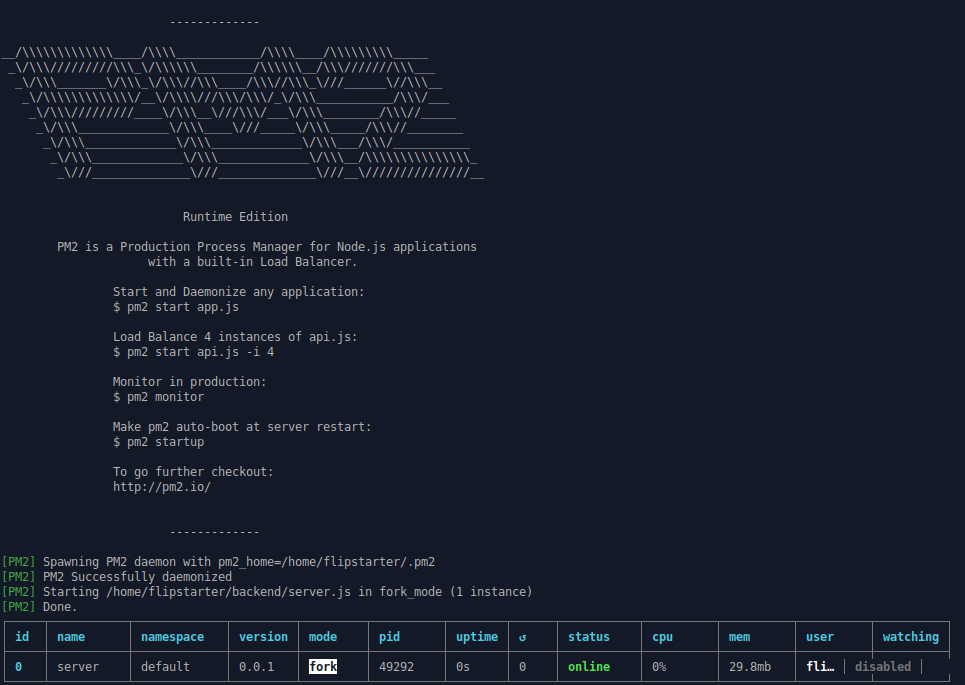
│ 0 │ server │ default │ 0.0.1 │ fork │ 52900 │ 0s │ 0 │ online │ 0% │ 29.9mb │ fli… │ disabled │
└─────┴───────────┴─────────────┴─────────┴─────────┴──────────┴────────┴──────┴───────────┴──────────┴──────────┴──────────┴──────────┘
To generate a startup script run:
pm2 startup
Which at the end will suggests running:
sudo env PATH=$PATH:/home/flipstarter/.nvm/versions/node/v14.21.3/bin /home/flipstarter/.nvm/versions/node/v14.10.0/lib/node_modules/pm2/bin/pm2 startup systemd -u flipstarter --hp /home/flipstarter
So run that then run the following command so process will be persistent between reboots:
pm2 save
You can read more about how PM2 works in:
PM2 Process Management Quick Start https://pm2.keymetrics.io/docs/usage/quick-start/
Persistent applications: Startup Script Generator https://pm2.keymetrics.io/docs/usage/startup/
Installing Nginx to Handle http and https
Nginx will handle http and https requests and forward it to the app. This is called a reverse proxy.
Install nginx:
sudo apt install nginx
Open port for Nginx in the firewall:
ufw allow 'Nginx Full'
Remove the default site:
sudo rm /etc/nginx/sites-enabled/default
Create the reverse proxy configurations:
sudo vi /etc/nginx/sites-available/reverse-proxy
Put this in the file replacing `test.example.com` with your own domain:
server {
server_name test.example.com;
access_log /var/log/nginx/reverse-access.log;
error_log /var/log/nginx/reverse-error.log;
location / {
proxy_pass http://127.0.0.1:3000;
proxy_http_version 1.1;
proxy_buffering off;
proxy_cache off;
proxy_set_header Connection '';
chunked_transfer_encoding off;
}
listen 80;
}
Link the newly created site to the enabled sites:
sudo ln -s /etc/nginx/sites-available/reverse-proxy /etc/nginx/sites-enabled/
Restart Nginx service:
sudo systemctl restart nginx.service
Installing Certbot
We uses snap to install Certbot as it's the recommended method for Ubuntu:
sudo snap install --classic certbot
Prepare the Certbot command:
sudo ln -s /snap/bin/certbot /usr/bin/certbot
Setup Cert on Nginx:
sudo certbot --nginx
Certbot should ask you for an email and few simple questions to issue the certificate and modify your Nginx site settings.
More details about Certbot here https://certbot.eff.org/instructions?ws=nginx&os=ubuntufocal
Enjoy!
Now head to your domain. You should find Flipstarter working. Congratulation!
Few notes
If you face some of the following issues:
Empty Flipstarter
If you find the Flipstarter page empty without details it could be because you didn't run `npm start` you can run `npx webpack` to fix it
Why having too many proxy options in Nginx settings?
The proxy options in Nginx are necessary to avoid having delay in showing pledges or not showing at all.
proxy_http_version 1.1;
proxy_buffering off;
proxy_cache off;
proxy_set_header Connection '';
chunked_transfer_encoding off;
Thanks to the For The Win Flipstarter, I had the time to create this tutorial. :)
For the Win: Finance Devleopment Journy and Marketing BCH to New Communities
I've come with an idea to free myself from few tasks that was taking me away from enjoying working with BCH communities. I believe I can provide more. I've created the following Flipstarter to deliver more to the community and supporter of P2P Electronic Cash System.
The Flipstarter
https://forthewin.googol.cash/
If funded you can monitor my progress on this Gitlab Issue
https://gitlab.com/uak/flipstarter-transparency/-/issues/1
Accomplishments
Here are some of things I've delivered to the community
Development and Services
Butilt a testnet faucet server and I'm maintaining it since the start of September 2021 which become the main BCH testnet server. https://gitlab.com/uak/light-crypto-faucet https://tbch.googol.cash/
Developing a Webapp to register needy people and manage donation using crypto https://gitlab.com/uak/needy
Built an Android SLP paper wallet clone https://gitlab.com/uak/mobile-paper-wallet
Built an SLP selling bot https://gitlab.com/uak/slp-sell-bot
Wrote a basic python lib to connect to Electron Cash https://gitlab.com/uak/electron-cash-slp-cli-python-basic-lib
Also a basic lib to explore BCHD GRPC capabilities https://gitlab.com/uak/bchd-grpc-python-lib
Wrote few python educational articles for new programmers in BCH, like this, this and this https://read.cash/@ClearSky/want-to-talk-to-a-node-directly-use-bchd-grpc-with-python3-e41e1588 https://read.cash/@ClearSky/create-an-address-and-send-transactions-on-smartbch-using-python-web3-3a18d759 https://read.cash/@ClearSky/basic-use-of-smartbch-with-python-web3py-663aa53f
Moved most of my servers to Crypto accepting service providers including this Flipstarter
Communication & Marketing
Contributed to AtomicDEX SLP Support by opening the request on Github and following it for months with involved parties https://github.com/KomodoPlatform/atomicDEX-API/issues/701
Contributed to SmartBCH initial support in AtomicDEX by running the first SBCH Atomic swap on it https://github.com/KomodoPlatform/atomicDEX-API/issues/1063
Admin in BCH SLP group, responding to people inquiries about issues https://t.me/simpleledger
Raised the issue with the current SLP implementation and wrote a detailed report about it which was welcomed by many people in the community https://read.cash/@ClearSky/slp-observation-user-experience-913af532
Reported few bugs and feature request related to BCH in Electron Cash/SLP, SmartBCH, AtomicDEX and 3rd party libraries and software https://github.com/issues
Introduced many people to the BCH community one of them have helped improve the Flipstarter software https://read.cash/@ClearSky/new-improvements-to-the-flipstarter-software-by-a-dev-who-joined-the-community-recently-abb4f566
To day I'm checking with people who I helped run Flipstarter after unfortunate delay in delivery https://read.cash/@ClearSky/akad-flipstarter-transparency-report-apr-2021-298caedf
Goal of the Flipstarter
In this Flipstarter I would like to raise fund to continue my development and step up marketing for the P2P Electronic Cash System. I would like to reach out to many communities and help them arrange meetings about BCH and related services. I believe I can do so much for the community if I could just free my self from some of the tasks that are unrelated to this monetary revolution.
Development
Improving the testnet faucet and write tests
Migrate communication with EC to use RPC in ec_slp_lib for faster response
Write more guides for new python devs and probably some documentations
Improve other projects I've started and improving my skills
Marketing
Reaching out software developers and exposing them to the benefit of using Bitcoin Cash as a way to earn and escape standard payment method restrictions and limits.
Explaining the benefit of using BCH over other centralized or permissioned blockchains.
Using simple enjoyable tasks like installing a wallet sending and receiving a transaction to help people learn about crypto
Writing articles about economic freedoms and the issues with the banking system, fiat and other financial institution and how this could be solved using the P2P Electronic Cash System in Arabic language which lacks so much resources about this subject
Targeting the Arabic Tech Community
Arabic is one of the most popular language in the world with anywhere between 270-400 million speakers. In some estimation it's just one degree behind English (English 3rd - Hindi 4th - Arabic 5th) and it's the language of one of the most wealthiest countries in the world and also some of the poorest too unfortunately.
You can see that a coin like Torn has a very active news and community channel in Arabic with over 10,888 members while BCH has little news and very small group on Telegram. https://forthewin.googol.cash/t.me/tronnetworkAR
I've a reach to wide community of Arabic developers, tech and open source software enthusiast. Those people will most likely love the idea behind a decentralized P2P Electronic Cash system and I'll put my effort to bring more to the community d.v.
ServerAdmin
I've been running linux servers for years. I would like to have time to test running some of the BCH services like SLP indexers and similar. This Flipstarter will help give me the time to experience more with nodes and BCH services.
Financial Details
This Flipstarters aims to gather around $3300 to free myself from other work and get more focus on BCH related work for the next 6 months at least.
**If the price of BCH rise** more before the end of the start making the gathered amount larger than $3300, I'll direct the exceed fund to the following:
Running mini Hackathons or competitions
Targeting the freelancing community with few gigs to introduce them to BCH
Tips to translators
If the Flipstarter **BCH amount becomes lower than $3000** I may run my next Flipstarter a bit earlier to cover for the remaining period.
Message to the community
If you have noticed my contributions and admire it please put your name on my Flipstarter even if you just pledge as little as 0.01 BCH.
Despite BCH price being cheaper than usual, but it's maybe the best time to advertise for new people to join the community and maybe catch the next coming wave :)
While some projects have pre-mined coins, special foundations or deductions from miners rewards. People in the BCH community are believers of collaboration and this video about Adam Smith is a good example of how people can build great things by community working together. https://www.youtube.com/watch?v=4KWUdliOGuc

New Improvements to the Flipstarter Software by a Dev who Joined the Community Recently
@salemkode is a Javascript developer who have benefited from the great and well organized system of bounties offered by the Flipstarter development team. https://gitlab.com/groups/flipstarter/-/milestones/4
He have done few improvements to the Flipstarter software that you can read about it below. He have done both **paid** and **unpaid** work. I thought I might mention his work and put his donation address so community can encourage him to build more. https://gitlab.com/salemkode/donation/
His Flipstarter Work
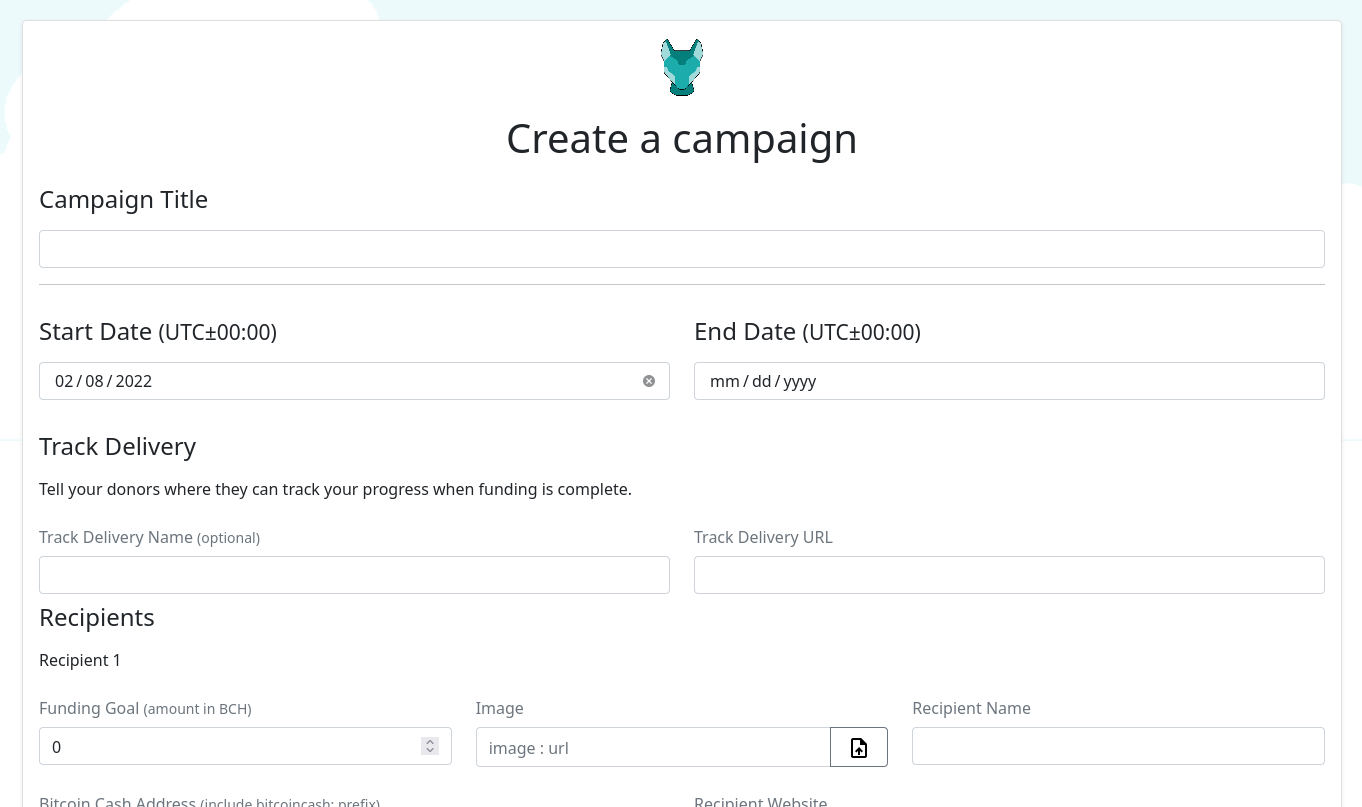
Add a field for progress tracking URL https://gitlab.com/flipstarter/backend/-/merge_requests/56
For better transparency and monitoring of progress
Merge Request (MR) #56 https://gitlab.com/flipstarter/backend/-/merge_requests/56
Add visual date input instead of manual numeric input
MR #53 https://gitlab.com/flipstarter/backend/-/merge_requests/53
Field Validation
to validate input errors before submitting
MR #53 https://gitlab.com/flipstarter/backend/-/merge_requests/53
Make social media pick up the summary
Before, no title or description
After
MR #51 https://gitlab.com/flipstarter/backend/-/merge_requests/51
Other work
He have done other work like:
Make it easier to add a language https://gitlab.com/flipstarter/backend/-/merge_requests/48
Update dependencies to higher version (avoid security issue and bugs with older version) https://gitlab.com/flipstarter/backend/-/merge_requests/50
Other work also in progress like:
Adding images internally without linking to outside website
His updates are on the development branch of the software. Users who want to enjoy those upgrades have to deploy from master.
He also introduced a bug xD
While work in Flipstarter was great it wasn't without issues, a bug in one updated library caused an issue to releasing donation but there was an easy workaround and a quick fix was released by downgrading. https://gitlab.com/flipstarter/backend/-/merge_requests/55
Special thanks
To @JonathanSilverblood for creating this awesome software and for @emergent_reasons for managing bounties and being patient with @salemkode :)
Donations
As I mentioned in the intro, you may want to tip to encourage him to do more and encourage other developers to join building tools for the peer to peer electronic cash
https://gitlab.com/salemkode/donation/#donations
What is the process for choosing upgrade schedule and what goes in next upgrade
I've learned that the upgrade schedule on BCH network have been moved to one year instead of the usual 6 months upgrade. Also that the current upgrade coming on May will include those two following upgrades:
Native Introspection Opcodes https://gitlab.com/GeneralProtocols/research/chips/-/blob/master/CHIP-2021-02-Add-Native-Introspection-Opcodes.md
Bigger Script Integers https://gitlab.com/GeneralProtocols/research/chips/-/blob/master/CHIP-2021-02-Bigger-Script-Integers.md
I know that few projects dealing with smart contracts depends on those, one is SmartBCH, other is AnyHedge. However this comes with few issues, the current SLP system is under big pressure and it was supposed to be fixed with Group Toeknization proposal, but work on it was delayed in favor of other proposals. https://gitlab.com/0353F40E/group-tokenization/-/blob/master/CHIP-2021-02_Group_Tokenization_for_Bitcoin_Cash.md
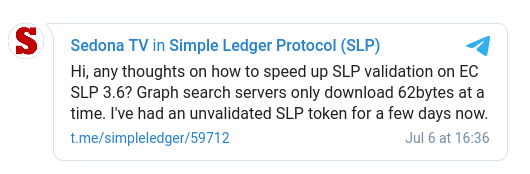
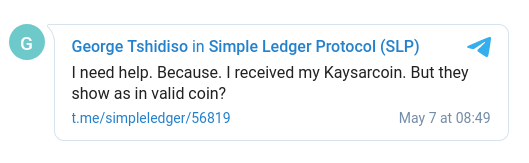
This could mean it's most likely it will not see the light till May/2022 almost 18 months and 7 days from now with the current schedule.There are major issues the SLP community is having with the current SLP infrastructure, some is listed in this article: SLP Observation: User Experience and Also in Chris Troutner SLP Indexing Review https://read.cash/@ClearSky/slp-observation-user-experience-913af532 https://gist.github.com/christroutner/77c46f1fa9adaf593074d41a508a6401
I would like to bring this to the community attention. Community have always supported SLP and we got many related projects funded so hopefully our devs can keep us enlightened about the current situation and if it is possible to delay upgrade to have SLPv2 implemented.
Community have cared about SLP and supported many related Flipstarters like:
SLP Token Indexer
Simple SLP Token Seller Bot
Electron Cash SLP/BCH Noncustodial Decentralized Exchange Plugin
SLP tokens and NFTs integration with Signup wallet
waifu.camp - NFT toolkit for Bitcoin Cash
AtomicDEX SLP integration
Non-custodial BCH payment processor with SLP tokens
Flipstart fundme.cash with new token ecosystem
Fund preparing SLP for implementation on AtomicDEX atomic swap wallet
Flipstart bet.honkhonk.io
BCHD upgrades and SLP indexer
Special message to Bitcoin Unlimited team, I hope you work on the simplified version of the Group Proposal even if it doesn't give you all the functionality you wanted for advance use as this most devs agrees on a simplified version.
To learn more about the Token proposal you can join its channel
https://t.me/slpv2

SmartBCH Atomic Swap Testing on AtomicDEX
I'm excited to announce that that now you can start testing SmartBCH atomic swap with hundreds of other coins and tokens like BCH/BTC/LTC/XRG/USDT and many more on **AtomicDEX**.
Community wanted it, Fernando took the lead, opened an issue and fired a Flipstarter to push it forwarded adding to Komodo's bounty. The result? **This 👇** https://github.com/KomodoPlatform/atomicDEX-API/issues/1063
Get the test version with Smart BCH support
⚠️ This is still under development (~~alpha~~ beta) don't use it with large amounts
https://github.com/KomodoPlatform/atomicDEX-Desktop/actions/runs/1425700784
This was just released today and I've used this build to do the swap, you can use it but you need Github account to access it.
Thanks to Contributors
Many people have joined the effort to bring this, special thanks to Artem, Milerius and others from Komodo team. To Fernando for pushing for this and monitoring progress. To Kui Wang and SmartBCH team who updated it to fix gas issue and transaction format so the swap was made possible. https://github.com/artemii235 https://github.com/Milerius
Advantages of using AtomicDEX with SmartBCH
Keep your keys
Exchange with hundreds of coins and tokens including Binance Smart Chain and Ethereum tokens
On chain transactions
Earn from your
Current limitations
This is still under development (~~alpha~~ Beta) don't use it with large amounts
No sBCH history yet
Geo Blocking for US residents, there are other versions without the blocking
Wait confirmation time based on chains involved, 10 min if you do transactions with BCH/sBCH, Few seconds if you do Binance Smart Chain with SmartBCH
Only main token sBCH is available currently, no SmartBCH tokens was added yet
You have to be online during the swap, don't close your wallet. Also you have to have the wallet open if you want to provide liquidity.
If swap fails you have to wait for few hours for token coins release from the swap lock, Never heard anyone lost anything. It just takes some time.
Like any Ethereum based network, you have to have a little amount of that coin to pay for swap gas before you can buy. so apparently it's not your first hop for acquiring.
How to use AtomicDEX
Here are some videos but using other coins.
Video explaining it https://www.youtube.com/watch?v=4LhGFbLAKHk
Another one https://libre.video/videos/watch/28124cf2-d128-4060-8fed-c2487b16c37c
Just enable SmartBCH and the other pair you want. Then go to the DEX section and chose Pro from the top left.
Support
If you need support using the wallet join AtomicDEX support channel on:
https://komodoplatform.com/discord (Most Active)
AtomicDEX Telegram Group @atomicDEX https://t.me/atomicDEX
Update: added details about Geo blocking for US residents

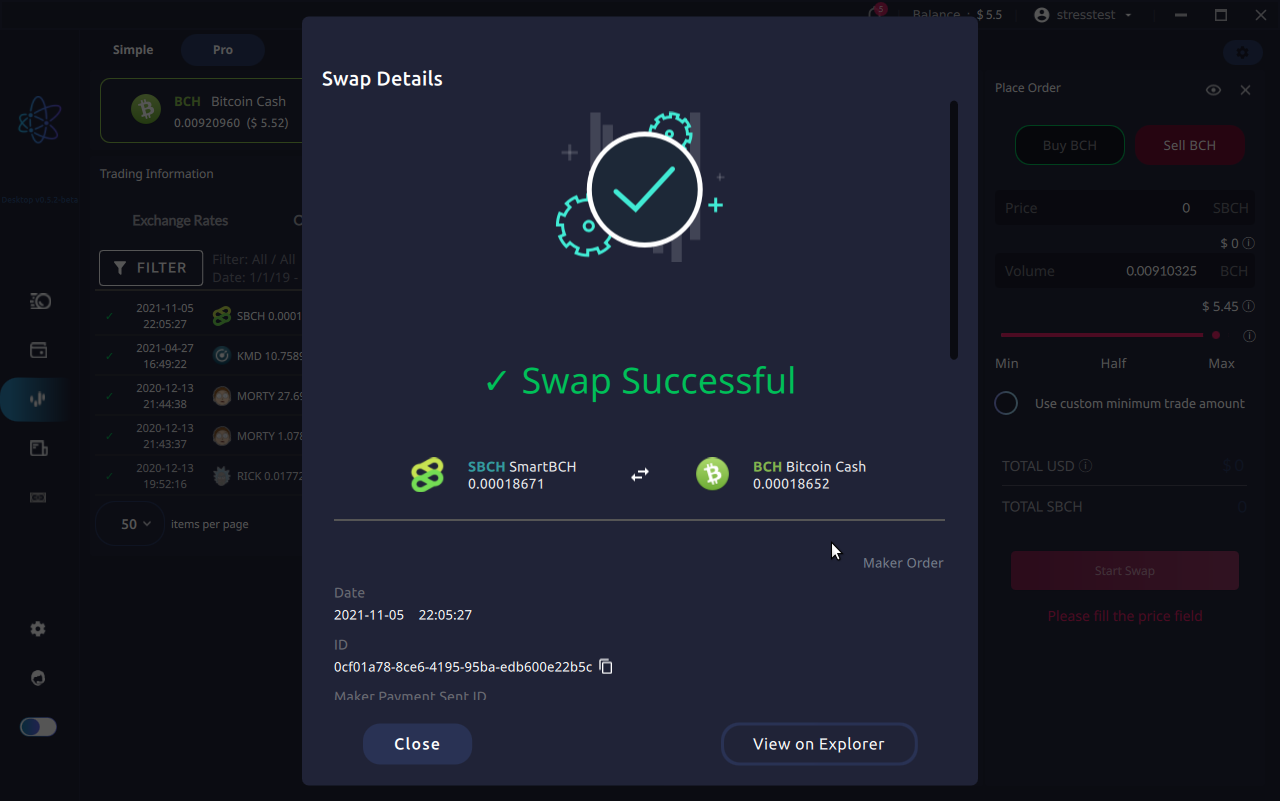
Create an address and send transactions on SmartBCH using Python Web3
In my last article about basic usage of SmartBCH with Python I've talked about how to get some general info from the block chain like current block number, block data, balance and transaction info. In this article I will explain how to create an account/address with private and public key/address so we can send and receive transactions. https://read.cash/@ClearSky/basic-use-of-smartbch-with-python-web3py-663aa53f
Generate an Address
To generate an address, it's similar to how you do it on Ethereum. We here uses the `eth_account` lib.
>>> from eth_account import Account
>>> import secrets
>>> priv = secrets.token_hex(32)
>>> private_key = "0x" + priv
>>> print ("SAVE BUT DO NOT SHARE THIS:", private_key)
SAVE BUT DO NOT SHARE THIS: 0x27bf4f3060b0f5d8350153a1fcfe88d840b7e1855b2a5904a9916d82697f26e1
>>> acct = Account.from_key(private_key)
>>> print("Address:", acct.address)
Address: 0xdc9850d0A682dA74B397c9cd2C316DF601Ac14B4
After importing the lib, we generated random private key using `secrets.token_hex(32)` and added the `0x` prefix, then we extracted they public address using `Account.from_key(private_key)` function.
Keep the private key safe, anyone who hold it can spend any amount in your balance, we will use it later to spend.
For more info check Generating an Ethereum address in Python . https://www.quicknode.com/guides/web3-sdks/how-to-generate-a-new-ethereum-address-in-python
Get some test coins
Head to the SmartBCH documentation about testnet. You should find a link for a faucet where you can get testnet coins, it could be used to preform tests on the testnet but has no value. https://docs.smartbch.org/smartbch/testnets#the-amber-testnet http://34.92.246.27:8080/faucet
Let us check if the faucet have sent us coins to our newly created address, we first connect to the testnet work network:
w3 = Web3(Web3.HTTPProvider('http://35.220.203.194:8545'))
Then we ask for balance:
>>> w3.eth.get_balance('0xdc9850d0A682dA74B397c9cd2C316DF601Ac14B4')
100000000000000000
It gives results in wei, we convert it to something easier to understand:
>>> balance = w3.eth.get_balance('0xdc9850d0A682dA74B397c9cd2C316DF601Ac14B4')
>>> w3.fromWei(balance, 'ether')
0.1
Now it shows 0.1 sBCH (BCH on SmartBCH), we used ether as the library was designed to deal with Ethereum net.
Preparing a Transaction
We need an address to send too. You can duplicate the steps in the Generate address section to get a new one or you can chose another address from another source.
My new address is: `0x1E61A61C76a22172619B33547F6e1bd1E755cc13`
To sign we provide the key to our account that has the fund from the faucet:
private_key = 0x27bf4f3060b0f5d8350153a1fcfe88d840b7e1855b2a5904a9916d82697f26e1
Then we create the transaction, if you are sending for the first time this should work.
transaction = {
'to': '0x1E61A61C76a22172619B33547F6e1bd1E755cc13',
'value': 10,
'gas': 26038,
'gasPrice': 1050000000,
'nonce': 0,
'chainId': 10001
}
**to**: the receiving address apparently .
**value**: the amount we want to send in wei.
**gas**: number of weis required by the network.
**gas** price: gas price required by the network in wei.
**nonce**: the number of transactions sent from this address.
**chainId**: the ID of the chain you are connected to.
For SmartBCH you can set gas to `26038` and gasPrice to `1050000000` for BCH transfer. Gas is the fee paid to the network.
**Get the Nonce**
Nonce will change with each transaction from the account. You can get the current nonce
w3.eth.getTransactionCount('0xdc9850d0A682dA74B397c9cd2C316DF601Ac14B4')
0
**Get the ChainID**
If you don't know the ChainID for smartBCH you can get it using this:
>>> w3.eth.chainId
10001
Signing a Transaction
After we got all the right details and set up our `private_key` and `transaction` variable we can no use them to sign a transaction.
signed = w3.eth.account.sign_transaction(transaction, private_key)
Sending the Raw Transaction
Now in `singed` we have the raw transaction that we can send to the network. let us do it:
w3.eth.send_raw_transaction(signed.rawTransaction)
HexBytes('0xd13634b0390c483e99595806cdfdad2249059dcdead673aae1926baf8e8f3e18')
Our transaction have passed and we got the transaction ID. Congratulation!
Sending more transaction, nonce
Now if we want to send more transaction the previous `transaction` data wouldn't work. We have to update the **nonce** number. So our second transaction would have the nonce field changed from 0 to 1.
transaction = {
'to': '0x1E61A61C76a22172619B33547F6e1bd1E755cc13',
'value': 10,
'gas': 26038,
'gasPrice': 1050000000,
'nonce': 1,
'chainId': 10001
}
then we can run the signing and broadcasting again:
signed = w3.eth.account.sign_transaction(transaction, private_key)
w3.eth.send_raw_transaction(signed.rawTransaction)
Notes
SmartBCH is a very interesting subject. I love the UTXO system for it's privacy, for ease of control of funds in different address belonging to one key and for the capability of using a post office to pay the fee of a token from a different wallet.
In BCH's SmartBCH we got benefits from both system. In my last article I got a great support form community who encouraged me to go further and write this article not so long after my previous one. Thank you.

SLP Observation: User Experience
I've been introduced to SLP almost two years ago when I was tipped the Spice token. It was fun everyone was gifting others with nice emojis that turned into Spice balance in your wallet. Time passes and I've participated in efforts to spread adoption of BCH and it's token system. I've been in multiple channels where people query about SLP and look for solutions like channels of the following projects:
Simple Ledger Protocol (SLP)
Electron Cash
SLPDB operators
BCHD operators
GoCrypto
Sideshift.ai
SLP validation and lack of exchanges support were the biggest reasons behind users complaint.
SLP Validation Issues
SLP transaction - as of the time of writing - are instructions or data attached to a bitcoin transaction inside an operation code called `OP_RETURN` which can hold any message.
In normal BCH transaction when you ask to spend a coin to an address, wallet will check the previous transaction and see that it was included in a block and that balance is correct.
In SLP if you say in the message "spend 500 spice to address `simpleledger:abcdedf1234...` the software can't check the previous transaction, because nodes usually don't know anything about SLP. What an application supporting SLP will have to do is to crawl all the `OP_RETURN` messages since the creating of the token, collect them and and validate the token information they got.
This is a process that should be done to each token, and while smart developers have worked on solution to the issue they also knew that with the growth of SLP a more solid solution is needed. https://t.me/simpleledger/50858
How big of an issue is it?
Here is a list of some user complaints, mostly about validation issues that I've collected from telegram just by searching for the keyword "valid", those are people who looked for help to solve their issue in the last year or so, imagine how many tested and left without reporting.
**Simple Ledger Protocol Group**
More:
https://t.me/simpleledger/59712
https://t.me/simpleledger/60804
https://t.me/simpleledger/60784
https://t.me/simpleledger/58605 https://t.me/simpleledger/60784
https://t.me/simpleledger/56819
https://t.me/simpleledger/55404
https://t.me/simpleledger/55417
https://t.me/simpleledger/54609
https://t.me/simpleledger/54104
https://t.me/simpleledger/53388
https://t.me/simpleledger/53051
https://t.me/simpleledger/53390
https://t.me/simpleledger/53391
https://t.me/simpleledger/52606
https://t.me/simpleledger/50597
https://t.me/simpleledger/43680
https://t.me/simpleledger/52602
https://t.me/simpleledger/52605
https://www.reddit.com/r/btc/comments/m2lssf/electron_cash_slp_edition_cannot_validate_my/
**Electron Cash Group**
More:
https://t.me/electroncashwallet/86898
https://t.me/electroncashwallet/85837
https://t.me/electroncashwallet/82337
https://t.me/electroncashwallet/78740
https://t.me/electroncashwallet/76128
https://t.me/electroncashwallet/74203
Implementing difficulties
Many businesses have suffered from the lack of support for SLP in exchanges and difficulty of implementing. As SLP isn't recognized by miners it requires additional indexers on top of other tools that is normally used to get transaction information. Wallets needed to download transaction data to device to verify it locally or they will depend on an external trusted indexer for all the information.
Business suffering
Here is of a few business that have suffered from some of SLP issues.
**GoCrypto**
It was one of the first few company to depend on SLP for business after having issues with high Ethereum fees but after struggling to find Exchanges willing to support SLP tokens, the ysaw that it's important to have another option so they recently chose to release on the Binance smart chain (BSC)
Few of SLP related problem in their telegram channel:
https://t.me/eligma/76843
https://t.me/eligma/78397
https://t.me/eligma/78698
https://t.me/eligma/81020
https://t.me/eligma/81605
https://t.me/eligma/83683
https://t.me/eligma/86701
https://t.me/eligma/93499
**Sideshift.ai**
Was one with first exchanges to support SLP, it was not easy. Seems it's more stable recently but it was a very hard ride and they suffered from downtime.
https://t.me/sideshiftai_devs/1027
https://t.me/sideshift/8444
https://t.me/sideshift/19634
https://t.me/sideshift/20113
https://t.me/sideshift/22833
https://t.me/sideshift/23019
**Bitcoin.com services and wallets**
Users complaint about issues with SLP in wallets, in exchange and with the mint tool are known to the community members. Here are a few I got in a hurry.
https://t.me/BitcoinComExchange/113720 https://t.me/eligma/83683
https://t.me/BitcoinComExchange/112648
https://t.me/BitcoinComExchange/112649
https://t.me/BitcoinComExchange/112050
https://t.me/BitcoinComExchange/55566
https://t.me/BitcoinComExchange/14748
https://t.me/BitcoinComExchange/14657
Burn Problem
As SLP data are stored in `op_return` and it's not looked up by miners. Many wallet and tools can spend the BCH and burn the token because they simply removed token data from the transaction when they spend it.
This create a very big risk as it means if you move your tokens to any wallet that doesn't recognize SLP it will burn it, However if SLP tokens were miner validated the wallet wouldn't allow you to spend it as the transaction wouldn't be valid if it didn't handle SLP data probably.
**Issue with SLPDB**
SLPDB is one of the main tools used to index SLP transactions. With time it's getting heavy and harder to handle. AFAIK it's not actively maintained.
More issues:
https://t.me/slpdb/4035
https://t.me/slpdb/3857
https://t.me/slpdb/3769
https://t.me/slpdb/3801
https://t.me/slpdb/3805
https://t.me/simpleledger/58613
**BCHD with SLP Indexer**
BCHD have brought one of the best nodes to support SLP as the software it self can provide SLP data but AFAIK, it was just released few months ago. it's not in a very active development and in my personal experience the graph search used in Electron Cash SLP wallet which depends on it didn't solve the issue with validation completely.
UPDATE: I've tested the graph search with development version and validations seems faster, but only 3 BCHD servers available vs 24 preferred SPV servers and it's downloading large amount of tx data for coins with high transactions number.
Add your Story
If you are a business that had your share of troubles with the current system please share it in the comment section.
Solution
I've created this article to show you how important it's to find a solution for the current SLP problems. I find it so necessary to bring those issues into attention as I've seen some arguments that SLP is working fine and no need to change things. I don't think ignoring all those problems would be beneficial to the BCH community. **I suggest people take a look at the proposed solutions or come with a better one.**
Also SmartBCH is cool but when you bring your tokens back to the main chain you shouldn't worry about security, validation or burns.
Basic use of SmartBCH with Python, Web3Py
SmartBCH becoming is becoming more popular with time, It brings the best of Ethereum world to BCH. I wanted to explore it and help others too so I created this short introduction to use smartBCH for Python developers.
First you should install `web3` :
pip3 install web3
Let us start a Python interpreter and import `Web3:`
>>> from web3 import Web3
Then we should use a provider, for a quick start you will depend on an external service that connects us to the network
>>> w3 = Web3(Web3.HTTPProvider('https://smartbch.fountainhead.cash/mainnet'))
We have used here the smartBCH node from fountainhead.cash here is a list of provider that we can use: https://fountainhead.cash
https://smartbch.fountainhead.cash/mainnet
wss://smartbch-wss.greyh.at
https://global.uat.cash
https://rpc.uatvo.com
http://35.220.203.194:8545 (testnet) ℹ️ http://35.220.203.194:8545/ https://docs.smartbch.org/smartbch/testnets
https://moeing.tech:9545 (testnet) ℹ️ https://docs.smartbch.org/smartbch/testnets
If you use the one with Websocket instead of http you will have to change the provider method to be Websocket like this:
w3 = Web3(Web3.WebsocketProvider('wss://smartbch-wss.greyh.at'))
Testing connection
Let us test connection, we should get `True` if the node is up and ready:
>>> w3.isConnected()
True
Lest us start querying for some useful data, Let us query for the **latest block** :
>>> w3.eth.get_block('latest')
AttributeDict({'difficulty': 0, 'extraData': HexBytes('0x'), 'gasLimit': 1000000000, 'gasUsed': 0, 'hash': HexBytes('0xcfa93b9979df7ea7658940eb319a22a208947f43c4983a83c5d7bc7934d88d5c'), 'logsBloom': HexBytes('0x00000000000000000000000000000000000000000000000000000000000000000000000000000000000000000000000000000000000000000000000000000000000000000000000000000000000000000000000000000000000000000000000000000000000000000000000000000000000000000000000000000000000000000000000000000000000000000000000000000000000000000000000000000000000000000000000000000000000000000000000000000000000000000000000000000000000000000000000000000000000000000000000000000000000000000000000000000000000000000000000000000000000000000000000000000000'), 'miner': '0x930C23CE7536B0ede6AfE7754134d4011217D6AA', 'mixHash': HexBytes('0x0000000000000000000000000000000000000000000000000000000000000000'), 'nonce': HexBytes('0x0000000000000000'), 'number': 665462, 'parentHash': HexBytes('0xbe439275cbc6588651ea43c4b58c3372c3a5a7ee18b639a9f0390f58d05adceb'), 'receiptsRoot': HexBytes('0x0000000000000000000000000000000000000000000000000000000000000000'), 'sha3Uncles': HexBytes('0x0000000000000000000000000000000000000000000000000000000000000000'), 'size': 557, 'stateRoot': HexBytes('0x38bbd2b0bfb71e273080fee38aaf84edd25bcf04e30a874f781a10252a93a521'), 'timestamp': 1631452685, 'totalDifficulty': 0, 'transactions': [], 'transactionsRoot': HexBytes('0x0000000000000000000000000000000000000000000000000000000000000000'), 'uncles': []})
To just get the **number of latest block**:
>>> w3.eth.block_number
665466
To get the **balance of an account**/address:
>>> w3.eth.get_balance('0x54E4F23a819F0DDe10344F5BD06b57906a752934')
393343977270000000
Balances are shown in a unit called Wei by default, to **convert to BCH** use:
>>> balance = w3.eth.get_balance('0x54E4F23a819F0DDe10344F5BD06b57906a752934')
>>> w3.fromWei(balance, 'ether')
Decimal('0.39117037731')
To **convert from BCH to Wei**:
>>> w3.toWei(Decimal('0.000000005'), 'ether')
5000000000
To **get a transaction detail**:
>>> w3.eth.get_transaction('0xaac856e36d6ccae43bc07c1e078e4c29efb14efc8f0d795c63632557c1bb1642')
AttributeDict({'blockHash': HexBytes('0x649d3f7eb7fbe805edb6ad7d63aceb60041c4ede1ca5f1e31b4bab6da1ad0442'), 'blockNumber': 631598, 'from': '0x579564809ACDA82232b91f2931a0876f97669df6', 'gas': 208096, 'gasPrice': 1050000000, 'hash': HexBytes('0xaac856e36d6ccae43bc07c1e078e4c29efb14efc8f0d795c63632557c1bb1642'), 'input': '0xe2bbb158000000000000000000000000000000000000000000000000000000000000000100000000000000000000000000000000000000000000000f3b4741d5bbf42c20', 'nonce': 32, 'to': '0xDEa721EFe7cBC0fCAb7C8d65c598b21B6373A2b6', 'transactionIndex': 1, 'value': 0, 'v': None, 'r': None, 's': None})
To **lookup transaction receipt**:
>>> w3.eth.get_transaction_receipt('0xaac856e36d6ccae43bc07c1e078e4c29efb14efc8f0d795c63632557c1bb1642')
Contracts
I don't have good understanding of how contracts work on Ethereum but still we can query them and get some useful information.
To start dealing with contracts we need two pieces of information:
Contract address
ABI (Application Binary Interface)
Contract Address
Normally you can find the contract on the explorer and it seems it serve similar purpose to token id for SLP token.
You can look it from here:
https://www.smartscan.cash/address/0x481De06DCA0198844faA36FCa04Db364e5c2f86C
Address should be in Checksum format (few letters should be capitals), if you got the address in non-checksum format you can use this to convert it:
>>> w3.toChecksumAddress('0x481de06dca0198844faa36fca04db364e5c2f86c')
'0x481De06DCA0198844faA36FCa04Db364e5c2f86C'
ABI
@b_s_z in smartBCH community group on Telegram provided me with the ABI for the Maze token, you can get it from this gitlab snippet:
https://gitlab.com/-/snippets/2174502
In Etherscan you can see an Ethereum Token API like this one for Tether https://etherscan.io/address/0xdac17f958d2ee523a2206206994597c13d831ec7#code
https://etherscan.io/address/0xdac17f958d2ee523a2206206994597c13d831ec7#code
Dealing with contracts
After getting the address and ABI we assign them, I'll not post the full ABI here as it's a bit long. Just copy it from snippet, you may want to minify so it fit in one line.
>>> address = '0x481De06DCA0198844faA36FCa04Db364e5c2f86C'
>>> abi = '[{"constant":true,"inputs":[],"name":"name","outputs":[{"name":"","type":"string"}],"payable":false, OMITTED
Then we **create an instance for the contract** and **check for the address**:
>>> contract = w3.eth.contract(address=address, abi=abi)
>>> contract.address
'0x481De06DCA0198844faA36FCa04Db364e5c2f86C'
Get **token symbol**:
>>> contract.functions.symbol().call()
'MAZE'
We can ask for **total supply**:
>>> contract.functions.totalSupply().call()
21000000000000
**Number of decimals:**
>>> contract.functions.decimals().call()
6
Get **Token balance on account**:
>>> bob = '0x481De06DCA0198844faA36FCa04Db364e5c2f86C'
>>> raw_balance = contract.functions.balanceOf(bob).call()
>>> raw_balance
1000000000
You can find much more examples from Web3.py example page, All what I've to do is to set the provider to SmartBCH provider. You need also to make sure that unites are correct because apparently it uses Ethereum definition like wei and ether.
Resources
Web3py quickstart https://web3py.readthedocs.io/en/latest/quickstart.html
Web3py examples https://web3py.readthedocs.io/en/latest/examples.html
How to get an ABI, seems extractable from contract. https://ethereum.stackexchange.com/questions/3149/how-do-you-get-a-json-file-abi-from-a-known-contract-address
Maze contract, Maze ABI https://github.com/mazetoken/smartMaze/tree/main/contracts https://gitlab.com/-/snippets/2174502
SmartBCH explorer https://www.smartscan.cash
SmartBCH community on Telegram https://t.me/smartbch_community
SmartBCH official website https://smartbch.org
In this article I've just explained few very basic uses. Hopefully in the feature I'll have time to explore EVM more. It's attractive and very useful.
Delivered! Bitcoin Cash Test Net Coin Faucet
Hey, Around 20 days ago, I've announced a Flipstarter to create a Bitcoin Cash test net faucet as most faucets are down and test net coins are important for development and testing.
You can access the faucet on this link:
https://tbch.googol.cash
Also on Telegram:
@tbch_bot https://t.me/tbch_bot
I really thank the awesome supporters and the great community.
Web faucet screenshot
tBCH Telegram faucet screenshot
You can report any issue in the following Telegram group:
https://t.me/slpsell_bot
Source code
Faucet Telgram bot https://gitlab.com/uak/bch-slp-faucet-bot/
Faucet Web Version https://gitlab.com/uak/light-crypto-faucet/
The Flipstarter
Flipstarter announced on 18/08/2021 funded almost one day after announcing
Flipstarter screenshot https://flipbackend.bitcoincash.network/media/screenshots/creating-and-hosting-bch-test-network-faucet-bot_success_2021-08-20T182551.6_8q3wghI.png
Flipstarter announcement https://read.cash/@ClearSky/creating-and-hosting-bch-test-network-faucet-bot-860b1b78
Current limitation
The faucet will start by providing tiny amount of test coins and increase it with time after more testing.
Note
I would like to thank @Keith_Patrick for rushing to support with a 100 tBCH coin. Also Chris Troutner for offering to share some from his faucet.
I'm open for suggestions and advice, thank you for your support.
Want to talk to a node directly? Use BCHD GRPC with Python3
Simple, ever heard about BCHD node and its SLP indexing and wanted to play with it?
BCHD GRPC vs REST API
Usually from a REST API you can use this simple URL to get the transaction details:
https://rest.bch.actorforth.org/v2/transaction/details/fe28050b93faea61fa88c4c630f0e1f0a1c24d0082dd0e10d369e13212128f33
As you can see clearly the transaction ID is part of the URL, but with BCHD it's more low level. You are talking directly to a Bitcoin Cash node so it requires some modifications to the query. Like you have to reverse the transaction and and have it bytes format.
BCHD wouldn't take this transaction hash:
`fe28050b93faea61fa88c4c630f0e1f0a1c24d0082dd0e10d369e13212128f33`
But it will take it when provided in reversed byte format:
b'3\x8f\x12\x122\xe1i\xd3\x10\x0e\xdd\x82\x00M\xc2\xa1\xf0\xe1\xf00\xc6\xc4\x88\xfaa\xea\xfa\x93\x0b\x05(\xfe'
I've started an attempt to make it easier to query BCHD nodes using Python. I called it BCHD GRPC Python Lib https://gitlab.com/uak/bchd-grpc-python-lib
Query Example for a Transaction
You can query a transaction like this:
from bchd_gprc_lib import HitGrpc
transaction_hash = "fe28050b93faea61fa88c4c630f0e1f0a1c24d0082dd0e10d369e13212128f33"
x = HitGrpc()
c = x.call_channel(x.get_transaction)(transaction_hash)
print(c)
Behind the scene it will do all the converting and reversing, it will return:
transaction {
hash: "3\217\022\0222\341i\323\020\016\335\202\000M\302\241\360\341\3600\306\304\210\372a\352\372\223\013\005(\376"
version: 1
inputs {
outpoint {
hash: "\000\000\000\000\000\000\000\000\000\000\000\000\000\000\000\000\000\000\000\000\000\000\000\000\000\000\000\000\000\000\000\000"
index: 4294967295
}
signature_script: "\004\377\377\000\035\002\375\004"
sequence: 4294967295
}
outputs {
value: 5000000000
pubkey_script: "A\004\365\356\262\261\014\224Lk\237\274\377\371L5\275\356\315\223\337\227x\202\272\274\177:,\367\365\310\035;\t\246\215\267\360\340O!\336]B0\347^m\276z\321n\357\340\3242Zb\006}\306\363iDj\254"
address: "04f5eeb2b10c944c6b9fbcfff94c35bdeecd93df977882babc7f3a2cf7f5c81d3b09a68db7f0e04f21de5d4230e75e6dbe7ad16eefe0d4325a62067dc6f369446a"
script_class: "pubkey"
disassembled_script: "04f5eeb2b10c944c6b9fbcfff94c35bdeecd93df977882babc7f3a2cf7f5c81d3b09a68db7f0e04f21de5d4230e75e6dbe7ad16eefe0d4325a62067dc6f369446a OP_CHECKSIG"
}
size: 135
timestamp: 1232346882
confirmations: 703182
block_height: 1000
block_hash: "\t\355\366F\321=*~\035\250\275\255\024\322I\2607\354\315\212\362:\247\0047\2307\311\000\000\000\000"
slp_transaction_info {
}
}
Get SLP token info
You can also get SLP token info by using this query:
token_id = "7f8889682d57369ed0e32336f8b7e0ffec625a35cca183f4e81fde4e71a538a1"
c = x.call_channel(x.get_slp_token_metadata)(token_id)
token_metadata {
token_id: "\177\210\211h-W6\236\320\343#6\370\267\340\377\354bZ5\314\241\203\364\350\037\336Nq\2458\241"
token_type: V1_FUNGIBLE
v1_fungible {
token_ticker: "HONK"
token_name: "HONK HONK"
token_document_url: "THE REAL HONK SLP TOKEN"
}
}
Get Mempool Size
c = x.call_channel(x.get_mempool_info)()
You get:
size: 994
bytes: 563356
Get Block info
block_height = 1
c = x.call_channel(x.get_block_info_by_height)(block_height)
You get
info {
hash: "H`\353\030\277\033\026 \343~\224\220\374\212Bu\024Ao\327QY\253\206h\216\232\203\000\000\000\000"
height: 1
version: 1
previous_block: "o\342\214\n\266\361\263r\301\246\242F\256c\367O\223\036\203e\341Z\010\234h\326\031\000\000\000\000\000"
merkle_root: "\230 Q\375\036K\247D\273\276h\016\037\356\024g{\241\243\303T\013\367\261\315\266\006\350W#>\016"
timestamp: 1231469665
bits: 486604799
nonce: 2573394689
confirmations: 704186
difficulty: 1.0
next_block_hash: "\275\335\231\314\375\243\235\241\261\010\316\032]p\003\215\n\226{\254\266\213kc\006_bj\000\000\000\000"
size: 215
median_time: 1231469665
}
Get Blockchain info
best_height: 704186
best_block_hash: "3\230L\035fg\271\274\223\307\037\036\336\236(\201\235\340\350\247\232-\270\003\000\000\000\000\000\000\000\000"
difficulty: 257321648161.05762
median_time: 1630935316
tx_index: true
addr_index: true
slp_index: true
slp_graphsearch: true
Get the BCHD GRPC Python Lib
For more examples you can check the lib directly
Gitlab repo:
https://gitlab.com/uak/bchd-grpc-python-lib
For devs
Maybe you can tell that this isn't a very advanced lib and it's not complete, but it will at least help you understand the difference between the REST API interface and the GRPC interface and I hope it will make it easier for developers to understand BCHD and encourage them to explore it. I've seen many devs asks about the transaction id reversing. Hopefully what I've spent hours learning about and creating will make it easier for others. Maybe with time more work would be done. Initially it was a way to more document this very useful tool.
I would really like to take you suggestions and hints for improvement.
More information about BCHD GRPC
BCHD GRPC in BCHD Github https://github.com/gcash/bchd/tree/master/bchrpc
You can also check video explaining GRPC by Chris Pacia https://www.youtube.com/watch?v=8oKUQPKCyRg
BCHD GRPC client usage (client is the part that connects to the nodes to query for data) https://github.com/gcash/bchd/blob/master/bchrpc/documentation/client_usage.md

Want to test SLP tokens trading in AtomicDEX?
I've created a quick video explaining how to do an atomic swap with a test SLP token (sTST) on the AtmoicDEX. SLP support is currently in Alpha stage being tested on the BCH test net and it's is the fruit of a successful Flipstarter **💪**🎉 https://slp.flipstarter.atomicdex.cash/
https://libre.video/videos/watch/28124cf2-d128-4060-8fed-c2487b16c37c
A tutorial on how to do atomic swaps using the AtomicDEX. At the time of publishing Komodo team have enabled Bitcoin Cash test token (tBCH) and a test SLP token (sTST) to be traded on the AtomicDEX.
🎞️ Click for Better quality video https://gateway.pinata.cloud/ipfs/QmbK2wu7H6MP4MiU2Wu1jFVSVNL1gKXVKsCE28JkGCW2Er
**Download Links:**
You can find latest binaries that works on GNU/Linux, OSX and Windows systems.
List of builds with SLP support https://github.com/KomodoPlatform/atomicDEX-Desktop/actions?query=branch%3Aslp_integration
Latest build in the time of writing
https://github.com/KomodoPlatform/atomicDEX-Desktop/actions/runs/1126990629
**Faucet for tBCH and sTST testnet coins:**
https://t.me/tbch_bot
Send a `bchtest` address to get bch testnet tokens.
Send a `slptest` address to get `sTST` test slp tokens
at the time of writing you may have to do `/cancel` then `/start` to be able to switch to get more. Bot is still in early development.
How to trade?
I've explained trading in the video in a very simple way. I forget to mention that you have to select "**Pro**" from the top right corner instead of "simple" to be able to see offers for sTST. Select your pair, Then select an offer from the order book on the right side of the window.
Select the amount using the slider under volume, then press "**Start Swap**"
Known issues
Wallet is in Beta, SLP support is Alpha, some of the known issues:
Fees calculation is a work in progress
No history for SLP transactions
Can't find peers to trade?
To do an atomic swaps you need other people to be online and have offers. I've kept an instant running with multiple trading option for few days. If you don't find suitable trades for your SLP token, please send a message to AtomicDEX Telegram channel, SLP telegram channel or run another instant of the AtomicDEX on a separate machine. Currently it's not possible to run multiple instances on same machine. https://t.me/atomicDEX https://t.me/simpleledger
My trading experience in AtomicDEX
I was able to trade SLP tokens for:
Bitcoin Cash
Bitcoin Cash Test coin (tbch)
Rick
Morty (Komodo test coin)
**Support and bug reporting for AtomicDEX SLP swaps**
Komodo discord (talk directly to dev) https://komodoplatform.com/discord
AtomicDEX Telegram channel (hang up with the community) https://t.me/atomicDEX
SLP tokens telegram channel https://t.me/simpleledger
More info
SLP support issue on Github https://github.com/KomodoPlatform/atomicDEX-API/issues/701
SLP support on AtmoicDEX Flipstarter (archived) https://slp.flipstarter.atomicdex.cash/ https://archive.is/pZ8yi
Enjoy
I'm thankful to the Bitcoin Cash community, Awesome community, awesome results. You may not be able to code but as an end user you can test this software, tell your opinion and report bugs. It's an open source software, it's volunteerism.

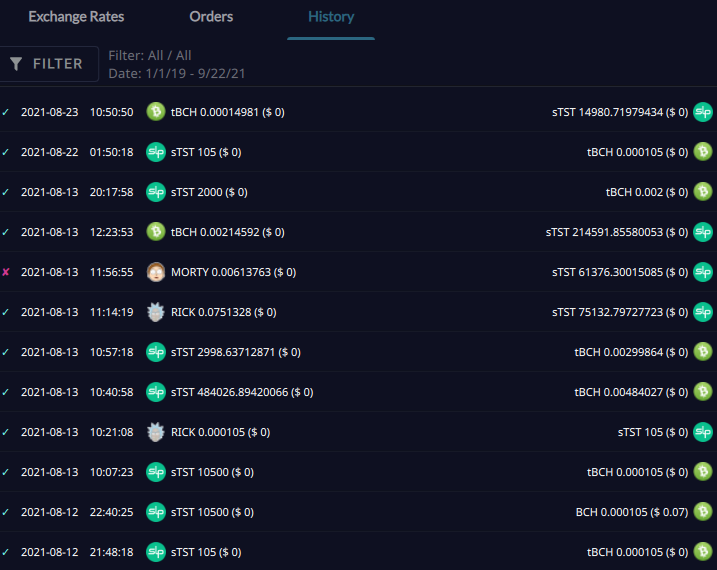
Creating and Hosting BCH Test Network Faucet Bot
Greetings to the BCH and friendly communities :)
While developing on the BCH network you will mostly need BCH test coins. Even if BCH is cheap to spend after some time you will end up paying some amount of money for tests also some developers may not want to go into the process of buying for a quick test. I hope when this Flipstarter is funded it will make it easy to get test coins.
https://tbch-bot-flipstarter.googol.cash/
tBCH Faucet Bot Features
I'm planning to create test net faucet with the following features:
Create a telegram bot so that developers can get tBCH 24/7
Create a simple web interface faucet for tBCH
Host and maintain the bot and the interface for 6 months
Collect tBCH from large holders and miners, may mine some if possible
Will set rate limit to avoid draining
Will be released as open source software
Need for the faucet
I've personally needed the faucet for multiple tests just to find that old faucet have stopped working. tBCH is also needed for Alpha testing SLP token exchange on the AtomicDEX wallet.
Several people asking for tBCH
https://t.me/bitcoincashnode/44449
https://t.me/electroncashwallet/79529
https://t.me/simpleledger/51129
https://t.me/simpleledger/50605
https://t.me/bitcoincashnode/33321
https://www.reddit.com/r/Bitcoincash/comments/kv12ti/tbch_needed/
My other Flipstarters
I've run and helped in several Flipstarter before:
Created and open sourced a Telegram bot to sell SLP token https://gitlab.com/uak/slp-sell-bot/
Coordinated two Flipstarters lead to the AtomicDEX support for SLP tokens https://github.com/KomodoPlatform/atomicDEX-API/issues/701
Marketing for EC plugin Flipstarter to trade SLP tokens. Which is still in progress. https://t.me/ecswap
Delivery
I'll work to deliver the project in 20 days after funding date. In case of failure to finish it I'll return money to known donors and spend the remaining according to BCHN team advice.
Link to Flipstarter:
https://tbch-bot-flipstarter.googol.cash/
Thank you for your support.

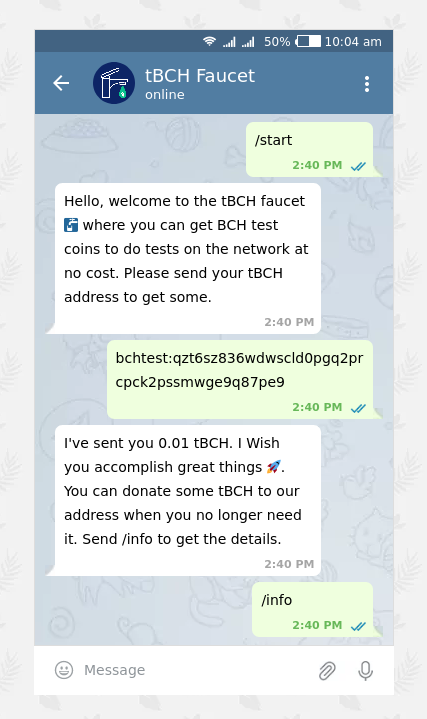
Telegram bot to sell any SLP token, Fruit of a successful Flipstarter, Beta released
I'm releasing the beta version of the SLP Sell Bot. You can now sell your token on Telegram for BCH directly to customers.
Links
Bot code and installation instructions: https://gitlab.com/uak/slp-sell-bot/
Flipstarter: http://slp-seller.googol.cash/ 💾 https://archive.is/DhiNi
Test a version of the bot selling the Honk token: https://t.me/slpsell_bot
Getting help with the bot: https://t.me/slp_sell
First read.cash announcement about the bot https://read.cash/@ClearSky/sell-any-slp-token-using-telegram-bot-flipstarter-8570d3f2
**Warning**
Use this bot with caution, it's still under development. It's released under the AGPL with no warranty. Use it with caution and follow best security practices.
This is one of my early python project, I appreciate your testing, suggestions and code improvements
Special thanks to James Cramer for his work on the wallet, also to the Electron Cash wallet team and the BCH and SLP community.

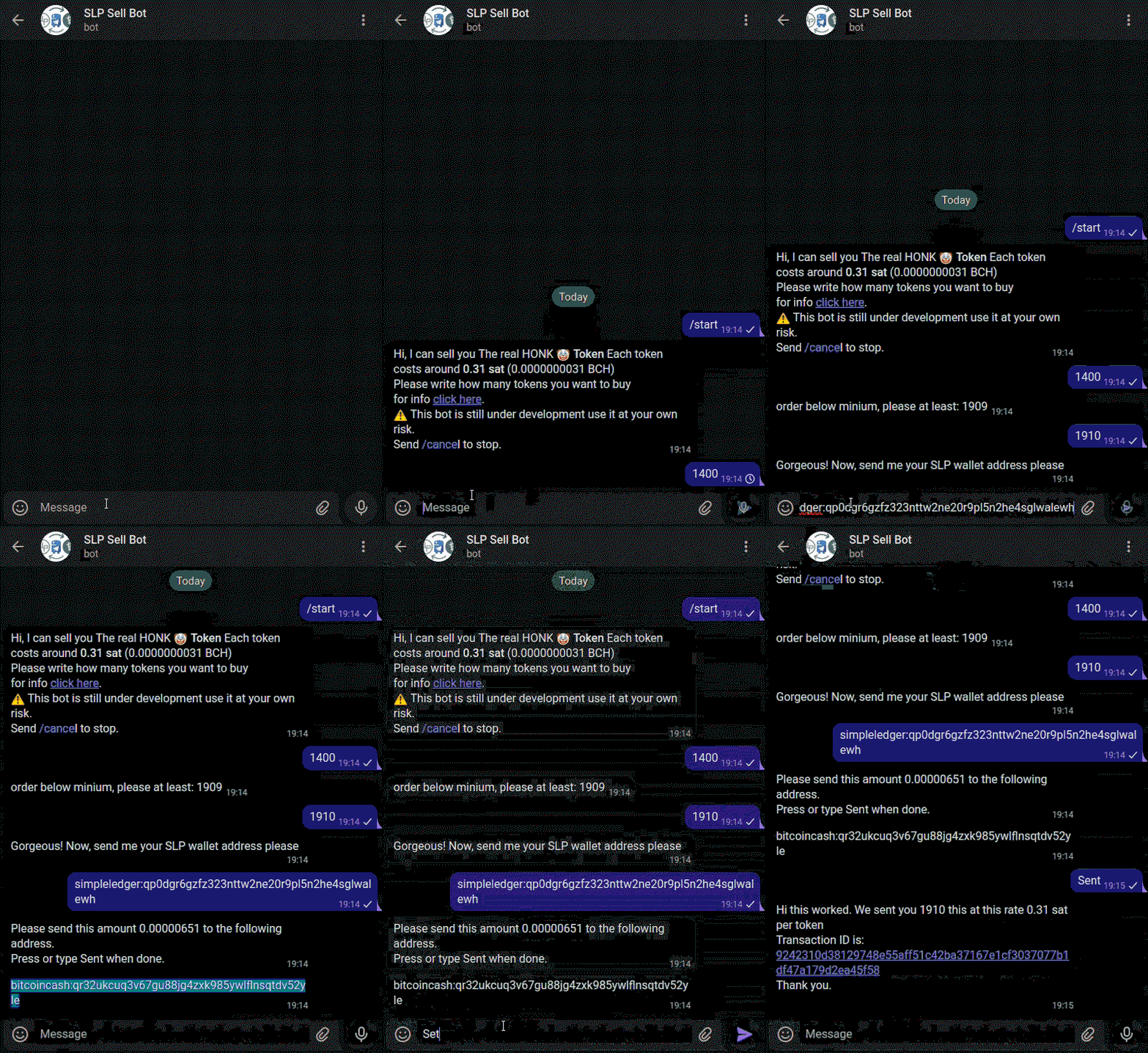
Badger wallet for android have been updated to fix balance issue
@VinArmani has updated the Badger wallet android version to fix the balance issue.
Disappearing Token Balances
Users were complaining about disappearing token balances that was caused by faulty rest.bitcoin.com API and other related services.
Vin have released today (29 May 2021) version 1.12.2 with the API fix.
Planned Upgrades
Vin has also informed me that regular updates will be planned to improve the wallet, including migrating to a faster and more reliable BCHD based API and the implementing of the localization update which was financed by a community flipstarter earlier this year. https://archive.is/UtpZ2
Badger mobile for android have been updated, what about iOS and browser extension?
Transfer of the ownership of the wallet from bitcoin.com to Vin have not been completed for iOS version.
I've learned from the previous dev that the code for Mobile wallet was rewritten and enhanced, not sure if Vin would be interested in maintaining the browser extension too.
hopefully more great news to come 🎉

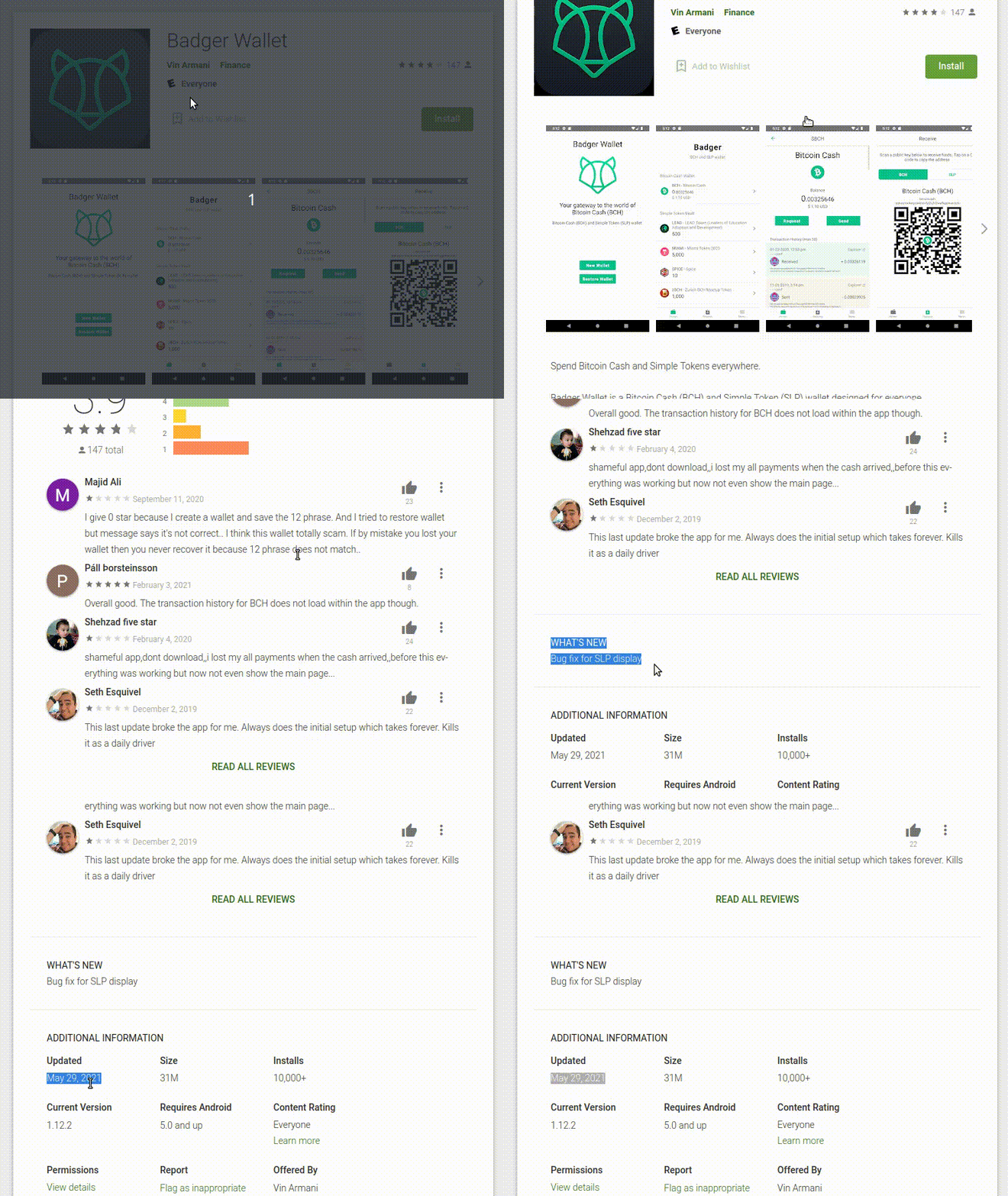
Sell any SLP Token using Telegram Bot Flipstarter
Ever wanted to list your token for sale, just to find it difficult to get on exchanges?
Out of need I've started to learn Python programming and I was able to build a bot that could sell you an SLP token for BCH. A demo for it is available here:
Telegram Bot: http://t.me/slpsell_bot
Flipstarter: https://slp-seller.googol.cash/
Financing
When the campaign get funded I'll release the code in one week after adding more comments and some cleanup. I'll publish instruction on how to install it an use it on your own.
From the flipstarter
Have you had an simple token idea that you didn't know where to sell it? Where you pushed by 3rd party providers that collected high fees and put too many requirements? The Telegram bot offers you an easy way to offer your SLP token for BCH.
SLP Sell Bot features
Sell an SLP token for BCH
Manually specify price source
Ability to set profit percentage on external price
Use watch only wallet for BCH reciving for security
One address per transaction (no address reuse)
Store transaction data in SQL database
Basic error handling
Story
Being in BCH community for almost two years now, watching all the awesome development work being done by great minds. The challenge that peer to peers system brings to the current rulers of the financial system was so inspiring. Using this bot someone can sell food baskets to help poor families, plant trees or tickets to an event very easy. I wasn't a programmer before I learn about BCH, wanting to contribute and seeing the opportunity that programming money could bring helped me make my mind.
Technical
This bot utilize the Electron Cash SLP wallet. It's maybe the most stable SLP wallet around. Hopefully by building on it, will make the experience smooth for users. Few various APIs are used to get BCH and SLP token price.
Using the bot for selling valuable tokens could be of a high risk as it depends on a wallet hosted on a publicly accessed server.
Testing the Bot
You can test the beta version of the bot on this link, currently I've set it to sell the real 🤡 Honk token. http://t.me/slpsell_bot
⚠️ This bot is still under development use it at your own risk
When to release the code
I'm planning to release the code after one week max from getting funded. The code is almost ready but it needs clean up and more commenting. Code will be released under the open source AGPL v3 license.
I'm using this lib (if I can call it one ) that I've created for use in the bot. https://gitlab.com/uak/electron-cash-slp-cli-python-basic-lib/-/blob/master/ec_slp_lib.py
Flipstarter: https://slp-seller.googol.cash/

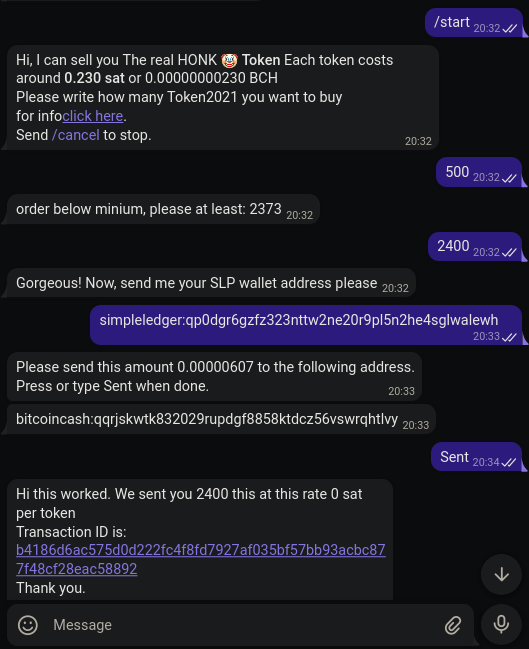
Create SLP transactions in Python using Electron Cash SLP CLI
SLP is getting more interest benefiting IMHO from lower fees, token creation simplicity and the special decentralization BCH offers.
If you are a python developer there are not many choices to build using SLP. I believe Bitcash python lib SLP support is still under development with help from ActorForth. However there is a great work have been done in Electron Cash SLP version by James Cramer. I've tried to utilize that and use its' python code to do all the awesome stuff the wallet does from my own Paython application using the CLI interface. https://github.com/pybitcash/bitcash
Features
I'm a beginner programmer but wanted to share this code with the community so it may inspire senior devs to build on it or create a better alternative. I've added the following functionalities.
Check daemon state
Check wallet load state
Get unused BCH and SLP address
Get BCH address balance
Prepare and broadcast BCH and SLP transactions
You may need to apply an SLP validation fix before you can create transactions, the fix was done by a senior dev that I've worked with to fix the issue. https://github.com/simpleledger/Electron-Cash-SLP/pull/208
The code
import json
import subprocess
# Check if daemon is connected
def check_daemon(electron_cash_path):
"""Check daemon running
Checks if Electron Cash daemon is running
"""
daemon_status = subprocess.run(
[electron_cash_path,"daemon", "status"],
capture_output=True, text=True
)
json_output = json.loads(daemon_status.stdout)
connected = json_output["connected"]
return connected
# Doesn't support multiple loaded wallet
def check_wallet_loaded(electron_cash_path, wallet_path):
"""Check wallet loaded
Checks if the wallet is loaded in Electron Cash daemon
"""
daemon_status = subprocess.run(
[electron_cash_path,"daemon", "status"],
capture_output=True, text=True
)
json_output = json.loads(daemon_status.stdout)
wallet_output = json_output["wallets"]
wallet_loaded = list(wallet_output)[0]
if wallet_loaded == wallet_path:
return True
else:
return False
def get_unused_bch_address(electron_cash_path, wallet_path):
"""Get unused BCH address
"""
unused_bch_address = subprocess.run(
[electron_cash_path,"-w", wallet_path, "getunusedaddress"],
capture_output=True, text=True
)
return unused_bch_address
def get_unused_slp_address(electron_cash_path, wallet_path):
"""Get unused SLP address
"""
receive_address = subprocess.run(
[electron_cash_path,"-w", wallet_path, "getunusedaddress_slp"],
capture_output=True, text=True
)
return unused_slp_address
def get_address_balance_bch(electron_cash_path, wallet_path, address):
"""Get the balance of a BCH address
"""
bch_address_balance = subprocess.run(
[electron_cash_path, "-w", wallet_path, "getaddressbalance",
address], capture_output=True, text=True
)
bch_address_balance_final = json.loads((bch_address_balance.stdout).strip())
return bch_address_balance_final
def prepare_transaction(electron_cash_path, wallet_path, tokenIdHex, address, token_amount):
"""Prepare transaction
Creates the raw transaction data
"""
tx_data = subprocess.run(
[electron_cash_path, "-w", wallet_path, "payto",
address, bch_amount],
capture_output=True, text=True
)
tx_data_json = json.loads(tx_data.stdout)
tx_hex = tx_data_json['hex']
return tx_hex
def prepare_slp_transaction(electron_cash_path, wallet_path, tokenIdHex, address, token_amount):
"""Prepare SLP transaction
Creates the raw SLP transaction data
"""
tx_data = subprocess.run(
[electron_cash_path, "-w", wallet_path, "payto_slp",
tokenIdHex, address, token_amount],
capture_output=True, text=True
)
tx_data_json = json.loads(tx_data.stdout)
tx_hex = tx_data_json['hex']
return tx_hex
def broadcast_tx(electron_cash_path, wallet_path, tx_hex):
"""Broadcast transaction
Send the transaction to the network
"""
broadcast = subprocess.run(
[electron_cash_path, "-w", wallet_path, "broadcast", tx_hex], capture_output=True, text=True
)
tx_id_json = json.loads(broadcast.stdout)
tx_id = tx_id_json[1]
return tx_id
Gitlab repo
You can fork the code and contribute to the following repo
https://gitlab.com/uak/electron-cash-slp-cli-python-basic-lib/-/blob/master/ec_slp_lib.py
You can get Electron Cash SLP version from this repo:
https://github.com/simpleledger/Electron-Cash-SLP

Wiki page to monitor BCH services
Ever wondered what happened to the awesome service that someone released a while ago?
Do you want a list of services that provides REST API to build upon or you don't remember that nice tool that allowed you to filter wallets by their features?
Personally I was in search for a test net faucet but to my surprise all where down.
I've started creating a list of services that are running in the BCH echo system. If you like to encourage me to gather more information and list more services you can tip me ;)
https://gitlab.com/uak/p2pec/-/wikis/List-of-P2P-Electronic-Cash-services-and-their-status
Here is the link
https://gitlab.com/uak/p2pec/-/wikis/List-of-P2P-Electronic-Cash-services-and-their-status
Akad Flipstarter transparency report Apr 2021
I've been involved with few Flipstarter campaigns that I thought it will benefit the community. I was waiting for one of the to finish to publish a report but I'll put it now and update it later.
Flipstarters that I've helped creating or promoted, all funded
Development in progress:
AtomicDEX SLP integration. **100**【**₿**】📢 💾 🚧 https://slp.flipstarter.atomicdex.cash/ https://blog.komodoplatform.com/en/flipstarter-funding-a-cross-protocol-dex-for-slp-tokens/ https://flipbackend.bitcoincash.network/media/screenshots/atomicdex-slp-integration_success_2021-04-13T104614.5520470000.png https://github.com/KomodoPlatform/atomicDEX-API/issues/701#issuecomment-735735789
Electron Cash SLP Exchange Plugin. **16**【**₿**】 📢 💾 🚧 ⏰ https://read.cash/@ClearSky/electron-cash-slpbch-noncustodial-decentralized-exchange-plugin-flipstarter-c44ff712 https://archive.is/cYuqW https://t.me/ecswap
Completed:
Localization support for Badger mobile wallet. **0.85**【**₿**】 📢 💾 ✅ https://archive.is/UtpZ2 https://github.com/badger-cash/badger-mobile/pull/254
HTLC proof of concept for SLP on Rust. **9**【**₿**】💾 ✅ https://archive.is/O9HXr https://github.com/KomodoPlatform/atomicDEX-API/issues/701#issuecomment-739813010
A little more details
Komodo lead dev Artem is working on the AtomicDEX SLP integration. He promised to release a monthly progress report on the github issue linked. 🚧 https://github.com/KomodoPlatform/atomicDEX-API/issues/701#issuecomment-735735789
@OPReturnCode said he his SLP Electron Cash plugin still needs sometime. You can check the progress with him in the plugin Telegram channel 🚧 https://t.me/ecswap
Badger mobile wallet localization support is finished but @VinArmani who is the owner of the repo said he still needs to sort few things out before handling Badger ✅ https://github.com/badger-cash/badger-mobile/pull/254
HTLC proof of concept flipstarter was an important step in getting the SLP integration into AtomicDEX. It was done by @TobiasRuck ✅ https://github.com/KomodoPlatform/atomicDEX-API/issues/701#issuecomment-739813010
Awesome community
I would like to thank the awesome community for their support. I hope we will have a better Peer to Peer Electronic Cash system with such enthusiasm.
Even thought I wasn't coding but It took a lot of effort to communicate between different parities and to monitor development.
📖 Glossary: Announcement 📢, Arhcived copy 💾, Overdue ⏰, In progress 🚧

Electron Cash SLP/BCH Noncustodial Decentralized Exchange Plugin flipstarter
I'm a big fan of SLP project, who can resist the easiness and low fees of minting/spending/moving of SLP token. However there was a catch, very few options to exchange it. No want to create the most awesome token to find that There are very limited options to sell it, however you can change that with support to this Eelectron Cash SLP plugin.
@OPReturn a smart Python and JS developer with experience in BCH and SLP smart contracts have offered to build it for 16 BCH. https://t.me/OPReturnCode
Flipstarter Link: https://slppluginec.googol.cash/
**Abstract**
A Noncustodial decentralized way to exchange SLP tokens to BCH and the other way around. A plugin for EC SLP version that will allow you to trade any SLP token with BCH. Everything including the order book will be on the blockchain. No centralized servers. You will be able to list any token you hold to sell or request to buy. Exchanges are instant no need to wait for confirmation time. They're normal transactions. Zero fees, You only pay transaction fees. people will be able to see your offers from inside the plugin, no need for 3rd party exchange or listing.
Main features
Exchange between SLP token and BCH
List any token
Decentrilzed
Open source
Onchain order book
Instant exchange, 0-conf
Zero listing fees
Limitations
No direct exchange between SLP tokens due to limitations of the SLP protocol(Each transaction can contain only one token), BCH should be the other pair.
About the Developer
@OPReturn is a python and JS software developer with experience in BCH and SLP smart contracts. He is working with the SLP foundation on Post Office server development and on its' integration with Electron Cash SLP. https://t.me/OPReturnCode
Developer Achivement
Blockhack 2020
His SLPEC project won two awards in the hackathon. SLPEC, a full functioning user-friendly trustless jobs escrow application that works on SLP employing cutting edge technology like SLP's Post Office Protocol, BIP 70, Bitcoin.com's Link and smart contracts to create a fully functional trustless DAPP with no gas fees. read more: https://read.cash/@SLP-Foundation/overview-of-the-winning-slp-projects-from-blockhack-2020-497a77af
Working on the SLP Post office
OPReturn is wokring with the **SLP Foundation** on the SLP Post office that allow you to move SLP tokens without need for gas. More info about his work: https://read.cash/@SLP-Foundation/slp-2020-recap-part-1-post-office-protocol-alpha-infra-upgrades-and-new-tech-104c7459#post-office-protocol-server-release
Development time
Plugin should be built in maximum period of two months after the funding completion
Verifying OPReturn's Work
I've verified his work on the SLP post office with Jt Freeman and James Cramer. Here you can see his commits to the SLP post office and the Electron Cash SLP version https://github.com/simpleledger/slp-post-office-server/commits/master https://github.com/OPReturnCode/Electron-Cash-SLP/commits/post-office
Contact info
For additional information you can contact us on the Reddit and Read.cash post for this flipstarter and you can contact the developer directly on Telegrapluginpluginm: @OPReturn https://t.me/OPReturnCode
Other Project to ease SLP exchange
I've worked with multiple parties to and run a filpstarter to fund creating PoC tests for SLP support on AtomicDEX exchange. After the project was funded and test were done Komodo team promised to post an offer to support SLP wallets first then to support SLP exchange.
https://github.com/KomodoPlatform/atomicDEX-API/issues/701
Komodo welcomes SLP token support on their awesome Atomic DEX
Komodo's senior software developer Artem Pikulin have announced a bounty to check the possibility of implementing SLP tokens on the awesome AtomicDEX. https://github.com/KomodoPlatform/atomicDEX-API/issues/701#issuecomment-703127366
AomicDEX is still beta but the team already welcomed a community effort to add support for SLP tokens, Apparently they noticed how important SLP support would be for the users and the atomic swap in general, Specially with high fees on the Etherum network.
SLP Tokens
SLP (Simple Ledger Tokens) are tokens built on top of the Bitcoin Cash. They are easy and cheap to create. You can Mint tokens and burn them easily. not too long ago Tether have minted USDT on the BCH network. https://mint.bitcoin.com/ https://wallet.tether.to/transparency
AtomicDEX
AtomicDEX is a decentralized exchange that utilize atomic swap to handle cross chain coin exchange. It has nicely designed wallet for mobile and desktop. It support major crypto currencies like BTC, BCH, ETH, LTC, Dash and many others. It also have support for major ERC20 tokens like USDC, BAT, TUSD, BUSD, DAI but recently they added possibility to swap between any standard ERC20 tokens. https://atomicdex.io/
The bounty (now around $1000)
I've been insistently talking on Komodo and SLP channels in effort to bring these two great project together, the response came from Komodo's development team announcing a 1000 KMD bounty for "HTLC proof of concept for SLP on Rust". HTLC is shortcut for Hash Time Locked Contracts, which is used in atomic swap technologies. The proof of concept will open the way for full SLP support on the AtomicDEX API and wallets. This is a first step in having a full support. https://en.bitcoin.it/wiki/Hash_Time_Locked_Contracts
Link to bounty announcement: https://github.com/KomodoPlatform/atomicDEX-API/issues/701
Komodo discord to chat with Devs https://komodoplatform.com/discord
AtomicDEX telegram channel. https://t.me/atomicDEX
Documentation: here and here https://developers.atomicdex.io/ https://developers.komodoplatform.com/basic-docs/start-here/core-technology-discussions/atomicdex.html
Donation to my marketing efforts
If you appreciate my marketing efforts you can tip me on this address or use read.cash tipping.
**UPDATE:**
BCH developer Corentin Mercier @merc1er have pledged to add $560 worth of BCH to the bounty https://github.com/KomodoPlatform/atomicDEX-API/issues/701#issuecomment-703215180
 @ClearSky