The Number Systems.
The Number Systems.
It is a good and a happy morning once again and it has at least being up to good three or four days I've never showcased myself here at read.cash but all thanks to God I still have got the energy to do so and I pray you all find the same strength in all your endeavors too.
However, today we shall be looking into yet another interesting one on our computer lessons that called the number systems and most of what things we need to know about the number systems and how to identify them for those of us who are not perfectly placed when it comes to the application of computers in their daily lives.
Introduction.
For every piece of data within a computer are always help up right there as a number.
A number therefore, is represented by a symbol called a **numeral.**
In this discuss, I will introduce us to the numeral systems and show us how numbers are represented and manipulated within these numeral systems.
Definition.
A symbol that represents a number is called a numeral.
In addition to their usage in measuring which includes counting, numerals are often used for identification. For example, a telephone numbers, for ordering.
Another example is the serial numbers and those for codes which are of course the ones that are only or majorly found on the international standard book number (**ISBN**).
Therefore, we say that a number system or a system of numeration is a s writing system for expressing numbers of a given sets, using digits or other symbols in a consistent manner.
Numeral systems are sometimes called numbers systems. This usage is quite ambiguous as many systems can also be referred to many different systems of numbers such as the system of real nu.bers, systems of complex numbers, systems of exact numbers and many more systems of other numbers. But our main target here is in the positional numeral systems.
A positional or a place value numeral systems.
This is a method of representing or encoding numbers in which the position of a digit in a number, determines its values in the said numbers.
The positional numeral systems uses a fixed sets of symbols or digits for representing numbers. The numbers of all these digits are called the **radix or base of the numeral systems.**
The numeral system that is familiar to most people on this Earth is called the **decimal numeral systems.**
Its base or radix is in **tens; the system uses only digits from the sets {0,1,2,...,9}**
An example of such is given below:
2013 < 3210 - the 4 digit positions.
The values or the meaning of the 3 in a position of 0 in this number is 3(=3×10^0).
The value or meaning or the meaning of 1 in a position 1 in this number is 10(=1×10^1).
The value or the meaning of 0 in position 2 in this number is 0 (=0×10^2).
The value of 3 in a position 3 in this number is 2000 (=2×10^3).
The value or the meaning of the number 2013 is therefore interpreted as thus:
2×10^3+0×10^2+1×10^1+3×10^0 = 2013.
which therefore implies that the result we then get from our solvings above will now be:
2000+0+10+3 =2013. Hope you are all clear on that mathematical approach to it right?
In general, a number in the base of b is ordinarily written in the form of in-lin-2...i1i0.f1f2,...fm., where a dot or radix points separates the integer part of the length n>0. While from the functional part i.e, the f1f2,...fm, pf lenght m> 0.
When m= 0, then the number is an integer and the radix point disappears.
A common rotational convention is to write a number X in a base numeral system as Xb.
For example, 2 in base 10 represents the number 2>10.
The commonest numeral systems that are used in computer science education are as follows:
Base 10. = Decimal system.
Base 2. =. Binary system.
The base 10 is the most widely used system of numbers in the world. Its 10 digits are "0-9", and they are mostly used in mechanical counters like the meters we can find everywhere at the petrol pump stations.
The base 2 are the two digits that are between the numbers "0 and 1" and they are expressed from switches which displays the **OFF & the ON** controls respectively, which are also used internally by nearly all computers.
The Octal system: these are occasionally used in computing and their eight digit units are between the figures "0-7".
The hexadecimal system: this ones are also often used in computing and their sixteenth digits consists of numbers "0-9" and alphabets "A-F".( Any letter can be in the upper or in the lower case in a computer).
The base 64: this is also another widely used base in a computing system and it makes use the digits A-Z, a-z, "0-9", plus the two characters that are often "+" and "Z".
Some small whole numbers in the four commonest numerals are shown below👇
Decimal(base 10)- 0,1,2,3,4,....15.
Binary (base 2) - 0000, 0001, 0010, 0011, 0100, 0101, 0110, 0111, 1000, 1001, 1010, 1011, 1100, 1101, 1110, 1111.
Octal(base 8) - 00, 01, 02, 03, 04, 05, 06, 07, 08, 09, 10, 11, 12, 13, 14, 15, 16, 17.
Hexadecimal (base 16) - 0, 1, 2, 3, 4, 5, 6, 7, 8, 9, A, B, C, D, E, F.
Hope you enjoyed another round of lecture today on the computer about the number system this time around? I hope you did and good morning to you all.
All images are from my unsplash.com.
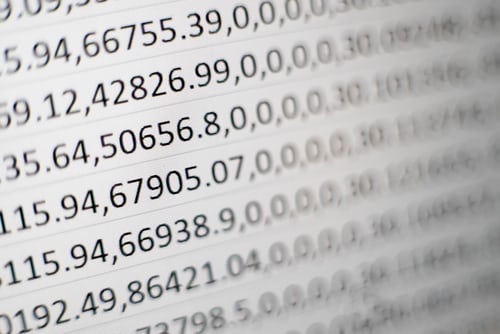

The joys of motherhood
I grew up into into becoming a woman who would one day assume some level of responsibilities motherwise.
Long before that time came, I had been a child who enjoyed my childhood from my very zero age down to my marriageable age when I did become fully aware of what life has in stock for me.
Though what life has in stock not just for me alone but for everyone, seems to be filled with so much ups and downs in relation to the more malicious death that has kept robbing us all of our intended joy to stay longer with our friends and family while we continue in our struggles for a better life.
When I was much younger, I remembered always following my mom to the market and after which, we will come back and I was always asked to prepare the food for the entire family to eat
Most of the times when I'm asked to do so, I always frown at it cos I felt tired doing it some times but in all, I still managed to do them as I found so much pleasure doing it despite my very weak and tired bones at that time.
I remembered also showing some moments of arrogance when I'm asked to undertake a particular home chores cos I felt I was being cheated by mom in that she usually asked me to do those home chores almost all alone and the fact that I was also tired all culminated to my show of anger but little did I know that I had been involved and n a journey of a motherhood which is quite joyful when the time suit arrives.
After I got married and started having my own kids, I then noticed that I have been consciously or unconsciously been involved in many hard moments of life as I have to tend to my kids in such a painful way as they usually make me shout and increased my work load especially now that I'm but a single tired mom trying to inspire them all to greater heights.
I just recently realized that while I was thinking that I had been cheated out of my childhood by my mom as I was always asked to do all the homes chores all alone back on the days, that I have been fully trained and molded into becoming a mother even before my time to an extent that I do virtually everything possible without anyone helping me out and the truth is that I did all that I have to do almost perfectly without any letup or noticeable lapses.
Most of the times, under my watchful eyes, I have seen my kids do things that would have put me I'm to a rash decision making process or that of the thinking of giving up with life as a result of their direct frustrations aimed at me, yet I do soft pedal and then manages to rather look for a more subtle ways of correcting their ills not in anger but in loving kindness but not absented of any further reproves and discipline I deem fit in order to help them stay focused and firmly within laws.
This same joy of motherhood has propelled me to work even tirelessly and taking that all important and all needed extra steps in ensuring I give them their necessary best so that the feelings would be even and I then would have every reason to be happy as well.
I guess I'm the one enjoying it now and I would like to advice all potential mummies to toe this same line of action and then see how happy they would themselves be while the **joys that come from motherhood,** will certainly not be far from them.
After all, my little children can do things on their own even without my supervision which is quite recommendable for I have successfully passed on to them, a generation of a strong **Motherhood Gene**
which will end up being their defining moments in later years to come, yes it certainly will become so of them.
Always remember to wear your nose masks and stay some metres away from each other in this global pandemic era for your own safety reasons, good morning and How bless you all.
All images are from the unsplash.com

Learning the basics of computer science lesson XVII
Good morning good people of this platform, it is my desire as always to enrich us this morning with a resounding knowledge as regards computer education and I hope you all been following through ever since I started this learning journey with you guys.
Today, we shall be looking into what happens in the areas of the **non magnetic disk storage** and all that happens in there but before I will discuss that with you guys, I'd like to help **flash** your minds backs into the definition of the **magnetic disk storage** for a better follow up and for an easy understanding, hence we start with the: **Magnetic disk storage.**
This comes in various sizes and it helps store data using magnetism on its magnetic surface to do that and it has the following advantages being:
Higher storage capacity
Reliability
And it gives access to data.
Now, having known what things are there to expect, we will then look critically into the areas of the **non magnetic disk storage** and what that happens there as well.
Non magnetic disk storage
Just like the magnetic disk storage, the vice versa happens in the none magnetic disk storage as well and we do have various forms of it which includes:
The Optical Disks.
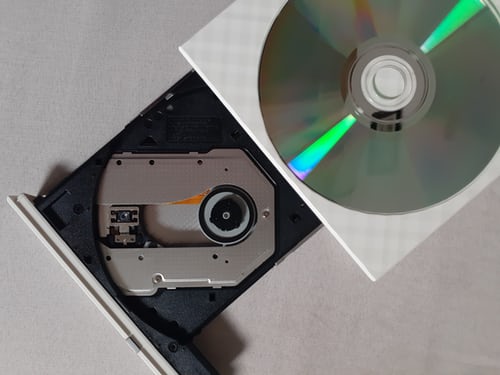
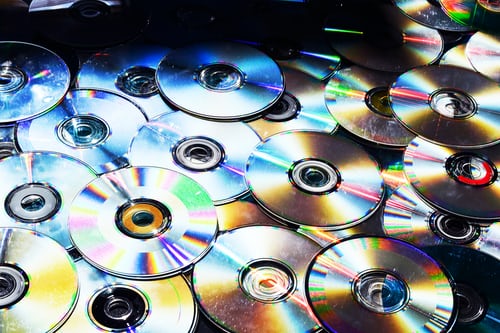
An entirely different method of recording data is used for optical disks and they include various kinds of **CD&DVD disks.**
As suggested by the word **optical,** what it means is that the technology for this class of disk is based on light while the different types and kinds of **optical disks,** makes use of a different kinds of materials and methods to absorb and reflect light.
How it works(a simple version).
An optical disc is made mainly from **polycarbonate** ( a plastic). The data is stored on a layer inside the polycarbonate.
A metal layer reflects the laser light back to a **sensor.**
To read the data on the disk, laser lights are made to shine through the polycarbonate and hits the data layer.
How the laser light reflected or absorbed is read at 1 or 0 by the computer.
By illustration, it can be explained from the edge view as thus:
The CD-ROM interchanges with the DVD-ROM using a forward and backward arrow to label the surface area and then the data layer which it only returns back to the CD-ROM, from the DVD-ROM using the data layer only
The data layer having received the returned data layer, will by the means of the same data layer, return it back to the DVD-ROM while the polycarbonate will be shared amongst the the CD-ROM & DVD-ROM for the effectiveness of a communication between them to occur.
In a **CD,** the data layer is near the top of the disc and the label side.
In a **DVD,** the data layer is in the middle of the disc.
A **DVD** can actually have data in two layers, it can access data from one side or from the both sides.
This is how a double - sided and a double - layered **DVD** can hold four times the data that a single - sided, and a single - layered **DVD** can, Hence, all mordern computers have a **CD-ROM drive** and the majority have facilities to write(**Burn**) a **CD.**
A typical example of this **CD-ROM** that is found on a **laptop** is in such a way that the head has a small laser which sends a beam of red light onto pits that have been etched onto the disk.
It gives the receptor the light it picks up which it bursts and transmits them as 1's and 0's to the computer.
When a **CD** writer writes a **CD,** a dye changes properties with the pulses of an **Ultra violent light** which is sent out by the writer.
The refractions that is made by the altered **dye, and** allows for the 1's and the 0's to be made.
Both write once **CD's** (CD-ROM) and the rewritable **CD's** (CD-RW) work I'm a similar ways, but in a **CD-RW,** the **dye** can be reversed as they are not magnetic in any way.
The hours it takes for a recordable CDs to last is yet an unknown thing as yet but some have been known to last for around 10 years with no strings of signs of a deterioration, but it would make some sense not to leave the CDs in a strong sunlight.
The recordable CDs and their writers have fallen marketably in price over the last few years owning to that and these disks have a total strong capacity of about 700 megabytes.
The **Digital Versatile Disk**(DVD), can hold up to four gigabytes and many computers have a CD drive that can read and write these and have various kinds of optical disks for various purposes.
The materials used for the data(recording) and the metal(reflecting) layers are different for different kinds of optical disks.
The common types of optical disk is the CD-ROM which stands for the **compact disc - read only memory** and it looks like an **audio CD** but the recording format is quite different, hence, **CD-ROMs,** are used for **Audio/video and computer software.**
DVD-ROM.
This use to stand for **Digital Video Device - Read Only Memory.**
But now, it doesn't really stand for anything at all, hence, they(DVDs) are used for recording movies and also for computer usages too.
The **CDs** and the **DVDs** that are commercially produced are of the **Write Once Read Many**(WORM) variety and they can't be changed once they are created.
Examples are:**CD-ROMS, DVD-ROM, DVD+R,** while the optical disks that you can record on your own computer are the **CD-ROMS, DVD-ROM** and the **DVD+R discs** which are called the **writable or recordable disks.**
A writable disk is very useful as a backup medium when you need a long term storage of your data as it is less efficient for data that changes often since you must make a new recording each time you save your data and their pricing will be important to your decision to use writable disks.
The following disks are rewritable, that is, you can write to it, erase, and write it again since they are made with a phase-changing metal alloy aluminum viz:
CD-RW
DVD-RW
DVD+RW
DVD+RAM.
In our next computer lesson class, we shall be looking more into the advantages and the disadvantages of the **Optical disks** and their care as well.
Thanks for reading and hope you have all learnt something new? If also, I hereby Implore you all to stay tuned for more follow ups on this relatively super interesting topic and aspect of a computer discussion.
Remember to always maintain your safety tips in order to stay healthy and alive due to the convid19's world issues.
All images are from unsplash.com.
You are a shining star.👌
I woke up this morning looking very much high up in the sky and saw to my greatest amazement, regarding the beauties of the heavenly bodies of which the **stars** become my main concern and at that, I quickly reminded myself of our very old long term recited poem about the **stars** when we were still within the ranks of basic schools.
With that in my mind and at once, I was carried away and was caught up in the web of reciting that popular poem of old thus:
Twinkle twinkle Little **Star,**
How i wonder what **You are,**
Up above the world **So high,**
Like a **Diamond in the sky**
hahahahaha...that's quite funny isn't it?
But then, I began relating to myself as to the real meaning of being called a **star** and to what and why was the reason the **star** alone was used in a poem even when it was obvious that we have other too many lo**vely heavenly bodies** though are not able enough to fill that special purpose for which the **star** alone was heralded and stood well differentiated from the rest others.
One of the reasons I found out about this lovely heavenly body called the **star** lies in its ability to give a great **sparkling illumination of light**
that hardly would one not want to take turns in appreciating such a marvelous and a well calculated master class display of **craftsmanship** which was exhibited only by our dear God himself.
In fact, the sparkling nature of these very tiny looking **stars** had a real **diamond** reflection of itself on my body as I saw its glory and true beautiful reflection upon the cloth I wore this early morning that indeed released and unlocked words of praises for this wonderfully created tiny elements of the heavenly body called the **star** from my mouth.
My joy at seeing the **stars** in what appeared like I've never seen a **star**
before in my life propelled me to still remember yet again, another lovely song that was recited as a result of one appreciating nature in its abundance and it goes this way thus:
All things **bright and beautiful**
All creatures **great and small**
All things **wise and wonderful**
The Lord God made **them all.**
Each little flowers that **opens,**
Each little bird that **sings,**
He made their glowing **colours,**
he made their **tiny wings,...**
Oh! What a precious beauty that was, I'm I right?
Having gone past all the songs that resulted from the beauties I saw about the **stars** this early morning, look! I stood still again and this time, I reflected my mind to what is happening in the **entertainment industry** of which **football, basketball, rugby** and the **music world** happens to be my major talking points.
At that juncture, my wonderment led me to ask questions yet again, as to why those in the above mentioned **entertainment industry** are all called **stars?**
Without wasting much time, one thing that came to my mind was that for the fact that they have been able to ignite their **illumination** at the centre stage, then they are deserved of being called **stars** as it is only the tiny little **stars** irrespective of how little it is
Which on record, is regarded as the only heavenly body with such a **sparkling illumination of light.**
Ever since I was done with those past memories of the lovely **stars,** i can guarantee you that I've been totally left in a state of **awe** over this wonderful tiny heavenly body and the whole huge moments it represents worldwide within the context of usage.
Perhaps, you too can be a **star**
in your own making if only as a matter of choice, you are ready to channel your mind and narrow it down to it.
In what ways you may ask?
I'd like to just explain a few because of our time of which when looked at and then possibly built upon, will for sure, become the surest **gateway to success,** Yes and indeed success.
1. Always dream big
Dreams are important if we must rise to the occasion, therefore, when dreaming, never be caught up on the web of being on a **low ebb yourself,** but rather dream about lofty things in life and surely, it will materialize.
2. Work hard to establish on your lofty dreams
To work hard means to use your vital energy to establish on the things you know already.
Therefore, working real hard to establish on your dreams is a pivotal and an assured key to success.
3. Follow your mind.
Don't you ever listen to persons that will tell you, "this is the generally accepted ways of doing either this or that".
Rather, always do things because you know they are good for you and are capable of transcending into success and shining your light over.
Then lastly,
4. Always borrow a leaf!
For an assured success to be actualized, then, you must learn to follow the footsteps of all those whose **stars** have shone brightly at the center stage.
Morning success tips.
For as long as life is short and filled with many uncharacteristic tendencies, you must first see yourself as a **Star** first for your light to **shine greatly.**
The ball is in your court, hence that's the case, what yhen are you waiting for?
Remember, that now is the time to strike that needed balance in your life and give yourself that direction and headway to a shining light.
#always remember to stay #free from covid19 by wearing your nose masks, staying some 6fts apart and sanitizing your hands where necessary.
Always remember that you are but a STAR.
All images are from unsplash.com.
Good morning and love you all❤️. Hope you had a great night rest huh?😘
Learning the basics of computer science lesson XVI
In our last class, we talked about the **hard disk** and then discussed all we need to know about it and how it functions in a system and the best ways we can take care of it given its relative importance in a system.
Therefore, we will start with the sub-topic:
How to care for the hard disk drive.
For all we know, when any damage is the root directory that renders the hard disk useless especially when the computer is on the hard disk and it is spinning fast of which any contact with it at all can cause pits or scratches.
Care here must be taken to keep the **read/write head** where I should be, which is just a more above the **hard disk drive** but would never by any default be touching it.
As we all know, turning off the computer and then quickly backing it up already before the spinning is noticed to have reached a stop, me that cause a very big damage.
* Disk formatting
Here, all magnetic disks are similarly formatted or divided into areas called **tracks, sectors and cylinders.**
The formatting process sets ups a method of assigning **addresses** to the different areas.
It also sets up an area for keeping the lists of addresses and without **formatting,** it would be like a **Library** where pages are not in books but are scattered around on the shelves, tables and floors as it will be very very difficult getting a book together.
Note: A **formatting methods** allows you to efficiently use the space while it is still being able to find the things that are stored in a **disk.**
* Clusters
This is the minimum space uses by any read/write head to read or write data.
It is a set of track sectors that ranges from 2-32 or more which is dependent on the formatting scheme in use.
The most common formatting a scheme for **PCs** sets the number of track sectors in a cluster bases on the capacity of the disk.
A 1.2 gig hard drive will have clusters twice as large as a **500MB hard drive.**
So, there is often a lot of spaces in the cluster that is beyond the data that is stored there and while there are few schemes out there that reduces this problem, but it will never go away entirely and the only way to reduce the amount of **slack space** is to reduce the size of a cluster by changing the method of formatting and you could have more tracks on the disk, or else, more sectors on a track, or you could reduce the number of track sectors in a cluster.
The computer keeps track of what it has put where on a disk by remembering the addresses of all the sectors used, which would mean remembering some combinations of the cylinder, track and the sectors used.
Where the difference between addressing methods shows up is in the time it takes for the read/write head to get into the right position, the cylinder method writes data down the disks on the same cylinder and this works faster because each metal platter has a read/write head for each side and they will all move together.
Therefore, for one position of the read/write heads, the computer can put data on all the platters before having to move the heads to a new position.
Where the difference between the addressing methods shows up is in the time it takes for the read/write head to get into the right position, the cylinder method writes down the disks on the same cylinder.
This works faster because each metal platter has a read/write head for each side and they all move together.
Therefore, for one position of the read/write heads, the computer can put some data on all the platters before having to move the heads to a new position.
When a disk is formatted, the following takes place
All data is erased
Surfaces are checked for physical and magnetic defects and lastly,
A root directory is created to list where things are on the disk.
Hope you remembered to stay safe still from covid19 pandemic? If you did, then all I have to say is good health to you👌.
Happy New year all🎉
All images are from unsplash.com.
Thanks you so so much my able Abubakar450 for adding your sweet self to my sponsors list today.
I'm more than greatful to you
My best vs worst year 2021- a prompt by theblackdoll
#BestvsWorst2021year
As we all know of it, the year 2021 has come and it's almost gonna be gone as it is quite very much around the corner to doing so later in some few hours before we all get to see the next year being ushered in like wild fire by God's grace.
As requested by @theblackdoll for us to write about our best and worst year in 2021, so I begin with my worst ever 2021.
My worst 2021 year
My worst year in 2021 happened as at the time I had been a single mom with three kids and an old mom to cater from the little i earned that wasn't even enough to take care of our other needs for over **seven good years till now** without any helper to assist me with the other demanding responsibilities of the household.
My problems still on that never stopped there as my inability to pay for the house rent where I'm leaving as a single mom with my kids and my old mom warranted that the landlord to the apartment where I had initially rented, brought into my house some thugs who forcefully ejected me out of the house by beating me up and scatering my belongings and those of my mom and kids on the floor which prompted me to report the matter to the police station immidiately for help but ended up being disappointed by these security agents(the police) because I do not have the financial muscle to pursue the case which ended up dying a natural death while I was left to feel the pains from the injuries they inflicted upon me as much as the injustice I had met at the mercy of the police who could not help me out.
My best 2021 year.
This came immidiately I was ejected from the house and went straight with my kids to my friends shop where we packed our belongings and other personal effects for safety for the time being and at that time, I have found @Read.Cash already but have never been a known figure in the platform, so I decided to share my experience here on the platform and to my greatest surprise, almost everyone here @Read.Cash picked up from there and assisted me with a whole lot of BCH tokens that were worth a total of $20+ which is a massive 10,000 naira in naira my local currency. This I also owe to @Eybyoung and @Princessbusayo whose post about me by the former proved very necessary in locating my problems while the report to the #BCHnaijaforum by the latter, ensured I earned the $15 worth of BCH to my wallet.
Tears rolled down my cheeks as those contributions ensured that I at least got something from all you well meaning people of this great platform that was given to us by @MarcDeMesel .
Guess what, after the mouthwatering and unbelievable assistance I had gotten from virtually all members here, I was moved by tears to make a post of thanks and appreciation for all those that contributed a share of their own hard earned token in assisting me out of my current landlord induced problems.
You guys were so wonderful on that night that some even after giving out BCH tokens to me also ensured they extended their hand of help by agreeing to sponsor me in my read.cash journey and to all that, what I can say is that God will surely bless you all on my account and that the new year will refill your pockets the way you did mine especially all my brothers and sisters at the #BCHnaijaforum, cos they were awesome yet again as they gave me an additional $15 worth of BCH which helped in making up my day as much as my brothers and sister from the #philipinos whose undeniable efforts also saw me to a greater heights.
You too can join this prompt by @Theblackdollll here too.
Happy New year in advance.
All images are from my phone.
Learning the basics of computer science lesson XV
How happy we may have been having celebrated the worthy death of our Lord Jesus Christ on the 25th of this month in the midst of fun and merry making and as such, I'd like to bring to us the next part of our computer lesson class being:
The Hard Disk Drive (HDD)
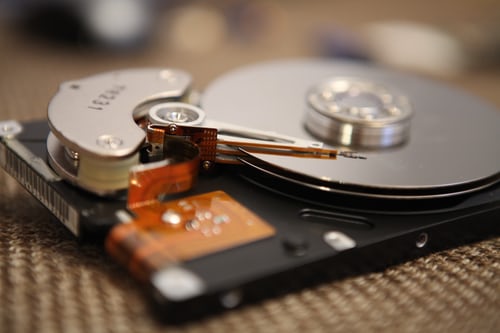
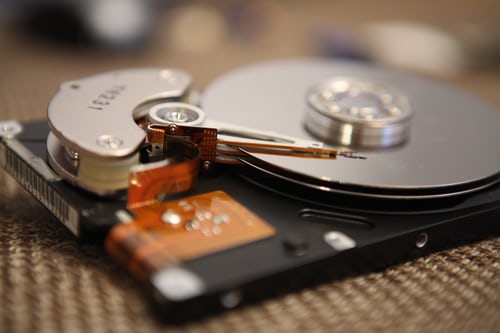
This is commonly referred to as a **hard drive, hard disk or fixed disk drive** and it's a no volatile storage device which stores digitally encoded data on rapidly rotating platters with magnetic surfaces.
Seriously speaking, a drive refers to a device distinct from its medium such as the **tape drive and its tape or a floppy disk drive and its floppy disk.**
Early **HDDs** had removable media which perhaps makes it today, a sealed unit except for a filtered vent hole that enables an equalizing of air pressure or its removal.
The platters are spun on very high speed while the information that is written on a platter as it rotates past the devices are called the **read&write heads** which are operated very close over the magnetic surface and it is used to detect and modify the magnetization of the material immidiately under it.
There is usually one head for each magnetic platter surface on the spindle that is well mounted on a common arm. **The actuator arm** then moves the heads on an arc across the platters as they spin, thereby allowing each head access almost the entire surface of the platter as it spins.
The **arm** is moved using a **voice coil actuator** or in some older designs, a motor.
The older drives read the data on the platter by sensing the rate of change of the magnetism in the head which have small could and works much like a magnetic tape playback which is although not in contact with the recording surface.
The **HDDs** are kept from contacting the platter surface by the air that is extremely closer to the platter; that air moves at, or close to the platter speed.
The record and the playback heads are mounted on a block called **slider** and the surface next to the platter is shaped to keep it just barely out of contact.
Early **HDDs** makes use of an electromagnet both to generate this field and to read the data by using an **electomagnetic induction,** while the later versions of inductive heads included **Metal In Gap**(MIG) heads and thin film heads.
In today's heads, the read and write elements are separate but in close **proximity** on the head portion of an actuator arm.
The **read** element is typically **a magneto-resistive** while the **write** element is typically **a thin-film inductive.**
In mordern drives, the small size of the magnetic regions creates the danger that their magnetic state might be lost due to some **thermal effects,** but to counter this, the platters are coated with two parrallel magnetic layers that are separated by a **3-atom-thick layer** of the non magnetic element **ruthenium,** and the two layers are magnetized in opposite orientation thus helping to reinforce each other very well when they are needed very well to do so.
Care of the hard disk drive.
They have fewer precautions since they are more protected by being sealed in air tight cases but when damage occurs, it is more serious than what we may think of or what we may expect.
The larger amount of data can be lost when the hard disk is damaged and they are much more expensive than floppies.
Hard disks can have problems from magnetic fields and the heat like floppies do, but these are usually seen in some very very rare occasions. My most problems occur when the read-write head damages the metal disk by hitting or even touching it as a **crash will occur.**
Hence, care must be taken to keep the read-write head where it should be, which is just barely above the hard disk but never ever by any chance whatsoever touching it at all if such a damage must not occur at anytime.
Another thing to avoid is that of turning the computer off and quickly back on before spinning has stopped could cause even a far reaching and a greater damage to the hard disk.
Tomorrow by God's grace, we shall be looking into all the aspects of the various ways to care for our **Hard disks** if we must have the pleasure of enjoying using them for long.
Hope you abstained from contracting covid19 today by observing all its protocols which are:
Staying some 6metres apart
Washing your hands regularly after using public facilities
Sneezing directing into a tissue paper or your elbow where a tissue paper is absented
Avouding too much gathering of many persons and many more?
#liveresponsibly#observeallcovid19protocolssoasto#stayalive.
Image credit:unsplash.com.
Thanks a lot adrielle 14 for this believe you saw in me and then decided to sponsor me. I'm more than happy for this dear and I will ensure I don't let you down here. God bless you
Hurray! I just got a new sponsor in erdoV and I'm more than happy for this.
Thank you so much for this believe in me dear. God bless you and more and more BCH in your pocket
Why you may not get tipped by the random rewarder
Good evening great community members, this is the third day of Xmas and I guess you are all still having some fun in your respectful places while celebrating it, I also had some fun celebrating it with the other members of my family too.
Today I decided to go through some person's profile in order to see their level of performances over time and as such, I was amazed and surprised at the same time as some of the results that got me amazed showed a group of persons who are really great jobs with their creative mindsets which they kept pouring out on a daily basis for us to read and fill our thoughts with, while some of the results that have left me in a **total state of awe,** has also shown a group of class pf persons that are not acting in the right order based on the read.cash requirements.
As it is, it is not within my right to talk about such individuals here as their **privacy must be protected based** on the read.cas's rules of engagement without any question whatsoever but I can only encourage you who are reading this article in case you fall in line with those sets of individuals who are not getting it right to begin **right the wrong** now that we still have the grace of time even though it is very very **elusive.**
Who is the Random Rewarder?
Most persons especially my referrals have asked me this question on a series of occasions despite my explaining it to them at the initial stage before they joined read cash and then let me now use this **medium of communication** that is duly available to me to explain that term **random rewarder**, Its functions here at the center stage for easy reference to this article in case I'm asked about it again which I believe will surely be asked again hehehe.
The **Random Rewarder** is an **automated bot** that goes round and reads every article that are written on daily basis here on read.cash and then give out **tips in BCH value** to the articles that merit or meet up with the **Read.cash's** standard of operations and guess what,
the **Random Rewarder** says and I quote; " **I like to tip**". Does that not make you happy to hear the **Bot**
or the **Random Rewarder** itself say that? It makes me happy as much as I feel it makes you too and if that's true of you, then I will advice you stay within laws by doing the needful if you must grow here overtime.
This in fact is a way of encouraging an **author** to write more as his/her efforts are been recognized which makes the tips a possibility so as to keep everyone happily blogging and earning at the same time. What a worthy way of putting some smiles on everyone's face i guess.
Moreso, with the **super power** tips that comes from mainly the **Random Rewarder,** it is therefore worthy of note that everyone wants to get tipped at some point after **publishing** their posts, but before that could happen or
before your article gets tipped, you must have been able to **certify** some certain criteria before your article is considered worthy of a tip and here are the below list of all the criteria for a tip to come from the **Random Rewarder:**
The published article must be an OC (original content, i.e, a story belonging to you and you alone) article.
The published article must have at least a 600 readable words and anything short of that might place a serious doubt on your getting tipped.
Though it is allowed to write in your native language but I prefer it written in good English so that everyone can read it.
The published article must not be a plagiarized article in any way at all.
The published article must make use of the free images that are serious talked about and such images may be gotten from sites like unsplash, pixaby, pixel and many more(not images downloaded from Google).
The published article should at least be an article of 3-4 or more minutes of reading time.
Articles that seem to be begging for tips cannever be tipped again by the both(pls ensure to take adequate and careful note of this).
The published article seem to talk more about read.cash or the one with more pictures than words with the central ideas can't be tipped.
An article that is flagged as spam.
*By default, spamming means an attempt to take an undue advantage of the platform for some money making intentions*.
You often see that the spammer is usually not available to contribute to the growth of the platform but makes himself or herself available to harness the available tokens after being away for a very long time.*
Such individuals (spammers) don't get tipped at all.
Most times, you see the spammers with such heartbreaking comments as these; **so nice, good story, great job, good** and many more hosts of unwanted **festering disease of madness called spamming.**
Therefore, you must **desist** from all the unwanted negative aspects of this platform in order to increase your chances of survival as much as if you must love the platform and enjoy everything that comes out of it.
after all, we(users)are all but gainers in this read.cash publishing business as we are paid for the fun we get or derive from writing on what we feel is our long standing unharnessed dreams that are made possible now.
My words of advice for you.
Irrespective of the delays which you may be feeling at the moment about the platform and the delays if there's any, **you must be patient**
and never allow yourself to be let loosed out of the bag like a **cat that is let loosed out of the bag** and begin to show your grieviances towards the platform and all its good intentions.
Rather, try as much as you can to stay within the laws and rules of engagement while your own happy will come where you will be great full to yourself and everyone who is around you.
Thank you for reading my article and love you all the more.
All images are a screenshot by me from the read.cash platform.


Learning the basics of computer science lesson Xiv
Good morning dear all, I guess it has been an all round of enjoyment yesterday with our beloved family and friends.
Did you all visit places like the amusement parks and many more?
Anyway, I guess you did as my family and I were not left out of these whole fun moments about this **Xmas celebration too.**
Today, I shall be taking us into yet again, another aspect of our computer class called the **computer storage.**
What then is **computer storage** you may ask?
Computer storage -
In computing, this refers to **devices** and **recording media** that retain for some interval of time digital data used for computing. **Data storage** provides one of the core functions of the mordern computer. Many different forms of storage that are based on their **natural phenomenon,** have been invented.
So far, no practical universal storage medium exists for each form of storage has some drawbacks and without any significant amount of memory, a computer would merely be able to perform **fixed operations** and immidiately output the results.
Having said all that and for the purpose of learning and understanding what that has been said here given the fact that it is all about learning the computer basics, it then becomes ultimately important for us to look into the objectives of what to expect or what things are to be known by the individual here after reading this article and such things or objectives are given as; That at the end of the day, the reader should have been able to:
Describe the computer storage hierarchy.
Give the characteristics of computer storage devices and media.
The CPU and the storage hierarchy -
Primary storage or main or internal memory, are often referred to simply as memory, is the only one that is directly accessible to the computer.
The computer continuously reads instructions stored there and executes them as required and any data that is actively operated on it is also stored there in uniform manner or circumstances.
The primary storage
Is the first in the hierachy and it's directly connected to the **CPU using a memory bus.**
Meanwhile, a **Bus** is a group of **wires** on the main circuit board of the computer. It is usually a pathway for data flowing between components.
Most devices are connected to the bus through a **controller** that coordinates the activities of the device and the bus.
In fact, all devices in the computer are interested connected by the means of a **network of buses.**
The **bus linking** the **CPU** to the rest of the system hardware consists of **three major buses** namely: the **address bus,** the **data bus** and the **controller bus.**
There are two major **sub-layers** of the primary storage besides the main large capacity **RAM** and they include the **processor register** and the **processor cache.**
- the processor registers
are located inside the processor. Each register typically holds a word of data which are often between the ranges of **32-64 bits.**
The **CPU** instructions instruct the **arithmetic** and the **logic units** which is although part of the **CPU,** in order to perform various calculations or other operations on its data and they (registers) are technically amongst the fastest of all forms of computer data storage.
- the processor cache
Is a an intermediate stage between the ultra fast registers and it is much slower than the main memory and It was solely introduced to increase the performances of the computer.
The most actively used information in the memory is just duplicated I'm the cache memory which is faster but of much lesser capacity.
On the other hand, it is much slower and much larger than the **processor registers.**
The Random Access Memory(RAM)
This means that any piece of information can be accessed randomly at a given time. It is just almost as the same as the tracks on musical **CD** which could be accessed at any time and in the order you want it.
The **RAM** is notably the only memory connected to the processor.
meanwhile, the processor that is also known as the **CPU,** continuously reads instructions that are stored there and executes them as required and any data that is being operated on it are stored in a uniform manner.
In the earliest times say before **1955,** computers generally makes use of delay lines, William tubes or rotating magnetic drums as their primary storage but by the time of **1954,** those unreliable methods were mostly replaced by the magnetic core memory which were still rather very cumbersome.
Fortunately, a revolution started with the invention of a Transistor that would helped in enabling the unbelievable miniaturization of electronic memory via a solid state silicon technology and this led to the more mordern RAM.
Advantages/functions of the RAM
It is very closely connected to the processor
It holds the programs and data that the processor is actively working with
The contents are quickly and easily changed
It interacts with the processor millions of times per second.
Whatever you are working on, the RAM is very fast
It can access many information at the same time.
The Read Only Memory (ROM)
This means that access to information can be randomly or sequentially.
As the **RAM** types used for primary storage are **volatile,** computers containing only such storage would not have a source to read instructions from it in order to start the computer.
Hence, **non-volatile primary storage** containing a small start up program, basic input and output system (BIOS) is used to bootstrap the computer, that is, to read a larger program from non volatile secondary storage to **RAM** and start to execute it and a non volatile technology that is used is the **ROM** which are sometimes confusing as most **ROM** are capable of doing the same jobs as the **RAM** and unlike the **secondary** storage devices, the **primary** storage has no moving parts.
Many **ROMs** are not literally read only as the name implies but as updates are made possible these mordern times however, it is slow and memory must be erased in large portions before it can be **re-written.**
Some embedded systems run programs directly from **ROM** and this is because such programs are rarely changed while **standard** computers do not.
Secondary storage
This differs from the primary storage in that it is not directly connected to the **CPU.**
The computer usually uses its input and output methods or channels to access secondary storage and then transfer the desired data using an intermediate area in the primary storage.
The secondary storage doesn't lose the data when the device is powered down which means that it is non volatile.
It is also less expensive than the primary storage.
Consequently, mordern computer systems typically have an order of magnitude and a more secondary storage than the primary storage as data are kept for a longer time there.
In mordern computers, **hard disks** are usually used as secondary storage and the time taken to access a given **Byte of information** that is stored on the hard disk is typically a few thousands of seconds or million seconds.
By contrast, the time taken to access a given byte of information stored in the **RAM** is measured in billions of seconds which significantly shows the access time difference which distinguishes the **solid-state memory** from the **rotating magnetic storage devices.**
The magnetic disk storage
Of all the various types of the **auxillary storage** mentioned, the type used most often involve some type of magnetic disk. These come in various sizes a d material as we shall see in later topics and this method uses **magnetism** to store the data on the magnetic surface.
It has the following advantages:
It has a higher storage capacity.
It is very very reliably superb and it;
Gives access to a direct access to data.
Actually, a disk typically contains several rotating disks or platters and the surfaces of the platters are covered in a **metal oxide** and it is written by the electromagnetic recording heads rather like those on an audio cassette recorder.
There is one head on each surface and all the heads move together and the surface of the **platter** is organized as a number of concentric circle called **tracks.**
Each **track** is divided into **sectors,** while the information are held in one sector, a book or a unit of transfer between the disk and primary memory while the time taken to access a particular block consists of the following week have are:
The time to move the heads to the right track and then seek time.
The time waiting for the sector to come round to the head then to the latency and lastly,
The time to actually transfer the data then to the block transfer time.
Note: all these times are of the order of tens of **milliseconds**
and the **seek time and latency**
are obviously variable, depends ng on where the required block is relative to the current position of the heads and it is useful to put all the blocks of a file on a track, to minimize the seek times and latencies in accessing the file.
God's willing, in my next article, I shall be writing on the **Hard Disks** and the several ways we can take care of them, so, stay tuned!
Good morning and do have a continued **merry Xmas** and a **happier new year** in advance to you all.
Hope you all enjoyed all yourselves eating and drinking yesterday huh? I did as well but guess what, just as @Sammy1 has advised in his article with respect to satying free from the dreaded convid19, so also will I encourage you all to stay same while we all celebrate Christ our Lord now and forever more.
Good morning once again and love you all.❤️
Image credit: unsplash.com.
This is my entry for @thegreatwolfman's Christmas challenge.
It is the season of joy once again And we are all happily and egarly awaiting its arrival much sooner rather than it's expected.
Perhaps, when we do say a season, we are not making reference to any kind of season at all but are rather making proclamations of a very long standing best season of all times, a season that is of a different class where we share a lot of things in common that ranges from; **joy, happiness, gifts, warmness,** and above all, **love!**
It must not be forgotten that it was because of this ultimate word **love** that the perfecter and finisher of our faith, our **Lord Jesus Christ** was sent to the earth to pay a huge randsome in order that we will all have life of which we now have the hope of an **everlasting endless life** through that **propitiatory sacrifice** he(Jesus) paid on the stake for you and I which would go as far becoming a very **remarkable day** in the lives of all **genuine christains** till date and being the day he said, " take this bread and eat for this means my **body**".
And respecting the cup, he also did likewise saying; " drink from this cup, for this means my **blood** that will be poured out on the **cross for you".**
hmmmn! What a prospect that is for us all isn't it? **Yes** is my answer as much as I expect **yes** to also be your own answer except you are not a believer of the same christian faith as do i.
However, it must also not be forgotten that before Christ's death, comes his **birthday** which was proclaimed in a **glad tidings** by the **Angel Gabriel** saying; **" Hark the herald, for the King is born today 25th December**
which according to the Jewish calendar and now forms the basis for our **Xmas celebration** which makes this day seem even far more remarkable than any other years or **birthdays** as the case may be. Hence you are part of us celebrating**our Lord's birthday,** then I will say to you, **happy you! (For it is the day of our Lord's birth, so be happy and enjoy it!)** For you have successfully agreed to become **heirs** with the **Christ our Lord** in the kingdom of his father and **God.**
My plans for the Xmas
As usual of me in every Xmas period, I do travel home with my kids and my very old aged mom especially as I'm but a single mom which of course makes it far too much burdensome of a load for me to carry considering I have to foot the bills of them all in a bus that seem rather too expensive at this **festive period of Xmas** but guess what, I never really minded such expenses incurred as the joy of celebrating the Xmas holiday with **family and friends** such an amazing and an attracting **frenzy** that I will forever relish.
Yes, right now, I'm home in my village with the members of my family while we are eagerly expecting the **D-Day** (December 25th) to arrive so we could all have the fun of celebrating it.
My happiest moments in this Xmas period
Everyone has a happy moment about them and today I'd like to tell you that ever since I've travelled down to my village with my three kids and mom on the **22nd of December, 2021,** my joy has been such an overwhelming one in that I have to visit a lot of places I was used to visiting while I was a kid in those days when my mom used to take us all back to the village for the **Xmas celebration,** just the same way I've done now to them all and i guess your curiosity would want you to move me into letting you know what these happiest me moments about me are right? Hahaha!
For real, they are those moments when I use to access many parts in my village especially the bush parts that led to too many different destinations and guess what, those places are very beautiful and quite magnificent to the eyes.
The above picture is that of one of the most beautiful roads I'm so much fond of those days and it leads to one of our biggest village markets called the **Ogige market** where you can buy a lot of good things at a cheaper price.
The next picture below is the ever beautiful rainforest-like small road path that leads to the **village town hall** where we carry out all necessary meetings that are with respect to the organization of how things should be run in the village and guess what, most persons especially the visitors in my village usually come here to take some snaps given its **naturally beautiful state.**
Hehehehehe! Looking at the picture very carefully, what can you see in it? A **dog isn't it?**
hahahaha! Yes, true of what I'm saying about the serenity and beauty of this place as much as many visitors using it as their motion ground for taking beautiful snaps, so also has a **dog** also have had the pleasure of using it as a motion ground while I was taking this beautiful picture hahaha.
You all need to visit this very cooling, refreshing and quiet place to understand why it is worthy of being an attraction to me and other visitors too like the **dog too** hahahaha.
The next picture shows the very breezy and cold harmattan in my place forming a cloudy moments and greatly shaking tall palm trees and the bushes around it and with the cloud almost set at a **19° celcius**, which makes it quite relatively cold for this region where I'm from in **Nigeria.**
What the Xmas celebration means to me.
Yes, as we all know, the **Xmas day** is a day our Lord Jesus was born as I've said before and also a day he agreed to **exchange his perfect life** for we disobedient mankind in a **randsome sacrifice which paid on the cross** and that day, marked the beginning of an expression of **God's biggest and best quality** towards us -**Love!**
As such, I have always told myself to replicate such **kind and unconditional love** which **Jesus** showed for us all in my own little way by buying a **bag of rice** that is worth twelve thousand naira ($30) and some household **toiletries**
that are worth a total sum of thirteen thousand naira ($33), plus a raw cash of two thousand naira each ($5 each) to ten families which will then amount to ($40) in cash to the ten families and then a finally amount to a total sum of **$103** in all which I want to share to many **poor people in my village** who could hardly afford even a cup of rice this **Xmas period.**
Therefore, I've taken that little initiative to show my own love in my own little way given my high rate of financial constraints at the moment and then to share it up to **ten cups of rice each** and then distribute the toiletries as well.
My other achievements for this Xmas
Just as the saying goes; "**what is good for the goose is also good for the gander",**
I really applied that policy though as always by ensuring I bought some nice wears for my kids so that they can appear as sweet as the other kids like them out there but the funniest thing is that, I never really had any other money to buy even a scalf for myself let alone buying a cloth for myself as I ran out of cash right now but I believe God cos he will restore me to glory.
Below, are the pictures of the shoes I bought for my kids so as to enable them appear like their contemporary mates out there during the **D-day Xmas celebration**
This one above belongs to my son and I guess it looks beautiful right?
Then, the one below belongs to my daughter but I wasn't able to take pictures of the one I bought for my old mom, so she too can **appear quite young on the inside** and then, have that due **sense of belonging** in her too.
Lastly on my projected Xmas festival.
For sure, we cannot do without one very special moment about the **Xmas celebration** which is the moment of buying and eating of **chickens in abundance.**
In the last year **xmas celebration,** I only managed to buy just one **chicken for the Xmas celebration,**
but this year as God will have it, I have gone further more beyond that by buying a massive three (3) big live **chickens or birds** for a whooping **eight thousand naira per one** ($16 per one) and a total of ($48) for the three of them.
The picture below will confirm the very whitish 3 big broiler birds I bought that are awaiting to be slaughtered for some **Xmas yummy yummy** hmmmn!
I guess you are all invited to come and dine with me on that said day, that's for sure.
Yeah those are the chickens I told you guys about. They look ok, big and fine don't they?
Hope you have enjoyed reading my sweet Xmas story?
I wish you all a **merry Xmas** and a **happy new year in advance**
#BCHNigeriaForumXmasChallenge.
@Greatwolfman
All images apart from the header image and last one are a camera shot taken by me👌.
Learning the basics of computer science lesson XIII
Good morning to you all @ read.cash and no doubt you had a great night rest.
Yestery, I promised to continue from where we had left off in our last computer lesson but was unable to due to my **poor health** conditions but I can guarantee you that I'm very fine now and good to go as well.
Today however, we shall be looking into the **LCD project** and other displays for an easy understanding. So, I implore you all to read along and have some fun.
The LCD Projector
Here, the demand for presentation graphics have created the room for a corresponding output devices. Graphic images can be displayed on a monitor or they can be projected into a large screen to be viewed by a group of people or an **audience** with the aid of a **multimedia projector.**
GAS Plasma Diplay
this is also called a gas panel or a plasma panel and it is another flat screen technology.
A plasma panel contains a grid of electrodes in a flat gas filled panel.
Plasma screens create a high - resolution picture by lightning up thousands of tiny dots or pixels with a high - energy electron beam.
Plasmas combine three pixel colours( red, green and blue) inorder to create the entire spectrum of colours, resulting in richer colours than the **LCD or the CRT displays.**
Plasma displays are often very very large screen generally used as **televisions,** but many plasmas can be used as computer displays though they are larger and heavier than the **LCDs,** and are generally considered to be only about six inches(6'inches) thick and they usually come so much light than the **LCD displays.**
A printer
Ever since the dawn of the computer age, producing printed output on a paper has been one of the computer's principal functions.
A **printer** therefore, is defined as an external hardware device which takes processed **data** from the computer to generate a **hard copy** of the data in the form of **characters, symbols and perhaps, graphics** on a paper.
The printed output is generally referred to as **hard copy** because it is relatively in a permanent form.
All **PC** printers have the same basic capabilities of printing graphics and charts, portraits or landscape formats and considerabely some flexibility in the size and style of printing.
The **portraits** and the **landscape** refers to the orientation of the print on the page and the **portrait format** is when the height is longer than the width and the **landscape format** is when the width is longer or larger than the height.
Printers generally can be classified by their features such as **quality, font size, graphics, speed of the printing, technology** and their **resolution,** while resolution is the amount of **dots** printed **per square inch** and at this juncture, we shall be looking at the two major printer technologies viz: **the impact** and the **non-impact printers.**
Impact Printers -
An impact printer has a **mechanism** resembling those of a **typewriter.**
It forms characters or images by **striking a mechanism** such as a **print hammer or wheel** against an **inked ribbon,** thereby leaving an image on the paper and what this implies is that there is a mechanical contact in between the paper and the printing head and they(impact printers) are fastly dying out due to a technological improvements and a typical example of the impact printers are the; Dot- matrix, Daisy - wheel and the Line printers
The **Dot - matrix** and the **Daisy - wheel printers** are serial character printers which means that they print one character at a time while the **Line printer** prints an entire line at one time and among the three types of impact printers, only the **Daisy - wheel** printers are capable of producing true letter - quality output on plain paper while the **Dot - matrix** and the **Line printers** require perforated, pin - fed paper to advance e forms through the paper and maintain an alignment with the print head.
Non - impact printers -
These kinds of printers are used virtually everywhere now and the reason for their general usage is because they are **faster and quieter** than the **impact printers** and they also have fewer moving parts for the r placement of the damaged ones.
They also form their characters and images without any direct physical contact between the printing mechanism and the paper and the three types of the **non - impact printers** that are often used are;
The ink-jet printers,
The laser printers and the
The solid ink printers.
The ink-jet printers -
This is a non impact printer mechanism that sprays one or more colour of electrically charged droplets of ink for m four nozzles through holes in a matrix at a high speed on to the paper which in turn produces a high quality **print out of texts and graphics.**
Its mechanism and its mechanical operation are more like that of a **dot-matrix printer** though, with a print head that moves back and front across the paper to write text and create an image.
This printer also produces colour printing as well as a high quality photo printing and what this means is that it also produces a variety of colours while printing at a relative low cost that is compared to the laser printer with a higher cost and they are however slower and print in a relatively lowe resolution (300-720 DPI) than the laser printers but some newly invented ink-jet printers print up to 1200 or 1400 dpi and with their high resolution output that may require the use of a specially coated paper that costs more than the regular papers.
The laser printers
This is a relatively high speed printer that uses the process that is known as **electrophotography** or **xerography method** that are used in a copier machine.
They also use static electricity to stick plastic powder(toner) on the paper and then **melt** it into the paper using a **hot roller.**
The printer uses a laser **beam light** source to create images on a photographic drum, then the images on the drum are treated with a **magnetically charged toner** and then are transferred on to the paper.
Like a **dot-matrix printer, a laser printer** creates images with dots whereas in a **photocopying machine,** these images are created on a drum which are treated within the magnetically charged ink-like toner and then are transferred from the drum to the paper.
There are a host of other reasons why the **laser printers** are so popular and those are by way of being able to produce a sharp and a cripsy images of both text and graphics, providing resolutions from 300 dpi up to 1200 dpi which is near a typeset quality (NTQ).
Another reason is because they are faster and quieter and they can print 4-32 text only pages per minute for individual microcomputers and more than 120 pages per minute for mainframe computers and they can also print in many font sizes.
Differences between a laser printer and an ink-jet printers.
The toner or ink in a laser printer is dry while that of the ink-jet is wet.
Overtime, an ink-jet printer is about 10 times more expensive to operate than a laser printer because ink needs replenishing more frequently.
The printed paper from an ink-jet will smear if not but a laser printed document will not.
The both types of printers operate quietly and allow fonts to be added by using font cartridges or installing soft fonts
If ones printing needs are minimal, then an ink-jet is sufficient but of one's printing volume is high, then one should consider buying a laser printer to serve one with that purpose.
Solid ink printers
These are **stick of wax ink** that are melted into a liquid. The ink is directed on to a drum which is similar to that of a laser printer and then transferred on to the paper in order to produce a high quality output.
Solid ink printers are mostly used as coloured office printers, at the education environment and are excellent in printing on transparencies and other one porous media.
They can also produce an excellent results and its aquisition and operating costs are similar to that of a **laser printers.**
Drawbacks of the technology include a high energy consumption and long warm up times from a cold state.
Also, some users complain that the resulting printers are difficult to write on as the wax tends to repel inks from pens and are difficult to feed through an automatic document feeders, but these traits have been significantly reduced in later models.
In addition, this type of printers are only available from one manufacturer - **Xerox** and are manufactured as part of their **Xerox phaser office printer line.**
Thermal printer is an inexpensive printer that works by pushing the heated pins against the heat sensitive paper and the **thermal printers** are widely used in **calculators** and **fax machines.**
Good morning and thank you for your time in reading this article as I wish you the most **merry xmas** and a **happier new year** in advance.
#stay free from the second wave of the deadly covid19 pandemic by obeying all government and stake holders protocols on covid19 alike so as to #stay alive.
Image credit: unsplash.com👌
Learning the basics of computer science lesson XII
In our last class, we learnt a lot regarding the types of colour monitors we have down through to the two types of **computer monitors** that are commonly used being the **CRT** and the **flat panel display.**
Today, we shall be looking into the above mentioned types of the commonly used Monitors **viz: the CRT & the flat panel.**
The Cathode Ray Tube(**CRT**) -
The CRT technology is the **oldest** technology among visual display units. It was invented in the late **1800's** and was first used in the televisions in the **1940's.**
They happened to be the dominant visual display units until the late **1990's** when they began to be replaced by the **LCD** technologies. Their monitors were **monochrome flickered**(fluctuating light) I'm their display, which causes **eyestrain** and the image quality was really **poor.**
The **CRT** technology however, remained a dominant figure in the **PC monitor** market down into the **new millennium** partly because it was **cheaper** to produce and offered viewing angle close to **180° degrees.**
In addition to all that, they also display their pictures through an **analogue cable** and that signal is decoded by the display controller which handles the **internal components** of the monitor.
Note: the **controller** can be regarded as a **mini-CPU** for the monitor. CRT's are the largest and heaviest of all the **monitor types.**
The **CRTs** have a distinctive **funnel shape.** A **CRT** has a large **vacuum tube** in the back with a cathode containing a heated **filament**(electron gun) that is pointing forward toward the **viewer.**
This electron gun fires off streams of electrons towards the front through a vacuum that exists in the tube of the monitor in response to the visual signal it receives from the computer.
The **gun** can also be referred to as a **cathode,** hence, the electrons fired forward are called **cathode Rays.**
These **rays** corresponds to the **red, green and blue channels** of the display and video card.
At the neck of the funnel shaped monitor is an **anode** which is **magnectized** according to instructions from the display controller.
As **electrons** pass through the **anode,** they are shunted or pulled in one direction or the other depending on how **magnetic** the **anode** is at that time and this moves the electrons towards the correct part of the screen.
The electrons pass through a **mesh** and this mesh defines the individual pixels and resolution on the screen.
However, electrons that pass through the mesh and then hit the **phosphor** are immidiately lighted up thereby causing the light to shine through the front of the monitor, thus making up the picture on the screen and there are different colours of **phosphor** for each **pixel** (that are known as phosphor triads), **red, blue, and green** and depending on which **phosphor** the electron hits, that is which colour the pixel will definitely light up with.
The Flat Panel Display(**FPD**)-
As the computer technology improves, so does the technology for computer display. Advances in computer display gives a better colour production, an enhanced refresh rates, increased in resolution and a larger physical size.
As the production methods improve, these advances become cheaper to incorporate into the production model computer displays.
Flat Panel monitors use a variety of technologies and the most commonly used is the **LCD**(Liquid Crystal Display).
LCD monitors are active **matrix or** passive **matrix**, hence, the active matrix monitors have higher **refresh rates** and better **contrast**, thereby making a more better brilliant display of characters on the screen and far more expensive as well than its close relative, the **passive matrix display.**
They(active matrix LCD)are also known as **TFT**(Thin Film Transistor) **LCD monitors.**
Colour monitors need three transistors for each pixel viz: red, green and blue and as for the **portable PCs,** such as the **laptops,** they make use of the **flat panel display** since they are more compact and consume lesser power than the **CRTs.**
Another technology is the **light-emitting diode**(LED) monitors. The **LED** provides us with a higher contrast and better viewing angles than the **LCDs.**
Liquid Crystal Display(LCD) monitors.
The first stand alone **LCD** displays appeared in the **mid-90s** selling for high prices and they began as displays units for **calculators** and **Laptop screens** but as prices declined over a period of years, they became more and more popular and by **1997,** were competing with the **CRT monitors.**
Amongst the very first **desktop LCD computer monitors** was the **Eizo L66 in the mid-1990s,** the **apple studio display in 1998**and the **apple cinema display in 1999.**
The now common active matrix TFT-LCD technology also has a less **flickering** than the **CRTs** which reduces the **eyestrain.**
The LCD Technology.
The LCD is a display that creates characters by means of reflected light and it is composed of two specially treated plates of **polarized glass** that are passed together.
Between the plates is a **liquid Crystal material** that responds to an electrical current by allowing different **wavelengths of light** through at various points across its surface.
Instead of creating points of light, the entire premise of an entire **LCD** monitor is to block out the majority of the light in order to allow only the specific **wavelengths** that are interpreted as colours by our **brains,** through the front of the Monitor at all visible **wavelengths.**
The electrical current created by the visual signal sent from the community causes the liquid Crystal material to block out different wavelengths of lights across its face so to crate a general shapes and colours of an image.
The **LCD** can suffer from **dead pixels** while the **CRTs** do not suffering such mishap and they(**LCDs**) are quite very difficult to read in a strong light because they do not **emit** their own lights.
Note: I believe you have known the type of kind of monitor you should buy either for your household usage or for your businesses given the qualities and the little differences of them both which I've discussed here with you guys.
God's willing tomorrow, I shall be starting from the **LCD Projector** as well as all you need to know about it when making your choices plus other lovely and unmentioned ones I shall totally be bringing to your attention by God's grace tomorrow.
Good night rest all and love you deep down my heart.
All images are from unsplash photos.com.
Merry Xmas in advance
Learning the basics of computer science lesson XI
Good morning and wellcome to yet another brand new cold breezy harmattan day which reminds me of the perfect expectancies of the proposed **Xmas holiday** that is very fast approaching.
No doubts you all slept very fine and woke up soundly as did myself.
In our last computer class, we talked about a lot of things relating to the **output** as part of a computer system and all that we need to know about it, today, we shall be continuing from where we had left off and that is in the areas of understanding all the types or kinds of several millions of colours we have in our **monitors** and as such, we start with the first one being:
The Monochrome Monitors-
This has two colours: one for the foreground and the other for the background.
The colours can be **white, Amber or green** on a **dark** (Black) background. The Monochrome Monitors display both text and graphics modes.
Colour monitors -
This is a display pheriperal that displays more than two colours.
Colour monitors have been developed through the following paths viz:
The CGA -
This one stands for Colour Graphics Adapter. It is a circuit board introduced by the **IBM computers** and the first graphic standards for the **IBM PC. CGA monitor** is harder to read than a **Monochrome Monitors** because the **CGA**(Which is 320 x 200) has much fewer **pixels** than the **Monochrome Monitors** which is (640 x 350) and it supports four colours.
EGA -
This one stands for **Enhanced Graphic Adapter.**
The **EGA** is a video display standard that has a **resolution** of (640 x 350) pixels and supports **16 colours.**
It also supports previously displayed modes and requires a new monitor.
VGA -
This stands for **Video Graphics Array** and it is a video display standard that provides a medium to the high resolution. In a text mode, the resolution of the board is (720 x 400) pixels and it supports **16 colours** with a higher **resolution**(640 x 480) pixels and **256 colours** with a (320 x 200) pixels.
Super VGA -
This is a very very high resolution standard that displays up to **65, 536 colours.**
The **Super VGA** can support a **16.8** million colours at (800 x 600) pixels and **256 colours** at a (1024 x 768) pixels.
A high priced **Super VGA** allows a (1280 x 1024) pixels.
Larger monitors that are (17" inches or 21" inches and even more), with a high **resolution of** (1600 x 1280) pixels are available.
VESA -
This is known as the **Video Electronics Standards Association** and it is usually known to have set a standard for the **Super VGA.**
Characteristics of a computer monitor
Monitors and their capabilities are defined in the following terms namely:
Pixel
Size
Resolution
Dot pitch
Refresh rate
Graiad adapter
Magnetic fields
Display characteristics
Viewable areas and
Productivity.
Pixel=
This is the smallest unit on the screen that can be turned **on and off** or made different shades.
Images are represented on monitors by individual **dots called pixels.**
The images displayed on the monitor consist of tens of thousands of pixels.
The closer together the pixels are, the sharper the image on the screen can be.**Pixels** are also called **a dot** and it is one cluster of the three **dots:** red, green and blue, and they are also measure in **DPI**(Dot Per Inch) or **PPI**(Pixel Per Inch).
Sizes =
The visual display units come in a variety of sizes. The physical size of a monitor's display area has an obvious bearing on how well you can see images.
Monitors are available in **15-inch, 17-inch, 19-inch and 21-inch styles.**
The size of the monitor is the size of the screen, not the size of the entire monitor.
Screen resolution =
Monitors vary in quality of output or resolution. This is the degree of **sharpness** of a displayed character or image on the screen of the monitor.
The **density of the dots** determines the clarity of the images.
The resolution of a visual display unit can be classified by the number of pixels on the screen and it is usually expressed as the number of **columns** by the number of **rows.**
Example of this is that a **1024 x 768 resolution** means that it has a **1024 dots** in a line and a **768 lines.**
A smaller screen looks sharper on the same resolution and there is a **trade off** between resolutions and systems performance whilst a greater resolution demands more of the **processor,** leaving a less capacity for other processing tasks.
Graphics Adapters =
This is a device controller for the monitor. It is the electronic link between the processor and the monitor. Some are built into the motherboard.
On a **Desktop PC's,** these adapters are usually inserted into an **AGP Bus** expansion slot on the motherboard, while the monitor cable is plugged into the graphics Adapter board to link the monitor with the processor.
All display signals enroute to the monitor pass through the graphic adapter, where the digital signals are converted to signals **compatible** with the monitor's display capabilities.
Magnetic fields =
All electronic devices **emits magnetic and electrical fields** to some degree.
Older visual display units that contain **tubes** inside the display screen have higher magnetic fields than the **flat screen display units.**
Additionally, display units with internal **tubes also emit low-intensity X-rays** and a **non - ionizing radiation,** yet, the radiation is quite minimal and not considered a **health risk.**
Flat screen display units on the other hand, have no internal tubes and **emits zero X-rays or radiation.**
Display characteristics =
Manufacturers treat their larger monitors in much the smart way as car manufacturers treat their full sized sedan cars.
The features that would be optional on smaller monitors often come standardly on larger monitors.
History has it that as of **2009,**
the differential break was around 20 inches, hence with a monitor that is **20 inches**
or larger as a standard, often includes better **sounds, brighter back light, higher contrast ratios and faster refresh rates.**
Viewable Area =
The image produced on a computer is made up of **pixels.**
Manufacturers try to maintain a certain number of pixels per inch as this allows a certain amount of a uniformity when developing new monitors because the display **PPI of monitors** remains the same while larger monitors display more pixels.
A full **High-definition (HD) television** is recorded at **1,920 pixels** in the horizontal dimension and any monitor that is incapable of producing a **1,920 horizontal pixels** is incapable of displaying the full picture without resizing.
Productivity =
Because **data** is displayed using precise numbers of **pixels,** the viewable area's characteristics of monitors gives rise to another issue.
If you cram more pixels I'm to a smaller area or space, the image becomes too small to discern accurately.
On the other hand, of your display is too small, you are not able to view the entire image, document or working area at once.
A large enough display enables you to view the entire workspace sometimes more than one at once without needing to scroll around or change among programs.
The two types of computer monitors commonly used here are the **CRT** and the **Flat Panel Display**(FPD) which will be discussed in our next computer lesson.
I really do appreciate your efforts in reading up my article for today as I will sure keep each and everyone of you well updated with more interesting ones to come as we all look poised to dig ever deeper into the world of the **basic knowledge in computer science.**
Remember to always stay #safe at home by observing all covid19 protocols by both the government and stake holders alike.
Wishing you all a **MERRY XMAS** and a **HAPPY NEW YEAR** in advance.❤️
All images are from unsplash.com👌.
Learning the basics of computer science lesson X
The day is bright and it's bright and fair especially with the feelings of the potential **Xmas holiday** that seems rapidly approaching and no doubts, I well believe that you have all made an adequate preparations to meet with the said day of **Xmas, the 25th day of December 2021.**
I wish you all the best of it if that's your lot for now.
Today, we shall be starting from our next computer class being -**"The output".**
But before we divulge all efforts in discussing all that we need to know about this word **output,** I will like to give a brief introduction into this word and from the introductory statement, you will be rightly placed as regards what to expect in the latter discussions regarding this massive word in our collection.
Introduction:
Imagine a sweet smelling **pot of delicious rice** that an **African mom systematically boils** all its contents like some pieces of a well **smoked Titus fish,** a good quality **palm oil,** and with other seasonings like some **cubes of Maggi,** some assorted parts in a **freshly butchered cow, onions, some fresh pepper** and a hosts of other important additions all **driven into the pot** at the appropriate time to yield an aroma - filled delicious **African cuisine? That is called output isn't it?**
In **computer science** however and in a simpler terms,**output** refers to the **materials** which the computer produces after carrying out some **systematic activities.**
This activities are also referred to as the **output** and in the end of it all, this discuss shall present the reader with the needed abilities in understanding such **objectives as:**
The definition of a computer output function and materials
The identification of various types of output devices
The description of how the various types of outputs are generated.
For the purpose of the elusiveness of time, we shall be discussing the first of the said objectives while the remaining one shall be treated in our next computer class.
1.1- **The Computer Output Function:**
This is an activity in which a computer communicates information to the user in the form of a **text or images** on the **screen or paper, sound/audio or video.**
Several kinds of equipment (devices and media) are used for the computer output which will be discussed **sequentially.**
An **output device** is any piece of computer hardware equipment used to **communicate the results of data processing** that are carried out by a computer system to the **outside world.**
Note: The outside world doesn't mean **Overseas** but outside the **physical computer system.**
However, the most commonly known output devices are the **visual units** (monitors), the **printers** and the **speakers.**
An **output device** is not directly accessible to the **CPU** but is connected to it through some circuitry called an **interface** on the computer's central electronic wiring on the **motherboard or the parent board** (but not fatherboard).
While **Interfaces** on the other hand, includes the **addressable ports.**
A device may have its own controller that supervises the operations of the particular device.
Each pheriperal (including output) has its own associated interface unit.
The **interface decides** the address and control signal received from the **I/O bus** and interprets them for the **pheriperal** and then provides **signals** for the **pheriperal controller.**
It also **synchronizes the data flow** and supervises the transfer between the **pheriperal and the processor.**
Each pheriperal has its own controller that operates the particular **electromechanical device.**
For example, the **printer controller** controls the **paper motion,** the **printing timing** and the selection of the **printing characters.**
A **controller** may be housed separately or may be physically integrated with the **pheriperal.**
To communicate with a particular **device,** the processor places a device address on the **address lines;** each interface attached to the **I/O bus** contains an address decoder that monitors the address lines.
When the **interface** detects its own address, it **activates** the path between the bus lines and the device that it controls. Any pheriperal whose address does not correspond to the address in the bus is **isolated** by its interface and at the same time, the address is made available on the address lines while the processor provides a **function code** in the control lines and the **interface** selected responds to the **function code** and proceeds to **execute it.**
1.2 **Output Devices :**
Here, there are two main types of monitors which are; the **Cathode Ray Tube** (CRT) and the **Liquid Crystal Display Monitor** (LCD).
A CRT monitor:
This is cheaper, more durable and able to withstand being damaged and remains functional, has a superior response time and a superior contrast and there is no discernible flicker if the refresh rate is set to a significantly higher value.
An LCD monitor:
This is one is lighter and more compact, requires a lesser amount of electricity to power it and tends to have a better resolution and is built in a considerable larger sizes.
The **LCD's** have been displacing the **CRT's** for the last several years as prices fell. The **LCD technology** does not **flicker,** so, it causes a lesser **eyestrain.**
Moreso, **LCD screens** are used in portable computers such as the **laptops, notepads** and the **palmtop sized PC's.**
Thin-film transistors (TLT-LCD) monitor is a variant of **LCD monitors** that used the **thin-film-transistors technology** to improve on the existing **LCD technology** thereby resulting in a more brilliant display and this monitor is in the most of our mordern day portable computers that are replacing the **LCDs.**
Note: All monitors rely on **video card** which is located on the **motherboard** in order to display information. Hence, it is the **video card** that processes the data into **Images** that are eventually displayed on the monitor.
One of the major differences between the **LCD** and the **CRT** is that the **LCD** is flat while the **CRT** is very massive and quite heavy as well.
Aside the two main **types of computer monitors,** which are: **The CRT** and the **LCD,** it should be known that there are other technologies which includes; the **Plasma Display Panel** (PDP), the **Organic Light Emitting Diode**(OLED), the **Surface-conduction Electron emitter Display** (SED).
The visual display units were able to show only two colours(monochrome) but in now our days, the **Visual Display Units** are capable of showing **millions of colours** (colour monitor).
In our next class, we shall be looking into these colours, what they stand for and a general characteristics of the **computer monitor,** stay tuned!
Always remember and ensure that you stay free from the contagious effect of the second wave of the dreaded convid19 global pandemic by obeying amd observing all government and stake holders protocols alike so we can at least #save a life.
Good evening and thanks for reading today.
Love ❤️ you all and a **Merry Xmas** in advance to you all.
Learning the basics in computer science lesson ix
It's a good morning call to you all guys and no doubt, our night rest was very fantastic.
Anyway, today i promised to strat from where i stopped in the lesson vIII of this article - **The video and input.**
What then is the **video input?**
This is the input in a computer system that recognises the **live/still** of an image when recorded and it's devices to include the following: **Digital camera** and a **Video camera/recorder.**
A Digital camera:
This is a **video input devices** that takes still **photos** but records the said pictures on a computer **disk** or a **memory chip.**
The information contained in it can be **uploaded** to a computer for viewing.
Advantages of the digital camera
It is digitized in such a way that it now requires a simpler click and clearer view.
Its resolution is so powerful that the images in it is usually places as a high-definition ones.
It unveils pictures for a better viewing by the user before taking the pictures which is very much unlike the our fashioned old style of taking pictures.
Disadvantages of the digital camera.
It is very costly to buy.
It is usually very expensive to maintain.
It requires that it must be handled with much care given it's fragile nature.
A Video Camera (VCR):
This type is a computer input device that can record both the **still and moving** pictures and **sounds** that can be **uploaded** to the computer with the right hardware.
Though this is not
digital data
but you can still get good results with the right software.
Advantages of the Video Camera/recorder.
It ensures that live pictures and still/moving pictures or videos are made that would reflect its original purpose or style.
It is of a bigger higher-definition that allows images in it to appear so beautiful and smooth.
It is much more easier to use and operate after under going some kinds of training.
Disadvantages of the Video Camera recorder.
It is very expensive to maintain
It is very costly in the market
It requires a very huge amount of storage.
Photos and videos here make up for large files
It requires a total care given en its fragile nature.
Note:
Recording the sounds for your computer requires a special equipment in this video/camera system. Their microphones can capture sounds from the **air** which is good for sound **effects or voices.**
Data Automation:
The first goal of the data automation is to **avoid mistakes** in **data entry** by making the initial entering of the data as automatic as possible. Different situations requires different methods and equipment.
The second goal of the data automation is to **avoid having to re-enter data** in order to perform a different tasks with it.
For example, the old style cash register would **add up your purchases and calculate the tax** and the **clerk** would enter the amounts with his hand( a data entry part).
Later, the numbers that are off the store copy of the **cash register tapes** would have to be added up manually or entered into a computer program (another data entry tasks).
For an up to date inventory, someone would have to go **count all the things** on the shelves( a third data entry task).
But with the usage of the more mordern and current **data automation,** using **bar codes** on every item in the store, the computer will **check-out** the register along with a **bar code scanner** which will **calculate the sales** and transfer the information directly into the computer that does the **store-bookeeping** and will adjust the inventory records by **subtracting the items just sold out.**
This advanced methods of book-keeping has successfully removed all forms of **human errors** that are very much possible to occur at every stage though there are still ways **errors can occur** which is just not as many as possible.
In addition to the above **inventory,** a new feature is available with the **computerized cash receipts** which **states the name** of the item bought as well as their **prices** on the issued **receipt.**
Other input devices include:
A. The scanner.
The scanner works like a photo copy machine. It creates a digital image of what is **scans** whereas, the scanned text cannot be **edited at this point.**
**flatbed scanner** opens wide enough to allow you lay a **document or book flat** in the glass surface.
You can even make a scan of your hand ouch! Hahahaha! But a **document scanner** can only scan individual sheets of paper, not books or objects.
B. A Bar-code scanner(not a reader).
This is an electric device used for reading printed bar codes. Like a **flatbed scanner,** it consists of a light source, a lens and a light sensor translating optical **impulses** into the electrical ones.
Additional, nearly all bar codes **decoder circuitory,** analyzes the area code's image data that are provided by the **sensor** and then send the bar codes contents to the **scanner's output port.**
C. Credit Card Reader:
This swipes the card through the device that reads the **magnetic numbers** in the magnetic strip on the card.
D. Bar Codes:
Here, most big retail shops like the MacDonald's shops, ShopRite, Mr Biggs and many more out there now make use of the **printed bar codes** on products to track inventory and calculate the sales at the **check point or check out counter.**
The mordern **Post offices** also use bar codes to **sort mails** but the bars are different from those that are used for pricing products.
E. Optical Marks:
A special machine reads the marks that are made on paper.
F. Magnetic Ink:
Here, bank account numbers are printed in special ink with magnetic qualities and can be read by the right machine.
G. Magnetic Strip:
Here, the back of a **credit card** has a magnetic strip that contains **magnetically encoded numbers.**
A credit card reader can read the numbers and **transmit them** to the computer to **verify** that the card is good.
H. Optical Characters:
These are coding systems that use **letters or special characters** which are especially shaped to be easy for machines to read.
I. The Optical Character Recognition (OCR)software:
This software takes a scanned images and the converts the characters in the image into the computer characters.
The documents can then be **edited** with a **word processor,** this is a very tricky process as documents must be carefully checked for wrong conversations.
If the original print was not very sweet and clean, the errors are likely to come hence a **manual check becomes needed** for a proper **translation** which is very necessary while the programs are getting really good if they have a clear scan.
J. Webcam:
These are video capturing devices that are connected to computers or its network and they often makes us of the **USB or** the **Internet or Wi-Fi** if they are connected to the networks and they are well known for their low **manufacturing costs** and **flexible applications.**
This is the **end** of our today's lecture, lesson and topic about the input as I believe you have all now read, known and understood all you need to know about the computer **Input systems,** their advantages, disadvantages and their useful usages overtime and I also believe also that I've been able to assist a person here at least gain some **insight** into the entire world of the general knowledge of the computer system with many more yet to come. Stay tuned!
Now I put it straight at you, starting from the **day one** of our computer lesson class, **what have you learnt?**
Pls I value your sincere contributions here overtime as I take this time out to wish you all a **Merry Xmas** and a **Happy New year** in advance
while i hope you all stay safe in your houses and stay clear of the ever dreaded **convid19 global pandemic** by staying in your homes and respecting all the government's and stake-holders **Covid19 protocols and guidances alike.**
#**Obey covid19 protocols**#stay healthy and alive#help save a life**#**Take responsibility 👌.
It all starts with **You and I.**
Good morning once again, remain blessed and thanks for reading my article as we'll start with the **Output** in our next computer lesson.
All Images are a product of the unsplash photos.com👌.
Learning the basics of computer science lesson vIII
A very well warm welcome to you all back to my basic computer science education eventhough I had promised of writing about it the next which I couldn't meet up with as my brain needs some rests from the too many demanding activities in this world.
Without wasting much of our time, let us continue from our last class where we stopped.
The touch screen
This simply helps one to make any kind of selection on the screen of the computer by **just tapping it**, while his or her desired object or a write up he or she wants to view will then be **displayed.**
Advantages of the touch screen.
It's just so natural to do - just touch anything on the screen you feel like touching and then end up having your desired displayed.
It's usually very easy and convienent to touch at any time one seems fit to.
Disadvantages of the touch screen.
It's usually very tiring if many choices must be made and at the same time.
It takes a lot of screen space for each choice, since fingers are bigger than cursors.
Digitizers and graphics tablets.
This one simply converts drawings, photos, e.t.c, to **digital signals.**
Advantages of the digitizers and graphics tablets.
The tablets have special commands.
It makes a person's work very very beautiful and smooth for others to view.
Disadvantages of the digitizers and graphics tablets.
Graphics that are already created will not be redrawn.
Sometimes, it is time wasting as one needs to take more time to ensure the job is done accurately.
"Terminal"
A terminal is a computer system that consists of a keyboard and a screen so that it can be considered an input device, especially, some of it's specialized types and these types come as single units.
Note: **Terminals** can also be referred to as:
. **Display Terminals**
. **Video Display Terminals** (VDT).
A Dumb Terminal
This is a system that has no ability to either process or store **data** on it's own. It is usually linked to a **minicomputers, mainframe computers or the super computers** and its **keyboard** and viewing **screen** may be a single piece of equipment.
A point of sale terminal (pos)
This is an example of a **special purpose terminals,** and they have almost successfully replaced the old **cash registers** in nearly all retail shops overseas.
They can as well update inventory while calculating the **sales** and they often have **special purpose keys.**
Multimedia effects
This is a combination of **sound** and **images** with **texts and graphics.**
They include these likes: **movies, animations, music, people talking, sound effects** that seem more like the **roar** of a crowd of people and those of a **smashing glasses.**
**Audio/Sound input:**
This is now becoming more and more available at the **local retail shops**, and in this case, much carefulness is required on your part in order to get the right system or you'll end up being disappointed.
Voice inputs however, consists of **microphone** and a **software** that is called **synthesizer.**
Data entry
Here is more or less like being careful with your hands and eyes as they are busy trying to input some date in the system and for a **high-level of efficiency** to be maintained especially with one's **pronouciation.**
Command and control
This is telling the computer what to do instead of typing the commands like saying; "**save file**". One is required to be careful here too.
Speaker recognition
For **security measures,** you may be required to speak a **special phrase,** and the computer must recognize your **voice** in order to allow you in.
Speech to text
Translating spoken words direct to type would suit **authors just fine,** hence, one must watch out for those **difficult to be translated** phrases like "**hmmmn**" and "**ah, eh, umm,** e t.c.
A number of companies ar now using the **speech recognition** in their **telephone systems.**
For example, in order to find out what your bank account balance is, you could speak your account number by saying; "**current balance**", instead of the usual style or system of **punching in** your account number on the **keypad** or the **touchpad** of your **phone** and choosing the available options given to you.
The computer will even talk back to you and tell you what it thinks you said so you can make the necessary **corrections.**
Isn't that worthy of saying a **wow?**
Yes indeed!
Like here in **Nigeria,** checking of one's account balance with **the Guarantee Trust Bank** (Gt-bank), requires that you have to punch your **phone's keypad or touchpad** by dialling the banking code of ***737*4#** in order to be able to check your account balance with them.
Meanwhile, the **more advanced speech recognition** is not common in or even available here in **Nigeria** and most if not all the third-world umder developed countries of **Africa and Asia** at large.
Now, let me teach you how **voice data is changed to digital.**
First, you start by converting the voice waves to digital form using the digital signal processing (DSP).
Next, you compare the digitized voice input in order to store templates.
Then do well to check grammar rules in order to figure out words.
Then lastly, present the unrecognized words for the user to identify.
Types of voice recognition systems.
A. **Speaker independent system:**
Here, the software recognizes words from most **speakers** with no training and it uses **templates.** however, a very strong accent would defeat the system here.
B. **Speaker dependent system:**
Here, the software must be trained to recognize each word by each individual user.
This might take hours of inputting the **dictionary** into the computer to be **optimistic.**
C. **Discrete speech recognition:**
Here, the speak must **pause in between words** in order for the computer to tell when a word stops.
D. **Continuous speech recognition:**
Here, the speaker may use the **normal conversational flow.**
E. **Natural language:**
Here, the speaker could say to the computer, "How soon can you ship a **dozen of products #25 in blue to** Nashville?" and then get an answer hahahaha...that's a little of some powerful scientific innovation at work here isn't it?🤗.
We shall be drawing the curtain to a close here while in our next lesson, we shall be starting from the next sub-heading-**The video input.**
Hope my article has been helpful I guess and if you have enjoyed reading it, then do well to stay tuned for more interesting and mind blowing articles from me in later days to come.
Love ❤️you all and remain safe from the second wave of the **deadly covid19 pandemic** by staying in your homes and respecting all **Covid19 protocols by the government and stake-holders alike,** so we can all see if we may end up **saving a life** at least.
Take care and
#take responsibility.👌
All images are from unsplash.com.
"my entry for the @gertu13' Christmas challenge"
You can join the xmas challenge@gertu13 here👇👇
https://read.cash/@gertu13/hey-you-this-is-the-promised-christmas-contest-d0bcd659
Christmas
according to the Oxford dictionary definition, is an annual christains' festival celebrating **Christ's birth,** and held on the **25th December of every year** In the **Western church.**
I really enjoyed celebrating anything Christmas as that day is usually a day of joy for me given my many well induced and materialized reasons I wish to shar with you.
As a young growing child in the early **"80's, I remembered** that my parents would from time to time teach us the importance of giving which reflects a **true** and **genuine** Christmas love and I usually noticed that their gifts to other **family members, friends, relations** and sometimes, our **enemies, lolzzz,** usually come on this said day of Christmas that I had to muster up the courage to ask them one day regarding what their **gifting actions**
to many persons meant and their reply was very subtle, sweet and an absolute beauty to swallow down.
Yes I can remember vividly that my parents response to my questions of curiosity regarding their gifting of items to many persons was that of an expression of love which **Christ** whom we all claim to follow did and that of the **joy** and **happiness** that comes from **giving.**
I also noticed yet another thing that got me thinking regarding my parents **gifting actions** and that's the fact that **they never really lacked** in the abundance they had for us for the **Xmas** even after giving.
Haven remembered that they usually don't lack anything after their gifting habits, i was totally subjected in a **state of awe** and while I was yet remunerating on what powerful spiritual implication that such actions of theirs had that my **dad** made a little tap on my young shoulders asking me what my worries were which I told him and the next he did was to bring me into his **inner chamber** and right there, he opened the scriptures and instructed me in what happened to be my living memory of the past down to this very present day and at the Bible book of: **Luke 6:38,** which he read aloud in an undertone saying; - **"Give,** and it will be given unto you. A good measure..., for the measure you use, it will be measured to you.
Hmmmn! That biblical injunction and quotation kept me mute over some few minutes as much emphacy was laid on **giving** because, **givers never lack.**
Look! My parents gifting act became a rather welcomed, justified and a grossly accepted behaviors in the family rather than the much expected rebuke that they both almost would have faced from us as we saw no need in dishing out much gifts like that.
" The things I want for this coming Xmas"
Ever since that time, the **Xmas** celebration have been a very sweet and a wonderful experience for me as I won't even wait to **replicate** my parents sweet habits of **giving, cite seeing** and to this point, I want to use most of the money I will realize from this platform and the saved ones to buy some newer clothes for me, my mom who happens to be the only surviving of my both parents and then my kids so that they will all be happy and look almost as exactly as their mates.
Infact, to crown it all, I will ensure that this **coming Xmas,** I will slaughter **four big chickens** as against the two I've always slaughtered in the last Xmas for us and moreso is the fact that we have to visit many places of attraction like the **Elegushi beach,** the **Bar beach,** and so many good and lovely **eatries** and **bars of higher** reputations than what we've had in the last xmas for a better experience to the fullest.
In addition to all that, I've not forgotten traveling home(to the country side or the village) with my kids and mom where I will be meeting with most families that do not have any hope or means of celebrating the Xmas and I will ensure that I will reserve at least a **hundred & fifty dollars** ($150) which is about Seventy-five thousand naira (#75,000) in the Nigerian local currency Naira which I will use to assist these very **wretched families in my village** by sharing it amongst them so that they too can join up, brace themselves up, eat some chickens and everything good during this Xmas festive period and at least **make them happy** for that would even make me even lot **happier** seeing that I've been able to put some **smiles on others faces** even from my own little means of livelihood remembering that **biblical injunction** @Luke 6:38 which says in part that "**givers never lack".**
"Now let's talk about the sweet Xmas celebration I've had in the past"
Just like the saying goes, "**what is worth doing is worth doing well",** yes, I find the Xmas celebration as what is worth doing which I usually do give in my best celebrating it and with so much joy in my heart because it was the day the **Perfecter and finisher of our faith and saviour of our lives Jesus Christ was born,** which makes it what is worth celebrating and as such, celebrating well.
At least we have that very ultimate and quite elusive prize gift -**Life!** And as such, should celebrate **Christ's birthday very well** if we really claim we **love him well.**
My last Xmas celebration was filled with so much joy and happiness as I visited many places with a household name and that is very usual of me to do so with my kids just to make them happy and have the sense of belonging rightly put in them.
The fun was so much so that I had wished that everyday that comes by becomes a Christmas day for me hahaha...but in all, what will be will be no matter what.
Sometime last Christmas day, I went to visit many places with my kids and had them ride on horses at the beach side even though I'm very much afraid of water being my only reason for not taking pictures of them ridding on those lovely horses let alone going close to the water to deep me legs in the **high pressured angrily beach rolling water** as I was afraid I was going to be swallowed up by the high pressured water that seems to be lashing out very hard from its **banks.**
Though I helped myself with the sight of other beautiful engagements in the beach side that seem to be attracting everyone's attention while I was busy sipping a can of a well chilled Coca-Cola drink that had been placed on my table by the **Waiter** who was dressed in an **immaculate sparkling white t-shirt and a pair of a well ironed trousers** that seem to compliment all the worthy **dishes** that were given out on requests.
The songs that were played by the **DJ** were of a different class cos they delighted me so much and the speeches of the **anchor man**
who talked to amuse everyone present was a big massive thing of joy for me and the much laughter ensured some cash were letted out of my pockets which I sprayed on this very **anchor man** or if you like, **the master of ceremony** (MC) that seem to have kept everywhere **bubbling** with his sublime sweet funny speeches that almost made me loose my steps to fall down in laughter hahaha.
When it was getting a little bit dark, we decided to take our leave and with my children and myself, so that we could end up in another location that is much more closer to our house so we could as well avoid the ever **notorious jam-packed Lagos traffic congestions**
that seem to worry and burr the mind and remove past enjoyable memories in a **twinkle of an eye** once you are trapped in the middle of the notorious lagos traffic congestion while making an attempt to navigate home.
Yes, we did end up in yet another location and right there, we had our last enjoyment of the Xmas day.
One very exciting moment about this place is that we met with the father Xmas and we also bought some of those decorations that made us look like him and as such, we had the best of sweet ice cream and fed our eyes with the sight of many persons walking up and down in packs or as singles.
No one was left out in these whole marathon series of enjoyable moments of a wonderful Xmas celebration as I too won a **$100**
prize money for answering a question that was thrown at the entire public who had gathered also with their families to call to mind the said Xmas day and make it a memory of a **thousand unforgettable** experiences of a life time.
My children also engaged in the children's dance flair but unfortunately, won some **pens and books hahaha...**
for their participation as the prize money of yet another **$100** went to other children that performed excellently well on the **dance floor.**
The fun was ceaseless as when we had been done for that day especially as it was already night, we then quickly booked the services of a **cab driver**
who drove us down home as we were filled up with some lovely excitements and memories that are never to be forgotten.
Then on getting home, my neighbor **Vivian** hurridely came to welcome us with her kids and then gave us some of the nicely prepared chicken and rice she had cooked for the Christmas while waiting for us to come back home and eat our own portion of it.
At this said time, I can guarantee you that we've already had our fill of good food and some enjoyable moments and memories but we still managed to eat her food since I saw that as an effort that is worthy of encouraging, appreciating her good intentions and genuine love that comes from only eating the said well garnished food that was kept for us to eat the moment we are back from our sightseeing events.
The joy for me has been well untold as I do want to also see myself engage with a celebration that is far more fantastic than the last very sweet ones I engaged in before and coupled with the assigned $100 amount I want to share to some of the very impoverished families in my village who can't even afford a **cup of rice,** let alone, **a full chicken,**
even makes the situation far too much of an **expected beauty to come for me** and guess what, iam more than happiness-personified doing that and also, justifying my kind late father's actions of **giving** as givers never lack.😭.
Thank you so so much for taking your very useful and valued time in reading my article as I wish to drop more articles of my own away from this challenge.
Good morning and Good bless you all as I wish you all a **Merry Xmas**
and a **happy new year**
in advance.🎉❤️
Image credit: some photos were taken by me while some are from unsplash.com
Learning the basics of computer science lesson vII
Yesterday I promised to bring to us the lesson number seventh (vii) of our computer lectures with a sub-heading that is entitled " **the types of input",** but was unable to do such due to some tired bones and flesh of mine that ensured I get not to do it and on that note, I duly beg for your undeserved kindness towards me as we start with the sub-heading entitled;**"**
**"The types of input"**
A. **The keyboard -**
This is a human interface device which is represented as **layout/arrangement** of not less than **105 buttons** on board. Each button or key can be used to either input a character to a computer memory or to call upon a particular function of the computer. For example, **the F1** on the keyboard is for help as in most applications.
Originally, **keyboards** are spring based buttons though newer variations employ what is known as the **virtual keys** or even the **protected keyboards.**
Several variations are popular and special designs are used in some companies. A typical keyboard is shown below and it must be noted that different designs may put various **keys** such as the **function keys, the arrow keys, the enter keys, e.t.c,** at different positions which for a good effective use of the keyboard, one needs to get oneself well **familiarized** with the given **layout** as it is enough to confuse a person's fingers.
The backslash key has at least 3 popular **placements;** at the end of the numbers **row,** above the **Enter key** and beside the **Enter key.**
We also have the **Windows key** that has two extra keys and one of them is seen when it **pops up** the start **Menu** whereas the other one displays the **Right-click** context sensitive **Menu.**
The **Ergonomic keyboards** even have a different shape that is curved enough to fit the natural **fall of the wrist.**
B. **The pointing device -**
This is any human interface that allows a user to input special **data** to the computer. In the case of the mice and touch screen, this is usually achieved by detecting movement across a physical surface.
**Analog device** such as the; **3D mice, the joy stick or pointing sticks,** function by reporting their **angle of deflection.**
Movements of the pointing device are **echoed** on the screen by the movements of the **cursor,** thereby creating a simple intuitive ways to **navigate** a computer's **GUI.**
A variety of pointing devices are used to **move the cursor** on the screen and the most commonly used ones have two or three buttons to click for special functions such as; **the scrolling** of texts **Up** and **down** in most applications and the examples of **pointing devices** are the: **mouse, the trackball, the glide ball, the joystick, touch screen, touch pad** and many more unmentioned others.
C. **The Mouse -**
The ball underneath is the one that rolls and functions as the **mouse. The cursor** on the screen follows the motion of the mouse and the buttons on the **mouse** can be **clicked or double-clicked** in order to perform the assigned tasks like, to select an **icon on the screen** or to open the selected **document.**
Many recent mice however, have a **scroll wheel** as the middle button which are used to **pan** the screen up and down. There are new **mice** that don't have a ball at all hence, they use **laser** to sense the motion of the mouse instead.
Advantages of the mouse
It moves the cursor around the screen faster than using keystrokes
It ensures that objects on the screen are seen from the user's position, and many more.
Disadvantages of the cursor
. It requires the movement of the hand from the keyboard to the mouse and then back.
. Repeated motion of this can lead to **carpal tunnel syndrome.**
D. The track ball -
Instead of moving the whole mouse around, the user rolls the **track ball only,** which is on the top or side of the device.
Advantages of the track ball.
It does not need as much desk space for a mouse.
It is not tiring since less motion is needed.
It's easier to be used by the user.
Disadvantages of the track ball
It requires a fine control of the ball with just one finger or thumb.
There's the presence of a repeated motions of the same thing which are tiring to the muscles
It can cause the carpal tunnel syndrome.
E. The Glide pad -
This makes use of a touch sensitive pad for controlling the cursor. The user sliders his finger across the pad and the cursor follows the finger movement.
For any any clicking to be done, you can **tap on the pad with just a finger** or you can use buttons if you like and it is a popular alternative pointing device for **laptops.**
Advantages of the glide pad
It does need much desk space as a mouse.
It can readily be but into the keyboard.
It has a finer resolution.
It takes less than a minute to achieve it.
It can either use buttons or taps on the pad for clicking.
Disadvantages of the track balls
The hand tires faster than with the mouse since there is no support.
Some people don't find the motion as natural as the mouse is.
F. Game devices.
Cursor motion controlled by **vertical stick** (Joy stick) or arrow buttons (game pad).
Advantages of the game devices
A joy stick gives a more natural feeling control for motion in games, especially when or where you are flying an aeroplane or playing a car race that has the tendencies to vibrant when you crash the speeding vehicle.
Both have more buttons for special functions than a mouse and can combine for even more actions.
Disadvantages of the game devices
It is more expensive to buy.
It is bulky.
Better ones require an additional peripheral card for best performance.
G. Pen input -
This is used for personal digital assistance (PDA). Pen input is typically used for the following:
data input -
which involves writing. The PDA recognizes your handwriting.
Pointing device -
This functions like a mouse in a moving cursor around the screen and clicking by tapping the screen.
Command gestures -
Here, you can use commands by moving the pen in patterns so that a certain kind of **swirl** would mean to save the file and a different kind of **swirl** could mean to open a new file.
Advantages of the pen input
Can use handwriting instead of typing
Can use gestures instead of typing commands
It has a small size.
Disadvantages
It must train device to recognize handwriting
It must learn gestures or train device to recognize the ones you create.
Can lose the pen which is not usually attached to the device.
I hope you have really learnt something new today right? I hope so if that's your lot but in any case, I'd like to call it a stop for today until tomorrow when we shall continue with the next type of input being;
The touch screen.
Thanks for reading and love❤️ you all.
All images are from unsplash.com.
Learning the basics in computer science lesson VI
The very hot afternoon has been very much discomforting for me in this part of the world where I'm from though I have concluded within myself not to leave my lovely readers empty of nothing to read from which is a more reason why I have to manage and pen this down.
In our last computer class, we discussed many important aspects of the computer like the **disk,** the **storage,** the **memory Hierarchy** and many more aspects of it that was discussed and I was pleased to hear from some readers that they did enjoy the article given how helpful it was to them and their proposed improvements computer wise.
Therefore, on this day we shall be starting from another aspect of the computer system known as the **input.**
What is INPUT?
Just as the name implies, it simply means everything we tell the computer to do by **typing, writing, talking, touching** and many more is referred to as the **input.** The telling itself is also referred to as the **input.**
Technically, **input** may be defined as the **transmission of raw materials** from the **user**( Outside the computer), into the computer memory for possible processing.
In other words, it can be defined as the **transmission** of possibly **unstructured data** from outside the computer to inside of the computer. During this process however, the **data** that can be captured into the computer may be classified into the following types namely; **text, video, image, audio**(sound) and **visual signals.**
My mission here for everyone.
At the end of this discuss, the reader should be able to do the following:
a. Identify the types/classes of data such as the text, the video, the audio and the visual signals.
b. Illustrate the uses of input devices and then finally, be able to
c. Give the advantages and the disadvantages of the input devices.
Now we start with the first mentioned one.
Types/classes of input data-
1. Text -
this includes all the strings that are composed from the following three(3) sets of symbols namely:
i. Letters: **a, b, c, d, ...z, A, B, C, D, ...Z**
ii. Digits: 0, 1, 3, ...9 and lastly,
iii. Special characters: **"$", "&", "(" ")", e.t.c.**
It is worthy of a note that when you write your **love letters, term papers, projects** or even **compose mails,** e.t.c, what it means is that you are already creating a collection of symbols called a **textual document.**
When a programmer is typing out a program, he is creating a **textual document** that is known or called a **source code.**
For instance, to type out the following **line of code,** for (int echez = 0; echez < 5; echez++), the programmer will need to pick out the characters by striking the **keys** from the keyboard which will appear this way - "f" then "0", then "r", then space(blank), then "(", e.t.c., in that order.).
2. Video -
These are images or videos that can take the form of pictures, graphs, complicated building plans, signatures, thumbprints and many more others.
This class of **data** cannot be formed by using **strings** of **text symbols** and they are basically two common devices with which the computer can accept visual input.
3. Audio -
it is no longer news that everyone living today now knows that our computers can play music from **compact disks** (CDs) and the **Digital Video Disks** (DVDs), using special devices known as the **CD player,**
while some are using the computer as a tutor in order to learn school **subjects** such as: **Chemistry, maths, physics, biology,** etc, or even the computer itself.
Similarly, computers with **voice synthesizers** can receive audio commands (human speech) from human beings through the **microphone** and obey such commands, whereas, the **Voice synthesizers(vs),** are specialized softwares that **convert** the voice signals and store its digital equivalent.
**4. Visual signals -**
Devices like the **mouse,** the **trackballs** and the **finger** (That is, with touch screen), can be used to select visual objects such as the **icons, menus,** e.t.c on the screen of the computer.
The **mouse** and the **Trackball** on the other hand can be used to point to an object or image in the screen of the computer in order to select, drag, move or copy data in the system.
Moreso, some computer screens are **touch sensitive** such that a user can finger a particular image on the screen and the computer would then respond appropriately.
These screen touch or **haptic technology** is widely known and used in **Smartphones, tablets** and high-end computer **laptops.**
This kind of haptic technology have made it in such a way that we now have them right inside our pockets and carry them with us anywhere or place we go to and just like the sweet lovely technically and technologically produced **Samsung Galaxy S4** that responds to the user's eye movement, head tilting, hand waving in the air, e.t.c is revealing to us.
Classification of input devices.
Input devices can be classified according to the following:
. The modality of the unit( mechanical motion, audio, visual, e. t.c).
. Whether the input is discrete, that is having a clear independent shape or form or it is continuous.
. The number of degrees of freedom involved
. Pointing devices like the mouse, the trackball, the touch screen, e.t.c, which are input devices that are used to indicate or input devices on the screen.
Whether the positional information is absolute.
Note that the direct input is almost necessarily absolute but the indirect input may either be absolute or relative.
For example, a **digitizing graphics tablet** that do not have an embedded screen involves **indirect input** while the sense **absolute** positions are often run in an **absolute input mode** but they may also be setup to simulate a relative input mode where the **stylus or puck** can be lifted and repositioned.
I guess we shall be drawing the curtain to a close here for today while we wait anxiously as we strat with the next article;
" Types of input devices",
God's grace tomorrow morning I will be doing just that.
Pls do ensure to stay tuned while I feed us with that tomorrow.
good hot afternoon from Nigeria 😅.
Now tell me, what have you learnt from all I've said here?
All images are from unsplash.com
Learning the basics in computer science lesson V
Thank God we've seen yet another day to his Devine and undeserved mercy and as such, we have to continue from where we had left off yesterday.
In our last lesson(the lesson IV), I talked about the **three distinctly different forms of architecture** and their kinds with the hope that you understood them all hence like I promised I will do in my yesterday's article to start off from the last place where I had left off being;
The different levels of memory Hierarchy
which are:
a. Register files
b. Cache memory(L1&L2)
c. Main memory and lastly,
d. Secondary or External auxiliary memory (disk, tapes, etc).
1. Register file -
A register file is the array of registers within a **CPU.** The **register** can contain both **general purpose registers** (**GPRs**) and the **floating-point registers** (**FPRs**).
The **register file** represents the lowest level in our memory Hierarchy, since it is the closest to the **processor.** The **registers** are constructed out of a **flip-flop** and could be either the **32-bit** or **64-bit** in length and it can as well be able to provide operands directly to the **ALU.**
2. Cache memory -
The cache memory is used to hold a small sunset of the main memory. The **cache** is typically developed in the **Static Random Access Memory** (**SRAM**) which is faster than the **DRAM,** but is more expensive, more powerful or more power-hungry and less dense.
The **SRAM** technology does not need to be refreshed. The cache however, contains the most recently **accessed code & data.** It is as such used to provide instructions and **data** to the processor faster than it have would have been if only the **main memory** was used in the current architectures of the two separate **caches** Of the L1(on- chip) & the L2(off-chip) are used
3. Main memory -
This is physical(**virus virtual**) memory that typically resides off the **CPU chip.** The memory is typically organized in **banks** and supplies instructions and **data** to the processor. It is usually implemented in the **dynamic random access memory** (**DRAM**), In order to take care of the **DRAM'S** low cost, low power drain and high storage density and it needs to be **periodically** refreshed since it is basically a **tiny capacitor.**
4. Secondary or External storage -
Here, when one wants to operate his or her computer and strat by **turning it on,** the **program code** will reside in the **secondary storage** (**disk storage**). Then when the program is running fully, it will be **transferred to the main memory**, then to the **cache** and finally, to the **processor.**
Logically, these two last transfers are performed simultaneously hence, the **disk storage** is commonly used for the **secondary storage** since it is a **non-volatile storage** and by **non-volatile,** we mean that its contents are maintained even when the system's **power** is turned off.
Meanwhile, a **disk** is designed using magnetic media and data are stored in the form of a **magnetic polarization.**
The **disk** comprises of one or more **platters** which are always spinning. When a request is made for instructions or **data,** the **disk** must rotate to the proper location in order for the read heads to be able to access the information at that location.
Therefore, since the **disk rotation** is a mechanical operation, **disk** accesses are many orders of magnitude slower than the access time of the **DRAM** which are used for the main memory.
It must be of note that after the **program** has be ran once, it will reside for a period of time in either the **cache** or the **main memory,** hence access to the **program** will be **faster** upon subsequent runs if the execution processor does not have to wait for the program to be reloaded from the **disk.**
Below is a sketch work of the **memory Hierarchy** I just made for an easy understanding of the concepts behind our today's computer lesson.
I hope you manage the appearance of my poor drawing as I'm not an artist to start with lolzzz
Now having said all that, I'd like to ask just a few questions with respect to what I've written down here.
Here are the questions if you are ready.
**Question 1:** What have you learnt in today's computer lesson?
**Question 2:** How do you wish to apply this in your daily life and existence?
Header image is from unsplash.com👌.

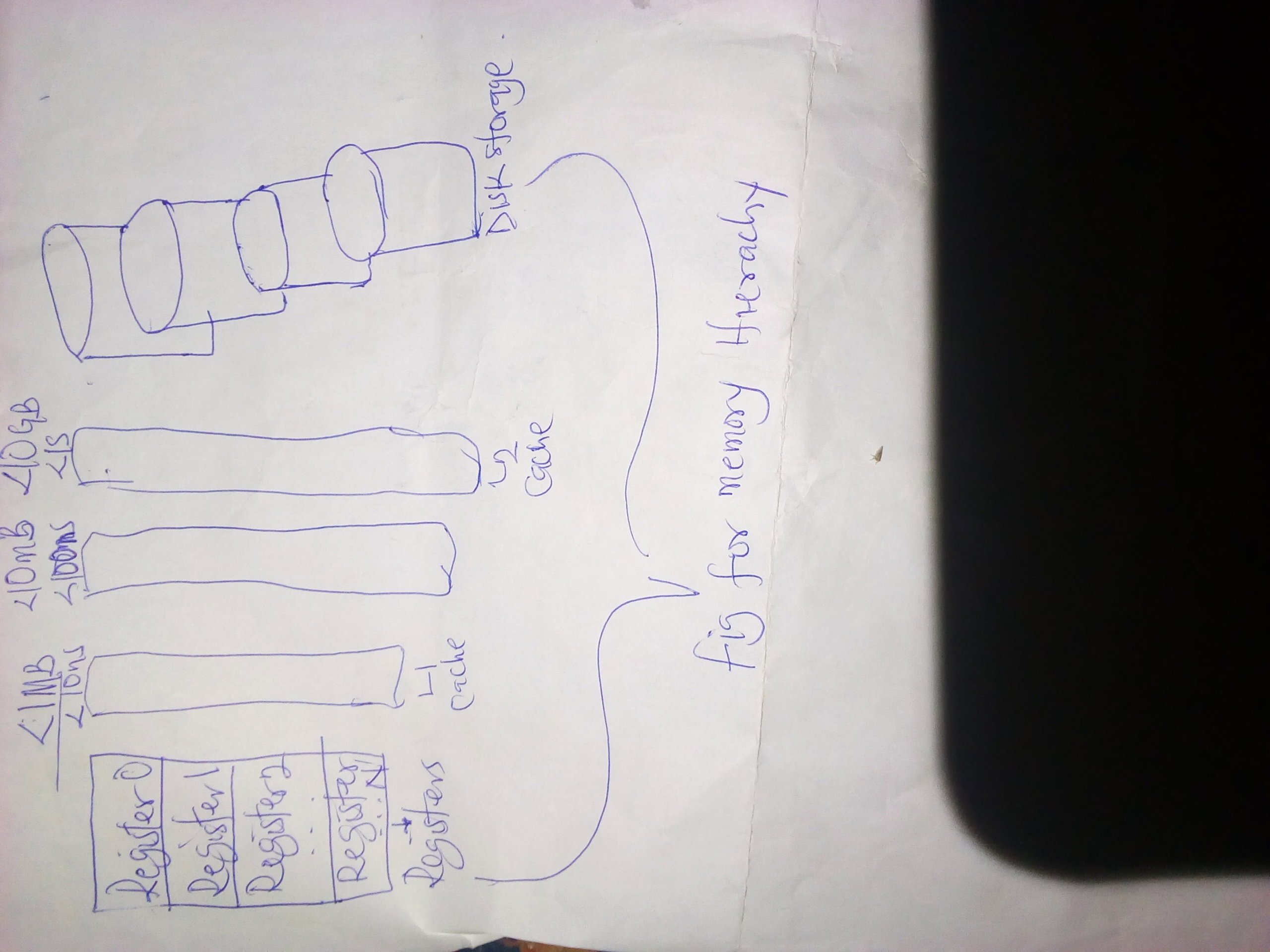
Learning the basics of computer science lesson iv
Good afternoon all users of this great platform, I guess today has been such a smooth running one especially as we all have to out for a little piece of enjoyment coming of the backdrop of too many working activities that starts from Mondays and ends on Fridays.
In our last computer lesson class, we discussed a lot about the interesting aspects of computer that talks about its architectural aspects to its buses, their uses and many more other things and today, we shall be starting from the **three distinctly forms of architecture.**
To recall, we talked about the computer architecture to mean **a construction of varied combination of standards of computers by different companies**
hence, we shall be looking forward to explaining some of the available three distinctly forms of architecture and they are;
A. **Single-chip computers**
B.**Single-board computers** and lastly,
C. **The multiple-board bus-based computers.**
The single-chip computers
The single-chip computers are those found in such devices as **watches, cameras, et cetera.** Their processors are **specialized and well programmed** in order to do some specific tasks and apart from the remarkable operations some of these devices do, they are still not immidiately **recognizable as computers.**
The single-board computers
These computers are usually much more bigger than the single-chip computers but are still very much and relatively small.
They are constructed on a **thin flat sheets of electrical board** that is well known as **the Printed Circuit Boards** (PCBs). This single-board computers fall into two broad categories namely:
The small general-purpose microcomputers such as the small **home computers**
and many more basic **PCs.**
The special-purpose computers which are often uses for applications involving the control of the **physical process.**
A typical example would be systems controlling a small-scale chemical plant or controlling the operation of a **complex milling machine.**
3. The multiple-board bus-based computers are usually a general-purpose computers. They are normally too large to fit onto a single board. Instead, each board has a particular function a d all boards are **interconnected** by plugging them into the individual slots on one or more general-purpose **buses.**
One board may contain the **processor,** while another board may contain the **main storage,** and so on. Many **minicomputers** and **mainframes** are based upon this type of construction and sometimes, there are usually a **primary board** that is called the **motherboard** for the processor and other main components into which other boards may be **slotted.**
Given all the above and well explained three distinctly different forms of architecture that are available to us, we now narrow our article by concluding with another sub-heading being;
"The memory Hierarchy"
It should be understood that in a computer system, **memory** is used for storing both the **instructions** and the **data** for the program to be well **executed.**
The instructions are however fetched from the memory by the **CPU** and it will at once **decode the data operands** in order to be operated upon for which the instructions are retrieved from or stored to memory.
**Memory** on the other hand is typically organized into several levels called **Hierarchy and** The closer the **memory is to the CPU,** the **faster** and the **more expensive** it is hence, the **memory Hierarchy** includes the following levels namely:
(I.) Register files
(II.) Cache memory (l1&l2)
(III.) Main memory **and lastly,**
(IV.) Secondary or External or Auxiliary memory (disk, tapes, et cetera.).
I guess we have to draw the curtain close here for today while we shall start with the explanation of these **Four basic memory Hierarchy** that are listed above in our **Lesson IV** tomorrow.
Pls stay tuned for more and thanks for reading my article.🤗
I really do love ❤️ you all.
Image credit: unsplash photo.com.

I really can't thank God enough as I've had a new sponsor in the person of .y beautiful sweetheart @ Marinov.
Thanks a lot sweetheart for believing in me ❤️
Learning basic computer science lesson III
Yesterday has come and gone and for sure, I know everyone of one slept well and had the best of it as did myself as well.
Good health and happy you if that was your case yesterday as I bring to you, the next part of our lesson being **the learning of basic computer science lesson III.**
I had initially promised of writing and publishing it here for our education, awareness and understanding as no knowledge is ever a waste irrespective of most of your resounding knowledges here computer wise.
In our last lesson (the lesson II), I talked about the evolution of computer and their functionalities and at this time, I shall be highlighting more **basic and major characteristics of computer** as i implore all of you to read alongside with a deeper sense of understanding so that you will be able to enjoy today's lesson regarding the many more things about computers hence I begin with the:
" The basic characteristics of the computer"
A. Electronic -
Computers are built with electronic parts such as **ICs, transistors, cables, et cetera,** and they require **electricity for their operation.**
B. Digital -
All information within the computer is **digitalized in nature** or binary numbers which are strings of **0's and 1's.**
C. Speed -
The processing speed of any computer is an important characteristic that determines the **cost of a given PC.** High speed **PC's** are usually preffered to the low speed ones.
D. Memory Capacity -
This refers to the **volume of** or the **amount of information** that a computer can accommodate **temporarily** as well as for **permanent storages** until the time they are needed to for either a personal use or some clerical use at the office.
E. General purpose -
The computer can be used to perform several tasks such as **Secretarial, accounting, publishing, scripting, graphical designs** and many more without a delay and it will accurately do all that tasks following an issued command from the **user to it.**
F. Programming -
A computer on this occasion can be operated using a **sequence of instructions** called a **programme. Programs** for our easy understanding of what the entire programming concepts are all about are known as **softwares** which are usually stored right inside the computer for its usage for any purpose at all one may deem fit.
G. Automatic -
By automatic we mean the ability of the computer to **execute all instructions completely** by itself without the intervention or the interference of anyone called a **user.** Hence, it must be understood that those functions can be well executed by the computer after all necessary inputs are ready for use.
Given all the above said, I believe the reader would have been able to **identify** the simple and basic **characteristics** of a computer and begin to learn on how to appreciate the computer's abilities even more.
Now, haven said that and with all that in mind however, we will now switch over to the next on the line being;
"The basic computer Architecture"
By basic computer Architecture, we mean the simplest of designs and make ups that are available to us and most computer manufacturers usually construct or build their computers using what is known as a **varied combinations of standard components.**
An example to this is that most manufacturers of some microcomputers makes use of the same **microprocessors** and the main reason why this is done or in another word, the main reason why **constructing companies** makes use a combination of **similar standard** is for an easy **replacement of a faulty component** which is a process known as the; **"modular structural design".**
This principle of the **modular structural design allows a** construction that applies to a different levels of design and at one level, it might require a matter of what is known as the; **"plugging in one peripheral device** in place of another.
At a lower level, it might be a matter of using one type of **memory chip i**nstead of another while the standard components are always easier to **interconnect** if the means of **interconnection is also standardized** and one very important method of doing this is making use of what is called the **computer buses.**
Meanwhile, **a bus** is a collection of **parallel electrical conductors** called **lines** on to which a number of components may be connected while the connections on the other hand are made at a points along the length of the **bus** by means of connections with multiple electrical contacts.
There are basically two types of **buses** namely: **" the internal and external buses.**
1. Internal Buses -
These are used within the processor in order to link its **arithmetic logic unit** (ALU), the control unit(CU) and the other **internal registers.**
Whereas,
2. The external buses
are used to connect separate **hardware elements** together such as connecting the processor to **main memory** and the processor to the **input/output units.**
Note: A **Register** is a small sized of high speed memory within the **CPU.**
Generally, **Buses** are used to convey the following signals:
a. Data signals
b. Data address signals
c. Control signals
d. Power.
Usually, the standard devices such as the processor, memories, input/output units are all **interconnected in an organized** way to form a complete system.
Note: **A bus** interconnects a device through a set of **Parrallel lines** and the lines are classified as **data lines**(data bus), **address lines**(address bus) and **control lines**(control bus) hence,one of the simplest architectures is the one based upon a single general-purpose bus.
See illustrational figure below for a better understanding 👇👇
I guess we shall be drawing the curtain close for today so I can at least have some rest for now cos writing huge things about a computer system isn't that easy at all hahahaha.
By God's grace, we shall continue from the **three distinctly different forms of architecture** that are available from the smallest to the largest.
Now tell me, what have you learnt from today's article?
Please stay tuned till then and for more,
Good afternoon all❤️.
Header image: from unsplash.

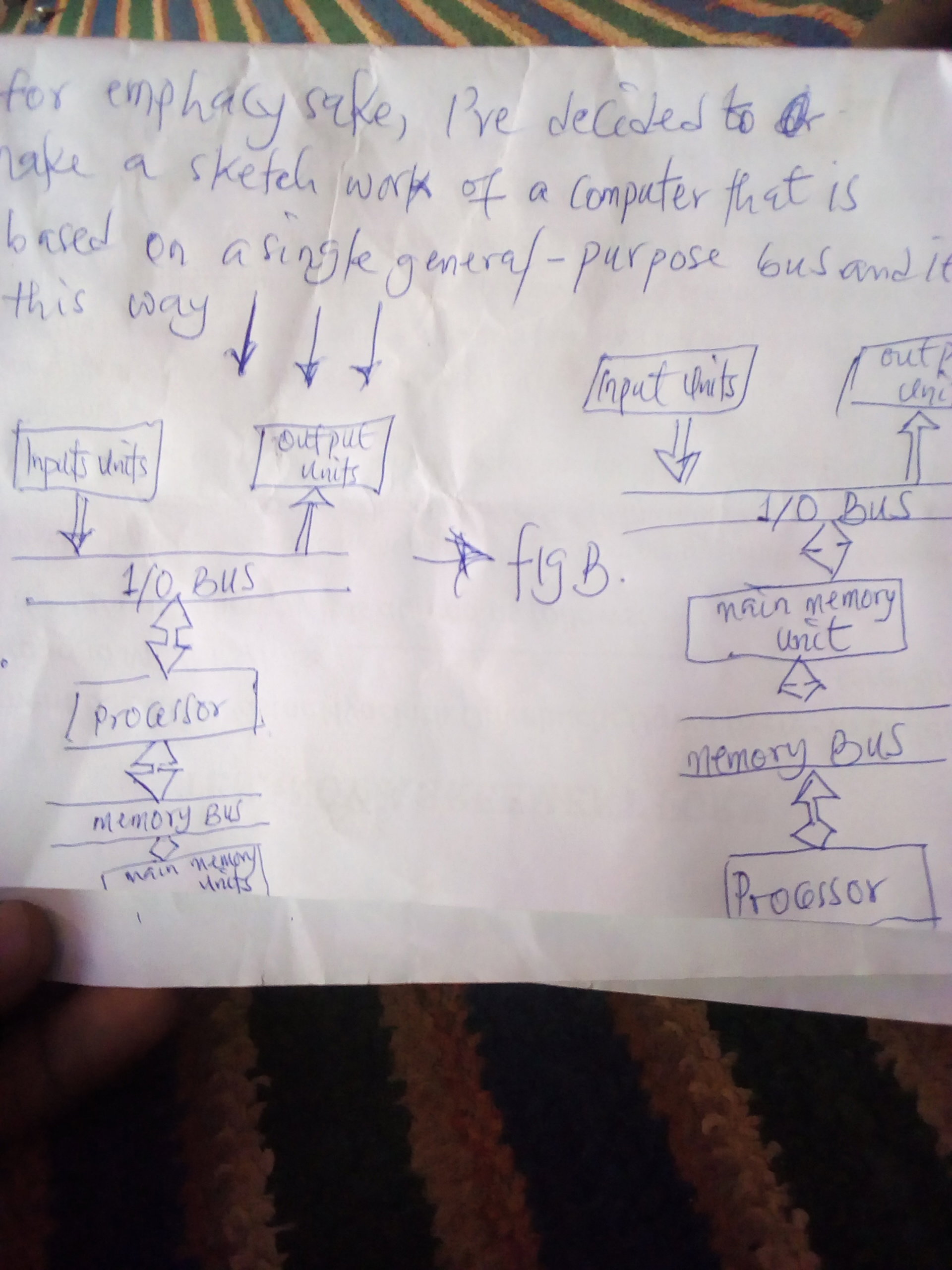
Hurray! It's a new sponsor for me in the person of freedom007. Thanks so much dear. I promise to always give in my best as ever before and never to also let you down. Thanks for the so much believe in me. May God bless you more
Learning the basics of computer science lesson II
Good afternoon good people of this great read.cash platform, I feel the work is going on fine in any part of the world where you find yourself.
Yesterday, we discussed some of the introductory aspects of computer science and I was very glad to have received some comments in my comment section regarding how the article helped them a great deal.
Today, I promised to start off from where I stopped in the lesson 1 of; **"learning the basics in computer science lesson 1"** for a proper understanding regarding the evolution and mainstay of computer, a device we are currently making use of to connect other persons all over the world either for the purpose of doing businesses or for what other purpose we sole deem fit, e.t.c.
On that note, I'd like us to start from where we had left off being;
Types of computer
Computers come in varieties of types that are designed for different purposes and with a different capabilities, capacities and of course, cost. Based on their sizes, there are three (3) main types of computers namely: **the microcomputers, the minicomputers and the mainframe computers.**
Now, and for the purpose of emphacy, I'd like us to take them one after another as I start with the first one being;
A. The Microcomputers :-
A Microcomputer is a computer that has a microprocessor chip as it's CPU. They are often called the **Personal computers (ps)** and this is because they were designed to be used by just one person alone. You can find the usage of such computers at **homes, school or at a business**
and its services or functions are mainly seen in the areas of **word processing, surfing the websites, sending and receiving e-mails, spreadsheet calculations, database management, editing of photographs, creating graphics and playing music and games as well.**
They(the PC) can also come in different forms like the **desktop computers, the laptops computers, personal digital assistance, the palmtop and the workstation, e.t.c.**
We shall briefly be examining each and everyone of these above mentioned kinds of personal computers (PC) for our understanding and awareness sakes. So we start with the first mentioned one here.
- The desktop computers :-
These kinds of PC's are larger and are not meant to be portable and they usually sit in just a single place either on a desk or a table and are plugged into an electric power source to enable its functionality.
The casing of this computer holds the motherboard, the drives, the power supply unit and the expansion cards.
This casing on the other hand may also lay flat on the desk or it may be a a kind of a **tower** that stands vertically on the desk or under it.
It also comes with a separate monitor which is either a **CRT or LCD** attached to it even though some designs have a display built into the case with a separate **keyboard and mouse** that allows the user to input **data and commands.**
- the laptop or notebook computers :-
These are very small and light weight computer systems that are easy enough to be carried about by the user and can be operated even without plugging it directly into a power source or can be plugged into a power source as well depending on the user's discretion.
They typically have an in-built **LCD display** that folds down to protect the display when the computer is carried around. They also have an in-built **Keyboard and an in-built pointing device such as a touch pad.**
The cost of a laptop is usually far more expensive than that of a desktop as the smaller components that are required to build are more expensive too.
- Personal digital assistance (PDA) : -
This kinds of computers are usually not very popular compared to the desktop and the laptop systems. Their function is to trade off power for small size and greater portability.
They usually makes use of a very touch-sensitive **LCD screen or both output and input and they are mainly used to also communicate with the desktop computers and others either by a cable connection, an infarared beam, Bluetooth or radio waves. They also keep tracks of the appointments calendars and to do lists, address books and for taking notes as well.**
- palmtop computers or a handheld PC :-
This is a very small Microcomputer that also sacrifices power for small size and portability. It looks more like a tiny laptop than a PDA with a flip up screen and a very small keyboard.
- workstations/servers :-
This is a very powerful high-end Microcomputer. They contain one or more microprocessors CPUs. They may be used by a single user for an application requiring more power than a typical PC.
In fact, their main functions are to support **engineering and technology users who perform heavy mathematical computing.**
It can as well be used by many users if and only if there's a very large amount of main memory and an extremely high resolution graphics displays to meet their needs.
It is usually used as a **server computers that supplies files** to client computers over a network.
Haven said and understood all that, we then move over to the next type of computer that is known as the
B. The Minicomputers:-
This is a multi-user computer that is less powerful than the **mainframe computers.** This class of computers became available in the 1960's when when the large scale integrated circuits made it possible to build a computer much cheaper than the then existing mainframes and while this became the issue back then, the **Minicomputers** have already been largely taken over by the high-end Microcomputer workstations serving multiple users.
C. The mainframe computers:-
This is a very large and powerful computer that handles the processing for many users simultaneously (up to 600 or more persons). This name mainframe originated after the minicomputers appeared in the 1960's in order to distinguish the larger systems from the smaller minicomputers.
Users of this kinds of systems or computers connect to it using **terminals and submit their tasks for processing** by the mainframe.
Note: **A terminal,** is a a device that has a screen and a keyboard for input and output but does not do its own processing and their processing is **time-shared** between all of its users.
They are generally very expensive to buy, maintain and otherwise as their prices cost several thousands of dollars ($) and are used in situations where a company wants the processing power and information storage in a **centralized location.**
D. Super computer:-
This is a mainframe computer that have been **optimized for speed and processing power.** Super computers however, are the most powerful computer systems with the fastest processing speed and they are primarily used by **Government agencies** so as to perform the high-speed number crunching that are needed for weather **forcasting and military applications.**
The first of its kind was built and founded by **Seymour Cray, while the Cray-1** was built in 1976 and installed at **Los Alamos National Laboratory.**
Note: the main functions of the super computers back and even now were to calculate intensive tasks such as the simulation of the **Nuclear bombs detonations, aerodynamic flows and global weather patterns.**
I believe you have all enjoyed yourself reading this article of lesson II on the basic computer lesson as I hereby dreams the curtain close on lesson II while I had people to start off from the next topic on our lesson III being;
"The Basic Computer Architecture, lesson III.
All images are from unsplash.com
Note: you can find the first lecture and lesson in my first article here https://read.cash/@Manjudeck/learning-the-basics-of-computer-science-45aeb638
Love you all❣️
Learning the basics of computer science.
Computers have really become an integral parts of our human lives and their application ranges from buisiness transactions to personal communications and usages. While many make use of computers, yet it cannot be denied that many still don't have any basic knowledge or understanding on how computers work.
This our discussion however will present us with a brief discussion and an introduction to the basic components of a computer and how they work, while the two major groups of resources found in a computer: **"the hardware and the software"**, shall be critically looked into for a clearer view and understanding of what shall be discussed here.
At the end of this discuss, the readers shall have been able to;
Define a computer
Identify the basic components of a computer system
State the uses of each components
Identify the characteristics of a computer
Identify the common computer forms
Classify computers and
Describe the various levels of computer memories and their usages.
For time sake, we may be able to take a lot of them but I will surely start from where I stopped on this general knowledge regarding a computer given my vast knowledge in it as well.
We start with;
A. What is a computer system?
This may be defined as an electronic machine operating under the control of instructions that are stored in its own memory which is capable of capturing and accepting **data and manipulating the data** according to specified rules and produces a result that are stored for future usage.
A computer can as well communicate with or **transmit/receive data to/from** another computer across an electronic **transport channel such as the ordinary telephone, radio, satellite** or a combination of all the above mentioned.
* Basic components of a computer system
For all we know, a computer consists of five(5) basic components or functional units that are as follows;
a. Input unit
B. Storage unit
C. Central processing unit
D. Output unit
E. Communication unit.
Now let us start with the first one on the list,
* The input unit.
It should be noted that before a computer can process **data,** you need some method to input the **data into the computer.** This function is called or is referred to as the; **"capturing or accepting data from the outside world".**
With that in mind, input function then refers to an activity in which**d datain human sensible form is covered into data** in machine or electronic form. In most cases, this capturing activity is usually carried out using a typewriter-like device called **a keyboard** or a photocopier-like device called **a scanner or a digital camera or a microphone.**
The device mentioned above that you end up using will then depend on what form this **data** takes, which could either be **text, sound, image, simulation, e.t.c,** hence, this input as the name applies performs three notable functions viz;
i. Capture
ii. Convert the data into binary form called **machine code and then**
iii. Transmit the converted data into an area in the memory.
* The storage unit
This second aspect of a basic function in a computer refers to the act of keeping or retaining data in electronic form so that it can be accessed or retrieved for use in the future. This however is a unit of a computer where programs and data are stored when they are currently in active use. The computer usually has **two types of memories known as: primary or main** and **secondary or auxiliary or backing storage.**
Examples of the primary memories of the computer include the: **Random access memory (RAM), the Read-only memory (ROM),** while the examples of the secondary memories are: **the magnetic storage** which includes the likes of cassette tape, the floppy disk and the hard disk. Then the **Optical storage** which has these examples: the CD-ROM, CD-Recyordables, CD- rewritables and DVD and lastly, **the solid state storage and the flash memory devices.**
* The central processing unit (CPU)
This is also called the microprocessor or simple processor. The CPU as it's fondly called is an electronic circuit that executes a computer programs and it's also responsible for most of the data processing in a computer system.
Processing on it's own simply means manipulating data or performing mathematical functions such as **addition and subtraction, multiplication, division and logical operations on data.**
The processing of **data**
also involves the rearranging of data in some order as well as other transformations that are carried out on the said data. In a personal computer, the micro processor does th actual processing of data and it is a central processing unit that fits on one **microchip and it's usually seen as the brain behind the computational ability of the computer.**
These microprocessors produces a lot of heat due to the large amount of circuitry packed into such a tiny chip and as such, require a cooling system to keep them from overheating and the actual execution power of a processor depends solely on its clock speed.
Its clock speed is usually measured in units of cycles per second that is called a **Hertz(HZ).**
It should be noted that the most commonly used **CPU** in **PCs**are made by a company known as **Intel** while their numerous products include the following; **Pentium 1, Pentium 11, Pentium 111, Pentium D, Core 2 duo, Intel Attention m, Intel corei3, Intel corei5, Intel corei7, e.t.c.** whilst other manufacturers of the **CPU for the personal computers(ps) are the Advanced Micro Devices (AMD), the Macintosh series of computers from Apple** and lots more of a total of unmentioned ones due to lack and unavailability of time.
* The output unit
This is infact another key function of the computer as after all that has taken place within the input aspects where information are processed after a command has been issued, the processed information by the input unit does the fourth function of making the already processed information or result to be **visible to the human eye** or **audible to the human ears.**
This output is usually displayed on the computer screen while we engage or work with our computers either for businesses or for something very important and personal to us. This will now take us to the last component of the basic computer components being,
* Communication
This fifth function of the computer is very vital like the others as by means of communication, as the computer is now able to **transmit/receive data to/from** another computer or **data transmitting equipment (DTE)** across an electronic communication channel such as the **ordinary telephone, radio, satellite or a combination of all these.**
* End note*
Since we have come a very long way in our discuss regarding our due knowledge of the computer and its components functions, I'd like to hear from you regarding the above said and to also let you know that by God's special grace tomorrow, we will start from 👉 **The types of computers that we have down through to many more.**
What have you learned so far from this discuss?
To be continued, **stay tuned!**
All images are from: unsplash.com
https://unsplash.com/photos/wzVQp_NRIHg
You can click the above link for the image right thank you👌
Learn to stir a healthy competition
When the word competition is used, we can say wholeheartedly that we are not new comers to such simple word and what it exactly stands for
Competition however can be seen in my own context of definition as that period of engagement with others which could either be in the area of different kinds of sporting activities or even at ones place of work, at school and other places of engagement.
However, such competitions are expected at all times to be friendly and never to **habour down, any form of bitterness in it.** what I'm trying to say in essence is that what is to be called competition should always be friendly in order to exhibit that **spirit of sportsmanship** as it's adviced if situations must work out very favourably well.
What I'm trying to discuss here is not solely based on the sports related aspects regarding stirring up a healthy competition but in our daily life application of it for a better co-existence if the need be.
I've often heard of a time when an individual due to his value input in the assignment or job he's given to do and as such is about been rewarded for taking such a giant stride was worked against so that he doesn't get that reward either by some distant friends or perhaps those who are very closer to him than the others. What do we call that?
One may wonder why a thing like would happen but the underlying truth here is that it does happen in that the person or people responsible for ensuring he doesn't get that nod and the reward might be doing it all because they wish never to see him advance a little bit above them in their places of engagement be it school or their place of work.
What about a person who is really hated all because his contributions brain wise is quite entirely appreciated to an extent that hardly would there be any decision without a consultation of such persons but what you still get in this mordern life is a situation where by such a person is usually under appreciated by those that feel they have already been at the **helm of affairs before such a person**
and as such would do everything within their best possible to ensure his worth in terms of his brain contributions are no longer needed and guess what, the loop holes are usually created due to that **denial syndrome** of a right to give the person what he deserves and such actions can lead to far too many worrisome moments and it will surely hit that point of no return if that must continue to be the case.
In a nut shell, what I really do want to drive home here is the fact that hence competitions are done and are rife everywhere and it's appreciated when it's done on the grounds of just to compete alone especially on a favorable note, then it should be just that and at no time should have an element of hatred attachment to it which will surely present us or the competitors with the dangers of missing out on a lot due to the unnecessary and unfavourable competition there be.
Good afternoon, thanks for reading and do enjoy the rest of your day❤️.
All images are from unsplash photos.com.


 @Manjudeck