 @Manjudeck
Learning the basics of computer science lesson Xiv Good morning dear all, I guess it has been an all round of enjoyment yesterday with our beloved family and friends. Did you all visit places like the amusement parks and many more? Anyway, I guess you did as my family and I were not left out of these whole fun moments about this **Xmas celebration too.** Today, I shall be taking us into yet again, another aspect of our computer class called the **computer storage.** What then is **computer storage** you may ask? Computer storage -
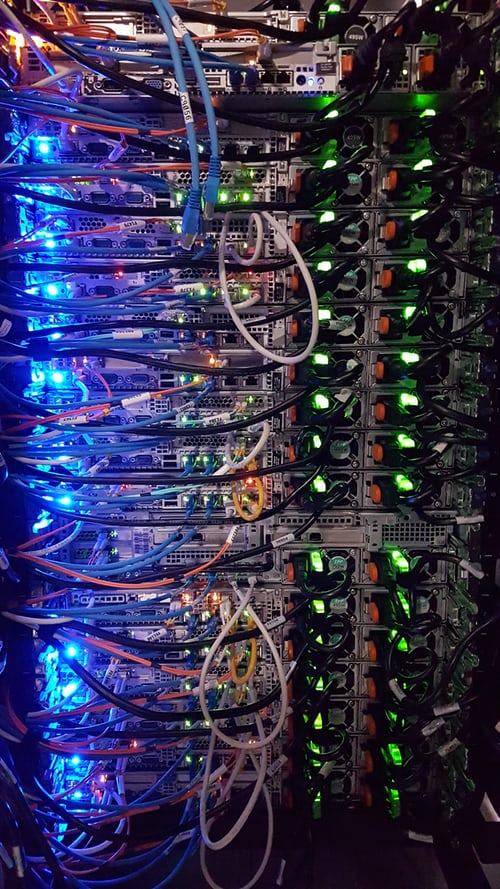
In computing, this refers to **devices** and **recording media** that retain for some interval of time digital data used for computing. **Data storage** provides one of the core functions of the mordern computer. Many different forms of storage that are based on their **natural phenomenon,** have been invented. So far, no practical universal storage medium exists for each form of storage has some drawbacks and without any significant amount of memory, a computer would merely be able to perform **fixed operations** and immidiately output the results. Having said all that and for the purpose of learning and understanding what that has been said here given the fact that it is all about learning the computer basics, it then becomes ultimately important for us to look into the objectives of what to expect or what things are to be known by the individual here after reading this article and such things or objectives are given as; That at the end of the day, the reader should have been able to: Describe the computer storage hierarchy. Give the characteristics of computer storage devices and media. The CPU and the storage hierarchy - Primary storage or main or internal memory, are often referred to simply as memory, is the only one that is directly accessible to the computer. The computer continuously reads instructions stored there and executes them as required and any data that is actively operated on it is also stored there in uniform manner or circumstances. The primary storage Is the first in the hierachy and it's directly connected to the **CPU using a memory bus.** Meanwhile, a **Bus** is a group of **wires** on the main circuit board of the computer. It is usually a pathway for data flowing between components. Most devices are connected to the bus through a **controller** that coordinates the activities of the device and the bus. In fact, all devices in the computer are interested connected by the means of a **network of buses.** The **bus linking** the **CPU** to the rest of the system hardware consists of **three major buses** namely: the **address bus,** the **data bus** and the **controller bus.** There are two major **sub-layers** of the primary storage besides the main large capacity **RAM** and they include the **processor register** and the **processor cache.** - the processor registers are located inside the processor. Each register typically holds a word of data which are often between the ranges of **32-64 bits.** The **CPU** instructions instruct the **arithmetic** and the **logic units** which is although part of the **CPU,** in order to perform various calculations or other operations on its data and they (registers) are technically amongst the fastest of all forms of computer data storage. - the processor cache Is a an intermediate stage between the ultra fast registers and it is much slower than the main memory and It was solely introduced to increase the performances of the computer. The most actively used information in the memory is just duplicated I'm the cache memory which is faster but of much lesser capacity. On the other hand, it is much slower and much larger than the **processor registers.** The Random Access Memory(RAM)

This means that any piece of information can be accessed randomly at a given time. It is just almost as the same as the tracks on musical **CD** which could be accessed at any time and in the order you want it. The **RAM** is notably the only memory connected to the processor. meanwhile, the processor that is also known as the **CPU,** continuously reads instructions that are stored there and executes them as required and any data that is being operated on it are stored in a uniform manner. In the earliest times say before **1955,** computers generally makes use of delay lines, William tubes or rotating magnetic drums as their primary storage but by the time of **1954,** those unreliable methods were mostly replaced by the magnetic core memory which were still rather very cumbersome. Fortunately, a revolution started with the invention of a Transistor that would helped in enabling the unbelievable miniaturization of electronic memory via a solid state silicon technology and this led to the more mordern RAM. Advantages/functions of the RAM It is very closely connected to the processor It holds the programs and data that the processor is actively working with The contents are quickly and easily changed It interacts with the processor millions of times per second. Whatever you are working on, the RAM is very fast It can access many information at the same time. The Read Only Memory (ROM) This means that access to information can be randomly or sequentially. As the **RAM** types used for primary storage are **volatile,** computers containing only such storage would not have a source to read instructions from it in order to start the computer. Hence, **non-volatile primary storage** containing a small start up program, basic input and output system (BIOS) is used to bootstrap the computer, that is, to read a larger program from non volatile secondary storage to **RAM** and start to execute it and a non volatile technology that is used is the **ROM** which are sometimes confusing as most **ROM** are capable of doing the same jobs as the **RAM** and unlike the **secondary** storage devices, the **primary** storage has no moving parts. Many **ROMs** are not literally read only as the name implies but as updates are made possible these mordern times however, it is slow and memory must be erased in large portions before it can be **re-written.** Some embedded systems run programs directly from **ROM** and this is because such programs are rarely changed while **standard** computers do not. Secondary storage This differs from the primary storage in that it is not directly connected to the **CPU.** The computer usually uses its input and output methods or channels to access secondary storage and then transfer the desired data using an intermediate area in the primary storage.
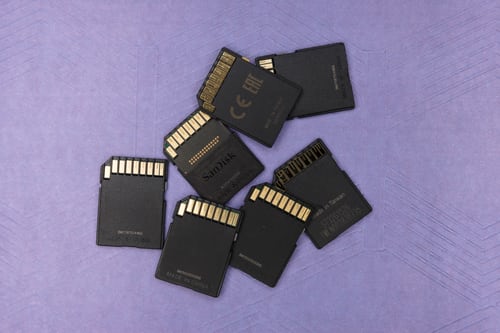
The secondary storage doesn't lose the data when the device is powered down which means that it is non volatile. It is also less expensive than the primary storage. Consequently, mordern computer systems typically have an order of magnitude and a more secondary storage than the primary storage as data are kept for a longer time there. In mordern computers, **hard disks** are usually used as secondary storage and the time taken to access a given **Byte of information** that is stored on the hard disk is typically a few thousands of seconds or million seconds. By contrast, the time taken to access a given byte of information stored in the **RAM** is measured in billions of seconds which significantly shows the access time difference which distinguishes the **solid-state memory** from the **rotating magnetic storage devices.** The magnetic disk storage
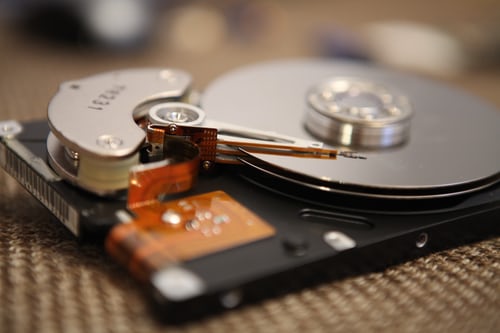
Of all the various types of the **auxillary storage** mentioned, the type used most often involve some type of magnetic disk. These come in various sizes a d material as we shall see in later topics and this method uses **magnetism** to store the data on the magnetic surface. It has the following advantages: It has a higher storage capacity. It is very very reliably superb and it; Gives access to a direct access to data. Actually, a disk typically contains several rotating disks or platters and the surfaces of the platters are covered in a **metal oxide** and it is written by the electromagnetic recording heads rather like those on an audio cassette recorder. There is one head on each surface and all the heads move together and the surface of the **platter** is organized as a number of concentric circle called **tracks.** Each **track** is divided into **sectors,** while the information are held in one sector, a book or a unit of transfer between the disk and primary memory while the time taken to access a particular block consists of the following week have are: The time to move the heads to the right track and then seek time. The time waiting for the sector to come round to the head then to the latency and lastly, The time to actually transfer the data then to the block transfer time. Note: all these times are of the order of tens of **milliseconds** and the **seek time and latency** are obviously variable, depends ng on where the required block is relative to the current position of the heads and it is useful to put all the blocks of a file on a track, to minimize the seek times and latencies in accessing the file. God's willing, in my next article, I shall be writing on the **Hard Disks** and the several ways we can take care of them, so, stay tuned! Good morning and do have a continued **merry Xmas** and a **happier new year** in advance to you all. Hope you all enjoyed all yourselves eating and drinking yesterday huh? I did as well but guess what, just as @Sammy1 has advised in his article with respect to satying free from the dreaded convid19, so also will I encourage you all to stay same while we all celebrate Christ our Lord now and forever more.

Good morning once again and love you all.❤️ Image credit: unsplash.com.




2 comments
Very well analysed. This is really helpful 👍
This is good 👍