 @Manjudeck
Learning the basics in computer science lesson ix It's a good morning call to you all guys and no doubt, our night rest was very fantastic. Anyway, today i promised to strat from where i stopped in the lesson vIII of this article - **The video and input.** What then is the **video input?** This is the input in a computer system that recognises the **live/still** of an image when recorded and it's devices to include the following: **Digital camera** and a **Video camera/recorder.** A Digital camera:
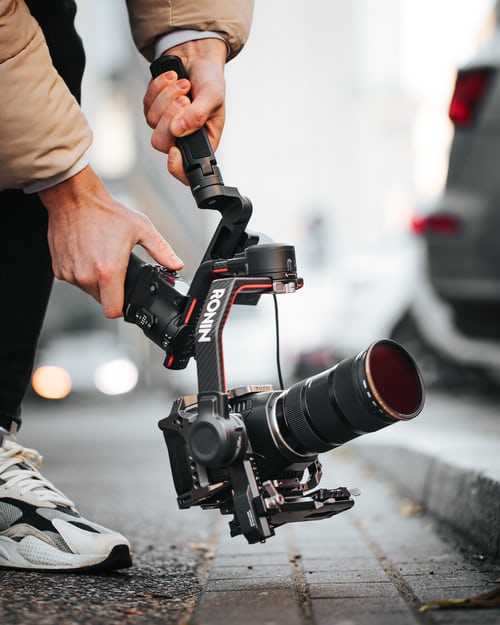
This is a **video input devices** that takes still **photos** but records the said pictures on a computer **disk** or a **memory chip.** The information contained in it can be **uploaded** to a computer for viewing. Advantages of the digital camera It is digitized in such a way that it now requires a simpler click and clearer view. Its resolution is so powerful that the images in it is usually places as a high-definition ones. It unveils pictures for a better viewing by the user before taking the pictures which is very much unlike the our fashioned old style of taking pictures. Disadvantages of the digital camera. It is very costly to buy. It is usually very expensive to maintain. It requires that it must be handled with much care given it's fragile nature. A Video Camera (VCR):

This type is a computer input device that can record both the **still and moving** pictures and **sounds** that can be **uploaded** to the computer with the right hardware. Though this is not digital data but you can still get good results with the right software. Advantages of the Video Camera/recorder. It ensures that live pictures and still/moving pictures or videos are made that would reflect its original purpose or style. It is of a bigger higher-definition that allows images in it to appear so beautiful and smooth. It is much more easier to use and operate after under going some kinds of training. Disadvantages of the Video Camera recorder. It is very expensive to maintain It is very costly in the market It requires a very huge amount of storage. Photos and videos here make up for large files It requires a total care given en its fragile nature. Note: Recording the sounds for your computer requires a special equipment in this video/camera system. Their microphones can capture sounds from the **air** which is good for sound **effects or voices.** Data Automation: The first goal of the data automation is to **avoid mistakes** in **data entry** by making the initial entering of the data as automatic as possible. Different situations requires different methods and equipment. The second goal of the data automation is to **avoid having to re-enter data** in order to perform a different tasks with it. For example, the old style cash register would **add up your purchases and calculate the tax** and the **clerk** would enter the amounts with his hand( a data entry part). Later, the numbers that are off the store copy of the **cash register tapes** would have to be added up manually or entered into a computer program (another data entry tasks). For an up to date inventory, someone would have to go **count all the things** on the shelves( a third data entry task). But with the usage of the more mordern and current **data automation,** using **bar codes** on every item in the store, the computer will **check-out** the register along with a **bar code scanner** which will **calculate the sales** and transfer the information directly into the computer that does the **store-bookeeping** and will adjust the inventory records by **subtracting the items just sold out.** This advanced methods of book-keeping has successfully removed all forms of **human errors** that are very much possible to occur at every stage though there are still ways **errors can occur** which is just not as many as possible. In addition to the above **inventory,** a new feature is available with the **computerized cash receipts** which **states the name** of the item bought as well as their **prices** on the issued **receipt.** Other input devices include: A. The scanner. The scanner works like a photo copy machine. It creates a digital image of what is **scans** whereas, the scanned text cannot be **edited at this point.** **flatbed scanner** opens wide enough to allow you lay a **document or book flat** in the glass surface. You can even make a scan of your hand ouch! Hahahaha! But a **document scanner** can only scan individual sheets of paper, not books or objects.
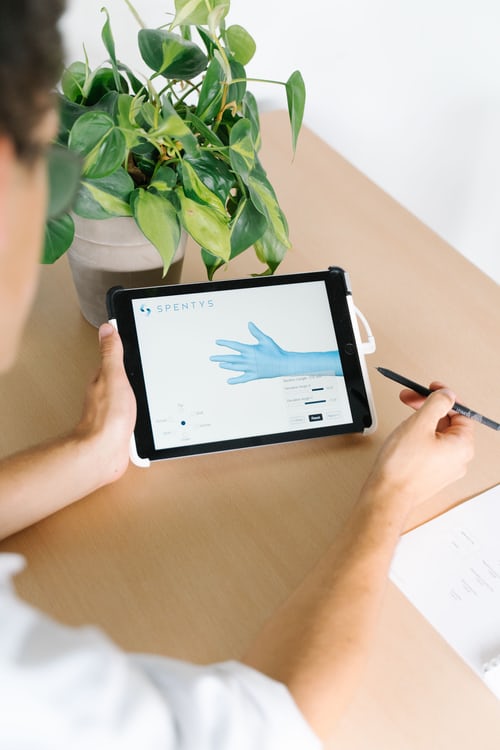
B. A Bar-code scanner(not a reader). This is an electric device used for reading printed bar codes. Like a **flatbed scanner,** it consists of a light source, a lens and a light sensor translating optical **impulses** into the electrical ones. Additional, nearly all bar codes **decoder circuitory,** analyzes the area code's image data that are provided by the **sensor** and then send the bar codes contents to the **scanner's output port.** C. Credit Card Reader:
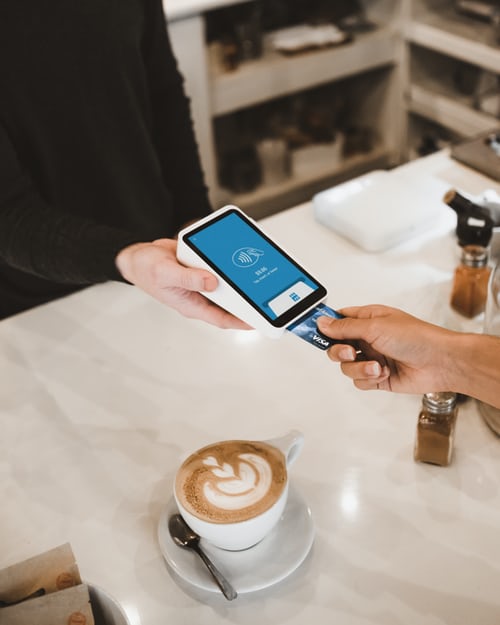
This swipes the card through the device that reads the **magnetic numbers** in the magnetic strip on the card. D. Bar Codes:
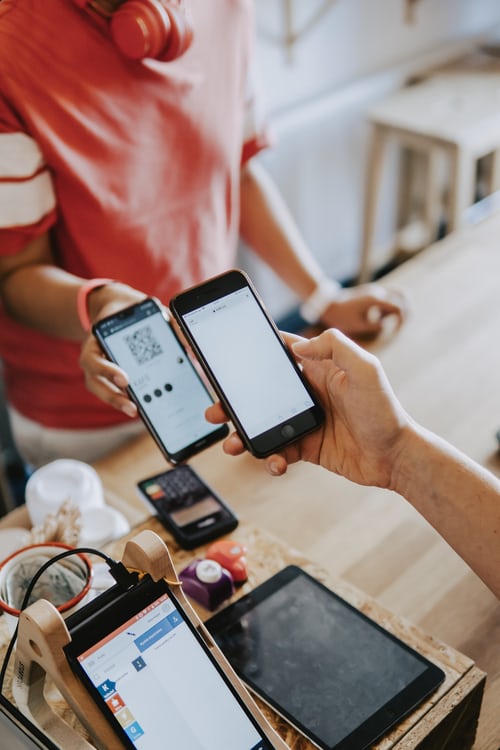
Here, most big retail shops like the MacDonald's shops, ShopRite, Mr Biggs and many more out there now make use of the **printed bar codes** on products to track inventory and calculate the sales at the **check point or check out counter.** The mordern **Post offices** also use bar codes to **sort mails** but the bars are different from those that are used for pricing products. E. Optical Marks: A special machine reads the marks that are made on paper. F. Magnetic Ink: Here, bank account numbers are printed in special ink with magnetic qualities and can be read by the right machine. G. Magnetic Strip: Here, the back of a **credit card** has a magnetic strip that contains **magnetically encoded numbers.** A credit card reader can read the numbers and **transmit them** to the computer to **verify** that the card is good. H. Optical Characters: These are coding systems that use **letters or special characters** which are especially shaped to be easy for machines to read. I. The Optical Character Recognition (OCR)software: This software takes a scanned images and the converts the characters in the image into the computer characters. The documents can then be **edited** with a **word processor,** this is a very tricky process as documents must be carefully checked for wrong conversations. If the original print was not very sweet and clean, the errors are likely to come hence a **manual check becomes needed** for a proper **translation** which is very necessary while the programs are getting really good if they have a clear scan. J. Webcam:
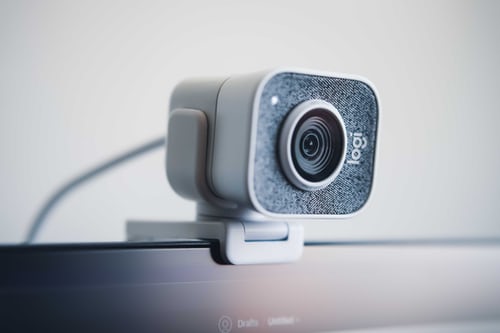
These are video capturing devices that are connected to computers or its network and they often makes us of the **USB or** the **Internet or Wi-Fi** if they are connected to the networks and they are well known for their low **manufacturing costs** and **flexible applications.** This is the **end** of our today's lecture, lesson and topic about the input as I believe you have all now read, known and understood all you need to know about the computer **Input systems,** their advantages, disadvantages and their useful usages overtime and I also believe also that I've been able to assist a person here at least gain some **insight** into the entire world of the general knowledge of the computer system with many more yet to come. Stay tuned! Now I put it straight at you, starting from the **day one** of our computer lesson class, **what have you learnt?** Pls I value your sincere contributions here overtime as I take this time out to wish you all a **Merry Xmas** and a **Happy New year** in advance
while i hope you all stay safe in your houses and stay clear of the ever dreaded **convid19 global pandemic** by staying in your homes and respecting all the government's and stake-holders **Covid19 protocols and guidances alike.**

#**Obey covid19 protocols**#stay healthy and alive#help save a life**#**Take responsibility 👌. It all starts with **You and I.** Good morning once again, remain blessed and thanks for reading my article as we'll start with the **Output** in our next computer lesson. All Images are a product of the unsplash photos.com👌.






3 comments
I jope you know that you are one of a top 2% best writers here? You honestly do amaze me a lot with your eye-catching moment of a real great growth here. Just keep doing this my dear. You are really very awesome with your lovely articles and if your articles are songs, then i'd tell you that they are all hit songs no doubts
What an informative article. I never learned all of these before when I was in High School. Lol
Nice !! I like Webcam but never used it to video chat,the day is coming anyway.