 @Manjudeck
Learning the basics in computer science lesson V

Thank God we've seen yet another day to his Devine and undeserved mercy and as such, we have to continue from where we had left off yesterday. In our last lesson(the lesson IV), I talked about the **three distinctly different forms of architecture** and their kinds with the hope that you understood them all hence like I promised I will do in my yesterday's article to start off from the last place where I had left off being; The different levels of memory Hierarchy which are: a. Register files b. Cache memory(L1&L2) c. Main memory and lastly, d. Secondary or External auxiliary memory (disk, tapes, etc). 1. Register file - A register file is the array of registers within a **CPU.** The **register** can contain both **general purpose registers** (**GPRs**) and the **floating-point registers** (**FPRs**). The **register file** represents the lowest level in our memory Hierarchy, since it is the closest to the **processor.** The **registers** are constructed out of a **flip-flop** and could be either the **32-bit** or **64-bit** in length and it can as well be able to provide operands directly to the **ALU.** 2. Cache memory - The cache memory is used to hold a small sunset of the main memory. The **cache** is typically developed in the **Static Random Access Memory** (**SRAM**) which is faster than the **DRAM,** but is more expensive, more powerful or more power-hungry and less dense. The **SRAM** technology does not need to be refreshed. The cache however, contains the most recently **accessed code & data.** It is as such used to provide instructions and **data** to the processor faster than it have would have been if only the **main memory** was used in the current architectures of the two separate **caches** Of the L1(on- chip) & the L2(off-chip) are used 3. Main memory - This is physical(**virus virtual**) memory that typically resides off the **CPU chip.** The memory is typically organized in **banks** and supplies instructions and **data** to the processor. It is usually implemented in the **dynamic random access memory** (**DRAM**), In order to take care of the **DRAM'S** low cost, low power drain and high storage density and it needs to be **periodically** refreshed since it is basically a **tiny capacitor.** 4. Secondary or External storage - Here, when one wants to operate his or her computer and strat by **turning it on,** the **program code** will reside in the **secondary storage** (**disk storage**). Then when the program is running fully, it will be **transferred to the main memory**, then to the **cache** and finally, to the **processor.** Logically, these two last transfers are performed simultaneously hence, the **disk storage** is commonly used for the **secondary storage** since it is a **non-volatile storage** and by **non-volatile,** we mean that its contents are maintained even when the system's **power** is turned off. Meanwhile, a **disk** is designed using magnetic media and data are stored in the form of a **magnetic polarization.** The **disk** comprises of one or more **platters** which are always spinning. When a request is made for instructions or **data,** the **disk** must rotate to the proper location in order for the read heads to be able to access the information at that location. Therefore, since the **disk rotation** is a mechanical operation, **disk** accesses are many orders of magnitude slower than the access time of the **DRAM** which are used for the main memory. It must be of note that after the **program** has be ran once, it will reside for a period of time in either the **cache** or the **main memory,** hence access to the **program** will be **faster** upon subsequent runs if the execution processor does not have to wait for the program to be reloaded from the **disk.** Below is a sketch work of the **memory Hierarchy** I just made for an easy understanding of the concepts behind our today's computer lesson. I hope you manage the appearance of my poor drawing as I'm not an artist to start with lolzzz
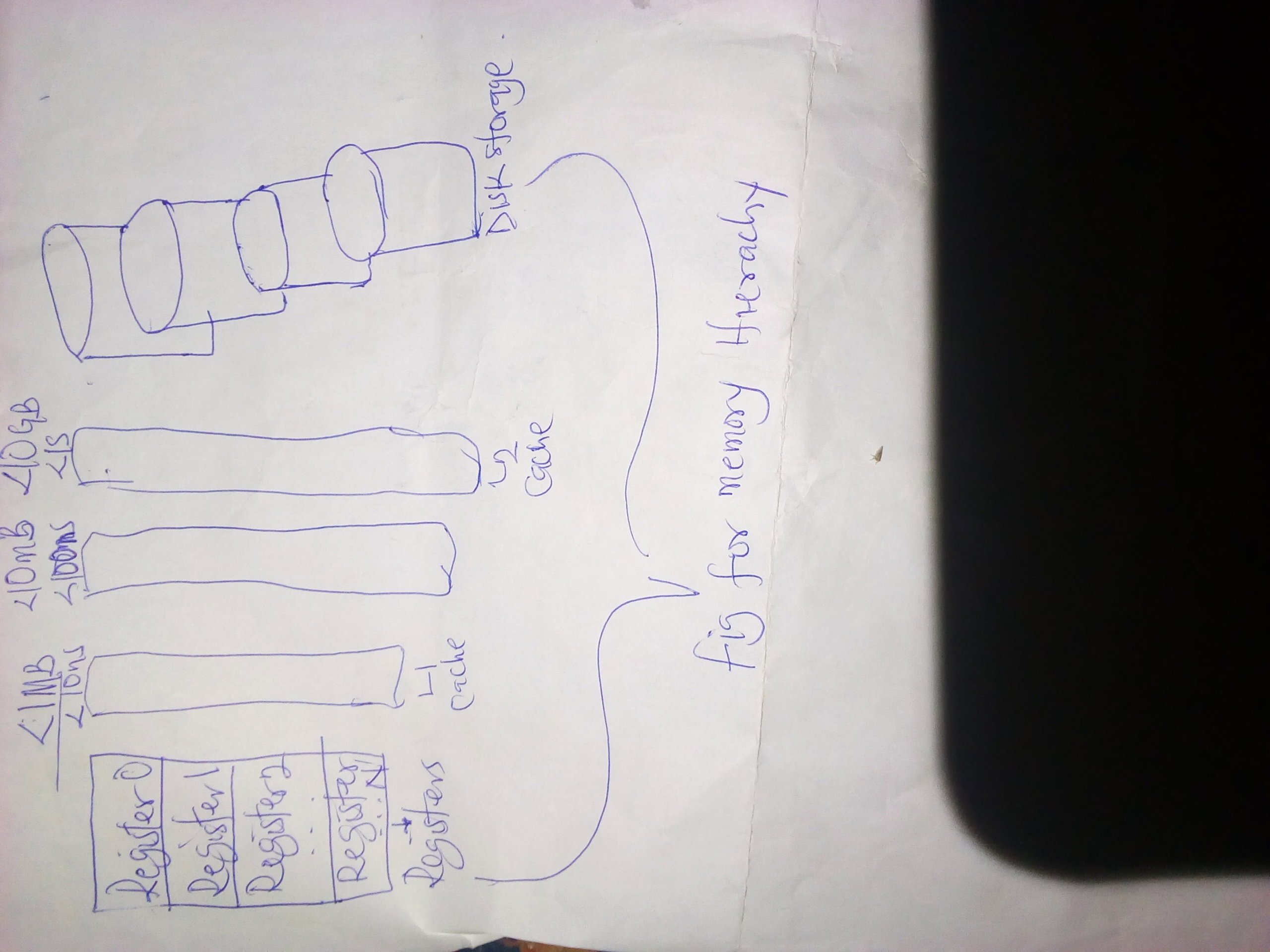
Now having said all that, I'd like to ask just a few questions with respect to what I've written down here. Here are the questions if you are ready. **Question 1:** What have you learnt in today's computer lesson? **Question 2:** How do you wish to apply this in your daily life and existence? Header image is from unsplash.com👌.



4 comments
I remember doing these things in computer studies in secondary school. RAM, CD-ROM and so on.
Wow! That's great to remember you learnt such in your secondary school days. I'm a teacher on computer system
The way and manner you do explain all aspects of computer with so much ease shows that you really know computer in and out and for this reason, i will continue to up vote your post on this aspects so much so in order to keep on encouraging you to write more of these wonderful things regarding computer. I have really learnt a lot of things like the work of the disk and all other aspects of it that are nice
Oh my goodness! I just really can't thank you enough @sammy1 for always coming to my post, giving me your time on the comment section and a wonderful and mouthwatering heavy up votes. I really do appreciate all of that