 @Manjudeck
Learning the basics of computer science lesson X

The day is bright and it's bright and fair especially with the feelings of the potential **Xmas holiday** that seems rapidly approaching and no doubts, I well believe that you have all made an adequate preparations to meet with the said day of **Xmas, the 25th day of December 2021.** I wish you all the best of it if that's your lot for now. Today, we shall be starting from our next computer class being -**"The output".** But before we divulge all efforts in discussing all that we need to know about this word **output,** I will like to give a brief introduction into this word and from the introductory statement, you will be rightly placed as regards what to expect in the latter discussions regarding this massive word in our collection. Introduction: Imagine a sweet smelling **pot of delicious rice** that an **African mom systematically boils** all its contents like some pieces of a well **smoked Titus fish,** a good quality **palm oil,** and with other seasonings like some **cubes of Maggi,** some assorted parts in a **freshly butchered cow, onions, some fresh pepper** and a hosts of other important additions all **driven into the pot** at the appropriate time to yield an aroma - filled delicious **African cuisine? That is called output isn't it?** In **computer science** however and in a simpler terms,**output** refers to the **materials** which the computer produces after carrying out some **systematic activities.** This activities are also referred to as the **output** and in the end of it all, this discuss shall present the reader with the needed abilities in understanding such **objectives as:** The definition of a computer output function and materials The identification of various types of output devices The description of how the various types of outputs are generated. For the purpose of the elusiveness of time, we shall be discussing the first of the said objectives while the remaining one shall be treated in our next computer class. 1.1- **The Computer Output Function:** This is an activity in which a computer communicates information to the user in the form of a **text or images** on the **screen or paper, sound/audio or video.** Several kinds of equipment (devices and media) are used for the computer output which will be discussed **sequentially.** An **output device** is any piece of computer hardware equipment used to **communicate the results of data processing** that are carried out by a computer system to the **outside world.** Note: The outside world doesn't mean **Overseas** but outside the **physical computer system.** However, the most commonly known output devices are the **visual units** (monitors), the **printers** and the **speakers.** An **output device** is not directly accessible to the **CPU** but is connected to it through some circuitry called an **interface** on the computer's central electronic wiring on the **motherboard or the parent board** (but not fatherboard). While **Interfaces** on the other hand, includes the **addressable ports.** A device may have its own controller that supervises the operations of the particular device. Each pheriperal (including output) has its own associated interface unit. The **interface decides** the address and control signal received from the **I/O bus** and interprets them for the **pheriperal** and then provides **signals** for the **pheriperal controller.** It also **synchronizes the data flow** and supervises the transfer between the **pheriperal and the processor.** Each pheriperal has its own controller that operates the particular **electromechanical device.** For example, the **printer controller** controls the **paper motion,** the **printing timing** and the selection of the **printing characters.** A **controller** may be housed separately or may be physically integrated with the **pheriperal.** To communicate with a particular **device,** the processor places a device address on the **address lines;** each interface attached to the **I/O bus** contains an address decoder that monitors the address lines. When the **interface** detects its own address, it **activates** the path between the bus lines and the device that it controls. Any pheriperal whose address does not correspond to the address in the bus is **isolated** by its interface and at the same time, the address is made available on the address lines while the processor provides a **function code** in the control lines and the **interface** selected responds to the **function code** and proceeds to **execute it.** 1.2 **Output Devices :** Here, there are two main types of monitors which are; the **Cathode Ray Tube** (CRT) and the **Liquid Crystal Display Monitor** (LCD). A CRT monitor: This is cheaper, more durable and able to withstand being damaged and remains functional, has a superior response time and a superior contrast and there is no discernible flicker if the refresh rate is set to a significantly higher value. An LCD monitor:
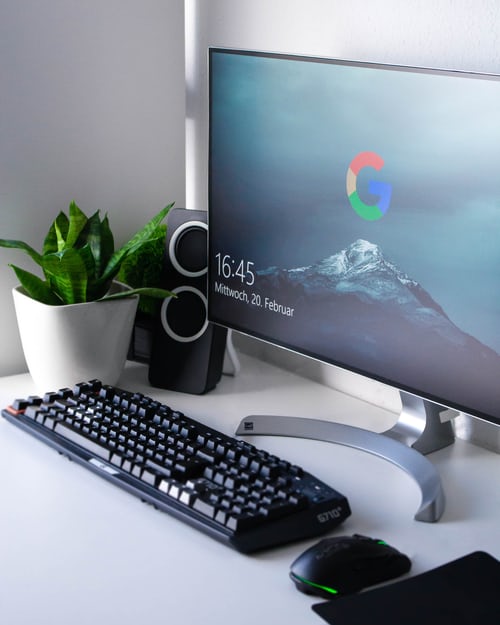
This is one is lighter and more compact, requires a lesser amount of electricity to power it and tends to have a better resolution and is built in a considerable larger sizes. The **LCD's** have been displacing the **CRT's** for the last several years as prices fell. The **LCD technology** does not **flicker,** so, it causes a lesser **eyestrain.** Moreso, **LCD screens** are used in portable computers such as the **laptops, notepads** and the **palmtop sized PC's.**
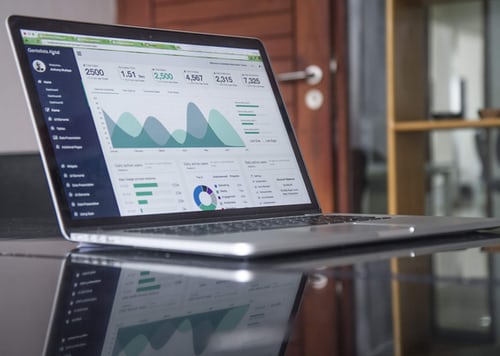
Thin-film transistors (TLT-LCD) monitor is a variant of **LCD monitors** that used the **thin-film-transistors technology** to improve on the existing **LCD technology** thereby resulting in a more brilliant display and this monitor is in the most of our mordern day portable computers that are replacing the **LCDs.** Note: All monitors rely on **video card** which is located on the **motherboard** in order to display information. Hence, it is the **video card** that processes the data into **Images** that are eventually displayed on the monitor. One of the major differences between the **LCD** and the **CRT** is that the **LCD** is flat while the **CRT** is very massive and quite heavy as well. Aside the two main **types of computer monitors,** which are: **The CRT** and the **LCD,** it should be known that there are other technologies which includes; the **Plasma Display Panel** (PDP), the **Organic Light Emitting Diode**(OLED), the **Surface-conduction Electron emitter Display** (SED). The visual display units were able to show only two colours(monochrome) but in now our days, the **Visual Display Units** are capable of showing **millions of colours** (colour monitor). In our next class, we shall be looking into these colours, what they stand for and a general characteristics of the **computer monitor,** stay tuned! Always remember and ensure that you stay free from the contagious effect of the second wave of the dreaded convid19 global pandemic by obeying amd observing all government and stake holders protocols alike so we can at least #save a life.

Good evening and thanks for reading today. Love ❤️ you all and a **Merry Xmas** in advance to you all.





1 comment
Thank you for lecturing us on Output devices. Been following part of the series and it's interesting to learn about computer.