 @Macronald
more from that month
@Macronald
more from that month
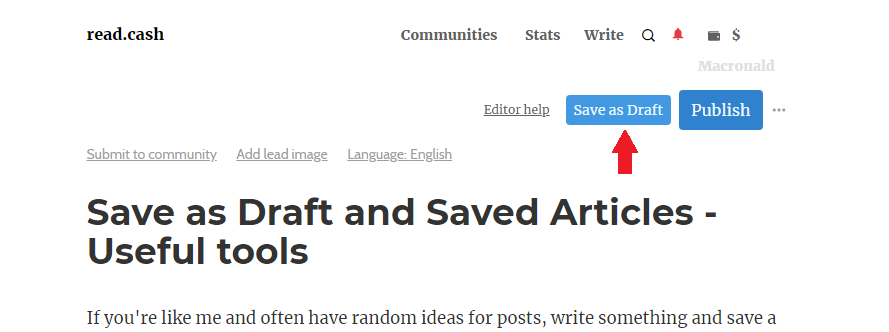
"Save as Draft" and "Saved Articles" - My useful tools If you're like me and often have random ideas for posts, write something and save a draft that you can come back to later. Even if you might not end up publishing some of these drafts, it helps to have an ongoing list of ideas that you can go back to whenever you feel inspired. Save as Draft This feature allows users to **save an unfinished post** as a draft in order to return and finish it later on. Saving as Draft has a number of benefits - Whether you can’t decide between two different phrasings, you haven’t yet thought of a good punchline, you need a user to proofread your article before submitting, you can save your article as a draft first to be completed later without anyone else in the platform being able to see it. Though you may decide to share it with another user for proofreading or other personal purposes. It’s easy to use and will store your half-written thoughts for as long as you need. Here’s how to save a post as a draft. When typing your article, you can save it as a draft by clicking the "Save as Draft" button in the top right corner. Then wait a few seconds for it to be saved.
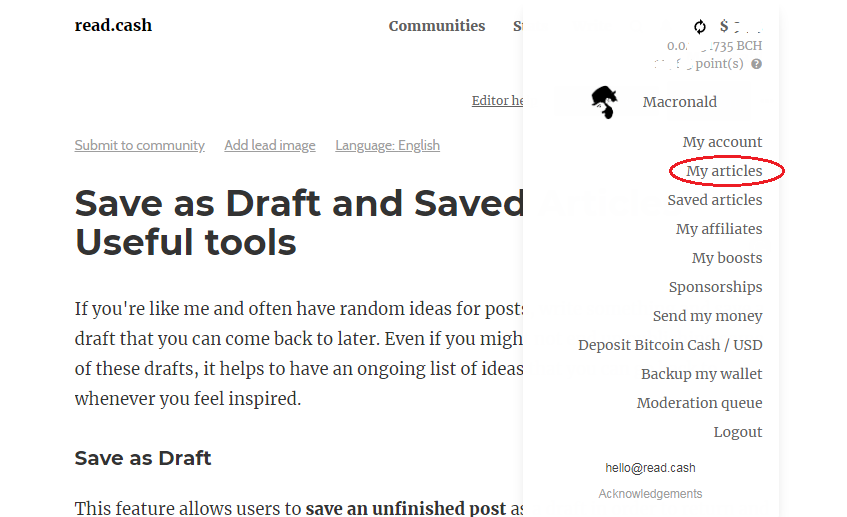
**Opening your saved drafts** When you want to add more thoughts or you’re finally ready to finish your and publish it to the world, you can pull it out of your drafts. To open your saved drafts, **click the dropdown menu in the top-right corner** of the page, or **click on your wallet balance** and choose **My articles** from the menu.
It will take you to the page containing both your published articles and unpublished articles. The unpublished articles have a "not yet published" label and usually come before the published article.
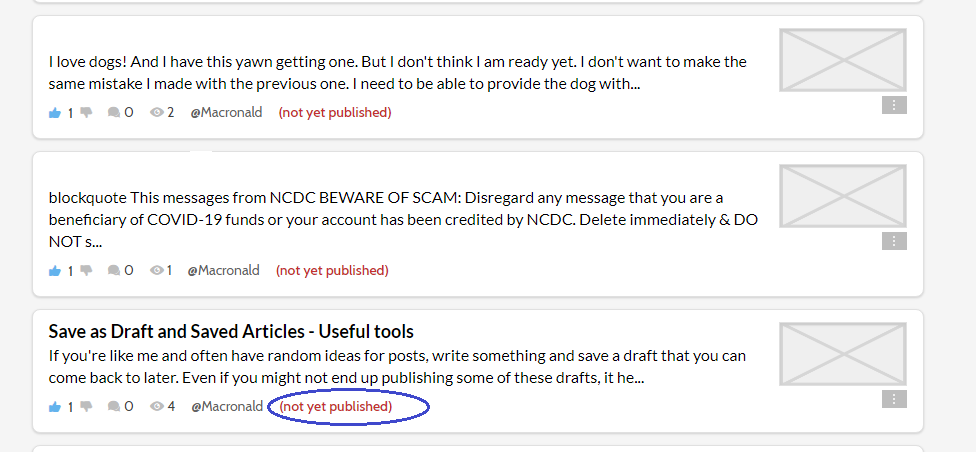
You’ll see a list of your drafts. Select the one you want to open. Your draft will open, and you can edit it to your taste. From there, you can publish it or save it as a draft again. Saved Articles As you peruse articles on Readcash, you might come across an article you really want to read, but just don’t have time to read it now. Or you might find yourself wanting to save it for later use. There’s an easy way to save those articles. This feature was helpful in creating **a complete read.cash user guide** and I use it to save useful articles I may wish to make reference to. Making it my addictive way to save and collect all articles and links in a single place. It saves time for the unending search for the article in the future. https://read.cash/@Macronald/readcash-a-complete-user-guide-25918d99 **Here’s how to save articles to read or use at a later time.** By clicking the icon shown in the image below
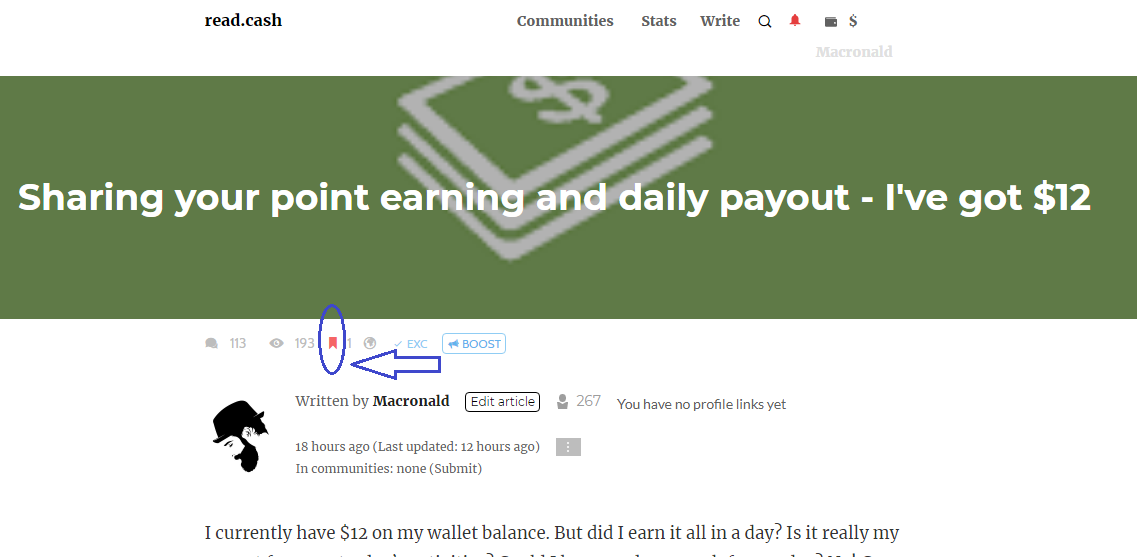
After clicking the icon, the article will be added to your list of saved articles. **Opening your saved articles** To open your saved articles, **click the dropdown menu in the top-right corner** of the page, or click on your wallet balance and choose **Saved articles** from the menu.
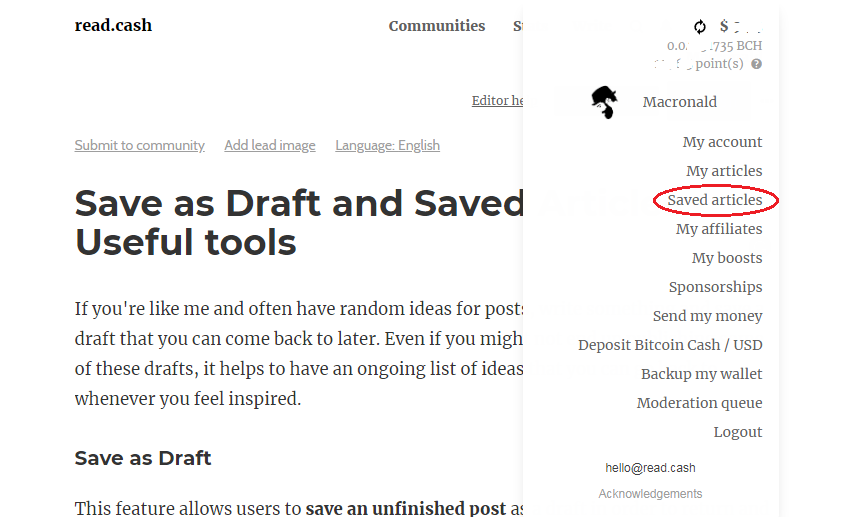
It will display a page your all your saved articles. Then you can select the one you want to open
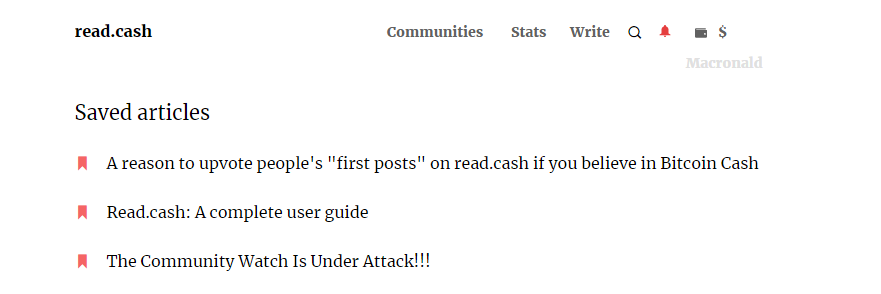
To remove an article from the list of saved articles, open the article and click on the same icon you clicked to save it. **You Might Also Like** **You can't finish this article** https://read.cash/@Macronald/you-wont-finish-this-article-fc9abf34 ****Sharing your point earning and daily payout**** https://read.cash/@Macronald/sharing-your-point-earning-and-daily-payout-42dc86fd ****A complete read.cash guide for users**** https://read.cash/@Macronald/readcash-a-complete-user-guide-25918d99 ****Publish your introductory post and get upvotes**** https://read.cash/@Macronald/newbies-reward-your-introductory-post-gets-upvoted-2c3f4b31 ****Encouraging newbies/ new authors through upvotes**** https://read.cash/@Macronald/encouraging-newbies-new-authors-through-upvotes-69121172 ****Newbie 101: Plagiarism - Don't Copy-paste Other Users' Content**** https://read.cash/@Macronald/newbie-101-plagiarism-dont-copy-paste-other-users-content-733ddb0f

37 comments
Yup. That tools is so useful. It so useful to me because sometimes the article is very interesting i use the save button
I use the Save as Draft feature often. Whenever an idea comes I will put it down and save as a draft. then later when I am ready I will go and complete it.
Yes, when I'm doing an article to post here I used my phone's notes so that I will just copy and paste it here if I'm done, but sometimes when I read and review what I wrote it seems like it's not enough for me so I saved it as a draft and reopen it if things are finally okay. Thank you this it's a big help for the newbies and other writers here.
I agree. they are helpful tools. I use them everyday.
Very helpful, especially to the newbies who have so many ideas on what to write in their Article. I'm using that save as draft too, I have so many saved Article that is incomplete, i want to continue it but I still lazy to do so 😅. I hope the newbies will read this, and that saved Article, i have so many saved Articles, but most of them are all events hihi ✌️
I use the "save as draft" a lot. and I have some uncompleted articles there.
I do it before but eventually I decided to put my unfinished article to my notes because sometimes i press the delete button thats why I need to start over again.
When you press the delete button, a confirmation page usually pops up asking "Are you sure you want to delete". It can only delete if you confirm it. So if you mistakenly pressed delete which is hidden, you can always cancel it when the confirmation page pops up.
I mean sometimes when I decided to continue my work I feel confused to the restore and discard button that makes my article lost
Okay. Now I understand. I have learned to overcome that. it works fine for me. Just stick to the one that you are confident using.
Ok thank you for your advice
you're welcome, dear. thank you for dropping by.
Thank you so much for sharing how to make use of these useful tools and features of this platform. Personally, whenever I have crazy thoughts or ideas to write about, I just use my "notes", the one on my mobile phone. This is how I get to write my thoughts and express them out. I use it to write all of my published articles on this site. It works really well for me. I hav tried to write directly on this site before, but I found it confusing because I still don't know how to navigate it well. Like there is no undo button whenever I did something wrong, like edit my articles and all that. Well I guess, we just need to figure out what works for us. :)
I agree. I just prefer real time writing and Editting. I use laptop sometimes, I can easily undo with Ctrl + z. But that's not possible with the phone. To be honest, the offline note is better.
There is an undo and redo button with my notes installed on my phone. It helps me so much in writing my articles. I prefer to use my phone than my laptop tho.
Save as draft: I always use this because it helps to arrange the format (text, images) before publishing.
I agree with you.
Thank you for sharing this useful tips. It will help me, sometimes I have some ideas but can't finish writing and soon forgot already.
I also use save as draft especially when am trying to publish an article and images won't upload due to slow net connection, so I just save it there and publish it when net's good. It is also a useful tool when writing freely, and add some details when some pops up in mind.I have lots of unfinished articles in it that I only go back to it when I have the needed details needed
Yes. It gives a real time typing and Editting. I can always preview and know how the article will look. I would appreciate if more features are added to the editor. Like undo button which will be useful when using phone. On laptop one can easily press Ctrl + z
Thank you for this info. It will of great help to me, i used to write article on paper and before writing it on this platform. I think it will be very easy to write my article using these wondeeful tools. Now i can save time writing and make it easy to edit.
Writing on a paper can be handy too.
Writing on a paper can be handy too.
These options were too useful to me, too. Specially when I have a lot in mind & I wanted it to express through writings or poems.
Same here. I use them daily, especially the save as draft feature
Yes. Save as draft feature is too useful to me also. I love saving my thoughts in there and come back later to finally compose it into an article.
Thanks for your guides.. Very useful articles.. Keep it up sir.. 🙂
great! very helpful article for me as a newbie. thanks alot! have a nice day!
I am glad it helped. You are welcome to read.cash
Seriously many newbies dont know about this. You share a great things which is helpful for them. Even if we know about it we can write any time and finally finish the article. Thanks sir.
You are welcome. I am glad it was helpful.
If you are like me you read something, the Idea pops up and you write. Not online and in a draft but offline. Next you copy past it when you have a connection. 👍
To be honest, your way is better. But I can't explain why I prefer using the RC draft feature. Well, whenever I am with my phone, I am always online. BTW. Have a lovely day.
To meit is safer to to use it. The slowconnectionor no connection messes up to much. I doubt my content is safe plus I can not work on it if I wrote the draft online and I am out of the air again which is good for spoiling my mood.
I agree. Offline draft is better. But I still prefer working with the RC draft. And I have never had a challenge. The network is great here.
Well explained Sir! Thank you for sharing this pieces of knowledge to us.
You are welcome. And thank you for dropping by. I and glad you found the content of this article helpful