 @kli4d
How I read, or listen rather, to your articles?

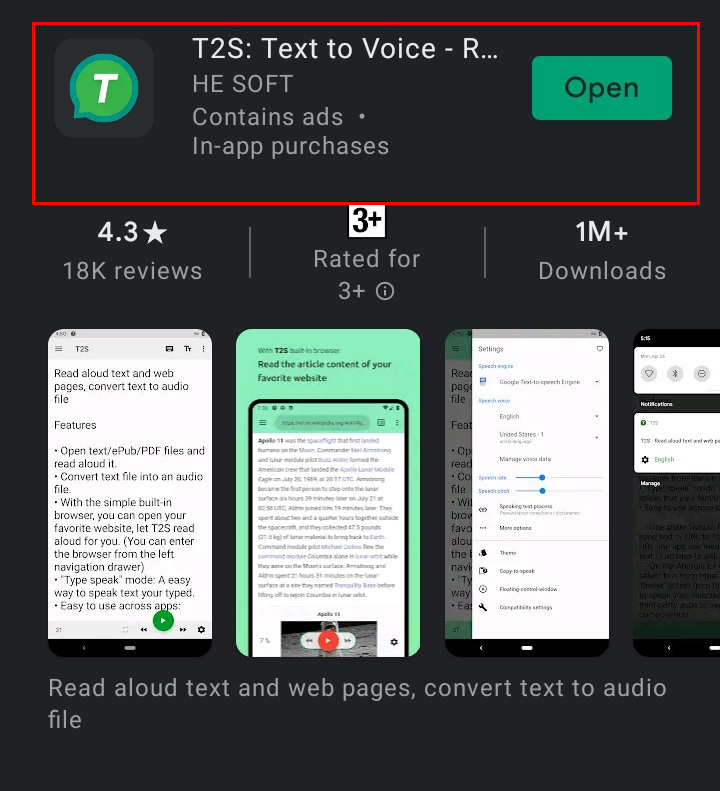
The majority of the students here in the Philippines are kind of excited right now because in just 2 weeks they will finally have their school break. I am also excited even though my university ended school 1 week ago, because I can finally see again the articles of other writers here who are on hiatus because of their academic responsibility. Hi, @Maestro02 👋🏼😂. Since I am expecting the large volume of articles published day by day in the coming days, I am a little bit worried because I may have a hard time checking all of your works, especially that I am helping my mother with her online selling. Last time in my article titled **Haphazard chatter**, I mentioned that we took 3-4 hours just to deliver the orders of our customers. That's a lot of time plus the time I will allot on doing some household chores and writing my article– leaving me lesser time to read on read.cash. https://read.cash/@kli4d/haphazard-chatter-i-620a4709 To be honest, skipping the articles of other writers on this platform left me feeling guilty. In my perspective, it looks like I am disregarding the time and effort they invested in writing that stuff. So, I try my best to show some support and love even in my own simple and little way. I also agree with @immaryandmerry about her article titled **"Paying back for the value they have given us"**. which tackled the things we can do to support our co-writers. Sometimes because of them, we can think of a new topic to write and often they support us. https://read.cash/@immaryandmerry/paying-back-for-the-value-they-have-given-us-ab482fbc Anyway, the main reason why I wrote this is to tell you that I found an alternative way of reading or 'listening' rather, to an article. As I mentioned above, I am having a hard time reading all of your works one by one. Even I want to finish it all, eye strain is waving due to long screen exposure 😆. Are you familiar with the text to speech? Well if you're familiar with it, congrats because you already have an idea where this topic will progress. TTS (text-to-speech) is an assistive device that reads digital text out loud. It's also known as "read aloud" technology. TTS may translate words on a computer or other digital device into audio with a click of a button or a touch of a finger. That's it! I am using text-to-speech as an alternative way of enjoying your articles. I discovered this a few days ago when I faced a dilemma between doing chores and reading. I have this what-if question in my mind; what if I can do chores while reading at the same time? At that moment, a light bulb moment appeared on the top of my head. This where I remembered that my computer has a similar function. However, it will be inconvenient if I will use a bulky device to listen while cleaning the house 😂. I checked my phone if it's capable of doing the same thing. Fortunately, I found an app where you can just copy the text you want to read and paste it on the app's overlaying button; it will start to read the text for you. If you are interested and want to try this thing, let me help. **1. Download T2S: Text to Voice - Read Aloud on play store.** Here's the link: https://play.google.com/store/apps/details?id=hesoft.T2S
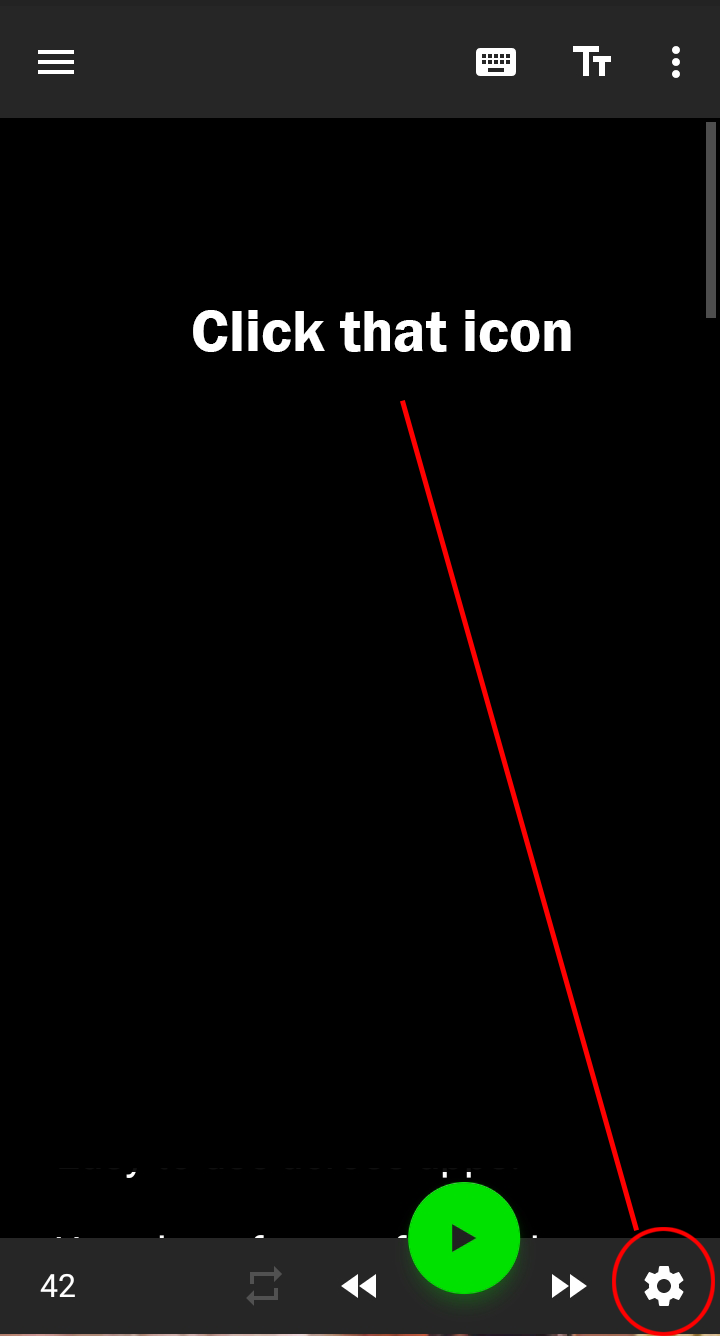
2. Open the app and then go to the settings icon located at the lower left.
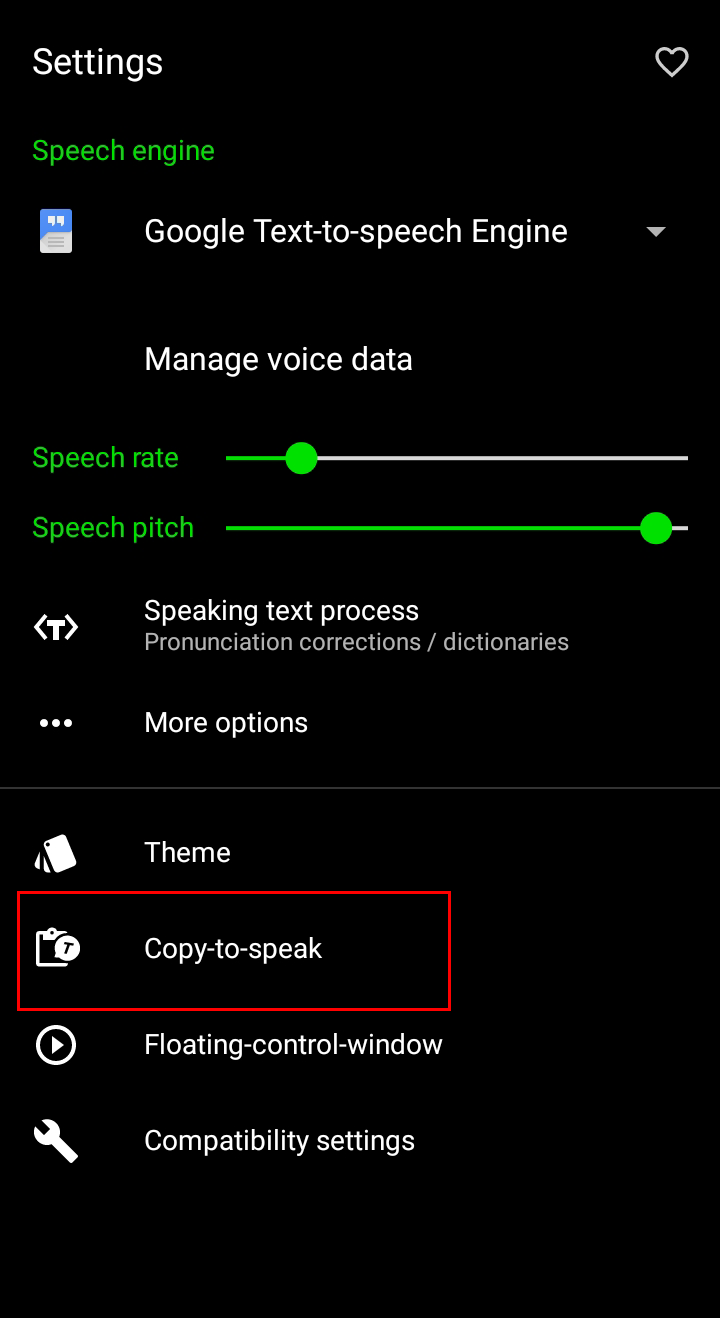
**3. You can see different options here. But for now, let's click the copy-to-speak.**
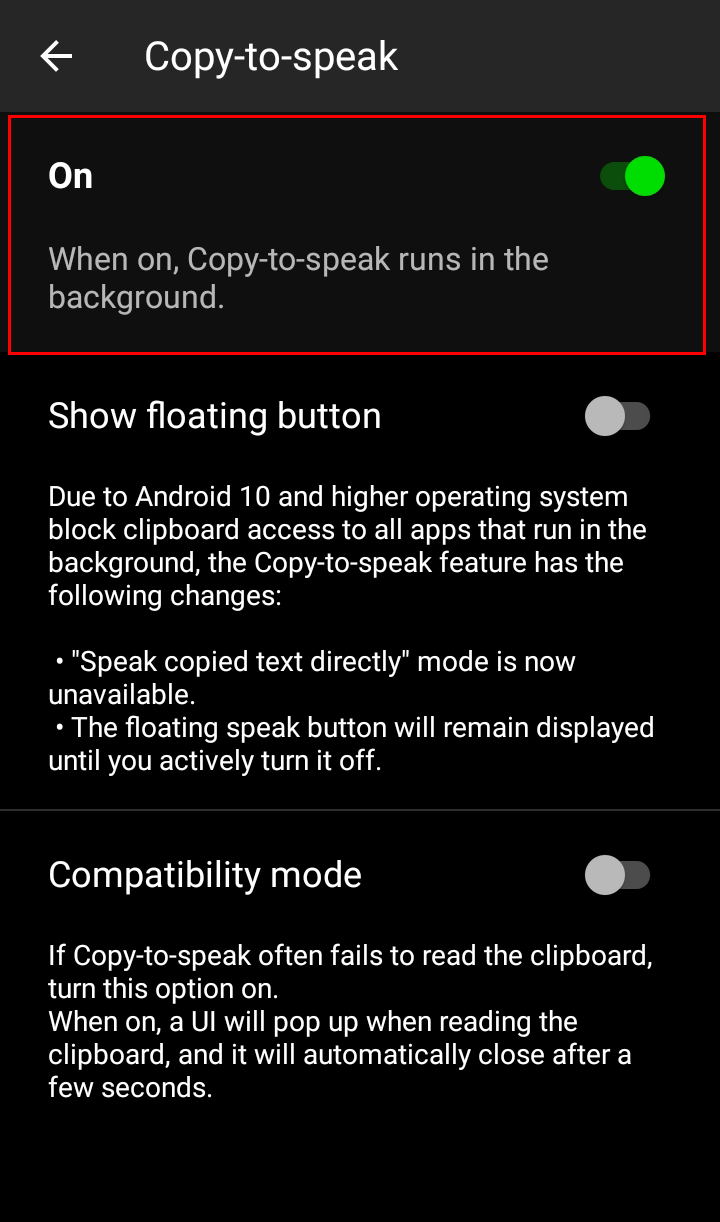
**4. After that, allow it or turn it on. A cute prompt will appear on your notification bar.**
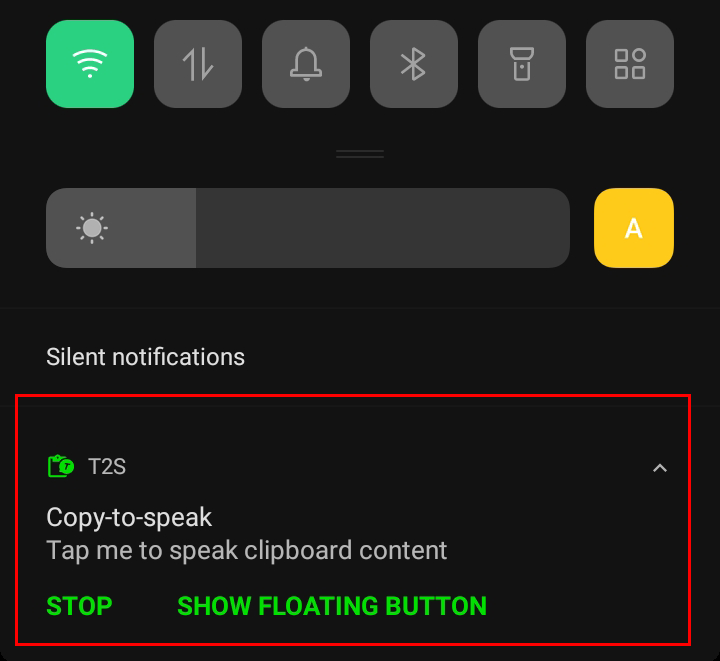
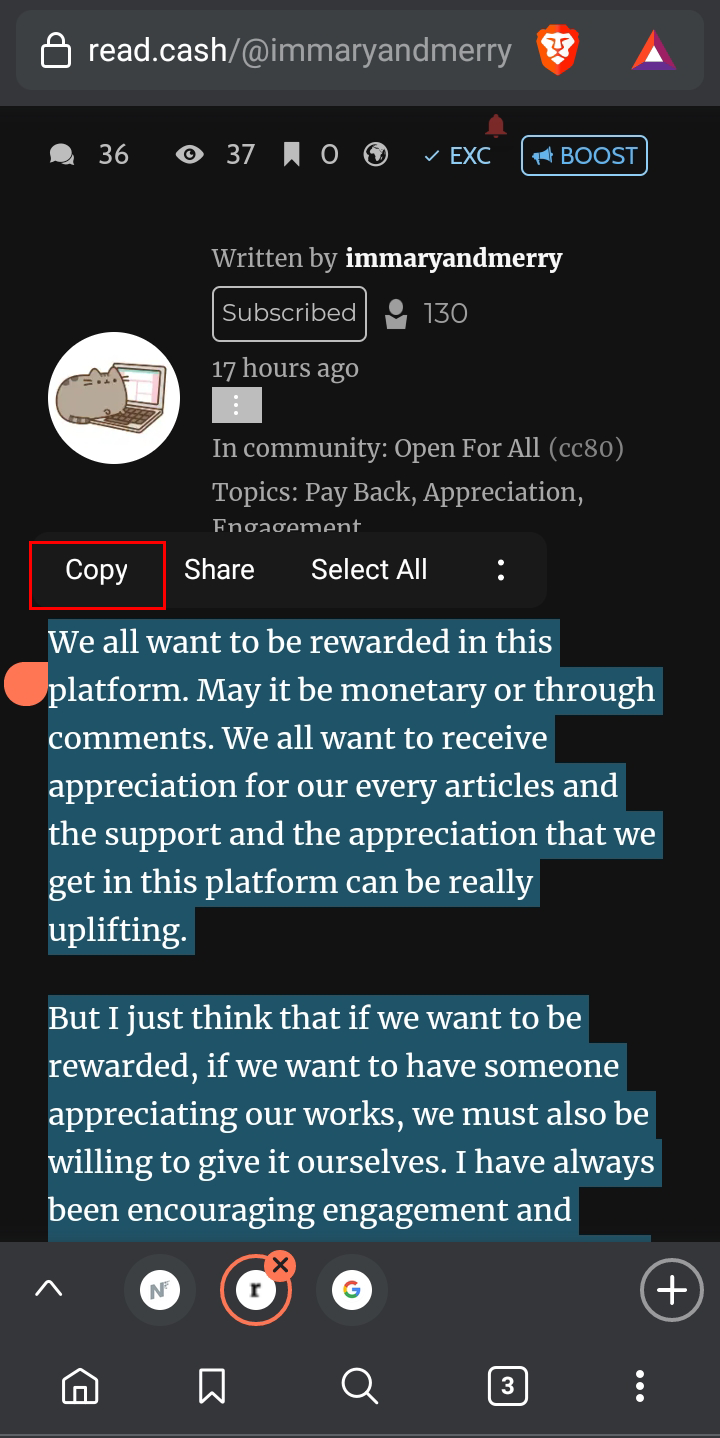
5. Copy the text you want to listen to and then tap the prompt on your notification bar. Then, boom 🤯 you will hear someone talking from your device.
**Optional:** You can turn on the floating control window on the app settings if you still want to read without holding your phone. This function is like a small subtitle on your screen and it will automatically disappear when the text your listening to is already finished. If you are not comfortable with the talking voice, adjust the settings based on your preference. I set the speaking voice to United States-9 with a speech rate of 0.9 and screen pitch 1.1. **Final thoughts:** I am currently enjoying this feature 💯. It feels like I am listening to a podcast on Spotify or any streaming platform while doing something; multitasking at its finest 😆. Well, you might or might not enjoy this feature. I guess it all depends on your learning style? I am a visual and aural (auditory) learner so I can appreciate both ways. Though text to speech is more inclined to help people with vision problems, why don't use it on another level? **You can read my recent articles...** **Haphazard chatter - I** https://read.cash/@kli4d/haphazard-chatter-i-620a4709 **I don't know** https://read.cash/@kli4d/i-dont-know-43c0a41d **Frustration and disappointment after a success: Lessons and Realizations** https://read.cash/@kli4d/frustration-and-disappointment-after-a-success-lessons-and-realizations-a0419e6d









40 comments
Nice. I'm a fan of podcasts haha. Now I got a new thing to try hahaha.. Thanks download ko na nga din 🙃
Hala kuya san ka nakikinig ng mga podcast? Sa spotify?
Oo mostly unsold murder or mysteries hahaha
Sige sigee try ko din pakinggan 👌🏻
This is such a good idea :). I am also having a hard time reading all articles in here because I also have other things to do. And I couldn't stay longer in my phone because I'll definitely get a headache if I do. This article really helped me with my concern ❤
Thank you po sa pagbabasa :)). Im glad nakatulong po ako 😁
Uyyy may ganyan yung phone koo sa accessibility haha, na discover ko iyan nung grade 10 ako kakabasa sa wattpad😹😆 napaka laughtrip pag tagalog haha. Tapos ginagamit ko din siya sa mga pdfs kapag wala ng time mag review😹😆🥂🥂🥂🥂 Pero hindi ko pa na try dito sa read.cash haha mukhang maganda iyang naisip mo😹 lalo na pag naghuhugas ako ng plato😆
Hala di ko talaga gets kung pano enable sa phone yang built-in na text to speech. Kanina pa ako nagkakalkal at di ko maturn on. Giling nalang kaya ako at nang maturn on sya HAHAHAHAHHA
Wow! thats amazing gusto ko siyang idownload kaya lang no space na sa phone but that was a great idea.
Hello salamat sa pag appreciate ng article :)). May nakapagsabi sakin na may built in text to speech daw ang android. Ewan ko lang kung pano hahaha
Ako din. Nagi guilty talaga ko kapag di ko nababsa yung iba na kilala ko. Kasi naman may baby kasi ko kaya kulang at gahol ako sa oras mag basa. Pag tulog lng si baby ako nakakagawa ng article o kaya nakakapagbasa gaya ngayo. 😭 Salamat nga pala sa suggest mo mare. Try ko nga to kaso palagi gamit ni baby cp ko para sa music nya pagnagpapatulog eh.
We understand naman mare 😁. Focus ka lang sa mas mahalagang bagay. Im glad na nakahelp ako hehehe
Kaya nga mare ehh. Laban lang tayo hihi. E try ko tlga to. 😁
Same, naguiguilty rin ako. D na nga ako masyadong nakakacomment at interact sa iba. Yung time ko nalang sa read. Cash yung pagoublish nalang minsa. Mesyo busy rin sa ibang bagay eh. Try ko yan. Pero bili muna ako ng earphones HAHAHA nasira na
Ay speaking of earphones, try mo icheck tong shopee link. Wala pa sa 150 pesos yung earphones nila pero sobrang sulit ng quality. Kadalasan pag shopee sale inaabot lang ng 87 pesos basta claim mo yung mga vouchers. Pctech ang name nung shop https://shopee.ph/product/25597897/3624021050?smtt=0.67496926-1624871363.9
Thank you talaga. Yung iba ko kasing nabibili sa bangketa ilang linggo lang tinatagal HAHHAHA
Madownload nga 😂 gusto ko siyang itry. Siguro magagamit ko na to para iwas sakit sa mata radiation pag nagbabasa🤦🏻♀️
Oo dear ang helpful nya 😁. Kaso nga lang pag before matulog ka nakikinig ng mga gsnto, makakatulog ka minsan HAHAHAHA. Tulad kagabi nakikinig ako article tas nagulat ako pagkagising maliwanag naa
Nakakaguilty yung katamaran kaya isa o tatlong beses lang ako magbasa. Anyways, try ko to. Haha, salamat
Welcomee :)))
Ibang app naman ginagamit ko haha pero parang mas maganda to. Thanksss.
Anong app gamit mo? Try ko ring gamitin hahaha
Eyy download ko nga toooo madalas tinatamad ako magbasa e. Thanks for sharing this, Cliff!!
Always welcome ate 👌🏻😁
Hello, @Kli4d. 👋😄 Tinamaan ako don sa unang paragraph. Feeling ko tuloy napakahuwaran kong student. But yes, 2 weeks na nga lang at makakapagbakasyon na din at makakapagtapos na din ako ng senior high school. Btw, salamat pala sa article na ito. Magagamit ko din iyang app na iyan katulad ng ibang co-authors na nagcomment dito sa article mo. Medyo nahihirapan din talaga ako kapag medyo madami yung binabasa ko kaya minsan di ko na naabsorb yung iba kahit nasalamin naman na ako. I mean, malaking bagay talaga ang app na iyan dahil mas nakakaabsorb ako ng kwento kapag naririnig or pinapanood ko. Just like face-to-face classes at hindi katulad sa ngayon na puro modules lang halos. Btw, salamat din pala sa pagmention sa article mo. Hindi ko ineexpect na mamemention din ako ng isa sa mga lodi ko sa paggawa ng contents. 😄🤍
hahhahaah grabe ka naman sa lodi 😂. Anyway, thank you sa appreciatative long comment. Pag ganto magmessage ko, di ko na bibitawan HAHAHAHAHA charot
HAHAHA sorry nadala lang. Dati kasi akong writer sa MMK at magpakailanman e, char. 😄 Sana lahat di binibitiwan HAHAHA🤧
Pwede pala iyan magawa nga yan makapag download para kapag masakit na mata ko papakinggan ko nalang 😊 laking tulong nito hehe
Opo ate sobrang helpful nya hehe. Welcome po :))
Woah! This is cool!.. I download it later haha ang galing ayos to para di na masakit mata kakabasa 🤣 ilang words ba limit?
hahahaha 👌🏻. Walang word limit kahit 25 minutes article pa yan babasahin nya 😂
Ay galing haha okay thanks.
Oh my gosh!! Thank you so so much for this! Lalo na sa panahon ngayon na tinatambak lang kami ng off files tas di na tinuturo. 😭 My heart is so happy. Will definitely download this app!! 😭😭😭
uwu you're welcome :)). Pwede to sa computer. Sa mismong built in browser ng microsoft, meron silang text to speech feature. Nasa pinaka gilid yata yon ng search bar
ohhh this is cool. i should give this a try OnO
Sorry late reply again hahaha. Did you tried it? How's the experience?
issokie UwU no rush to reply so you don't need to apologize. i tried it and it's been pretty convenient, especially when i need to do smt XD
Thanks for this! Strained eyes can be really... ack! Also, guilty din ako for missing so many articles sa mga users din dito uwu
Fantastic! This was really a really unique tip! Will be trying it out.
Found this on @lagrapefruit 's article haha. I prefer reading than listening.