 @MJAYTECH
Steps on How to buy and Hold Tokens
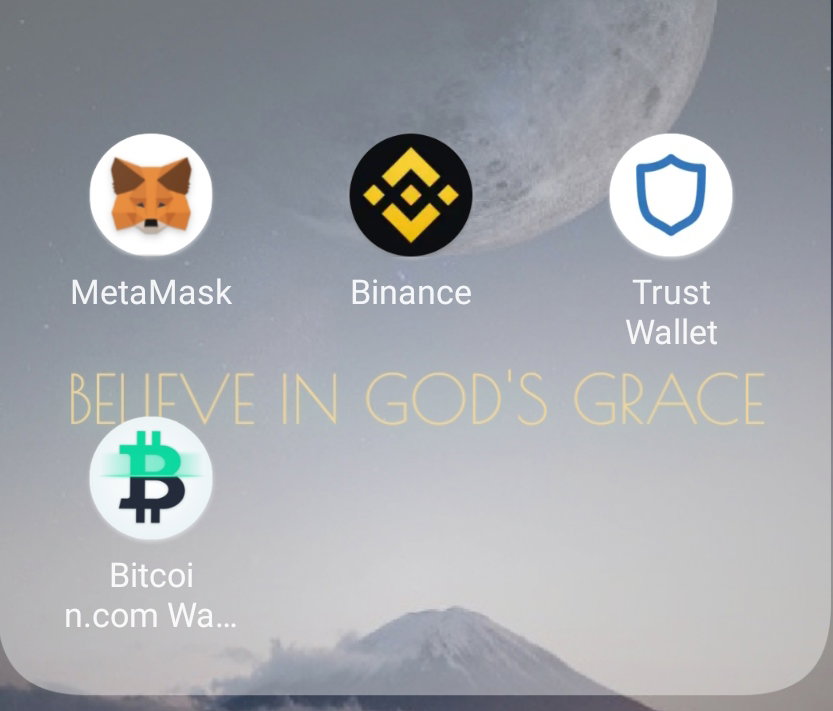
So there are many users haven't yet know on how to buy tokens and Hold them. I want to share with you, my own way on how I bought my tokens and hold them. Please bear with me because this explaination will not be easy for me. I hope that you will fully understand every steps that I will stating. First You must have this Apps; ****Metamask****, ****Binance****, ****Bitcoin.com**** ****Wallet**** and ****Trust**** ****Wallet****.
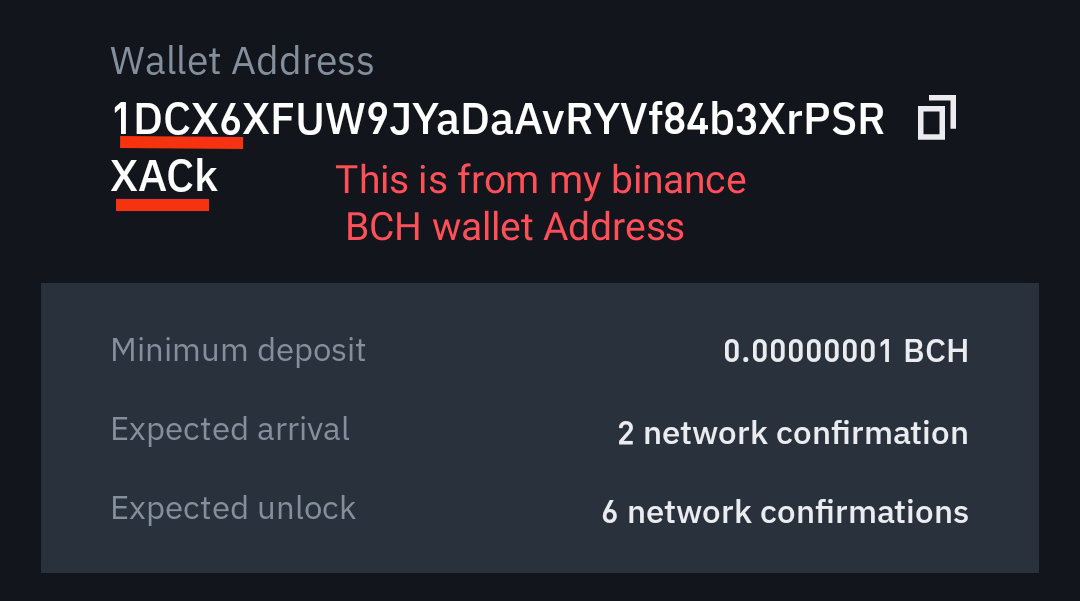
**BINANCE- Note that Your account must be Verified, for you to buy and transact assets.** **Metamask and Trust Wallet- Choose wallet you prefer to Hold your tokens.** **Bitcoin.com Wallet- We all know that our earnings here in this platform is stored in that wallet, you can use your BCH earning to buy tokens.** **STEPS ON HOW TO START HODLING TOKENS;** **FIRST STEP;** Open the Binance App **(should be Verified)** Then Go to Wallets Click Deposit And Choose what crypto you want to Deposit. **For me, I choose BCH (bitcoin Cash), I will use my earnings in read.cash to buy and hold tokens.** Choose Network- Bitcoincash Copy Wallet Address **NEXT STEP;** Go to your Bitcoin.com Wallet Click Send and Paste the BCH wallet address from binance. Then Enter the amount you want to send to your Binance account. (500pesos) Click Send **Ps: Make sure that the address you copied from your Binance Account is correct. Check the first and last words of your wallet address**
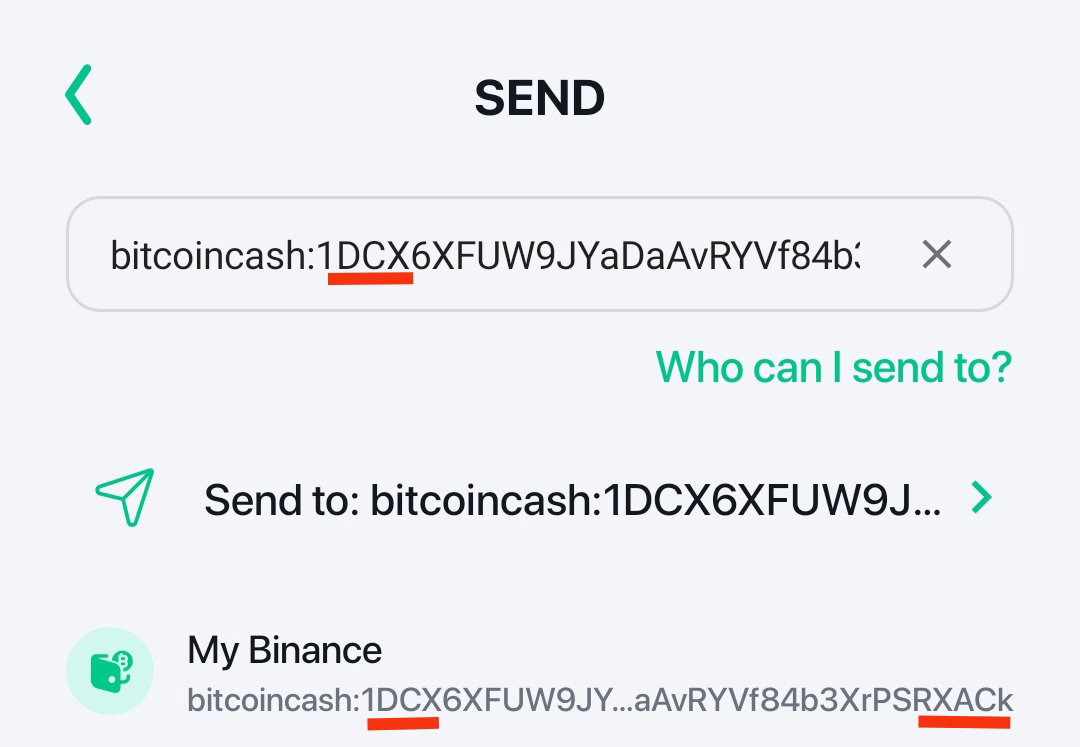
Just wait to recieve the BCH to your Binance account (it takes 30-45 minutes). Just wait patiently **NEXT STEP;** After you receive the BCH in your Binance account. Click this-**Indicated at the picture** ****underlined red.****
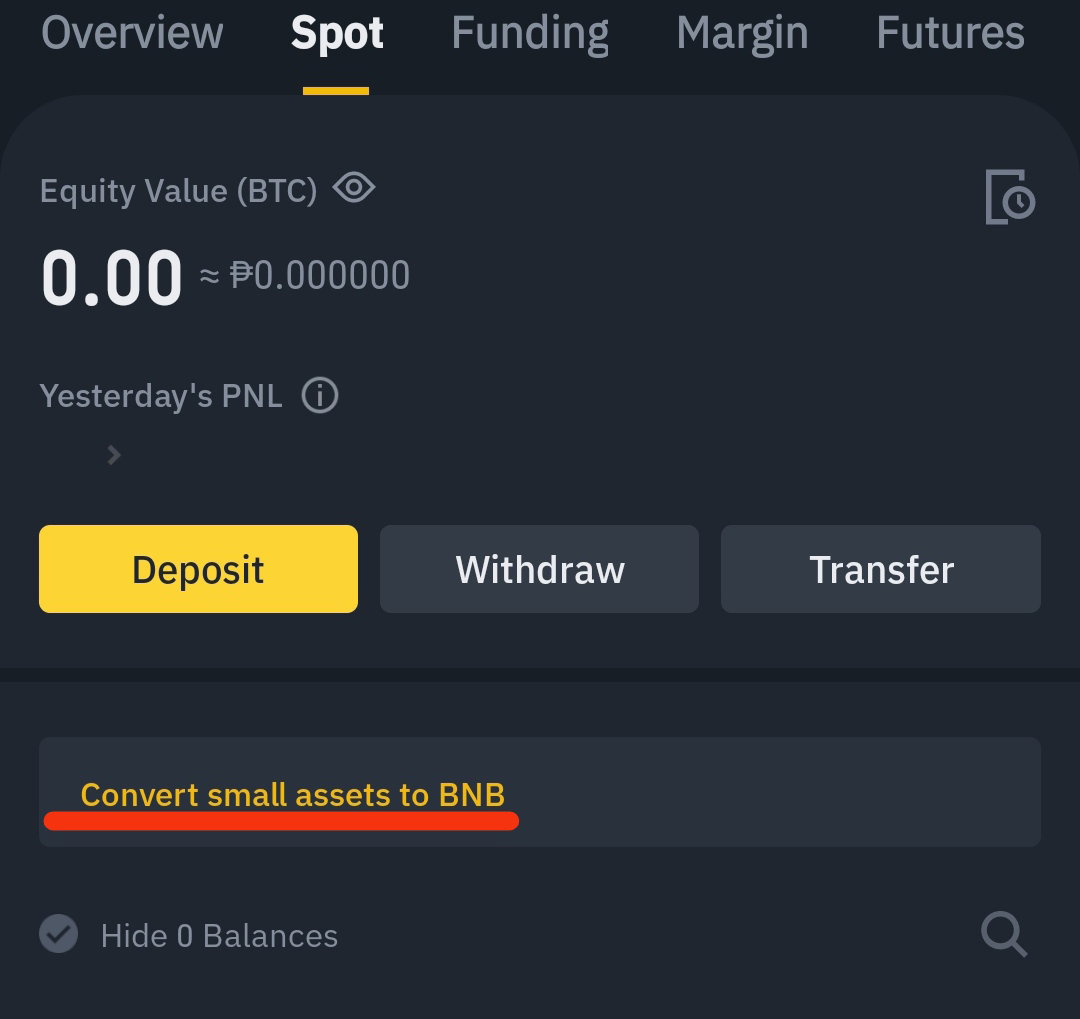
Then click your BCH coins- and covert to BNB After a minutes your BCH will be converted to BNB. ****Approximately 30minutes**** **NEXT STEP;** **Click Withdraw**
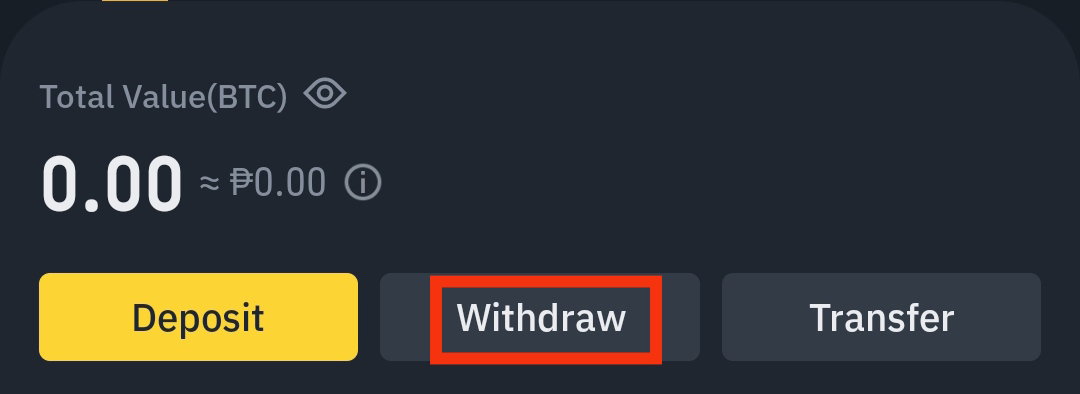
**Choose BNB**
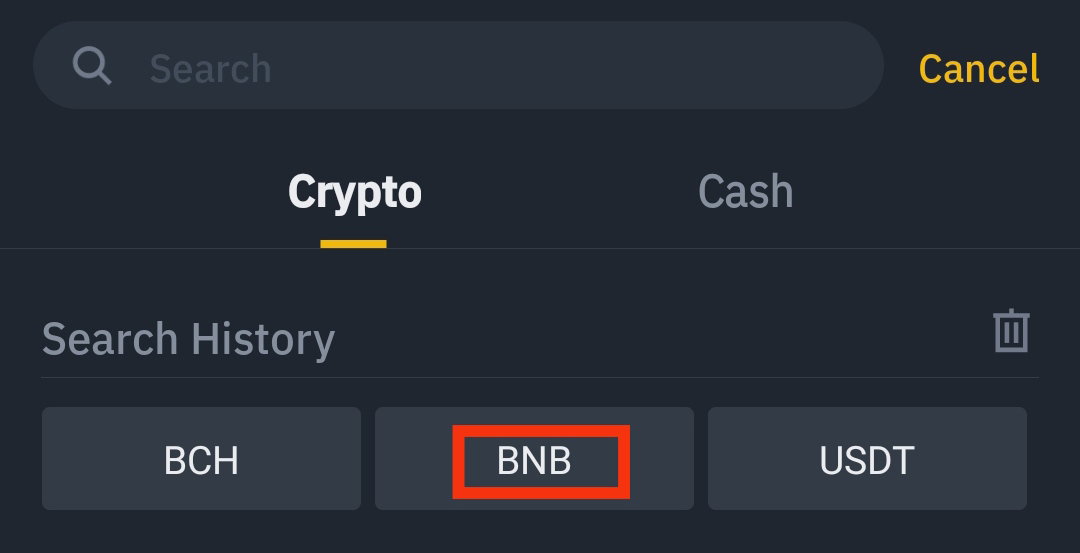
**Choose wallet you want to send your BNB**. The wallet you want to hold your tokens. In my case**, I choose Metamask**, then let's go with it. You have two wallets to choose either ****Metamask**** or ****Trust Wallet****. **Let us send it to your Metamask. Get your Binance**
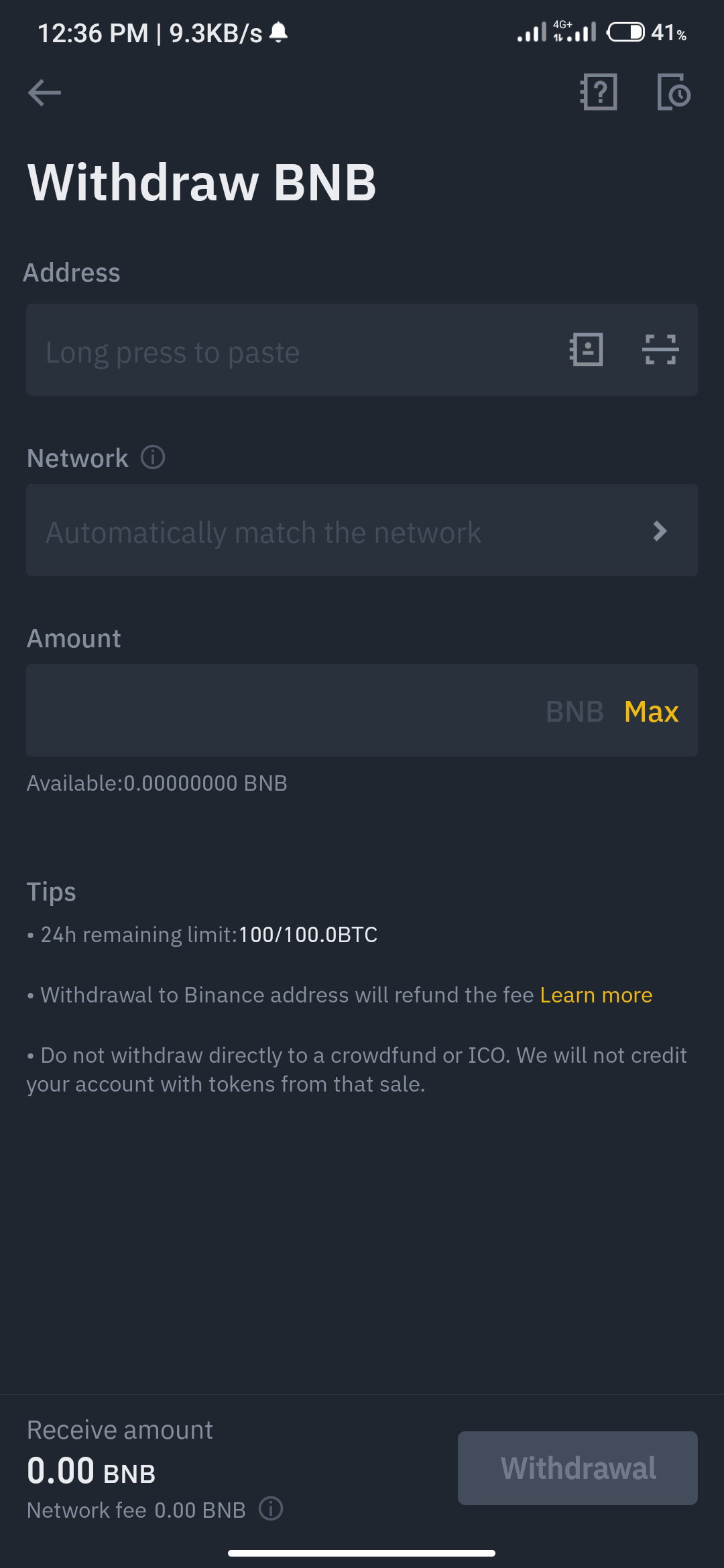
If you haven't yet set your Metamask to Binance Smart Chain, then watch the tutorial Video Below; **English and Tagalog Version** https://youtu.be/8JZSUv40Tx0 https://youtu.be/Q6X3p3TDRoc **Let us Continue to transfer your BNB to your Metamask wallet;** If you done setting up to Binance Smart Chain to your Metamask. Then Import BNB token first. By Importing BNB token it goes like this; Click Import
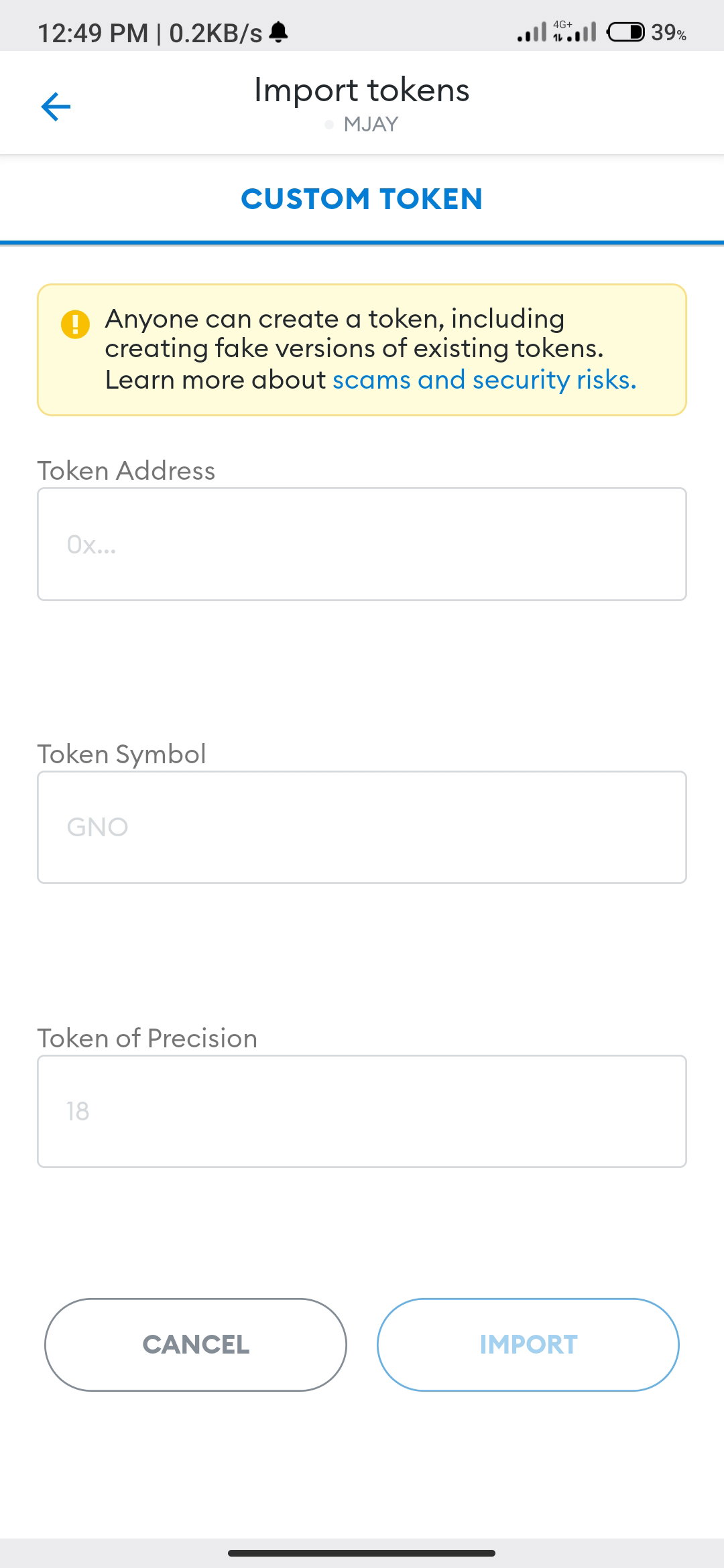
BNB token contract address- 0x095418A82BC2439703b69fbE1210824F2247D77c Copy the contract address then paste it to **Token Address** After setting up- it will show like this in the picture below.
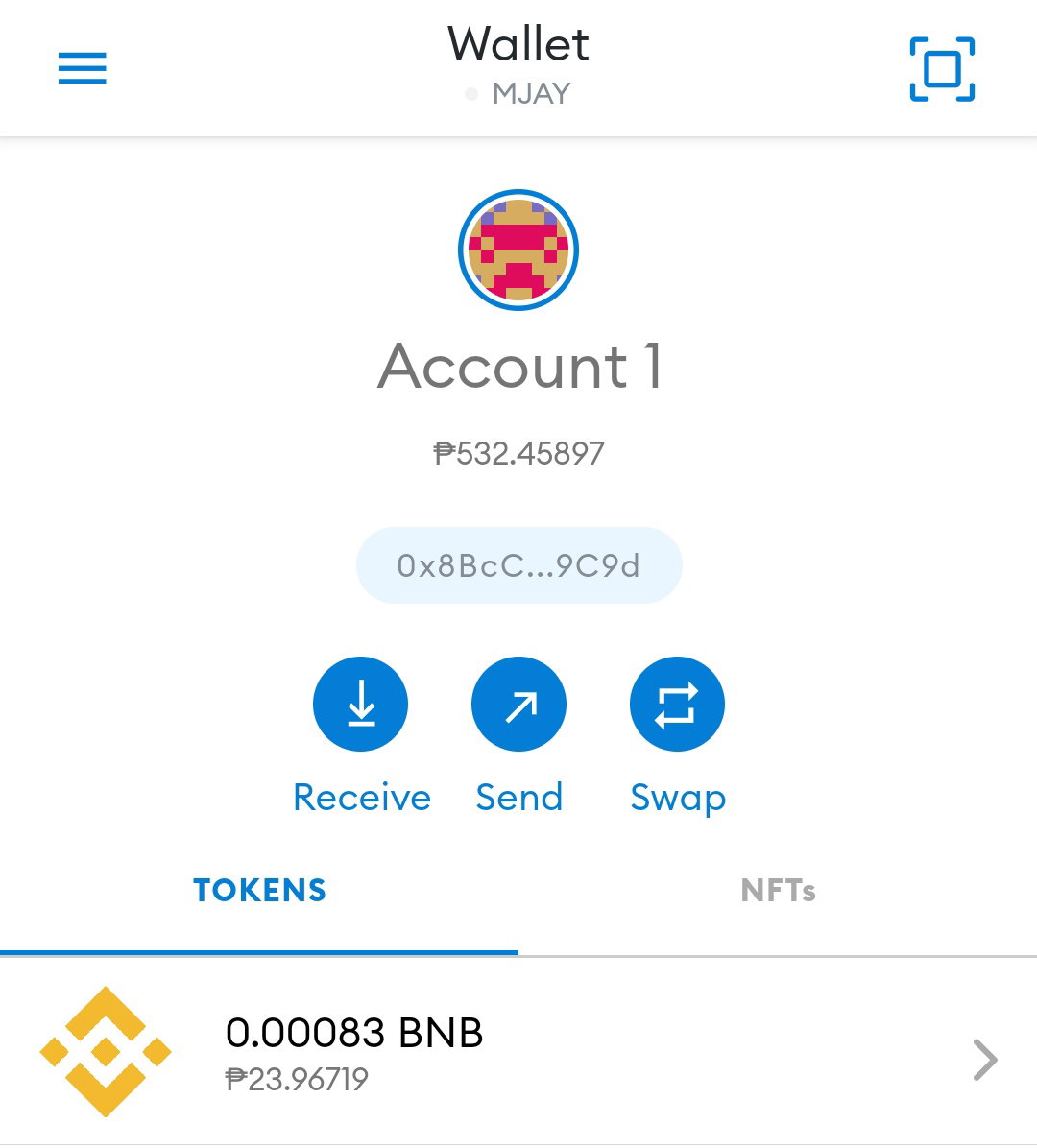
Then click BNB Click Recieve
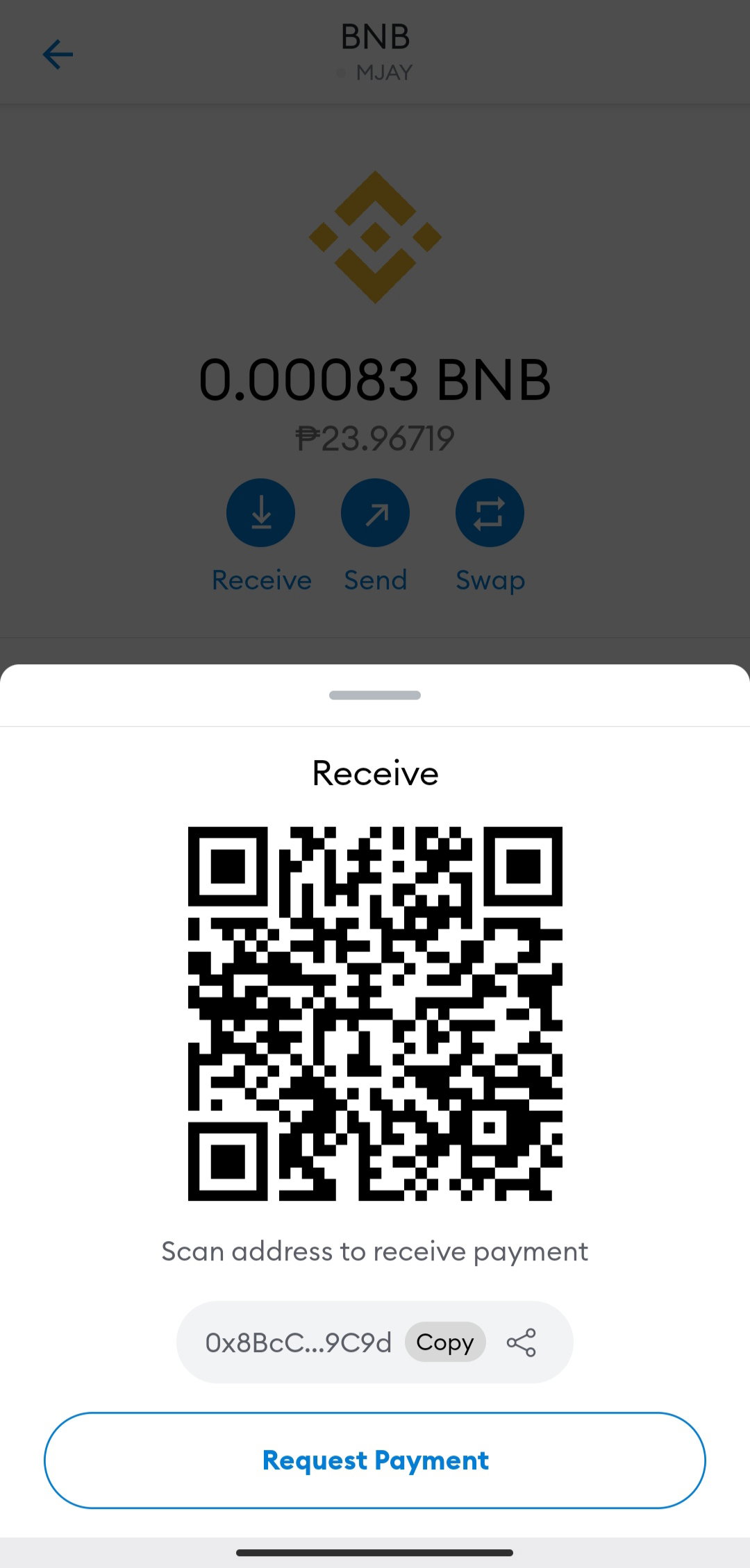
Copy the BNB address and Paste it to the Withdrawal of BNB in your Binance Account.
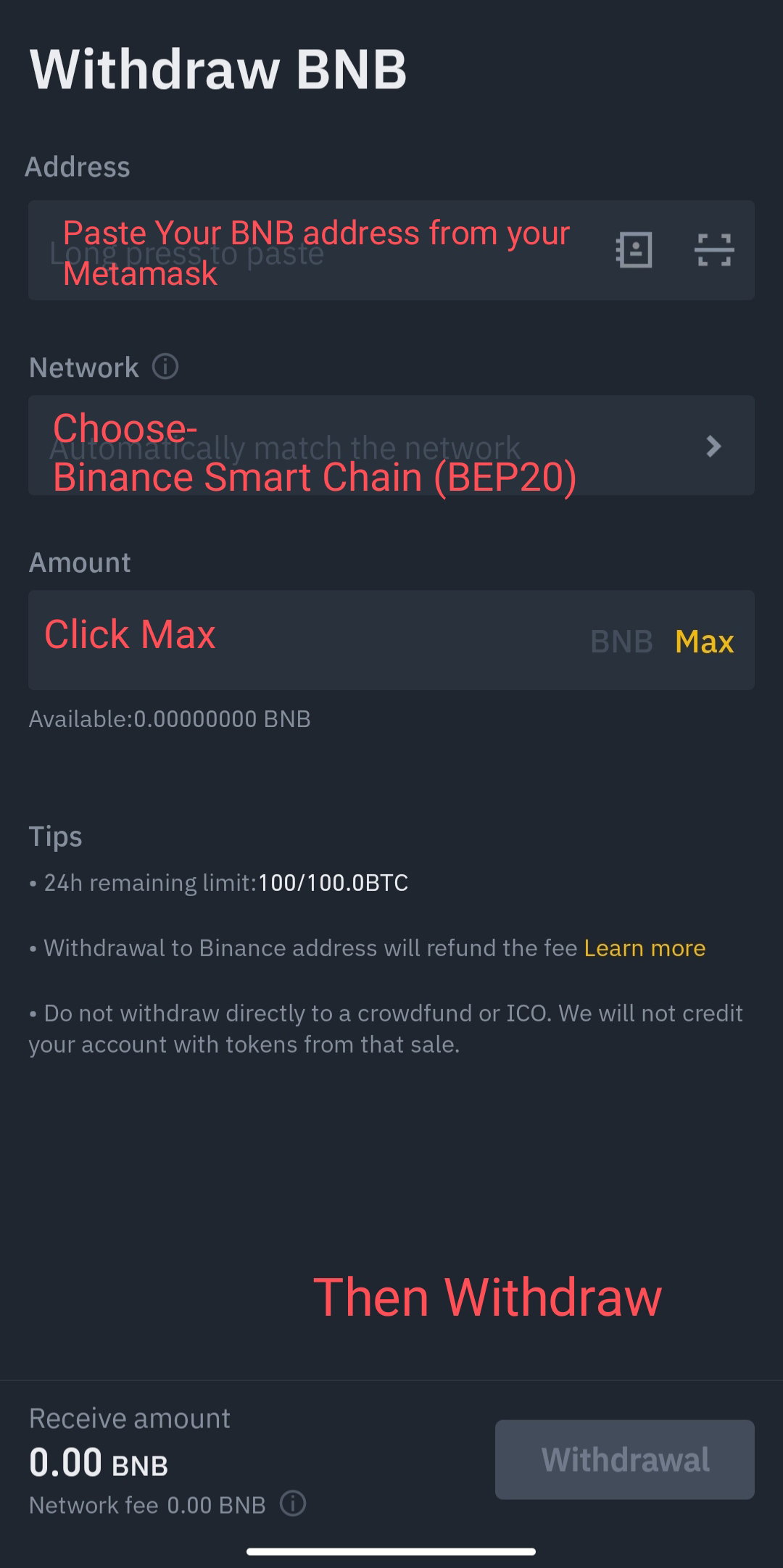
After a minutes the BNB from Your Binance account will be transferred to your Metamask. **LAST STEP- Buying of tokens** Go to Metamask- Click Browser
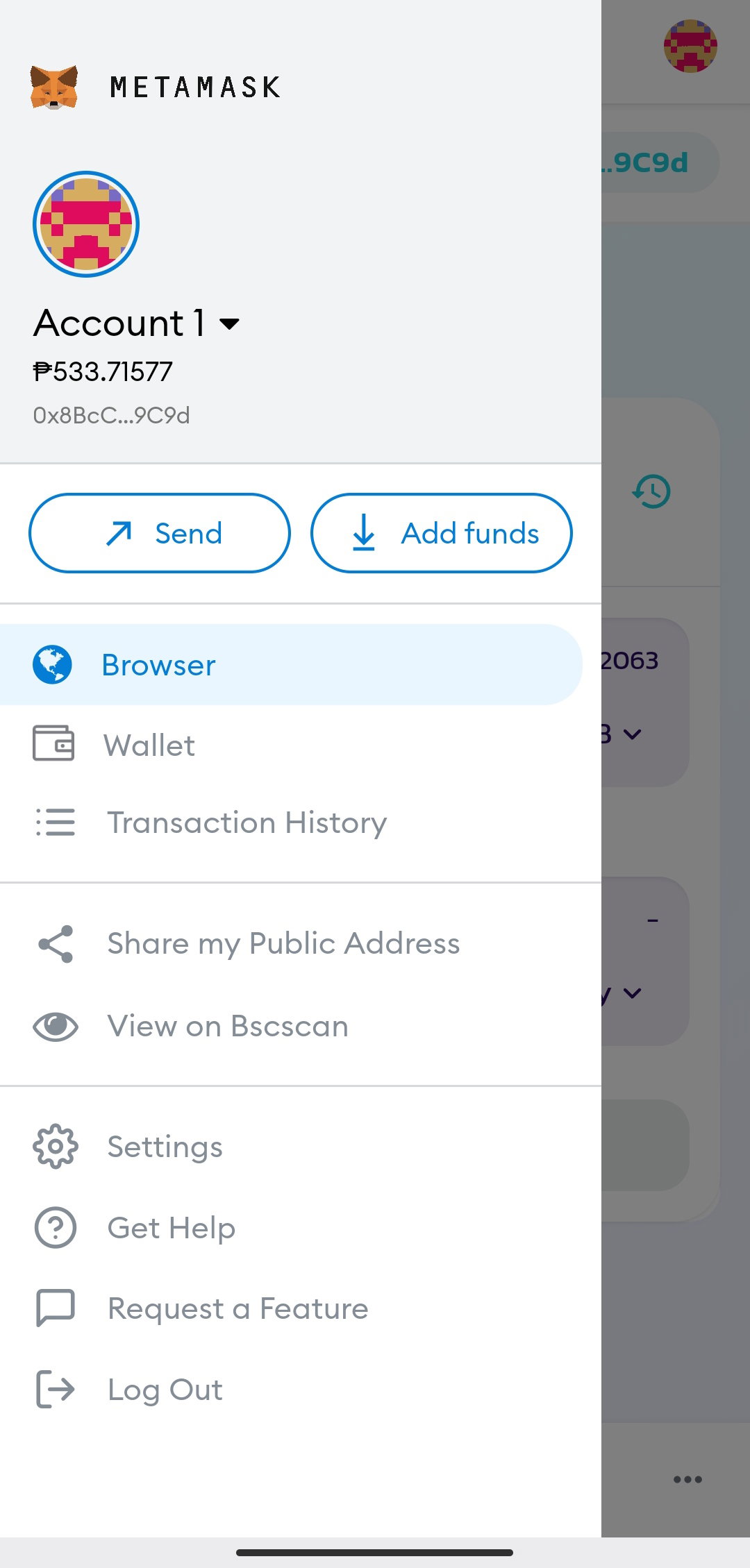
Then Search **Pancakeswap Exchange** Select the tokens You want to buy
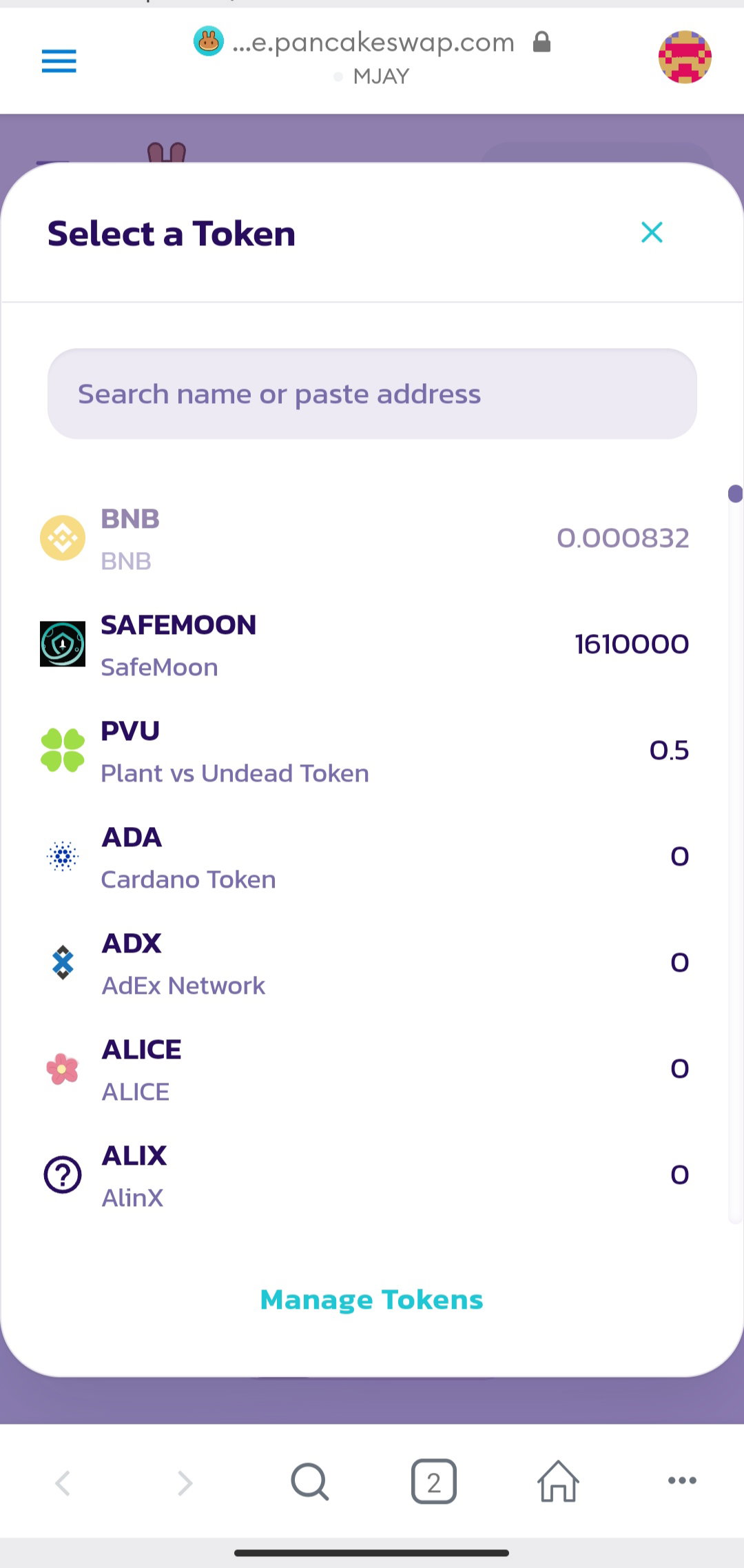
**Note: You can buy and hold tokens you want to this site Pancakeswap, Apeswap and Pocoin. Just search that in metamask browser.** **Author's Message** I hope that You understand my steps on how I hold my own Tokens. I exchange my tokens to USDT if they are pumping. At the end of the Day, it's your decision to take a risk or just stay your comfort zone. If you have anything to ask just drop down below. I know this is not easy to explain how I hold my tokens, but I do my best for you to understand. I hope you learn something today. **Ps:Make your own research on what are tokens that is Nice to Hold. For me I bought Shiba Inu, Safemoon, HashPanda and UFO Gaming.** **Disclaimer: This is not Financial Advice and I am not Financial Advisor. I just shared my Thoughts or ways on how I hold my tokens.** You can Read My Sponsors Articles **Thank You so Much** ****Readers******,** ****Who drop comments******,** ****Give Upvotes******, and especially to my** ****Generous Sponsors******.** **Lead Image is Mine and I Edited it** ****All Photos Posted are Mine.****

40 comments
This is informative bunso, good luck for your holdings.
Thank You so much Ate Grace. Kala ko diko ma explain hehehe. Nahirapan ako ate pero okay na.
Oh. We have another trader here 😁
Bago lang Po Ate Jane hehehe. Thank You so much❣️
Charss.. Buti ka pa dong ... May paganyan kanang alam sa buying things about tokens at kung ano-ano pa about that.. Ako, ewan.. Takot ako mag-try.. Hahaha...
Dipa ko pa masyadong kabisado lahat ate ren. Nagsimula din ako sa ganyan, there's nothing wrong to invest. Iniisip ko kasi na pwede kung pagkakitaan pa ang mga naipon kung pera kahit maliit lang man.
Parang di pa ako confident, baka maging wrong lang din pag ako ang nag-risk. Di naman sa nega, di lang din talaga risk taker masyado lalo na pag pera ang pinag-uusapan. Di kasi ako marunong mag-handle..
Right time ate ren, paghanda kana. Wag muna ipilit sarili mo.
Hehehe...Sharw mo nalang sa'min yung sobra-sobra mo dong pag sobrang dami munag earnings.. HAHAHA Kidding Aside..🤣
Hahha no probs. Ate ren
hehehe... ang bait..☺️
This is a big help and well explained talaga. Thank you. Already saved this information.
Thank You so much Ate. I hope it will help you.
wala jud koy alam ayy hahaha
Hahah pagtuon na uyy. Free ra kaayo mag tuon.
*Wow thank you ani nga guide. Sa metamask man lang ko naghold, try nako mag open ug binance account.*
Welcome Po ate. Try mo po ate
*Ok, I try ko yan para madagdagan ang tokens na na hold ko.*
Wow, sana all my holdings,,but anyways thank you for this wonderful guidelines.
Heheh Welcome Po.
Unsa imong ginagamit mag verified ug account bff?
Kang papa akuang gamit BFF kay wala paman koy valid I.D gud. SSS I.D to iyaha, dali ra kaayo.
You did a great job buddy. I think this is the best ever and easy method for newbies for understanding about buying the tokens. If someone needs help regarding tokens I will suggest this article to them. Keep up the good work mate.
Thank You so much because You appreciate my works. I will surely do good more. Thanks mate!
Sanaol dghan ng nabal.an haha actually gusto sad nako na ipang try kaso busy jud kaayu sa work ay, way time mag asikaso sa Bch lang jud ko tas binance ana ra. Hehe
Hahhha gamay pa tawon ya. Pag maka time ka ya pwede kayka mag tuon, hehhe
Lage unta hehe puhon nalang kay busy jud ko hehe kani ra ako ma pansin kaayu sa karon haha
Take your time ya, lisod ug kapoy biya na inyuha trabaho.
Nahayssssss, ayos na ayos 💪. Sana lang mag DYOR muna sila bago papasok sa ganyan para naman diba. Mahirap na.
Oo nga Ate Ruffa.
Thanks for this, hindi pa talaga ako familiar sa Binance, ang daming gumagamit din ng wallet na yan.
Walang anuman ate, oo nga daming gumagamit nito.
wonderful lecture you don't know you have saved a life now. thanks
Welcome Sir! Thanks for dropping by.
Is a pleasure boss
Thanks for this info. I tried buying coins in meta but not able to sell them kay mi ubos kaajo ang value 😁 na pondo na lang
Always Welcome Ate. Lage nag baba ang ubang coins, sell nalang pag nag pump na.
Good one
Patudlo ko ani jieeee ha
Hahaha oo sure.