 @Ruffa
Enabling Sponsors Block
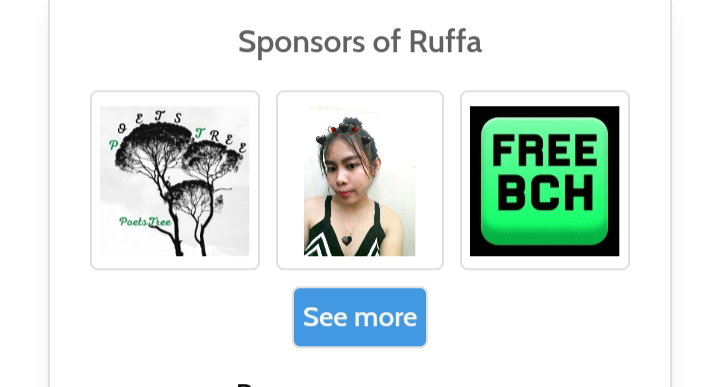
Hello Guys, this is for the newbies who doesn't have any idea about how to enable their **Sponsors Block**. What is Sponsors Block? This is one of the feature in read.cash, you can see it in your timeline or accout just above your Link. If someone want to sponsor you because of your Good Quality Content Article, they can use that as a way of supporting you.
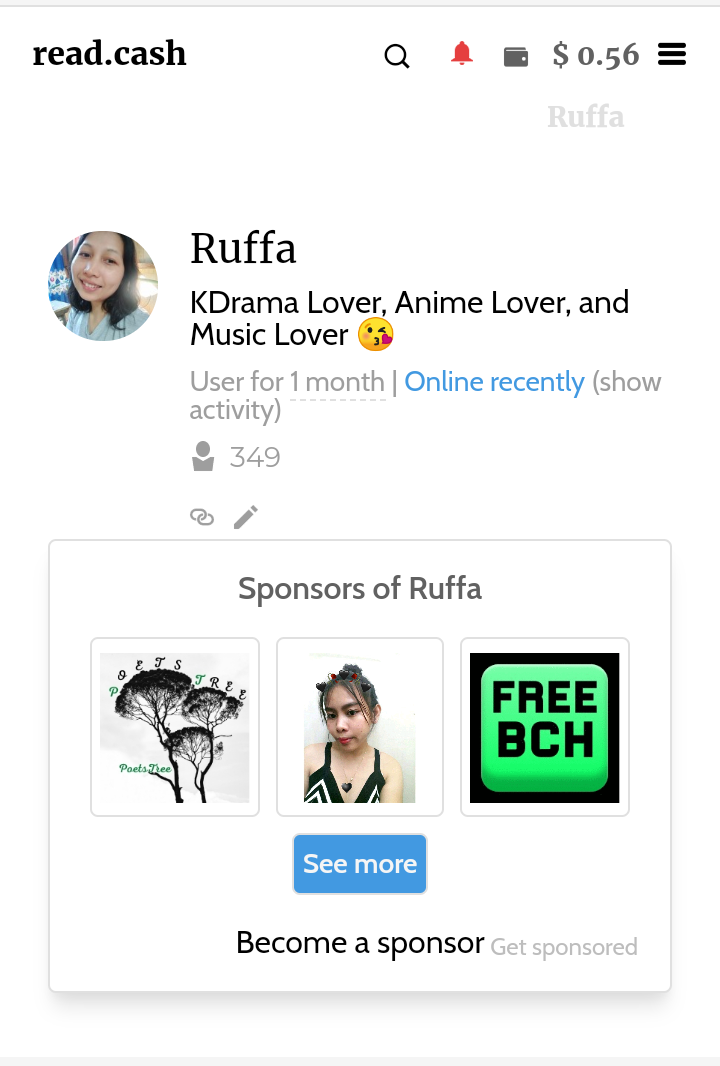
Enabling your sponsor block is so easy, I'm sure you will get it immediately. **1.) First, go to your timeline and open one of your Article, or go to 👇👇** https://read.cash/@YourUsername
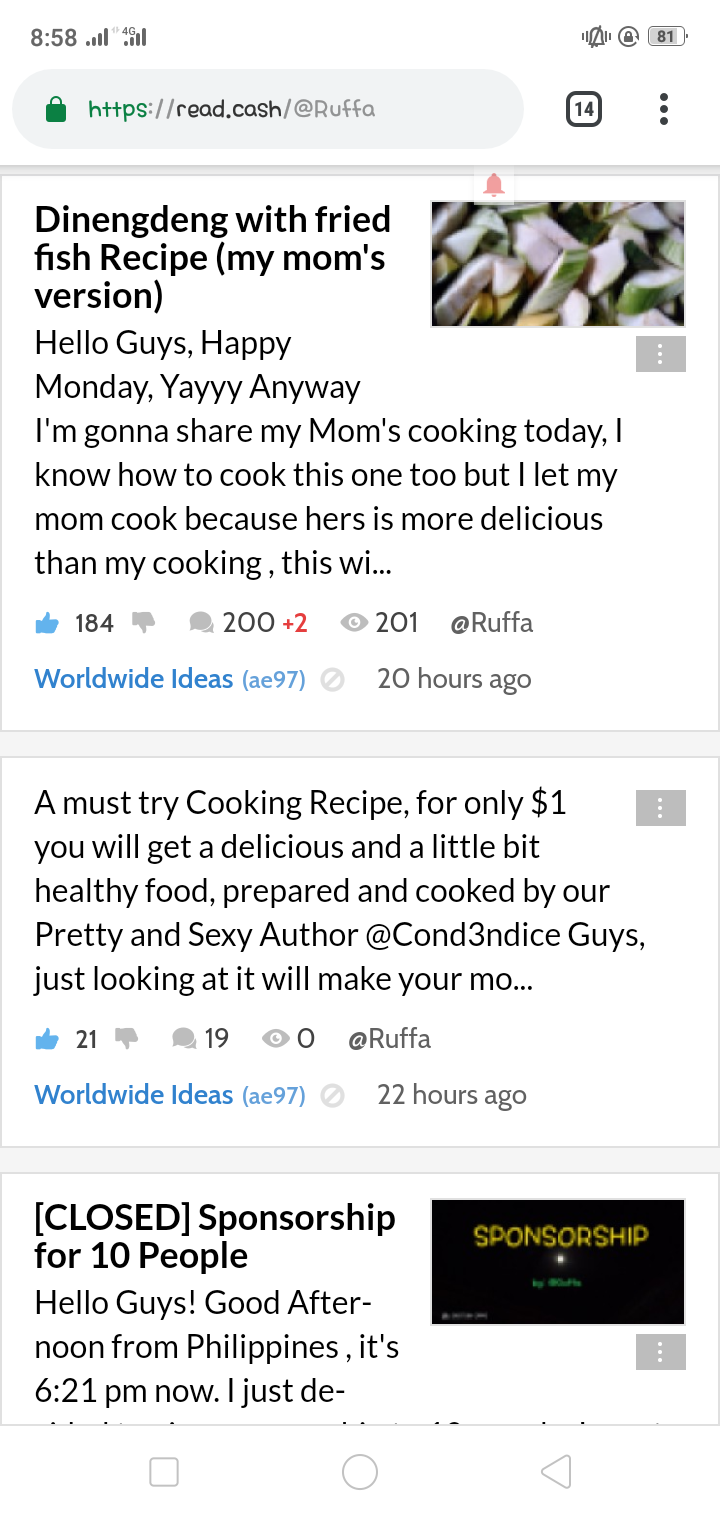
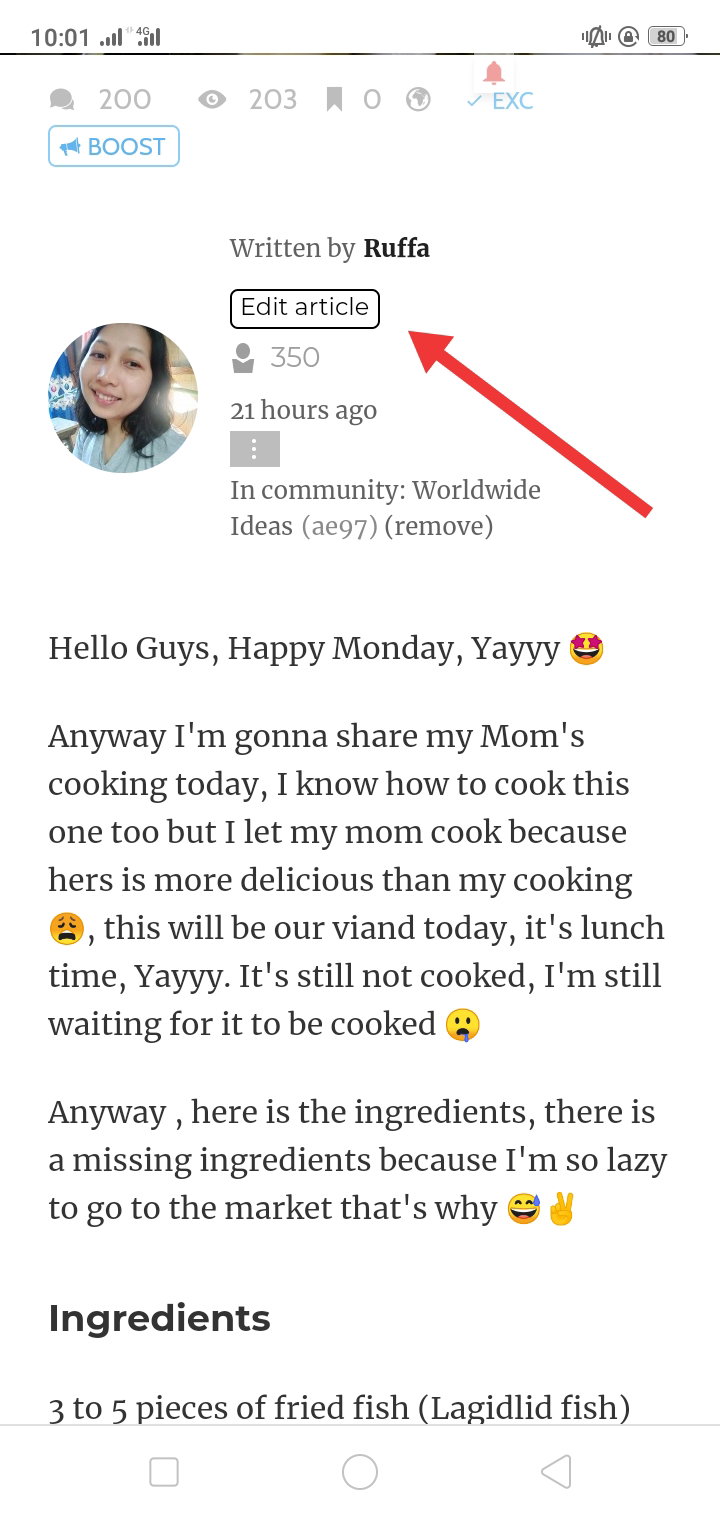
**2.) Open one of your Article and Tap Edit Article**
**3.) You can put it anywhere in your Article, Just tap in any blank space in your Article, in the top, middle or at the end of your Article.**
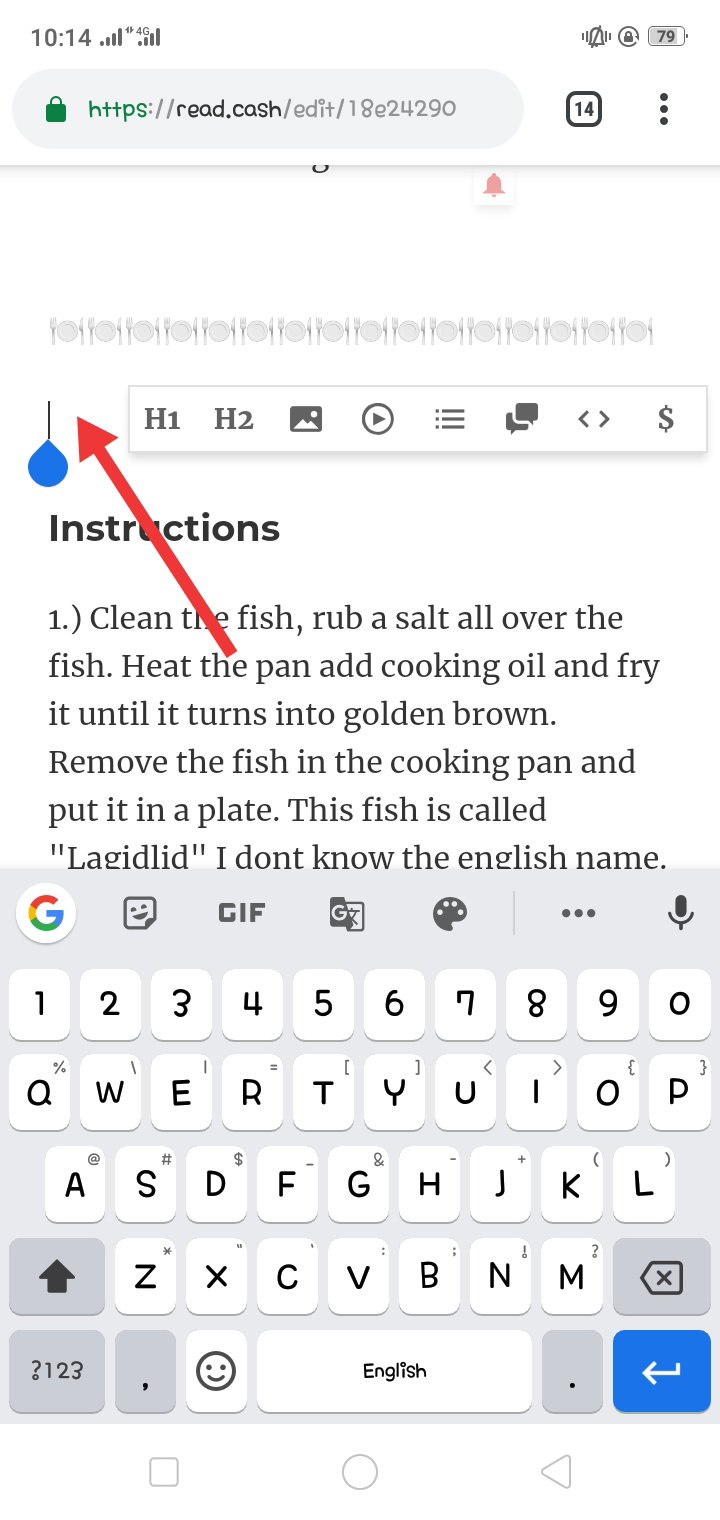
**4.) And this will show once you tap it, Header 1, Header 2, Add Image, Add Video Link, I forgot the next 3 Feature and the last or the $ sign that's the important matter in this article.**
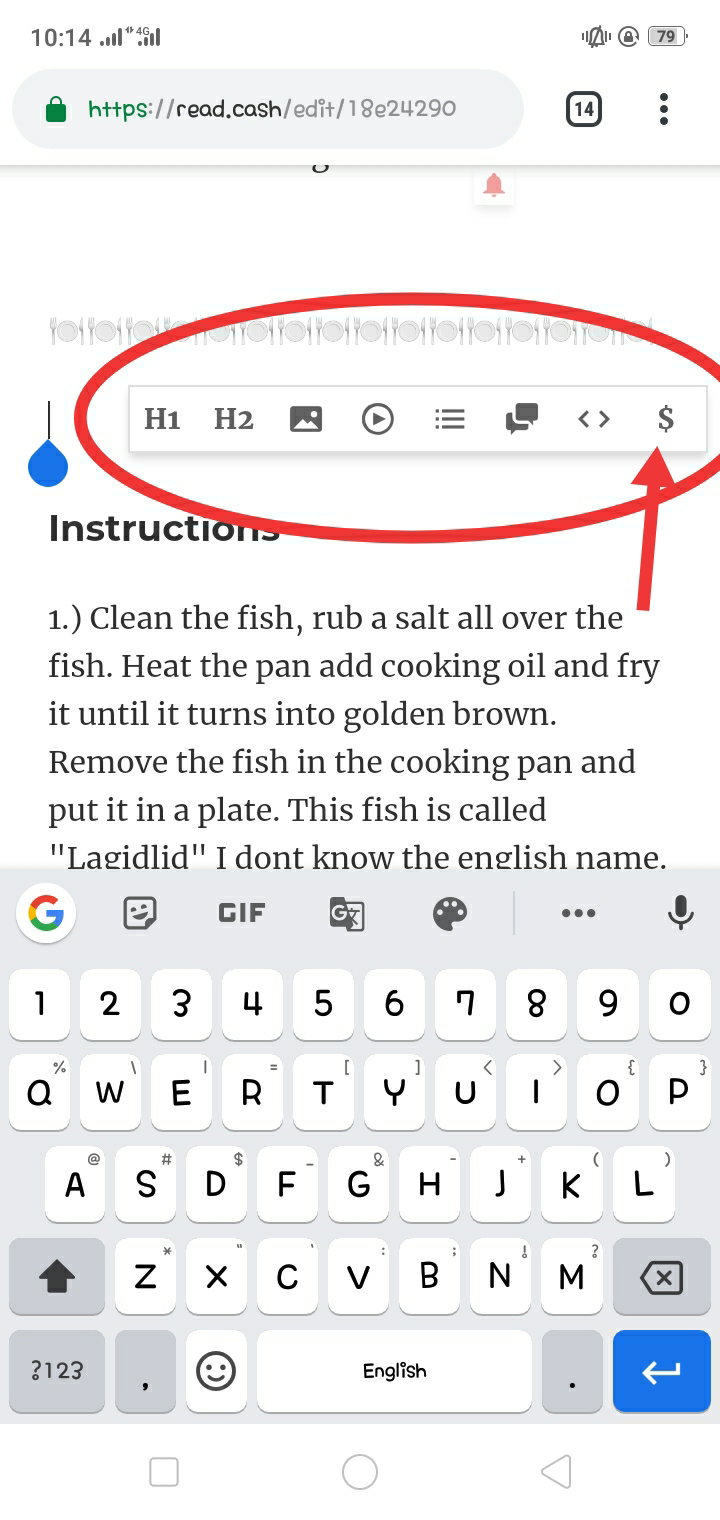
Don't mind me, just go on and continue what you are doing. **5.) Tap that $ sign and tadaaaaaaaa, save it and done.**
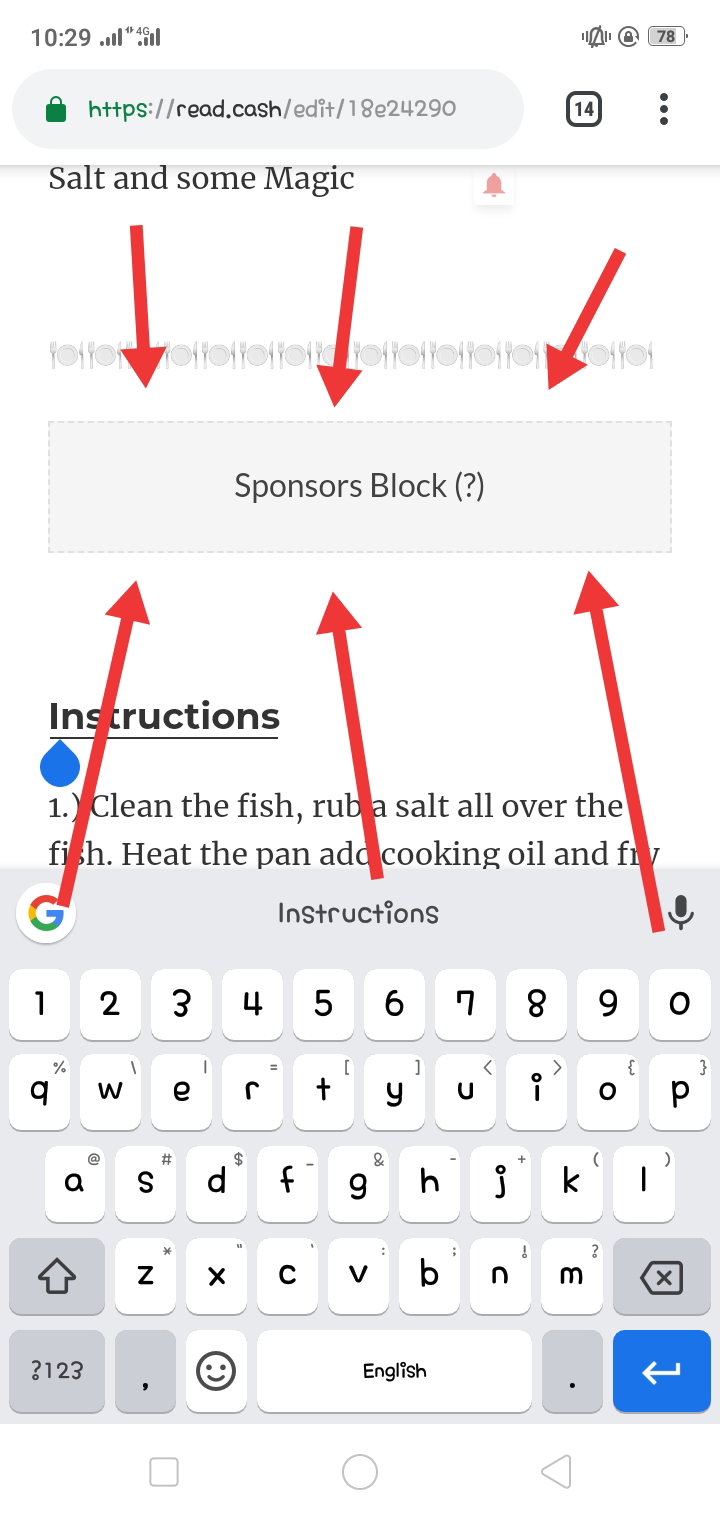
***Anyone can sponsor you now, but remember you need to convince them to sponsor you by your Article that has Good Content and Created by you and only you, and not copied in Googols.*** Important Once you use that Sponsor Block in your Article a Persistent Message will arrive in your Notification saying this
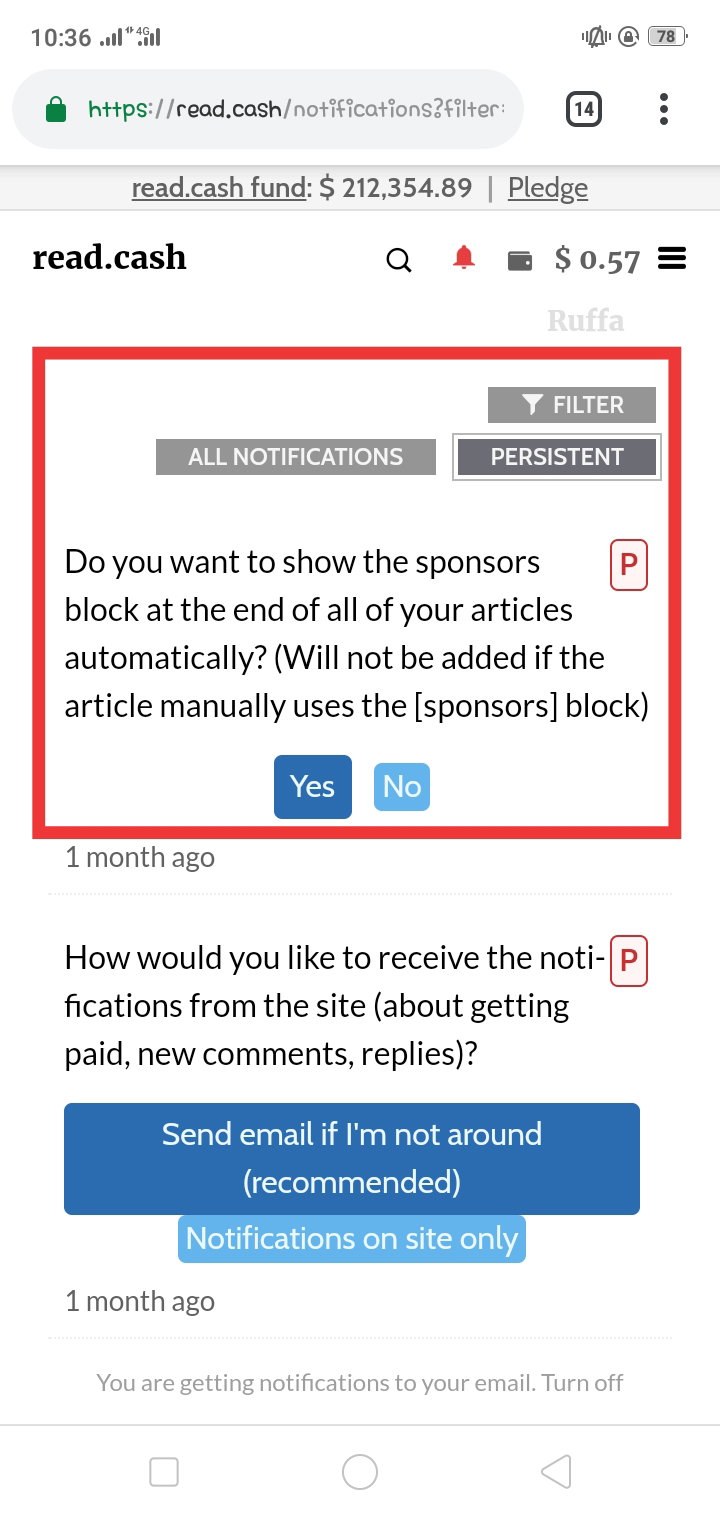
This is really convenient to us because we don't need to add it manually anymore, you can just tap **YES** and it will automatically appear at the end of your Articles. 💠💠💠💠💠HAPPY COOKING 💠💠💠💠
23 comments
thanks for this helpful tips now I know and I will try it thanks ❤️
thanks for sharing friend.
Mine is open. I am waiting 😑😑😑
Ahahaha, excited much? I'm the one asking for tour sponsorship right? Where I'm waiting now
Ladies fast. I have a cucumber but you don't have. So definitely I am not a lady. You first🤣🤣🤣
Oh, cucumber 😂😂😂 You 😂😂 fine 😂😂🙄
This is very helpful article.thanks for this great work
It’s really helpful for the new users.. I also didn’t know how to do it,then my friend said to me about it.however thanks for sharing this😍
Yes dear, me too, good thing someone teach me how to enable it, and thats it
Yey. very good and helpful article sis. Thanks sis
You're welcome sis 😘
Nice content. This can be added as a user guide to all newbies out there. More cooking with video! Ahaha
Ahahaha, thank you po 😂 Walang video mahirap mag edit 😅
Kaya mo yan ahaha
Thanks for this, I didn't even know about enabling Sponsorship block until someone showed me how
You're welcome 😊😁
👍
Thank you for this post. I gained knowledge about it. Though i'm not expecting for sponsorshiP Because i'm not as active as you all do in here atleast i learned a new one in RC.
You're welcome 😊 I just want to help the newbies that's why I created this 😁
Thanks again. I'll try do that if i get the chance to write an article again.
Okay, sure sure 😁
👍
Thanks for this post. It's helpful since im new here and still learning how to use. Hi! I will.love to be your friend 💖