 @OverThinker
edited
@OverThinker
edited
Steps to Digital Drawing (Line Art)
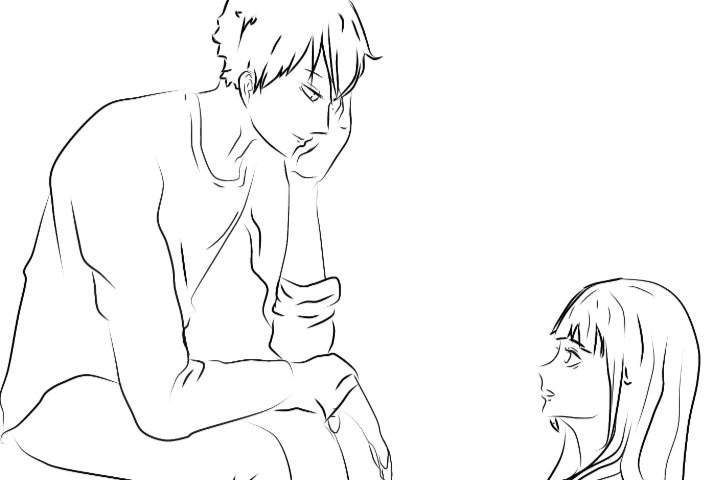
Hello Everyone! Today I will be sharing to you how I draw lineart Illustrations. I was planning on coloring this but it's still a work in progress so probably be posting it on my next article. So the software I used to make this is ibisPaint X. Hope you like it!
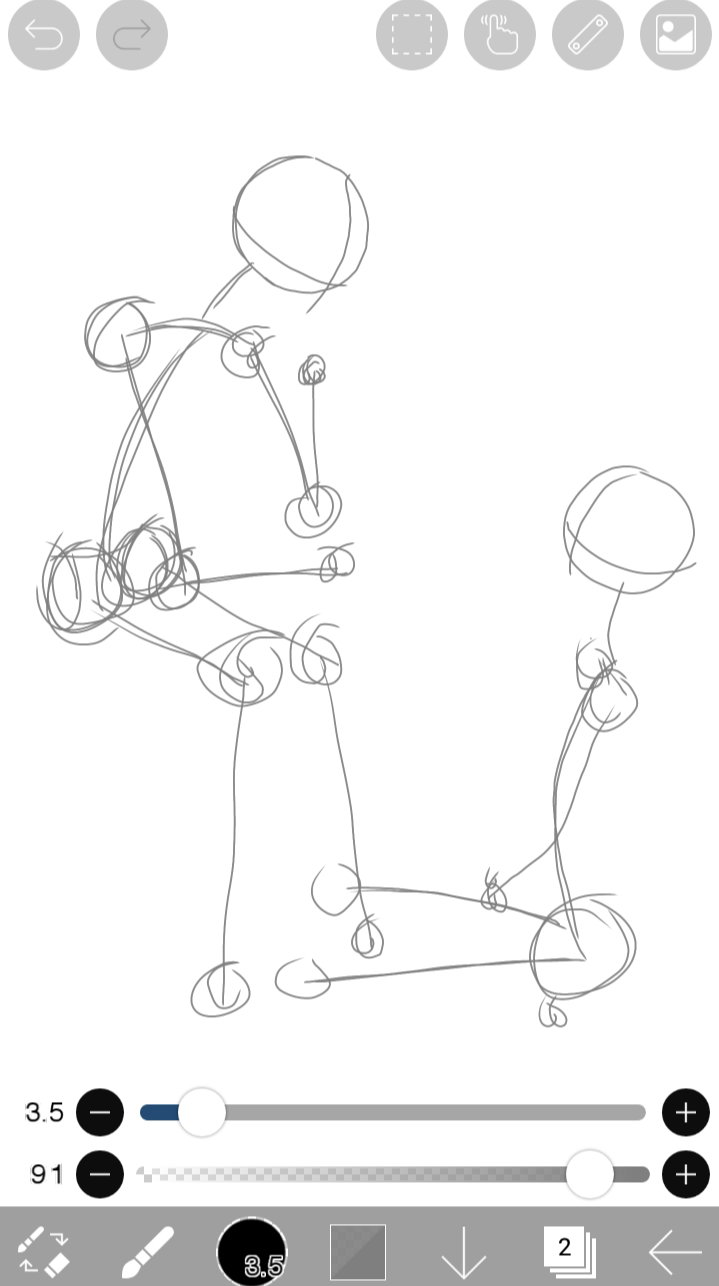
So the first step is to imagine what you would like to draw then make a skeleton. Just draw the points that'll serve as the foundation of your figure. Here, the circles I draw indicates the joints and the head. Use the brush tool and add a layer.
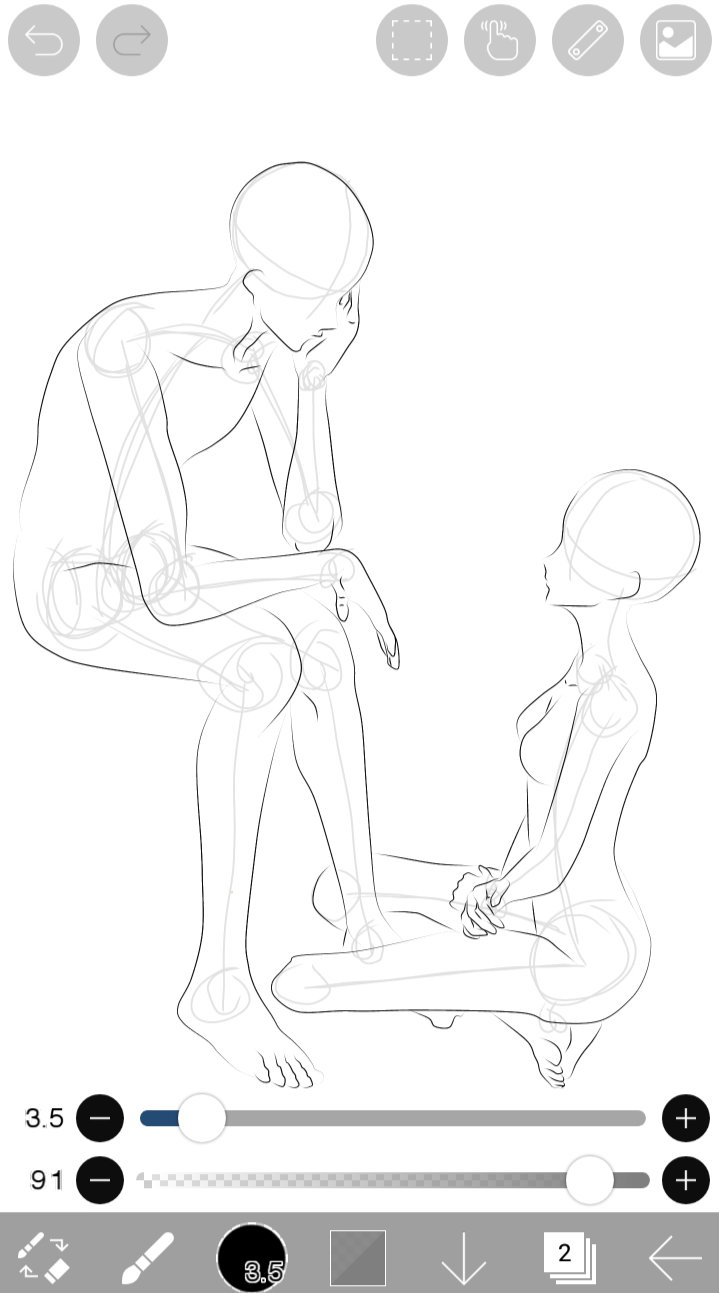
From the skeleton I draw, I made a rough sketch of the figure on the second layer. I used the brush tool (hard point) and eraser for erasing unwanted lines.
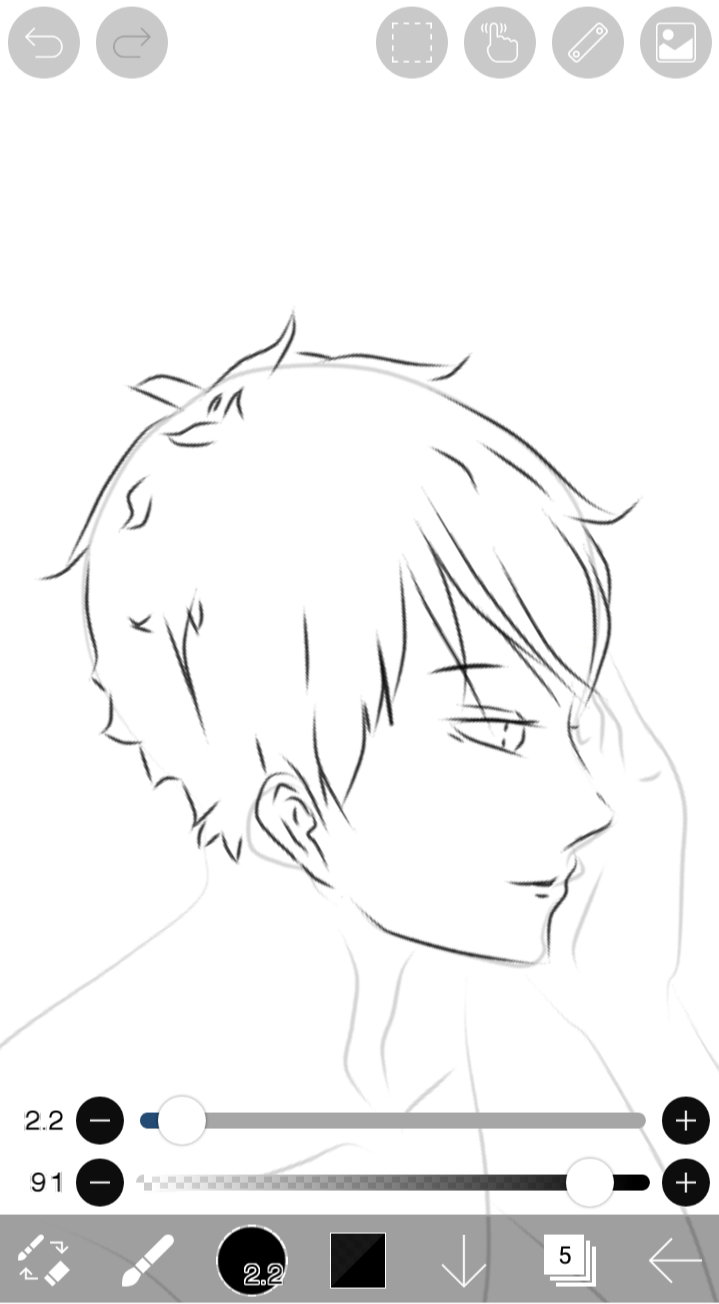
After drawing the body figure, I draw the details of the face and hair. Add another layer for this.
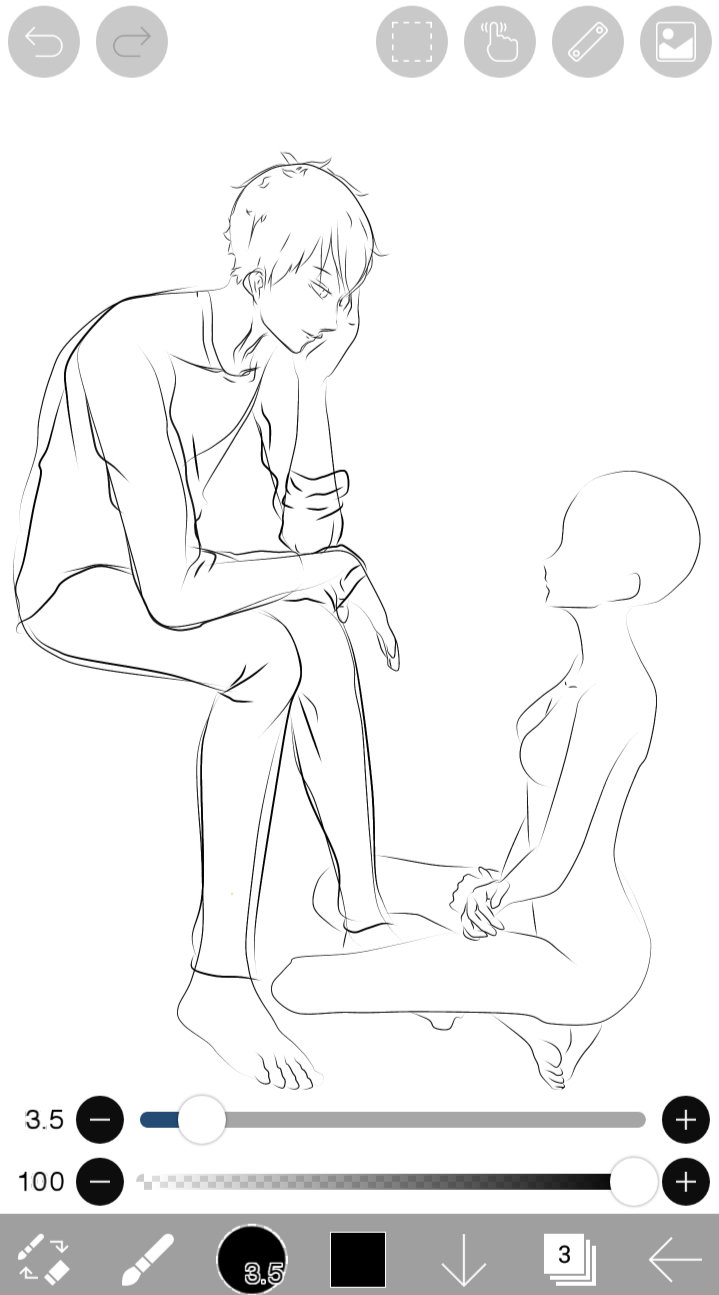
Next step is draw the clothes. I draw the clothes in another layer.
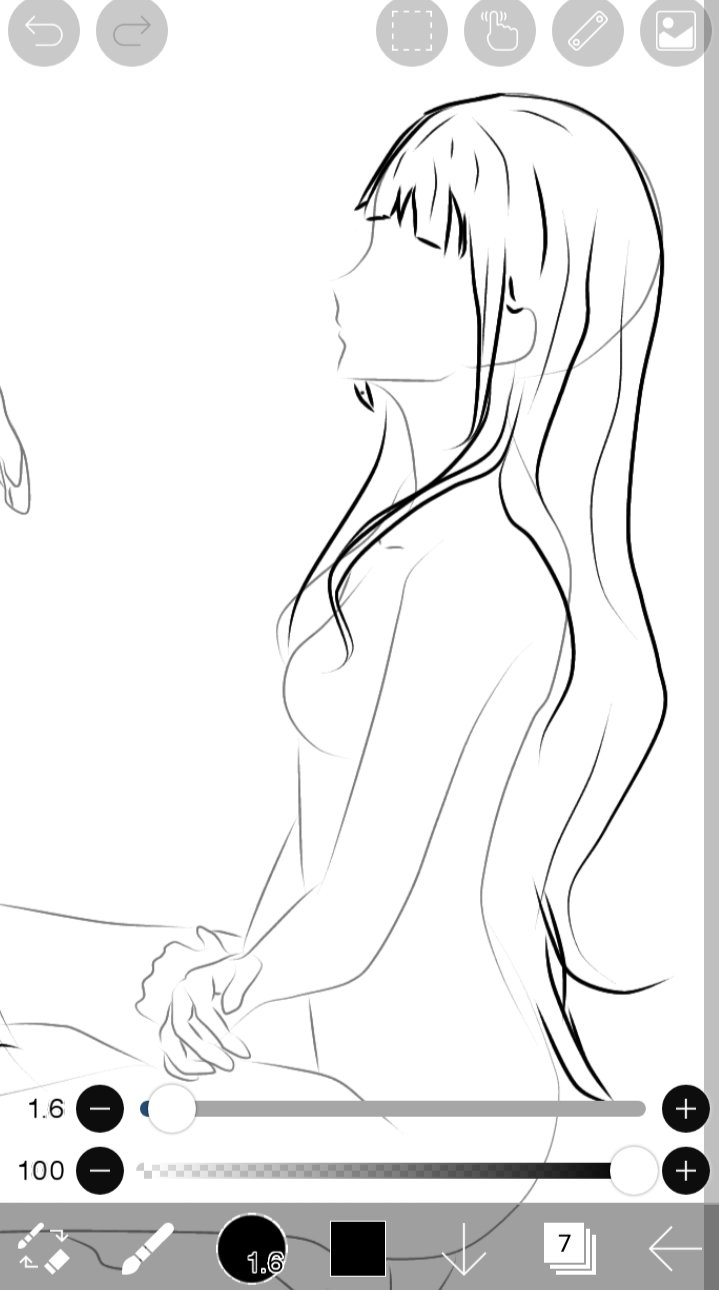
After drawing the clothes, face and hair of the male character I then proceed to the next figure. I draw her hair in a new layer.
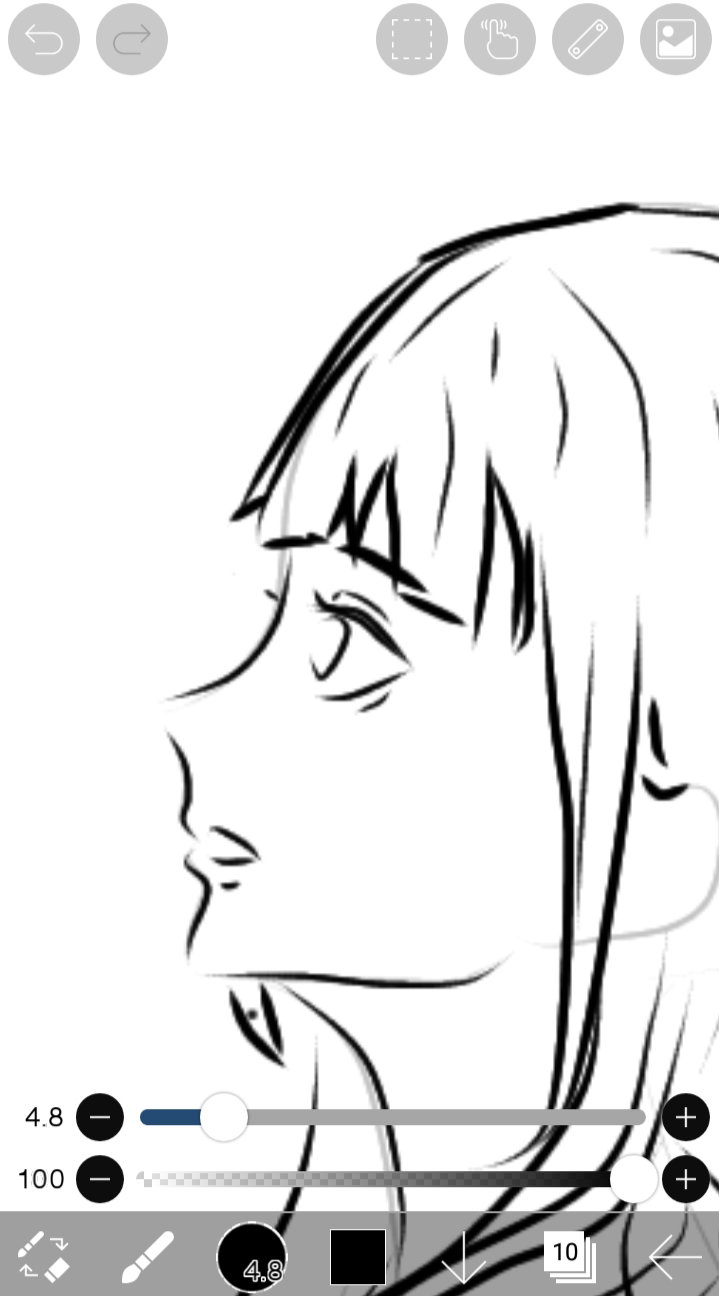
After drawing the hair, I proceed in making her face.
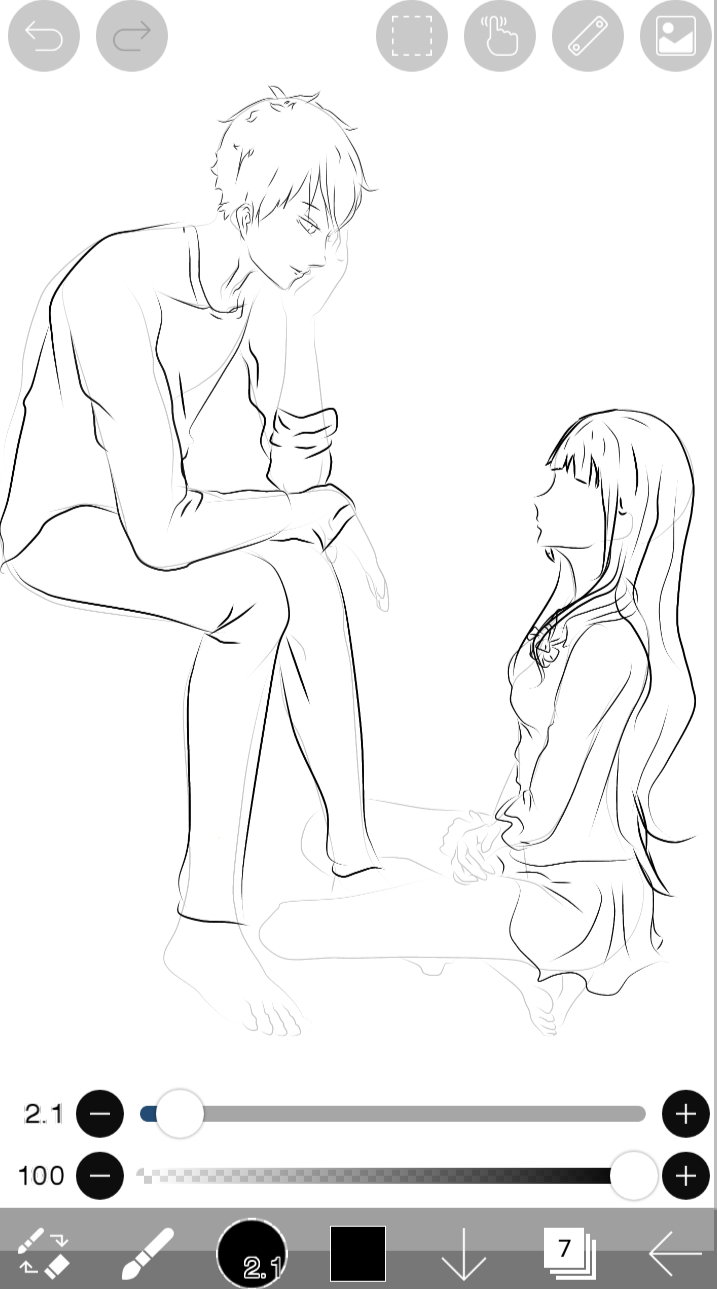
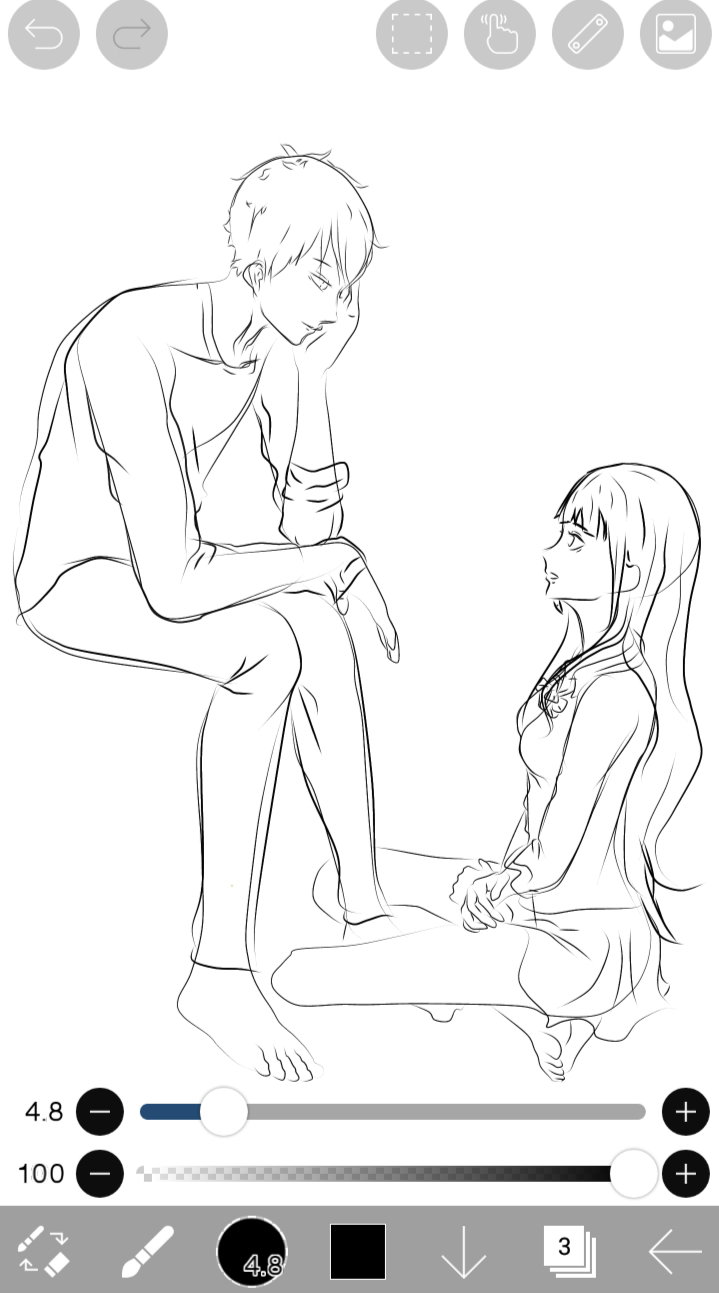
Then I draw her clothes.
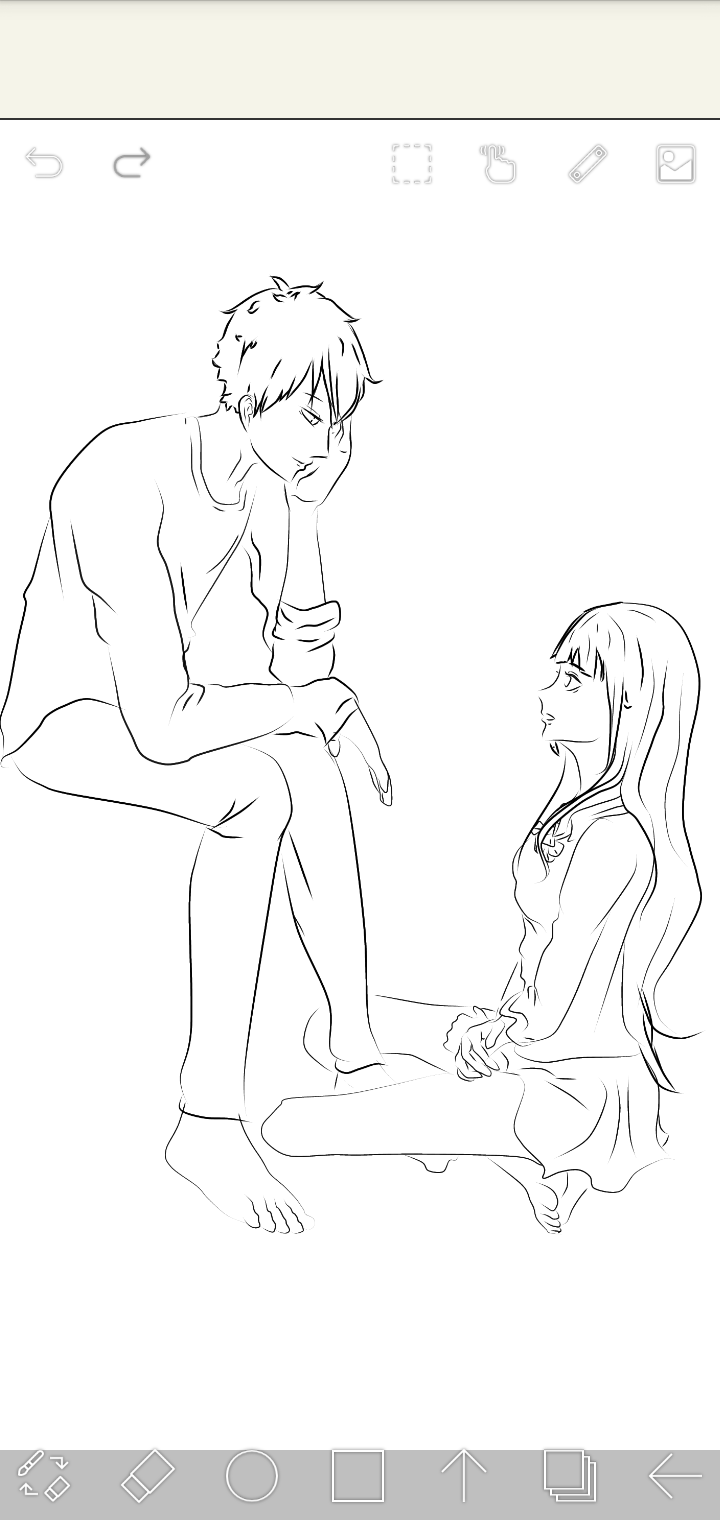
The last step I do is erasing the unwanted lines. So that's the step on how I make my own line art. I am a noob when it comes to colors but I'll try my best to post another article on how I'll be coloring this art. I hope you learned something 😊 Stay tuned for the next article. Please don't hesitate to drop a comment down below your thoughts regarding this article. Lovelots!

71 comments
You're really good in arts, digital or not. You really love drawing especially anime characters.
Hahahaha I do😂 drawing anime stuff is something I find relaxing and satisfying. Thank you for the compliment but I am not that super good, I am still learning to grow hahahahaha.
It's just a natural talent doing something like that even if you're still a newbie. Be proud of that.
Aweeeee. Thanks a lot
Wow this is great. I've tried digital arts before but I think it's not for me so I just stick to traditional arts. Looking forward to the colored version of this.
Thank you very much @Baij. I was also used to traditional drawings (charcoal pencil, coloring pencil, oil pastel, water color) but I tried adapting to this kind of art. Was kinda difficult at first but it gets easier as you continued making more digital drawings.
Wow. Hope i can learn that too😍
Yes. I know you can learn it too😊
Yeah. Hihihi hope you'll teach me once we got back at dorm
No problem hahaahhaha. My rate per hour is at a good price. Kidding😂
Hahahhaa susumbong kita kay tsukii
Hahaahaha. Charot lang. Baka sungitan ulit ako nun hahahahhaa😂
Kelan ba yon hindi sumungit?
Hahahahha. Kapag kasama ako? Hahaha charot😂 in your dreams papsh, inyour dreams hahahahaha
Assuming ka ghorl? Hahahha by the way, congrats dear!
Hahahahah. Congrats din dear. As expected from you, you managed to maintain your position hahahahahahhaha.
Sanaganyan din ka consistent sa acads. Nakunaku. Kelan ka palang puntang guino?
Di na ko mag aaral. Gagawin ko na lng fulltime ang business ko dito sa readcash hahahahaha. Charot😂 Di ko knows, depende kung kelan pwede
Wow paps. You're so good at this. ❣😍 Are you only using your fingers while doing that?
Yes I am only using my fingers hahahaha.
Have you maybe used sai? I'd like to learn digital arts too :""
No i didn't. You can learn how to do it, it'll be difficult in the start but as soon as you know the basic functions everything will just be easy😊
I still avoid digital arts like the plague because i get irritated with doing the line art so much 😂 n3pt because of the functions
It sure is very complicated but there are other softwares that has easy functions. Even myself is having difficulties doing line art using photoshop so I find other softwares having a not so complicated tools. Btw, it's a good thing that you know how to make traditional drawings💕
I've tried the ones on a tablet then i tried a few softwares but really, the line art will be the death of me. Can't even manage to rhe lines right by mouse or by fingers Oh you saw those? Traditional art is the only thing i can manage 😂
Hahahaha. Maybe it's not just your preferred style of art but I know you'll manage to make one someday😊 yesssss! I saw your worksss. I've stalked you for a while now coz I somehow saw your comments on Baij 's post then I followed u there.
I remember being able to make something on paint before though... I'll try looking for it later. @Baij is the glue and the secret link that binds people together OwO I fell in love with her style of drawing because it gets colorful. Mine is pretty monotone, in a sense
Yes I agree hahahaha. Baij sure is amazing. Her style is different from yours but both of em gives off different artistic appeal💕 both of you are doing great.
Yeah, she goes on a more realistic approach while mine is stuck at the gothic level i developed way back in highschool
Yes. But you're so good at watercolors and not all artists can manage to do that.
I actually dislike water colors because they take up so much time for all the layers to settle in and dry up
Yeah I agree. Using water color do take up a lot of time to dry up but then you're doing great at it. If you dislike watercolors, what tools do you prefer to use?
I used to have color pencils abd markers as my main mediums but then they git a bit too pricey so i stuck with pens. Though my art style changes with the medium too
I see. Art materials sure are expensive especially of those with high quality.
Not really, it's all about knowing what goes well with what and knowing how to work with any medium. I mean, all the things i draw with are basically the cheap stuff you find in stores so it's really just with practice
Yeah. Good artists do can make cheap stuff look expensive😊 It's not about the tools it's about the talent👏💕
That I believe. I notice it if I write. It makes a big difference if I write by hand, with help if my phone, speak or (like I tried lately) with a laptop.
Same concept, yeah. It also applies to when you switch pens, actually because no pen will feel like the other so there's also a very slight change
Tue, same with the paper.
Yayyyy I felt so flattered. It's so good to know a lot of people in this platform that shares the same interest. It's great that we have different approach or art styles because we can somehow learn new stuffs. Hanzel working with watercolor and scribbling, OverThinker's into digital arts and I'm into colored pencil portraits ❤❤
This is it 😂😂😂 I can feel art slowly starting to prosper in this platform
I agree. I'm hoping to know more artists having different styles in art. Let's share our talents in this platform😂
I love art
Everyone sure loves art😊
I watched it but I can not say I learned something. It's nice to see how you did it but these programs I will never understand or practice. Same if it comes to photoshop. 👍🍀💕
I see. I'll just try my best to include the tools I've used on my next article. Thank you for your commendation😊
You are welcome. I guess for me it's easier to use a pencil than the computer stuff. 🍀
I used to say that too when I just started digital. But every people do have their preferences😊
I think I am to old or stupid to start and understand it all. I do everything the old fashioned way. Just writing no longer by hand although I make 1001 notes by hand.
I see. Softwares sure are a bit hard to understand sometimes specially of those with complex tools and buttons. But it's still good to know that we're not forgeting the traditional way. 😊
More comments