Sonar: SmartBCH Explorer
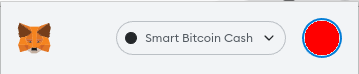
Hello, today in conjunction with Unit Venture, I am happy to announce Sonar - a new blockchain explorer for SmartBCH. Sonar provides a fully open source and easy to use interface to search transactions, account history, and tokens on smartBCH. Sonar is a fork of Blockscout - we have optimized it for smartBCH, adding LNS support as a defining feature. We tip our hats to the Blockscout team for providing such a great explorer to the greater crypto-ecosystem. https://unit.co.th/ https://sonar.cash https://blockscout.com/ Contract Verification Sonar makes it easy to publish the source code of smart contracts and make it publicly available and verifiable. Verification is possible for both Solidity and Vyper based contracts. The constructor parameters for the smart contract can also be stored. Developers of projects on SmartBCH have an additional incentive to fully publish their source code - so that transaction decoding by Sonar can show other users what actions people are using on their dApp. LNS Integration Users are able to view and search for LNS names throughout the interface. It is possible to easily see which validators are mining new blocks, and which named users or contracts are interacting. We pioneered the ENS integration as blockscout did not support it. https://bch.domains Token Support Both ERC-20 and ERC-721 (NFT) tokens have full support, with the ability to track ownership and transfers. API Interaction Developers have access to a rich GraphQL interface which exposes much of the underlying data that is available in the explorer. To learn how to integrate Sonar as a data source for your application, please read the GraphQL API documentation. Additionally, we provide a generic REST API for common tasks, such as getting list of tokens holders, or getting the ABI of a verified contract, amongst many other utility methods. You can find more information on our API documentation page: **https://sonar.cash/api-docs** https://docs.blockscout.com/for-users/api/graphql Setting Default Explorer in MetaMask To switch your MetaMask wallet to use the Sonar explorer, click the user profile icon in the top right of the MetaMask screen:
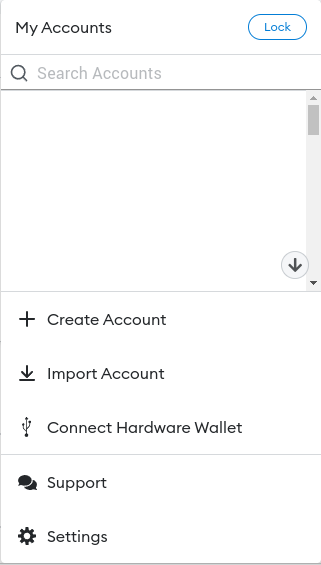
Then, click on the "Settings" tab at the bottom of the modal:
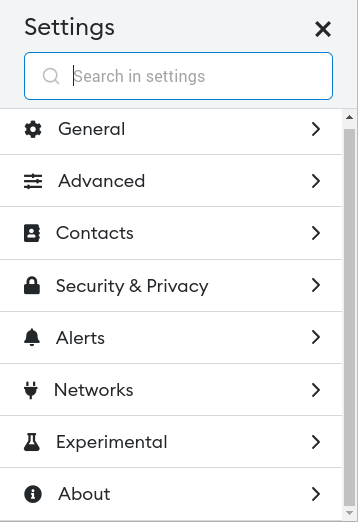
Click "Networks" in the Settings dropdown list:
Select "Smart Bitcoin Cash": Note: the name may be different depending on how you added the network
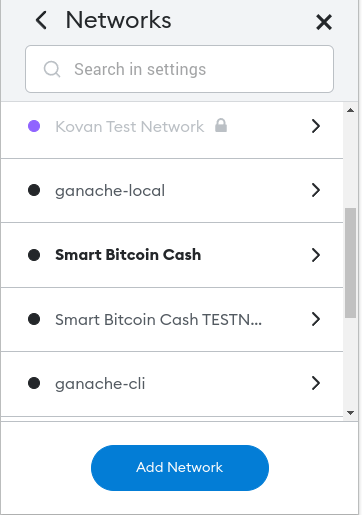
In "Block Explorer URL" set to "https://sonar.cash"
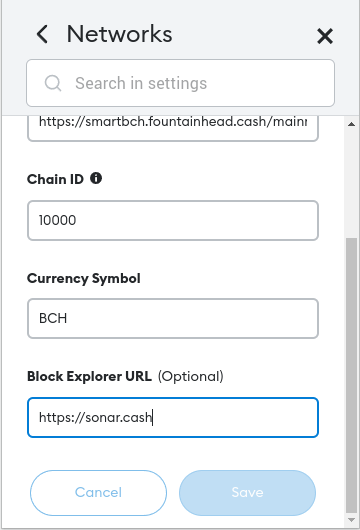
Click "Save" and now Sonar is your default block explorer. Woohoo :) Open Source Sonar, like all MistSwap products, is fully open source: https://github.com/mistswapdex/sonar Big shout out to maemon, makeitira1n, & mainnet_pat (@pat) for spearheading the port. Join the Community https://read.cash/@kasumi/smart-safe-multisig-smartbch-wallet-6fe4bcec#join-the-community Please join our Discord: https://discord.gg/mistswapdex Telegram: https://t.me/MistSwapOfficial Twitter (for announcements): https://twitter.com/mistswapdex Twitter (Unit): https://twitter.com/unitventure Learn more about Unit: https://unit.co.th https://unit.co.th/








1 comment
exceptionally great work! 👏 👍