 @avie018
edited
@avie018
edited
Fastest Wallet
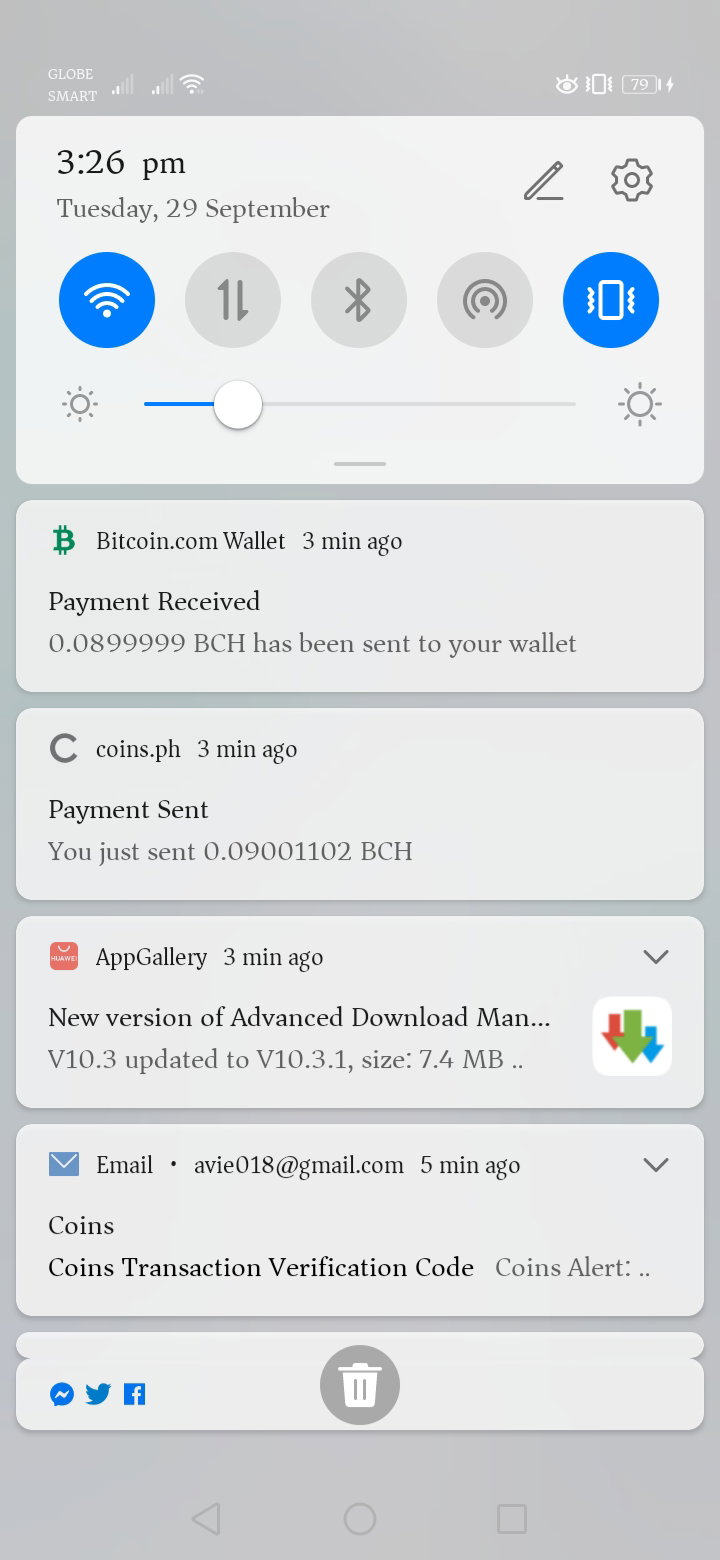
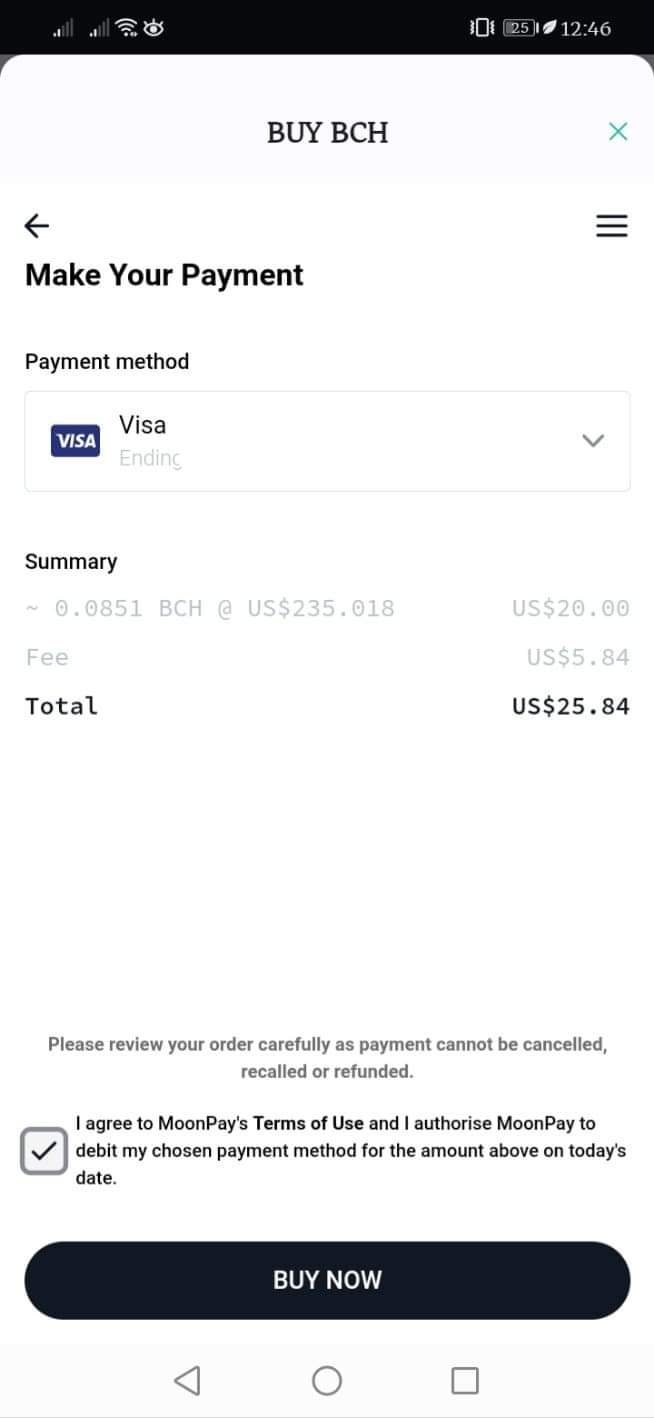
** every day I discover new things. As they all say, "Every morning is a blessing"* *Today, I wanted to try and use my* *Bitcoin.com* *wallet again. This wallet is new to me, although I used this before when we need to put QR code for the meme contest, and receiving tips from sir micropresident, I still used coins.ph for time to time. But today, I realized this is the fastest wallet I used so far. Then was curious if any visa card/master card here in the Philippines is accepted by it. It is not easy to get Visa/Mastercard here in the Philippines. But having a paymaya card is now easier.* https://www.bitcoin.com/ *So I tried my Paymaya visa card and it works! Now I wonder if it also works with other Visa BCH wallets too. I will find out. Stay tune. LOL*
*Now let me introduced what is Bitcoin.com and its features. (from my point of view and will add more if you want and comment it down! Thanks* **Bitcoin.com** https://www.bitcoin.com/ Bitcoin.com is a Bitcoin and Bitcoin Cash wallet you can use that is compatible with every wallet. How it works? https://www.bitcoin.com/ Download the Bitcoin.com to your android or iOS for free Create a wallet. Create as many as you'd like. Buy Bitcoin/Bitcoin Cash Start using your wallet - Send, Receive, Spend, Trade, Buy More easily. How to start? Already got one so I start here, almost same. I just add another wallet for demonstrating it.
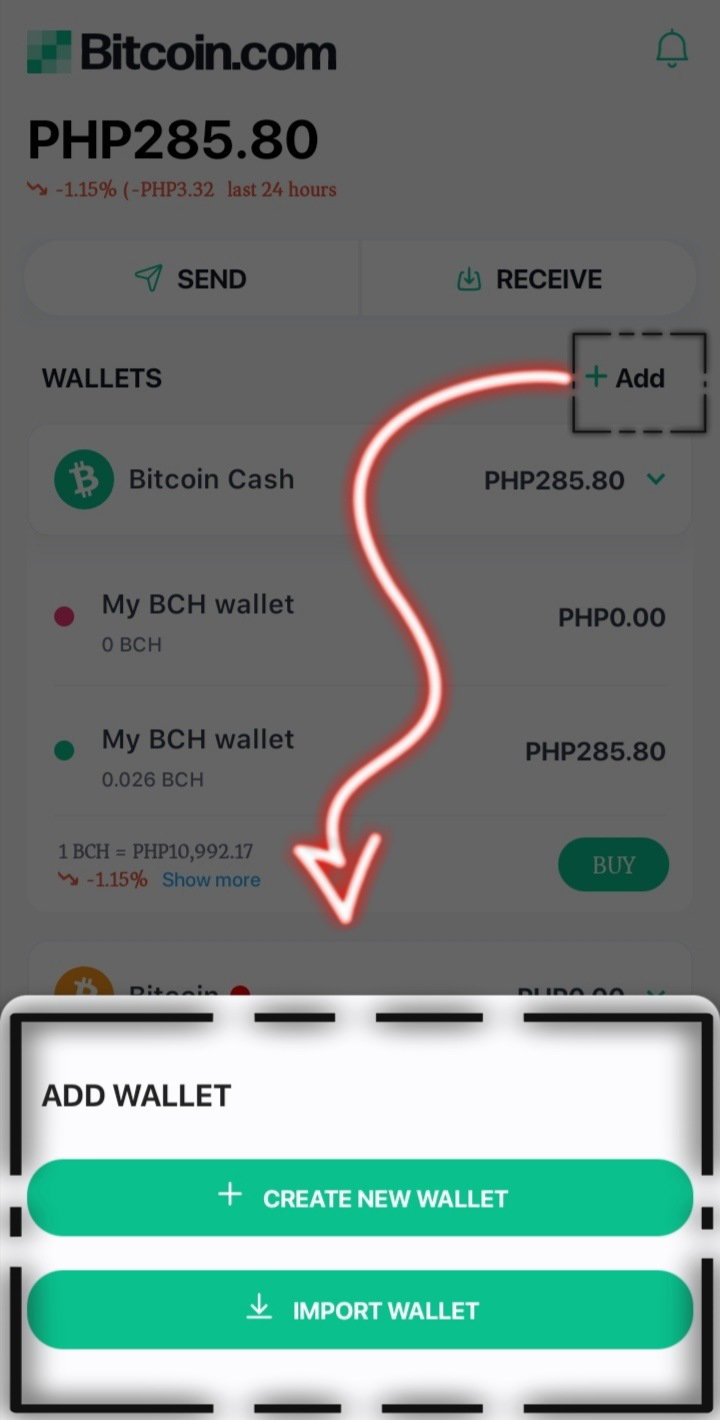
First, make a wallet. Select the "**Create New Wallet**" (See the picture above and come back to it when you wanted Add New Wallet if you need one. Add Name
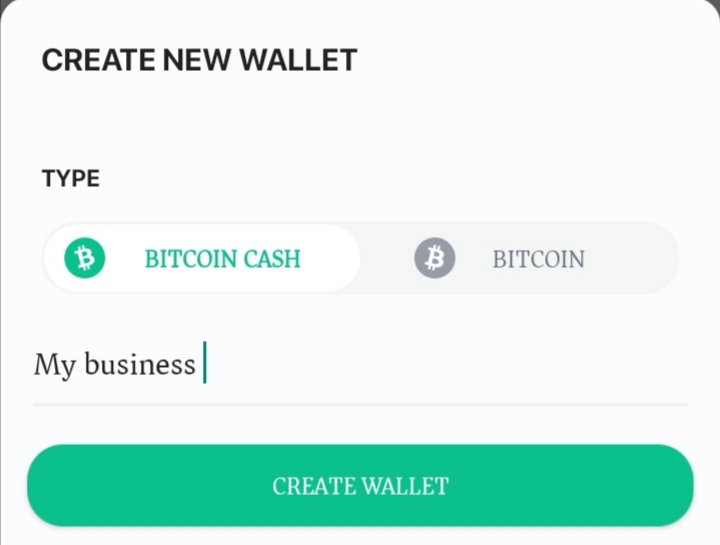
You can put any name. Choose between Bitcoin Cash or Bitcoin that you will use. Then click create a wallet.
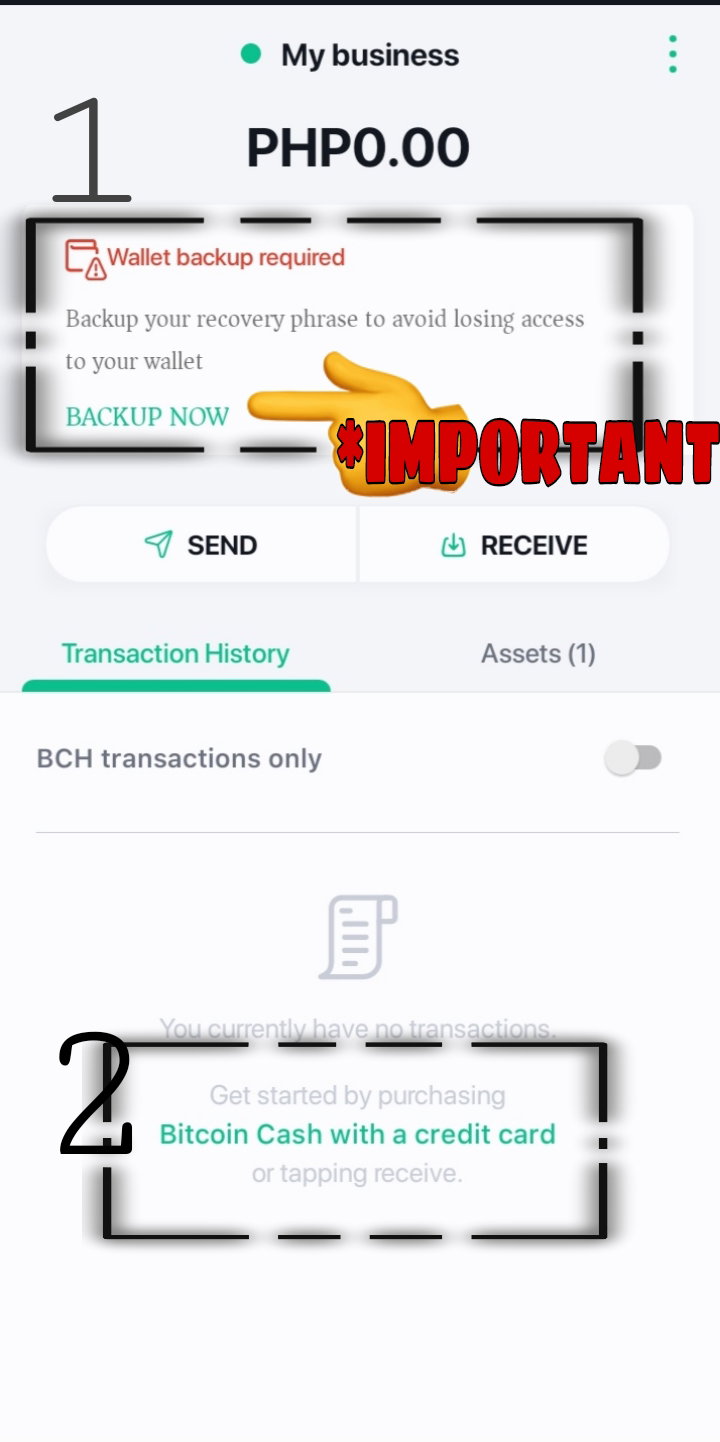
Now, your 'My Business' wallet is ready. Before adding funds in your wallet you must **BACK UP** your wallet. This is really important. Backing up your wallet is the most important thing you need to do for your wallet. You can write it and put in your safe place.
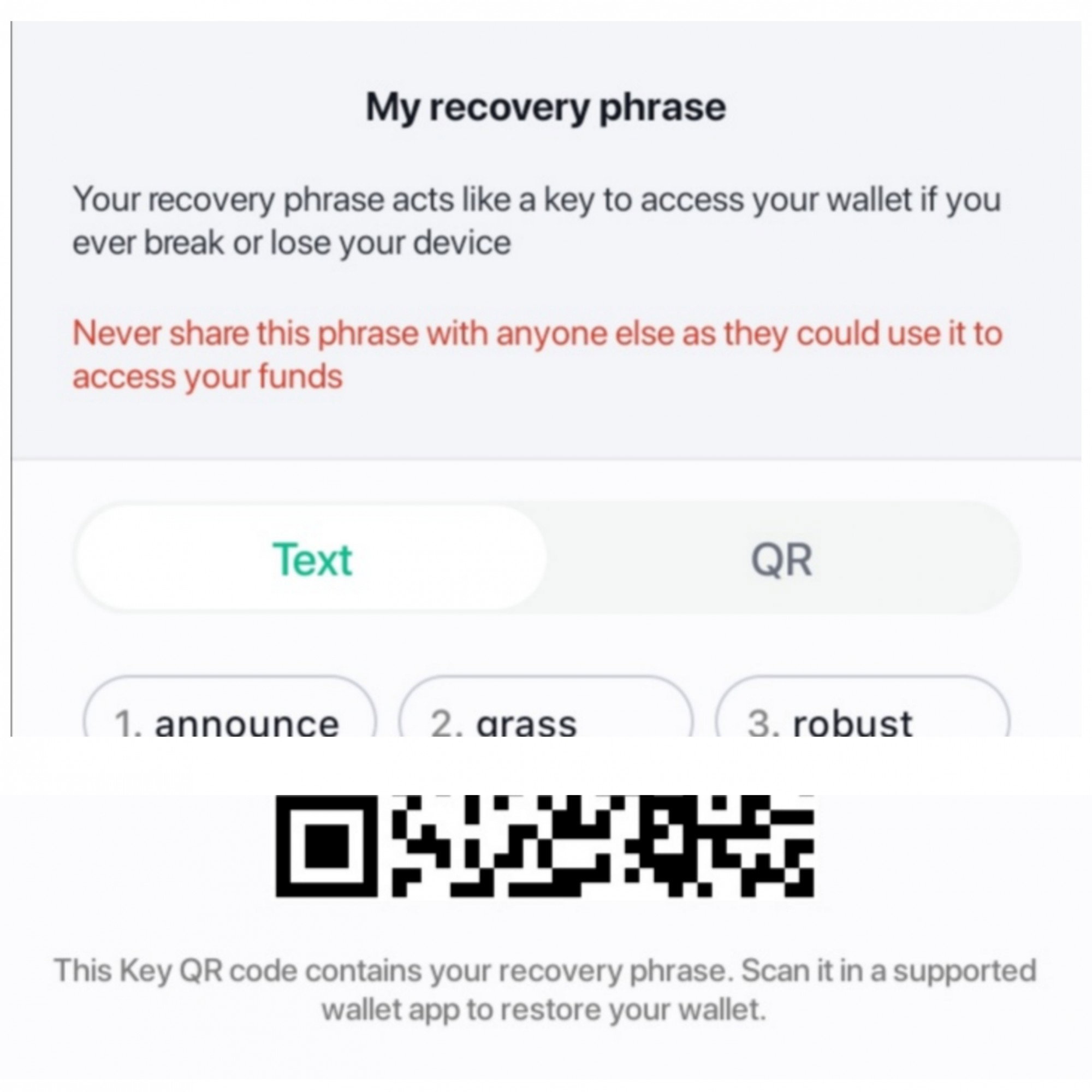
After clicking the "**Back up now**". The picture above is the example of your key- a recovery phrase and QR is the same. Recovery Phrase - is composed of 12 words. Each wallet you can have has different phrases. It is very important for you, cause it serves as a key to your wallet. If you lose your phone or buying a new one, you will just have to do is Import your wallet using this and you can recover, open and use your wallet again. *This is new to me too, because when I used coins.ph, as usual here in the Philippines, you just need your phone number or email address, the downside is sometimes we forgot the email/password or bought a new sim card ( w.e where we get a new phone number here in the Philippines* QR Code - is an image form for your phrases, can just scan it with your newly bought phone and your wallet is accessible again. ***Never share your phrase or your phrase QR code to anyone else as they may access your funds*** Send and Receive
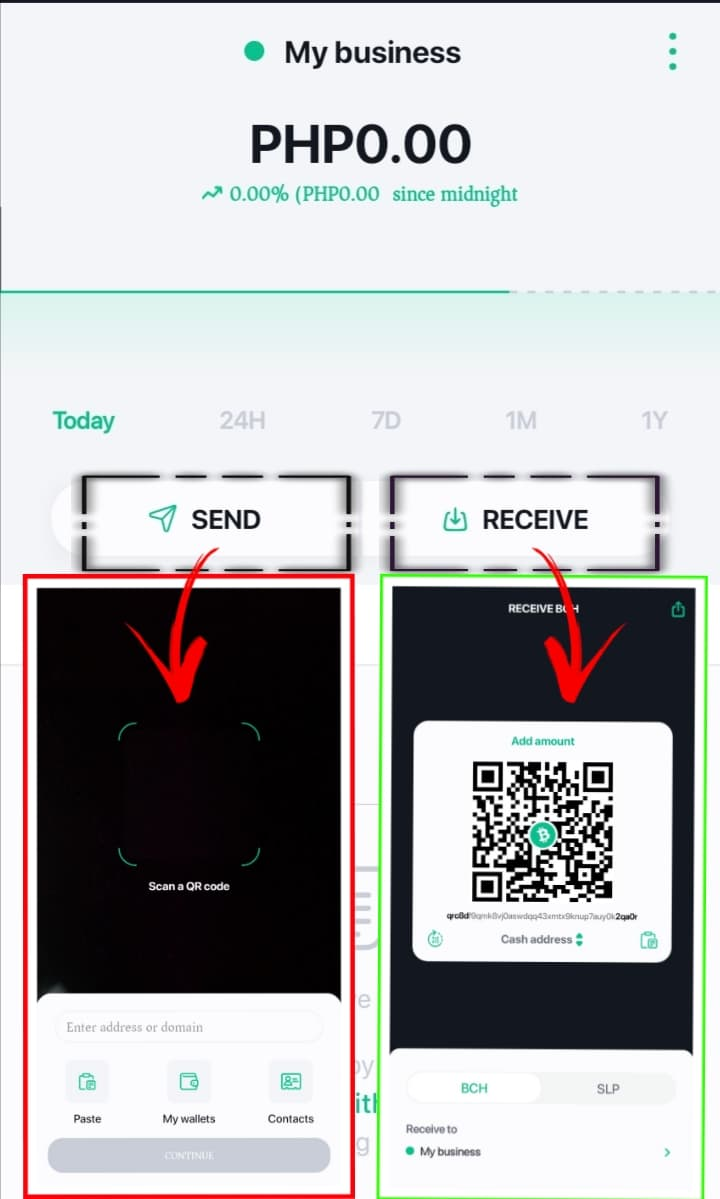
As you can see, selecting **Send** button is when you wanted to buy or pay something with your wallet, you'll just have to scan the QR code or paste the wallet address who will be obtaining the amount. And selecting **Receive** button is when you're expecting to have BCH in your wallet by anyone who got you QR code and wallet address, or when you wanted to share it. https://youtu.be/-KrhcDZf2uA *Here is my own video demo of sending and receiving BCH from coins.ph to Bitcoin.com wallet.* The best part is Bitcoin.com upgrade last July that you can Send BCH to any Email Address.
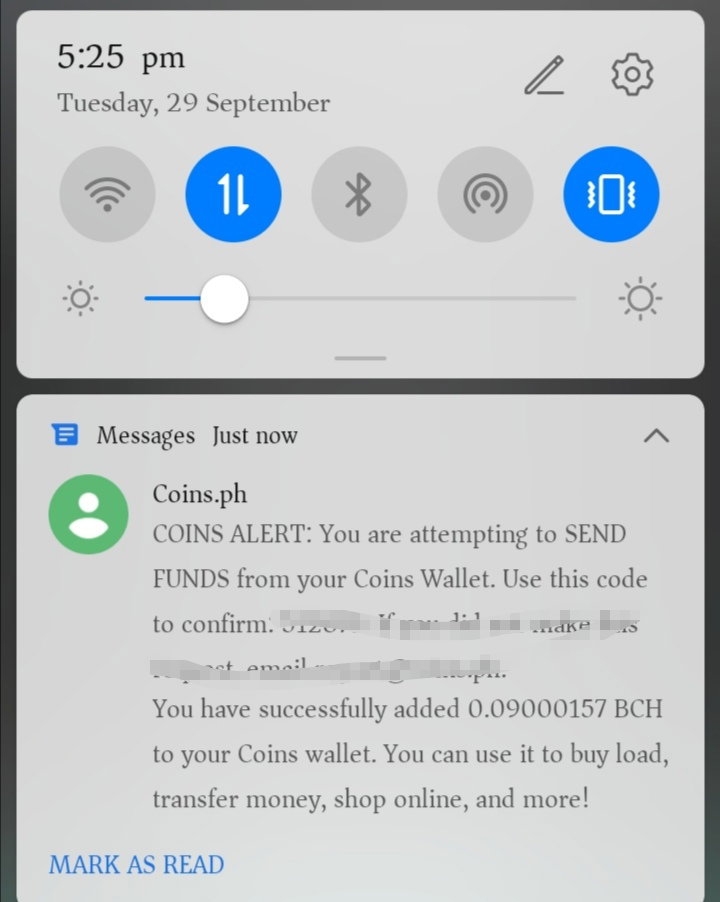
Above is the screenshot of notification that I did send BCH from Bitcoin.com to Coins.ph. **Thank you for reading! Every suggestion are welcome in the comments!** **And every night you can see darkness but with a bright star*

3 comments
Nice explanation on how to create a wallet thank you for sharing
Thanks for sharing, Its's my first time to hear the bitcoin.com or maybe I'm not update now. Anyway I will try it later.
Great presentation by photos.