Was Tron really hacked?By Heruvim78 | Crypto
There is a vague rumour about Tron network being hacked. Let's investigate what really happen.
First it is this rather interesting Tweet:
What we found out? During the 4.1 version upgrade period, the TRON Mainnet was attacked by a malicious contract on 2020.11.02 at 06:14 (HKT). The attack initiated malicious transactions, causing the super representatives to stop producing new blocks. It was something to do with getting a profit from the network, while it was stopped. I am thinking that he may wanted to create a sidechain, and to continue to mint ghost TRX and sell it. But i may be wrong. However, after almost 2 hours, at 8.29, Tron network resumed its activity and started to produce new blocks, once again. By 9.40, the whole network was back to normal. Justin Sun was happy to declare that all the funds are safe and i quote (please do not laugh too much):
''Withstand this large-scale attack, once again proving that the #TRON network is the decentralized network with the most resilience and attack defense capabilities in the industry!'' (Justin Sun - 3.11.2020) https://twitter.com/hashtag/TRON?src=hashtag_click
Now not too much details were given about what really happen, except that the data on the chain is intact and the user assets are safe. But the response was quick and the danger was contained. Even if all this happened, TRX token price still went down from $0.0258 to $0.0246, which is around 3-4%.
Yours truly,
George
*Why not...*
*...have fun and win rewards on blockchain games (**Splinterlands* *- Hearthstone-like card game) (**Axie Infinity* *- NFT battle)* https://splinterlands.com/?ref=mightyrocklee https://land.axieinfinity.com/purchase?r=sBisOZSRuTIKRWrQ5pbSAytrrdM
*...use the* ***world best cryptocurrency exchanges****:* *Binance**,* *Coinbase* *and* *Kucoin**.* https://www.binance.com/en/register?ref=L05S7B12 https://www.coinbase.com/join/gmihalache https://www.kucoin.com/ucenter/signup?rcode=7xfryf
*...get the higher rewards for your* ***investments*** *using* *Blockfi* *and* *Celsius.network**, use referral 1235256530 for $20 bonus.* https://blockfi.com/?ref=8cff0fb6 https://celsius.network/get-the-app/?_branch_match_id=786176267473301667
*The* ***most lucrative faucets*** *that I use:* *ZEN**,* *ZEC**,* *PIVX**,* *LTC* *and few others.* https://getzen.cash/auth/register?ref=257678 https://globalhive.io/auth/register?ref=1920 https://pipeflare.io/r/1004 https://www.thecryptofaucet.com/?r=61485
Happy Birthday Bitcoin
It has been 12 years since the publication of the whitepaper dated 31 October 2008. Twelve years ago "cypherpunks", a small group of cybersecurity engineers and programmers; He received an email from an anonymous person named Satoshi Nakamoto.
**Bitcoin Whitepaper**
Satoshi presented a new peer-to-peer electronic payment system in his email titled "Bitcoin". Later, this 9-page document went down in history. Satoshi's method does not require third parties such as banks or financial regulators. Each BTC owner can own their own bank with private keys on their computer / online wallet / crypto exchange.
Bitcoin itself emerged on January 3, 2009, when Satoshi Nakamoto (some believe to be a group of people) launched the genesis block of Bitcoin. The following statements are used in the whitepaper:
The fully peer-to-peer version of electronic money allows online payments to be sent directly from one side to another without going through a financial institution.
What is needed is based on cryptographic evidence rather than trust; It is an electronic payment system that allows any two parties to transact directly with each other without the need for a third party.
**Post-halving bull cycle welcomes Bitcoin's 12th anniversary**
The 12th anniversary of the Bitcoin whitepaper is of particular importance to Bitcoin, as it marks the third post-halving cycle.
Every four years, Bitcoin experiences a block reward halving that halves the rate at which the new BTC is issued. As BTC approaches its fixed supply of 21 million, the pace of production slows.
Historically, a halving has had a positive effect on bitcoin price. It was an activity that slowed the speed with which new BTC supply came to the market. As a result, less BTC flows into the market every four years.
For this reason, the 4th, 8th and 12th anniversary of Bitcoin is more remarkable than the others. This anniversary coincides with the post-halving cycle since the last halving occurred in May 2020.
The price of Bitcoin on "Whitepaper day" has also grown significantly over the past decade. Bitcoin broke the price record for the last 33 months, surpassing $14,000.
Bitcoin is heart. ♥️

Charging Water
For a few years I would filter my water, put it in a glass container then do something similar as this. Also put head phones around the container playing uplifting music. Would set the container in the window for a few days and allow sunlight to penetrate the water. Also added certain crystals around the container to amplify the intent. I still do this but not as often. Also works well when making homemade kombucha. You don't leave the kombucha in light though, put it in a dark area.
Water is highly receptive to thoughts, emotions and is programmable. The idea of Holy Water is indeed True. You do not need to have it blessed by a priest once you understand your own powers and abilities. You become the "instrument of desired intent" and need no middle man to do it for you. This is one of the main reasons why religions despise esoteric teachings. THEY seek to be your middle man to SOURCE. THEY despise competition and primarily seek to control us. Be your own evidence and "Know" for "Thyself" is the mind set I embrace. This is achieved through persistent practice, focus and the desire to know.
Can also use copper pyramids to charge and amplify energetic intentions for many purposes.

Where is the best place to store your Crypto for interest?
First and foremost I wanna thank you guys for your continued help and support as well as sending tips 💰 . I never knew a website like this existed and honestly it’s the coolest thing since sliced bread!
Im still learning when it comes to the world of Crypto and I’ve recently found out you can store your assets in different accounts that pay you in interest? A buddy of mine says he uses Blockfi to hold his BTC and he earns 6% and gets paid monthly.
Now, I’d be happy with 6% but are there any better alternatives? Is this a safe route to go? I only have about $1000 worth of BTC so it’s not a lot but I also want it to work for me if that’s an option. I hate the idea of it just sitting there not doing anything! Thank you for your time
I’m very interested to hear what your thoughts are on this as I’m still learning and finding myself becoming a little “obsessive” on the topic! This site is changing my outlook on the future of crypto with every post I read!
Sincerely,🧟♂️
How and when did Among Us get so popular?
How did a game from 2018 become one of the most popular games of 2020?
If you haven't been living under a rock the past few months (and it's totally OK if you have) you may have heard about a little indie game called Among Us that exploded in popularity over the summer. You might be shocked to learn that Among Us released all the way back in 2018. So why is it experiencing a massive renaissance in 2020? Thanks to a perfect storm of circumstances, Among Us has climbed out of the depths of obscurity and has become a viral sensation.
All Among Us Guides
How to play Among Us
Among Us: Best tips & tricks
How to kick and ban players
All levels in Among Us
The Skeld tasks guide
MIRA HQ tasks guide
Polus tasks guide
Does Among Us support cross-play?
How to create the best Among Us game
How to set up voice chat
How to be the best Imposter
Tips for finding the Imposter
Every way you can kill a Crewmate
Custom Games in Among Us
The difference between the PC and mobile versions of Among Us
The difference between the paid and free versions of Among Us
How to unlock holiday-specific hats
Translation of common terms
Simplicity is the name of the game
Among Us models its gameplay off of real-life board games like Mafia and Werewolf, social deduction games that have been played for years. The idea of these games is simple — a group of players tries to identify a traitor in their midst, while the traitor does their best to deflect and sabotage the group — a tale as old as time.
Among Us mirrors this gameplay, while adding tasks to complete to give players a direct path to victory if the Imposter doesn't kill fast enough. Despite the additional tasks, Among Us doesn't overcomplicate things with a complex set of rules. The barrier of entry remains extremely low, especially considering the low price (it's $5 on the PC and free with ads on mobile), and thanks to its low system requirements, anyone with a computer from the last decade can play along.
This is important to note because in 2020 as the pandemic still rages on, playing games like Mafia in-person isn't recommended, but starting a voice chat and playing Among Us with friends is a great way to stay in touch and have fun while everyone is stuck at home.
A viral sensation
How did Among Us, a game that was average almost no players up until July 2020, suddenly explode in popularity? It's thanks to a couple of big-name Twitch streamers who seemingly stumbled upon the game by accident. The first Twitch streamer to latch onto Among Us was streamer SRKaif, but Among Us didn't skyrocket in popularity until popular streamers sodapoppin and xQc began streaming the game to tens of thousands of simultaneous viewers.
Among Us has also proven very popular in Korea, thanks to Korean streamer dobby. At one point, eight of the biggest Korean streamers were playing Among Us to thousands of viewers each. The international popularity of Among Us was largely thanks to Among Us' language support. Among Us is available in English, Portuguese, Spanish, and Korean. After the rise in popularity of Among Us Twitch streams, viewers took to the game itself, and the rest is history.
Here to stay
Not many games get to enjoy to glow-up that Among Us has received, but thanks to a perfect storm of circumstances, Among Us has climbed to the top of Twitch and Steam charts and shows no signs of slowing down. Among Us is an excellent party game and one of the best games on the Android. It's easy to learn how to play, but prepare to potentially lose hours of time mastering the art of deduction, or maybe the art of deception?
Watch who you trust
Among Us
$5 on Steam
Free download on Play Store Free download on App Store
Watch your back
Work together to find the imposter among you, or avoid detection and kill them all if you are the imposter.

How to protect yourself from an economic crisis with these 3 stocks
We are going to see 3 examples of investment opportunities in stocks that are **characterized by**: They are **resistant to crises**, are **good businesses**, have **low debt** and have a **good long-term perspective**
**Walmart**
It always behaved very well in previous crises since it sells essential items. A threat going forward could be Amazon and online sales. But Walmart knew how to adapt by launching a very successful online sales store that is growing 30% annually. This is a very mature company that is why it is estimated to have a low, linear and safe growth of 3% per year, this added to the dividend yield gives us an expected annual return of 6 or 7% which seems very good for a conservative profile. We can see a clear bullish support line which has several tests. When the price rests on this line, it could be a good time to buy
**Mastercard**
This together with visa, have practically a monopoly with credit cards and they already know that monopolies do well on the stock market. It is a sector that has a good outlook for the future, given that cash payments are in decline and these companies are experiencing significant growth. The crises do not refer to these companies since people continue to use their card to continue making their purchases (we can see this reflected in their sales and profits). During the last 5 years, Mastercard increased its EPS from 3.36 to 7.98 and although it is likely to continue growing, but at a slower pace, we could estimate that in 5 years it will reach an EPS of 14. Historically MA traded at a PER of x35. Multiplying that EPS by the PER we can obtain a target value of 490 USD. Currently having a PER of x48 we could expect a drop to 330 usd in the medium term.
We can see a clear bullish channel from the pandemic
**O'Reilly**
This company is dedicated to selling auto spare parts and also has maintenance workshops. Why can it be crisis resistant and a good choice? In the United States, public transportation is deficient, which is why for most of your car it is essential. Spare parts and maintenance is therefore something essential that cannot be postponed. Also, during crises, people often continue to use their old car rather than buy a new one. Which is great for this company as older cars need more maintenance. Which this will increase the income of this company
O'Reilly has historically traded at a PER of x25 and it is estimated that for next year it will reach an EPS of 22. Which would leave us with a valuation of PER x20 at the current price. It is estimated that for the next 5 years it could reach an EPS of 29. Which gives us a target price of 725 usd

Billions of Dollars of Bitcoin Moved to Ethereum! What does it mean!!
The total number of Bitcoins locked in decentralized finance (DeFi) protocols reached an all-time high as DeFi markets began to show signs of recovery.
Bitcoin holders converted 141,683 BTC into ERC-20 tokens!
DeFi Pulse reveals that Bitcoin holders converted more than $ 1.5 billion worth of 141,683 BTC into ERC-20 tokens to participate in the developing but rapidly growing decentralized finance space. Due to the incompatibility between the Bitcoin and Ethereum blockchains, BTC users need to convert their assets into Ethereum-based tokens to take advantage of the capabilities of DeFi platforms.
A popular choice among Bitcoin owners is to convert their BTC to Bitcoin with 1: 1 index (wBTC). With WBTC, Bitcoin holders can explore many of DeFi's advantages, including the ability to offer synthetic tokens as collateral to earn interest on lending platforms such as Compound (COMP) and Aave (LEND). At the time of writing, there are approximately 95,700 wBTC stored on the Ethereum Blockchain.
What does the increase in the number of Bitcoins locked on DeFi point?
The increase in the number of BTC locked in DeFi points to the growth of the decentralized financial sector. The yield farming protocol yearn.finance (YFI) recently jumped hard after dropping nearly 60% from its all-time high of $ 43,873, according to CoinMarketCap data. Aave and Chainlink (LINK) were also among the strong rising altcoins.
The DeFi rally seems to coincide with a larger rally involving the wider crypto market. Crypto analyst Kevin Svenson tells his 11,000 followers that the latest move in crypto has forced him to reconsider his stance. Kevin Svenson, a graphic artist at Cryptowat.ch acquired by Kraken, emphasizes that Chainlink constitutes a "potential uptrend". Kevin Svenson said on the subject:
**Although I have been more neutral lately, things seem (until now) much better than I expected. Moving on top of bitcoin and eth students .. Setting up a potential rise in the link .. If the global market continues to rise, it will rise again.**
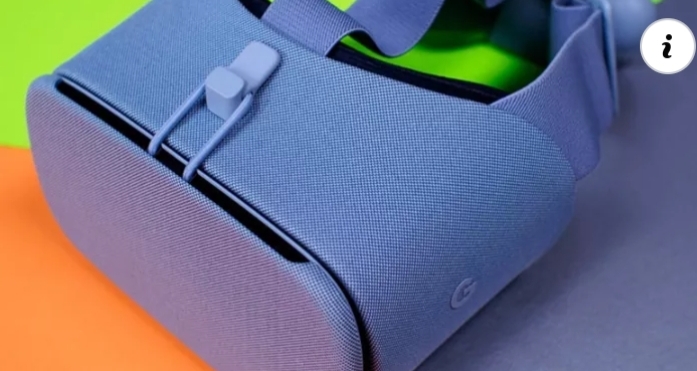
Google Pixel 5 & 4a 5G hands-on: The start of something special
We also take a closer look at the Pixel 4a 5G!
The Google Pixel 5 isn't coming out until the end of October for folks in the U.S. and Canada, but eight other countries can start picking up this Sorta Sage sweetheart (or its Just Black sibling) starting October 15. That's why Google is letting a few lucky reviewers (including yours truly) unbox and play with Pixel 5, as well as the Pixel 4a 5G, prior to its international release next week.
There isn't much I can tell you about the phone just yet, but even just spending a few minutes with the hardware says a lot about Google's hardware strategy for 2020, and why the Pixel 5 isn't trying to compete in the same league as the top-end Galaxys and iPhones this year. (Though it does compete quite nicely with the Galaxy S20 FE.)
Google Pixel 5 & Pixel 4a 5G Unboxing
I just want to dispel a misconception about Google's retail boxes for the Pixel 5 and Pixel 4a 5G. It appears that Google's sending some reviewers and influencers special limited-edition boxes with larger, more prominent typography and bolder colors, but the reality is they're just sleeves that fit over the proper, more subtle retail boxes.
BOOM! Dey here 😎 #giftfromgoogle pic.twitter.com/6QRqiSfVof
— Safwan AhmedMia (@SuperSaf) October 8, 2020
Those boxes really are identical to every Pixel phone you may have purchased in the last few years: phone, pamphlets and SIM ejector tool, 18W USB-PD charger, USB-C to USB-C cable, and a USB-C to A adapter for file transfers. Simple, elegant, and made of majority recycled materials. Good stuff. What you're not getting in either the Pixel 5 or the Pixel 4a 5G box, despite the presence of a headphone jack in the latter, are headphones. Unless you're in Australia or France, where headphones are mandated to be included by law, you're on your own for earbuds.
I also received Google's Fabric cases with both the Pixel 5 and 4a 5G, and I have to say, I really like the color combinations this year — though Google sent me the most boring of the lot, Basically Black, for the Pixel 5. The other colors, Green Chameleon, Blue Confetti, and Static Grey, are a little more playful, and they keep the phone nice and protected. I've been using Google's Fabric cases on my Pixels for years now, and unless I get them caught in something sharp (which has happened a couple of times), they tend to hold up really nicely.
Google Pixel 5 hands-on This hardware is Sorta Sage
What you're mainly here to see if the Pixel 5's hardware, which I'll happily show you from any angle. From the front, the phone resembles the Pixel 4a to a remarkable degree, though with tiny slivers of bezel sliced off to make room for an extra 0.2 inches of screen space. The left-oriented hole-punch selfie camera isn't distracting, and the screen appears plenty bright for outdoor use which, along with the 90Hz refresh rate, makes it a joy on which to tap, scroll, and type. It's this experience that, despite the battery issues, made the Pixel 4 and Pixel 4 XL among the best Android phones on the market.
You'll find a glossy green power button atop a clicky volume rocker, the only two buttons on the phone. The left side houses the nano-SIM slot, and the bottom, holes for a speaker, a microphone, and the USB-C port.
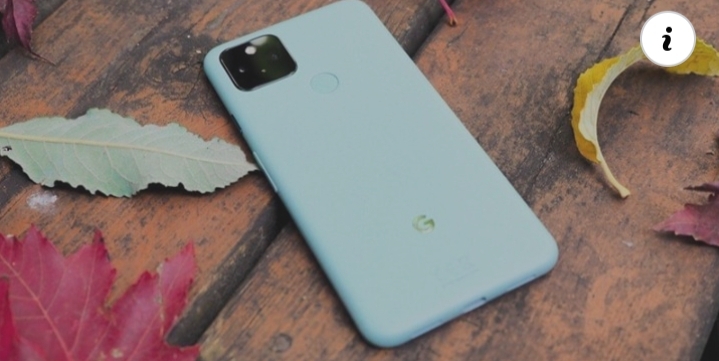
Around the back, you'll see a module on the top left, with two cameras — a primary 12MP and secondary ultrawide 16MP — along with a flash and a dedicated anti-flicker sensor. The dedicated capacitive fingerprint sensor sits centered below it, as it did on the Pixel 3 series and Pixel 4a. A glossy silver Google "G" logo is also centered closer to the bottom.
It's an understated, austere and, dare I say, comforting design in 2020. At just 144mm tall and 70mm wide, and 8mm thick, the Pixel 5 is about as compact a "flagship" as you're going to find today — though the dimensions are especially admirable given the significant 4,000mAh cell inside.
This is one of the smallest 6-inch phones you'll find today.
The phone isn't small, per se, but is definitely easy to use in one hand and feels like just the right size. That Google was able to fit a 6-inch display (albeit at a tall 19.5:9 aspect ratio) is impressive given the dimensions. Oh, and the lack of an earpiece on the front is a subtle flex that reinforces Google's 2020 design evolution.
Of course, what you're really here to find out is whether the painted aluminum finish is comfortable, durable, and attractive. Does it attract fingerprints? And just how green is the Sorta Sage colorway in person?
Using the phone sans case is fascinating. The paint is slightly textured, so it's easy to grip, but doesn't feel rough or dappled in any way. So far, it repels fingerprints nicely, though I can't say how the paint will wear over time.
There's something refreshing about using an all-aluminum phone again in 2020. Doesn't feel as fragile.
That the phone's entire frame, but for a small cutout for the wireless charging, is made of aluminum, making the Pixel 5 aberrant in the Android phone space. You can take for granted that, at least on the back, the phone won't crack or shatter, but it's yet to be seen whether the paint, will hold up to the daily wear and tear of everyday life.
Google Pixel 4a 5G hands-on The bigger, faster Pixel 4a
I've had the Pixel 5 and Pixel 4a 5G for less than 24 hours, and you'll have to forgive me for not paying that much attention to the latter, a product whose value is fairly self-evident; it's a bigger, faster, and more power user-friendly version of the Pixel 4a, though without the amenities that make the $700 Pixel 5 so compelling.
Still, for people who don't need the Pixel 5's water resistance, wireless charging, and higher refresh rate display, the Pixel 4a 5G is a very compelling device, especially at just $500. It may just be one of the best cheap(er) Android phones you can buy.
Google Pixel 5 & Pixel 4a hands-on Any questions?
As I said up top, there isn't a whole lot I'm allowed to tell you about using the Pixel 5 and Pixel 4a 5G right now — I definitely can't share camera samples or comment on the haptics or the 5G performance — but that's coming soon, I promise.
In the meantime, let me know in the comments if you have any questions and I'll try to answer them.
Get More Pixel 5
Google Pixel 5
$699 at Amazon $700 at Best Buy $699 at B&H
Google Pixel 5 buyer's guide
Best Pixel 5 cases
Best Pixel 5 screen protectors
What color Pixel 5 should you buy?
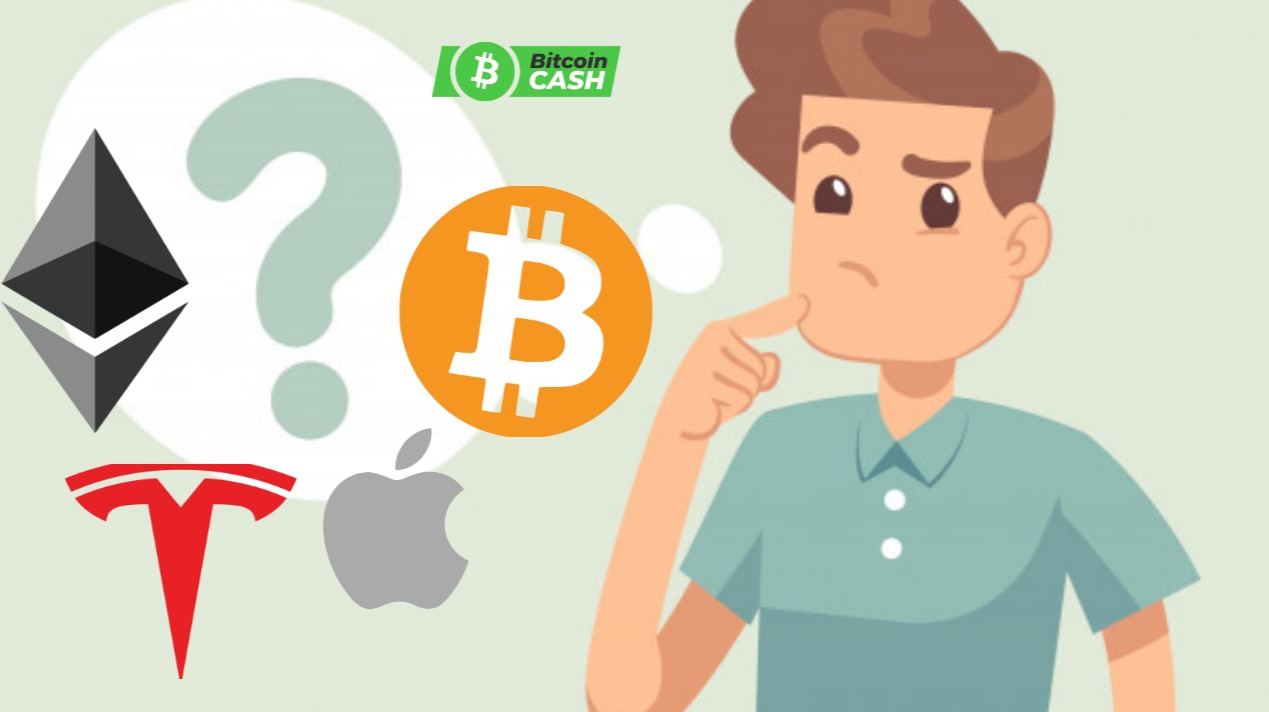
Bitcoin Cash vs Bitcoin: Where Can You Buy Them?
One of the most popular exchanges to buy both Bitcoin and Bitcoin Cash is Coinbase.
On this platform, you can use fiat to buy popular cryptocurrencies (including Bitcoin and Bitcoin Cash) through your credit card, bank account and more. Unfortunately, Coinbase is only available in 32 countries:
U.S.A., Canada, UK, Switzerland, Sweden, Spain, Slovenia, San Marino, Portugal, Poland, Norway, Netherlands, Monaco, Malta, Liechtenstein, Latvia, Jersey, Italy, Ireland, Hungary, Greece, Finland, Denmark, Czech Republic, Cyprus, Croatia, Bulgaria, Belgium, Austria, Australia and Singapore.
If you are not in one of these countries and you want to buy Bitcoin Cash or Bitcoin, you can try out other broker exchanges like CoinMama or CEX.io.
If you use a broker that doesn’t sell BCH but sells BTC, you can always buy Bitcoin and exchange it for Bitcoin Cash on a trading platform like Binance.
Another option for buying these coins with cash is to do so on a P2P exchange, like LocalBitcoins. Again, you’ll only be able to buy Bitcoin on P2P exchanges, but you can trade your BTC for BCH using a trading exchange afterward.
**Bitcoin Cash vs Bitcoin: Conclusion**
Many people are under the impression that Bitcoin Cash vs Bitcoin is a war, and that one should be better than the other. For practical reasons, Bitcoin Cash is a faster and cheaper asset to use for transacting on the blockchain.
But Bitcoin, being the original cryptocurrency, is the most adopted and currently the greatest store of value in the cryptomarket. This leads me to believe that both these coins can remain as staples in the industry as it evolves and matures.
BCH can become the main tool for transactions and moving money around as more users adopt it. BTC can continue to be used as a store of value that is considered the gold of digital currency. Both stand to grow in value and adoption over time, making them worthy investments for any investor to look into and consider.
Now that you know the differences between these two coins, you can better decide how you want to invest in them and how you will use them.
For example, you can invest into Bitcoin Cash to use it as your main form of currency to transact with. However, you could invest into Bitcoin the way you would invest in gold – for investment benefits.
The question is, which is it that you prefer? And what for? Do you prefer Bitcoin as an investment but Bitcoin Cash as a usable coin? What’s your opinion on Bitcoin Cash vs Bitcoin? Let me know!
***Important note: Always do further, independent research, and always consult a financial investor before investing.***
Leave your honest review
Leave your genuine opinion & help thousands of people to choose the best online learning platform. All reviews, either positive or negative, are accepted as long as they’re honest.
Attention Crypto Gaming Developers - You Might Like This
Firstly thank you for popping over to read this article if you are a Crypto Game Developer, or just here because you read the headline and got a bit nosy - hey all credit to you for that.
This is the thing... I have been watching how Dapps are developing and the pace at which they are moving forward - the same is happening with Crypto Gaming, and despite having all those feelings of returning to the days of playing games on an Atari 2600 in the 1980's when I was a child, Cryptocurrency Gaming is flourishing albeit a little on the same old, same old, side.
However... There is a missing piece in the Cryptocurrency Gaming World that needs addressing - a decent Simulation Game.
Here is the idea - EA Sports have been very successful over the years developing and producing games such as FIFA Football Manager (Soccer USA) and other globally released games in the sporting simulation format. There are many things a Dev can create using the Gaming Simulator model... So why not develop a game that has 3 Leagues of Traders with involves the use of and Exchange and associated Wallet?
I have even come up with a few names, and crossovers... Wait for it...
*League of International Traders - Multi Crypto Edition*
*League of International Traders - Bitcoin Edition*
*League of International Traders - Altcoin Edition*
The simulation would place traders of Crypto from around the world in one platform competing on an experience or novice basis as would teams competing in the sporting world within a league system.
Each League would have its own 'Pool Prize' fund, mini tournaments could be played... There really is a lot of scope to get creating.
Anyhow... Just a thought while sat here messing with the machines. Consider this a gift idea but I want a free account with a bit of a Cryptocurrency float to keep me sweet. 😉👍

Playing an Ethermon Battle - Blockchain Game
It is not easy to explain the complexity of blockchain games but, it is not hard to dive in and start playing the games, since the technology in action is fairly simple. In this video, I play a game called Ethermon with my little one on a fun Saturday morning. In this game, we battle another team of Ethermons, and depending on our outcome we either gain or lose BP points, but no matter the outcome our Mons still gain experience. https://ethermon.io/?code=0b219027
What looks like to be a fun pass time for my daughter and I, is actually an intricate blockchain action in which I am training my Non Fungible token, enhancing its experience and battling capabilities while at the same time earning cryptocurrency and adding value to my assets.
Forget what you have seen before because blockchain gaming is here to blow your mind and, Ethermon is just one simple example of the next generation of gaming.
Ethermon is a digital world of Mons (Ethermons) where users can capture, train, transform, and trade our Mon assets with others.
When we play ethermon we become the actual game. So as long as we hold the Private key to the wallet holding the precious Ethermon assets. My little one and I make sure our NFT Mons are SAFE! Learning the ins and outs of crypto wallets is a must before diving into this game.
Feel like giving it a try? At the moment, I am playing the game with 3 ethermons that were given to me by the ethermon platform. I just doubled checked and, there are still FREE generation 1 ethermons to catch. Who knows? Maybe even the Free Mons could be have value someday. If you decide to give it a try make sure to use my referral link: ethermon.io?code=0b219027 . If you do so we will both receive 5 points = 10 EMONT http://ethermon.io/?code=0b219027
Hope you enjoyed learning a little bit about this next-generation game. Make sure to follow the channel for more updates and tutorials. I have already figured out tons of funs tricks since I last recorded this video. Excited to learn about this game.
All my best,
Bitcoin price forecast by 2040 !!
Since the third bitcoin move, the price of bitcoin has been hovering around $ 9,000. In fact, after Hawing, the bonus blocks were reduced from 12.5 BTC to 6.25 BTC. Bitcoin prices were expected to rise after Howing. But as can be seen from the bitcoin price charts, this digital currency has not changed much since Howing. But now it is showing signs of reviving its price in terms of resistance and support, as well as trading. In this article, we are going to review the Bitcoin price forecast from different sources.
Forecast Bitcoin future for traders
In this section, we want to understand what the future of Bitcoin is for 2020 and the next 5 years. Since Bitcoin is experiencing a volatile market, have enough knowledge to predict the price of this popular digital currency. If you have enough knowledge, you can easily have a long-term investment in the field of digital currencies. Let's take a look at the popular Bitcoin predictions:
1- Tom Lee
Tom Lee Lee, founder and head of research at Fundstrat, believes that Bitcoin could deliver 100% return to its investors in 2020. He believes that after the second half of 2020, it may be a maximum of $ 27,000.
۲- Max Keiser
Max Keizer is a fan of the two Bitcoin fires, which has provided an optimistic forecast. He predicts that bitcoin may reach $ 400,000, given that there are many obstacles in the way and that it may go a long way.
۳- Bobby Lee
Bobby Lee Bobby Lee, CEO of the first Chinese exchange BTCC, had previously said that it would take 20 years for BTC to reach $ 1 million. But now his prediction has completely changed. BTCC co-founder Bobby Lee and the brother of LightQueen creator Charlie made a very bullish forecast, but it started to decline nonetheless. He predicts that bitcoin may reach $ 333,000 from late 2020 to 2021 and then fall to $ 41,000 in 2023. He noted that the market capitalization may reach $ 7 trillion, which may exceed the market cap. He even noted that bitcoin will lead to price stability and global liquidity in the coming years.
4- John McAfee
John McAfee John McAfee is a fan of bitcoin and digital currencies. He is very optimistic that Bitcoin will reach $ 1 million by the end of 2020.
5- Tim Draper
Tim Draper, a well-known investor in the investment market, predicted that Bitcoin could occupy about 5% of the foreign exchange market by 2023. He is optimistic that the price of bitcoin will reach $ 250,000 by 2023.
6- Bloomberg
A Bloomberg analyst predicted that bitcoin would reach $ 20 billion this year, and this has been supported by many digital currency enthusiasts.
Bitcoin price forecast 2021
Bitcoin has performed very well and this has surprised the market. Traders and investors are now in a position to make the most of it. The more transactions, the higher the price. In addition, as we know, bitcoins have a small turnover, which means that their number is limited to 21 million bitcoins, of which 17 million have been extracted so far. In addition, several countries, such as the United States, Japan, and South Korea, have shown a strong desire to integrate bitcoin and other digital currencies into their financial systems by creating regulated markets that may operate freely and safely. By the end of 2021, the price of bitcoin will reach $ 23,499.
Bitcoin price forecast 2022
Bitcoin may experience unexpected growth and triple its price by 2022. Bitcoin may be accepted by the global masses as the most cost-effective payment system. However, Bitcoin is not far from the mindset of Fiat currencies, and many developed countries may see change faster than others. Due to the steady progress, bitcoins may reach $ 32,000 by 2022.
Bitcoin price forecast 2025
Bitcoin price forecast shows that the price of Bitcoin will increase in value by about 385.450281% for a long time with a 5-year investment. This means that in 2025, the price of Bitcoin is projected to be around $ 50044.6. Bitcoin may also hit $ 50,000 in 2025, which could make the digital currency market completely different. According to forecasts and analysis, Bitcoin is ranked number one without any claims of proximity.
Bitcoin price forecast 2030
The price of bitcoin may rise exponentially as payment terms may change and so will the exchange rate. There may be a large number of shops and stores that work more on the Bitcoin payment system than Fiat. By 2030, bitcoin could even be the epitome of a modern money system, and it could reach around $ 52,000.
Bitcoin price forecast 2040
By 2040, bitcoins may increase exponentially worldwide. There will be a lot of new innovations, and Bitcoin may have new innovations that could make it even more demanding. By 2040, the value of bitcoin may reach about $ 60,000.
The biggest move in the history of bitcoin prices
The price of Bitcoin has experienced a lot of fluctuations in general. In December 2017, the price of Bitcoin was close to $ 20,000, and then in April 2018 it reached $ 7,000 and by November 2018 it was below $ 3,500. This year you will experience the steady growth of Bitcoin and other digital currencies. According to enthusiasts and traders, Bitcoin eventually intends to reach higher prices in the future. With these interpretations, if these predictions come true, it is not bad to think about buying bitcoins now and get started.
Have you ever considered buying and selling digital currencies? Have you had the experience of buying or selling bitcoins or other digital currencies? Please share your experiences and opinions with us at the price of comments

Cloud Gaming with Xbox Game Pass Ultimate may come to iOS in 2021
iOS users may not be cut out of the streaming fun come next year.
What you need to know
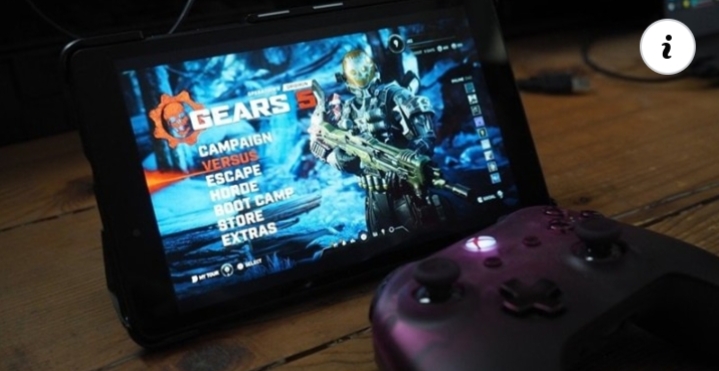
Cloud Gaming with Xbox Game Pass Ultimate, previously known as xCloud, recently released on Android devices.
The service is not currently available on iOS due to Apple's App Store policies.
According to Business Insider, Microsoft is planning to bring Cloud Gaming to iOS via a browser-based app.
This is similar to the approach taken by Amazon's Luna.
While Cloud Gaming with Xbox Game Pass Ultimate launched on Android devices back in September, Microsoft and Apple were not able to reach an agreement over bringing the service to iOS. According to a report from Business Insider, Microsoft is planning to bring Cloud Gaming with Xbox Game Pass Ultimate to iOS via a browser-based app in 2021.
Per Business Insider, Xbox head Phil Spencer told Microsoft employees that "We absolutely will end up on iOS with Game Pass" and that the company is exploring bringing cloud gaming through browsers to iPad and iPhone.
The main issue with Microsoft's Cloud Gaming not being available on iOS has come down to restrictive App Store policies which require reviewing every game in the service on an individual basis. This doesn't apply to applications launched through a web browser, such as Amazon's Luna.
Xbox Cloud Gaming with Xbox Game Pass Ultimate currently provides access to over 150 games, with an influx of titles from EA sure to arrive in the months to come with EA Play joining Xbox Game Pass Ultimate on November 10. If the service does become available on iOS next year, the next iPhone could end up being one of the best phones for Xbox game streaming.
Best of both worlds
Xbox Game Pass Ultimate 3 Month Subscription
$45 at Microsoft Store
$45 at Amazon
Xbox Game Pass and Xbox Live Gold in one
Xbox Game Pass gives you access to over 200 games for one monthly fee. Xbox Game Pass Ultimate also adds Xbox Live Gold to the package so you can play online with your friends. Right now, you can purchase a three-month subscription for a great price.
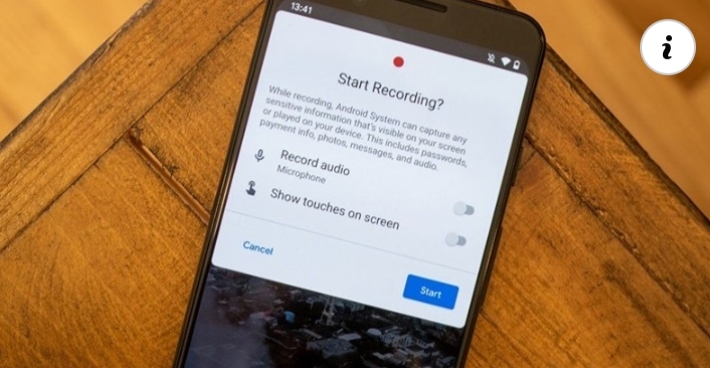
How to use the screen recording feature in Android 11
The Android 11 update is filled with a few exciting features that make your phone more powerful than before, one of which is a screen recorder. This allows you to record a video of what you're doing on your phone, which can be a great tool for tech tips, troubleshooting, and more. Once you get the Android 11 update on your phone, here's how to use the screen recorder for yourself and make the most of it!
How to use Screen Recorder in Android 11
While screen recorders have existed on some Android phones before Android 11, this was based entirely on which company made your phone. For example, Samsung phones came with a screen recorder but ones from Google and Motorola did not.
Android 11 makes this a system-wide feature across the board, so as long as you have Android 11, you can record your screen regardless of who made your phone. With that out of the way, here's what it looks like on a Pixel 4 XL running the Android 11 public beta!
Swipe down from the top of your screen to access your notification panel.
Swipe down again to view your Quick Settings.
Swipe right on your Quick Settings until you see the screen recorder toggle (it'll likely be on the last page).
Tap Screen Record.
Tap the toggles if you want to record audio or show your touches on the screen.
Tap Record audio to specify what audio you want to record.
Tap Start to begin your recording.
When you're done, swipe down to view your notification panel.
Tap the red banner that says Tap to stop.
And that's all there is to it! When you start a recording, you'll see a small red icon in the top-right of your screen letting you know that the recording is live.
How to view saved screen recordings
You can record your screen as often or little as you want, but those recordings aren't all that useful if you don't know how to access them. Thankfully, it's as easy as hopping into Google Photos.
Open the Google Photos app on your phone.
Tap Library on the bottom navigation bar.
Tap Movies.
The Movies section of Google Photos houses all videos saved on your phone, meaning your screen recordings may be a little tricky to find if you have a lot of videos saved. That said, it's easier to find them here instead of endlessly searching through all of your photos/videos.
Our top equipment picks
Best of Android
Google Pixel 4a
$350 at Amazon $350 at Best Buy $349 at B&H
The phone to get if you want fast Android updates
If timely Android updates are important to you, the Pixel 4a is a perfect handset to consider. It's already running Android 11 as is, and looking ahead, it should keep getting updates up to Android 14. It's also just a really great value, offering an excellent camera, good performance, and reliable battery life at a killer price.
This is how cryptocurrency will replace fiat currency!!
Crypto as of now is like a commodity, but the *future* will be very different continue reading to know how will crypto replace physical currency in the future, most of these predictions are by considering countries like India.
**DIGITAL WALLETS COMING TO CRYPTO BUSINESS**
Most of the day to day transactions are now online. Even though banks have released their own application for bill payments and money transfer through mobile none of them received much traction like private wallets. These private wallets offered amazing discounts for transactions in order to increase userbase.
All of these wallets can be used to transact directly from your bank account, also they have another mode, keeping money in the wallet.
Here is what will happen, these wallets will trade on crypto like the started trading in gold and mutual funds.
If this happens crypto will now be available to buy on everyone's phone literally.
**DIGITAL WALLETS ISSUING CARDS**
As I said, these wallets can issue cards linked to the wallet. If users are able to store crypto and get a debit card issues, it will be a gamechanger. There are crypto-centric cards already available, but I am talking about popular digital wallets launching it. A card that can be controlled by mobile and linked to particular crypto, when you do transactions crypto should be automatically sold and expense should be met, there should be an option to sell crypto and store as fiat.
****SCAN AND PAY****
Similar to cards, wallets should add a scan and pay feature to crypto, It will then be similar to the normal digital transactions.
****It is been said that several countries are looking to regulate cryptocurrency, like I said in my previous article regulation is far better than a total ban.****
****Till now we are able to make crypto part of the day to day life. Since these wallets are mainly used for shopping and bill payments, and most of them do not have a feature to send money to your bank account, the least resistance will be only expected from the government.****
****NEXT PHASE****
Till now we are talking about selling crypto and paying bills. Due to the regulations and legal clearances, these wallets will refrain from allowing us to send crypto from person to person.
But by now, people will be ready to take this service, it will be mainly stable coins since others are at potential risk of losing value.
By this time there will be new regulations coming up, and once regulations are set up banks will get involved.
If the idea of stable coins is a success, it is likely that governments will launch a national cryptocurrency.
By 5-10 years from the date a country approves the use of crypto as a currency, the transactions that use physical money are likely to be in the rage of 1-3%.
In another 2-3 years, physical currency is likely to vanish.
The star of the show is Stablecoins, crypto was traded like a commodity until 2020. Now we have crypto that is backed by assets. It can be considered similar to the digital form of currency.
The world is now moving along with the trends, the following advancements already took place.
State-authorized cryptocurrency, as of today few sovereign states launched their National cryptocurrency. Most of these tokens are asset-backed. And according to statements put forward by respective authorities, cryptocurrency will remain a legal tender alongside fiat currency. None of these countries have announced a complete shift to cryptocurrency. If you want to know more about Countries that launched cryptocurrency, CLICK HERE.
Wallets are already in the cryptocurrency business.
Crypto based debit cards are already out.
Crypto based stock exchange system launched in Venezuela.
You may feel like it's a long way to the goal but, I am pretty sure some countries will reach their long before the estimated time.
**which country will be the first to go completely crypto?**
****SWEDEN--****
Sweden already has a cashless economy, only about 1% of the total transactions in Sweden are made using cash. Sweden started research on a national cryptocurrency long before. As of now "e-krona" project of Sweden is said to be complete and will be launched soon.
So according to me, Sweden will be the first country that can successfully adopt a blockchain-based financial system in its highest form.

Oracle v. Google is still as confusing and greedy as it was 10 years ago.
Win, lose, or draw, consumers still get to help pay a lot of legal fees.
What everyone hopes will be the climax in a 10-year long battle between Oracle and Google starts this week as the Supreme Court hears the matter of Oracle versus Google over Java copyrights.
You might have heard from people on both sides of the matter exclaiming how the outcome will determine how all future software is written as well as how all current software is "owned." There is a good chance you're basically confused and just wish the whole thing would disappear so more interesting news can dominate the tech media again (not that there's a shortage of tech news right now).
Some speculate that the reason Oracle purchased Java from Sun Microsystems was so it could sue for licensing fees.
If so, you're not alone. Seeing two companies worth billions (and in Google's case, close to trillions) fighting over who gets even more billions can be tiring and most times is confusing by design. This case is no different. And the worst news is that no matter the verdict handed down, it still may not be over; lawyers are really good at finding new billable items.
All this aside, the case is pretty important and could have a big impact on all software and the companies that develop it because at its heart it is still about whether or not a result can be copyrighted even if the method used to achieve it isn't.
Google's point of view, as well as mostly every tech company not named Oracle, is that nothing was done incorrectly and that granting the type of copyright injunction Oracle wants would put severe restrictions on building software that can work with other software. Oracle claims that Google should not be able to engineer code that can use existing Java functions or interfaces in order to be compliant with its version of Java, even if the Java Google "wrote" is very different from Oracle's version.
I think the best way to explain what's going on is to look at how a little company called Oracle did this very same thing to IBM in 1979 and made billions of dollars from doing it.
In the mid-1970s, IBM began working on what is now known as SQL (Structured Query Language), a database query language that's easy to use as much as using any database query syntax goes. You don't need much formal computer science education to use SQL and because of this, it's still extremely popular more than 40 years later. It just works.
In 2020 Oracle still has no license to use SQL, and it should never need one.
Because this idea was so unique, IBM researchers did a great job of documenting the language and how it works. Oracle, then known as SDL, rightfully wanted in on such a product so it approached IBM to get even more details about the project to make sure any commercial software it developed worked 100% with this new query syntax. Long story short, IBM decided that some of the information needed to be confidential and Oracle was unable to get the full details it wanted.
But because SQL was so well documented in almost every other way, Oracle was able to clone the functionality and the new Oracle database (where the company got its name) was fully compatible and reached the market before IBM even began to develop any commercial product using its own code.
And this was fine. And it should be fine. In fact, it must be fine if two pieces of software can be made to work with each other instead of in competition. Not even IBM says otherwise. In fact, almost every company other than the current version of Oracle thinks this should be fine.
Fast forward to 2010 and Oracle sues Google for copyright infringement because Google "reimplemented" Java (meaning it rewrote the language making sure the results would come out the same). Google says it has done nothing wrong and that U.S. copyright law specifically excludes methods of operation; all it did was make sure function names and arguments stayed the same to keep both versions interoperable.
This case could only be heard in the U.S. because of its broader interpretation of the law.
Notice I said U.S. copyright law. That's because in the rest of the world Oracle would be unable to bring Google to court over what it did because excluding systems and methods of operation from copyright really is the law, both on paper and in practice. And this is where all the dire talk about how this decision could affect all software moving forward. For years it was just accepted that software copyright law in the U.S. worked the way Oracle and Google used it to their advantage in the past. If something happens that changes that perception, crazy ideas like Bell Labs "owning" parts of iOS because of software API functionality isn't that much of a stretch. It's not something that seems likely, but 10 years ago the case in front of the U.S. Supreme Court wouldn't have seemed likely, either.
One theme that carries across all the suits and appeals is that both sides know (and are even banking on) the fact that judges probably aren't very well versed in exactly how software operates. In the second trial — there were four others before Google petitioned the Supreme Court — District Judge William Alsup famously held a recess so he could learn Java programming in order to better understand what was being argued.
A judge shouldn't have to learn to code in order to make a ruling.
Judges understand copyright law by the way it is defined and how mitigating factors — including the effect of its use upon the potential market — affect it. It's rare to find a judge with enough knowledge of computer science to be an authority on every nuance a case this big can have. Oracle knows this and maybe can use that to its advantage to block Google from profiting the way it did 40 years ago. Google knows this and will try to sway the court into placing more weight on U.S. programming jobs. Both sides will use every play possible to come out ahead.
The best outcome we can hope for is to have the matter settled in a way that's fair, not only to both parties but to consumers. This is the outcome the justices really want, or at least it's what they should want. I'll just be glad when it's over and everyone knows what they can and can't do when it comes to a software project the size of Android. The best Android phones will benefit from being able to use Java in its current format for years to come.
Xbox Series X Ultimate Guide: Everything you need to know
Here's everything you need to know about the next-generation Xbox console from Microsoft: Xbox Series X.
The Xbox Series X was unveiled at The Game Awards on December 13, 2019, as a more powerful alternative to the cheaper Xbox Series S. The beastly, monolithic device represents "Project Scarlett," as a flagship console family set to power the next-generation of Xbox games. With everything out in the open, we now have a pretty pervasive picture of what the Xbox Series X looks like, and everything you need to know about going into next-gen.
Here's everything we know so far about the Xbox Series X.
Today's the day
Xbox Series S (Preorder)
See at Microsoft See at Amazon
Experience next-gen gaming for less.
Microsoft serves the next-generation for less with its budget-friendly Xbox Series S. The console packs the same high-performance CPU and SSD technology as Xbox Series X, while scaling back the GPU and removing the disc drive.
Act fast
Xbox Series X (Preorder)
See at Microsoft See at Amazon
The full next-generation experience.
Xbox Series X is Microsoft's new flagship, as its most powerful console with over 12TF GPU performance and a custom SSD. It boasts up to 4K resolution and 120 FPS, full backward compatibility across four generations, and ray-tracing support.
Xbox Series X
Power & specs
Size & dimensions
New features
Launch games
Gamecore & OS
Price & costs
Launch date
And the future
Xbox Series X: Power and specs
The Xbox Series X has now been fully detailed in terms of specs, confirming the majority of our own previous exclusives that suggest this is a genuinely beastly system. Ultimately, Microsoft is generalizing the power increase as "four times" higher than the Xbox One X, given that direct comparisons are difficult due to the sheer volume of custom tech going into this system.
Here are the official specs of the Xbox Series X, stacked up against its Xbox Series S baby brother. The info confirms our earlier exclusives from late 2019.
Category
Xbox Series X
Xbox Series S
Processor
8x Cores @ 3.8 GHz (3.6 GHz w/ SMT) Custom Zen 2 CPU
8x Cores @ 3.6 GHz (3.4 GHz w/ SMT) Custom Zen 2 CPU
Graphics
12.15 TFLOPS, 52 CUs @ 1.825 GHz Custom RDNA 2 GPU
4 TFLOPS, 20 CUs @ 1.565 GHz Custom RDNA 2 GPU
Memory
16 GB GDDR6
10 GB GDDR6
Memory Bandwidth
10 GB @ 560 GB/s, 6GB @ 336 GB/s
8 GB @ 224 GB/s, 2GB @ 56 GB/s
Internal Storage
1 TB Custom NVME SSD
512 GB Custom NVME SSD
I/O Throughput
2.4 GB/s uncompressed, 4.8 GB/s compressed
2.4 GB/s uncompressed, 4.8 GB/s compressed
Expandable Storage
1 TB Expansion Card (matches internal storage exactly)
1 TB Expansion Card (matches internal storage exactly)
External Storage
USB 3.2 External HDD Support
USB 3.2 External HDD Support
Optical Drive
4K UHD Blu-Ray Drive
None, digital-only
Performance Target
4K @ 60 FPS, up to 120 FPS
1440p @ 60 FPS, up to 120 FPS
Color
Matte Black
Robot White, Black
Size
301mm x 151mm x 151mm
Specifics unknown, but it's 60 per cent smaller than the X
Price
$499, £449, €499
$299, £249, €299
Release date
November 10, 2020
November 10, 2020
Regarding ports, we got a look at them a little while ago, confirming what we previously heard that Microsoft is dropping the additional HDMI pass-through port, generally used to inject TV and other devices through the system. We've also confirmed with Microsoft now that the IR Blaster and the SPDIF optical audio port are also removed. TV controls will function over HDMI-CEC connections instead, but those of us with SPDIF audio systems or headsets may be out of luck, unless they get updates, like the Astro A50 and Astro MixAmp.
In terms of power, the proof will be in how games run once the system ships, but Microsoft's promise of "four times" more powerful than the Xbox One X makes it seem incredibly compelling.
Xbox Series X: Size and dimensions
Just how big is this thing? Microsoft has now released official dimensions, putting it at 301mm x 151mm x 151mm (our previous estimates were out by 9mm, sorry about that!)
Compared to an Xbox One X at 300 mm x 240 mm x 60 mm, the Xbox Series X has a far larger volume, most likely to accommodate airflow and the technology inside it. Microsoft has stated that it built it this way to ensure that it is virtually silent while powering next-gen cutting edge visuals. You can compare the size of the Series X against the Series S and PlayStation 5 over here.
Xbox Series X 3D interactive size comparison
Xbox Series X: Features and improvements
Microsoft has made comments about improving load speeds and access to your games through the Xbox Series X, and Microsoft's proprietary Xbox Velocity Architecture allows the SSD to offload computational scenarios that would typically be handled by other components, freeing them up for extra juice due to its speed and decompression tech.
The NVMe SSD, coupled with some of Microsoft's own tweaks near-eliminates loading. Games that have loading times of anywhere up to a minute are reduced to mere seconds, with the SSD having anywhere up to 2GB/s read speeds. Microsoft confirmed this with a side-by-side comparison of the State of Decay 2's loading times recently.
The Xbox Series X NVMe SSD will also provide developers with more power to use, offloading asset streaming tasks typically handled by the CPU thanks to new features in DirectX, called DirectStorage (which is also coming to Windows PC).
Microsoft is also rumored to be leveraging Project XCloud game streaming in the future to reduce installation times, too, allowing you to jump into your games before they're done installing by letting you stream them. Next-gen is all about saving you time. Microsoft also engineered this thing to be as quiet as possible, and we've heard that even under heavy load, it's virtually silent.
Another benefit of the SSD is that games will be able to save in suspended states, as per a February 2020 podcast with Major Nelson.
Right now, Xbox One consoles can only fast resume a single game, but the Xbox Series X will be able to instantly resume multiple games that you've minimized, even after the games have been updated. We heard previously that save states persist even if the console is unplugged, and Microsoft has now confirmed a lot of this information in its recent deep dives.
Microsoft is also introducing a new and improved controller with the Series X, with a revised, more tactile d-pad inspired by the Xbox Elite controllers, and a video and screenshot sharing button, following Sony's lead on PlayStation 4. The new controller is also said to be a little smaller than the previous and probably lighter, too, as a result. It also has revised triggers, with grippy textures as standard.
Features like rumble triggers will return, and it'll even work on the previous-gen Xbox One consoles and Windows PCs too. All of the best Xbox One headsets, controllers, and other Xbox One-compatible accessories will work on the Series X, too. The Xbox Series X will also be able to suspend and resume multiple games at once, as opposed to the single resume available on Xbox One consoles. Microsoft has confirmed that the new controllers will continue to utilize AA batteries.
On the graphics side of things, the Xbox Series X will feature a range of enhancements that elevate it above the current-gen systems. The console is capable of 120 frames per second, complete with variable refresh rates for compatible displays, with support for up to 8K resolutions. 4K resolution with 60 frames per second should become a baseline standard. The Xbox Series X will also feature hardware-accelerated ray tracing, which produces real-time dynamic reflections and shadows, elevating the depth of your games.
Beyond that, Microsoft is also baking in some advanced features developers can leverage to squeeze even more juice out of the system. They come in the form of proprietary variable-rate shading (VRS), auto-HDR, and more. Auto low latency mode (ALLM) and dynamic latency input (DLI) also comes along to make it the "most responsive" console ever built.
Microsoft's new developer environment Game Core OS developer environment will unlock further developmental capabilities down the line too, allowing developers to seamlessly build games for different Xbox consoles, cloud, and PC. These games will be able to scale across systems, including PC and the Project Scarlett next-gen consoles. However, to leverage some of the advanced visual features, developers will have to target Game Core OS (also known as Game OS) specifically. We're unsure if Game Core OS will be exclusive to Scarlett consoles, PC, and the cloud, but it seems likely, as Microsoft winds down production on the Xbox One systems.
As noted earlier, the proof is in the pudding, though. Microsoft has already shown off at least one game that is built from the ground up for these next-gen features, and that is Hellblade II.
Xbox Series X: Launch games and backward compatibility
At The Game Awards, Microsoft showed off a new trailer for Senua's Saga: Hellblade II, which it claims is comprised entirely of in-engine footage. Considering the insane work Ninja Theory did for the original Hellblade in terms of digitizing its performance artists, it's entirely believable that what we see here is genuinely representative of next-gen technology.
Microsoft has invested more than ever in first-party content moving into next-gen, not just because of the Project Scarlett consoles, but also for Project XCloud, it's nascent streaming service. Both platforms use the same developer environments, ensuring this Xbox iteration could have the largest install base ever, leading to more developer support than ever.
In July, Microsoft revealed a range of impressive-looking games coming to Xbox Series X, including Halo Infinite with a free to play multiplayer component, with 120 frames per second gameplay. Avowed, which looks like Obsidian's answer to Elder Scrolls V: Skyrim, and State of Decay 3.
Finally, Microsoft finally revealed the long-rumored Fable from Playground Games. Microsoft also confirmed that 50 games existing and future will launch with Xbox Series X enhancements, from increased resolution, frame rates, and beyond. Games that are optimized for the Xbox Series X will also be optimized for the Xbox Series S, producing higher frame rates in games like Destiny 2 and Assassin's Creed: Valhalla.
Sensationally, Microsoft purchased the legendary Bethesda Softworks and all of its sister studios in September, 2020, including the IP to franchises like The Elder Scrolls, Fallout, DOOM, and many, many, more. We expect a lot of these games to go Xbox Game Pass-exclusive down the line, meaning that they won't be on PlayStation 5 consoles.
Microsoft has also confirmed that every single game that runs on Xbox One will work on the Xbox Series X, including OG Xbox games and Xbox 360 games that are backward compatible. As for launch titles and beyond, Xbox Game Studios are hard at work on piles of games, and we've rounded them all up over here for your perusal. We also have a list of games confirmed to be Xbox Series X "optimized," although exact optimizations will vary.
List of Xbox Series X games
Everything Xbox Game Studios teams are working on
Xbox Series X: GameCore and OS
Microsoft will deploy the same OS to Xbox Series X that is available now on the Xbox One S and Xbox One X, albeit with some design refinements you can see a glimpse of in the above video, showcasing the new Fluent Design Xbox dashboard. New fluent elements, new fonts, and a dashboard designed to support 4K TVs are among things being considered for dashboard improvements in the future. Additionally, the Xbox Series X will support animated Dynamic Themes, taking cues from PlayStation. The first theme is a wavy pattern, although we expect more to be added for launch.
For developers, Microsoft is working on a new developer environment dubbed GameCore, which will reportedly bring Xbox development more closely in-line to that of Win32 on PC. Additionally, GameCore comes with other benefits for developers, allowing games to scale more seamlessly across different Xbox SKUs without additional work, scaling resolution, and other details to meet various power levels. This sort of system is ideal for the Xbox Series S console, which will output games at up to 1440p with a vastly more powerful CPU and SSD than on the Xbox One consoles. We've heard that GameCore as a development environment is currently in a beta state, which a couple of smaller games are planning to launch using early versions of the tools around the Xbox Series X launch.
Xbox Series X: Price and costs
We revealed via our sources that the current intended retail price of the Xbox Series X is going to be $499, matching the launch price of the Xbox One X of yesteryear. Microsoft later confirmed it to be official. Also, the Xbox Series S is expected to cost $299, similar to the Xbox One S. Microsoft has now confirmed these reports.
Microsoft has been expanding its Xbox financing program, Xbox All Access, and we expect Microsoft will leverage these financing options more broadly to try to help people manage costs, making next-gen more accessible than ever.
Xbox Series X: Launch date and preorders
Our sources confirmed that the Xbox Series X will launch alongside the Xbox Series S on November 10, 2020.
As for preorders, Microsoft confirmed that pre-orders would go live on September 22, ahead of the November 10 launch. The vast majority of stocks are now sold out, but if you're lucky, you may still be able to nab one.
Today's the day
Xbox Series S (Preorder)
See at Microsoft See at Amazon
Experience next-gen gaming for less.
Microsoft serves the next-generation for less with its budget-friendly Xbox Series S. The console packs the same high-performance CPU and SSD technology as Xbox Series X, while scaling back the GPU and removing the disc drive.
Act fast
Xbox Series X (Preorder)
See at Microsoft See at Amazon
The full next-generation experience.
Xbox Series X is Microsoft's new flagship, as its most powerful console with over 12TF GPU performance and a custom SSD. It boasts up to 4K resolution and 120 FPS, full backward compatibility across four generations, and ray-tracing support.
Xbox Series X: It eats monsters for breakfast
The Xbox Series X represents a bold vision and a huge step forward for Redmond, which is keen to put the mistakes of the early Xbox One generation behind it. New name, new vision, new leadership, and more investment than ever before as Microsoft seeks to stave off potential cloud threats from Google, Amazon, and Tencent.
Far more than a simple box, the Xbox Series X should grant visual quality that has, up until now, been available only on the most extreme Windows gaming PCs, while incorporating the entirety of your existing library. It will also allow us to roam with our games via the internet, thanks to Project XCloud and Xbox Game Streaming, streamed to our mobile devices.
Microsoft has never put this much investment into its gaming operation before, and I don't doubt Xbox fans will be delighted with what Redmond puts out with the Xbox Series X and the Xbox Series S. Whether or not the broader market responds remains to be seen. Still, Microsoft is undoubtedly giving Xbox its best chance possible.

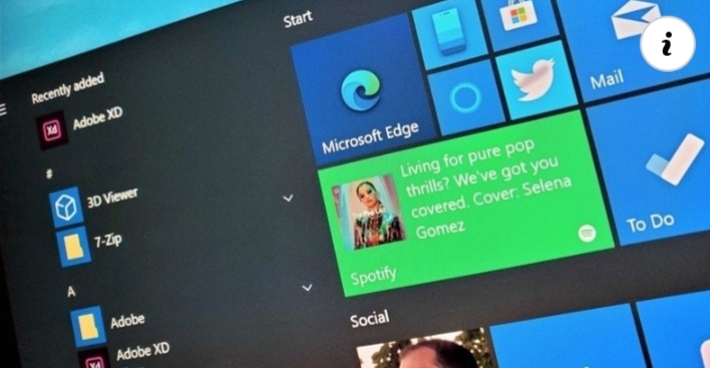
Microsoft Edge Dev can now translate selected text on a page.
You can also automatically skip translation on specific websites altogether.
What you need to know
The Microsoft Edge Dev channel picked up another weekly update today.
This update adds notable new translation features.
The update is rolling out now as version 87.0.658.0.
A fresh update is rolling out for testers on the Microsoft Edge Dev channel. This latest weekly update includes a few new features of note. The highlight is new translation features, including the ability to translate specific text selected on a page.
Here's a look at the release notes posted by Microsoft:
Added the ability to translate selected text on a page.
Added the ability to never translate a particular site.
Added a management policy to Configure Speech Recognition. Note that updates to documentation and administrative templates are still needed.
Obsoleted the management policy to Enable Deprecated Web Platform Features.
Fixed an issue where opening Edge sometimes causes the device to bluescreen.
Fixed an issue where opening the Downloads management page sometimes crashes the browser.
Fixed a crash when opening a website installed as an app.
Fixed a crash when Password Monitor shows an alert.
Fixed an issue where using certain accessibility features like Narrator sometimes causes tabs to crash on certain versions of Windows 10.
Fixed an issue where dragging items into a Collection sometimes crashes the Collections pane.
Fixed an issue where Edge sometimes opens many command prompt windows with ERROR: file_io_win.cc(180).
Temporarily disabled the cards that appear when hovering the mouse over tabs.
Fixed an issue where there is sometimes blank space between tabs or between the new tab button and the last tab.
Fixed an issue where Read Aloud sometimes doesn't start reading from the current location in PDFs.
Fixed an issue where the profile image on the Taskbar shortcut doesn't match the image in the browser.
Fixed an issue where searching on the History management page sometimes doesn't work.
Fixed an issue where using Guided Switch opens an additional new tab.
Fixed an issue where Guided Switch sometimes is triggered for popup windows.
Fixed an issue where text selected in PDFs sometimes doesn't unselect when it should.
Fixed an issue where keyboard shortcuts registered by extensions sometimes don't work.
If you're already using the Microsoft Edge Dev channel, this update is available to download now. You can manually download it by checking the "About Microsoft Edge" portion of the settings menu. Otherwise, the Microsoft Edge Beta, Dev, and Canary channels are available to download at the official Microsoft Edge Insider site.
Bitcoin explained in Bangla
বিটকয়েন কি ?
.
.
বিটকয়েন হল ওপেন সোর্স
ক্রিপ্টোগ্রাফিক
প্রোটকলের মাধ্যপ্রোটকলের মাধ্যমে
লেনদেন হওয়া
সাংকেতিক মুদ্রা।
.
বিটকয়েন লেনদেনের জন্য কোন ধরনের
অর্থনৈতিক
প্রতিষ্ঠান, নিয়ন্ত্রনকারী
প্রতিষ্ঠান বা নিকাশ
ঘরের প্রয়োজন হয় না।
.
.
২০০৮ সালে সাতোশি
নাকামোতো এই
মুদ্রাব্যবস্থার
প্রচলন করেন। তিনি এই মুদ্রাব্যবস্থাকে
পিয়ার-টু-পিয়ার
লেনদেন নামে অভিহিত করেন।
.
বিটকয়েনের
লেনদেনটি বিটকয়েন মাইনার নামে একটি
সার্ভার কর্তৃক সুরক্ষিত থাকে।
.
পিয়ার-টু-পিয়ার
যোগাযোগ ব্যাবস্থায়
যুক্ত থাকা একাধিক
কম্পিউটার বা
স্মার্টফোনের মধ্যে
বিটকয়েন লেনদেন
হলে এর কেন্দ্রীয়
সার্ভার ব্যবহারকারীর
লেজার হালনাগাদ করে দেয়। একটি লেনদলেজার
হালনাগাদ করে দেয়। একটি লেনদেন
সম্পন্ন হওয়ার সাথে
সাথে নতুন বিটকয়েন উৎপন্ন হয়।
.
.
২১৪০ সাল
পর্যন্ত নতুন সৃষ্ট
বিটকয়েনগুলো
প্রত্যেক চার বছর
পরপর অর্ধেকে নেমে আসবে। ২১৪০ সালের
পর ২১ মিলিয়ন
বিটকয়েন তৈরী হয়ে গেলে আর কোন নতুন
বিটকয়েন তৈরী করা হবে না।
যেহেতু বিটকয়েনের
লেনদেন সম্পন্ন
করতে কোন আর্থিক প্রতিষ্ঠানের
প্রয়োজন পরে না এবং এর লেনদেনের
গতিবিধি কোনভাবেই অনুসরণ করা যায় না তাই বিশ্বের
বিভিন্ন যায়গায়
বিটকয়েন ক্রমান্বয়ে
জনপ্রিয় হয়ে উঠছে।
.
.
বৈধ পণ্য লেনদেন
ছাড়াও মাদক
চোরাচালান এবং
অর্থপাচার কাজেও
বিটকয়েনের ব্যাবহার আশঙ্কাজনক ভাবে
বৃদ্ধি পেয়েছে।
.
.
যদিও
বিটকয়েন ডিজিটাল
কারেন্সি হিসেবে
জনপ্রিয়তা পেয়েজনপ্রিয়তা পেয়েছে,
বিভিন্ন আন্তর্জাতিক মুদ্রার বিপরীতে এর দর মারাত্মক
ওঠানামা,
দুষ্প্রাপ্যতা এবং
ব্যবসায় এর সীমিত
ব্যবহারের কারণে
অনেকেই এর সমালোচনা করেন।
.
.
সম্প্রতি কানাডার
ভ্যানক্যুভারে
বিটকয়েন এর প্রথম
এটিএম মেশিন চালু করেছে । ধারণা করা হচ্ছে মুদ্রা
হিসেবে প্রতিষ্ঠিত করতে এটি বিটকয়েনকএটিএম
মেশিন চালু করেছে । ধারণা করা হচ্ছে মুদ্রা হিসেবে
প্রতিষ্ঠিত করতে এটি বিটকয়েনকে
আরও আগিয়ে নিয়ে যাবে।
.
.
মাদক,
চোরাচালান অবৈধ
অস্ত্র ব্যবসা ও
অন্যান্য বেআইনি
ব্যাবহার ঠেকানোর
জন্য
.
* যুক্তরাষ্ট্র ও
.
*কানাডীয়
সরকার
বিটকয়েনের গ্রাহকদের নিবন্ধনের আওতায়
আনাবিটকয়েনের গ্রাহকদের নিবন্ধনের আওতায় আনার
চিন্তাভাবনা করছে।
.
.
কার্যপ্রনালী
একটি বিটকয়েন
লেনদেন লগের চিত্র।
.
বিটকয়েনের লেনদেন হয় পিয়ার টু পিয়ার বা
গ্রাহক থেকে
গ্রাহকের কম্পিউটারে

Samsung One UI 3.0 (Android 11): All the new features you need to know.
Samsung's next big version update is now in a closed beta — and a public beta will be available shortly.
Samsung is getting ready to show off the next version of One UI. The Android 11-based One UI 3.0 closed beta is now live in Korea and the U.S. to select developers, and Samsung is set to kick off a public beta shortly that will let Galaxy phone users try out the upcoming version of One UI.
The One UI 3.0 beta is limited to the Galaxy S20 series, and Samsung will make the public beta available in seven markets around the world. While the Galaxy Note 20 series recently made its debut, Samsung usually offers the beta program on its more mainstream Galaxy S lineup, and that's the case this year as well. The Galaxy S20 launched six months ago, and it continues to be one of the best Android phones today.
Here's what you need to know about the One UI 3.0 beta, the list of eligible phones slated to receive the stable update, and when you'll get the OTA update on your Galaxy phone.
The default choice
Samsung Galaxy S20+
$1190 at Amazon $1200 at Best Buy
A great all-round option
The Galaxy S20+ is one of the best phones on the market today, with a gorgeous design coupled with enticing hardware. You get a stunning 120Hz AMOLED panel, global 5G connectivity, Snapdragon 865 chipset, outstanding cameras, and all-day battery life with wireless charging.
Samsung One UI 3.0:
Stable update should roll out starting December
One UI 3.0 public beta is rolling out soon
Public beta is coming to these countries
Here's what's new in One UI 3.0 beta
These phones are getting the beta
These phones will get the stable update
When will Samsung release the stable One UI 3.0 update?
With the One UI 3.0 public beta set to kick off shortly, it will be a few months before the stable update is available. Samsung kicked off the One UI 2.0 beta last October and rolled out the stable release by the end of December for the Galaxy S10, and that's the broad timeline for this year as well. Samsung Korea briefly shared a timeline for the stable One UI 3.0 release based on Android 11, stating that it will be rolling out after November.
That suggests the stable build will go out to retail devices starting December 2020. The Galaxy S20 series will be the first to receive the update, followed by the Note 20 series, and Samsung's 2019 flagships.
When is the One UI 3.0 public beta rolling out?
The One UI 3.0 closed beta is now live in Korea and the U.S., and is aimed at developers performing compatibility testing with carriers and device models. Samsung's One UI 3.0 beta page notes that the closed beta is already full, and that interested participants can sign up for the public beta once it is available.
Samsung announced further details about a One UI 3.0 public beta in Korea, noting that the public beta build will be available soon. Once the beta program kicks off in Korea, it shouldn't be too long before it is available to Galaxy customers in the U.S. and other markets.
Is the One UI 3.0 beta program available globally?
Samsung limits the number of markets that have access to its beta program, and it's no different with One UI 3.0. The beta initiative is kicking off in Korea and the U.S., and Samsung says it will offer One UI 3.0 public beta builds to Galaxy phone users in China, Germany, India, Poland, and the United Kingdom once the beta kicks off.
That means the public beta program will be live in seven markets around the world, similar to what Samsung has done in the past. Once more countries are added to the beta program, we should get a better idea about the models that are eligible for the beta in these particular regions.
What's new in One UI 3.0 beta?
Samsung isn't making a lot of design changes in One UI 3.0, with the overall aesthetic similar to One UI 2.5. That said, there are a lot of exciting new features, including the ability to long press an app to see all associated widgets and add them to the home screen, and a double tap gesture anywhere on the home screen to turn off the screen.
One UI 3.0 is also getting the Conversations view that debuted in Android 11, and the persistent media player. You also get better auto-focus and exposure controls in the camera, the option to customize the call screen with your own pictures and videos, device usage trends in Digital Wellbeing, and a lot of new Bixby Routines.
The One UI 3.0 changelog obtained by Android Police gives us a detailed look at all the new additions, including changes to the lock screen, accessibility, DeX, Samsung Internet, and more. There are a ton of small additions that make Samsung's skin even better.
Here's the full changelog:
Home screen
Touch and hold an app to add an associated widget
Turn the screen off by double-tapping on an empty area of the Home screen. You can turn this on in Settings > Advanced features > - Motions and gestures.
Lock screen
Dynamic Lock screen now has more categories, and you can select more than one.
Lock screen widgets are improved.
Quick panel
See your conversations and media more conveniently in their own sections when you swipe down from the top of the screen.
AOD
Always On Display widgets are improved.
Accessibility
Get quick access to the most important accessibility settings during device setup. - Get recommended accessibility features based on what you use.
Set the Accessibility shortcut more easily in settings.
Sound detectors now work with your SmartThings devices such as TVs and lights to give you more visible
Samsung Keyboard
You can find the keyboard settings more easily under General management in Settings, and the settings have been reorganized to put the most important ones first.
Samsung DeX
You can now connect to supported TVs wirelessly.
New touchpad multi-gestures let you change screen zoom and font size more easily.
Internet
Added ability to block websites from redirecting you when you tap the Back button. - Added warnings and blocking options for websites that show too many pop-ups or notifications.
Rearranged menus to make things easier to find. - Added several new add-ons, including one that translates websites.
Added option to hide the status bar for a more immersive browsing experience.
Increased maximum number of open tabs to 99.
Added ability to lock and reorder tabs.
Improved design for tab bar which is now supported on all devices.
Ended support for Samsung Internet edge panel.
Contacts & Phone
Added an option to help you quickly delete duplicate contacts.
Enhanced the search experience.
Phone/Call background
Added the ability to customize the call screen with your own pictures and videos.
Messages
Created a Trash bin to store recently deleted messages.
Call & Text on other devices
Added the ability to turn Call & text on other devices on or off with Bixby Routines.
Calendar
Events with the same start time are now shown together in month and agenda view.
Reorganized options for adding and editing events.
Improved layout for full screen alerts.
Digital wellbeing and Parental controls
Added trends to your weekly report. You can see how your usage has changed since the previous week and check your usage time for each feature.
Added phone usage time while driving to the weekly report.
Added a lock screen widget so you can check your screen time without unlocking your phone.
Added separate profiles for personal and work modes so you can track your screen time separately.
Camera
Improved auto-focus and auto exposure functionality and usability.
Improved stabilization when taking pictures of the moon at high zoom levels
Photo editor
Added the ability to revert edited pictures back to their original versions.
Bixby Routine
Grouped preset routines help you get started quickly and learn how to build your own routines quickly
You can now see what actions are reversed when a routine ends.
New conditions have been added, such as a specific start time, the disconnection of a Bluetooth device or Wi-Fi network, a call from a specific number, and more.
New actions have been added, including talking to Bixby and accessibility actions.
You can add a customized icon for each routine and add routines to the Lock screen for quick access.
What are the eligible phones for One UI 3.0 beta?
For now, Samsung is limiting the One UI 3.0 beta for the Galaxy S20 series. This was the case last year with the Android 10-based One UI 2.0 beta as well, with Samsung rolling out beta builds initially to the Galaxy S10 series.
Because Samsung sells a lot of models of the Galaxy S20 — including carrier variants — these are the models that are eligible for the closed One UI 3.0 beta in Korea and the U.S.:
Korea (KT / LGU+ / SKT / Unlocked): Galaxy S20 (SM-G981N), S20+ (SM-G986N), S20 Ultra (SM-G988N)
United States (T-Mobile): Galaxy S20 (SM-G981U), S20+ (SM-G986U), S20 Ultra (SM-G988U)
United States (Unlocked): Galaxy S20 (SM-G981U1), S20+ (SM-G986U1), S20 Ultra (SM-G988U1)
So if you have a Galaxy S20, S20+, or the S20 Ultra, you will be able to join the beta program and take a look at all the new features in the Android 11-based build.
These Samsung phones will get the One UI 3.0 stable update
While the One UI 3.0 is limited to the Galaxy S20 series, the stable update will be rolling out to dozens of phones. Samsung in particular makes a lot of great budget phones, and while the manufacturer hasn't shared an official list of devices that will receive the One UI 3.0 update, all phones launched within the last two years should make the switch.
Here's a preliminary list of phones that are likely to receive the One UI 3.0 stable build based on Android 11.
Samsung Galaxy S/Note series:
Galaxy Note 20
Galaxy Note 20 Ultra 5G
Galaxy Z Fold 2
Galaxy Flip 5G
Galaxy Tab S7
Galaxy Tab S7+
Galaxy S20
Galaxy S20 5G
Galaxy S20+
Galaxy S20+ 5G
Galaxy S20 Ultra
Galaxy S20 Ultra 5G
Galaxy Z Flip
Galaxy Fold
Galaxy Fold 5G
Galaxy Note 10+
Galaxy Note 10+ 5G
Galaxy Note 10
Galaxy Note 10 5G
Galaxy S10e
Galaxy S10+
Galaxy S10
Galaxy S10 5G
Galaxy Note 10 Lite
Galaxy S10 Lite
Samsung Galaxy A series:
Galaxy A51
Galaxy A51 5G
Galaxy A71
Galaxy A71 5G
Galaxy A50
Galaxy A50s
Galaxy A70
Galaxy A70s
Galaxy A60
Galaxy A80
Galaxy A8s
Galaxy A90 5G
Galaxy A01
Galaxy A10
Galaxy A10e
Galaxy A10s
Galaxy A11
Galaxy A20
Galaxy A20e
Galaxy A20s
Galaxy A21
Galaxy A21s
Galaxy A30
Galaxy A30s
Galaxy A31
Galaxy A40
Galaxy A41
Samsung Galaxy M series:
Galaxy M51
Galaxy M40
Galaxy M31s
Galaxy M31
Galaxy M30s
Galaxy M21
Galaxy M11
Galaxy M01
Galaxy M01s
Get More Galaxy S20
Samsung Galaxy S20, S20+ & S20 Ultra
From $1000 at Amazon
Samsung Galaxy S20 Ultra review
Samsung Galaxy S20+ review
Samsung Galaxy S20 review
The best Galaxy S20 cases
The best Galaxy S20 screen protectors
The best Galaxy S20+ cases
The best Galaxy S20+ screen protectors
The best Galaxy S20 Ultra cases
The best Galaxy S20 Ultra screen protectors.
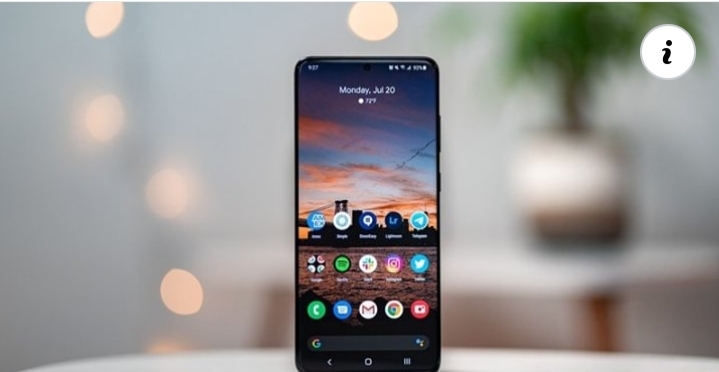
Gameplay for Xbox Series X and S games coming later in October
A pretty big year with more to come.
What you need to know
Today, Aaron Greenberg, General Manager of Games Marketing at Xbox, shared different stats from the studios' year so far.
Xbox Game Studios has seen the release of critically acclaimed games like Ori and the Will of the Wisps and Microsoft Flight Simulator 2020.
Greenberg also states that gameplay footage for Xbox Series X and S games will be shared later this month.
Aaron Greenberg, General Manager of Games Marketing at Xbox, shared several stats for Xbox Game Studios' 2020 today. Among these stats is the fact that Xbox Game Studios will have released 15 games this year so far once Age of Empires III: Definitive Edition launches on October 15.
Of these many games released, Ori and the Will of the Wisps and Microsoft Flight Simulator 2020 stand out as critically-acclaimed, with Metacritic averages of 90 and 92 respectively. 1.66 billion hours of Xbox Game Studios titles were played so far this year, with players logging over 26 million flights in Microsoft Flight Simulator 2020.
Greenberg also noted how new survival game Grounded crossed a million players, while Sea of Thieves has crossed over 15 million players.
Several more Xbox Game Studios titles are on the way, such as Halo Infinite in 2021, as well as As Dusk Falls, Avowed, Everwild, Fable, Forza Motorsport, Senua's Saga: Hellblade 2 and State of Decay 3. Even more games yet to be announced are on the way with Microsoft acquiring ZeniMax and the addition of Bethesda Softworks to the Xbox family.
Interestingly, Greenberg also shared that more details on Xbox Series X and Xbox Series S Optimized games are coming later this month, alongside gameplay footage for the titles, so we'll be sure to be on the lookout for these updates. The Xbox Series X and Xbox Series S are scheduled to arrive on November 10.
Best of all worlds
Xbox Game Pass Ultimate 3 Month Subscription
$45 at Microsoft Store
$45 at Amazon
Xbox Game Pass and Xbox Live Gold in one
Xbox Game Pass gives you access to over 200 games for one monthly fee. Xbox Game Pass Ultimate also adds Xbox Live Gold to the package so you can play online with your friends. You also get access to EA Play.
Xbox Series X/S
Xbox Series X: Everything we know
Best games coming to Xbox Series X/S
List of Xbox Series X specs
What is the Xbox Series X release date?
How much does Xbox Series X cost?
Why you can't preorder Xbox Series X yet
Best Xbox Series X Headsets
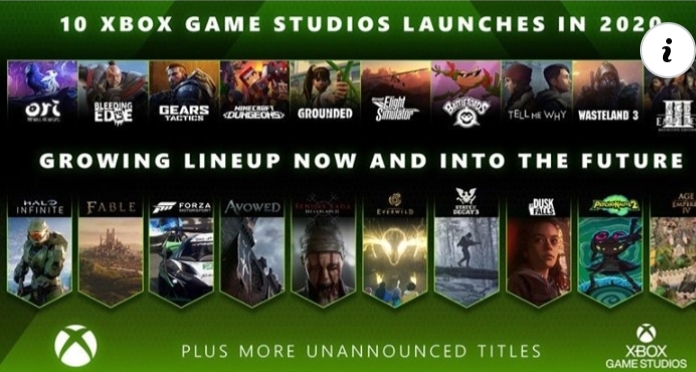
India's Paytm launches mini app store as Google defers 30% cut until 2022 ..
Ola, Gaana, Zoomcar, Domino's Pizza, McDonald's, 1mg, and several other popular apps are already available on the mini-app store.
What you need to know
Paytm has launched a mini-app store of its own to challenge Google's Play Store in India
Google, meanwhile, has delayed its new Play Store billing policy in India to April 2022.
The new policy requires developers to use Google's own billing system for in-app purchases, which takes a 30% cut from the payments.
Paytm, which is India's most popular payments app, launched a mini-app store of its own today, aiming to challenge Google's Play Store in the country (via TechCrunch). The mini-app store already includes several popular apps and is claimed to reach over 150 million monthly active users.
The new Paytm mini-app store is open to all developers and offers features such as one-step login and support for subscription-based payments. And unlike Google, Paytm says it will not take any cut from developers for using its payment instruments. However, a 2% charge will be levied on payment instruments such as credit/debit cards and Net Banking.
Vijay Shekhar Sharma, co-founder and CEO, Paytm, said in a statement:
I am proud that we are today launching something that creates an opportunity for every Indian app developer. Paytm mini app store empowers our young Indian developers to leverage our reach and payments to build new innovative services.
The launch of Paytm's mini-app store comes as Google is pushing back the enforcement of its new Play Store billing policy in the country to April 2022. In a statement, Google has said that it will be setting up listening sessions with Indian startups to "understand their concerns more deeply." It also plans to set up Policy Workshops to clear additional questions about the updated Play Store policies.
The new rules, which will be enforced globally from September 2021, require all developers to use Google's billing system to offer in-app purchases, which takes a 30% cut from payments.
Review of new XPS 15 continues Dell's winning streak with one exception.
The all-new XPS 15 for 2020 brings many changes, while also remaining the same. But will one flaw ruin it all?
I have a special connection to the XPS 15, as it was my first serious laptop purchase. I bought it in late 2013 right before my flight to Abu Dhabi to cover one of the last Nokia World events.
It was too big to use on the flight.
That problem is mostly gone away now with the new XPS 15 (9500), which is effectively the size of a 14-inch laptop now due to the incredibly thin display bezels. It is also dense due to it being packed to the gills with battery. It replaces last year's XPS 15 (7590), although that model is still available at discounted prices.
Despite some early quality control issues, Dell is continuing its winning streak with premium laptops. The company understands where the consumer market is going and delivering all the right improvements. They just need to be careful with that trackpad.
Since its release in June, the XPS 15 pricing has held steady with pricing dipping by $50 to $1,200 for the entry-level model. The current model with 10th Gen Intel is not being updated anytime soon as there are no newer processors or NVIDIA GPUs for it making the XPS 15 (7590) a safe bet for the next year. There could be some significant savings through Amazon Prime Day for all configurations. There are many models of this laptop, so make sure to pay attention to the choice of processor, display, and graphics to meet your needs.
Multimedia powerhouse
Dell XPS 15 (9500)
Bottom line: Dell is continuing to change over to taller 16:10 displays, and it pays off. With a lot of room for typing, excellent quad-audio with 3D surround, and some of the thinnest bezels on any laptop, the new XPS 15 is a joy. It even gets good battery life with a 4K screen. Just make sure you don't get a bum trackpad.
Pros
New Sharp IGZO 16:10 HDR400 display is awesome
Keyboard and audio have greatly improved
Good overall performance
Smallest, but powerful 15-inch laptop around
Cons
Risk of a loose trackpad (supposedly fixed)
Below average web camera
No inking
From $1,200 at Dell
From $1,250 at Amazon
Jump to:
Specs and Features
Display
Keyboard, trackpad, camera
Audio
Performance and battery
Competition
Conclusion
all new, but similar
Dell XPS 15 (9500) design and specs
The XPS 15 (9500) is a premium, workstation laptop with a powerful 45-watt Intel 10th Gen processor and NVIDIA GeForce GTX 1650Ti (Max-Q) for graphics. While those sounds like gaming laptop specs make no mistake, this is aimed at creatives, video and photo editors, multimedia whizzes, and engineers who need serious discrete localized processing.
For this review we're using a model configured with a Core i7-10875H (eight-cores), NVIDIA GeForce GTX 1650Ti, 16GB of DDR4 RAM, and 512GB of storage, which is $2,254.
Category
Dell XPS 15
Operating system
Widows 10 Home
Windows 10 Pro
Display
15.6-inch 4K UHD+ (3840 x 2400) touch
15.6-inch FHD+ (1920 x 1200)
Processor
10th Gen Intel Core i5-10300H
10th Gen Intel Core i7-10750H
10th Gen Intel Core i7-10875H
10th Gen Intel Core i9-10885H
Graphics
Intel UHD graphics
NVIDIA GeForce GTX 1650 Ti
Memory
8GB DDR4 Dual Channel SDRAM at 2933MHz
16GB DDR4 Dual Channel SDRAM at 2933MHz
32GB DDR4 Dual Channel SDRAM at 2933MHz
64GB DDR4 Dual Channel SDRAM at 2933MHz
Storage
Up to 2TB PCIe 3 x4 SSD
Battery
56WHr
86WHr
Ports
2x Thunderbolt 3 with power delivery & DisplayPort
1x USB-C 3.1 with power delivery & DisplayPort
1 Full size SD card reader v6.0
3.5mm headphone/microphone combo jack
Wedge-shaped lock slot
Audio
Quad-speaker design
Dual microphone array
Wireless
Killer Wi-Fi 6 AX1650 (2x2)
Bluetooth 5
Camera
720p with Windows Hello
Dimensions
Height: 18mm (0.71") x Width: 344.72mm (13.57") x Depth: 230.14mm (9.06")
Weight
4 lbs. (1.83 kg) for non-touch with 56Whr battery
4.5 lbs. (2.05 kg) for touch with 86Whr battery
Available
Now (Core i9 later this summer)
Price
Starting at $1,200
What makes this XPS 15 (9500) interesting is it is the first complete redesign in five years. Dell takes its time figuring out an overall chassis and adds minor iterations for years. That strategy has worked well as the XPS line is widely considered one of the best for Windows PCs.
This year's changes mostly focus on the display, which is now 16:10 instead of 16:9, along with those razor-thin Infinity Edge bezels, on all four sides. This display choice mirrors the recently revamped XPS 13 2-in-1 (7390) and XPS 13 (9300), both of which won critical rave reviews from us.
Build quality is excellent. While the new XPS 15 is not any more substantial than last year's model, which had a larger footprint, it weighs nearly the same at 4.5 lbs. (2.05 kg). That's not light, and the first time you grab the XPS 15 (9500), you'll be surprised at how dense it is compared to its size.
But Dell also did many smaller changes, all of which are improvements over last year's model, including:
8 percent thinner
Keyboard keycaps that are 9.7 percent larger
The trackpad is 62 percent larger
Quad speakers: two top-firing, two underneath
The soft-touch finish is more resistant to fingerprints
New fingerprint reader
Shift from 4K OLED (Samsung) to 4K Sharp IGZO
All these features, at least on paper, add up to dramatically change the overall experience. But Dell is also stressing that this XPS 15 will feel familiar, which it does. Between the CNC machined aluminum chassis with carbon fiber inlays, this does not feel like a whole new laptop, which is a good thing for fans of the XPS line.
To make up for the lack of Type-A and HDMI Dell includes this nifty adapter in the box.
Dell has finally dropped the Type-A and full HDMI ports from last year's model, a letdown for some, but rewards others with thinner chassis design. There are now three Type-C ports, with two supporting Thunderbolt 3 (4x) and the other 3.1 with Power Delivery. To make up for the missing ports, Dell tosses in a nice Type-C dongle with both a full HDMI and Type-A connector. Dell is also keeping the full SD card reader, which is popular for video and photo editors.
Simply the best
Dell XPS 15 (9500) display
The XPS 15 (9500) display is configurable with either a 15.6-inch UHD+ (3840 x 2400) touch anti-reflective or FHD+ (1920 x 1200) non-touch anti-glare. Both are rated for 500 nits of brightness, which is above average, and both are Sharp IGZO (instead of OLED used last year for the 4K model). They are also VESA certified DisplayHDR 400 (better contrast), making it ideal for watching movies.
Dell claims a 100 percent Adobe RGB and 94 percent DCI P3 color gamut on the UHD+ variant for color accuracy. However, in my tests using Datacolor's SpyderX Pro, my review unit fell short of that with 80 percent Adobe RGB and 76 percent DCI-P3.
However, Dell's claim of brightness is validated with a peak of 513 nits when setting to 100 percent. Dropping the display to zero percent results in a dim 37 nits letting people work in very dark rooms without casting too much residual light.
XPS 15 (9500) is very likely the best 15-inch non-convertible laptop of 2020 for most creatives.
There is no pen support with the XPS 15's touch display, which makes sense on this PC style.
Dell also deserves continued praise for making its traditionally glossy UHD+ displays 0.65 percent anti-reflective (AR). AR-treated products are standard in high-end watches and even eyeglasses as they significantly reduce light reflection without negatively affecting color, contrast, or brightness. That makes staring at the screen for hours much more comfortable, something only augmented by "Eyesafe," which helps reduce blue light exposure. (AR should not be confused with anti-glare or matte, which is the option available as the full HD model.)
Another small but noticeable improvement is with the "twin-coil press-fit hinge," which allows you to open the display with one hand. That trick is difficult when you have a thicker and heavier touch display, but Dell pulled it off.
But what makes the XPS 15's display so amazing is the overall experience. The super-thin bezels are now even more pleasing due to the afforded symmetry on all sides (vs. the previous version's disproportional chin). Those bezels result in a record-setting 92.9 percent screen-to-body-ratio. Compared to the original XPS 15 with a 16:9 display aspect, the new 9500 provides a 5 percent larger screen, but a 5.6 percent smaller footprint.
Just one concern
Dell XPS 15 (9500) keyboard, camera, and trackpad
The XPS 15's old keyboard was OK, but never my favorite. But it's clear Dell is refocusing on the matter with the new 9500, which is a complete revamp. While it looks very familiar (a common theme with the 9500), it is significantly better than previous models.
The keycaps are now 9.7 percent larger, which makes a massive difference in typing. Key travel is still particularly good at around 1.3mm. Dell uses its traditional keyboard technology here and not the more controversial gen 2 Maglev keyboard.
There is little flex with the keyboard deck, and there is ample two-stage backlighting that has excellent contrast with the dark keys.
Typically, web cameras on laptops are not a significant focus, but in 2020 there has been a renewed focus and priority for video conferencing. The good news is Dell still has its camera on the top bezel (flanked by dual infrared cameras for face recognition), so the image looks normal. Windows Hello is extremely fast on this machine, making logins a breeze (you can also use the excellent fingerprint reader built into the power button).
The bad news is that those radically thin bezels force a web camera of the micro variety resulting in not-so-great image quality. It gets the job done, and for most people, it'll be OK, but it's miles behind what Microsoft offers on the Surface line.
The big controversy with the new XPS 15 is the trackpad – it's 62 percent bigger than last year's model. It's massive and by far the largest on any Windows PC. But unlike Apple's smart Force Touch trackpad, which has no moving parts, Dell's is a more traditional mechanical trackpad that clicks.
It's an excellent trackpad with one caveat: you don't get one that rattles. The problem is some early editions of this laptop had a trackpad that had a bit too much play or movement in it. The trackpad still works great – it's smooth, accurate, and fast – but clicking it ruined it.
Users can fix the wobble problem by adding a piece of tape to add some cushion to the trackpad. But such a remedy requires opening the laptop, and no customer should be required to do that. Dell will replace any XPS 15s that was purchased earlier that exhibit the problem.
My only advice here is simple: if you get one with a rattling trackpad, return it immediately. It is such a minor quibble, but one that will drive you mad over time. Of course, Dell has since said it was a quality-control issue that has been fixed on all XPS 15s from June onward, meaning it should not be a concern for new buyers.
3D Surround
Dell XPS 15 (9500) quad-audio
Another area where Dell has been sinking research is sound. Audio on laptops, especially Windows ones, have always been subpar with improvements only coming in the last few years.
For the 9500, Dell finally added two primary top-firing speakers, which are enhanced by two bottom/side-firing tweeters. Those top firing speakers have grills with 4,532 laser-drilled holes into the chassis, which is unique.
The impressive hardware is improved upon using Waves Nx 3D audio. Waves had this feature on older laptops, but it was limited to just headphone usage. That now changes as the laptop's speakers can also now better simulate 3D surround sound. The technology can optionally use your web camera to see and track your head to ideally position the audio in a customized sound stage.
The various audio profiles are tuned by a multi-Grammy Award-winning producer, Jack Joseph Puig, and you can hear the difference.
Playing Top Gun (1986, remastered) at 70 percent volume results in a peak of 80 decibels (as loud as a garbage disposal or a dishwasher). Despite being this loud, the audio was crisp, accurate, and did not distort.
All this delivers what is easily the best audio experience on a Windows laptop. Apple's famed MacBook Pros still set the bar, but Dell has narrowed the gap. My favorite feature is the fact you can feel the bass in the chassis itself, which gives resonance and physicality to the audio, unlike every other laptop. On very loud playback, mild vibrations can be felt on the keyboard. It shouldn't be a problem, however, when watching a movie.
Still super powerful
Dell XPS 15 (9500) power, performance, and battery
As always, the XPS 15 is meant as an office/creator laptop for engineers, scientists, multimedia editors, and those who require a mid-range GPU and a more powerful CPU. Because of its design, it's best suited for short-duration tasks where burst speeds are needed but won't be as good for prolonged high CPU and GPU tasks like gaming.
Performance with the XPS 15 (9500) is excellent thanks to the eight-core 10th Gen Intel i7-10875H. There is also a six-core i5-10300H, and, later in the summer of 2020, an option for the new eight-core Core i9-10885H.
CPU
Geekbench 5.0 Benchmarks (Higher is better)
Device
CPU
Single core
Multi core
Dell XPS 15 9500
i7-10875H
1,318
7,621
Dell XPS 15 7590
i9-9980HK
1,176
7,624
Lenovo ThinkPad X1 Extreme (Gen 2)
i7-9850H
1,160
4,168
ASUS ROG ZEPHYRUS G14
Ryzen 4900HS
1,221
7,982
Surface Book 3 15
i7-1065G7
1,298
4,511
Surface Book 2 15
i7-8650U
1,130
3,602
Dell XPS 13 9300
i7-1065G7
1,284
4,848
Dell XPS 13 2-in-1 7390
i7-1065G7
1,209
3,571
Dell Inspiron 13 7390 2-in-1
i7-8565U
1,111
2,965
Dell Precision 3541
i7-9750H
1,117
4,720
Lenovo IdeaPad Flex 5 14
Ryzen 5 4500U
1,087
4,570
Surface Laptop 3 15
Ryzen 5 3580U
769
2,720
Geekbench 4.0 Benchmarks (higher is better)
Device
CPU
Single core
Multi core
Dell XPS 15 9500
i7-10875H
5,689
30,105
Dell XPS 13 2-in-1 7390
i7-1065G7
5,459
19,097
Surface Book 3 15
i7-1065G7
5,166
18,743
Surface Book 2 15
i7-8650U
5,036
14,237
Surface Laptop 3 15
i7-1065G7
5,727
19,593
Surface Laptop 3 15
Ryzen-5
3,985
12,079
Razer Blade Stealth
Core i7-8565U
5,139
16,339
Huawei MateBook 14
Core i7-8565U
5,327
17,522
Huawei MateBook 13
Core i7-8565U
5,336
17,062
Huawei MateBook X Pro
Core i7-8565U
5,192
16,757
Dell Latitude 7400 2-in-1
Core i7-8665U
5,469
15,800
Lenovo IdeaPad S940
Core i7-8565U
5,101
14,089
Lenovo Yoga C930
Core i7-8550U
4,787
15,028
Dell XPS 13 (9370)
Core i7-8550U
4,681
14,816
PCMark
PCMark 10
Device
Score
Dell XPS 15 9500
5,160
Dell XPS 15 7590
5,521
ASUS ROG ZEPHYRUS G14
5,707
Surface Book 3 15
4,393
Surface Book 2 15
4,228
Surface Laptop 3 15 (AMD)
4,006
Surface Laptop 3 15 (Intel)
4,604
Dell XPS 13 2-in-1 7390
4,427
Dell Inspiron 13 7390 2-in-1
3,764
Dell Precision 3541
3,906
HP Pavilion x360 14
3,558
Lenovo ThinkBook 13s
3,468
GPU
Geekbench 4.0 CUDA (higher is better)
Laptop
GPU
Score
Dell XPS 15 9500
GTX 1650 Ti
141,101
Dell XPS 15 7590
GTX 1650
146,708
Dell XPS 15 9570
GTX 1050
75,636
Surface Book 3 15
GTX 1660 Ti
233,528
Surface Book 2 15
GTX 1060
132,785
Surface Book 2 13
GTX 1050
75,665
Razer Blade 2017
GTX 1060
138,758
Surface Book
GTX 965M
59,945
3DMark
Time Spy
Device
GPU
Score
Dell XPS 15 9500
GTX 1650 Ti
3,936
Lenovo ThinkPad X1 Extreme (Gen 2)
GTX 1650 Max-Q
3,190
ASUS ROG ZEPHYRUS G14
RTX 2060 Max-Q
6,224
Surface Book 3 15
GTX 1660 Ti
1,712
HP ENVY 32 AIO
RTX 2060 Max-Q
5,664
Lenovo ThinkPad X1 Extreme (Gen 2)
GTX 1650 Max-Q
3,190
Lenovo ThinkPad P53
Quadro RTX 5000
6,760
Lenovo Legion Y740 15
RTX 2070 Max-Q
6,406
Lenovo Legion Y740 17
RTX 2080 Max-Q
7,128
3DMark
Fire Strike
Device
GPU
Score
Dell XPS 15 9500
GTX 1650 Ti
7,444
Lenovo ThinkPad X1 Extreme (Gen 2)
GTX 1650 Max-Q
7,198
ASUS ROG ZEPHYRUS G14
RTX 2060 Max-Q
14,709
Surface Book 3 15
GTX 1660 Ti
3,406
HP ENVY 32 AIO
RTX 2060 Max-Q
13,163
Lenovo ThinkPad X1 Extreme (Gen 2)
GTX 1650 Max-Q
7,198
Dell XPS 15 (7590)
GTX 1650 Max-Q
7,763
Lenovo ThinkPad P53
Quadro RTX 5000
16,367
Lenovo Legion Y740 15
RTX 2070 Max-Q
14,669
Lenovo Legion Y740 17
RTX 2080 Max-Q
16,303
Razer Blade 15
GTX 1070
13,560
SSD
CrystalDiskMark (Higher is better)
Device
Read
Write
Dell XPS 15 9500
3,420 MB/s
2,856 MB/s
Dell XPS 15 7590
3,000 MB/s
2,796 MB/s
Lenovo ThinkPad X1 Extreme (Gen 2)
3,416 MB/s
3,016 MB/s
Dell XPS 13 2-in-1 7390
2,400 MB/s
1,228 MB/s
Dell Inspiron 13 7390 2-in-1
1,440.3 MB/s
359.2 MB/s
Dell Precision 3541
3,468.8 MB/s
2,220.4 MB/s
Huawei MateBook 14
3,470 MB/s
1,920 MB/s
Huawei MateBook X Pro (new)
3,416 MB/s
2,779 MB/s
Huawei MateBook 13
3,436 MB/s
2,553 MB/s
HP Spectre x360 13t
3,085 MB/s
1,182 MB/s
LG gram 14 2-in-1
558.1 MB/s
523.1 MB/s
Dell Latitude 7400 2-in-1
3,110 MB/s
2,825 MB/s
.
Comparatively, this year's eight-core i7 processor is roughly equivalent to last year's Core i9. That also means this year's Core i9-10885H, which bursts to 5.1GHz, is going to be a real performer so long as you stay within the XPS 15's stringent thermal restrictions.
With a taller anti-reflective display, HDR400, UHD+ resolution, Dell's new Sharp IGZO display is fantastic.
The results demonstrate how the beefier 45-watt eight-core i7 easily beats the Surface Book 3's 25-watt meager quad-core. But these are quite different machines, and Microsoft's choice to put the CPU behind the display forces it to use a lower-wattage processor. Conversely, the Surface Book 3's slightly more powerful GTX 1660 Ti GPU pays off in other ways.
SSD performance is also particularly good, with a ~400MB per second improvement from last year's model in sequential read speeds (3,400 MB/s). Sequential write speeds are also particularly good at 2,800 MB per second. Interestingly, the new XPS 15 9500 has a user-accessible second SSD bay letting users easily double PCIe NVMe storage.
Thermal management is slightly better than the previous XPS 15 with fewer framerate drops. On 3DMark's Time Spy Stress Test, which looped 25 times in a row, the XPS 15 passes with FPS Stability of 97.6 percent.
97.6 percent score on 3DMark's Time Spy Stress Test.
The hottest temperatures are found at the rear exhaust vents near the display, which peaked at 116 degrees Fahrenheit (46.6 degrees Celsius). The keyboard itself does get warm under prolonged CPU usage, especially near the center, but stays within acceptable limits. The bottom of the XPS 15 stays surprisingly cool, thanks to the bottom inlets. Temperatures stay just below 100 degrees Fahrenheit (37.7 degrees Celsius).
Dell is using a smaller battery this year (88WHr versus 97WHr), but with the improvements of the 10th Gen Intel processor, the change is minimal. On 55 percent display brightness (around 150 nits), the XPS 15 can easily hit 6 to 7 hours of medium usage and push 9 hours on light productivity workloads (web browsing, Office).
On PCMark 10 synthetic battery test ("Modern Office"), the XPS 15 came close to Surface Book 3, which is impressive considering the battery draw on the XPS 15's 45-watt chip is much higher. (It should be noted that there is an option to get a smaller, 56WHr battery, which will shave some weight off, but reduce longevity).
PCMark 10 Battery (Modern Office)
Device
Time
Battery
Dell XPS 15 9500
6 hours, 53 minutes
20 percent left
Surface Book 3
7 hours, 15 minutes
20 percent left
Surface Book 2
5 hours, 40 minutes
20 percent left
Recharging is simple, with the included 130-watt Type-C charger from Dell. While you can charge with any Type-C adapter, the 130-watts is necessary if maximizing the CPU and GPU together and want to charge at the same time positively.
The question of gaming and the XPS 15 is always a tricky one, especially for those who want to do it all in one device. But as always, while the XPS 15 can certainly do some serious gaming, the thermals will begin to affect performance around ~40 minutes into gameplay. There is also the IGZO display issue, which, while excellent for multimedia productivity, is not suited for gaming due to the low pixel refresh latency resulting in some mild ghosting in high-action scenes. But for the occasional gamer, who wants to kill 45 minutes while playing DOOM, you'll be OK.
Some alternatives
Let's talk about the competition
There are few laptops like the XPS 15 (9500), which combines a premium Ultrabook-like experience with some serious performance chops in a slick, small (and dense) package.
Microsoft's Surface Book 3 15-inch is often suggested as an alternative. Both are expensive, but also excellent workstation devices. The XPS 15 has a much stronger CPU and arguably a more beautiful display, especially with the anti-reflective layer. The Surface Book 3, however, has a slightly stronger GPU, and, of course, is a 2-in-1 convertible laptop that supports inking.
HP's Spectre x360 15 is not a bad alternative that brings the best of the Surface Book and XPS 15 together. It's around $500 cheaper too, though the GPU (NVIDIA MX330) is not that powerful compared to the XPS 15 or Surface Book 3. You could upgrade it to the GTX 1650 Ti (same as XPS 15) and still save $200, however.
Another HP worth considering is the forthcoming ZBook Create, as it can be configured with a more powerful RTX 2080 Super.
The Lenovo Thinkpad X1 Extreme Gen 2 (and newer Gen 3) are also directly competing with the XPS 15. Lenovo still goes with a 16:9 more traditional display, and it has worse battery life (with 4K OLED), but there's no denying that it's also a potent laptop. Many prefer Lenovo's excellent keyboards and Trackpoint nubs, making it worthy of consideration.
The Razer Blade 15 is also a worthy alternative with even more powerful graphics options and a 4K OLED display. It checks many of the same boxes as the XPS 15 but is geared more towards gaming first, productivity second. You can compare the two laptops here for more detail.
Still the maestro
Dell XPS 15 (9500) Should you buy?
Who it's for
If you are a video or photo editor
If you need all-day battery life
If you are an engineer, scientist, developer, work with large data sets
If you need a premium, powerful, but small 15-inch workstation
Who it isn't for
If you just want to game
If you need inking
If you want a convertible PC
If you want a thin and light PC
There's a lot to say about the new XPS 15. Dell took its time with this revamp, and it shows. This shift isn't just a simple change from 16:9 to the taller 16:10 aspect as everything else about this laptop is new: speakers, keyboard, trackpad, bezels, fingerprint reader, and internal design.
But what makes the XPS 15 intriguing is also how familiar it feels. When you look at it, you can see the XPS 15 DNA actively running through it. That's a tough balance to accomplish when doing a complete redesign.
Performance is particularly good with the new 9500 model, and it falls in line with expectations of yearly CPU and GPU advances. Those who require a lot of RAM (up to 64GB), a lot of storage (up to 4TB RAID), but also want good battery life will be well served by the new XPS 15. Too many gaming laptops deliver on the raw power but fail for actual daily usage when away from the wall outlet. Those who need more battery can opt for the full HD display instead, which should add on another couple of hours.
The display is also one of the best on any laptop on the market. While color accuracy can be improved, the combination of touch, 4K, IGZO (LCD), HDR400, and anti-reflective is awesome. Those super thin bezels are magic as you're effectively looking at just pure screen.
The audio is also stellar. Dell has done an excellent job of bringing the XPS 15's sound profile up to speed with the price it commands. The Waves Nx software is particularly useful and does wonders to improve this laptop's sound stage more so than any others.
Although Dell now says the problem is fixed if you get a lousy trackpad, exchange it ASAP.
Areas of concern on the XPS 15 are apparent. The trackpad, when appropriately assembled, is fantastic. But if it has the wobble, it kills the entire experience. Indeed, if Dell could not fix the trackpad, I would give the XPS 15 a much worse score. But Dell has said the problem is fixed going forward, making it easier to recommend. Still, these are the typical first-gen teething issues that Dell regularly faces when they do a redesign. Those who are still skeptical should wait until this laptop gets revised likely in the summer of 2021. However, if your heart is set on the computer, I would not the trackpad hold you back as Dell will take care of you.
The XPS 15 is perfect for those who want a great multimedia machine and need performance. Indeed, this laptop overall feels the fastest of any I have used recently. That is not just the CPU, but the zippy RAM, SSD, GPU, Windows Hello, and even exceptional Wi-Fi 6 (Killer AX1650), all working together. To get this much power and not worry about recharging it every three hours is also a rare feat.
Built quality and design is also excellent, though I still prefer the XPS 13's glacier white design and materials over the carbon fiber and soft tough paint. Internally, Dell debates about doing a white 15-inch XPS and has not yet made one. I would still like to see them give a try. At least the soft tough paint picks up fewer fingerprints this time around.
Update 7/9/2020: Dell announced a new glacier white option for the XPS 15, which solves the above critique.
4.5 out of 5
Overall, it's hard not to like the XPS 15 if all you are looking for is a powerful workstation laptop. The fundamentals are all here. As long as that trackpad doesn't wobble, this is one of the best laptops of the year.
Multimedia blockbuster
Dell XPS 15 (9500)
From $1,200 at Dell
From $1,250 at Amazon
So much screen
Dell is continuing the trend of changing over to taller 16:10 displays, and it pays off. With a lot of room for typing, excellent quad-audio with 3D surround, and some of the thinnest bezels on any laptop, the new XPS 15 is a joy to use. It even gets good battery life.
Everything you need to know about Howling Peaks DLC for Minecraft Dungeons.
Another expansion and a companion free update.
Minecraft Dungeons is an extension of the growing Minecraft universe, and it continues to expand with new updates and content. The latest DLC expansion coming to Minecraft Dungeons is Howling Peaks, which follows the precedent-setting Jungle Awakens DLC and the fantastic Creeping Winter DLC. Howling Peaks not only adds new levels and a host of content just like previous DLC's, but it also comes with a complimentary free update that deepens the Minecraft Dungeons endgame to all-new levels, giving veteran players plenty of reasons to return.
Here's everything you need to know about the Howling Peaks DLC for Minecraft Dungeons:
Not your average Minecraft
Minecraft Dungeons
$30 at Microsoft (Xbox One Hero Edition) $20 at Microsoft (Xbox One) $30 at Microsoft (Windows 10 Hero Edition) $20 at Microsoft (Windows 10)
Minecraft explores the dungeons.
Minecraft Dungeons is the next saga in Minecraft's story, and Mojang Studios have knocked another one out of the park. Awesome co-op combat paired with powerful loot, all at a crazy affordable price? There's not much more you could ask for in an epic dungeon crawling ARPG.
Jump to:
What is the Howling Peaks DLC?
What do I need to know about Howling Peaks?
Levels
Gear and items
Mobs and bosses
Missions
Will there be a free update with Howling Peaks?
When will Howling Peaks release?
What is the Howling Peaks DLC for Minecraft Dungeons?
Howling Peaks is the third DLC expansion for Minecraft Dungeons, and was announced at Minecraft Live 2020, alongside a ton of other news. In fact, the Howling Peaks DLC was used to demo cross-play across platforms in Minecraft Dungeons, a feature players have been waiting on for a long time.
Howling Peaks will arrive after the completely free cross-play update, alongside its own complimentary free update that promises to not only give players fresh content to try out, but also give players numerous reasons to replay through the entire game over and over, just like a true ARPG.
Expect Howling Peaks to be similar to the previous two DLC's, Jungle Awakens and Creeping Winter, in that there will be a new island on the Minecraft Dungeons map, with three levels to play and explore. A new boss, mobs, gear, and secrets will all be present with Howling Peaks, alongside sweeping quality-of-life-improvements, bug fixes and balancing, and some goodies that all players will be able to enjoy with the free update launching alongside Howling Peaks.
What do I need to know about the Howling Peaks DLC for Minecraft Dungeons?
We don't know everything about Howling Peaks yet, but we've broken down what we have been able to figure out, so you can quickly and easily check to see if Howling Peaks is the next Minecraft Dungeons expansion for you. If you've played Jungle Awakens or Creeping Winter, we expect Howling Peaks to be similar to both of those expansions in overall size. So what does this mean? New levels, gear and items, mobs and bosses, and missions to complete (which were introduced in Creeping Winter).
Another island with new levels
It looks like Howling Peaks will include three levels on its island, with a fourth secret level being a distinct possibility. We're not certain which order they're going to be in yet, but it looks like we'll have:
Windswept Peaks. This level looks to take players over dangerous mountain tops covered in snow, coarse dirt and rock. However, not all civilization is missing from these desolate areas, as players cross ravines using ornate bridges, explore burning farms and fields, and will need to solve brand-new puzzles in order to progress.
Colossal Ramparts. The nearly impregnable outer defenses for...something. Players will have to navigate corridors, bridges, and narrow passageways, dealing with mob ambushes and clearing objectives in order to get across the ramparts.
Gale Sanctum. If I had to hazard a guess, I'd speculate that the Gale Sanctum is the area at the center of the Colossal Ramparts, across the Windswept Peaks, and the home to Howling Peaks' terrifying new boss. A gorgeous temple inlaid with gold and emerald green holds new challenges for players to overcome.
Powerful new gear and items
As with every expansion released for Minecraft Dungeons, we expect a plethora of new equipment to go along with Howling Peaks, from artifacts, weapons, armor, and more, there should be lots for players to experiment with.
Since Jungle Awakens added a modest amount of new gear focused around its setting, and Creeping Winter added a decent amount of gear centered around ice and the cold, we expect Howling Peaks to follow the same trend. This means wind, hinting at powerful knockback abilities, incapacitating tornadoes, and more. We'll have to see to get specifics, but in the early images we already spy what looks like a new powerful sword, several sets of armor, a bow, dual daggers, and what looks like a new artifact.
Mobs and bosses
Like with gear and items, every expansion so far has added new mobs to Minecraft Dungeons, both friend and foe. Howling Peaks overall looks to be a combination of vanilla Minecraft and Creeping Winter, as we see the Iceologer and Frozen Zombies of Creeping Winter alongside the same classic mobs we've all grown accustomed to. However, even in early images there are clearly some newcomers to the field, that should certainly shake things up.
Unfortunately, it looks like the early images shared with us are careful not to divulge too much information, but there's a lot we can glean from the artwork released alongside the Howling Peaks announcement. From that, we can see several new mobs:
A new Pillager variant. It's not certain if this is just for the purpose of artwork, as Pillagers in the screenshots seem to be the same, but Pillagers definitely look decked out in new gear for Howling Peaks. Will this be a special variant tasked with protecting the Tempest Golem?
A new magical Illager. It also looks like there's going to be a new Illager that will join the ranks of Iceologer, Enchanter, and more by possessing unique abilities. They look quite menacing with their windswept hair and staff, and will almost certainly have wind-flavored abilities.
A new golem variety. Spoiler alert: the boss is the Tempest Golem. However, it looks like there's a lesser version of the Tempest Golem scattered throughout the artwork, which indicates a similar situation to the Redstone Monstrosity and Redstone Golem. One is the super-powerful mega-boss, while the others are more numerous, and far less in strength (but will still pose a challenge for players).
The Tempest Golem. We know that the big boi boss of Howling Peaks is known as the Tempest Golem, and from the tiny sneak peak we get in the artwork, it's sure to be powerful. The Tempest Golem will almost certainly possess powerful windy abilities, and the vicious sword that replaces its hand (and presumably the other one as well) indicate brutal melee attacks (and maybe a spinning "tornado" attack?). It'll be exciting to learn what the Tempest Golem can do, and how to beat it.
A goat. While not the most exciting way to end this list, I also spy a mountain goat down towards the bottom of the artwork. Will this be a passive mob you can kill for food in-game? A new companion? A pet? I'm not sure, but it's there. Maybe it's the same goat that we'll see in Minecraft's next update?
Challenging Missions
A new feature that was introduced in Creeping Winter was Missions, or specific scenarios for levels that mixed up the rules a bit, and presented unique challenges for players to complete. These Missions were more difficult, but also rewards players with more powerful gear they couldn't otherwise obtain. It's a great way to inject variety into the game, and it looks like Howling Peaks will continue to add new Missions for players to find and complete.
We expect Missions specific to new Howling Peaks levels, but there could also be some new Missions available for existing levels as well, adding onto what's already available. These Missions can do everything, from "The players have increased Knockback, but every mob is a Creeper" to "You deal 10x damage, but you're not able to heal" and everything in between (I'm not sure those are Missions, but they could be!).
Will the Howling Peaks DLC have a free update for Minecraft Dungeons?
Following the precedent set by previous expansions, Howling Peaks will launch alongside a free update available to all players, even if you don't purchase Howling Peaks. This free update will include all of the balancing changes, quality-of-life improvements, and bug fixes of Howling Peaks, that way all players enjoy the same great experience with the base game, but will also add a new feature to Minecraft Dungeons that has been heavily requested by players. This feature will dramatically improve the endgame experience in Minecraft Dungeons, and give veteran players numerous reasons to return to the game.
With the free update launching alongside Howling Peaks, Minecraft Dungeons will add an "Apocalypse Plus" mode, a set of 20 new difficulties available beyond the current peak, Apocalypse VII, which will significantly increase the difficulty of the game. Not only will the game become much, much more difficult with these added difficulties, but the power ceiling for players will rise with the difficulties, meaning players will be able to ascend to all-new levels of power.
Alongside Apocalypse Plus, the free update will also apparently add new enchantments and Unique gear to the game, further increases the expansive pool of gear players have to call upon.
This is fantastic news, and goes a long ways towards solidifying the long-term value of Minecraft Dungeons as an ARPG, since its the constant ramp-up in difficulty and subsequent rewards that make games like Diablo so appealing to players. We can only hope that Minecraft Dungeons will continue to perform well at higher difficulties on every available platform.
When will the Howling Peaks DLC release for Minecraft Dungeons?
Mojang Studios didn't give us a firm release date for Howling Peaks, but seeing as it's slated to arrive after the cross-play update we expect to hit just in time for everyone to unbox their new video games and consoles, Howling Peaks is a likely early 2021 candidate. Minecraft Dungeons DLC's have historically had short turnaround times, but this is the first DLC that isn't included in the Hero Edition, and there was no mention of this gusty expansion when we went diving for info on Jungle Awakens and Creeping Winter. Because of this, it's possible Howling Peaks will take a tad longer to get to us than the prior expansions.
Hello there hero, adventure calls once again! Dangerous mobs, new gear, and the power of the wind itself, all await you atop perilous peaks!
Howling Peaks DLC arrives in December – it's nearly time to trek to the top!
↣ https://t.co/CPC2Hy82Fe ↢ pic.twitter.com/sAcpaWRe0x
— Minecraft (@Minecraft) October 3, 2020
However, at Minecraft Live we did get the month we can expect the Howling Peaks DLC: December of this year. Honestly, this isn't as long as we thought it was going to be, so we're happy to wait a few more months and scale the windy peaks in time for holiday season.
If you're interested in bringing a little bit of Minecraft into the real world, be sure to check out some of the best Minecraft toys, especially if you're in the market for some Minecraft-themed gifts. Also be sure to check out Minecraft Dungeons on Xbox Cloud Gaming, where it's claimed a spot as one of the best games to play on your phone.
Not your average Minecraft
Minecraft Dungeons
$30 at Microsoft (Xbox One Hero Edition) $20 at Microsoft (Xbox One) $30 at Microsoft (Windows 10 Hero Edition) $20 at Microsoft (Windows 10)
Minecraft explores the dungeons.
Minecraft Dungeons is the next saga in Minecraft's story, and Mojang Studios have knocked another one out of the park. Awesome co-op combat paired with powerful loot, all at a crazy affordable price? There's not much more you could ask for in an epic dungeon crawling ARPG.
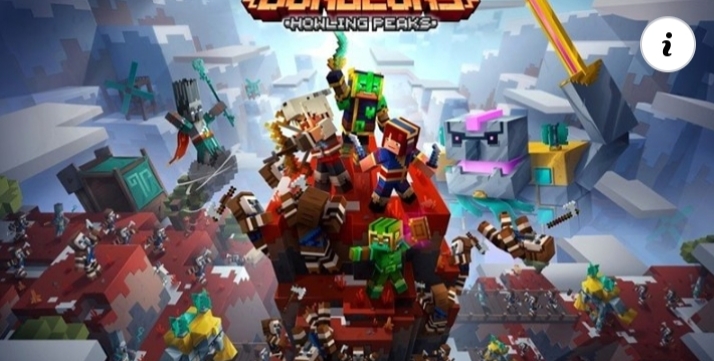
How to watch Indianapolis Colts vs. Chicago Bears live stream.
The Colts and the Bears each look good going into this Sunday's matchup. Each team has a familiar, tested quarterback that has his own strengths. This season, Philip Rivers is completing 78% of his passes while Nick Foles is only completely 55% of his passes. Despite the difference in pass completion, and the fact that Rivers is heating up since the Colts' only loss this season, the Bears' offense should be taken seriously.
The Colts head coach Frank Reich knows Foles from their time together with the Eagles. He only had good things to say about the Bears'quarterback. In fact, he mentioned that Foles is unflappable under pressure and an extreme talent, indicating the Colts would have their hands full trying to slow him down.
Chicago is fighting for its fourth consecutive win this season. Even if Nick Foles isn't passing for as many yards as Philip Rivers, the Bears are still at home and Rivers seems to have trouble on the road against aggressive defenses. It will be a close game. See below for how to watch the game as it happens live, and be sure to check out our guide on how to watch the 2020 NFL season as well.
Indianapolis Colts vs. Chicago Bears: Where and when?
The Colts head to Chicago to take on the Bears on Sunday, October 4, at 1:00 PM ET. The game at Soldier Field will not allow in-person fans, but you can still watch the game on CBS on various platforms streaming.
Watch Indianapolis Colts vs. Chicago Bears online from outside your country
If you're in the US, UK, or Australia, there's more specific watch information on the Colts vs. Bears game below. Still, regional, geo-blocked issues can arise from anywhere.
That's where one of the best VPNs (Virtual Private Network) can really come in handy. They allow you to virtually change the IP address of your laptop, tablet or mobile to one that's back in your home country which will let you watch as if you were back there.
VPNs are incredibly easy to use and have the added benefit of providing you with an additional layer of security when surfing the web. There are also a lot of options but we recommend ExpressVPN as our top pick due to its speed, security and ease of use. The service can even be used on a wide array of operating systems and devices (e.g. iOS, Android, Smart TVs, Fire TV Stick, Roku, game consoles, etc). Sign up for ExpressVPN now and enjoy a 49% discount and 3 months FREE with an annual subscription. You can even test it out for yourself thanks to the service's 30-day money back guarantee. Looking for more options?
Here are some other VPNs that are on sale right now.
ExpressVPN
See latest price at ExpressVPN
No matter where in the world you may be, a VPN is one of the easiest ways to watch the Colts vs Bears. Get in on this deal now!
How to watch Indianapolis Colts vs. Chicago Bears online in the US
This week 4 matchup is set to be shown on CBS. If you have a qualifying cable package you can log into a CBS All Access app on various set-top boxes to catch all the hard-hitting action.
Of course, CBS is also carried by over-the-top streaming service FuboTV in select markets, which stands apart from similar services as its the only service that boasts all five channels that are showing NFL games this season (CBS, Fox, NBC, ESPN and NFL Network). Pricing for Fubo starts at $64.99 a month, and there's a FREE seven-day FuboTV trial you can take advantage of. That means you can potentially watch Sunday's match at Soldier Field for free!
Fubo TV is the most comprehensive option
There are a lot of great ways to keep up with this season's big games, but Fubo.TV may be one of the best overall solutions for most people. The service offers access to CBS, NBC, FOX, NFL Network, ESPN, & Redzone, which covers nearly every single option that you need in order to be able to watch the games each week as they take place. It's a bit more expensive than Sling, but if keeping up on all the action is important to you, this is the way to go.
Fubo.TV
$54.99 per month at Fubo
Fubo TV offers access to just about every single NFL game that will take place during the 2020-2021 NFL season. If you don't want to miss out on any kick off or touchdown that takes place, you will want to sign up for the service now.
How to stream Indianapolis Colts vs. Chicago Bears live in the UK
Good news American football fans, you can watch up to six NFL games live each week courtesy of the new Sky Sports NFL channel along with access to the live RedZone highlights show each Sunday. Unfortunately, this football game is not one of Sky's featured games, you can still tune in via the NFL Game Pass Pro, with its £143.99 subscription giving you access to every single game of the 2020/21 season (subject to blackouts) including the playoffs, Super Bowl, plus RedZone access on top. Not in the UK but still want to catch the action on Game Pass? Then utilising a VPN will let you log into a UK IP address so you can live stream NFL as if you were at home.
How to stream Indianapolis Colts vs. Chicago Bears live in Canada
Streaming service DAZN has exclusive live coverage of all 2020-21 regular season games in Canada. Priced at CA$20 a month or $150 a year, the subscription will also provide NFL Game Pass and RedZone access, alongside all of DAZN's amazing live sports roster. This also includes Premier League and Champions League soccer.
Live stream Indianapolis Colts vs. Chicago Bears in Australia
If you're planning on watching in Australia the Colts take on the Bears, then you'll need to have access to ESPN as they own the rights to show live NFL action Down Under. While the network is available as part of most Foxtel TV packages, you can also access ESPN just as easily via Kayo Sports. The over-the-top service will let you stream loads of top level sport - including Spain's La Liga and F1 motor racing, all for the very reasonable price of just $25 per month for a basic package, or $35 a month for the premium offering. Better still, Kayo Sports is contract-free and offers a 14-day FREE TRIAL for newcomers to the service.

How to fix performance problems on your Samsung Galaxy S or Note phone.
Samsung's phones are powerful, but no phone will perfectly perform in all situations, so let us show you how to fix some of the most common Samsung phone problems. As your Samsung phone starts to get old, you may start to see slowdowns a couple of years in with new features and apps. If your Galaxy device is slowing down from time to time, there are lots of things you can do to fix it — here are our top tips.
How to fix common Samsung phone problems: Restarting is the first step
Sometimes we get so focused on trying to fix a slowdown that we forget about the most basic thing ever: restarting the phone. This is true of any Android phone, not just a Samsung Galaxy device. Yes, it stinks to hear "did you turn it off and back on again?" when you feel like you've already tried things, but this is something you have to do as the first step of your performance issue troubleshooting.
Software and apps are supposed to behave themselves, but sometimes they don't — and a simple restart is all it takes. Alternatively, even if you have to continue looking at different ways to fix your problem, restarting and getting a cleaner slate to start with is very important. By restarting your phone and then diagnosing, you may at least get some of the extra cruft out of the way so you can see the real problem.
To restart, press and hold the power button (underneath the volume keys) for two seconds and tap "restart." If you happened to have turned on Bixby on that button, you can press and hold the power and volume down buttons for two seconds.
How to fix common Samsung phone problems: Check for battery-draining apps
Most of the time, performance issues can be tied to a misbehaving app — if not several apps. Typically if an app is causing a big enough problem to slow down your whole phone, it's also draining your battery. So looking at your battery usage may give you a clue as to where to further your search. You can find your battery usage in settings, device care, battery, and battery usage. It's best to check your battery usage at the end of the day to get the most complete information.
When you look at your battery usage for the day, no individual app should account for a large percentage of your total unless it's a high-power app that makes sense — think of a media streaming app or a 3D game, for example. Any "normal" app that you use for a relatively short period and isn't graphically intensive should be somewhere in 1-5% of your usage. If an app's using more than that, it's worth investigating further. This is doubly true if you see an app on this list that you haven't opened recently — an app that's mostly running in the background can cause problems.
On newer Samsung phones running One UI 2 and higher, the battery usage screen even lets you scrub back and see battery data from previous days, which can be useful. If you see an app that drains your battery today, you can then go back in the past week and see if this is a consistent problem or related to something you did just today.
How to fix common Samsung phone problems: Look at memory (RAM) usage
Following the same thinking as looking at battery usage, you can also see how much memory apps have been using. High memory usage can be indicative of a bad app, and when you have one app using a lot of your memory, it can slow everything down as the rest of the system struggles to get the memory it needs. Go to settings, device care, and memory.
You'll see a breakdown of how much memory is being used lately here, but you shouldn't be immediately alarmed. The first thing to look at is the top readout, showing how much memory you have available. If you have over 1GB available, you don't need to do anything here — resist the urge to hit the "clean now" button, please. Your phone is supposed to allocate RAM out to apps, and apps should hang onto the amount of RAM they need. So long as they aren't holding onto RAM when other apps and parts of the system need it, there isn't a problem here.
The only problems come if you see an app listed here using lots of RAM when you haven't actually used that app recently. Like the battery discussion, an app that you're not actively using shouldn't be taking up phone resources. In that case, you can force stop the app and see if the problem was a one-off or something you should investigate further. For the most part, apps will use memory properly, and the phone's system will take RAM away from apps that haven't been used. Of course, there are always exceptions.
How to fix common Samsung phone problems: Reduce your screen resolution
Samsung's phones are known for their displays, and part of the equation is their super-high resolution. While its new phones are more than capable of running every task at the highest resolution, as phones age and apps get more intensive, there's a chance the older hardware may not be able to keep up. The higher the display resolution, the harder the processor has to work to display all of the graphics on the screen, so reducing the resolution makes its job easier and can speed everything up.
Go into settings, display, and screen resolution to select a lower resolution. By default, Samsung's phones don't even use the highest resolution — for performance and battery life reasons — but you may have turned it up before. On Samsung's modern phones, you'll probably see HD+, FHD+, and QHD+ options.
The nice thing is, on Samsung's latest displays, you really won't notice a difference in visual clarity between QHD+ and dropping down to FHD+. The displays still have good pixel density at the lower resolution, and depending on the quality of your eyesight, you may not even be able to notice the difference in HD+ resolution on some phones.
How to fix common Samsung phone problems: Uninstall (or disable) unused apps
When you're trying to track down a slowdown you suspect is related to an app, it can feel like a wild goose chase if you have hundreds of apps installed. It can often be an app that you don't actually use but is just installed on your phone for whatever reason. The fact that it's an unused app can make it hard to track it down as the culprit. So to simplify things, you can reduce the number of opportunities for misbehaving apps by just uninstalling ones you don't need.
Go to settings and apps to see a full list of every app on your phone. Tap on the menu button in the top-right corner, tap sort by, and choose last used — this will show your least used apps at the bottom of the list. You may be surprised that some of these apps are still installed, or how long it's been since you've used them. If you're looking to cut back on your app load, this is a great place to start.
If you want to keep an app installed, but just stashed away for a later day, you can "disable" an app instead. This will keep it on your phone's storage and retain all of its data but will guarantee that it won't ever be able to run until you enable it later. Only do this if you have ample storage free on your phone.
How to fix common Samsung phone problems: Reset to default settings
If you can't track down a specific app or other cause for your phone's slowdowns, it can be useful to just reset all settings on your phone so that it goes back to generally operating how it did when you first got it. By performing a "settings" reset, your phone will clear all of your changes made to security, language, accounts, personal data, and settings for your downloaded apps (like default apps, etc.).
To do a settings reset, go to settings, general management, reset and tap on reset settings. To be clear, this will not delete your apps or app data, so you won't have to reinstall anything or sign back into your apps. However, it will delete a lot of the tweaks you've made over months and years using your phone. Things will go back to a relatively blank slate, but you avoid the hassle of having to backup and restore all of your apps and data. This is a good compromise.
How to fix common Samsung phone problems: Factory reset
When all else fails, and you just can't track down the source(s) of your phone's slowdowns, the final step is to perform a factory reset. This will blow away all of your customizations, apps, and data, and start over fresh just like the phone came out of the box. It's the nuclear option.
Before you go any further, make sure you back up all of your data. A factory reset will delete everything, and you don't want to lose it permanently! We have a complete guide on backing up your Android phone, which can help you make sure that all of your important data is safe and ready to be restored back to your phone after resetting.
Once you're certain you have all of your important data backed up, go back into the reset settings and tap factory data reset. The phone will remind you of everything that's being deleted and the accounts that are being removed. You also may have to confirm your Samsung Account password. Then, confirm once again, and your phone will factory reset automatically. It will restart, take a couple of minutes to delete, and restart once again — when it comes back, it will be brand new.
The new flagship
Samsung Galaxy S20
$1,000 at Amazon $1,000 at Best Buy $959 at Walmart
Samsung's mainstream flagship is a hit
There's a ton to love about the S20, from its excellent hardware and specs to its solid all-around camera system. This is a worthy upgrade for any Samsung owner.
Stylus powerhouse
Samsung Galaxy Note 20 Ultra
From $1,099 at Amazon From $1,100 at Best Buy From $1,100 at B&H
There's no replacement for the S Pen
If you're a loyal Galaxy Note buyer, the Note 20 Ultra is probably the best possible version you could have hoped for. Featuring a much-improved S Pen experience, a huge camera upgrade over previous Note versions, and every possible spec you could ask for, this $1300 monolith is worth the price of admission. You just have to know you need it.
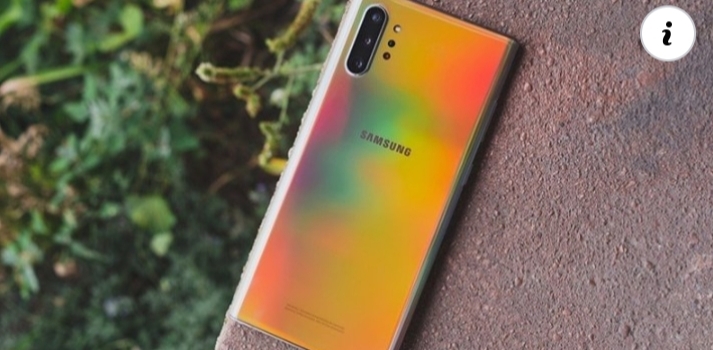
Is it worth using a Netflix VPN ??
Globally, adoption of virtual private networks is growing massively. One of the things that makes these applications so popular is that they enable users to improve the online streaming experience vastly. In particular, a lot of people use some of the best VPNs for unblocking Netflix. But what are the pros and cons of doing this? We find out.
1. Surfshark VPN: Best affordable paid VPN option
From $2.49 per month at Surfshark
With plans starting out at about 8 cents per day, it's really hard to skip over Surfshark because it's a paid service. It offers a ton of great features that you'd expect from a VPN provider, and is super simple to use.
2. ExpressVPN: Best overall VPN for most people
This is our top pick for anyone looking to get started with a VPN. It offers a great mix of speed, reliability, outstanding customer service, and affordability. There is a 30-day money-back guarantee, so give it a shot today.
From $6.67 per month at ExpressVPN
3. NordVPN: Top VPN with most server options
From $3.49 per month at NordVPN
NordVPN offers an insane amount of server locations that you can pick from and is one of the best services for unblocking streaming services. It's definitely the most well-known brand in the VPN space right now.
Dodging geo restrictions
While Netflix is available in more than 190 countries across the world, there are many places where it can't be accessed or where certain content is blocked as a result of strict geo restrictions laws. In fact, the streaming platform is currently banned in China, Crimea, North Korea and Syria, and due to US government restrictions, it's unlikely it'll launch in these countries anytime soon.
If you live in or are travelling to a country where there are geo restrictions in place and want to access Netflix, downloading a VPN is an excellent idea. By connecting to a VPN server in a country where Netflix is available, you'll be able to dodge geo restrictions and use the service without any issues.
Accessing more TV shows and movies
Even in countries where Netflix can be accessed, you can still be affected by geo restrictions. New movie and TV show releases aren't always available worldwide; sometimes they can only be watched in a select few countries.
However, you can easily solve this problem with a VPN - all you need to do is connect to a server in a country where the movie or TV show you want to watch has been released. Effectively, these services will give you an even bigger election of movies and TV shows that you can watch on Netflix.
Putting a stop bandwidth throttling
Another issue you may encounter when streaming movies and TV shows on Netflix is bandwidth throttling. In other words, if you spend a lot of time streaming, your internet service provider may decide to slow down your connection.
Obviously, slow internet speeds and Netflix aren't a good combination; at the end of the day, no one likes it when streams decide to buffer due to poor connection. But when you install a VPN, your IP address and internet traffic are concealed. And as a result, ISPs won't be able to tell how much bandwidth you're consuming and subsequently throttle your connection.
What's more, many VPN providers offer unlimited bandwidth, unlimited data and high-speed servers to further improve streaming quality. Of course, you'll also benefit from increased privacy and security. A wide variety of providers enable their users to unblock Netflix, including ExpressVPN, Cyberghost, NordVPN, Surfshark and IPVanish.
Drawbacks
Although VPNs are capable of improving the streaming experience on Netflix, there are caveats. It's actually against the company's terms of service to use VPNs for accessing content that isn't available in your region.
And with media companies voicing concerns about the use of VPNs, Netflix is increasingly clamping down on them. In a worse case scenario, Netflix could impose a block on your IP address if it finds out that you use a VPN.
But the best providers will prevent companies like Netflix from detecting that you use a VPN service. So while you would be taking a risk, you should be fine in the long run. Either way, it's entirely a personal decision. If you still want to use a VPN with your service, we've rounded up all the best streaming VPNs for your consideration.
Should you get a Surface Pro 7 or the new XPS 13??
Top 2-in-1
Microsoft Surface Pro 7
From $750 at Microsoft
Pros
10th Gen Intel CPUs
USB-C port
Wi-Fi 6
Supports inking
Lower starting price
Cons
Pay extra for a keyboard
Smaller battery
No Thunderbolt 3
The Surface Pro 7 brings 10th Gen Intel "Ice Lake" processor options for excellent performance and Wi-Fi 6 compatibility. It now has a USB-C port, too, albeit without Thunderbolt 3. However, you'll still have to pay extra for a Type Cover if you want this to be your laptop.
Top Ultrabook
Dell XPS 13
From $1000 at Dell
Pros
10th Gen processors
Optional 4K display
Great battery life
Thunderbolt 3 USB-C
Wi-Fi 6
Cons
No digital pen support
Not all models have touch
Not available until Feb. 2020
The XPS 13 is one of the very best all-rounders and became a class leader for a reason. The newest version is even more sensational than the last, but if you need a laptop now, the disappointment is that it's not set to be available until February.
Choosing between the best 2-in-1 on the market and one of the best Ultrabooks ever made is a tough decision to make. Both have similar hardware, using the latest and greatest from Intel, support Wi-Fi 6, and have plenty of storage and RAM options depending on your budget. But there are some key areas that one or the other could make more sense.
Microsoft Surface Pro 7 vs. Dell XPS 13: tech specs
Surface Pro 7
Dell XPS 13
OS
Windows 10
Windows 10
Processor
10th Gen Intel
Core i3-1005G1
Core i5-1035G4
Core i7-1065G7
10th Gen Intel Core
i3-1005G1
i5-1035G1
i7-1065G7
RAM
4GB, 8GB, 16GB LPDDR4x
4, 8, 16, or 32GB LPDDR4X (3733MHz)
Storage
128GB, 256GB, 512GB, 1TB SSD
256GB, 512GB, 1TB, or 2TB PCIe NVMe SSD
Display size
12.3 inches
Touch
13.4-inches (16:10)
Display resolution
2736x1824
267 PPI
Full HD, 4K
Dolby Vision
Aspect ratio
3:2
16:10
Graphics
Intel UHD
Intel Iris Plus
Intel UHD
Intel Iris Plus
Ports
USB-C 3.1
USB-A
3.5mm audio
Surface Connect
microSD card reader
2x Thunderbolt 3
1x 3.5mm headphone
Type-C to Type-A converter included
Camera
Front-facing 5MP (1080p)
Rear-facing 8MP (1080p)
HD 720P (top bezel)
Biometrics
Windows Hello IR camera
Windows Hello IR camera (face)
Windows Hello fingerprint (power button)
Battery
Up to 10.5 hours
Up to 19 hours
Dimensions
11.5 x 7.9 x 0.33 inches
(292mm x 201mm x 8.5mm)
4.8mm (0.58") x 295.7mm (11.64") x 198.7mm (7.82")
Weight
From 1.7 pounds (775g)
1.2kg (2.64lbs.) for non-touch
1.27 kg (2.8 lbs.) for touch
Surface Pro 7 is cheaper and has pen support
Not all Surface Pro 7 spec levels are cheaper — indeed, at the highest end, you can spend more than on an XPS 13. More importantly, the cost of entry into a Surface Pro 7 is much lower than the XPS 13 at just $749 compared to $999 (initial price). Both entry models are comparable, too, with the same Intel Core i3 and 4GB of RAM, though the XPS 13 base model does have more storage.
Even considering the extra cost of buying a Type Cover if you want to go full laptop, the cheapest Surface Pro 7 is still cheaper than the cheapest XPS 13. Best of all, you don't need a Type Cover. Thanks to the wonderful standards of USB and Bluetooth, you could always grab something cheaper to type with. There's also the fact that every Surface Pro 7 has a touchscreen, while the cheaper XPS 13 does not.
Performance between the two machines will be largely similar — they're even about the same size — but there's one area the Surface Pro 7 has a clear advantage. Officially Dell doesn't support pen input on the touch-enabled XPS 13, while the Surface Pro 7 is an absolute beast for inking. Whether drawing or writing, the Surface Pro 7 is one of the absolute best devices for digital pen users that money can buy.
Pair it up with an optional Surface Dial, too, and you get even more flexibility. The Surface Pro 7's form factor also lends itself perfectly to using a pen, since it's a tablet first.
Dell XPS 13 has 4K, Thunderbolt 3, and better battery life
The Dell XPS 13, by contrast, is a traditional Ultrabook with comparable internal specs to the Surface Pro 7. However, it does have some tricks up its sleeve that might make more sense to you when making a purchase choice.
For one, the XPS 13 boasts a better battery life. One drawback to the Surface Pro 7 is just limited space inside for all the tech since there's no keyboard portion. The XPS 13 has more space for more battery.
The XPS 13 also has two things that the Surface Pro does not. The first is Thunderbolt 3, which Microsoft still doesn't support, though at least USB-C made it onto the Surface Pro 7. This means you're free to use any Thunderbolt 3 docks or accessories, instead of having to get locked behind Microsoft's Surface Connect port.
A 4K display may also be important to you, and you're able to get one on the XPS 13. For most people, the 1080p display will still represent the best overall value, but for some, such as video editors, having 4K is important, and you can't get it on the Surface Pro 7.
Get a Surface Pro 7 if you want a 2-in-1
One of the easiest ways to decide is to figure out if the flexibility you get from the Surface Pro 7 is important to you. If you just want a laptop, then it's probably not the best choice, but if the idea of having both a tablet and a laptop, something you can use for entertainment, drawing, or handwriting, as well as crunching out some work, sounds good, then it's still the one to get. It's also the most affordable at the entry-level.
Top 2-in-1
Microsoft Surface Pro 7
10th Gen Intel CPUs and Wi-Fi 6
From $750 at Microsoft
The Surface Pro 7 has been refreshed with new CPUs and a USB-C port. It's an ideal device if you want to stay mobile yet have the performance to crush a day's work.
XPS 13 is still a top Ultrabook
The XPS 13 is everything that we love about Ultrabooks. It's compact, yet powerful, stunningly designed and executed, and the latest model is even more amazing than its predecessors. It doesn't have the flexibility the Surface Pro 7 does (but it does come with a keyboard!) though if you're just looking for the best laptop, then this is what you should buy.
Top Ultrabook
Dell XPS 13
More awesome than ever
From $1000 at Dell
The latest Dell XPS 13 has been revamped for 2019, adding Intel's powerful new 10th Gen processors, Wi-Fi 6, a 4K 16:10 display, and much more.
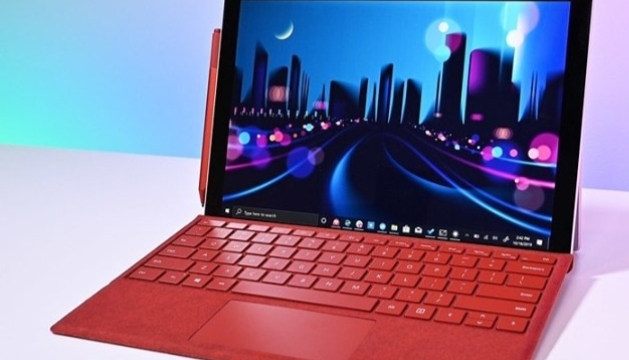
Should you buy the Apple Watch SE or the Garmin Venu?
Full-featured fitness watch
Garmin Venu
From $299 at Amazon
Pros
GPS and heart-rate monitoring
Always-on AMOLED display
Garmin Coach
Blood oxygen monitoring
Body Battery feature
Cons
Only one size option
Lacks optional LTE
The Garmin Venu only comes in one size and it doesn't have optional LTE connectivity, but it can closely monitor important aspects of your health and fitness. You'll have everything you need, including built-in GPS, activity/sleep tracking, heart-rate monitoring, more than 20 sports apps, blood oxygen monitoring, and much more.
Slimmed-down smartwatch
Apple Watch SE
From $279 at Amazon
Pros
GPS and heart-rate monitoring
Optional LTE connectivity
Apple Fitness+
Always-on altimeter
Two size options
Cons
Lacks always-on display
No blood oxygen sensor
If you're an iOS user who has been longing for an Apple Watch that won't break the bank, your time has come. The all-new Apple Watch SE is a slimmed-down version of the real thing, but it offers unmatched value that is a rare find within the world of Apple devices. You'll have GPS, heart-rate monitoring, Apple Fitness+, and optional LTE connectivity.
Apple Watch SE vs. Garmin Venu More similarities than differences
The smartwatch world never stops growing and choosing between two similar models can be tough, especially if you're deciding between the Apple Watch SE and Garmin Venu. On the surface, these two devices couldn't look more different. However, if you're a fan of wearables, you know the physical design isn't the only factor to consider.
Start by asking yourself what type of smartwatch experience you desire. Are you an iOS user who wants an affordable device with key smartwatch features? You'll likely find yourself favoring the new Apple Watch SE. If your main focus is fitness but you'd still like to enjoy a premium smartwatch experience, you might be better off choosing the Garmin Venu.
You can have it all with the Garmin Venu
After spending a bit of time with the Venu, it's not hard to see why it's one of the best Garmin smartwatches on the market right now. While having an always-on AMOLED display isn't a show-stopping feature, it's a big improvement for a company that typically offers a standard transflective display on most of its devices. It's also quite impressive that you can still squeeze up to five days of battery life out of this watch.
The display isn't the only feature that the Garmin Venu offers over the Apple Watch SE. It also has a Pulse Ox sensor, which can measure your blood oxygen saturation levels. However, it's worth reiterating that these two smartwatches have more in common than differences. You'll find built-in GPS, 5 ATM water resistance, activity/sleep tracking, heart-rate monitoring, smartphone notifications, and mobile payments on both devices.
Apple Watch SE
Garmin Venu
Display
1.6-inch or 1.8-inch Retina LTPO OLED display
1.2-inch AMOLED
Dimensions
40 x 34 x 10.4mm
44 x 38 x 10.4mm
43.2 x 43.2 x 12.4mm
Connectivity
Bluetooth 5.0, Wi-Fi, LTE (select models)
Bluetooth, ANT+, Wi-Fi
Sensors
HRM, compass, always-on altimeter, accelerometer, gyroscope, ambient light sensor
HRM, accelerometer, gyroscope, barometric altimeter, ambient light sensor
Colors
Aluminum: Silver, Space Gray, Gold
Slate, Rose Gold, Silver, Gold
Water resistance
5ATM
5ATM
Battery life
18 hours
5 days
Optional LTE
✔️
❌
Notifications
✔️
✔️
Built-in GPS
✔️
✔️
NFC Payments
✔️
✔️
Always-on display
❌
✔️
Blood oxygen
❌
✔️
It's safe to say that the Venu gives users more options for how they want to exercise with their watch. It comes with over 20 preloaded sports apps that you can choose from. You can also access preset workouts from Garmin Connect, various training plans from Garmin Coach, or you can create your own personalized workouts if that's more your speed.
One feature that's unique to the Garmin Venu is Body Battery energy monitoring.
One feature that's unique to the Garmin Venu is Body Battery energy monitoring. The watch will closely monitor your energy levels during the day by gathering important data from sleep, stress, activity, and heart rate variability (HRV). This gives you a much better idea of when is the ideal time to rest and when you should schedule workouts.
While there is certainly an intense focus on health and fitness, the Garmin Venu is still a smartwatch. You won't have optional LTE connectivity, but it excels in other key areas. You'll have smartphone notifications on your wrist, plenty of music storage to enjoy tunes without your phone connected, and mobile payments with Garmin Pay.
The Apple Watch SE is a decent halfway point
One of the most interesting releases to hit the market recently is the Apple Watch SE. Usually, you'd have to settle for a device that has aged a few years to get it at this price point. However, the company is making its wearables more accessible by offering this slimmed-down model.
It may cut a few corners, but the Apple Watch SE is still a solid smartwatch at a reasonable price. You'll get the always-on altimeter that is also present on the Series 6. There's also support for low/high heart rate alerts and irregular heartbeat alerts. These might not be major selling points for some people, but if you're investing in a smartwatch for a seamless on-wrist experience with activity/sleep tracking, notifications, and mobile payments, then you'll appreciate how the Apple Watch SE does things. Other improvements include fall detection, a louder speaker, and support for the new Family Setup feature.
Apple is making its wearables more accessible by offering this slimmed-down model.
The Apple Watch SE runs on watchOS 7 and it has the S5 processor. It's not the newest and fastest processor on the block, but if you're upgrading from an older model, you'll surely notice a difference in performance. The little things you do every day will be smooth and quick, from launching your go-to apps to scrolling through menus.
The new Apple Fitness+ subscription service is another perk you'll have on the Apple Watch SE. This feature makes it easy for you to access workouts from your preferred Apple device. You'll have the option of viewing your real-time metrics on the device of your choice while you exercise, so you don't have to keep glancing at your watch. The company is currently offering a free 3-month trial of the service when you buy an Apple Watch Series 3 or later.
What will you be missing? Despite the larger display, it doesn't have the always-on feature. It also lacks the electrocardiogram (ECG) sensor as well as blood oxygen monitoring. If you can get by without these, then this is a smartwatch worth considering.
Apple Watch SE vs. Garmin Venu Which should you buy?
While a major factor in your decision will come down to whether you're an Android or iOS user, there are some other points to consider as well. If you've avoided the Apple Watch until now due to the steep price tag, you'll be pleasantly surprised by the Apple Watch SE.
There's no denying that this release is a slimmed-down version of the more robust models the company offers, but it's an Apple Watch nonetheless. You'll have to be okay without the ECG sensor, always-on display, and blood oxygen monitoring. That being said, you still get the always-on altimeter, GPS, heart-rate monitoring, Apple Fitness+, smartphone notifications, Apple Pay, and more.
On the other hand, some users might be better off going with the Garmin Venu. Whether you use an Android phone or you're simply more attracted to what this robust smartwatch has to offer, you won't be disappointed. With the exception of LTE connectivity, it does everything that the Apple Watch SE does. You'll have on-screen workouts, more than 20 sports apps, Garmin Coach, Garmin Pay, GPS, heart-rate tracking, blood oxygen, and a bright always-on display. This is the better option for fitness-focused users who want to get the most out of their device.
Full-featured fitness watch
Garmin Venu
All of the necessities
From $299 at Amazon $350 at Best Buy $350 at Walmart
Those who crave the more advanced features of a fitness watch will happy with the Garmin Venu. After all, it's designed for in-depth tracking. Other perks include always-on display, GPS, heart-rate monitoring, activity/sleep tracking, and blood oxygen monitoring.
Slimmed-down smartwatch
Apple Watch SE
Great value
From $279 at Amazon From $279 at Best Buy $279 at Walmart
If you don't mind missing out on some of the more advanced features found on other models offered by the company, the Apple Watch SE is a nice place to land. You'll still get optional LTE connectivity GPS, activity/sleep tracking, heart-rate monitoring, and Apple Fitness+.

Google's Daydream VR platform is finally and fully dead.
While the Daydream View headset will still work, Google will not provide any new updates or support.
What you need to know
Google's Daydream VR platform is officially dead.
Google today announced the end of support for the platform.
The company will not be pushing out any new software updates, and Daydream may not even work with Android 11 devices.
The writing was already on the wall when Google dropped support for its fledgling Daydream VR platform on the Pixel 3a and Pixel 4 series. At the same time, Google also stopped selling its headset designed to work with the platform, unimaginatively called the Daydream View. Now, the Mountain View giant has officially added a tombstone for the VR platform in the ever-growing Google Graveyard.
The new service update) for Daydream states:
Daydream VR software is no longer supported. You may still be able to access the service, but it won't receive any more software or security updates.
In fact, the company says the Daydream app may not even work on devices running Android 11 or later. If you already own a Daydream View, Google's first-party headset built for the platform, or any related third-party apps and content, these should still work. But with the platform now spurned by Google, most developers will likely follow in Google's footsteps and end support for their apps and stop pushing out new updates — if they haven't already done so.
The company also officially confirmed in the post that it's no longer selling the Daydream View headset, something that was already apparent to anyone watching its online store for a while.
If you'd still like one last huzzah with the moribund VR platform, you could always try cooking up your own VR headset, thanks to Google's open-source design for Cardboard. Though looking at the state of the Cardboard GitHub repo, don't expect any new updates for that, either.