 @Telesfor
edited
@Telesfor
edited
How to operate a Bitcoin Cash Full Node (Bitcoin Unlimited) on Raspberry Pi? Also available in: deutsch, italiano, polski https://read.cash/@Telesfor/wie-man-einen-bitcoin-cash-full-node-bitcoin-unlimited-auf-raspberry-pi-betreibt-92a180fe https://read.cash/@Ocro/come-installare-un-nodo-completo-bitcoin-cash-bitcoin-unlimited-su-raspberry-pi-06052ca6 https://read.cash/@Telesfor/jak-uruchomic-pelny-wezel-bitcoin-cash-bitcoin-unlimited-na-raspberry-pi-39f16296 A few weeks ago, Jamie Redman wrote an article about Bitcoin Cash full node. He mentioned there that a Bitcoin Cash full node can be executed on Raspberry Pi. Since I have such a full node and people asked me, I decided to write how I do it. https://news.bitcoin.com/running-bitcoin-cash-an-introduction-to-operating-a-full-node/ To execute a Bitcoin Cash full node on Raspberry Pi, I use: Raspberry Pi 3 (32 Bit, 1 GB RAM, 16 GB SD-Card) 1 TB USB HDD Bitcoin Unlimited full node software Internet connection ↓ 90,0 Mbit/s ↑ 32,0 Mbit/s
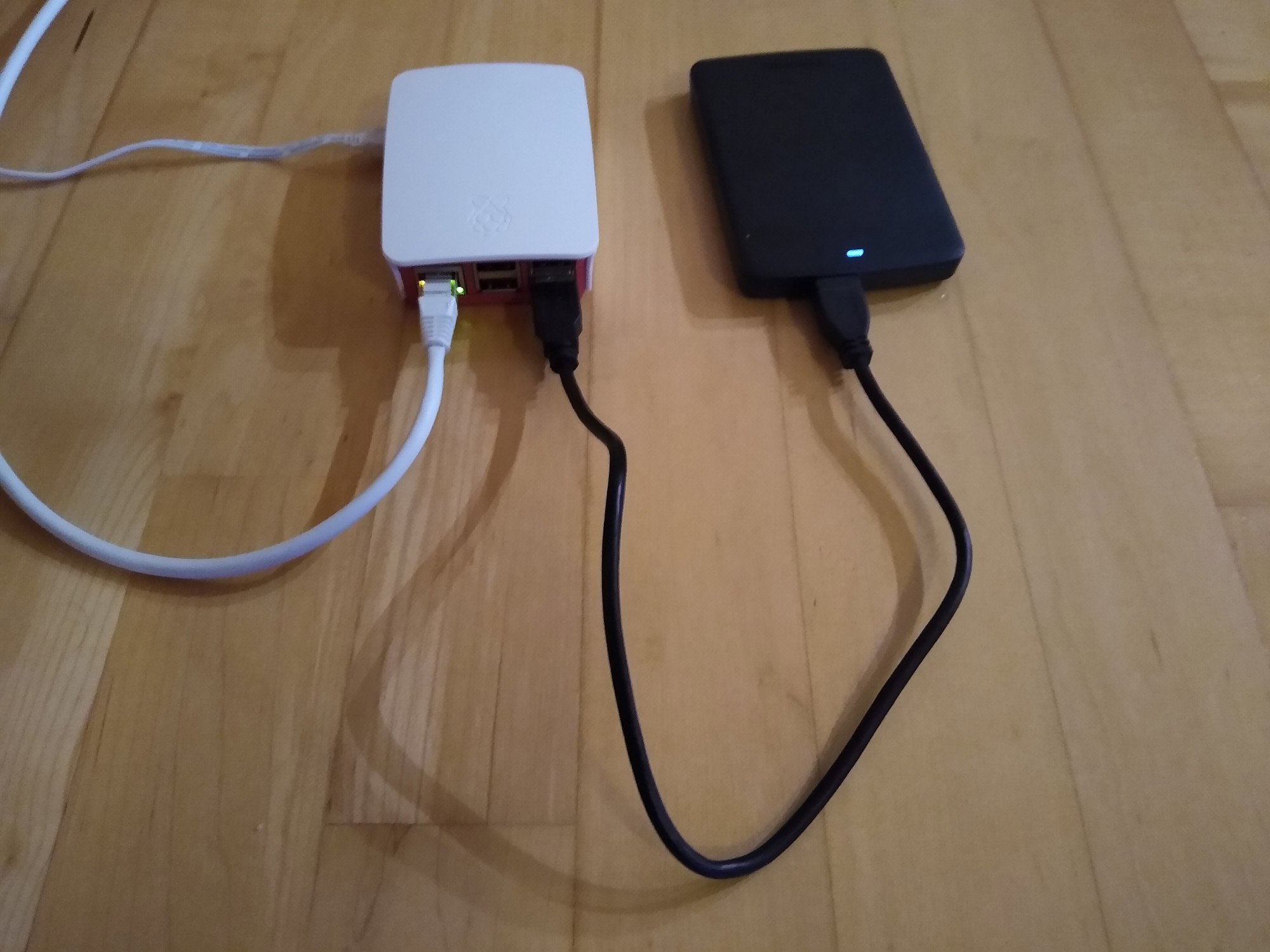
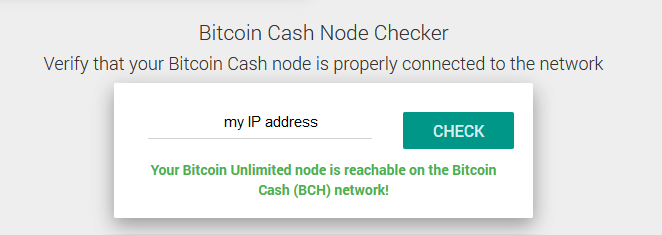
I bought Raspberry Pi with the operating system pre-installed, so I didn't have to install it. If you want to install it yourself, you can read how to do it here . https://www.raspberrypi.org/documentation/installation/ I use a LAN cable to connect to my router. However, you can also make a Wi-Fi connection. How to install Bitcoin Unlimited on Raspberry Pi you can read here . Which files arm32 or arm64 you need to download depends on which operating system you are using. I use the 32bit operating system. https://www.bitcoinunlimited.info/download I installed the node using the following commands: wget https://www.bitcoinunlimited.info/downloads/bch-unlimited-1.9.2.0-arm32.tar.gz tar xvfz bch-unlimited-1.9.2.0-arm32.tar.gz cd bch-unlimited-1.9.2.0/ sudo mv ./bin/bitcoind /usr/local/bin/bitcoind sudo mv ./bin/bitcoin-cli /usr/local/bin/bitcoin-cli sudo mv ./bin/bitcoin-miner /usr/local/bin/bitcoin-miner sudo mv ./bin/bitcoin-tx /usr/local/bin/bitcoin-tx sudo mv ./bin/bitcoin-qt /usr/local/bin/bitcoin-qt sudo mv ./bin/test_bitcoin /usr/local/bin/test_bitcoin sudo mv ./include/bitcoinconsensus.h /usr/local/include/bitcoinconsensus.h sudo mv ./lib/libbitcoinconsensus.so /usr/local/lib/libbitcoinconsensus.so sudo mv ./lib/libbitcoinconsensus.so.0 /usr/local/lib/libbitcoinconsensus.so.0 sudo mv ./lib/libbitcoinconsensus.so.0.0.0 /usr/local/lib/libbitcoinconsensus.so.0.0.0 sudo mv ./lib/libbitcoincash.so /usr/local/lib/. sudo mv ./lib/libbitcoincash.so.0 /usr/local/lib/. sudo mv ./lib/libbitcoincash.so.0.0.0 /usr/local/lib/. sudo mv ./share/* /usr/local/share/. I don't connect my Raspberry Pi to the monitor and keyboard, but do everything remote. Downloading the complete blockchain on Raspberry Pi takes a long time, so I connected my USB hard drive to my PC and downloaded it there. Therefore I installed the Windows version of Bitcoin Unlimited on my PC. I have created a folder "Bitcoin" on the USB hard disk for the blockchain, but you can name the folder as you like. Then I started bitcoin-qt and specified the directory "Bitcoin" as target for the data. Downloading the blockchain took me about 22 hours (I did it a few days ago). After downloading the Blockchain to the PC, I closed bitcoin-qt and connected the hard disk to the Raspberry Pi via a USB cable. It was mounted there automatically and can be accessed as /media/pi/Volume. Now I had to tell my BU node on the Raspberry Pi where the blockchain is located. To do this I opened the file bitcoin.conf using nano (if the file does not yet exist, it must be created): pi@raspberrypi:~ $ nano /home/pi/.bitcoin/bitcoin.conf and entered the following line: datadir=/media/pi/Volume/Bitcoin Now I have started my BU node on the Raspberry Pi: bitcoind -daemon When my node is running, I can execute various commands. To see which ones, I type: bitcoin-cli help For example using the parameter getinfo: pi@raspberrypi:~ $ bitcoin-cli getinfo { "version": 1090200, "protocolversion": 80003, "walletversion": 130000, "balance": 0.00000000, "blocks": 686293, "timeoffset": 0, "connections": 31, "peers_graphene": 12, "peers_xthinblock": 12, "peers_cmpctblock": 19, "proxy": "", "difficulty": 343055919627.4104, "testnet": false, "keypoololdest": 1578653662, "keypoolsize": 1000, "paytxfee": 0.00000000, "relayfee": 0.00001000, "status": "ready", "txindex": "not ready", "errors": "", "fork": "Bitcoin Cash" } I get the general information about my node. If I use the parameter getmempoolinfo: pi@raspberrypi:~ $ bitcoin-cli getmempoolinfo { "size": 313, "bytes": 105558, "usage": 268480, "maxmempool": 300000000, "mempoolminfee": 0.00000000, "tps": 0.17, "peak_tps": 7.83 } I'm getting the informations on the mempool. I have opened port 8333 in my firewall on the router so that my node can be reached on the Internet. I can check it here. https://cash.coin.dance/nodes
The bitcoinid process requires only about 5% CPU usage and 31% RAM. top - 14:16:18 up 17:10, 3 users, load average: 0,14, 0,14, 0,08 Tasks: 134 total, 1 running, 133 sleeping, 0 stopped, 0 zombie %Cpu(s): 1,4 us, 0,4 sy, 0,0 ni, 98,2 id, 0,0 wa, 0,0 hi, 0,0 si, 0,0 st MiB Mem : 922,1 total, 37,1 free, 381,8 used, 503,2 buff/cache MiB Swap: 100,0 total, 62,2 free, 37,8 used. 479,0 avail Mem PID USER PR NI VIRT RES SHR S %CPU %MEM TIME+ COMMAND 888 pi 20 0 625044 299700 3872 S 5,6 31,7 65:19.41 bitcoind 2250 pi 20 0 10188 2796 2436 R 1,3 0,3 0:00.40 top My Raspberry Pi (including the hard disk) consumes about 5 to 6 watts of power.
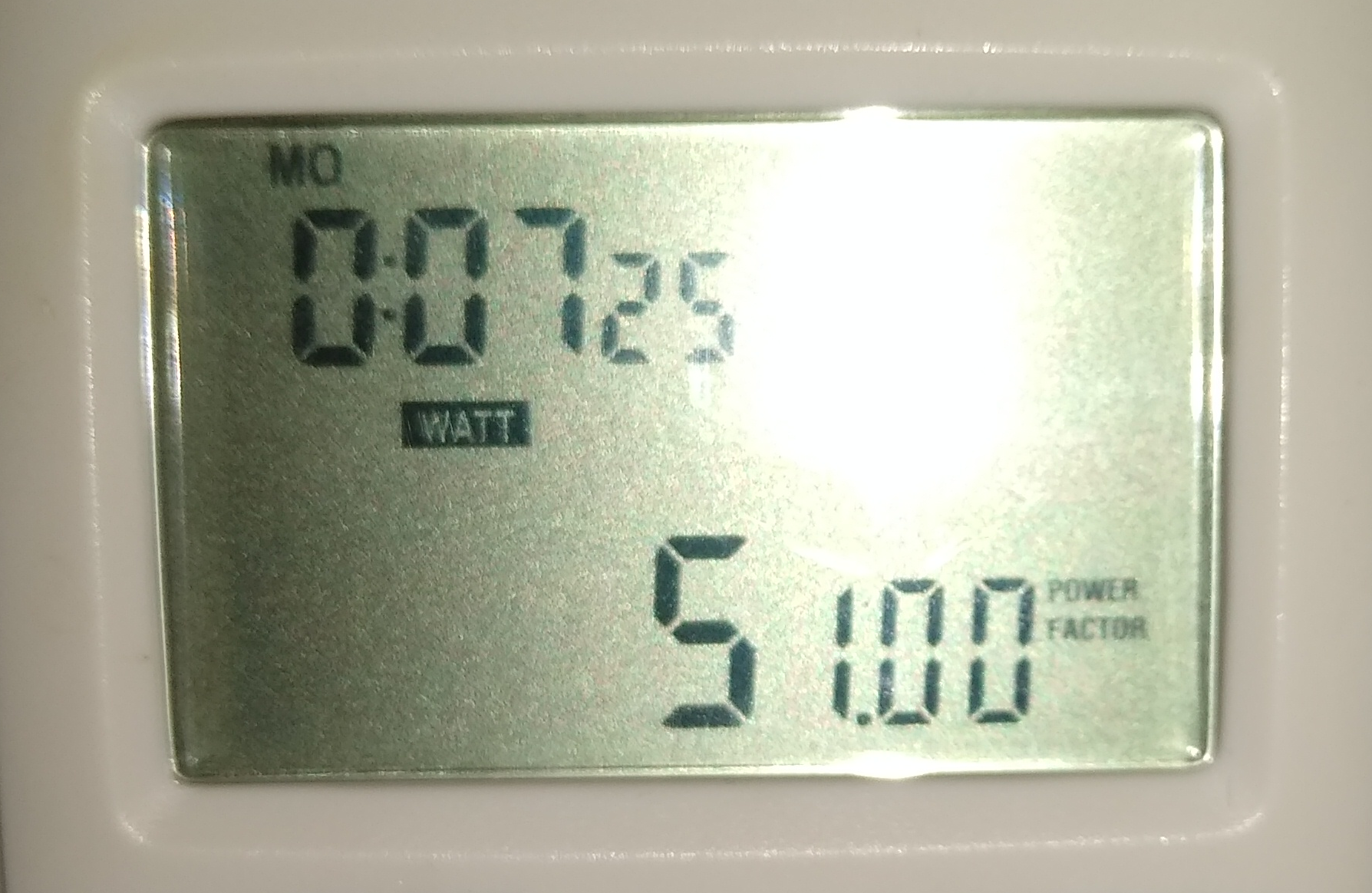
This causes less than 1 € electricity costs per month. Since I have a raspberry pi, I use it for other purposes. For example, I installed the network-wide advertising blocking pi.hole there. https://pi-hole.net PS I recommend that you make a copy of the Blockchain from time to time. How does Bitcoin Cash work you can read here. https://read.cash/@Telesfor/how-does-bitcoin-cash-work-95074af9







12 comments
I recommend operating nodes from pentium N based systems (x86, support up to 8 gb ram, fanless silent systems).
What are the advantages of running a full node?
This is some epic information. Love R/pi. Can you run solar panel via r/pi and mine crypto cheap and free?
I love this write-up but my problem is I don't really understand block chain. I will be looking forward to know to much about it. I see digital marketing as the fastest growing market block chain as one of the key component.
If you stop copying articles en masse from the internet and you write your own articles, I can explain you what blockchain is and give you some BCH satoshis.
Can you please explain it to me? I would love it
https://read.cash/@Telesfor/how-does-bitcoin-cash-wallet-work-7c14aab0
Ok thanks
nice! it's a bit complicated yet very informative. thanks for this
Great article. Do you think it is worthwhile to run a node on a High end PC considering the electricity expenses
You can also install it on a regular PC or Mac. It depends on what you want to do with it. If you have a Bitcion Cash application attached it is better to run Node on a high end device.
Amazing.all the steps are so clear..But I dont use pc or mc😰