 @Pisces-jr15
Yummy peanut🥜 😁
Joined 30 December 2020 · 345 posts
120 KT
0 KT · $29.17 received · 0 KT · $8.26 given
@Pisces-jr15
Yummy peanut🥜 😁
@Pisces-jr15
Good afternoon 😁 Ngayon lang uli nakapag noise at readcash😅 Another article for my binance futures series, part 3 na😆 https://read.cash/@Pisces-jr15/binance-futures-3-stop-loss-d8fcc71e
 @Pisces-jr15
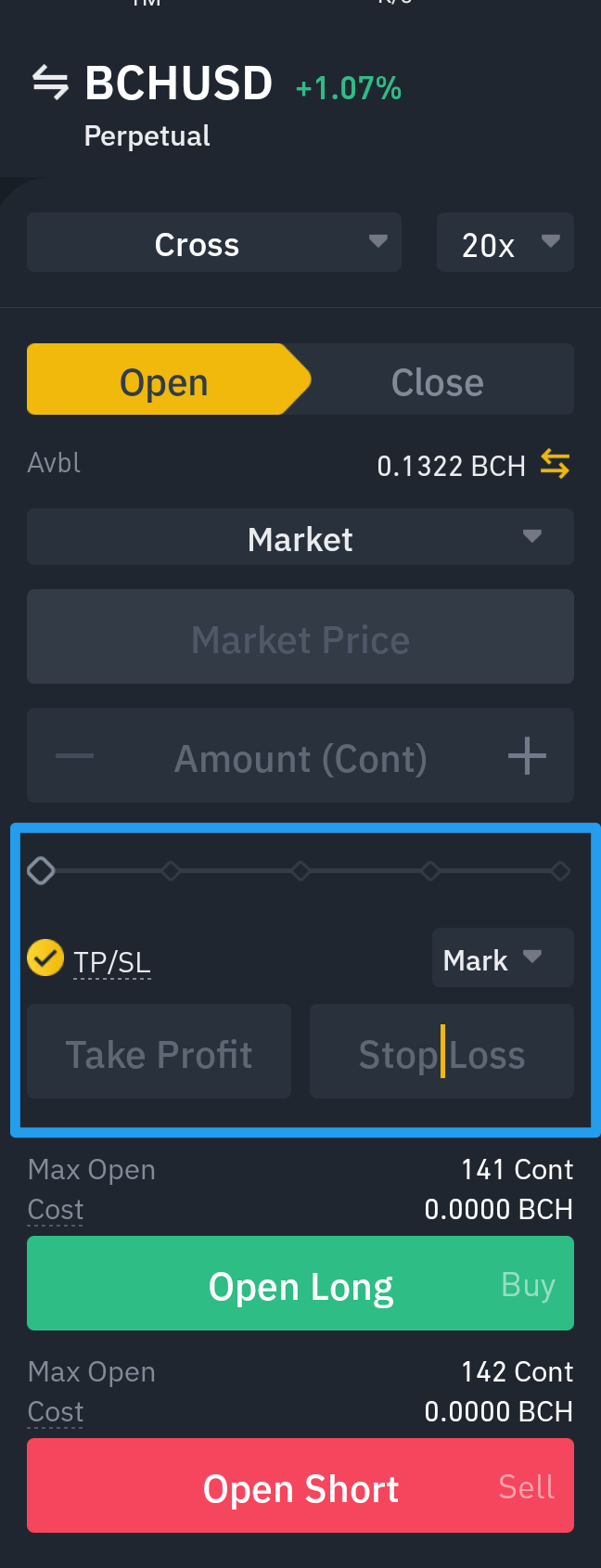
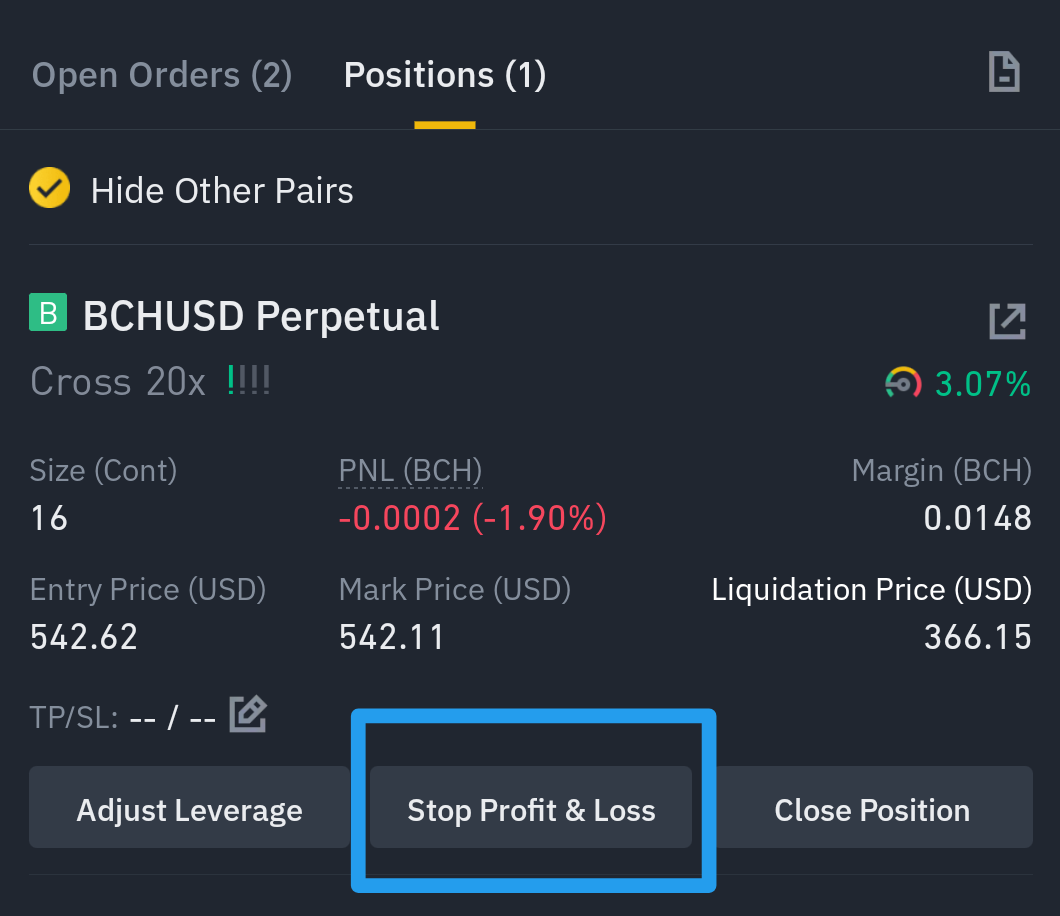
Binance Futures 3: Stop Loss On my previous Binance **series part 1**, I've shown the user interface of the Binance Futures and on the **series part 2** the transferring of funds and opening a position in Binance Futures Coin-M. https://read.cash/@Pisces-jr15/binance-futures-1-user-interface-7c2cde87 https://read.cash/@Pisces-jr15/binance-futures-2-transfer-funds-and-position-opening-74fee420 In this **Binance Futures part 3**, I will share how I use the stop loss as one of my risk management strategy. **STOP LOSS** What is Stop Loss? Stop loss is designated to lessen the loss of a particular position. Every position will have a commputed liquidation price wherein it will risk all your margin. For example you are in isolated mode, the margin you place will be at risk at a certain price below your entry price, in case your are in long. While if you are in cross margin, it means that all amount in your asset wallet will be placed as a margin and the liquidation will be adjusted, still if the price will reached the liquidation price, all of the funds will be liquidated and total loss might happen. To avoid liquidation, we need to set stop loss. It is the price wherein if unfortunately your position is unfavorable, the loss will be limited only to the price you have set as your stop loss. It means you still lost but it will be minimal compared to total loss of margin. **Things I consider before setting up SL** **My balance:** I check on my balance before setting a position and also the the stop loss. This will affect my decision whether how much contract or size i will place. **Current price:** Checking the chart and the recent high and low are one of my strategy before entering a position. My stop loss for a long position are always based from the recent low in a particular time frame that I used. **Liquidation price:** Once a position is placed, I tend to set stop loss based on my liquidation price. Sometimes if I feel that liquidation price is too far, in most cases in my cross position, my liquidation price is zero so it means that I will get liquidated if price of BCH goes to zero(which is not possible this time), In this case I didn't set stop loss. **Time:** I set stop loss in accordance to the amount of time I am willing to let a position open. For example I planned to enter a trade within 4 hours only and take profit from it, I set stop loss only if I will go for a longer time like days. **How to set SL on Futures Coin-M** There are two ways to set Stop Loss: ***First is before opening a position**- click the check box TP/SL and the text field will be enabled, type your desired Stop Loss and also Take profit price can be set using this method. *Second is after a position was opened- Once a position is entered it will go to the Positions tab. Click the Stop Profit & Loss Then a Stop Profit & Loss window will pop up. **1.Stop Loss/Take profit Price-** If you are in Long position, to start a Stop Loss you need to Type a Price below the Entry Price. For example my Entry Price in the photo above is 542.67 usdt, to create a stop loss i should type any amount below that price. For this example I typed 500. On the other hand, if I enter a price higher than my entry price, the order will become take profit order. **2.Contract-** This will be the total amount or size of your position. In this example I have a total of 16 cont. You can chose to stop loss a whole position or a portion of it. You can utilize the pre-set percentage below or manually type your cont amount. **3.Estimated PNL -** So as I set a 500 stop loss, the sytem will calculate the estimated loss of my position IF the price drops to 500 usdt. It means I am willing to lose 0.0251 bch whenever the market became unfavorable to my prediction, which is to go up. **4.Confirm button-** Once you are done, click the Confirm and another window will pop up, to confirm the stop loss order. Then click the Close Long. The stop loss order will now go to your Open Order tab. As you can see in the photo above, my stop loss ia now active in my Open Order tab. We can see the summary such as: The amount or cont of 16, the condition of if price goes below 500 the long will be closed. You can also cancel this order anytime. **Benefit:** In a unfavorable market, your trade will be saved from a bigger loss. You can leave your trade without thinking too much that all of your funds are at risk. **Disadvantage:** The downside of having stoploss will be based on whether how you set it up. In a case wherein a fluctuation of price is too high, your stoploss might hit and causes an instant loss. To avoid this, study you position and the price volatility in a specific time. Enter a stoploss with an enough gap from your entry price and the current price. There are cases that the price drops and goes up in just a second. The candle wick might catchy your stoploss, leading to loss and also disappointment. Most part of this article will be based on how I utilize the stoploss, some might have different strategy and I can say that it will be a case to case basis. 😊 As long as you know how much you are willing to risk and understand how risky it can be, you can create your own strategy or use others strategies as your guide. https://www.binance.cc/en/register?ref=SHUWXR96 **If you don't have a Binance account, you can use my referral link here and have a 10% commission kickback rate.** 🥳 https://www.binance.cc/en/register?ref=SHUWXR96 Stay tuned for Part 4😉 **#TradeSafely** 🦾 https://read.cash/search?q=%23TradeSafely *Take risk only if you can afford to lose, don't use money with intended purposes. Do your own research before engaging, risk is always present.*

+4 more
@Pisces-jr15
Good evening Long time no noise ako😂 Exam week na nextweek😁 Recovered na din ang feb lost🥳 One step at a time
@Pisces-jr15
Good afternoon Break time😉 How's your day? Getting hotter each day hmm🌞
@Pisces-jr15
Good morning Greetings from Naori, Happy sunday 😍
 @Pisces-jr15
Weekend, but still need to do a lot of things. Life of a student. Few months left🎉😁 Good afternoon
@Pisces-jr15
Good morning 🌞 Bilis ng araw aa, mangangalahati na agad ang Marso
@Pisces-jr15
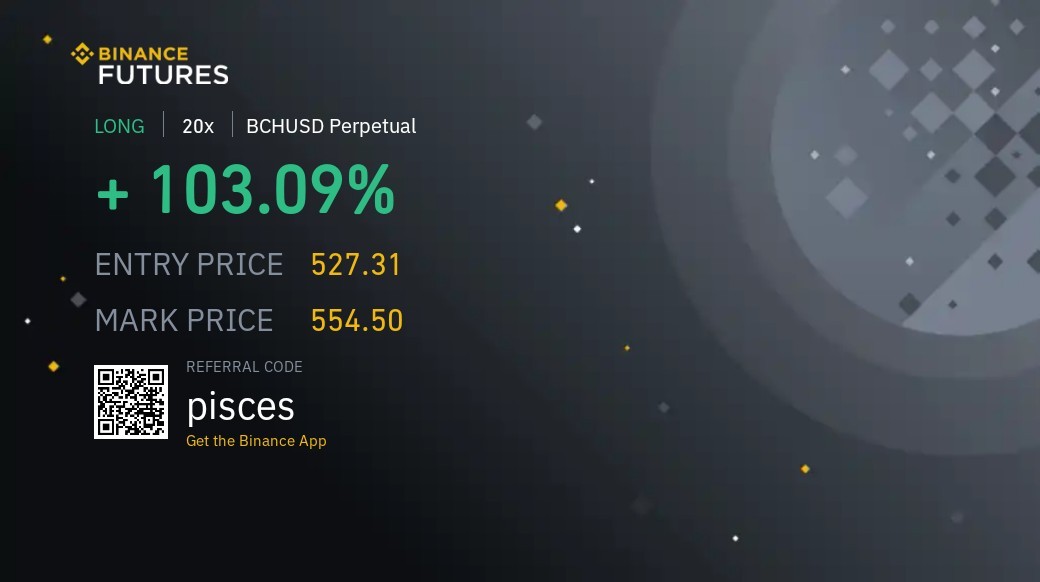
Good morning😊 BCH looks up trend for me💚🎉 Back to classes again, bye😆
 @Pisces-jr15
Newly published article on read Part 2 of my binance futures mini tut. Hope it helps🙂 Thanks https://read.cash/@Pisces-jr15/binance-futures-2-74fee420 #TradeSafely💚 Goodnight 😴
@Pisces-jr15
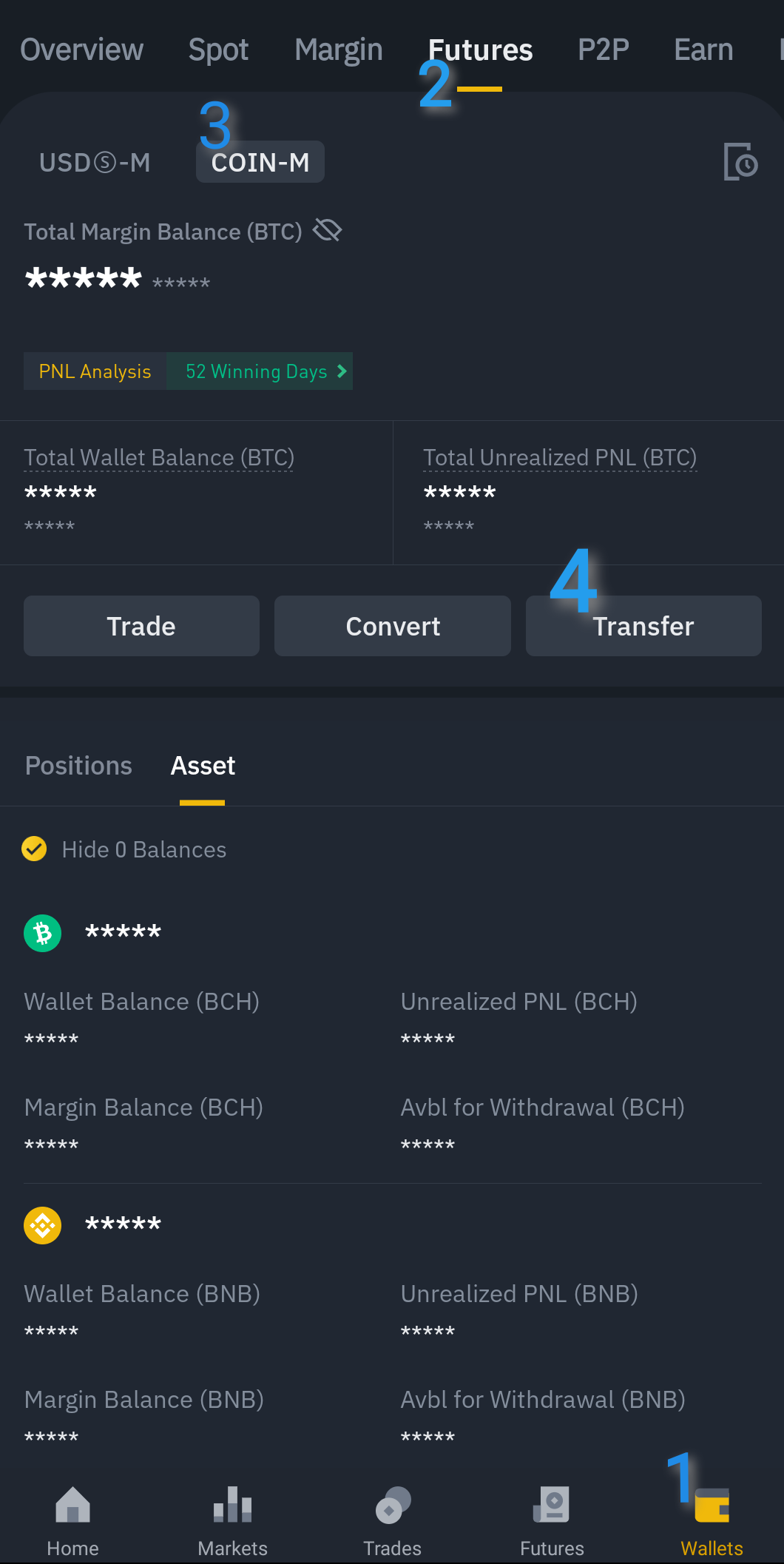
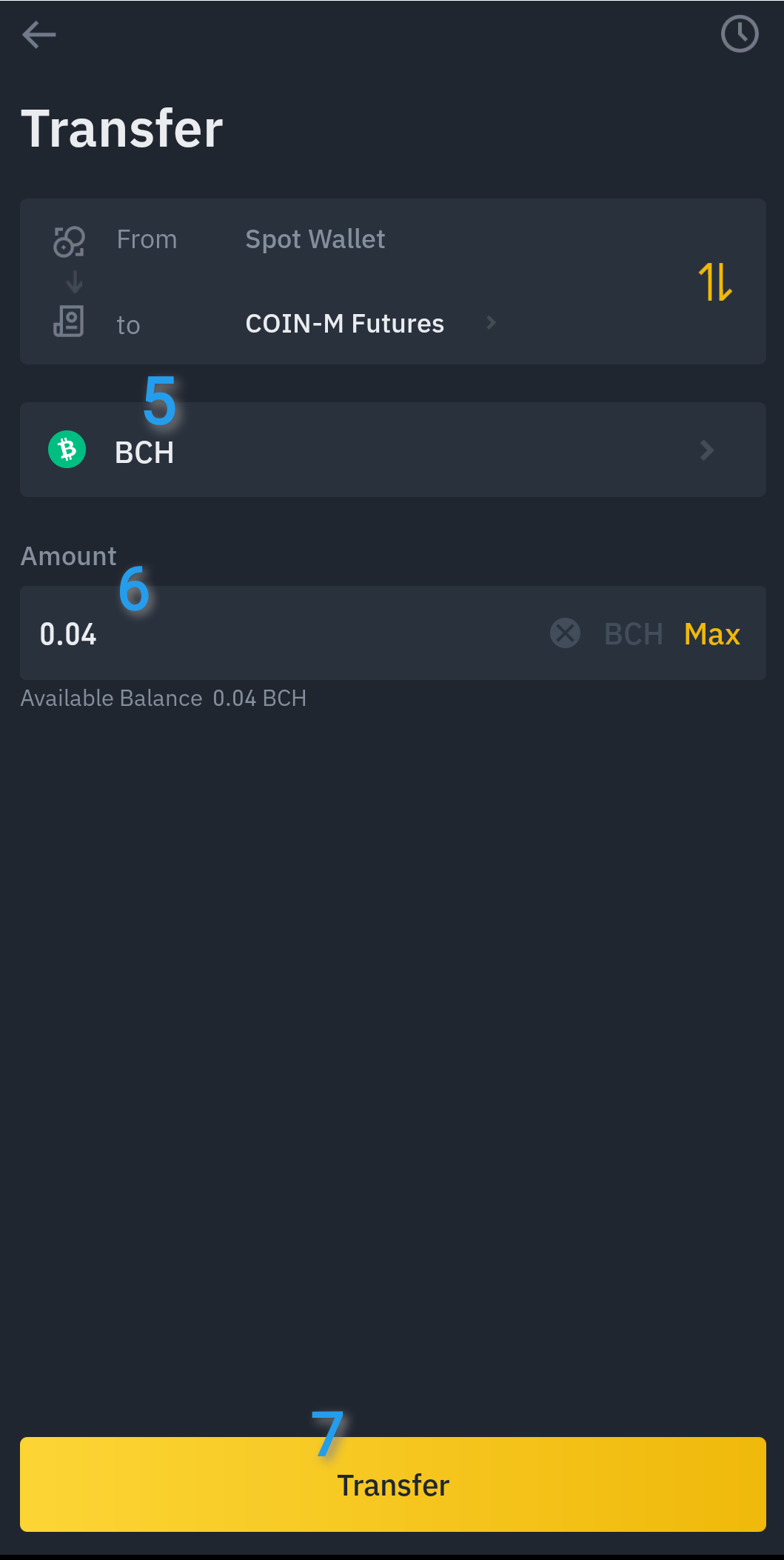
Binance Futures 2: Transfer funds and Position opening A continuation of my binance futures series, part 1 covers the user-interface of the binace futures. https://read.cash/@Pisces-jr15/binance-futures-1-user-interface-7c2cde87 This article covers the transferring of funds from spot wallet to futures coin-m wallet and the steps on how to enter a position. **How to transfer funds to Futures Coin-M wallet?** In our Binance wallet, there's a separate wallet for spot and futures. So to start trading using futures, we first need to transfer funds from Spot wallet to Futures wallet. Here's how: 1- On your Binance (Mobile) click the Wallet below. 2- Choose the Futures above 3- Click Coin-M, we are transferring BCH to trade BCH as margin in futures. 4- Click the transfer button 5- Choose BCH, or if you wanr other coin as your margin, tap here 6- Enter the amount you want to transfer or tap on max to transfer all from spot to futures wallet. 7- After checking the details, click Transfer. Now our transfer has been successful, We can now start to trade using our BCH as our margin in futures. 😉 **How to a enter position?** This guide is to show the steps on how to enter a position in a Coin-M futures. To learn on when to enter, study first the movement of the coin you want to trade, in this example the BCH. Do your own research regarding technical analysis tools for better decision upon when to enter. 1- The first thing to check is the pairing, in this example it shoud be BCH/USD 2-Then set your preferred leverage and margin mode. Visit the **Series 1** to know the difference between the two modes. Take note that the higher the leverage, the higher the risk. https://read.cash/@Pisces-jr15/binance-futures-1-user-interface-7c2cde87 3- I chose limit in this example. It means the trade position will be executed once the limit price I entered will be reached. Refer to **Series 1** for difference between limit and market order. https://read.cash/@Pisces-jr15/binance-futures-1-user-interface-7c2cde87 4-Enter your preferred entry price in Limit mode. In **Limit mode**, you can type here your preferred entry price. If you are in **market mode**, this area not included. 5- Type here how much Contract you will use as your margin. To know how much the contract will cost your BCH, check the **Cost** above the Long and Short buttons. 6- If all of the above are all set, Click Long or Short to start the position. Choose **Long** if you predicted that BCH price will go up and choose **Short** if your prediction is that the BCH price will go down, in relation to your entry price. After Clicking the Open Long button, your position will go to Open Orders tab below. It will stay here until the price reached your desired entry price. In the event that it was reached, it will go to the Positions tab. Take note of the Liquidation Price and set your stop loss and take profit. Here's an example of an open position: You can monitor here if your position is gaining or losing. The unrealized PNL will be shown in the middle, the BCH amount and the percentage gain/loss. If it is green, it means it is ganing, if red it means it is losing. Take note of liquidation on the right side. It should be far from the mark price to make your position safer. If you are in isolated mode, you can add margin to increase the gap between liquidation price and the entry price. If you are in cross margin mode, just like in my example above, I just need to transfer asset to my wallet and the liquidation price will be adjusted. **Risk management** Cryptocurrencies is highly volatile. When trading with Futures, take into considerations to manage the risk properly by setting stop loss, lowering leverage and entering a margin that is just a percentage of your overall assets. Avoid placing all of your fund in a single position. Also do some research on when to enter a position, try to learn to use some tools to enhance your analysis and to properly read the candles in the chart. We can take advantage the volatility of cryptocurrencies by proper usage of futures trading. There is a higher potential to earn big amount if we predicted and entered a position properly. Of course, the potential to loss is also equally high as the gains. To avoid this, don't forget to follow your risk management strategies. 😊 https://www.binance.cc/en/register?ref=SHUWXR96 **If you don't have a Binance account, you can use my referral link here and have a 10% commission kickback rate.** 🥳 https://www.binance.cc/en/register?ref=SHUWXR96 Stay tuned for Part 3😉 **#TradeSafely** 🦾 https://read.cash/search?q=%23TradeSafely *Take risk only if you can afford to lose, don't use money with intended purposes. Do your own research before engaging, risk is always present.*

+4 more
@Pisces-jr15
Good evening How's your week? 😊
@Pisces-jr15
Exam. Done😁 Dinner time na muna. Good evening 😉
@Pisces-jr15
Good afternoon, Done first class, two to go Exam later. 😆 Greens are everywhere hmmm, almost recovered portfolios🥳💚
@Pisces-jr15
Kamusta dito?😀 Touched na pala uli ang 500+ ni bch,🎉 Hahah sa kabusyhan di ko namalayan😆 Lunch time, haha pero class not yet done. Bye uli👋
@Pisces-jr15
Magandang tanghali. Anong balita? Busy much, di makapag multi task aba😆 Lunch time🍽️
@Pisces-jr15
The February summary of my 1BCH goal 2021 😆 Full of ups and downs...and down again😅 https://read.cash/@Pisces-jr15/2nd-of-12-obstructions-to-my-crypto-goal-bdd0cc8a
@Pisces-jr15
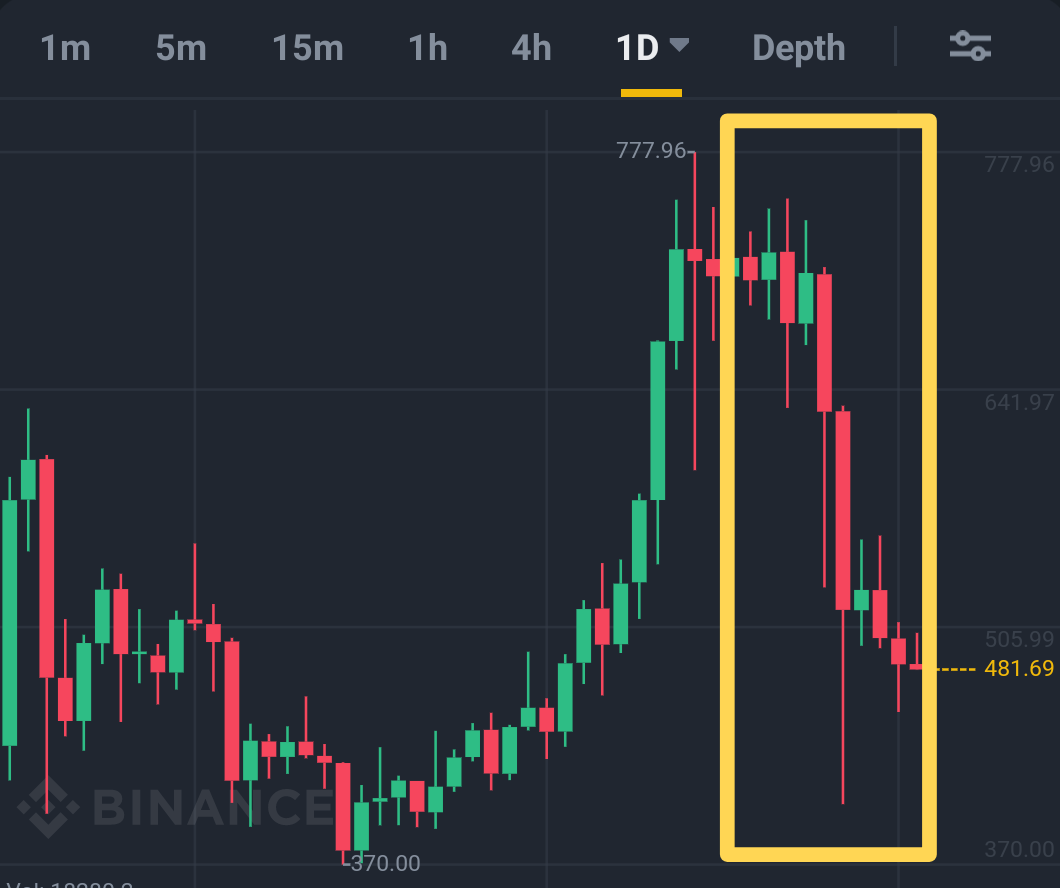
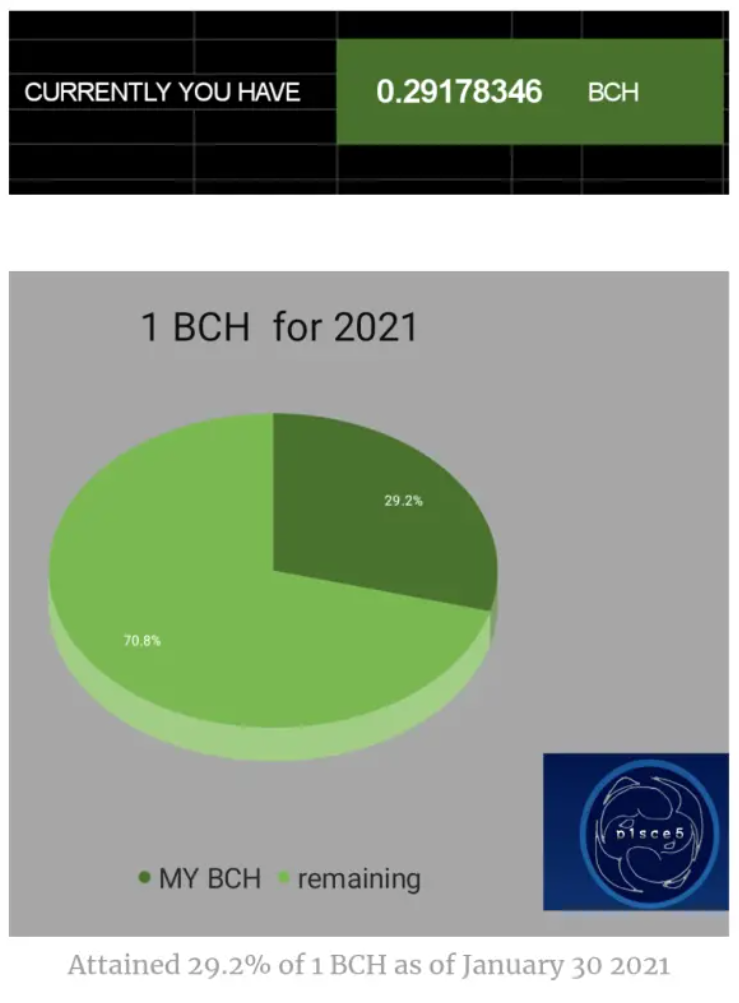
2nd of 12: Obstructions to my Crypto Goal Good bye February👋, Hello March! 🥳 This article is part of **my 12-month series** or **the 1 BCH goal for 2021.** As February has shorter days compared to other months, I can say that my crypto journey for this month was full of ups and downs. Before I summarize the things happened this month, I'll just recap My February Plans mentioned in my article entitled 1st of 12: The beginning of 1 BCH goal. These are: https://read.cash/@Pisces-jr15/1st-of-12-the-beginning-of-1-bch-goal-db280253 **Continue** **Engage** **Manage** **Claim** **Discover** **Lessen** **Give back** I can say that I executed them all according to what my vision last January. There was an evident data that it is a success.😊 ...... Until the big dump happens 🤦♂️ **My February Milestones 🥳** My noise.cash account got 409 subscribers My read.cash got 60 subscribers My top earning article is Firefaucet: Automate your earnings, earned $8.12 https://read.cash/@Pisces-jr15/firefaucet-automate-your-earnings-546ddd1d My most viewed article is Detoken: Hedge to earn BCH, having 99 views https://read.cash/@Pisces-jr15/detoken-hedge-to-earn-bch-42997c9e Got another sponsorship from @flipfx (Thanks to you again 😊) Have a lot of noise "kadaldalan" (still can't mention you all🤣) Thank you so much everyone😊🎉 **My February Journey** As I said, February was full of ups and downs for my crypto journey. First two weeks was a smooth journey. BCH price also attained its all time high. Because of that, I was able to diversified some of my earning to other currency. I did that to maximize my portfolio, and will buy back the BCH as soon as the price dips. Then last week, BCH dump so hard. I lost a lot from that dip. To assess the damage, here's the pie chart to compare my BCH holdings before and after the dump😅. The photos above are my BCH hodling from end of January and mid-February. A big gain for just 2weeks😆 But the photo below shows the effect of big dump. I lost almost **0.2 BCH** due to losses from trades and from diversifying some BCH to buy some altcoins. **Obstructions to my Goal:** **Busy schedule:** Being busy tend to become an obstruction in a way that I didn't managed my time. Prioritization is still needed because aside from crypto, there are a lot of responsibilities that I need to attend. **Miscalculated position:** Because I miscalculated my position, particularly on the time the BCH dips, I lost most of my trades. I overlook it too much and causes failed trades. **Diverted attention:** It became an obstructions because I lost focus in my trading strategies. **Risk taking:** I risked too much that causes a big loss. But the good thing was I followed the "risk what can I afford to lose" rule, That was a big loss but I think I still can afford that because most of my gains was diversified in my other assets. If I look at a bigger picture, my loss was still a portion of what my gain was. **The Unknown:** No one really can predict precisely the market movement. Even experts can't. So the unknown will become an obstruction to my February loss. *With this failure and lots of obstructions, should I stop this goal?* A big **NO**, this will be the beginning of a long journey, Obstructions are just part of it. It is a long way to go, more ups and downs will surely come, but the sure thing is that I wont give up with this crypto goal. Just like in real life, to attain our goals we must do our best no matter what, keep on doing what makes us happy and eventually success will surely come to us. 🦾 **Restrategize** With this failure, I will restrategize for the month of march and months to come. **Take risk:** Taking risk became an obstruction but I that it will also became the key to success. Just combine it with proper management of risk and reward ratio. **Don't put all my fruits in the same basket:** It will now became a habit that a percentage of my gain will be alloted to buy some coins that have a potential growth. I did this last February that's why my losses got covered with gains from coins that increases value. **Manage portfolio:** I will now continuously manage my portfolio by monitoring my gain and expenses. With the use of my excel, I able to track if I got a profitable coins, this is very helpful because I got more coins aside from BCH and major coins. **Research more:** It will be a good habit to research more and learn new things that will be helpful for my crypto learnings. Aside from trading and faucet, it is also good to have more sources of crypto earnings. **"Failure becomes a failure only if you stop doing it" >>p1sce5** #TradeSafely Thank you🙂

+3 more
@Pisces-jr15
Good morning 🌞☕
 @Pisces-jr15
Good afternoon, Just published an article about my binance futures series of mini tutorial😅part 1😆 Thanks😇 https://read.cash/@Pisces-jr15/binance-futures-1-user-interface-7c2cde87
 @Pisces-jr15
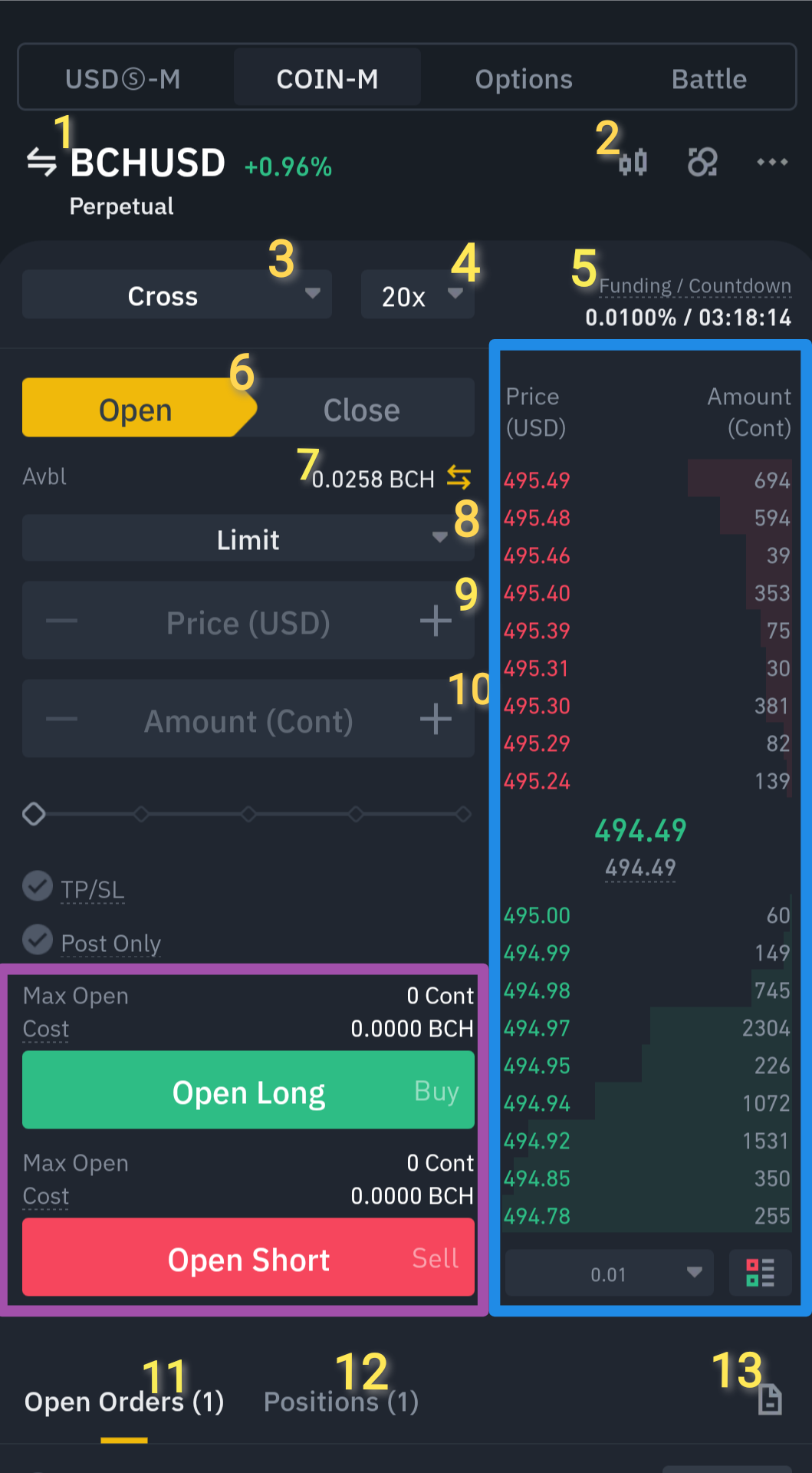
Binance Futures 1: User-Interface One of my Favorite platform in crypto, Binance. https://www.binance.cc/en/register?ref=SHUWXR96 This article was made for those who want to know the basics of Binance Futures. This will be the start of a series of my Binance Tutorial. I will start with its user interface. I'll make it as detailed as possible. This is intended to someone who wants to start their future trade. So let's jump to the main topic. 😁 There are Four Types of trading under the Futures Tab: **USD-M, COIN-M, Options** and **Battle**. **USD-M:** The margin needed to start a trade here is in USDT. It also offers a borrow feature if ever you don't have any usdt in your account. For example you have BTC and you don't want to convert it to USDT but still want to try Futures Trading, you can use your BTC as a **collateral** and Binance will lend you USDT. (*I don't recommend borrowing*) **COIN-M:** This type is the same as USD-M, but the margin used is your preferred coin(not usdt). So instead of borrowing, you can now use your coin as margin. ** Take note that in **COIN-M** you can only open a position based on your available coin. For example you have BCH in your wallet, the only pairing you can trade will be BCH/USD only. While in **USD-M**, you can use any available pairing you preferred to trade. **Options** and **Battle**: I wont elaborate much about this two, I might create separate article for this. 😉 **The COIN-M & USD-M User-Interface** **Trading Pair:** Click this button to change your desired pairs. In this example I chose BCH/USD. **Chart:** Click this button to view the trading chart of the current pair. There are also built-in tools available. **Margin Mode:** Choose between Isolated and Cross. In **Isolated margin**, your entered margin will be the only one used to calculate your liquidation price. You can add or remove margin to adjust the liquidation price of your position. While in **Cross margin**, the whole asset will be used to calculate your liquidation price. **Leverage:** This will multiply your margin. The higher the leverage, the higher will be your profit and also your loss. And the higher your leverage, the riskier for your position to get liquidated in case of unfavorable market because the liquidation price will be so near to your entry price. (Important to set a stop-loss) **Funding Fee:** Every 8 hours (8am, 4pm and 12mn PH time) there will be a funding fee that will be deducted. For example your position is opened for too long, there will be fees that will be charged to our futures wallet. But sometimes you will be paid, instead of being charged. If funding is positive and your position is Long, your will be charged. If your position is Short, you will earn that fee. If negative and you are in Long, you will earn instead of being charged a fee. **Open/Close:** Choose open if you want to open a position. You may or may not used that Close button because there will be a close button in your positions tab. **Available funds:** You will see here your total funds in your Futures Coin-M wallet. You can also click that button to transfer funds frrom spot to your futures wallet. **Order:** I'll focus more on Limit and Market order. Choose **Limit** if you want to specify the price of the coin where you want to start a position. Choose **Market** if you want to instantly start the position with the current market price of the coin. **Price:** If you chose Limit, you can type here your specific price of the coin. The position will be activated if that price will be reached. If you chose Market, you will not see this Price textbox. **Amount:** You can type here the contract size of your position. The cost of your position will be depend on how much contract you openened. You can click the + and - button or the slider below to adjust the amount. Take note NOT to use a 50 to 100% of your funds in a single position. **11.Open orders:** All the inactive positions will go here, for example you chose Limit entry. Your stoploss and take profit orders will also go here. In my example below, I have an open order of Take Profit in my exisiting position. **12.Positions:** The active positions will show here. You can manually set your SL and TP here, and also a close position button. Adjust leverage is not recommended to increase or adjusted here. In the example below, we can see the summary of our specific position. It is a BCHUSD pair in a cross margin with 20x leverage. Size or the contract amounting to 25 with an entry price of 449.51. Mark price is the current price of BCH. Liquidation price will be the price of BCH wherein if ever the current price reached it, all of my funds(cross) will be lost. To avoid this, I can set a stop loss by clicking the button below. **13.History:** To check your transaction history for your futures trade click here. You can also check the funding fees charged to you every 8 hours. In the example below is the realized profit from my closed positions. You can see here the bid and ask price. **Last Price:** The current price of the coin. **Mark Price:** This is used for margin and PNL calculations, before entering and exiting a position, this should be considered first. Both price differs from each other to avoid price manipulation. **1. Maximum Contract Available:** Depending on your futures balance, you will see how much contract is availabe for you to open. In this example, I have 26 contract maximum to open a long position. **2.Cost:** based on the Amount you entered ( item no. 10), you will see the calculated cost that will be used in the position you are entering. **3.Open Long or Buy:** If you are predicting that the price will increase, choose Long. **4.Open Short or Sell:** If you're predicting the price will decrease from the entry price of your position. https://www.binance.cc/en/register?ref=SHUWXR96 If you don't have a Binance account, you can use my referral link here and have a 10% commission kickback rate. 🥳 https://www.binance.cc/en/register?ref=SHUWXR96 Stay tuned for Part 2😉 #TradeSafely 🦾 *Take risk only if you can afford to lose, don't use money with intended purposes. Do your own research before engaging, risk is always present.*


+6 more
@Pisces-jr15
Good morning everyone🌞 What's your breakfast this morning? 😆
@Pisces-jr15
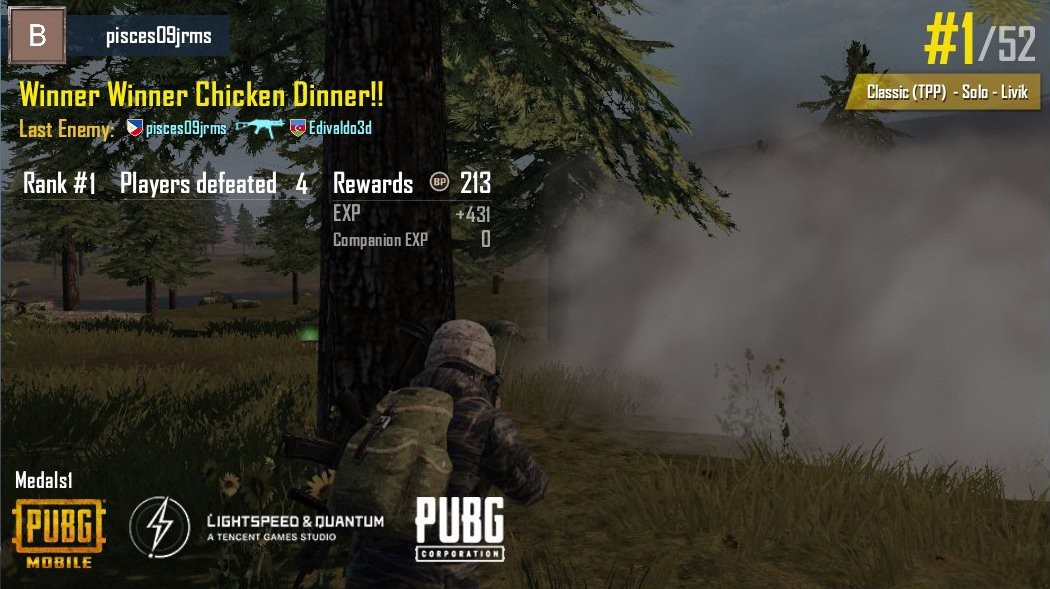
Dahil weekend bukas, Laro muna ng PUBG🔫 😁 While nagaantay ng entry price sa binance Good evening 😉
 @Pisces-jr15
Just a random drawing of eyes👀 Busy day today, can't make too much noise😅
 @Pisces-jr15
ThrowbackThursday My drawing from last year 😊 C major chord shape 🎸featuring my left hand 😁 Advance Goodnight ☺️
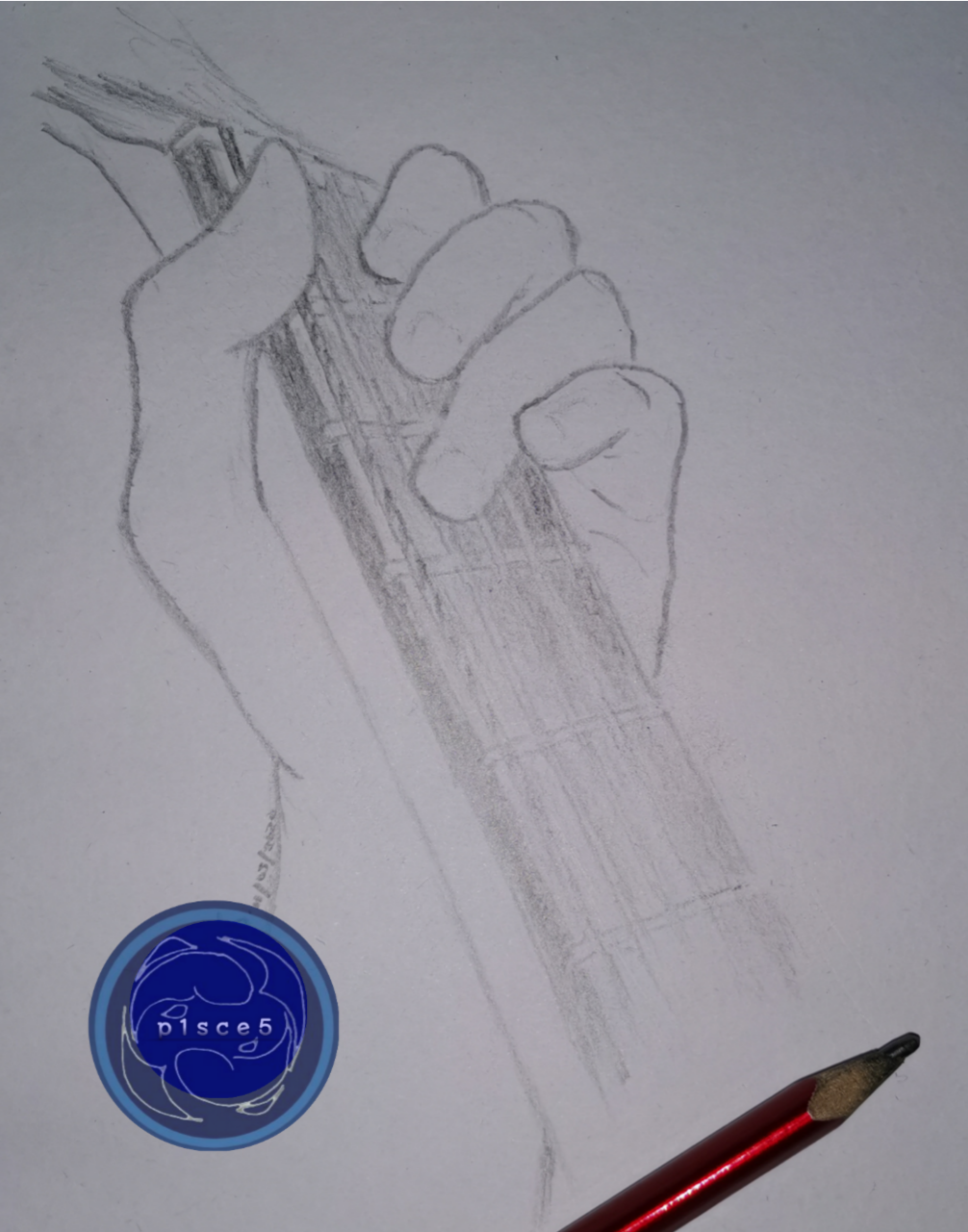 @Pisces-jr15
Just sharing😁 One of my hobby ✏️ Good evening😊
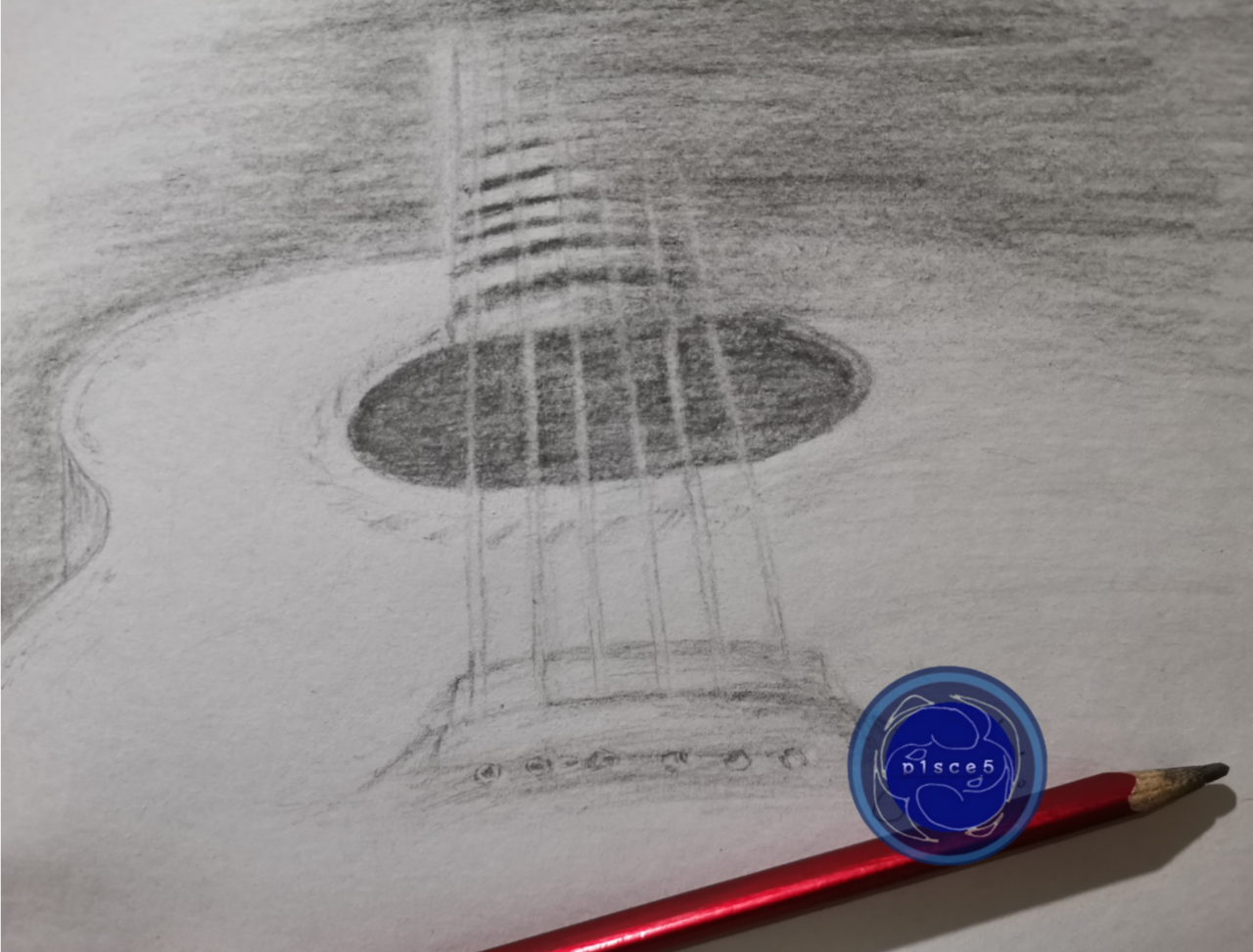 @Pisces-jr15
Playing CODM Lugi sa naka tank, #2 lang tuloy😅
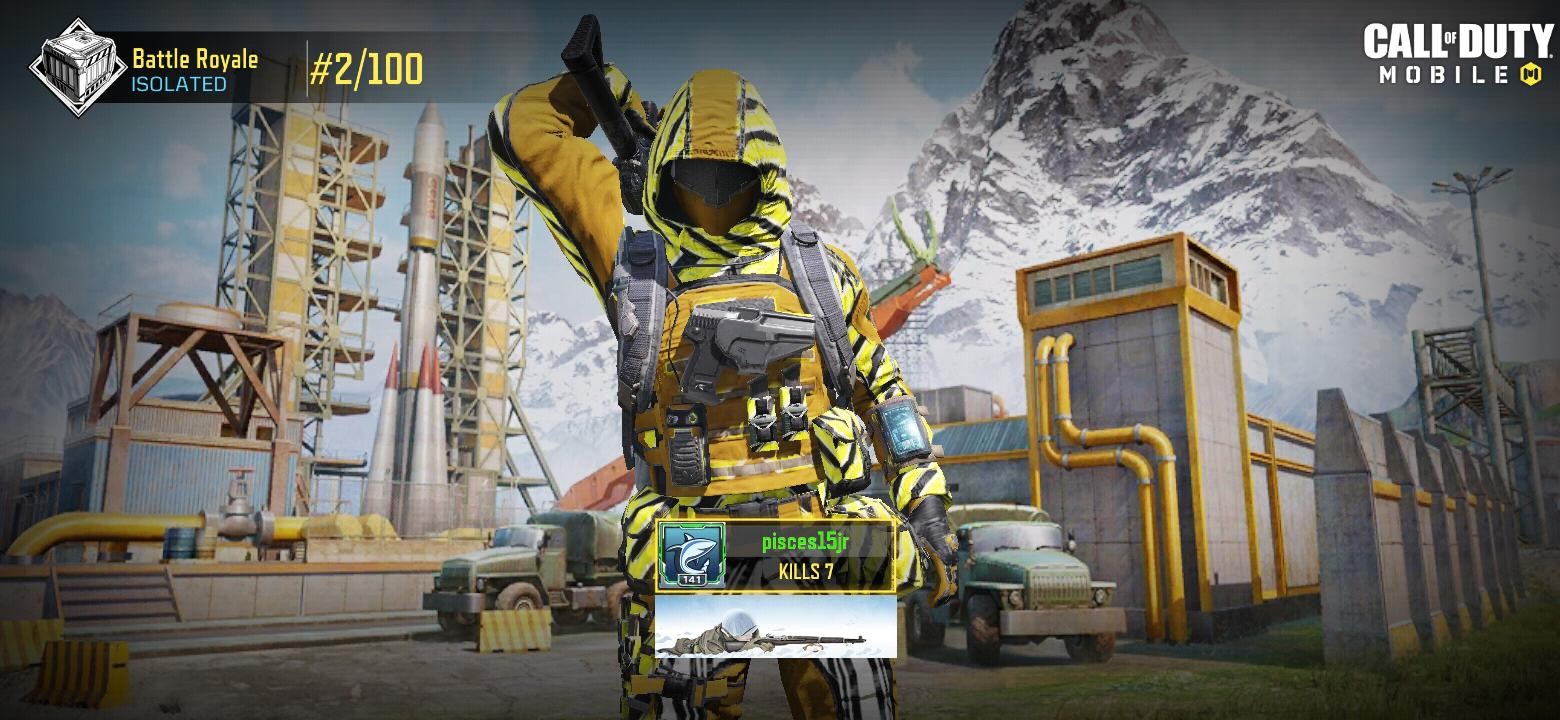 @Pisces-jr15
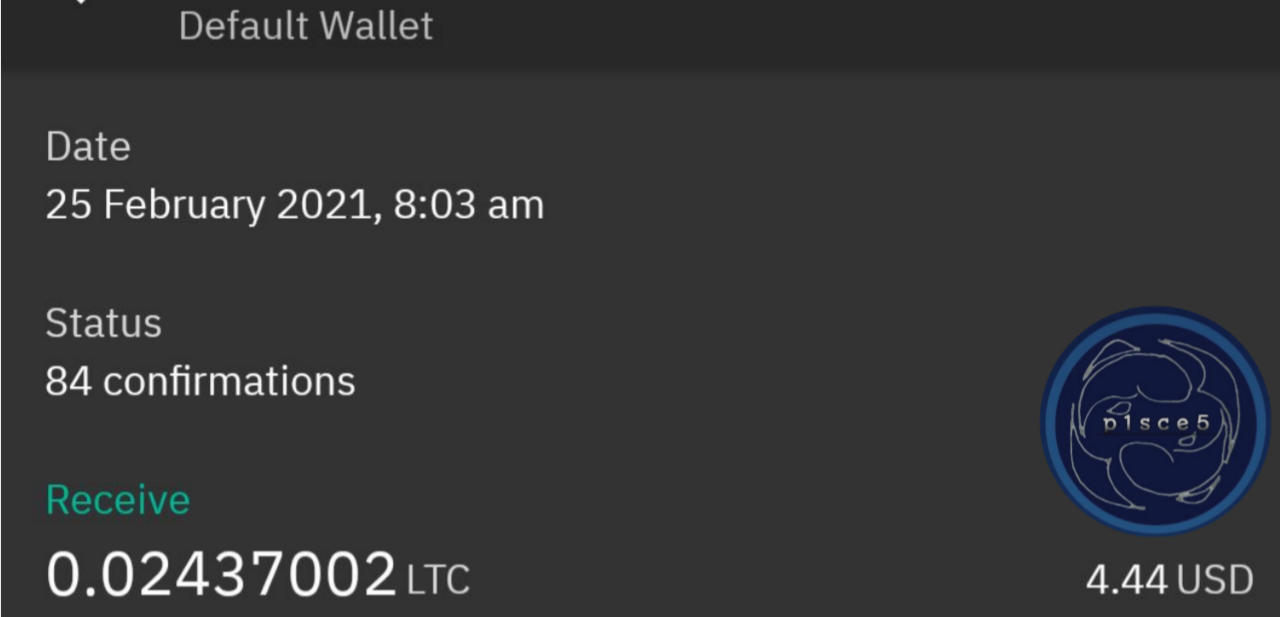
Good afternoon ☺️ 🎉Withdrawal received from Firefaucet😁 Sa wakas may good news din today😅 An article about Firefaucet, if interested 😉 https://read.cash/@Pisces-jr15/firefaucet-automate-your-earnings-546ddd1d Lunch time🍽️
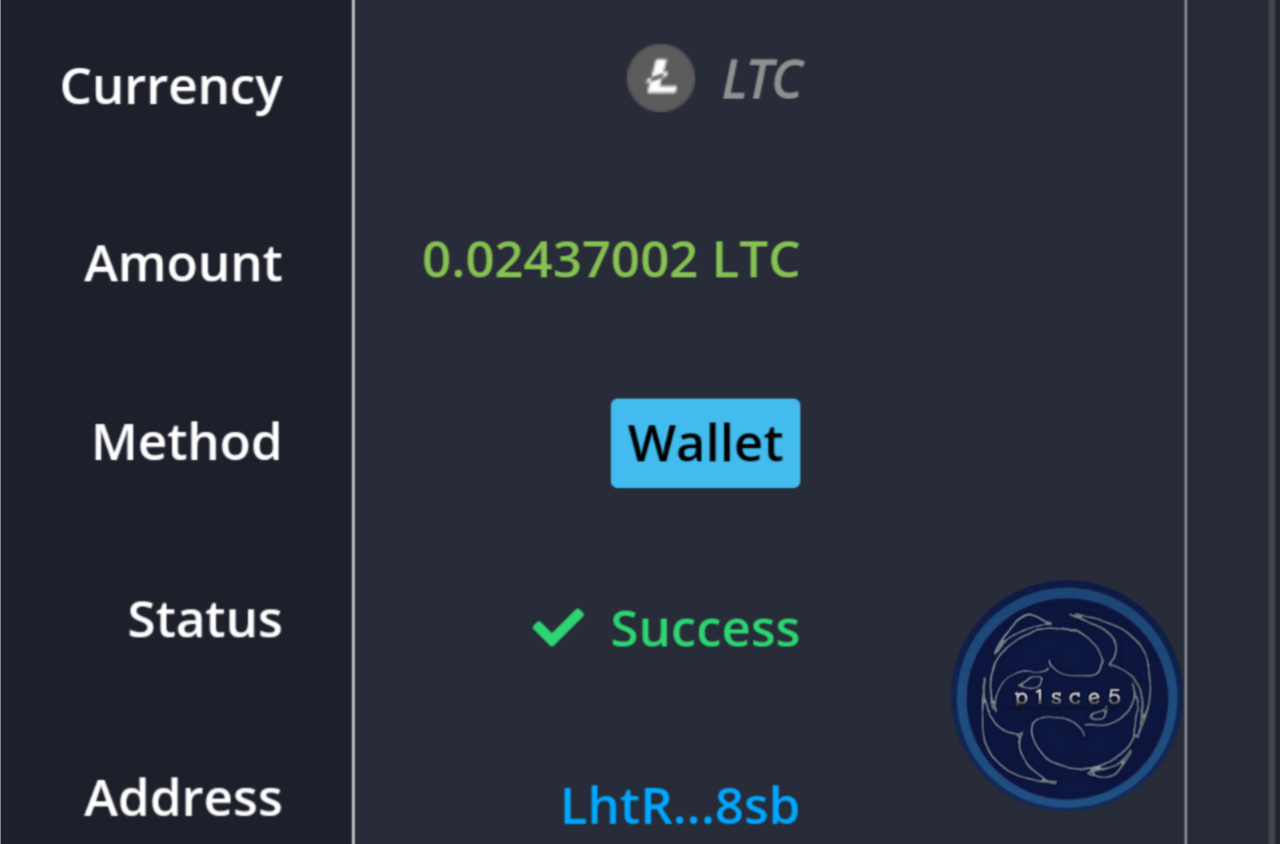
 @Pisces-jr15
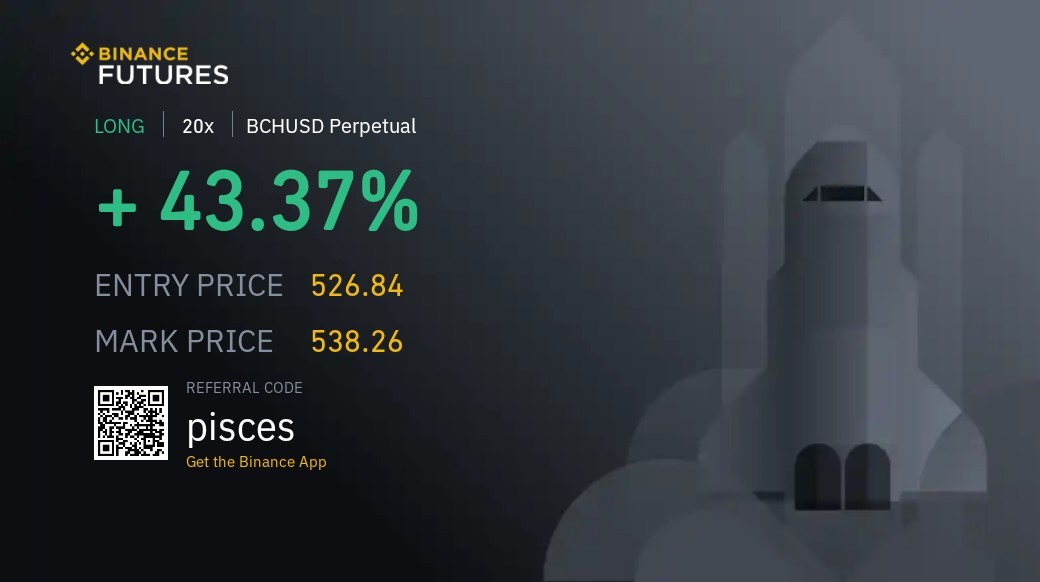
Good morning 🌞☕ Big loss last dump, Now trying to recover 🤏 Have a nice day everyone 😊
 @Pisces-jr15
Been busy today, lots of school works and some errands. Soooo tired. 😁 Are you a multi tasker like me? Here's my latest published article. 😉 https://read.cash/@Pisces-jr15/i-am-a-multi-tasker-d41f25b0 Thanks and goodnight in advance😴