 @KrisCastro
more from that month
@KrisCastro
more from that month
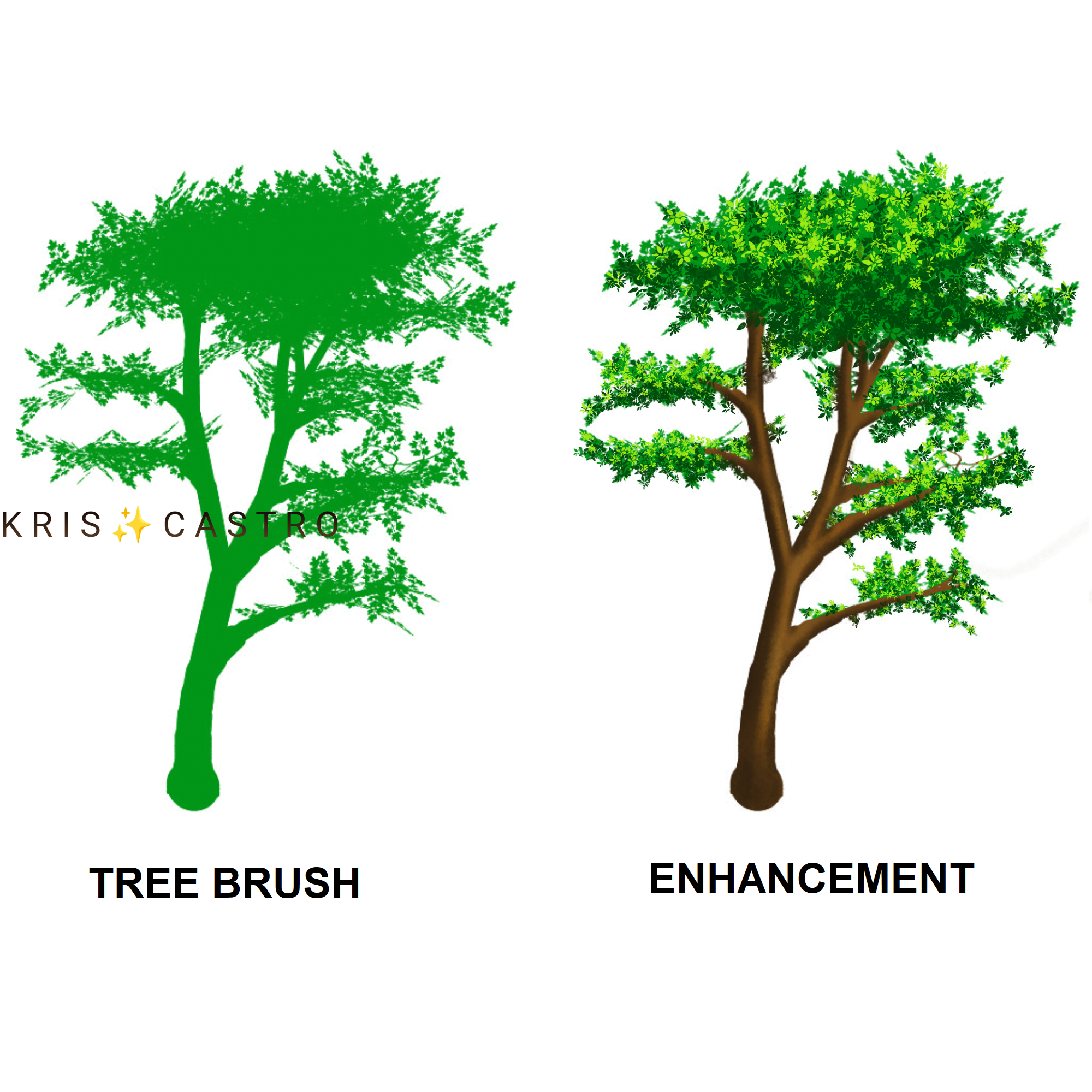
A winning improvement is waving this #Winsday and I'm willing to share these brushes to my fellow artists. 🎨 After importing Photoshop brushes to my drawing software (Krita), I did my testing. I picked a tree brush for this. It really is very convenient and this is definitely time efficient as it cuts a lot of redundancies in drawing. I remember a pro artist saying that no one will pay you for drawing every single leaf in your background which I totally agree. These brushes can help artists focus on enhancements, details and finishing touches which are very crucial as they determine the final result of the artwork. I used the leaf brush to put details to enhance the basic tree brush then I put the appropriate color for the tree branches. This is the result. I will level up with my backgrounds since there's no holding back in doing more beautiful ones with the help of these brushes. 🎨 To my fellow artists, If your drawing software is compatible with photoshop brushes, we can talk in Telegram.
9 comments
How can you draw such beautiful art? I am amazed.
Been drawing since childhood and it's been more than 15 years now. I learned a lot from experience and youtube tutorials. These brushes are the new ones I have learned. This can help create more beautiful backgrounds since the brushes save a lot of time and the artist can just focus on enhancements.
Solid work!
Apply ko yan sa next batch of drawings.
Good luck.
Hello sis. Anong mgabganap dito? Mukhang malungkot ang vibes dito di tulad dati.
Bakit naman malungkot? Hehe ako kasi busy lang at drawing galore ang ganap. Wala akong time para sa negativity.
Good luck sissy🙈 if me, i dont even know that drawing software😂 or maybe its not available in my country?🤔 Hmm but good luck on it sissy🙈💜
Krita is available anywhere if you are using windows in your laptop. I love it coz it's free and you can really do a lot of things on it. You can even do animation. 😀