 @Danika
How to check for tokens not reflecting in your wallet *Happy Sunday readizens. I trust you all enjoyed the service at church today. If you are a Muslim, I do hope you are chilling at home. All the same, I wanna wish everyone a good Sunday 🤗* My tokens are not reflecting As regards to a token you have purchased or you did the airdrop and maybe your friends are sharing their testimonies of receiving the token but when you checked your wallet, you couldn't see anything. The simple thing to do is to first scan your wallet. Many people have been left in awe after scanning their wallet because the amount of tokens they found in it was more than what they thought they have. Below are some steps to scan your wallet Open your trust wallet, metamask or other common crypto wallet Login to your wallet.
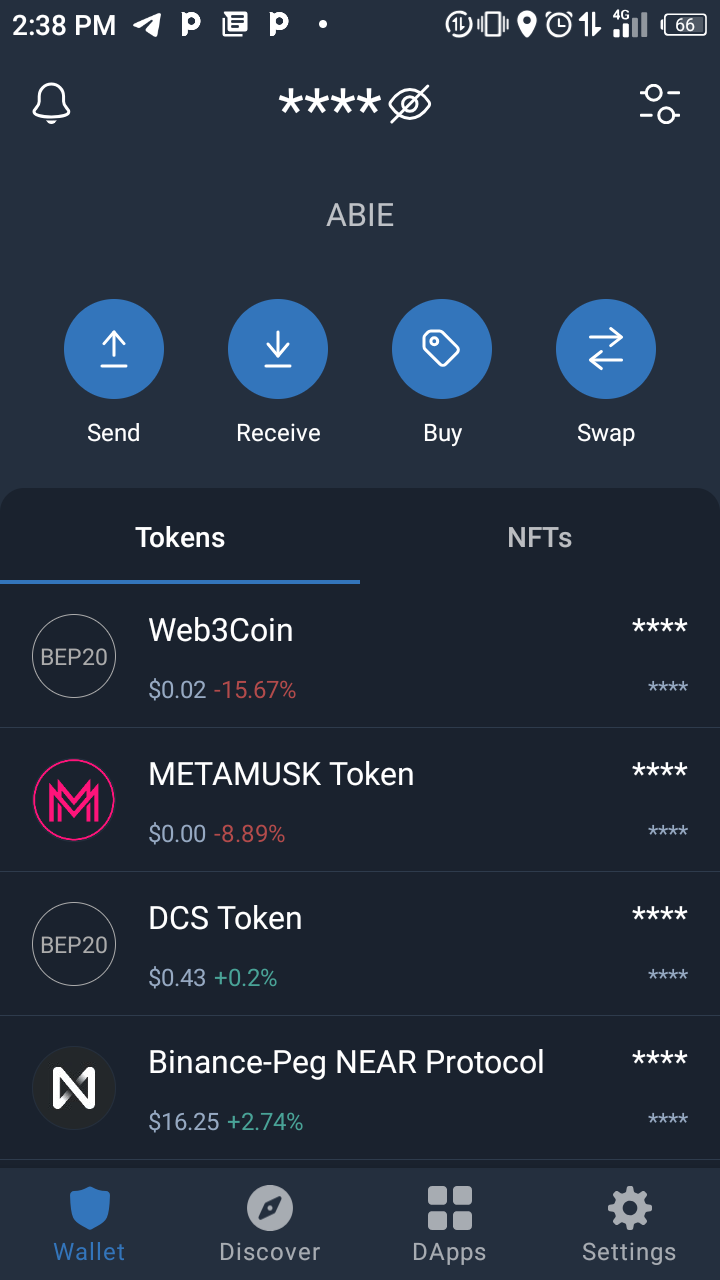
Copy the address of the blockchain you want to scan To do this, you have to click on the blockchain you want to scan. For example: if I want to know the amount of tokens I have on the Binance SmartChain network (also called Bep-20 or BNB), I will have to open the token and copy the wallet address. Note that their example is for wallets that supports BNB network. For metamask that only supports Ethereum based tokens, you will have only one address for all the sub-chains in the wallet. What I meant is, once you copy your address you can use it to scan for all the networks on metamask (some of which includes; Avalanche, CELO, MATIC or polygon, Fantom network, BCH, etc) scanning on Trust wallet After you have copied your BSC address, go to DAPP and type bscscan.com in the search box and press search.
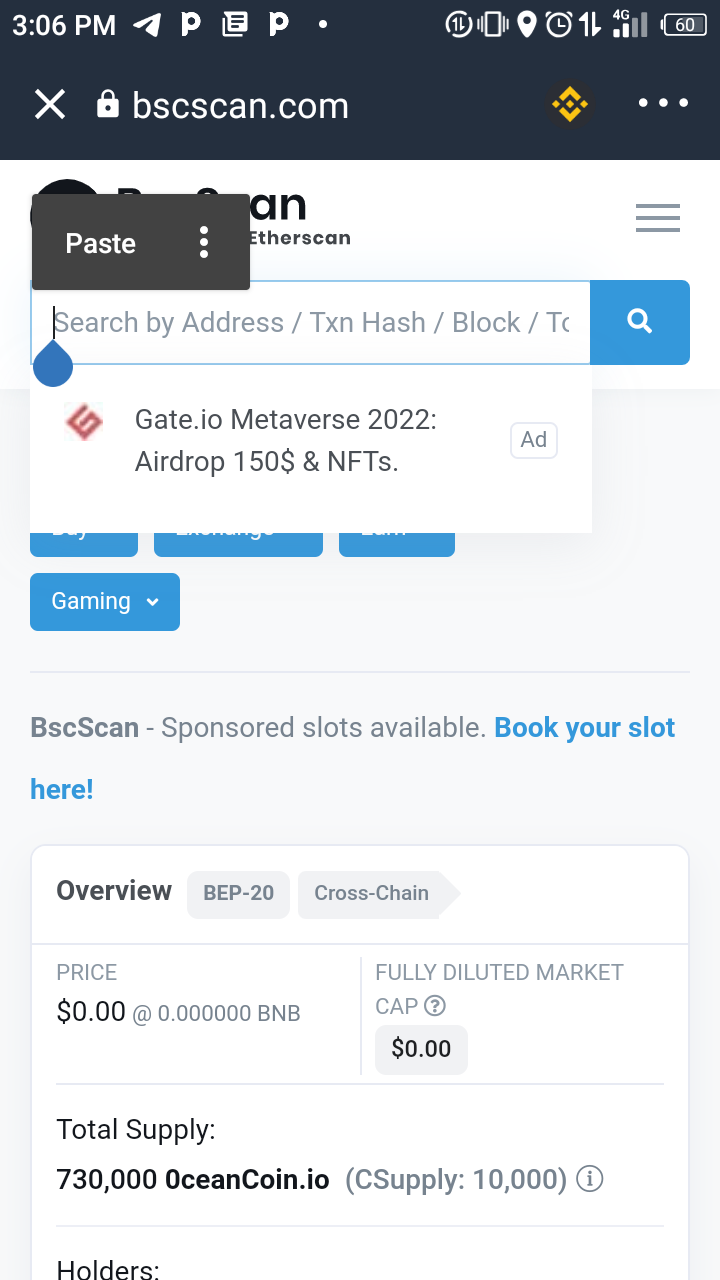
In the search box as shown above, paste your BSC address into the box and press search. This will bring out all the tokens you have on that address. To add a token to your wallet, simply click the desired token icon shown on the list of the tokens you have. This is take you to the tokens info. From there you can copy the contract address (C.A) of the token. Exist the DAPP and go add to your wallet using the following steps; Click on the dashboard at the top right-hand side of your trust wallet Click on add custom token (found at the base. Change the network to BSC (if you don't, it won't load it) Then paste the address of the token into the box shown, add the ID if it doesn't load automatically Then press done. Wallah! Your token is added to your wallet. Same process applied to adding Ethereum based tokens with the exception that Ethereum address is copied and etherscan.com is typed into the search box on the DAPP Scanning on metamask Scanning on metamask is a bit tricky for newbies as you must first change to the network you want to scan. E.g; if you want to check the amount of tokens you have on Fantom network, you must first change to Fantom network on metamask Click this link to learn how to add a network to metamask https://autofarm.gitbook.io/autofarm-network/how-tos/defi-beginners-guide/switching-networks-on-metamask Below are some list of networks and their details; Network NameCurrency SymbolRPC URL(s)Chain IDBlock Explorer URLAvalanche Mainnet C-ChainAVAX**https://api.avax.network/ext/bc/C/rpc** (primary) 43114https://cchain.explorer.avax.network/Binance Smart ChainBNB**https://bsc-dataseed.binance.org/** (primary) wss://bsc-ws-node.nariox.org:44356https://bscscan.comEthereum ClassicETC**https://www.ethercluster.com/etc** (primary) https://docs.avax.network/build/tutorials/smart-contracts/deploy-a-smart-contract-on-avalanche-using-remix-and-metamask https://docs.binance.org/smart-chain/developer/rpc.html https://etherplan.com/2021/03/02/how-to-connect-metamask-to-ethereum-classic/15512/ 61https://blockscout.com/etc/mainnet/Fantom Opera (FTM)FTM**https://rpc.ftm.tools/** (primary) 250https://ftmscan.com/Fuse NetworkFUSE**https://rpc.fuse.io** (primary) https://docs.fantom.foundation/tutorials/set-up-metamask https://www.airdrops.blog/adding-networks-to-metamask/ 0x7ahttps://explorer.fuse.ioHarmony MainnetONE**https://api.harmony.one** (primary) 1666600000https://explorer.harmony.one/HECO Chain (HT)HT**https://http-mainnet.hecochain.com** https://docs.harmony.one/home/network/wallets/browser-extensions-wallets/metamask-wallet https://docs.hecochain.com/#/mainnet (primary) wss://ws-mainnet-node.huobichain.com128https://hecoinfo.comMoonriverMOVR**https://rpc.moonriver.moonbeam.network** (primary)1285https://blockscout.moonriver.moonbeam.network/OKExChain (OKT)OKT**https://exchainrpc.okex.org** (primary) https://docs.moonbeam.network/tokens/connect/metamask/ https://okexchain-docs.readthedocs.io/en/latest/developers/quick-start-for-mainnet.html 66https://www.oklink.com/okexchain/POA (Proof of Autonomy)POA**https://core.poanetwork.dev** (primary) https://www.poa.network/for-users/wallets/metamask 99https://blockscout.com/poa/corePolygon MATICMATIC**https://polygon-rpc.com/** (primary) wss://rpc-mainnet.matic.network137https://polygonscan.com/**xDai Chain**xDai**https://rpc.xdaichain.com/** (primary) https://docs.matic.network/docs/develop/network-details/network/ https://www.xdaichain.com/for-users/wallets/metamask/metamask-setup 100https://blockscout.com/xdai/mainnetZenith MainnetZENITH**https://dataserver-1.zenithchain.co/** (primary) https://docs.zenithchain.co/docs/zenith-mainnet To add the token is as the same as mention above.

Thanks for reading this article, I hope it has been helpful in way. Don't forget to hit the 👍 button.




3 comments
People new to crypto should find this very helpful. Nice one!
Thanks friend
When I participated in airdrops in 2020, I always thought the tokens will appear in my wallet but it was later that someone told me that I have to scan my address to see if I am part of the airdrops. This article will be beneficial to newbies