Connect Polygon(MATIC) to Metamask

Polygon is a protocol and a framework for building and connecting Ethereum-compatible blockchain networks. It provides scalable solutions on top of Ethereum multiple side chains ecosystem. It is also known as layer 2 scaling solution as it provides scalability on the top of ethereum blockchain. Polygon solves pain points associated with Blockchains, like high gas fees and slow speeds, without sacrificing on security. Ethereum blockchain has its own share of problems for Decentralized application developments(Dapps) such as Poor UX Low Throughput No sovereignty (shared throughput/clogging risk, tech stack not customizable, governance dependence) These problems introduces challenges and there is no framework to address these. So polygon was created as a protocol and a framework for building and connecting Ethereum-compatible blockchain networks. MATIC is the native currency of the polygon ecosystem with ATH value of $2.62 dollars and market cap of $6 billion. More about the token performance is found here on coinmarketcap. https://coinmarketcap.com/currencies/polygon/ Polygon Features Scalability Ethereum compatability User Experience Developer Experience Modularity Security In this blog, let's learn how to configure polygon on metamask. Before proceeding further, We need to create a metamask wallet. If you do not have one, create it by following this blog. https://www.thecryptoinsight.com/how-to-create-an-ethereum-wallet-using-metamask After you created, the wallet will look like below.
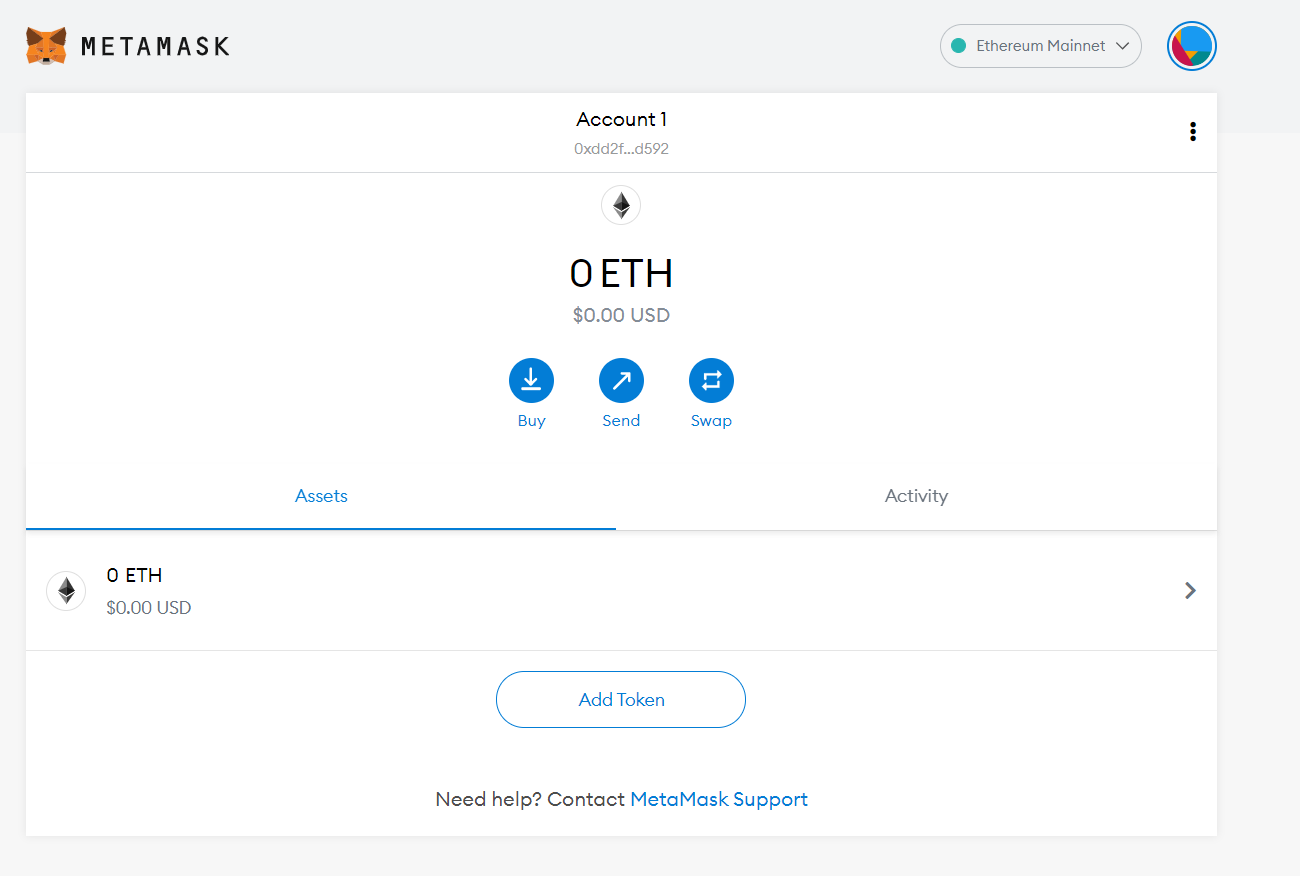
Click on the Ethereum mainnet at the top right corner and expand it. At the bottom, click on Custom RPC. Now you should see a screen just like below one.
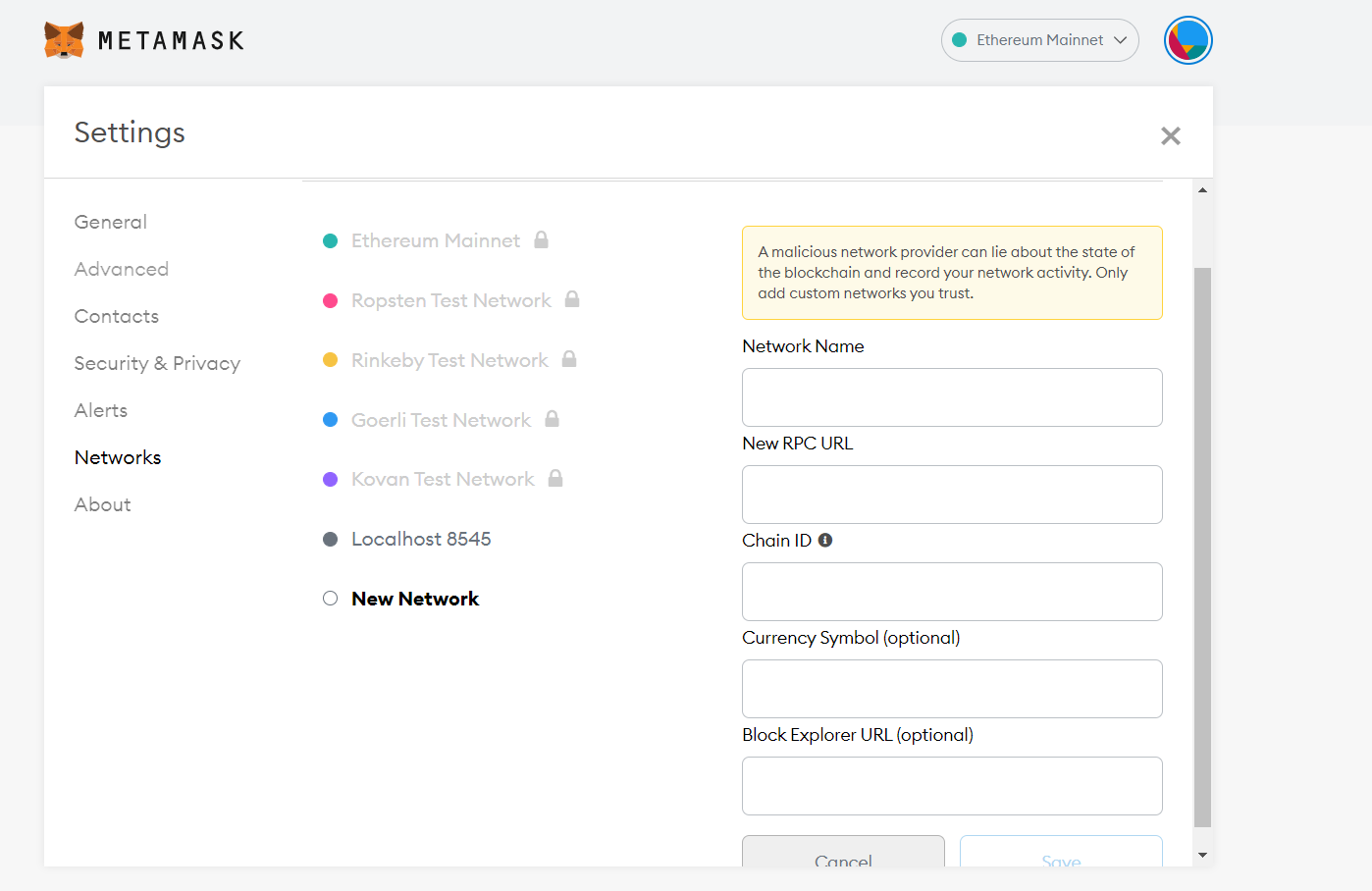
Now, enter the below details for mainnet and Hit Save. Polygon mainnet Settings **Network Name**: Polygon Mainnet **New RPC URL**: https://rpc-mainnet.maticvigil.com/ **Chain ID**: 137 **Symbol**: MATIC **Block Explorer URL**: https://polygonscan.com/ Polygon Testnet Settings **Network Name**: Polygon Mumbai **New RPC URL**: https://rpc-mumbai.maticvigil.com/ **Chain ID**: 80001 **Symbol**: MATIC **Block Explorer URL**: https://mumbai.polygonscan.com/ You can transfer BEP-20 MATIC to polygon network using binance. Otherwise, ERC-20 tokens will be transferred on Ethereum mainnet and BEP-20 tokens transferred on Binance smart chain. More resources Matic Faucet for testnet - https://faucet.matic.network/ Polygon papers - https://polygon.technology/papers/ Polygon docs - https://docs.matic.network/ Polygon Dapps https://app.easyfi.network/ https://polymarket.com/ Resources **https://polygon.technology/** https://docs.matic.network/ https://coinmarketcap.com/currencies/polygon/
No comments yet