 @sjbuendia
How to Withdraw your Earnings from read.cash: Guide for Filipinos
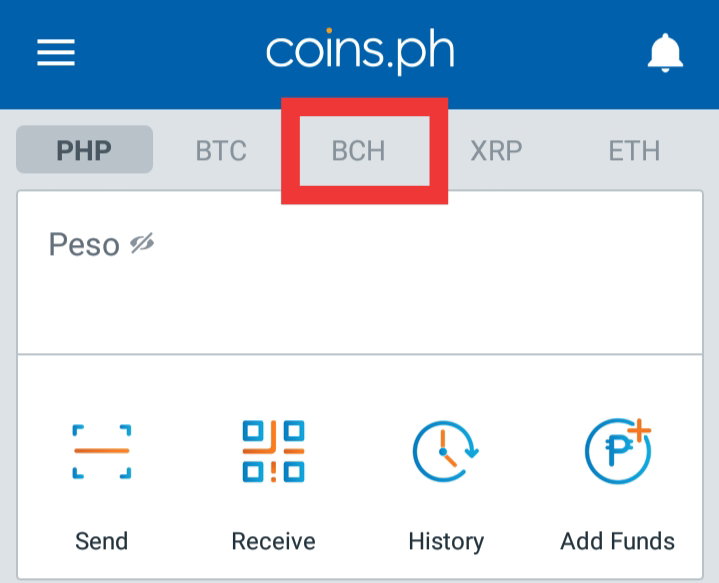
Hi ♥️ Lately I have been busy talking to my peers and have been discussing them through messenger about Bitcoin Cash and read.cash. If they are available for meeting and not too far from me, I usually set a schedule and then do demonstration in front of them like what I did to Chan-Chan and Chenzuee. I am making this article so that I can simply send this link to them so that they can read it from here and join as well in my referral link. What is read.cash? read.cash is a platform where you can publish content (articles with images and videos) and earn Bitcoin Cash cryptocurrency (ticker: BCH) for doing so. If a reader likes your content - he or she can upvote your post by sending some amount of Bitcoin Cash (BCH) to your online wallet. After you sign up we will automatically create a Bitcoin Cash wallet that will exist just in your browser. No need to download or install anything. Copied this from the "about us" article of read.cash and you can read the whole article in the link. This one is just an introduction. https://read.cash/@Read.Cash/what-is-readcash-7b0bfcfc How to Withdraw your Earnings I will show two demonstrations which is using the bitcoin.com wallet and coins.ph wallet. Using Coins.ph You need to go first to your coins wallet and look for "**BCH**".
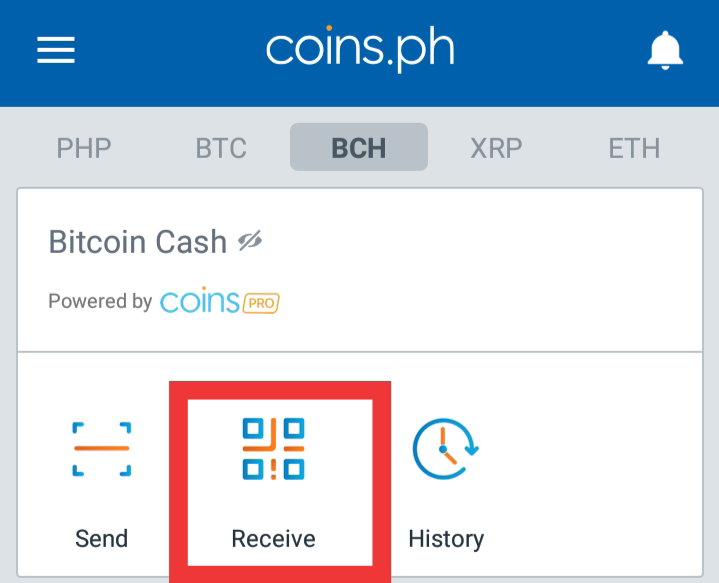
Click the "**BCH**" word and look for the "**Receive**" button.
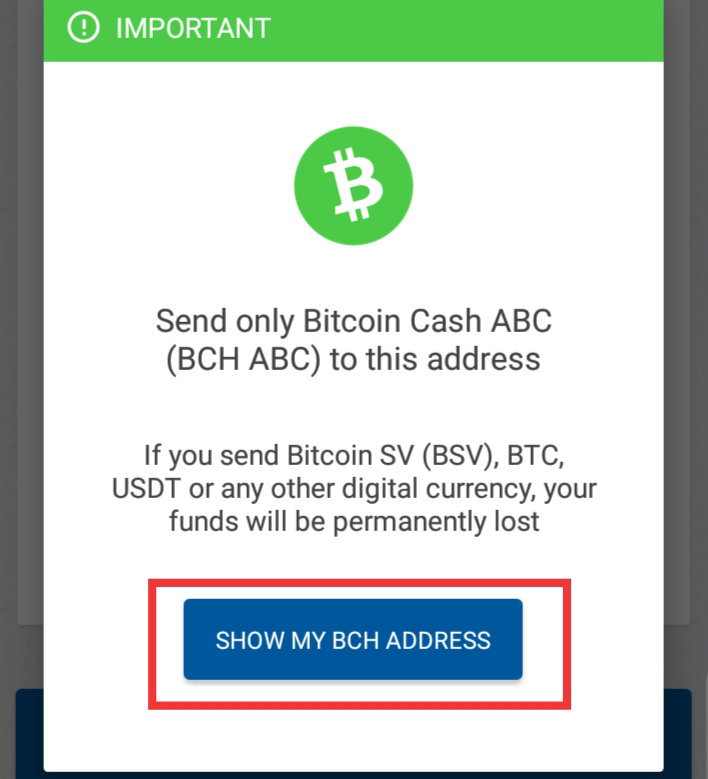
Click "**SHOW MY BCH ADDRESS"**
Click "**COPY OR SHARE"**
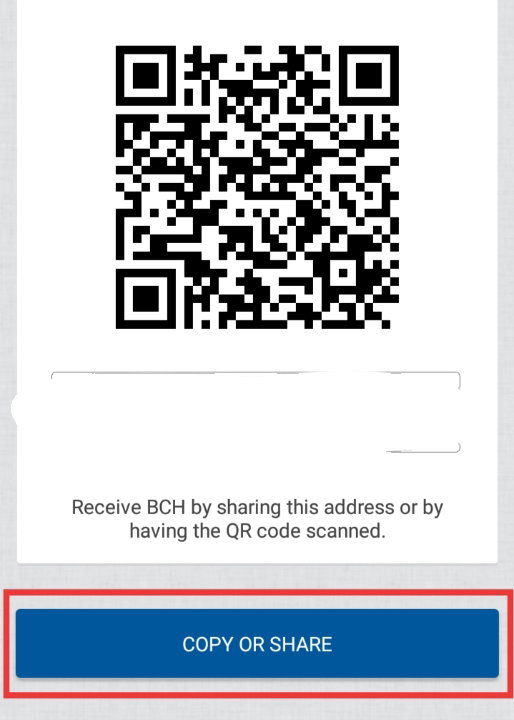
Then click "**Copy Wallet Address**"
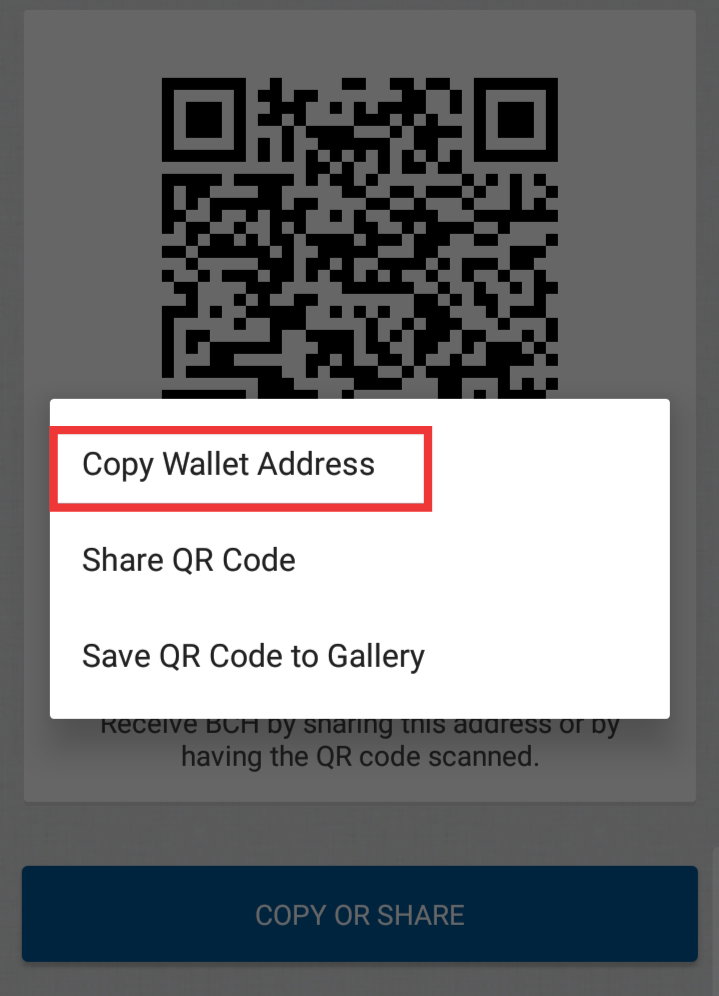
After you have copied your wallet address, you can go to your read.cash account and click your **money** as labelled below.
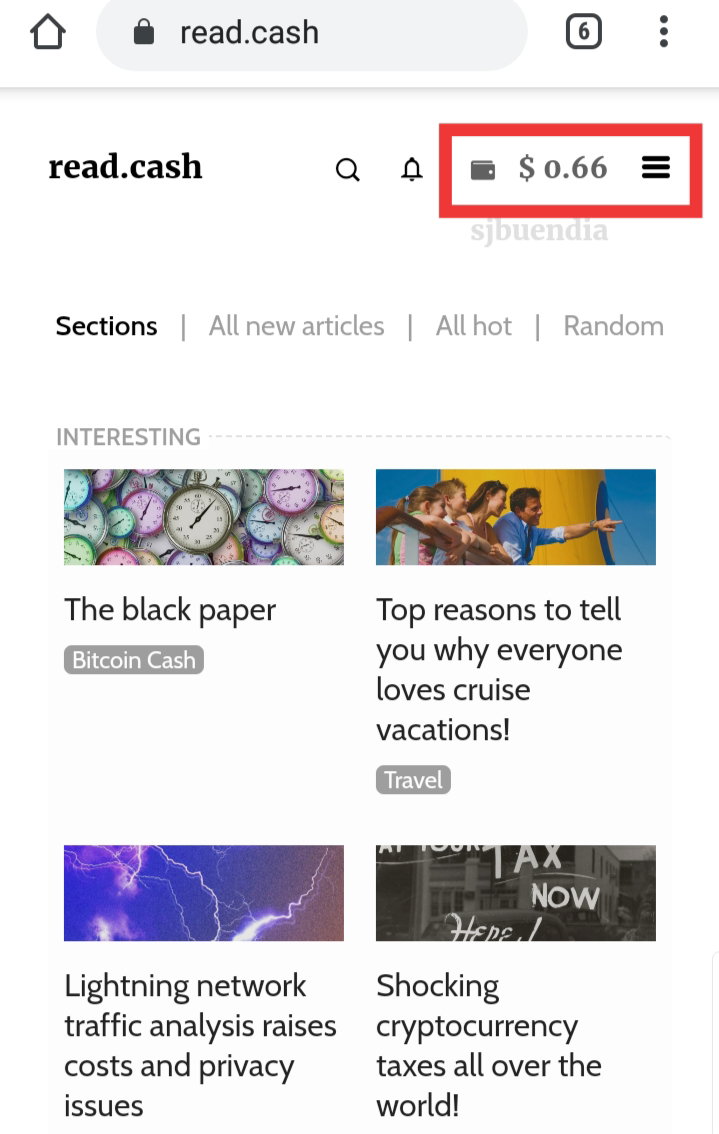
Click "**Send** **your** **money**"
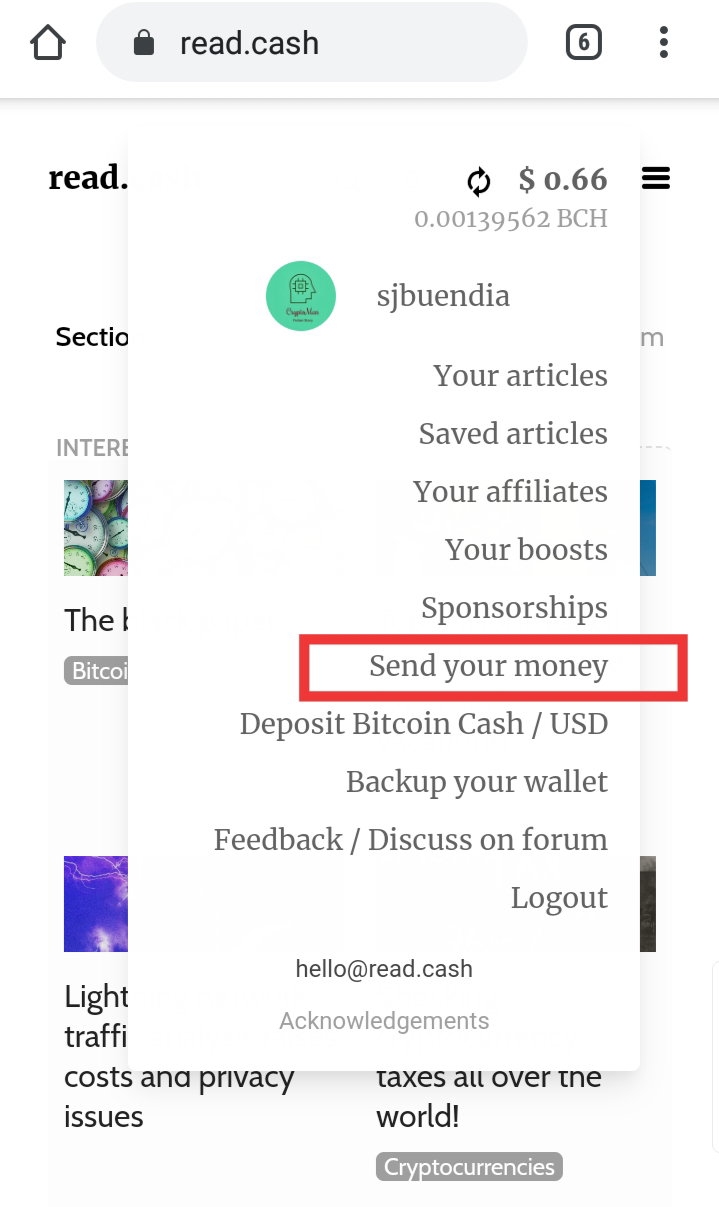
And then you will directed here to fill the amount of money you would like to withdraw and to paste your BCH address.
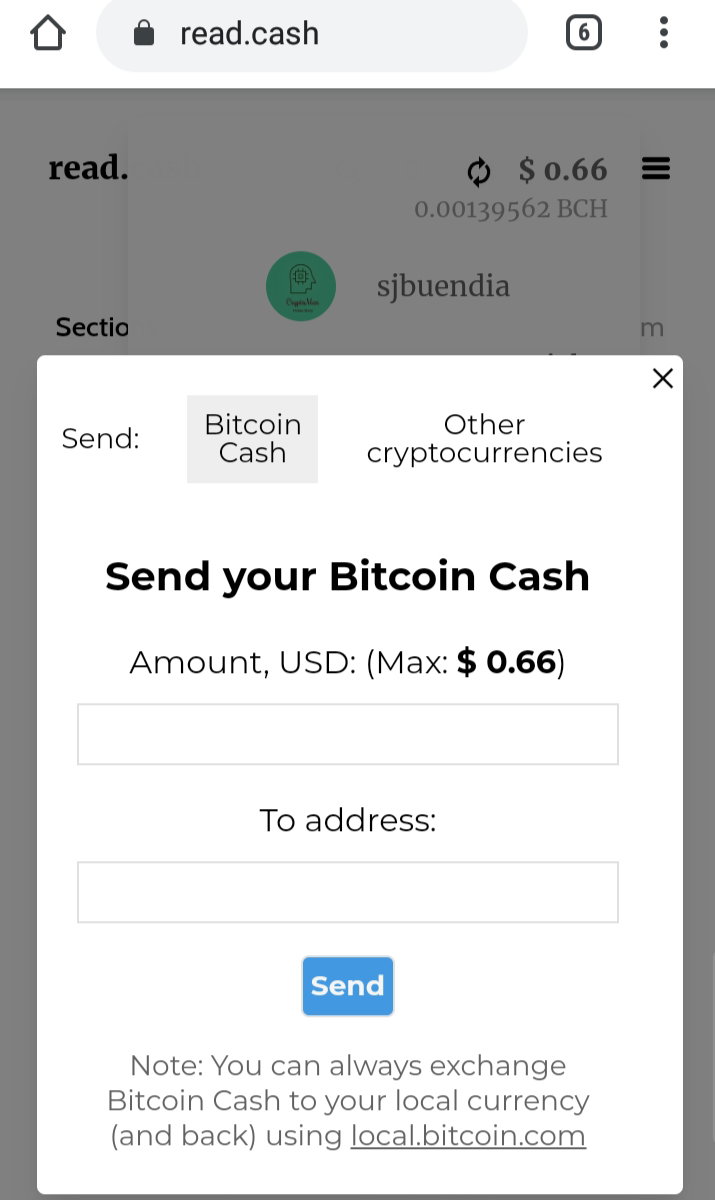
Type the amount of money (in dollars) which you would like to withdraw.
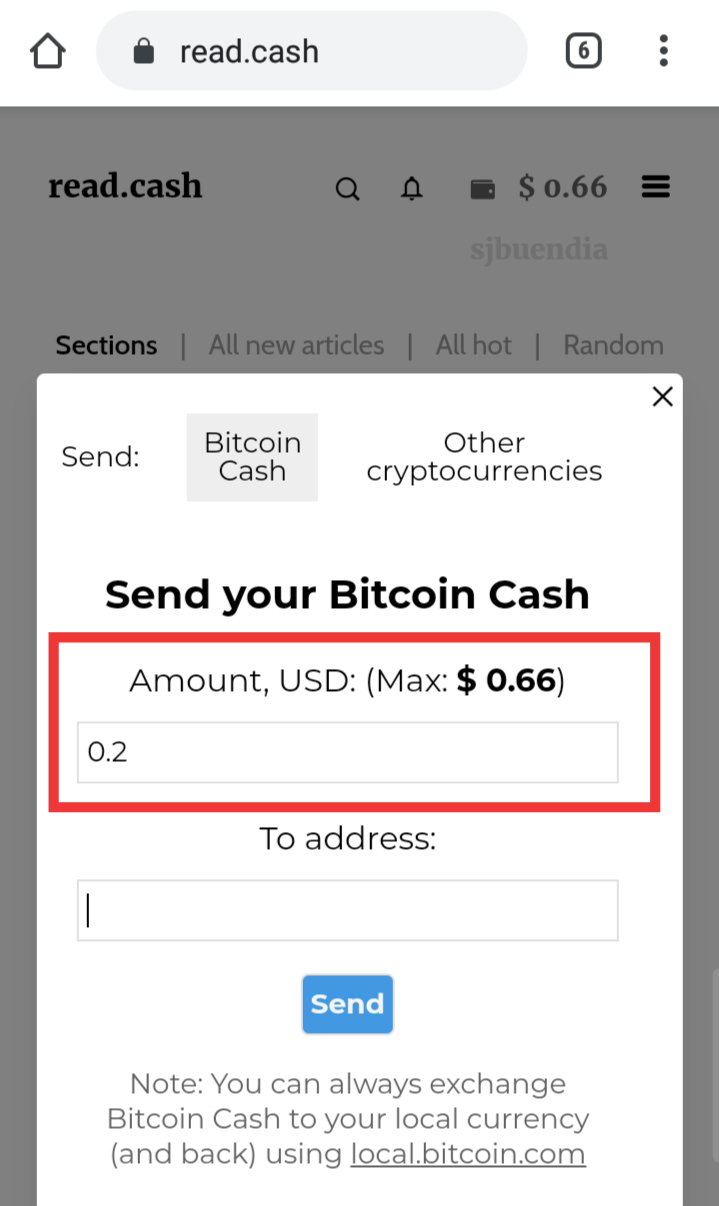
Then you can paste your address below
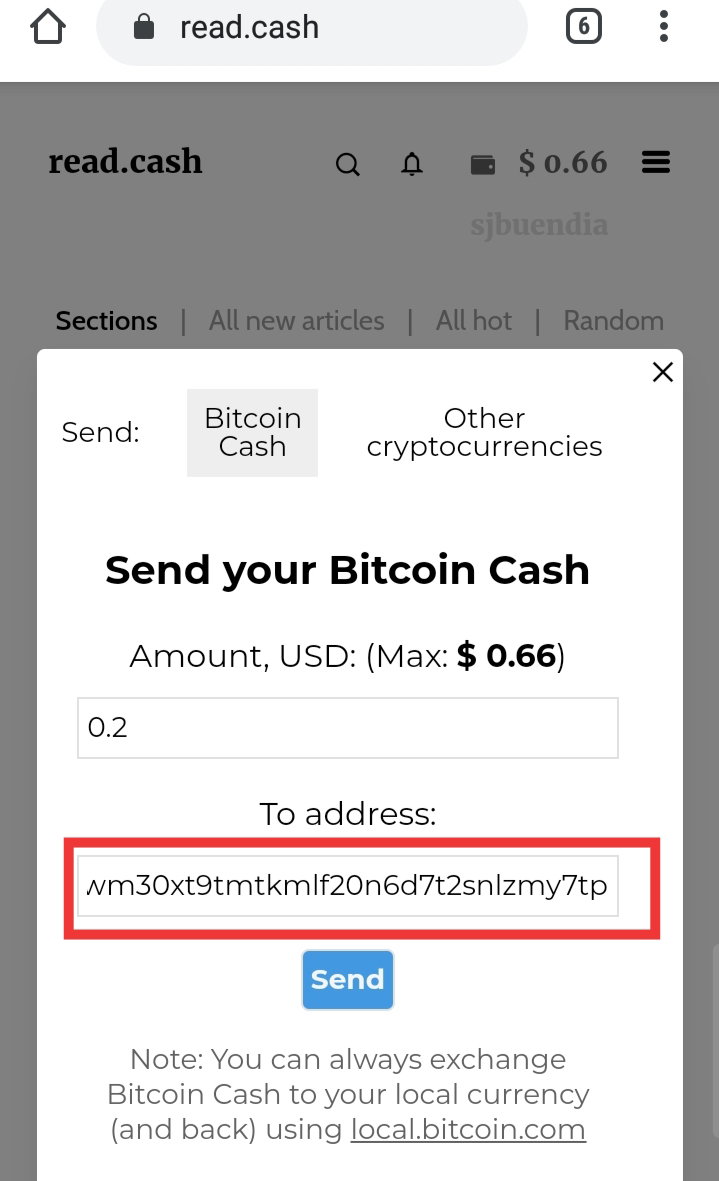
Wait for the confirmation.
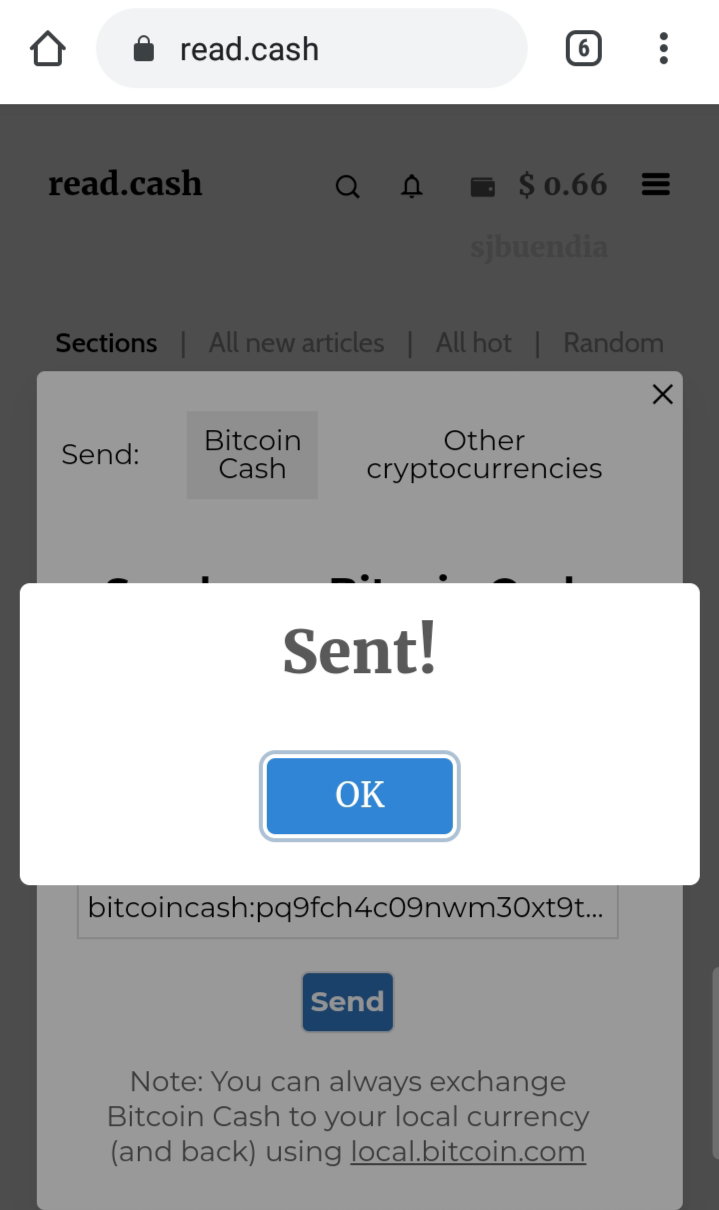
After your withdrawal had been sent you can wait for as long as **4 hours** before it will be transferred into your coins.ph account. Using Bitcoin.com wallet Well, using Bitcoin.com wallet is fast and easier to use. Open your wallet and look for "**RECEIVE**" word then click it.
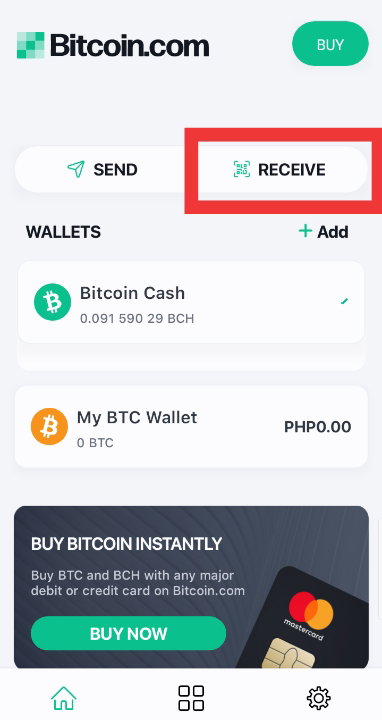
Make sure that you are copying your BCH address. Just click the **QR code** and it will automatically copy your BCH address.
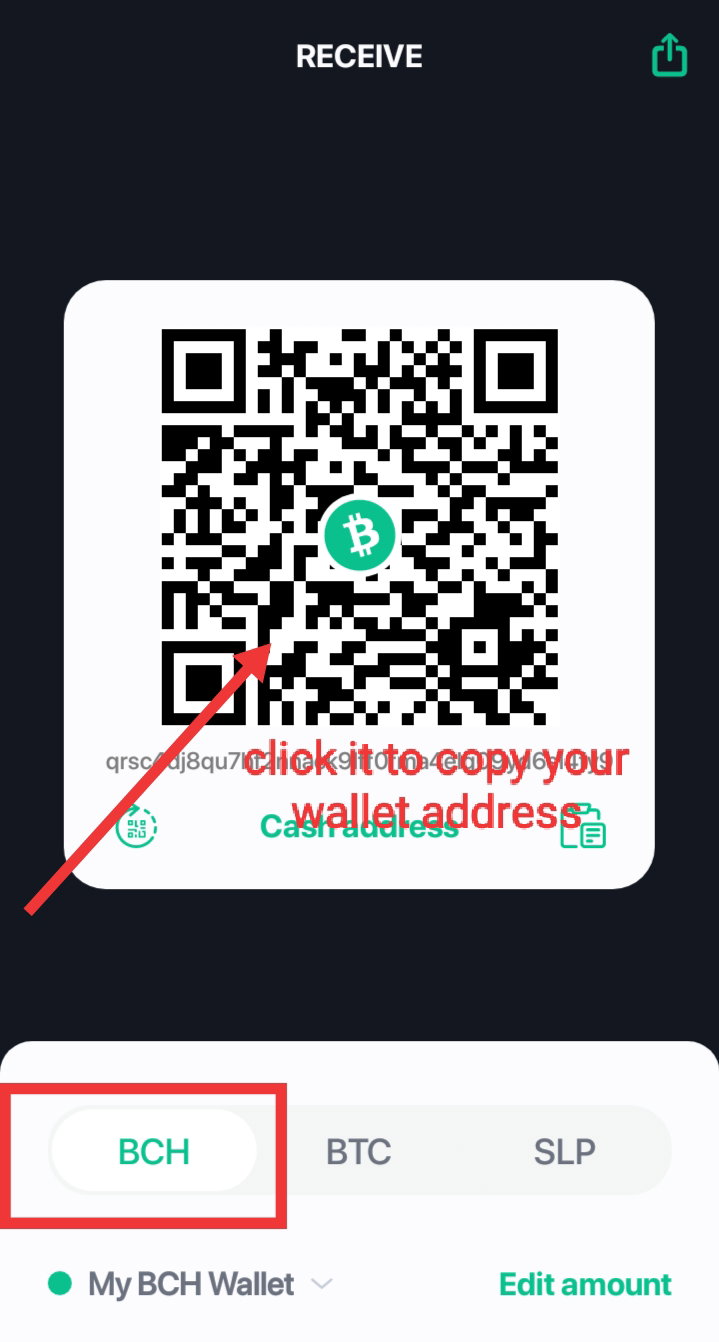
You can now follow the instructions above (using coins.ph) starting from **number 6**. Less than a minute, you can receive your money already. That is the advantage of bitcoin.com wallet. That's it guys 😄. I hope this article had helped you now. If you still have some questions just chat in our GC or you can directly pm me. #BCHforEveryone♥️






14 comments
Good read. I hope Coins.ph can change their text from "Bitcoin Cash ABC" to just "Bitcoin Cash" and "BCHABC" to just "BCH". They are just confusing people with that.
Wow, I didn't notice that. I shifted to bitcoin.com wallet already but I can send a message to their support about this one.
Thanks. It's just better for a company to call it "Bitcoin Cash (BCH)" because then they won't have people asking "what is BCH ABC?" and "is it the same as BCH" ? So the company actually can save on support cost if they follow the ticker most widely used in the world.
Hopefully they respond soon.
Maybe you should also write this manual in Filipino?
I will tels. I will also put this in PDF in case they don't have internet.
Finally, i get a clear explanation about payment!
I am happy it helped you :)
there you go thanks for the tutorial happy earnings everyone
does read.cash have a mobile application? just curious
read.cash doesn't have :)
Thank you! I am trying to transfer mine to coins.ph. I did try yesterday the 2nd option but I think I've put the wrong BCH address.
Yay, you should always check whether your address is right or not. Don't worry it happened to me also and then I learned my lesson.
Yes! I've learned my lesson too! I am new to this so I guess getting all the bitcoin.cash address got mixed up.