How to make crowdfunding easy and hard to censor.
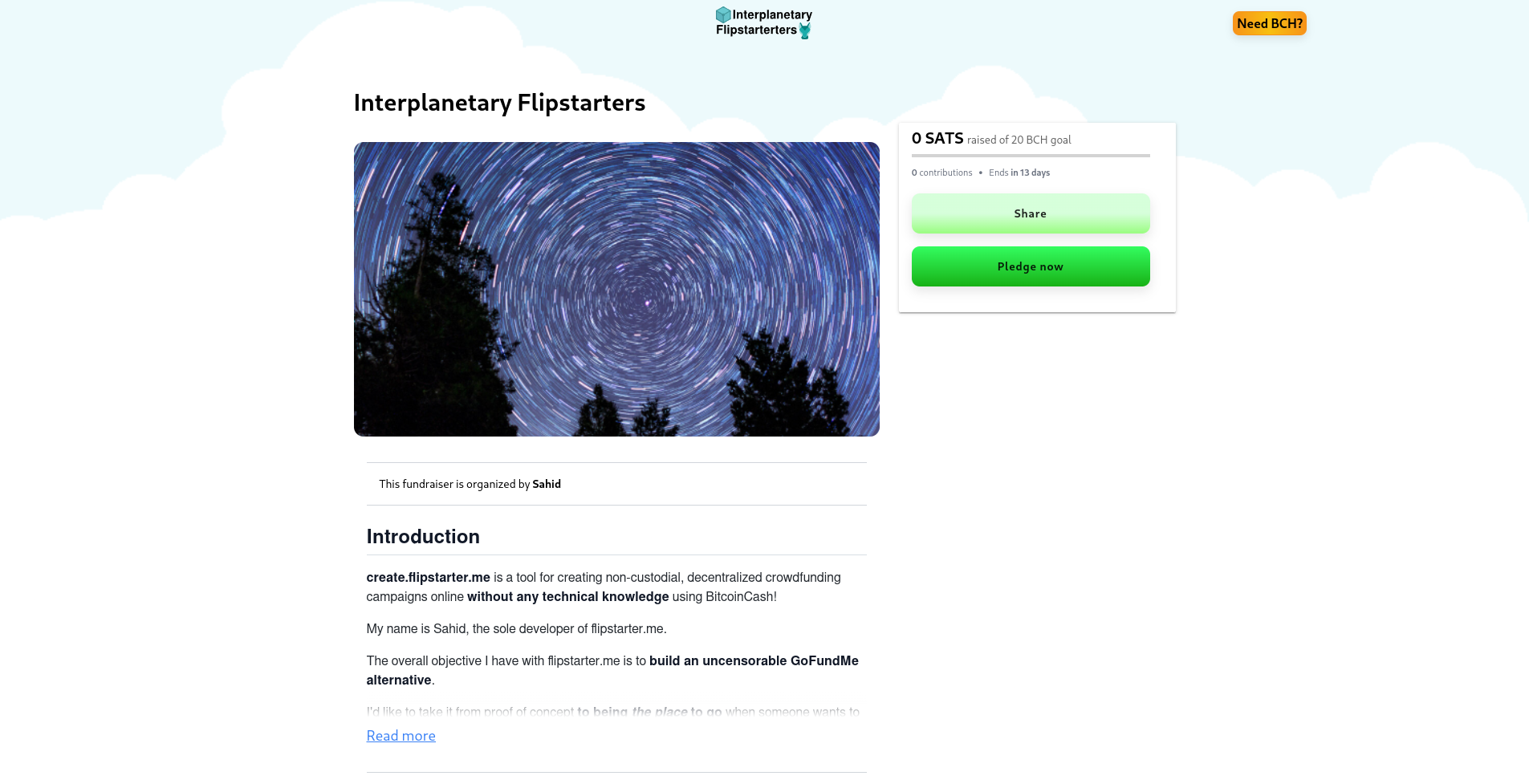
I'm the sole developer of **create.flipstarter.me** **-** a tool for creating non-custodial, decentralized crowdfunding campaigns online **without any technical background** using BitcoinCash!
I'd like to explain how create.flipstarter.me is able to make fundraising easy and censorship hard.
My overall objective for this project is to **build an uncensorable GoFundMe alternative** using BCH and IPFS.
What does it do?
create.flipstarter.me provides organizers with an online tool to create, manage, and share a crowdfunding campaign **without self-hosting or trusting a centralized server**.
No credit-card or signup is required.
The organizer will receive a link to their **new campaign webpage** which provides donors with two methods of making a contribution to the campaign:
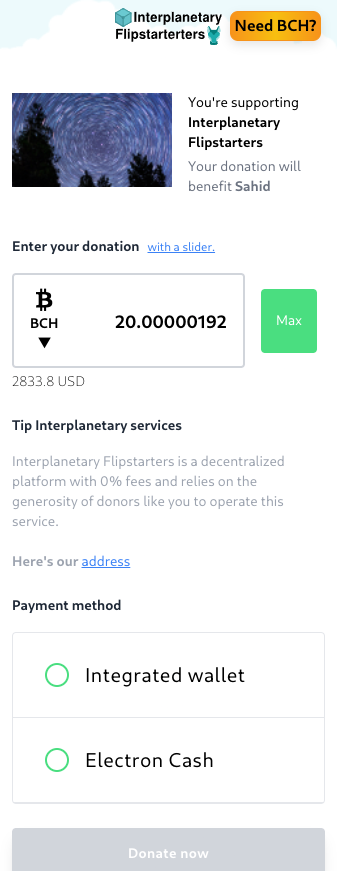
A non-custodial web wallet (with auto-refund capabilities) for making donation easier.
Integration with the electron cash wallet and existing flipstarter plugin for making donations extremely secure.
A growing number of users have already organized and donated to a successfully funded campaign (ex: 1, 2) and many more have created a campaign (ex: 1, 2, 3). https://bchhangouts.flipstarter.me/#/ https://www.reddit.com/r/btc/comments/vhbtld/my_first_flipstarter_got_fully_funded/id8iflc/ https://flipstarter.me/bafybeiaq2cmbjgjjml6efsmu5ukailqr4s3ggpdonlqrotrsip45l5j67u https://bafybeihcogqtvrkg6d3ob6jy7jv7d2s5siicpahxmbhca7bsrbd5ucsxda.ipfs.flipstarter.me/ https://bafybeihlpbnusaoxocppjirdjcudpfksilspkgpt3kdwclaqbobjizklbi.ipfs.flipstarter.me
**How does it work?**
**Users don't need to sign up for anything** because they are permissionlessly generating a custom site that they can **share with the world via a single link** or distribute entirely peer to peer.
IPFS is a decentralized storage network which allows organizers to avoid self-host or be locked into a particular server storing their campaign website, donations, and comments.
Both the website and donor comments are **stored in a decentralized storage network** called IPFS:
The flipstarter.me server participates in this network when it **saves your campaign long-term and makes it accessible to other IPFS nodes**.
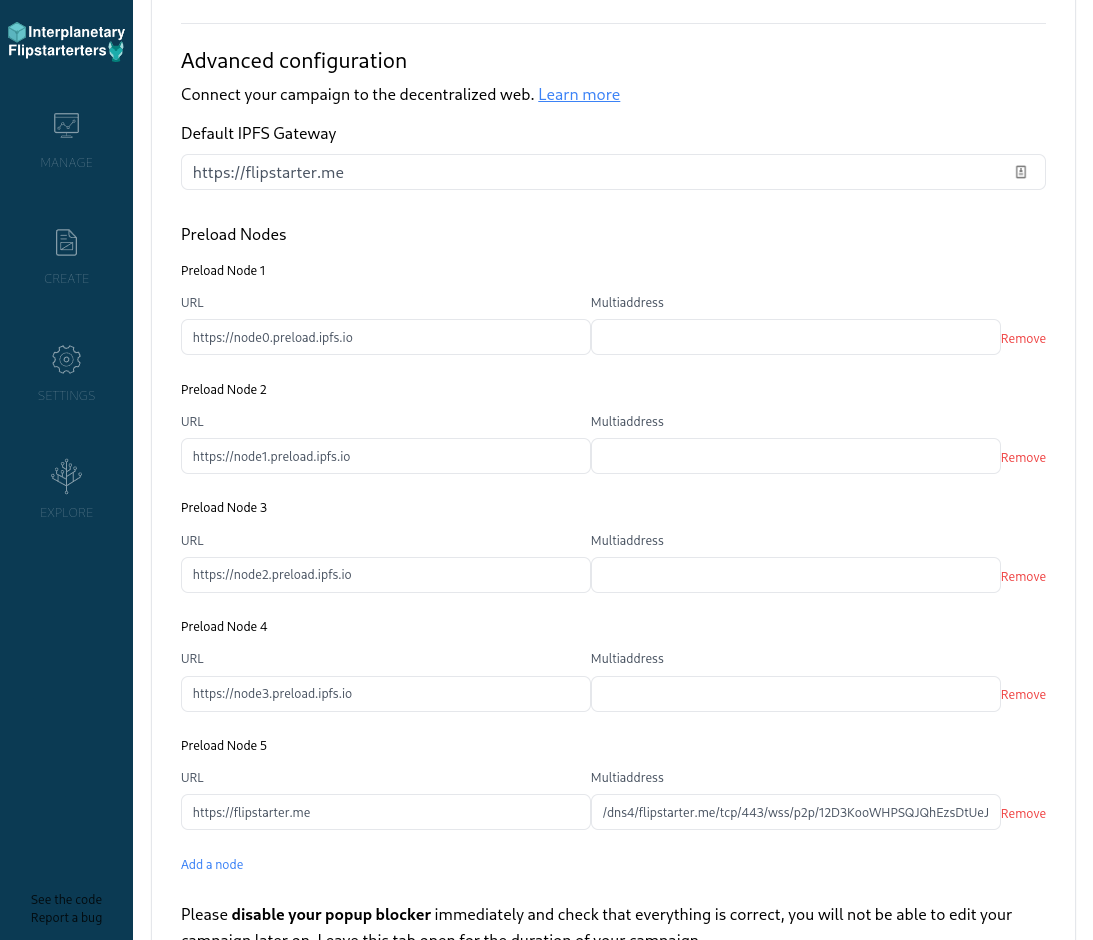
The create.flipstarter.me site participates by **connecting and publishing to multiple nodes on the IPFS network** and allows the organizers full control connecting to more servers in "Show Advanced Configuration."
In both cases, a link is generated for the stored content. In the case of the organizer, the link is to their campaign website which they share with others. For donors, the link is to their comment and stored in a notification transaction to the first recipient for less than a penny in fees.
Later, these links are used to fetch the actual content from one or more nodes.
Links and Gateways
Once a campaign is created, organizers are presented with a link that includes the hash of the campaign and site (protecting forgery) and the default selected IPFS gateway - **flipstarter.me being the default configured gateway** for new organizers but can be changed anytime.
Gateways allow users to access IPFS content over HTTP(S). This avoids centralization because any gateway can provide the same service.
For example, Brave browser provides a local gateway for every user directly in the browser.
**Generated links have the form:**
`https://{gateway}/ipfs/{hash}` `https://{hash}.ipfs.{gateway}/`
**Example of gateways:**
`flipstarter.me`
`ipfs.io`
`dweb.link`
Users can directly change **the gateway portion** of the link to **another** **gateway** - such as the one included in the Brave Browser. Changing the gateway is what makes content on IPFS hard to censor or locked down to a single server.
The alternate gateway uses **the hash** portion of the link to find the correct content and verify that other peers on the network are providing the correct content.
Organizers can also link a domain name to a hash using DNSLink records allowing any user or gateway to retrieve the hash just using a domain name (ex: bchhangouts.flipstarter.me). **All without paying for hosting**. https://dnslink.io/
What if we go down?
create.flipstarter.me is itself an IPFS page, so if our domains go down, the content is still recoverable using IPFS.
Though, if the flipstarter.me server went down, **users would experience significant slow down** unless someone intervenes by regularly republishing to the other public servers (who purge their cache frequently) or by meeting the challenge head on peer-to-peer.
For peer-to-peer distribution, contributors and organizers could make use of IPFS Desktop to host their campaign entirely for free and peer-to-peer. In this case, they can make use of the free and public ipfs.io as their default gateway. https://ipfs.tech/#install
The more people that participate, the faster and more censorship resistant the data becomes.
Alternative, organizers can simply search for one of the *many* free or paid ipfs services in the market to pin their hash. **These services do not need to know anything about flipstarter.me.**
So what's next?
In the future, I would like to expand what flipstarter.me offers in terms of products and services so it's even easier to create, donate, or support a censorship-resistant fundraising campaign.
I hope this article shined some light on what's happening under the hood and why it's useful.
**Anyone can build an application in a similar way.**
One-click crowdfunding with BCH
It's now possible to ***easily*** create decentralized, censorship resistant, and trustless crowdfunding campaigns using Bitcoin Cash!
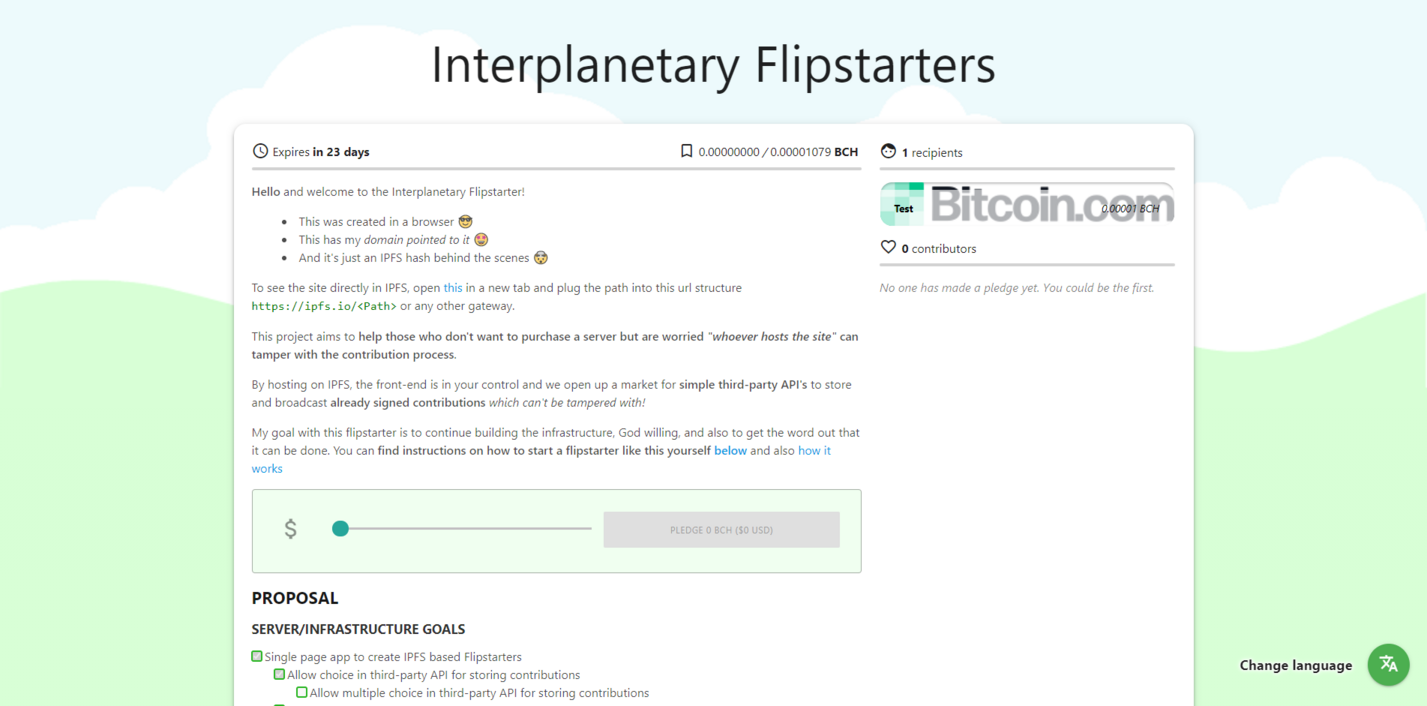
By the end of this walkthrough, you should have a campaign that looks similar to this: https://bitcoincash.org/
How to get started
1) Download a Bitcoin Cash wallet:
https://electroncash.org/ (Desktop)
https://badgerwallet.cash/ (Browser Extension)
https://signup.cash/ (WebApp)
https://www.bitcoin.com/ (Phone)
2) Access a campaign creator:
https://create.flipstarter.me
https://create-flipstarter-me.ipns.dweb.link
http://localhost:8080/ipns/create.flipstarter.me (if you're running ipfs)
3) Fill out the title, text content, start and end dates, and recipients of the campaign.
4) Click "create" and open the url to your new crowdfunding campaign!
What just happened
If everything went smoothly and **you were able to view your campaign**, then that means you were able to connect to the IPFS network and a public gateway was able to fetch the site you just created - **since you gave it the right url**
Without that url, others won't be able to view your campaign or re-host it, so be sure to share this url with others. Every user who views the site or re-hosts the content with IPFS, will make it load faster and less likely to be censored. https://bafybeid3uzpoyjgiwo3yyzzs7vpfkrlal7fodddoq2dmsdbvd3hlbj6dmi.ipfs.dweb.link/
What if the server goes offline
In some cases, the page at the URL won't ever stop spinning, this can happen if the public gateway ends up offline or not able to communicate with you.
When this happens, you can still download the archive of your site using the "download" link as shown below.
Once downloaded, this can be uploaded manually to IPFS whenever you're back online or by sending it to someone to upload (like a third party).
Once the content is available on a gateway/node, the same url should still work to locate and display your campaign's site.
A bit about security
By the way, that url isn't only useful for a public gateway to locate your content but also so users can check if the content is exactly the same as you expect it to be.
It's a security feature.
If a single byte of the content is changed or removed in any of the files, the whole url will also change and anyone can verify the content matches the URL with IPFS. So you can trust sharing the archive to a third party (like a friend or service) to upload, while still sharing the same URL.
Can I choose a domain
To connect your campaign to a domain name. You'll need two entries into your DNS records.
1) An `A Record` to a public gateway
ex: `209.94.90.1` (ipfs.io)
2) A `TXT Record` to `_dnslink.@` with a value that looks like `_dnslink=<hash>`
ex: `_dnslink=bafybeid3uzpoyjgiwo3yyzzs7vpfkrlal7fodddoq2dmsdbvd3hlbj6dmi`
As shown in the example, the hash in `_dnslink=<hash>` is the longest part of the URL and it **does not include** a domain like "ipfs.dweb.link".
Once these records are created, you can then navigate to your campaign site using your domain without a server of your own!
If anything goes wrong with your DNS at a later point, you can still share the longer url which should still work.
Final thoughts
I hope the technical details didn't get too much into the weeds since everything should work easily in most cases. The technical parts are really for advanced use cases (and worst case scenarios).
Moving forward, I plan to continue improving on the UX for those advanced use cases anyways, God willing!
Anyways, hope that's a decent introduction to get started.
I'm excited to announce Signup.cash v1.3 is released 🎉
Signup.cash is a **SLP-compatible** BCH web wallet. If you would like to learn more, please check out the website, the docs, or read the original announcement on read.cash! https://signup.cash https://docs.signup.cash https://read.cash/@p0oker/announcing-signupcash-empowering-web-based-dapp-ecosystem-in-bitcoin-cash-13935f89
I don't represent them, I just wrote it and they got it merged in, God bless.
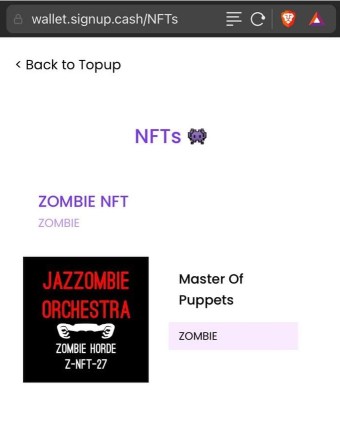
****SLP token integration and NFT's****
I want to highlight @p0oker's recent v1.2 release, since it laid the groundwork for v1.3 and I'd like to bring it more attention and consideration, God willing. https://github.com/signupcash/signup-core/releases
His release was focused on **SLP and NFT integration** - sending and receiving tokens, *not burning* them, **creating new tokens and nfts**, among other things.
The changes necessary to get this working, specifically managing UTXO's, is what **enabled** Flipstarter integration!
**Flipstarter Crowdfunding Integration in Signup.cash**
v1.3 release is **focused** on making it **easier to contribute to crowdfunding** with BCH, in general, and to contribute to existing **Flipstarter Campaigns,** in particular - by **using Signup.cash.**
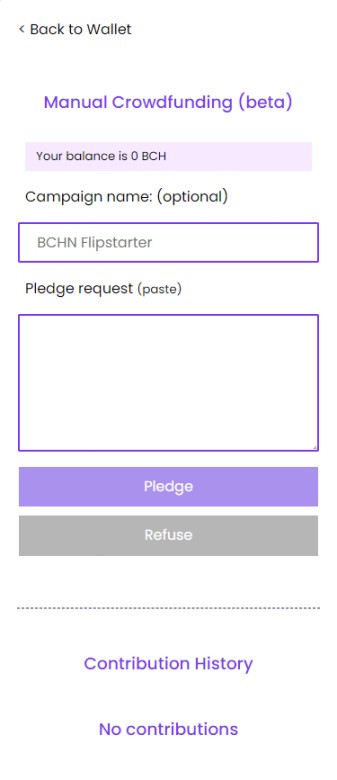
We now include a "Crowdfunding" tab to **manage and make manual contributions** like in Electrum Cash Plugin.
This page allows you to contribute to **any** Flipstarter campaign, in **exactly the same way** as the Electron Cash plugin, a drop in replacement for it. https://www.reddit.com/r/btc/comments/g8dc5v/how_to_contribute_to_a_flipstarter_campaign/
Contribution Walkthrough
1) **Copy** the pledge details from the Flipstarter:
2) **Paste** the pledge details into the Signup.com "Crowdfunding" section
https://wallet.signup.cash/crowdfunding
3) Confirm your commitment, then copy/paste the pledge result back to the site:
If you already have a wallet, you can try it yourself now using one of these flipstarters. **You can also manage your contributions and revoke them at any time.** https://wallet.signup.cash/crowdfunding https://flipstarters.bitcoincash.network/#/
**Signup.cash integration in Flipstarter**
Everything between the user and website can happen ***automatically and non-custodially*** if the site has the integrated **Signup.cash button**.
**This is especially useful for the next generation of Flipstarter UI's but** **can also work for any site.**
**As long as you have your own storage for the commitment**, you can accept contributions and make the final transaction when the campaign completes on your backend. (Should we be able to do this in app so it's easier, God willing? Let me know!)
This will be documented and examples will be given, so stay tuned for it in the docs. https://docs.signup.cash
Conclusion
We're working to make Signup.cash an open-source tool driving **more adoption.** Helping to **make and managing contributions to crowdfunding campaigns** was a natural fit.
We support **two ways of contributing**, God bless, **manually and automatically** - depending on whether the **Signup.cash button is embedded** on the site.
Support https://read.cash/@sahidmiller/strategy-for-building-a-dweb-first-web-wallet-using-signupcash-34067b55#support
Want to support Signup wallet? Send us a tip in Bitcoin Cash to this address. We spend all the funds for coffee and code! => bitcoincash:qqqes3ygxpx589wfn44kqlhqzda8zscf952xxxa2au
BTW, my name is Sahid - I'm a *Muslim* Agorist - and this is from the Quran:
I'd translate it like this: Say, "I do not ask you for any wage, except that you show compassion to your relatives."
I don't ask for money in return for doing what's right, it's an **integrity** thing and **I don't need it.**
**I do need support, autonomy, community, and many other** needs **though.** https://www.cnvc.org/training/resource/needs-inventory
If you're able to meet the needs **of anyone**, including me, it will go a long way towards replacing the so called "state"
All this is important for me to say upfront, so you can get to know me and I can be honest what I'm trying to achieve and why I do what I do, God willing.
That being said, **here's the Bitcoin.com wallet address** of **one of my supportive relatives**. May God bless them and you all for even reading this far. Much love!
This was fun to launch, hopefully everything works well for you, God willing: bitcoincash:qps7yrj3el2j87rdferqgwlfeg59er0j0vw9wlrwkv
Strategy for building a dweb-first web wallet (using signup.cash)
**EDIT** **#1:**
Q: The technical jargon was hard to follow. Can you ELI5? What problem does this solve and what is its use case?
A: Non-custodial web wallets live on a domain, a domain we don't control. The problem is that a domain owner could technically turn the non-custodial wallet into "a custodial" web wallet with one deploy **without their users even knowing** by changing the code that's loaded via URL.
IPFS solves that with because all content is fetched by it's hash... but it comes with some it's own UX problems...
The strategy laid out in the article attempts to turn this UX problem into **a strength.**
**My best analogy in the cryptocurrency world might be the transparent ledger.** Some might look at it as a weakness, due to needing to get new addresses off chain for security reasons. But some see it as a strength (as it originally was intended) for example, for auditability of coin supply and tokens, etc.
This is a slightly adapted excerpt from my branch's README.md
-----
This branch demonstrates a dweb first of Signup.cash using peer-to-peer technology (via IPFS/IPNS) https://github.com/SahidMiller/signup-core/blob/ipfs-app-shell/README.md
The approach taken by this project is to **support security-focused** **dweb users** FIRST by making basic IPFS usage its flagship feature (ex. /ipfs/Qm...)
On the other hand, IPNS usage is **opt-in** for those not as security-focused and expect certain UX norms.
**In other words, this application treats CIDs as a feature rather than a bug.**
📐 Strategy
The UX strategy is to provide a basic app shell that *shouldn't* change often, so we can open it up directly by CID. https://github.com/SahidMiller/signup-core/tree/ipfs-app-shell/packages/shell https://proto.school/anatomy-of-a-cid
Given the user is fetching from an honest gateway, **any** changes to the app shell code will be **visible** to the user via the url (since the CID is just a hash of the content being fetched).
Given the user is fetching from a gateway using subdomain redirects, new app shell code will **not** have access to storage data from the old code 💪🏿 https://github.com/ipfs/go-ipfs/issues/6498
That's why it's rarely changing. Data would have to be migrated purposefully to a new app shell CID that the user would need to recognize and e**xpect**/re**spect**.
⛔ **DANGER** ****NOT**** **AHEAD** ⛔
The app shell that's launched will handle fetching the *more often changing* code (ie. plugins) from IPFS.
By using IPFS as opposed to *legacy* http, the app shell can explicitly version, fetch and verify plugin code integrity all in one string, given an honest gateway like the one embedded in your Brave Browser. https://brave.com/brave-integrates-ipfs/
The app shell will then store the last plugin CID the user gave permission to use so it can be fetched in later sessions... and it will **only update that CID when the user gives permission**, for security at a low cost.
Of course, this project doesn't use *legacy* http to fetch updated CIDs, it uses IPNS Records. So the user can be sure the updated CID was signed by the developers they expect and comes with p2p ready "offline-capabilities". https://docs.ipfs.io/concepts/ipns/
1) On first visit, the app shell will **fetch and store** the latest plugin CID using IPNS and display it immediately.
2) On subsequent visits, the app shell will check storage and *use the stored CID* to display. It will only fetch from IPNS to get available updates to display from now on, God willing.
Throw some cryptographic signatures into the mix and **locking the version** for all subsequent visits is a verifiable, offline-capable, piece of cake.
*🎉* **Both users and developers gain autonomy...** *if the app shell works as expected!*
So security focused users can and should evaluate IF the app shell meets their security needs. If it does, they can use the app shell exclusively **until they choose** to upgrade or use another CID that fits their needs. Nice.
🎁 Additional UX
For non-security focused users, each project in the repository will be published to IPNS for the following UX reasons:
1) When the **provider app** is embedded using the **IPNS** url: they can get the latest provider code and even latest app shell CID without changing HTML!
2) When the **app shell** is launched using the **IPNS** url: users can get the latest app shell code and even latest plugin CIDs without migrating data!
This should hopefully provide the UX necessary for both security and non-security focused users.
🎂 Module federation
This project leverages Webpack Dynamic Module Federation to separate the often changing wallet code from the basic app shell. This allows us to split up the code in a way that's still friendly developers.
This is a game changer for front-end development especially in regards to IPFS. https://webpack.js.org/concepts/module-federation/
In fact, due to the way the project is built with this, ****developers can create their own app shell**** and leverage our plugin code in **their** project **without** including it in their project!
Building
This project leverages a custom webpack plugin to provide latest CIDs of dependent projects at build time. This essentially makes the current CID of sibling projects available to other sibling projects.
This is useful for a number of reasons: https://github.com/sahidmiller/WebpackDagEntryPlugin
1) When the provider app is embedded using IPNS: **they will have the latest app shell CID automatically** and so can opt out of fetching it via IPNS since it's already included with the code, God willing!
2) When the provider app embedded using IPNS or IPFS url: the embedder may prefer to only use the existing app shell by default until they upgrade the provider or whitelist versions.
**Conclusion**
Using **Module Federation**, a simple **app shell**, and IPFS/IPNS, this project supports quite a few different use cases and **features for security-focused users**, non-security focused users, and developers, allowing for autonomy, security, choice, and a harmony of competing needs.
Unfortunately, what I didn't get the chance to elaborate on is **how the provider code works** to launch the app shell the user expects and how it's **intended to be embedded into HTML or imported into frontend code** by website owners...
**That's because I haven't worked on it yet!**
There's a natural network effect where website owners and their users will gravitate towards app shells they mutually prefer, so a plugin archictecture on the provider side may be necessary to achieve that.
Website owners themselves may only launch *app shells that are flexible enough to allow* ***users to automatically redirect*** *to the app shell URL* ***they actually prefer*** since that would meet both their needs, God willing.
A more elegant may exist though!
Support
Want to support Signup wallet? Send us a tip in Bitcoin Cash to this address. We spend all the funds for coffee and code! => bitcoincash:qqqes3ygxpx589wfn44kqlhqzda8zscf952xxxa2au

Trustless crowdfunding without SIGHASH_ANYONECANPAY?
The idea is simple and implemented naively in the repo: https://github.com/SahidMiller/bch-zakat
Two contracts are included, a pledge contract and a campaign contract. Both rely on an append-only "ledger" that lists all the pledgers' pkhs and the amounts they've pledged.
Surprisingly, it's actually not very different from P2SH... I'll attempt to explain the process.
**First**, pledgers have it easy. They simply lock their coins in a "pledger contract" that ensures the following in order to be spent:
1) the output is a P2SH contract of the target campaign... so it matches the expected "campaign contract" template + has the expected parameters (ie. campaigner pkh, goal amount, and block height).
2) the output/target campaign contract includes a line-item for the current pledge in its ledger. This line-item in the ledger will come in handy if/when the campaign goal isn't reached, God willing.
**Then**, after locking coins into this particular P2SH script, they can notify the campaigner to come collect the pledge into the target campaign contract.
It's as simple as that for the pledger... and technically, they don't even have to do the notifying. Fortunately, no waiting is involved either way and they can still back out up until the campaigner collects it into the "target campaign contract".
**Finally**, once it's collected/spent into a campaign contract, they'll have to wait until the block height is reached and the goal isn't met in order to redeem their coins back. More on that later.
Campaigners have it a bit harder. They have to manage the ledger state so that it satisfies both the pledger's contract constraints and the campaign contract constraints.
Luckily, it's actually not very different from P2SH. So let me explain...
The ledger isn't actually included in our campaign script. Instead, it's passed in via unlocking script. **What is included** in our campaign script is **a hash of the ledger**, just like P2SH. By including the ledger hash at the beginning of the campaign contract, OP_PUSHDATA + {ledgerhash} + OP_DROP... we gain the benefits of state with the least amount of manipulating bytecode.
For example, the pledger contract ensures the pledger is on the ledger of the output in the following steps. First, it expects a ledger to be passed in. Then, it adds the expected line-item to this ledger and hashes the result.. It then wraps it in OP_PUSH and OP_DROP and appends the target campaign bytecode. Finally, this is all hashed together and compared to the preimage hashOutputs... So we're fairly sure we're the last line-item on the ledger!*
*We get out of validating the passed in ledger by ensuring LIFO ordering when redeeming our pledge from the campaign... instead just checking for correct size. We just care we're the last line-item.
Another more complex example is how the campaign contract ensures that whatever ledger is passed in matches the current ledger state. It does this by first hashing the passed in ledger and comparing it to the first 22bytes (OP_PUSH + 20 byte hash + OP_DROP) of the current script via its preimage. Then, depending on the action, the campaign contract will actually ensure the next output has the intended ledger hash based on the current ledger and action. **For example, to ensure we add a line-item to the ledger when accepting pledges or to ensure we remove a line-item to the ledger when redeeming a pledge after the campaign failed.**
So campaigners have to manage these ledgers carefully to say the least but the danger is rejected transactions. Pledgers coins should be safe based on the valid ledger enforced in the contracts. Here's how it's done...
**First**, the campaigner creates an initial campaign contract which they fund with a dust amount and initialized with the following:
1) the specified campaigner pkh
2) the goal amount
3) block height for the goal to be reached.
4) an empty ledger (hashed)
**Then**, the campaigner can begin collecting pledges and adding the appropriate line-items for each one collected (the pledge contracts will invalidate it if not) by spending **both** the pledge and campaign utxos into one appropriate output "new" campaign utxo that satisfies both contracts.
**Finally**, the campaign contract ensures the coins locked in can only be spent outside this contract in the following ways:
1) When the goal has been reached by the specified block height, the campaigner can output to their own address.
2) When the goal hasn't been reached by the specified block height, one output must be a P2PKH to the pkh specified in **the last line-item** with the same amount specified in that line-item (maybe minus a fee, especially for the later pledges). This ensures LIFO order for the redemption of pledges. **Another** output is required for the change (the amount specified in last line-item minus total collected) which is another campaign contract that's identical byte-for-byte to the current **except** for the ledger hash. The ledger will have a line-item removed... This continues until all line-items are removed, God willing.
Make sense?
 @sahidmiller