 @k1ll1van1ll1
edited
@k1ll1van1ll1
edited
smartBCH for DUMMIES #2.2 :::: Setting up a wallet (Android)


Welcome everyone to **smartBCH for DUMMIES!** INDEX ****#1 GETTING STARTED**** https://read.cash/@k1ll1van1ll1/smartbch-for-dummies-1-getting-started-a0cdb64b ****#2.1 SETTING UP A WALLET (PC)**** https://read.cash/@k1ll1van1ll1/smartbch-for-dummies-21-setting-up-a-wallet-pc-a99ae1ee ****#2.2 SETTING UP A WALLET (ANDROID)**** https://read.cash/@k1ll1van1ll1/smartbch-for-dummies-22-setting-up-a-wallet-android-bd1f88a4 ****#3 TRANSFER BCH IN & OUT**** https://read.cash/@k1ll1van1ll1/smartbch-for-dummies-3-transfer-bch-in-out-bridge-738ed2bb

Today in #2.2 we will create our first SmartBCH wallet using Metamask on Android. **Installing MetaMask App** https://read.cash/@k1ll1van1ll1/smartbch-for-dummies-22-setting-up-a-wallet-android-bd1f88a4#installing-metamask-app **Creating a new wallet** https://read.cash/@k1ll1van1ll1/smartbch-for-dummies-22-setting-up-a-wallet-android-bd1f88a4#creating-a-new-wallet **Connecting to SmartBCH network (manually)** https://read.cash/@k1ll1van1ll1/smartbch-for-dummies-22-setting-up-a-wallet-android-bd1f88a4#connecting-to-smartbch-network-manually

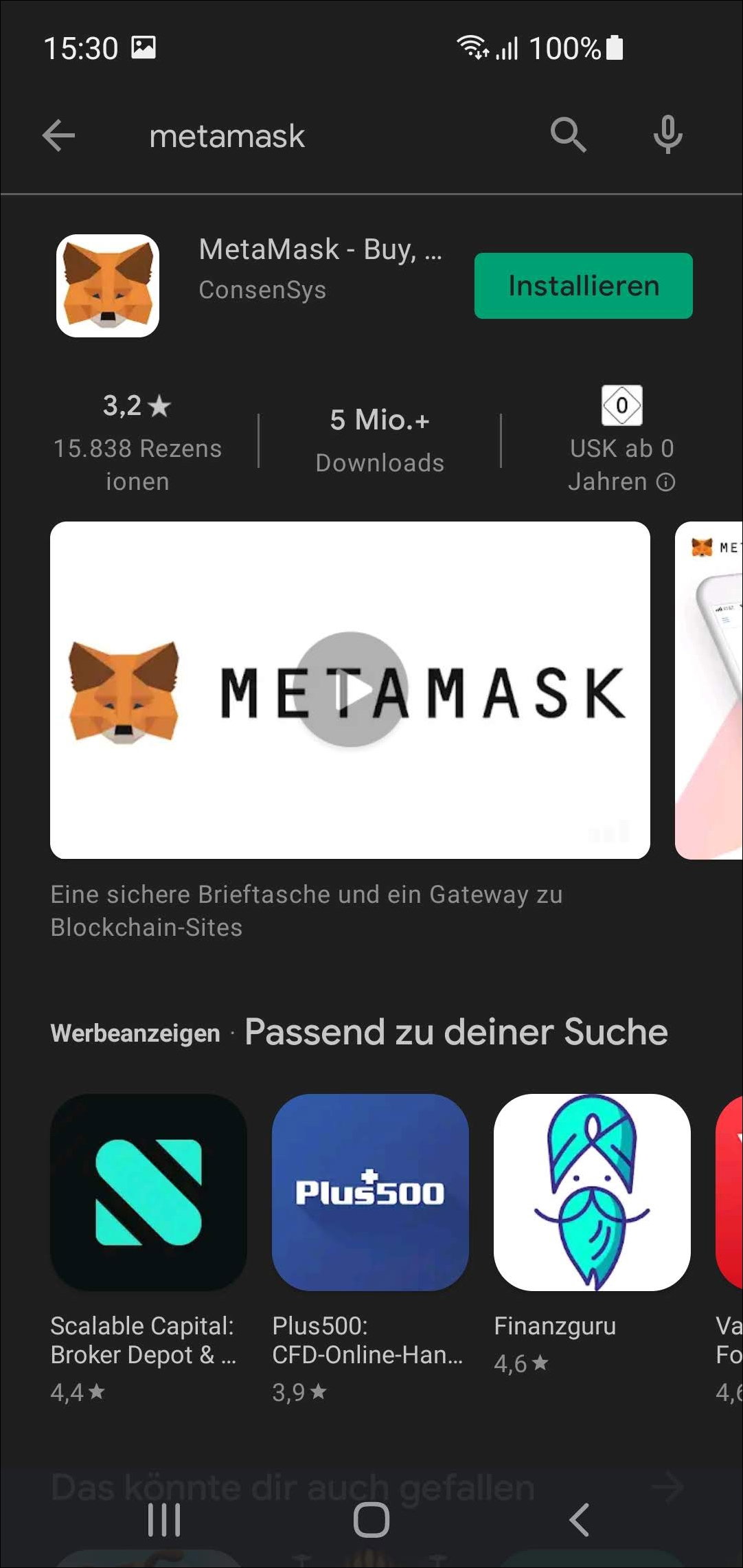
Installing MetaMask App
**Creating a new wallet** Unfortunately I wasn't able to take screenshots due to security features. I will just tell you step by step **Choose create new wallet** **Agree on sending information or disagree and click "No Thanks"**
**IMPORTANT!** **GET A PEN AND A PAPER! PEN AND PAPER!** **Choose a strong password and type it in there. Also write your password down to a paper. We will also need your pen & paper for next step. Please listen carefully to me and use a pen & paper!!!** It will show you your secret recovery seed phrase now. Be very careful and don't skip the next tasks!
**ATTENTION! VERY IMPORTANT!** In the black-red highlighted field your **secret backup seed** will be shown. **PLEASE WRITE THIS SEED DOWN WITH A PEN AND PAPER! WRITE SLOW AND NICE! DO NOT TAKE SCREENSHOTS, DO NOT TAKE PICTURES AND DO NOT PRINT THIS OUT!** Having this seed and your password, you can always restore your wallet and all your funds. If anyone else gets access to your password and seed, he can do with it whatever he wants and everything can be lost! Click the blue-box to move forward. In the next step you will be asked to write in your seed for confirmation. **Please do this and don't skip this task!**
**Connecting to SmartBCH network (manually)**
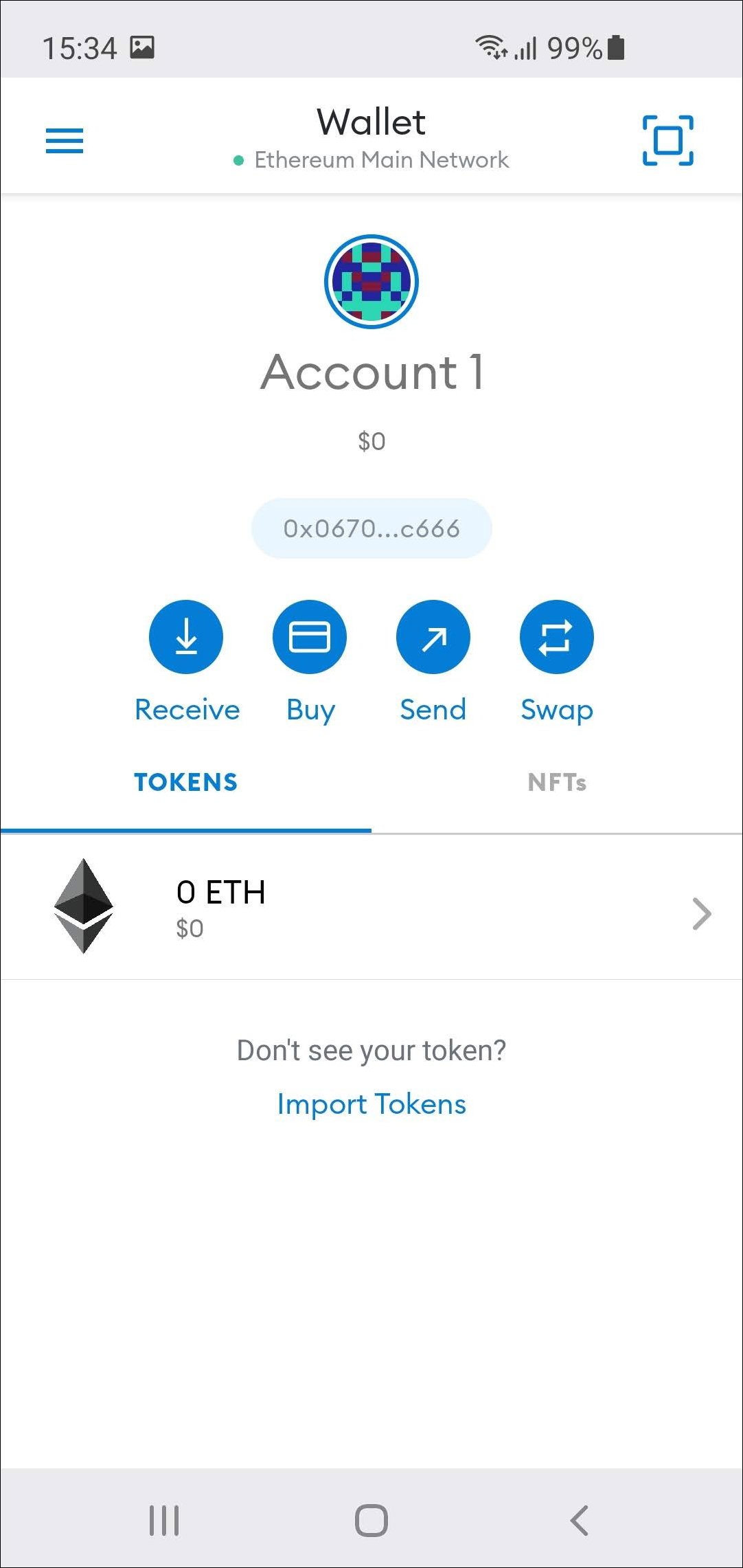
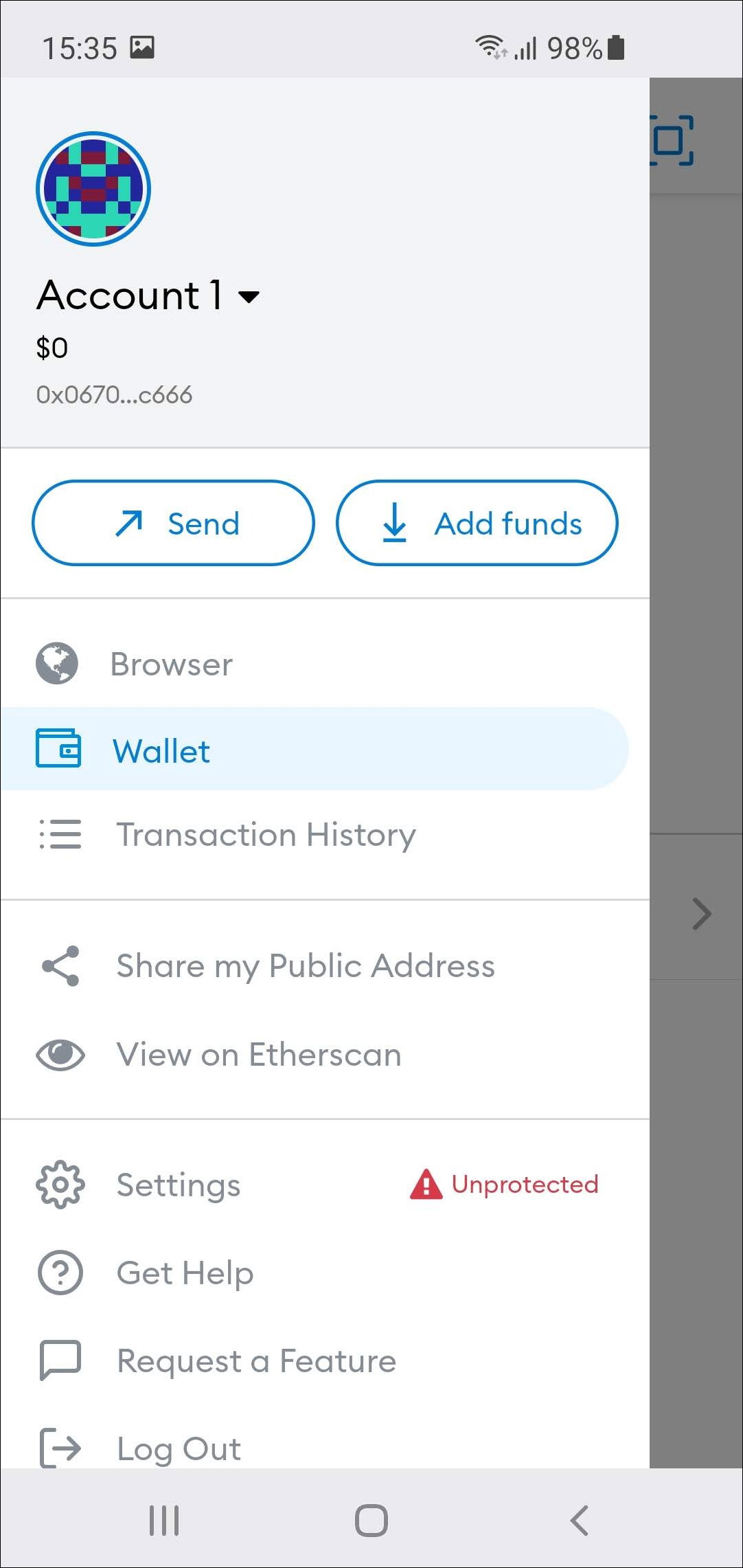
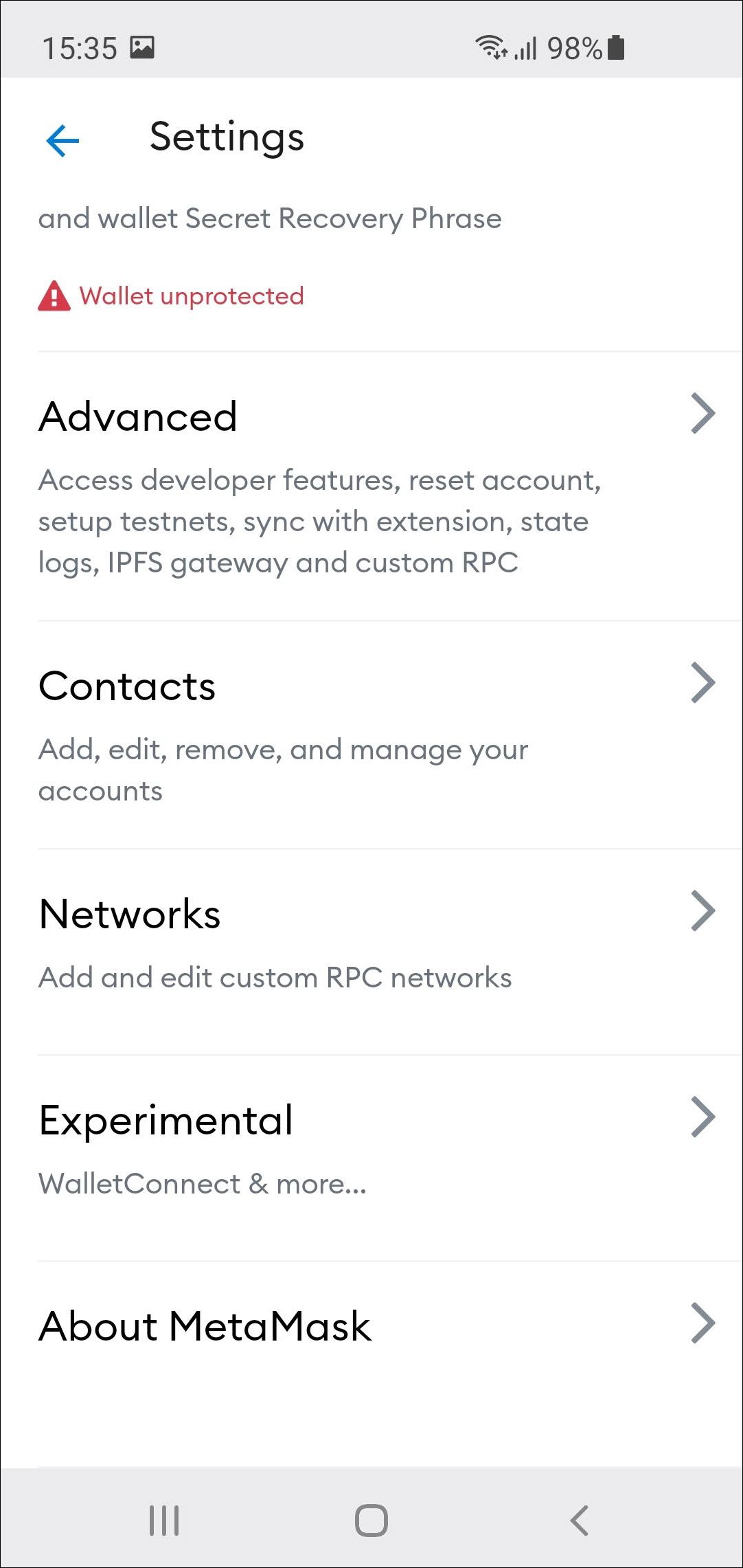
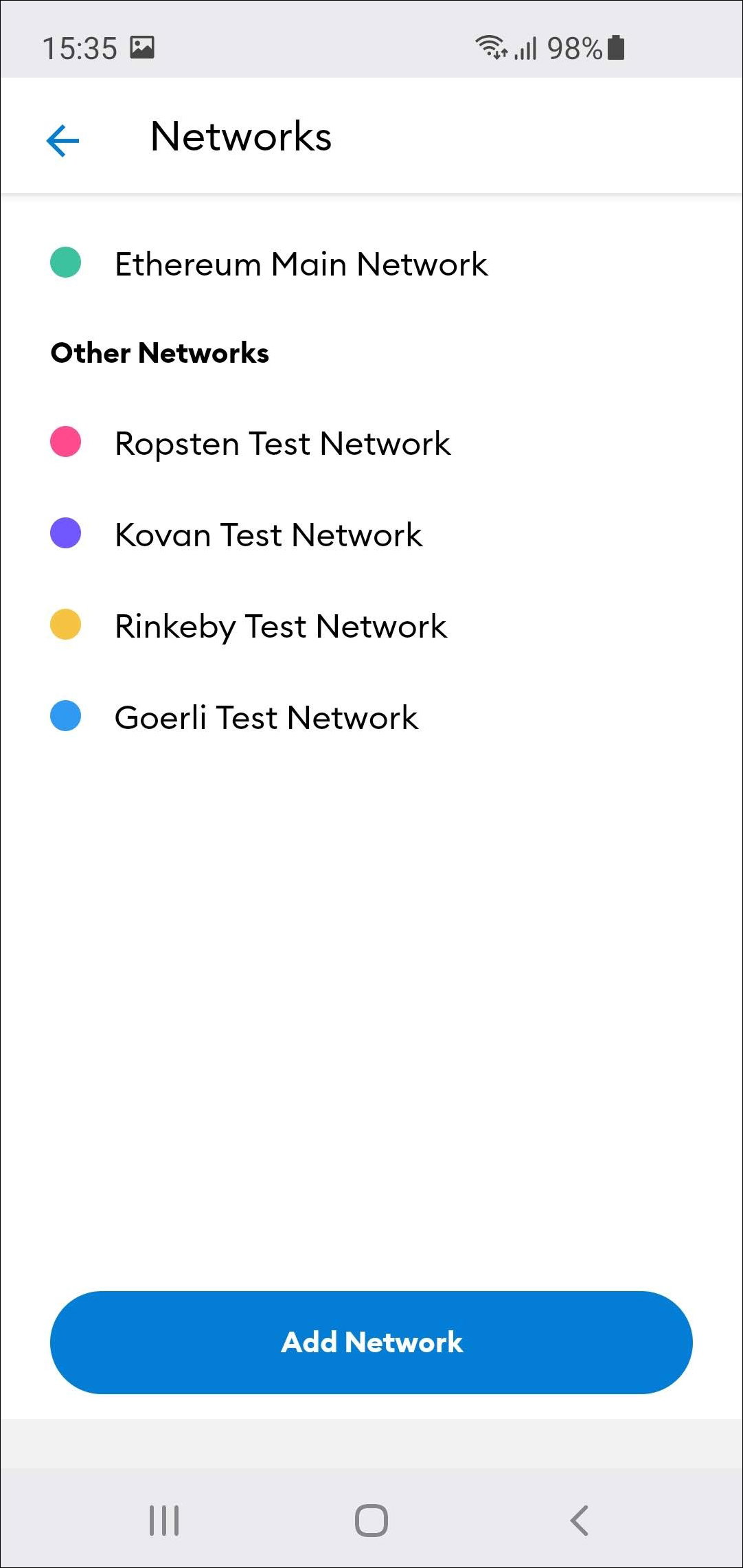
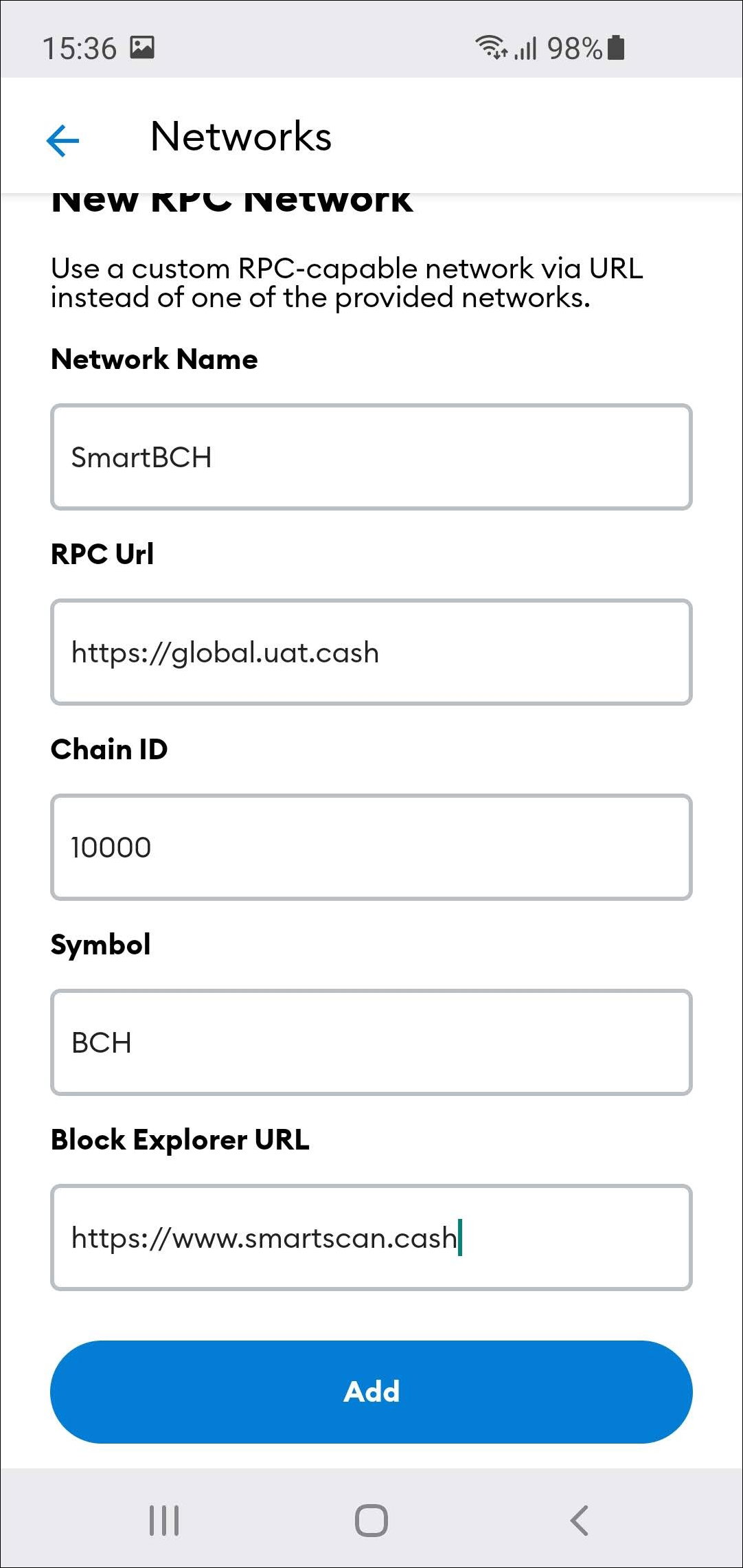
**Disclaimer here:** Sometimes in other tutorials the "**Chain-ID**" will be shown as **0x2710**. **0x2710** is the **HEX ID** for **10 000**. So **both** will **work**, type in whatever you like. There are more RPCs you can choose. If your network doesn't work well, you can just switch the RPC address and see if it gets better. **RPCs:** https://smartbch.greyh.at https://smartbch.fountainhead.cash/mainnet
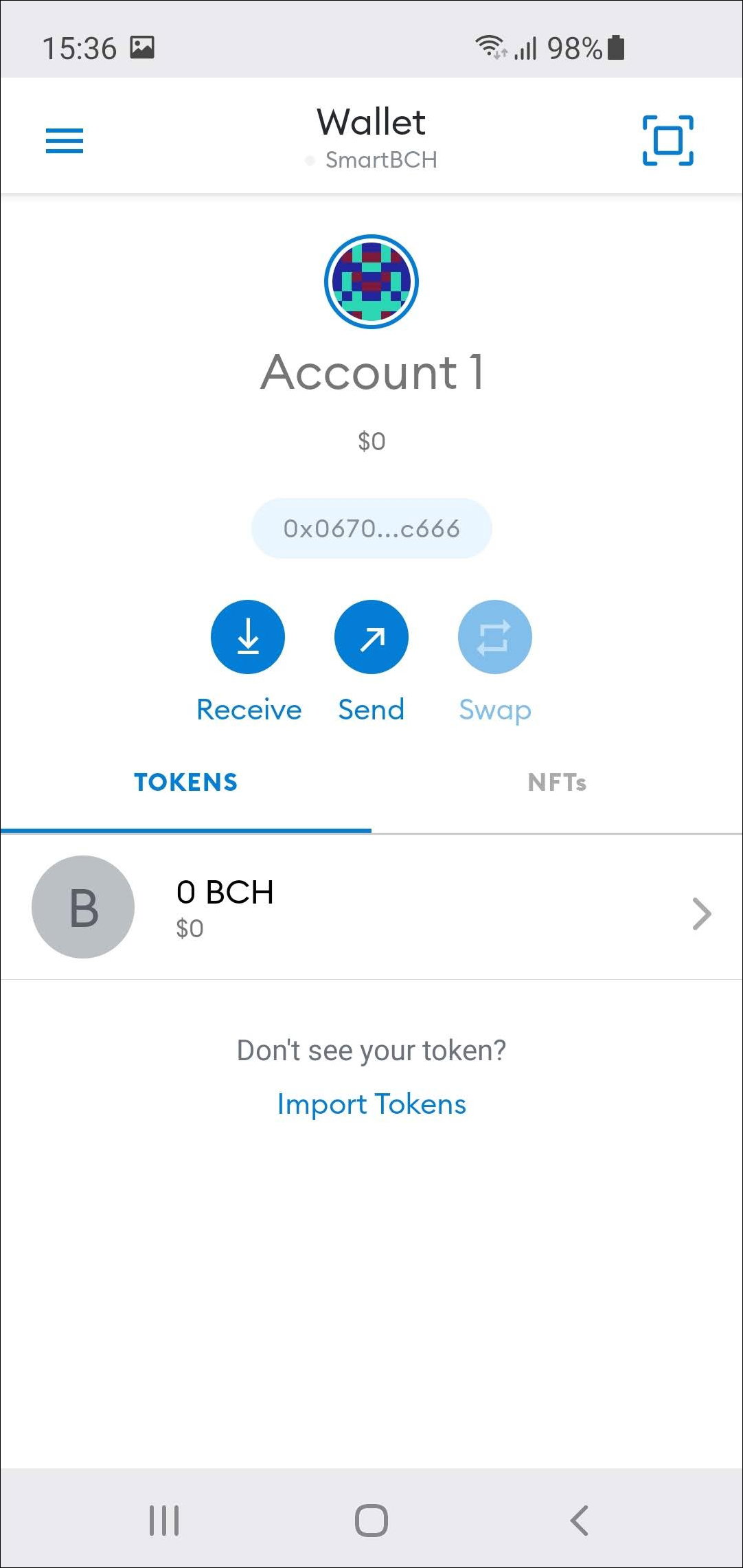
This is it, you now created your own private Wallet and connected to the SmartBCH chain. In the next part we will move some funds to SmartBCH!
**Please subscribe and like if you like my content.** **Leave a comment if you have any questions or suggestions** **Helpful links:**
**Marketcap.cash** **<<<< -- >>>> SmartBCH Charts** **HelpMe.Cash** **<<<< -- >>>> Everything related smartBCH in 1 place** **Fountainhead.Cash** **<<<< -- >>>> Graphical Charts about smartBCH** **Smartscan.Cash** **<<<< -- >>>> Blockchain explorer** **Tuxpaper.nu** **<<<< -- >>>> Token Transfer scanner** https://www.marketcap.cash/ https://helpme.cash/ https://smartbch.fountainhead.cash/grafana/d/GUnTOBGnz/smartbch?orgId=1&refresh=5s https://www.smartscan.cash/ http://smartbch.tuxpaper.nu/

**SmartBCH Homepage** **SmartBCH Telegram** **SmartBCH Twitter** https://smartbch.org/ https://t.me/smartbch_community https://twitter.com/SmartBCH
No comments yet