 @elrikpiro
edited
@elrikpiro
edited
Advanced BCH Monitoring with Tasker (Part 3: Recovering price quotations from an exchange data API) Previous part 2: How to prepare an interface in tasker https://read.cash/@elrikpiro/advanced-bch-monitoring-with-tasker-part-2-how-to-prepare-an-interface-in-tasker-46363bc0 The IExchangeApi interface
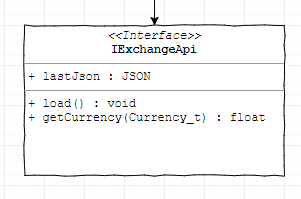
This interface is from which we are going to get the most recent exchange rate from our preferred currency against BCH. It needs a variable to store the last JSON retrieved from the API and two functions: `load()` : retrieves a JSON from the exchange API with the most recent exchange rate quotes. `getCurrency()` : Queries the last retrieved JSON for the currency passed as a parameter and returns the exchange rate. entry: Goto(Type="Action Label", Label="function_load", If(%par1 ~ "function_load"); Goto(Type="Action Label", Label="function_getCurrency", If(%par1 ~ "function_getCurrency"); Return(Value="ERROR", Stop="On"); function_load: VariableSet(Name="%lastJson", To=0); Return(Value="SUCCESS", Stop="On"); function_getCurrency: VariableSet(Name="%input_currency", To="%par2"); VariableSet(Name="%output_value", To=0); Return(Value="%output_value", Stop="On"); Implementing the interface, the CoinGecko case

https://www.coingecko.com/ Among all the exchange rate quotes providers, the most known is CoinGecko, as it is used on many projects as data providing API. The good news is they have a very nice and easy REST API and the quotes they provide are updated with the proper frequency. The steps we are going to follow are very similar for every other REST API capable to provide this information, so if you feel like using others or having many to avoid having no quotes if CoinGecko is down, you are free to do it! We'll start cloning the `IExchangeAPI` task and calling it `CoinGeckoExchangeAPI`. Loading the JSON data So, to avoid calling the REST API every single time we want to get a quotation, we have two different functions, `function_load` and `function_getCurrency` that we described before. entry: ( . . . ) function_load: HttpRequest(Method="GET", URL="https://api.coingecko.com/api/v3/simple/price?ids=bitcoin-cash&vs_currencies=usd,eur,btc"); Return(Value="ERROR : HTTP %http_response_code", Stop="On", If="%http_response_code > 299"); VariableSet(Name="%CoinGecko_last_json", To="%http_data"); VariableSearchReplace(Variable="%CoinGecko_last_json", Search="-", ReplaceMatches="On", ReplaceWidth="_"); Return(Value="SUCCESS", Stop="On"); function_getCurrency: ( . . . ) Step by step: We do an HTTP Request to the `https://api.coingecko.com/api/v3/simple/price` endpoint to query BCH exchange rates (`ids=bitcoin-cash`) on United States Dollars, Euro and Bitcoin Core (`vs_currencies=usd,eur,btc`) We check if the HTTP Response Code is greater than 299, meaning that it's 300 or more, codes usually used to inform the user that something went wrong. If something went wrong we'll return an ERROR so the caller can know that this happened https://restfulapi.net/http-status-codes/ We save the JSON result on a global variable so we can use it later. We replace all '-' on the response by '_' as the first is a reserved character meant for subtract operations Returning `SUCCESS` as if we reach this instruction no error happened

Getting the exchange rates Once we have the JSON loaded we can query it to retrieve the exchange rate quotes, usually one at a time. entry: ( . . . ) function_load: ( . . . ) function_getCurrency: VariableSet(Name="%input_currency", To="%par2"); JavaScriptlet(Code={ var curr = JSON.parse(global('CoinGecko_last_json')).bitcoin_cash[local('input_currency')]; setLocal('%output_value', curr); }); Return(Value="%output_value", Stop="On"); Step by step: We get the parameter that tells us which currency are we going to retrieve. Then we must rely on a short JavaScript snippet The first line parses the JSON and queries the exchange rate for the currency asked by the caller. The second one sets the `%output_value` local variable with the result Finally, we return this value

Testing time In order to check if everything works properly, we are going to write a new task to test that everything works CoinGecko_load_validJson: VariableClear(Name="%CoinGecko_last_json"); PerformTask(Name="CoinGeckoExchangeAPI", Parameter1="function_load", ReturnValue="%retval"); Return(Value=-1,If="%retval ~ ERROR"); CoinGecko_getCurrency_getsValidCurrency: PerformTask(Name="CoinGeckoExchangeAPI", Parameter1="function_getCurrency", Parameter2="usd", ReturnValue="%usdbch"); Return(Value=-1,If="%usdbch ~ ERROR"); Notify(Title="%usdbch"); Running this task will clear the last JSON loaded (if any) and load a new one, will return if anything goes wrong and will show a push notification with the BCH to USD exchange rate if everything goes all right. Let's try this...
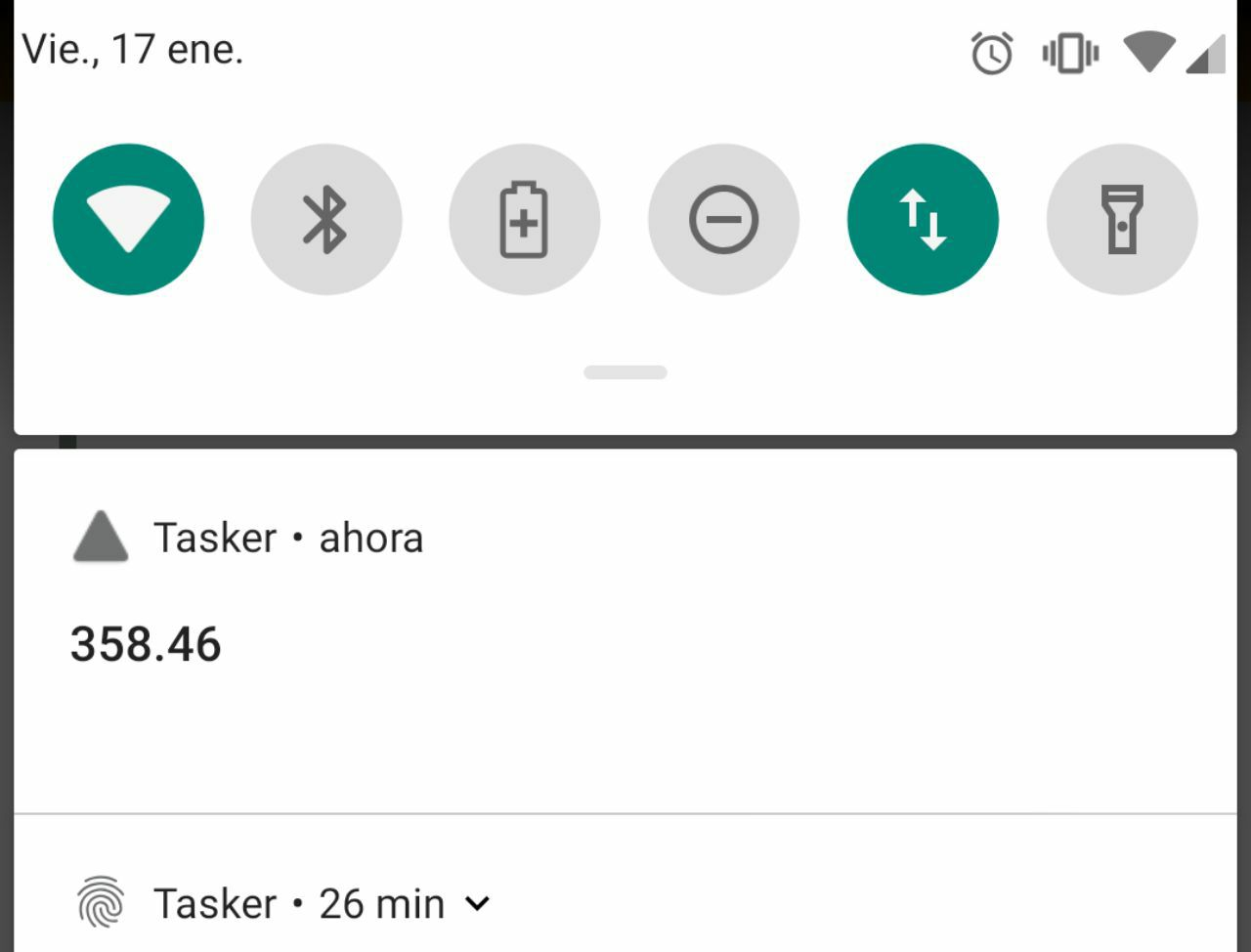
**What!? 358.46??!! Wow!!!!** [sponsors]

https://blockchair.com/ *Special thanks to* *Blockchair.com* *for providing an API key.* *Don't forget to subscribe, feedback will be appreciated!* Part 4: Retrieving your addresses data from the block explorer API https://read.cash/@elrikpiro/advanced-bch-monitoring-with-tasker-part-4-retrieving-your-data-from-the-block-explorer-api-29af674a




No comments yet