 @daring-celt
more from that month
@daring-celt
more from that month
Autumn Sketches_#4 Hi friends! On the fourth day of my autumn art challenge, I decided to draw ... a cat. Spoil the cat, you ask, if the theme is **"Falling Leaves"**? The scene when leaves fall from the trees is very beautiful, it can be observed, forgetting about time, but ... preferably in a living environment, or at least animation. How to attract the viewer with a static picture? It's very simple! If you add a person there!)))) Et example, can't a cat harmoniously fit into the theme with leaves? I bet it can!

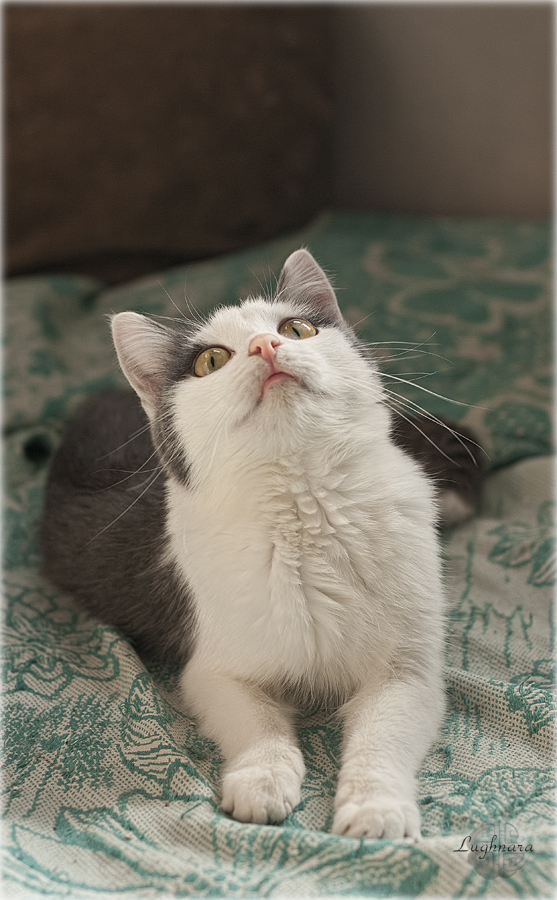
For reference I select a photo one of my cat named Chantal https://imgp.whaleshares.io/pimgp/a/daring-celt/p/wednesday-photochallenge-plants-and-animals-look-up/0x0/https://img.whaleshares.io/wls-img/daring-celt/f20339033353fc621a39541be99f859ca1a26be6.jpeg I shoted her in an unusual position, as if she was looking at something that is above. Let it be a falling leaf! Sketch This time I chose the program **Krita** to implement my idea

I've favorite set in this programm too, which I usually draw with

With **Wet Paint brush** (*it is highlighted in the previous screen*) I draw base colors. The color picker in **Krita** is opened by clicking on the color icon

Something like this will artwork in these colors.

With the same brush, I sketch out the silhouette of a cat, looking on the reference. I blur the background slightly with a **Blender Basic** brush

When all the colors I need are typed, I start drawing with the **Wet Paint Details** brush.

I draw the cat's face especially carefully.

Along the way, I draw the fallen leaves, in which the cat sits. I found that I had sketched more light colors on the left side, but it's shade site. Correcting - making the right side lighter.

Then I draw the object of observation of the kitty - a falling leaf. Move it a little to the center using **Move tool**, in accordance with the direction of her look.

To add a dynamic, I blured copy of leaf's layer with filtr named **Lens blur**


I draw the cat's whiskers with a **Pencil** with the selected stroke stabilization function


And finally I tried to do the final color correction in **Krita** With adjust filter **Color balance** (*I make the shadow cold and the light warm*)

Yes, I like it! It's ready artwork
Thanks a lot for your attention by my tutorials! Have a nice and creative day! Regards Gera
No comments yet