 @bmjc98
edited
more from that month
@bmjc98
edited
more from that month
Trying Cub Finance For The First Time
Before I begin, let me just invite you first to check @PVMihalache's article: **CubFinance to dominate the Binance Smart Chain jungle!** to learn more about this stuff. Since this is new to me, I won't discuss what Cub Finance is because I don't want to sound stupid sharing stuff I don't even know. So yeah, please do check his article first. https://read.cash/@PVMihalache/cubfinance-to-dominate-the-binance-smart-chain-jungle-e89b6c3c Now if you're familiar with Cub Finance but still haven't tried it yet, either you're too busy to try it yourself or you don't know the process, so here it is. I'm going to share with you my journey step-by-step on how I finally got my first 0.50 CUB in just less than 11 hours. So if you're ready, let's begin! Here's what you need first: Some BNB USDT Metamask BSC Scan https://bscscan.com/ Cub Defi https://cubdefi.com/ Metamask Let's focus on Metamask since this is the wallet PVM and I are using. So in my case, I have 0**.**26866562 BNB ($63) and $50 USDT. What PVM told me was to send all my BNB and USDT to my Metamask account. If you have none, here's how to set up your Metamask account. Install Metamask on your phone. Create an account. Click Menu > Settings > Networks > Add Network Then input this info:
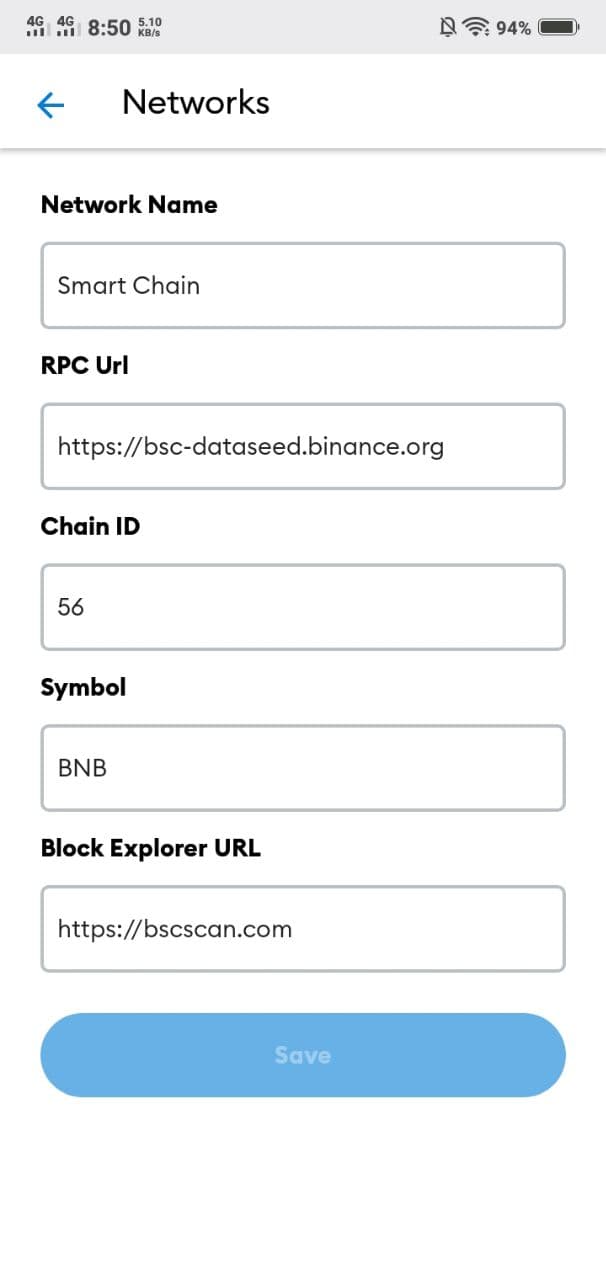
Then you have your Smart Chain ready. Now, if you want to import this to your browser, here's how: Add Metamask to your extension. Download Metamask to your browser. Login or Import your seed phrase. (Sorry, I forgot this part) Then you're good! Now, it's time for you to send your BNB and USDT to Metamask. If you have them on your Binance then, the usual withdrawal occurs. Be sure that the Network is BEP20 (BSC). **ALWAYS DOUBLE CHECK EVERYTHING BEFORE HITTING THAT CONFIRM BUTTON BELOW.** But for those who aren't familiar with Binance, here's how: Open your Binance app. Go to Wallets > BNB > Withdrawal Input your Metamask address > Choose BEP20 (BSC) > Choose Max or any amount you want to withdraw > Withdrawal > Confirm Take note: BNB is used for transaction fees, so if you have more than $10, you can just input $10 or a little more. Wait for a few minutes, and you will see your BNB in your Metamask wallet. Now, we are done for BNB, time to go for USDT. Just like sending BNB, all you need is to follow the same procedure as to how we did it for BNB. Send your USDT to the same Metamask address. BSC Scan Now, in this case, you won't be able to see your UDST in your Metamask wallet. Don't worry, your USDT is safe. This is why you will need to sign up on BSC Scan and follow these steps below: https://bscscan.com/ Once you're already signed in, click this link **here**. https://bscscan.com/address/0xF6E3196b37c0585487a72d99Cc508e492262fFf5 Then click the drop-down in that token field. See the picture below.
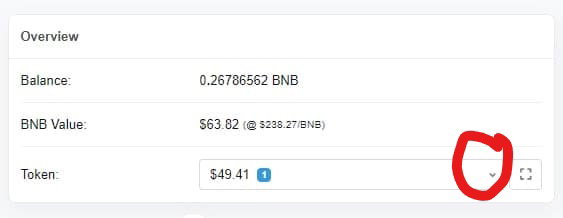
Click on USDT. Then copy the contract address. See the picture below.
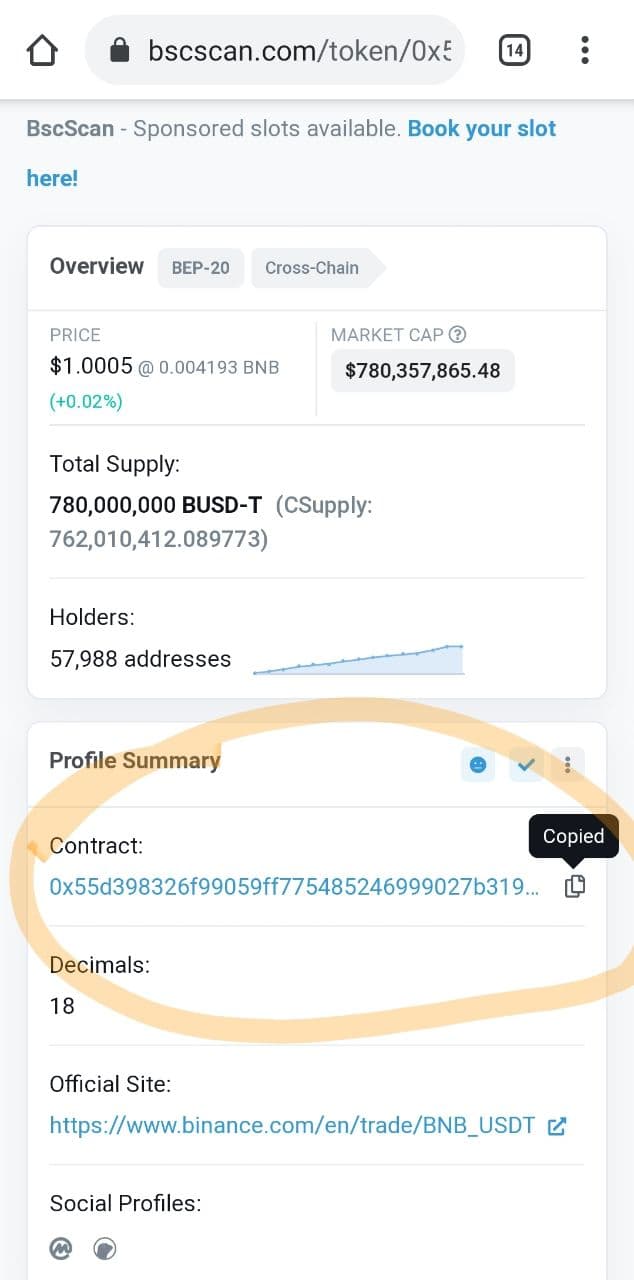
Go to Metamask > Add token > Custom Token > Add the contract address Then everything will be filled up. Cub Defi Now, time for our final step, the Cub Defi. Don't worry, we're almost there! If you want to take a break, then feel free to do so. I know, being a first-timer is never easy. Too much info is killing your brain cells. Lol. But if you're ready to take the last bite, then let's get this over with. https://cubdefi.com/ Go to Cub Defi. https://cubdefi.com/ Log in with your Metamask account. Go to Dens. Look for USDT. See the photo below.
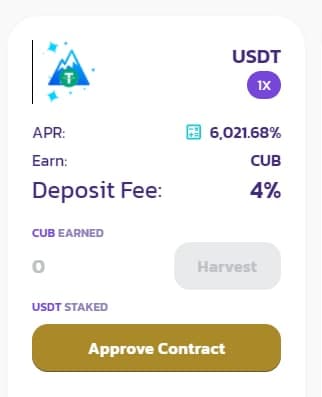
Click Approve Contract. Then Confirm. (Sorry, I forgot to take a screenshot for this part) Then stake all.
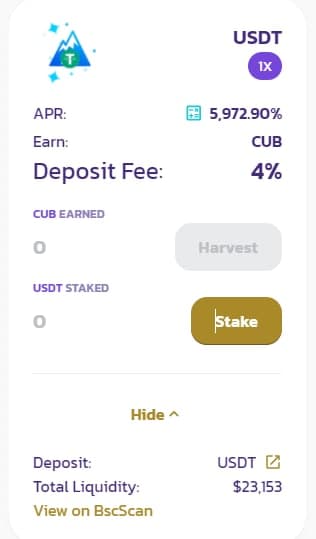
After you hit Stake, you will be redirected to this one.
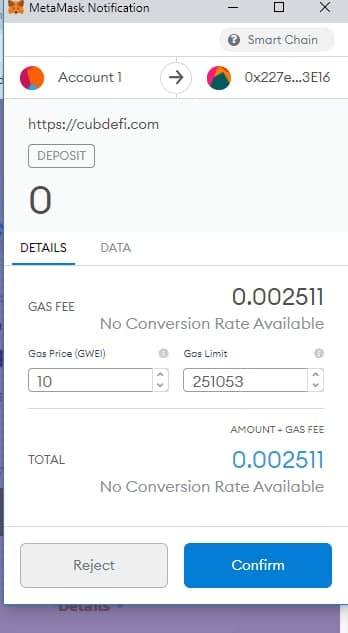
And you will have this afterward.
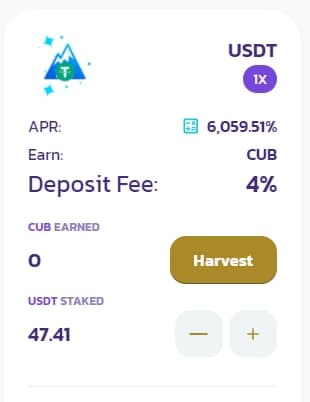
Now, as per PVM's instructions, once you start earning CUB, harvest it when you reach 0.50. So I got settled everything yesterday, March 9, 2021, at 9:29 am and at 10:03 pm, I finally reach my first 0.50 CUB. So basically, that's less than 11 hours of farming. Anyway, time to harvest your CUB.
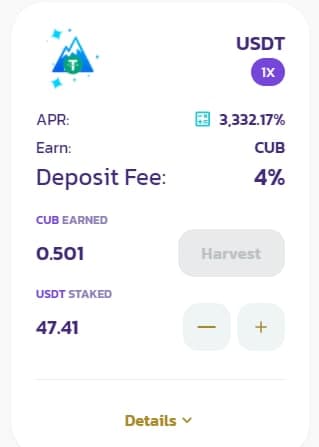
Go to Dens. Look for CUB pool > Approve Contract > Stake.
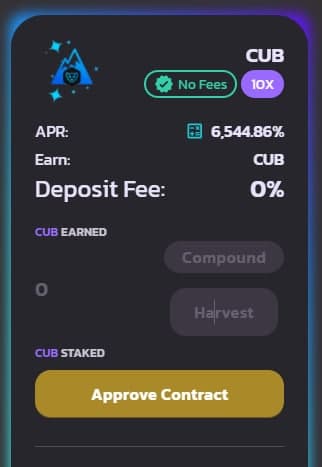
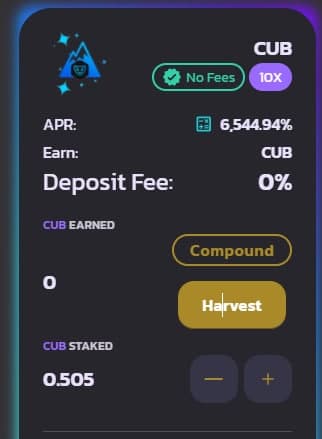
Then let your CUB do the work. Now, here's what I've got:
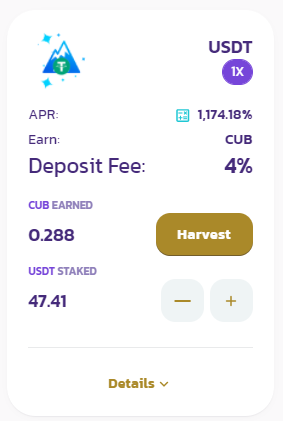
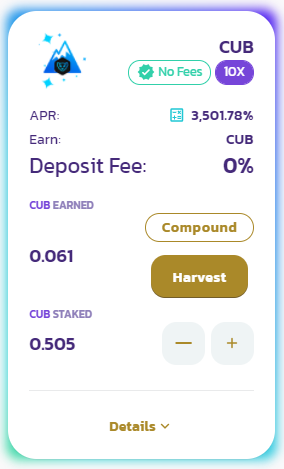
Take note: repeat all the harvesting part whenever your USDT reach 0.50. And I almost forgot, please DON'T forget to add token for your CUB using this contract address: 0x50d809c74e0b8e49e7b4c65bb3109abe3ff4c1c1 *Closing thoughts* If you find this article complicated, please do check PVM's article because he knows a lot than I do. I'm just following his instructions but he can explain more to you if you have questions. To @PVMihalache, I will never get tired of saying ***THANK YOU*** for all of this. You've been such a great leader and a friend, and you're always ready to guide us despite your busy schedules. Salamat. PS: I know I should do my own research before investing something, but I trust PVM, and I know that he is good at stuff like this. His judgment and intention of sharing this to me or us is nothing but pure good. You can also read @Eirolfeam2's post about her CUB.





21 comments
So how much is 1 cub worth?
1 CUB = $6.305
Sana all maraming spare para maka farm.. Ako kase wala 😂
eto dapat yung pang pancake ko.. lol..
Haha, ganon ba okay lang yan. Kase mataas pa apy
Buti na lang me USDT ako.. eto yung USDT naka earn ng $50 kay Hung.. sakin kasi sinend tas ayaw mag send sa coinsph, kaya eto, me USDT ako.. dahil yung own money ko ang binigay ko sa kanya..
Went up to $12 - $13 in the first 12 hours
You are a cub girl 🤣 very complicated because my phone does not allow me to install metamask, and that is why I have lost access to farm many things 😭. I am currently investing only in CST
Aw.. At least you have CST. But yeah, would be nice to have cub too.
I love it ... Rusty loves it! Happy days!
Yes, rusty is so happy about me joining cub finance for the first-time. Lol.
Wala b sa trustwallet? Ayoko mag DL ng metamask 😅
Metamask sinuggest sakin so go na lang ako sa Metamask.. You ask PVM about trust pero I think wala siyang trust so di rin niya kabisado si trust.
Wala sa trust. Desktop lng ata yan
oo sa pc lang ata.. ayaw mag connect sa metamask pag naka pc ako.
I don't know this yet, I'm new to good dollar but don't know how to transfer my income to a trust wallet or another wallet
So you're using trust? Sending them to Metamask is quite easy.
Thank BMJ, Im Goong to Metamask
Cool!
Actually if you want easier access, you just move your seed keys from Metamask to Trust wallet. And you can just use the dapp there (just type in the URL and choose BSC icon instead of ETH icon on the top right) and you are set for easier access on the go.
Thank you.. I will try that one.. By the way, the $50 I used here was supposed to be for the bake or pancake, then PVM introduced this to the group, and I decided to try it.