 @aze25
WhatsApp Trick Continued...

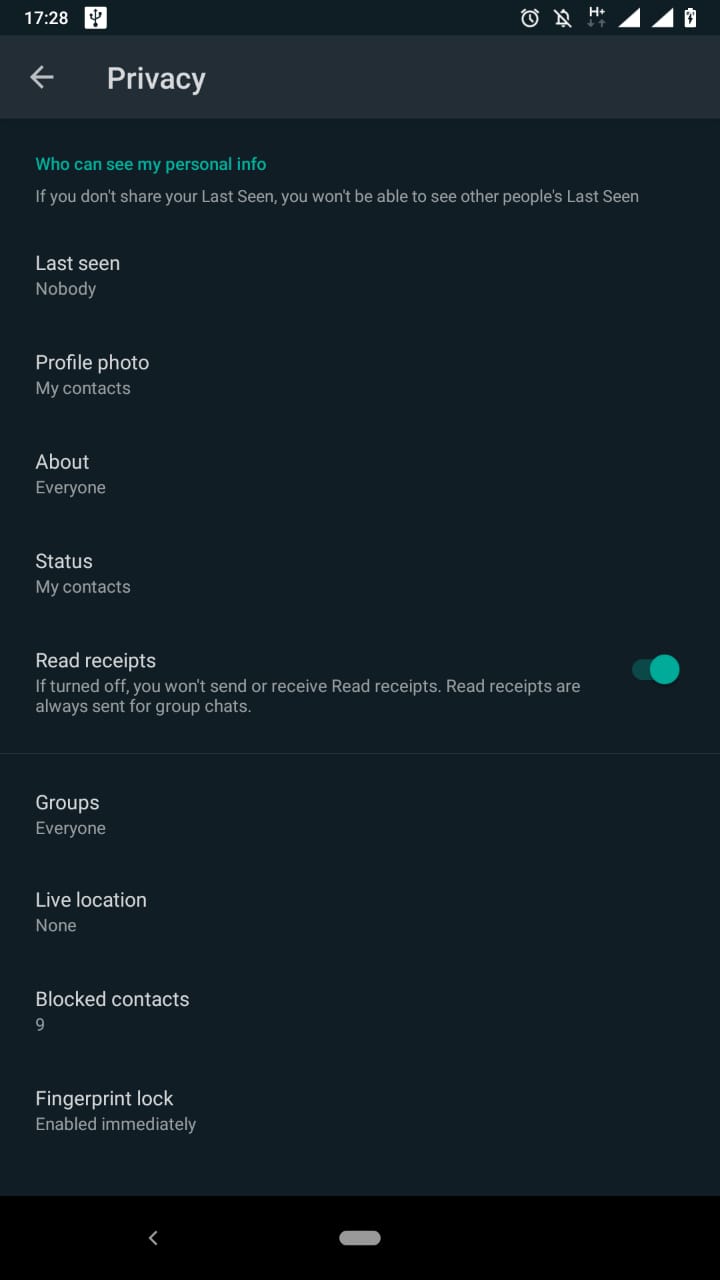
Hello Everyone, Hope you are doing great by the grace of the Almighty. So yesterday I have shared few tricks of WhatsApp and today I will continue to add more. If you people like it kindly Like Comment Share and Subscribe Let's just not waste the time and continue... View Status Secretly You all must be familiar with the WhatsApp status feature and must have used it. When you view someone's status, WhatsApp sends them a receipt in their status that you have viewed their status. We sometimes want to check someone's status but don't want them to know that we have viewed it. So here is the trick Go to Settings> Account > Privacy and Turn off the **Read Receipts** Enjoy!!!
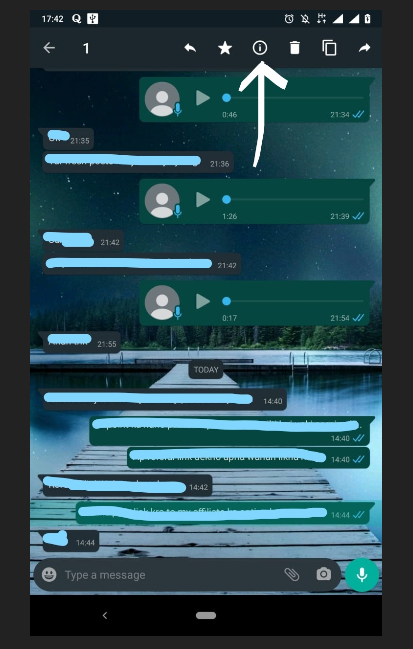
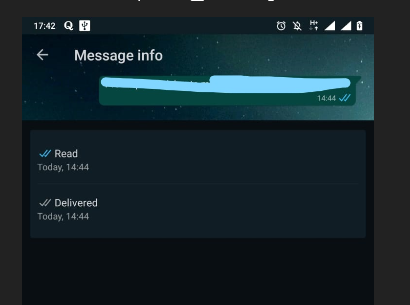
View Exact Time of Message Read *This trick won't work if read receipts are off* Here is another one, if you sent a message to someone and they haven't replied to you back in time and made an excuse that they haven't read your message. At that time an agent wakes up in you to find out when he/she exactly read the message. lolz Follow below Hold down on your message to select, and select "sign of exclamation in a circle" There you go, it will show when the message was delivered and when they have read.
Hope you like these little tricks. Kindly share your views in the comments.
4 comments
It seems a good trick
Yeah, it is very helpful sometimes..
Why I cant find this sign of excellence inside circle.
Maybe you have older version of WhatsApp. In that case if there are 3 dots click on them and select info.