 @a2j
more from that month
@a2j
more from that month
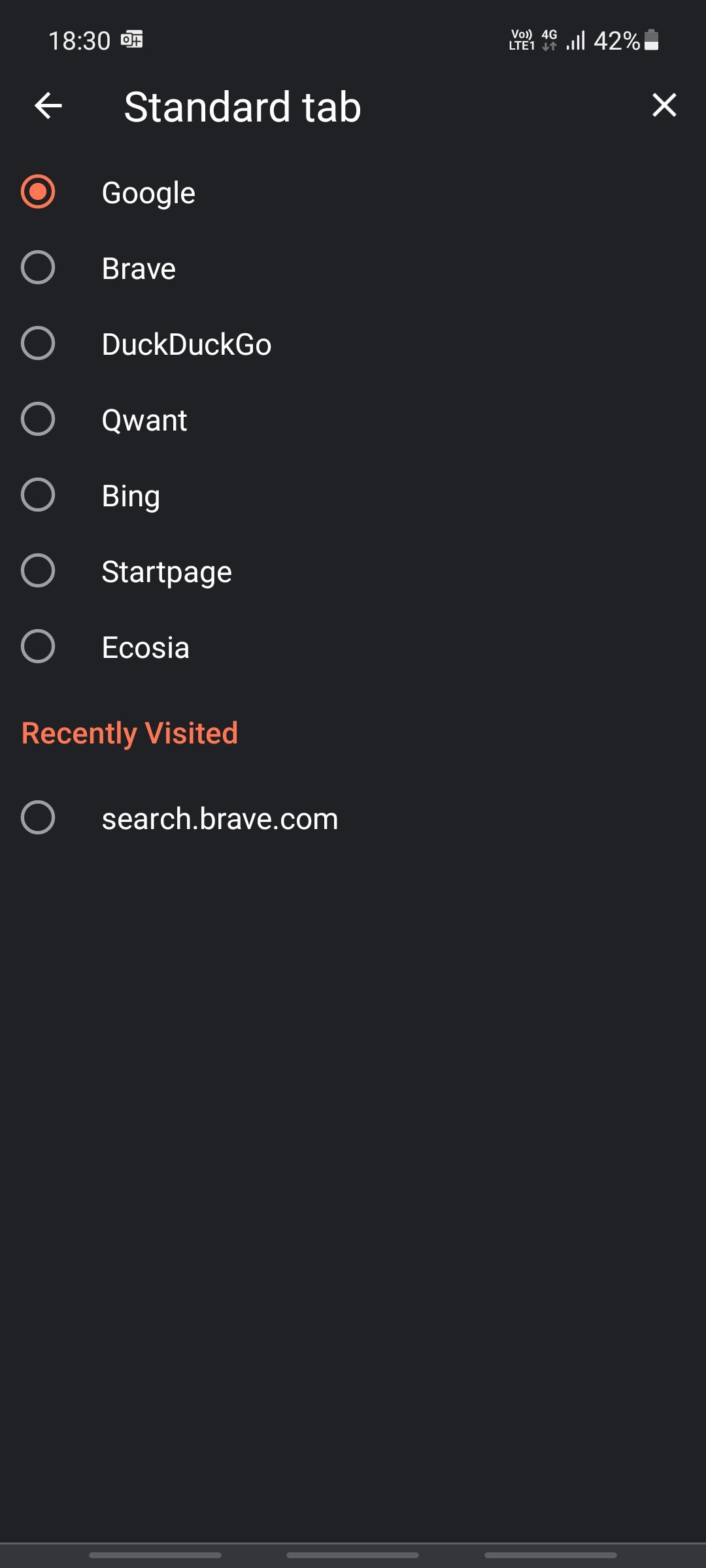
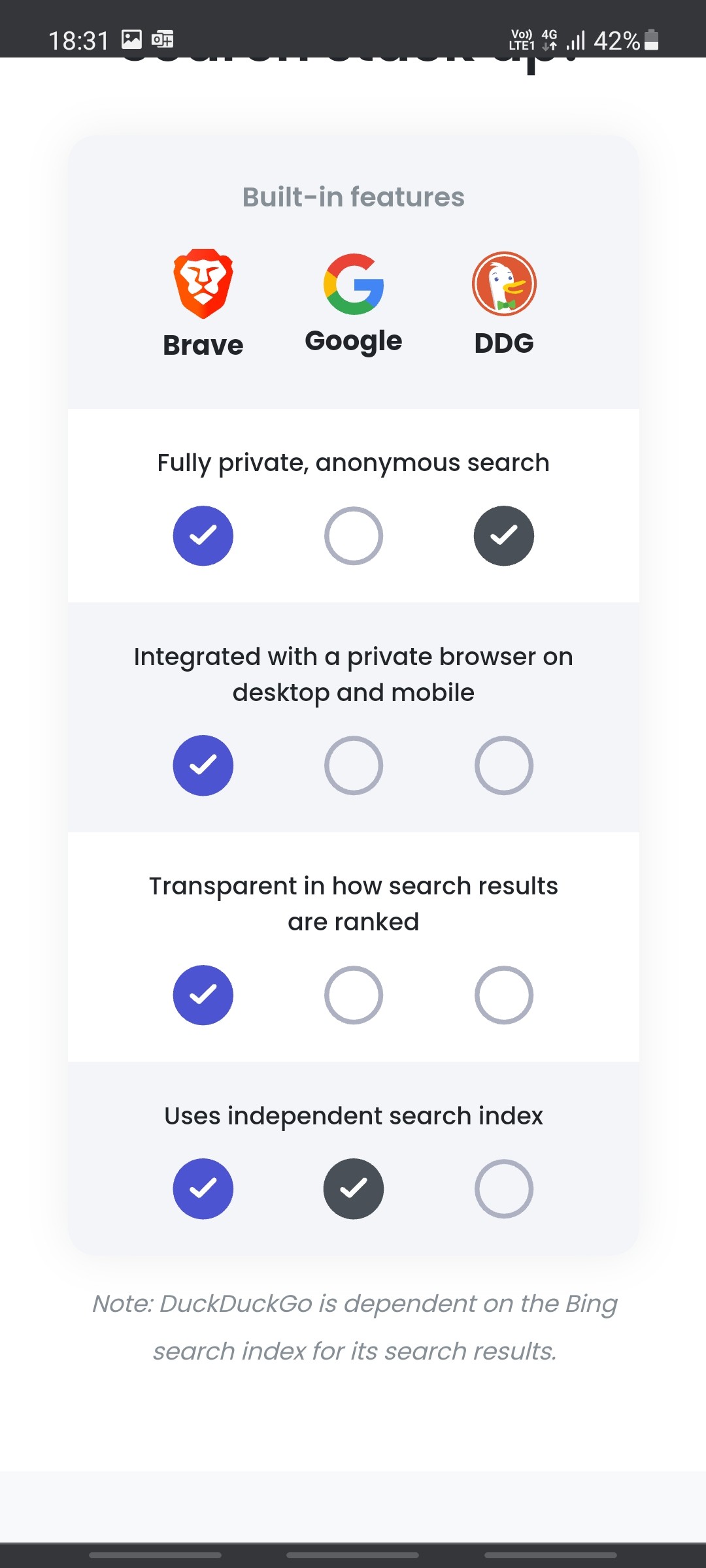
Did you know that Brave now has its own search engine. You can enable it as the default search engine for your brave browser on your phone. 1. Go to settings 2. Click on Search Engines 3. Click on Standard Tab and choose Brave. (you can also click on In Cognito tab and choose this for in Cognito mode) The next option is to type the brave search URL in any browser. https://search.brave.com/ This search engine does not track you and does not use search results from Google. It offers even more privacy than DuckDuckGo. Attaching a screenshot of enabling the browser add on and a screenshot of advantages over Google and DuckDuckGo
No comments yet