 @a2j
more from that month
@a2j
more from that month
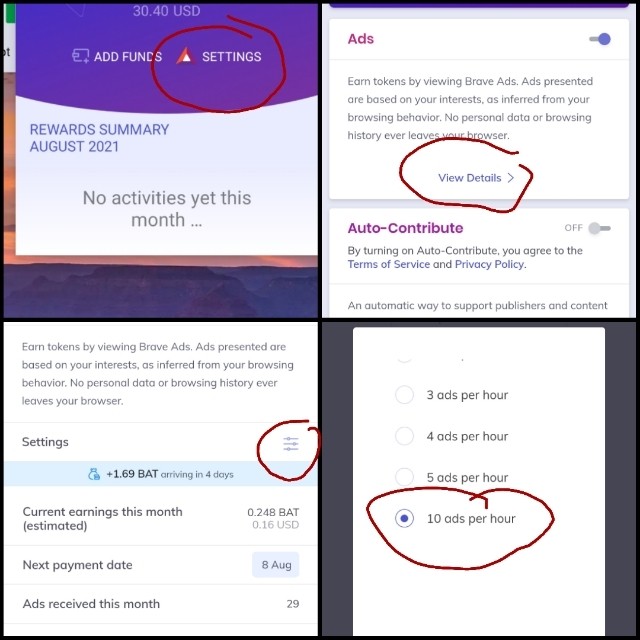
Brave for Android now has up to 10 ads per hour. To activate this click on the triangle on the browser to access Brave Rewards drop down and then again on Settings (red triangle). Then on the "Ads" block, tap on "View Details". Click on the symbol for settings on the right corner and then choose 10 ads per hour. Voila! You're done. Attaching screenshots.
No comments yet