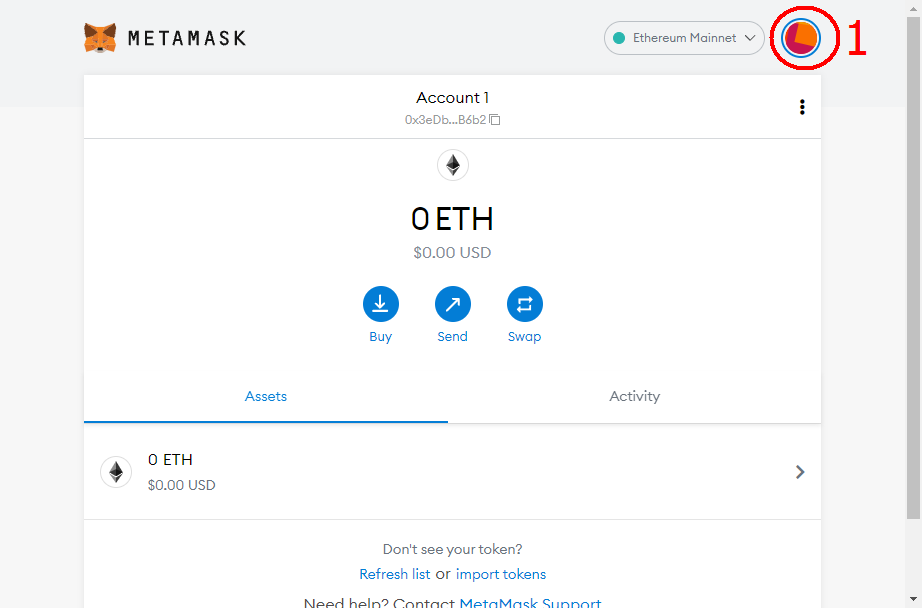
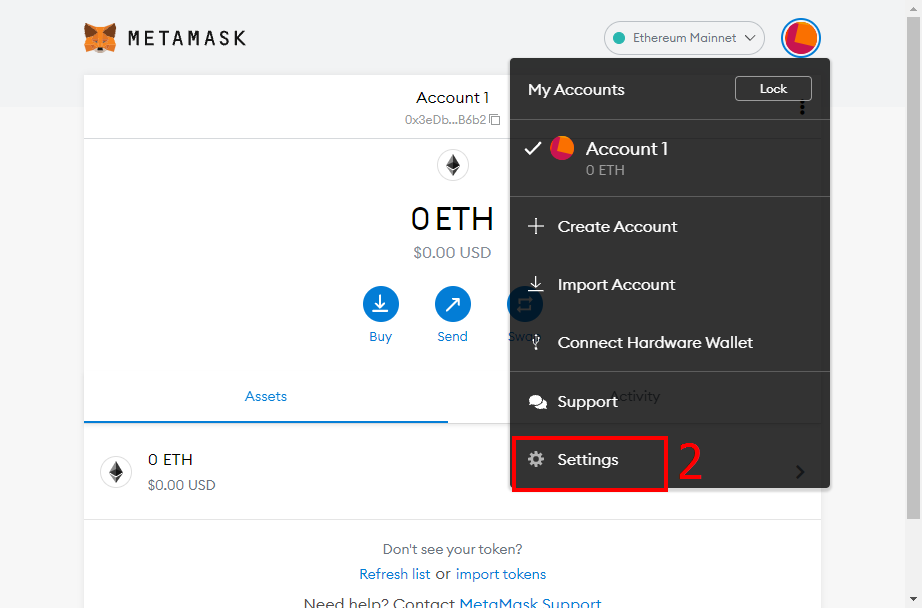
How to setup a SmartBCH account on metamask for PC HELLO, this short guide shows how a metamask account can be created on a PC using Chrome Browser. Lets get started. **Firstly, click on the highlighted icon at top right corner, then select "settings."**
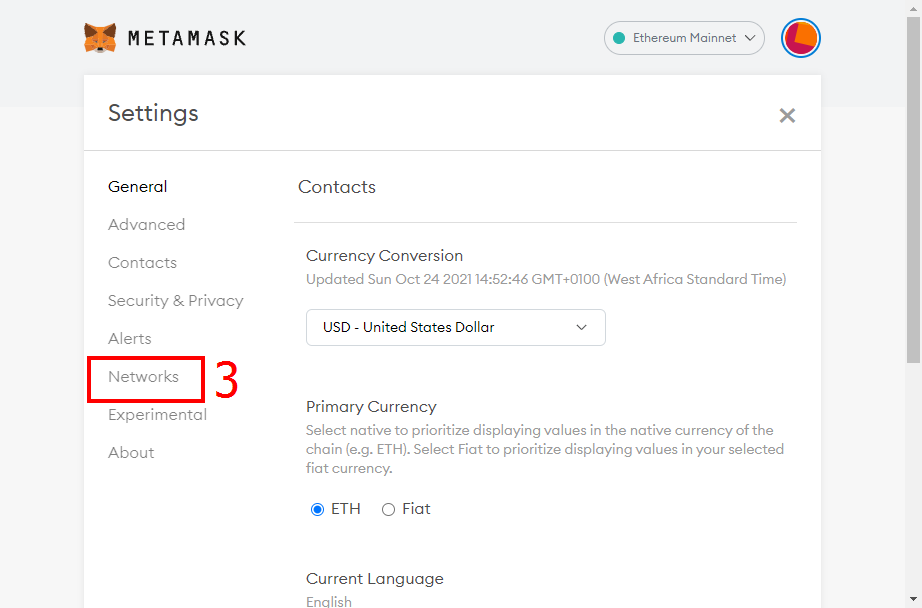
**Next is to select "Networks," then click on "Add Network."**
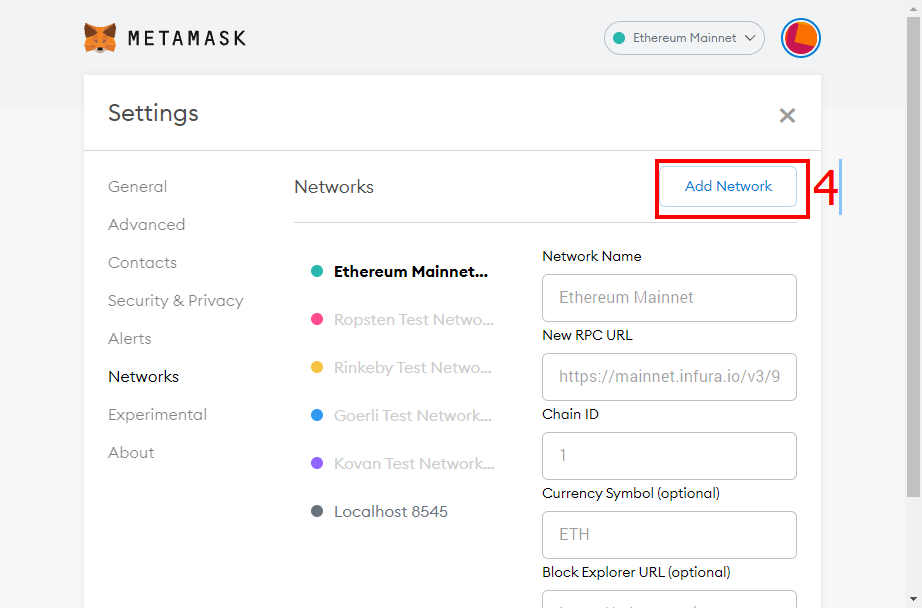
**Then input the following details as seen in the picture below.**
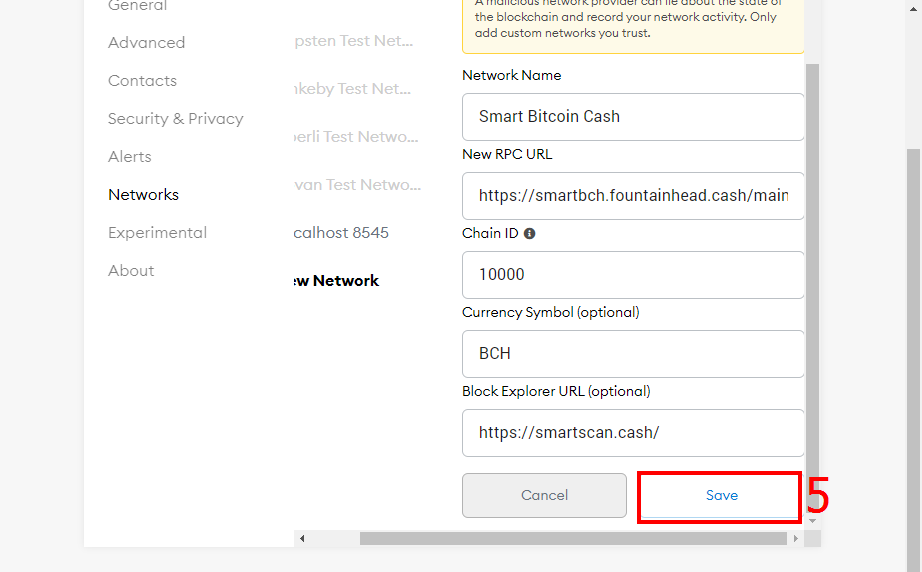
Network Name: SmartBCH RPC URL: **https://smartbch.fountainhead.cash/mainnet** Or **https://smartbch.greyh.at/** Or **https://global.uat.cash** Chain ID: 10000 Symbol: BCH Block Explorer URL: **https://smartscan.cash** Afterwards, its all setup. For more information on SmartBCH, kindly visit the site below using desktop mode for better experience on the site. **https://helpme.cash/** Also smartBCH link is **https://smartbch.org/**
No comments yet