 @Otek
@Otek
New week, so I create a new post in my series about writing PowerShell script. Maybe it will be useful for you :) https://read.cash/@Otek/software-testing-create-a-powershell-script-part-3-caaefff6 #Technology
Joined 6 July 2020 · 276 posts
Otek
120 KT
0 KT · $2.19 received · 0 KT · $4.07 given
@Otek
New week, so I create a new post in my series about writing PowerShell script. Maybe it will be useful for you :) https://read.cash/@Otek/software-testing-create-a-powershell-script-part-3-caaefff6 #Technology
@Otek
Software Testing - create a PowerShell script part 3 Hi all, Welcome to another episode of the Software Testing series. Today, we will continue our work with PowerShell script that allows us to automatically create a new Windows user. If You miss that - check the first episode of the series: https://read.cash/@Otek/software-testing-create-a-powershell-script-part-1-bb9d9df4 . Last time when We finished our script look s that way: <# .DESCRIPTION Create a new Windows User. .EXAMPLE C:\PS> Set-ExecutionPolicy remotesigned C:\PS> Import-Module createNewUser.ps1 C:\PS> CreateUser -Name TestUserScript1 #> So let's go further with that, :) Our next lines will look like in the code block above: function CreateUser { [CmdletBinding(SupportsShouldProcess=$true)] param( # Specifies a user name [Parameter(Mandatory=$true, Position=0, ParameterSetName="Name", HelpMessage="Name of new User")] [Alias("UserName")] [ValidateNotNullOrEmpty()] [String] $Name ) } Like always, we will discuss it line by line. function CreateUser { First-line start our function. Each script can have multiple of them. Our function name is: CreateUser (it is a good practice to the naming of the function that will clearly show what that function will do). Whole lines between {} will belong to CreateUser function. Next line: [CmdletBinding(SupportsShouldProcess=$true)] is our function attribute. The CmdletBinding attribute is an attribute of functions that makes them operate like compiled cmdlets written in C#. It provides access to the features of cmdlets - so in a short words it allows us to create more complicated scripts and use a cmdlts functions which are very useful. param( Here we specify what parameters our function will have and have they will work. # Specifies a user name Here we just create a comment to someone who will use our script later - it just informs what parameter we specify above - it can be extremely useful when our script will have more of them. [Parameter(Mandatory=$true, Next line we will start set attributes of our function Parameter. Each of them are separated by ",". The first one is **Mandatory=$true** here we decide if our parameter will be mandatory (values that we can set are true and false) - in our case it should be mandatory - cause script needs to know with what name he should create a new user. **Position=0,** that one is very useful when the function will have multiple parameters. If the user gives them e.g. CreateUser 'firstParameter' 'secondParameter' position 0 means that script will take 'firstParameter' here. **ParameterSetName="Name",** - here we give our parameter name :) **HelpMessage="Name of new User")] -** if script user will use help function, information we set here will display to him :) It is important to not forget to end the whole Parameter section with "]" character. [Alias("UserName")] Here, we set an alias for our parameter. It is an alternate name or nickname for a cmdlet or for a command element, such as a function, script, file, or executable file. You can use the alias instead of the command name in any PowerShell commands. [ValidateNotNullOrEmpty()] The ValidateNotNullOrEmpty attribute specifies that the parameter value can't be $null or be empty as well. If that happened PowerShell generates an error. [String] That is very important part - here we decide what format or more what type parameter should be. It can be a numeric value, text, table etc. In programming convention String value will treat all parameters provide by user as a text. $Name Here is just define of how our parameter will be called in our script. Ok, let's sum that all up. Today we created the function **CreateUser.** It got one **mandatory** parameter which name is **"Name"** and it is a text (**String**) type. Next time we will use that parameter in our script and create a new user based on it :)
 @Otek
@Otek
Yesterday in cinema I watched a last episode of James Bond series. No time to die - it was quite good :) But the best thing is that some scenes are taken in a beautiful city of Matera - the place I visited just a few months ago :) #Movies
 @Otek
@Otek
Another sleepy day for me and Zoja 🙄😄😴 #CatPictures
 @Otek
@Otek
I wrote a new article, in a series where cover how to write your first PowerShell script. Maybe it will be interesting for you :) https://read.cash/@Otek/software-testing-create-a-powershell-script-part-2-31818608 #Technology
@Otek
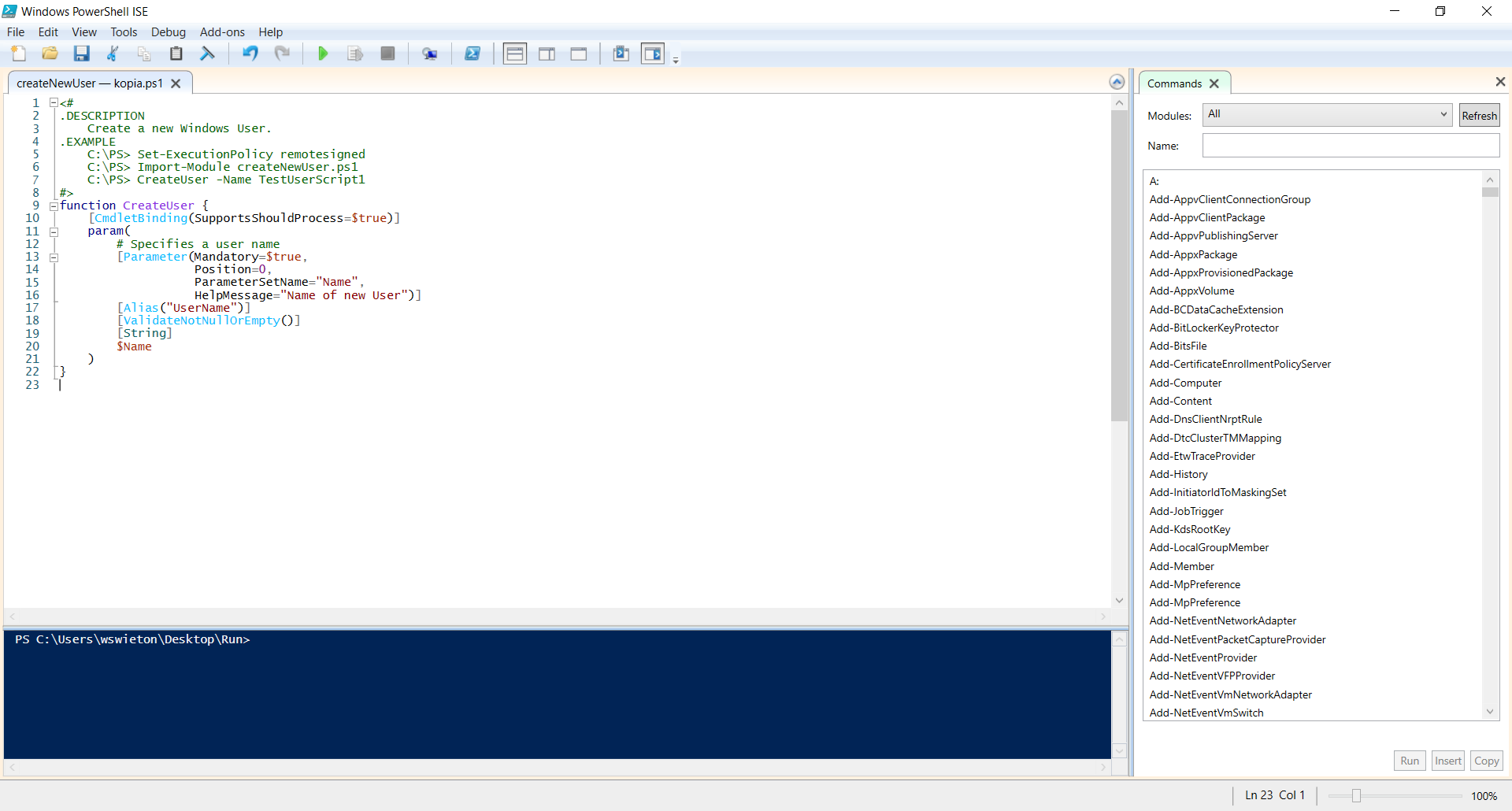
Software Testing - create a PowerShell script part 2 Hi guys, The last time we started to writing our first PowerShell script - well to be more precise we actually don't write anything yet, but we are preparing for that. If You missed that first part, You Can get it here: https://read.cash/@Otek/software-testing-create-a-powershell-script-part-1-bb9d9df4. So let's start with our first script - it will create a new Windows user :) So first of all let's of course run Windows PoweShell ISE. Let's start our code with some kind of description: <# .DESCRIPTION Create a new Windows User. .EXAMPLE C:\PS> Set-ExecutionPolicy remotesigned C:\PS> Import-Module createNewUser.ps1 C:\PS> CreateUser -Name TestUserScript1 #> As You can see the description block starts with <# and ends with #>. For PowerShell it means that everything between those <# #> characters is some kind of comment and should be ignored when the script is running. Even if that part isn't executed, it can be very helpful for other people that will use our script - that is a reason why it is a good practice to have such a description in our scripts. Description - just describe what is the idea behind our script and what it should do. Example shows a user how to run our script - what those lines mean?\ ExecutionPolicy C:\PS> Set-ExecutionPolicy remotesigned That lines Set execution policy. In other words, it set with what permissions should our script be run. It is a safety feature that controls the conditions under which PowerShell loads configuration files and runs scripts. This feature helps prevent the execution of malicious scripts on our machine. There are a few of them to choose: AllSigned, Bypass, Default, RemoteSigned, Restricted, Undefined, Unrestricted. If we don't set any of them by default, it will use a Default execution policy. Because we want to run our script also on Windows server version we will choose RemoteSigned :) Each of they is described with details here: https://docs.microsoft.com/en-us/powershell/module/microsoft.powershell.core/about/about_execution_policies?view=powershell-7.1 Import-Module C:\PS> Import-Module createNewUser.ps1 The second line shows how import our created script. After command Import-Module we should give our script name - look at the 'ps1' file extension - that is a standard PowerShell file extension. Run Script C:\PS> CreateUser -Name TestUserScript1 The last line in our Example block describes how to run our script. 'CreateUser' is a name of a function that we want to run. Script Can have multiply functions - so we need to give PowerShell which one he should run. After the name of a function, there is a parameter called '-Name'. Again every script could have many parameters, some of them Can be mandatory others not. Our first script will have just one mandatory parameter, '-Name'. 'TestUserScript1' is a place where users Can give info on what name should have a newly created user. So to sum it up, when someone will run our script exactly in the way like in our Example it will create a new Windows user named TestUserScript1. How our script should like at this moment? Similar to that one screenshot below: Those eight lines are a nice start to our script - isn't it? :) To be honest it still isn't do anything, but we are one step further to that :) You already learn what is an execution policy and why it is so important. You also know how to import our script and run it with some parameters. So, let meet in next episode of Software Testing series when we will add first function in our script :).
 @Otek
@Otek
This time I decided to in my Software Testing series cover a topic of Creating PowerShell script. Today I want to share with You first article - just short introduction to PowerShell :) https://read.cash/@Otek/software-testing-create-a-powershell-script-part-1-bb9d9df4 #Technology
 @Otek
@Otek
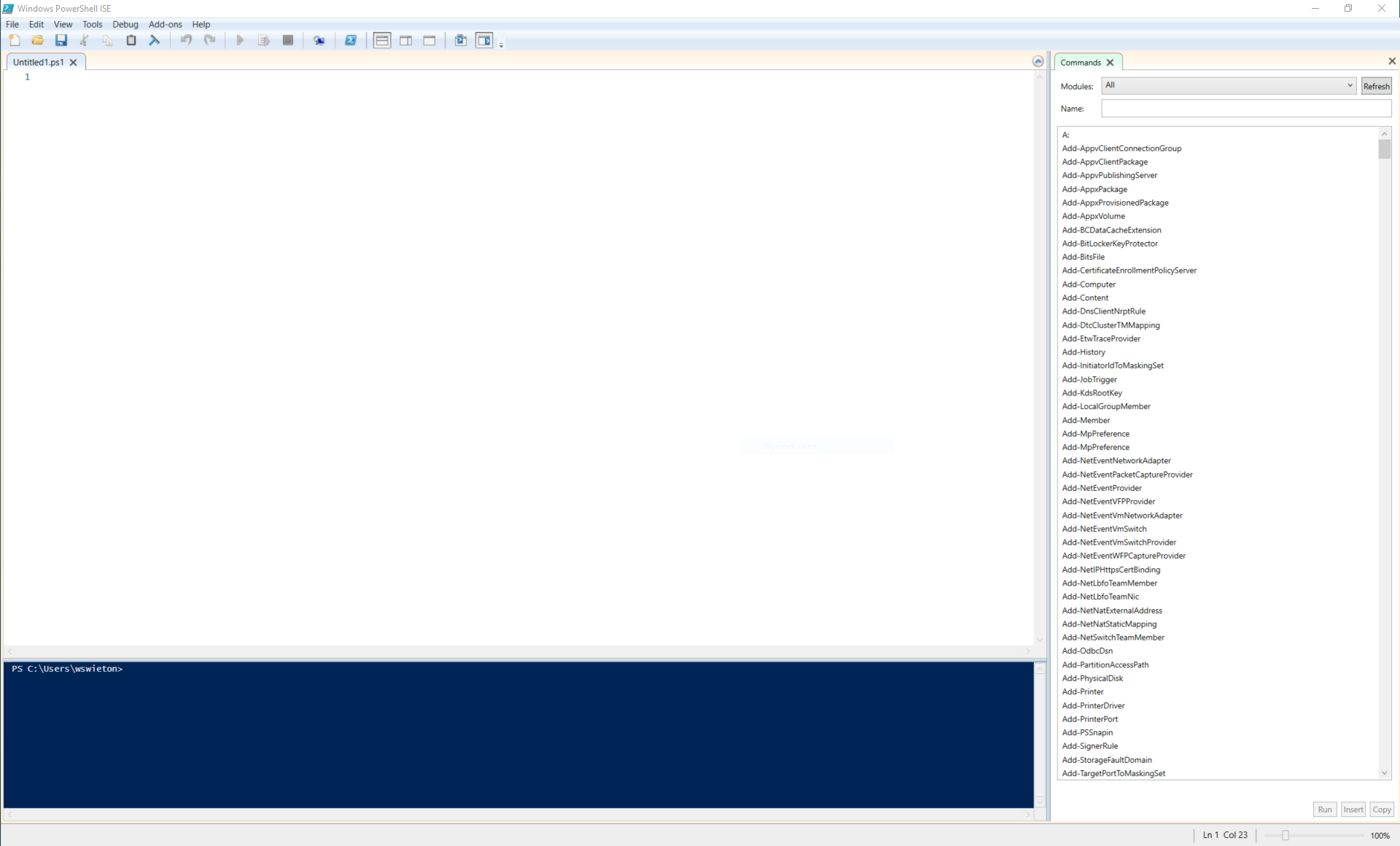
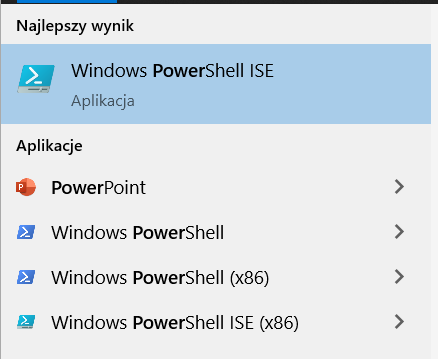
Software Testing - create a PowerShell script part 1 Hello guys, This time in my Software Testing series, I will be to cover something different. One of my last tasks at work was to test something using a newly created Windows user. To not generate it every time manually, I decided to create a PowerShell script to do that for me :) Also, it will be helpful for other team members - they Can also use it in their tasks :) So I also decided to show You what PowerShell is, how to run it, and in the next episodes how to write some scripts that actually does something: Create a new user, give them some permissions, create a loop, and so on :) Maybe it will be also helpful for You and help start with scriptwriting :) Power what? Let's start with PowerShell itself. Do You hear earlier about it? PowerShell is a cross-platform task automation solution made up of a command-line shell, a scripting language, and a configuration management framework. It is created by Microsoft and Can be run on Windows, Linux, and macOS. It allows You to create a fully automated script that Can be run on your or others' computers. It Can be used for many different tasks - we will cover some of them in that series :) You Can read more about it on the official Microsoft website: https://docs.microsoft.com/en-us/powershell/scripting/overview?view=powershell-7.1. Ok, so let's dive into it :) Run PowerShell Do You have a PowerShell? Well, Windows PowerShell comes installed by default in every Windows, starting with Windows 7 SP1 and Windows Server 2008 R2 SP1 - so if You use one of them or earlier the answer is Yes - You already got it on your system :) But for writing a script we will need something more - PowerShell ISE. ISE is a shortcut for Integrated Scripting Environment. How to find it? Well, in that article's series I will cover how to work with it on Windows 10 (because it is the most popular system version right now), but if You use the other one it is really easy to find that information on Microsoft website (https://docs.microsoft.com/en-us/powershell/scripting/windows-powershell/starting-windows-powershell?view=powershell-7.1). In our case, just click the left lower corner Windows icon, start typing PowerShell: now should appear a few applications - choose: Windows Power Shell ISE. If You don't see it in your environment, probably it is installed, but that feature isn't turned on. How to turn it on is in a great and easy way described here: https://www.tenforums.com/tutorials/145830-how-install-uninstall-windows-powershell-ise-windows-10-a.html. When You click on that PowerShell ISE should start and looks similar to that screenshot below: What we Can see here? The main panel with the number '1' at the beginning is your working area when You will be actually creating Your script :) '1' is a number of lines - that lines numerating will be very helpful when Your script will be longer :) Below that is a blue console - it looks like a command line and allows You to run script and see information printed by your script :). By default, on the right side is a list of available commands that You Can use in your script. There are a lot of them - so option to sort by Modules or search by name will be very helpful :) At the top we got of course a tools tab with standard option such a File, View, Help and so on. There are also some special options such a Debug or Add-ons - we will cover it in next episodes :) ___________________________________________ So that will be the end of first episode - I know that we don't wrote any script, but be patient, that was just an introduction :) We will create something that actually do something in a next episode :) So stay tuned. See ya :)
 @Otek
@Otek
Good morning :) starting day with that healthy and tasty Breakfast 😄🥰 #Photography
 @Otek
@Otek
It's so cold and dark today 🙄 best idea is probably just like Zoja goes sleep 😆😴 #Photography
 @Otek
@Otek
A beautiful mushrooms found yesterday in a forest :) this one is a inedible but looks great :) #Photography
 @Otek
@Otek
It is so cold and rainy last day that I dug up photos from my trip to Italy on June to warm me a little 😱 #Photography
 @Otek
@Otek
Hi, I wrote a new article in Software Testing series: this time about Mars Climate Orbiter disaster - hope You will like it :) https://read.cash/@Otek/software-testing-mars-climate-orbiter-disaster-f33490c1 #Technology
 @Otek
@Otek
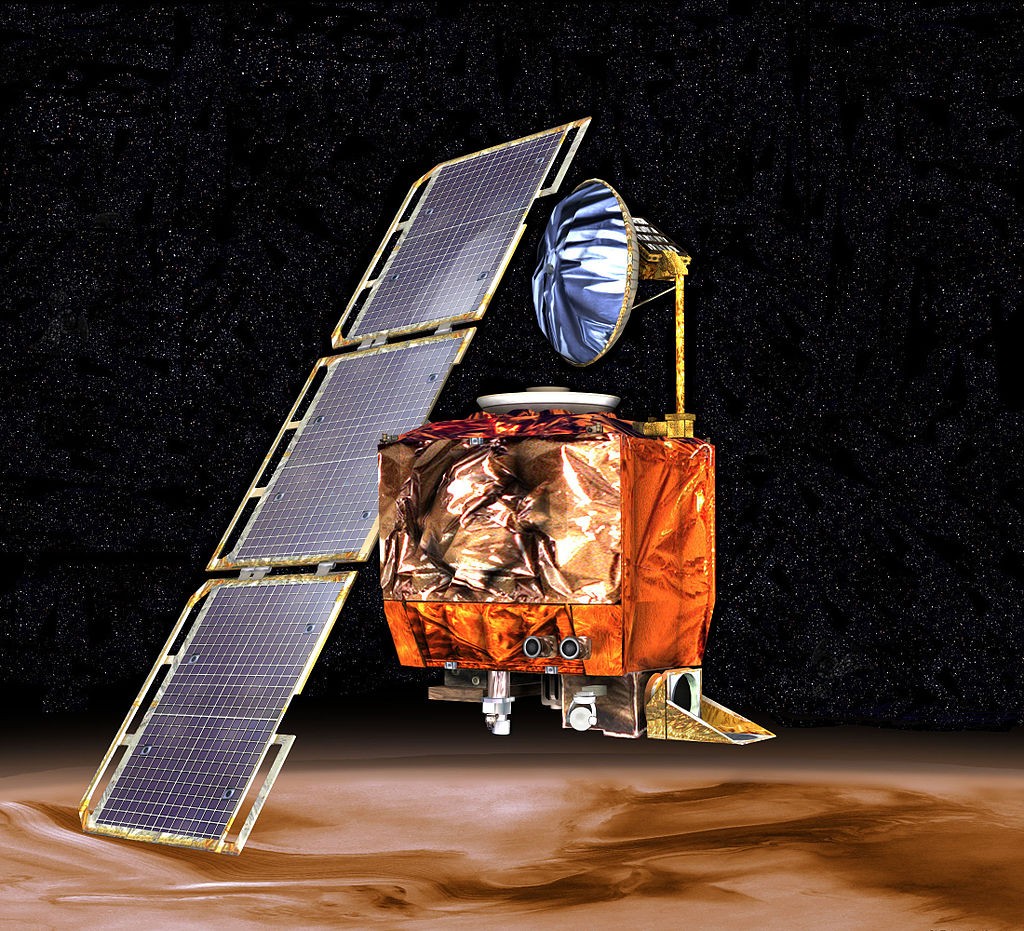
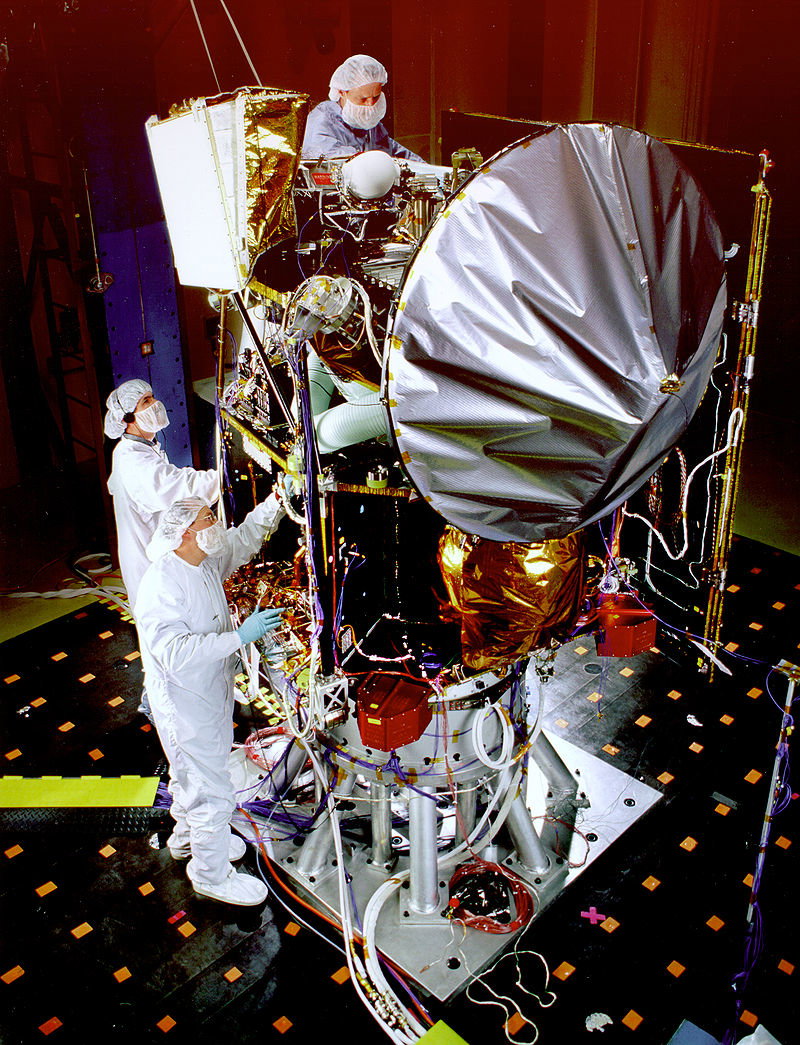
Software Testing - Mars Climate Orbiter disaster Hi guys, Welcome to another article about Software Testing. I already wrote one article about a software glitch that ruin some space program: Mariner-1 space probe (https://read.cash/@Otek/software-testing-294-second-costs-185-mln-crash-of-mariner-1-183ddcd9). This time, I will cover another space probe that crashed as a result of some software bug: Mars Climate Orbiter disaster. **Mars Climate Orbiter** Mars Climate Orbiter was a robotic space probe design and created by NASA (National Aeronautics and Space Administration). It was intended for the study of the weather, atmosphere, and climate of planet Mars, and it was a part of the Mars Surveyor '98 program. The Mars Climate Orbiter was launched on December 11, 1998, at 18:45:51 UTC from Space Launch Complex 17A at the Cape Canaveral Air Force Station in Florida aboard the Delta II rocket. The start went without any problems and on September 23, 1999, at 09:00:46 UTC, the planned Mars orbit placement maneuver began. **Probe lost** After a few minutes, radio contact with the probe was lost, but it was planned - Mars Climate Orbiter spacecraft passed behind Mars, so communication on that stage was impossible. At 9:27:00 UTC, the probe was due to emerge from the planet's radio shadow and communication should be established again - but it never happens. A probe was lost. **Burn baby burn!** Two days later, NASA announced the loss of the Mars Climate Orbiter mission. Instead of being at an expected altitude of 140-150 km above the planet's surface, the orbiter was at an altitude of 57 km and was soon lost contact. As a result of that, a probe was burned in the planet atmosphere. **What happened?** On November 10, 1999, NASA released the accident commission's report - what was a conclusion? The direct reason for the failure was the lack of communication between the teams creating the Mars Climate Orbiter software. The piece of software, created in England on behalf of Lockheed Martin, was written on the basis of other metric units than the part developed in the USA by NASA. The ground control instruction processing program used Anglo-Saxon (US) pounds as the force unit, while the probe software used metric Newtons as the force unit. The error turned out to be so serious that it led to the incorrect operation of the lander's afterburners. The mistake gradually increased over the course of the journey. The consequence of this was a too close approach, and hence, the probe burned up in the Martian atmosphere. So it is a great example of how difficult it can be cooperating between peoples from different countries and how important it is to be sure that everyone involved in the design and developing software had the same understanding of what requirements are. **Money, money, money...** How much that error costs the National Aeronautics and Space Administration? According to a NASA report, the cost of the mission was $327.6 million total for the orbiter and lander (includes $193.1 million for spacecraft development, $91.7 million for launching it, and $42.8 million for mission operations). However, the most important lessons were learned, and the mission was continued by the 2001 Mars Odyssey probe, launched on October 24, 2001 - this time it ends with success :) Hope You enjoyed that episode of Software Testing series - I encourage you to read also other articles about software testing- see you soon :)

 @Otek
@Otek
Hi, I thought that You will like to read about how testing software on real live example. So this time I checked a CoinGecko app. Hope You will like it :) https://read.cash/@Otek/software-testing-testing-in-practice-coingecko-app-example-50da160a #Technology
 @Otek
@Otek
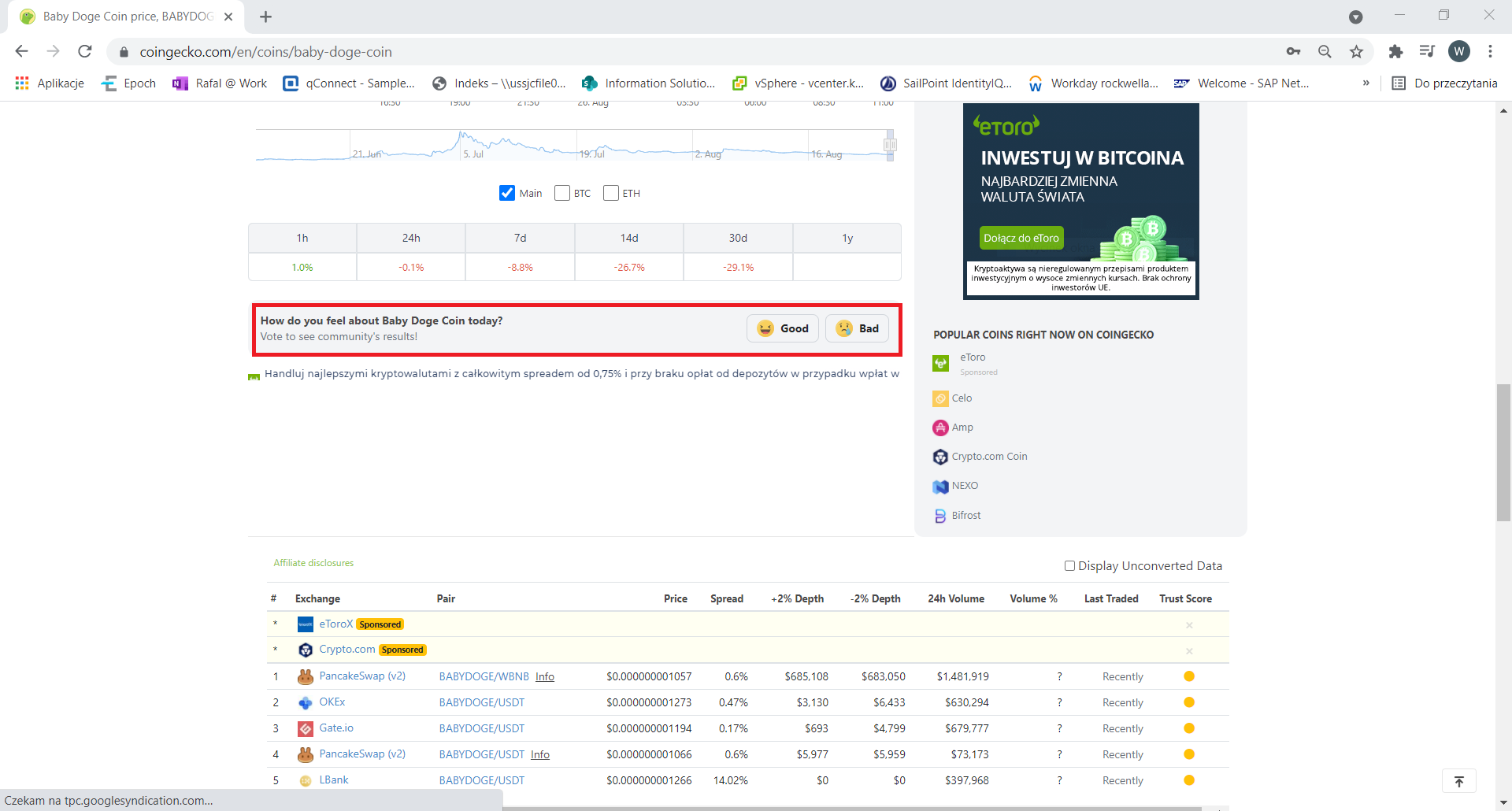
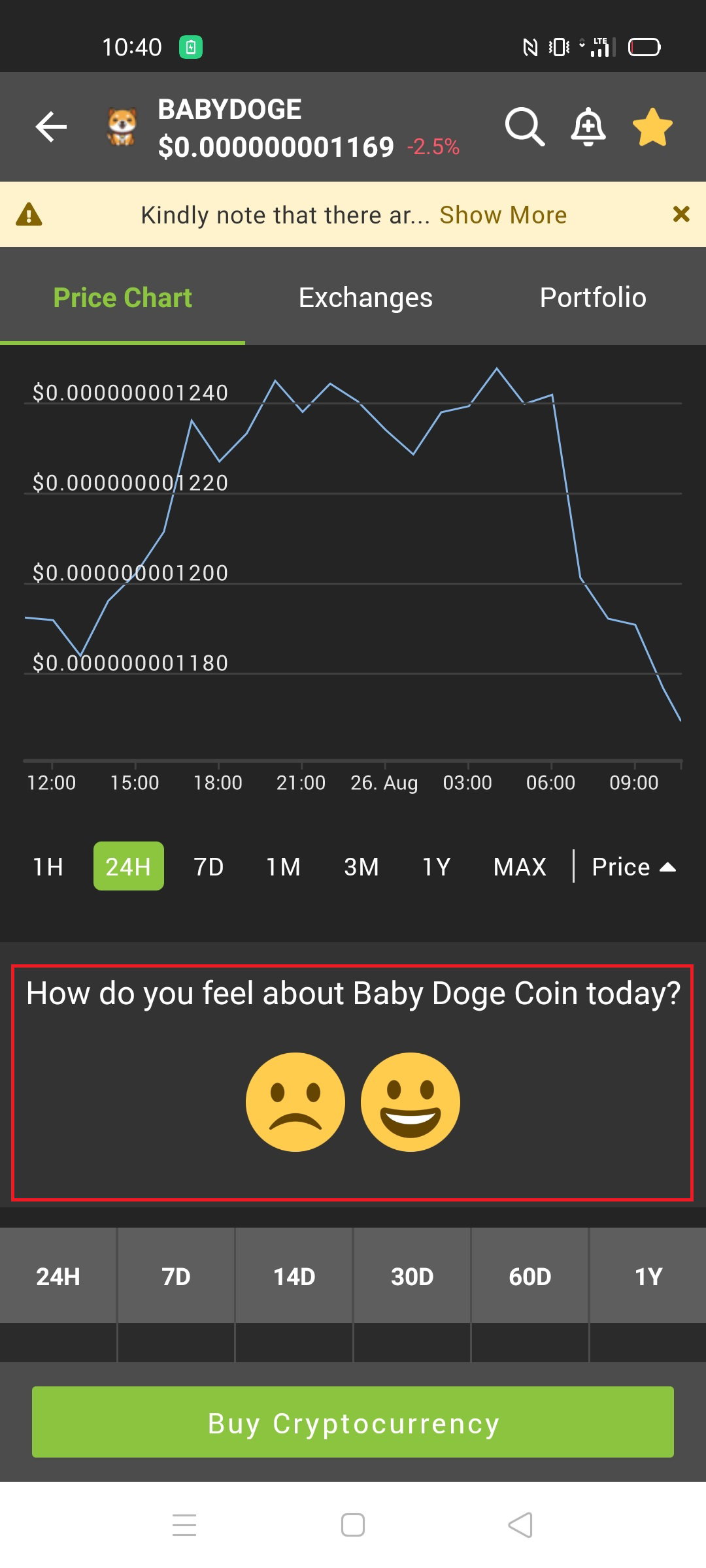
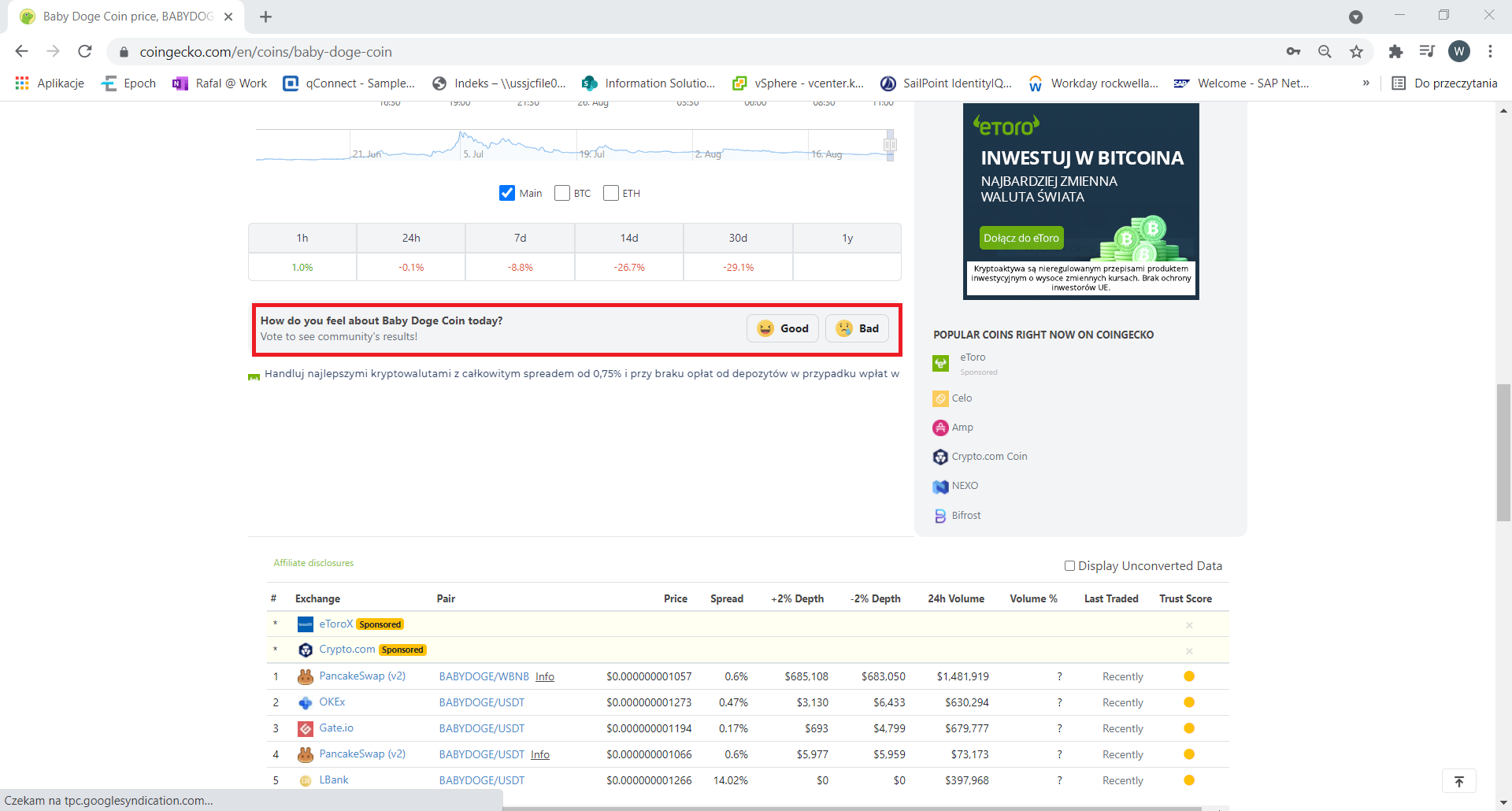
Software Testing - Testing in Practice - CoinGecko app example Hi, I thought that You may be interested in how to start testing in practice - what to look for, what are the typical software mistakes. To make it more interesting, I decided to show You that on "live" examples. Today, I choose a mobile app for a well-known in Crypto world price aggregator service: CoinGecko. To make it clear, I like it very well and using it a lot - but even in such a great app there are things that can be improved - at the end that is an idea behind testing at all :D Ok, let's start :) **Environment** When You create some kind of test report You always should start with information about which version of the app you tasted, on what operating system, what hardware, etc. So, in my case, it was: **Application Version:** CoinGecko 1.17.4(3300004) **Mobile:** Realme 7 Pro **Android version:** 10 **GUI inconsistencies** A good practice when creating GUI (Graphic User Interface) on different platforms (for example websites and mobile app) is to make it as similar as it is possible - to not make users feeling lost. So here You got the same feature that allows users to choose how it feels about each coin. Do you see any problem here? The problem is that in web version on the left side there is a "Good" and on right "Bad". And in a mobile app there are reversed. So for users who use both versions, it is really easy to make a mistake here. **Translations** If an app allows changing a language it is always a good idea to check if there aren't any bugs :) My native language is Polish, so here I will switch between it and a English. **Case 1** Here as language is set "English". But for some reason Sort button is in a Polish "Kapitalizacja rynkowa" What's more when we open 'Sort' option there are more "mixed" English - Polish names: **Case 2** Also in the tab: Select Language, there is a strange situation. All languages are in let's call it 'simple version - I mean English, Deutsch etc. For some reason there is a different story with Polish - instead of a 'Polish' we got 'język polski' - that means 'Polish language'. So to be consequences all should be in that format: English language, Deutsch Language or it should be Polish instead of 'język polski'. **Case 3** Also, there are some problems when we change the language to Polish. Here on the main screen we still got a tab called "Categories" which of course is in English, correct version should be: "Kategorie" The next window with some problems is Settings. Here I marked not translated terms: "Notifications" (should be "Powiadomienia" or "Notyfikacje"), "Follow us on Instagram" and "Join our Discord Server". **Not meaningful error message** When it is something wrong with the application error message should be meaningful and clear for the user - to know what he does wrong. Here in a field that allows You to put a name for portfolio, I put really long text (it is also a really common test for all fields that allow users to put some text). In result, user got some error messages marked on the screenshot - but it saying nothing about what really is a problem - the text is too long. **No way to end the process** One last thing for today's article, but worst from the point of the application's working point of view. In a Search option again put that long text and start searching. In that case 'endless' searching started. To be honest - I don't know it is really "endless" because I shut down the app after 6 minutes of waiting. What is worse in that state, the app not responding to any user operation - that 'X' close button doesn't do anything. **______________________________________________________________________** Well, that is all for today - hope You like that "live" testing example. For sure, I will add new examples from different apps, websites :) Are those all bugs in CoinGecko app? For sure not, to be honest, that tests take me about 30 minutes, so for sure there are more things that need to be fixed. Maybe You will try to find some of them? Maybe in the future, I will check it again to see if some of them were fixed :)

+6 more
@Otek
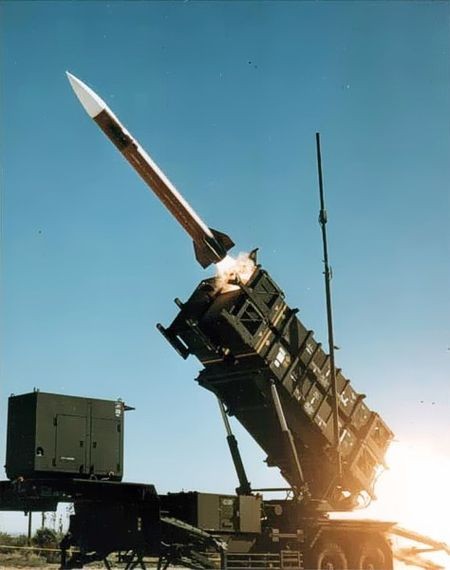
Hi, this time I wrote about a few decimals error in Patriot rocket system that cost life 28 people. https://read.cash/@Otek/a-few-decimals-cost-life-28-story-of-error-in-patriot-rocket-system-39873722 #Technology
 @Otek
@Otek
A few decimals cost life 28 people - Story of error in Patriot Rocket system Probably You heard before about the famous American Army surface-to-air missile (SAM) system called Patriot. But did You also hear about software bug/ using it contrary to the manufacturer's recommendations case that as a result, it cost the lives of 28 people? **How Patriots should work?** The Patriot was created in the 1970s to counter Soviet missiles that flight at an average speed of about Mach 2. The idea when they were designed should be as mobile as it is possible. For that reason, the time of continuous operation was therefore planned for no more than 8 hours. After this period, it was to be deactivated, transported, and restarted in a new location. **February 25 1991** Patriots, was used during the Persian Gulf War. On 25thFebruary 1991 year Iraqi Scud missile hit the American barracks in Dhahran, killing 28 people and injuring over 100. The tragedy occurred, despite the fact that the security of the base was guarded by 6 Patriot anti-missile batteries! Like always in such a question is: why? What went wrong? **Decimal Values problem** Of course, after that accident, US Army starts to investigate that issue. What was surprised - investigators found that fault was an already known bug: On February 11**,** 1991, Israeli forces found an issue with storing decimal values. Values for a time were stored as an integer number - which means it is a 24-bit size. It assures accuracy of 1/10 of a second. The result of that was in some portion of the time stored value being lost as it incremented every 0.1 seconds. To calculate enemy rocket location, data had to be cast to real numbers. Those 'lost' portion of second on the system running for consecutive 8 hours resulted in a 20% targeting precision loss, and after the continuous operation, for 20 hours the inaccuracy would grow so big that the Patriot system wouldn't be able to track, and shot down enemy missiles. The issue was reported by them to US Army, but they underrated the importance of the discovery. They assumed that according to requirements, Patriot should be a mobile system to be used for short-time defense operations and would never be used for over 8 hours. After each system restart, the time counter was also restarted, so then the bug wasn't to be a problem. Anyway, on February 16 a discovered bug was fixed. A patch was released, but in the ongoing war, applying it to every unit requires some time. **Nobody likes waiting** So the patch wasn't installed on that Patriots in Dhahran on time. But anyway, it shouldn't be a problem if the system still will be restarted after every 8 hours -right? Well, that is true. But do You like to wait? Probably no one like it - even soldiers. As it turned out, due to the long process of activating the system (60-90 seconds), so to avoid that activating system time some Patriot operators don't restart it at all. Some American batteries in Iraq worked continuously for over 100 hours. And in that case difference between real-time and that calculated by Patriot system was 0,34 seconds. This mistake turned out to be enough to allow the Iraqi Scud rocket, which was flying at as much as Mach 5, to slip away, despite being caught in the sky and then locked on in the first phase of targeting. Using an inaccurate clock, the system incorrectly calculated the window in which the enemy missile should appear in the second phase of targeting. Having not found the object in it, the Patriot took no action, considering it to be a false alarm. As a result, there was a tragedy described at beginning of the article.

 @Otek
@Otek
Looking for mushrooms - found that great frog 😃🐸 #Photography
 @Otek
@Otek
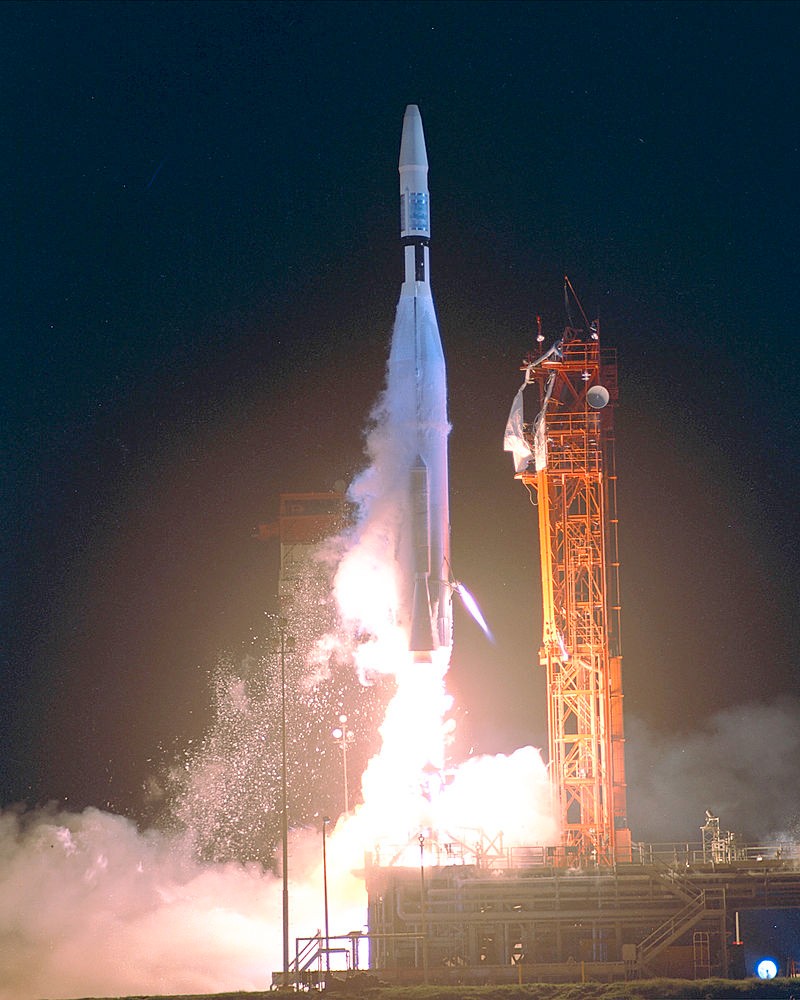
Good morning :) Do You hear about 294 rocket flight that ends with crash costs 18,5 mln $? I wrote an article about that interesting software bug. Hope You will like it :) https://read.cash/@Otek/software-testing-294-second-costs-185-mln-crash-of-mariner-1-183ddcd9 #Technology
 @Otek
@Otek
He @read.cash from some reasons my last articles isn't marked as 'EXC' eg. https://read.cash/@Otek/software-testing-how-to-start-5fe4e78a https://read.cash/@Otek/software-testing-294-second-costs-185-mln-crash-of-mariner-1-183ddcd9 is there any reason for that?
@Otek
Software Testing - 294 second costs 18,5 mln $ crash of Mariner-1 Hello again :) Writing about Software Testing gives me so much fun, that I'm creating new articles much often than I expected at the beginning :) This time I will cover another famous big software crash. The last time I wrote about Therac-25 case (https://read.cash/@Otek/software-testing-when-computer-glitch-kills-race-condition-error-example-c5266bbf), today it's time to write something about Mariner 1 space program :) **Mariner 1** (R-1) - the first space probe of the Mariner program of the US space agency NASA. It was built as a result of cooperation between NASA (National Aeronautics and Space Administration), JPL (Jet Propulsion Laboratory), and USAF (United States Air Force). The plan for that mission was to send it using rocket Atlas Agena B to Venus to collect valuable data about that planet. That project was very ambitious, cause it was the first American planetary flyby of Venus. **Launch Day** Mariner 1 was launched on July 22, 1962 at 09:21:23 GMT from Cape Canaveral. Atlas-Agena lifted off from Pad 12 and at the beginning, the start seemed to be performing normally. But just after a few seconds rocket veered off course and continued to change direction in a strange way. To prevent a hitting a ground - after 294 seconds of flight, an order to self-destruct was sent to the rocket. So, just that after 294 worth 18,5 million dollars rocket + probe was destroyed. The question like always is why? **Two errors** In effect of long 'post mortem' investigation reports said that there were two errors that went to the disaster. What is interesting if the former had not appeared, the latter would not have happened either, and everything would have gone according to plan. First error: Immediately after take-off, it turned out that the rocket antenna practically did not receive any signals, including navigation commands from the air traffic control center. However, the designers of the rocket were prepared for such an eventuality and created a plan B in advance of such cases. This plan ordered the onboard computer to cut off inaccurate signals from the antenna - completely ignore them and run the emergency software, which was to continue the flight according to a predetermined plan. So that has happened in that case, but instead of flight in a straight line - a violent cycle of rapid and significant flight course corrections began. Second error: there was a tiny error in the equation in the emergency pilot program. The correct version is shown below. The software in Mariner 1 lacked this little line at the top: "_". That mistake was made at the stage of handwriting one of the equations. The prescriber missed the dash in the equation. But why that one character is so important? This dash indicating that the guidance computer should average (smooth) the data. Without it, all speed changes were considered serious by the navigation system and caused a sudden course correction. Sir Arthur Charles Clarke English science-fiction writer describe it later: "The most expensive hyphen in history.". As a result of that error and strange behave of rocket ground control send an auto-destruction signal to prevent Mariner to hit the ground. Why does that mistake happen? Well like usual pressure and time were the reason. During that time cold-war was a really serious thing and CCCP and USA were in the middle of the space race. Everyone wants to be first - so politics rushed NASA to launch Mariner as soon it is possible. For that reason, there was not enough time for quality control. What is most important lessons were learned from this failure and the planned mission was then carried out by the identical Mariner 2 probe (of course with fixed software), which was launched on August 27, 1962.

 @Otek
@Otek
Yesterday I was in a great restaurant in Cracov called: First Step. I order that delicoius burger 😍😋 #Food
 @Otek
@Otek
I wrote article today and it wasn't marked as EXC - even it should. Do You also have such problem today?
@Otek
Hi, guys. I wrote a new article in a series about Software Testing - this time I cover very interesting topic - what I need to start working as tester? :) Hope You will like it https://read.cash/@Otek/software-testing-how-to-start-d9050fbe #Technology
 @Otek
@Otek
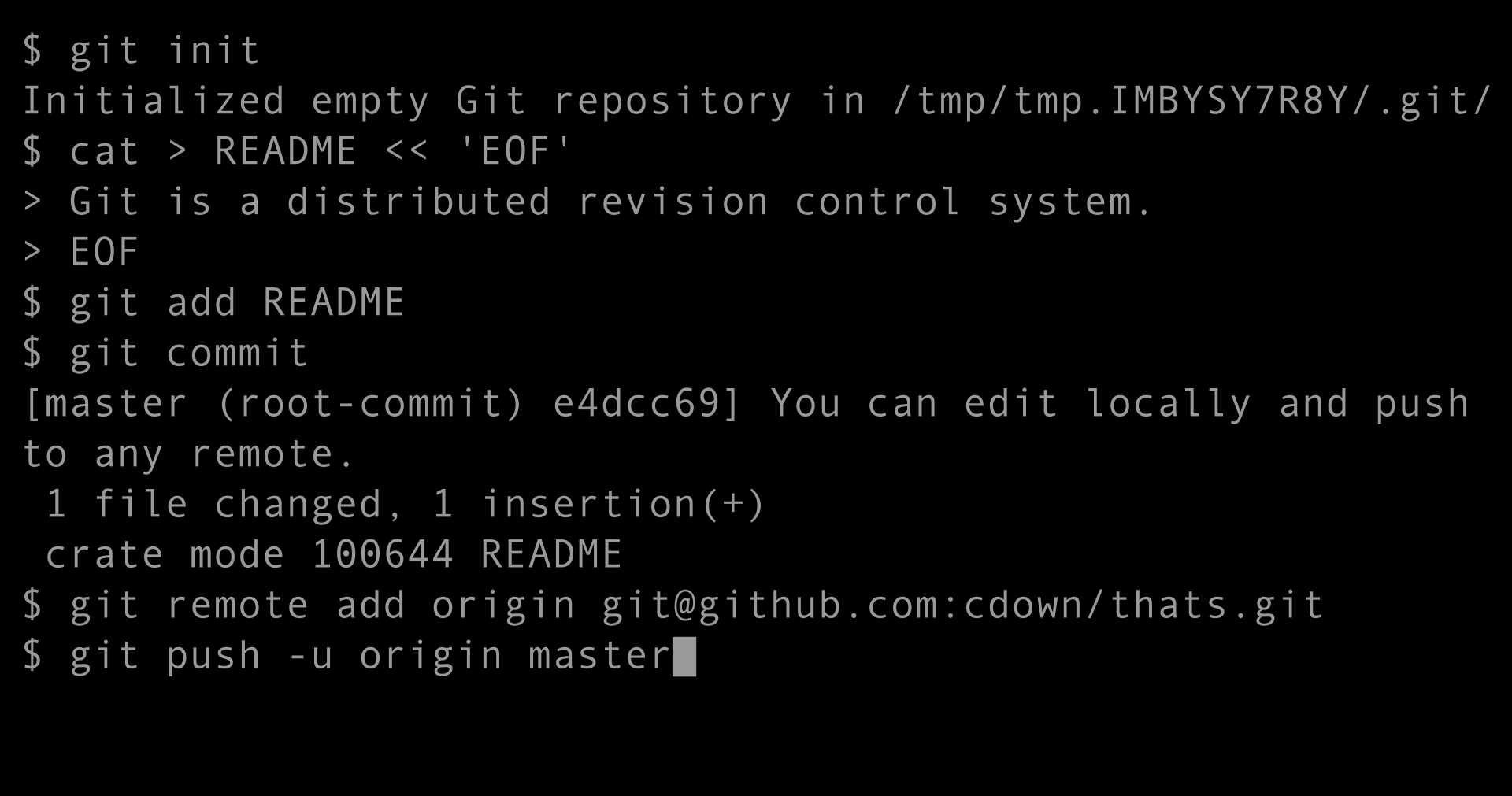
Software Testing - how to start? Hi guys :) Today, I want to cover the question that is most common when I am told that I'm working as a tester: **How to become a software tester? How start?** All information here is based on my experience (You Can read a little about that in that post: **https://read.cash/@Otek/software-testing-part-01-it-is-worth-becoming-a-software-tester-2f2c0bc9**.)and may vary slightly depending on the nature of your future job. But I tried to keep them as general as possible. **ENGLISH** It may seem trivial, but believe me - you really need English in that job. Why? Cause most IT companies have branches around the world and to connect people from different countries - accepted language in such companies isn't your native language, but English. Also, almost whole documentation, application interfaces, training videos, logs, etc. in It world are in English. But does my English have to be perfect? - not really. For example, my language skills are not so good, but as long You can understand documentation and get along with team members it will be enough :) **Basic IT knowledge** If you start as junior tester nobody will expect that you know everything, but there are some skills that will put you above other candidates. What skills are nice to have? **Network** - basic knowledge about how the network works. What is HTTP, HTTPS, FTP, and other protocols, ports, DHCP, DNS. What does error code such as 400, 404, 500, and others mean? What are SOAP and REST (and what are the differences between them)? How web browsers work. **Windows/Linux** - there are some advanced functions in Windows that you may be not aware of, and it is nice to know when testing: editing registry - how to do that and what consequences of that can be, using the command line, set up system environment variables. Try to use some of the Linux distributions - there are some that You can run even from pendrive. It's good to know what differences are between Windows and Linux (remember that Android is also based Linux :) ). Also check how terminal on Linux works. **Databases** - get some knowledge about how databases working. Learn some SQL - not necessarily complicated things, but it is good to know how Select, update, join works. Check Oracle SQL and Microsoft SQL. There are plenty of websites that allow You to try perform SQL scripts online (for example: https://www.tutorialspoint.com/execute_sql_online.php) **API** - what is an API and again how it works. You Can for free download an application created by Google and called Postman. It allows You to check how request and response between application looks like :) You can download it from official website: https://www.postman.com/ **GIT** - it is most popular distributed version control system and soon or later you will need to use it. What is pull, push, commit? What is a differences between merge and rebase? There is a great tutorial for that: https://learngitbranching.js.org/ **Other good to know things** - there are also some things that can be on your list if you cover things listed above :) Selenium or another tool/language for automated tests. jMeter or another tool for performance testing. Excel - yep it can be helpful also in testing :D Those were a few things that are on my mind right now and can be helpful to start your tester carrier :) For sure I forget about some stuff, but more or less that will be enough for you. And maybe your next question is: ok, but how to actually start working as a tester? Well, I will try to cover that topic in the next episodes of Software Tester series :)

 @Otek
@Otek
I was so busy today that i need some time to relax, grab vegan brownie with coffee 😁 #Food
 @Otek
@Otek
I'm glad that you enjoyed my series about Software Testing. This time I wrote about Computer Bug that kills people: read.cash/@Otek/software-testing-when-computer-glitch-kills-race-condition-error-example-da824270 #Technology
 @Otek
@Otek
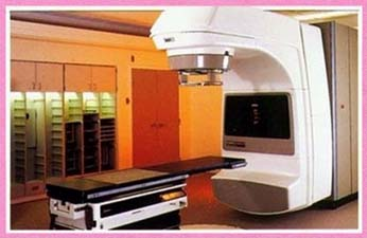
Software Testing - when computer glitch kills - race condition error example Hello :) I'm glad that You enjoyed my series about Software Testing :) If You don't read the first part or want to know why am I qualified to write about testing, check that post: https://read.cash/@Otek/software-testing-part-01-it-is-worth-becoming-a-software-tester-2f2c0bc9. This time I want to cover one of the software/hardware errors called: race condition - on the example of one of the most tragic software errors in history: Therac-25 case. **Therac-25** Therac-25 was a machine for radiotherapy of cancer used in the 1980s produced by Atomic Energy of Canada Limited (AECL). It was the successor of Therac-6 and Therac-20 versions (those two were produced in cooperation with the French company CGR). Between 1985 and 1987 there were at least six cases when patients were given massive overdoses of radiation. As a result of that 5 people dies. What happened? **AECL denies** The first accident happened in 1985 - the patient lost her breast and feeling in her hand, it turned out that the machine administered about 100 times more radiation than should. However - **AECL said that is impossible to fault is on the machine side, so no action was taken.** In the same year another Therac-25 got error and give much more radiation than was ordered by the machine operator - in result 3 months later, the patient who participated in the procedure died due to complications of irradiation. The AECL took a long time to deny the guilt, recognizing that there was no possibility that Therac-25 would get the doses wrong or irradiated despite the contrary. Nevertheless, a few more people were burned, and the case was brought to court. **Investigation** What was the result of the court investigation? The main issue was race condition error also known as a race hazard. It happens when some steps should have proceeded in a particular order and, for some reason, that logic order was changed. Let's take a simple example of refueling a car. We got 3 simple steps: Open fuel flap Pour fuel into the tank Close fuel flap What will happen when You will try to perform 3rd step before finished 2? You will break your fuel flap or spill fuel around the car. That can occur when it will be set up that step 3 will start after 60 seconds after step 2 started - but if for some reason step 2 will take longer, step 3 will start anyway even when step 2 isn't finished. Something similar happens in Therac-25 case. Machine operators were so experienced in operating this device that clicking and set up the next steps before earlier was saved by the machine. We can say that in some cases a human was faster than a machine. **Why did it happen?** Of course errors in software isn't something new, but why it wasn't found before Therac-25 was launched in hospitals? Researchers who investigated the accidents found that code was poor quality and AECL make some really bad decisions and doesn't much care about quality: AECL had never tested the Therac-25 with the software and hardware combination until it was put together at the hospital. Machine worth over $ 1 million software was written by one person. The hardware provided no way for the software to verify that sensors were working correctly. AECL did not evaluate the software design while evaluating how the machine may deliver the expected results and what failure modes might exist, instead focusing solely on the hardware and claiming that the software was bug-free. That are just a few examples of how bad was a AECL approach to Quality control. It also in a sad way shows how important Software testing is. Hope that example of race condition error was interesting :) See you in next episodes :)

 @Otek
@Otek
One more photo from Sunday hiking. A short relax on top of mountain 😉😁 #Photography