 @MyHero
more from that month
@MyHero
more from that month
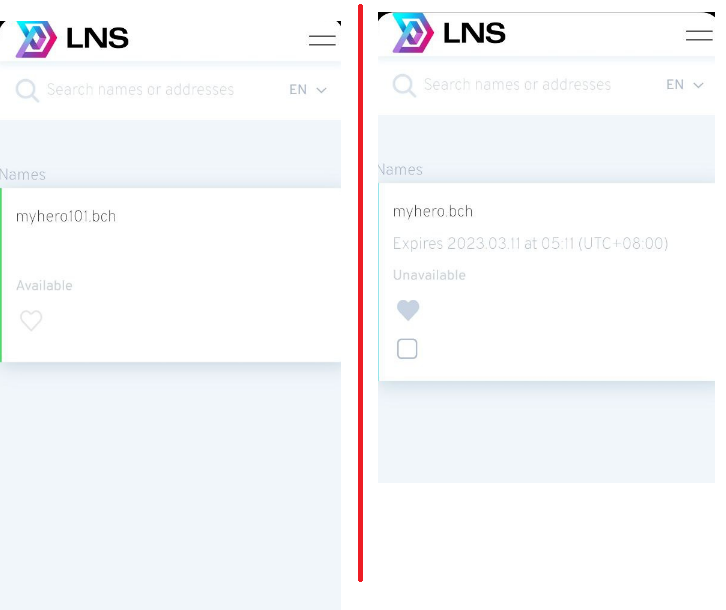
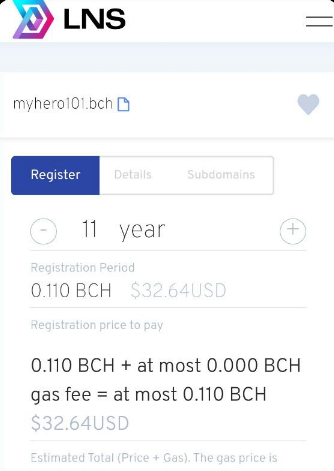
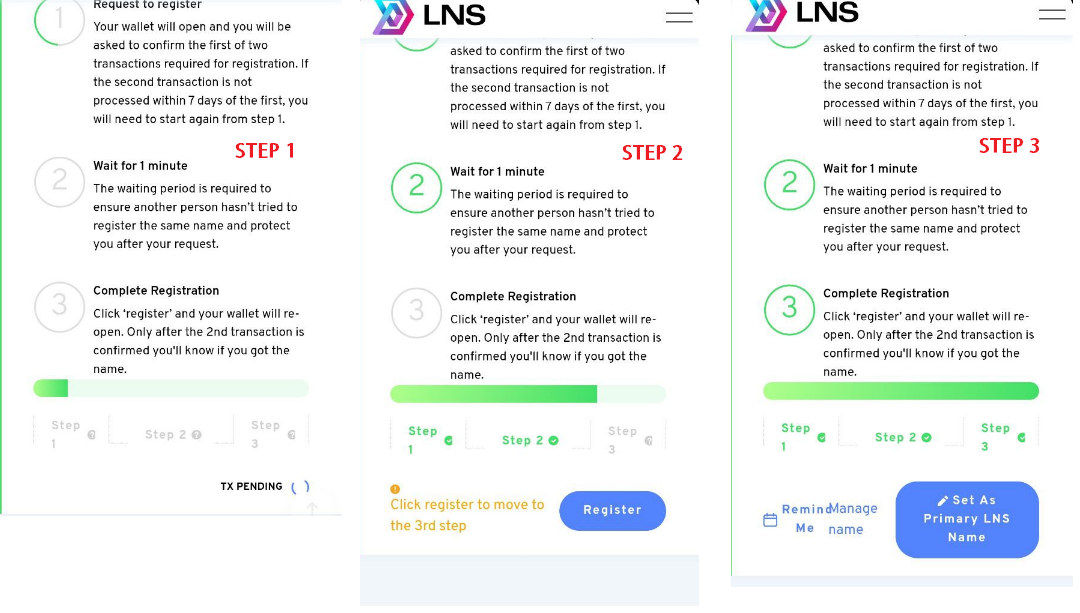
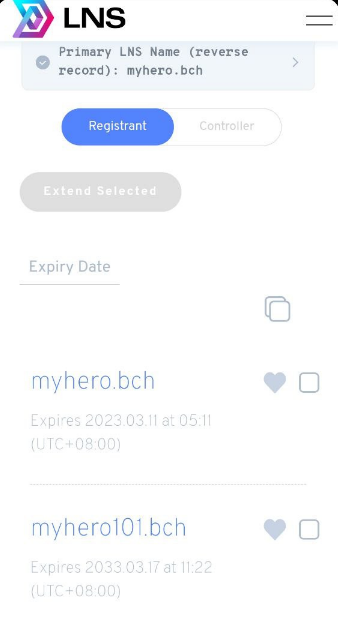
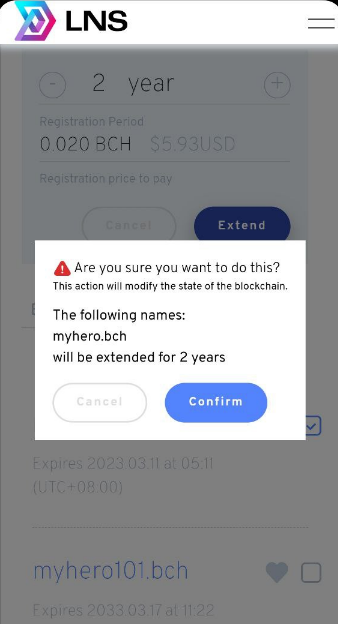
Testing 101: LNS (Bitcoin Cash Naming Service) LNS is a new naming service built for smartBCH by Mistswap For Testing, you can try LNS on testnet. 1. Set up network for smartBCH Testnet Link Here: https://noise.cash/post/ln990qxr 2. Navigate to LNS app: https://app.bch.domains/ 3. Search name or address in the search box. It will display the name and indicate whether it's available or not. (Image 1) 4. Click the name, you will redirect to the information page of the name domain 5. Register your BCH domain. You can choose the price range of registration. (Image 2) * 1 year = 0.01 BCH + gas fees 6. Click Request To Register. Your wallet will open for confirmation for registration. Wait until step 1 is complete 7. In the second step, Click Register. I will open Metamask for Total fees. Wait until it has been registered successfully. (Image 3: Step 1-3) 8. Go to My Account to manage your names. (Image 4) Notes: a. If you have multiple BCH names, you can choose one as the primary LNS name. b. You can extend the name of the expiration date. (Image 5) Additional Information 1. LNS is a fork of ENS (Ethereum Name Service) 2. LNS Token is the governance token of LNS. You can stake it on their site - LNS Token supply is 1,000,000 3. LNS a1rdrop will be happening on March 18 to xMIST holders. (50,000 LNS tokens) 4. On March 18, LNS will be available on the smartBCH Mainnet. Full details: https://read.cash/@kasumi/lns-bitcoin-cash-naming-service-db741f6a
2 comments
I am starting this work dear friend. Thanks for sharing link...
So cool! I don’t know what to do with a domain name but it’s so funny that I’ll try to have one