 @MyHero
more from that month
@MyHero
more from that month
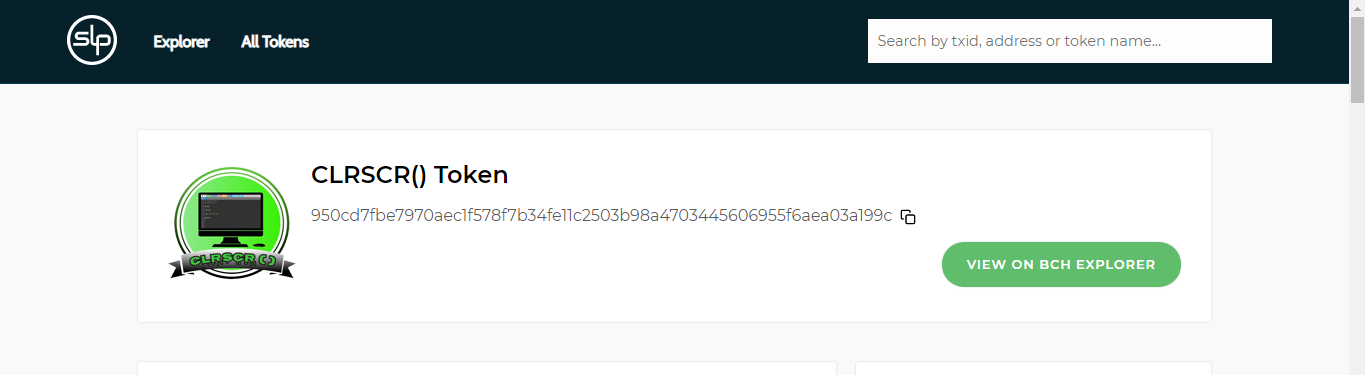
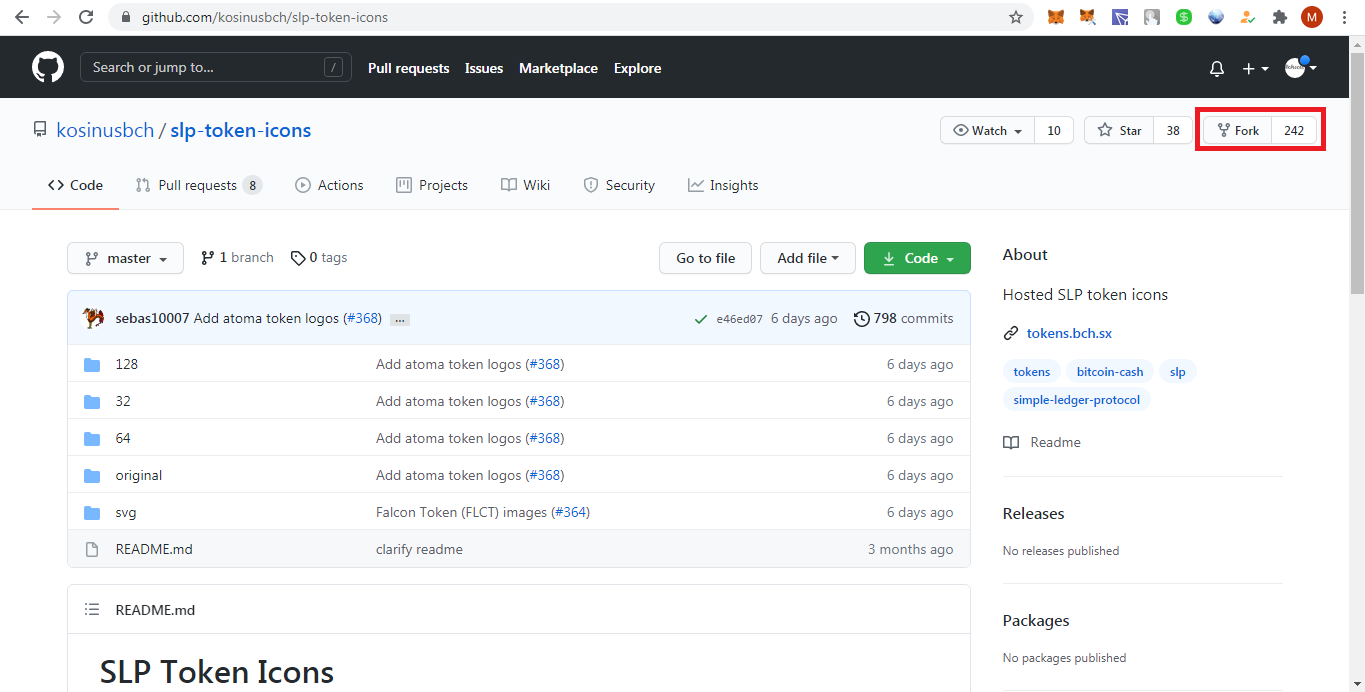
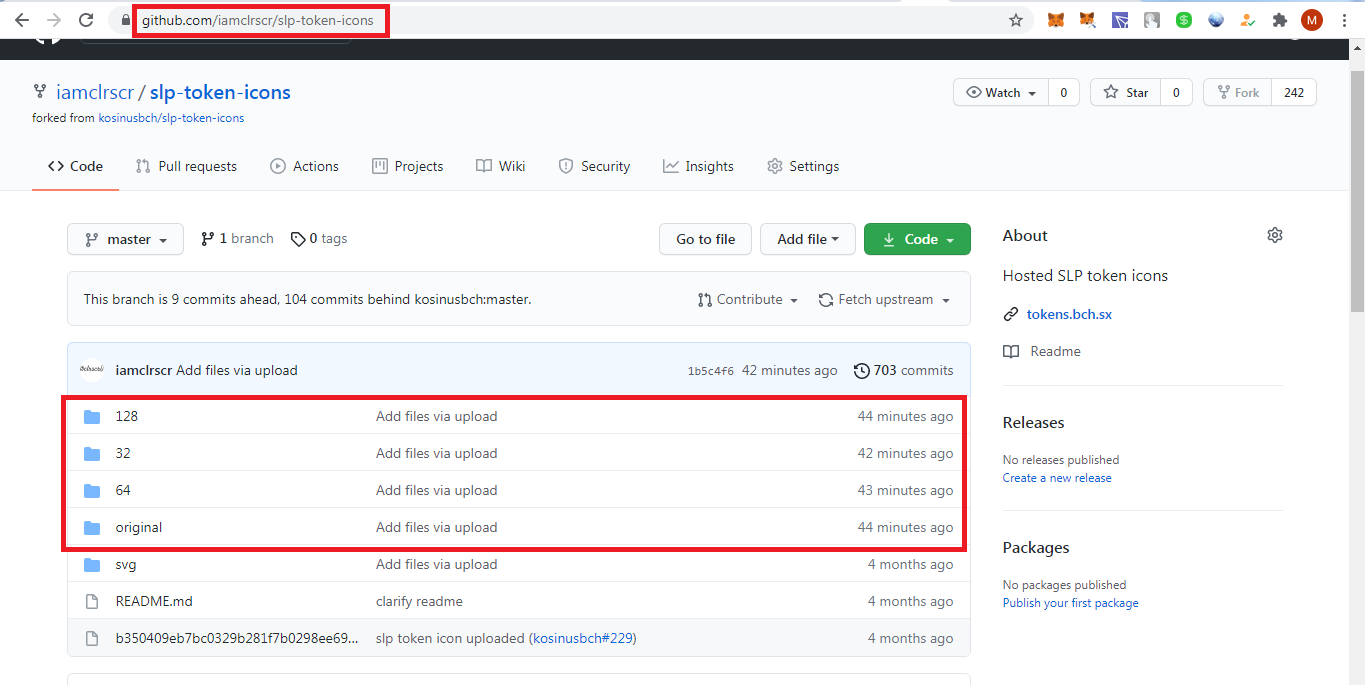
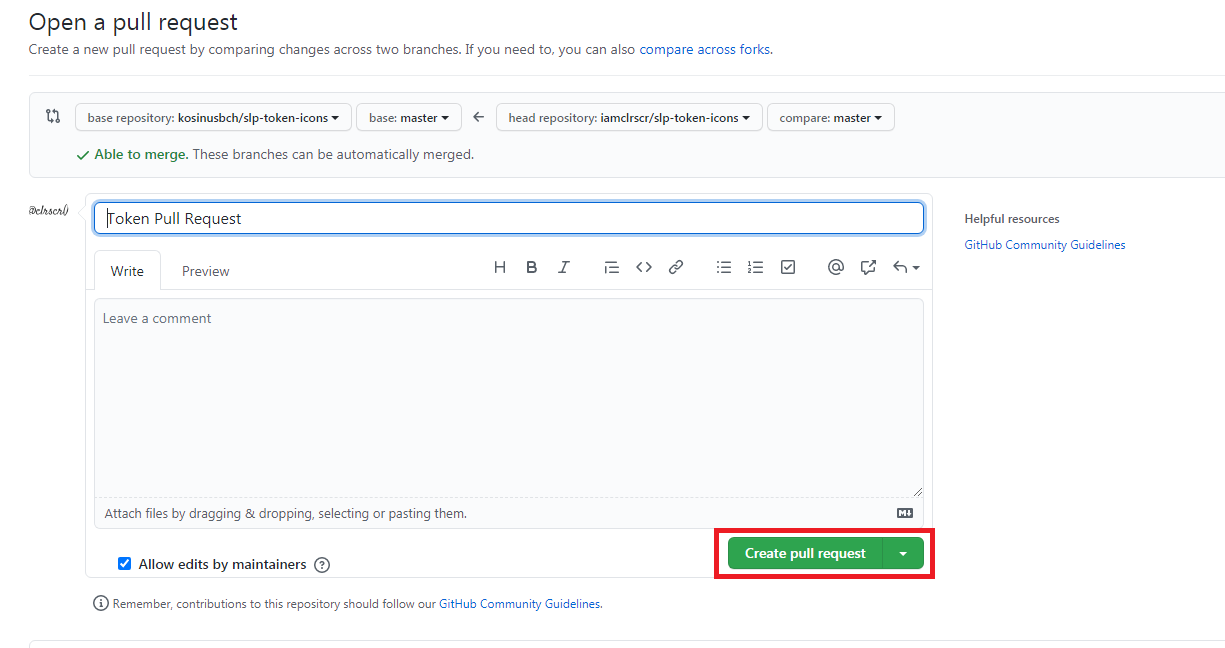
Info 101 : How to Add Icon in SLP Token/NFT If you want to add icon to your SLP token or NFT, there are 2 ways. One is using github.com and other is mint.bitcoin. I will tackle only Github because mint.bitcoin is on under maintenance. Note : Mint will soon become Pitico 2.0, a new and improved version of the original project that became Mint. 1. First, make sure you have a logo for your icon with a PNG format and sizes of 128x128, 64x64, 32x32 and "original" (more than or equal to 128px). The file name of the logo is Parent Token ID of your SLP token. Example - 950cd7fbe7970aec1f578f7b34fe11c2503b98a4703445606955f6aea03a199c 2. You need to create your own github account 3. Go to this link : https://github.com/kosinusbch/slp-token-icons and click the Fork button in the top right, below your profile. You have created your on fork repo (https://github.com/<yourusername>/slp-token-icons). Image 2 4. After you fork it, upload your icon images in respective folders (ex. 128 icon to 128 Folder, 64 icon to 64 Folder, 32 icon to 32 Folder and original icon to original Folder then click Commit Change Button). You can add SVG file if you want too. Note : Don’t change any other files, only add your own images. 5.1 Then go to your Pull Request tab and click "New Pull Request" Button and will go to Original Repo then add title and click "Create Pull Request" button. (Image 4 and 5) or 5.2 Go back to Original Repo - https://github.com/kosinusbch/slp-token-icons and Click "New Pull Request" button. From the Compare Changes page, select your repository & changes to merge into the original one. (Image 4) Note : You need to wait to verify your request by the owner. It can take a few days or weeks for a token to be verified. Just comment below if you have a problem in adding icon for SLP token. #SlpTokens

1 comment
Mint supports NFTs now?