 @Laurenceuuu
more from that month
@Laurenceuuu
more from that month
Turn your mobile phone into a laptop! Don't you have a laptop nor pc? You want to use laptop but you're just using smart phone? No problem we have a solution for that! So earlier I posted on noisecash about my DIY laptop ***(not literally, look at the photo)*** https://noise.cash/post/16gwm27l
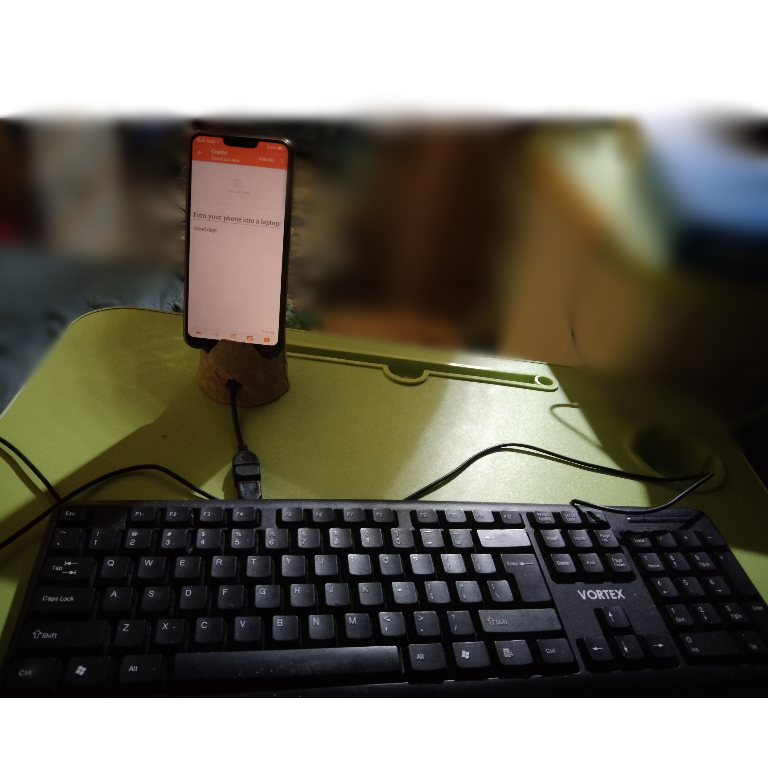
So I am here to share how can we set up this because I think not everyone here are already know how to do it. I will share this so it can help you especially to those students who have an online class that needs a laptop. Trust me, it is very useful! At this time, the virus are spreading more and more everyday and we don't have a choice to study with a help of different platforms such as Google meet, zoom, Facebook Messenger and etc but sometimes, many students can't afford to buy a laptop so they are having a hard time while studying so in this article, let me share you what I found out and what I learned. Here we goooo! **Requirements:** **•**OTG **•**Keyboard **•**Smart phone **•**Phone stand At first, you need to have an OTG. It is a type of USB cable where you can connect it to your mobile phone and into another USB cable. You can buy this in an online store and any other store at your place.
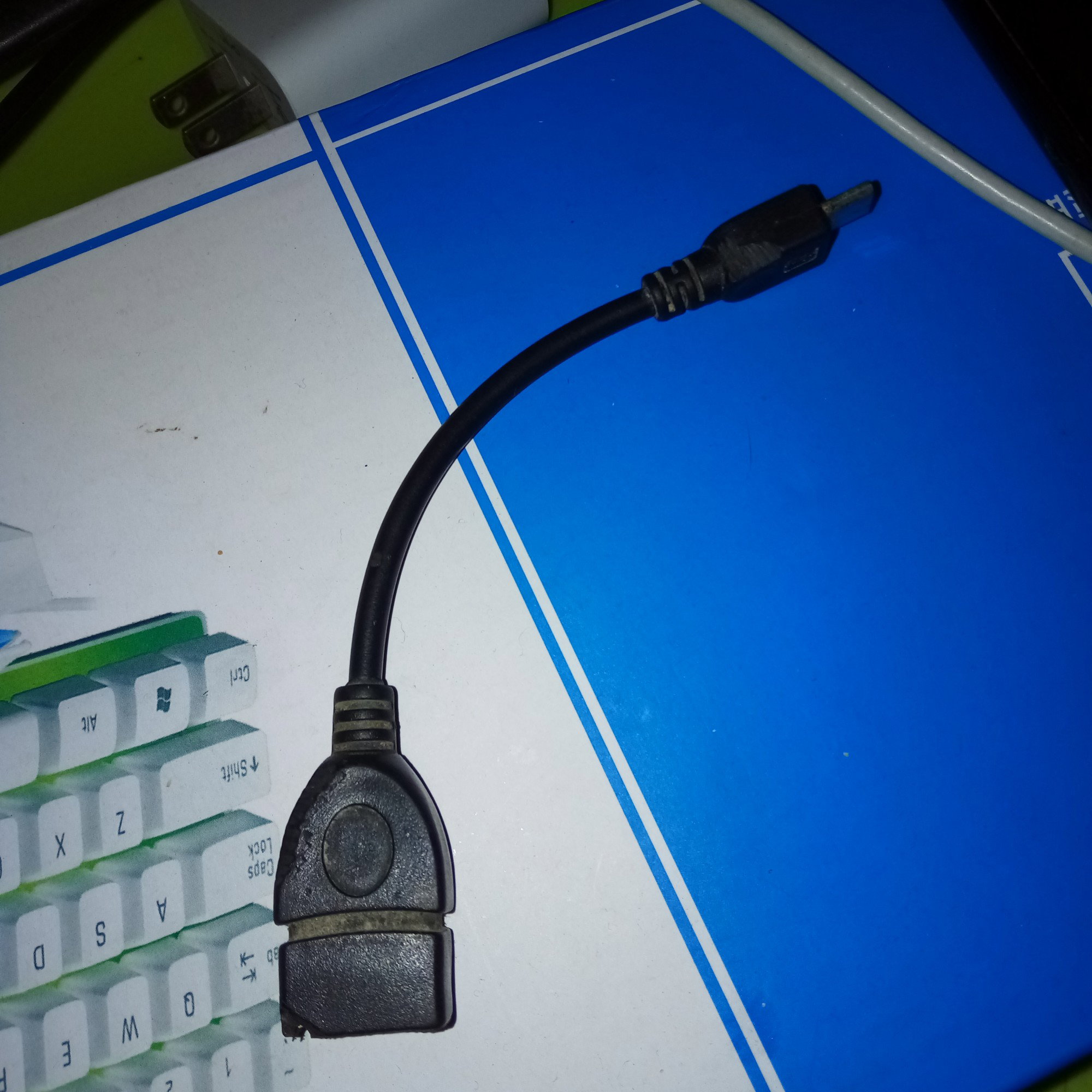
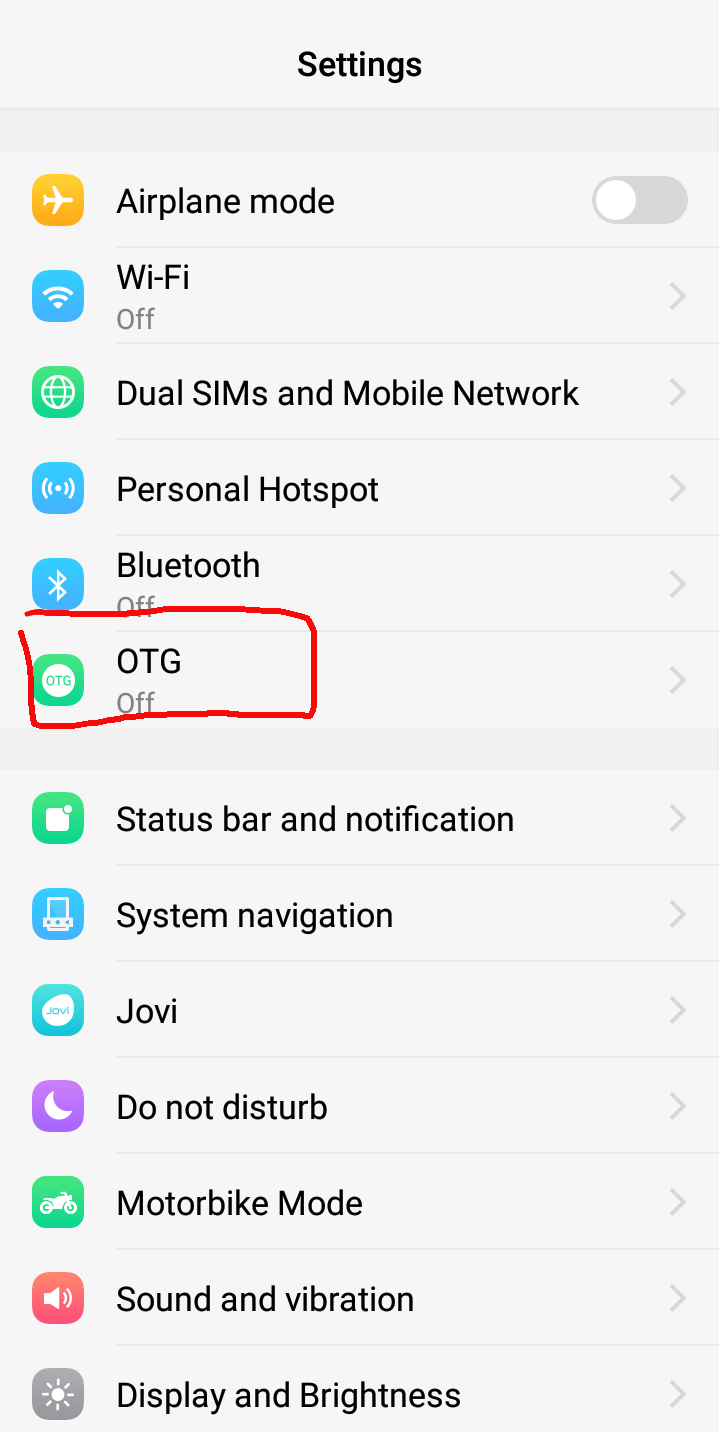
Secondly, check your phone if it can support an otg. Try to search it on settings "otg". If you already searched it, turn it on then connect your OTG to your phone and to your keyboard.
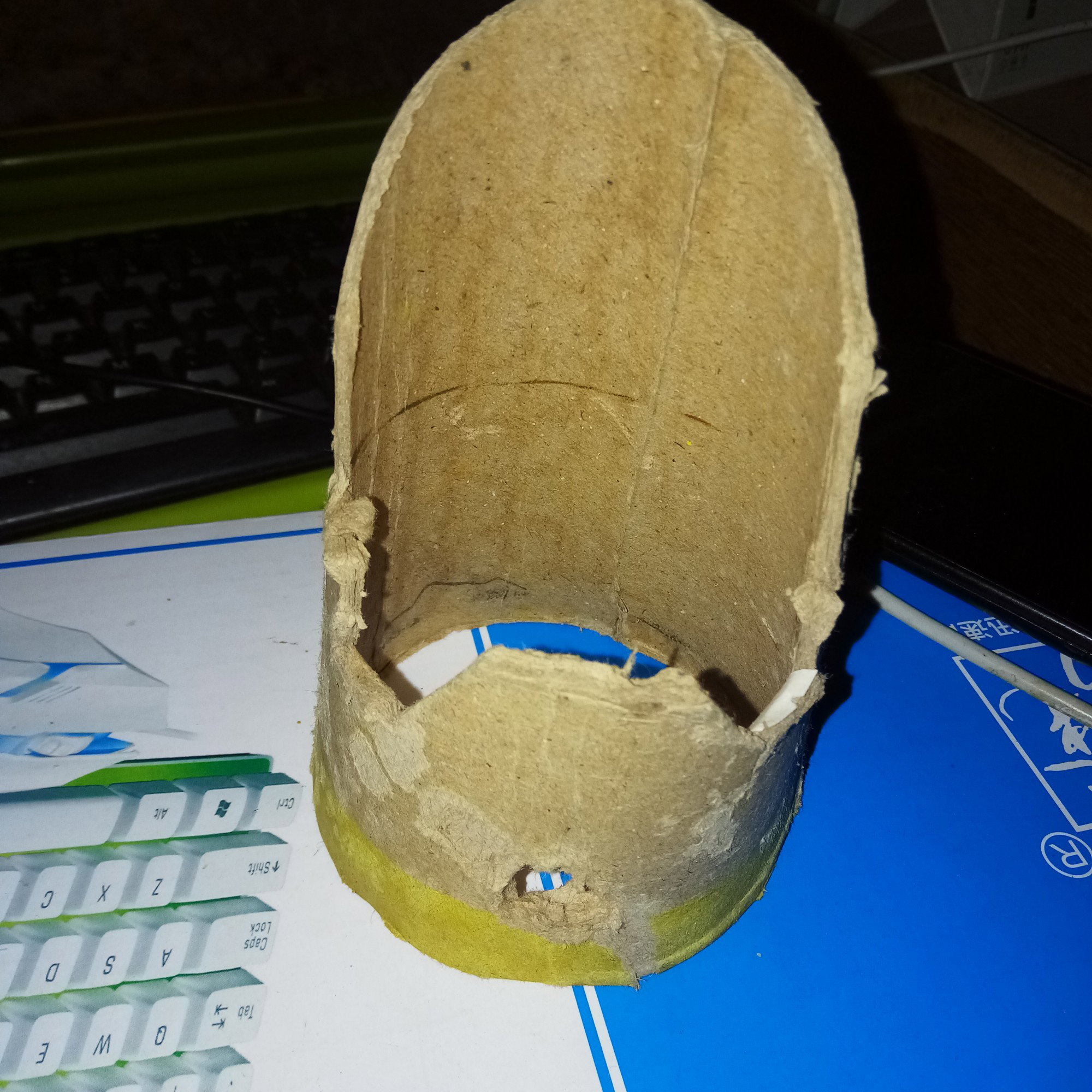
When it is already connected, you will see a notification on your phone saying that it is already connected. Then here you go! Try to tap the keys and voilaaaa! You have a phone and laptop at the same time! I recommend to make a DIY (Do It Yourself) phone stand, my DIY phone stand was made on a carton I just cut the other side of it and voilaaa! You have a DIY phone stand! I also put a hole at the lower part so you can put the wire of USB cable.
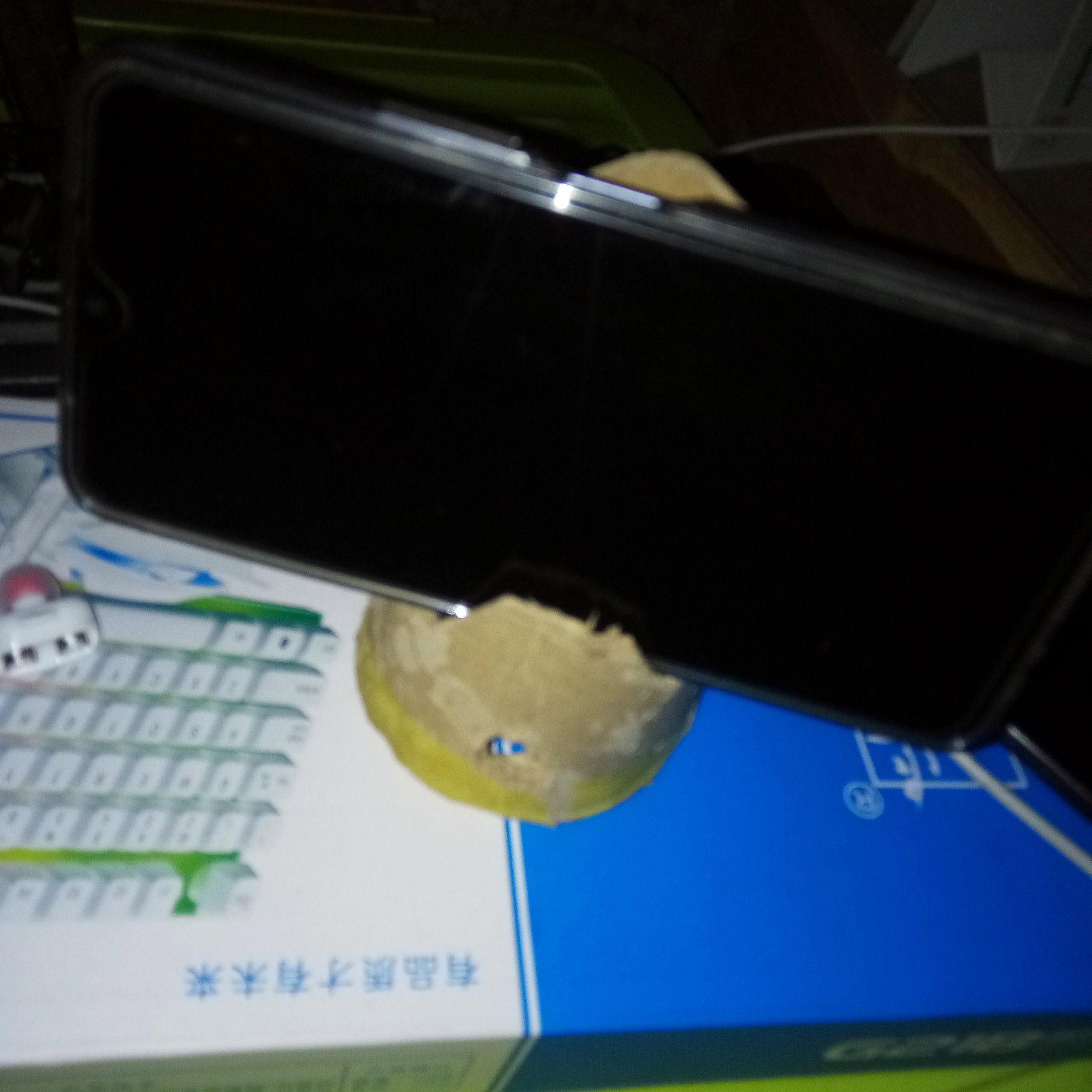
*****(You can also use a mouse device on your phone, just follow the same process. Don't forget to turn on the OTG before connecting the OTG cable into your phone and keyboard. This is only working on those smart phones that has an OTG feature. You can also put your flashdrive and hard drive in your mobile phone with the help of OTG).***** **Desktop site** If you're having a hard time in using Google meet because it is too small, you can actually use a ***desktop site*** on your browsers. I am using this if the platform's requirement is a desktop or laptop. First, go to your browser *(I'm not sure in other type of browser if they have a feature like this but I recommend to use Google Chrome)* search the website that you want to visit, once you directed on the site, click the three dots on the upper right corner of your screen.
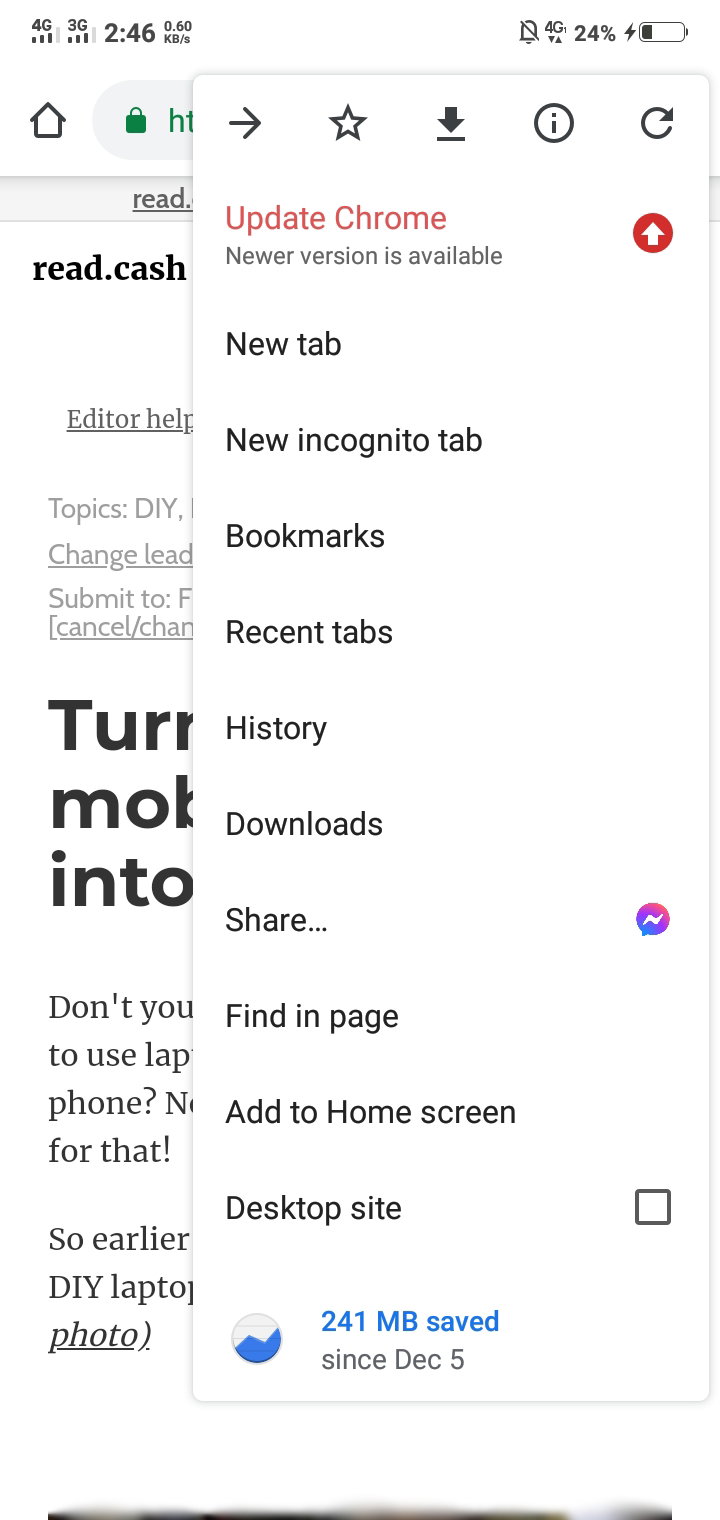
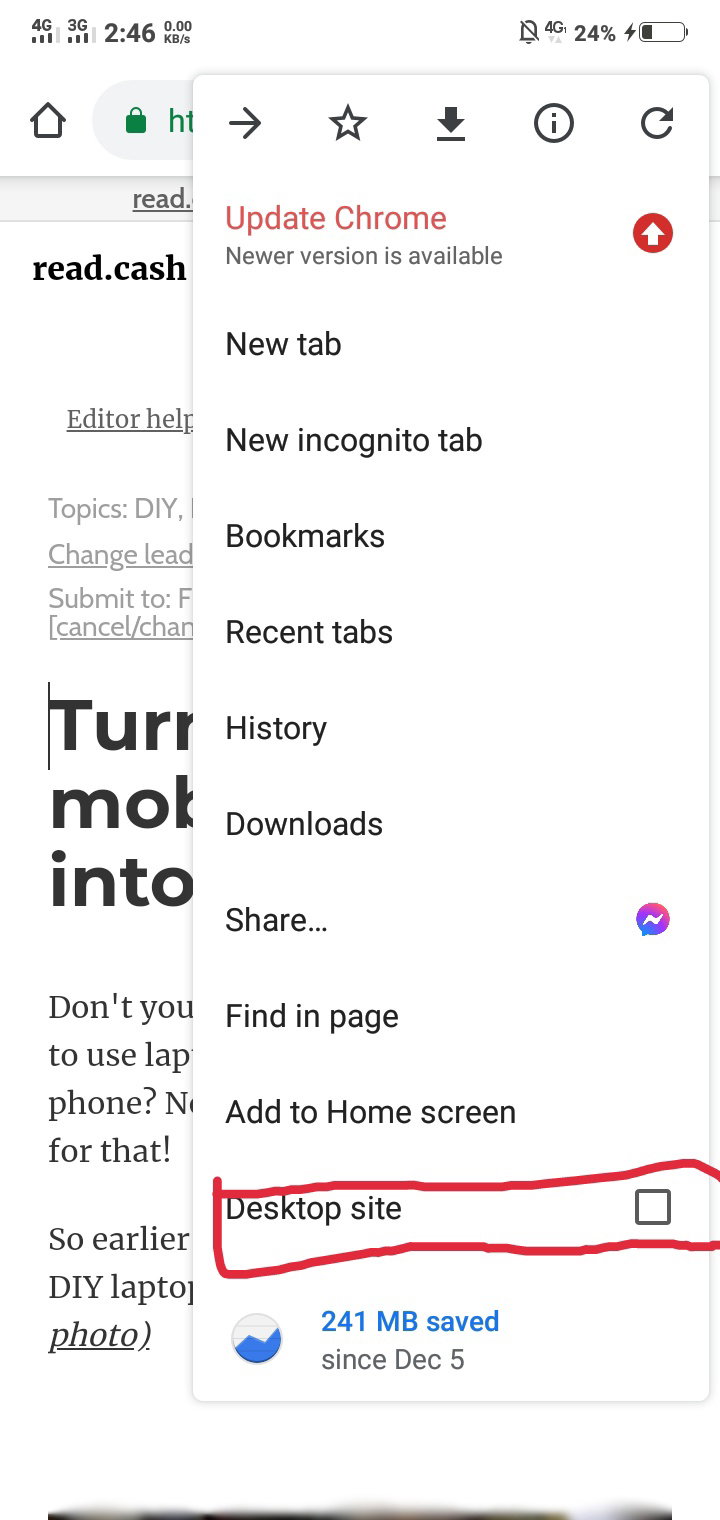
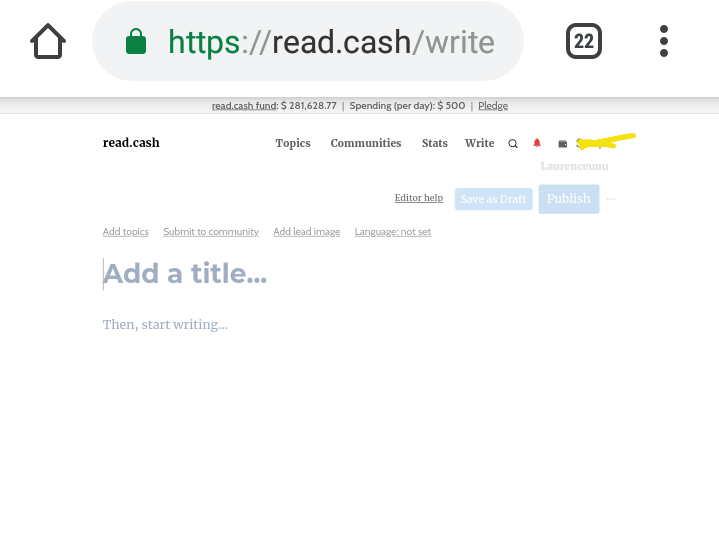
Click the word **"Desktop site"** and it will load for a couple of seconds and voilaaa! You have a look a like desktop!
This is just a short article and tutorial, I hope you find this interesting and you learned something. I hope that I can also buy a laptop so I won't do thid anymore because I'm too lazy to set it up but because I love the sounds of the keys when I am pressing it, I am doing this😆 Did you learn something? Share this to your friends!




25 comments
Your so creative I will that, but I need to buy a keyboard.i find your article funny but useful.hehe
Thankyou! Haha I recommend to buy a Bluetooth keyboard so you'll not set it up😆 what's funny? Hahaha thankyou!
Nice naman, hahahaha. This will surely help sa mga walang laptop.
Yes nga po hahaha I love making a ***DIY products*** it is eco-friendly and you can also save your money.
wow😯😯😯 you are so creative!!! Never thought we can connect a keyboard on our phone. Amazing idea. Hopefully My phone support OTG. I'm gonna check it out.
Yaaay! Thankyou po😆 I'm always exploring the features of my phone so I will learn something😆 check it out!
Yeah yes!!! I have an OTG on my phone 😱😱😱 magkano ba ang keyboard?
Yes good po yan hahaha. 200 po yata bili dito samin eh pero mas maganda yata kung Bluetooth keyboard na lang para wireless
Nice one, haha gusto ko din nga bumili ng keyboard na ganyan, nahihirapan ako magtype nf article ba . Bili kaya ako sa shopee 🤔
Kung bibili kapo mas maganda kung Bluetooth keyboard na lang hahaha
Yan din naiisip ko, kaso sayang battery, matakaw ata?
Di ko lang po alam hahaha di ko pa na try e
Eh yang pag gumamit mg otg? Matagal pa din malowbat?
Base po sa experience ko matagal naman po
Okie dokie yo, pero bumababa ang bch ahahaha
Oo nga po ehh sana 'di tayo nagkamali ng desisyon😆
Tataas yan, don'cha worry 💪
Opo naman yes tiwala lang😁
Ayos!
Hehehe😁
I like how you have shown resourcefulness and creativity. What caught my attention is the DIY phone stand. Galing 🤟
Yaaay hahaha thank you po! Yes po hehehe yung DIY na ganan ginagamit ko din sa mga stand kapag naggagawa kami project na video presentation😆
I don't think that applies to all phones but that's a pretty cool trick 😂😂😂
Yes it isn't working at all phones. I mentioned that it is only working for those mobile phones that has an OTG feature. Btw, Thankyou po!
Then the newere ones na type C, di na gagana dun yung trick XD sad but lucky i have a laptop now