 @KrisCastro
more from that month
@KrisCastro
more from that month
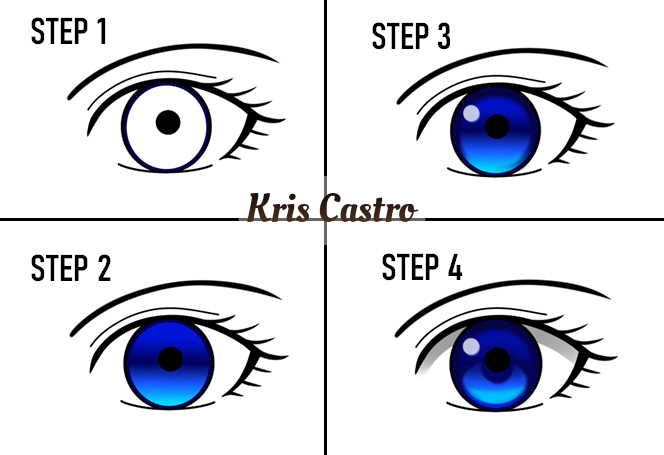
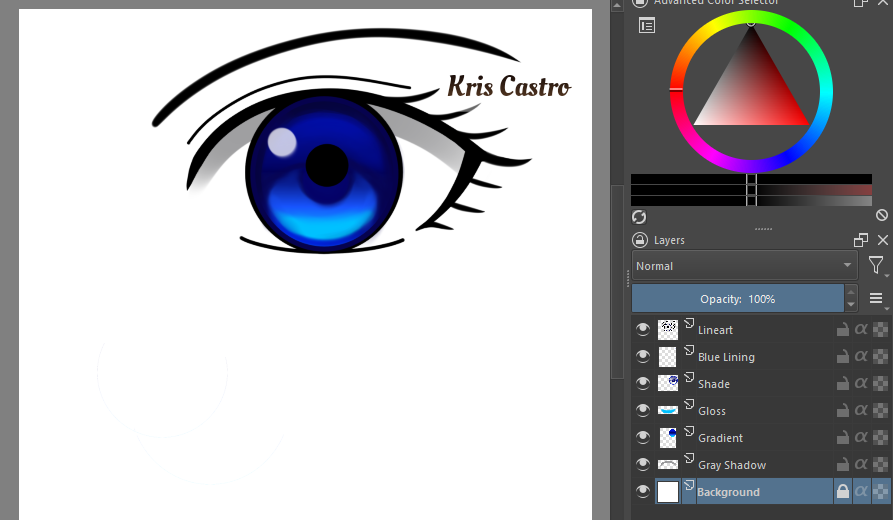
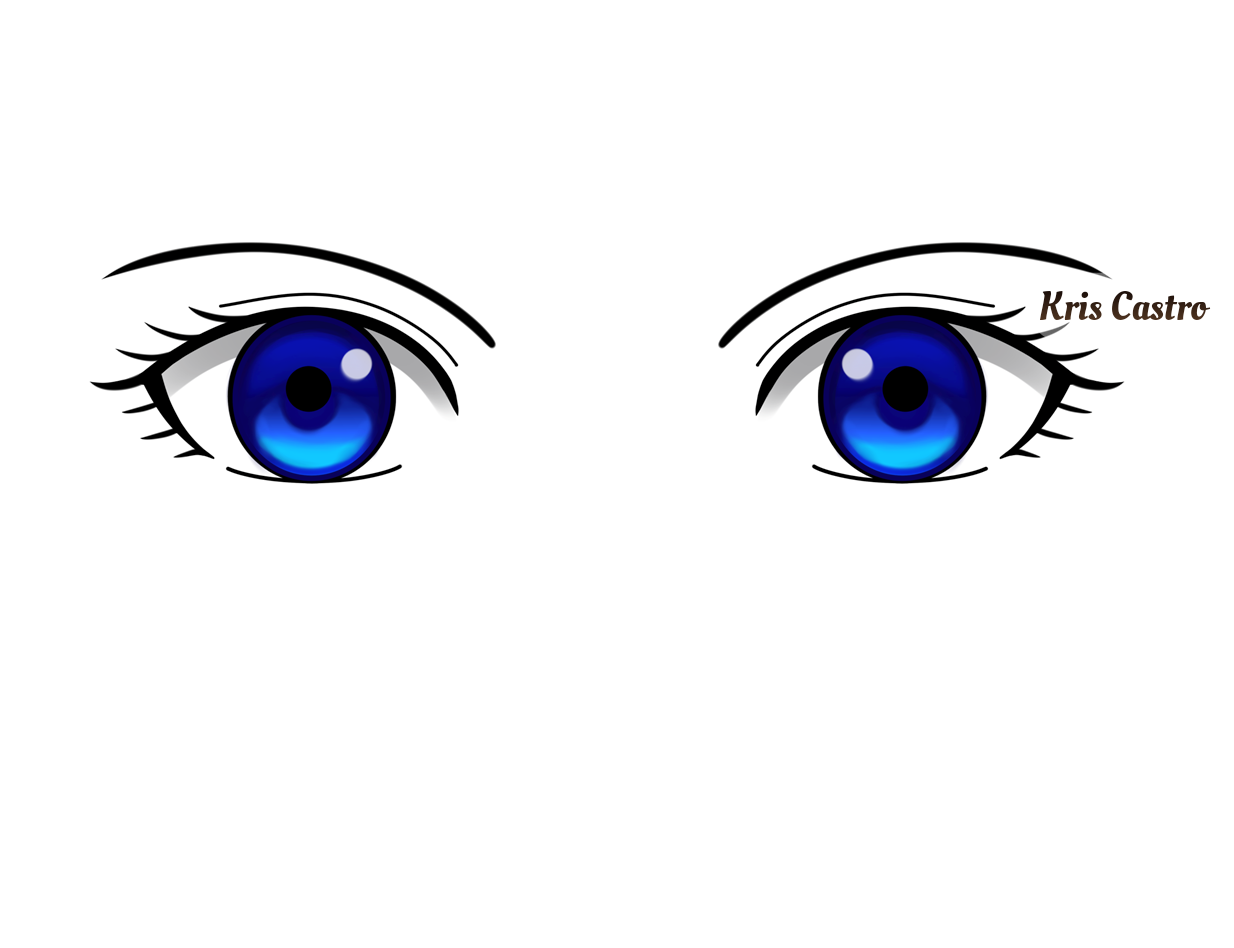
💙 BLUETIFUL EYES 💙 Time flies really fast and it's Friyay now. Since this is the day where people rejoice, I want to rejoice as well by sharing art. Some of you have seen the blue eyes I have practiced days ago and now I'll be sharing how it's done. I'm using Krita drawing software. Just follow the steps in the photos below. Step 1: Start with the lineart. Step 2: Create a circle then fill it with gradient color. Step 3: Use the airbrush tool to shade the circle then use flow opacity brush and simply make a white dot out of it. Step 4: Complete all the details. 2nd Photo: This includes the 6 layers I used for this practice. It's important to be familiar about layers to make coloring more convenient. 3rd Photo: Copy and paste the eye then flip it to complete the pair of eyes. That ends my simple eye tutorial. Next practice will be the hair. Digital art is fun especially on a Friyay. 😀🎨
7 comments
Ang ganda sis. Ang galing mo... Gawa ng madami para may kitain pag may I.D ka na
Salamat sis. Aralin mo din yung layers para sa digital art mo. Sige drawing lang din ako para may iuupload na pag magka id. Nagbabalak na ako magrenew ng passport pag hupa nitong omicron kasi baka matagalan pa yung national id.
Oo sis, mas madali makakuha ng passport basta kumpleto ka ng requirements. Ipon ng ipon ng drawing para marami choices😊
Mata palang yan pero ilang layer na haha lalo na kong buong katawan hahaha
Basic pa lang yan hehe. Yung ibang nakita kong tutorial na mas madami ang details eh mahina pa ang 10 layers para sa mata.
The tutorial🙈 This eyes is really pretty sis.. Nd i love the way u do it from step to step🙈
Coloring is the one I enjoy most when I draw. I watched tutorial from youtube so I can apply the coloring style I do in paper into digital. I did the most simple method to make it easy to color.