 @JLoberiza
edited
more from that month
@JLoberiza
edited
more from that month
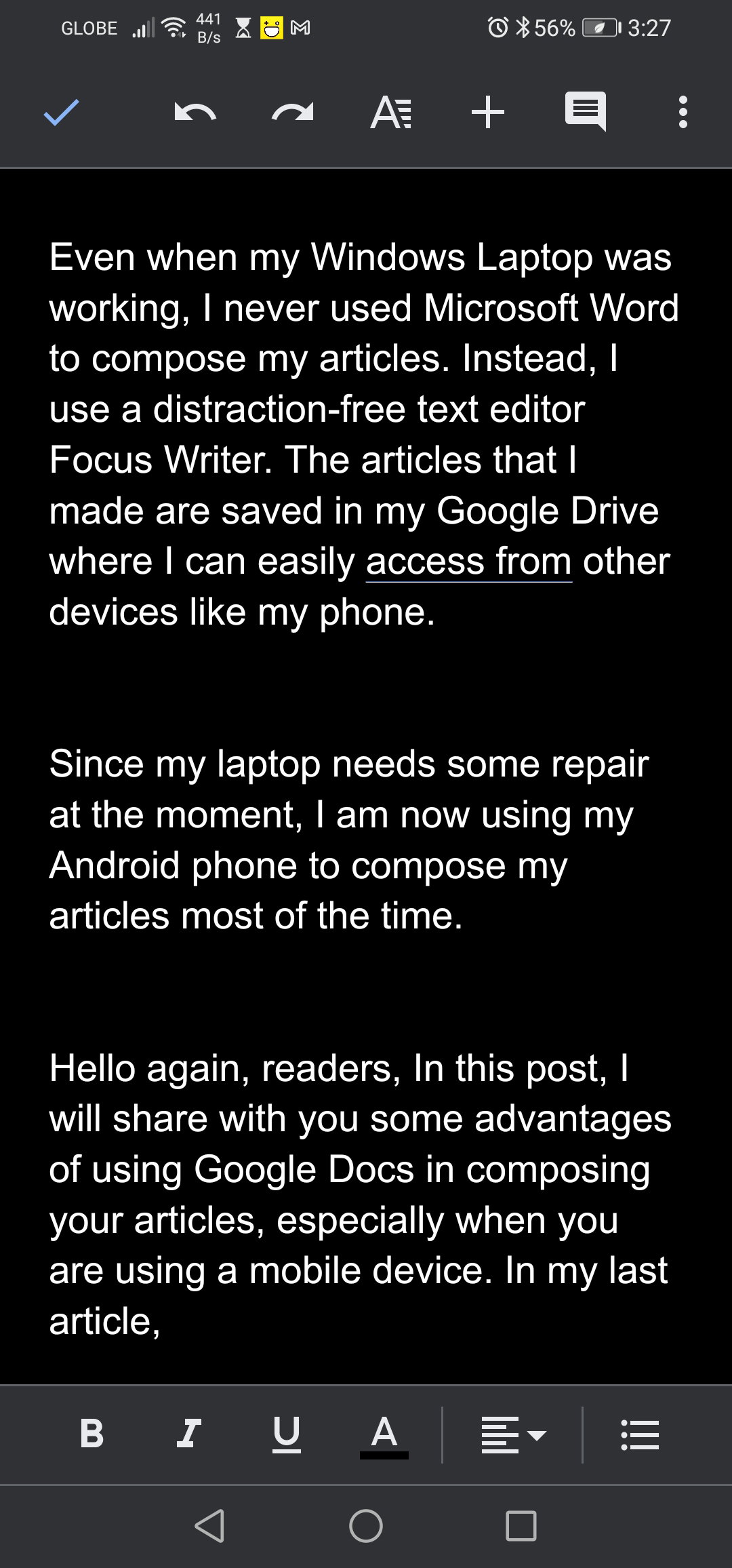
Six Advantages of Using Google Docs in Drafting Your Blog Posts Six Advantages of Using Google Docs Even when my Windows Laptop was working, I never used Microsoft Word to compose my articles. Instead, I use a distraction-free text editor Focus Writer. The articles that I made are saved in my Google Drive where I can easily access from other devices like my phone. Since my laptop needs some repair at the moment, I am now using my Android phone to compose my articles most of the time.

Image Source: **Spanning.com** http://spanning.com/wp-content/themes/spanning/assets/google-docs-icons.jpg Hello again, readers, In this post, I will share with you some advantages of using Google Docs in composing your articles, especially when you are using a mobile device. **1 Free** Who doesn’t love a free app? Google Docs and its Office Suite are free for personal use. I don’t think I need to explain this further **2 Can be set to distraction-free Interface** With a distraction-free interface, you see almost nothing but your workspace. No menu, no toolbars. Thus you can focus on writing your articles. Although it is not as distraction-free as Jotterpad or Writer Plus, these apps don't even show page breaks.
**3 Automatic Save and Sync into Google Drive** This is a great plus. No need to hit CTRL-S (on your keyboard) or hit the ‘Save’ button. There is no ‘Save’ button in Google Docs anyway. This means no more worries about forgetting to save your articles. Another great advantage is, the files are automatically synced in your Google Drive. Which leads to another disadvantage.
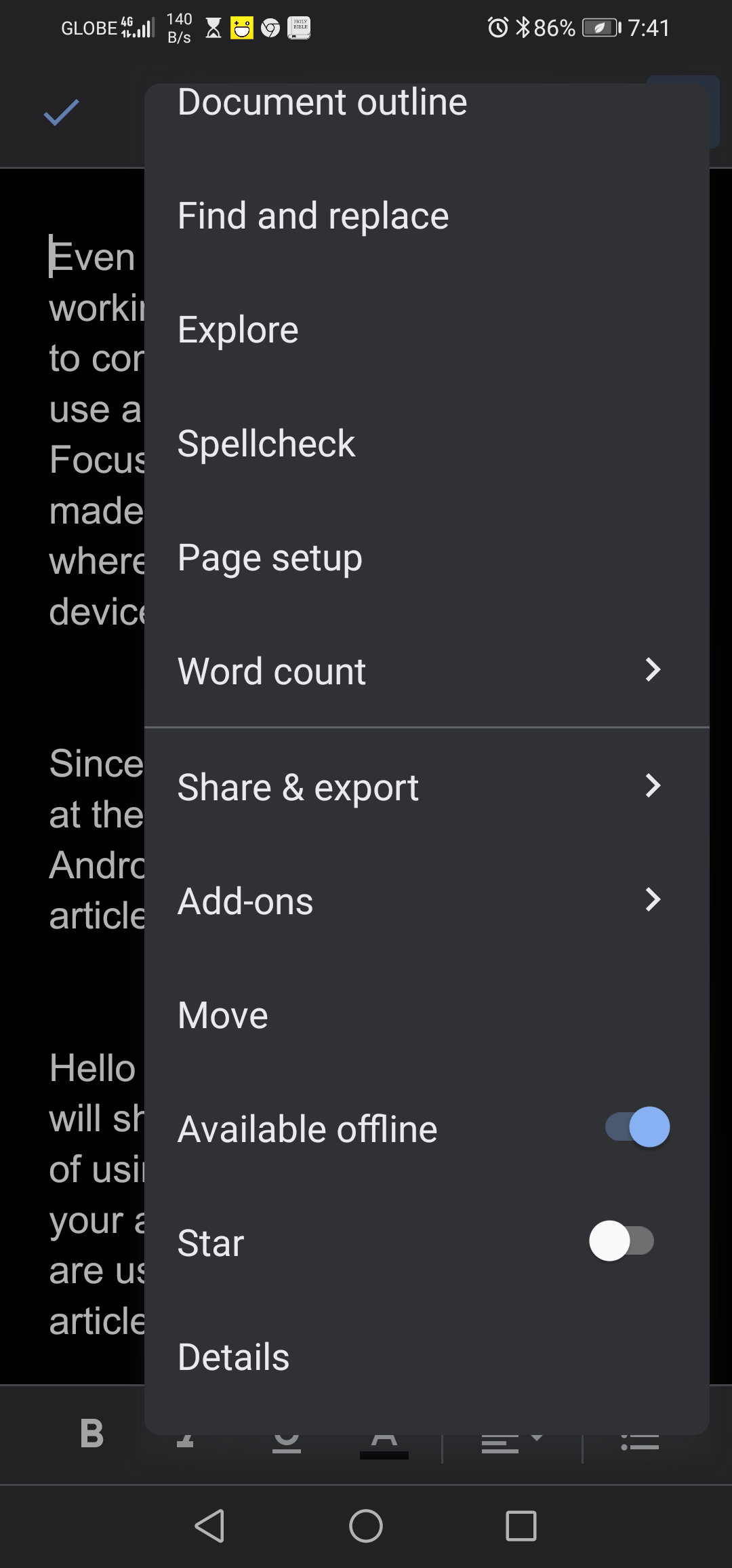
Image source: **Mobileinternist.com** https://mobileinternist.com/wp-content/uploads/2017/05/google-drive-sync-android.jpg **4 Cross-Platform** Cross-platform means, you can use Google docs on any other operating system aside from Android. You can easily access your files from an iOS device (iPhones, iPad, etc...). Windows and even Linux. **5 Works well with Grammarly** Google Docs has its own, grammar and spelling checker. But I’m more comfortable with Grammarly which is the default virtual keyboard for my phone. Even when I’m using my Bluetooth keyboard, I still bring up my Grammarly so it could automatically correct the misspelled words or remind me that I used the wrong word. **6 Can Be Used Offline** I heard some users say you need to be online to use Google Docs. On the contrary, I have composed and edited articles while offline. It is a bit tricky, though. If your existing document was not set to be available offline, then it’s true that you need to go online. However, you can create a new document while offline. And if you want your article to be available offline and you have to tell Google Docs. To do that, you go to the Menu(....) Or File menu, then mark ‘Make Available Offline

**Minor Drawback** Not everything is perfect tough. When working in a Windows Operating System, Google Docs often gets disconnected due to the unstable internet connection. Instead of using Google Docs in Windows, I use a distraction-free text editor - Focus Writer. I will post about Focus Writer next time. Thanks For Reading

Check out my other posts in **Read.Cash** https://read.cash/r/JLoberiza Check out my other Articles in **Publish0x.com** https://www.publish0x.com/?a=YRdG5RZyaD Join me in ForumCoin.Com * https://forumcoin.com/index.php?r=2628 Follow me in **Noise.cash** https://noise.cash/u/JLshub Follow me in **Twitter** https://read.cash/@JLoberiza/my-painful-ordeal-continued-5113f2db#bad-link
No comments yet