 @IndoJp
more from that month
@IndoJp
more from that month
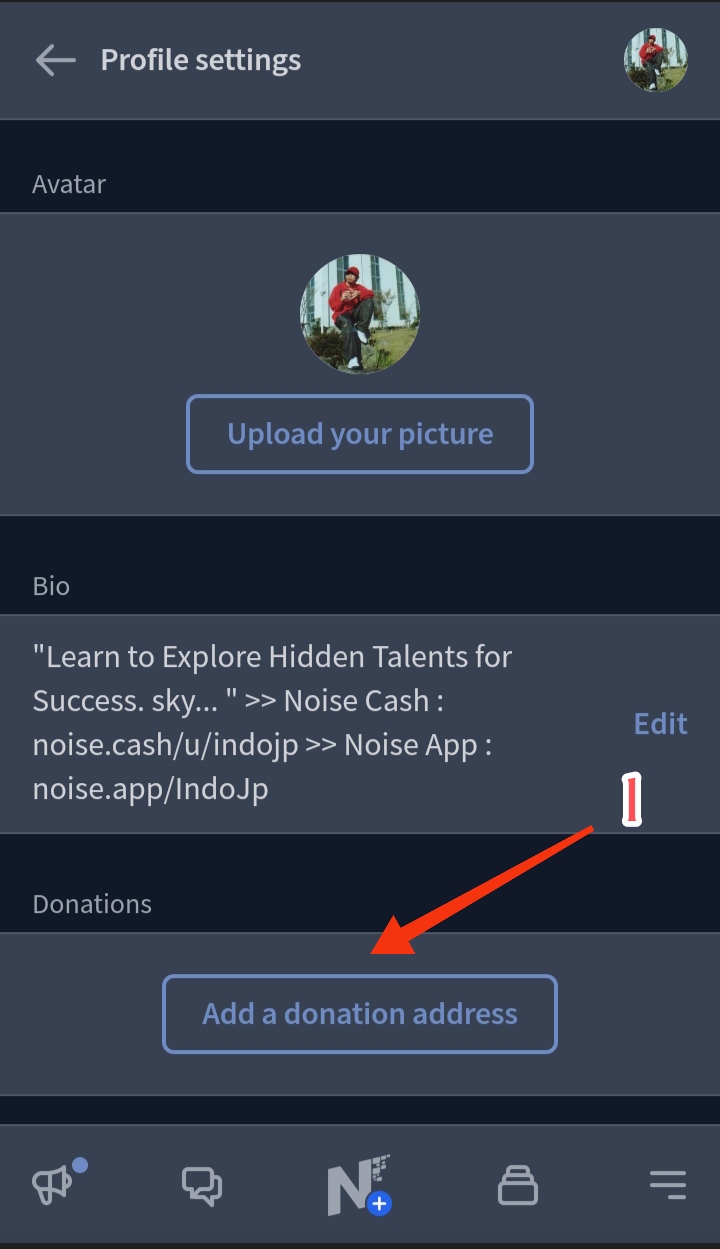
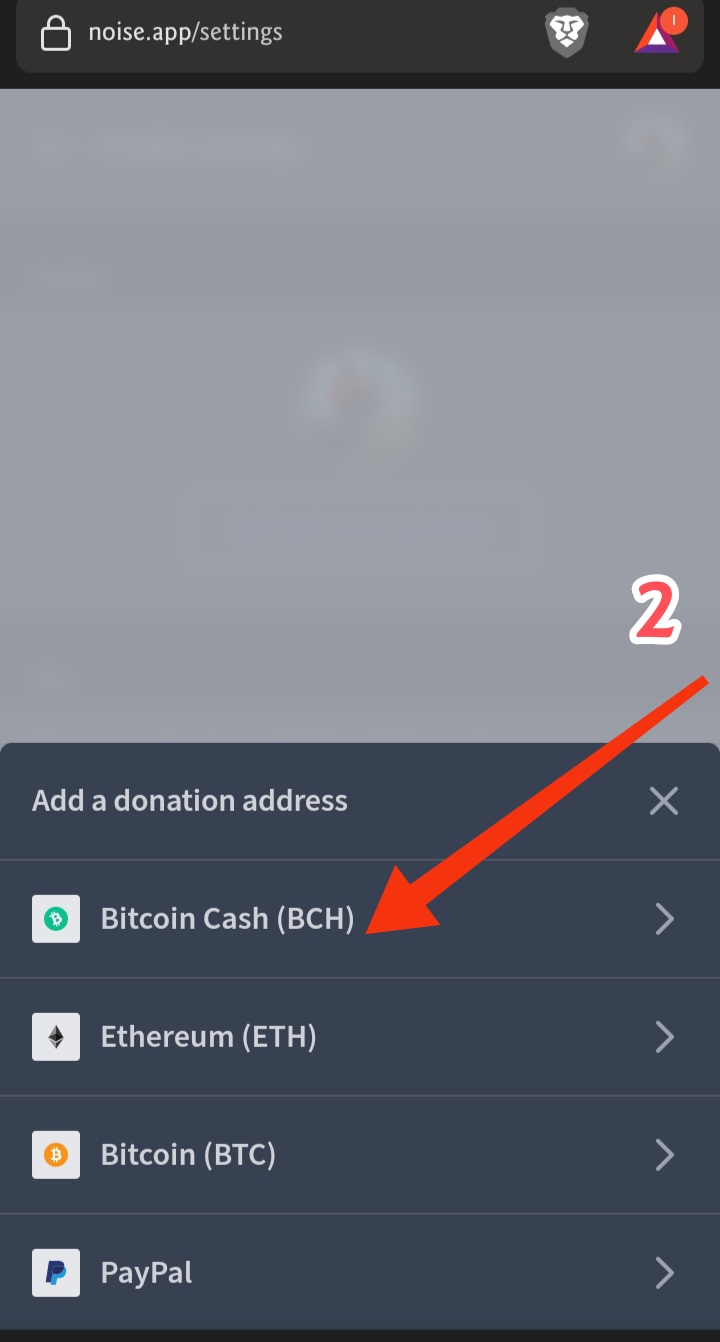
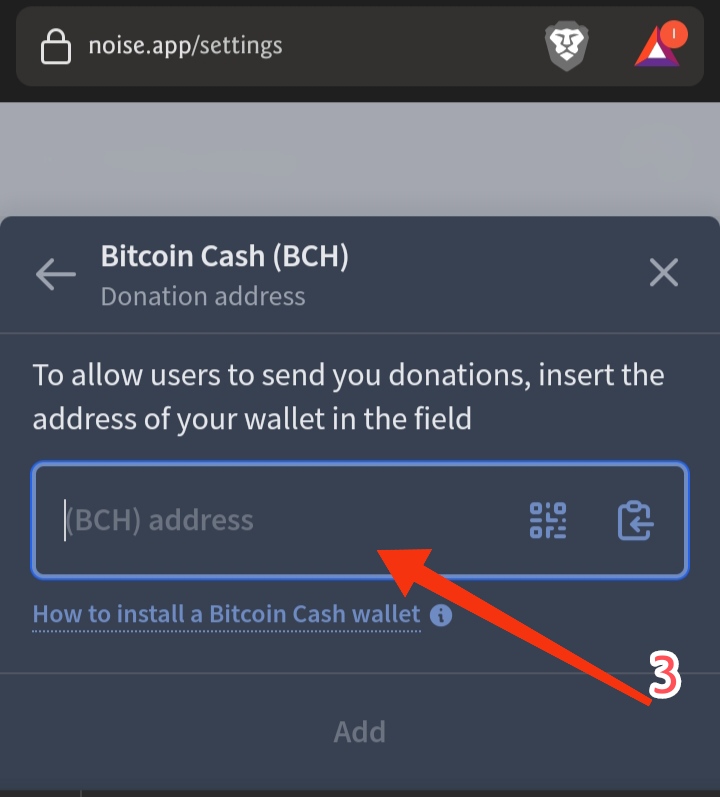
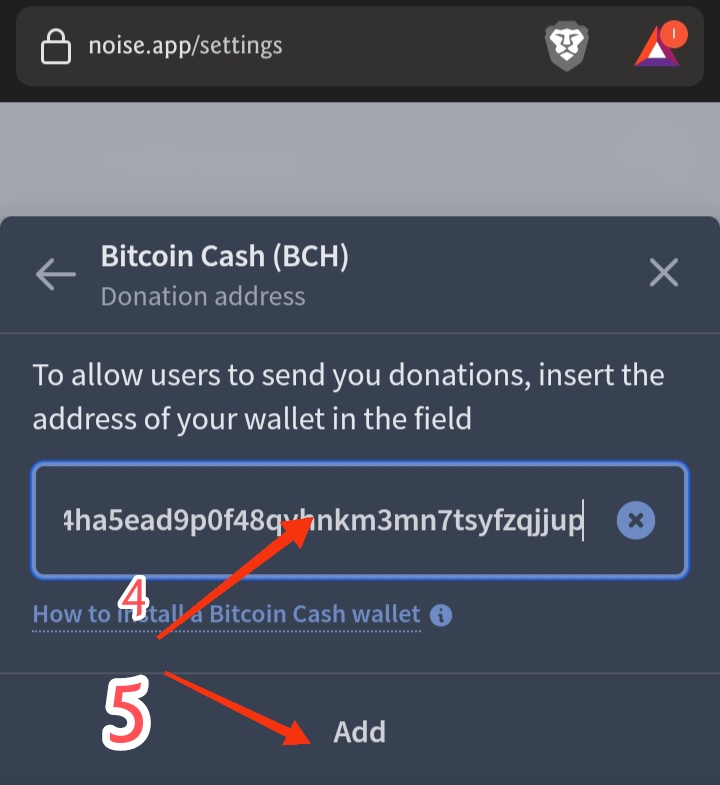
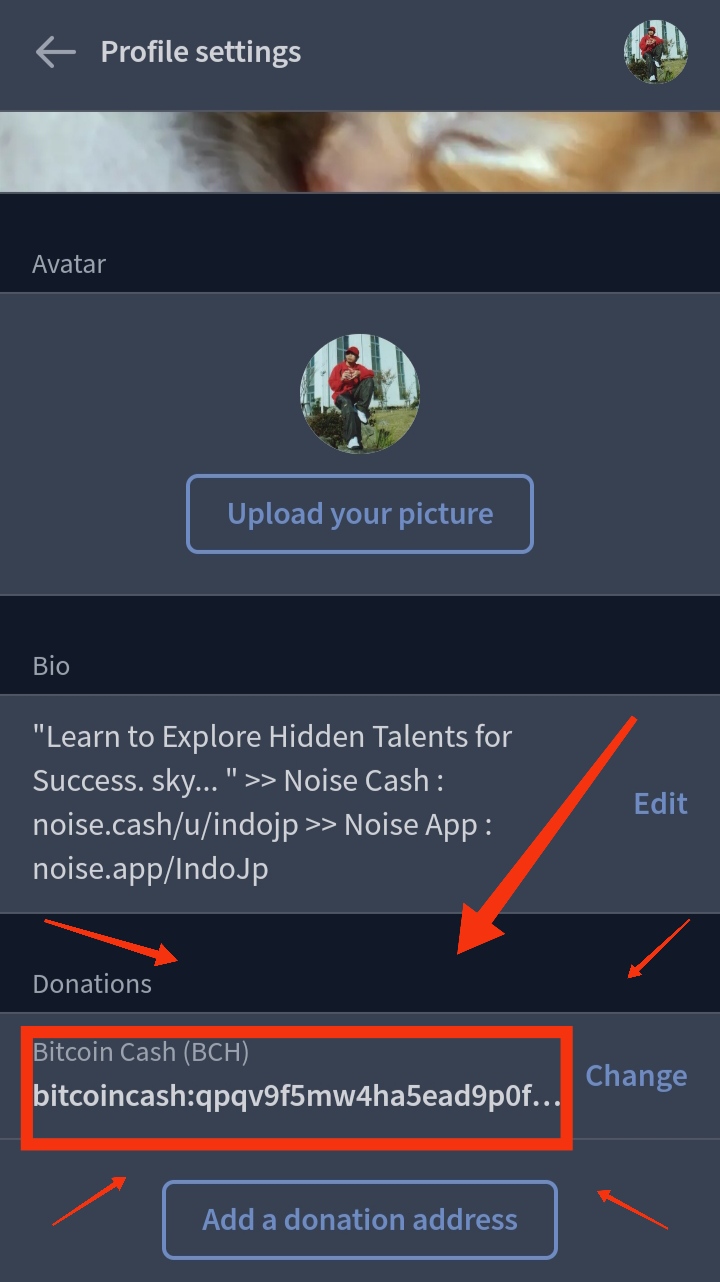
* How to Setup Donations for Noise App, Using BCH (Bitcoin Cash). Currently Noise.app has a donations menu available, you can use BCH, ETH, BTC, and Paypal. Here's how to set up donations, using BCH for noise.app: 1. Please go to Profile Settings in the upper right corner or the gear image, then select add a donation address. 2. Select Bitcoin Cash (BCH). 3. Please enter your bitcoin cash address correctly. 4. Check your bch address not to be wrong. 5. After everything is correct, please click add. Then your BCH address has been successfully set. Hopefully useful, greetings creativity... For new users, who will register for the Noise App can use the following link: https://noise.app/invite/c62bnupt IndoJp Noise Account: Noise Cash: https://noise.app/IndoJp Noise App: https://noise.app/IndoJp #IndoJp #NoiseCash #NoiseApp #Explore #BCH #BitcoinCash #ReelsNoise #RandomThought #Crypto #Cryptocurrency #OriginalContent #Heart #Love #FlashTutorial #Donations
4 comments
Thanks you.. Finally nakalagay na ako ng donation address 🙏
That is very informative.
very easy to do. I did it.
Such a nice guide especially for those who are new to the platform...