 @IndoJp
more from that month
@IndoJp
more from that month
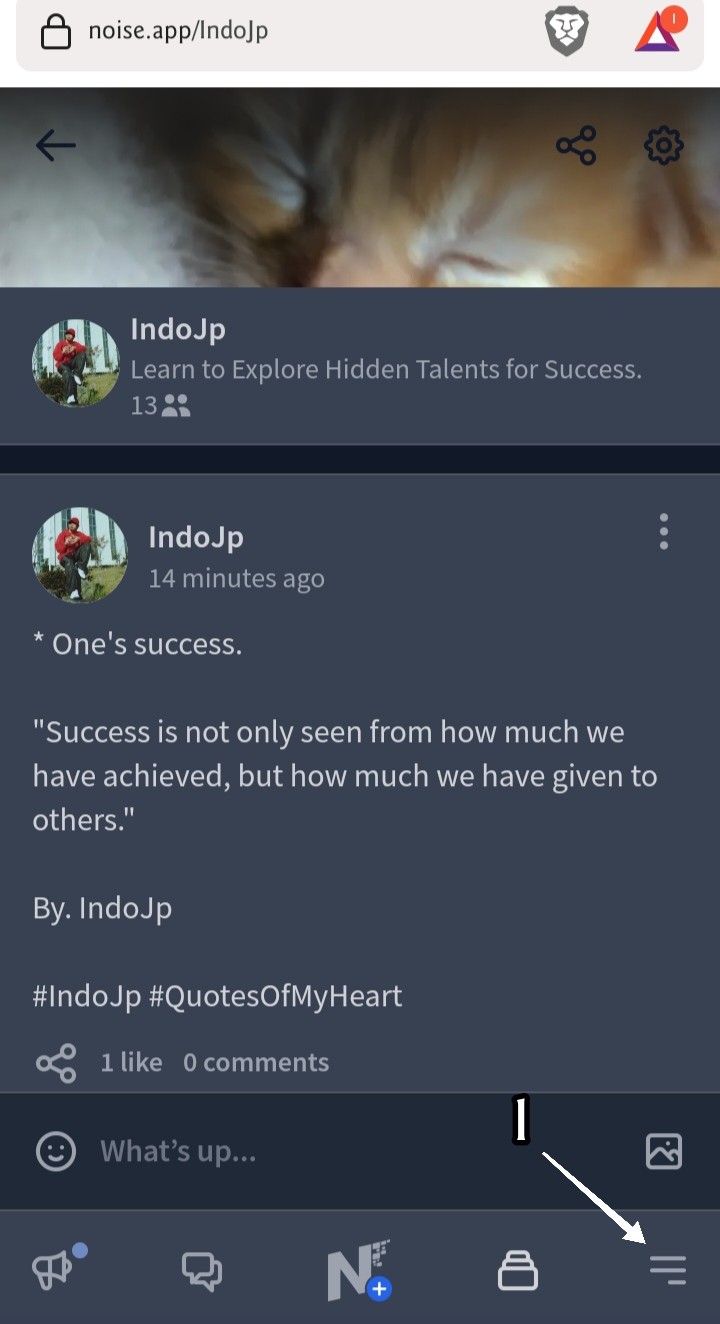
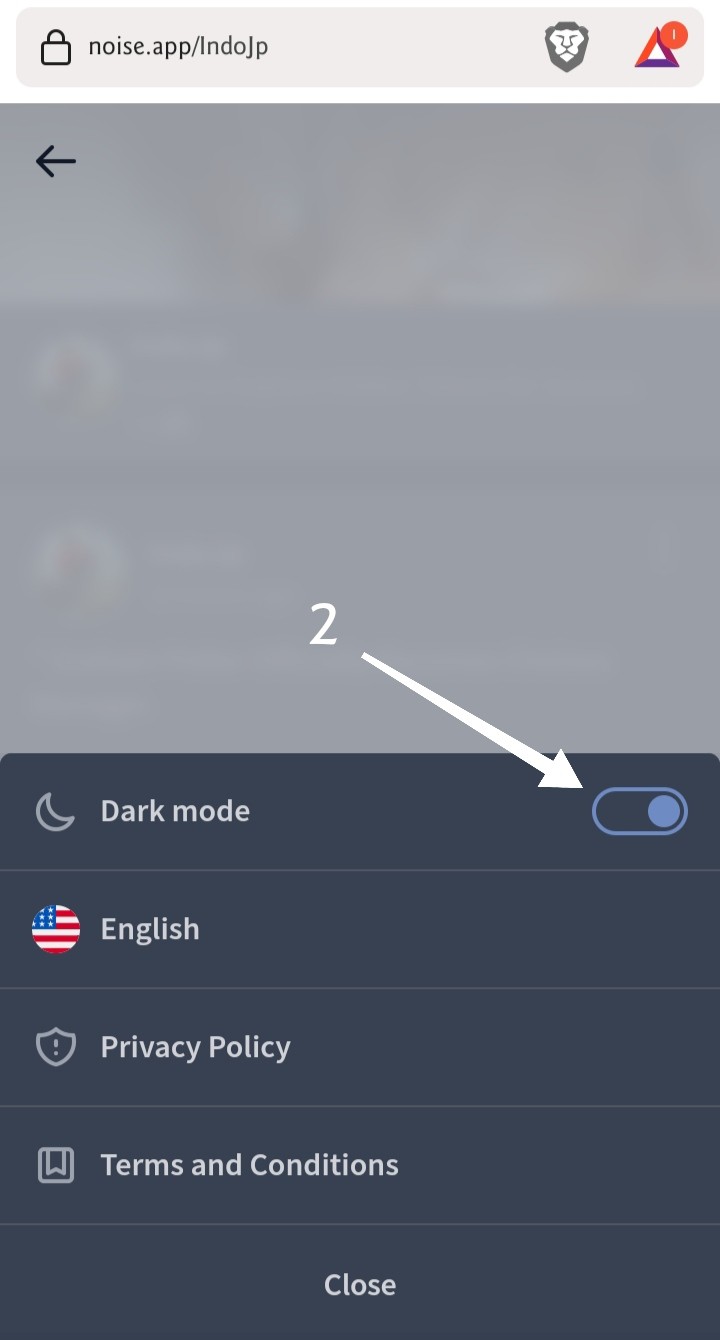
* Dark Mode on Noise.app To display Dark Mode on noise.app, you can do 2 steps as follows: 1. Select the bottom corner menu. 2. Turn on the Dark Mode mode. Then the display becomes dark mode, very good for our eye health. Because it reduces radiation from the beam / brightness of the display, when we are cool to read. Hopefully useful, this simple information... >> For those who can't upgrade and don't have a noise.app account, you can register here: https://noise.app/invite/d7gxt3nj By. IndoJp 09.09.2022/07.01 PM. Anda ingin berbagi trik sederhana, tapi jarang sekali orang tahu. Silahkan berbagi di sini, chanel Flash Tutorials: noise.cash/c/flash-tutorials-xrx9gwsqr3k9 #IndoJp #Shimba21 #Angeline #NoiseCash #FlashTutorials #NoiseCash #BCH #BitcoinCash #Crypto #Cryptocurrency #NoiswApp #DarkMode
1 comment
In any website or app or platform that's what I always checking too hehe the dark mode feature since I like to use dark mode always.