 @GusT
@GusT
Metamask: Guide to Unblock an Ethereum Network Pending Transaction
One of the hottest topics these days was the **transactions gas price** on the **Ethereum Network**. While that cost is down a bit today from last week, it is still insane. Due to this, among other things, the Ethereum Network becomes congested and many times transactions can be pending for a long time without confirming. To find out why this happens, we have to know what gas is and how it works on the Ethereum network. Gas is the internal unit that defines the price of putting into operation the power to calculate and run the Ethereum network. The cost of gas can be seen at **Ethgasstation** https://ethgasstation.info/
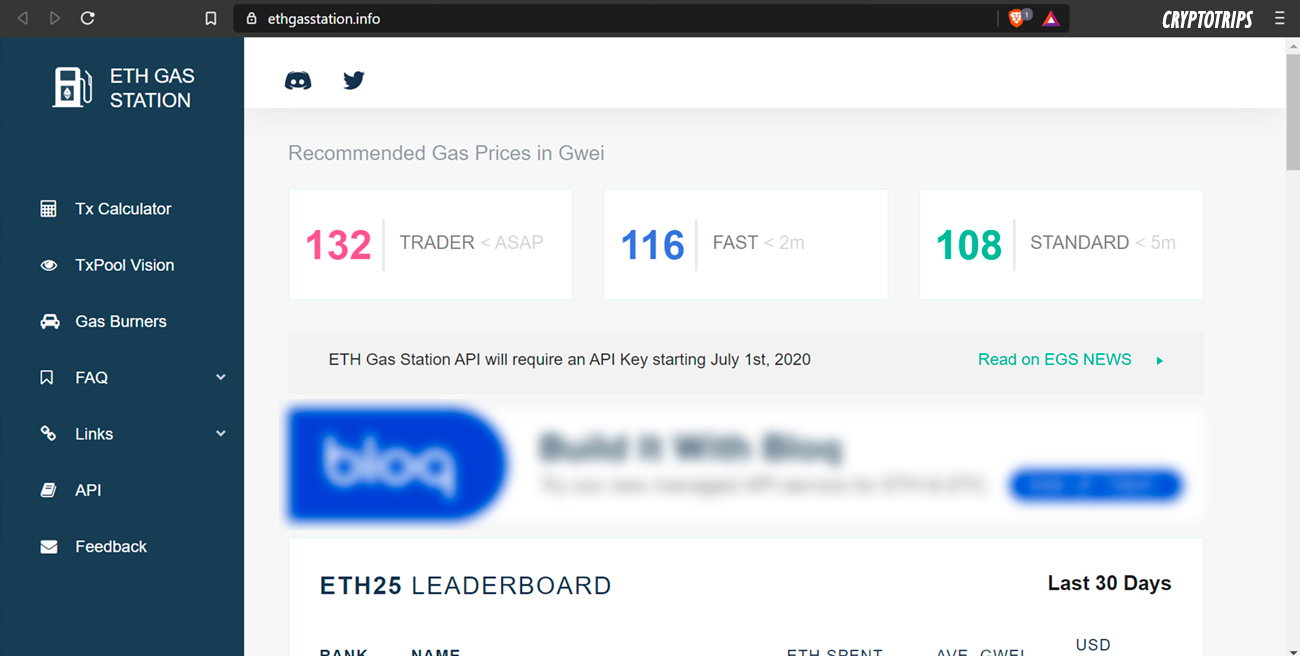
The more “gas units” we offer for a transaction, the greater the chance that it will be confirmed faster. The network works the same as any asset, prices go up when there is more demand and more is paid for your transaction to occur, and they go down when the opposite happens. So, if we use an amount of GAS less than that indicated by “**STANDARD**”, the transaction could be “blocked” because the miners in charge of processing the transactions can leave it as pending, choosing others of higher value. But if we want the transaction to be faster we can "**dropping and replace it**" in the following way: As an example we are going to go to **Uniswap** to exchange ETH for a token.
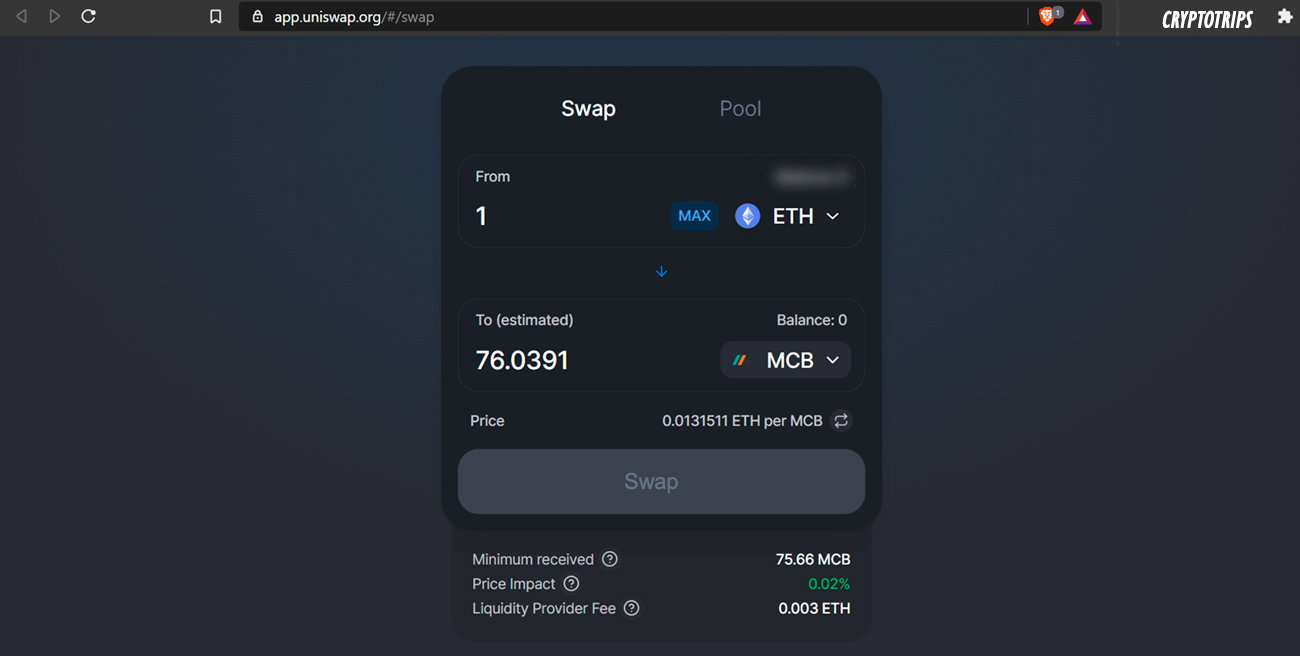
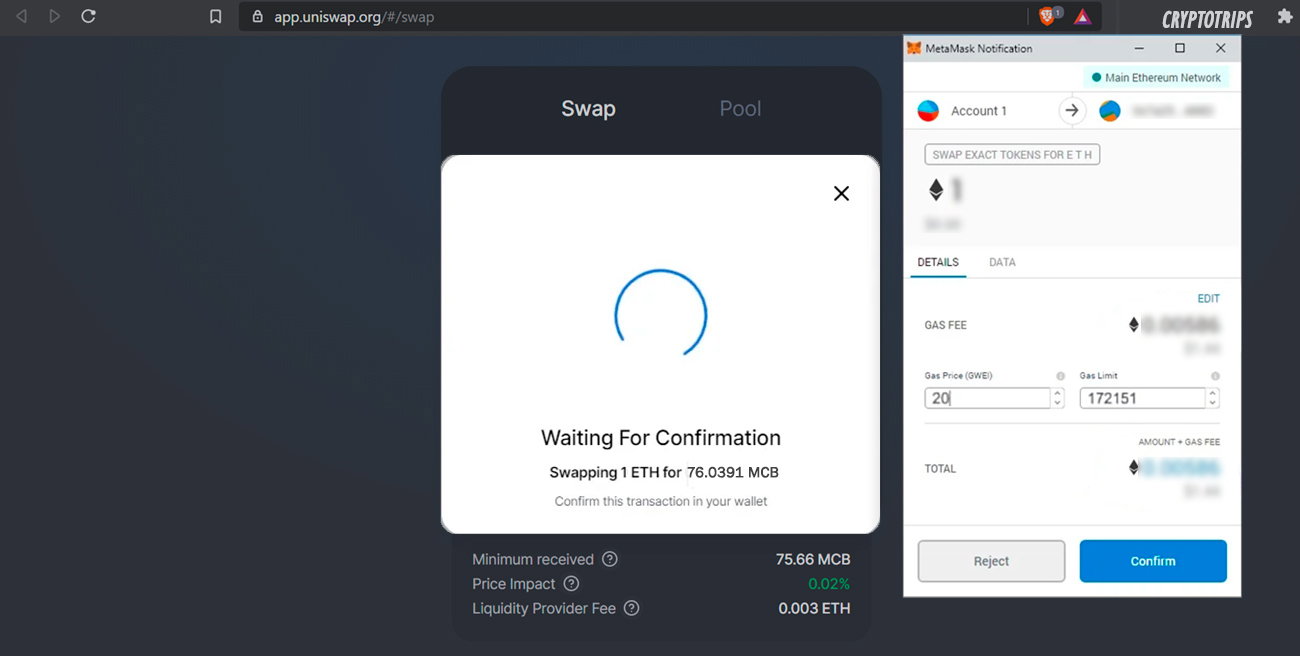
When we click Swap, **Metamask** automatically opens, and there we will change the amount of GAS for a very low value, for example 20 Gwei, and click Confirm. https://metamask.io/
With the transaction code we go to the Ethereum transaction explorer, **Etherscan**, to see the status. https://etherscan.io/
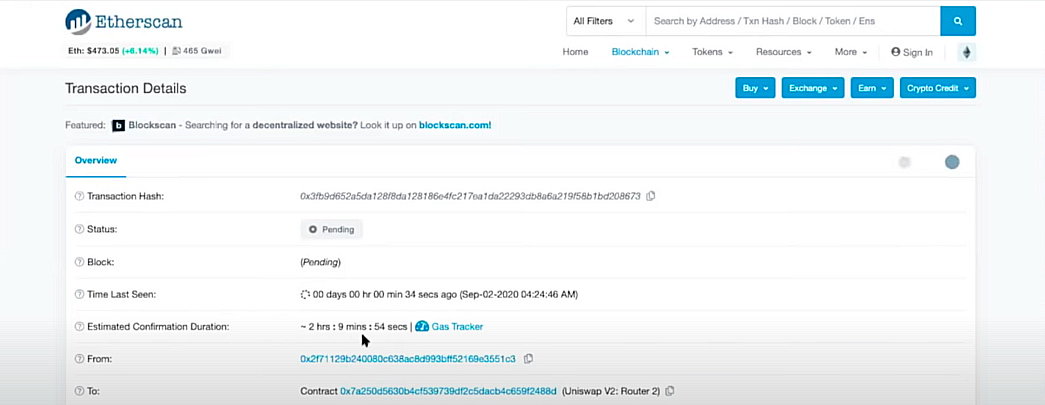
If we see that the ***Estimated Confirmation Duration*** is too long, we can cancel this transaction, sending another transaction to drop and replace the previous one. For that it is important to copy the **Nonce** of the transaction, a number that we will find by going down in the previous screen and clicking on the option “click to see more”.
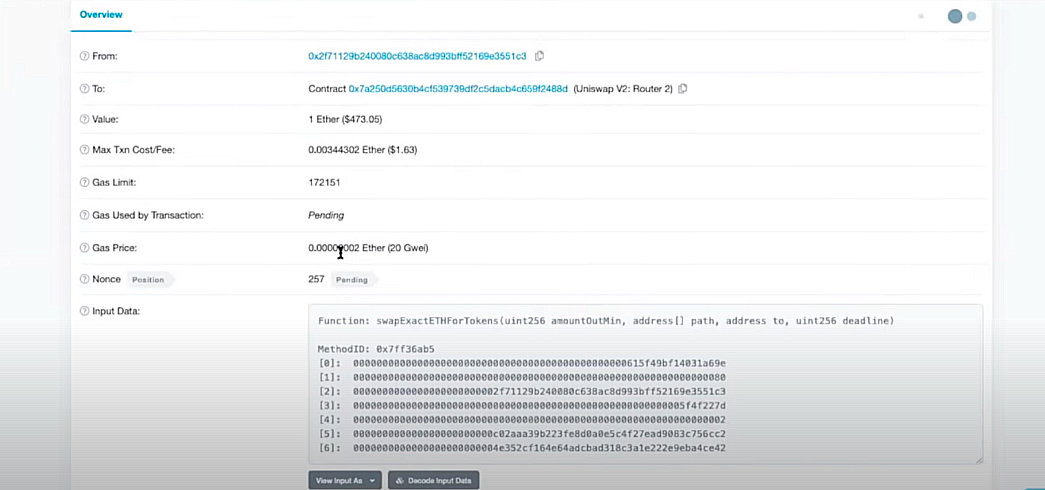
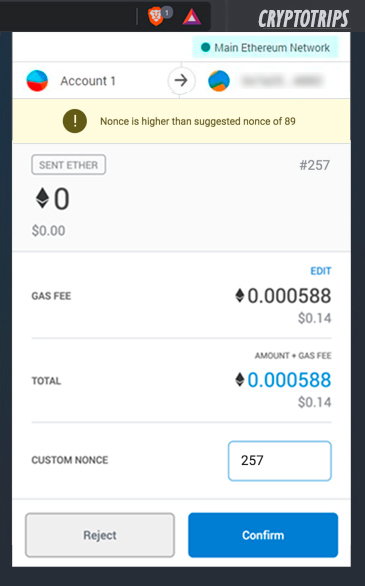
Now we go back to **Metamask** and self-send a 0 ETH transaction but in this case with a higher GAS rate than the one indicated on ethgasstation as “**TRADER**”. For this we use our own Metamask address, manually placing the same **Nonce** of our transaction that we previously consulted in Etherscan.
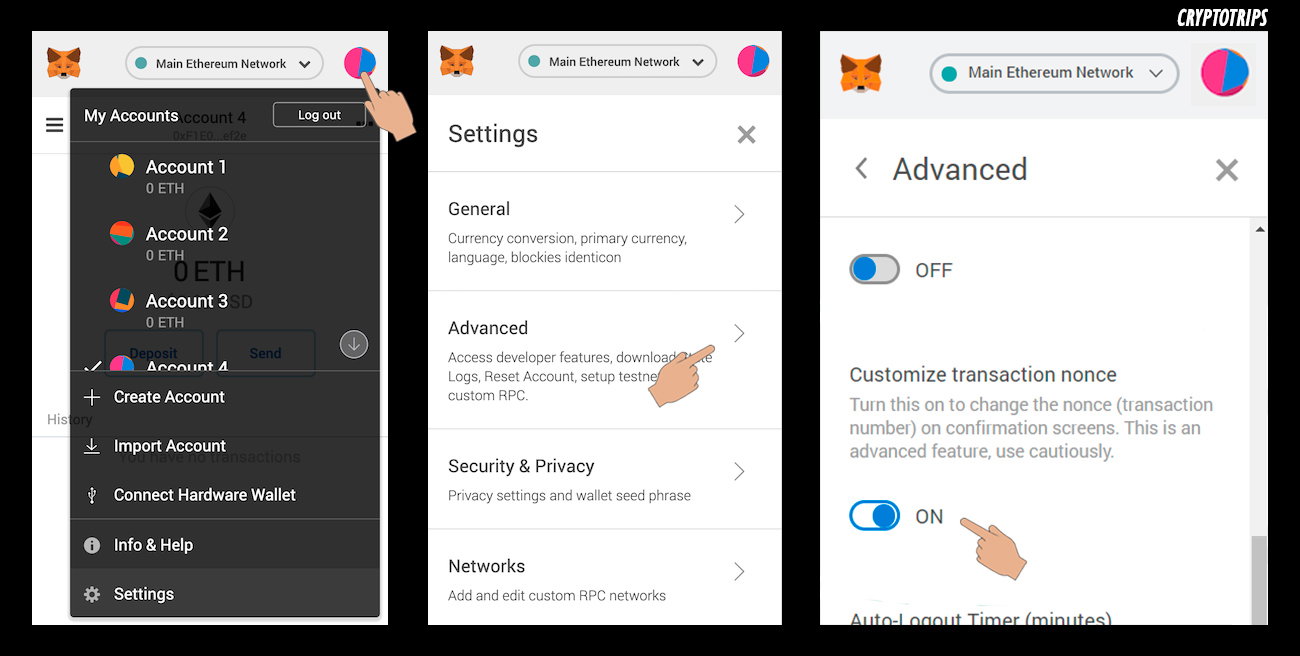
It may happen that you do not have the **Custom Nonce** option enabled. You can do it manually in **Settings> Advance Settings> Turn ON Nonce** as seen in the following image:
Once we send the new transaction with the same **Nonce** to drop the previous one, we enter **Etherscan** with the ID to verify the status. https://etherscan.io/
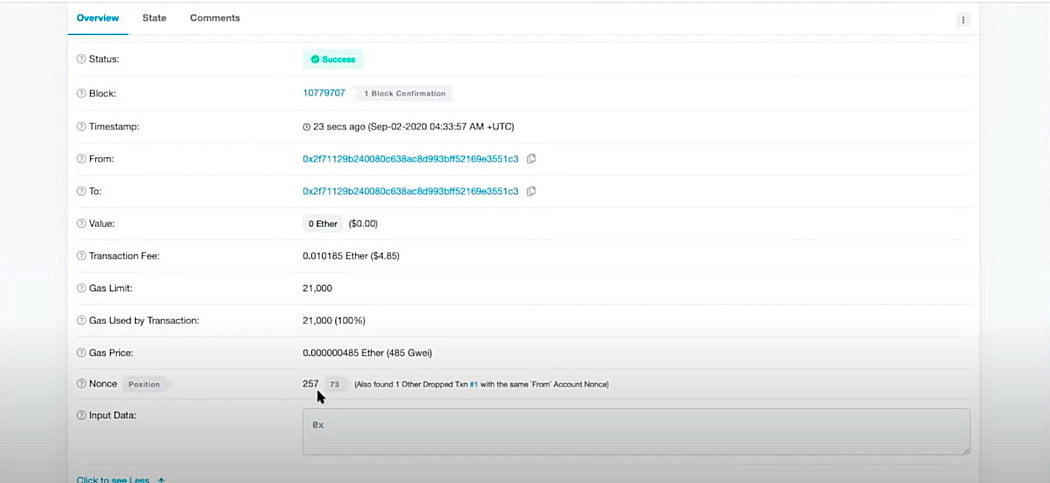
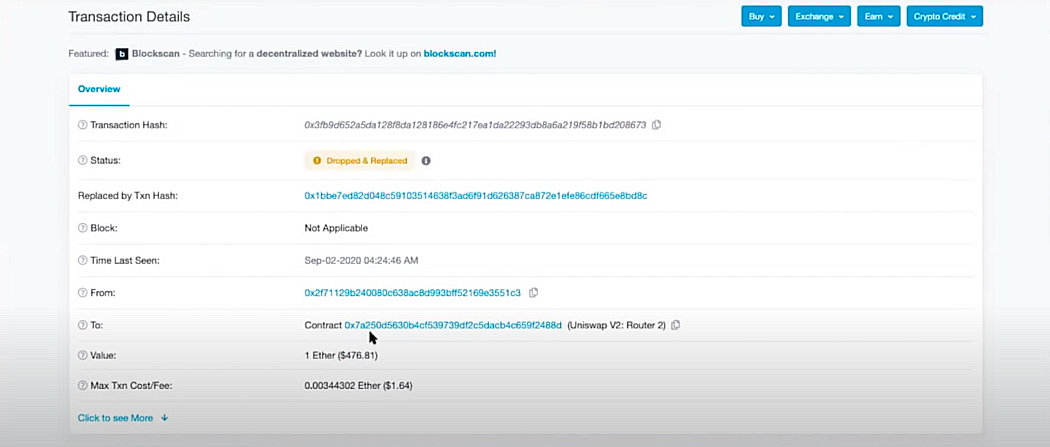
Finally we can see that the blocked transaction changed to **dropped and replaced**.
And that's it: we already have our Ethereum at home again. **I hope this post is useful to you, and remember: read, learn, enjoy, follow me on my new** **Twitter** **(or the less important one: tip me if you liked it)... and with or without Metamask, be happy!** https://twitter.com/crypto_trips
No comments yet