DC (DogeChain) Had a price increase of about 20% today
The movement of digital currency prices these past few days has been quite extraordinary, where the current bitcoin price is above $ 20,000 which is extraordinary, seeing that recently the bitcoin price has only been around $ 17,000 but now bitcoin has managed to rise from its low price.
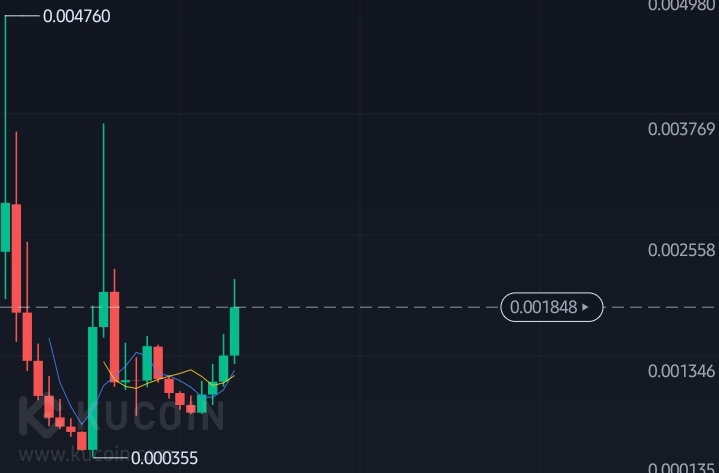
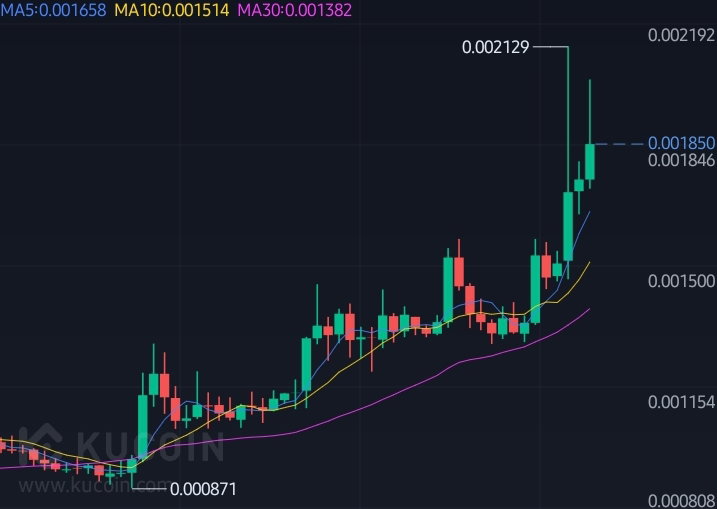
The increase in bitcoin prices has had a very extraordinary impact on several coins, including the DC coin (DogeChain) which today has increased by around 21% at a price of around $ 0.00184 and for its lowest price is at a price of $ 0.00146 today.
even though a few days ago DC had experienced a very drastic price drop, but DC continues to rise and provide fantastic prices at this time, this is extraordinary .
DC itself is currently on several major exchanges, one of which is Kucoin, you can buy DC koi on Kucoin using USDT, wow, that's amazing, isn't it?
You can find the information below, please check it .
Website : https://dogechain.dog/
Twitter : https://twitter.com/dogechainfamily
Thank you very much ...
How to create an OkexChain wallet? And how does it work?
How to create an OkexChain wallet? And how does it work?
Maybe some people already know and have explained in various posts that already exist, but for those of you who don't understand how it works, in this post I will briefly explain .
Bagaimana cara membuat dompet OkexChain ? Dan bagaimana cara kerja nya ?
Mungkin beberapa orang sudah tau dan sudah menjelaskan di berbagai postingan yang sudah ada, namun untuk kalian yang belum mengerti bagaimana cara kinerja nya , di postingan ini saya akan menjelaskan secara singkat .
I used the Token Pocket application to make it, here it is free and free, you can download it via this link: https://www.tokenpocket.pro/en . https://www.tokenpocket.pro/en/
Saya menggunakan aplikasi Token Pocket untuk membuat nya, disini tidak berbayar dan gratis, anda bisa mendowload nya melalui link ini : https://www.tokenpocket.pro/en/
After that you can create multiple wallets that are supported through this Token Pocket, and almost all wallet creation is free .
Setelah itu anda bisa membuat beberapa dompet yang di dukung melalui Token Pocket ini, dan hampir semua pembuatan dompet gratis .
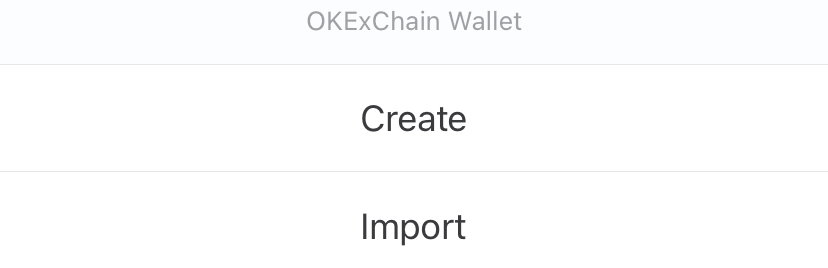
Please create a wallet like in the picture above, if you already have an account you can also login via this Token Pocket and the method is still the same as logging in with your own private key .
Silahkan anda buat buat dompet seperti pada gambar di atas ini, jika anda sudah memiliki akun anda juga bisa login melalui Token Pocket ini dan cara nya masih sama login dengan kunci pribadi anda sendiri .
Here there are several display menus for making wallets, there are several criteria that you can use, just select the menu on the main image selection as above .
Disini ada beberapa menu tampilan di pembuatan wallet, ada beberapa kriteria yang bisa anda gunakan, pilih saja menu pada pilihan gambar utama seperti yang di atas ini .
After you choose, please make a wallet name according to what you like, it could be your name, your child, even your wife, please fill in the password above and below it must be the same, after that click on the accept view .
Setelah anda pilih silahkan buat nama wallet sesuai dengan yang anda sukai, bisa saja nama anda, anak anda, bahkan istri anda, silahkan anda isi pasword di atas dan di bawah harus sama , setelah itu klik pada tampilan terima .
You only need to wait a few seconds and your wallet is successfully created, this tutorial is very simple and easy, maybe you will very easily understand what I explained in my discussion above.
Continue to follow the tutorial that I share, maybe it can be useful for me and also for others.
Anda hanya perlu menunggu beberapa detik dan dompet anda berhasik di buat, tutorial ini sangat sederhana dan mudah, mungkin anda akan sangat mudah memahami apa yang saya jelaskan pada pembahasan saya di atas.
Ikuti terus tutorial yang saya bagikan, mungkin bisa berguna untuk saya dan juga untuk orang lain .
Best regards ...
What is Liketu? read this
Note : This article uses two languages to make it easier to understand: ENGLISH - INDONESIA
Do you know what Liketu is and how does it work?
The development of blockchain technology is now no longer in doubt, many countries have tried to use various kinds of blockchain technology, such as shopping you no longer need to use cash or carry a wallet, you only need to bring your smart phone and you can transact easily and safely , besides that you can send money from one country to another with very cheap shipping costs .
Mengenal apa itu Liketu dan bagaimana cara kerja nya ?
Perkembangan teknologi blockhain saat ini sudah tidak diragukan lagi, banyak negara yang sudah mencoba menggunakan berbagai macam teknologi blockhain ini, seperti berbelanja anda tidak perlu lagi memakai unag tunai atau membawa dompet, anda hanya perlu membawa ponsel pintar anda dan anda bisa bertransaksi dengan mudah dan aman, selain itu anda bisa mengirim uang dari satu negara ke negara lain dengan pengiriman biaya yang sangat murah .
Along with its increasingly rapid development, there have appeared a lot of social media that are profitable for its users, one of which is Liketu, Liketu is one of the blockchain-based social media that brings users who interact there, by capturing every moment you, you will get rewards from this Liketu .
Seiring perkembangan nya yang semakin pesat, muncul banyak sekali media media sosial yang menguntungkan bagi para pengguna nya, salah satu nya adalah Liketu, Liketu meruapakan salah satu media sosial berbasis blockhain yang membawar pengguna nya yang berinteraksi disana, dengan mengabadikan di setiap moment anda, anda akan mendapatkan rewards dari Liketu ini.
Maybe you are curious about Liketu and how it works, in this discussion I will briefly explain from your registering process until you make the post .
Mungkin anda merasa penasaran dengan Liketu dan cara kerja nya, pada pembahasan kali ini saya akan menjelaska secara singkat dari proses anda mendaftar sampai anda membuat postingan nya .
For Liketu, the way it works is very simple, it's still like using social media applications in general, here there are also various categories that you can publish, here is how to use Liketu .
Untuk Liketu ini sendiri cara nya kerja nya terbilang sangat sederhana, masih seperti menggunakan aplikasi media sosial pada umum nya , disini juga terdapat berbagai macam kategori yang bisa anda publikasikan, berikut ini adalah cara menggunakan Liketu .
Please visit the website here https://liketu.com if you don't have an account, you can register, and if you already have an account, please login using your private key.
Silahkan anda kunjungi situs website di sini https://liketu.com jika anda belum memiliki akun, anda bisa mendaftar nya, dan jika anda sudah memiliki akun , silahkan anda login menggunakan private key yang anda miliki .
After that please login if you already have a personal password, if not you must register using the email you have .
Setelah itu silahkan login jika anda sudah memiliki sandi pribadi, jika belum anda harus mendaftar menggunakan email yang anda miliki .
If you already have a keychain, please login or you can register for a new user, you can also log in using the private key that was given when you registered for the first time .
If you already have a keychain, please login or you can register for a new user, you can also log in using the private key that was given when you registered for the first time.
Here you can share all kinds of things in your own life, ranging from food, life, travel and there are still several categories that you can publish here .
Disini anda dapat berbagi segalam macam hal di kehidupan anda masing masing, mulai dari makanan, kehidupan , perjalanan dan masih ada beberapa kategori yang bisa anda publikasikan disini .
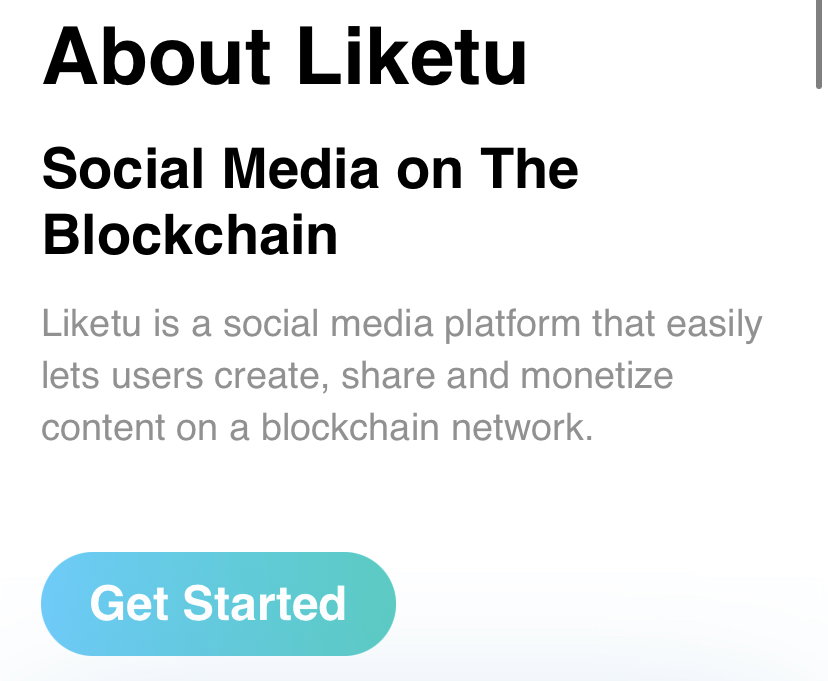
This is a profile display on Liketu, very simple and still the same on some other social media displays, but there are only a few menus that are different in appearance.
Ini merupakan tampilan profil pada Liketu, sangat simple dan masih sama pada beberapa tampilan media sosial lain nya, namun ada beberapa menu saja yang berbeda pada tampilan nya .
After that later you will be directed to the menu to make a post on Liketu, on the top view you can add some photos that you want to publish.
After that you can add a title to the article you want to publish, after you finish writing the title you want to publish, please write the article you want to make.
Setelah itu nanti anda akan di arahkan pada menu untuk membuat postingan di Liketu, pada tampilan atas anda bisa menambahkan beberapa poto yang ingin anda publikasikan .
Setelah itu anda bisa menambahkan judul pada artikel yang ingin anda publikasikan, setelah anda selesai menulis judul yang ingin anda publikasikan, silahkan anda tulis artikel yang ingin anda buat .
An example you can see in the picture above, I tried to publish some photos of my activities today, If you think everything is ready, please publish your post, and wait a while your post will be published soon .
Jika anda rasa semua nya sudah siap, silahkan anda publikasikan postingan anda , dan tunggu beberapa saat postingan anda akan segera di publikasikan .
Source image : https://liketu.com
Website : https://liketu.com
Best regards ...
What is VooVoo and how does it work ? Read this
Note : This article uses two languages to make it easier to understand: ENGLISH - INDONESIA
Apart from Opensea and Rarible, it turns out that the Solana network also has its own NFT marketplace called VooVoo marketplace, Voo token is one of the marketplaces on the Solana network where you can buy and sell your NFT collections .
Selain Opensea dan juga Rarible, tenyata di jaringan Solana juga memiliki marketplace NFT nya sendiri yang bernama VooVoo marketplace, Voo token merupakan salah satu marketplace yang berada di jaringan Solana yang mana anda bisa membeli dan juga menjual NFT koleksi yang anda miliki .
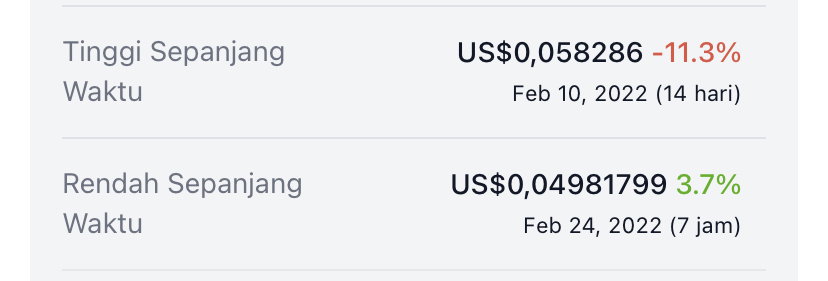
VooVoo itself already has their tokens on several exchanges today, such as Raydium and several other Dex's on the Solana network, for now the price of Voo itself is very cheap, only around $0.05 for now, for the highest price VooVoo has ever reached a price of around $0.058 and the lowest is only about $ 0.048 and the current price is still very stable and cheap.
VooVoo ini sendiri sudah memiliki token mereka di beberapa pertukaran saat ini, seperti Raydium dan beberap Dex lain nya di jaringan Solana, untuk saat ini harga Voo sendiri terbilang sangat murah hanya sekitar $0.05 untuk saat ini, untuk harga tertinggi nya VooVoo pernah mencapai harga sekitar $0.058 dan terendah hanya sekitar $0.048 dan harga saat ini tebrilang masih sangat stabil dan murah .
Currently VooVoo token has been registered with Coinecko, you can check it here: https://www.coingecko.com/id/koin_koin/voovoo for more detailed information.
Saat ini VooVoo token sudah terdaftar pada Coingecko , anda bisa mengecek nya disini : https://www.coingecko.com/id/koin_koin/voovoountuk informasi yang lebih jelas .
For the number of tokens you can see in the image below, this is the result of the VooVoo token image itself:
Untuk jumlah Token nya sendiri anda bisa melihat pda tampilan gambar di bawah ini, ini merupakan hasil dari gambar VooVoo token sendiri :
If you want to sell or buy NFT here, you can connect several supported wallets on the Solana network such as:
- Phantom
- Solflare
- Torus
- Ledger
- Sollet
Jika anda ingin menjula atau membeli NFT disini, anda dapat menghubungkan beberapa wallet yang di dukung pada jaringan Solana seperti :
Phantom
Solflare
Torus
Ledger
Sollet
There are so many wallets that support at this time, but here I am using the Phantom wallet, I think it is very simple and very easy to use so far.
Banyak sekali dompet yang mendukung untuk saat ini, namun disini saya menggunakan dompet Phantom, saya rasa ini sangat simple dan sangat mudah untuk digunakan sejauh ini .
For now, the VooVoo wallet itself is under development, later there will be your own VooVoo wallet that you can use on the Marketplace.
Untuk saat ini VooVoo wallet sendiri sedang dalam pengembangan , nanti akan ada dompet VooVoo wallet sendiri yang bisa anda gunakan di Marketplace nya.
Twitter : https://mobile.twitter.com/voovooNFT
Telegram : https://t.me/VooVooNFT
Discord : https://discord.com/invite/8Rukxjnt
For more information you can follow some of their current community accounts, here are some community accounts that you can follow.
That's my discussion about one of the Marketplaces on the Solana network, hopefully it can be useful and thank you
How to sell NFT through Rarible ? read this
Before I explain about how to sell NFT on Rarible, before that I will briefly explain what is NFT?
NFT can be said as one of the digital assets that can be traded, it can be like a work of art, valuable things that you can sell and become a collection, if you are an artist (painter) you can also sell your collection through Opensea and also Rarible, If you don't understand how it works, here I will briefly explain how to sell the NFT collection that we have on Rarible.
Previously I also explained about how to sell NFT through Opensea .
Please login first using the link below, you can login metamask and token pocket:
https://rarible.com
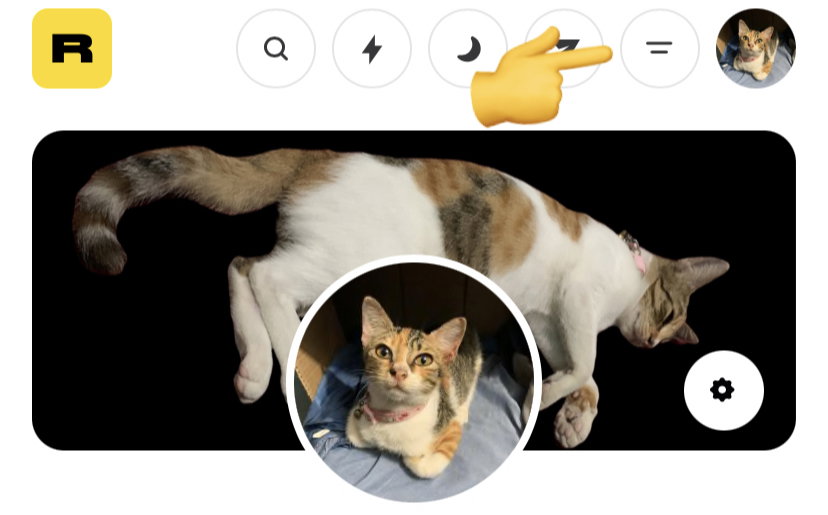
After that click on your profile button, you can also add a photo to your profile like the picture above, after that click on the button above
After that, there will be a create view, select that view, if you want to join the community, you can also join their community, there are Twitter and Telegram communities.
After that click on which blockchain you want to publish, you can choose Ethereum, Tezos and there are still several other blockchains that Rarible supports.
Now you can choose what NFT you want to sell, here I will try to sell my collection of NFT photos, a picture of a sleeping cat, this cat is very cute.
After you choose the NFT that you want to sell, please enter the price of the NFT, you can enter the price according to what you want right, I tried about 1 ETH, and whether my NFT will be sold later, we'll just have to wait.
After that, please complete the title and also you can provide a description of the NFT you are selling, you can provide information according to the NFT you are selling at that time.
You just click process, there will be a transaction like this, it doesn't take long, only a few seconds before your NFT is successfully published.
And congratulations, your NFT has been published successfully, and hopefully my NFT will sell for 1 ETH...
Best regards ...
How to add Coin Contract/token in BSC wallet via Token Pocket
Do you often trade on Pancakeswap ? And how to add coin/token contracts via Token Pocket wallet.
In this discussion, I will briefly explain how to add a contract on the Bep20 network.
You can use metamask, trust wallet and also Token pocket, you have the right to choose which one is the safest for you, here I use Token Pocket to add the contract.
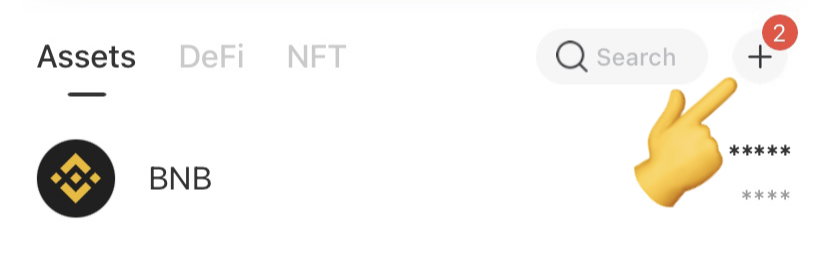
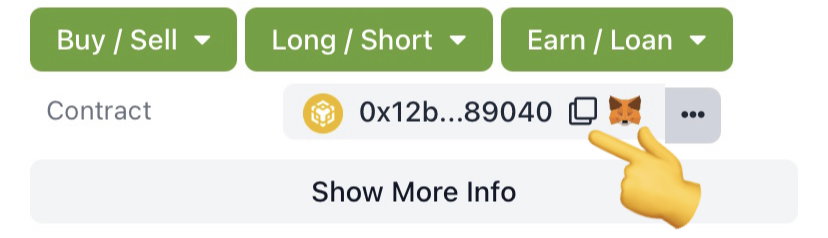
First, please enter your Bep20 wallet first, there will be a plus sign like the picture above, please select it from the display menu above.
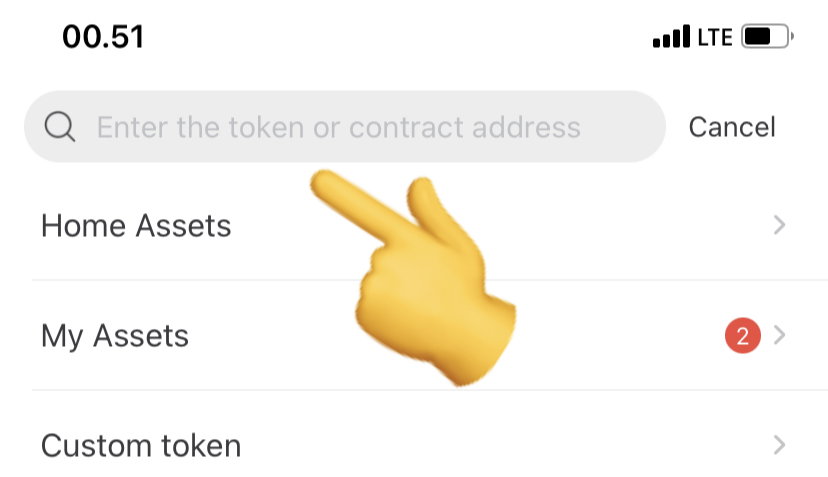
After that, please enter the coin/token contract that you will add, here I add the Raca token contract which I will add to the Pocket token wallet
Please first select the contract that you want to copy, please copy the contract here, you can check it at the link below:
https://bscscan.com/token/0x12BB890508c125661E03b09EC06E404bc9289040
After that you paste it, the coin/token will automatically be available, you just add it like in the picture above
After all is done, please return to your wallet, then automatically the token/coin you choose will be in your token pocket wallet.
You can also add to your Matic,ETH,FTM wallet in the same way as I described above, hopefully this explanation can be useful and useful for all of them.
Source image : https://www.tokenpocket.pro
Thank You
How to use SpookySwap on the Fantom blockchain network
Have you heard of SpookySwap, SpookySwap is one of the Dex that is on the Fantom blockchain network, many of their users for now .
They also have their own token called BOO token, for its current price of around $18 and its highest price ever reaching $39, BOO itself is already available on several Dex such as Trader joe, SpookySwap.
Immediately I will briefly explain how to use SpookySwap on the Fantom blockchain.
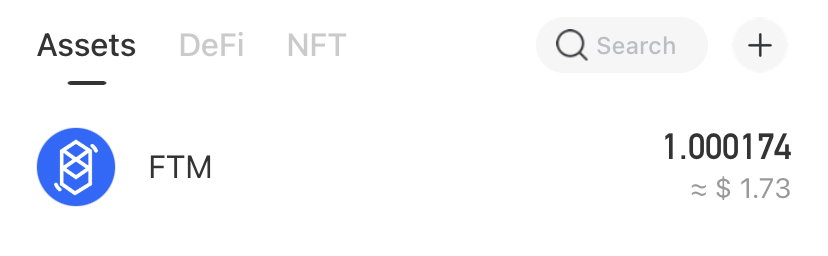
Before you swap, make sure you have an FTM balance in your wallet, it can be 0.1 or even up to 1000 FTM, it's up to you how much you want to swap.
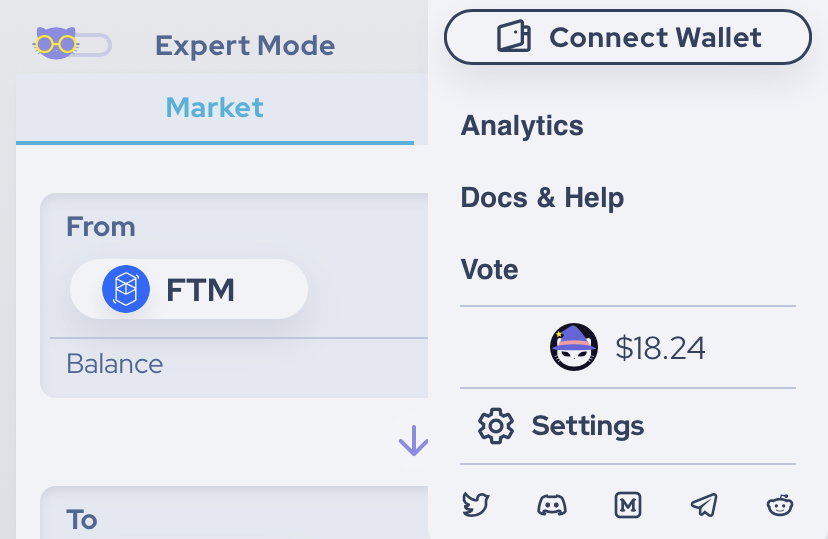
Please login via the link here: https://spookyswap.finance later you will be directed to the display menu as shown above.
Here you can login through several available wallets, you can login via Metamask too, here I only use Token Pocket to use this dex.
After that please select the token you want to swap, I tried to buy around 0.1 FTM and only got about 0.009 BOO token, because the price of this BOO token is more expensive than the FTM price
Wait a few seconds before you exit the dex, re-check your current transaction, whether it has been successful, if successful, there will be a green sign like the picture above.
Good luck and good luck everyone ...
Link info and source image : https://spookyswap.finance
How to use Stella Swap on the Moonbeam Blockchain network
Have you ever used Stellaswap on the Moonbeam network?
Surely you are wondering how many dex are there in the Moonbeam ecosystem, as I know at this time in Moonbeam there are 5 (five) dex that I know, here are some Dex contained in the Moonbeam ecosystem:
Padswap ( https://padswap.exchange )
Sunflower ( https://sunflowerswap.io )
Beamswap ( https://beamswap.io )
Thorus ( https://thorus.fi )
Solarbeam ( https://solarbeam.io )
In this discussion I will explain one of the existing dex, several other dex I have published before such as Thorus, Padswap this time I will explain about how Stellaswap works on the Moonbeam network.
Actually, the way it works is very similar to some of the other dex, but each dex has their own advantages, some have their own tokens, how to do staking, and also who owns the dex.
Immediately I will briefly explain how to use Stella swap on this Moonbeam network.
First you have to open their own website link, link a here (https://stellaswap.com) after that please select the launch app menu, later you will be directed to the swap home page
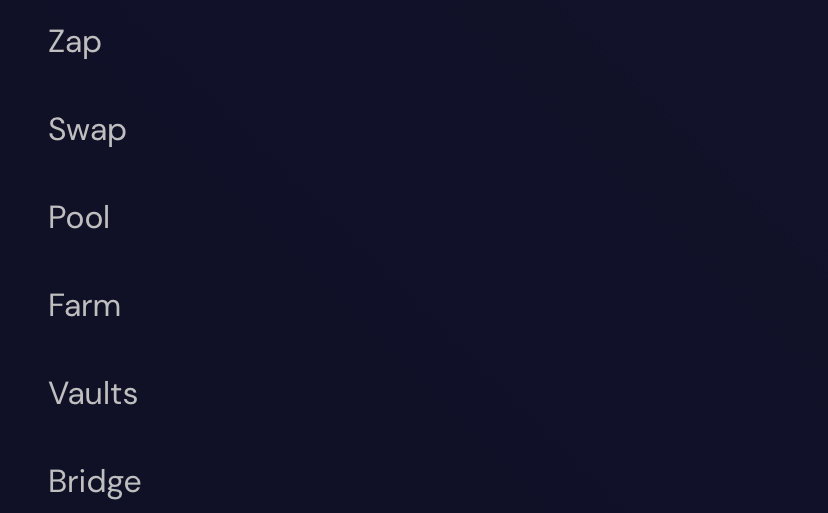
As you can see above there are several menu options that you can use, the appearance is still the same as some of the other dex, there is a Poll, Farm, Swap, Vaults menu, I think there are several advantages, each one between one dex and another .
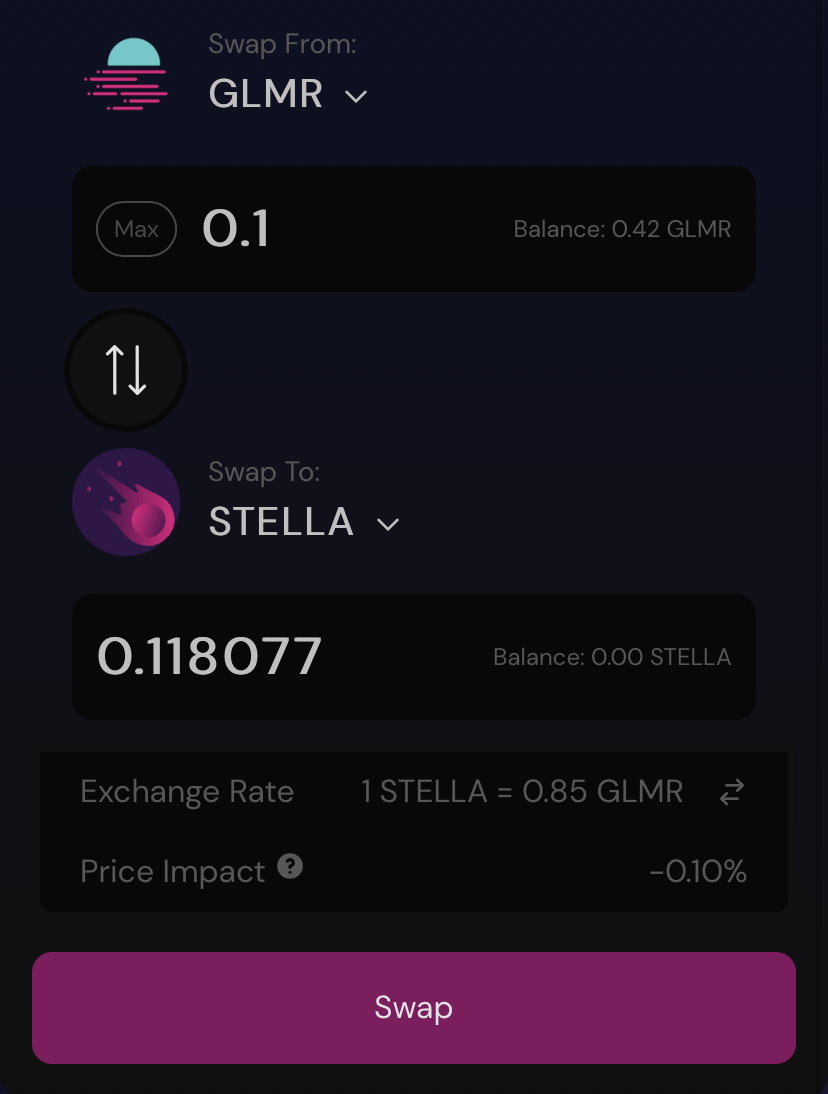
To do a test here I bought about 0.1 GLMR and I'm going to buy Stella swap, so if I buy 0.1 then I will only get around 0.11 Stella swap, meaning the price is almost the same as the current GLMR price.
After that, please confirm your choice, there will be a display like the picture above, that means your order is in the swap process, this doesn't take much time, just a moment
If it is successful, there will be a display of successful transactions, you can immediately check on your own wallet page, you will see how much it costs you to swap the tokens, there will be very clear all the information you need.
Note: Before you swap, make sure you have a GLMR balance in your wallet, it can be 0.1 and unlimited, good luck and thank you
How to claim HALO token airdrops
Are you staking the Halo token? If you have been staking then you are entitled to get Halo token Airdrops.
How to claim Halo token airdrops is very easy and easy to understand, make sure your tera wallet is connected first, here's a tutorial on how to claim Halo token airdrops.
If you need more detailed information, please follow their twitter news, their twitter page is here: https://mobile.twitter.com/angelprotocol
The first thing you have to do is connect your tera wallet, please select the connection menu as shown in the image above, the image is like a heart that symbolizes love for fellow humans .
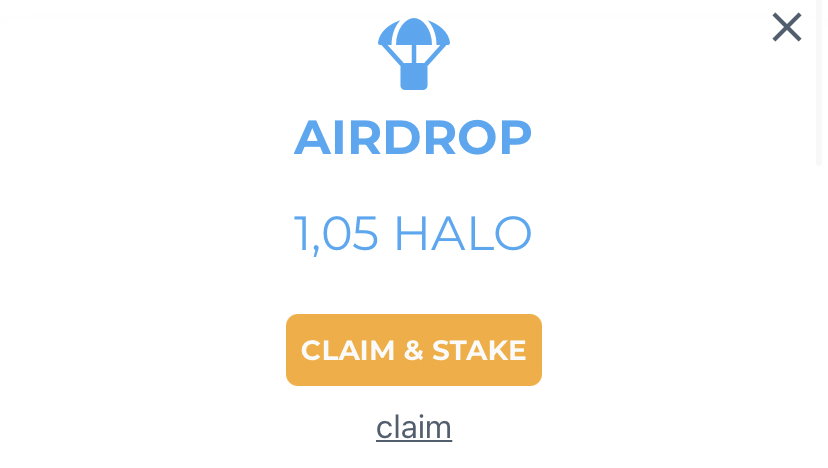
After you connect to your terra wallet, if you qualify for airdrops, there will be an image like the one above, an image of Halo token airdrops that you can claim.
After you press the airdrops button, then later you will be given two choices, you can claim and automatically your Halo token will be automatically staking, and for the claim button it means you are not staking, and the Halo token will automatically enter your terra wallet have .
The cost itself is very cheap, you only need $0.032 for the transaction fee, if you don't have Ust then you can't claim the Halo Token airdrops.
Wait until the transaction is successful, when successful, your Halo token will be in the wallet, while if you staking, your Halo token will be staking automatically.
Good luck and I hope you get this Halo token Airdrops. Thank You
How to use Thorus Swap on the Moonbeam network
There are lots of Dex in various Blockchains that you can currently use, in each Blockchain they create their own dex, not only on BNB, EOS and Ethereum coins, now Moonbeam itself already has a dex that you can connect to your Moonbeam wallet.
In my discussion this time I will explain about one of the dex in Moonbeam, namely Thorus swap, it is still the same as dex exchange in general, but this one dex is only available on the Moonbeam network.
If you are curious about this one dex, then in this discussion I will give you a short tutorial on how to use this Thorus swap dex, here's how:
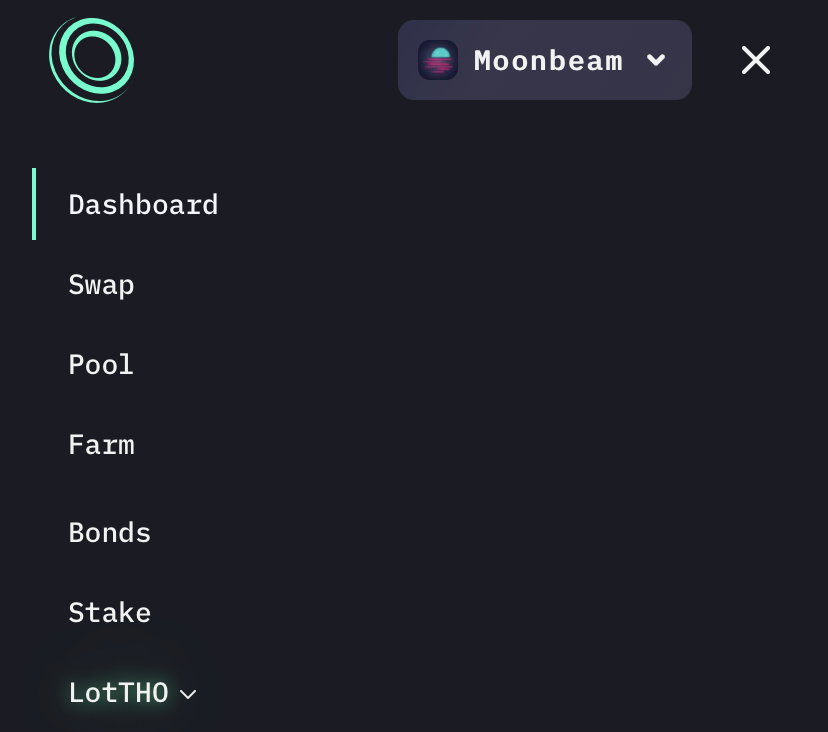
Before you do a swap, make sure you have GLMR coins in your balance to do the swap, after that select connect your wallet first, there will be a display like the picture above, here have several menus available, you can stake too dex this one, Farm, Pool and there are several other menus that you can use.
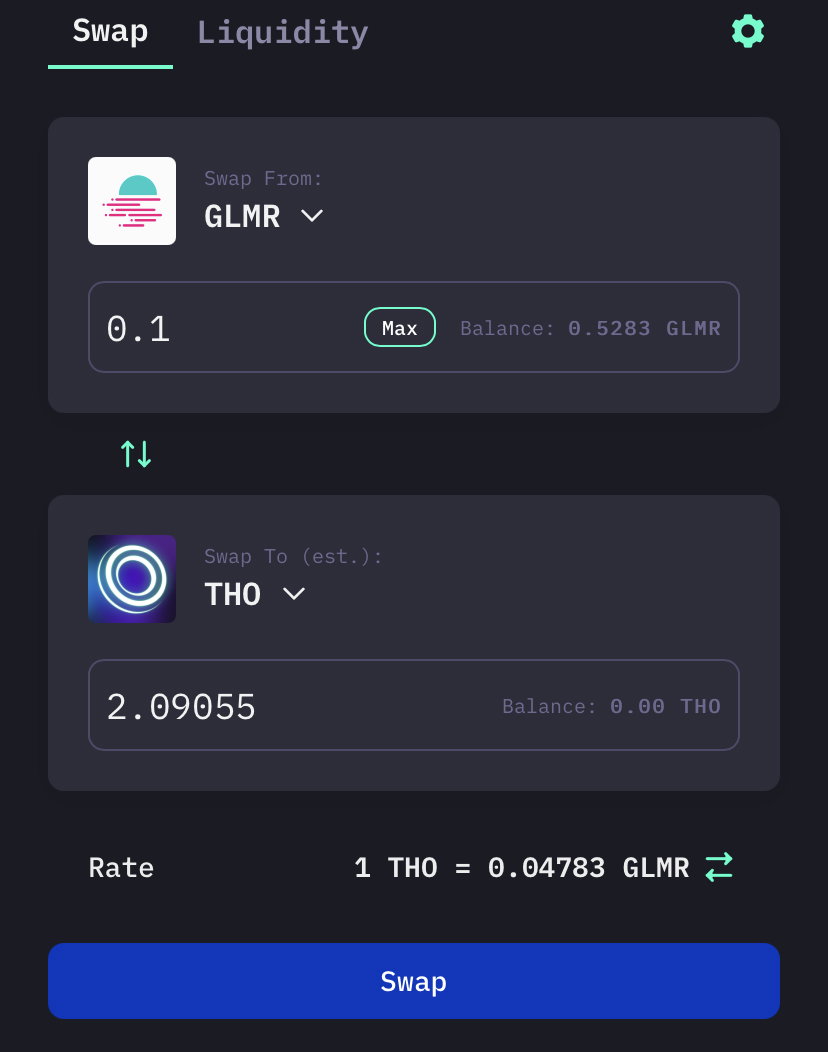
If you already have a GLMR coin balance, please swap whatever you want, you can try it with a 0.1 balance and you can also enter whatever nominal you want, here I only tried 0.1 GLMR.
When you are sure to do a swap, then you must immediately confirm as shown in the image above, for the costs you have to bear it yourself, but you don't need to worry, because the fee is very cheap with a slippage of 0.5% for now.
When the success display is out, then you can check it at the link provided on your wallet page, there will be very clear details about the image and also the transactions you have made.
For more information, you can visit the website itself, the link is here: https://thorus.fi
Best regards ...
How to create a Harmony (ONE) wallet via Token Pocket
Source : https://www.harmony.one
Still in the same discussion about tutorials in the crypto world, in my previous post I explained some important tutorials to all of you on how to create a wallet, claim airdrops, create an exchange account and many more that I have published in my previous post.
On this very short occasion I will explain about how to make a Harmony (ONE) coin wallet through Token Pocket, for those of you who don't have a ONE coin wallet yet, you can see a short tutorial that I publish to all of you.
The following is a tutorial on how to make a Harmony (ONE) wallet:
Step 1:
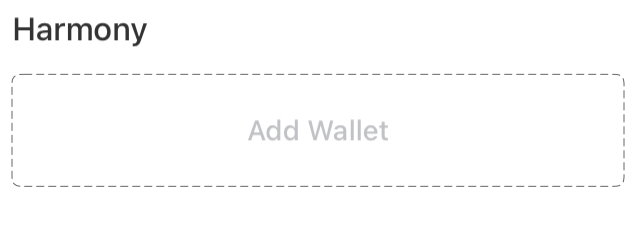
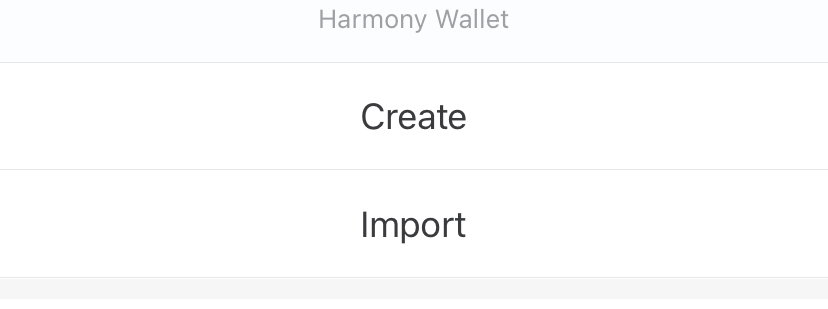
Please download Token Pocket first on the Play Store or App Store, according to the smartphone you are using, after that you can choose the Harmony coin logo to make it
Step 2:
Please create and enter the Harmony wallet username you want, you can create a wallet name according to the name you want, it can be your family name, your child, wife or child, according to the name you want
Step 3:
After that, please fill in the password, later this password is needed when you sell or buy coins on the dex that you run, fill in the password according to what you want, create a strong and safe passwor
Step 4:
After that you immediately create the Harmony wallet, wait a few seconds and your wallet will be created immediately, wait for success, now you can withdraw or insert Harmony (ONE) coins in your own wallet and one more thing don't forget to save the private key given when you make this Harmony wallet .
Informations :
Token/koin : Harmony (ONE)
Eksplorers : https://explorer.harmony.one
Twitter : https://mobile.twitter.com/harmonyprotocol
Thank you very much ...
Bringing a sick cat
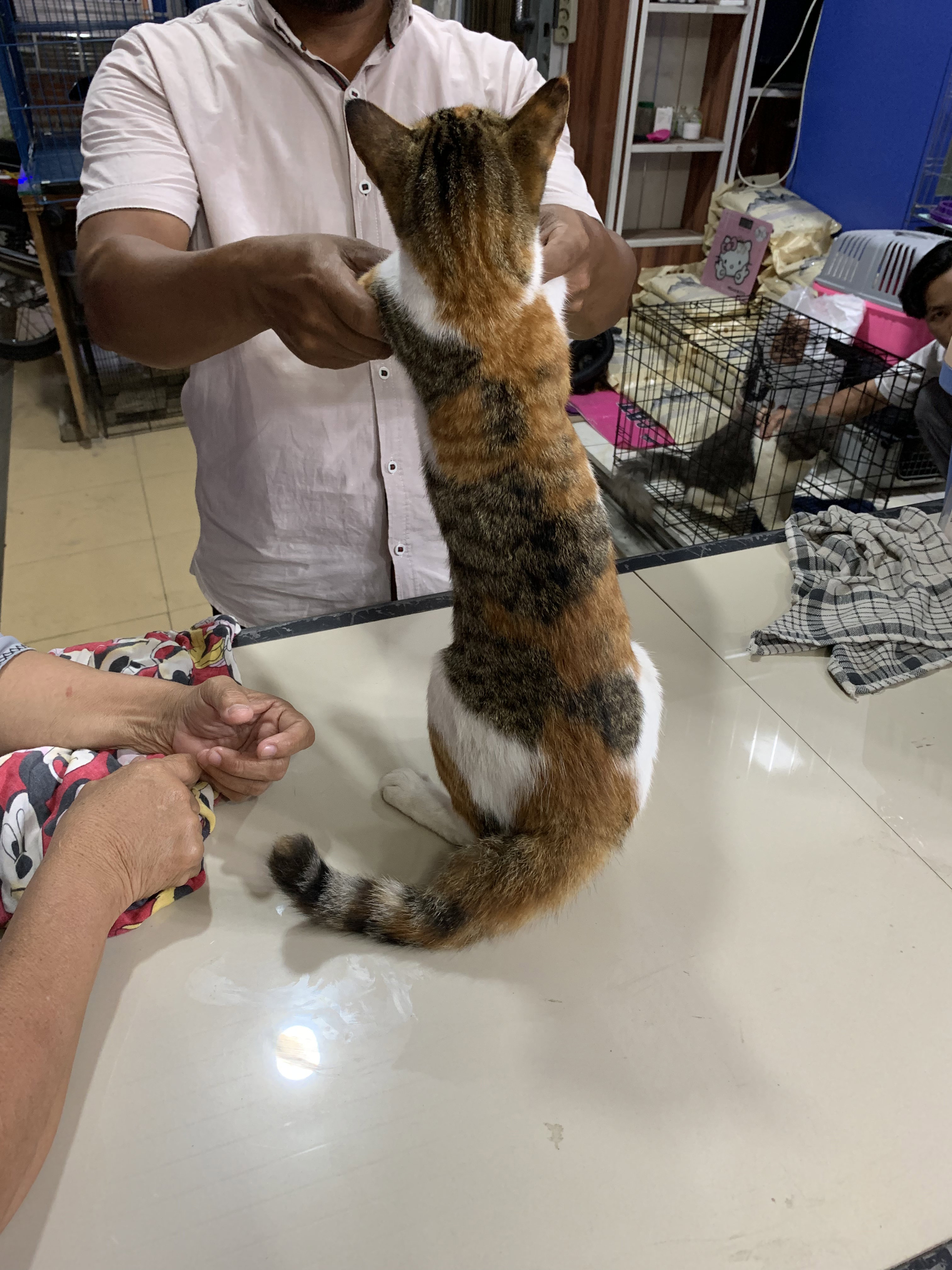
This is the third day I brought my pet cat for treatment, a few days ago an accident occurred when I accidentally bumped into my cat, then it made me very panicked because I accidentally hit my cat until it bleeds from its lips .
This made me very sad, the first day after the accident he (the cat) did not want to eat at all so that it made me weak, in the end I decided to take him to the veterinary hospital, he was given medicine to feel less pain in his body .
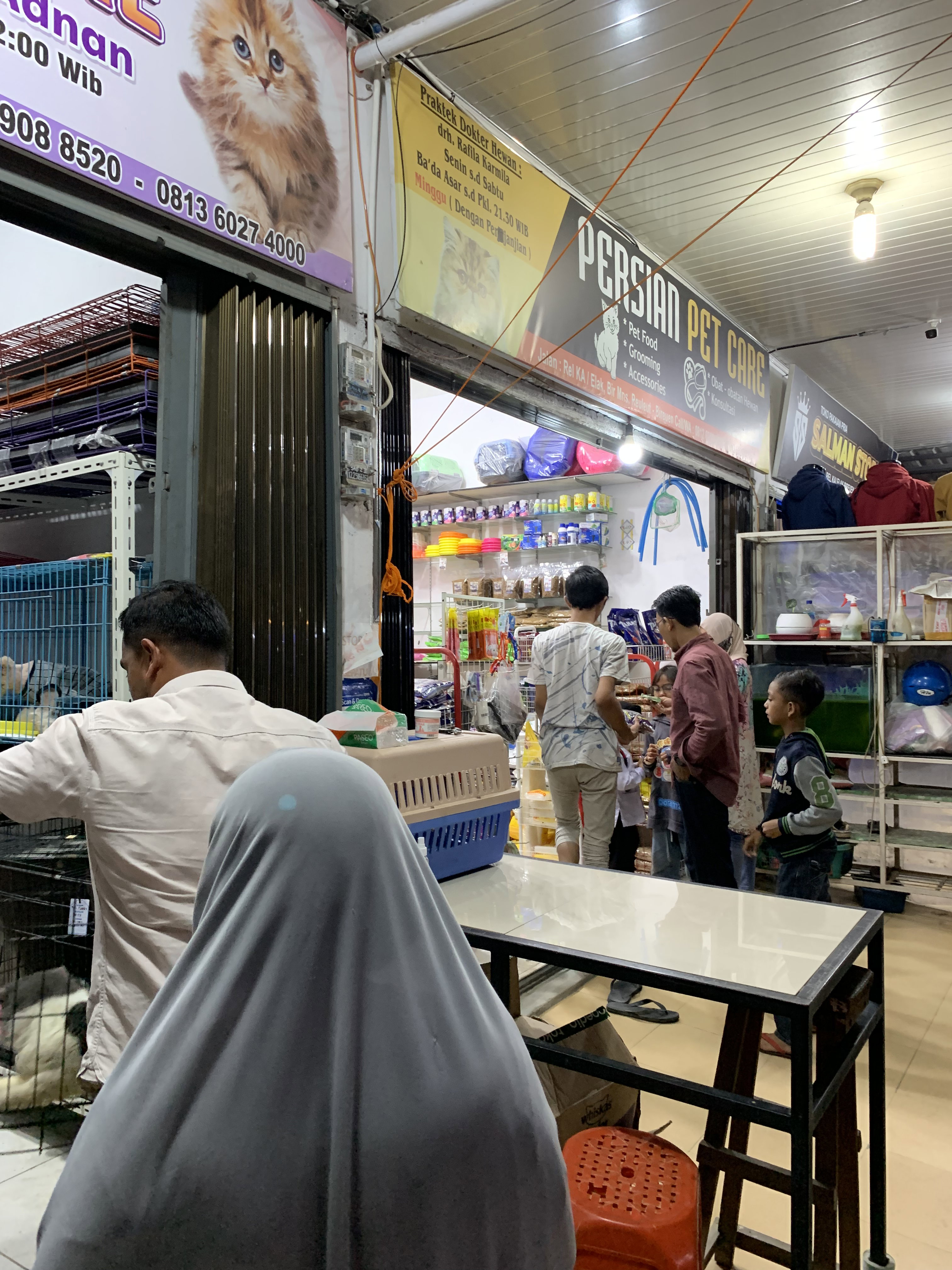
When I got there it turned out that I was not the only one who brought the cat there, it turned out that many cats had the same thing, it turned out that there were many cats being cared for in this room, some wanted surgery and some will be checked when they are ready to go be treated .
A doctor who is treating my cat looks very serious in handling it, it looks like my cat has an internal wound, he looks very in pain when the doctor holds his sore, he feels pain in his stomach .
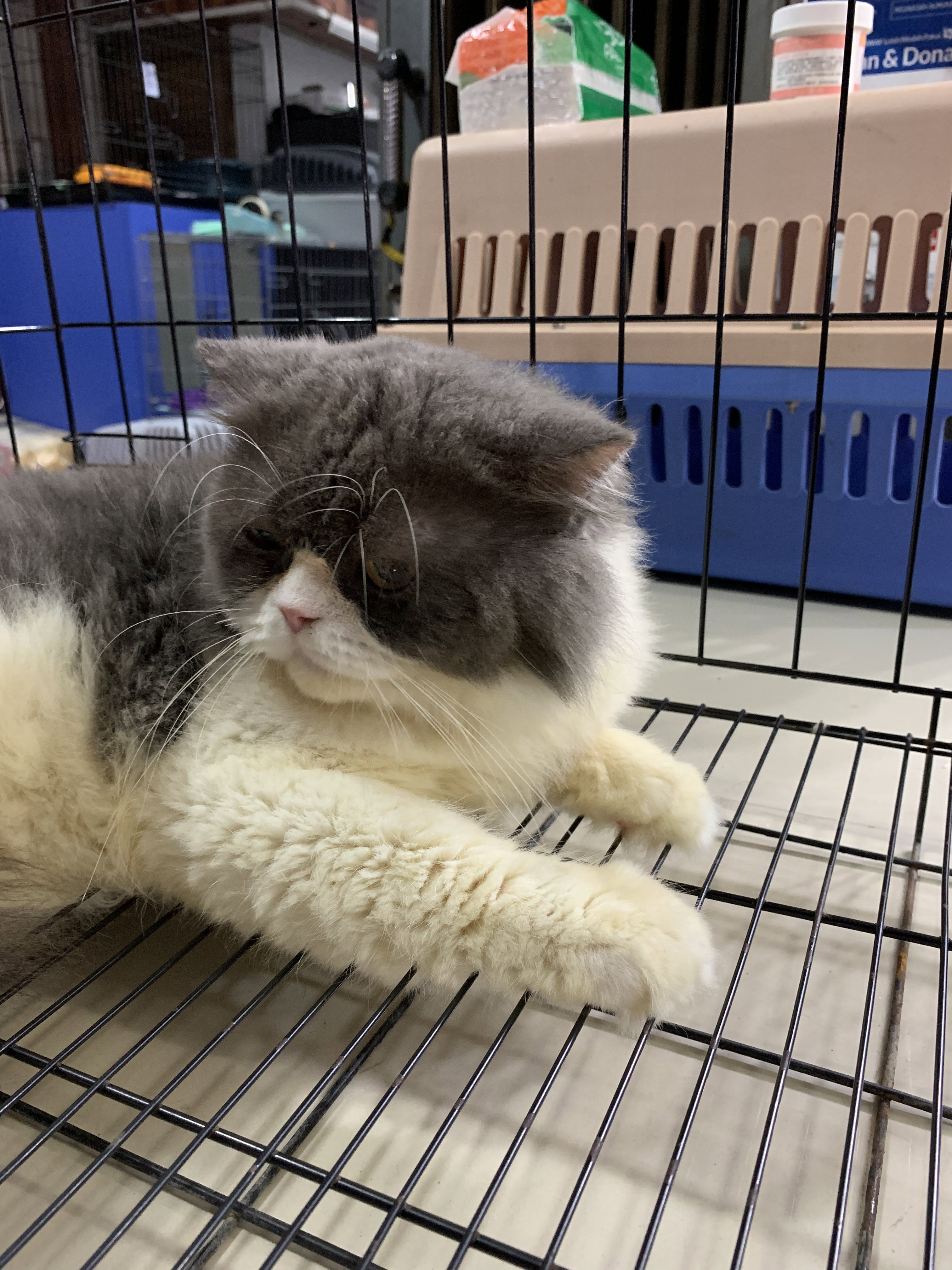
I am very sad to see my cat in pain right now, but I accidentally did it, this cat has a very unique color, he has yellow, white about five colors that my cat has .
The doctor is checking my cat's health, he doesn't have a broken bone, but he feels very sick in his stomach, the doctor continues to try to give him medicine and make him calmer, before he (the cat) felt uncomfortable being held when he was sick, but after being injected and given medicine, he started to feel more comfortable again .
I hope my cat recovers quickly and can play again with his friends, today he is silent and doesn't want to play with his friends, it says that he is still experiencing pain in his body.
How to stake on the Eos Blockchain network
Source image : https://eos.io
Before you read my post, I will explain that maybe there is a language that you don't understand. I'm sorry, because I don't master the language, and I'm trying hard so you can understand what I'm explaining, Thank you
How to stake the Eos Blockchain network ?
In my discussion this time I will briefly explain to new users specifically about how to staking on the Eos Blockchain network .
Maybe in my discussion of this tutorial it is very short, but you need to know that for beginners it will be very useful in this way, so I will explain briefly and so that it is easy for you to understand .
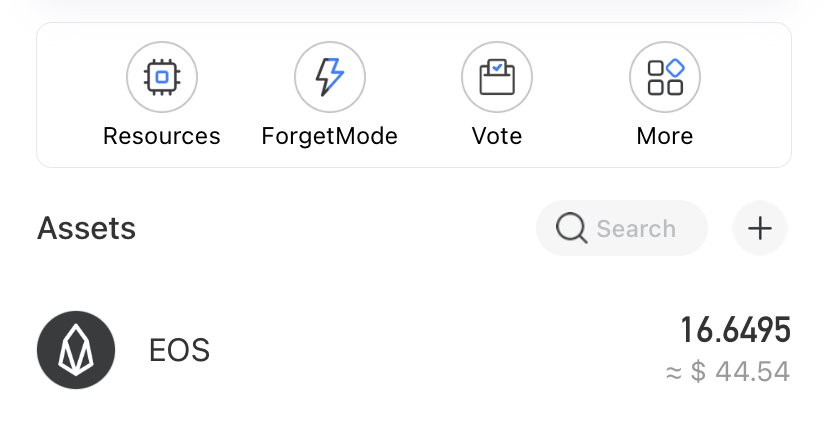
Before you do staking, make sure you have Eos in your wallet, you can try whatever you want, it can be 10 Eos or even 0.1 it's up to and depending on each of you, I only explain how to do it .
Please enter via the link here bloks.io you can login via Token Pocket and also Anchor, here I use Token Pocket to stake this Eos .
Select the stake display menu at the far left, there are also several other menu displays, you can choose according to what you need at this time, I am going to do staking, so I choose what I need, namely stake .
Please enter the amount of Eos you will stake, just enter the amount you like and it's your own decision , After that select confirmation for staking, later you have to enter the password you registered when you downloaded or created an Eos wallet in Token Pocket .
If it is successful, there will be a display like the picture above, good luck and good luck, here I am using a Token Pocket wallet. Thank You
How to buy RAM on the EOS blockchain network
Source image : https://eos.io and https://www.tokenpocket.pro/en
This post is in two languages: INDONESIA-ENGLISH
Do you already have an Eos wallet and do you know how to buy RAM on the Eos Blockchain network, maybe some of you may not know how, in this short discussion I will explain how to buy RAM on the Eos Blockchain network .
Apakah anda sudah memiliki dompet Eos dan sudah mengetahui cara membeli RAM di jaringan Eos Blockchain, mungkin sebagian dari anda ada yang belum mengetahui caranya, pada pembahasan singkat ini saya akan menjelaskan cara membeliRAM di jaringan Eos Blockchain.
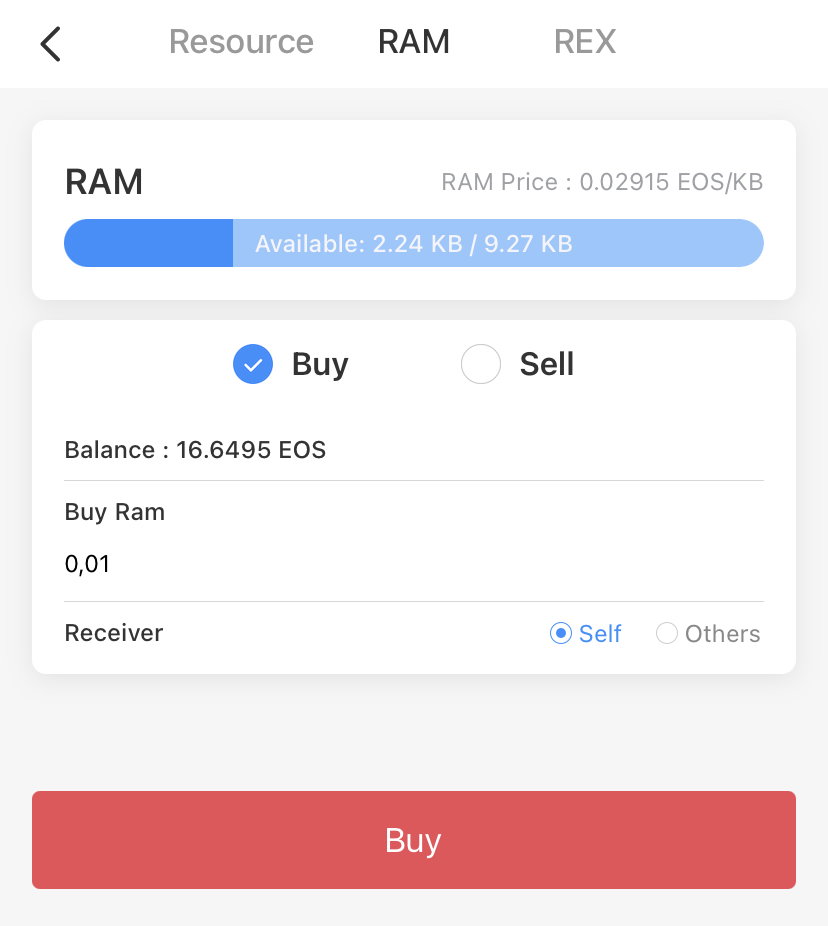
Before starting, make sure you already have Eos in your own wallet, here I will try to buy RAM using 0.01 Eos for my test, you have the right to determine how many Eos you can buy in your opinion .
Sebelum memulai pastikan anda sudah memiliki Eos di dompet anda sendiri, disini saya akan mencoba membeli RAM menggunakan 0.01 Eos untuk pengujian saya,anda berhak menentukan berapa banyak Eos yang bisa anda beli menurut anda.
Please enter the number of Eos you want to buy, you can determine how much you buy, it depends on each of you .
Silakan masukkan jumlah Eos yang ingin dibeli, Anda dapat menentukan berapa banyak yang Anda beli, itu tergantung pada Anda masing-masing
Please buy and your transaction will be confirmed immediately, as in the example picture above, this only takes a few seconds, you don't need to take a long time .
Silahkan beli dan transaksi anda akan langsung terkonfirmasi, seperti pada contoh gambar di atas, ini hanya membutuhkan waktu beberapa detik tidak perl waktu lama
If it is successful then there will be a transaction like the one above, this is an example of a post that I can publish, a very short tutorial and hopefully it can help those of you who have never done it, good luck and thank you .
Jika berhasil maka akan terjadi transaksi seperti di atas, ini contoh postingan yang bisa saya publish, tutorial yang sangat singkat dan semoga bisa membantu anda yang belum pernah melakukannya, selamat mencoba dan terima kasih
Prism Protocol (PRISM)
How To Staking PRISM ?
Have you staked the Prism Protocol (PRISM) ? if not, then in my first discussion, I will briefly explain how to do it .
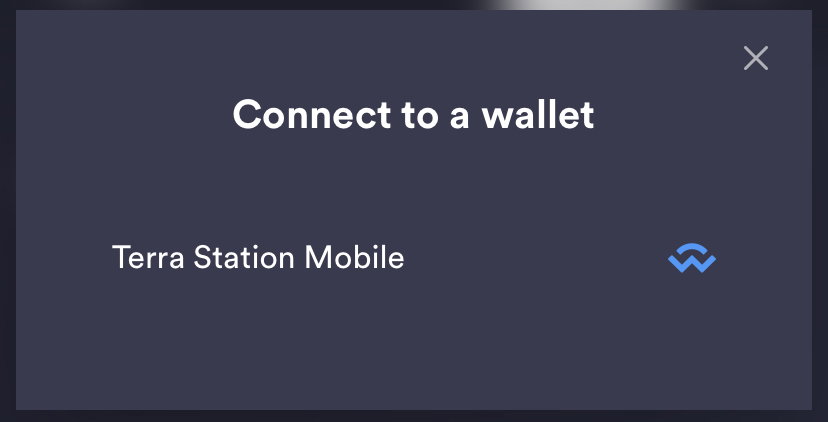
First you have to connect your wallet first using the terra wallet, after that you have to connect the wallet .
Please connect your wallet address so that it can be automatically connected .
Then select allow you to access your terra wallet address, please give your wallet address permission .
Here I am trying to buy a PRISM around 0.1 UST for me to test .
For transaction fees you will be charged around 0.05 Ust, I think this is very cheap for transaction fees .
After that enter the amount of Prism that you will staking, you can try whatever you want to stake .
Wait until your process is successful, and that's some of the short tutorials that I gave, hopefully it can be useful, Thank you
 @Gilang