 @Crypto888
more from that month
@Crypto888
more from that month
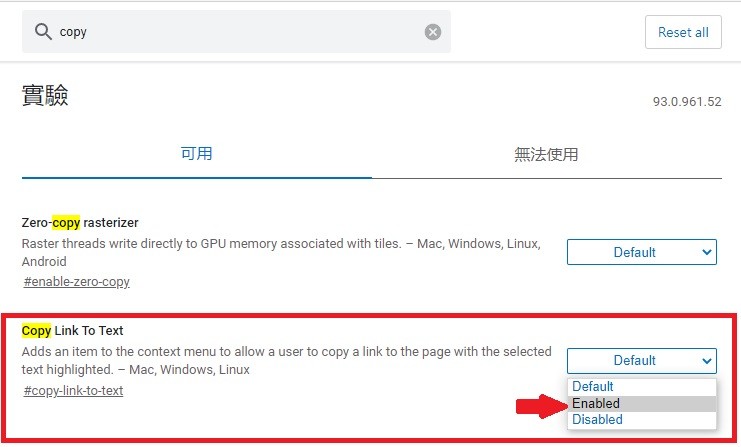
Do you know how to share a web page with eye-catching text? 1. Open the edge browser Enter edge://flags in the URL column 2. Search for a copy Find copy link to text and set it to Enabled Restart the browser 3. Open the page you want to share Highlight the text you want to share 4. Right-click on the mouse Select the award link and copy it to a prominent prompt Done Share it with your friends now^^

No comments yet