 @BrechtRyckaert
more from that month
@BrechtRyckaert
more from that month
Turn your passion for writing into an income

Pretty much all of us here love to write. That's fairly obvious when you start clicking around on this site. I've read very personal stories, thrilling science-fiction, top-notch financial analysis and emotional poems. Quality content gets rewarded by upvotes and tips in Bitcoin Cash. But did you know that there's an easy way to bring your content to millions of potential readers (and earning quite some decent amount in royalties) ? In this article I'll gladly introduce you to all free tools I use (or have used) to publish one of my many ebooks out there. I publish under about 15 different author pseudonyms and under my own name. https://www.amazon.com/Brecht-Ryckaert/e/B00Q2U8EF0 To give you an idea: Since the publication of my very first book (WordPress Security 101 - How to secure your WordPress site against hackers), published under my own name, I've moved about 8000 copies of this book worldwide. And that's just one single book. https://www.amazon.com/gp/product/B00Q247BXW/ Writing the book Before we can publish our book, we'll need to write it first. Most folks, when thinking about writing a book, reckon they can't do it. It's too much. Too long. But just go along with me here... I'm seeing a bunch of people publishing articles here at read.cash almost on the daily or even twice a day. Let's say an article is about 1000 to 1500 words. That would mean you've written somewhere between 7000 and 10 500 words on a weekly basis. Now take into account that the average non-fiction book on Amazon is somewhere between 50 000 and 75 000 words long. And the average chapter is between 1500 and 2500 words... That's not all that far from the amount you're already writing today, is it? Have a plan My trick to write a book is to plan it out entirely. I love to think about my subject first and make a list of all things I want to talk about. Try to think about it like this: what articles do I want to publish in the coming weeks, related to my subject? Let's take my WordPress Security book as an example (which I'm actually rewriting). I've jotted these topics down: Tweaking the .htaccess Tweaking the wp-config.php file Backup strategies Cleaning a hacked site Security plugins These are only some of the topics that came to mind during this exercise. And right away I've got some of my chapters I can write. By using this technique you can easily create a table of content for your book and write the content accordingly. This will help you maintain oversight on your progress. Once I've established the different topics/chapters, I simply get started writing that article/chapter/topic. One at a time, until my entire list of topics has been checked off. By dividing the book into chapters/articles/topics I'm making the writing process far more manageable and doable. Writing tools You could really use anything to write your book. Personally I use Vellum, but there's a bunch of free tools too. In essence you only need a text editor to write your book. This also means you can use any of these tools: https://vellum.pub/ Google Docs Text Editor Wordpad Microsoft Word OpenOffice Write Focuswriter Now, if you're like me and you're not a native English speaker, you might want to improve your writing. One tool that could help you out tremendously is https://quillbot.com/. This is an A.I.-tool that paraphrases your text to make it sound more fluent, formal, creative, ... Formatting your book for publication Since Amazon Kindle Direct Publishing is the dominant platform, we'll focus on this to format our book. I'd suggest downloading Amazon Kindle Create to use as a formatting tool. https://www.amazon.com/Kindle-Create/b?ie=UTF8&node=18292298011 Creating your cover My number one free tool to create a cover is Canva.com. It's a design tool that you can use within the browser (or as a mobile app). It has a bunch of free to use templates for book covers: https://www.canva.com/join/flower-nostril-rider
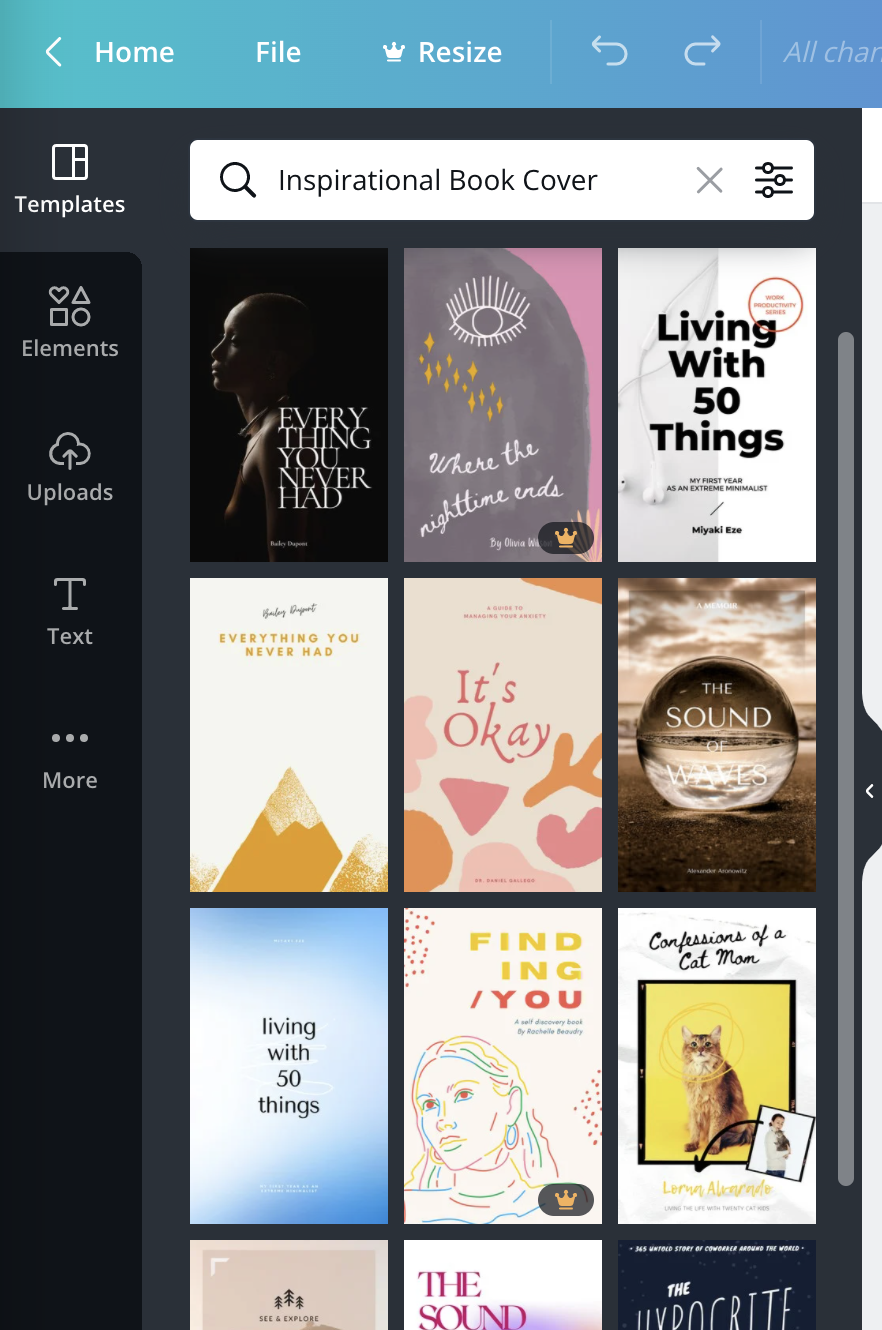
You could easily combine the Canva templates with some pictures from royalty free image sources, such as: Unsplash https://unsplash.com/ Picjumbo https://picjumbo.com/ Pixabay https://pixabay.com/ Foodiesfeed https://www.foodiesfeed.com/ These are the ones I use, but even more can be found in this great article: https://www.acethinker.com/erase-watermark/sites-like-unsplash.html You could also turn to some place like Fiverr.com to pursue the services of a graphic designer. Selling on Amazon Selling on Amazon is fantastic as you get access to millions and millions of customers to sell your books to. The major downside to publishing on Amazon is that they don't give you access to the information of your customers, which also means that you won't be able to target them directly for let's say a promotional e-mail. To start selling on Amazon, you'll first need to register at https://kdp.amazon.com. KDP or Kindle Direct Publishing is the author platform of Amazon, where you'll setup your book for the Amazon store. You can go two routes when publishing on Amazon: - Exclusively on Kindle - Go wide: sell on Amazon and other platforms I'd actually suggest doing the latter. While Amazon still is the biggest platform for selling digital books, you have to take other players on the market (like Kobo) into account. Not selling there basically be ignoring a large percentage of your potential audience. Selling on other platforms Here I'd suggest using an intermediary service, such as Draft2Digital. This will save you a lot of hassle creating accounts for each single platform. Draft2Digital offers a centralized platform from where you can simply publish towards all popular platforms (including Amazon, but that's the only one I'd sell directly on). https://www.draft2digital.com/r/Rl1pMY Selling directly to your customer My go-to tool I'm using here is Gumroad. They have a massive focus on creators of digital products (books, video's, music, software, ...). And contrary to Amazon, with Gumroad you are getting access to all of the information of your customers. https://app.gumroad.com/signup?referrer=brechtryckaert This also means you can target your existing customer base with (for example) a mailing when you release a new book. I hope you all take an amazing start in publishing your first book. If you do, do post the link in the comments. I'd love to see what you all publish. Best of luck! Brecht A big thank you to my sponsors My other articles https://read.cash/@BrechtRyckaert/this-is-my-story-71a53997 https://read.cash/@BrechtRyckaert/my-2-different-wallets-892dd329 https://read.cash/@BrechtRyckaert/setting-selling-targets-limit-orders-d7d75da3 https://read.cash/@BrechtRyckaert/deciding-what-coins-or-tokens-to-invest-in-5eacb83e https://read.cash/@BrechtRyckaert/get-started-with-crypto-a-how-to-guide-a5347b05
4 comments
I use Google docs and text editor and to write my work. I also make use of unsplash.com for making cover.
Yeah Unsplash is an essential resource to me. Thank you for reading and commenting!
This is a vital information. I have a great passion to write and it is a really good one.Thank you
Glad I could help. Thank you for taking the time to read my post!