 @ARKayali
Post your tasks for people to do.
Welcome everyone, How are you? :) Today, I will explain you how to post your tasks using Picoworkers website Firstly, you need to Create Account in Picoworkers, Create it from here https://old.picoworkers.com/?a=6030d62e after that you will get 0.50$ bonus. you can use this bonus to post your tasks on website. Secondly, Go to **'Small jobs'** then click **'+Start a new Small Job'**
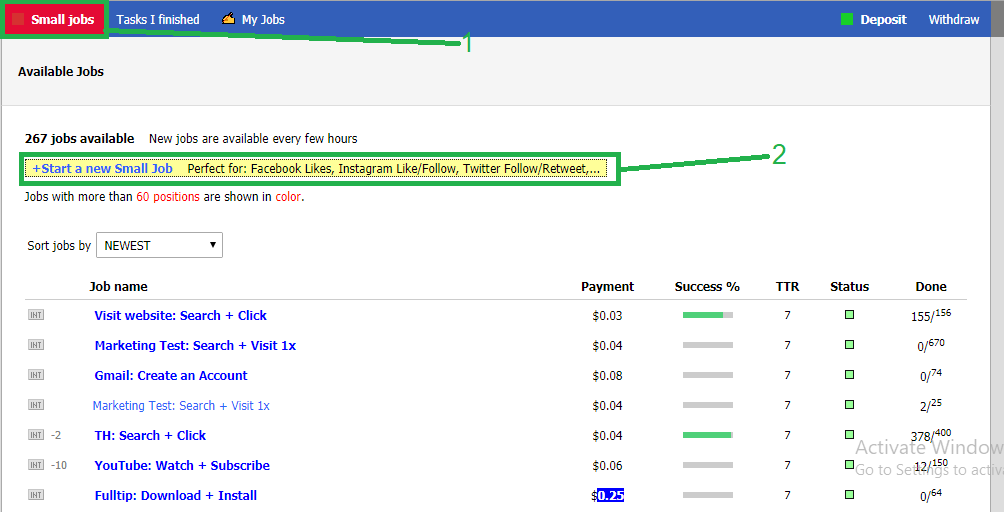
This interface will show you
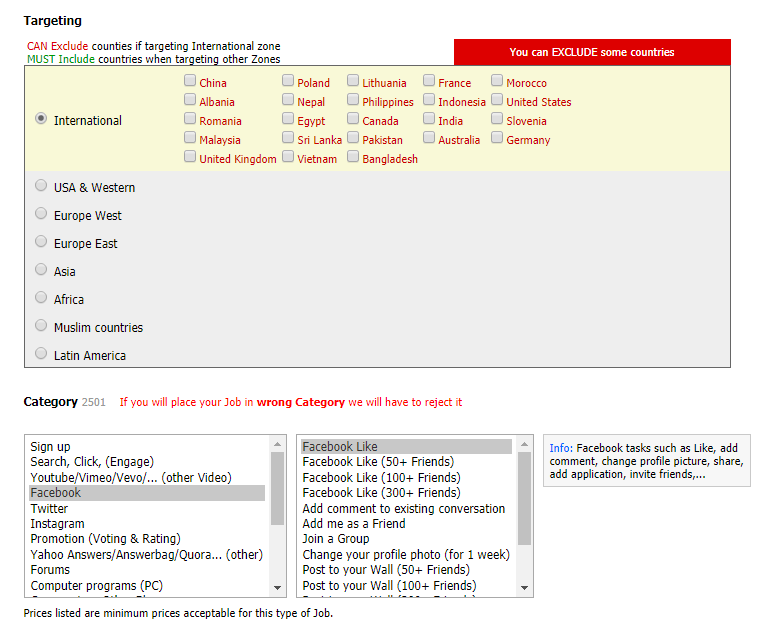
**Targeting:** here you can target specific countries or all countries as desired. **Category:** here you can choose the appropriate category for your task, such as registering on a site, or want to bring views to your videos on YouTube and more..
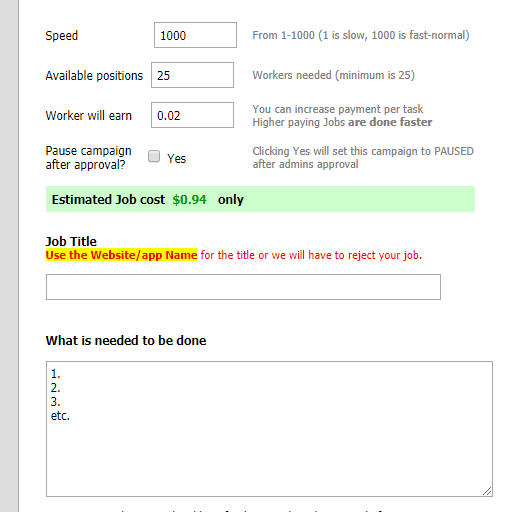
In this area, you can choose **Speed your tasks from 1 to 1000.** **workers needed : 25 minimum.** **workers will earn from your task (**This varies depending on your task**).** **Job title your tasks.** **what is needed to be done:** here you must set steps to carry out the task for the worker to follow and execute.
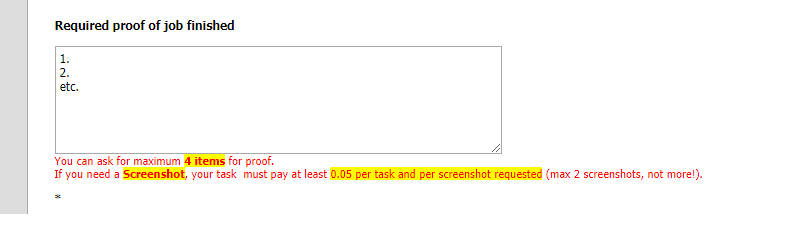
**Required proof of job finished:** here you must set the steps that the worker should take to prove he has done the job. Then clicks **submit jobs**. Thanks for reading.
No comments yet