 @turuncuOnNoiseApp
more from that month
@turuncuOnNoiseApp
more from that month
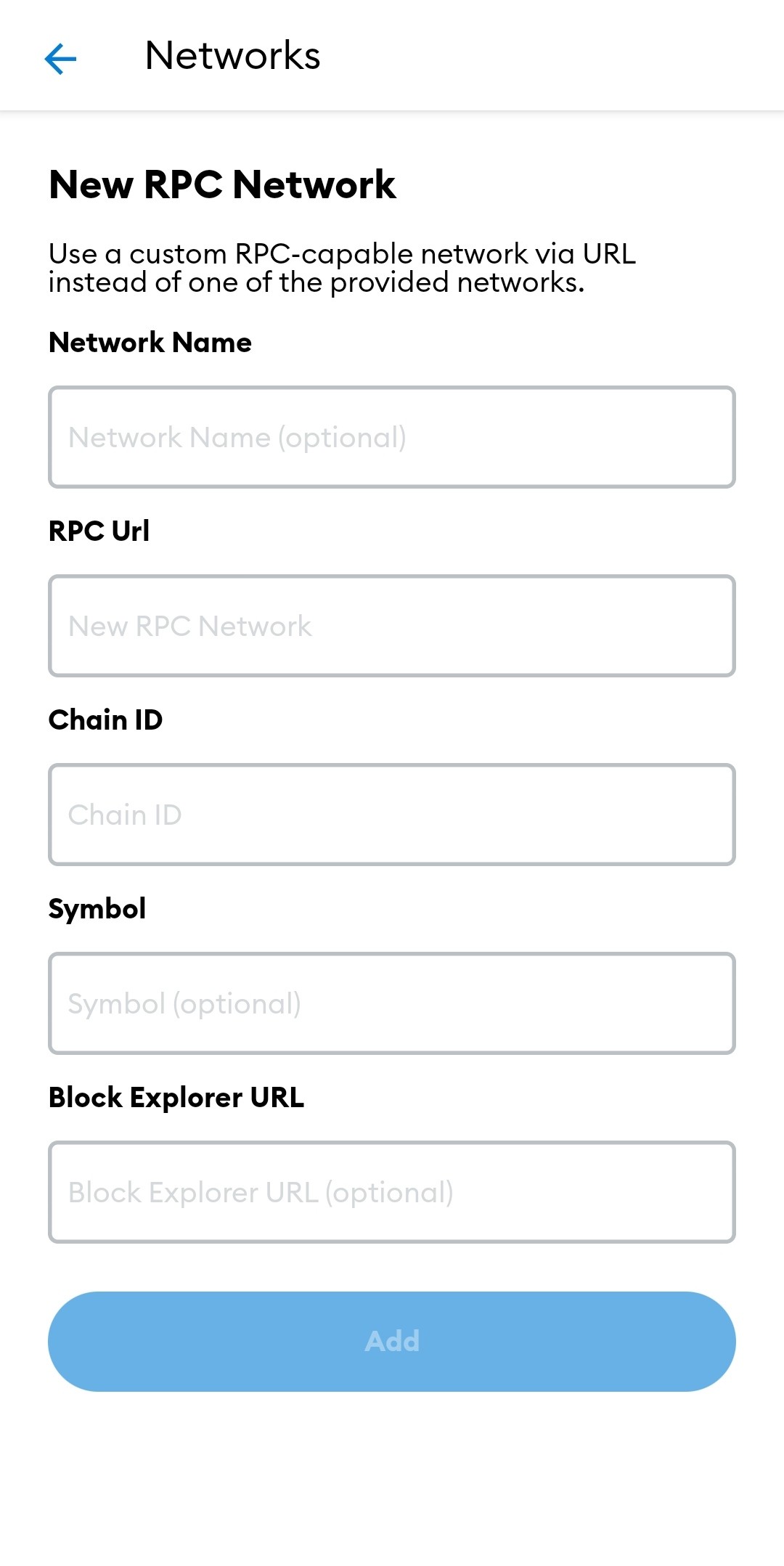
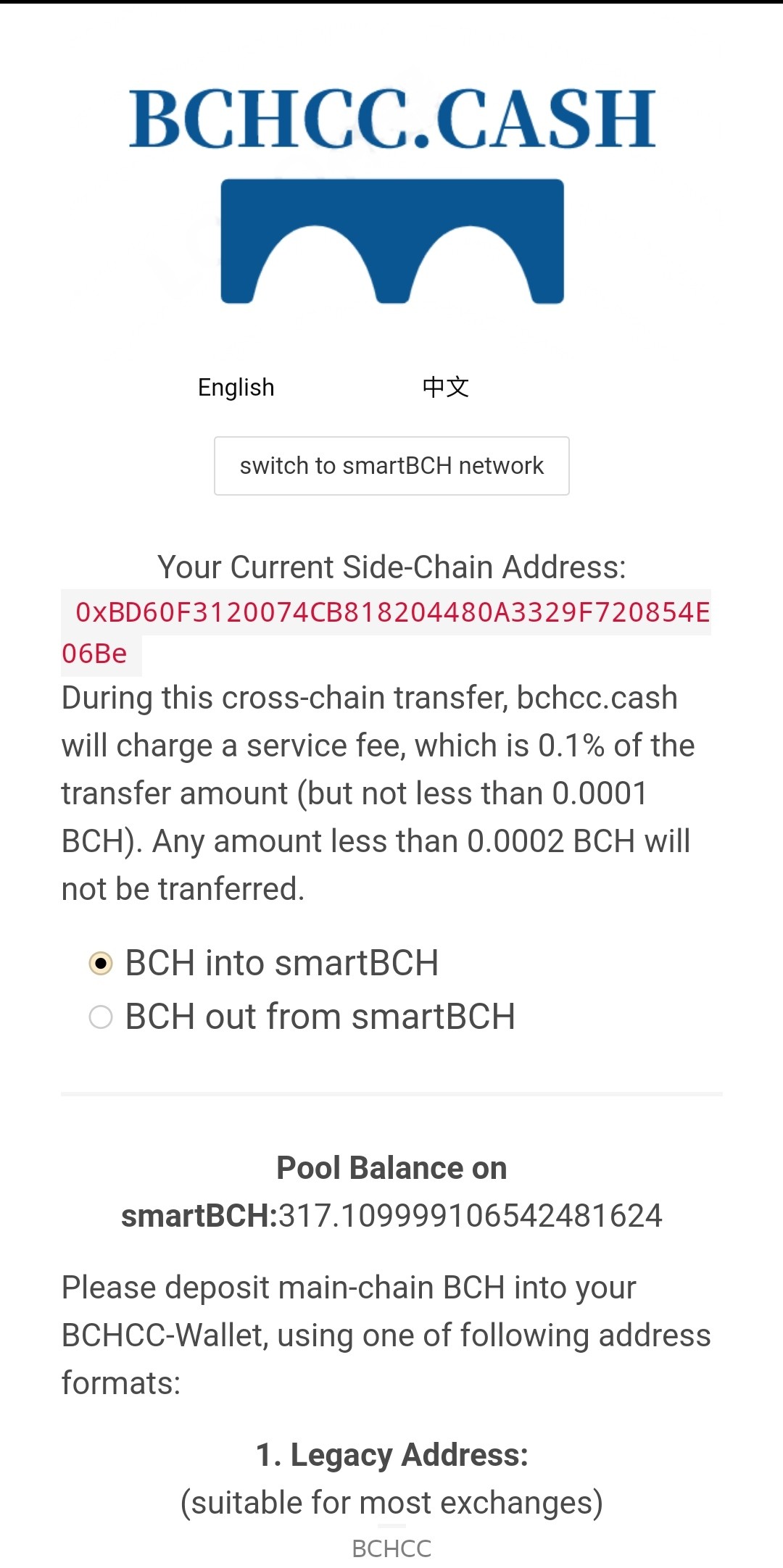
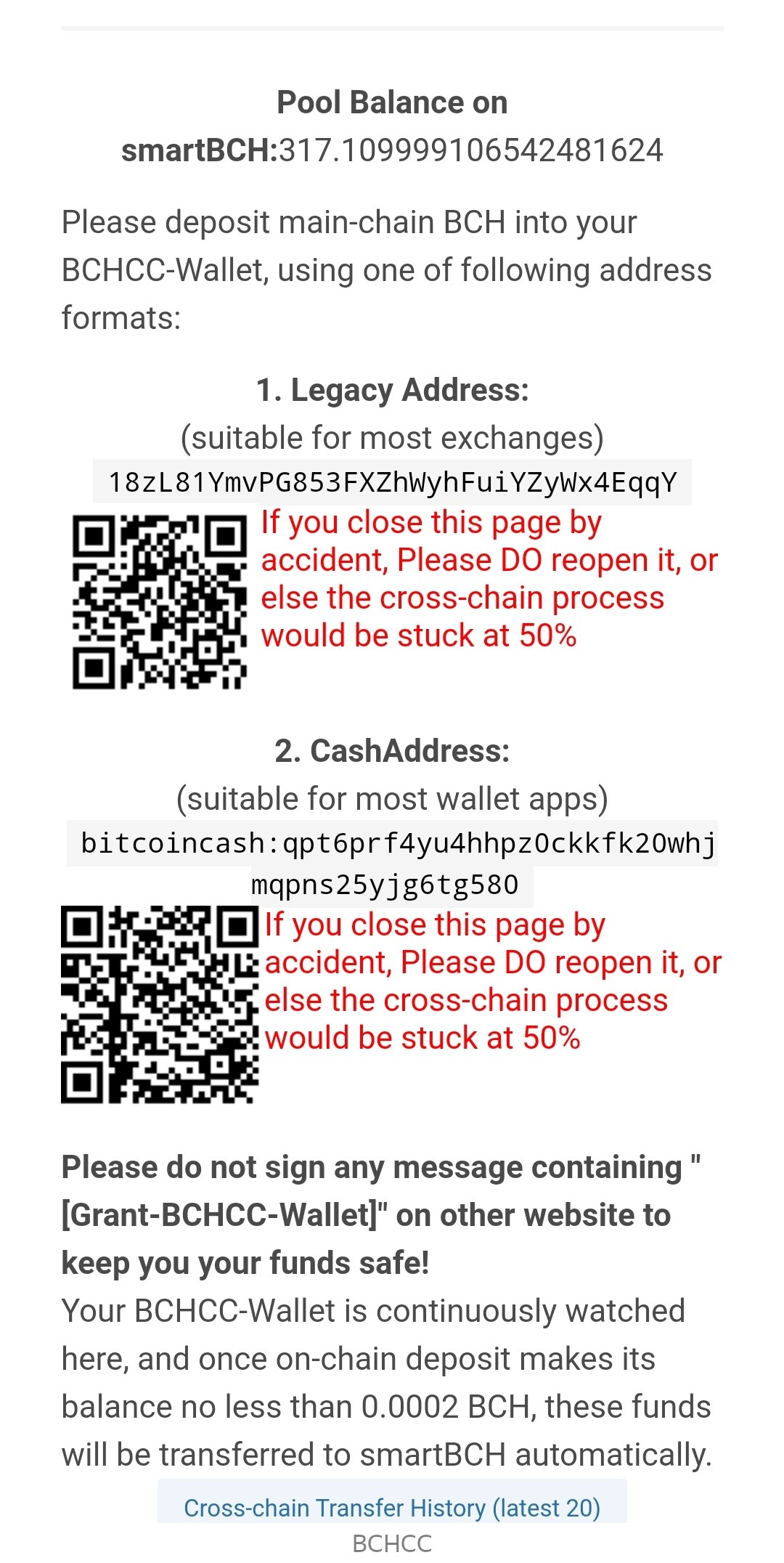
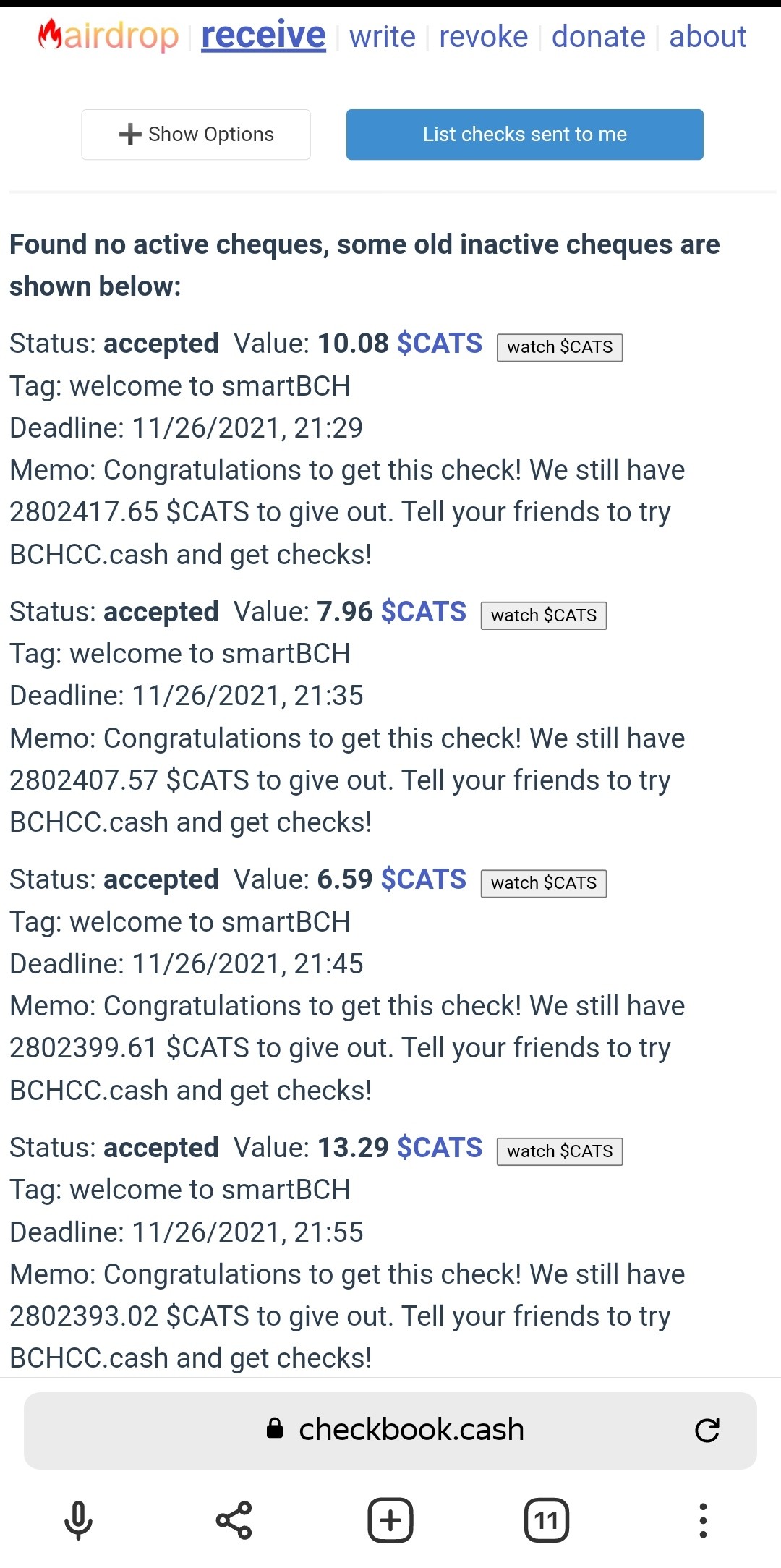
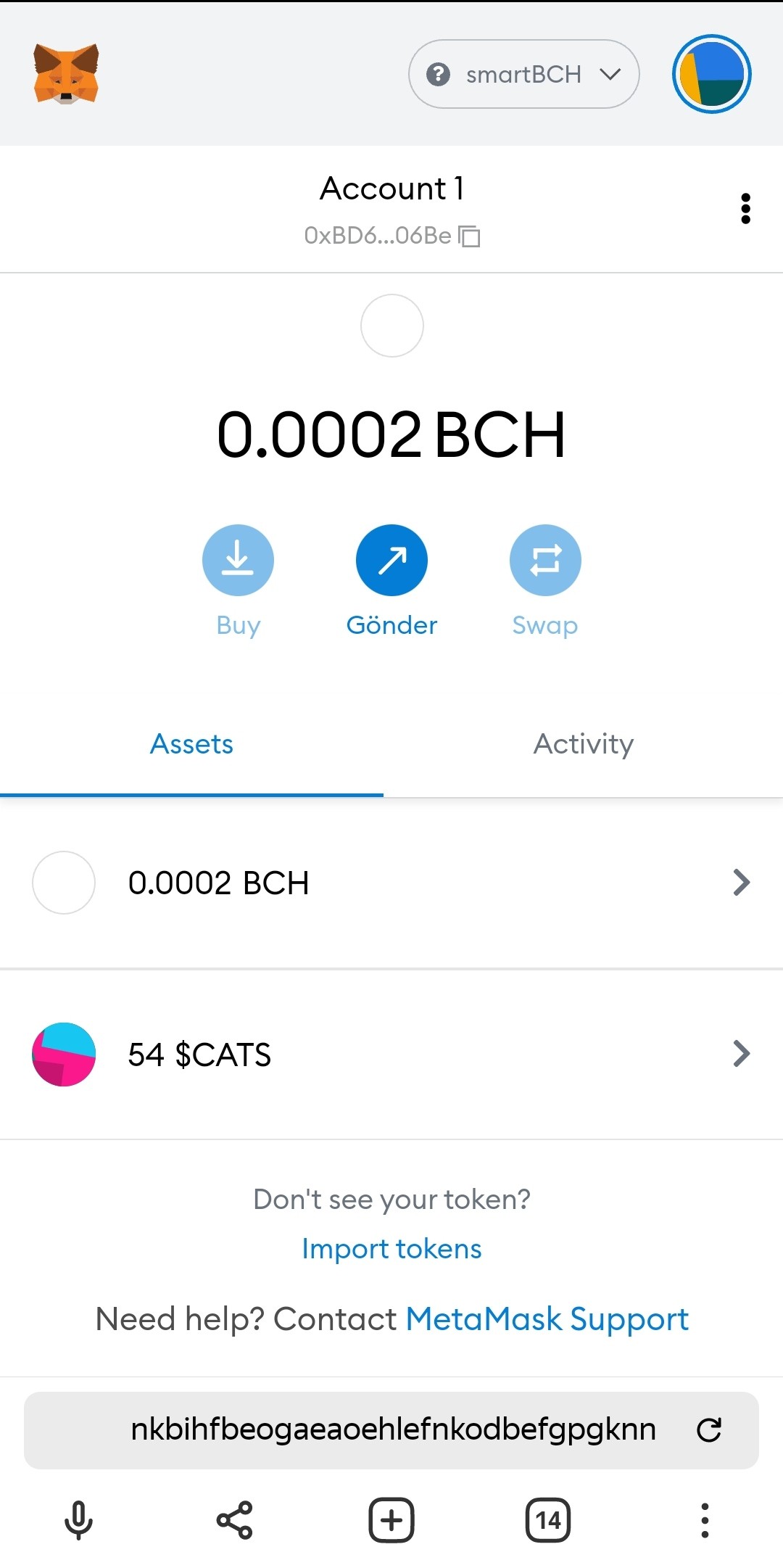
LAST EDIT: I have to advise new users to stay away I understand this is for experts in trading. Not for little experimenters like me. When swapping the purchased Tokens to BCH, it is not possible to swap because the gas fee is too high. The tokens, which are already scarce, either cannot be exchanged at all or there is nothing left after the gas fee is cut. I've given up. It is very likely that those who are new to these systems like me will melt their deposited amount during the transaction. ########## Hello friends. I don't know much about Cryptocurrency Trading. Thanks to noise.cash and read.cash, I am trying to learn something from you. For a while, I decided to use SmartBCH thanks to the posts and articles about Smartbch. Thanks to the articles written on this topic, I connected my Metamask Wallet to the SmartBCH network. I now have some BCH and some $CATS Tokens in my Metamask wallet. If you want some $CATS Token, I think what I will write below will be useful for you. This will be a bit of a novice to novice sharing of experience. In the link I will give below, free $CATS Token is distributed to encourage the use of SmartBCH. I have no idea who gets how much $CATS. However, as far as I understand, this amount may depend on the amount of BCH we transfer to SmartBCH. I think that the number and amount of transactions can be decisive. Of course, this is my personal opinion, it may not be like that.... If you are ready, you can start. First, we need to have a Metamask wallet. If you already have a metamask wallet, you can continue. 1) Click Add Network from the Settings/Networks/ menu. In the New RPC Network section, fill in the relevant fields as below and click Add. Network Name: smartBCH New RPC URL: https://smartbch.greyh.at ChainID: 10000 Symbol: BCH Block Explorer URL: https://www.smartscan.cash/ 2) Now we need to send 0.0002 BCH from our Bitcoin Cash wallet to SmartBCH. For this, we go to https://bchcc.cash/ and click Connect to Wallet. We select "BCH into smartBCH" at the top. Click "Sign" in the signature verification area. On the screen that appears, we send some BCH to one of the Legacy Address or CashAddresses. (Minimum 0.0002 BCH) This way, we add BCH to our SmartBCH wallet. It may take a few minutes for the BCH amount we have sent to appear in our wallet. 3) We now have some BCH in our SmartBCH wallet. Remember, some of this amount will be deducted as gas fee during the transactions we make. Now click on the address below. https://checkbook.cash/app/?autolist=1 Click "Accept" to receive the amount of free $CATS Tokens appearing in the list. Now some $CATS has been sent to our wallet address. If the $CATS Token does not appear in our wallet, you must click "watch $CATS" to add the $CATS Token to your wallet. In this way, you will be able to see the amount of $CATS Tokens you have earned. You have now started using the SmartBCH network and earned some free $CATS Tokens. Also, in the link below, it says that $5 will be given to quality accounts. For now, my account is not eligible for this Airdrop, I guess because it is not a new and very active account. We would be glad if friends who have knowledge on this subject enlighten us. You can check the link and try. https://checkbook.cash/airdrop?r=9gzSA0LBCEIKz I hope this article has been helpful to Cryptocurrency novices like me. #BitcoinCash #SmartBCH #$CATS
2 comments
This is a good information to those who wants to learn SmartBCH and have CATS. They have good promotions too. Im thinking why I didnt receive my bch. I did sent more than 0.0002. Should we send more than 0.0002 or did you try that balance and did you get it?
It writes: "During this cross-chain transfer, bchcc.cash will charge a service fee, which is 0.1% of the transfer amount (but not less than 0.0001 BCH). Any amount less than 0.0002 BCH will not be transferred." 0.0002 BCH is around $0.11 at the BCH/USD rate. After the approval process, it is transferred to your account. If the BCH you sent appears in your account, you can check it from the link https://checkbook.cash/app/?autolist=1.